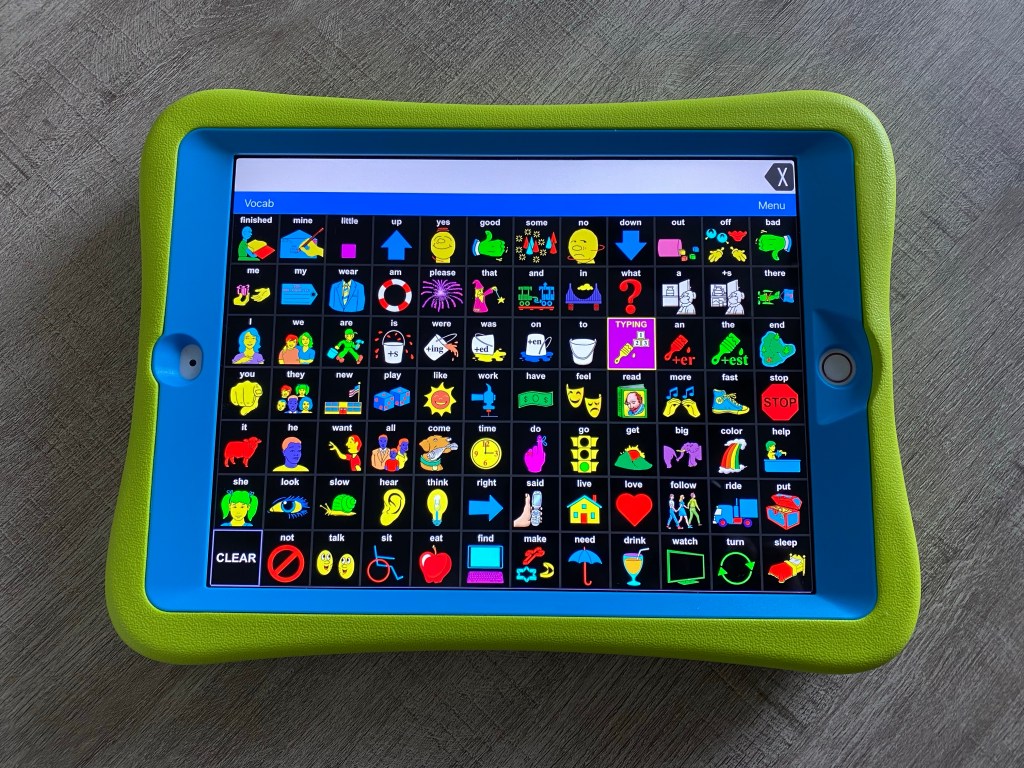
LAMP Words for Life on iPad with High Contrast Symbols

This is what the LAMP Words for Life app looks like on my iPad modified to use High Contrast symbols:


Want to know more? Check out this short recorded webinar on my Teachers Pay Teachers store: https://bit.ly/2Rd430G


Have questions? The best way to reach me with any questions is via messaging on the OMazing Kids Facebook page: https://www.facebook.com/OMazingKidsAAC/. That way messages don’t get lost among the spam in my e-mail.


Angela Moorad, MS, CCC-SLP, Founder of OMazing Kids, LLC OMazing Kids AAC Consulting

Teachers Pay Teachers Store: https://www.teacherspayteachers.com/Store/Omazing-Kids-Aac-Consulting

Ko-Fi: https://ko-fi.com/omazingkidsaac

Personal Professional Facebook Page (linked to OMazing Kids): https://www.facebook.com/angela.moorad (adding “friends” who have a direct role in AAC or Assistive Technology – AAC / AT app or product developers, AAC / AT consultants, SLPs who specialize in AAC, other professionals who specialize in AAC or AT, etc.)

OMazing Kids Business Facebook Page: https://www.facebook.com/OMazingKidsAAC/

AppPeeps Facebook Group: https://www.facebook.com/groups/OMazingKidsAppPeeps/

Instagram: https://www.instagram.com/omazingkidsaac/

Twitter: https://www.twitter.com/amoorad

Pinterest: http://pinterest.com/OMazingKids/

Linktree: https://linktr.ee/amoorad1

Blog: http://omazingkidsllc.com

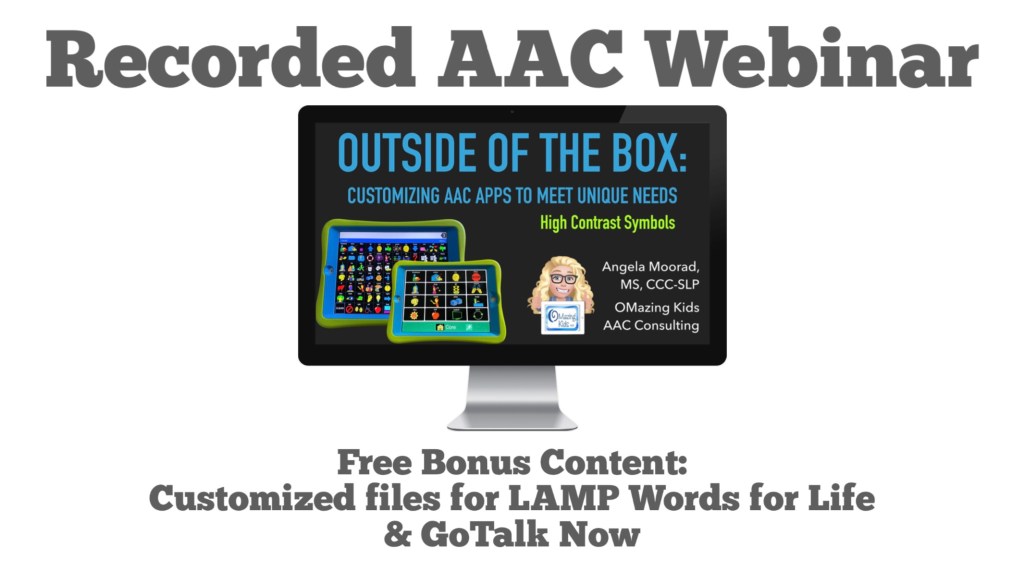
New Recorded Webinar: Outside of the Box – Customizing AAC Apps to Meet Unique Needs – High Contrast Symbols plus free bonus content

Check out this new product on my Teachers Pay Teachers store:

Outside of the Box – Customizing AAC Apps to Meet Unique Needs – High Contrast Symbols (Recorded Video Webinar): https://www.teacherspayteachers.com/Product/Customizing-AAC-Apps-to-Meet-Unique-Needs-High-Contrast-Symbols-Webinar-6914135


This recorded video webinar covers:

• 19 ways that AAC apps can be modified with an extra focus on High Contrast Symbols

• Reasons for making modifications

• Detailed info about 7 iOS AAC apps that include High Contrast Symbols or have them available via extra purchase or by editing buttons

• A comparison of High Contrast Symbols vs. using iOS Accessibility Invert Colors

• A Case Study of how the GoTalk Now Lite app was customized to be used as a stepping stone to a robust AAC option

• Learn how I edited the entire LAMP Words for Life AAC app over a six month period to use High Contrast symbols on a black background. Includes a handout with info about how to find those symbols in the app and the Settings and Pronunciation Exceptions that I used

• How this modified LAMP Words for Life Vocab file is different than using LAMP Words for Life – VI on an Accent Speech Generating Device

• How you can receive a copy of my modified files for GoTalk Now and LAMP Words for Life as optional free bonus content


Expected Learner Outcomes:

1. List at least three modifications that can be made to AAC apps

2. List a reason for using High Contrast Symbols besides CVI / Vision Impairment

3. List at least two differences between LAMP WFL – VI & LAMP WFL modified with high contrast symbols

4. Give an example of how to use one AAC app as a stepping stone towards a more robust option


Expected Takeaways:

1. Have info about symbol-based AAC apps that include High Contrast Symbols or have them available via extra purchase or by editing buttons

2. Have info about how to find High Contrast Symbols in the LAMP Words for Life app on an iPad

3. Identify at least 3 modifications to use with current patients / students on their caseload


What’s included with the purchase of this product:

Recorded Webinar Video (33:53), unlisted YouTube link provided in the Supporting Document

Supporting Document (25 page PDF): Link to unlisted YouTube video webinar, Slides Handout (2 slides per page), How to Find LAMP Words for Life High Contrast Symbols in the iPad App & a Quiz). The Slides Handout portion of the PDF is best viewed the free Xodo app or Books app on an iPad (or similar PDF reader) vs. printing it due to the black background. The free Xodo app can be used on any platform and computers. The links are out on their website: https://www.xodo.com/)


Optional Free Bonus Content (see more info below):

Vocab File for LAMP WFL FULL – High Contrast [original motor plans (NOT LAMP VI), edited to use High Contrast Symbols, added additional vocabulary]

Communication Book file for GoTalk Now – modified to be similar to LAMP WFL, High Contrast Symbols, pages for videos, toys and snacks


AAC apps featured in the slides and screencast video:

• Avaz (https://apps.apple.com/us/app/avaz-aac-lifetime-edition/id558161781)

• CoughDrop (https://apps.apple.com/us/app/coughdrop/id1021384570, linked with LessonPix https://lessonpix.com)

• GoTalk Now Plus (Attainment Company, https://apps.apple.com/us/app/gotalk-now-plus/id742150885)

• Grid for iPad (Smartbox Assistive Technology, https://apps.apple.com/us/app/grid-for-ipad-vpp/id1339153708)

• LAMP Words for Life (PRC-Saltillo, https://apps.apple.com/us/app/lamp-words-for-life/id551215116)

• Proloquo2Go (AssistiveWare, https://apps.apple.com/us/app/proloquo2go/id308368164)

• Snap Core First AAC (Tobii Dynavox, https://apps.apple.com/us/app/snap-core-first-aac/id1257753762)

• Speak for Yourself (https://apps.apple.com/us/app/speak-for-yourself/id482508198)

• TouchChat with WordPower (PRC-Saltillo, https://apps.apple.com/us/app/touchchat-hd-aac-w-wordpower/id412351574)


Info & Tech requirements for optional bonus content:

• In order to receive the free bonus content, send your 4 quiz answers along with proof of purchase of this course (screenshot from Purchases area in TPT) in a private message to my OMazing Kids Facebook page (https://www.facebook.com/OMazingKidsAAC/). I’ll reply with a Google Drive link where you can download the file for LAMP WFL & the file for GoTalk Now

• There is no guarantee that the modified AAC files will work on your iPad. These are being provided as FREE bonus content for those who complete and submit the quiz and are NOT part of the purchase of this training. Purchase of this training is for the content of the training itself and the knowledge gained about how to customize AAC apps

• These files can only be accessed on an iPad running the required minimum iOS for the LAMP Words for Life and GoTalk Now apps (preferably the most current iOS)

• That iPad needs to have plenty of free memory. The file for use in the GoTalk Now app contains 8 videos. Most AAC apps need at least 1GB of free memory to run smoothly

• Be sure to backup customized programming BEFORE attempting to install a file

• The AAC app needs to be fully installed and updated on that iPad before attempting to open the file to install it

• The GoTalk Now file can only be opened on GoTalk Now or GoTalk Now Plus (not the Lite or Starter versions)

• Occasionally edited symbols disappear when installing a file. If this happens, try downloading it again on a strong WiFi connection. You can also use my list of how to find the high contrast symbols to add it in edit mode. There are a few buttons where I used imported symbols. Those should also be in the symbol library. If you need additional help after trying these, feel free to send me a message on my OMazing Kids Facebook page


See the product description on TPT for more info and Terms of Use.


Have questions? The best way to reach me with any questions is via messaging on the OMazing Kids Facebook page: https://www.facebook.com/OMazingKidsAAC/. That way messages don’t get lost among the spam in my e-mail.


Angela Moorad, MS, CCC-SLP, Founder of OMazing Kids, LLC OMazing Kids AAC Consulting

Teachers Pay Teachers Store: https://www.teacherspayteachers.com/Store/Omazing-Kids-Aac-Consulting

Ko-Fi: https://ko-fi.com/omazingkidsaac

Personal Professional Facebook Page (linked to OMazing Kids): https://www.facebook.com/angela.moorad (adding “friends” who have a direct role in AAC or Assistive Technology – AAC / AT app or product developers, AAC / AT consultants, SLPs who specialize in AAC, other professionals who specialize in AAC or AT, etc.)

OMazing Kids Business Facebook Page: https://www.facebook.com/OMazingKidsAAC/

AppPeeps Facebook Group: https://www.facebook.com/groups/OMazingKidsAppPeeps/

Instagram: https://www.instagram.com/omazingkidsaac/

Twitter: https://www.twitter.com/amoorad

Pinterest: http://pinterest.com/OMazingKids/

Linktree: https://linktr.ee/amoorad1

Blog: http://omazingkidsllc.com

Comparing Five All-Purpose Articulation Apps for SLPs in 2021

Here’s an updated comparison of five all-purpose articulation apps:

  • Articulation Station Pro
  • ArtikPix Full
  • Speech Tutor Pro
  • Webber Photo Artic Castle Pro
  • Articulate It! Pro

My recommendations have changed quite a bit recently due to glitches not being fixed in one app and two apps not being updated. This raises a red flag as to whether or not they will continue to work as new iOS versions are released.

Only two of these apps are still highly recommended: Articulation Station Pro & ArtikPix Full

Two are now designated as “purchase with caution” (Speech Tutor Pro & Webber Photo Artic Castle Pro) and one is no longer recommended for purchase (Articulate It! Pro).

I sent messages to all three app developers to ask about plans to update their app. As of the time of this blog post none of them have replied. All three of those companies have a subscription-based site so it’s likely that they are focusing on that now vs. maintaining existing apps.


See this updated interactive chart for the details: https://bit.ly/3fmCBXG


Note: The PDF is not formatted to be printed. It is best viewed in the free Xodo app or Books app.


Angela Moorad, MS, CCC-SLP, Founder of OMazing Kids, LLC OMazing Kids AAC Consulting

Teachers Pay Teachers Store: https://www.teacherspayteachers.com/Store/Omazing-Kids-Aac-Consulting

Ko-Fi: https://ko-fi.com/omazingkidsaac

Personal Professional Facebook Page (linked to OMazing Kids): https://www.facebook.com/angela.moorad (adding “friends” who have a direct role in AAC or Assistive Technology – AAC / AT app or product developers, AAC / AT consultants, SLPs who specialize in AAC, other professionals who specialize in AAC or AT, etc.)

OMazing Kids Business Facebook Page: https://www.facebook.com/OMazingKidsAAC/

AppPeeps Facebook Group: https://www.facebook.com/groups/OMazingKidsAppPeeps/

Instagram: https://www.instagram.com/omazingkidsaac/

Twitter: https://www.twitter.com/amoorad

Pinterest: http://pinterest.com/OMazingKids/

Linktree: https://linktr.ee/amoorad1

Blog: http://omazingkidsllc.com

Anxiety and Autism: Helpful Tools

Unfortunately anxiety is common with Autism. It’s the main reason that I went through training for kids yoga and mindfulness. I needed tools as an SLP to be able to help my patients learn self regulation and self affirmation skills.

Here are several helpful tools:

Two Amazing “Must Have” Books for Teaching Kids Self-Regulation Skills: https://bit.ly/2T36tiR.


Calming Kit Visual Support and Calming Corner:

A self-regulation visual support from the archives on my blog. See the whole thing and instructions in this PDF: https://omazingkidsllc.com/wp-content/uploads/2013/04/behavior-thermometer-i-am-feeling-i-will-with-feelings-and-self-calming-choices-with-kids-yoga-bumpidoodle-cushion.pdf

An editable version is out on Boardmaker Share: https://www.myboardmaker.com/Activity/1817562


Visual Supports with Voice Output for the “Win”! – Incredible 5 Point Scale and the GoTalk Now app: https://bit.ly/3v3eq5M


Fingertip Sphere Breathing for Self Regulation & Calming: https://bit.ly/3bHXLNC


https://www.facebook.com/174264525957894/posts/pfbid02aDf9ymGeTPKNi3kBsCchQfa4DuhggcSfpBmG7RWhfSzAZGp2wuVxmBg521FABLj4l/?d=n

Breathing Zone app (like a virtual Hoberman Sphere). https://apps.apple.com/us/app/breathing-zone/id369838631. I post every time I see this app is free for a short time but it’s definitely worth the regular price:


Visual Timers can be very helpful to reduce anxiety.

I just checked and the app versions of the Time Timer are all still currently FREE (7:45am CDT 7/5/22):

iOS – iPhone and Apple Watch: Time Timer by Time Timer LLC, https://apps.apple.com/us/app/time-timer/id332520417

iOS – iPad: Time Timer: iPad Edition by Time Timer LLC, https://apps.apple.com/us/app/time-timer-ipad-edition/id434081367

Android & Google Chromebooks: https://play.google.com/store/apps/details?id=com.timetimer.android


Another great free option is the MultiTimer app that can be adjusted directly on an Apple Watch as well as an iPhone. See details on this post: https://omazingkidsllc.com/2017/05/30/free-visual-timer-app-adjustable-directly-on-apple-watch/.


Owl & Star plush characters from Super Simple Learning + free printable affirmation coloring pages: https://bit.ly/3fykyfZ. Any stuffed animal or doll can be used with belly breathing. See this video: https://youtu.be/cx9vMHnjpbA


Five Count Breathing Stars visual support: https://bit.ly/2RCD8eT


Smell the Icing – Blow out the Candle visual support: https://bit.ly/2SfCjbD.


Several great apps in this resource guide: https://bit.ly/UltimateAppDigitalResourceGuideSLP


And handouts from a training “Therapeutic Yoga For Kids and Teens with Autism” that I did at the Oklahoma Autism Conference in 2011: https://bit.ly/3402Hci


I’ll update this post to add additional resources as I create or find them.


Disclaimer: Anxiety is very real and can be severe. Please seek the care of an appropriate mental health professional as needed. Any tools shared here may not work for everyone. They are shared as examples and may need to be customized to meet individual needs.


The best way to reach me with any questions is via private messaging on the OMazing Kids Facebook page: https://www.facebook.com/OMazingKidsAAC/. That way important messages don’t get lost among the spam in my e-mail


Angela Moorad, MS, CCC-SLP, Founder of OMazing Kids, LLC, OMazing Kids AAC Consulting

• Teachers Pay Teachers Store: https://www.teacherspayteachers.com/Store/Omazing-Kids-Aac-Consulting

• YouTube: https://youtube.com/user/amoorad1

• Ko-Fi: https://ko-fi.com/omazingkidsaac

• OMazing Kids AAC Consulting Facebook Page: https://www.facebook.com/OMazingKidsAAC/

• AppPeeps Facebook Group: https://www.facebook.com/groups/OMazingKidsAppPeeps/

• GoTalk Now AAC & GoVisual Visual Scene Apps – Ideas and Sharing Facebook Group: https://bit.ly/GoTalkNowAACappGroup

• Instagram: https://www.instagram.com/omazingkidsaac

• Twitter: https://www.twitter.com/amoorad

• Pinterest: http://pinterest.com/OMazingKids/

• Linktree: https://linktr.ee/amoorad1

• LinkedIn: https://www.linkedin.com/in/angelamooradomazingkidsaac

• Blog: https://omazingkidsllc.com

Updated AAC Feature Matching Chart (5/13/21)

*** See this new post for the most current info & a major update: https://omazingkidsllc.com/2021/07/20/feature-matching-chart-for-the-top-11-robust-ios-symbol-based-aac-apps/ ***

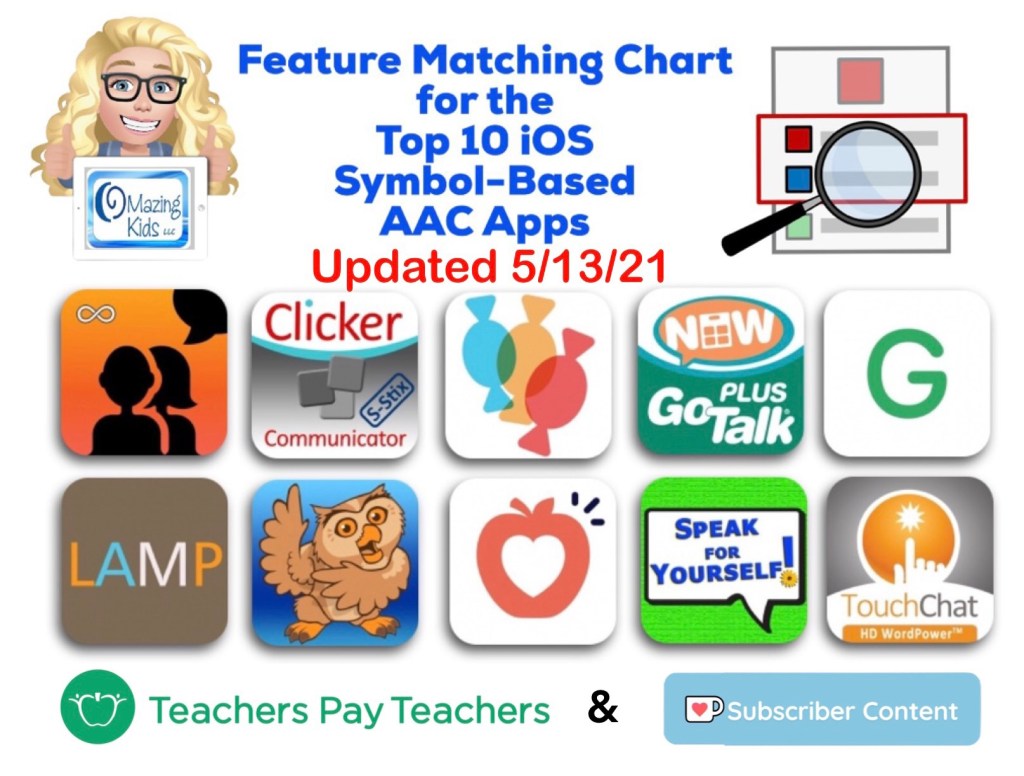
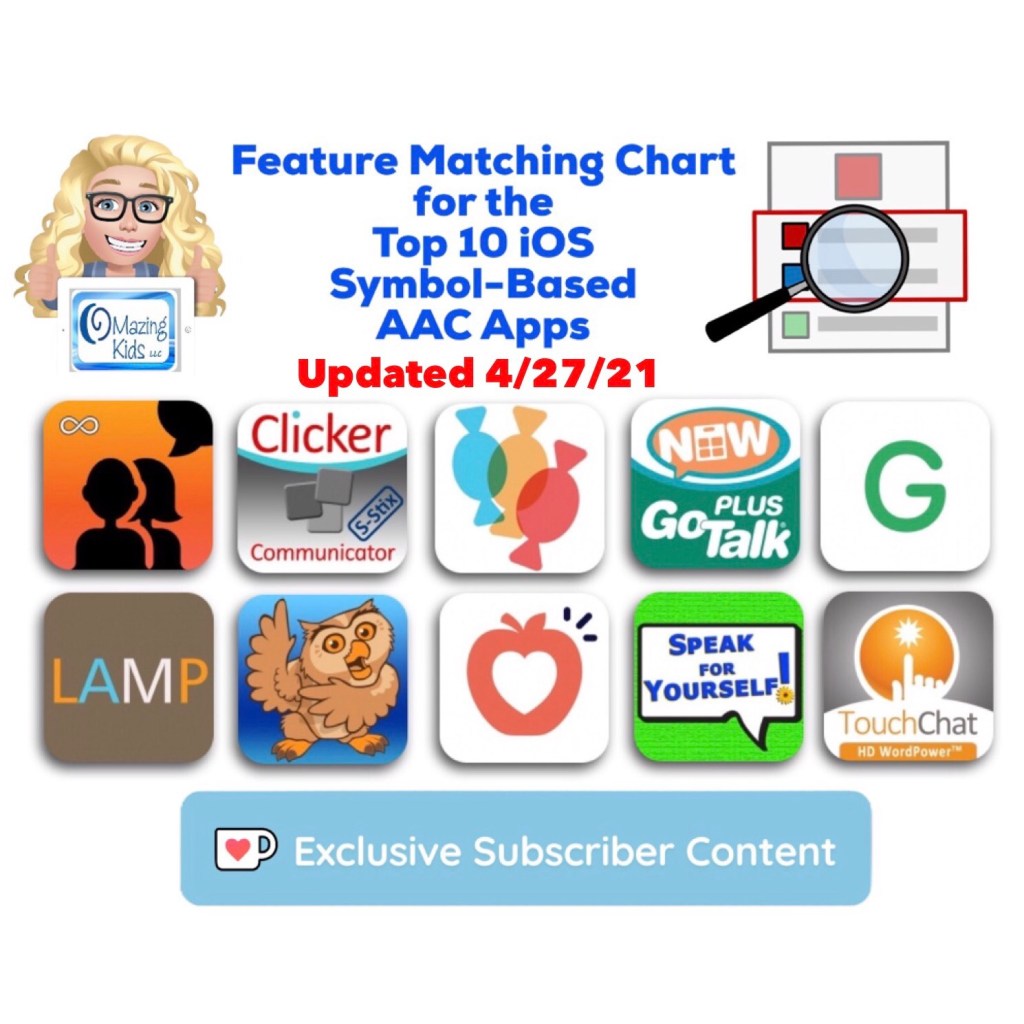
Here’s a summary of what’s new in this update for the Feature Matching Chart for the Top 10 iOS Symbol-Based AAC Apps:

• GoTalk Now: 5/11/21, version 5.0.6, updated Export PDF to offer multiple ways to save and share. Online Gallery temporarily closed for renovation. They did not indicate how long it will be closed.

• Grid for iPad: 5/4/21, version 3.0.64.1, update fixed bugs

• Snap Core First: Support of iOS 10 for Snap Core First software ended on May 12th, 2021.  See their post for more info: https://t.e2ma.net/click/btn9ye/3qw8flb/rl4pey

The updated version has been uploaded to my Ko-fi site.


This chart is now also available as a 1x purchase on my Teachers Pay Teachers store: https://www.teacherspayteachers.com/Product/Feature-Matching-Chart-for-the-Top-10-iOS-Symbol-Based-AAC-Apps-6867853


This document was the sole idea and creation of Angela Moorad, MS, CCC-SLP, OMazing Kids AAC Consulting, OMazing Kids, LLC, all rights reserved. © 2021 and beyond.


The best way to reach me with any questions is via private messaging on the OMazing Kids Facebook page: https://www.facebook.com/OMazingKidsAAC/. That way AAC related messages don’t get lost among the spam in my e-mail


Angela Moorad, MS, CCC-SLP, Founder of OMazing Kids, LLC OMazing Kids AAC Consulting

Teachers Pay Teachers Store: https://www.teacherspayteachers.com/Store/Omazing-Kids-Aac-Consulting

Ko-Fi: https://ko-fi.com/omazingkidsaac

Personal Professional Facebook Page (linked to OMazing Kids): https://www.facebook.com/angela.moorad (adding “friends” who have a direct role in AAC or Assistive Technology – AAC / AT app or product developers, AAC / AT consultants, SLPs who specialize in AAC, other professionals who specialize in AAC or AT, etc.)

OMazing Kids Business Facebook Page: https://www.facebook.com/OMazingKidsAAC/

AppPeeps Facebook Group: https://www.facebook.com/groups/OMazingKidsAppPeeps/

Instagram: https://www.instagram.com/omazingkidsaac/

Twitter: https://www.twitter.com/amoorad

Pinterest: http://pinterest.com/OMazingKids/

Linktree: https://linktr.ee/amoorad1

Blog: http://omazingkidsllc.com

Teachers Pay Teachers Store Launch: 100 Great Kids Picture Books to Target Core Vocabulary for AAC Users

I just launched my OMazing Kids AAC Consulting store on Teachers Pay Teachers (TPT).

My first product is a freebie. In order to access it you’ll need to be logged in to TPT. If you don’t have an account, it’s free to sign up. (Updated 5/14/21: The freebie on my TPT store has been changed. https://www.teacherspayteachers.com/Product/How-to-Get-Access-to-the-Top-10-iOS-Symbol-Based-AAC-Apps-TPT-Freebie-6869004 (this is the permanent freebie on my TPT Store)

Updated 9/17/22: Added a section with links to social media pages and groups that frequently share great examples of literacy strategies for AAC users, a website with free printable story props & more. Also includes info about a free PDF reader that can be used on any platform to view and search within the document. In order to easily find all instances of a particular Core Word in this list, open it in the free Xodo app. It works on any platform (even computers) and has a fabulous Search feature. https://www.xodo.com


Then head over to my store: https://www.teacherspayteachers.com/Store/Omazing-Kids-Aac-Consulting. Be sure to click “Follow” on my store to get notifications when new items are added and updates are made.


After that be sure to get this item: https://www.teacherspayteachers.com/Product/100-Great-Kids-Picture-Books-to-Target-Core-Vocabulary-for-AAC-Users-6836821


Note: This resource started as a blog post in April 2018 where I documented core words in picture books that I was selling when I retired from clinical practice. I remember sitting in my living room surrounded by piles of over 1,200 kids picture books and Post It notes. Later I expanded it to include more books that I had used digitally and offered it here on TPT after I had received numerous requests for it.


Have a question? The best way to reach me is via Facebook messaging over on my OMazing Kids page: https://www.facebook.com/OMazingKidsAAC/


Angela Moorad, MS, CCC-SLP, Founder of OMazing Kids, LLC, OMazing Kids AAC Consulting

• Teachers Pay Teachers Store: https://www.teacherspayteachers.com/Store/Omazing-Kids-Aac-Consulting

• YouTube: https://youtube.com/user/amoorad1

• Ko-Fi: https://ko-fi.com/omazingkidsaac

• OMazing Kids AAC Consulting Facebook Page: https://www.facebook.com/OMazingKidsAAC/

• AppPeeps Facebook Group: https://www.facebook.com/groups/OMazingKidsAppPeeps/

• GoTalk Now AAC & GoVisual Visual Scene Apps – Ideas and Sharing Facebook Group: https://bit.ly/GoTalkNowAACappGroup

• Instagram: https://www.instagram.com/omazingkidsaac

• Twitter: https://www.twitter.com/amoorad

• Pinterest: http://pinterest.com/OMazingKids/

• Linktree: https://linktr.ee/amoorad1

• LinkedIn: https://www.linkedin.com/in/angelamooradomazingkidsaac

• Blog: https://omazingkidsllc.com

iPad Cases with Rotating Stand for iPad 7th gen / 8th gen / 9th gen: Pepkoo & Rug-Ed Buddy 10. Pepkoo for iPad 10th gen. & iPad Air 11” (M2) 2024 (plus cases for Samsung Galaxy Tab S6 Lite tablet, Samsung Galaxy A03s phone, Amazon Fire HD 8 tablet & Microsoft Surface Go 2) – updated 6/16/25

I recently bought this Pepkoo case for my new iPad (8th gen) and here’s what I LOVE about it:

https://youtu.be/83R_tk-5aig

* Nice thick foam with a similar “feel” as my GripCase, deep recessed openings and comfortable shape on the back (easy to hold)

* Good quality plastic case edging around the front of the iPad that does NOT have a built in plastic screen protector. If needed, you could add a Zagg (or other high quality) tempered glass screen protector to your iPad before putting it in the case.

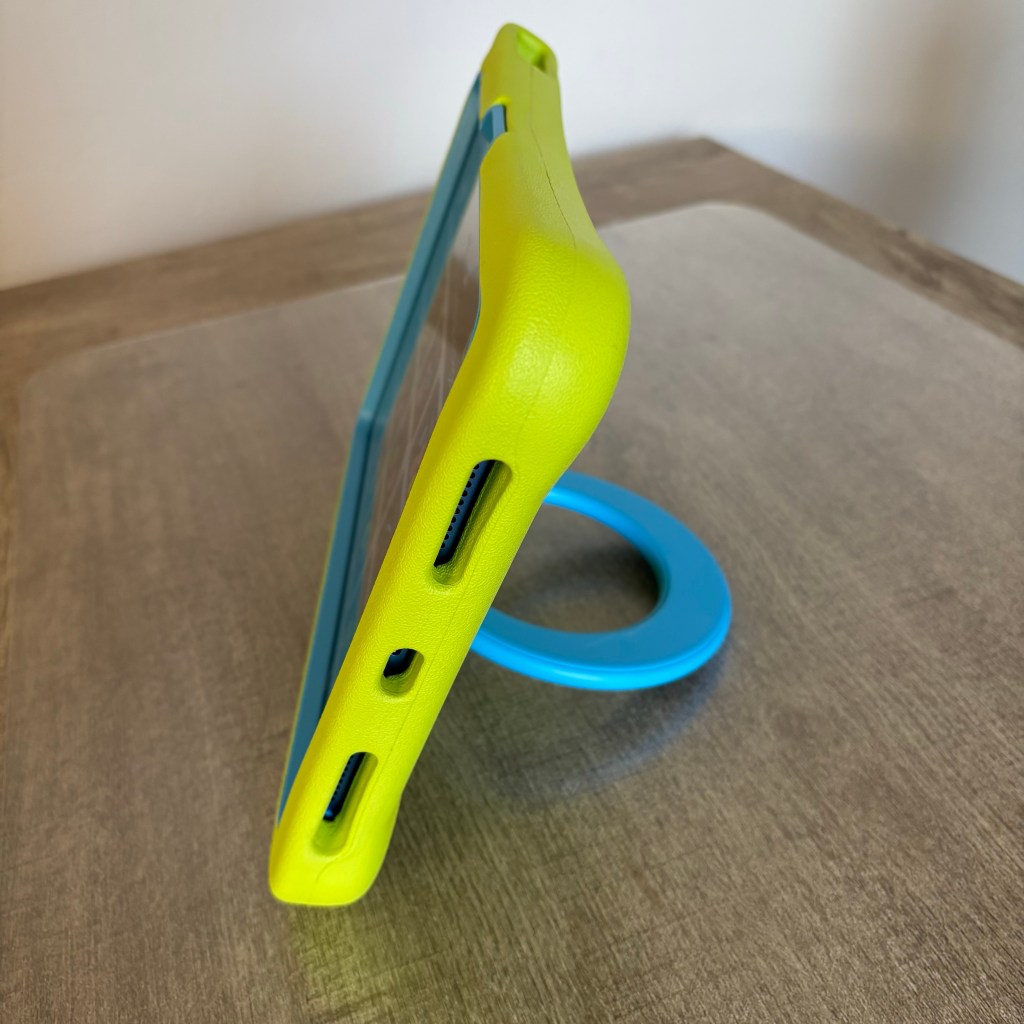
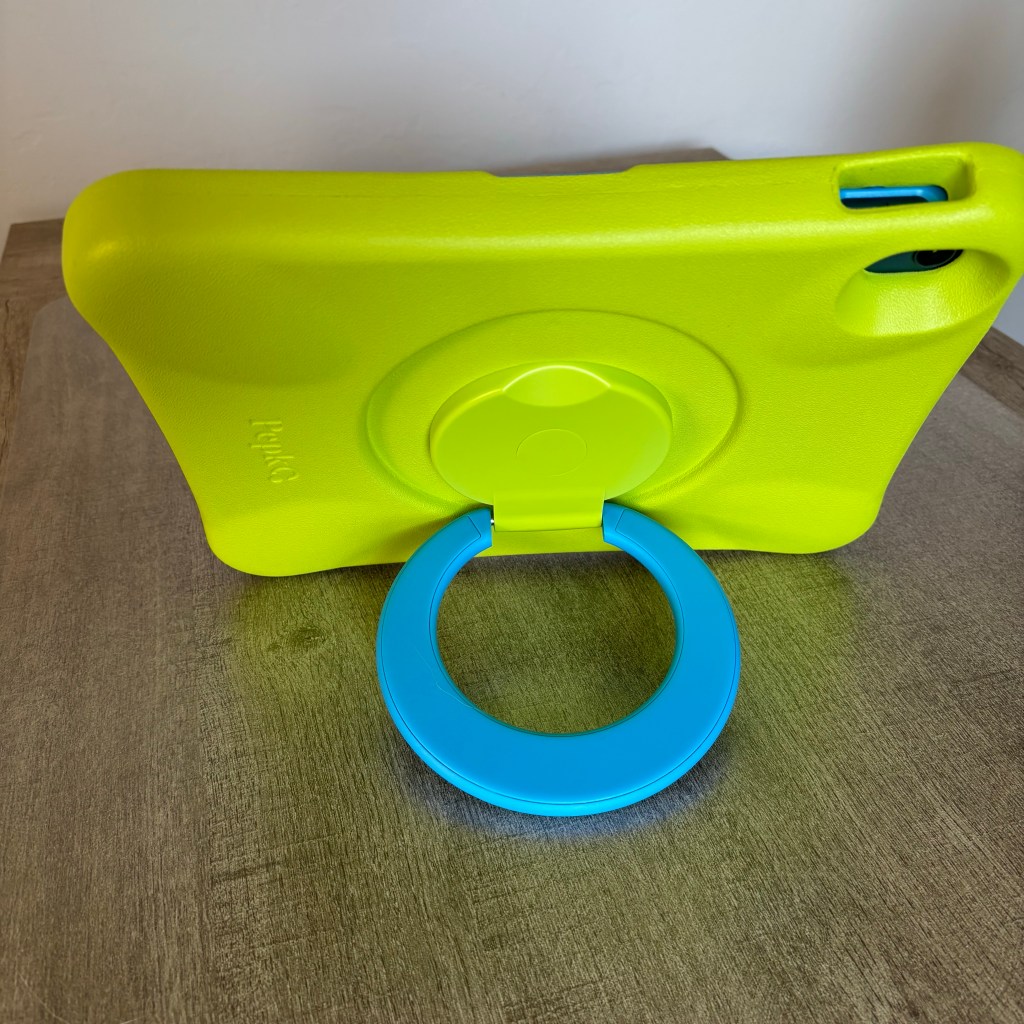
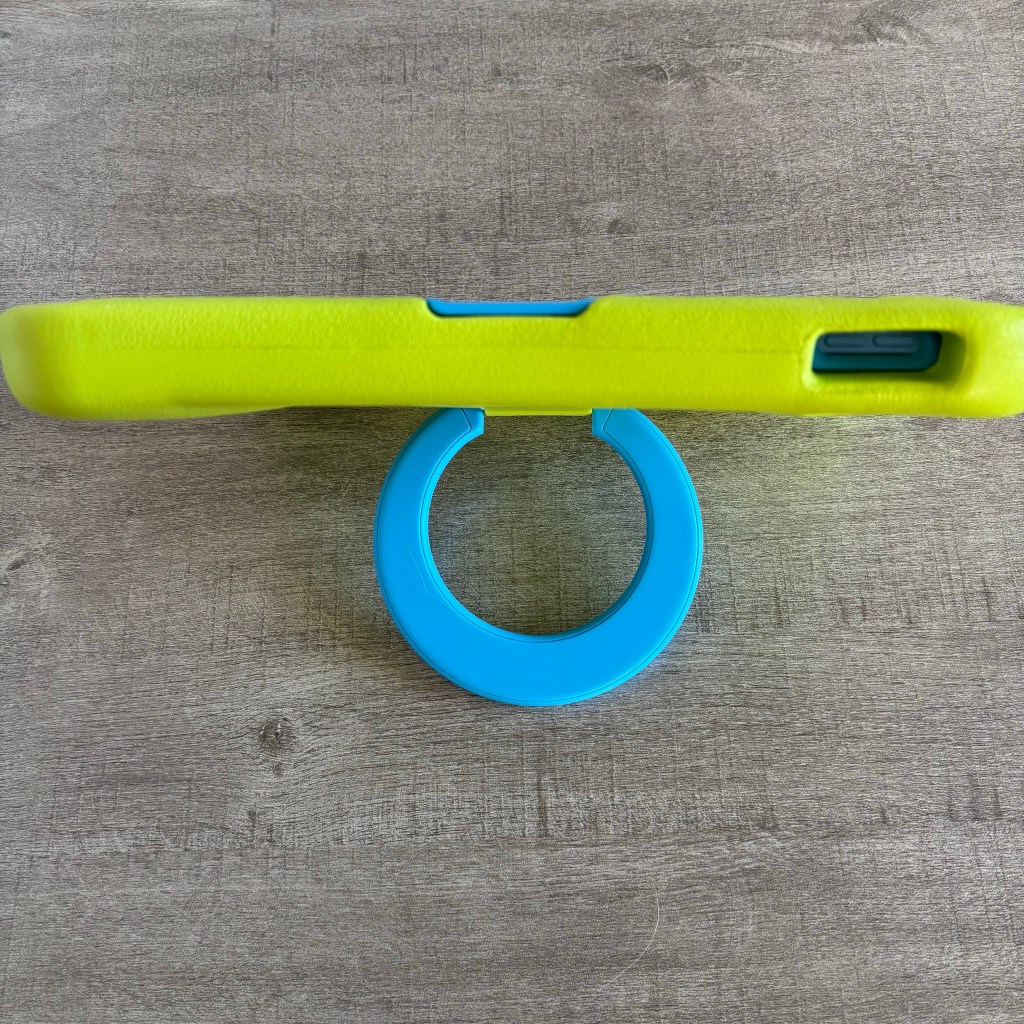
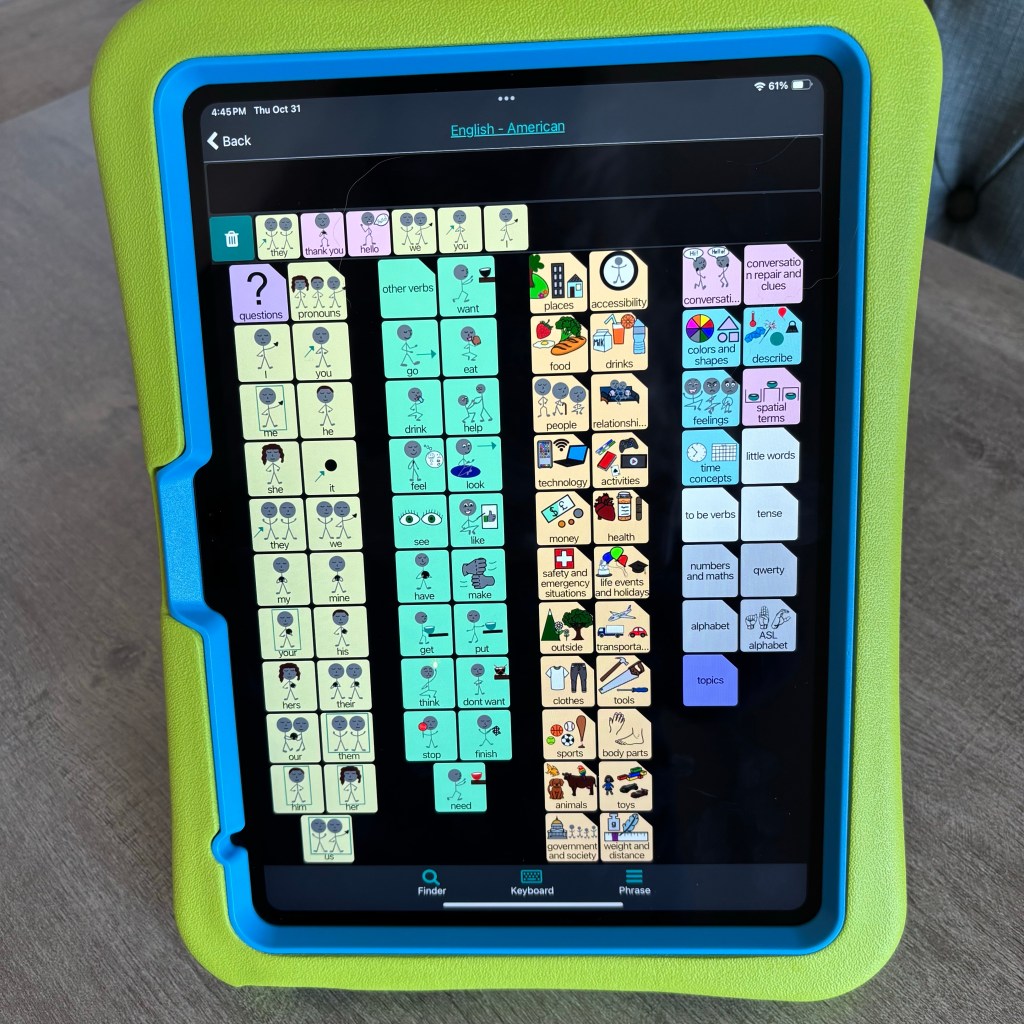
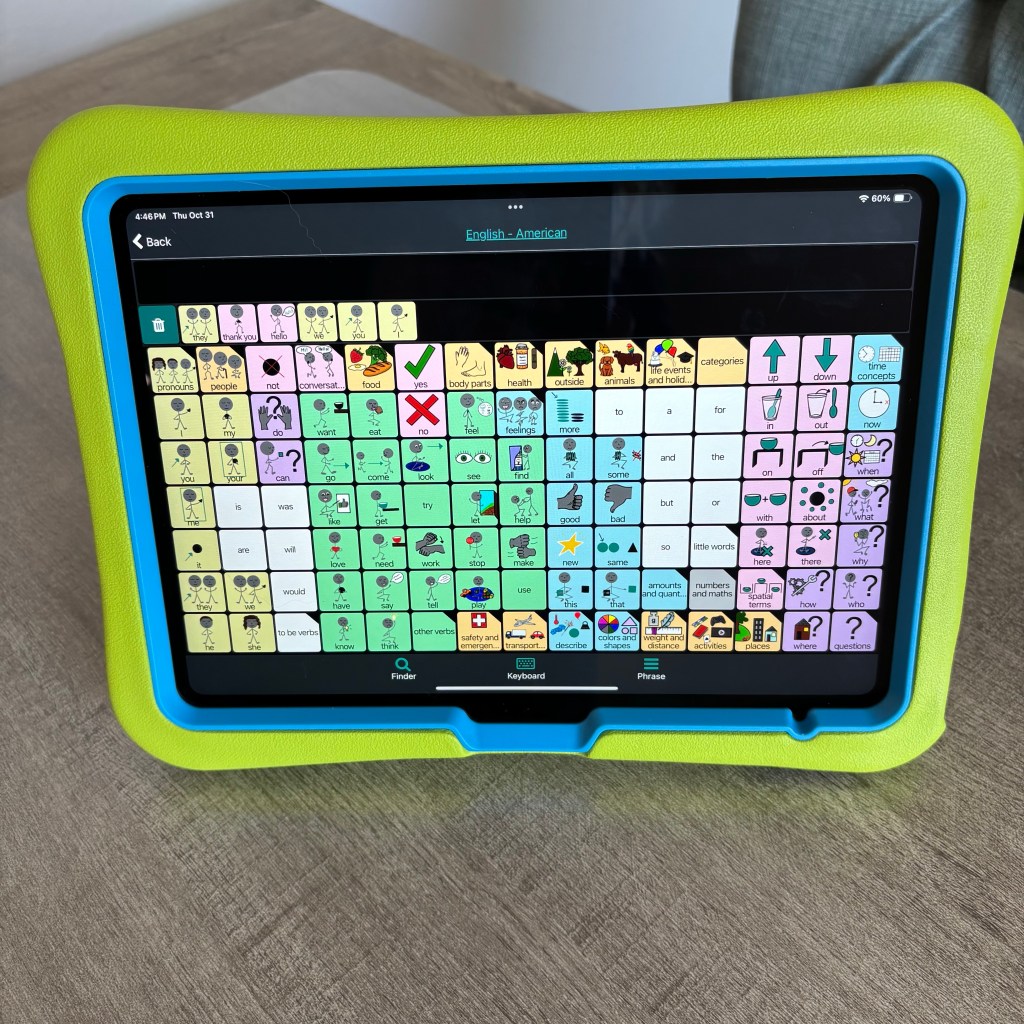
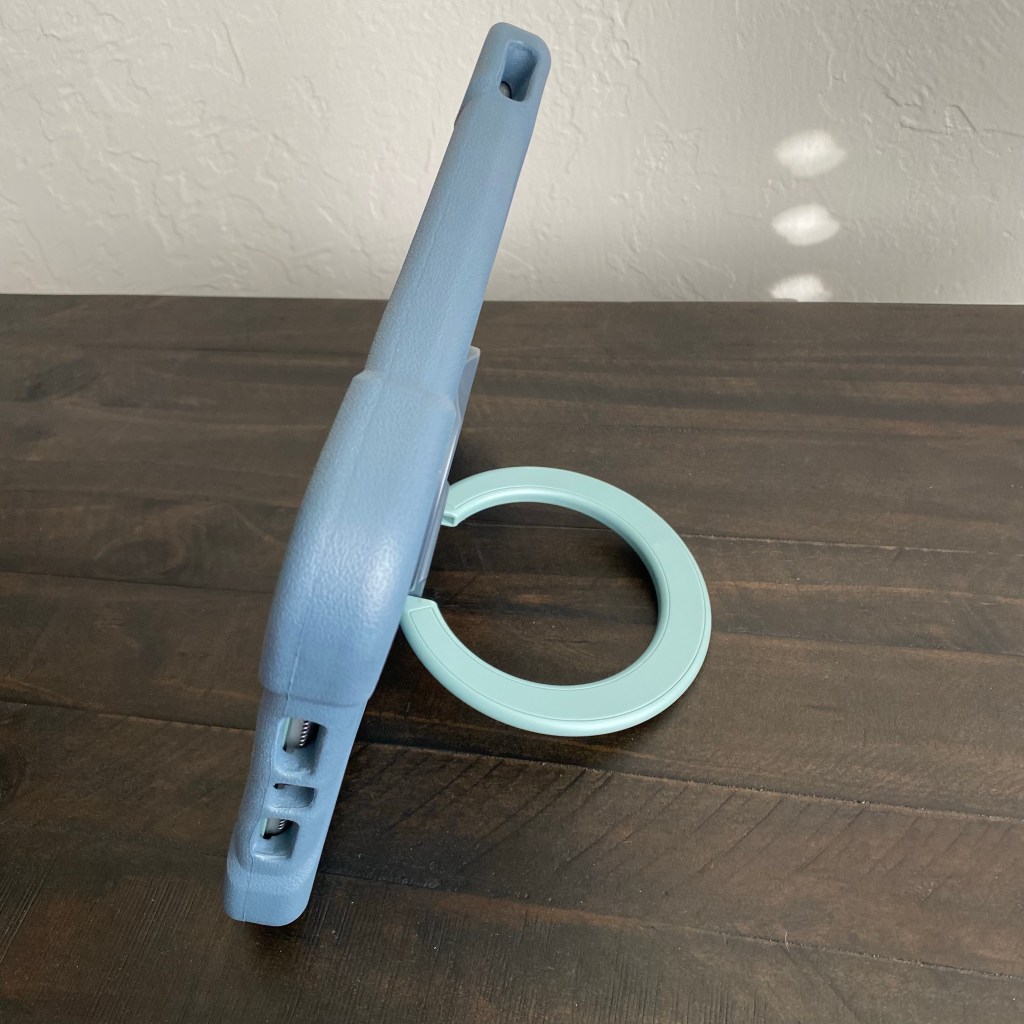
* Built-in stand that can rotate 360 degrees so it can accommodate AAC apps in Portrait and Landscape orientation. The stand lays flush when pushed in so the case doesn’t wobble when it’s used flat on the table / desk.

* Comes in four color combos:

– Green Blue (as seen in this video)

– Blue Mint

– Pink Purple

– Gray Black

* Affordable ($19.99 – $20.99 varies based on the color, prices may vary outside the USA and prices tend to vary over time on Amazon)

Update: I just checked again on Amazon and it now shows that this case also fits the iPad 9th gen model

PEPKOO Kids Case for iPad 9th 8th 7th Generation 10.2 inch 2021 2020 2019 – Lightweight Flexible Shockproof, Folding Handle Stand, Full Body Boy Girl Cover for Apple iPad 9th 8th 7th Gen, Green Blue https://smile.amazon.com/dp/B08CKCF5FG/ref=cm_sw_r_em_api_glt_i_S8YEV5D6DJ1C2X92RTVZ?psc=1

Update 10/29/24: The Pepkoo case is now available under a different seller’s store on Amazon. Not sure why. Here’s the link:

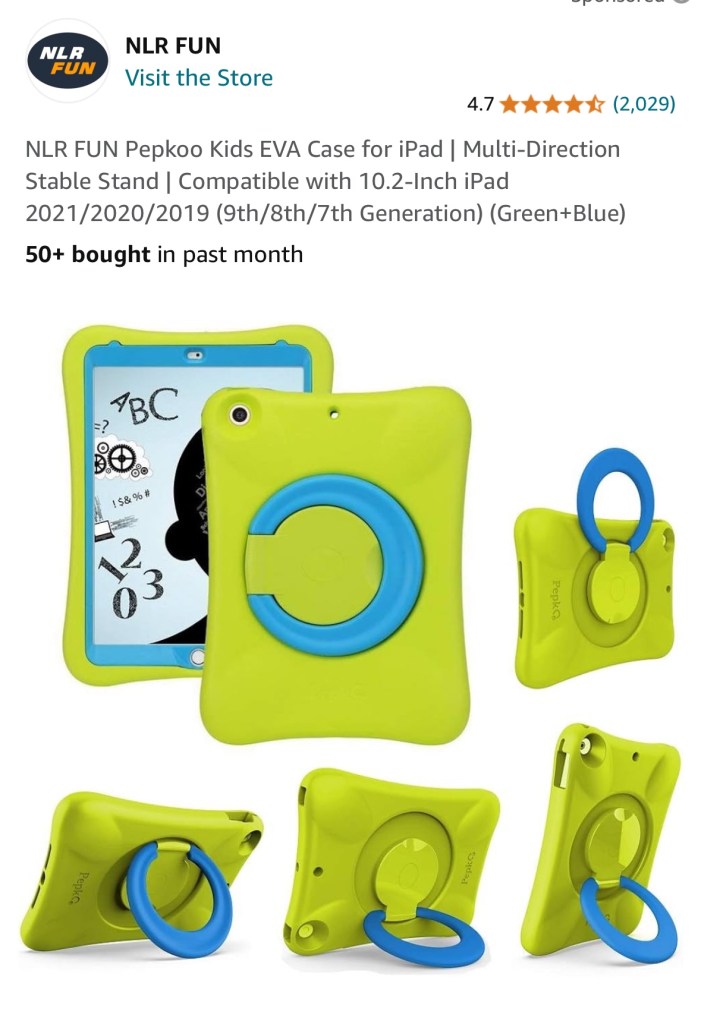
NLR FUN Pepkoo Kids EVA Case for iPad | Multi-Direction Stable Stand | Compatible with 10.2-Inch iPad 2021/2020/2019 (9th/8th/7th Generation) (Green+Blue) 
https://a.co/d/0MFeq6i


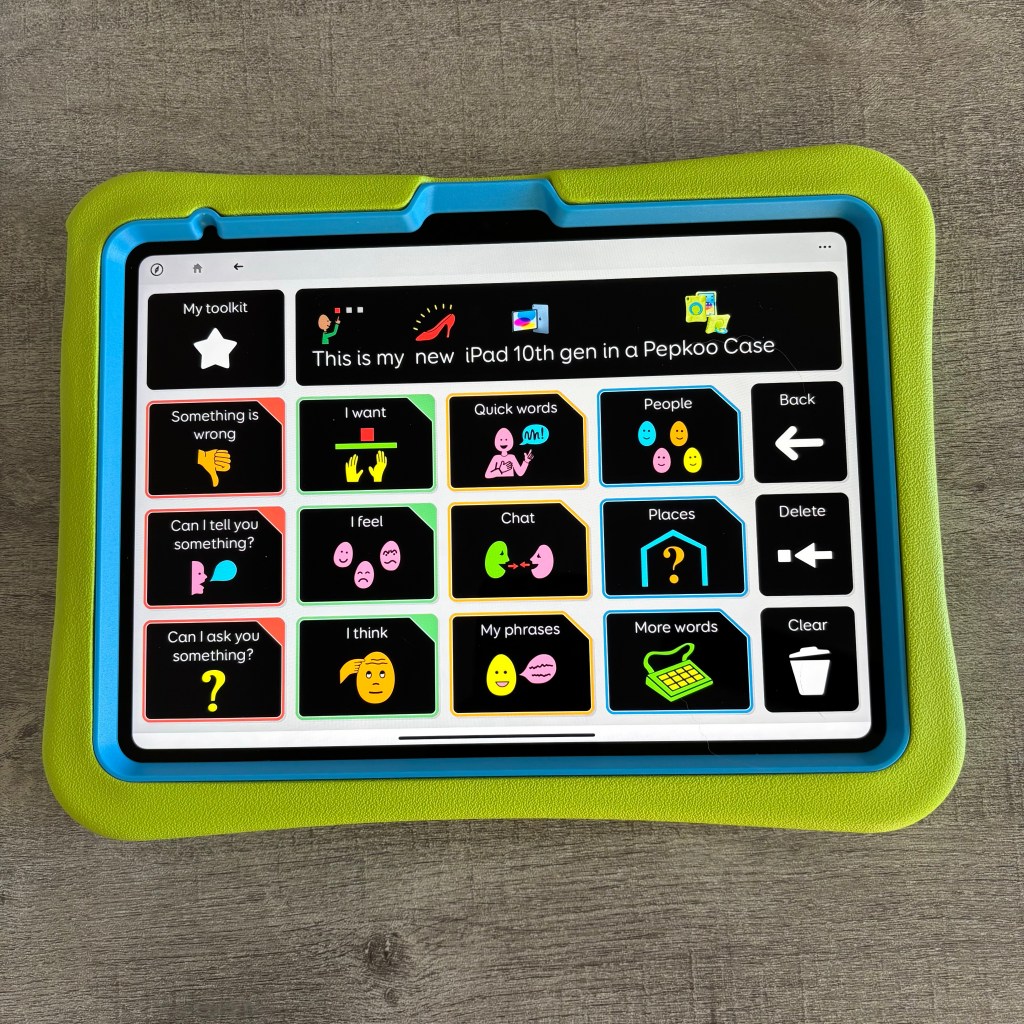
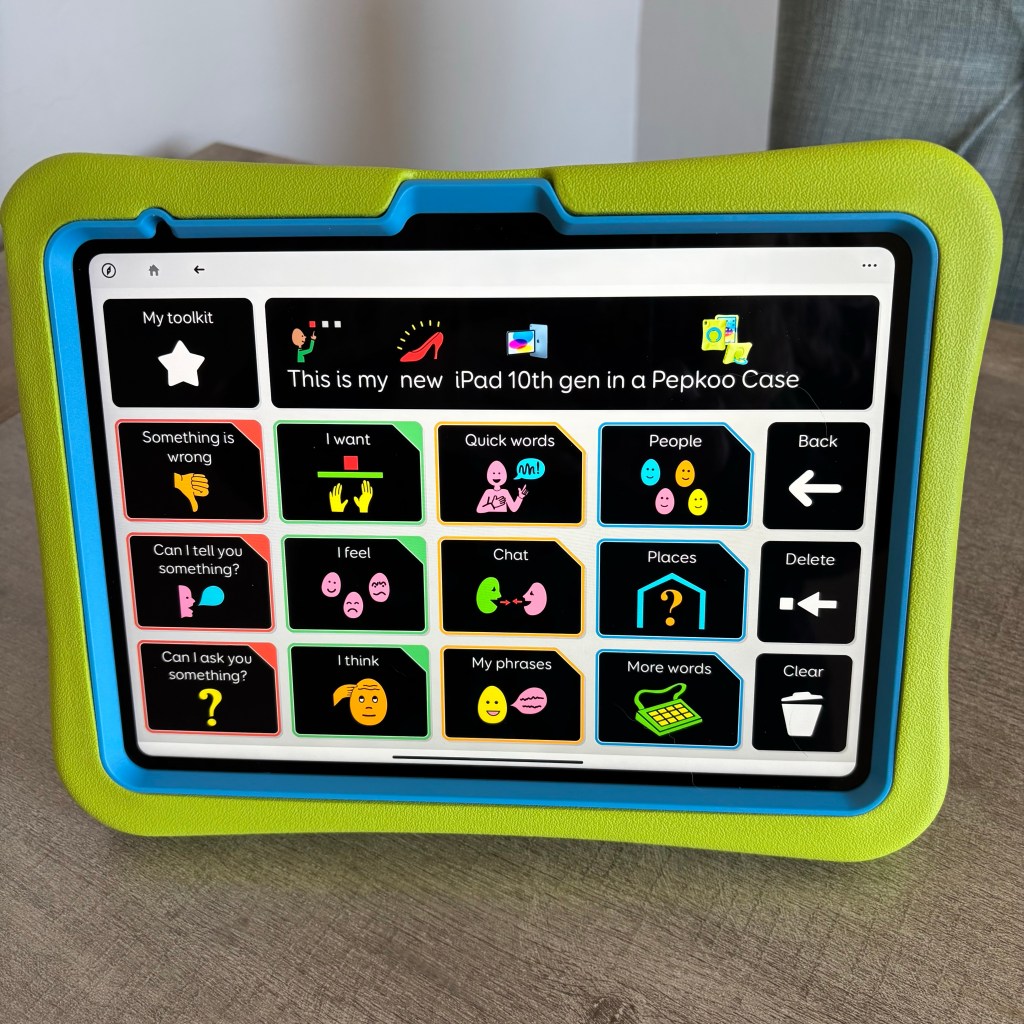
Update 10/29/24: When I messaged the maker of the Pepkoo case on Amazon a few months ago they indicated they were not going to offer a version for the iPad 10th generation. Well it turns out that wasn’t entirely true. There IS one available for that model but it’s under a different company name: NLR Fun. Here’s the link. I just ordered one for my new iPad 10th gen. I’ll add more details about it after it arrives.

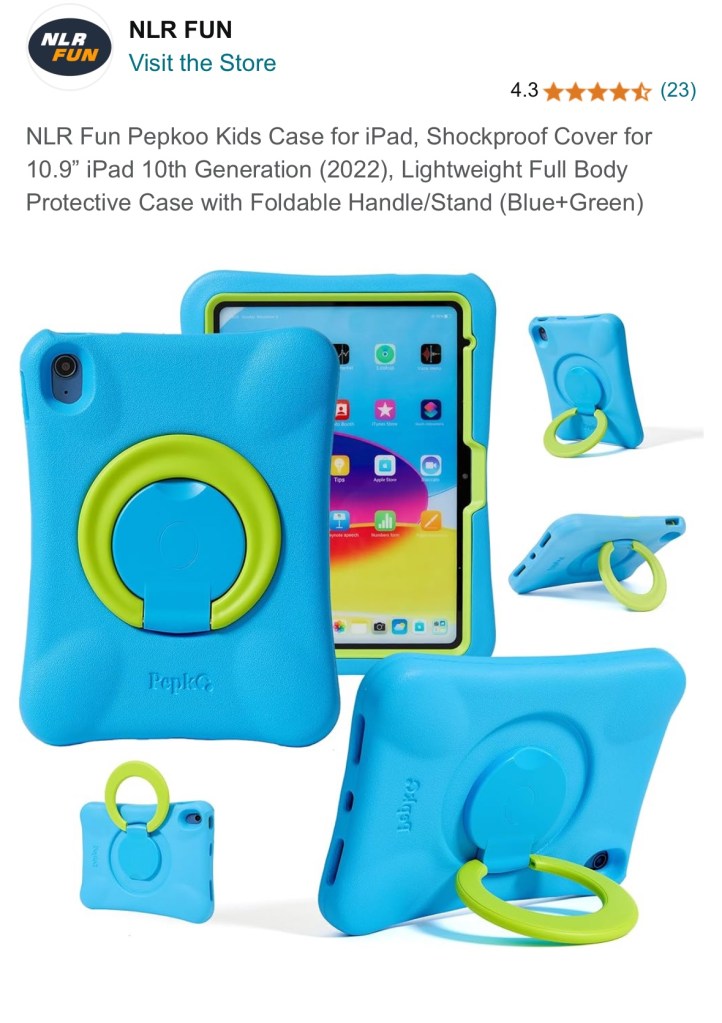
NLR Fun Pepkoo Kids Case for iPad, Shockproof Cover for 10.9” iPad 10th Generation (2022), Lightweight Full Body Protective Case with Foldable Handle/Stand (Blue+Green): https://a.co/d/9KEe4YS (also available in Green-Blue, Grey-Black, Mint-Orange, and Pink-Blue. Price: $20.99 (prices and availability may vary outside of the USA)

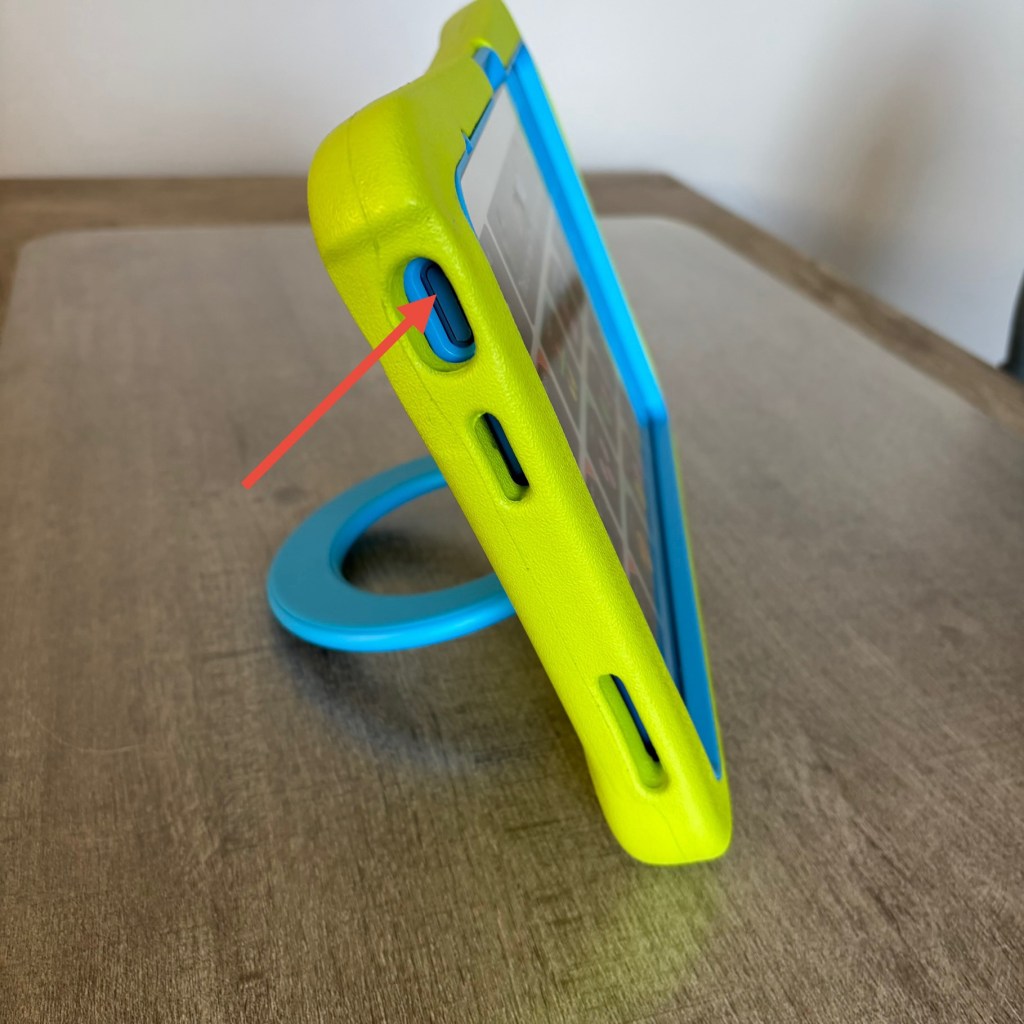
I was excited that this case has the same design and feel as the one that I got back in 2021. The same nice thick foam and great rotating ring stand. The only flaw is there’s no way to use fingerprint recognition to unlock the iPad or other purposes. The sensor requires your whole finger to lay flat on it.

The opening is too deep to allow use of the fingerprint sensor
The forward facing camera is at the top when in Landscape orientation to support use of the integrated eye tracking in iPadOS 18
High contrast version of the Voco Chat grid set in Grid for iPad
The Default scrolling board in Weave Chat AAC
The Morgan Board in Weave Chat AAC

How I hacked a NLR Fun Pepkoo 10.9” iPad 10th Generation (2022) case to work with an iPad Air 11” (M2) 2024: https://bit.ly/HackPepkooCase4iPadAirM2-2024


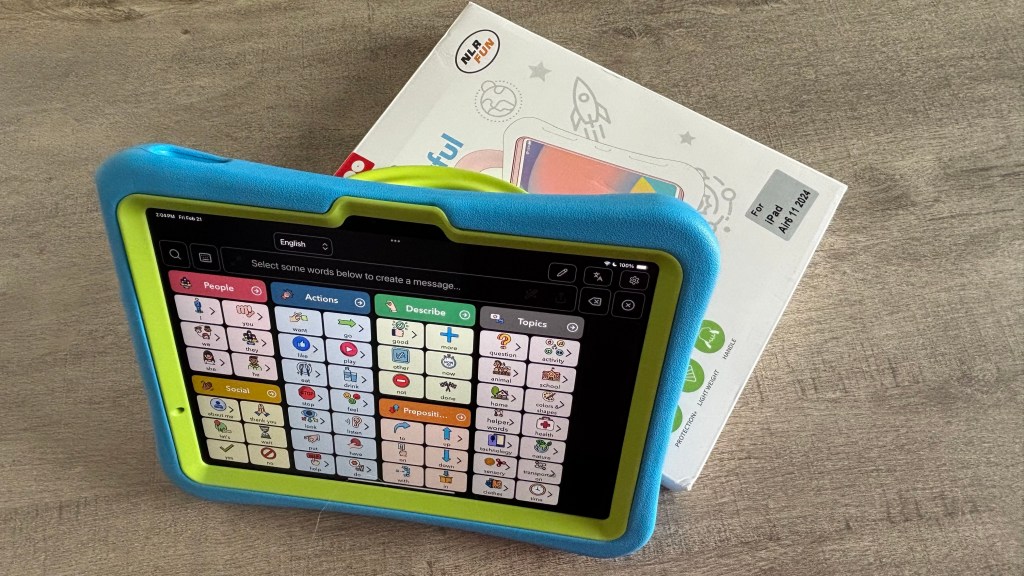
Pepkoo case for iPad Air 11” (M2) 2024

Updated 2/21/25: Great news! NLR Fun finally released a Pepkoo case specifically for the iPad Air 11” (M2) 2024. I bought it on Amazon and am glad that I did. It fits perfectly and allows the fingerprint ID button to work since it’s not as thick as the case that I had hacked.

https://a.co/d/fQ7saSF ($22.99, I got it on sale for $20.99)


Here are some additional pictures of the Pepkoo for the iPad 7th, 8th and 9th gen…

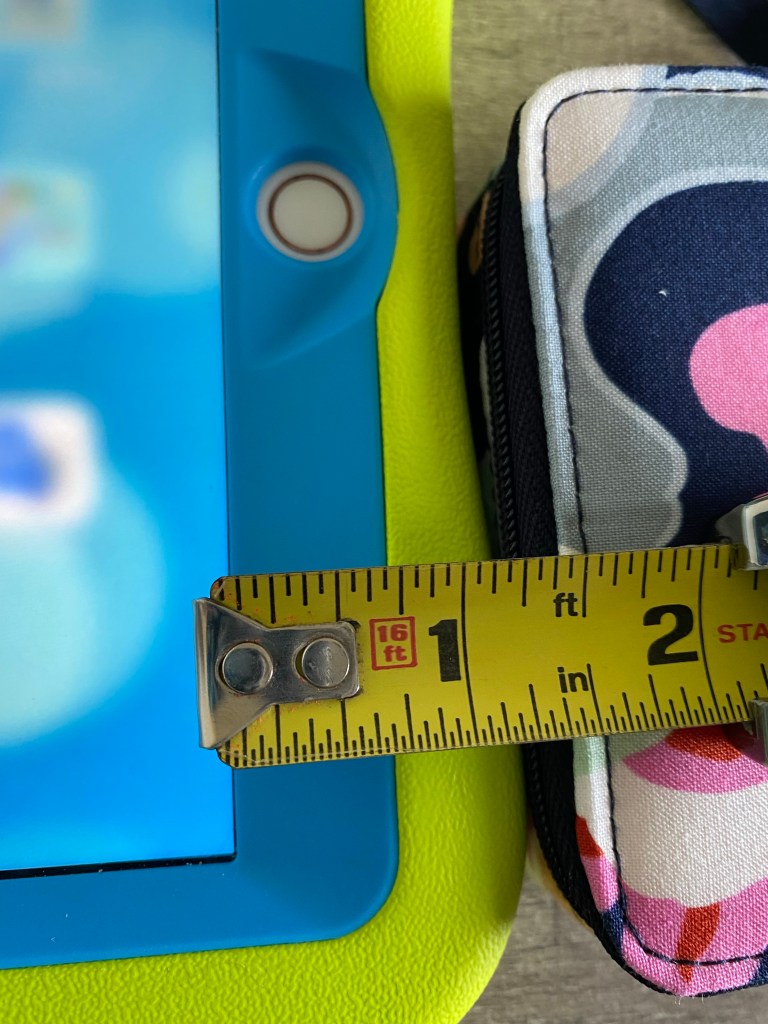
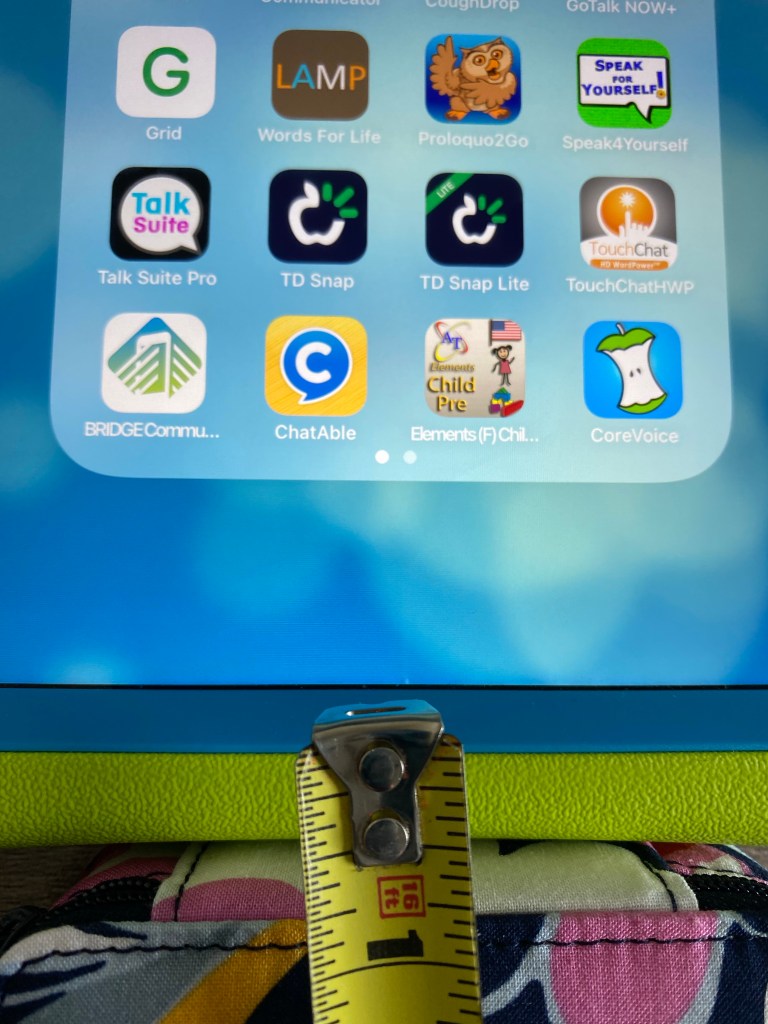
When held in Landscape orientation, the thickest part of the border (plastic + foam) on each side is about 1.25” (closer to 1.5” at the corners)

When held in Landscape orientation, it’s about .5” border (plastic and foam)

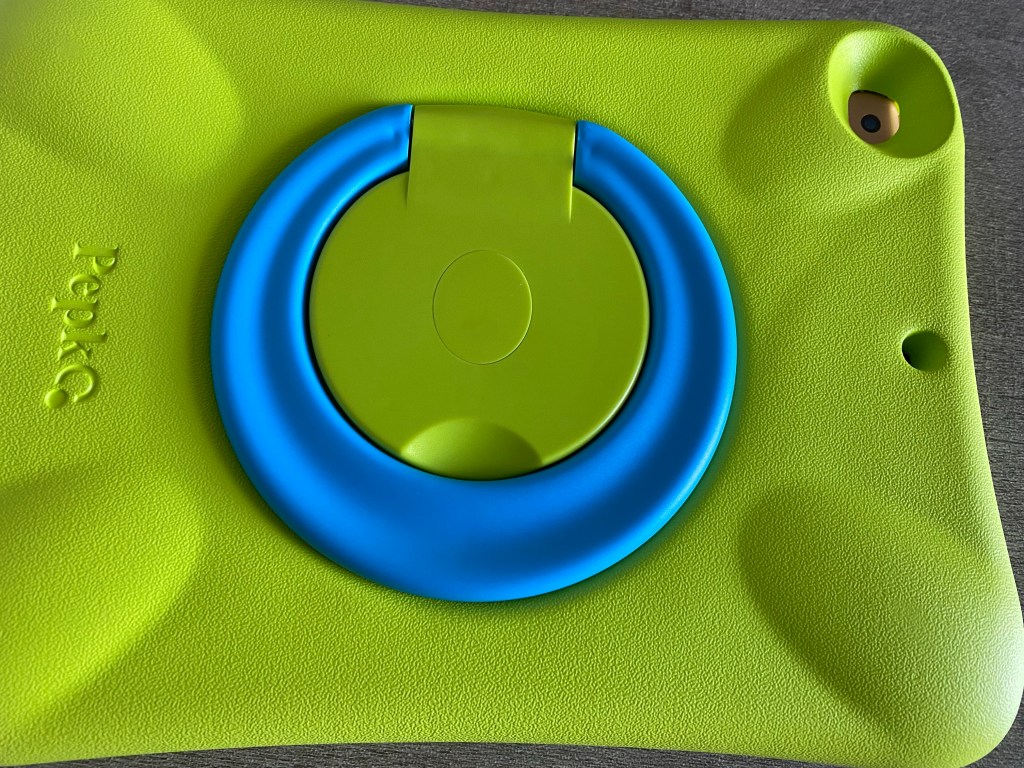
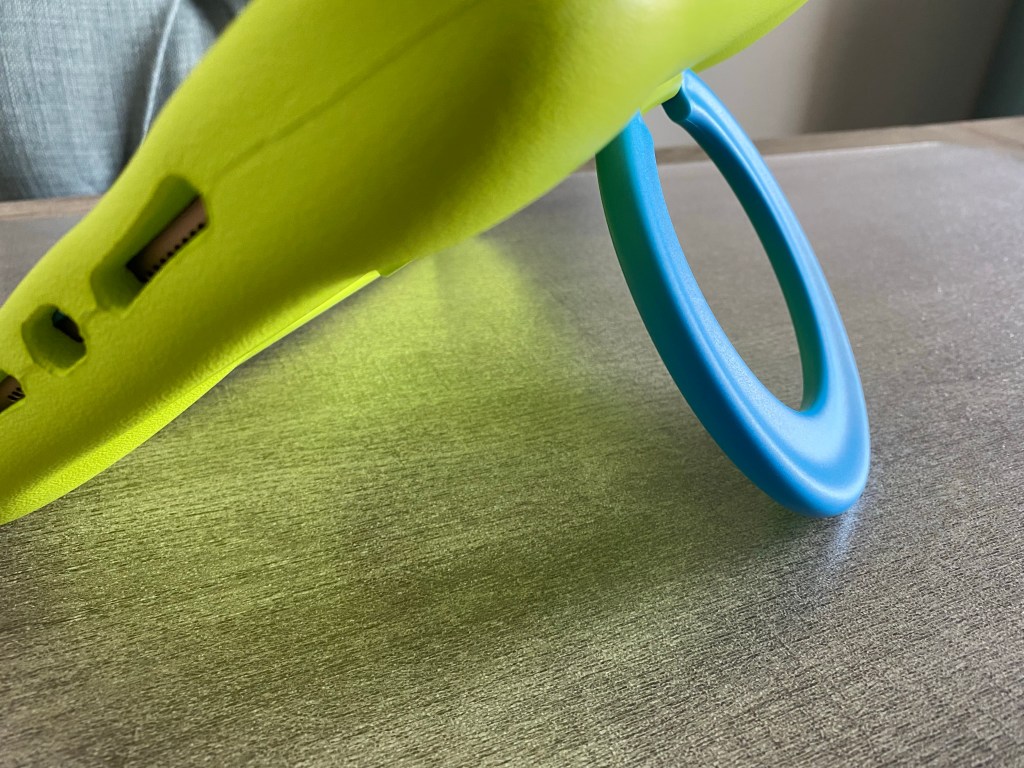
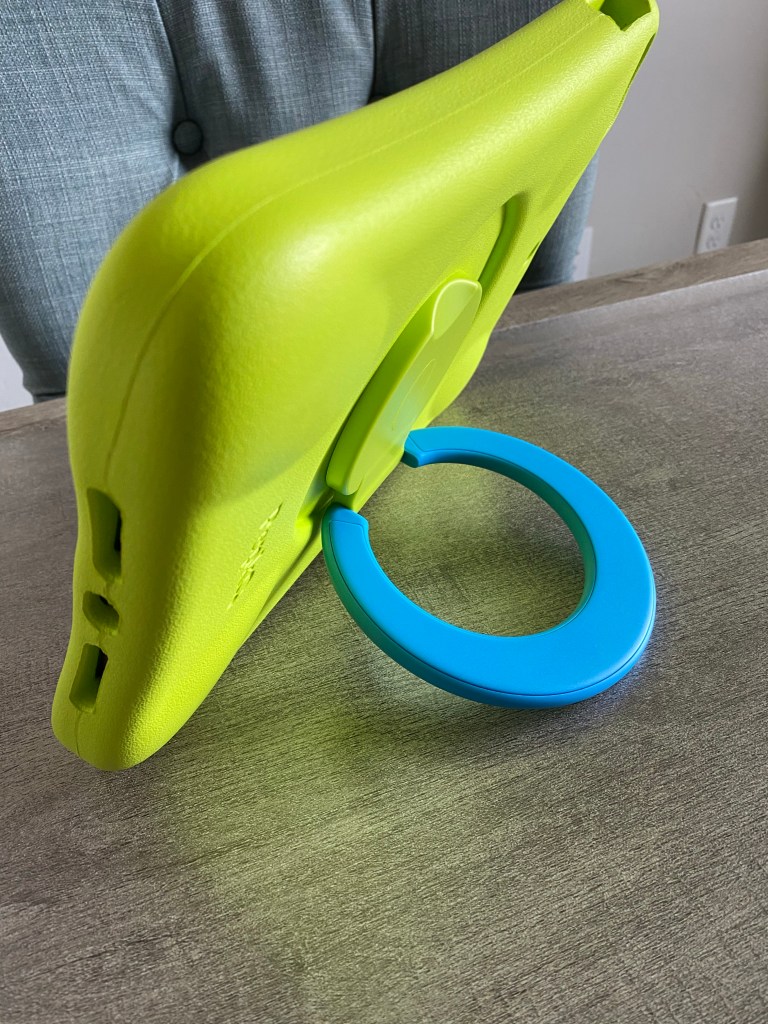
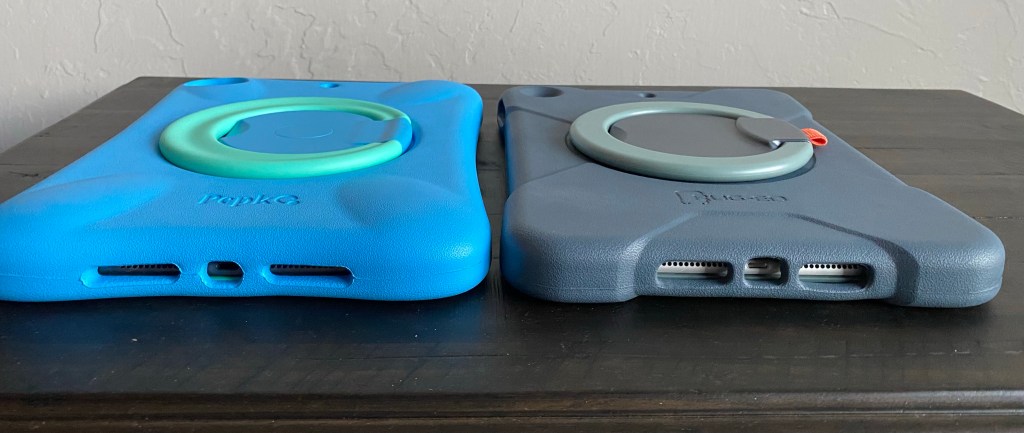
The back of the case. The stand lays flush enough that it doesn’t wobble when the case is laid flat on the back on a table or desk.

The stand is easy to pop out and can be rotated 360 degrees. This is in Landscape orientation at one angle

This is also Landscape orientation at a different angle.

The stand can also lay flat and up to be used as a carrying handle.


It is also available for the iPad Mini 5: https://www.amazon.com/dp/B08M9W4KHR/ref=cm_sw_r_cp_api_glt_fabc_7XSQV6G7VT8PMNGPEYCW?psc=1


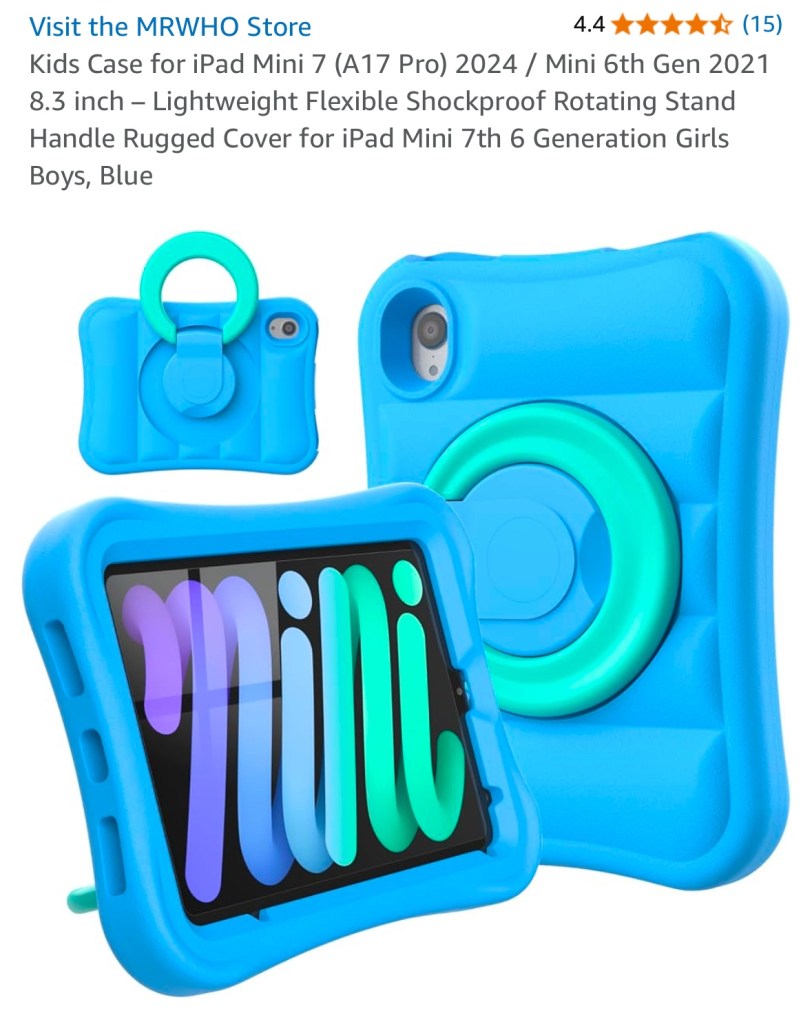
Unfortunately they never offered a Pepkoo case for the iPad Mini 6 or iPad Mini 7. This case looks similar so it might be worth trying: Kids Case for iPad Mini 7 (A17 Pro) 2024 / Mini 6th Gen 2021 8.3 inch: https://a.co/d/atY5UeP (I have not personally tried this case since I don’t own an iPad Mini 6 or iPad Mini 7… just sharing it as a a similar style of case)


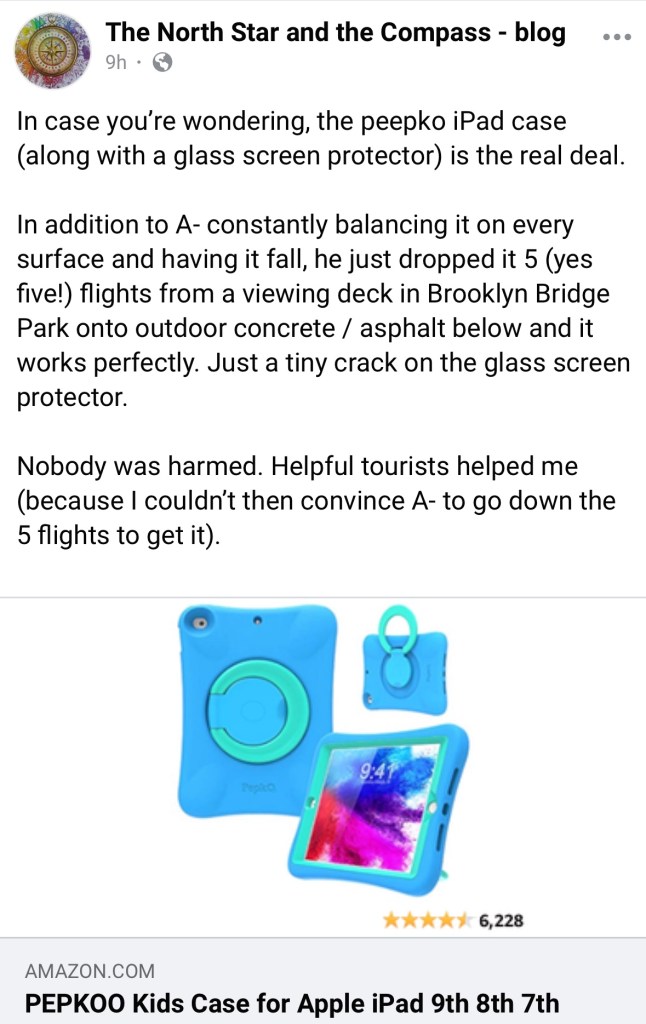
Update 1/27/24: See this post by a parent describing how the Pepkoo + a tempered glass screen protector protected her son’s iPad AAC device during a fall down 5 flights of stairs:

https://www.facebook.com/story.php/?id=100084827601023&story_fbid=346895681481349


The only thing missing is a carrying strap but I’ve seen Christine Baudin, SLP share a hack about drilling holes in the top edge of thick foam cases to add a strap.

She has a video that shows how she drilled holes into the top to attach a strap.

Here’s the strap that she used: https://www.amazon.com/dp/B08B8PZ8KT

Another option if you want much thicker attachments: https://www.amazon.com/dp/B07DY2S52Z.


Pepkoo case
Pepkoo case

Updated 2/4/24: Christine shared pics of the same hack working to drill holes to add a carrying strap to the Pepkoo case


Updated 7/15/22: If you need a case with a carrying strap see the other case that Pepkoo now offers ⬇️. (Note: The foam isn’t as thick though so I prefer the original Pepkoo case. You could use Christine’s hack to add a strap if you need one)


Update 7/15/22: I just saw a new version of the Pepkoo case that includes a carrying strap: PEPKOO Triple Shockproof Case for iPad 9th/8th/7th Generation 10.2 inch 2021/2020/2019, Air 3rd Generation 10.5 inch, Heavy Duty Cover with Pencil Holder, Handle Kickstand, Shoulder Strap, Navy Blue https://a.co/3ka4bIC (comes in lots of different colors)


Rug-Ed Buddy 10 case

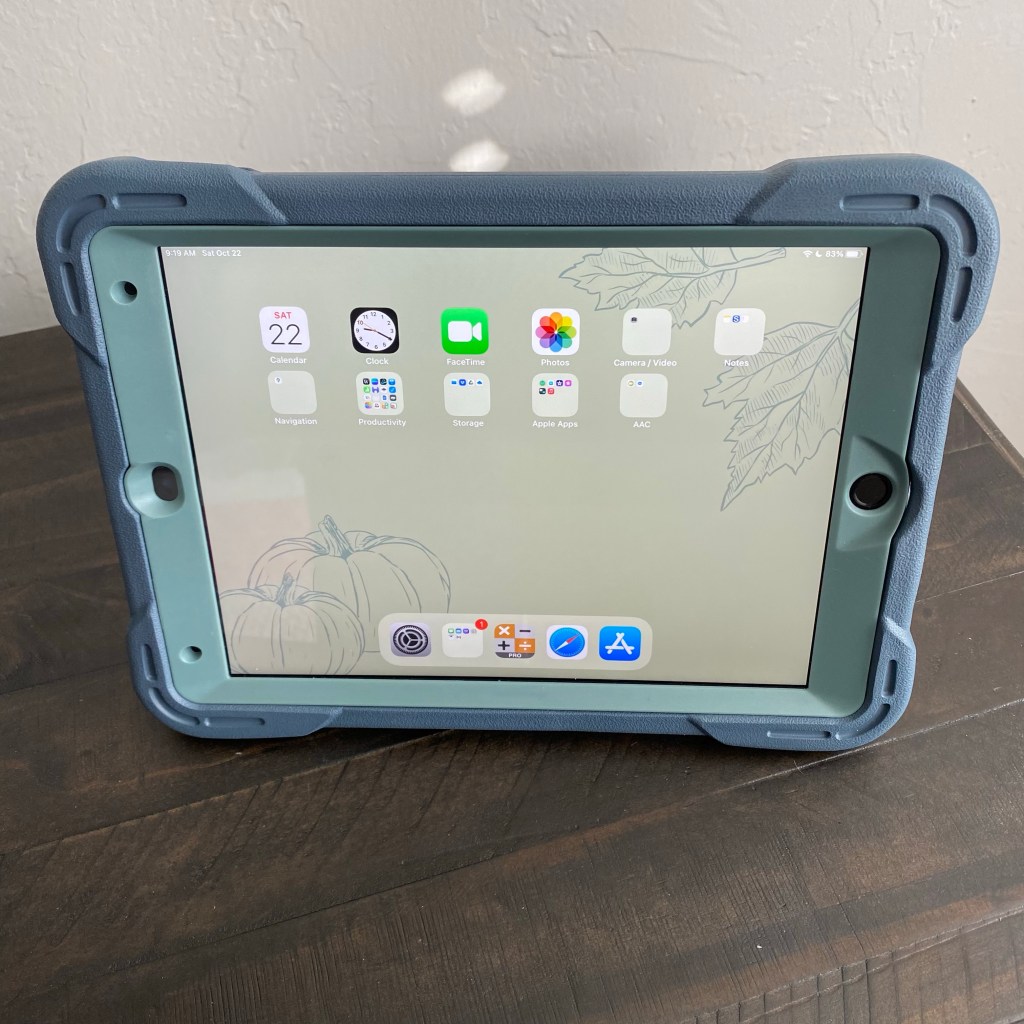
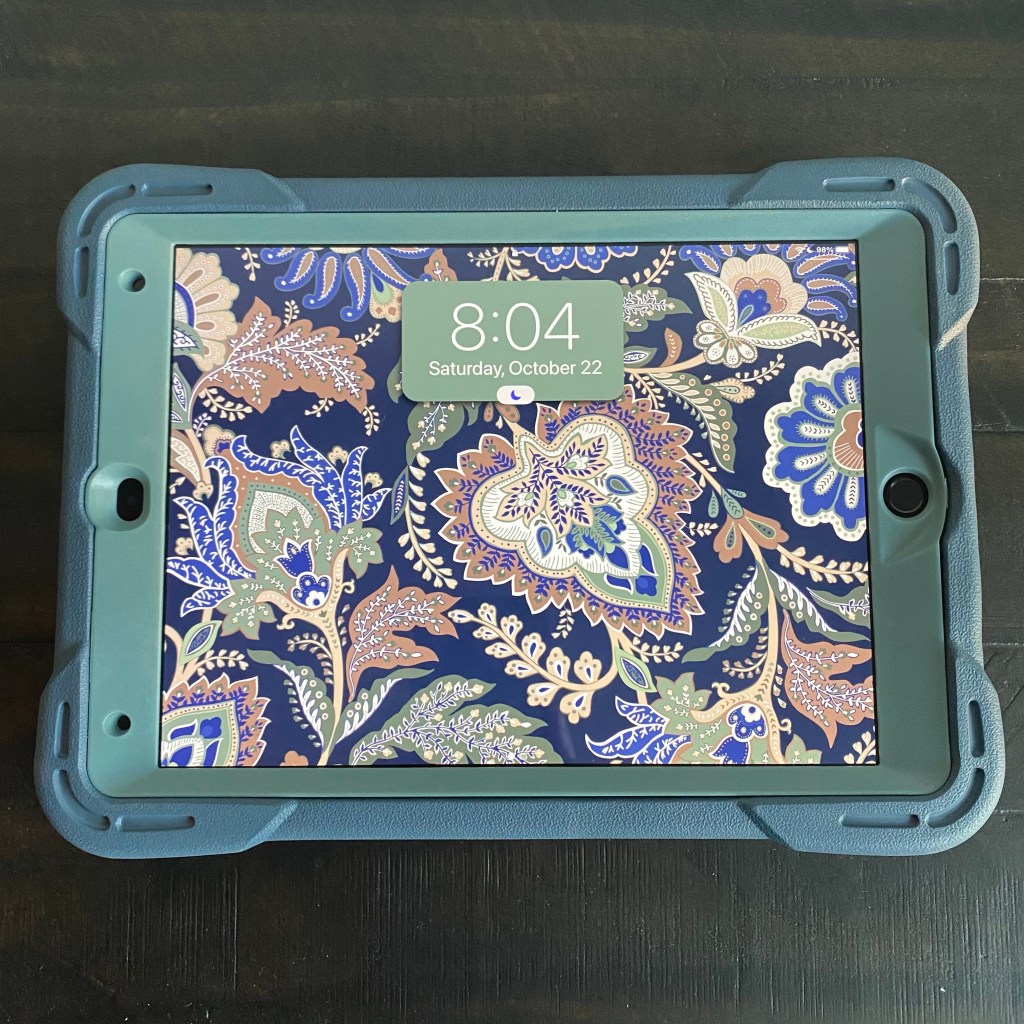
Updated 10/22/22: Looking for a similar style case that can be purchased on a website that accepts Purchase Orders? Rug-Ed offers a Buddy 10 case. I won one in a giveaway and chose the Blue Mint color. It’s a beautiful color combo that those who want a more muted look will appreciate. I have my new iPad 9th gen in this case but it will also fit an iPad 8th gen and iPad 7th gen.

The Buddy 10 case is similar to a Pepkoo case but more muted colors, a little slimmer, has a spot to hold an Apple Pencil and the attached rotating stand doesn’t lay quite as flush as the one on the Pepkoo (so it may wobble a little if laid flat).

Rug-Ed offers 3 different styles of cases with an attached rotating stand:

Rug-Ed included 2 Premium Tempered Glass Screen Protectors with this case and offers a way to do bulk purchases: https://rug-ed.com/products/buddy-coming-soon-in-november-2021

Also available on Amazon: Rug-Ed Buddy iPad Case + 2 Tempered Glass Screen Protectors, Foam iPad Case for Kids, 360 Rotating Carrying Handle & Stand, Rugged Drop Protection, for Apple iPad 7th, 8th, 9th Generation, Blue Mint https://a.co/h4tdqKi


Updated 11/21/22: Looking for a protective sleeve that will fit the Pepkoo 10.2” and Rug-ed Buddy 10 cases? I finally found one. See my new blog post for details: https://omazingkidsllc.com/2022/11/21/perfect-tablet-sleeve-to-fit-the-rug-ed-buddy-10-or-pepkoo-10-2-ipad-case-7th-8th-9th-gen/


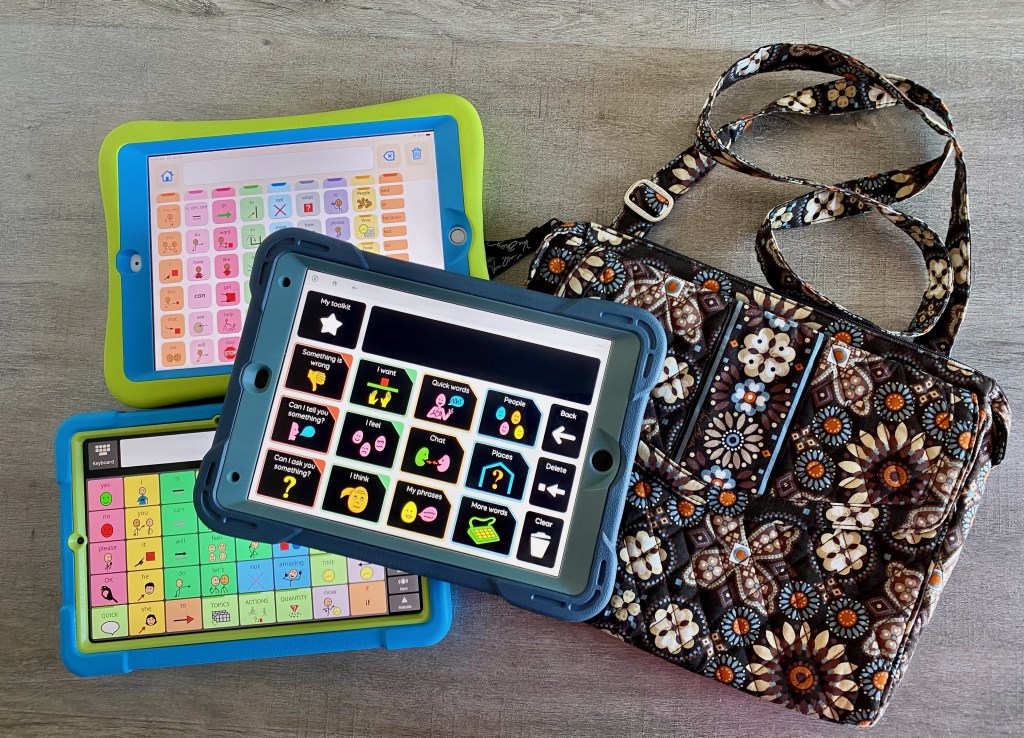
Updated 1/20/23: Looking for a cute crossbody bag that can hold the Pepkoo 10.2”, the Rug-Ed Buddy 10 or the Samsung Galaxy Tab S6 Lite in a similar style of case? The Vera Bradley Tablet Hipster is a great option. See my video. After I finished the video I discovered that my Google Pixelbook Go 13.3″ Chromebook will even fit in it.

.

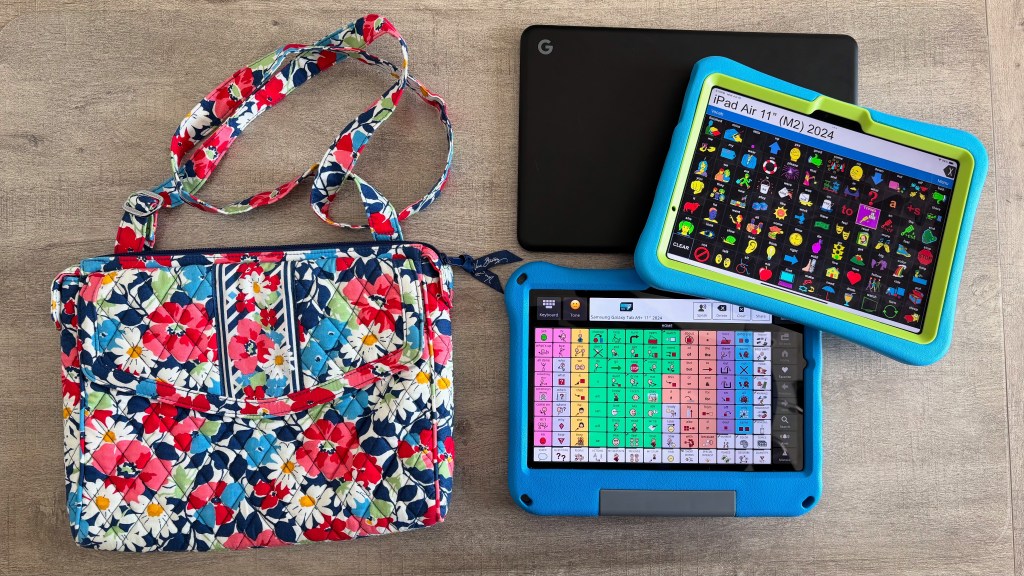
6/16/25: Excited to add another vintage Vera Bradley “Tablet Hipster” to my collection. It can hold my Pixelbook Go 13.3″ Chromebook OR my Samsung Galaxy Tab A9+ 11″ 2024 in a Riaour case OR my iPad Air 11″ (M2) 2024 in a Pepkoo case.


Amazon Fire HD 8

Update 7/15/22: I bought an Amazon Fire HD 8 tablet during the recent Prime Days Sale and was thrilled to discover that a Pepkoo case was available for it. It doesn’t have the plastic edging around the screen which might make it easier for those needing to attach a keyguard for AAC use. PEPKOO Kids Case for Fire HD 8/HD 8 Plus Tablet, 10th Generation 2020 Release, https://a.co/j8fWelE


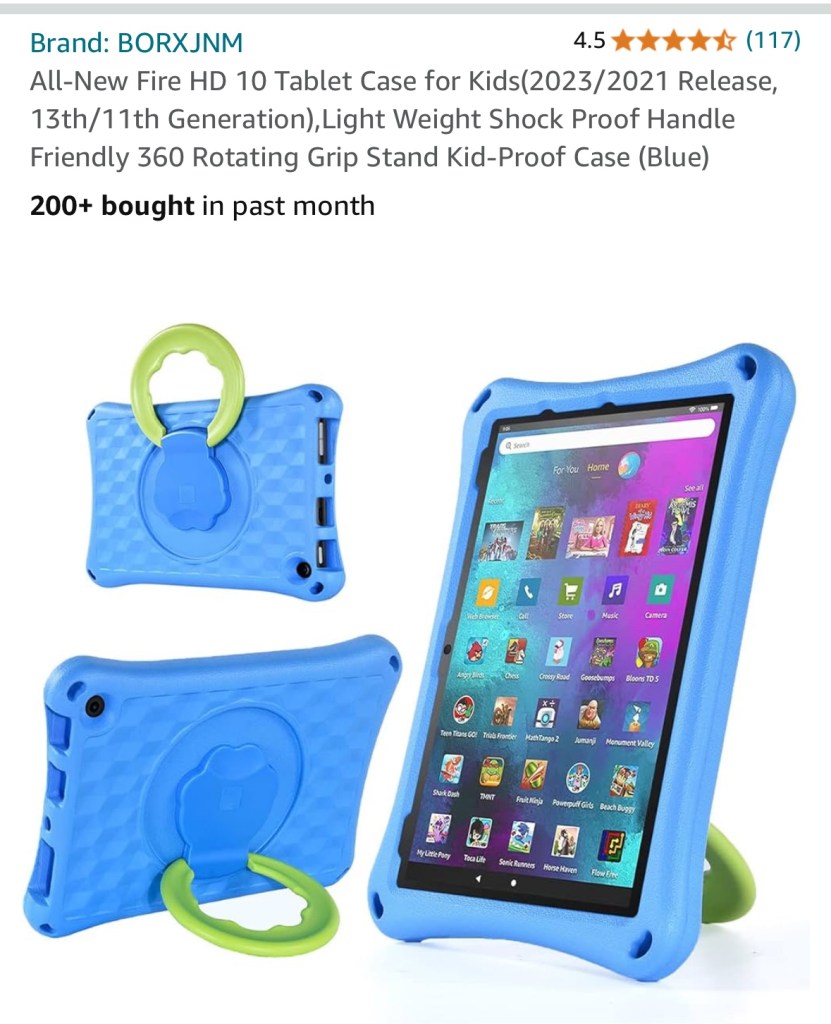
BORXJNM All-New Fire HD 10 Tablet Case for Kids(2023/2021 Release, 13th/11th Generation),Light Weight Shock Proof Handle Friendly 360 Rotating Grip Stand Kid-Proof Case (Blue) 
https://a.co/d/7BLeJNM


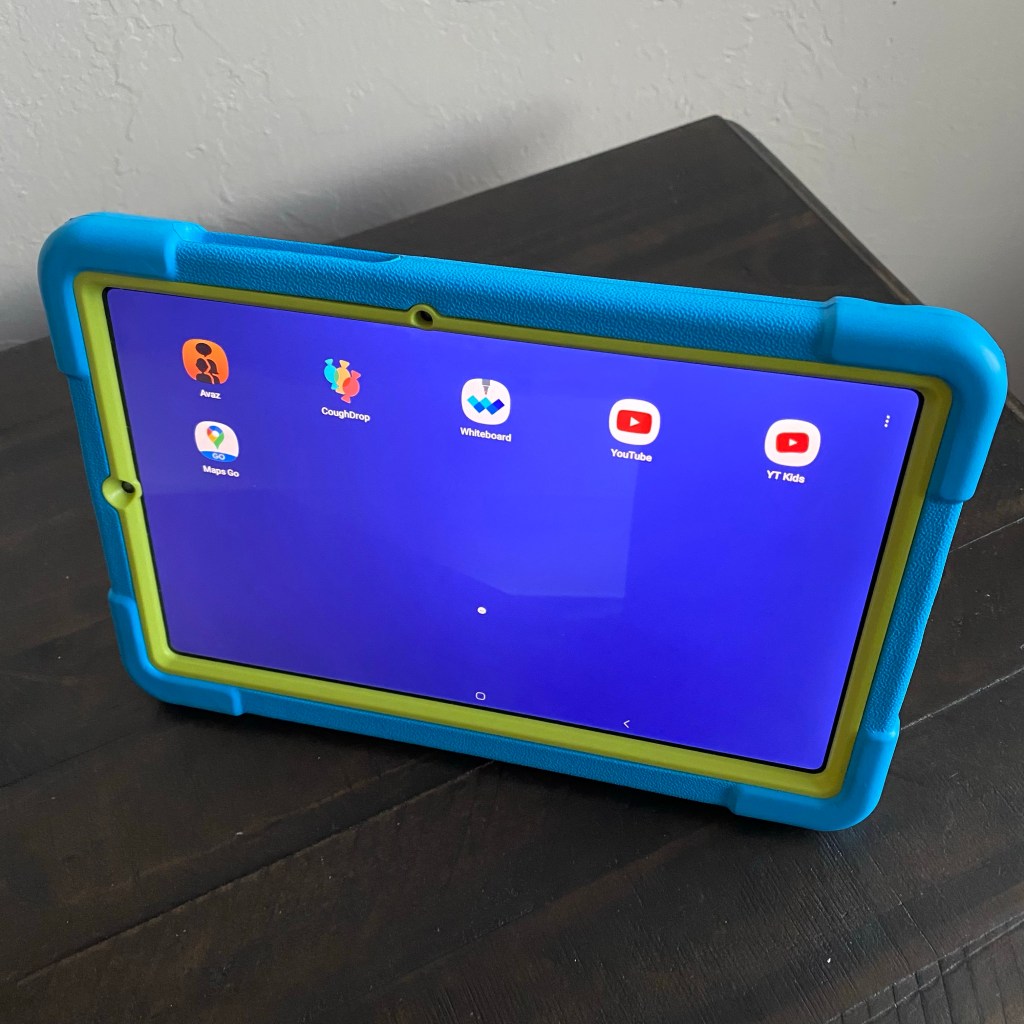
Samsung Galaxy Tab S6 Lite 10.4”

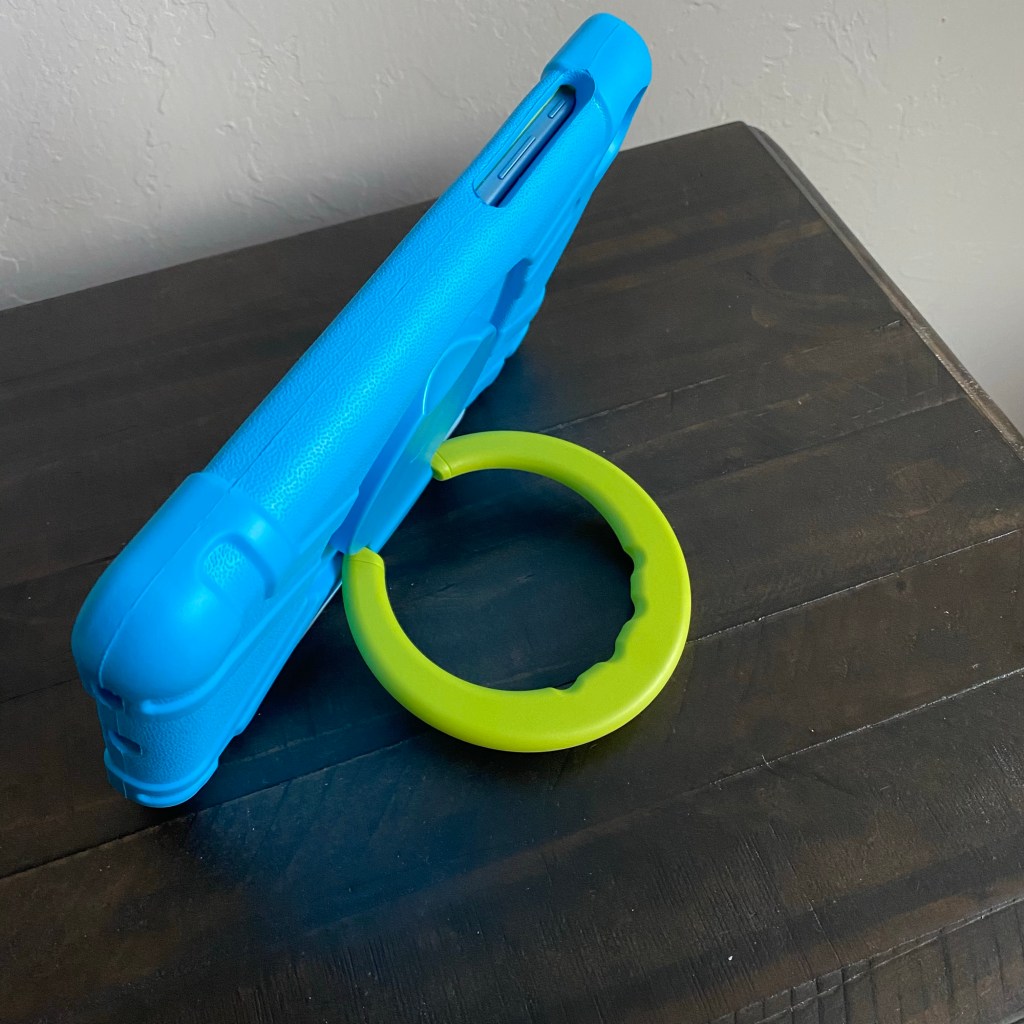
Update 7/19/22: I finally found a good case with a rotating stand for my Samsung Galaxy Tab S6 Lite 10.4” Android tablet. It’s very similar to the Pepkoo: https://www.ebay.com/itm/374088538546.

Update 8/9/22: Sadly that case is out of stock. I contacted the seller on eBay and they won’t be getting any more. It’s difficult to find cases with this type of rotating stand for the Samsung Galaxy Tab S6 Lite 10.4” Android tablet. I found this one but haven’t seen it in person: https://www.ebay.com/itm/114920453285 & https://www.ebay.com/itm/402978358313

Update 10/21/22: The stand that I ordered appears to be back in stock on eBay: https://www.ebay.com/itm/374088538546


Samsung Galaxy A03s phone

Update 9/21/22: Here is the case that I purchased for my Android Samsung Galaxy A03s phone. I like the small rotating ring stand and sliding cover to protect the camera lenses: https://a.co/d/aWUB0F7


Microsoft Surface Go 2

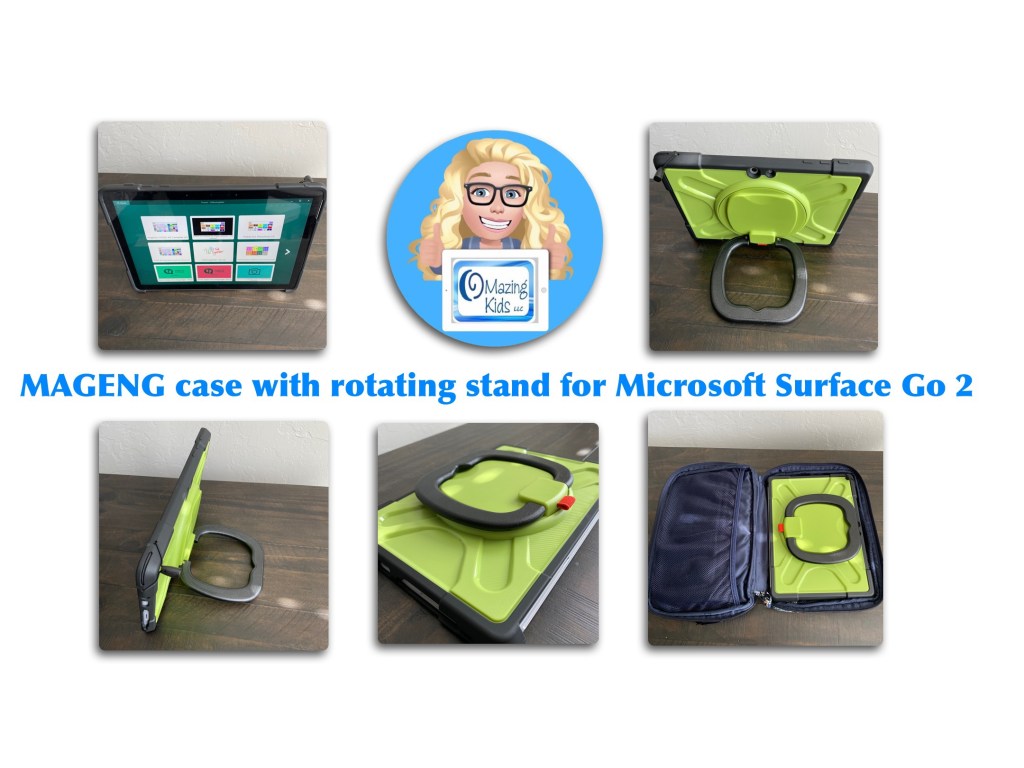
Updated 8/17/23: It took quite awhile to find a case that I liked with a rotating stand for my Microsoft Surface Go 2. I bought it on Amazon: https://a.co/d/gMKBP4W. See my video for details:


Note: It’s important to consider what features are needed in a case based on that individual’s needs. I am not making recommendations for individual patients and am not liable for purchasing decisions. Just sharing info that may be helpful as you are looking for cases.


The best way to reach me with any questions is via messaging on the OMazing Kids Facebook page: https://www.facebook.com/OMazingKidsAAC/. That way AAC related messages don’t get lost among the spam in my e-mail


Angela Moorad, MS, CCC-SLP, Founder of OMazing Kids, LLC, OMazing Kids AAC Consulting

• Teachers Pay Teachers Store: https://www.teacherspayteachers.com/Store/Omazing-Kids-Aac-Consulting

• YouTube: https://youtube.com/user/amoorad1

• Ko-Fi: https://ko-fi.com/omazingkidsaac

• OMazing Kids AAC Consulting Facebook Page: https://www.facebook.com/OMazingKidsAAC/

• AppPeeps Facebook Group: https://www.facebook.com/groups/OMazingKidsAppPeeps/

• GoTalk Now AAC & GoVisual Visual Scene Apps – Ideas and Sharing Facebook Group: https://bit.ly/GoTalkNowAACappGroup

• Instagram: https://www.instagram.com/omazingkidsaac

• Twitter: https://www.twitter.com/amoorad

• Pinterest: http://pinterest.com/OMazingKids/

• Linktree: https://linktr.ee/amoorad1

• LinkedIn: https://www.linkedin.com/in/angelamooradomazingkidsaac

• Blog: https://omazingkidsllc.com

AAC Feature Matching Chart – updated 4/27/21

*** See this new post for the most current info & a major update: https://omazingkidsllc.com/2021/07/20/feature-matching-chart-for-the-top-11-robust-ios-symbol-based-aac-apps/ ***

The Feature Matching Chart for the Top 10 iOS Symbol-Based Apps was updated today (4/27/21). Recurring monthly subscribers can see a summary of what’s new and get the updated PDF at: https://ko-fi.com/post/Updated-Feature-Matching-Chart-42721-K3K44G5KT


Info about the Feature Matching Chart: https://omazingkidsllc.com/2021/02/18/top-10-ios-symbol-based-aac-app-feature-matching-chart-compiled-by-angela-moorad-ms-ccc-slp-omazing-kids-aac-consulting/


The best way to reach me with any questions is via messaging on the OMazing Kids Facebook page: https://www.facebook.com/OMazingKidsAAC/. That way AAC related messages don’t get lost among the spam in my e-mail


Angela Moorad, MS, CCC-SLP, Founder of OMazing Kids, LLC OMazing Kids AAC Consulting


Ko-fi: https://ko-fi.com/omazingkidsaac


Personal Professional Facebook Page (linked to OMazing Kids): https://www.facebook.com/angela.moorad (adding“friends” who have a direct role in AAC or Assistive Technology – AAC / AT app or product developers, AAC / AT consultants, SLPs who specialize in AAC, other professionals who specialize in AAC or AT, etc.)


OMazing Kids AAC Consulting Facebook Page: https://www.facebook.com/OMazingKidsAAC/


AppPeeps Facebook Group: https://www.facebook.com/groups/OMazingKidsAppPeeps/


Instagram: https://www.instagram.com/omazingkidsaac/


Twitter: https://www.twitter.com/amoorad


Pinterest: http://pinterest.com/OMazingKids/


Linktree: https://linktr.ee/amoorad1


Blog: http://omazingkidsllc.com

Time Saving Tip… copy and paste info from my iOS AAC Feature Matching Chart into reports

Open the PDF in the free Xodo app on your computer, use the fabulous search feature to quickly find the info you need, copy text that you need regarding specific features and then paste that into a report. I’ve received several positive comments this week about how helpful it is to have so much info all in one document.

Of course you may need to add to or tweak the info to fit the requirements needed by a particular funding source or particular options being used in the AAC apps.

But all of the app developers reviewed the content in my chart several times so I’m confident that it’s accurate 😊

Be watching for the next update for the chart later this month.

Download links for the free Xodo app can be found on their website: https://www.xodo.com

Info about the Feature Matching Chart: https://omazingkidsllc.com/2021/02/18/top-10-ios-symbol-based-aac-app-feature-matching-chart-compiled-by-angela-moorad-ms-ccc-slp-omazing-kids-aac-consulting/


The best way to reach me with any questions is via messaging on the OMazing Kids Facebook page: https://www.facebook.com/OMazingKidsAAC/. That way AAC related messages don’t get lost among the spam in my e-mail


Angela Moorad, MS, CCC-SLP, Founder of OMazing Kids, LLC OMazing Kids AAC Consulting

Teachers Pay Teachers Store: https://www.teacherspayteachers.com/Store/Omazing-Kids-Aac-Consulting

Ko-fi: https://ko-fi.com/omazingkidsaac

Personal Professional Facebook Page (linked to OMazing Kids): https://www.facebook.com/angela.moorad (adding“friends” who have a direct role in AAC or Assistive Technology – AAC / AT app or product developers, AAC / AT consultants, SLPs who specialize in AAC, other professionals who specialize in AAC or AT, etc.)
OMazing Kids AAC Consulting Facebook Page: https://www.facebook.com/OMazingKidsAAC/

AppPeeps Facebook Group: https://www.facebook.com/groups/OMazingKidsAppPeeps/

Instagram: https://www.instagram.com/omazingkidsaac/

Twitter: https://www.twitter.com/amoorad

Pinterest: http://pinterest.com/OMazingKids/

Linktree: https://linktr.ee/amoorad1

Blog: http://omazingkidsllc.com

Most Widely Used AAC Symbols (updated 1/7/26)
There was a post in the AAC for SLP Facebook group today where a member asked the following question:

“Hi all! I’m not sure there is even an answer for this question, but I’m going to go for it anyway. 😉 Is there one symbol set that is most widely used? I am only familiar with SymbolStix and PCS. To be specific, I’m not looking for people’s preferences… I am truly just interested on any data/study that demonstrate(s) which is most widely used.😊


I hadn’t ever seen a list or data/study that had this exact info. To truly know which symbol set is most widely used for high tech AAC you’d need to have data regarding sales of SGDs, sales of AAC apps, sales of symbol sets via in-app purchases and data regarding their actual use. My guess is this is going to vary greatly across the world and influenced by both the language(s) needed by a particular AAC user and the opinions of SLPs / SLTs about certain apps or SGDs.

To truly know which symbol set is most widely used for paper-based AAC you’d need to have data regarding sales and subscriptions and then a way to determine actual use for AAC vs. all the other possible uses for those symbols.

See this separate post for info about Apps & Websites to Create Materials with Symbols: https://omazingkidsllc.com/2020/08/25/apps-websites-to-create-materials-with-symbols-on-an-ipad-iphone-list-compiled-by-angela-moorad-ms-ccc-slp-at-omazing-kids/

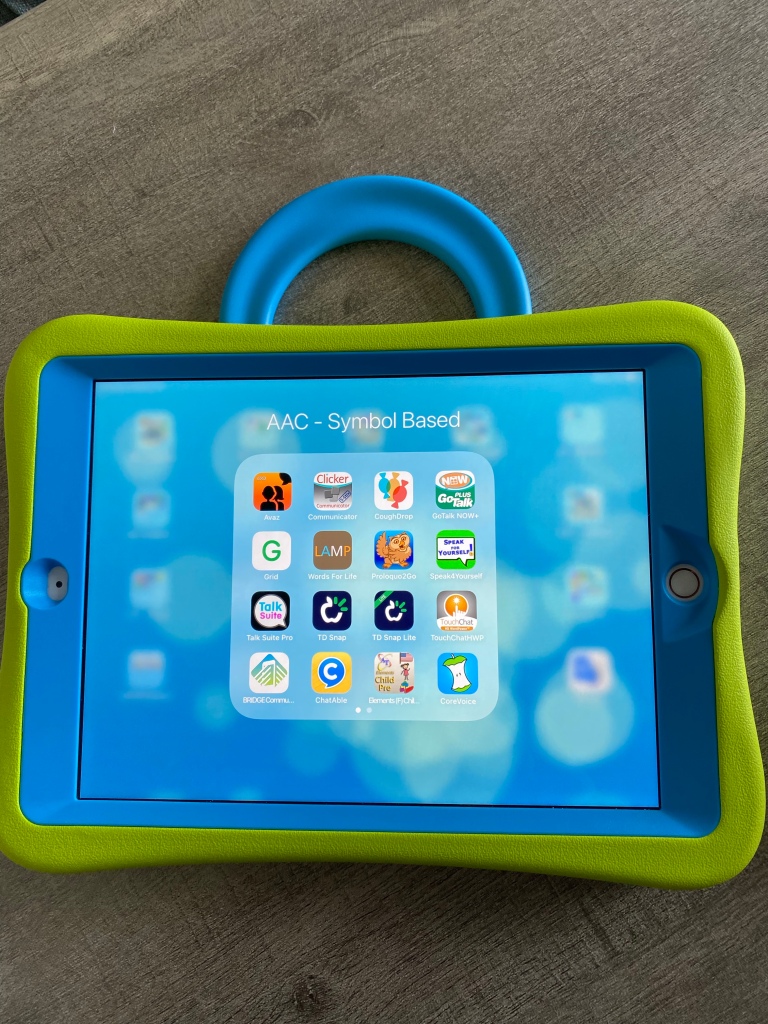
But it sparked my curiosity about what symbol sets are either included or available via in-app purchase in iOS AAC apps. So I looked through my vast AAC app collection and came up with the following list of symbol sets.


Based on the data that I collected, SymbolStix appears to be the most widely used (used in the most apps, available in 8 of the top 13+ iOS symbol-based AAC apps – denoted by (*) in the lists below & available in traditional SGDs)


PCS symbols are commonly used (available in 6 of the top 13+ iOS symbol-based AAC apps – denoted by (*) in the lists below). Especially if you factor in paper-based AAC systems like PODD and their use in traditional SGDs)


Widgit is more commonly used in the UK than the USA (available in 3 of the top 13+ iOS symbol-based AAC apps – denoted by (*) in the lists below & traditional SGDs)


Minspeak symbols (and the closely associated symbols used in LAMP Words for Life) are only used in particular SGDs and the LAMP WFL and Unity apps but those are widely used.


Looking for info about Sign Language Symbols, Videos & GIFs in AAC Apps? See this new blog post (2/1/23): https://bit.ly/SignLanguageSymbols-Videos-GIFs-inAAC


More info about the Top 13+ iOS Symbol-Based AAC apps: https://bit.ly/SymbolBasedAACapps & https://bit.ly/5aacFeatureMatchingResources


My Data:

SymbolStix:

1. aacorn+ (updated 11/21/22: no longer available)

2. Alexicom

3. Avaz (*)

4. Bridge Communication

5. Clicker Communicator (*)

6. CoughDrop (can add-on)

7. Flexspeak (*)

8. GoTalk Now / GoTalk Now Plus (*)

9. Grid 3 on SmartBox SGDs (also available on other SGDs)

10. Grid for iPad (*)

11. Grid Player

12. Proloquo2Go (*)

13. Proloquo + Proloquo Coach (see this free handout for info about how this new subscription-based options differs from Proloquo2Go: https://bit.ly/3uOlm86)

14. simPODD

15. So Much 2 Say

16. Sono Flex (11/11/25: this app is no longer available for purchase)

17. Talk Tablet

18. TouchChat with WordPower (*), also available on PRC-Saltillo SGDs

PCS:

1. Chatable (11/11/25: this app is no longer available for purchase)

2. Clicker Communicator (*)

3. CoughDrop (can add-on)

4. GoTalk Now (as in-app purchase) (*)

5. Grid 3 on SmartBox SGDs (also available on other SGDs)

6. Grid for iPad (*)

7. TD Snap (formerly known as Snap Core First) (also available on Windows devices and Tobii Dynavox SGDs) (*)

8. TouchChat with WordPower (as in-app purchase) (*), also available on Saltillo SGDs

Widgit (used frequently in the UK):

1. Clicker Communicator (*)

2. GoTalk Now / GoTalk Now Plus (as in-app purchase) (*)

3. Grid 3 on SmartBox SGDs (also available on other SGDs)

4. Grid for iPad (*)

Open Source Symbols (most available on this website: https://www.opensymbols.org):

1. Cboard

2. ChatterBoards

3. CommBoards

4. CoughDrop (*)

5. ElineSpeaks

6. Leeloo

7. LetMeTalk

8. MyTalk

9. Niki Talk 2 Pro (*)

10. PhotoVOCA

11. Posco

12. SpeakProse (emojis)

13. Speech Assistant AAC (11/21/22: offers the option to add a Mulberry Symbol, emoji or photo to a phrase button)

14. SymboTalk

CrickPix:

1. Clicker Communicator (*)

GoTalk Image Library:

1. GoTalk Now / GoTalk Now Plus (*)

LessonPix:

1. CoughDrop (can sync with your LessonPix account).

LessonPix is also widely used to make printed AAC options.

MetaCom (used fairly frequently in Germany)

1. GoTalk Now / GoTalk Now Plus (as in-app purchase) (*)

2. Grid 3 & Grid for iPad (via in app purchase in certain countries)

2. MetaTalkUS

3. TD Snap (formerly known as Snap Core First (as extra subscription or purchase) (*)

Minspeak:

1. Unity on Accent SGDs or the Unity iOS app

Multi-Meaning symbols derived from Minspeak & Unity:

1. LAMP Words for Life (*), also on Accent SGDs

Persona:

1. Talk Suite Pro

Pics for PECS:

1. PECS IV+

Pixon (also related to Minspeak/ Unity):

1. TouchChat with WordPower (as in-app purchase) (*), also available on Saltillo SGDs

Smarty Symbols:

1. ASD AAC Bestie Communicator

2. Expressive

3. Speak for Yourself (*)

4. Quick Talk AAC

Smarty Symbols are also widely used to make printed AAC options, in products on Teachers Pay Teachers and in a few non-AAC apps.

There are other AAC apps and SGDs that have their own unique symbols:

1. Alela Pro

2. CardTalk

3. CoreVoice

4. EESpeech

5. Fast AAC

6. Flexspeak

7. Fluent AAC

8. Grace 4

9. Jellow

10. Lingraphica (apps and their SGDs)

11. My First AAC

12. Niki Talk

13. PAROL Mini

14. PictoMaker

15. SoundingBoard

16. Talking Mats

17. Talk to Me

18. Top Taps Speaks

19. Twinkl Symbols for AAC

20. Verbal Me

21. Visuals2Go

22. Voice4u

23. Wayword

24. Weave Chat


This website has a nice catalog of all (or at least most) of the various symbol sets. Most are not widely used. I think it’s interesting to read the history behind how/why symbols were developed: https://talksense.weebly.com/symbol-what.html


It’s important to keep in mind… Symbol sets are like any other feature in AAC. There isn’t any “one size fits all” and to my knowledge there isn’t any research supporting the idea that any particular symbol set is superior to another. This is especially true when considering symbols that meet specific needs, user preferences, culturally relevant, etc…


See this quote from PrAACtical AAC: “There is no empirical evidence that one type of symbol is superior to another for all AAC clients, but there may certainly be differences for a specific individual. That’s why it is a best practice to evaluate the kind of symbol to use as part of an AAC assessment rather than picking one at random or using one based on our own convenience.”

https://praacticalaac.org/praactical/using-multiple-aac-symbol-sets-and-systems-with-aac-learners-considerations-for-thoughtful-interventionists/

Update 11/21/22: See their new post: https://praacticalaac.org/praactical/praactical-questions-what-symbols-are-used-in-aac-apps-sgds/ (includes hyperlinks to info about the symbols)


And this post from NWACS:

https://www.nwacs.info/blog/2019/3/aac-and-symbol-selection


See this thought provoking post by Ken Hackbarth at Volksswitch: https://volksswitch.org/index.php/volks-devices/bliss-tactile-symbols/why-not-leverage-a-standard-symbol-set/


Looking for in-depth info about features AAC apps? Check out these resources:

• iOS Symbol-Based: https://bit.ly/SymbolBasedAACapps

• iOS Text-Based: https://bit.ly/TextBasedAACapps

• Visual Scenes & Video Visual Scenes: https://bit.ly/AACvsd

• AAC Feature Matching Resource Bundle (includes all three, save 10%): https://bit.ly/aacFeatureMatchingBundle. If you are looking to purchase resources for several staff / team members, take a look at the Multiple Licenses discount (saves 20%)

• Robust Android AAC Apps (Google Play & Amazon Fire): https://bit.ly/RobustAndroidAACappChart

• Affordable and Free AAC apps & AAC-Related Apps (iOS, Android, Amazon Fire, Windows & a few web-based options): https://bit.ly/BasicAffordableAACchart


Have a question? The best way to reach me with any questions is via messaging on the OMazing Kids Facebook page: https://www.facebook.com/OMazingKidsAAC/. That way AAC related messages don’t get lost among the spam in my e-mail


Angela Moorad, MS, CCC-SLP, Founder of OMazing Kids, LLC, OMazing Kids AAC Consulting

• Teachers Pay Teachers Store: https://www.teacherspayteachers.com/Store/Omazing-Kids-Aac-Consulting

• YouTube: https://youtube.com/user/amoorad1

• Ko-Fi: https://ko-fi.com/omazingkidsaac

• OMazing Kids AAC Consulting Facebook Page: https://www.facebook.com/OMazingKidsAAC/

• AppPeeps Facebook Group: https://www.facebook.com/groups/OMazingKidsAppPeeps/

• GoTalk Now AAC & GoVisual Visual Scene Apps – Ideas and Sharing Facebook Group: https://bit.ly/GoTalkNowAACappGroup

• Instagram: https://www.instagram.com/omazingkidsaac

• Twitter: https://www.twitter.com/amoorad

• Pinterest: http://pinterest.com/OMazingKids/

• Linktree: https://linktr.ee/amoorad1

• LinkedIn: https://www.linkedin.com/in/angelamooradomazingkidsaac

• Blog: https://omazingkidsllc.com