Angela Moorad, MS, CCC-SLP. Over 36 years experience in AAC. OMazing Kids AAC and app consulting. Creator of several AAC Feature Matching resources (https://omazingkidsllc.com/omazing-kids-aac-resource-links/). Includes info about unique features to support Gestalt Language Processors
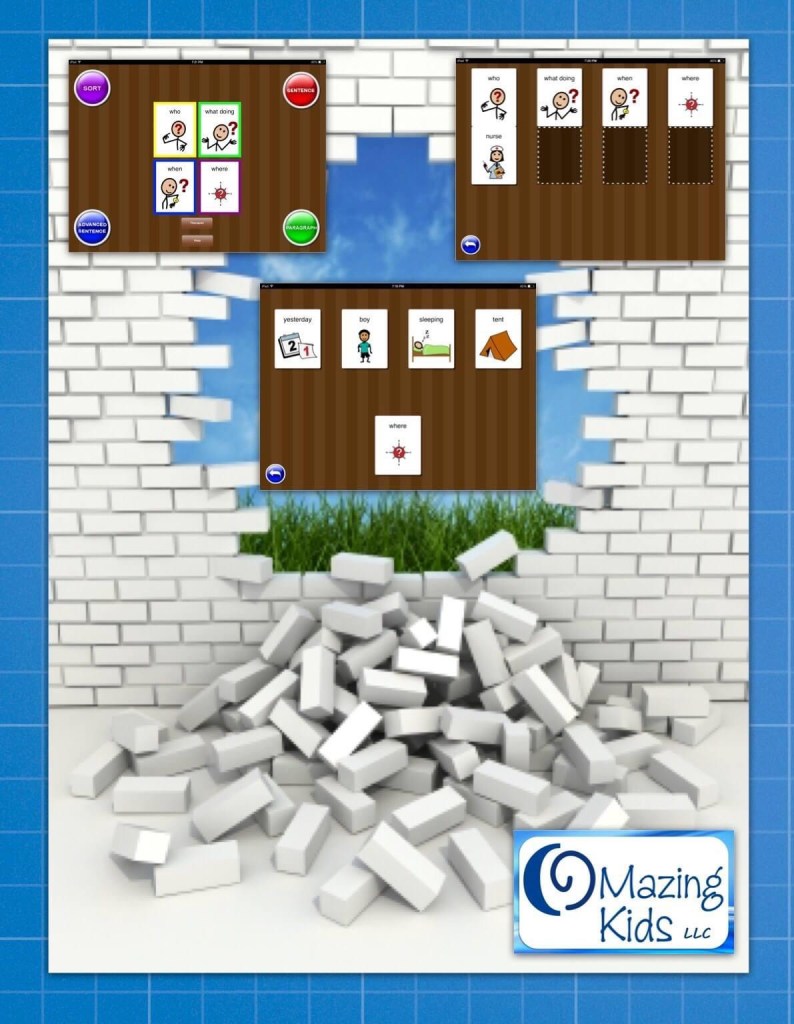
Boom! Take that you darn Wh-questions! One of my 8 year old patients had a HUGE breakthrough in OMazing Kids speech therapy today. After what seems like an eternity of working on Wh-questions, it finally totally clicked today. The QuestionIt? app by Language Learning Apps, LLC has been an integral part of this breakthrough with the scaffolding, symbol enhanced text, multiple repetitions and feedback about the correct answer to a __ (who, what doing, when, where) question. This is a patient who previously could not answer a Wh-question at all. Instead he would either not respond or would respond with some random fact about numbers, maps or Luigi (all high interest areas of his). Guess what he was able to do today?! Sorting (Level 3 – no scaffolding: 95%), Answering Sentence (Level 3 – no scaffolding: 95%), Answering Advanced Sentences (Level 2 – no scaffolding & variations on the word order: 90%). So then I turned my iPad around where he just had to listen to the sentence & question in the Advanced Sentence level. His responses were a little slower but he still rocked it at 85% accuracy. At that point I was on the verge of SLP tears of joy. But it gets even better!
Our conversation as we walked back to the waiting room:
Me: “What are you doing for Spring Break?” Him: “No homework”. Me: “Yeah… No school & no homework! What fun things are you doing this week?” Him: “We are going to a birthday party” Me: “When?” Him: “Today” Me: “Whose birthday is it?” Him: “_ (child’s name)… my brother’s friend” Me: “What did you buy for a present?” Him: ……. (to be honest my brain cut out at this point from the shock of him taking this many conversational turns, maintaining a topic & answering non-structured Wh-questions)
When we arrived to the waiting room, his mom confirmed that all his answers were accurate & we basked in the glory of how far he has come. When I first started seeing him a few years ago, he was minimally verbal & had huge meltdowns at even the mention of the words “birthday” or “party” (tons of sensory issues).
We still have lots more to work on but for today I am enjoying this moment of how far he has come. I share this for all the parents out there & all the therapists who work with their children…. the tunnel may be long but there is definitely hope & light at the end of that tunnel.
(This was originally posted on my OMazing Kids Facebook page on 3/16/15: https://bit.ly/3zNwnrM. I’m in the process of saving some of those posts here on my blog to make them easier to link / share during presentations)
Personal Professional Facebook Page (linked to OMazing Kids): https://www.facebook.com/angela.moorad (adding “friends” who have a direct role in AAC or Assistive Technology – AAC / AT app or product developers, AAC / AT consultants, SLPs who specialize in AAC, other professionals who specialize in AAC or AT, etc.)
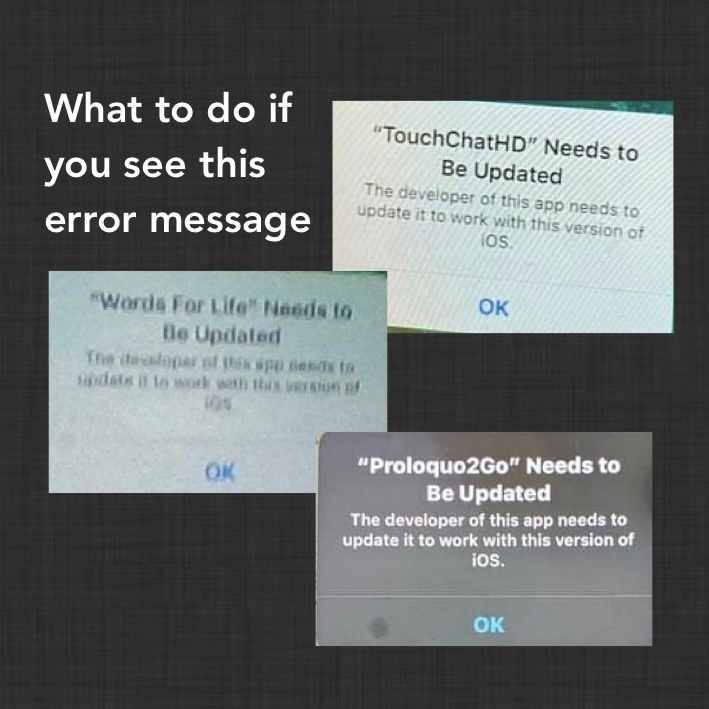
I’ve seen numerous posts in a variety of Facebook AAC groups over the past week or so regarding folks getting an error message that the developer needs to update the app. But I have all of the apps in question and know that they are all updated and work fine on both iOS 14.5 and iOS 14.6 (the most current iOS).
What to do if you see this error message depends on the type of device you are using:
Regular iPads: For those using the AAC app on a regular (not “managed”) iPad, check to make sure the iOS and the AAC are both updated and then do a forced restart. You may need to check in your Purchased area in the App Store to make sure there isn’t an update that just hasn’t been pushed out to you yet. See this blog post if you need info about how to do a forced restart: https://omazingkidsllc.com/2021/01/01/how-to-do-a-force-restart-on-an-ipad/. This seems to be resolving the issue for those on regular (not “managed”) devices.
Mobile Device Management (MDM) system devices: If you are using a “managed” iOS-based device and are not able to access the areas to update the iOS and app on it, then you’ll need to check with the company that sold that device. Their customer service number should be on the back of the device. If not, see this post for info about companies that sell those: https://omazingkidsllc.com/2021/03/12/fundable-ios-based-aac-devices/. My best guess is there’s something in their management system that’s either preventing an update or triggering that error message. If the school district provided the device and uses their own system to manage them, then you’ll need to check with the department that handles that.
If any of the companies that sell managed devices have additional insights on what to do feel free to message me on my OMazing Kids AAC Consulting Facebook page (https://www.facebook.com/OMazingKidsAAC/) I’ve had several folks asking so I’ll be giving updates on any new info.
Personal Professional Facebook Page (linked to OMazing Kids): https://www.facebook.com/angela.moorad (adding “friends” who have a direct role in AAC or Assistive Technology – AAC / AT app or product developers, AAC / AT consultants, SLPs who specialize in AAC, other professionals who specialize in AAC or AT, etc.)
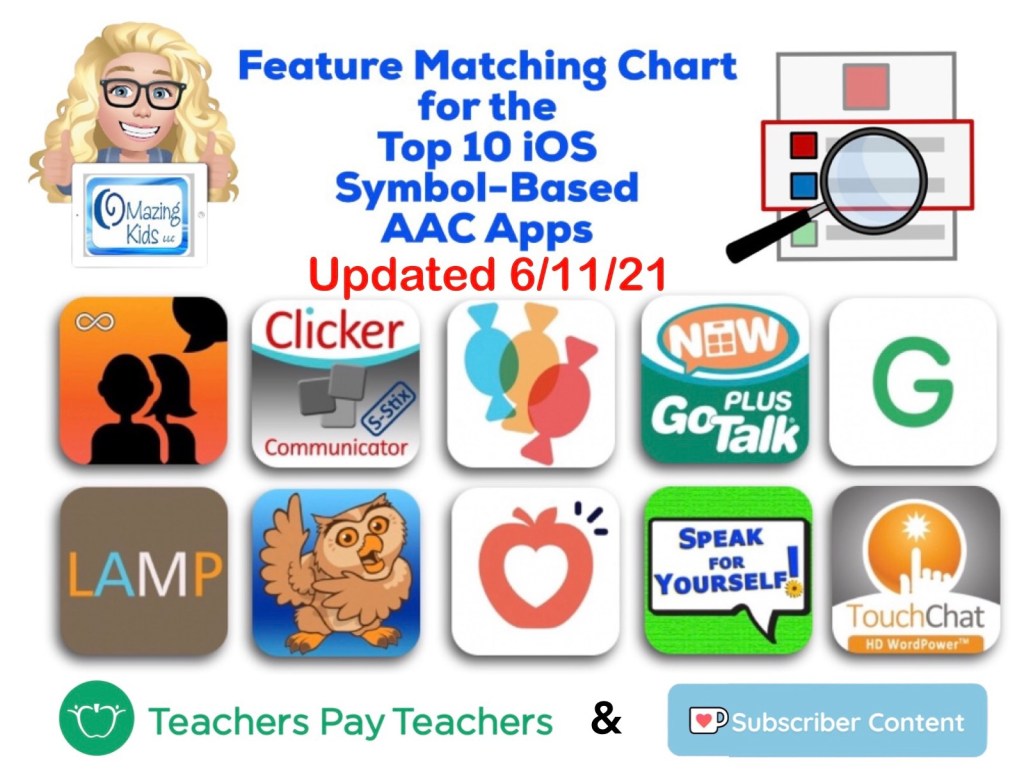
It includes info about app updates done in the past month, info about head tracking and eye gaze capabilities in CoughDrop, a few more tips and time saving features and I added a row about backup/share/restore via a USB flash drive.
Have questions? The best way to reach me with any questions is via messaging on the OMazing Kids Facebook page: https://www.facebook.com/OMazingKidsAAC/. That way messages don’t get lost among the spam in my e-mail.
Personal Professional Facebook Page (linked to OMazing Kids): https://www.facebook.com/angela.moorad (adding “friends” who have a direct role in AAC or Assistive Technology – AAC / AT app or product developers, AAC / AT consultants, SLPs who specialize in AAC, other professionals who specialize in AAC or AT, etc.)
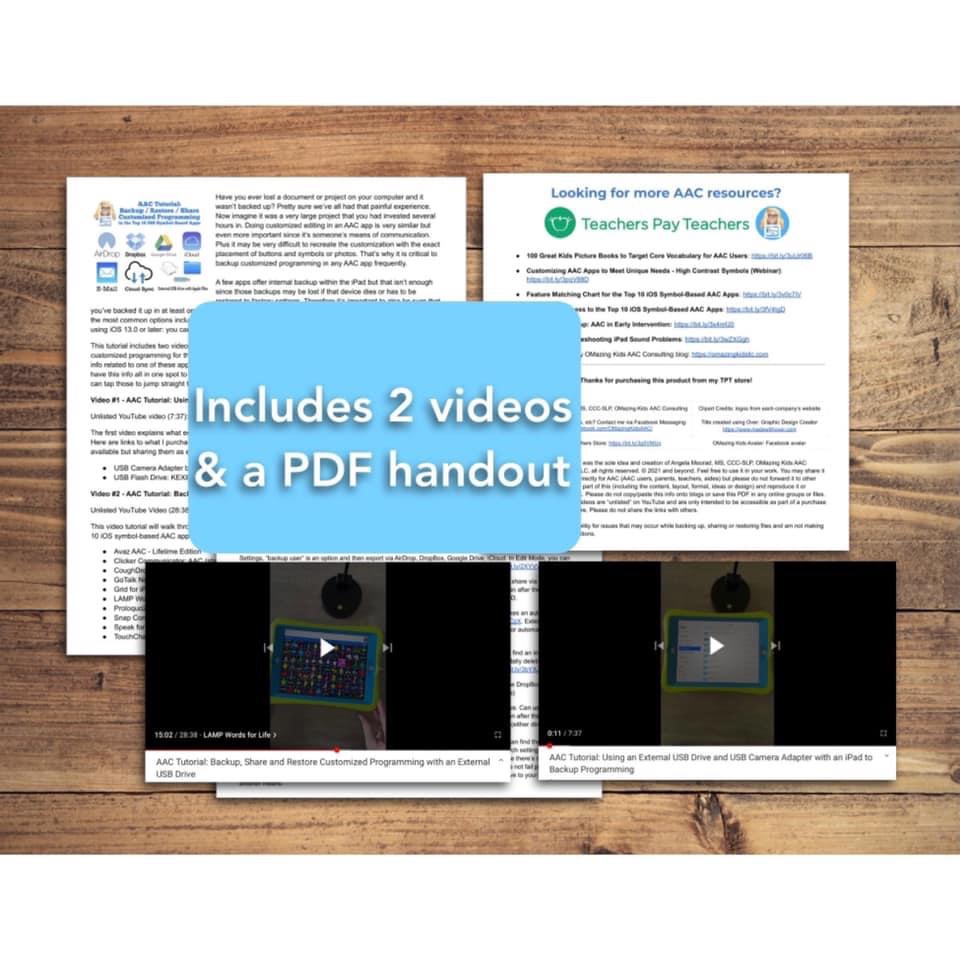
AAC Tutorial: Backup / Restore / Share Customized Programming in the Top 10 iOS Symbol-Based AAC Apps (includes 2 videos & a PDF handout). Covers several options including detailed instructions on how to use an external USB drive and USB Camera Adapter with Apple Files. Now available on my Teachers Pay Teachers store: https://bit.ly/3zj41FG
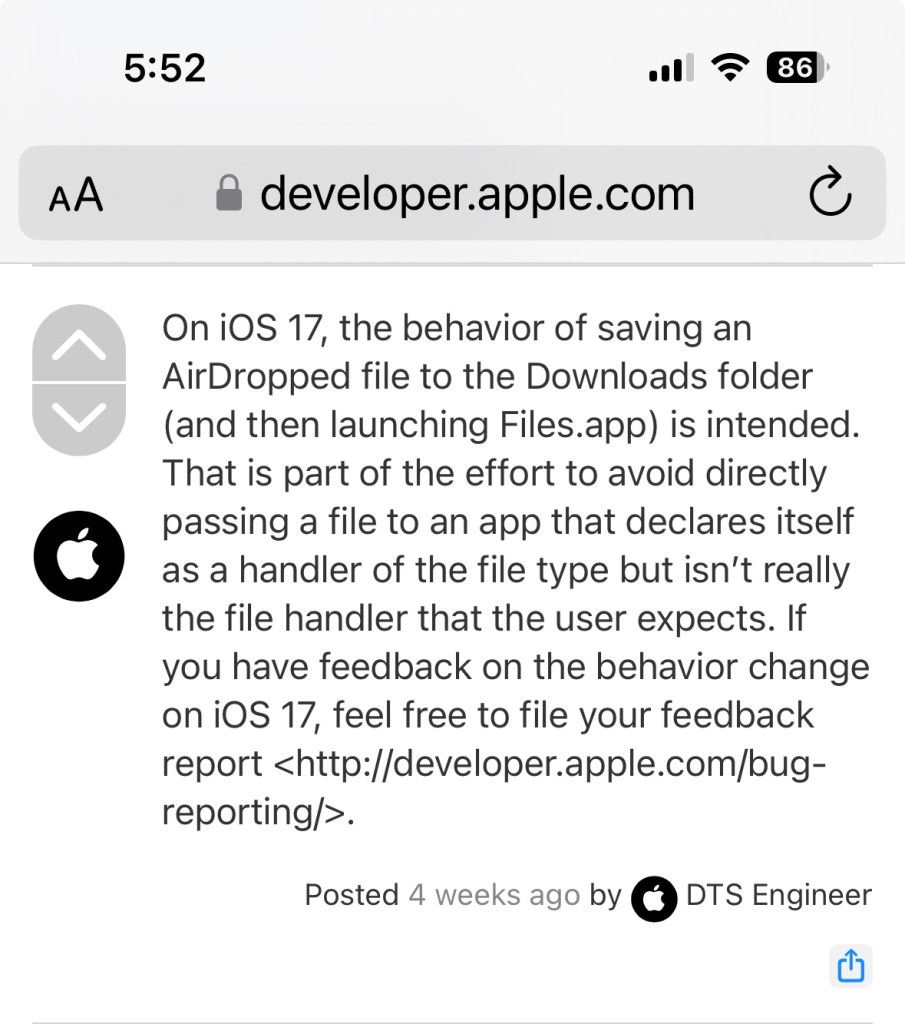
NOTE: I deactivated this resource on TPT on 11/2/23 when I learned that iOS 17 / iPadOS 17 made some significant changes to how AirDrop works. Prior to this you could AirDrop and the AAC file that you sent would go straight to that AAC app on the receiving device with a confirmation message to tap to import it. As of iOS 17/ iPadOS 17 this is no longer the case. One of the developers of Speak for Yourself shared the following information in a comment in the AAC for the SLP group: “AirDrop now uses the Files app to receive vocabulary. If it’s a managed device (through an MDM or third party insurance-covered device), it may have the files app removed. It’s going to affect any of the apps and any files that you’re trying to AirDrop. It’s doesn’t affect photos, only files.”
Info from Apple: https://developer.apple.com/forums/thread/737971?page=1#767265022 (On iOS 17, the behavior of saving an AirDropped file to the Downloads folder (and then launching Files.app) is intended. That is part of the effort to avoid directly passing a file to an app that declares itself as a handler of the file type but isn’t really the file handler that the user expects.)
At this point I’m going to see if AAC app developers come up with a work around or if Apple rolls back this process before deciding whether or not I will update this resource.
Have questions? The best way to reach me with any questions is via messaging on the OMazing Kids Facebook page: https://www.facebook.com/OMazingKidsAAC/. That way messages don’t get lost among the spam in my e-mail.
Personal Professional Facebook Page (linked to OMazing Kids): https://www.facebook.com/angela.moorad (adding “friends” who have a direct role in AAC or Assistive Technology – AAC / AT app or product developers, AAC / AT consultants, SLPs who specialize in AAC, other professionals who specialize in AAC or AT, etc.)
Have questions? The best way to reach me with any questions is via messaging on the OMazing Kids Facebook page: https://www.facebook.com/OMazingKidsAAC/. That way messages don’t get lost among the spam in my e-mail.
Personal Professional Facebook Page (linked to OMazing Kids): https://www.facebook.com/angela.moorad (adding “friends” who have a direct role in AAC or Assistive Technology – AAC / AT app or product developers, AAC / AT consultants, SLPs who specialize in AAC, other professionals who specialize in AAC or AT, etc.)
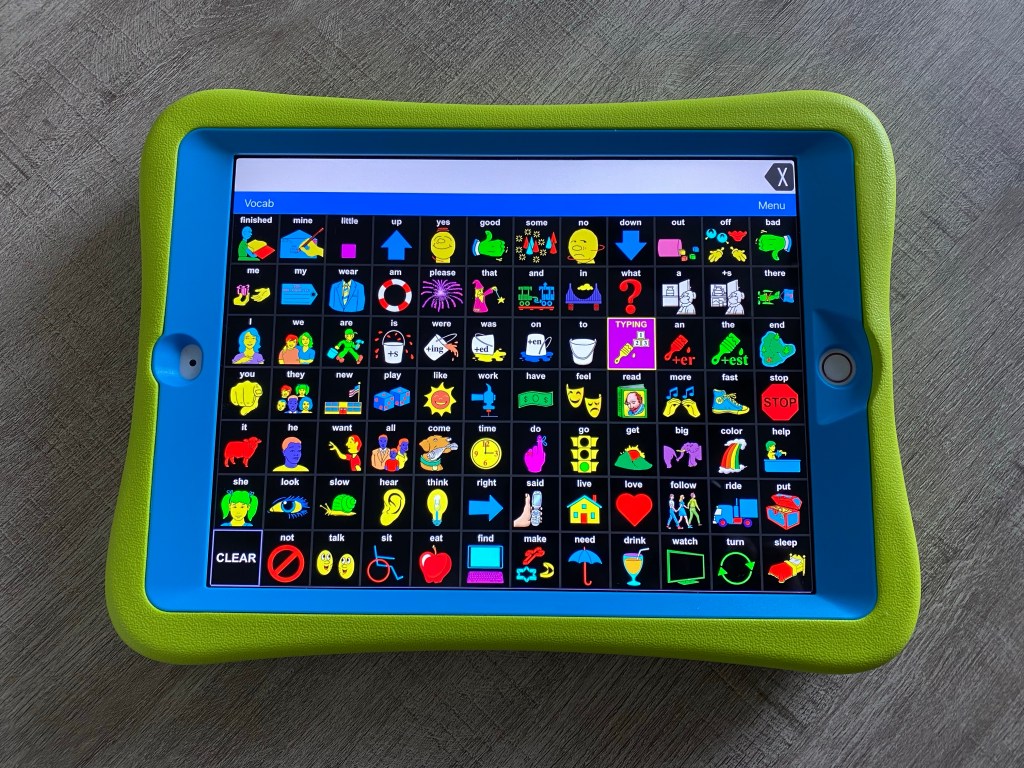
This is what the LAMP Words for Life app looks like on my iPad modified to use High Contrast symbols:
Want to know more? Check out this short recorded webinar on my Teachers Pay Teachers store: https://bit.ly/2Rd430G
Have questions? The best way to reach me with any questions is via messaging on the OMazing Kids Facebook page: https://www.facebook.com/OMazingKidsAAC/. That way messages don’t get lost among the spam in my e-mail.
Personal Professional Facebook Page (linked to OMazing Kids): https://www.facebook.com/angela.moorad (adding “friends” who have a direct role in AAC or Assistive Technology – AAC / AT app or product developers, AAC / AT consultants, SLPs who specialize in AAC, other professionals who specialize in AAC or AT, etc.)
Here’s an updated comparison of five all-purpose articulation apps:
Articulation Station Pro
ArtikPix Full
Speech Tutor Pro
Webber Photo Artic Castle Pro
Articulate It! Pro
My recommendations have changed quite a bit recently due to glitches not being fixed in one app and two apps not being updated. This raises a red flag as to whether or not they will continue to work as new iOS versions are released.
Only two of these apps are still highly recommended: Articulation Station Pro & ArtikPix Full
Two are now designated as “purchase with caution” (Speech Tutor Pro & Webber Photo Artic Castle Pro) and one is no longer recommended for purchase (Articulate It! Pro).
I sent messages to all three app developers to ask about plans to update their app. As of the time of this blog post none of them have replied. All three of those companies have a subscription-based site so it’s likely that they are focusing on that now vs. maintaining existing apps.
Personal Professional Facebook Page (linked to OMazing Kids): https://www.facebook.com/angela.moorad (adding “friends” who have a direct role in AAC or Assistive Technology – AAC / AT app or product developers, AAC / AT consultants, SLPs who specialize in AAC, other professionals who specialize in AAC or AT, etc.)
Unfortunately anxiety is common with Autism. It’s the main reason that I went through training for kids yoga and mindfulness. I needed tools as an SLP to be able to help my patients learn self regulation and self affirmation skills.
Here are several helpful tools:
Two Amazing “Must Have” Books for Teaching Kids Self-Regulation Skills: https://bit.ly/2T36tiR.
Owl & Star plush characters from Super Simple Learning + free printable affirmation coloring pages: https://bit.ly/3fykyfZ. Any stuffed animal or doll can be used with belly breathing. See this video: https://youtu.be/cx9vMHnjpbA
And handouts from a training “Therapeutic Yoga For Kids and Teens with Autism” that I did at the Oklahoma Autism Conference in 2011: https://bit.ly/3402Hci
I’ll update this post to add additional resources as I create or find them.
Disclaimer: Anxiety is very real and can be severe. Please seek the care of an appropriate mental health professional as needed. Any tools shared here may not work for everyone. They are shared as examples and may need to be customized to meet individual needs.
The best way to reach me with any questions is via private messaging on the OMazing Kids Facebook page: https://www.facebook.com/OMazingKidsAAC/. That way important messages don’t get lost among the spam in my e-mail
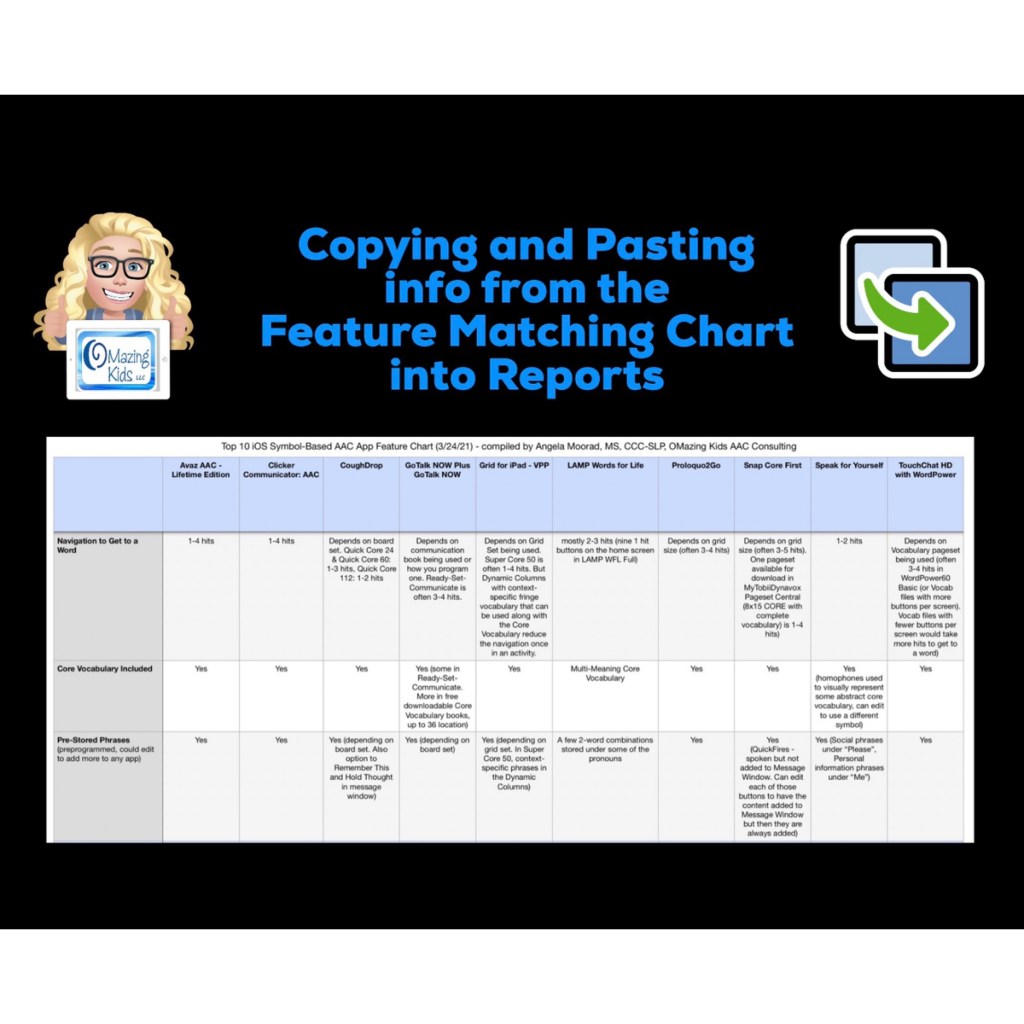
Open the PDF in the free Xodo app on your computer, use the fabulous search feature to quickly find the info you need, copy text that you need regarding specific features and then paste that into a report. I’ve received several positive comments this week about how helpful it is to have so much info all in one document.
Of course you may need to add to or tweak the info to fit the requirements needed by a particular funding source or particular options being used in the AAC apps.
But all of the app developers reviewed the content in my chart several times so I’m confident that it’s accurate 😊
Be watching for the next update for the chart later this month.
Download links for the free Xodo app can be found on their website: https://www.xodo.com
The best way to reach me with any questions is via messaging on the OMazing Kids Facebook page: https://www.facebook.com/OMazingKidsAAC/. That way AAC related messages don’t get lost among the spam in my e-mail
Personal Professional Facebook Page (linked to OMazing Kids): https://www.facebook.com/angela.moorad (adding“friends” who have a direct role in AAC or Assistive Technology – AAC / AT app or product developers, AAC / AT consultants, SLPs who specialize in AAC, other professionals who specialize in AAC or AT, etc.)
There was a post in the AAC for SLP Facebook group today where a member asked the following question:
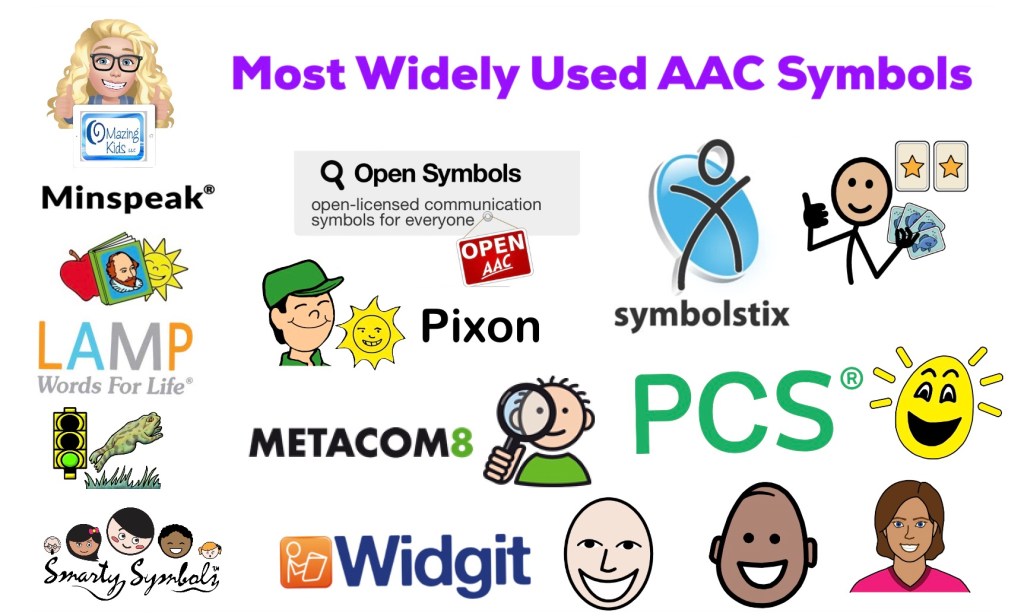
“Hi all! I’m not sure there is even an answer for this question, but I’m going to go for it anyway. 😉 Is there one symbol set that is most widely used? I am only familiar with SymbolStix and PCS. To be specific, I’m not looking for people’s preferences… I am truly just interested on any data/study that demonstrate(s) which is most widely used.😊“
I hadn’t ever seen a list or data/study that had this exact info. To truly know which symbol set is most widely used for high tech AAC you’d need to have data regarding sales of SGDs, sales of AAC apps, sales of symbol sets via in-app purchases and data regarding their actual use. My guess is this is going to vary greatly across the world and influenced by both the language(s) needed by a particular AAC user and the opinions of SLPs / SLTs about certain apps or SGDs.
To truly know which symbol set is most widely used for paper-based AAC you’d need to have data regarding sales and subscriptions and then a way to determine actual use for AAC vs. all the other possible uses for those symbols.
But it sparked my curiosity about what symbol sets are either included or available via in-app purchase in iOS AAC apps. So I looked through my vast AAC app collection and came up with the following list of symbol sets.
Based on the data that I collected, SymbolStix appears to be the most widely used (used in the most apps, available in 8 of the top 13+ iOS symbol-based AAC apps – denoted by (*) in the lists below & available in traditional SGDs)
PCS symbols are commonly used (available in 6 of the top 13+ iOS symbol-based AAC apps – denoted by (*) in the lists below). Especially if you factor in paper-based AAC systems like PODD and their use in traditional SGDs)
Widgit is more commonly used in the UK than the USA (available in 3 of the top 13+ iOS symbol-based AAC apps – denoted by (*) in the lists below & traditional SGDs)
Minspeak symbols (and the closely associated symbols used in LAMP Words for Life) are only used in particular SGDs and the LAMP WFL and Unity apps but those are widely used.
1. aacorn+ (updated 11/21/22: no longer available)
2. Alexicom
3. Avaz (*)
4. Bridge Communication
5. Clicker Communicator (*)
6. CoughDrop (can add-on)
7. Flexspeak (*)
8. GoTalk Now / GoTalk Now Plus (*)
9. Grid 3 on SmartBox SGDs (also available on other SGDs)
10. Grid for iPad (*)
11. Grid Player
12. Proloquo2Go (*)
13. Proloquo + Proloquo Coach (see this free handout for info about how this new subscription-based options differs from Proloquo2Go: https://bit.ly/3uOlm86)
14. simPODD
15. So Much 2 Say
16. Sono Flex (11/11/25: this app is no longer available for purchase)
17. Talk Tablet
18. TouchChat with WordPower (*), also available on PRC-Saltillo SGDs
PCS:
1. Chatable (11/11/25: this app is no longer available for purchase)
2. Clicker Communicator (*)
3. CoughDrop (can add-on)
4. GoTalk Now (as in-app purchase) (*)
5. Grid 3 on SmartBox SGDs (also available on other SGDs)
6. Grid for iPad (*)
7. TD Snap (formerly known as Snap Core First) (also available on Windows devices and Tobii Dynavox SGDs) (*)
8. TouchChat with WordPower (as in-app purchase) (*), also available on Saltillo SGDs
Widgit (used frequently in the UK):
1. Clicker Communicator (*)
2. GoTalk Now / GoTalk Now Plus (as in-app purchase) (*)
3. Grid 3 on SmartBox SGDs (also available on other SGDs)
13. Speech Assistant AAC (11/21/22: offers the option to add a Mulberry Symbol, emoji or photo to a phrase button)
14. SymboTalk
CrickPix:
1. Clicker Communicator (*)
GoTalk Image Library:
1. GoTalk Now / GoTalk Now Plus (*)
LessonPix:
1. CoughDrop (can sync with your LessonPix account).
LessonPix is also widely used to make printed AAC options.
MetaCom (used fairly frequently in Germany)
1. GoTalk Now / GoTalk Now Plus (as in-app purchase) (*)
2. Grid 3 & Grid for iPad (via in app purchase in certain countries)
2. MetaTalkUS
3. TD Snap (formerly known as Snap Core First (as extra subscription or purchase) (*)
Minspeak:
1. Unity on Accent SGDs or the Unity iOS app
Multi-Meaning symbols derived from Minspeak & Unity:
1. LAMP Words for Life (*), also on Accent SGDs
Persona:
1. Talk Suite Pro
Pics for PECS:
1. PECS IV+
Pixon (also related to Minspeak/ Unity):
1. TouchChat with WordPower (as in-app purchase) (*), also available on Saltillo SGDs
Smarty Symbols:
1. ASD AAC Bestie Communicator
2. Expressive
3. Speak for Yourself (*)
4. Quick Talk AAC
Smarty Symbols are also widely used to make printed AAC options, in products on Teachers Pay Teachers and in a few non-AAC apps.
There are other AAC apps and SGDs that have their own unique symbols:
1. Alela Pro
2. CardTalk
3. CoreVoice
4. EESpeech
5. Fast AAC
6. Flexspeak
7. Fluent AAC
8. Grace 4
9. Jellow
10. Lingraphica (apps and their SGDs)
11. My First AAC
12. Niki Talk
13. PAROL Mini
14. PictoMaker
15. SoundingBoard
16. Talking Mats
17. Talk to Me
18. Top Taps Speaks
19. Twinkl Symbols for AAC
20. Verbal Me
21. Visuals2Go
22. Voice4u
23. Wayword
24. Weave Chat
This website has a nice catalog of all (or at least most) of the various symbol sets. Most are not widely used. I think it’s interesting to read the history behind how/why symbols were developed: https://talksense.weebly.com/symbol-what.html
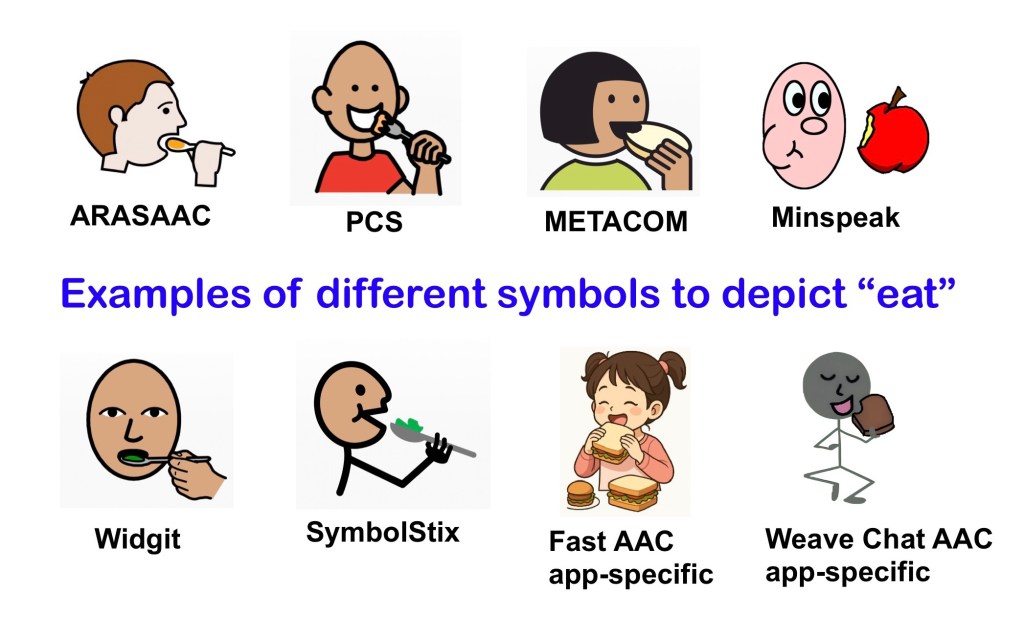
It’s important to keep in mind… Symbol sets are like any other feature in AAC. There isn’t any “one size fits all” and to my knowledge there isn’t any research supporting the idea that any particular symbol set is superior to another. This is especially true when considering symbols that meet specific needs, user preferences, culturally relevant, etc…
See this quote from PrAACtical AAC: “There is no empirical evidence that one type of symbol is superior to another for all AAC clients, but there may certainly be differences for a specific individual. That’s why it is a best practice to evaluate the kind of symbol to use as part of an AAC assessment rather than picking one at random or using one based on our own convenience.”
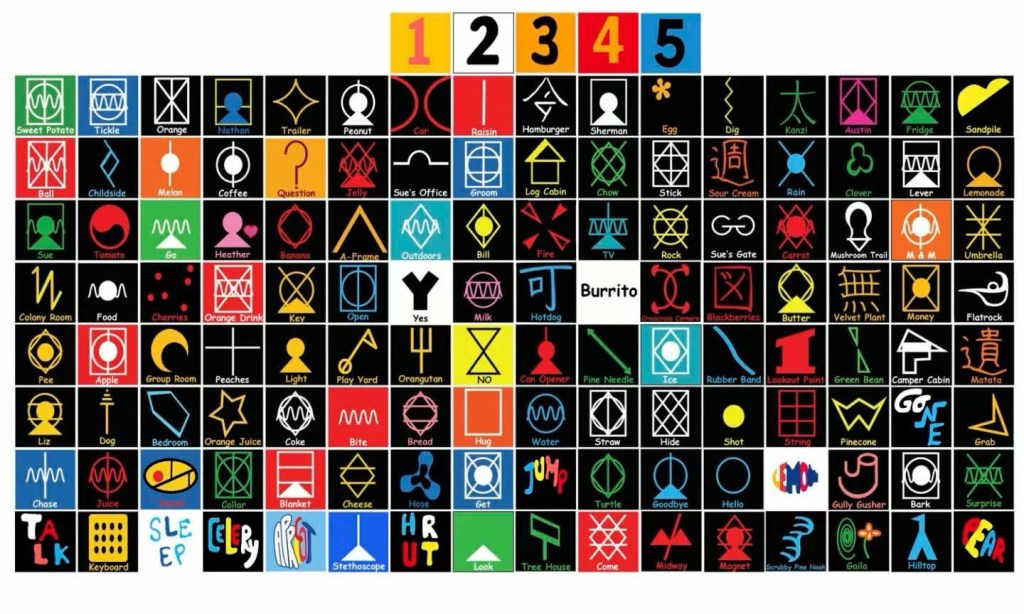
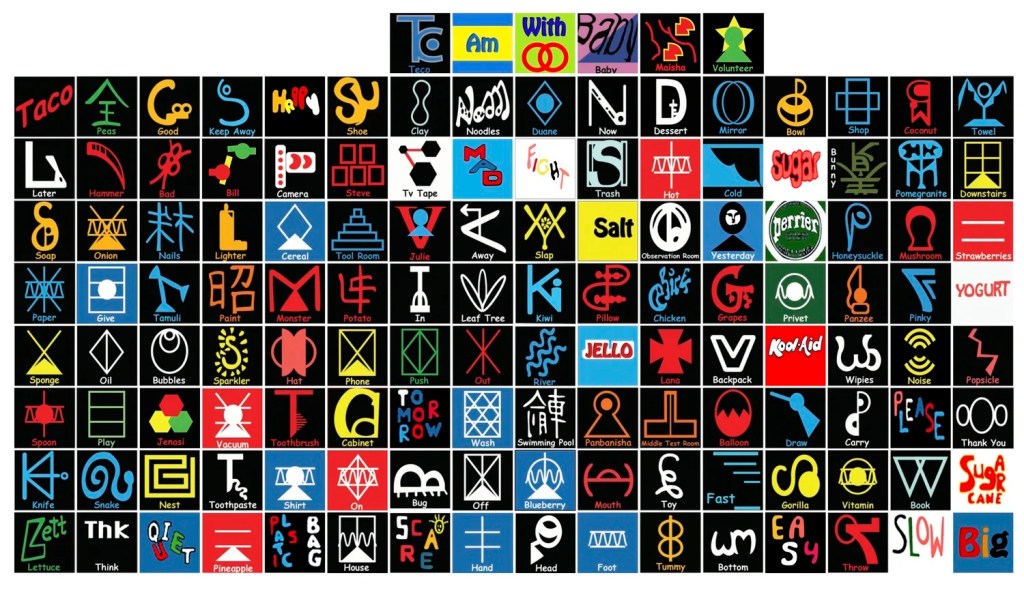
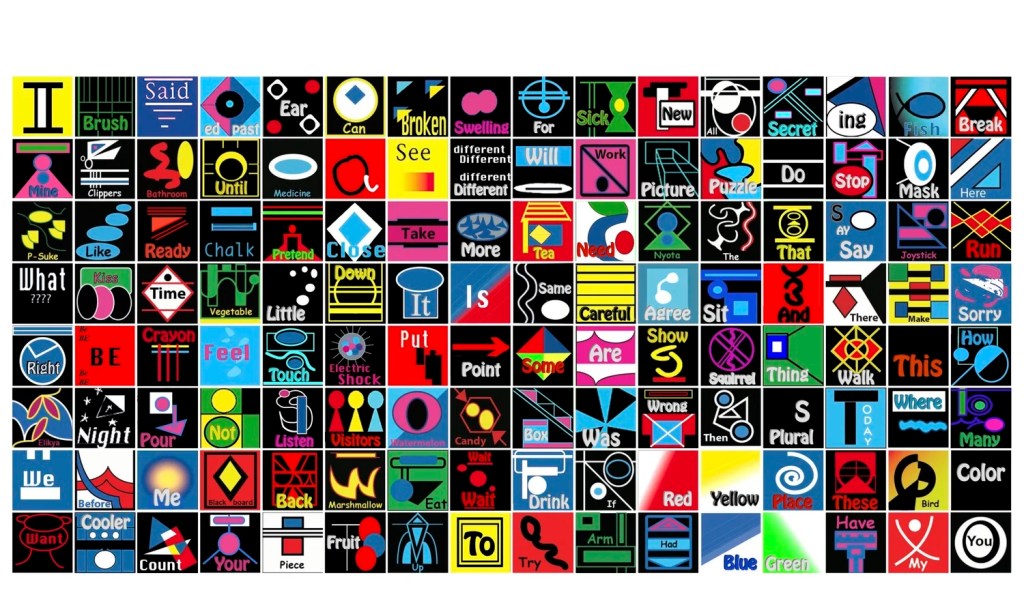
3/14/26: Mind blowing to learn about Yerkish lexigram / logograms designed for primates. It appears in the movie “Primate” but I don’t recognize the app interface:
• AAC Feature Matching Resource Bundle (includes all three, save 10%): https://bit.ly/aacFeatureMatchingBundle. If you are looking to purchase resources for several staff / team members, take a look at the Multiple Licenses discount (saves 20%)
• Affordable and Free AAC apps & AAC-Related Apps (iOS, Android, Amazon Fire, Windows & a few web-based options): https://bit.ly/BasicAffordableAACchart
Have a question? The best way to reach me with any questions is via messaging on the OMazing Kids Facebook page: https://www.facebook.com/OMazingKidsAAC/. That way AAC related messages don’t get lost among the spam in my e-mail






 OMazing Kids AAC Consulting