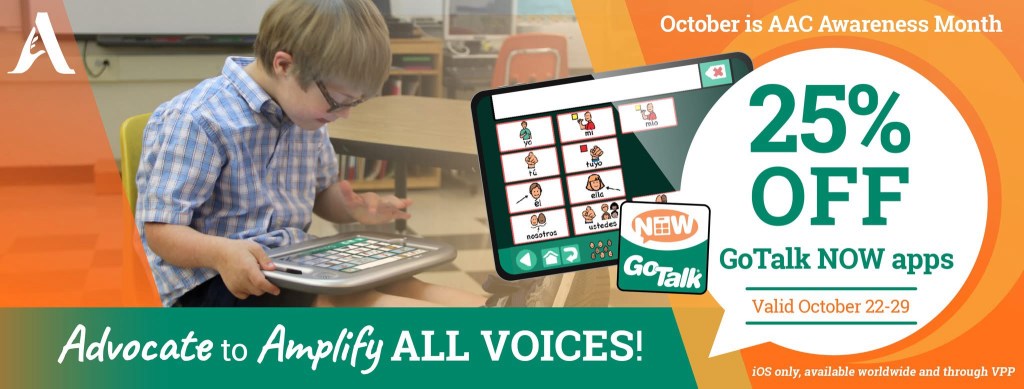
GoTalk Now: An AAC option that will reliably and easily include embedded video and music files when backing up and sharing a Communication Book. Rare sale on this app starts October 22, 2025.

If you are looking for an AAC option that will reliably and easily include videos and music files stored on that iPad that have been linked to play on a button then GoTalk Now is a tool that you should consider adding to your AAC toolkit.

Mark your calendar so you don’t miss their upcoming sale on October 22-29, 2025. It’s very rare for Attainment Company, Inc. to offer a sale. See the pricing history on AppRaven for GoTalk Now (https://appraven.net/app/1040142) & GoTalk Now Plus (https://appraven.net/app/4293360).

When you export a Communication Book from GoTalk Now (or GoTalk Now Plus) using the “Share Compressed Book” option it fully embeds and includes all videos, music files, recorded audio, photos, etc.. and reliably includes those when backing up and sharing.

That’s why I recommend GoTalk Now (or GoTalk Now Plus) as a supplemental tool in the AAC toolbox for those who will be using lots of video clips or music.

Note: The free GoTalk Now Lite and inexpensive GoTalk Start versions of this app do not have a way to backup or share.


Feel free to join my GoTalk Now AAC & GoVisual Visual Scene Apps – Ideas and Sharing Facebook Group: https://bit.ly/GoTalkNowAACappGroup. There are now two staff from Attainment Company, Inc. in the group.

Be sure to answer the questions when requesting to join and if you invite folks to join be sure they answer the questions. That’s how I keep the group secure from spammers.


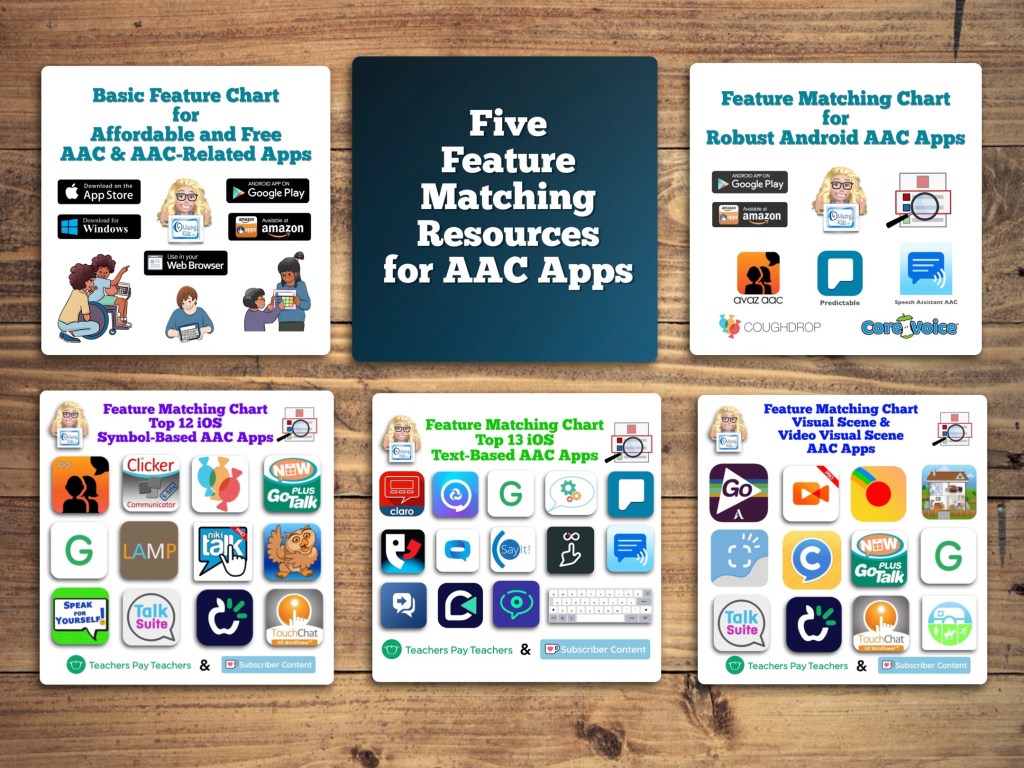
Looking for in-depth AAC feature matching resources? See this blog post: https://bit.ly/5aacFeatureMatchingResources. That post also includes videos comparing the best AAC apps on various devices on various platforms.


Looking for more AAC resources? Check out the Resource Links page here on my blog: https://omazingkidsllc.com/omazing-kids-aac-resource-links


Have a question? The best way to reach me is via Facebook messaging over on my OMazing Kids page: https://www.facebook.com/OMazingKidsAAC/


Angela Moorad, MS, CCC-SLP, Founder of OMazing Kids, LLC, OMazing Kids AAC Consulting

• Teachers Pay Teachers Store: https://www.teacherspayteachers.com/Store/Omazing-Kids-Aac-Consulting

• YouTube: https://youtube.com/user/amoorad1

• Ko-Fi: https://ko-fi.com/omazingkidsaac

• OMazing Kids AAC Consulting Facebook Page: https://www.facebook.com/OMazingKidsAAC/

• AppPeeps Facebook Group: https://www.facebook.com/groups/OMazingKidsAppPeeps/

• GoTalk Now AAC & GoVisual Visual Scene Apps – Ideas and Sharing Facebook Group: https://bit.ly/GoTalkNowAACappGroup

• Instagram: https://www.instagram.com/omazingkidsaac

• X (formerly Twitter): https://www.x.com/amoorad

• Pinterest: http://pinterest.com/OMazingKids/

• Linktree: https://linktr.ee/amoorad1

• LinkedIn: https://www.linkedin.com/in/angelamooradomazingkidsaac

• AppRaven AAC App Collections: https://bit.ly/AAConAppRaven

• Blog: https://omazingkidsllc.com / Resource Links page: https://omazingkidsllc.com/omazing-kids-aac-resource-links
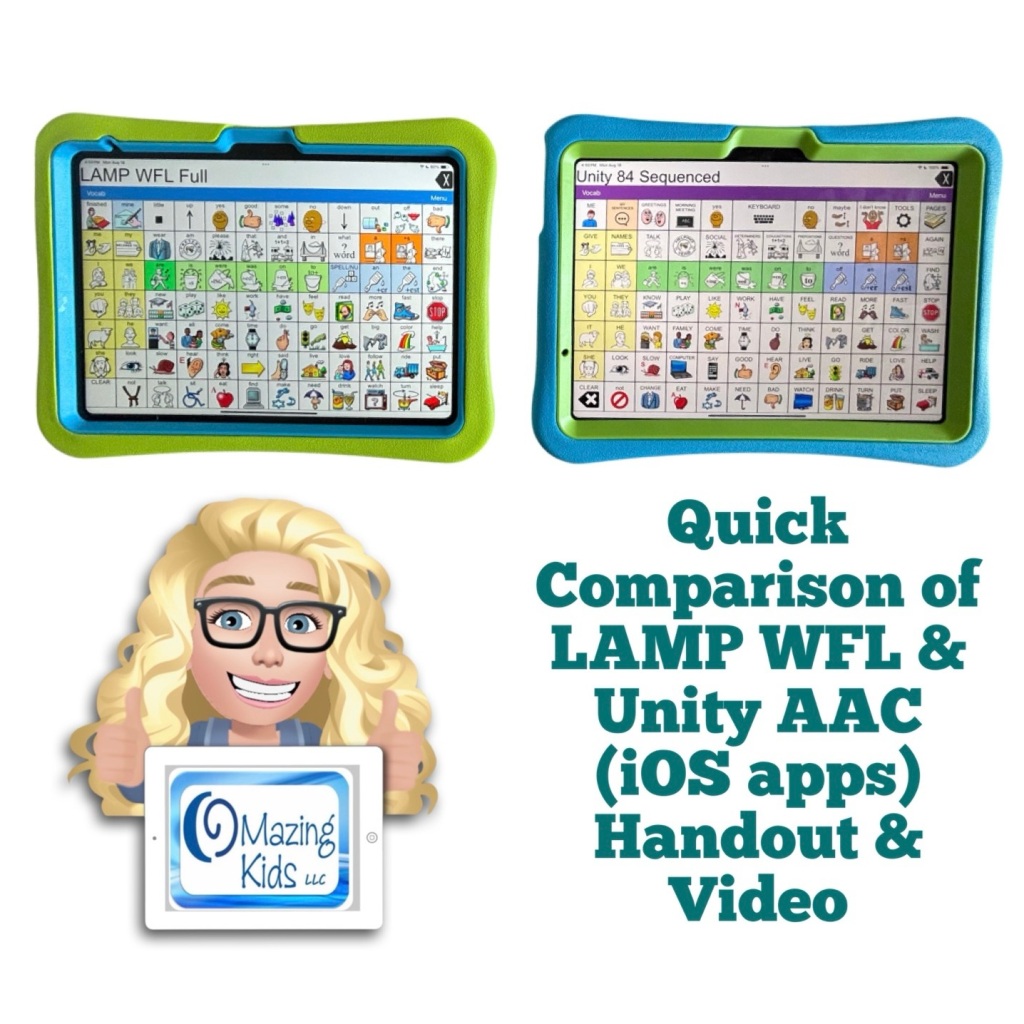
Quick Comparison of LAMP Words for Life & Unity AAC iOS Apps

Want a quick way to compare some of the main differences between the new Unity AAC iOS app & the LAMP Words for Life iOS app?

✅ Check out my brand new resource “Quick Comparison of LAMP Words for Life & Unity AAC iOS Apps”

🎯 This resource includes a two page PDF handout with 23 rows comparing key differences between the LAMP Words for Life & Unity AAC iOS apps + exclusive access to an 49:29 unlisted YouTube video where I show the differences. It is designed for a quick comparison (not an in-depth look at all of the features).

🥳 Available on TPT: https://bit.ly/QuickCompareUnityLAMPiOSapps


Created 8/19/25. This just highlights a few differences between these two iOS apps (not all of the features). 

In-depth info about LAMP WFL features can be found in the Feature Matching Chart for the Top 13+ Robust iOS Symbol-Based AAC Apps: https://bit.ly/SymbolBasedAACapps

I’ll add info about the new iOS Unity AAC app to that soon.

Neither app is “better” than the other. It depends on the needs of the AAC user, their family and others supporting AAC use. Additional features may be available if using either software on PRC-Saltillo SGDs. Contact your local PRC-Saltillo Consultant for info about options on their SGDs.


Looking for in-depth AAC feature matching resources? See this blog post: https://bit.ly/5aacFeatureMatchingResources. That post also includes videos comparing the best AAC apps on various devices on various platforms.


Looking for more AAC resources? Check out the Resource Links page here on my blog: https://omazingkidsllc.com/omazing-kids-aac-resource-links


Have a question? The best way to reach me is via Facebook messaging over on my OMazing Kids page: https://www.facebook.com/OMazingKidsAAC/


Angela Moorad, MS, CCC-SLP, Founder of OMazing Kids, LLC, OMazing Kids AAC Consulting

• Teachers Pay Teachers Store: https://www.teacherspayteachers.com/Store/Omazing-Kids-Aac-Consulting

• YouTube: https://youtube.com/user/amoorad1

• Ko-Fi: https://ko-fi.com/omazingkidsaac

• OMazing Kids AAC Consulting Facebook Page: https://www.facebook.com/OMazingKidsAAC/

• AppPeeps Facebook Group: https://www.facebook.com/groups/OMazingKidsAppPeeps/

• GoTalk Now AAC & GoVisual Visual Scene Apps – Ideas and Sharing Facebook Group: https://bit.ly/GoTalkNowAACappGroup

• Instagram: https://www.instagram.com/omazingkidsaac

• X (formerly Twitter): https://www.x.com/amoorad

• Pinterest: http://pinterest.com/OMazingKids/

• Linktree: https://linktr.ee/amoorad1

• LinkedIn: https://www.linkedin.com/in/angelamooradomazingkidsaac

• AppRaven AAC App Collections: https://bit.ly/AAConAppRaven

• Blog: https://omazingkidsllc.com / Resource Links page: https://omazingkidsllc.com/omazing-kids-aac-resource-links

How to Get Free Professional Access to Robust and Unique AAC Apps

How to Get Free Professional Access to Robust and Unique AAC Apps: https://bit.ly/FreeAAC4ProfessionalUse

Professionals need access in order to take AAC on a “test drive”. This new FREE handout includes info about how SLPs / SLTs and other AAC professionals can get access to over 25 robust and unique AAC apps or software for iOS, Android, Amazon Fire and Windows.


There is no “one size fits all” to anything about AAC and many individuals will need to use a variety of options (non tech, mid tech, high tech (SGDs, apps on an iPad or iPhone or other tablet or phone), sign language, gestures, facial expressions, vocalizations, segments of videos for gestalts, handwriting, etc…) as part of a multimodal system to support communication across environments and situations.

An AAC app is often part of a successful multimodal AAC system. While there isn’t any “perfect” AAC app there are features in these apps that might make some a better “fit” over other options.

It’s similar to taking a test drive to find a form of transportation that you like and meets your needs at that point in your life. All cars have an engine, tires and seats. Your first car may have been very basic transportation. But think about your dream vehicle. What features would it have? Why would you choose it over a different option? Older individuals might prioritize safety features. A teen or single young adult might prioritize the “look” / how “cool” it is. A family with young children might prioritize how many car seats can fit and storage. Others might prioritize fuel efficiency and eco-friendliness. You might ride a bike, subway, train, take an Uber ride, take a ferry, paddle in a canoe, etc. None of these is necessarily “better” than another or the “best” form of transportation. The “best” option is the one that meets the needs of that individual in that situation.


Looking for free trials of robust AAC apps for individual non-professional use? See this free resource: https://www.teacherspayteachers.com/Product/Free-Trials-of-Robust-AAC-Apps-for-Individuals-iOS-Android-Amazon-Windows-9598207


Looking for in-depth AAC feature matching resources? See this blog post: https://bit.ly/5aacFeatureMatchingResources. That post also includes videos comparing the best AAC apps on various devices on various platforms.


Looking for more AAC resources? Check out the Resource Links page here on my blog: https://omazingkidsllc.com/omazing-kids-aac-resource-links


Have a question? The best way to reach me is via Facebook messaging over on my OMazing Kids page: https://www.facebook.com/OMazingKidsAAC/


Angela Moorad, MS, CCC-SLP, Founder of OMazing Kids, LLC, OMazing Kids AAC Consulting

• Teachers Pay Teachers Store: https://www.teacherspayteachers.com/Store/Omazing-Kids-Aac-Consulting

• YouTube: https://youtube.com/user/amoorad1

• Ko-Fi: https://ko-fi.com/omazingkidsaac

• OMazing Kids AAC Consulting Facebook Page: https://www.facebook.com/OMazingKidsAAC/

• AppPeeps Facebook Group: https://www.facebook.com/groups/OMazingKidsAppPeeps/

• GoTalk Now AAC & GoVisual Visual Scene Apps – Ideas and Sharing Facebook Group: https://bit.ly/GoTalkNowAACappGroup

• Instagram: https://www.instagram.com/omazingkidsaac

• X (formerly Twitter): https://www.x.com/amoorad

• Pinterest: http://pinterest.com/OMazingKids/

• Linktree: https://linktr.ee/amoorad1

• LinkedIn: https://www.linkedin.com/in/angelamooradomazingkidsaac

• AppRaven AAC App Collections: https://bit.ly/AAConAppRaven

• Blog: https://omazingkidsllc.com / Resource Links page: https://omazingkidsllc.com/omazing-kids-aac-resource-links

AAC App Reliability & App Developer Trustworthiness

Those who have my Feature Matching Chart for the Top 13+ Robust iOS Symbol-Based AAC Apps will notice that I have a row specifically about “App Reliability” that includes the following information:

  • How frequently does this app have bugs?
  • How severe are the bugs?
  • How well does the App Developer communicate to let users know about known problems and what they are doing to resolve them?
  • How quickly are the issues resolved?

No app or software is immune from bugs regardless the size of the company or how long they have been around. The important part is how the app developer handles these issues, transparent communication, and how severely users are impacted.

https://www.teacherspayteachers.com/Product/Feature-Matching-Chart-for-the-Top-12-Robust-iOS-Symbol-Based-AAC-Apps-6867853


I have previously announced that I will be removing CoughDrop from my AAC feature matching resources due to increasing glitchiness over the years since Forbes AAC acquired the app in early 2023.

Unfortunately Forbes AAC has not been trustworthy or reliable and have made several promises to fix the app but then failed to deliver what was promised.

A recent update for the iOS version made things WORSE (not better). The second recent update for the iOS version improved a few things but not everything. I emailed the new CoughDrop Product Manager a screen recording video of ongoing issues related to the Premium Voices and iOS System Voices and differences between what’s available when using the app on my iPad vs. my iPhone.

I haven’t been able to install a Premium Voice in this app on my new Android tablet since part of the menu is cut off on the screen.

Forbes / CoughDrop has done a poor job of responding to user questions in their CoughDrop Users Group on Facebook. Hopefully this will improve with the new CoughDrop Product Manager joining the group. They need to provide ongoing engagement and support in this group to rebuild trust.


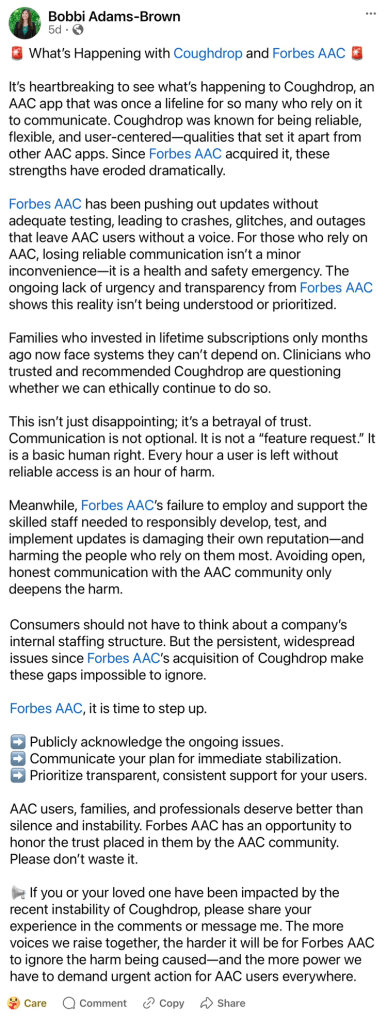
Bobbi Adams-Brown did a public Facebook post that does a great job of describing the impact of all of this on users: https://www.facebook.com/story.php?story_fbid=1772988606941188&id=100026901977184. I’m sharing in this in my blog post with her permission. Be sure to read the comments on her Facebook post.


I truly hope the most recent promise by Forbes AAC will be fulfilled and CoughDrop can become a reliable AAC app again.

It will take a at least a year of Forbes maintaining and improving CoughDrop to earn trust as an app developer. For the sake of their users I hope this happens.


It’s an honor to have my OMazing Kids AAC Consulting blog and resource links page selected as the knAAC Awards “AAC Community Site of the Year” again in 2025: https://www.openaac.org/knaac-awards/2025/


Looking for in-depth AAC feature matching resources? See this blog post: https://bit.ly/5aacFeatureMatchingResources. That post also includes videos comparing the best AAC apps on various devices on various platforms.


Looking for more AAC resources? Check out the Resource Links page here on my blog: https://omazingkidsllc.com/omazing-kids-aac-resource-links


Have a question? The best way to reach me is via Facebook messaging over on my OMazing Kids page: https://www.facebook.com/OMazingKidsAAC/


Angela Moorad, MS, CCC-SLP, Founder of OMazing Kids, LLC, OMazing Kids AAC Consulting

• Teachers Pay Teachers Store: https://www.teacherspayteachers.com/Store/Omazing-Kids-Aac-Consulting

• YouTube: https://youtube.com/user/amoorad1

• Ko-Fi: https://ko-fi.com/omazingkidsaac

• OMazing Kids AAC Consulting Facebook Page: https://www.facebook.com/OMazingKidsAAC/

• AppPeeps Facebook Group: https://www.facebook.com/groups/OMazingKidsAppPeeps/

• GoTalk Now AAC & GoVisual Visual Scene Apps – Ideas and Sharing Facebook Group: https://bit.ly/GoTalkNowAACappGroup

• Instagram: https://www.instagram.com/omazingkidsaac

• X (formerly Twitter): https://www.x.com/amoorad

• Pinterest: http://pinterest.com/OMazingKids/

• Linktree: https://linktr.ee/amoorad1

• LinkedIn: https://www.linkedin.com/in/angelamooradomazingkidsaac

• AppRaven AAC App Collections: https://bit.ly/AAConAppRaven

• Blog: https://omazingkidsllc.com / Resource Links page: https://omazingkidsllc.com/omazing-kids-aac-resource-links

Resource Updated: The Feature Matching Chart for the Top 13+ iOS Symbol Based AAC Apps (5/17/25). Major Update: added Flexspeak VPP. CoughDrop will be removed in the next update.

Resource Updated: The Feature Matching Chart for the Top 13+ iOS Symbol Based AAC Apps (5/17/25). This resource is available on TPT: https://bit.ly/SymbolBasedAACapps. Ko-fi subscribers will be able to access a copy on the pinned resource post: https://ko-fi.com/Post/Links-to-posts-about-most-current-feature-matching-F1F5C9DMD.

This is a major update. Be sure to download the new PDF for the most current information.

  • Flexspeak VPP has been added.
  • This is the final time that Coughdrop will be included in this feature matching resource (it hasn’t been updated in over a year and has no signs of the increasing glitchiness being resolved. I no longer recommend this app. It will be removed from this resource in the next update.).
  • The “Unique Features in Symbol-Based AAC Apps to Support Gestalt Language Processors” supplemental handout linked within it has also been updated.

Looking for other in-depth AAC feature matching resources? See this blog post: https://bit.ly/5aacFeatureMatchingResources. That post also includes videos comparing the best AAC apps on various devices on various platforms.


Looking for more AAC resources? Check out the Resource Links page here on my blog: https://omazingkidsllc.com/omazing-kids-aac-resource-links


Have a question? The best way to reach me is via Facebook messaging over on my OMazing Kids page: https://www.facebook.com/OMazingKidsAAC/


Angela Moorad, MS, CCC-SLP, Founder of OMazing Kids, LLC, OMazing Kids AAC Consulting

• Teachers Pay Teachers Store: https://www.teacherspayteachers.com/Store/Omazing-Kids-Aac-Consulting

• YouTube: https://youtube.com/user/amoorad1

• Ko-Fi: https://ko-fi.com/omazingkidsaac

• OMazing Kids AAC Consulting Facebook Page: https://www.facebook.com/OMazingKidsAAC/

• AppPeeps Facebook Group: https://www.facebook.com/groups/OMazingKidsAppPeeps/

• GoTalk Now AAC & GoVisual Visual Scene Apps – Ideas and Sharing Facebook Group: https://bit.ly/GoTalkNowAACappGroup

• Instagram: https://www.instagram.com/omazingkidsaac

• X (formerly Twitter): https://www.x.com/amoorad

• Pinterest: http://pinterest.com/OMazingKids/

• Linktree: https://linktr.ee/amoorad1

• LinkedIn: https://www.linkedin.com/in/angelamooradomazingkidsaac

• AppRaven AAC App Collections: https://bit.ly/AAConAppRaven

• Blog: https://omazingkidsllc.com / Resource Links page: https://omazingkidsllc.com/omazing-kids-aac-resource-links

How to toggle off taking screenshots via Gestures or Hot Corners on iPad:

How to toggle off taking screenshots via Gestures or Hot Corners on iPad: https://youtu.be/W-CcXlX2fbE?si=picLn5Az0jpTE-Tr


Have a question? The best way to reach me is via Facebook messaging over on my OMazing Kids page: https://www.facebook.com/OMazingKidsAAC/


Looking for in-depth AAC feature matching resources? See this blog post: https://bit.ly/5aacFeatureMatchingResources. That post also includes videos comparing AAC apps on various devices on various platforms.


Looking for more AAC resources? Check out the Resource Links page my blog: https://omazingkidsllc.com/omazing-kids-aac-resource-links


Angela Moorad, MS, CCC-SLP, Founder of OMazing Kids, LLC, OMazing Kids AAC Consulting

• Teachers Pay Teachers Store: https://www.teacherspayteachers.com/Store/Omazing-Kids-Aac-Consulting

• YouTube: https://youtube.com/user/amoorad1

• Ko-Fi: https://ko-fi.com/omazingkidsaac

• OMazing Kids AAC Consulting Facebook Page: https://www.facebook.com/OMazingKidsAAC/

• AppPeeps Facebook Group: https://www.facebook.com/groups/OMazingKidsAppPeeps/

• GoTalk Now AAC & GoVisual Visual Scene Apps – Ideas and Sharing Facebook Group: https://bit.ly/GoTalkNowAACappGroup

• Instagram: https://www.instagram.com/omazingkidsaac

• Instagram Threads: https://www.threads.net/@omazingkidsaac

• X (formerly Twitter): https://www.x.com/amoorad

• Pinterest: http://pinterest.com/OMazingKids/

• Linktree: https://linktr.ee/amoorad1

• LinkedIn: https://www.linkedin.com/in/angelamooradomazingkidsaac

• Reddit: https://www.reddit.com/u/VintageVeraBradley/s/w3L1d8H5rk

• AppRaven AAC App Collections: https://bit.ly/AAConAppRaven

• Blog: https://omazingkidsllc.com / Resource Links page: https://omazingkidsllc.com/omazing-kids-aac-resource-links
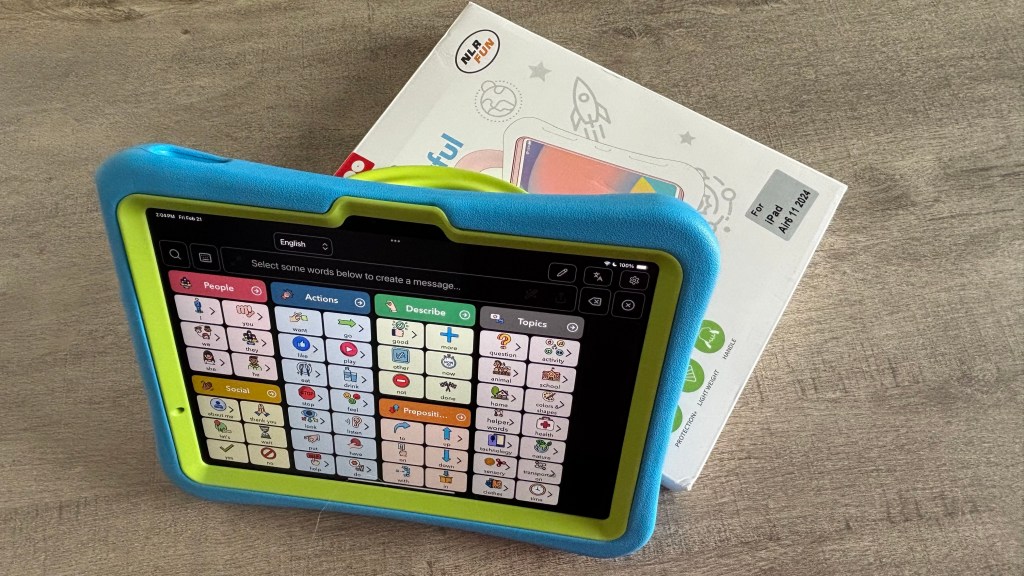
How I hacked a NLR Fun Pepkoo 10.9” iPad 10th Generation (2022) case to work with an iPad Air 11” (M2) 2024 – updated 2/21/25

I bought an iPad Air 11” (M2) 2024 specifically to be able to use any Apple Intelligence AI features that Apple rolls out and to be ready in case any AAC app developers find ways to incorporate it into their apps. 

The downside of getting a brand new model of iPad is it is often awhile before there are lots of case options to choose from. See this blog post for more info about the Pepkoo case: https://bit.ly/iPadCasesPepkooAndMore

I hope that NLR Fun eventually offers a Pepkoo case specifically for the iPad Air 11” (M2) 2024. 

Until then I was glad to be able to hack their Pepkoo case for the iPad 10th gen well enough to meet my needs. 


Updated 2/21/25: Great news! NLR Fun finally released a Pepkoo case specifically for the iPad Air 11” (M2) 2024. I bought it on Amazon and am glad that I did. It fits perfectly and allows the fingerprint ID button to work since it’s not as thick as the case that I had hacked.

https://a.co/d/fQ7saSF ($22.99, I got it on sale for $20.99)


Disclaimer: Use caution when using any tools. I knew I might run the risk of damaging the case when modifying it and worked on it very slowly and carefully. Obviously the iPad was removed from the case and placed in a safe location far away from where I was using tools. I am not liable for any outcomes that folks might have. Just sharing how I did this for my own personal use. 


Links to items seen in my video (all items were available when I uploaded this on 12/8/24. I have no way to know about future availability and pricing or availability and pricing outside of the USA):

  • NLR Fun Pepkoo Kids Case for iPad, Shockproof Cover for 10.9” iPad 10th Generation (2022), Lightweight Full Body Protective Case with Foldable Handle/Stand (Blue+Green): https://a.co/d/ge5Jc99
  • HARDELL Mini Cordless Rotary Tool Kit, 5-Speed and USB Charging with 61 Accessories, Multi-Purpose 3.7V Power Rotary Tool for Sanding, Polishing, Drilling, Etching, Engraving, DIY Crafts: https://a.co/d/fniTASR (I bought it on sale for $19.82)
  • Exacto knife (I’ve had a very long time)
  • anezus Self Healing Sewing Mat, Rotary Cutting Mat Double Sided 5-Ply Craft Cutting Board for Sewing Crafts Hobby Fabric Precision Scrapbooking Project 9inch x 12inch(A4), https://a.co/d/dDtpWg5
  • Plastic (I used a piece of a painting drop cloth but you could easily use a small plastic sack to make cleanup easier)

Note: I don’t have any affiliate stuff set up on Amazon. These are just regular Amazon links. 


Looking for in-depth AAC feature matching resources? See this blog post: https://bit.ly/5aacFeatureMatchingResources. That post also includes videos comparing AAC apps on various devices on various platforms.


Looking for more AAC resources? Check out the Resource Links page my blog: https://omazingkidsllc.com/omazing-kids-aac-resource-links


Angela Moorad, MS, CCC-SLP, Founder of OMazing Kids, LLC, OMazing Kids AAC Consulting

• Teachers Pay Teachers Store: https://www.teacherspayteachers.com/Store/Omazing-Kids-Aac-Consulting

• YouTube: https://youtube.com/user/amoorad1

• Ko-Fi: https://ko-fi.com/omazingkidsaac

• OMazing Kids AAC Consulting Facebook Page: https://www.facebook.com/OMazingKidsAAC/

• AppPeeps Facebook Group: https://www.facebook.com/groups/OMazingKidsAppPeeps/

• GoTalk Now AAC & GoVisual Visual Scene Apps – Ideas and Sharing Facebook Group: https://bit.ly/GoTalkNowAACappGroup

• Instagram: https://www.instagram.com/omazingkidsaac

• Instagram Threads: https://www.threads.net/@omazingkidsaac

• X (formerly Twitter): https://www.x.com/amoorad

• Pinterest: http://pinterest.com/OMazingKids/

• Linktree: https://linktr.ee/amoorad1

• LinkedIn: https://www.linkedin.com/in/angelamooradomazingkidsaac

• AppRaven AAC App Collections: https://bit.ly/AAConAppRaven

• Blog: https://omazingkidsllc.com / Resource Links page: https://omazingkidsllc.com/omazing-kids-aac-resource-links
Updated 11/27/24: Feature Matching Chart for the Top 13+ iOS Symbol-Based AAC Apps

Resource Updated: The Feature Matching Chart for the Top 13+ iOS Symbol Based AAC Apps (11/27/24).


This resource is available on TPT: https://bit.ly/SymbolBasedAACapps.


Updated Table of Contents: https://bit.ly/TOC-iOSaacSBfmc-11-27-24.


The “Unique Features in Symbol-Based AAC Apps to Support Gestalt Language Processors” supplemental handout linked within it has also been updated.


Those who have previously purchased this resource on TPT can download the newest version for no additional cost: https://bit.ly/SymbolBasedAACapps. Ko-fi subscribers will be able to access a copy on the pinned resource post: https://ko-fi.com/Post/Links-to-posts-about-most-current-feature-matching-F1F5C9DMD.


Looking for other in-depth AAC feature matching resources? See this blog post: https://bit.ly/5aacFeatureMatchingResources. That post also includes videos comparing the best AAC apps on various devices on various platforms.


Looking for more AAC resources? Check out the Resource Links page here on my blog: https://omazingkidsllc.com/omazing-kids-aac-resource-links


Have a question? The best way to reach me is via Facebook messaging over on my OMazing Kids page: https://www.facebook.com/OMazingKidsAAC/


Angela Moorad, MS, CCC-SLP, Founder of OMazing Kids, LLC, OMazing Kids AAC Consulting

• Teachers Pay Teachers Store: https://www.teacherspayteachers.com/Store/Omazing-Kids-Aac-Consulting

• YouTube: https://youtube.com/user/amoorad1

• Ko-Fi: https://ko-fi.com/omazingkidsaac

• OMazing Kids AAC Consulting Facebook Page: https://www.facebook.com/OMazingKidsAAC/

• AppPeeps Facebook Group: https://www.facebook.com/groups/OMazingKidsAppPeeps/

• GoTalk Now AAC & GoVisual Visual Scene Apps – Ideas and Sharing Facebook Group: https://bit.ly/GoTalkNowAACappGroup

• Instagram: https://www.instagram.com/omazingkidsaac

• X (formerly Twitter): https://www.x.com/amoorad

• Pinterest: http://pinterest.com/OMazingKids/

• Linktree: https://linktr.ee/amoorad1

• LinkedIn: https://www.linkedin.com/in/angelamooradomazingkidsaac

• AppRaven AAC App Collections: https://bit.ly/AAConAppRaven

• Blog: https://omazingkidsllc.com / Resource Links page: https://omazingkidsllc.com/omazing-kids-aac-resource-links

Visuals for Choosing and Customizing an AAC Voice

A voice is a very personal thing. It represents the essence of who we are and how we are heard. All AAC users should have the opportunity to be involved in choosing a voice for their AAC system, adjusting it (rate, pitch and volume), adding intonation or tone, and choosing different voices for different situations.


Watch the preview video:


The 34 page printable PDF includes

  • Basic info about why this is important.
  • Options for custom personalized voices and ways to add intonation and tone of voice.
  • Use of unique accents.
  • Visual supports for choosing the age of voice, speed, pitch & volume.
  • Visual supports for choosing child, teen and adult USA English voices (Acapela, Almagu, Cereproc, Ivona & iOS). Includes all voice choices on one page for each age category and larger cards that can be cut apart and used on choice boards.
  • Visual support for choosing another type of English voice for those who may prefer a unique voice with a UK, Australian or Canadian accent.
  • Tips for use + a link to a 6 minute unlisted YouTube video where I do an overview of the resource and give additional ideas for involving AAC users.

Notes: This resource is specifically about voices and options available for USA English in robust iOS AAC apps available in the USA App Store. This printable resource does NOT contain any sound or voice output. It is intended to be used as a visual support alongside an AAC device or AAC app as you explore voice options and voice customization settings with that AAC user. Please keep that individual’s preferences in mind as to whether or not visuals would be helpful.


Available on TPT: https://bit.ly/AACvoiceVisuals.


Looking in-depth AAC feature matching resources? See this blog post: https://bit.ly/5aacFeatureMatchingResources. That post also includes videos comparing the best AAC apps on various devices on various platforms.


Looking for more AAC resources? Check out the Resource Links page here on my blog: https://omazingkidsllc.com/omazing-kids-aac-resource-links


Have a question? The best way to reach me is via Facebook messaging over on my OMazing Kids page: https://www.facebook.com/OMazingKidsAAC/


Angela Moorad, MS, CCC-SLP, Founder of OMazing Kids, LLC, OMazing Kids AAC Consulting

• Teachers Pay Teachers Store: https://www.teacherspayteachers.com/Store/Omazing-Kids-Aac-Consulting

• YouTube: https://youtube.com/user/amoorad1

• Ko-Fi: https://ko-fi.com/omazingkidsaac

• OMazing Kids AAC Consulting Facebook Page: https://www.facebook.com/OMazingKidsAAC/

• AppPeeps Facebook Group: https://www.facebook.com/groups/OMazingKidsAppPeeps/

• GoTalk Now AAC & GoVisual Visual Scene Apps – Ideas and Sharing Facebook Group: https://bit.ly/GoTalkNowAACappGroup

• Instagram: https://www.instagram.com/omazingkidsaac

• Twitter: https://www.twitter.com/amoorad

• Pinterest: http://pinterest.com/OMazingKids/

• Linktree: https://linktr.ee/amoorad1

• LinkedIn: https://www.linkedin.com/in/angelamooradomazingkidsaac

• AppRaven AAC App Collections: https://bit.ly/AAConAppRaven

• Blog: https://omazingkidsllc.com / Resource Links page: https://omazingkidsllc.com/omazing-kids-aac-resource-links

My AAC App Collections on AppRaven

I was sad to see the AppSliced website close down but then relieved to find the same type of info available on AppRaven. It’s a free app and the basic features are free. It’s a good way to see pricing history on apps and a bit of other info. I also like the option to create collections.


App Collections I have created on App Raven:

I’ll update this post as I create other collections.


Looking in-depth AAC feature matching resources? See this blog post: https://bit.ly/5aacFeatureMatchingResources. That post also includes videos comparing the best AAC apps on various devices on various platforms.


Looking for more AAC resources? Check out the Resource Links page here on my blog: https://omazingkidsllc.com/omazing-kids-aac-resource-links


Have a question? The best way to reach me is via Facebook messaging over on my OMazing Kids page: https://www.facebook.com/OMazingKidsAAC/


Angela Moorad, MS, CCC-SLP, Founder of OMazing Kids, LLC, OMazing Kids AAC Consulting

• Teachers Pay Teachers Store: https://www.teacherspayteachers.com/Store/Omazing-Kids-Aac-Consulting

• YouTube: https://youtube.com/user/amoorad1

• Ko-Fi: https://ko-fi.com/omazingkidsaac

• OMazing Kids AAC Consulting Facebook Page: https://www.facebook.com/OMazingKidsAAC/

• AppPeeps Facebook Group: https://www.facebook.com/groups/OMazingKidsAppPeeps/

• GoTalk Now AAC & GoVisual Visual Scene Apps – Ideas and Sharing Facebook Group: https://bit.ly/GoTalkNowAACappGroup

• Instagram: https://www.instagram.com/omazingkidsaac

• Twitter: https://www.twitter.com/amoorad

• Pinterest: http://pinterest.com/OMazingKids/

• Linktree: https://linktr.ee/amoorad1

• LinkedIn: https://www.linkedin.com/in/angelamooradomazingkidsaac

• AppRaven AAC App Collections: https://bit.ly/AAConAppRaven

• Blog: https://omazingkidsllc.com / Resource Links page: https://omazingkidsllc.com/omazing-kids-aac-resource-links