Angela Moorad, MS, CCC-SLP. Over 36 years experience in AAC. OMazing Kids AAC and app consulting. Creator of several AAC Feature Matching resources (https://omazingkidsllc.com/omazing-kids-aac-resource-links/). Includes info about unique features to support Gestalt Language Processors
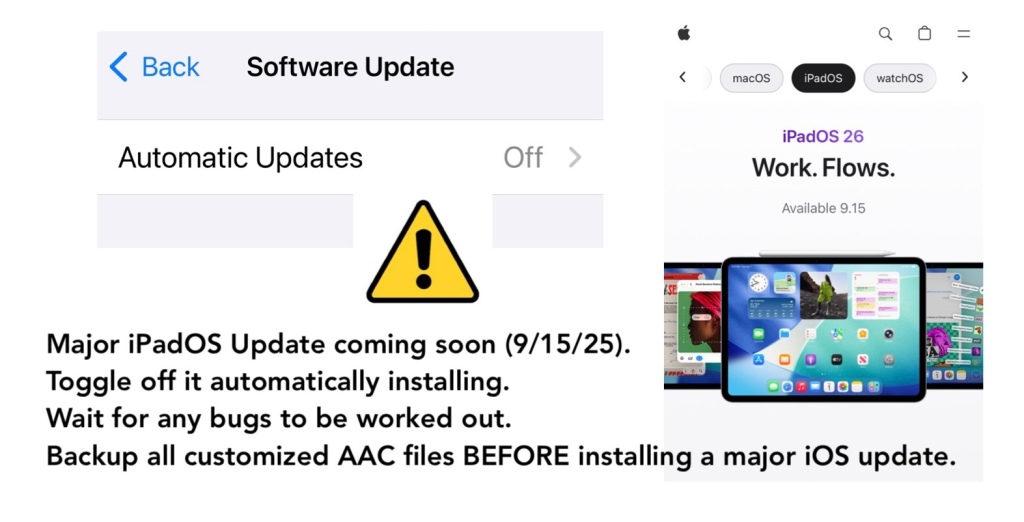
Major iPadOS / iOS update coming soon. Apple announced it will release iPadOS 26 & iOS 26 on September 15, 2025.
Tips for those using an iPad or iPhone for AAC:
⚙️ Toggle off it automatically installing iOS updates in the device Settings.
⏳ Wait for any bugs to be worked out. There are always things that Apple and App Developers need to fix especially after major iOS updates.
⚠️ Backup all customized AAC files BEFORE installing a major iOS update.
If your device is on a MDM device management system then you may not have control over it updating but you should still have a way to backup your customized AAC vocabulary files / grid sets / page sets / board sets to safeguard them and to have a way to restore them if needed.
Looking for in-depth AAC feature matching resources? See this blog post: https://bit.ly/5aacFeatureMatchingResources. That post also includes videos comparing the best AAC apps on various devices on various platforms.
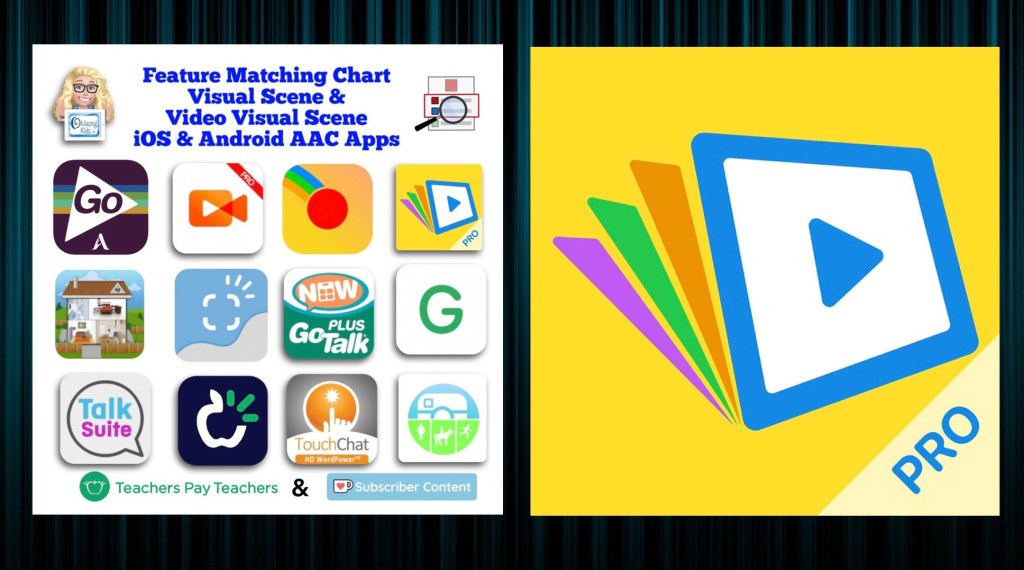
Resource Update: Feature Matching Chart for Visual Scene and Video Visual Scene Display iOS & Android AAC Apps was updated on 7/27/23. I added Scene & Heard Pro by Therapy Box and added the newer version of EasyVSD. Those who have previously purchased this resource on TPT can download the most current version for no additional cost: https://bit.ly/AACvsd . Ko-fi subscribers will be able to access a copy on the pinned resource post: https://ko-fi.com/Post/Links-to-posts-about-most-current-feature-matching-F1F5C9DMD.
A FREE handout for SLPs/SLTs and other AAC professionals has also been updated: How to Get Access to Visual Scene & Video Visual Scene AAC Apps (TPT Freebie), https://bit.ly/SLP-SLT-Access-VSDapps.
Looking for more in-depth up to date AAC feature matching resources? See this blog post: https://bit.ly/5aacFeatureMatchingResources. The most current info about AAC apps can be found in my feature matching resources. The blog post also includes videos comparing AAC apps on various devices on various platforms.
The perfect companion to supplement these in-depth resources are the “AAC Apps and Features At-a-Glance (Single Page Handouts)”: https://bit.ly/AAC-At-a-Glance
Looking for basic info about AAC apps that are always affordable or free? See the Basic Feature Chart for Affordable and Free AAC apps & AAC-Related Apps (iOS, Android Google Play, Amazon Fire, Windows + a few Web-Based options): https://bit.ly/BasicAffordableAACchart.
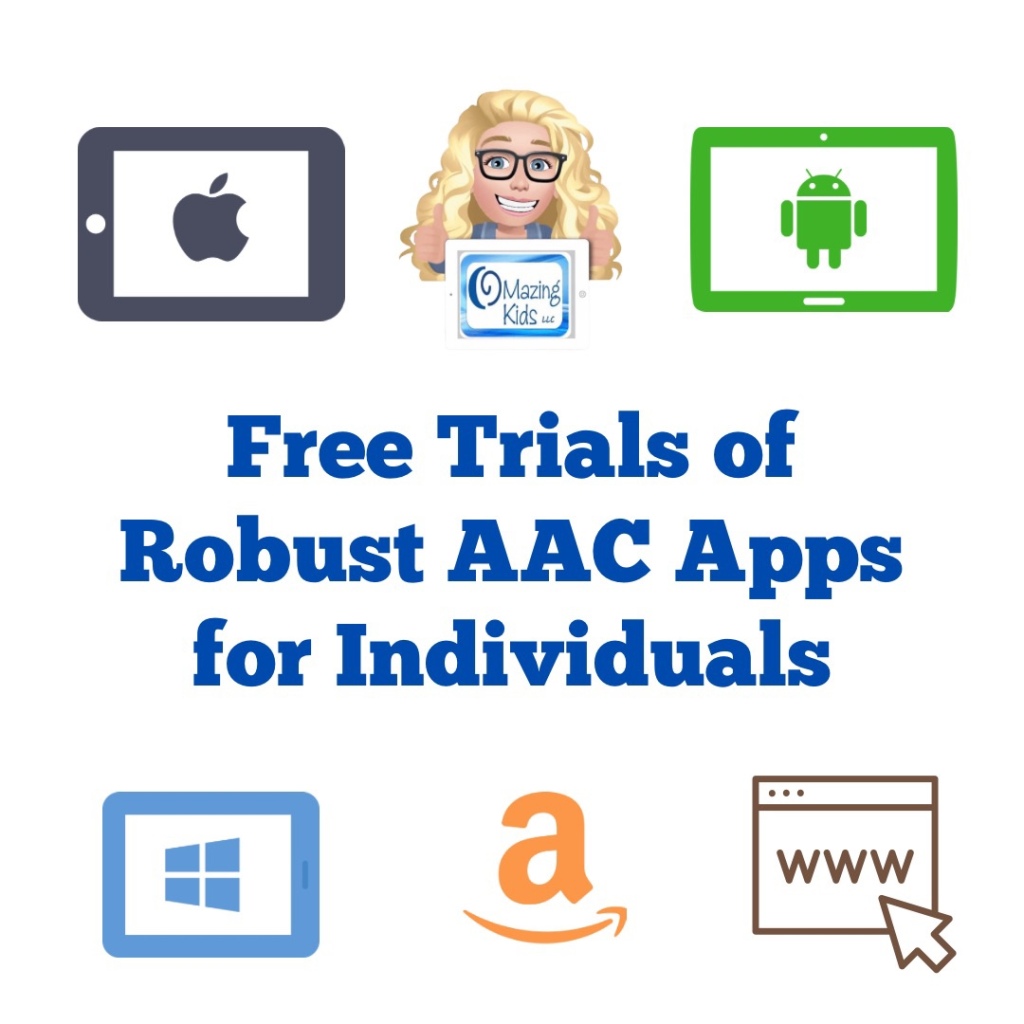
This new FREE handout has info about how individuals can access a free trial of several robust AAC apps to try out on their own iPad, Android tablet, Amazon Fire tablet, or Windows tablet. Or use online.
If you are an SLP/SLT making funding/purchasing recommendations or another professional supporting AAC users and need ongoing access to robust AAC apps, see this blog post: AAC Test Drive & Getting Access to Robust AAC Apps,https://bit.ly/AACtestdrive. It has links to four FREE handouts with the details on how to get access to these apps.
Notes:
Each app has its own minimum spec requirements. You can find those either in that app store or on the website where you download it.
Some of these apps could also be trialed via a loaner AAC device from that company, via a company that sells a fundable iOS-based or Android-based device or a loaner from your state’s AT Lending Program.
Terms of Use: You may not copy any part of this document (including the content, layout, format, ideas or design) and reproduce it or distribute it as your own work. Please do not copy/paste this info onto other blogs or save this PDF in any online groups or files. It is available for free on my TPT store: https://bit.ly/OMazingKidsAAConTPT.
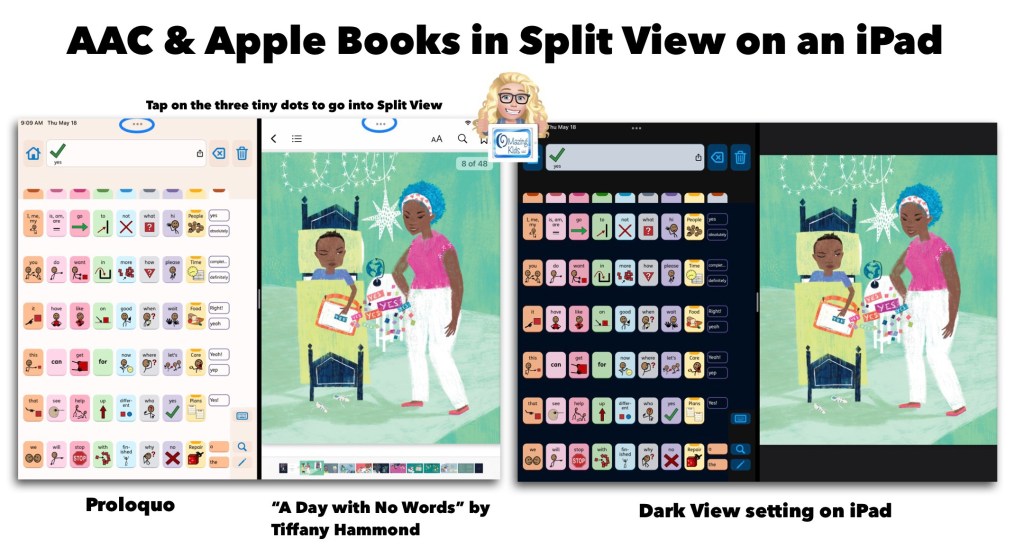
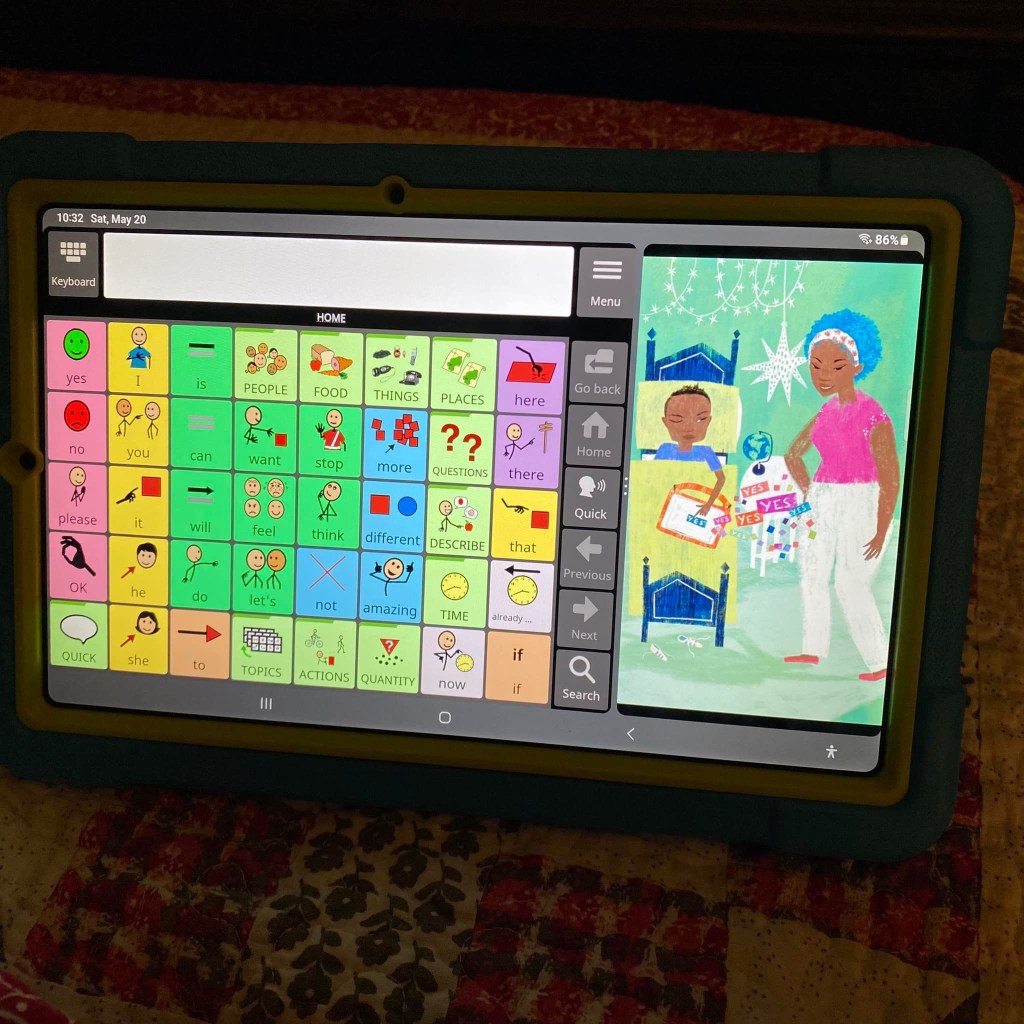
Image ID: Screenshot showing the Proloquo AAC app in Split View alongside the Apple Books app with the book “A Day With No Words” by Tiffany Hammond. Includes a notation to tap the three tiny dots to access Split View.
AAC apps that offer full support of Split View / Split Screen offer the opportunity for greater accessibility and access than AAC apps that don’t support this. Why does this matter?There are many adult AAC users who multitask with their tech. But this isn’t just a feature that benefits adults. Here is an example of how I’m using the Proloquo app by AssistiveWare alongside the Apple Books app with “A Day With No Words” by Tiffany Hammond (Fidgets and Fries). I also own a hardcover copy of this same book and loved it so much that I decided to purchase the ebook version in Apple Books to offer another means of access and use (both alongside AAC and separately).
My only “wish” is that iPad Accessibility – Spoken Content – Speak Screen was able to properly detect the text in picture books. I tried it in both Apple Books and the preview in the Kindle for iPad app. Both weren’t able to perceive the text separately from the gorgeous illustrations. Which I wouldn’t trade the stylized text in this book for that. I just wish there was something behind the scenes that made this type of text accessible. (Hey Apple & Amazon Kindle if you happen to read this… please make it so.)
Basic Feature Chart for Affordable and Free AAC apps & AAC-Related Apps (iOS, Android Google Play, Amazon Fire, Windows + a few Web-Based options): https://bit.ly/BasicAffordableAACchart
The perfect companion to supplement these in-depth resources are the “AAC Apps and Features At-a-Glance (Single Page Handouts)”: https://bit.ly/AAC-At-a-Glance
Updated 5/25/23:
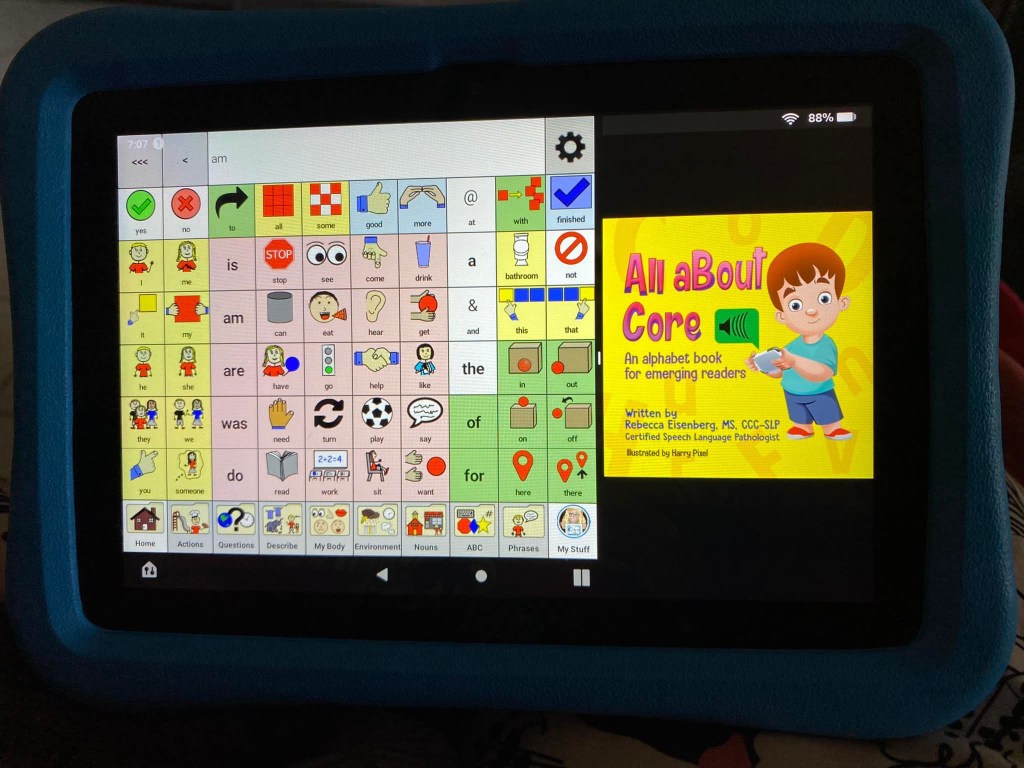
Excited to discover that there’s a way to do Split View on my Samsung Galaxy Tab S6 Lite tablet. This is the Android version of Avaz alongside “A Day With No Words” by Tiffany Hammond (Fidgets and Fries).
Guess what… there’s a way to do Split Screen on an Amazon Fire tablet too. This is the CoreVoice app. Be watching for a video tutorial soon 🎦
For use with the Guess Who? Meet the Crew app:https://apps.apple.com/us/app/guess-who/id1624777523 (iOS Universal, iOS 11.0 or later. $2.99, prices vary outside of USA based on exchange rate). There isn’t an Android version of this app yet.
Update 2/25/23: An Android version is now available in the Google Play App Store: https://play.google.com/store/apps/details?id=com.playdatedigital.guesswho (freenium – the app is free with the first three levels included then an IAP (in app purchase) of $2.99 is required to unlock the rest of the app. I was able to use a $2.00 off coupon that was available when I went to purchase it so I got it for $0.99). Note: This app was not compatible for download on my Amazon Fire tablet that I have the Google Play App Store side loaded on. I did not find this app in the Amazon Appstore.
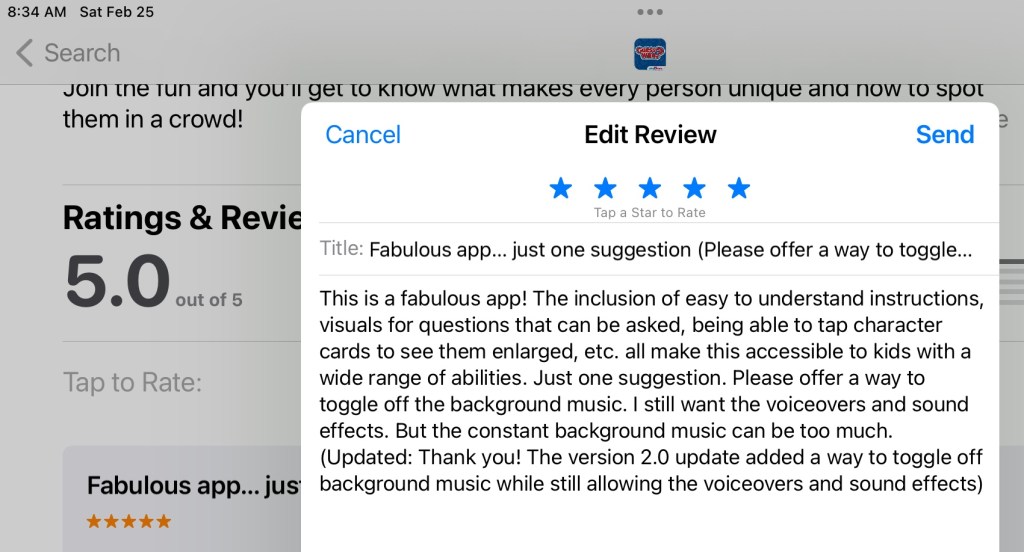
The 2.0 app update incorporated my suggestion of offering a way to toggle off the background music. Love it!
So excited that they incorporated my feedback! The 2.0 update added a way to toggle off the background music while still allowing the voiceovers and sound effects. I just a submitted an update for my review to say “thanks” ⬇️
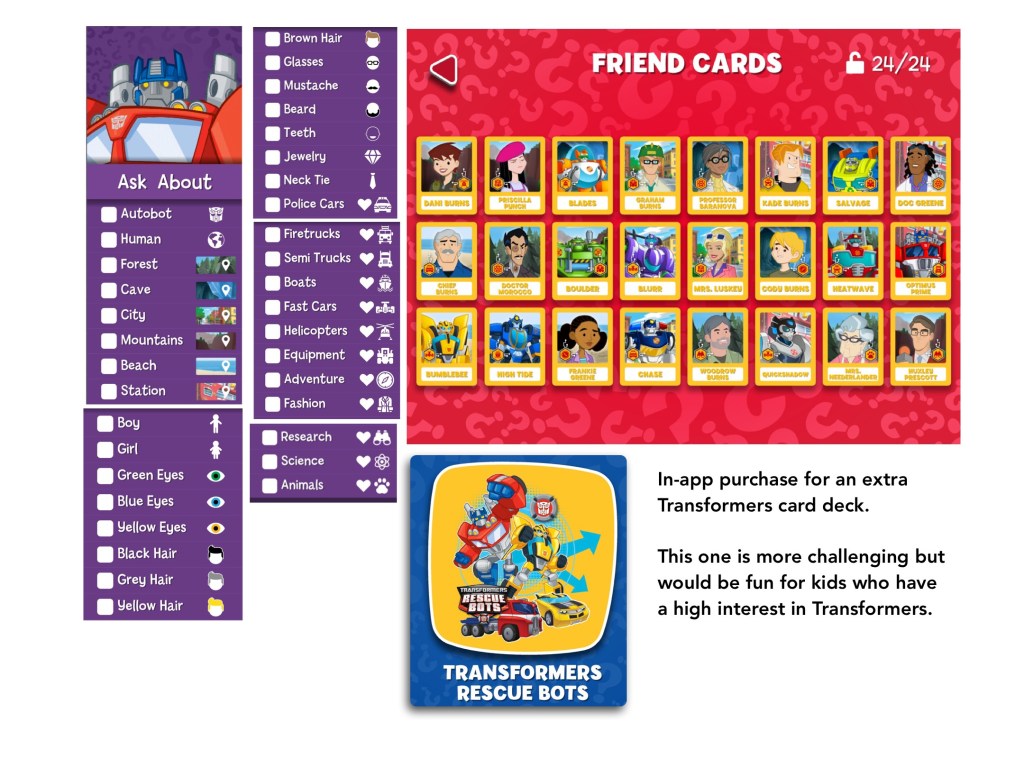
Update: I decided to purchase the in-app purchase for the Transformers themed card deck. It is more challenging but would be fun for kids who have a high interest in Transformers. Update 2: I didn’t purchase this additional deck on Android since I already have it on iOS and prefer the original deck vs. this add on deck.
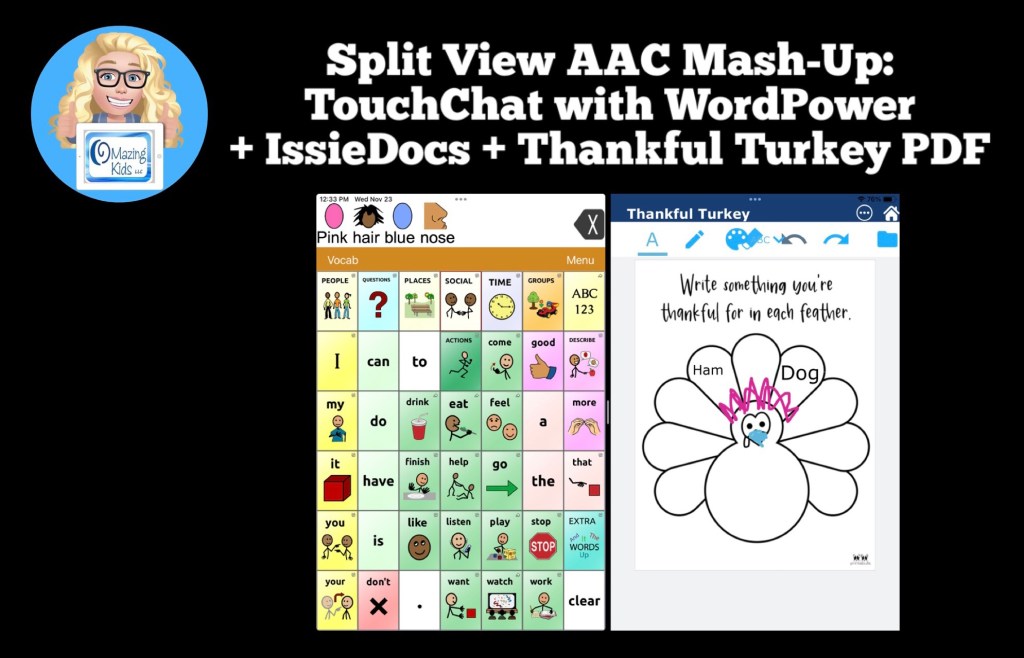
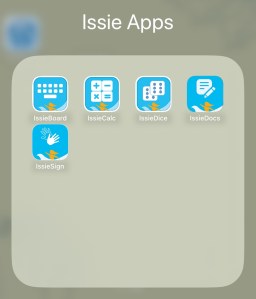
They have several fabulous FREE apps: https://tech.beitissie.org.il/en/our-apps/. Watch their webinar for in-depth info and fun implementation ideas. Info about IssieDocs starts at 42:43 in the webinar (note: the webinar was recorded prior to English being added to the app but use and editing info is the same)
See this blog post for another example of using Split Screen: Gestalt Language Processing & Using Google Maps to Communicate: https://bit.ly/AACandGoogleMaps.
Want to know which other AAC apps support use of Split Screen? I’m adding that info to my in-depth and up to date AAC feature matching resources: https://bit.ly/5aacFeatureMatchingResources
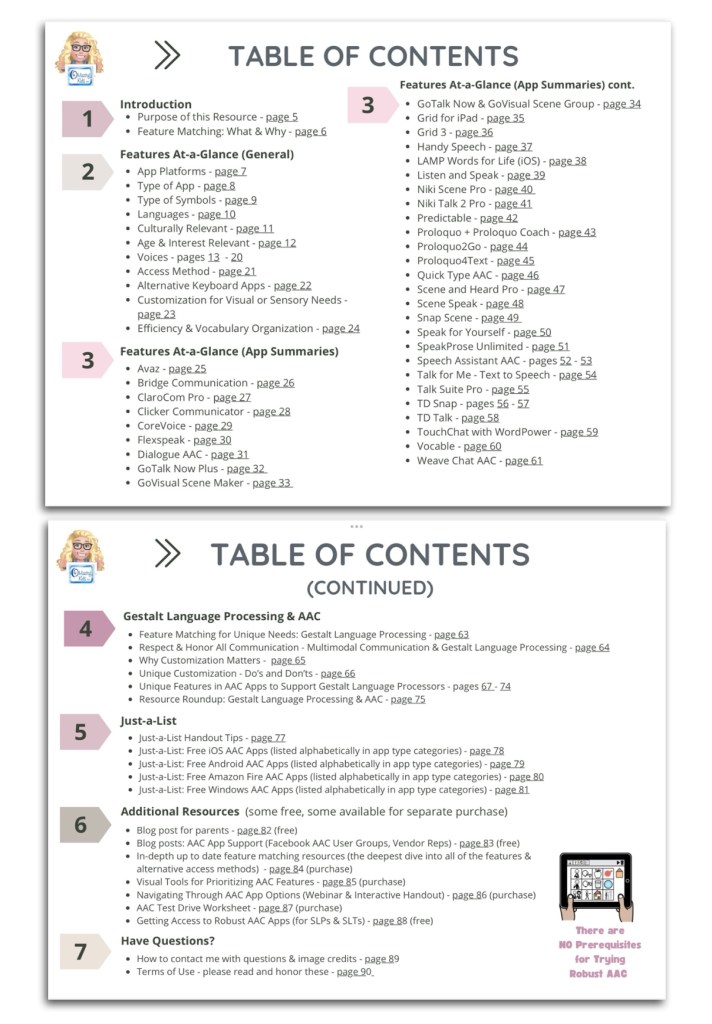
This 90 page PDF resource was inspired by the numerous requests that I’ve received for simple “at a glance” info about features in AAC apps and single page handouts that could be used with parents, caregivers and anyone involved in the AAC decision making process.
A Preview Sample PDF is available for this resource on TPT. It includes the Table of Contents and a few sample pages.
This resource includes:
• A hyperlinked Table of Contents to jump straight to a page. Tap in the top left corner to jump back to the Table of Contents (when being used digitally)
• 11 Features At-a-Glance Handouts
• 36 AAC App Summary At-a-Glance Handouts (see Table of Contents for a list)
• 12 Gestalt Language Processing & AAC Handouts
• 4 Just-a-List Lists of Free AAC apps Handouts
• 2 unlisted videos (5 min demo of how to view 2 pages side-by-side using Split View & a 20 min Resource Overview)
• Links to additional resources
• How to contact me with questions (includes my email address exclusive to TPT)
These will be helpful on either side of an AAC evaluation that involves feature matching and trials of a few options:
• Beforehand to help simplify the process of knowing which apps and/or features you might want to consider during an AAC eval
• Afterwards to place at-a-glance sheets side by side as a reminder of apps that were included in the trials and help simplify the process of deciding which ones warrant a longer term trial or which one might be selected for submission in a funding request.
• These can also be helpful during the feature matching process to help provide simple explanations about some of the features and why they might be important.
It would be impossible to include all of the features in a particular AAC app on a single page handout. These are just “highlights”. These handouts should be used alongside (not instead of) in-depth up to date feature matching resources.
This resource is optimized for both printed and digital use:
Printed:
• Print a single page first to see if you need to choose “shrink to fit” on your printer. Print pages and place them side-by-side to compare features or apps.
• In order to keep the aesthetic of single page handouts the pages are not numbered. If you want to add page numbers, either write them or use a PDF editing app to add them.
Digital:
• The Table of Contents has hyperlinks to tap a page number to jump straight to that page. Tap the top left corner on any page to return to the Table of Contents.
• There a few other underlined hyperlinks in this resource to take you straight to additional information. I purposefully did not include App Store links since those can vary by country and aren’t always redirected.
• There are several options to view two pages side-by-side to compare features or apps:
• Use two iPads or tablets or open on two windows on a laptop.
• On iPadOS 13.0 or later, save the PDF in two different PDF viewer apps and use Split View to view them. The demo video included in the resource shows how.
• The PDF Expert and GoodNotes 5 apps offer a way to view two documents side-by-side within that one app
Looking for in-depth info about features AAC apps? Check out these resources:
• AAC Feature Matching Resource Bundle (includes all three, save 10%): https://bit.ly/aacFeatureMatchingBundle. If you are looking to purchase resources for several staff / team members, take a look at the Multiple Licenses discount (saves 20%)
• Affordable and Free AAC apps & AAC-Related Apps (iOS, Android, Amazon Fire, Windows & a few web-based options): https://bit.ly/BasicAffordableAACchart
Have questions? The best way to reach me with any questions is via messaging on the OMazing Kids Facebook page: https://www.facebook.com/OMazingKidsAAC/. That way AAC related messages don’t get lost among the spam in my e-mail.
I took the plunge today and updated my iPhone 11 to iOS 16 specifically to try out the two brand new USA English child iOS voices: Joelle & Noelle.
It has been over a month since iOS 16 was released and Apple had rolled out a few bug fixes and several app developers had released updates for AAC apps. The chatter online about problems surrounding iOS 16 seemed to have lessened. So I decided that I wanted to go ahead and update. Heads up… it took quite awhile to download and then install iOS 16.0.3 so be sure to have your iPhone plugged in and on a consistently strong WiFi connection the entire time. After that was done I had several apps that needed to be updated. Most app developers had to add a way for these new voices to be selected. These are the only 2 child voices that I know of.
Why am I so excited about these new iOS child voices?
Many free and affordable iOS AAC apps rely on iOS voices since there is a pretty significant licensing cost to include premium voices in apps. That’s why some apps have those as in-app purchases.
Having child iOS voices means that many free and affordable apps will now have these two new child voice options. As you’ll see in my video, some apps automatically detect and use the child voice that I set under Accessibility – Spoken Content – Voices – English – listened to previews and then downloaded the voices that I wanted. Keeping in mind that everything you download takes up memory so I only downloaded what I knew I would use. For most AAC apps I had to go into the settings within that app and set it to the child voice that I wanted to use.
I hope this is just the beginning and hopefully Apple will add child voices for other languages in the future.
Note: It is anticipated that iPadOS 16 *might* be rolled out next week. I’m going to wait a few weeks to make sure Apple and app developers have time to work out any bugs before I update my iPads to that.
AAC Feature Matching Resource Bundle (includes all three, save 10%): https://bit.ly/aacFeatureMatchingBundle. If you are looking to purchase resources for several staff / team members, take a look at the Multiple Licenses discount (saves 20%)
The sales on Amazon + the AAC app sales = an opportunity for very affordable AAC. Here are a few examples…
$44.99: Limited-time deal: Fire HD 8 tablet, 8″ HD display, 32 GB, latest model (2020 release), designed for portable entertainment, Twilight Blue https://a.co/1jbEW50
$59.88: Samsung Galaxy A03s, 32GB, Black – Prepaid Tracfone Smartphone (you don’t have to “activate” it) https://a.co/ccrm6PU
$249.00: SAMSUNG Galaxy Tab S6 Lite 10.4″ 64GB Android Tablet w/ Long Lasting Battery, S Pen Included, Slim Metal Design, AKG Dual Speakers, US Version, Angora Blue https://a.co/iSA07vZ
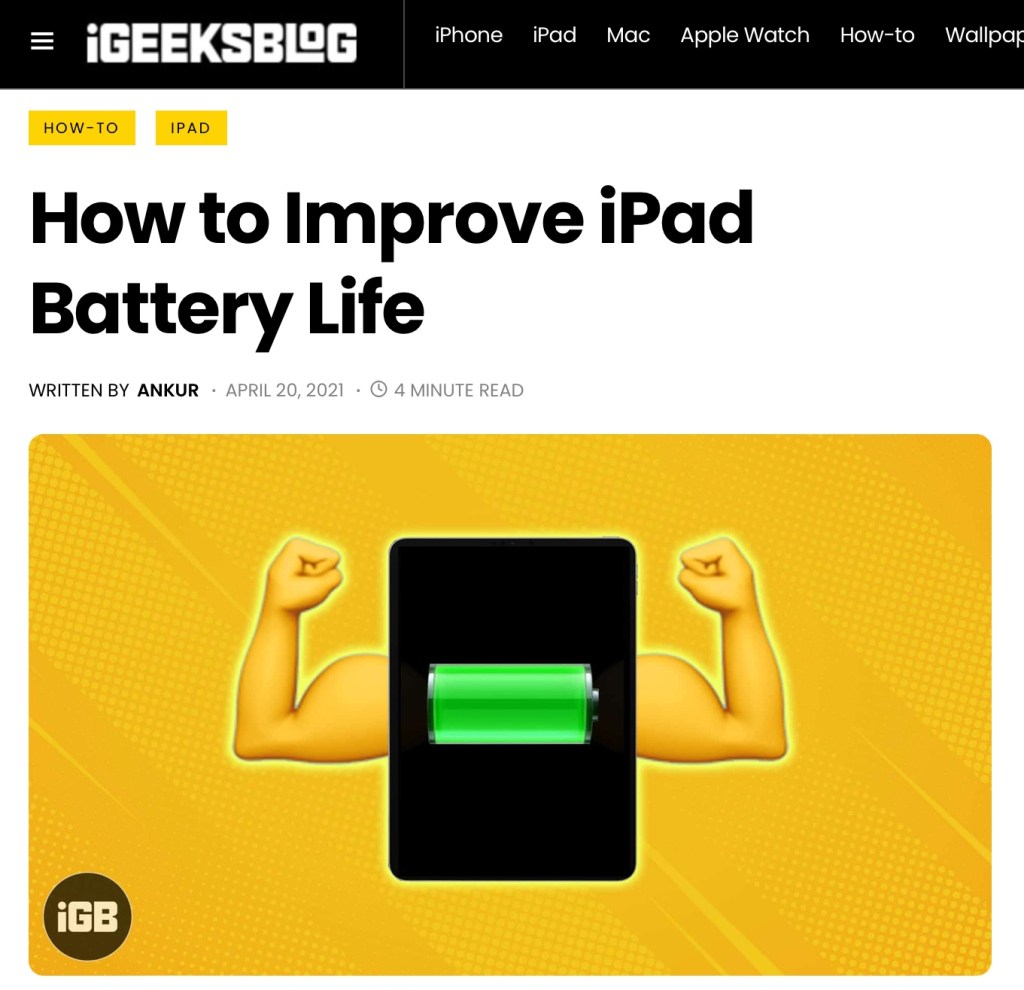
I receive frequent requests for info about things that can be done to maximize the battery life on an iPad or iPhone. So I’m sharing the resource that I have bookmarked for this.
Disclaimer:Please think through the pros/cons of any of the options mentioned in the article. For example, adjusting the brightness might not fit some user’s visual needs, toggling off Bluetooth would interfere with use of a Bluetooth speaker, toggling off Location Services may interfere with being able to use “Find My”, etc…
Use of these iOS devices for AAC takes more consideration than other uses. So weigh the pros/cons to make a thoughtful decision. Sometimes having an external battery pack available can be a solution to recharging on the go.







 OMazing Kids AAC Consulting