Unknown's avatar

About OMazing Kids

Angela Moorad, MS, CCC-SLP. Over 36 years experience in AAC. Experience using almost every AAC app on iOS, Android, Amazon Fire, Chromebook and Windows devices + traditional Speech Generating Devices (SGDs). Creator of AAC-Related Resources & App-Related Resources. AAC Consulting & App Consulting.

Updated Resource Roundup: Gestalt Language Processing & AAC (updated 6/30/23)

This FREE handout has been updated: Resource Roundup: Gestalt Language Processing & AAC (updated 6/30/23), https://bit.ly/GLPandAAC


Looking for in-depth up to date AAC feature matching resources? See this blog post: https://bit.ly/5aacFeatureMatchingResources. The most current info about AAC apps can be found in my feature matching resources. The blog post also includes videos comparing AAC apps on various devices on various platforms.


Want to learn more? Check out this recorded webinar and interactive handout: https://bit.ly/NavigatingThruAACapps


The perfect companion to supplement these in-depth resources are the “AAC Apps and Features At-a-Glance (Single Page Handouts)”: https://bit.ly/AAC-At-a-Glance


Looking for basic info about AAC apps that are always affordable or free? See the Basic Feature Chart for Affordable and Free AAC apps & AAC-Related Apps (iOS, Android Google Play, Amazon Fire, Windows + a few Web-Based options): https://bit.ly/BasicAffordableAACchart.


Have a question? The best way to reach me is via Facebook messaging over on my OMazing Kids page: https://www.facebook.com/OMazingKidsAAC/


Angela Moorad, MS, CCC-SLP, Founder of OMazing Kids, LLC, OMazing Kids AAC Consulting

• Teachers Pay Teachers Store: https://www.teacherspayteachers.com/Store/Omazing-Kids-Aac-Consulting

• YouTube: https://youtube.com/user/amoorad1

• Ko-Fi: https://ko-fi.com/omazingkidsaac

• OMazing Kids AAC Consulting Facebook Page: https://www.facebook.com/OMazingKidsAAC/

• AppPeeps Facebook Group: https://www.facebook.com/groups/OMazingKidsAppPeeps/

• GoTalk Now AAC & GoVisual Visual Scene Apps – Ideas and Sharing Facebook Group: https://bit.ly/GoTalkNowAACappGroup

• Instagram: https://www.instagram.com/omazingkidsaac

• Twitter: https://www.twitter.com/amoorad

• Pinterest: http://pinterest.com/OMazingKids/

• Linktree: https://linktr.ee/amoorad1

• LinkedIn: https://www.linkedin.com/in/angelamooradomazingkidsaac

• Blog: https://omazingkidsllc.com / Resource Links page: https://omazingkidsllc.com/omazing-kids-aac-resource-links
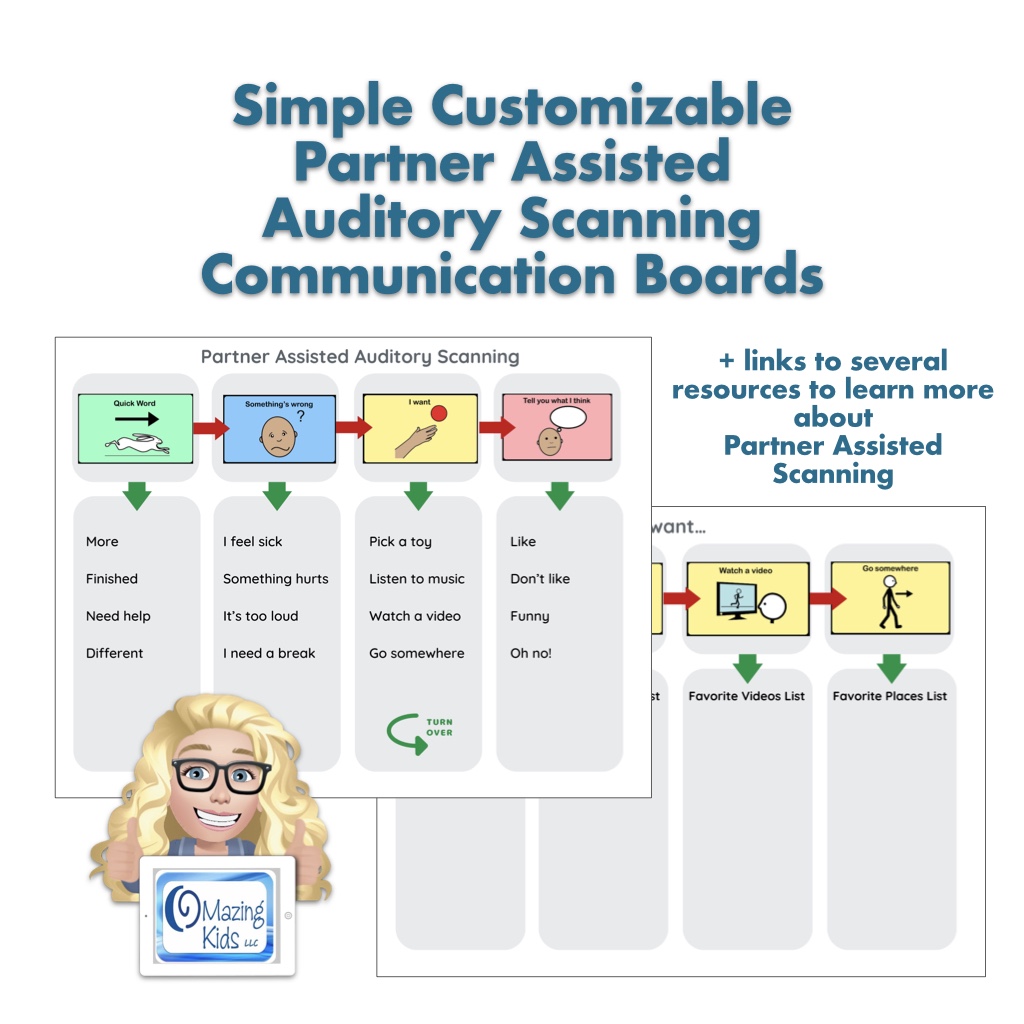
New Resource: Simple Customizable Partner Assisted Auditory Scanning AAC Communication Boards

Cover image for this resource on TPT. Shows part of the resource and the OMazing Kids logo.

New Resource: Simple Customizable Partner Assisted Auditory Scanning AAC Boards, https://bit.ly/PartnerAssistedAuditoryScanning-TPT.

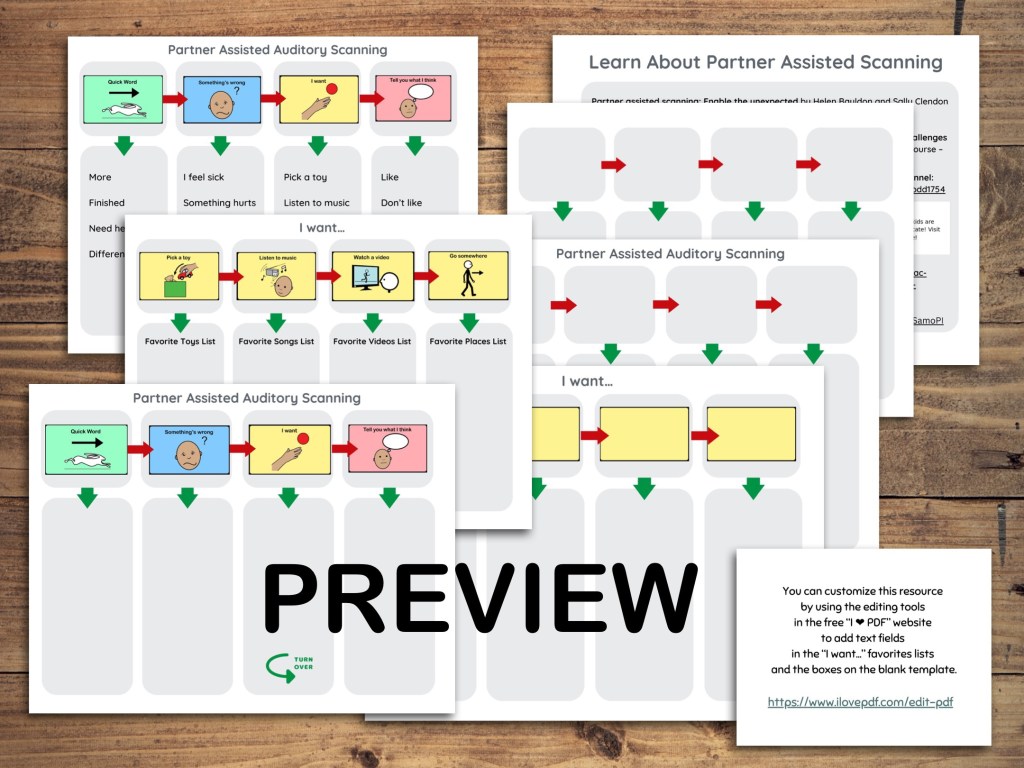
This 10 page PDF includes the following:

  • a two page Simple Customizable Partner Assisted Auditory Scanning Communication Board set with room to add your own “favorites lists”
  • a two page empty version of that board set so you can add your own info on both pages
  • a two page totally blank Partner Assisted Auditory Scanning Communication Board template 
  • a page with links to six resources to Learn How to Do Partner Assisted Scanning (including Partner Assisted Auditory Scanning – PAAS)
  • a page about how to use the free I Love PDF website to customize this resource, a link to a short video tutorial (my unlisted YouTube video) & printing tips.

Note: This AAC resource is not intended to be a robust communication option. It is something simple to allow exploration of Partner Assisted Auditory Scanning for communication. 


Looking for in-depth up to date AAC feature matching resources? See this blog post: https://bit.ly/5aacFeatureMatchingResources. The most current info about AAC apps can be found in my feature matching resources. The blog post also includes videos comparing AAC apps on various devices on various platforms.


Want to learn more? Check out this recorded webinar and interactive handouthttps://bit.ly/NavigatingThruAACapps


The perfect companion to supplement these in-depth resources are the 

AAC Apps and Features At-a-Glance (Single Page Handouts)”: https://bit.ly/AAC-At-a-Glance


Looking for basic info about AAC apps that are always affordable or free? See the Basic Feature Chart for Affordable and Free AAC apps & AAC-Related Apps (iOS, Android Google Play, Amazon Fire, Windows + a few Web-Based options): https://bit.ly/BasicAffordableAACchart.


See more info in the description on my TPT store: https://bit.ly/PartnerAssistedAuditoryScanning-TPT.


Have a question? The best way to reach me is via Facebook messaging over on my OMazing Kids page: https://www.facebook.com/OMazingKidsAAC/


Angela Moorad, MS, CCC-SLP, Founder of OMazing Kids, LLC, OMazing Kids AAC Consulting

• Teachers Pay Teachers Store: https://www.teacherspayteachers.com/Store/Omazing-Kids-Aac-Consulting

• YouTube: https://youtube.com/user/amoorad1

• Ko-Fi: https://ko-fi.com/omazingkidsaac

• OMazing Kids AAC Consulting Facebook Page: https://www.facebook.com/OMazingKidsAAC/

• AppPeeps Facebook Group: https://www.facebook.com/groups/OMazingKidsAppPeeps/

• GoTalk Now AAC & GoVisual Visual Scene Apps – Ideas and Sharing Facebook Group: https://bit.ly/GoTalkNowAACappGroup

• Instagram: https://www.instagram.com/omazingkidsaac

• Twitter: https://www.twitter.com/amoorad

• Pinterest: http://pinterest.com/OMazingKids/

• Linktree: https://linktr.ee/amoorad1

• LinkedIn: https://www.linkedin.com/in/angelamooradomazingkidsaac

• Blog: https://omazingkidsllc.com / Resource Links page: https://omazingkidsllc.com/omazing-kids-aac-resource-links

Reframing “Stimming on AAC” to a Neurodiversity Affirming View (Bilingual Spanish / English) updated 12/19/24

Updated 12/19/24:

This FREE resource has been updated. Reframing “Stimming on AAC” – Neurodiversity Affirming Approach to AAC / Replanteando el “stimming en CAA” – un enfoque de CAA que afirma la neurodiversidad. https://bit.ly/ReframingStimmingAACtoNeurodiversityAffirming

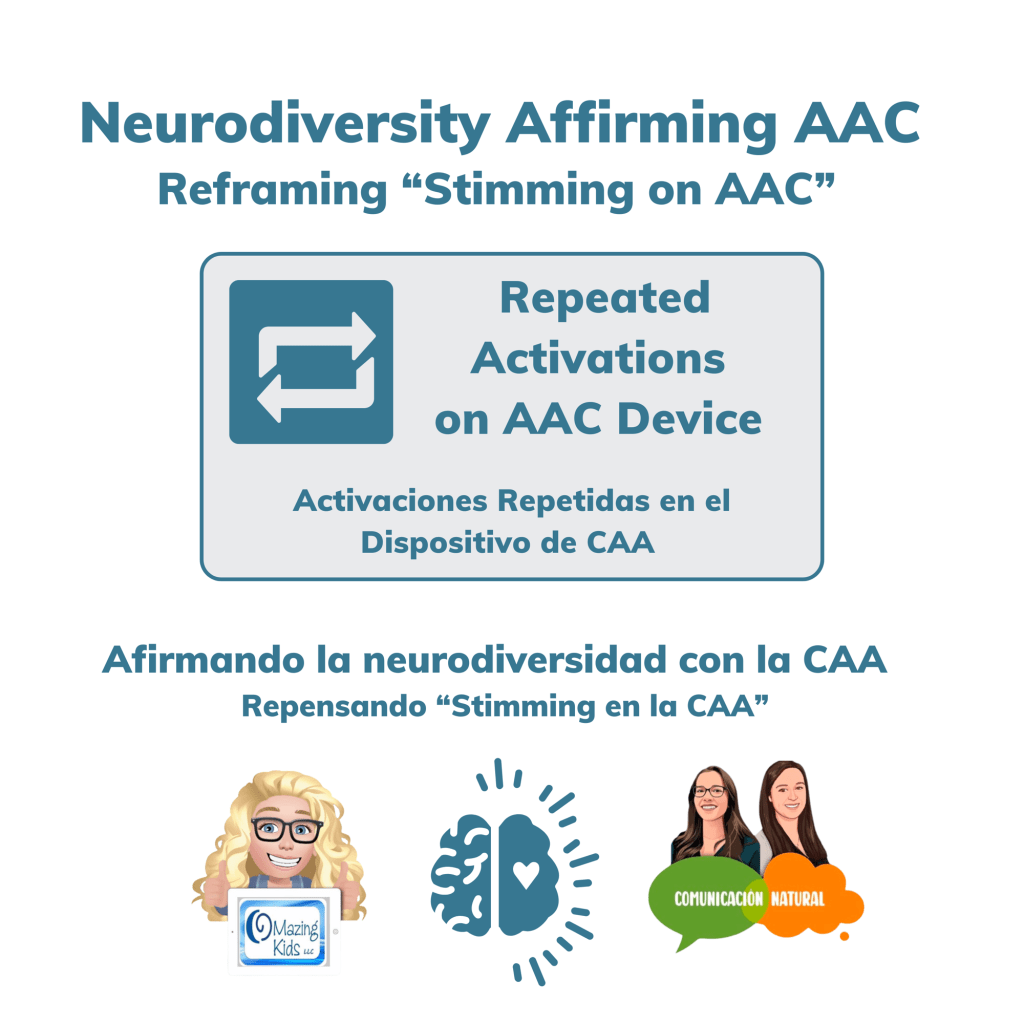
This FREE one page handout / mini poster in English and Spanish will help reframe the perspective of “they are just stimming on their AAC“ to a neurodiversity affirming view that looks deeper into the purpose of repeated activations on AAC and what we can do to support users.

Thanks to Comunicación Natural / Natural Communication for translating my free handout into Spanish! Check out the resources on their websites: https://naturalcommunication.com/es & https://naturalcommunication.com.


Image Description: This is the new cover image for this free resource on TPT. Contains the resource name in English & Spanish, logos for OMazing Kids AAC Consulting & Comunicación Natural, and a brain icon with a heart.


Looking for in-depth AAC feature matching resources? See this blog post: https://bit.ly/5aacFeatureMatchingResources. That post also includes videos comparing AAC apps on various devices on various platforms.


Looking for more AAC resources? Check out the Resource Links page here on my blog: https://omazingkidsllc.com/omazing-kids-aac-resource-links


Have a question? The best way to reach me is via Facebook messaging over on my OMazing Kids page: https://www.facebook.com/OMazingKidsAAC/


Angela Moorad, MS, CCC-SLP, Founder of OMazing Kids, LLC, OMazing Kids AAC Consulting

• Teachers Pay Teachers Store: https://www.teacherspayteachers.com/Store/Omazing-Kids-Aac-Consulting

• YouTube: https://youtube.com/user/amoorad1

• Ko-Fi: https://ko-fi.com/omazingkidsaac

• OMazing Kids AAC Consulting Facebook Page: https://www.facebook.com/OMazingKidsAAC/

• AppPeeps Facebook Group: https://www.facebook.com/groups/OMazingKidsAppPeeps/

• GoTalk Now AAC & GoVisual Visual Scene Apps – Ideas and Sharing Facebook Group: https://bit.ly/GoTalkNowAACappGroup

• Instagram: https://www.instagram.com/omazingkidsaac

• Twitter: https://www.twitter.com/amoorad

• Pinterest: http://pinterest.com/OMazingKids/

• Linktree: https://linktr.ee/amoorad1

• LinkedIn: https://www.linkedin.com/in/angelamooradomazingkidsaac

• Blog: https://omazingkidsllc.com / Resource Links page: https://omazingkidsllc.com/omazing-kids-aac-resource-links

Resource Update: The Basic Feature Chart for Affordable and Free AAC apps & AAC-Related Apps (iOS, Android Google Play, Amazon Fire, Windows + a few Web-Based options and Chromebook (updated 5/31/23)

Resource Update: The Basic Feature Chart for Affordable and Free AAC apps & AAC-Related Apps (iOS, Android Google Play, Amazon Fire, Windows + a few Web-Based options and Chromebook) has been updated (5/31/23).

Those who have previously purchased it on TPT can download the newest version for no additional cost: https://bit.ly/BasicAffordableAACchart.

Ko-fi subscribers will be able to access a copy on the pinned resource post: https://ko-fi.com/Post/Links-to-posts-about-most-current-feature-matching-F1F5C9DMD


Looking for in-depth AAC feature matching resources? See this blog post: https://bit.ly/5aacFeatureMatchingResources. That post also includes videos comparing AAC apps on various devices on various platforms.


Looking for more AAC resources? Check out the Resource Links page here on my blog: https://omazingkidsllc.com/omazing-kids-aac-resource-links


Have a question? The best way to reach me is via Facebook messaging over on my OMazing Kids page: https://www.facebook.com/OMazingKidsAAC/


Angela Moorad, MS, CCC-SLP, Founder of OMazing Kids, LLC, OMazing Kids AAC Consulting

• Teachers Pay Teachers Store: https://www.teacherspayteachers.com/Store/Omazing-Kids-Aac-Consulting

• YouTube: https://youtube.com/user/amoorad1

• Ko-Fi: https://ko-fi.com/omazingkidsaac

• OMazing Kids AAC Consulting Facebook Page: https://www.facebook.com/OMazingKidsAAC/

• AppPeeps Facebook Group: https://www.facebook.com/groups/OMazingKidsAppPeeps/

• GoTalk Now AAC & GoVisual Visual Scene Apps – Ideas and Sharing Facebook Group: https://bit.ly/GoTalkNowAACappGroup

• Instagram: https://www.instagram.com/omazingkidsaac

• Twitter: https://www.twitter.com/amoorad

• Pinterest: http://pinterest.com/OMazingKids/

• Linktree: https://linktr.ee/amoorad1

• LinkedIn: https://www.linkedin.com/in/angelamooradomazingkidsaac

• Blog: https://omazingkidsllc.com / Resource Links page: https://omazingkidsllc.com/omazing-kids-aac-resource-links

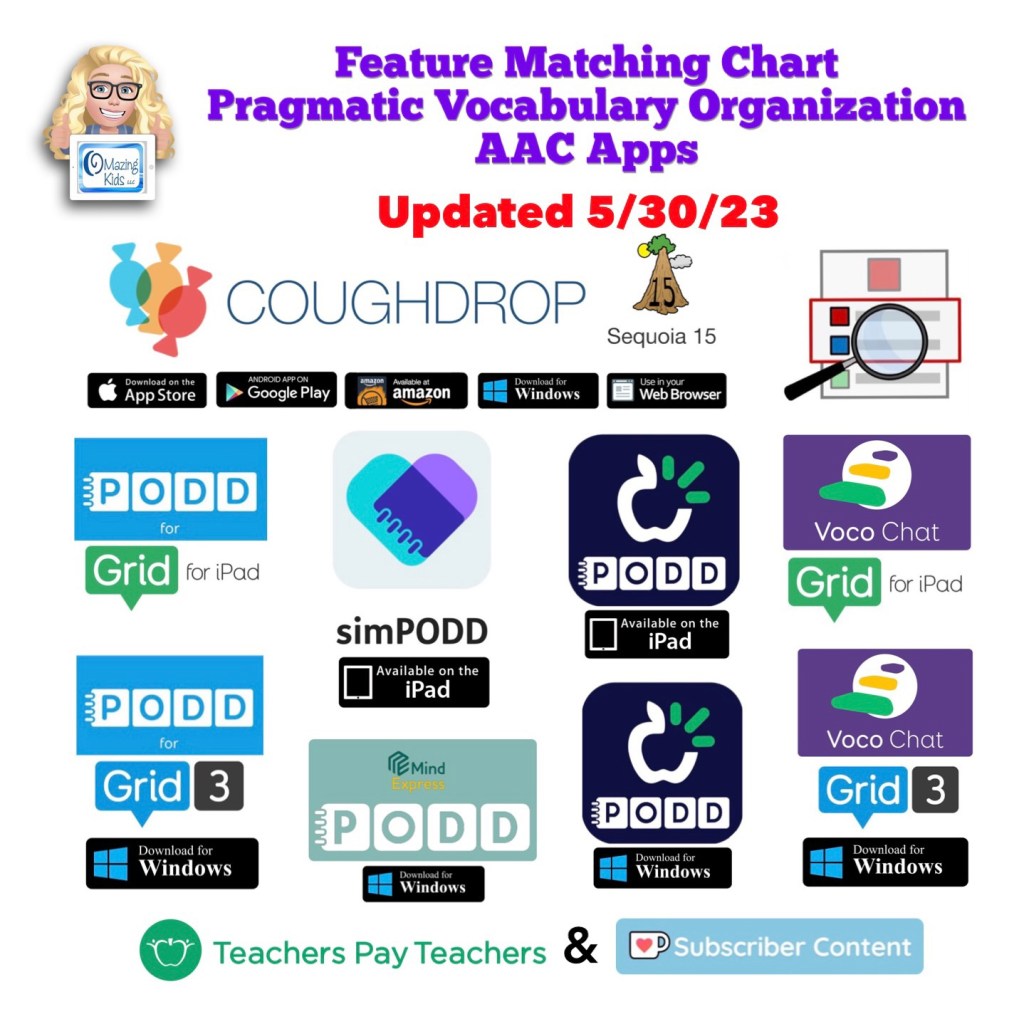
Updated 5/30/23: Feature Matching Chart for Pragmatic Vocabulary Organization AAC Apps

Resource Update: The Feature Matching Chart for Pragmatic Vocabulary Organization AAC Apps has been updated (5/30/23).

Those who have previously purchased it on TPT can download the newest version for no additional cost: https://bit.ly/PragmaticOrgVocabAAC-FeatureMatching-TPT. More info: http://bit.ly/3ycG1EL.

Ko-fi subscribers will be able to access a copy on the pinned resource post: https://ko-fi.com/Post/Links-to-posts-about-most-current-feature-matching-F1F5C9DMD


Looking for other in-depth AAC feature matching resources? See this blog post: https://bit.ly/5aacFeatureMatchingResources. That post also includes videos comparing AAC apps on various devices on various platforms.


Looking for more AAC resources? Check out the Resource Links page here on my blog: https://omazingkidsllc.com/omazing-kids-aac-resource-links


Have a question? The best way to reach me is via Facebook messaging over on my OMazing Kids page: https://www.facebook.com/OMazingKidsAAC/


Angela Moorad, MS, CCC-SLP, Founder of OMazing Kids, LLC, OMazing Kids AAC Consulting

• Teachers Pay Teachers Store: https://www.teacherspayteachers.com/Store/Omazing-Kids-Aac-Consulting

• YouTube: https://youtube.com/user/amoorad1

• Ko-Fi: https://ko-fi.com/omazingkidsaac

• OMazing Kids AAC Consulting Facebook Page: https://www.facebook.com/OMazingKidsAAC/

• AppPeeps Facebook Group: https://www.facebook.com/groups/OMazingKidsAppPeeps/

• GoTalk Now AAC & GoVisual Visual Scene Apps – Ideas and Sharing Facebook Group: https://bit.ly/GoTalkNowAACappGroup

• Instagram: https://www.instagram.com/omazingkidsaac

• Twitter: https://www.twitter.com/amoorad

• Pinterest: http://pinterest.com/OMazingKids/

• Linktree: https://linktr.ee/amoorad1

• LinkedIn: https://www.linkedin.com/in/angelamooradomazingkidsaac

• Blog: https://omazingkidsllc.com / Resource Links page: https://omazingkidsllc.com/omazing-kids-aac-resource-links

Free Trials of Robust AAC Apps for Individuals (iOS, Android, Amazon, Windows and Web-Based)

Cover image for this free resource on TPT. Stylized graphic for each app platform.

This new FREE handout has info about how individuals can access a free trial of several robust AAC apps to try out on their own iPad, Android tablet, Amazon Fire tablet, or Windows tablet. Or use online.

See the resource description on TPT for more info: https://bit.ly/FreeRobustAACAppTrials-Individuals.


If you are an SLP/SLT making funding/purchasing recommendations or another professional supporting AAC users and need ongoing access to robust AAC apps, see this blog post: AAC Test Drive & Getting Access to Robust AAC Apps, https://bit.ly/AACtestdrive. It has links to four FREE handouts with the details on how to get access to these apps.


Notes:

  • Each app has its own minimum spec requirements. You can find those either in that app store or on the website where you download it. 

Looking for in-depth up to date info about the features in AAC apps? Check out this blog post with resource links and videos: https://bit.ly/5aacFeatureMatchingResources


Have a question? The best way to reach me is via Facebook messaging over on my OMazing Kids page: https://www.facebook.com/OMazingKidsAAC/


Angela Moorad, MS, CCC-SLP, Founder of OMazing Kids, LLC, OMazing Kids AAC Consulting

• Teachers Pay Teachers Store: https://www.teacherspayteachers.com/Store/Omazing-Kids-Aac-Consulting

• YouTube: https://youtube.com/user/amoorad1

• Ko-Fi: https://ko-fi.com/omazingkidsaac

• OMazing Kids AAC Consulting Facebook Page: https://www.facebook.com/OMazingKidsAAC/

• AppPeeps Facebook Group: https://www.facebook.com/groups/OMazingKidsAppPeeps/

• GoTalk Now AAC & GoVisual Visual Scene Apps – Ideas and Sharing Facebook Group: https://bit.ly/GoTalkNowAACappGroup

• Instagram: https://www.instagram.com/omazingkidsaac

• Twitter: https://www.twitter.com/amoorad

• Pinterest: http://pinterest.com/OMazingKids/

• Linktree: https://linktr.ee/amoorad1

• LinkedIn: https://www.linkedin.com/in/angelamooradomazingkidsaac

• Blog: https://omazingkidsllc.com / Resource Links page: https://omazingkidsllc.com/omazing-kids-aac-resource-links


This handout was the sole idea and creation of Angela Moorad, MS, CCC-SLP, OMazing Kids AAC Consulting, OMazing Kids, LLC, all rights reserved. © 2023 and beyond. I assume no liability for app purchases and am not making client/student/patient-specific recommendations. Published 5/29/23.

Terms of Use: You may not copy any part of this document (including the content, layout, format, ideas or design) and reproduce it or distribute it as your own work. Please do not copy/paste this info onto other blogs or save this PDF in any online groups or files. It is available for free on my TPT store: https://bit.ly/OMazingKidsAAConTPT.

Updated Resource: Feature Matching Chart for iOS Text-Based AAC Apps (updated 5/22/23)

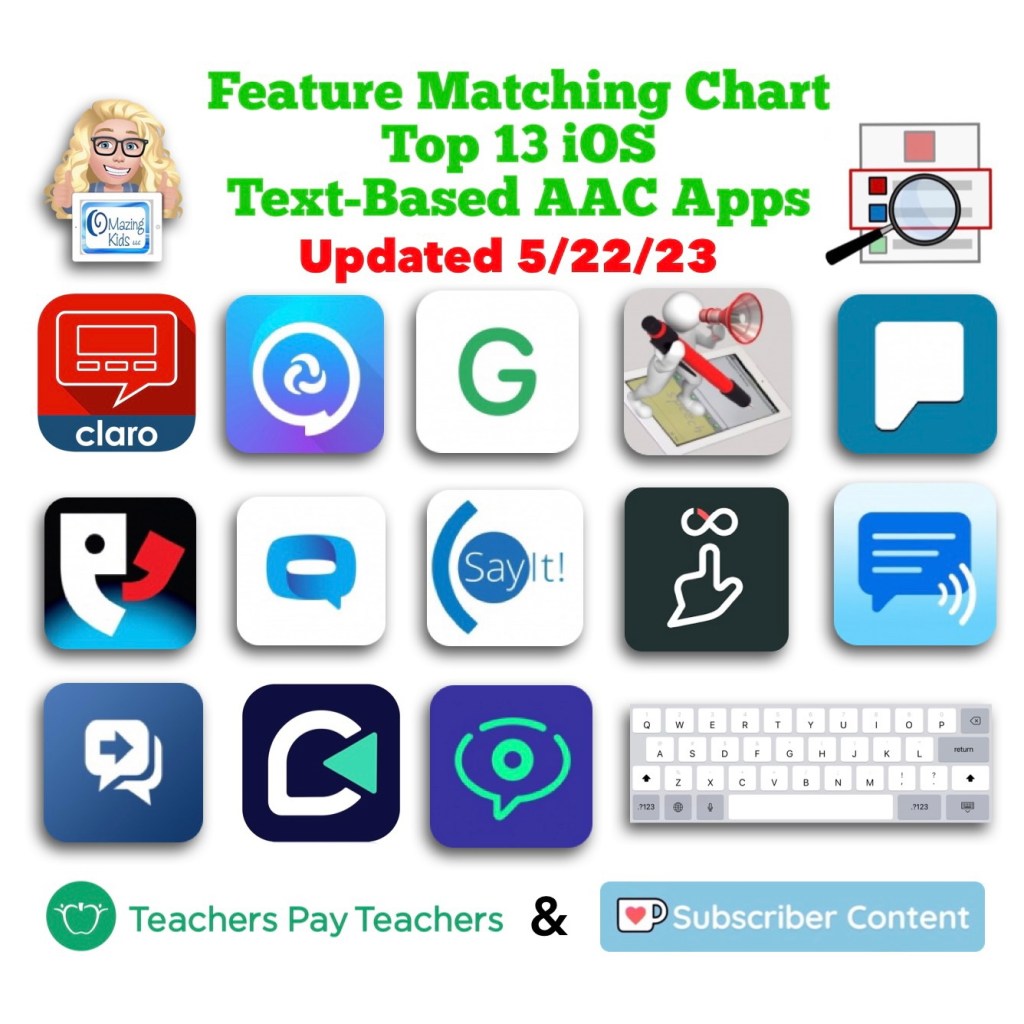
Image ID: Cover image for this resource from my TPT store. Includes icon for each app in the App Store, TPT logo, Ko-fi logo, date updated: 5/22/23.

Resource Update: The Feature Matching Chart for the Top 13 iOS Text Based AAC Apps has been updated. Those who have previously purchased it on TPT can download the newest version for no additional cost: https://bit.ly/TextBasedAACapps. Ko-fi subscribers will be able to access a copy on the pinned resource post: https://ko-fi.com/Post/Links-to-posts-about-most-current-feature-matching-F1F5C9DMD


Looking for other in-depth AAC feature matching resources? See this blog post: https://bit.ly/5aacFeatureMatchingResources. That post also includes videos comparing AAC apps on various devices on various platforms.


Looking for more AAC resources? Check out the Resource Links page here on my blog: https://omazingkidsllc.com/omazing-kids-aac-resource-links


Have a question? The best way to reach me is via Facebook messaging over on my OMazing Kids page: https://www.facebook.com/OMazingKidsAAC/


Angela Moorad, MS, CCC-SLP, Founder of OMazing Kids, LLC, OMazing Kids AAC Consulting

• Teachers Pay Teachers Store: https://www.teacherspayteachers.com/Store/Omazing-Kids-Aac-Consulting

• YouTube: https://youtube.com/user/amoorad1

• Ko-Fi: https://ko-fi.com/omazingkidsaac

• OMazing Kids AAC Consulting Facebook Page: https://www.facebook.com/OMazingKidsAAC/

• AppPeeps Facebook Group: https://www.facebook.com/groups/OMazingKidsAppPeeps/

• GoTalk Now AAC & GoVisual Visual Scene Apps – Ideas and Sharing Facebook Group: https://bit.ly/GoTalkNowAACappGroup

• Instagram: https://www.instagram.com/omazingkidsaac

• Twitter: https://www.twitter.com/amoorad

• Pinterest: http://pinterest.com/OMazingKids/

• Linktree: https://linktr.ee/amoorad1

• LinkedIn: https://www.linkedin.com/in/angelamooradomazingkidsaac

• Blog: https://omazingkidsllc.com / Resource Links page: https://omazingkidsllc.com/omazing-kids-aac-resource-links
Updated Resource: Feature Matching Chart for the Top 12 iOS Symbol-Based AAC Apps (updated 5/20/23)

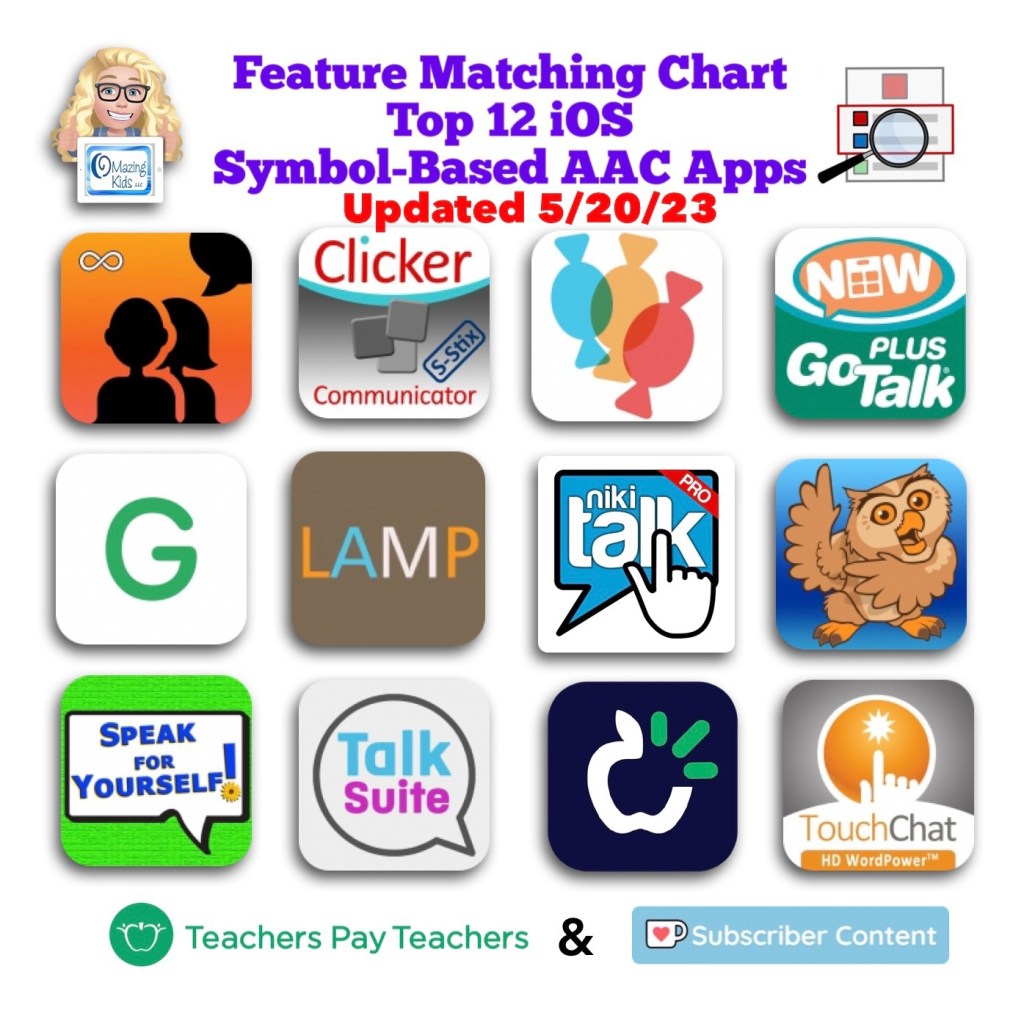
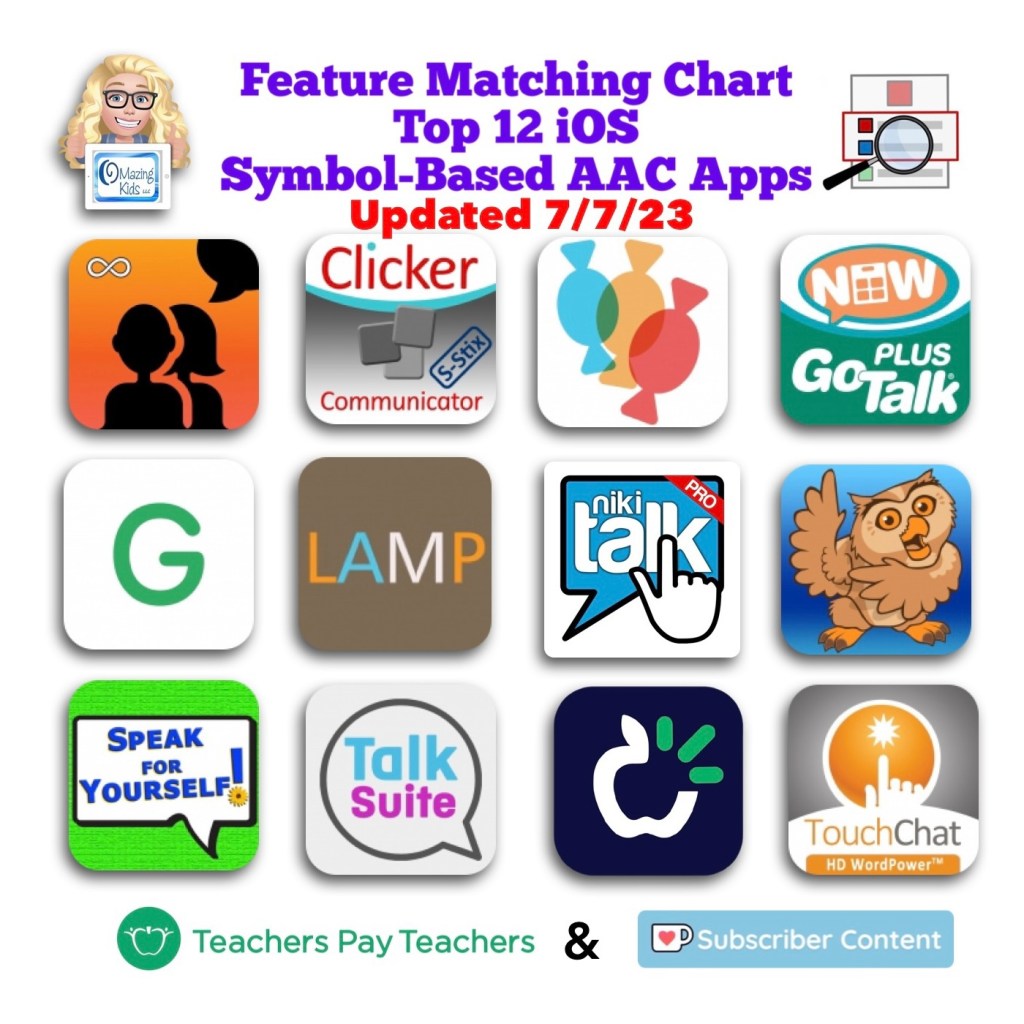
Screenshot of the cover image for this resource in my TPT (Teachers Pay Teachers) Store. Includes the icon for each app in the Apple App Store, the OMazing Kids logo and logos for TPT and Ko-fi. Date updated: 5/20/23.

Resource Update: The Feature Matching Chart for the Top 12 iOS Symbol Based AAC Apps has been updated. Those who have previously purchased it on TPT can download the newest version for no additional cost: https://bit.ly/SymbolBasedAACapps. Ko-fi subscribers will be able to access a copy on the pinned resource post: https://ko-fi.com/Post/Links-to-posts-about-most-current-feature-matching-F1F5C9DMD.

#AACapps #AACfeatures #ComparingAACapps

Image ID: Screenshot of the cover image for this resource in my TPT (Teachers Pay Teachers) Store. Includes the icon for each app in the Apple App Store, the OMazing Kids logo and logos for TPT and Ko-fi. Date updated: 5/20/23.


For those asking about the the new Proloquo + Proloquo Coach app:

I have some info about them in this resource in the column about Proloquo2Go. I agree that Proloquo + Proloquo Coach is a great app but is missing some features to make it officially into the top 12. I was part of beta testing this app and have continued to provide feedback to AssistiveWare. Top of my list is the Proloquo app needs to allow editing of existing buttons to meet the cultural and religious identity of that individual. There have been a couple of discussions in AssistiveWare’s Proloquo and Proloquo Coach Community Facebook group about the need to allow flexibility in editing existing buttons. There’s also a need for being able to use recorded speech to get proper pronunciation of some names. https://www.facebook.com/groups/381836780082796/?ref=share&mibextid=S66gvF.

I have a free handout that compares Proloquo + Proloquo Coach to Proloquo2Go. https://www.teacherspayteachers.com/Product/Comparison-of-Proloquo2Go-Proloquo-Proloquo-Coach-AAC-Apps-updated-11623-7933287


Looking for other in-depth AAC feature matching resources? See this blog post: https://bit.ly/5aacFeatureMatchingResources. That post also includes videos comparing AAC apps on various devices on various platforms.


Looking for more AAC resources? Check out the Resource Links page here on my blog: https://omazingkidsllc.com/omazing-kids-aac-resource-links


Have a question? The best way to reach me is via Facebook messaging over on my OMazing Kids page: https://www.facebook.com/OMazingKidsAAC/


Angela Moorad, MS, CCC-SLP, Founder of OMazing Kids, LLC, OMazing Kids AAC Consulting

• Teachers Pay Teachers Store: https://www.teacherspayteachers.com/Store/Omazing-Kids-Aac-Consulting

• YouTube: https://youtube.com/user/amoorad1

• Ko-Fi: https://ko-fi.com/omazingkidsaac

• OMazing Kids AAC Consulting Facebook Page: https://www.facebook.com/OMazingKidsAAC/

• AppPeeps Facebook Group: https://www.facebook.com/groups/OMazingKidsAppPeeps/

• GoTalk Now AAC & GoVisual Visual Scene Apps – Ideas and Sharing Facebook Group: https://bit.ly/GoTalkNowAACappGroup

• Instagram: https://www.instagram.com/omazingkidsaac

• Twitter: https://www.twitter.com/amoorad

• Pinterest: http://pinterest.com/OMazingKids/

• Linktree: https://linktr.ee/amoorad1

• LinkedIn: https://www.linkedin.com/in/angelamooradomazingkidsaac

• Blog: https://omazingkidsllc.com / Resource Links page: https://omazingkidsllc.com/omazing-kids-aac-resource-links

AAC & Apple Books in Split View on an iPad (Global Accessibility Awareness Day 2023)

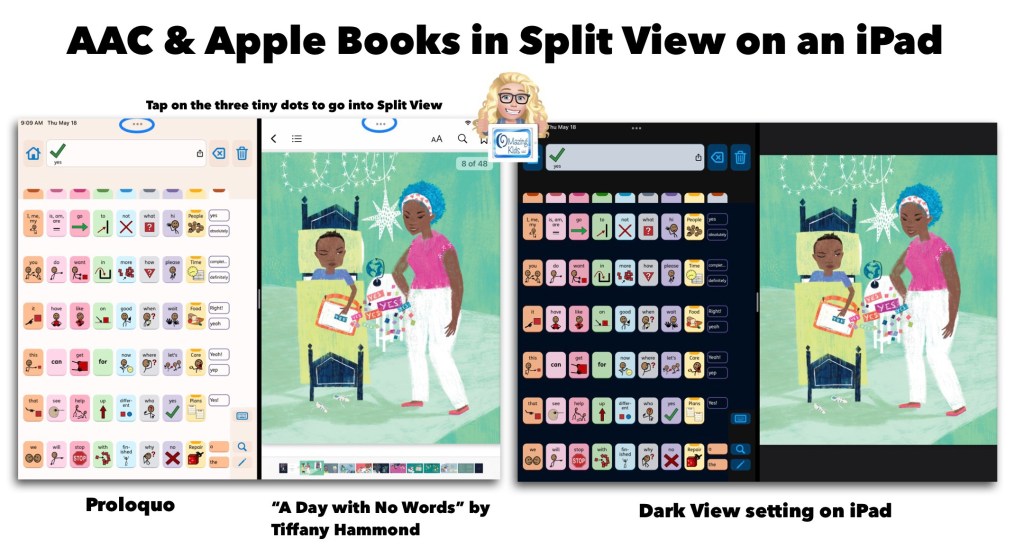
Image ID: Screenshot showing the Proloquo AAC app in Split View alongside the Apple Books app with the book “A Day With No Words” by Tiffany Hammond. Includes a notation to tap the three tiny dots to access Split View.

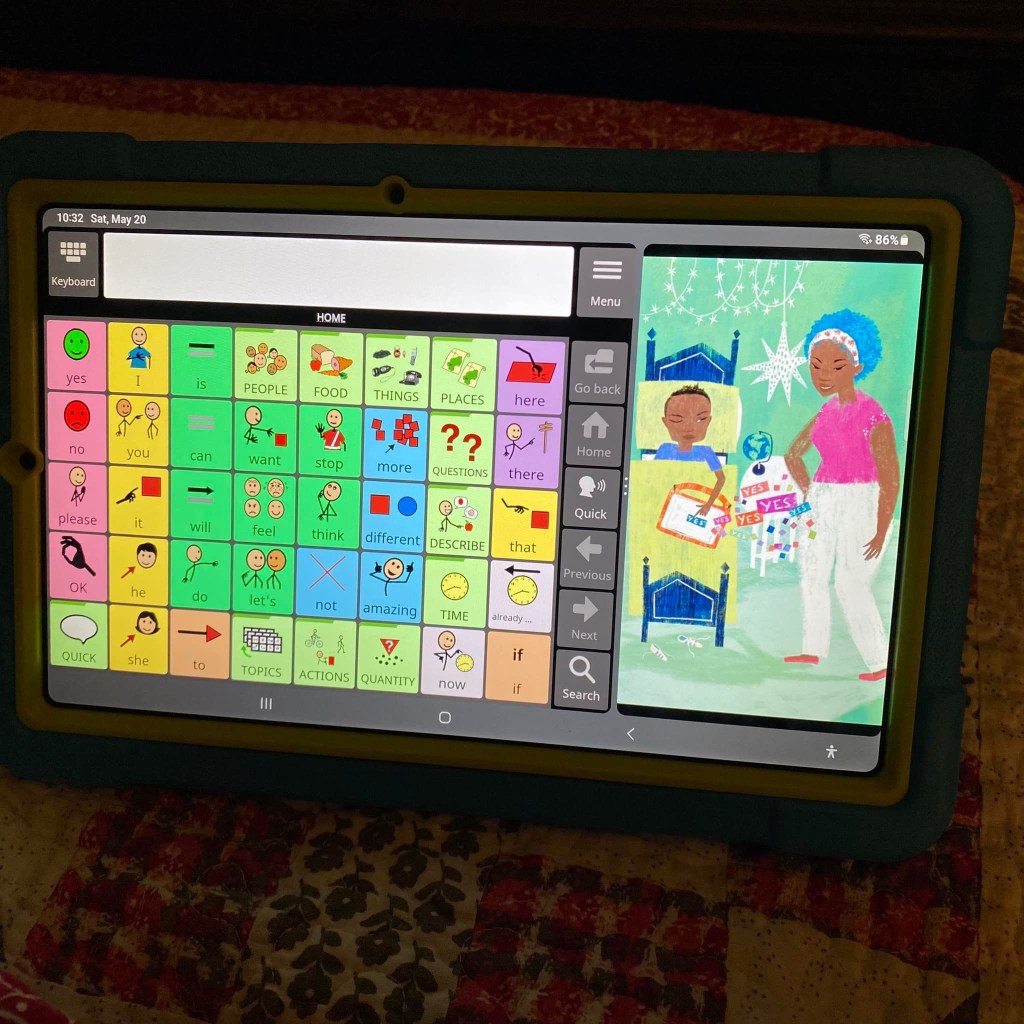
AAC apps that offer full support of Split View / Split Screen offer the opportunity for greater accessibility and access than AAC apps that don’t support this. Why does this matter? There are many adult AAC users who multitask with their tech. But this isn’t just a feature that benefits adults. Here is an example of how I’m using the Proloquo app by AssistiveWare alongside the Apple Books app with “A Day With No Words” by Tiffany Hammond (Fidgets and Fries). I also own a hardcover copy of this same book and loved it so much that I decided to purchase the ebook version in Apple Books to offer another means of access and use (both alongside AAC and separately).

My only “wish” is that iPad Accessibility – Spoken Content – Speak Screen was able to properly detect the text in picture books. I tried it in both Apple Books and the preview in the Kindle for iPad app. Both weren’t able to perceive the text separately from the gorgeous illustrations. Which I wouldn’t trade the stylized text in this book for that. I just wish there was something behind the scenes that made this type of text accessible. (Hey Apple & Amazon Kindle if you happen to read this… please make it so.)

https://books.apple.com/us/book/a-day-with-no-words/id6448319163

A Day With No Words, Hardcover: https://a.co/d/0P5a6Mw. Also available on Kindle: https://www.amazon.com/dp/B0C59KD7SR but I highly suggest the Apple Books version instead. See my video for a comparison:

Global Accessibility Awareness Day: https://www.facebook.com/globalaccessibilityawarenessday

#GAAD
#GlobalAccessibilityAwarenessDay

Looking for info about which AAC apps fully support Split View / Split Screen and lots of other important features? Check out these resources:

iOS Symbol-Based: https://bit.ly/SymbolBasedAACapps

iOS Text-Based: https://bit.ly/TextBasedAACapps

Visual Scenes & Video Visual Scenes: https://bit.ly/AACvsd

AAC Feature Matching Resource Bundle (includes all three, save 10%): https://bit.ly/aacFeatureMatchingBundle

Basic Feature Chart for Affordable and Free AAC apps & AAC-Related Apps (iOS, Android Google Play, Amazon Fire, Windows + a few Web-Based options): https://bit.ly/BasicAffordableAACchart

Robust Android AAC (Android Google Play & Amazon Fire): https://bit.ly/RobustAndroidAACappChart

The perfect companion to supplement these in-depth resources are the “AAC Apps and Features At-a-Glance (Single Page Handouts)”: https://bit.ly/AAC-At-a-Glance


Updated 5/25/23:

Excited to discover that there’s a way to do Split View on my Samsung Galaxy Tab S6 Lite tablet. This is the Android version of Avaz alongside “A Day With No Words” by Tiffany Hammond (Fidgets and Fries).


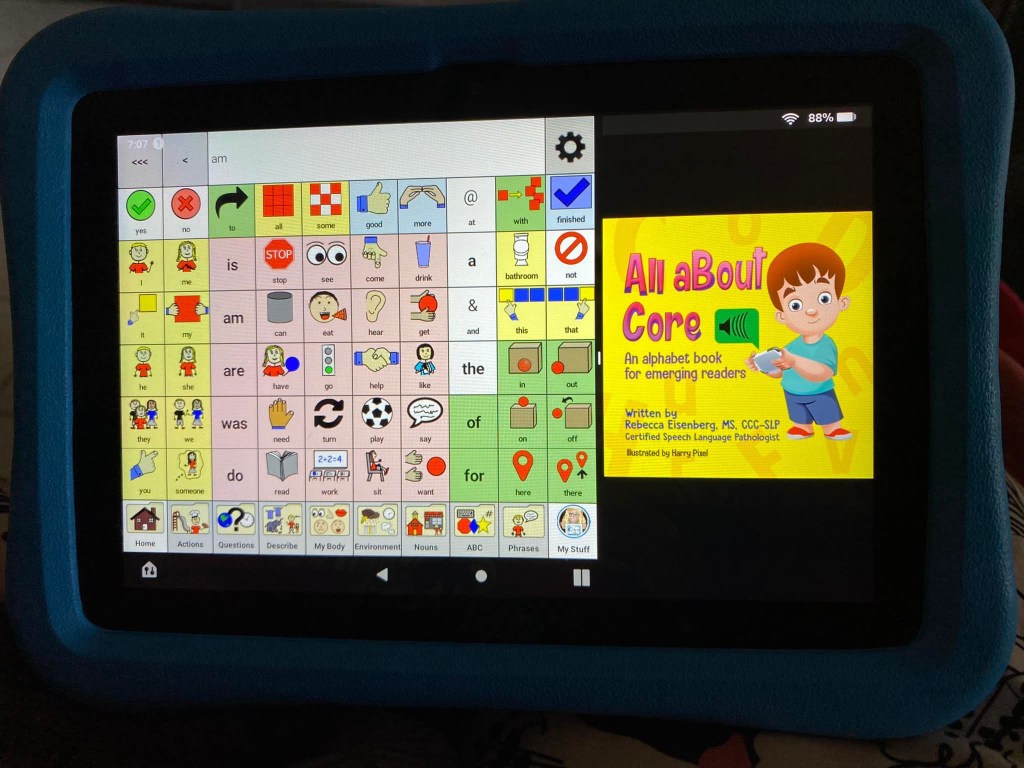
Guess what… there’s a way to do Split Screen on an Amazon Fire tablet too. This is the CoreVoice app. Be watching for a video tutorial soon 🎦


Have a question? The best way to reach me is via Facebook messaging over on my OMazing Kids page: https://www.facebook.com/OMazingKidsAAC/


Angela Moorad, MS, CCC-SLP, Founder of OMazing Kids, LLC, OMazing Kids AAC Consulting

• Teachers Pay Teachers Store: https://www.teacherspayteachers.com/Store/Omazing-Kids-Aac-Consulting

• YouTube: https://youtube.com/user/amoorad1

• Ko-Fi: https://ko-fi.com/omazingkidsaac

• OMazing Kids AAC Consulting Facebook Page: https://www.facebook.com/OMazingKidsAAC/

• AppPeeps Facebook Group: https://www.facebook.com/groups/OMazingKidsAppPeeps/

• GoTalk Now AAC & GoVisual Visual Scene Apps – Ideas and Sharing Facebook Group: https://bit.ly/GoTalkNowAACappGroup

• Instagram: https://www.instagram.com/omazingkidsaac

• Twitter: https://www.twitter.com/amoorad

• Pinterest: http://pinterest.com/OMazingKids/

• Linktree: https://linktr.ee/amoorad1

• LinkedIn: https://www.linkedin.com/in/angelamooradomazingkidsaac

• Blog: https://omazingkidsllc.com / Resource Links page: https://omazingkidsllc.com/omazing-kids-aac-resource-links
Free Customizable Printable AAC Emergency Communication Board and Keyboard

Free Customizable Printable Emergency Communication Board and Keyboard: https://bit.ly/FreeCustomizableEmergencyCommBoard.

This FREE handout includes:

• The inspiration for this resource and why it was created in TD Snap

• A link to info about Temple University’s research related to emergency preparedness & AAC

• How to Sign Up for a Free MyTobiiDynavox Account

• TD Snap System Requirements (iOS iPad & Windows versions)

• How to get the free TD Snap Lite app (iOS iPad & Windows versions)

• How to Request my Page Bundle File for TD Snap

• What to Do After You Receive My Email

• How to Import the Page Bundle, Edit & Print in TD Snap (5:08 unlisted YouTube video)

• More Info: Editing Buttons in TD Snap + links to the Training Cards and User Manual

Links to additional resources and helpful blog posts are included.


Someone translated the one that I made into French: https://www.mytobiidynavox.com/psc/snapcorefirst/427370.


Looking for info about AAC apps? Check out these resources:

iOS Symbol-Based: https://bit.ly/SymbolBasedAACapps

iOS Text-Based: https://bit.ly/TextBasedAACapps

Visual Scenes & Video Visual Scenes: https://bit.ly/AACvsd

AAC Feature Matching Resource Bundle (includes all three, save 10%): https://bit.ly/aacFeatureMatchingBundle

Basic Feature Chart for Affordable and Free AAC apps & AAC-Related Apps (iOS, Android Google Play, Amazon Fire, Windows + a few Web-Based options): https://bit.ly/BasicAffordableAACchart

Robust Android AAC (Android Google Play & Amazon Fire): https://bit.ly/RobustAndroidAACappChart

The perfect companion to supplement these in-depth resources are the “AAC Apps and Features At-a-Glance (Single Page Handouts)”: https://bit.ly/AAC-At-a-Glance


Have a question? The best way to reach me is via Facebook messaging over on my OMazing Kids page: https://www.facebook.com/OMazingKidsAAC/


Angela Moorad, MS, CCC-SLP, Founder of OMazing Kids, LLC, OMazing Kids AAC Consulting

• Teachers Pay Teachers Store: https://www.teacherspayteachers.com/Store/Omazing-Kids-Aac-Consulting

• YouTube: https://youtube.com/user/amoorad1

• Ko-Fi: https://ko-fi.com/omazingkidsaac

• OMazing Kids AAC Consulting Facebook Page: https://www.facebook.com/OMazingKidsAAC/

• AppPeeps Facebook Group: https://www.facebook.com/groups/OMazingKidsAppPeeps/

• GoTalk Now AAC & GoVisual Visual Scene Apps – Ideas and Sharing Facebook Group: https://bit.ly/GoTalkNowAACappGroup

• Instagram: https://www.instagram.com/omazingkidsaac

• Twitter: https://www.twitter.com/amoorad

• Pinterest: http://pinterest.com/OMazingKids/

• Linktree: https://linktr.ee/amoorad1

• LinkedIn: https://www.linkedin.com/in/angelamooradomazingkidsaac

• Blog: https://omazingkidsllc.com / Resource Links page: https://omazingkidsllc.com/omazing-kids-aac-resource-links