Angela Moorad, MS, CCC-SLP. Over 36 years experience in AAC. OMazing Kids AAC and app consulting. Creator of several AAC Feature Matching resources (https://omazingkidsllc.com/omazing-kids-aac-resource-links/). Includes info about unique features to support Gestalt Language Processors
Angela Moorad, MS, CCC-SLP. Over 36 years experience in AAC. Experience using almost every AAC app on iOS, Android, Amazon Fire, Chromebook and Windows devices + traditional Speech Generating Devices (SGDs). Creator of AAC-Related Resources & App-Related Resources. AAC Consulting & App Consulting.
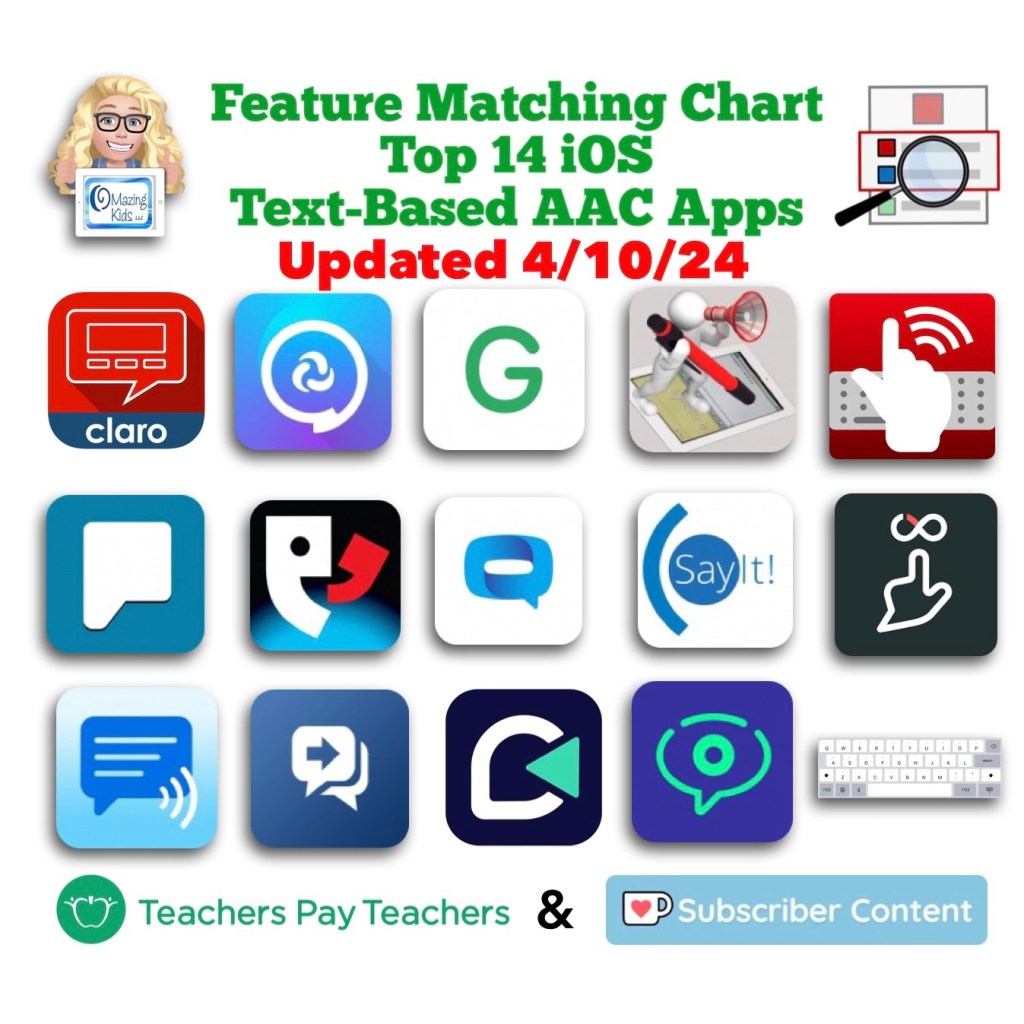
The Feature Matching Chart for the Top iOS Text Based AAC Apps has been updated on 6/29/24 to reflect new features in these apps. Includes major update in Predictable 7. Those who have previously purchased this resource on TPT can download the newest version for no additional cost: https://bit.ly/TextBasedAACapps. Ko-fi subscribers will be able to access a copy on the pinned resource post: https://ko-fi.com/Post/Links-to-posts-about-most-current-feature-matching-F1F5C9DMD
Looking for other in-depth AAC feature matching resources? See this blog post: https://bit.ly/5aacFeatureMatchingResources. That post also includes videos comparing the best AAC apps on various devices on various platforms.
Important information about the ClaroCom & ClaroCom Pro AAC apps
I was finally able to track down information about the status of the ClaroCom and ClaroCom AAC apps. I was concerned since neither had been updated since February 13, 2023. I emailed Texthelp (the company that acquired Claro Software in March 2021: https://www.texthelp.com/resources/blog/texthelp-acquires-the-lingit-group/)
The text of my email inquiry on 6/14/24:
Hi – I am trying to find out whether or not you will be updating the ClaroCom and ClaroCom Pro apps in the future.
I have ClaroCom Pro included in my Feature Matching Chart for the Top 14 iOS Text-Based AAC Apps (https://bit.ly/TextBasedAACapps).
If there are no plans for continuing support for these apps then I need to indicate that in my resource so folks can make an informed purchasing decision.
Thanks,
Angela Moorad, MS, CCC-SLP
Here is the text of the reply that I received on 6/17/24 (I highlighted key parts):
Hi Angela Moorad,
You’ve had an update to your case ClaroCom and ClaroCom Pro apps (# 195652) on 2024-06-17 12:23:55:
Joseph said:
Hi Angela,
Thank you for contacting Claro Support.
ClaroCom is currently not in active development. This means that we do not maintain it with regular performance updates or bugfixes at this time, but we do still perform critical hotfixes when required and support general technical queries. For the time being, this is intended to be the status ClaroCom remains in for as long as it can function on the latest version of iOS. Once iOS has updated to the point in which ClaroCom is no longer compatible with it then the application will likely be sunsetted. It is unclear at this time whether or not a replacement will be greenlit. So, to confirm, there are currently no plans for ClaroCom to receive updates in the future.
Let me know if you have any further queries.
Kind Regards,
Joseph Middleton Technical Support Engineer
Texthelp Support Team
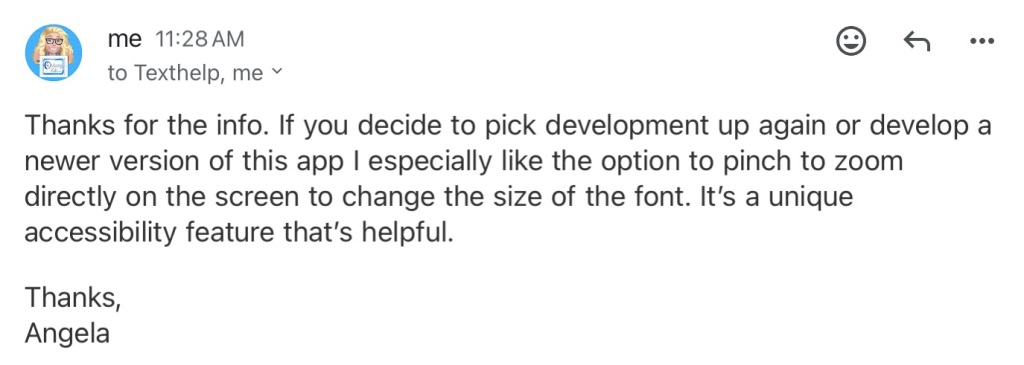
The text of my reply that same day: Thanks for the info. If you decide to pick development up again or develop a newer version of this app Iespecially like the option to pinch to zoom directly on the screen to change the size of the font. It’s a unique accessibility feature that’s helpful.
Thanks,
Angela
Links to both apps in the USA App Store (6/17/24):
I will be updating my AAC feature matching resources to reflect this but felt it was important information for the general public and professionals who might be recommending these apps to be aware of.
Note: I will update this blog post in the future if the app developer decides to resume development for these apps or offer new options.
Looking for in-depth AAC feature matching resources? See this blog post: https://bit.ly/5aacFeatureMatchingResources. That post also includes videos comparing the best AAC apps on various devices on various platforms.
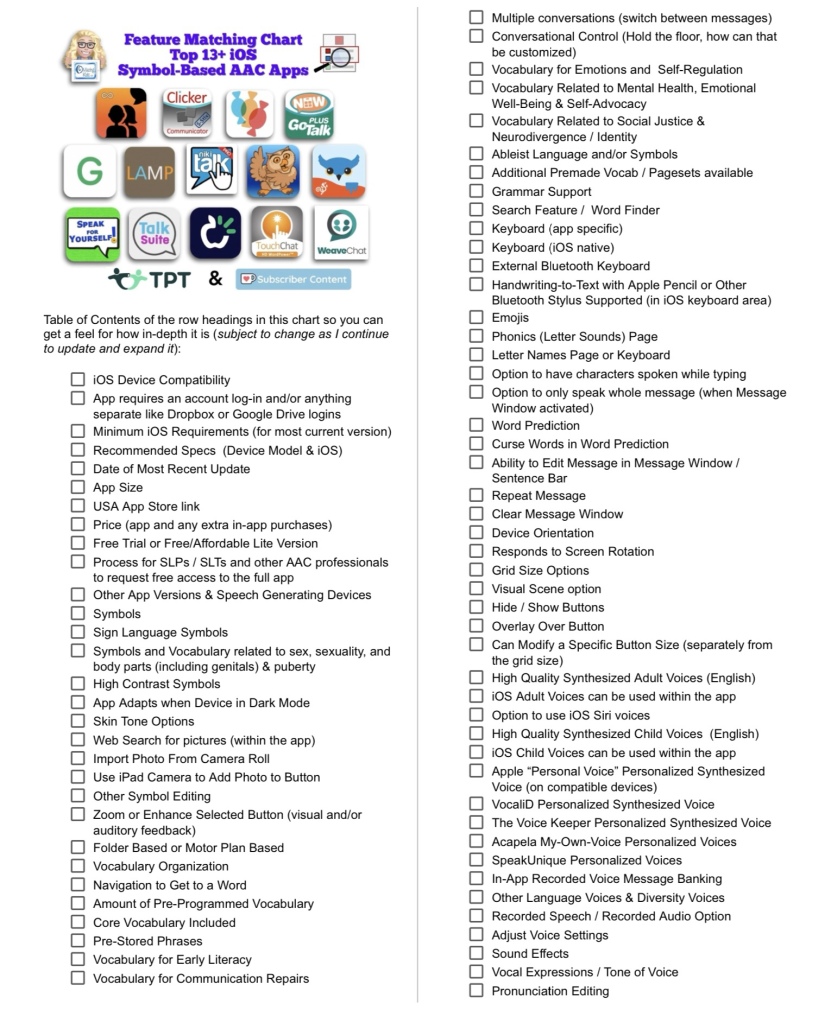
Resource Updated: The Feature Matching Chart for the Top 13+ iOS Symbol Based AAC Apps (6/12/24).
It includes information about new features in several apps + info related to the changes in TD Snap becoming a subscription-based app.
The “Unique Features in Symbol-Based AAC Apps to Support Gestalt Language Processors” supplemental handout linked within it has also been updated.
I also updated the Table of Contents in the TPT resource description for those who want more info about the types of things covered: https://bit.ly/TOC-iOSaacSBfmc-06-12-24.
Those who have previously purchased this resource on TPT can download the newest version for no additional cost: https://bit.ly/SymbolBasedAACapps.
Looking for other in-depth AAC feature matching resources? See this blog post: https://bit.ly/5aacFeatureMatchingResources. That post also includes videos comparing the best AAC apps on various devices on various platforms.
Looking for in-depth AAC feature matching resources? See this blog post: https://bit.ly/5aacFeatureMatchingResources. That post also includes videos comparing the best AAC apps on various devices on various platforms.
See my new video for a quick demo of what true “code switching” looks like when speaking the content of the Message Window in Spanish-English bilingual use in Proloquo2Go and TD Snap vs. Spanish-English bilingual use in TouchChat with WordPower and LAMP Words for Life:
Proloquo2Go and TD Snap support true code switching.
Update 2/11/26: As of the 2026.1 app updates today all of the PRC-Saltillo AAC apps (TouchChat, LAMP Words for Life, Unity AAC, Dialogue AAC) now also support true code switching for the languages that they fully support.
For anyone wanting information about the new AI translation option in the PRC-Saltillo AAC apps…
Having AI translation can be helpful for users who need to communicate with others in a language that they don’t speak.
For bilingual AAC users that is NOT the same as having AAC that has been translated by fluent speakers of a language to insure accuracy and cultural relevance of the content + the symbols that are used. Plus only certain devices that are compatible with Apple Intelligence and are on iOS 26 will be able to use this new feature: https://prc-saltillo.com/blog/2026-ai-apps?
There are voices for each language in LAMP Words for Life and in TouchChat with WordPower.
If you are using the English part of the bilingual vocabulary file or an English vocabulary file it uses the English voice.
If you are using the Spanish part of the bilingual vocabulary file or a Spanish vocabulary file it uses the Spanish voice.
What those two apps can’t do is speak part of the Message Window in English and part of the Message Window in Spanish to combine it into one message with true code switching within the utterance.
Update 2/21/25:
Weave Chat AAC now supports true multilingual code switching 🎉
This is currently supported on the iOS and Amazon Fire versions. The update for the Android version should be available very soon.
Here it is on my iPad Air 11” (M2) 2024:
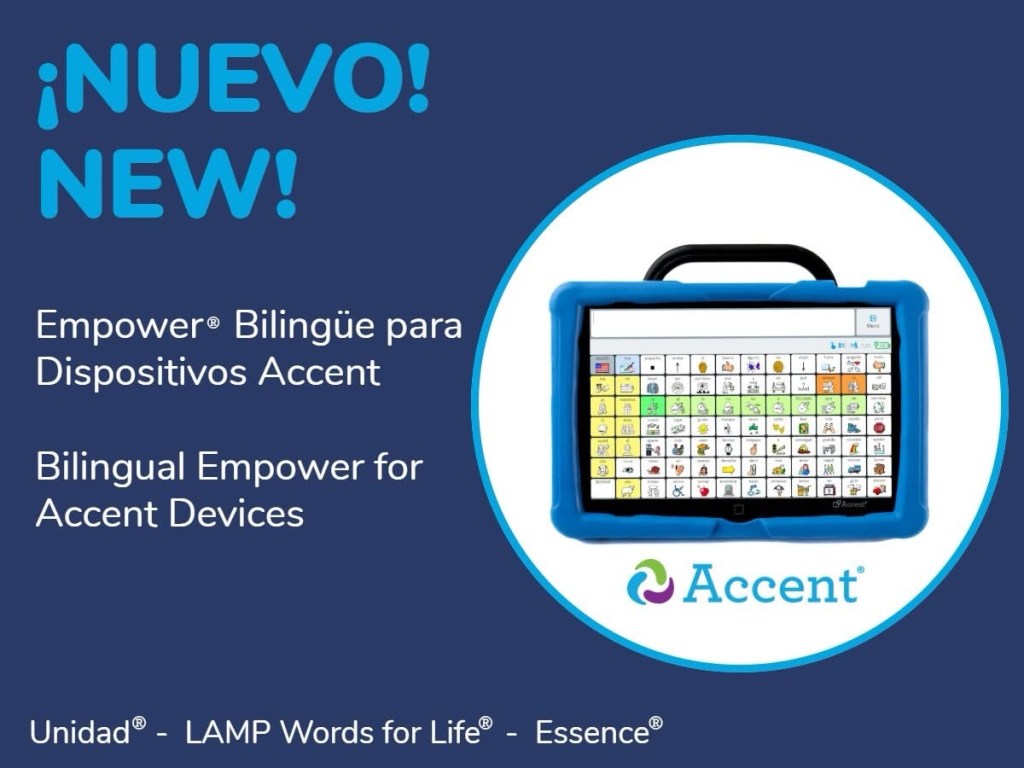
5/16/25: PRC-Saltillo announced new bilingual support and code switching in Empower® software for Accent® devices. Starting with update 1.27, Spanish/English options are now available in Unidad, LAMP Words for Life and Essence vocabularies. See their website for details:
Avaz now has Bilingual Vocabulary Packs that support true code switching:
Vietnamese/English (adult male, adult female, boy & girl files are each available for download from their website. They work on both the iOS and Android versions of the app)
Bengali/English (adult male and adult female files are each available for download from website. They work on both the iOS and Android versions of the app)
There are 4 other languages that you can fill out an online form to “express interest”. I filled that out for each of these. After I receive them I can verify how long it takes to receive the files, what the second language is, and that they support true code switching:
Malayalam
Marathi
Tamil
Telugu
Flexspeak supports multilingual use and has an AI translation tool to translate the content of the Message window. When using that you end up having two Message Windows. One with the original language spoken in that voice and a second one in the other language spoken with that voice. The AI translation requires an internet connection. The app does NOT support true code switching within one message.
The NEW way to find languages, set voices & create a bilingual setup in the PRC-Saltillo AAC apps (LAMP Words for Life, TouchChat with WordPower, Dialogue AAC) after the 2.52.0 app update on February 10, 2025, https://bit.ly/LampWFL-TouchChat-languages-voices-bilingualSetUp-2025
Checklist for Creating a Culturally Inclusive AAC System:
Note: The ability to do true code switching when speaking the content of the Message Window is just one of many potential things to consider during the “feature matching” process to find the best fit for an individual user’s needs.
As far as the “design” of vocabulary included, how it is organized, whether or not buttons are placed in the same spot or have the same symbol in two different languages….
I know from watching a webinar from Saltillo several years ago quite a bit of thought went into the exact vocabulary and symbols used in the Spanish vocab files in TouchChat with WordPower (https://youtu.be/_UJpPCqeiVU?si=0qDYKA9RgzG9zfyr)
There are so many differences between all the different types of Spanish. And symbols can carry different meanings in different cultures so different symbols may be used to avoid misunderstandings or offensive content. They spent months gathering input from native speakers to decide which words to use and the exact symbols.
And differences between articles, verb conjugations, etc. that would make it impossible to have vocabulary in exactly the same place in English and Spanish. Even LAMP Words for Life Spanish/English doesn’t have words in *exactly* the same spot in both languages.
I’ve also watched a webinar from Tobii Dynavox about the creation of the bilingual Spanish-English USA Motor Plan pageset in TD Snap (https://tobiidynavox.talentlms.com/learner/courseinfo/id:1226) and then learned how that’s different than the Spanish (Spain) version which has a Motor Plan 40 option. Of course I was intrigued as to why so I asked and got this reply: “They felt Spain needed an extra 40 button layout because Spain uses an extra pronoun and the Home page became very crowded with pronouns at 30 buttons. In Spanish in general they felt it was important to have all the subject pronouns on the home page.”
Here’s info that I received from the CEO of AssistiveWare about the design process of their Spanish-English vocabulary inProloquo2Go: “This blog post might interest you: https://www.assistiveware.com/blog/bilingual-aac. It explains the process we used. Our Spanish vocabulary was designed for both monolingual and bilingual use. The word selection and the grammar system was adapted to Spanish and we build a Castilian and American Spanish variant adjusting for regional differences in core and fringe. It took our whole team a full year going from researching transcripts of children’s language to building the vocabulary and localizing all the fringe. It involved Spanish speaking AAC experts and linguists from our side plus a review by external SLPs and Spanish speakers. We support advanced grammar construction including the creation of compound words such as damelo (give me that) common in Spanish.
… because the languages, their syntax, and grammar are different a good localization cannot have the same word in the exact same place. While there is overlap between core words for different languages the list of core words and their relative frequencies are not identical. Fringe, of course, is also influenced by cultural differences. So if you want to do a good job localizing a vocabulary you cannot keep all words in the same place. We chose to optimize for each language used by itself rather than optimize for bilingual use (but even if we had done the latter a literal translation would not have been an acceptable result). What we did do is keep the folder hierarchy identical across languages to facilitate bilingual use. Also note that because of the differences between languages, syntax, and grammar for speaking people the “pathways” are also not the same for all languages a good AAC localization reflects that too.”
Looking for other in-depth AAC feature matching resources? See this blog post: https://bit.ly/5aacFeatureMatchingResources. That post also includes videos comparing the best AAC apps on various devices on various platforms.
Looking for other in-depth AAC feature matching resources? See this blog post: https://bit.ly/5aacFeatureMatchingResources. That post also includes videos comparing the best AAC apps on various devices on various platforms.
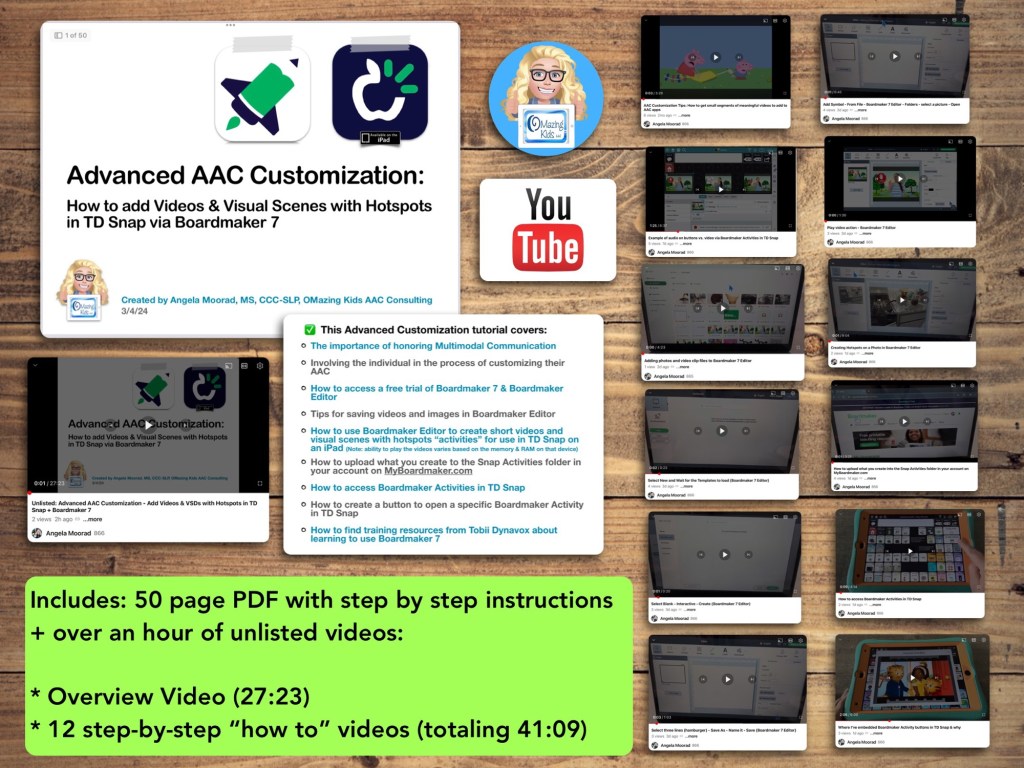
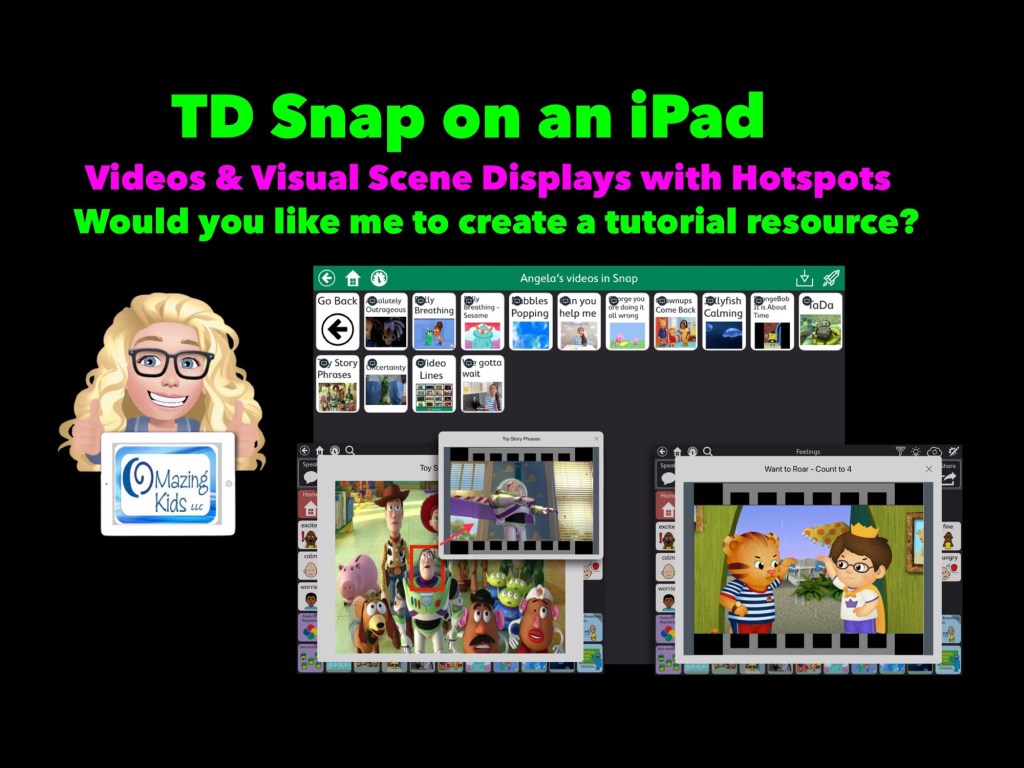
Are you looking for a way to add short videos that can be viewed offline and visual scenes with hotspots to TD Snap? Come learn how to use Boardmaker 7 to create these and then use them in the integrated Boardmaker Activities. Don’t have a Boardmaker 7 subscription? No worries… you’ll also learn how to sign up for a free trial to create what you want.
• The importance of honoring Multimodal Communication
• Involving the individual in the process of customizing their AAC
• How to access a free trial of Boardmaker 7 / Boardmaker 7 Editor
• Tips for saving videos and images in Boardmaker 7 Editor
• How to use Boardmaker 7 Editor to create short videos and visual scenes with hotspots “activities” for use in TD Snap on an iPad
• How to upload what you create to the Snap Activities folder in your account on myBoardmaker
• How to access Boardmaker Activities in TD Snap
• How to create a button to open a specific Boardmaker Activity in TD Snap
• How to find training resources from Tobii Dynavox about learning to use Boardmaker 7
Note: This resource was updated on 5/29/24 to reflect changes that Tobii Dynavox made to TD Snap. As of 5/21/24, they no longer offer the general public the option to do a 1x app-only purchase of this app. It switched to a subscription-based model. The 1.35.1 app update for TD Snap on 12/4/24 added an integrated YouTube player. This is a nice option for teens and adults who need the alternative access of their Speech Generating Device to play YouTube videos for leisure. Playing YouTube videos requires an internet connection and that player is not secured. This is very different from those who want to use short video clips for communication and/or self regulation and need a way to play them reliably offline in a secure way. For those purposes creating Boardmaker Activities will continue to be the best solution at this point in time
Notes:
Boardmaker 7 Editor can only be used to create these Boardmaker Activities on a Chromebook, Windows computer or tablet, or a Mac. Unfortunately there is NOT a way to use Boardmaker 7 Editor to create activities on an iPad (there’s no Boardmaker 7 Editor iOS app and it won’t work in a browser on an iPad). See this website for device compatibility: https://goboardmaker.com/pages/boardmaker-7-help?tab=1.
You must be connected to WiFi in order to initially load a Boardmaker Activity in TD Snap. Then you’ll have the option to toggle on Offline Use for each activity. Offline activities are downloaded per device. If the Page Set is synced or shared to a different device, the download process must be repeated on that device to make the activities available offline.
My demo shows these being added in the Motor Plan 66 pageset in TD Snap. You can add buttons to open a Boardmaker Activity in any of the pagesets within that app.
My demo videos are Boardmaker 7 Editor on my Pixelbook Chromebook and TD Snap on my iPad 9th gen. If you are using a Mac or Windows device what you see on your screen may be a bit different than mine.
The ability to play the videos may vary based on the available memory & RAM on that device.
This research article has helpful considerations for selecting media for use in Visual Scenes and Video Visual Scenes: “Visual Scene Displays for Children and Adults: Using Case Studies to Bridge Research and Clinical Practice”, https://pubs.asha.org/doi/10.1044/2022_PERSP-22-00162
Looking for in-depth AAC feature matching resources? See this blog post: https://bit.ly/5aacFeatureMatchingResources. That post also includes videos comparing AAC apps on various devices on various platforms.
Let me know if you would like me to create a tutorial resource showing the exact steps for creating these using Boardmaker Editor in Boardmaker 7 for use in the TD Snap AAC app by Tobii Dynavox on an iPad.
Here’s a new video with a look at short video clips and visual scenes with hotspots that I’ve added in TD Snap on my iPad via the Boardmaker Activities integration: https://youtu.be/j192ff2f00M?si=h0u45-2HLhAiqs4A
I’ll be leaving the comments open on my video for a few weeks so folks can comment there.
For those who want just a quick peek at two of the examples of a Visual Scene + Video & a video, check out this very short video:
Being able to create these Boardmaker Activities with video clips or visual scene displays with hotspots requires access to Boardmaker Editor in Boardmaker 7.
I wasn’t able to figure out a way to do this with my Boardmaker v6 CD. I’m on my personal iPad that’s not on any type of device management system. If you are using a managed/locked iPad or SGD this may not work.
This works reliably in TD Snap AAC on my iPad. It was unreliable in TD Snap AAC on my Windows tablet (a Microsoft Surface Go 2). My best guess is it *might* work on a more expensive Microsoft Surface Pro with at least 8GB of RAM and larger storage. I have no way to know if this will work in TD Snap on one of the SGDs from Tobii Dynavox (it might require unlocking the device?)
Looking for in-depth AAC feature matching resources? See this blog post: https://bit.ly/5aacFeatureMatchingResources. That post also includes videos comparing AAC apps on various devices on various platforms.
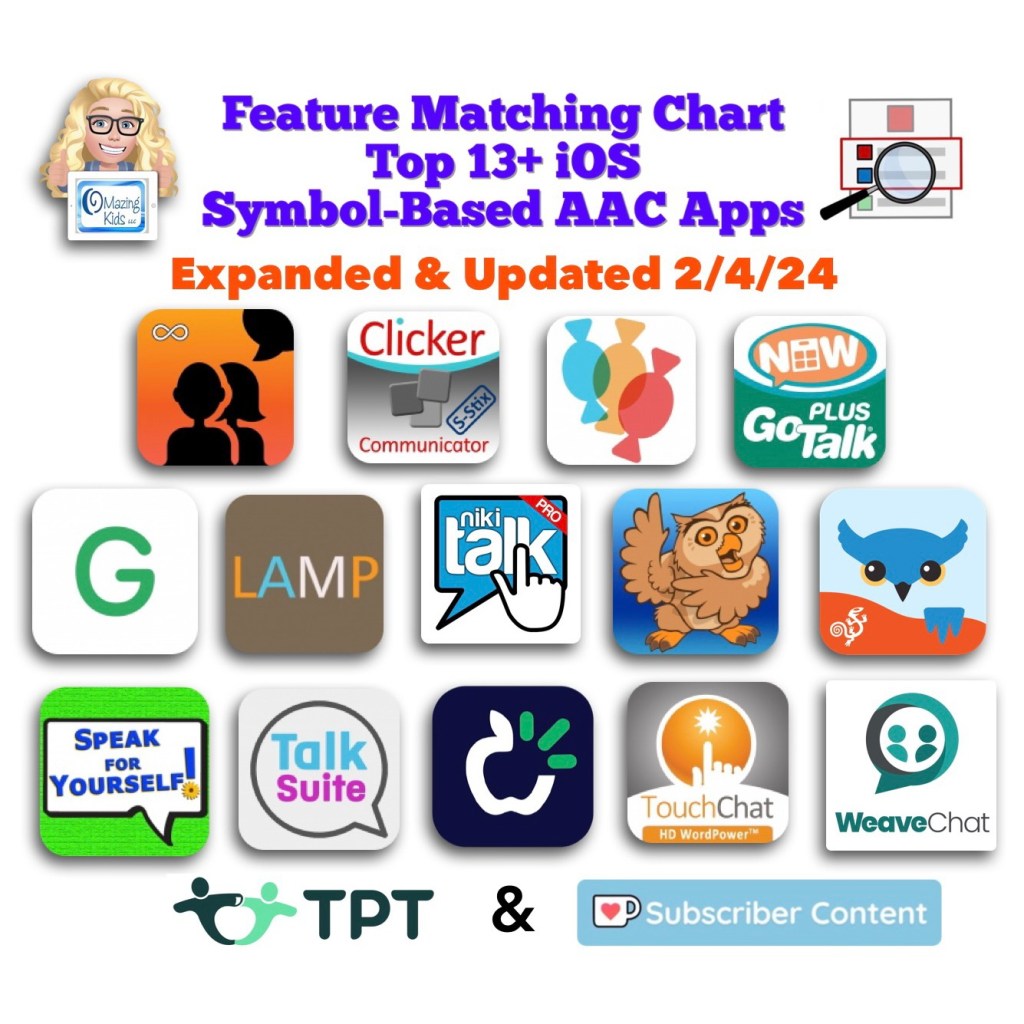
Image ID: Screenshot of the cover image for this resource in my TPT (Teachers Pay Teachers) Store. Includes the icon for each app in the Apple App Store, the OMazing Kids logo and logos for TPT and Ko-fi. Date updated: 2/4/24.
Resource Expanded & Updated: The Feature Matching Chart for the Top 13+ iOS Symbol Based AAC Apps (2/4/24).
Weave Chat AAC has been added, it has a deeper dive into specific types of vocabulary within AAC apps, new features in these apps, etc…
Looking for other in-depth AAC feature matching resources? See this blog post: https://bit.ly/5aacFeatureMatchingResources. That post also includes videos comparing AAC apps on various devices on various platforms.
Those who have previously purchased it on TPT can download the most current version for no additional cost: https://bit.ly/AAC-At-a-Glance.
Looking for in-depth AAC feature matching resources? See this blog post: https://bit.ly/5aacFeatureMatchingResources. That post also includes videos comparing AAC apps on various devices on various platforms.