Unknown's avatar

About OMazing Kids

Angela Moorad, MS, CCC-SLP. Over 36 years experience in AAC. Experience using almost every AAC app on iOS, Android, Amazon Fire, Chromebook and Windows devices + traditional Speech Generating Devices (SGDs). Creator of AAC-Related Resources & App-Related Resources. AAC Consulting & App Consulting.

Affordable Pocket-Sized Android AAC (updated 11/19/25)

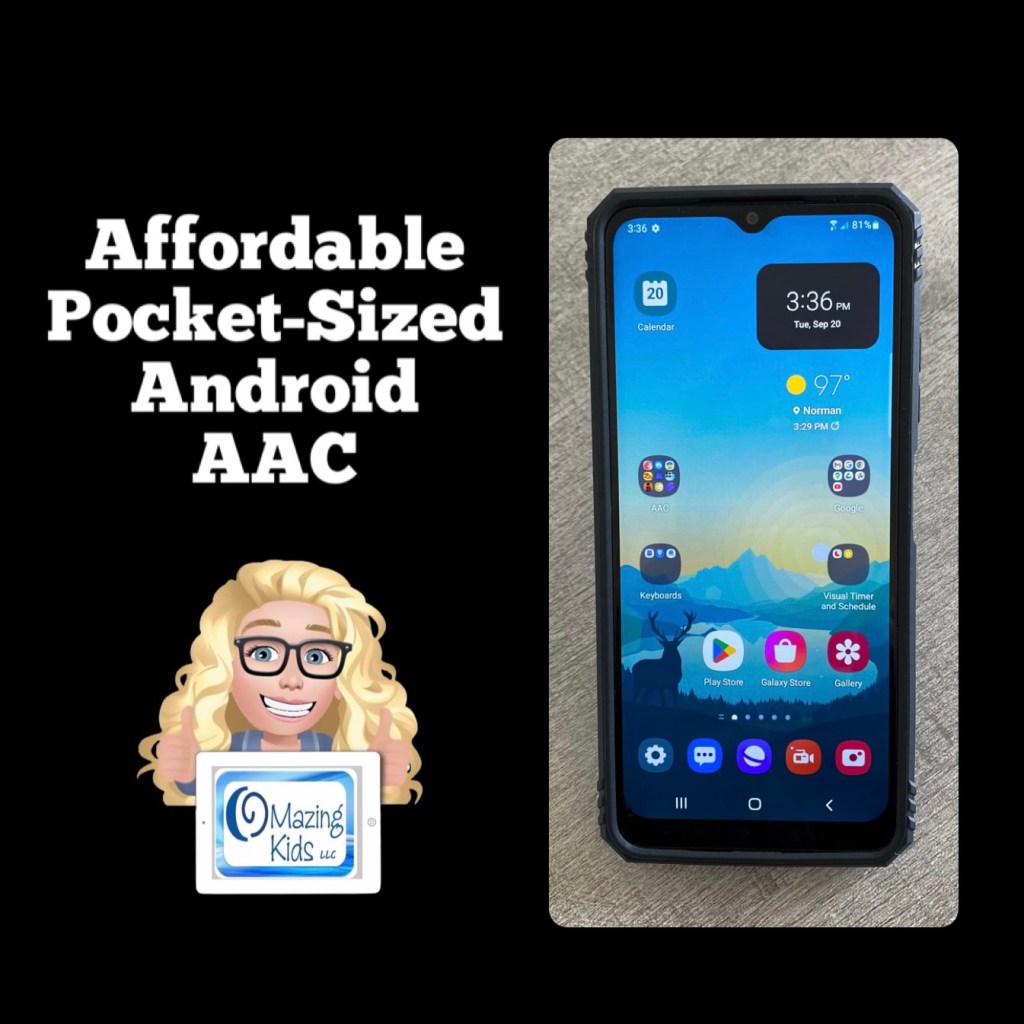
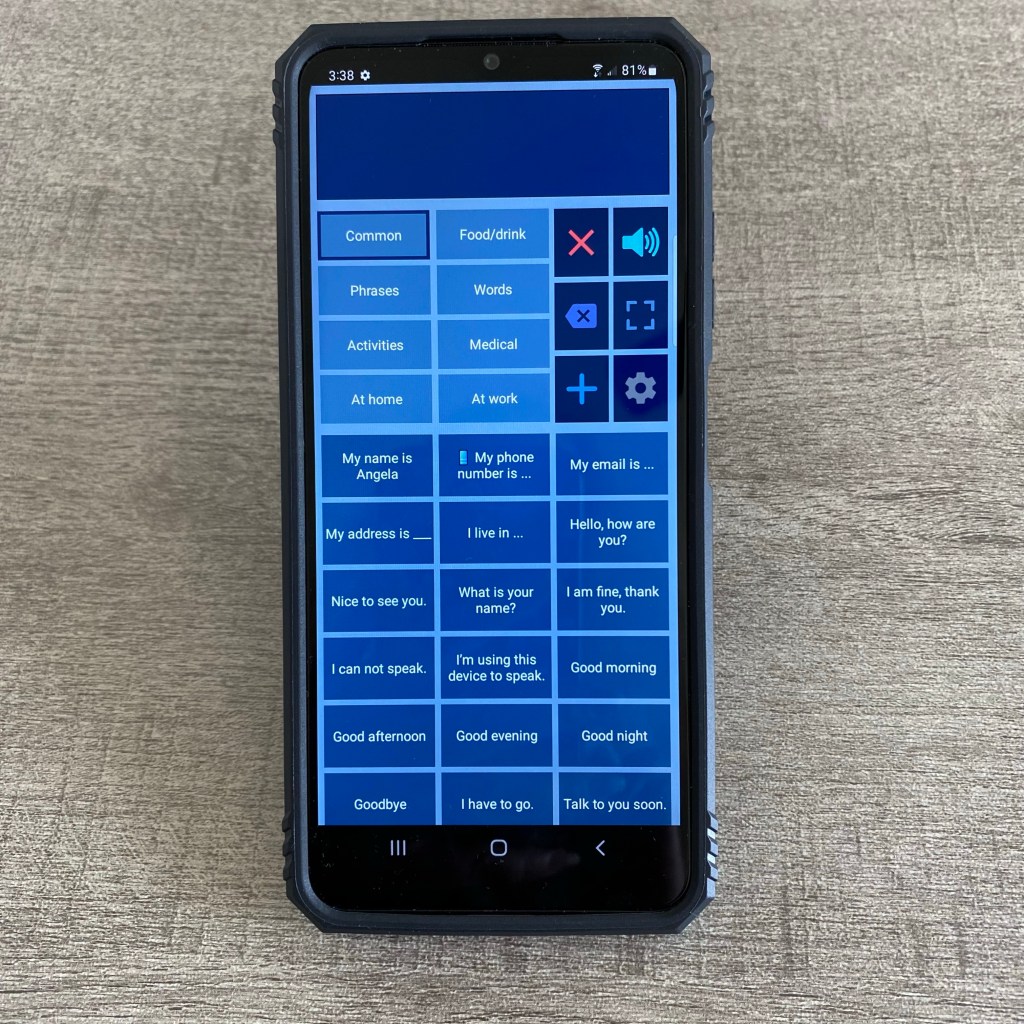
Looking for a very affordable option for pocket-sized AAC? Many individuals prefer to just add an app to their iPhone or Android phone but some facilities don’t allow phones (or it would be a battle to get an exception) or a phone might not be the best choice for AAC for a younger child. The iPod Touch used to be my “go to” option for this. Since the iPod Touch is no longer available I purchased an Android prepaid TracFone (keeping it unactivated)… Shout out to Karen Erickson for sharing that idea in a comment in the AAC for the SLP group.

Tracfone Samsung Galaxy A03s, 32GB, Black – Prepaid Smartphone (Locked) https://a.co/d/fAxcP4J

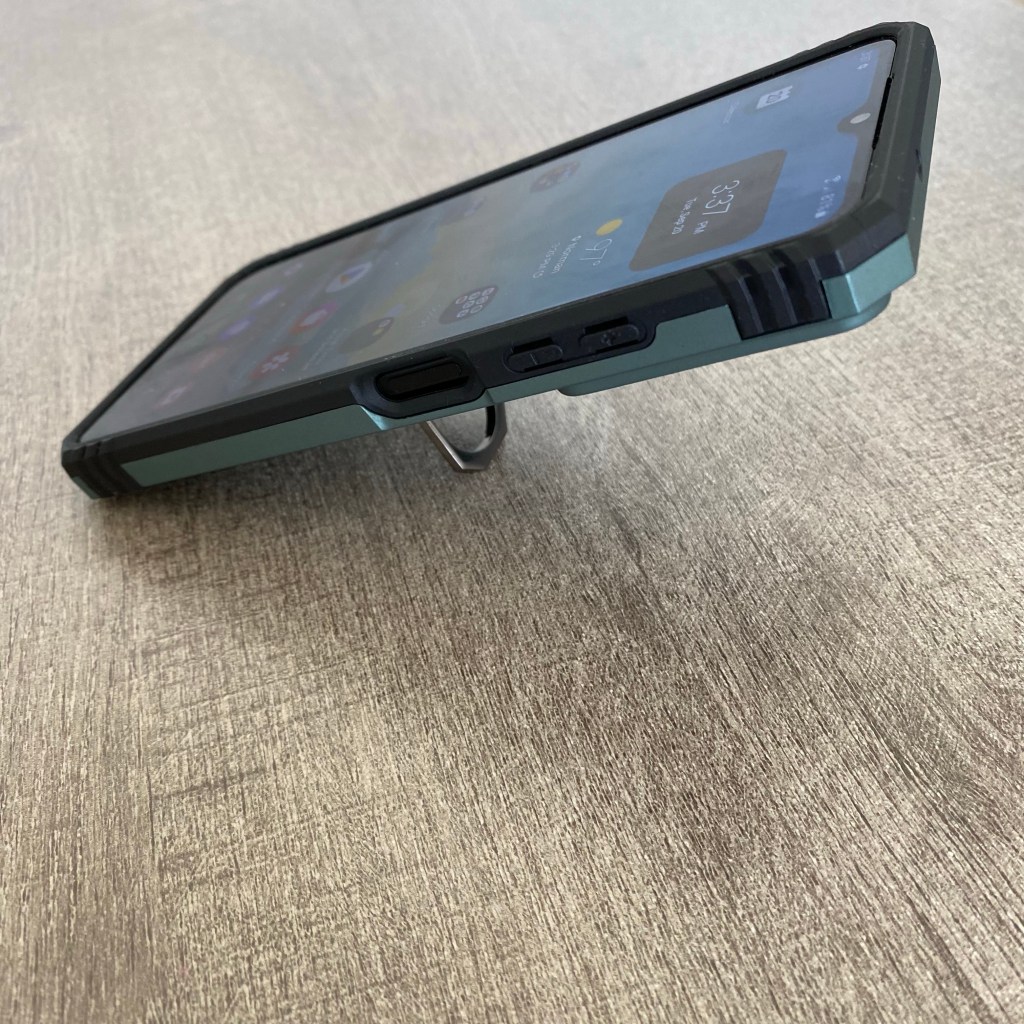
LeYi for Galaxy A03S Case with Screen Protector and Camera Protection Slide Cover, Military-Grade Samsung A03S Phone Case with Magnetic Ring Metal Kickstand for Men Boys (6.5 Inch), Green https://a.co/d/bLpM2Oe

$59.88 Android phone + $12.99 case + the cost of an app = very affordable pocket-sized AAC 🎉

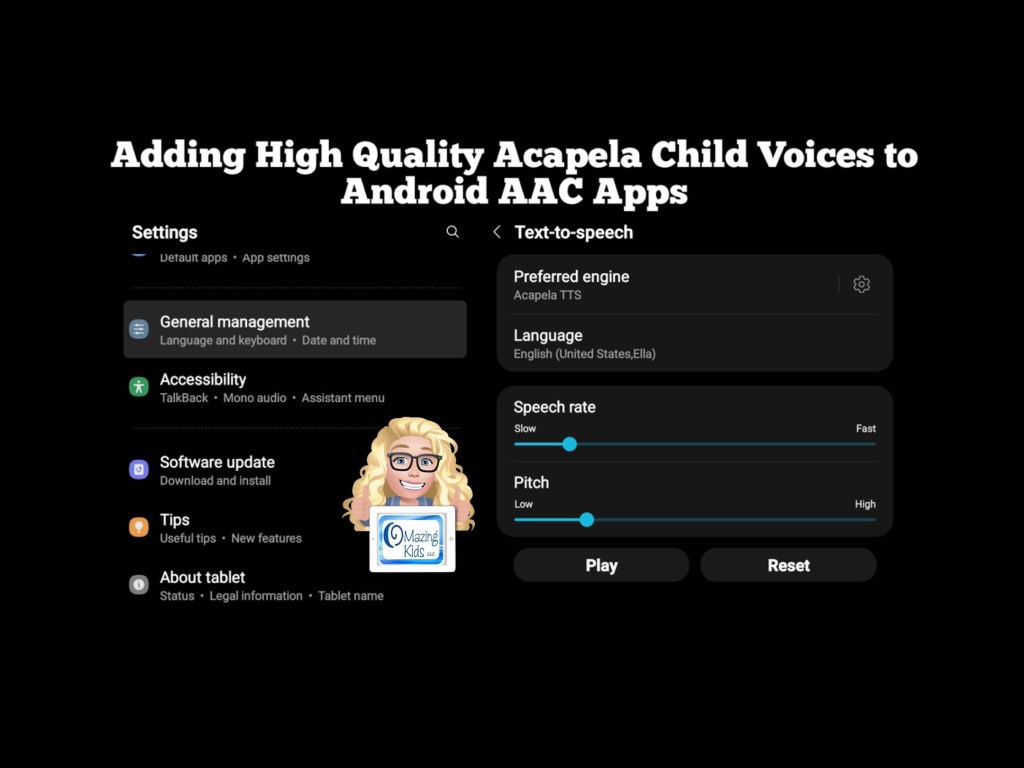
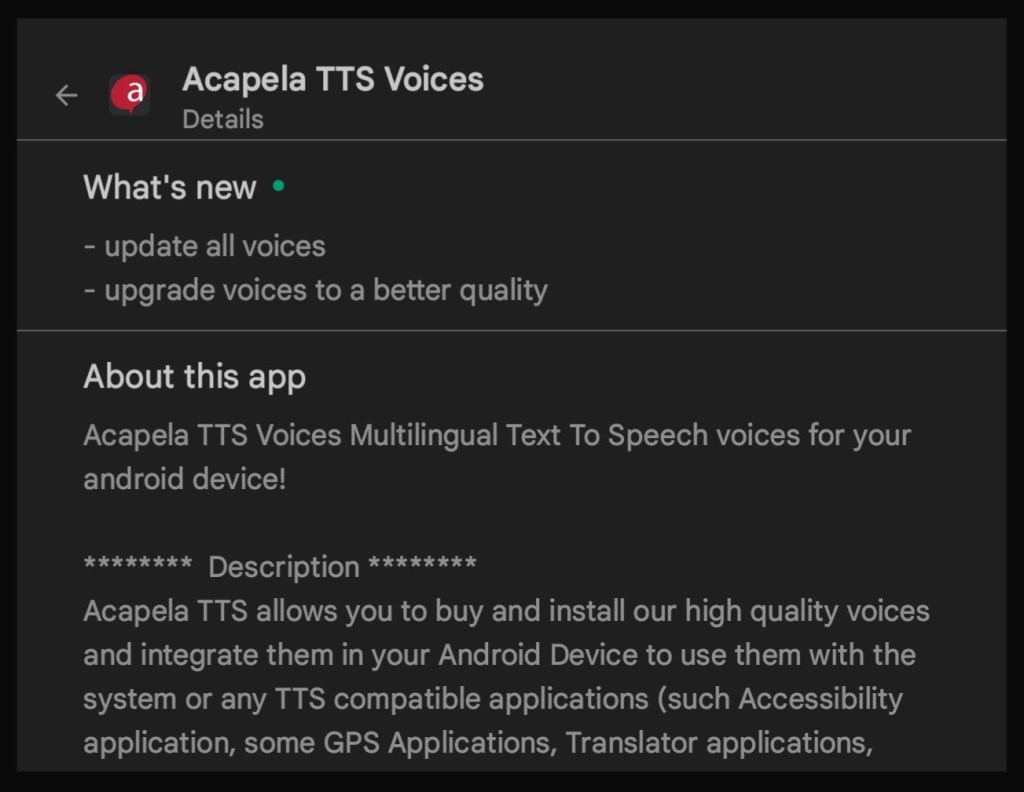
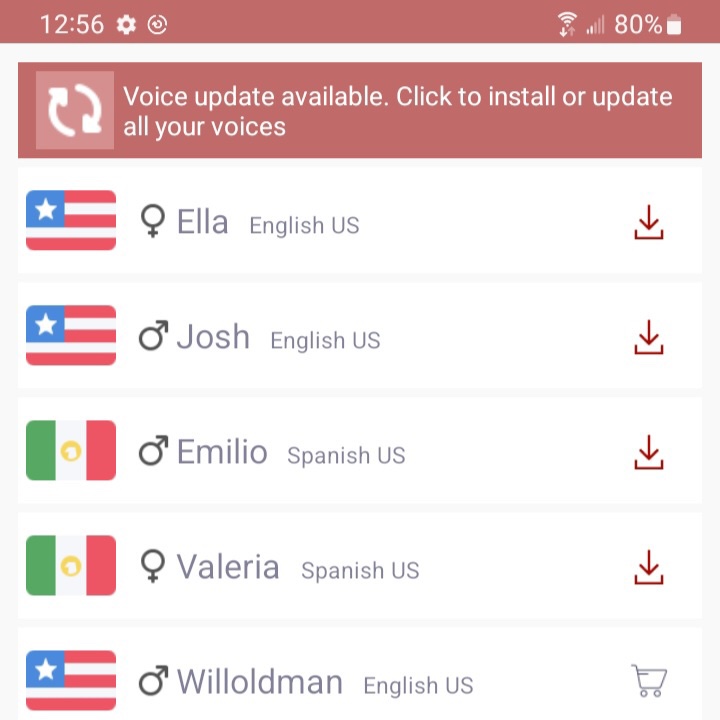
(Updated 8/12/23: That Android phone is still available on Amazon and was even a little less expensive ($49.88). The case is still also available and was less expensive ($11.99). If you put the free Android version of Weave Chat AAC on it (https://play.google.com/store/apps/details?id=com.weavechat.weavechat) you can have fairly robust pocket-sized symbol-based AAC for under $62 (+tax). The adult text-to-speech voices from Samsung & Google are pretty good. If you want Acapela voices, the Weave Chat AAC app and a few others allow use of the one you have purchased and set as a default within the Acapela app. That would be a way to add high quality child voices. Prices vary. I just purchased the child African American English voices (Tiana and Malik) for $7.99 each. The great thing is you only have to purchase the Acapela voices once and then can use them in any AAC app that supports use of them. I have previously purchased Ella & Josh (USA English) + Valeria & Emilio (USA Spanish). That app has voices available to purchase in several languages.

So for under $70 (+tax) you can have fairly robust pocket-sized symbol-based AAC with Weave Chat AAC using a high quality Acapela voice)

Updated 11/19/25: The model of phone that I have is still occasionally available on Amazon but you may want to consider a newer model. I saw the Tracfone – Samsung Galaxy A15 5G 64GB Prepaid – Black on the Best Buy website for $49.99. And the same style of case available for it on Amazon for around $10.00. Acapela child, teen, and adult voices in the Acapela TTS app are still around $7.99 each.

Weave Chat AAC is free and has continued to improve and support more languages. Another good free AAC app is TypingTalk AAC. It is a text-based app but you can add a picture, emoji or a symbol to buttons if needed (https://play.google.com/store/apps/details?id=com.miyanour.speechassist). The basic features in Speech Assistant AAC are also free to use on Android (https://play.google.com/store/apps/details?id=nl.asoft.speechassistant)

So in late 2025 for under $70 (+tax) you can have robust pocket-sized AAC with Weave Chat AAC, TypingTalk AAC, and Speech Assistant AAC using a high quality Acapela voice.


See this video for a look at some of the AAC apps I have installed on it:

A short video specifically about Speech Assistant AAC on an Android phone:

And a longer in-depth video about Speech Assistant AAC on an Android phone that shows more about the app and all of the Settings:

Sound comparison test:

See more details on my updated blog post: https://omazingkidsllc.com/2021/03/22/pocket-sized-aac/


Looking for Affordable and Free AAC apps? Check out this resource: Basic Feature Chart for Affordable and Free AAC apps & AAC-Related Apps (iOS, Android Google Play, Amazon Fire, Windows + a few Web-Based options): https://bit.ly/BasicAffordableAACchart. More info: https://bit.ly/BasicAffordableAACblogpost

Looking for Robust AAC options for Android? Check out this resource: Robust Android AAC (Android Google Play & Amazon Fire): https://bit.ly/RobustAndroidAACappChart. More info: https://bit.ly/RobustAndroidAACblogpost

Several videos comparing AAC apps across platforms (iPad, Android, Amazon Fire, Windows): https://bit.ly/5aacFeatureMatchingResources


Info about much more expensive but fundable pocket-sized AAC devices can be found on this post: https://omazingkidsllc.com/2021/03/22/pocket-sized-aac/


Have a question? The best way to reach me is via Facebook messaging over on my OMazing Kids page: https://www.facebook.com/OMazingKidsAAC/


Looking for more AAC resources? Check out the Resource Links page here on my blog: https://omazingkidsllc.com/omazing-kids-aac-resource-links


Have a question? The best way to reach me is via Facebook messaging over on my OMazing Kids page: https://www.facebook.com/OMazingKidsAAC/


Angela Moorad, MS, CCC-SLP, Founder of OMazing Kids, LLC, OMazing Kids AAC Consulting

• Teachers Pay Teachers Store: https://www.teacherspayteachers.com/Store/Omazing-Kids-Aac-Consulting

• YouTube: https://youtube.com/user/amoorad1

• Ko-Fi: https://ko-fi.com/omazingkidsaac

• OMazing Kids AAC Consulting Facebook Page: https://www.facebook.com/OMazingKidsAAC/

• AppPeeps Facebook Group: https://www.facebook.com/groups/OMazingKidsAppPeeps/

• GoTalk Now AAC & GoVisual Visual Scene Apps – Ideas and Sharing Facebook Group: https://bit.ly/GoTalkNowAACappGroup

• Instagram: https://www.instagram.com/omazingkidsaac

• X (formerly Twitter): https://www.x.com/amoorad

• Pinterest: http://pinterest.com/OMazingKids/

• Linktree: https://linktr.ee/amoorad1

• LinkedIn: https://www.linkedin.com/in/angelamooradomazingkidsaac

• AppRaven AAC App Collections: https://bit.ly/AAConAppRaven

• Blog: https://omazingkidsllc.com / Resource Links page: https://omazingkidsllc.com/omazing-kids-aac-resource-links

Preparing for iOS 16 & iPadOS 16: How to Turn Off Automatic Download & Installation of iPadOS / iOS Updates (also issues with iOS 15.7 & iPadOS 15.7)

It is anticipated that Apple will be releasing iOS 16 around 12:00pm CDT today (9/12/22): https://www.macrumors.com/guide/ios-16-release-date/

They have delayed the release for iPadOS 16 to October 2022 (I’ll update this post when a specific date is announced): https://www.macrumors.com/2022/08/23/apple-seeds-ipados-16-1-beta-1/.

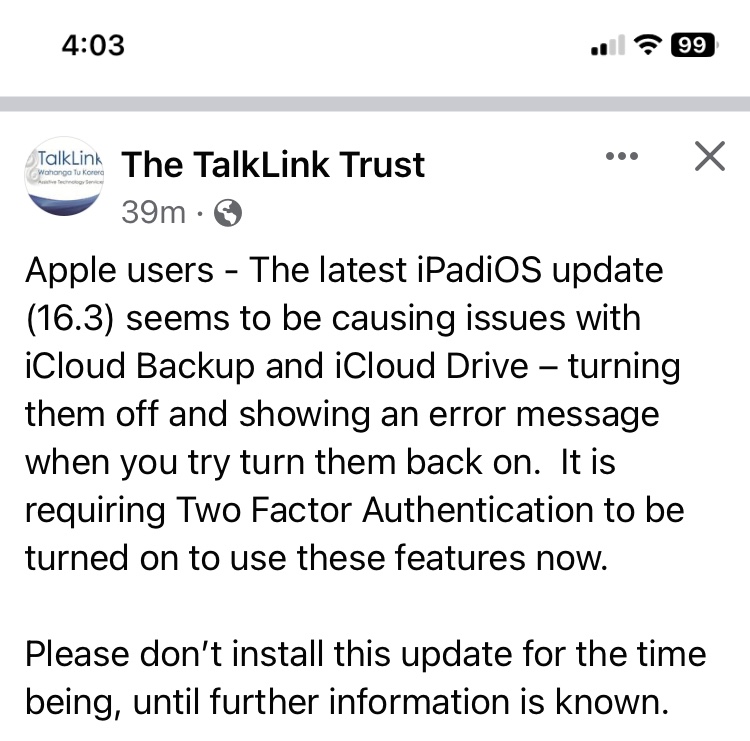
Updated 1/26/23: Problems with iOS 16.3: Apple users – The latest iPadiOS update (16.3) seems to be causing issues with iCloud Backup and iCloud Drive – turning them off and showing an error message when you try turn them back on. It is requiring Two Factor Authentication to be turned on to use these features now. Please don’t install this update for the time being, until further information is known.

Updated 12/21/22: Issues with YouTube on iOS 16.x: https://piunikaweb.com/2022/12/01/youtube-app-not-loading-or-crashing-on-ios-16-devices

Updated 10/11/22: Based on this tweet it looks like iPadOS 16 might release the week of 10/24/22. Several replies to that tweet mentioned it being buggy/glitchy in beta testing:


Historically the whole number iOS updates tend to cause problems. Several years ago I had an iPad “brick” and it had to be restored to factory settings. Almost every whole number iOS release has caused issues with AAC apps and therapy apps. And general device issues unrelated to any specific app.

Most developers of robust AAC apps have done everything that they can do to prepare for the newest iOS. But it is wise to wait for awhile for kinks to be worked out and for app developers to have time to release updates to fix any problems. And Apple often releases secondary iOS updates to fix issues. I typically wait several months and watch for posts from app developers indicating that it’s safe to install the new iOS.

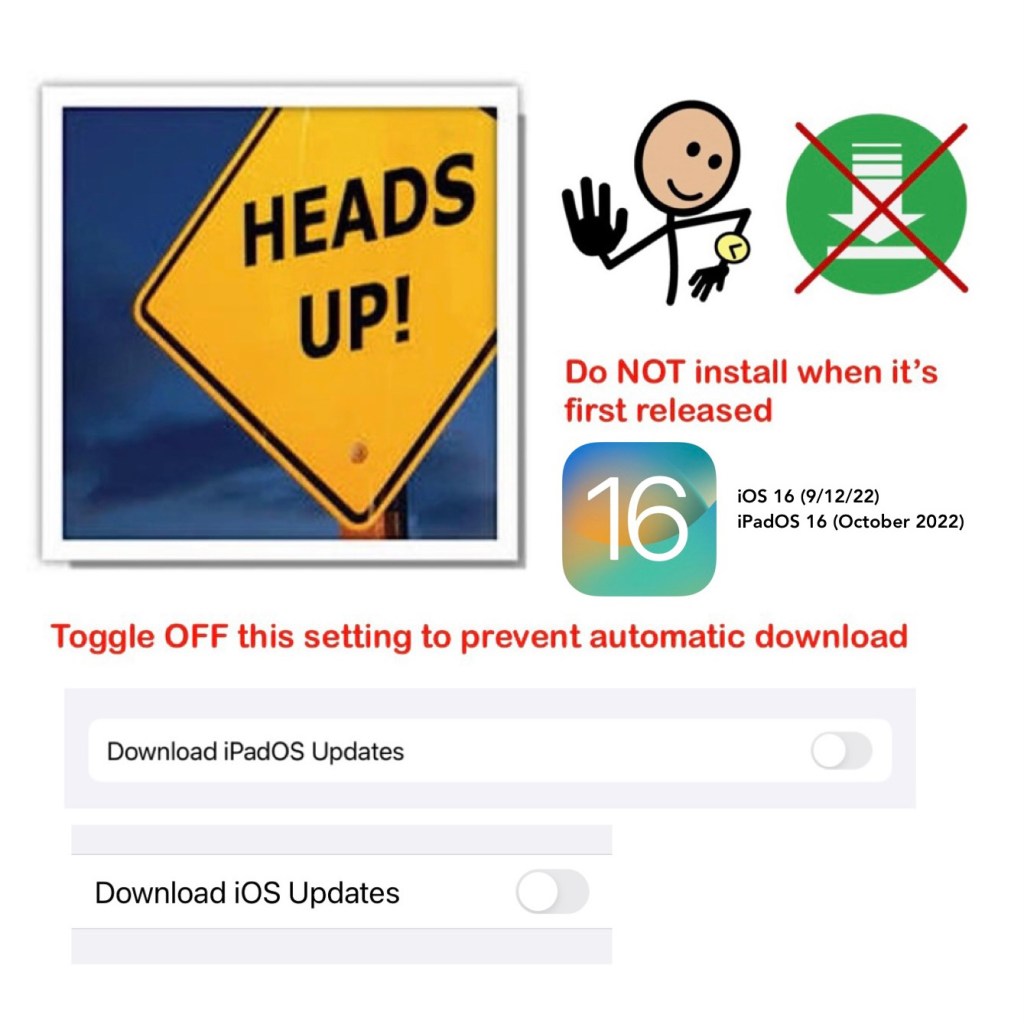
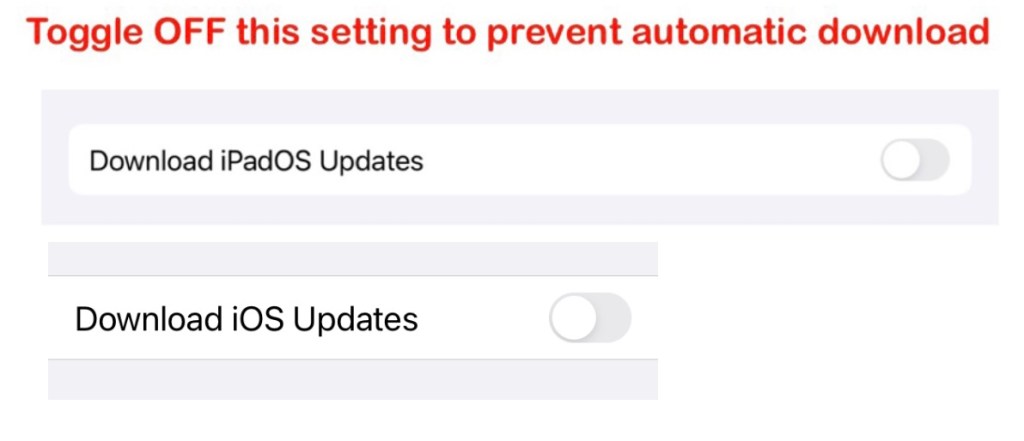
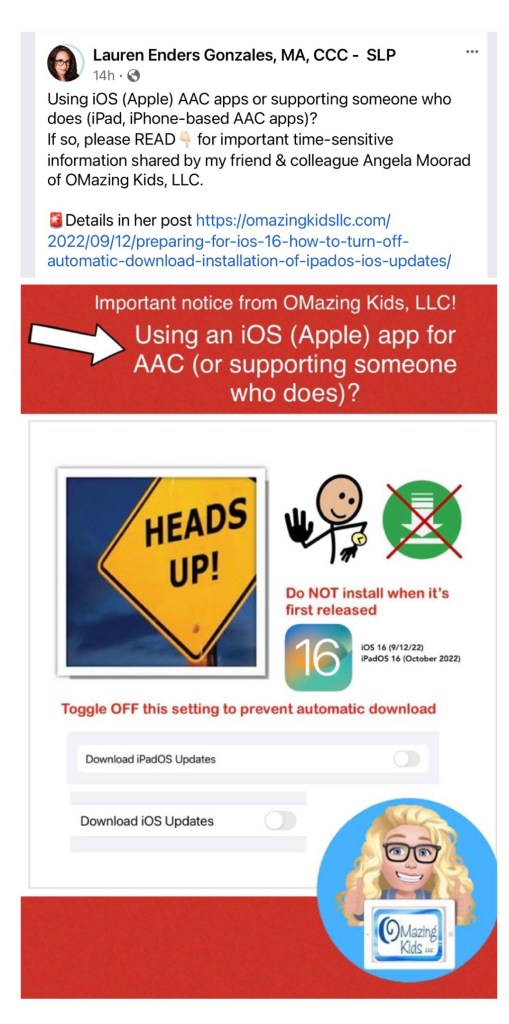
Unfortunately the “default” setting on an iPad is usually for the iOS updates to be automatically downloaded and automatically installed. In order to prevent that from happening, please check the settings on any iPad or iPhone being used for AAC or as a therapy tool. Even if you have toggled it off in the past please take the time to check it again. I found that a recent iOS update had toggled it back on.

Go to Settings (grey gear) – General – Software Update – Automatic Updates – toggle off Download iPadOS (iOS) Updates

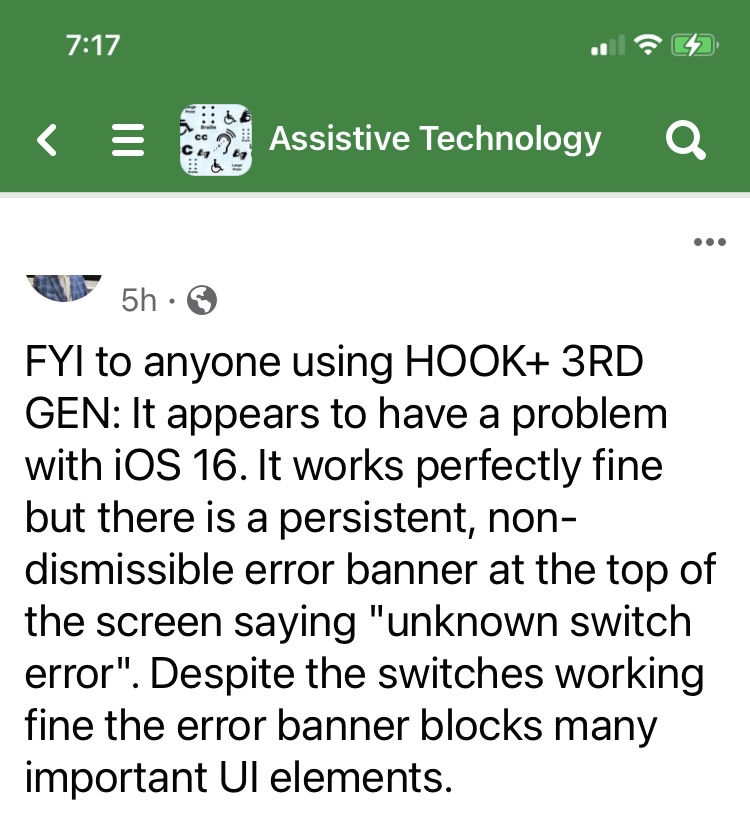
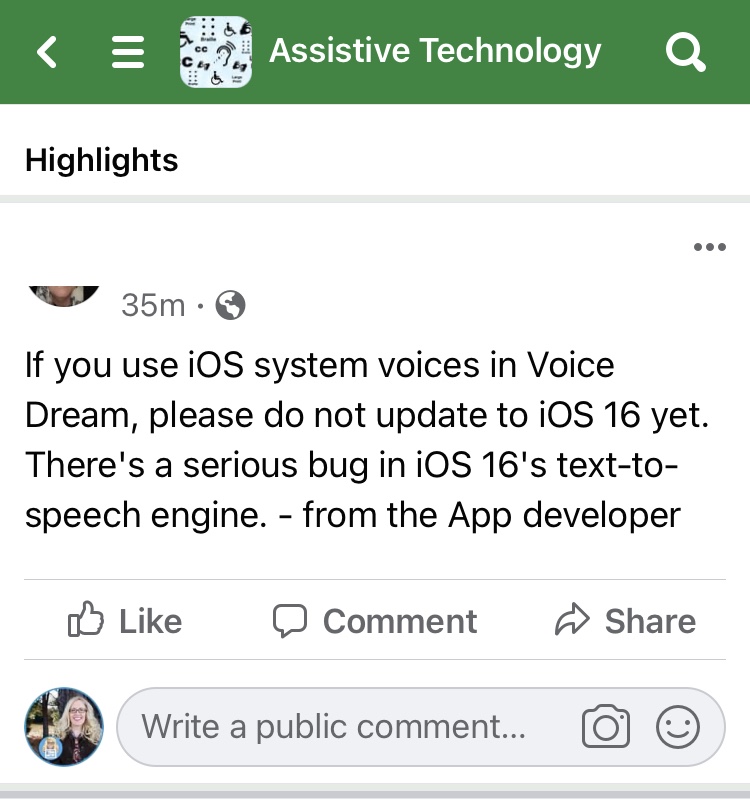
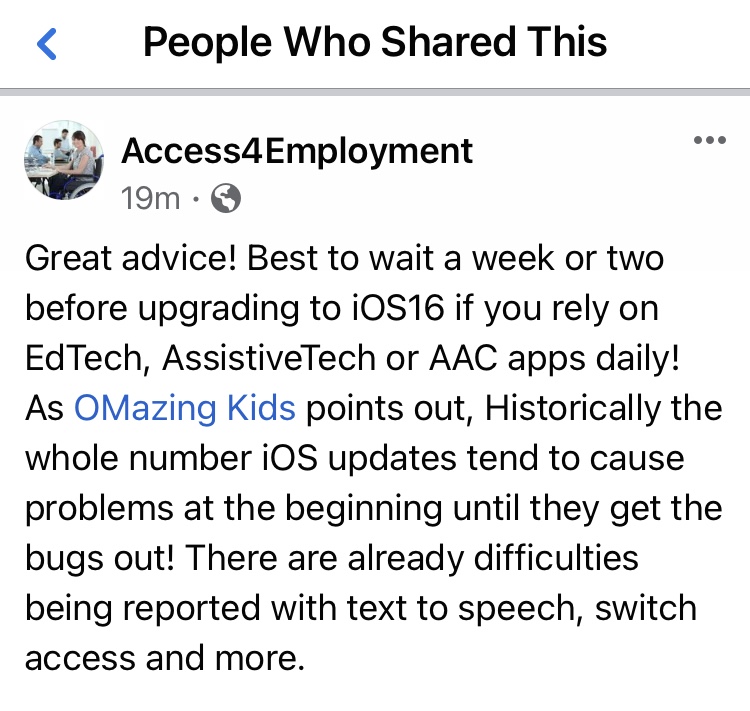
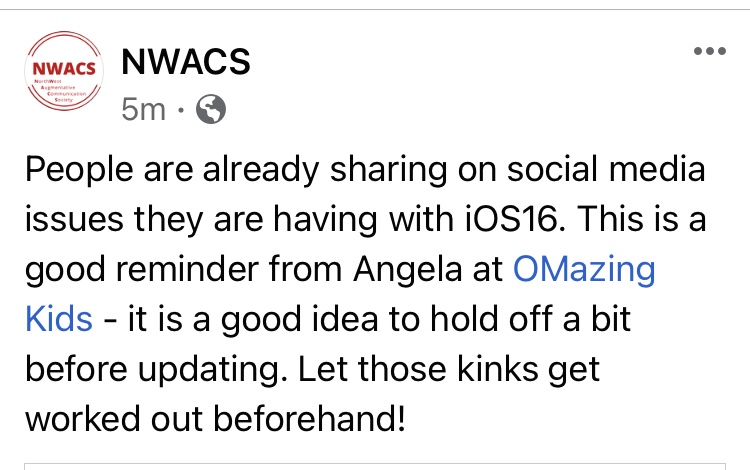
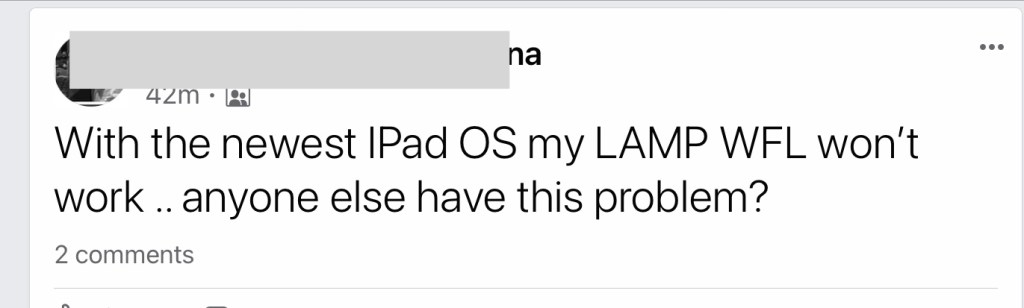
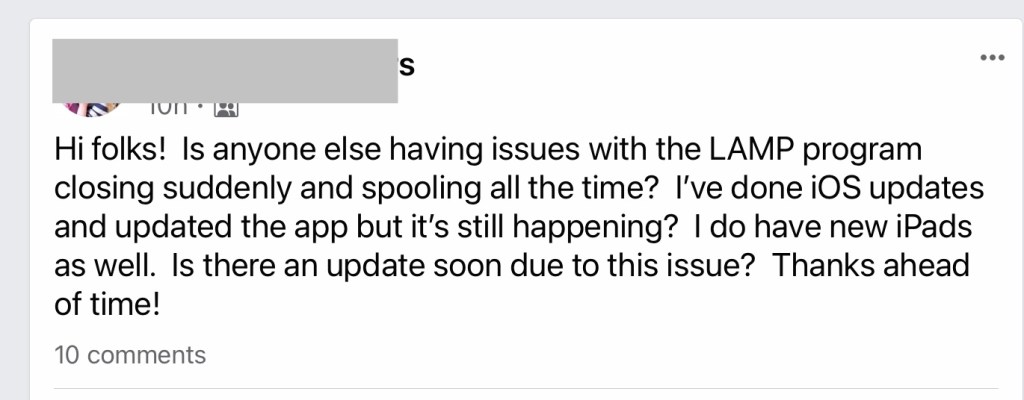
Update: I’m already seeing posts related to iOS 16 issues & some related to the iPadOS 15.7 update. I’ll keep updating this post to provide examples of what folks are experiencing

The current list of iOS 16 problems includes abnormal battery drain, Wi-Fi issues, UI lag, crashes, Touch ID issues, and installation issues. See this website for more info: https://www.gottabemobile.com/ios-16-problems-fixes/amp/ & https://www.gottabemobile.com/ios-16-problems/amp/

I also saw this about iOS 16 interfering with being able to update apps: https://www.macrumors.com/2022/09/12/iphone-users-unable-to-update-apps-app-store-error/


9/16/22 This info was posted in a comment in the Tobii Dynavox Community group on Facebook by one of the moderators of that group: “We are recommending to wait a little bit after release just to be safe. Once the final build of iOS16 comes out, we will be testing the final build with TD Pilot, TD Snap, and TD Talk and will then be able to make a definitive recommendation. Also, in the current beta, there is an issue with AssistiveTouch, however Apple says it will be resolved before release.”


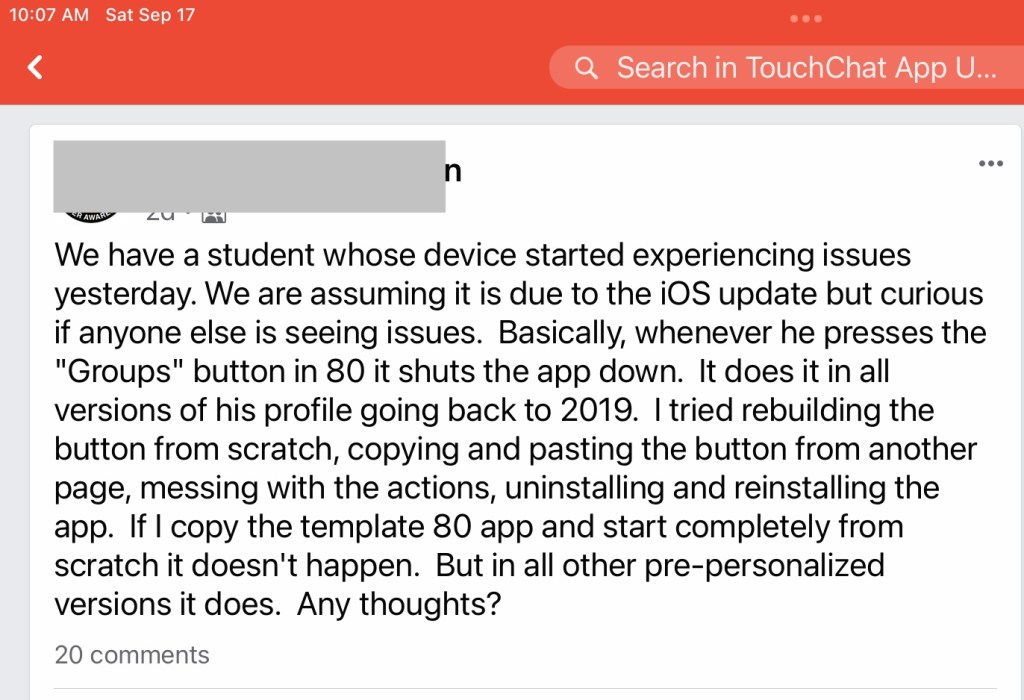
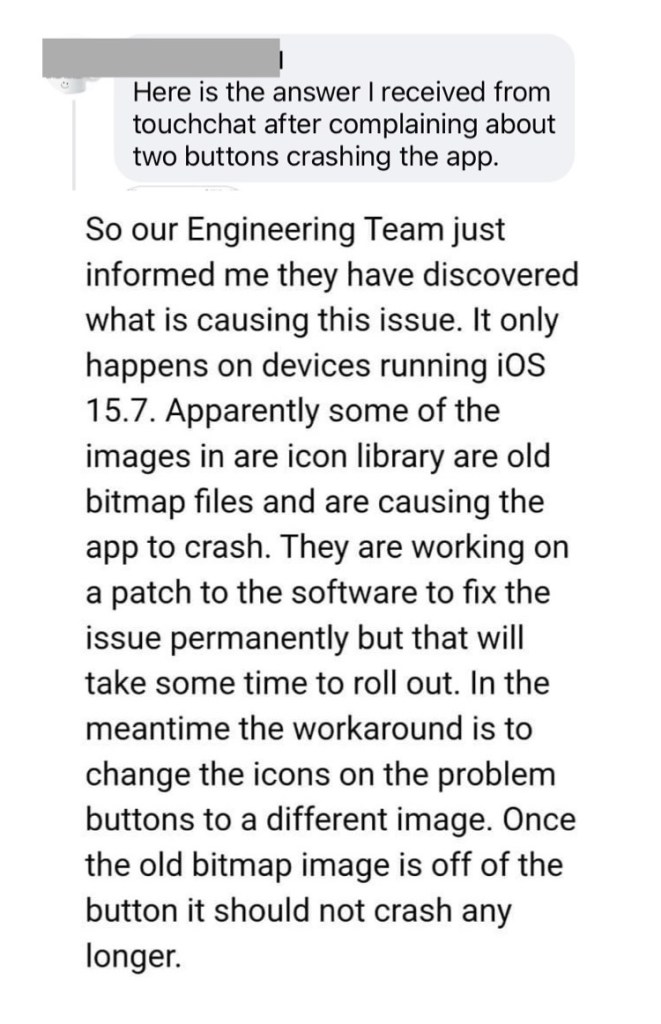
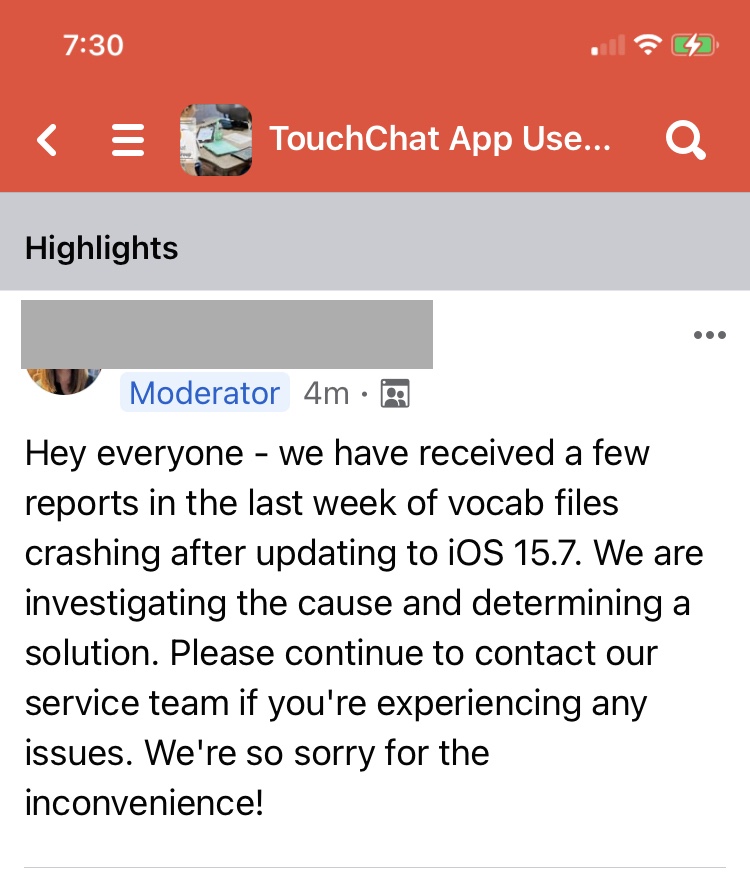
And some folks are having problems with the iOS 15.7 & iPadOS 15.7 update:

9/23/22:


FYI… I shared this post with several AAC app developers and in several AAC user groups on Facebook to hopefully prevent AAC users from encountering issues.

What’s interesting is one AAC app developer chose to remove my post from their group with the “feedback” that “new versions of iOS do not get installed automatically”. While in theory that should be true I’ve personally had an iPad revert to auto download and auto install of iOS updates and had to manually toggle it off again. Plus my post is intended to help folks make an informed decision as to whether or not it would be wise to upgrade to iOS 16 / iPadOS when it first comes out. It can’t hurt to be cautious and wait to upgrade to the new iOS.


I appreciate those who shared it. Special shout-out to my AAC friend Lauren Enders Gonzalez, MA, CCC-SLP for helping to spread the word: https://m.facebook.com/story.php?story_fbid=pfbid02xRcWs2Cx16ASN1r8cZ5SbS943qpPC5xadRxdbPCq5Lj5ovcZhig2YowNPzZGzgBzl&id=178231088981549


While you’re on that device now would also be a good time to backup all customized programming: https://omazingkidsllc.com/2021/03/21/backup-aac-customized-programming/


If you’re in a very large school district that has hundreds of students using iPads for AAC, then I’d check with your IT department to see what the options are for temporarily toggling off the automatic download and installation of iOS updates. If that’s not feasible in your district, then take this as a “heads up” that you may need to have paper-based AAC options on hand just in case they are needed.


What to do if you have an iPad on an older iOS: Unfortunately on older versions of iOS there’s not a way to prevent the iOS update from downloading. But it should ask for permission before installing it. A sign that an iOS update has downloaded is a sudden large drop in available memory. To find that file to delete it on an older iOS, go into Settings – General – Storage & iCloud Usage – Storage – Manage Storage. Wait for the app list to populate and then delete the one with the grey gear. For example, I have an iPad Pro 9.7” that I purposefully kept on iOS 10.3.3 in order to avoid losing a bunch of apps when iOS 11 rolled out. By deleting that iOS update file I freed up 3.7GB of memory and helping to prevent an accidental update. I periodically get a notification asking me to update the iOS. I am very cautious to tap “Details” and then close out of it. Also go to Settings – iTunes & App Store – and toggle off Updates under Automatic Downloads.


Why am I concerned? There are historical issues every time that Apple rolls out a whole number iOS update. Some caused major problems. iOS 15 had several issues. The fact that Apple has delayed release of iPadOS to work out bugs is a red flag 🚩. Of course I have no way to know what will happen with iOS 16 but am seeing enough red flags to be concerned and to post about it.


It’s heartbreaking when AAC users lose their voice when a new iOS rolls out and causes glitches. Now is the time to prevent that from happening.


Have a question? The best way to reach me is via Facebook messaging over on my OMazing Kids page: https://www.facebook.com/OMazingKidsAAC/


Angela Moorad, MS, CCC-SLP, Founder of OMazing Kids, LLC, OMazing Kids AAC Consulting

• Teachers Pay Teachers Store: https://www.teacherspayteachers.com/Store/Omazing-Kids-Aac-Consulting

• YouTube: https://youtube.com/user/amoorad1

• Ko-Fi: https://ko-fi.com/omazingkidsaac

• OMazing Kids AAC Consulting Facebook Page: https://www.facebook.com/OMazingKidsAAC/

• AppPeeps Facebook Group: https://www.facebook.com/groups/OMazingKidsAppPeeps/

• GoTalk Now AAC & GoVisual Visual Scene Apps – Ideas and Sharing Facebook Group: https://bit.ly/GoTalkNowAACappGroup

• Instagram: https://www.instagram.com/omazingkidsaac

• Twitter: https://www.twitter.com/amoorad

• Pinterest: http://pinterest.com/OMazingKids/

• Linktree: https://linktr.ee/amoorad1

• LinkedIn: https://www.linkedin.com/in/angelamooradomazingkidsaac

• Blog: https://omazingkidsllc.com

How to Maximize Battery Life on an iPad or iPhone

I receive frequent requests for info about things that can be done to maximize the battery life on an iPad or iPhone. So I’m sharing the resource that I have bookmarked for this.

Disclaimer: Please think through the pros/cons of any of the options mentioned in the article. For example, adjusting the brightness might not fit some user’s visual needs, toggling off Bluetooth would interfere with use of a Bluetooth speaker, toggling off Location Services may interfere with being able to use “Find My”, etc…

Use of these iOS devices for AAC takes more consideration than other uses. So weigh the pros/cons to make a thoughtful decision. Sometimes having an external battery pack available can be a solution to recharging on the go.

Here’s the article: https://www.igeeksblog.com/how-to-improve-ipad-battery-life/

Updated 9/23/22: Also read about how use of haptic feedback in the iOS keyboard on iOS 16 drains the battery: https://www.idownloadblog.com/2022/09/22/iphone-keyboard-haptics-battery-life-impact/ (thankfully it’s set to “off” by default)


Have a question? The best way to reach me is via Facebook messaging over on my OMazing Kids page: https://www.facebook.com/OMazingKidsAAC/


Angela Moorad, MS, CCC-SLP, Founder of OMazing Kids, LLC, OMazing Kids AAC Consulting

• Teachers Pay Teachers Store: https://www.teacherspayteachers.com/Store/Omazing-Kids-Aac-Consulting

• YouTube: https://youtube.com/user/amoorad1

• Ko-Fi: https://ko-fi.com/omazingkidsaac

• OMazing Kids AAC Consulting Facebook Page: https://www.facebook.com/OMazingKidsAAC/

• AppPeeps Facebook Group: https://www.facebook.com/groups/OMazingKidsAppPeeps/

• GoTalk Now AAC & GoVisual Visual Scene Apps – Ideas and Sharing Facebook Group: https://bit.ly/GoTalkNowAACappGroup

• Instagram: https://www.instagram.com/omazingkidsaac

• Twitter: https://www.twitter.com/amoorad

• Pinterest: http://pinterest.com/OMazingKids/

• Linktree: https://linktr.ee/amoorad1

• LinkedIn: https://www.linkedin.com/in/angelamooradomazingkidsaac

• Blog: https://omazingkidsllc.com

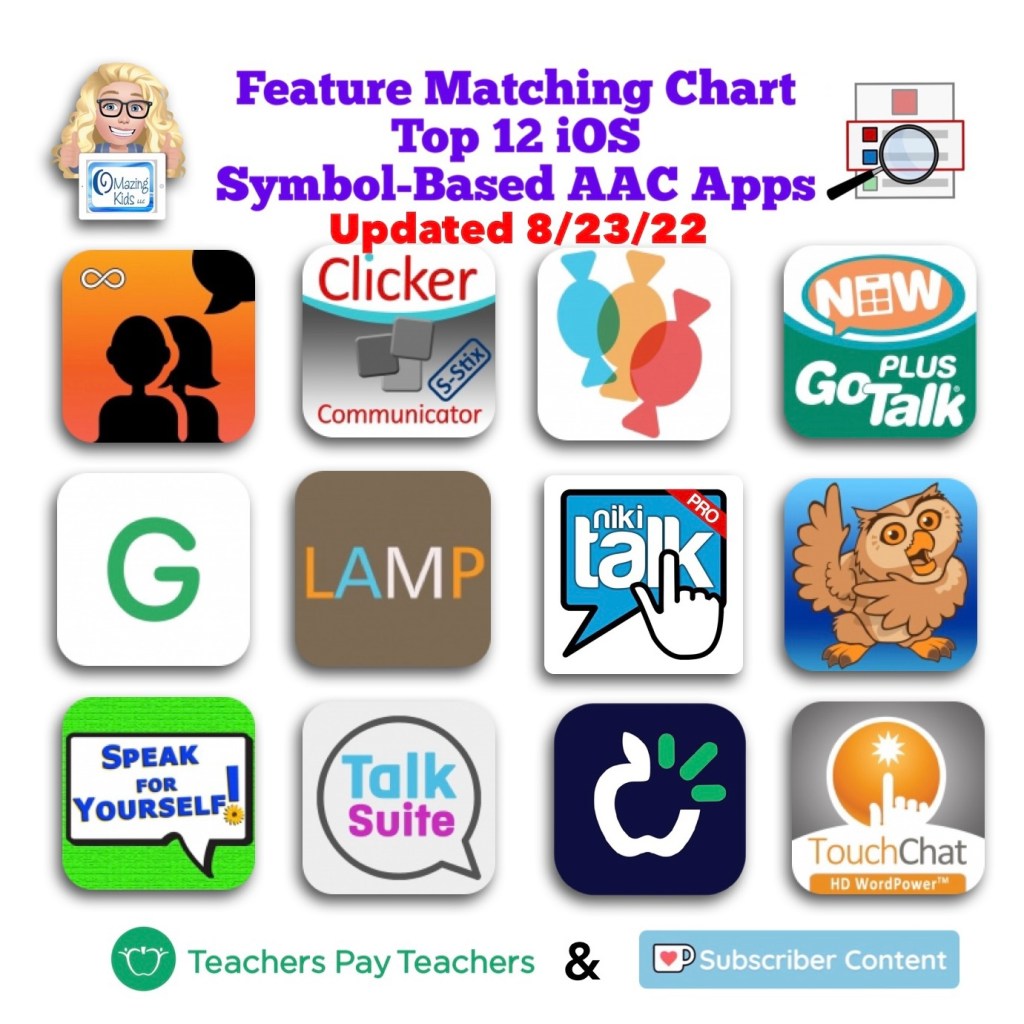
Updated Feature Matching Chart for the Top 12 Robust iOS Symbol-Based AAC Apps (8/23/22)

🎉 Resource Update Alert 🎉 8/23/22 Updated Feature Matching Chart for the Top 12 Robust iOS Symbol-Based AAC Apps. Those who have previously purchased this resource can download the latest version for no additional cost on TPT: https://bit.ly/SymbolBasedAACapps.

Current Ko-fi subscribers can access the latest update on today’s post: https://ko-fi.com/post/Update-for-iOS-Symbol-Based-AAC-Feature-Matching-C-K3K4EKXN5 or on the pinned post: https://ko-fi.com/Post/Links-to-posts-about-most-current-feature-matching-F1F5C9DMD


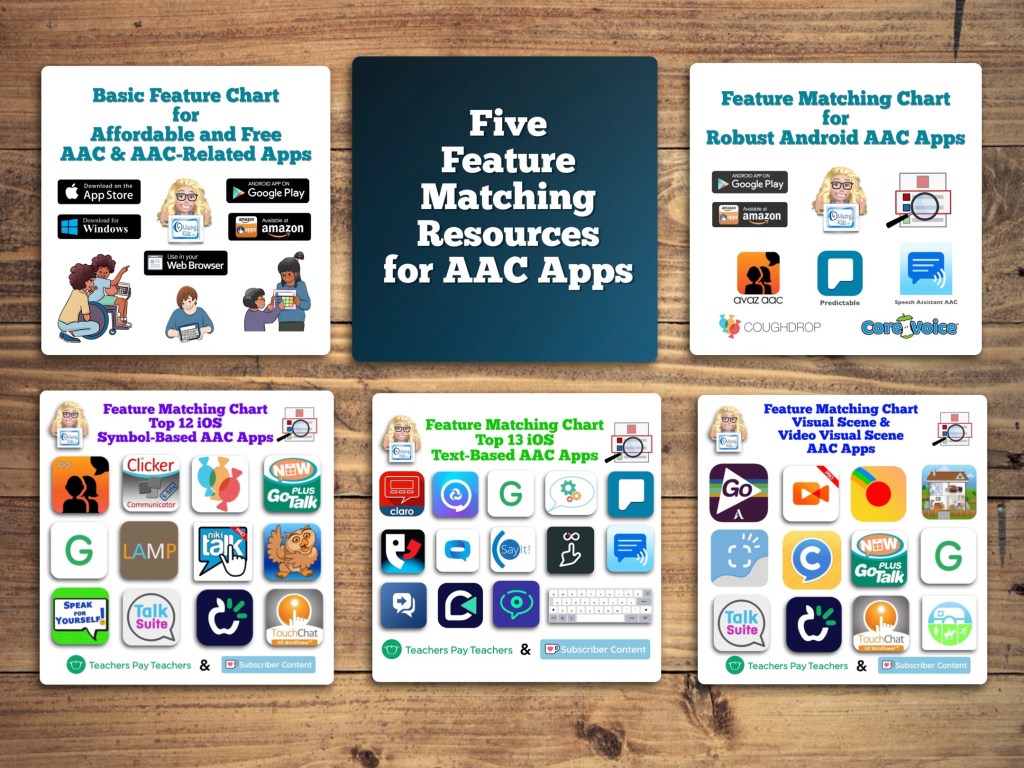
Want more info? See this blog post: Five Feature Matching Resources for AAC Apps (comparing features in AAC apps) + several videos comparing AAC apps across platforms (iPad, Android, Amazon Fire, Windows), https://bit.ly/5aacFeatureMatchingResources


Navigating Through AAC App Options (Recorded Webinar + Interactive Handout): https://bit.ly/NavigatingThruAACapps


Have a question? The best way to reach me is via Facebook messaging over on my OMazing Kids page: https://www.facebook.com/OMazingKidsAAC/


Angela Moorad, MS, CCC-SLP, Founder of OMazing Kids, LLC, OMazing Kids AAC Consulting

• Teachers Pay Teachers Store: https://www.teacherspayteachers.com/Store/Omazing-Kids-Aac-Consulting

• YouTube: https://youtube.com/user/amoorad1

• Ko-Fi: https://ko-fi.com/omazingkidsaac

• OMazing Kids AAC Consulting Facebook Page: https://www.facebook.com/OMazingKidsAAC/

• AppPeeps Facebook Group: https://www.facebook.com/groups/OMazingKidsAppPeeps/

• GoTalk Now AAC & GoVisual Visual Scene Apps – Ideas and Sharing Facebook Group: https://bit.ly/GoTalkNowAACappGroup

• Instagram: https://www.instagram.com/omazingkidsaac

• Twitter: https://www.twitter.com/amoorad

• Pinterest: http://pinterest.com/OMazingKids/

• Linktree: https://linktr.ee/amoorad1

• LinkedIn: https://www.linkedin.com/in/angelamooradomazingkidsaac

• Blog: https://omazingkidsllc.com

New Resource: Navigating Through AAC App Options (Recorded Webinar + Interactive Handout)

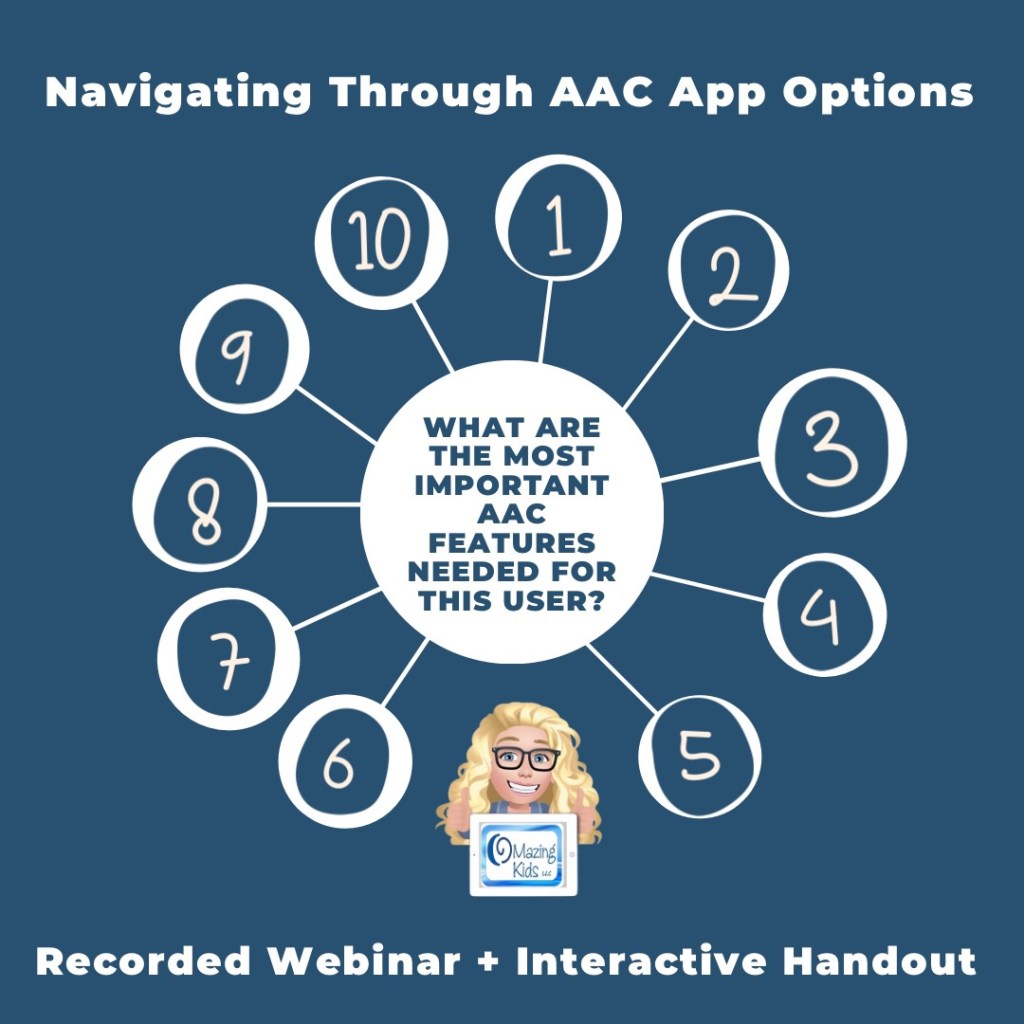
Want a quick way to consider 10 features in AAC apps that may be critical for a particular user’s needs? This recorded webinar + interactive resource makes it simple and then has links for where you can get info for a deeper dive into learning more.

Available on TPT: https://www.teacherspayteachers.com/Product/Navigating-Through-AAC-App-Options-Webinar-Interactive-Handout-8446159

  • While there isn’t a “perfect” AAC app there are features that might make one a better “fit” over another option.
  • Finding a good “fit” is similar to taking a test drive to find a form of transportation that you like and meets your needs at that point in your life or in that situation.
  • The “best” AAC options are the ones that meet the needs of that individual in that situation.

What’s included: 

  • Recorded Webinar (23:34 unlisted YouTube video)
  • Interactive Handout (20 page PDF)

TPT Preview Video:


Looking for in-depth info about features AAC apps? Check out these resources:


Have a question? The best way to reach me is via Facebook messaging over on my OMazing Kids page: https://www.facebook.com/OMazingKidsAAC/


Angela Moorad, MS, CCC-SLP, Founder of OMazing Kids, LLC, OMazing Kids AAC Consulting

• Teachers Pay Teachers Store: https://www.teacherspayteachers.com/Store/Omazing-Kids-Aac-Consulting

• YouTube: https://youtube.com/user/amoorad1

• Ko-Fi: https://ko-fi.com/omazingkidsaac

• OMazing Kids AAC Consulting Facebook Page: https://www.facebook.com/OMazingKidsAAC/

• AppPeeps Facebook Group: https://www.facebook.com/groups/OMazingKidsAppPeeps/

• GoTalk Now AAC & GoVisual Visual Scene Apps – Ideas and Sharing Facebook Group: https://bit.ly/GoTalkNowAACappGroup

• Instagram: https://www.instagram.com/omazingkidsaac

• Twitter: https://www.twitter.com/amoorad

• Pinterest: http://pinterest.com/OMazingKids/

• Linktree: https://linktr.ee/amoorad1

• LinkedIn: https://www.linkedin.com/in/angelamooradomazingkidsaac

• Blog: https://omazingkidsllc.com

Game Changer App Updates from PRC-Saltillo: TouchChat with WordPower, LAMP Words for Life & Dialogue AAC

There were several “game changing” updates released today for each of the PRC-Saltillo AAC apps.

Reminder: It is always wise to back up customized programming in at least two ways outside of the iPad BEFORE installing an app update.

If you need info about how to backup your app, see their websites for details:


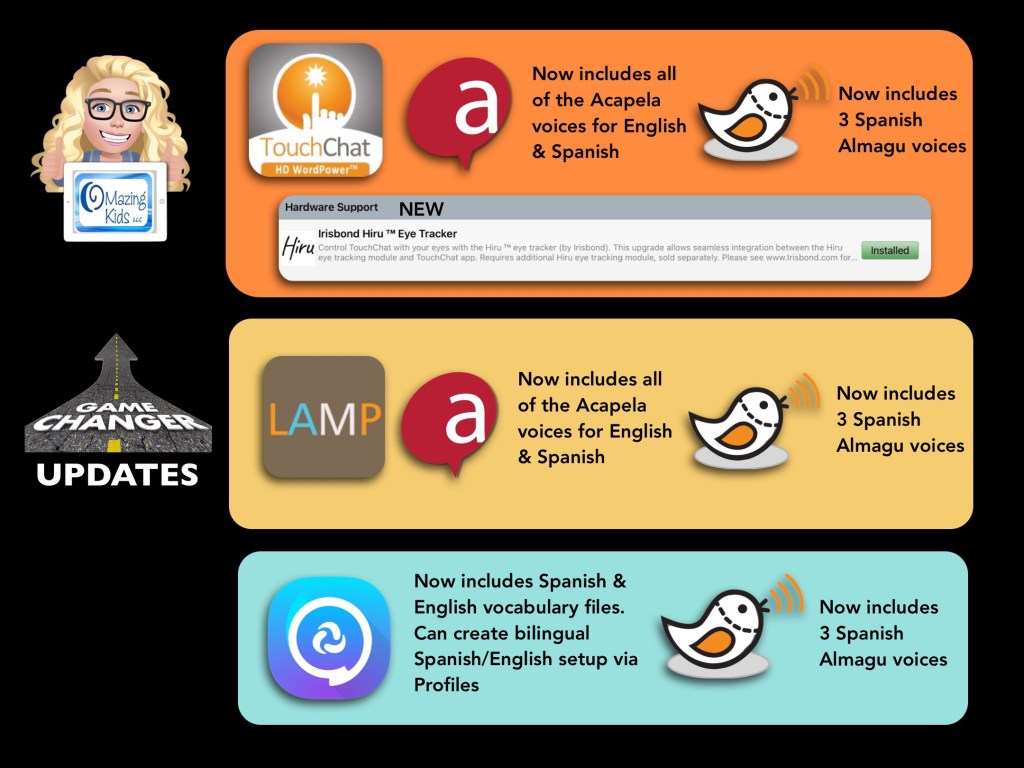
TouchChat with WordPower: All of the English & Spanish high quality Acapela voices that used to require in-app purchases are now included. This is a huge game changer since schools, state run facilities and many funding sources had difficulty with the in-app purchasing process. It was especially problematic for entities using a MDM (mobile device management) system.

*** Note: There are still currently IAPs for premium voices for other languages besides English & Spanish *** I’ll update this post if they eventually end up including the voices for more languages


TouchChat with WordPower: New Hardware Support for the Irisbond Hiru Eye Tracker


LAMP Words for Life: All of the English & Spanish high quality Acapela voices that used to require in-app purchases are now included. This is a huge game changer since schools, state run facilities and many funding sources had difficulty with the in-app purchasing process. It was especially problematic for entities using a MDM (mobile device management) system.


Dialogue AAC: Spanish vocab files have been added. Three Spanish Almagu voices are now available. You can create a bilingual Spanish/English setup by setting up profiles.


See more info in the video from PRC-Saltillo about Update 2.38:


Game Changer App Updates from PRC-Saltillo: TouchChat with WordPower, LAMP Words for Life & Dialogue AAC. See this new blog post for all of the details & several videos: https://omazingkidsllc.com/2022/08/17/game-changer-app-updates-from-prc-saltillo-touchchat-with-wordpower-lamp-words-for-life-dialogue-aac/

Reminder: It is always wise to back up customized programming in at least two ways outside of the iPad BEFORE installing an app update.

(8/24/22 Edited to add: I just saw a comment over in the LAMP WFL Users Facebook group indicating: “With the last update the voices that come with the app have changed. New app purchases will have access to Acapela and Almagu voices. Apps that were purchased earlier than the release of version 2.38 will keep access to Ivona voices even after the update.”

The issue that the person posting relayed was her daughter was accustomed to the Ivona “Ivy” voice on the app on their iPad at home & the school had just purchased the app for use on their iPad and Ivy wasn’t an option. I don’t know if there is any work around for this. I’ll update this section if I hear anything.


Want to learn more about the features in each of these robust AAC apps? Check out the feature matching resources on this post: https://bit.ly/5aacFeatureMatchingResources


Have a question? The best way to reach me is via Facebook messaging over on my OMazing Kids page: https://www.facebook.com/OMazingKidsAAC/


Angela Moorad, MS, CCC-SLP, Founder of OMazing Kids, LLC, OMazing Kids AAC Consulting

• Teachers Pay Teachers Store: https://www.teacherspayteachers.com/Store/Omazing-Kids-Aac-Consulting

• YouTube: https://youtube.com/user/amoorad1

• Ko-Fi: https://ko-fi.com/omazingkidsaac

• OMazing Kids AAC Consulting Facebook Page: https://www.facebook.com/OMazingKidsAAC/

• AppPeeps Facebook Group: https://www.facebook.com/groups/OMazingKidsAppPeeps/

• GoTalk Now AAC & GoVisual Visual Scene Apps – Ideas and Sharing Facebook Group: https://bit.ly/GoTalkNowAACappGroup

• Instagram: https://www.instagram.com/omazingkidsaac

• Twitter: https://www.twitter.com/amoorad

• Pinterest: http://pinterest.com/OMazingKids/

• Linktree: https://linktr.ee/amoorad1

• LinkedIn: https://www.linkedin.com/in/angelamooradomazingkidsaac

• Blog: https://omazingkidsllc.com

{ARCHIVED} A peek at what’s on my Amazon Fire HD 8 tablet

This old blog post has been archived. Head over to this post about the Amazon Fire HD 10 tablet, https://omazingkidsllc.com/2024/07/15/a-peek-at-whats-on-my-amazon-fire-hd-10-tablet/


Content of this old blog post:

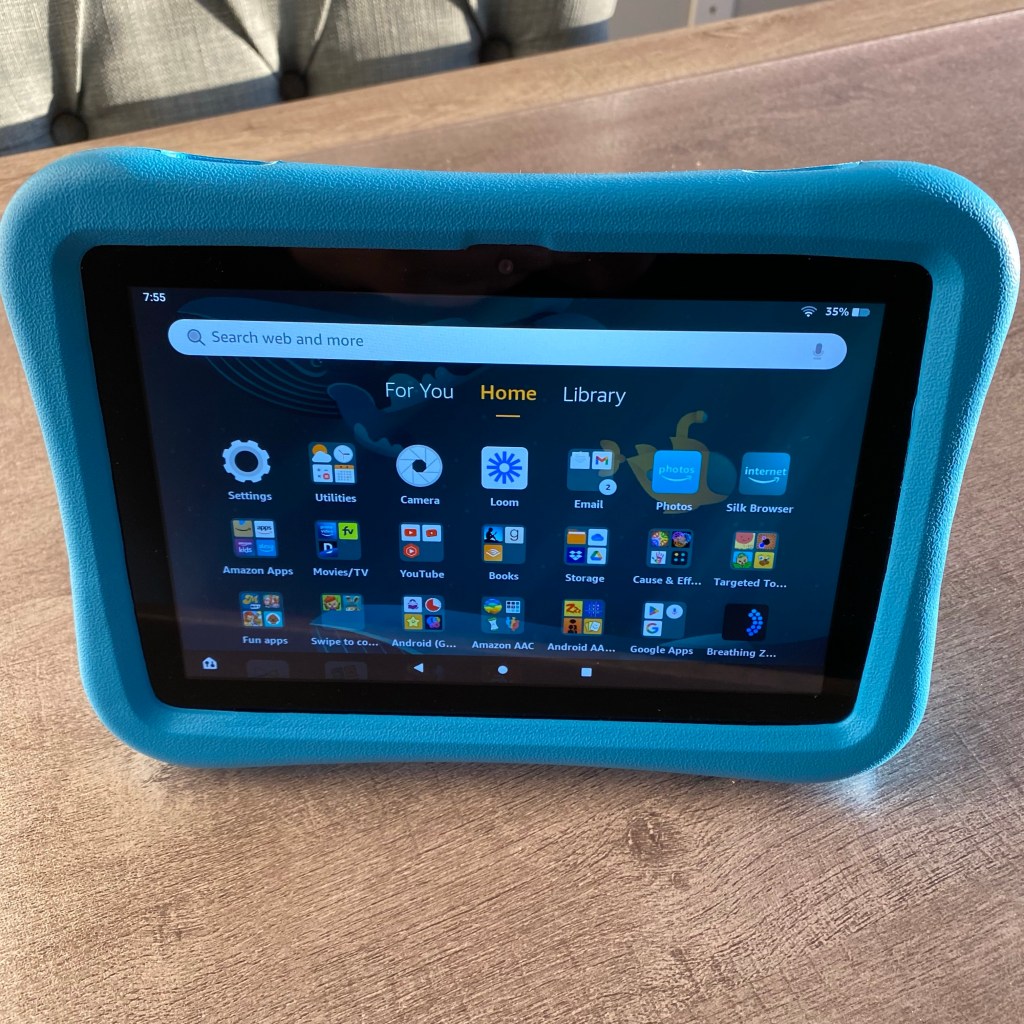
I received several requests for a quick look at what’s on my Amazon Fire HD 8 tablet.


Video:


Updated 10/8/22: The Acapela app update allowed me to use the voices in Cboard as long as I wasn’t logged in. The update for the Avaz AAC app on 10/4/22 added access to the Acapela voices. See this blog post for more info: https://omazingkidsllc.com/2022/10/08/android-version-of-avaz-aac-now-has-access-to-acapela-voices-this-gives-us-child-voice-options-again/


Links to resources shown in the video:

* Ultimate App and Digital Resource Guide for SLPs (includes two free supplemental handouts with info about Android & Amazon Fire apps): https://www.teacherspayteachers.com/Product/Ultimate-App-and-Digital-Resource-Guide-for-SLPs-2022-7267356

* Feature Matching Chart for Robust Android AAC Apps (Google Play & Amazon Fire): https://www.teacherspayteachers.com/Product/Feature-Matching-Chart-for-Robust-Android-AAC-Apps-Google-Play-Amazon-Fire-8400299

* Basic Feature Chart for Affordable and Free AAC apps & AAC-Related Apps (Apple App Store, Google Play, Amazon & Windows + a few Web-Based options): https://www.teacherspayteachers.com/Product/Basic-Feature-Chart-for-Affordable-and-Free-AAC-apps-AAC-Related-Apps-8327157

Blog posts:

* Five Feature Matching Resources for AAC Apps (comparing features in AAC apps) + several videos comparing AAC apps across platforms (iPad, Android, Amazon Fire, Windows): https://bit.ly/5aacFeatureMatchingResources

* Affordable AAC: Amazon Fire vs. Android vs. iPad: https://bit.ly/AffordableAAC-AmazonFire-Android-iPad

* In-depth post about the Pepkoo cases: https://omazingkidsllc.com/2021/04/30/pepkoo-ipad-8th-gen-case-features/


How to Install the Google Play Store on an Amazon Fire Tablet: https://www.howtogeek.com/232726/how-to-install-the-google-play-store-on-your-amazon-fire-tablet/ (I like that he keeps that post updated. Pay close attention to the instructions for your exact model of tablet & follow the precise instructions)

Tips: If you are using an Android tablet & an Amazon Fire Tablet with the Google Play App Store side loaded, be sure to toggle on Family Sharing before making app purchases & make the purchases from the Google Play App Store on your Amazon Fire Tablet. Those have been recognized by Google Play on my Android tablet. The reverse was hit and miss (likely due to the side loading).


Have a question? The best way to reach me is via Facebook messaging over on my OMazing Kids page: https://www.facebook.com/OMazingKidsAAC/


Angela Moorad, MS, CCC-SLP, Founder of OMazing Kids, LLC, OMazing Kids AAC Consulting

• Teachers Pay Teachers Store: https://www.teacherspayteachers.com/Store/Omazing-Kids-Aac-Consulting

• YouTube: https://youtube.com/user/amoorad1

• Ko-Fi: https://ko-fi.com/omazingkidsaac

• OMazing Kids AAC Consulting Facebook Page: https://www.facebook.com/OMazingKidsAAC/

• AppPeeps Facebook Group: https://www.facebook.com/groups/OMazingKidsAppPeeps/

• GoTalk Now AAC & GoVisual Visual Scene Apps – Ideas and Sharing Facebook Group: https://bit.ly/GoTalkNowAACappGroup

• Instagram: https://www.instagram.com/omazingkidsaac

• Twitter: https://www.twitter.com/amoorad

• Pinterest: http://pinterest.com/OMazingKids/

• Linktree: https://linktr.ee/amoorad1

• LinkedIn: https://www.linkedin.com/in/angelamooradomazingkidsaac

• Blog: https://omazingkidsllc.com

Affordable AAC: Amazon Fire vs. Android vs. iPad

In addition to creating communication boards, flip books and true object based icons for non-tech AAC, I look at using whatever tech an individual has and finding a good affordable option to put on that so they have something to use immediately.

These can be helpful to use until an AAC eval can be completed, until a more robust option can be purchased, to meet a short term need or as a secondary tool to offer features that might not be available in their main AAC device, etc.

Or this may be what they use long term. Unfortunately not everyone has access to getting an AAC eval or options for funding more robust AAC so there are individuals who may rely on these affordable devices and apps as their only option.

It is also a reality that not everyone can afford an iPad so that’s why this blog post covers the three main app stores.

This is intended to give you a *general* idea of the overall cost of purchasing AAC for use on Amazon Fire vs. Android vs. iPad.


Total cost of a good model of tablet + good case with a rotating stand + a robust symbol-based AAC app:

• Amazon Fire: $310.00

• Android: $480.00

• iPad: $520.00

Prices would be $100 less if purchasing the app during a 50% off sale (typically in April and October). Additional savings if purchasing a tablet or iPad during a sale. These prices don’t include any extras like in-app purchases for premium symbols, premium voices, extra pagesets / vocab files, Apple Care, a screen protector or a extremely protective case, etc…


If the cost of purchasing a robust AAC app is too high even during a sale, consider a robust app that offers a monthly subscription or check out the “Basic Feature Chart for Affordable and Free AAC apps & AAC-Related Apps (iOS, Android Google Play, Amazon Fire, Windows + a few Web-Based options)” (everything featured in that resource is priced under $10.00 and many are free)


How I came up with these numbers …

This is a cost comparison based on prices of devices and cases that I purchased and is just a general comparison. Avaz and CoughDrop are used in this comparison since they are the most robust symbol-based AAC apps available across all three platforms. Prices will vary based on the AAC app and whether or not you wait to purchase during sales.

Amazon Fire Tablet:

Amazon Fire HD 8 Tablet (2020 release): https://a.co/d/j0doVDO, $89.99 ($44.99 during Amazon Prime Days Sale)

Pepkoo Case: https://a.co/d/gyG3ZY9, $18.99

Total: $108.98 ($63.98 during Amazon Prime Days Sale)

Robust symbol-based AAC app options:

• Avaz (Free app, 2 week free trial, then subscription ($9.99/mo or $99.99/yr) or a one time $199.99 purchase), side loaded from Google Play App Store

• CoughDrop (Free app, 2 month free trial, then subscription ($6/mo) or one-time purchase ($200). More info about their other subscription options: https://bit.ly/3h8aEC1)

• CoreVoice: $49.99

Total cost of tablet + case + robust symbol-based AAC app:

~ $158.97 – $308.98 (or as low as $113.97 – $163.98 if you get the tablet on sale and get Avaz or CoughDrop when they are 50% off – typically in April & in October).


Android Tablet:

Samsung Galaxy Tab S6 Lite 10.4″, 64GB: https://a.co/d/07JEMhI, $249.99 (the price has gone down since I purchased mine for $299)

Case with rotating stand (similar to the Pepkoo). I ended up purchasing one on eBay (https://www.ebay.com/itm/374088538546. Sadly that case is out of stock. I contacted the seller on eBay and they won’t be getting any more). It’s difficult to find cases with this type of rotating stand for the Samsung Galaxy Tab S6 Lite 10.4” Android tablet. I found this one but haven’t seen it in person: https://www.ebay.com/itm/114920453285, $28.99

Total: ~ $278.98

Updated 9/20/22: Looking for an affordable option for pocket-sized AAC? Many users prefer to just add an app to their iPhone or Android phone but some settings don’t allow phones (or it would be a battle to get an exception). The iPod Touch used to be my “go to” option for this. Since the iPod Touch was discontinued I purchased an Android Samsung Galaxy A03s (prepaid TracFone that has NOT been activated for cellular service) on Amazon. Shout out to Karen Erickson for sharing that idea in a comment in the AAC for the SLP group. It was only $59.88 and essentially gives me an Android equivalent to an iPod Touch (which Apple has discontinued) for pocket-sized AAC. I added a $12.99 case that has a tiny ring stand and sliding cover for the camera. So for $72.87 (+ the cost of the app) I have a very affordable pocket-sized AAC device: https://omazingkidsllc.com/2022/09/20/affordable-pocket-sized-android-aac/


Robust symbol-based AAC app options:

• Avaz (Free app, 2 week free trial, then subscription ($9.99/mo or $99.99/yr) or a one time $199.99 purchase)

• CoughDrop (Free app, 2 month free trial, then subscription ($6/mo) or one-time purchase ($200). More info about their other subscription options: https://bit.ly/3h8aEC1)

• CoreVoice: $49.99

Total cost of tablet + case + robust symbol-based AAC app:

~ $328.97 – $478.98 (or $378.98 if you get Avaz or CoughDrop when they are 50% off – typically in April & in October)


iPad:

iPad 9th gen, 64GB: https://a.co/d/3VSOLY7, $299

Pepkoo case: https://a.co/d/curQA4K, $20.99

OR

If you also need a shoulder carrying strap look at the Pepkoo Triple Shockproof Case: https://a.co/d/0RyWDMz, $26.99

Total: ~ $319.99 – $325.99

Robust symbol-based AAC app options:

• Avaz: Free app, 2 week free trial, then $9.99/mo or $99.99/yr subscription or $199.99 one time purchase

• Clicker Communicator: $199.99

• CoreVoice: $49.99

• CoughDrop: Free app, 2 month free trial, then $6/mo subscription or $200 one time purchase. More info about their other subscription options: https://bit.ly/3h8aEC1

• GoTalk Now / GoTalk Now Plus: $99.99 / $169.99

• Grid for iPad: free version with 30 day free trial, then $10.99/mo subscription or $399.99 one time purchase

• LAMP Words for Life: $299.99

• Niki Talk 2 Pro: $89.99

• Proloquo + Proloquo Coach: free app, 30 day free trial, then $9.99/mo or $99.99/yr subscription

• Proloquo2Go: $249.99

• Speak for Yourself: free version with 30 day free trial, then $299.99 one time purchase

• Talk Suite Pro: $199.99

• TD Snap: free version with 60 day free trial, then $49.99 one time purchase

• TouchChat with WordPower: free version with 30 day free trial, then $299.99 one time purchase

Total cost of iPad + case + robust symbol-based AAC app:

~ $369.98 – $725.98 (varies depending on the app, some of these apps are ~50% off twice a year. As a comparison to the Amazon & Android versions, the total if you got Avaz or CoughDrop for 50% off = ~ $419.99

If you are looking for a cost comparison of digital PODD options see this post: https://omazingkidsllc.com/2021/01/09/review-comparison-of-features-in-digital-podd-ipad-apps-in-2021-simpodd-grid-for-ipad-snap-core-first-and-podd-with-compass/


Updated 10/18/22

Apple launched the iPad 10th gen today (10/18/22). Unfortunately they changed the size. It’s 10.9” instead of 10.2”.

Which means the cases that we have been using/recommending for the 7th gen/8th gen/9th gen iPads won’t fit the 10th gen.

It might be awhile before case manufacturers get good cases for the 10th gen on the market. Especially cases with the features that we want for AAC users.

Apple also raised the price by $120.

  • 10th gen, 64GB: $449
  • 9th gen, 64G: $329

Amazon currently has the 9th gen, 64GB iPad on sale for $269: Limited-time deal: 2021 Apple 10.2-inch iPad (Wi-Fi, 64GB) – Silver https://a.co/7YHiqTO

<< sigh >> 😢

I had hoped that Apple would continue to leave that base model iPad at the same size and price since we had been having a good multi-year run of Apple leaving the base model iPad specs alone. So on the verge of a recession they decided that it’s time for a $120 price jump and put stress on case manufacturers with the size change. This is why we have lost so many great case options over the years (GripCase, LifeProof Nüüd, etc..). Apple claims to care about accessibility but then is this clueless 🙄😢

If you know someone who was thinking about getting an iPad for AAC, I’d let them know so they can get a good price on the 9th gen before those are no longer available


Windows: The cost would vary greatly depending on the type of tablet or laptop purchased. The Windows tablet that I purchased would not be durable enough for primary use for AAC.


This post is not implying that price should be the sole factor when choosing AAC but it is acknowledging that in real life many folks have to purchase this on their own and price is a factor.


How to Install the Google Play Store on an Amazon Fire Tablet: https://www.howtogeek.com/232726/how-to-install-the-google-play-store-on-your-amazon-fire-tablet/ (I like that he keeps that post updated. Pay close attention to the instructions for your exact model of tablet & follow the precise instructions)

Tips: If you are using an Android tablet & an Amazon Fire Tablet with the Google Play App Store side loaded, be sure to toggle on Family Sharing before making app purchases & make the purchases from the Google Play App Store on your Amazon Fire Tablet. Those have been recognized by Google Play on my Android tablet. The reverse was hit and miss (likely due to the side loading).


In-depth post about the Pepkoo cases: https://omazingkidsllc.com/2021/04/30/pepkoo-ipad-8th-gen-case-features/


A series of three videos comparing AAC options across four platforms: Apple iOS, Android Google Play, Amazon Fire & Windows:


* Comparison of voice loudness and quality for AAC: iPad, Samsung Android, Amazon Fire & Windows (4:20):

* Considerations for AAC on Different Platforms: iPad, Android, Amazon Fire & Windows (6:17):

* A look at AAC options across platforms: Windows, Amazon Fire, Android Google Play, Apple (12:55):

* Comparison of Samsung tablet vs Samsung phone:


Those who have access to a funding source and want in-depth info about the features in AAC apps should read: Five Feature Matching Resources for AAC Apps (comparing features in AAC apps) + several videos comparing AAC apps across platforms (iPad, Android, Amazon Fire, Windows), https://omazingkidsllc.com/2022/08/10/five-feature-matching-resources-for-aac-apps-comparing-features-in-aac-apps-several-videos-comparing-aac-apps-across-platforms-ipad-android-amazon-fire-windows/


Have a question? The best way to reach me is via Facebook messaging over on my OMazing Kids page: https://www.facebook.com/OMazingKidsAAC/

Angela Moorad, MS, CCC-SLP, Founder of OMazing Kids, LLC, OMazing Kids AAC Consulting

• Teachers Pay Teachers Store: https://www.teacherspayteachers.com/Store/Omazing-Kids-Aac-Consulting

• YouTube: https://youtube.com/user/amoorad1

• Ko-Fi: https://ko-fi.com/omazingkidsaac

• OMazing Kids AAC Consulting Facebook Page: https://www.facebook.com/OMazingKidsAAC/

• AppPeeps Facebook Group: https://www.facebook.com/groups/OMazingKidsAppPeeps/

• GoTalk Now AAC & GoVisual Visual Scene Apps – Ideas and Sharing Facebook Group: https://bit.ly/GoTalkNowAACappGroup

• Instagram: https://www.instagram.com/omazingkidsaac

• Twitter: https://www.twitter.com/amoorad

• Pinterest: http://pinterest.com/OMazingKids/

• Linktree: https://linktr.ee/amoorad1

• LinkedIn: https://www.linkedin.com/in/angelamooradomazingkidsaac

• Blog: https://omazingkidsllc.com

Amazon Fire AAC: Speech Assistant AAC app, Alphabetical Keyboard app & a talking calculator app

Yesterday there was an SLP who was looking for a free or very inexpensive text-based AAC app with the option for an alphabetical keyboard for use on an Amazon Fire tablet that the patient already owned.

I enjoy helping folks find a good combination of AAC options to meet specific needs & I’m a big supporter of first using whatever tech an individual has and finding a good affordable option to put on that so they have something to use immediately. Then if they need something else like a dedicated device you can do an AAC eval to pursue funding for it.

I had recently done extensive trials of AAC options available on the Amazon Appstore & the Google Play App Store and saved all of that info in my “Basic Feature Chart for Affordable and Free AAC apps & AAC-Related Apps (iOS, Android Google Play, Amazon Fire, Windows + a few Web-Based options)” so I could easily find the combination of very specific options she needed.


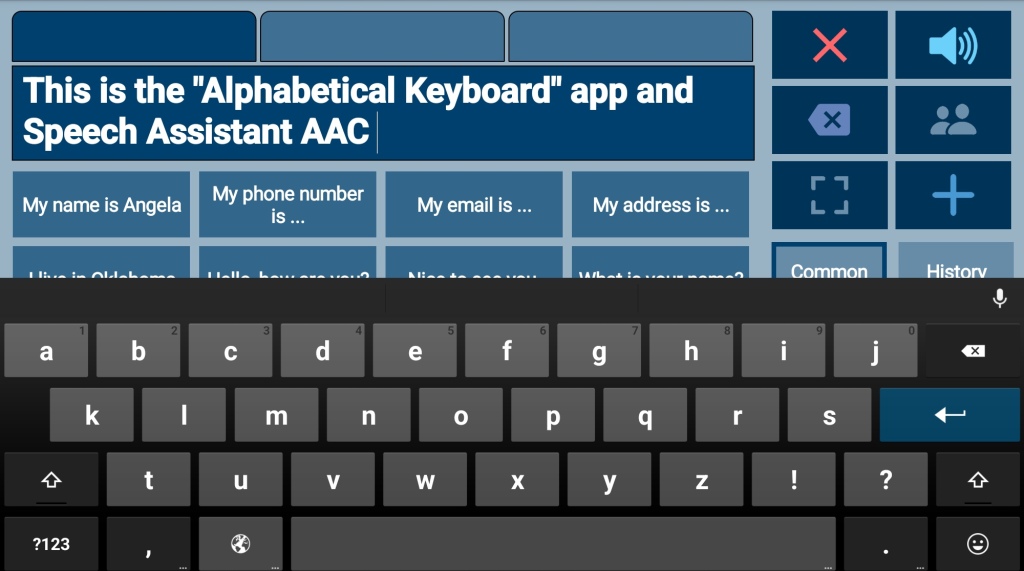
This video shows the combination of using the Android version of the Speech Assistant AAC app + the Android Alphabetical Keyboard app side loaded on my Amazon Fire HD 8 tablet:

Apps in the video:

* Speech Assistant AAC (Android): https://play.google.com/store/apps/details?id=nl.asoft.speechassistant

* Alphabetical Keyboard (Android): https://play.google.com/store/apps/details?id=com.github.inputmethod.alphabetical

* Academy Speaking Calculator: Amazon: https://a.co/d/bezEtTX & Android: https://play.google.com/store/apps/details?id=com.CooksonAcademy.mycalculator


This was possible after following instructions that I found online: How to Install the Google Play Store on an Amazon Fire Tablet: https://www.howtogeek.com/232726/how-to-install-the-google-play-store-on-your-amazon-fire-tablet/ (I like that he keeps that post updated. Pay close attention to the instructions for your exact model of tablet & follow the precise instructions)


Want more info about affordable and free AAC and AAC-Related apps across all of the major app platforms (iOS, Android, Amazon Fire & Windows)? Check out the Basic Feature Chart for Affordable and Free AAC apps & AAC-Related Apps: https://www.teacherspayteachers.com/Product/Basic-Feature-Chart-for-Affordable-and-Free-AAC-apps-AAC-Related-Apps-8327157


Have a question? The best way to reach me is via Facebook messaging over on my OMazing Kids page: https://www.facebook.com/OMazingKidsAAC/

Angela Moorad, MS, CCC-SLP, Founder of OMazing Kids, LLC, OMazing Kids AAC Consulting

• Teachers Pay Teachers Store: https://www.teacherspayteachers.com/Store/Omazing-Kids-Aac-Consulting

• YouTube: https://youtube.com/user/amoorad1

• Ko-Fi: https://ko-fi.com/omazingkidsaac

• OMazing Kids AAC Consulting Facebook Page: https://www.facebook.com/OMazingKidsAAC/

• AppPeeps Facebook Group: https://www.facebook.com/groups/OMazingKidsAppPeeps/

• GoTalk Now AAC & GoVisual Visual Scene Apps – Ideas and Sharing Facebook Group: https://bit.ly/GoTalkNowAACappGroup

• Instagram: https://www.instagram.com/omazingkidsaac

• Twitter: https://www.twitter.com/amoorad

• Pinterest: http://pinterest.com/OMazingKids/

• Linktree: https://linktr.ee/amoorad1

• LinkedIn: https://www.linkedin.com/in/angelamooradomazingkidsaac

• Blog: https://omazingkidsllc.com

AAC Feature Matching Resources (comparing features in AAC apps) + several videos comparing AAC apps across platforms (iPad, Android, Amazon Fire, Windows, Chromebook & Web-Based) – updated 5/17/25

Looking for info to compare AAC apps? Check out these feature matching resources:

• Basic Feature Chart for Affordable and Free AAC apps & AAC-Related Apps (iOS, Android Google Play, Amazon Fire, Windows + a few Web-Based options): https://bit.ly/BasicAffordableAACchart. More info: https://bit.ly/BasicAffordableAACblogpost

Robust Android AAC (Android Google Play & Amazon Fire): https://bit.ly/RobustAndroidAACappChart. More info: https://bit.ly/RobustAndroidAACblogpost

iOS Symbol-Based: https://bit.ly/SymbolBasedAACapps. More info: https://bit.ly/SymbolBasedAAC-blogpost

iOS Text-Based: https://bit.ly/TextBasedAACapps. More info: https://bit.ly/TextBasedAACblogpost

iOS & Android Visual Scenes & Video Visual Scenes: https://bit.ly/AACvsd. More info: https://bit.ly/VSDaacBlogPost

Pragmatic Vocabulary Organization AAC Apps (PODD & other options): https://bit.ly/PragmaticOrgVocabAAC-FeatureMatching-TPT. More info: http://bit.ly/3ycG1EL

Feature Matching Basics & Tips: AAC Apps for the Apple Watch: https://bit.ly/AppleWatchAAC. More info: https://bit.ly/AppleWatchAAC-blogpost

Letterboard / Alphabet Style Communication Apps: Comparison of Basic Features: https://bit.ly/LetterboardAlphabetAAC. More info: https://omazingkidsllc.com/2025/01/27/new-resource-letterboard-alphabet-style-communication-apps-comparison-of-basic-features/

.

🔎 While there isn’t a “perfect” AAC app or device there are features that might make one a better “fit” over another option.

🚘 Finding a good “fit” is similar to taking a test drive to find a form of transportation that you like and meets your needs at that point in your life or in that situation.

✅ The “best” AAC options are the ones that meet the needs of that individual in that situation. Be open to using a combination of options and supporting multimodal communication.

Here are a few of the important considerations when navigating through the AAC options…

💡 Want to learn more? Check out this recorded webinar and interactive handout, Navigating Through AAC App Options (Webinar + Interactive Handout): https://bit.ly/NavigatingThruAACapps

🔨 Want to DIY your own feature matching? Check out my AAC Test Drive: Device and App Comparison Worksheet: https://bit.ly/AACtestdriveWorksheet


The perfect companion to supplement these in-depth resources are the “AAC Apps and Features At-a-Glance (Single Page Handouts)”: https://bit.ly/AAC-At-a-Glance. More info: https://omazingkidsllc.com/2022/11/20/aac-apps-and-features-at-a-glance-single-page-handouts/


TPT Preview Videos & Reviews:

iOS Symbol-Based

.

Table of Contents: https://bit.ly/TOC-iOSaacSBfmc-06-12-24 (2 page PDF)

.

Thanks SO much to Lauren S. Enders for this shout out for my AAC Feature Matching Chart in her presentation on 6/24/21 at AAC in the Cloud! See the whole presentation and get her handouts for “Personalizing AAC – A Deep Dive into Vocabulary Customization”: https://presenters.aacconference.com/videos/UVRRd1FUSXg=?. Be sure to also check out her Waklet with links to resources: https://wke.lt/w/s/7ldtJE.


Thanks Vicki Clarke / Dynamic Therapy Associates Inc (aacchicks)! The shoutout for the AAC feature matching chart in your IG Stories on 7/20/21 made my day 🥰.

To compare AAC device hardware check out her fabulous resource: AAC Speech Generating Device Summaries (it is updated periodically): https://www.teacherspayteachers.com/Product/AAC-Speech-Generating-Device-Summaries-March-2025-UPDATE-6755250


See the awesome reviews for it on TPT. Thanks to everyone who has written a review and helped spread the word about this resource 😊


Pragmatic Vocabulary Organization AAC Apps (PODD & other options)

TPT Preview video:

Watch the Intro video. It provides info about the intent of this resource:


iOS Text-Based


iOS Visual Scenes & Video Visual Scenes:


Each chart includes info about features that are being explored as potentially being helpful for Gestalt Language Processors. The easiest way to find that info is to open each PDF in the free Xodo PDF reader and enter “gestalt” into the Search. See this blog post for more info about Xodo: https://bit.ly/XodoApp.


The symbol-based feature matching resource includes a supplemental handout “Unique Features in Symbol-Based AAC Apps to Support Gestalt Language Processors”. That handout includes info related to all 12 apps + additional info about features in 8 free and affordable symbol-based AAC apps (mainly iOS, some Android and a couple of Window) priced $2.99 or less. This supplemental handout is exclusive content that is only available as part of this resource.

See a preview of the new supplemental handout: Unique Features in Symbol-Based AAC Apps to Support Gestalt Language Processors


Want more info about Gestalt Language Processing & AAC? See this FREE handout: https://bit.ly/GLPandAAC


Looking for resources to compare features in a wide variety of AAC apps? I added a bundle on TPT includes all three of my iOS AAC feature matching resources at a discounted price compared to purchasing them individually (saves about 10%). If you are looking to purchase resources for several staff / team members, take a look at the Multiple Licenses discount (saves 20%): https://www.teacherspayteachers.com/Product/AAC-Feature-Matching-Resource-Bundle-7849416

Please read the full description, the reviews and watch the TPT preview on each individual resource prior to purchasing the bundle


I’ve also set the Multiple Licenses discount on the individual resources to 20% off since I’ve been receiving some inquiries about discounts for bulk purchasing.


Robust Android:


Affordable and Free AAC apps & AAC-Related Apps (iOS, Android Google Play, Amazon Fire, Windows + a few Web-Based options) – all priced $9.99 or less:


A series of four videos comparing AAC options across four platforms: Apple iOS, Android Google Play, Amazon Fire & Windows:


* Comparison of voice loudness and quality for AAC: iPad, Samsung Android, Amazon Fire & Windows (4:20):

* Considerations for AAC on Different Platforms: iPad, Android, Amazon Fire & Windows (6:17):

* A look at AAC options across platforms: Windows, Amazon Fire, Android Google Play, Apple (12:55):

* A comparison of the sound loudness and quantity on a Microsoft Surface Go 2 & an iPad 9th gen (2:33)


Affordable AAC: Amazon Fire vs. Android vs. iPad: https://bit.ly/AffordableAAC-AmazonFire-Android-iPad (the blog post includes all of the details about how I came up with the costs & other considerations)


How to Install the Google Play Store on an Amazon Fire Tablet: https://www.howtogeek.com/232726/how-to-install-the-google-play-store-on-your-amazon-fire-tablet/ (I like that he keeps that post updated. Pay close attention to the instructions for your exact model of tablet & follow the precise instructions)

Tips: If you are using an Android tablet & an Amazon Fire Tablet with the Google Play App Store side loaded, be sure to toggle on Family Sharing before making app purchases & make the purchases from the Google Play App Store on your Amazon Fire Tablet. Those have been recognized by Google Play on my Android tablet. The reverse was hit and miss (likely due to the side loading).


AAC Apps for Chromebook: https://bit.ly/AAC-Apps-4-Chromebook. Also in a blog post: https://bit.ly/AACapps4Chromebook-blogpost.

This resource is the perfect companion to the in-depth feature matching resources. AAC Apps and Features At-a-Glance (Single Page Handouts): https://bit.ly/AAC-At-a-Glance. This 90 page PDF resource was inspired by the numerous requests that I’ve received for simple “at a glance” info about features in AAC apps and single page handouts that could be used with parents, caregivers and anyone involved in the AAC decision making process. More info: https://omazingkidsllc.com/2022/11/20/aac-apps-and-features-at-a-glance-single-page-handouts/

Table of Contents: https://bit.ly/-TOC-AACAppsandFeaturesAt-a-Glance


Have questions? The best way to reach me with any questions is via messaging on the OMazing Kids Facebook page: https://www.facebook.com/OMazingKidsAAC/.


Angela Moorad, MS, CCC-SLP, Founder of OMazing Kids, LLC, OMazing Kids AAC Consulting