Angela Moorad, MS, CCC-SLP. Over 36 years experience in AAC. OMazing Kids AAC and app consulting. Creator of several AAC Feature Matching resources (https://omazingkidsllc.com/omazing-kids-aac-resource-links/). Includes info about unique features to support Gestalt Language Processors
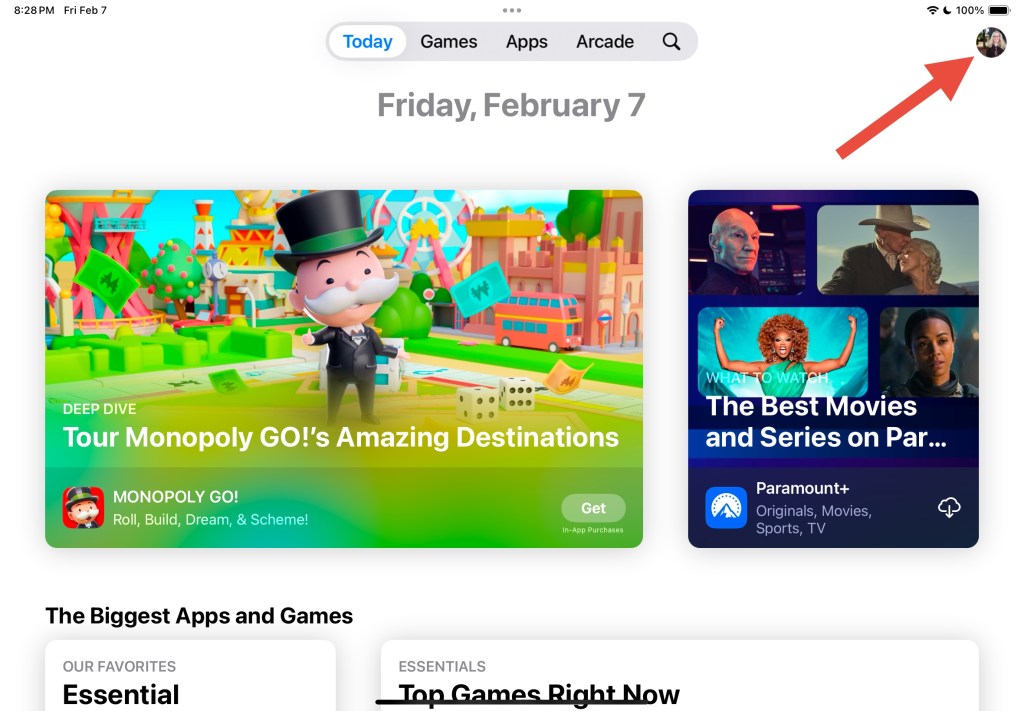
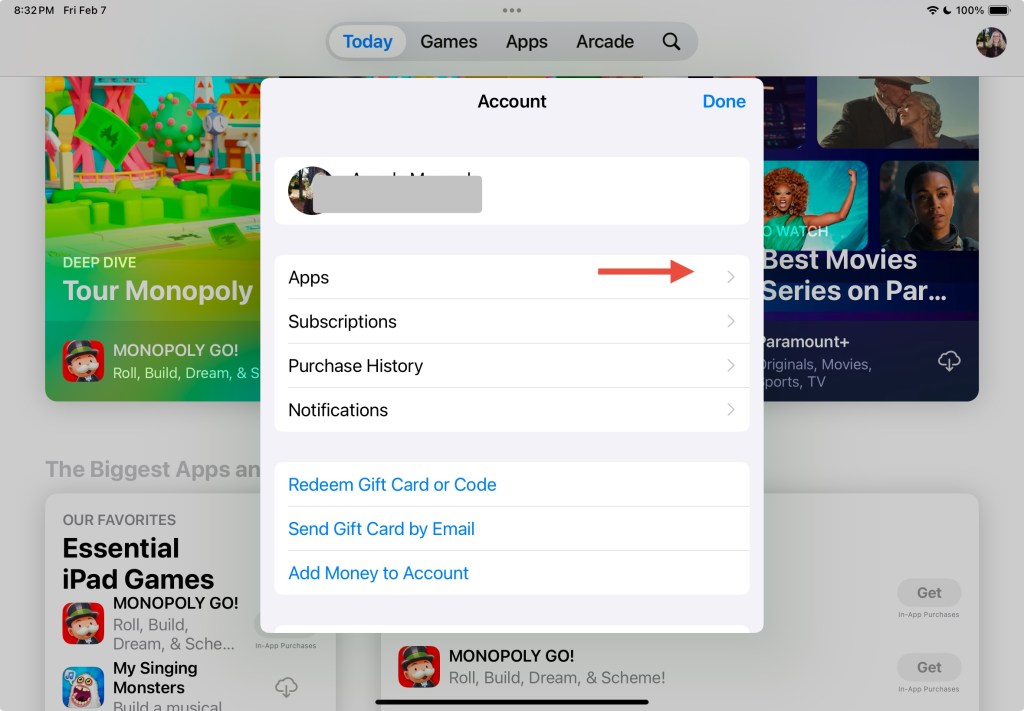
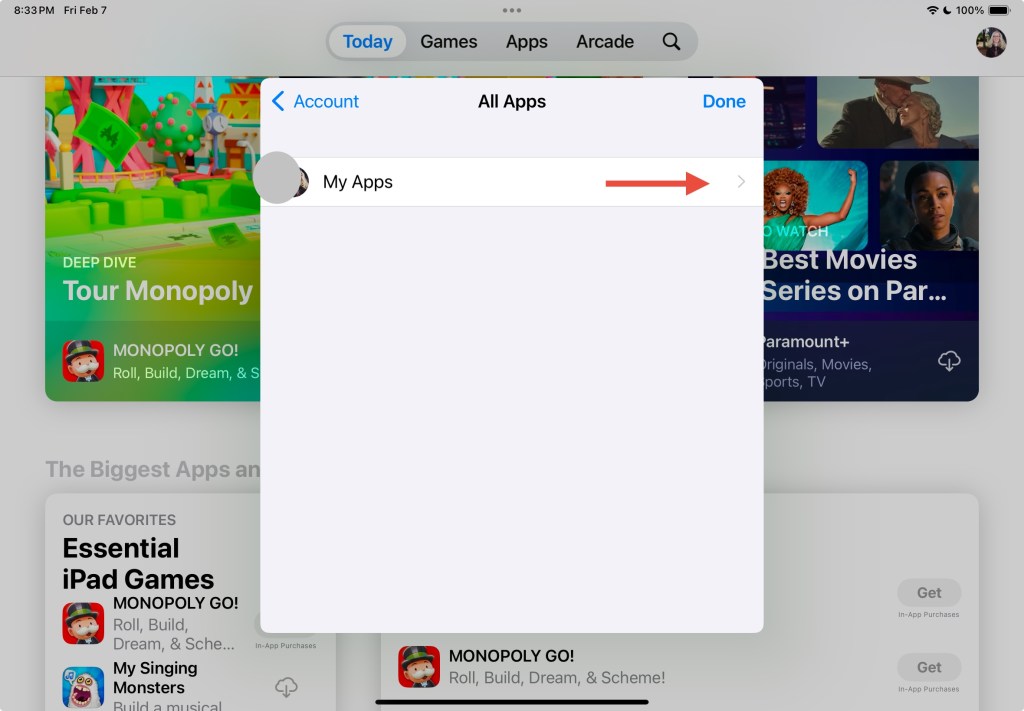
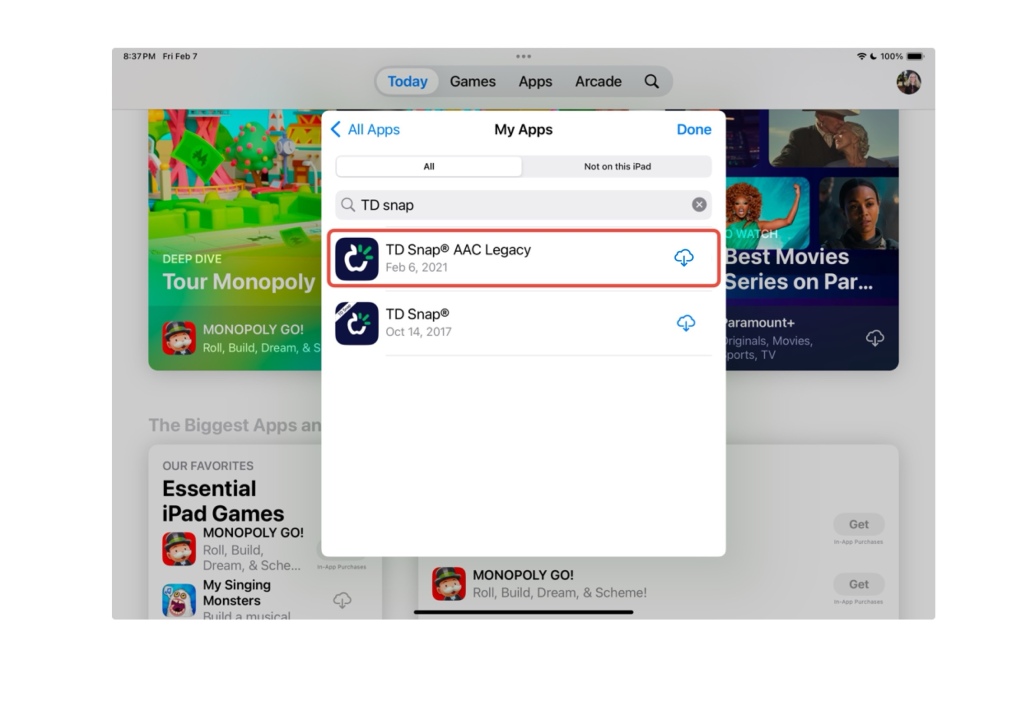
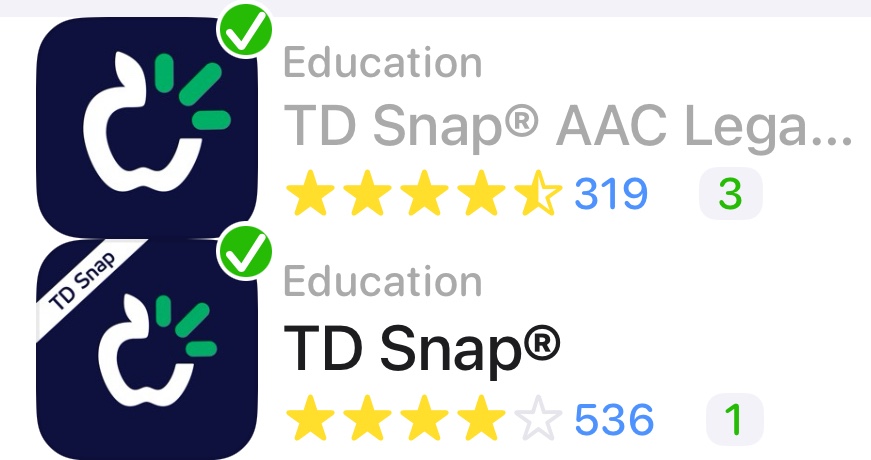
If you purchased the full paid version of TD Snap AAC prior to May 21, 2024 and need to reinstall it you need to look in your Apps – My Apps section in the App Store for “TD Snap AAC Legacy”. That area is in the top right corner of the App Store.
The red arrow is pointing to the top right corner where you tap to find the Apps – My Apps section. Yours will have a different picture. a closer look at the two different app icons. The one *without* the white banner in the top left corner is the Legacy version of the app
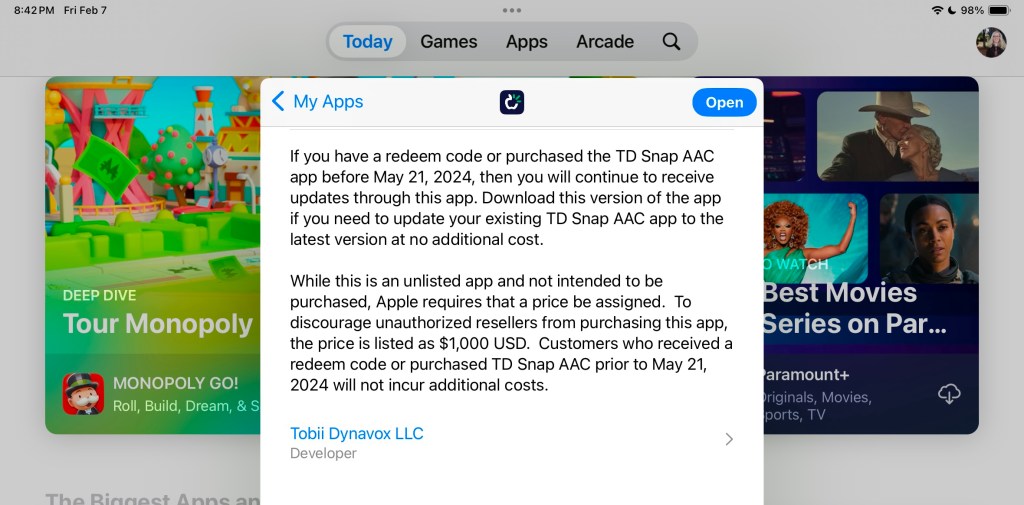
TD Snap AAC Legacy is “unlisted” in the App Store so it won’t show up in a search in the main part of the App Store.
Read the app description in the App Store for information about why it is listed this way and why a $1,000.00 price is shown.
(Note: If you are looking to purchase the app in a school district please see my post about TD Snap Enterprise for an alternative way to purchase it for a significantly lower 1x purchase price)
Important:
You must be logged into the same Apple ID / Apple Account originally used to purchase TD Snap AAC prior to May 21, 2024.
If you are seeing a price instead of a downward facing download arrow then log out of the App Store – do a Forced Restart on that iPad – when it starts back up log back into the App Store making sure that it’s with the same Apple ID / Apple Account used to originally purchase that app.
If you still see a price instead of the download arrow after doing a Forced Restart and you are sure that you are logged into the same Apple ID / Apple Account originally used to purchase the full paid version of this app, you should contact Tobii Dynavox Customer Support for assistance. (I don’t have any affiliation with the company so I can’t assist you with this)
If your iPad is on any type of MDM device management system then you will need to contact the company or school district managing it for assistance.
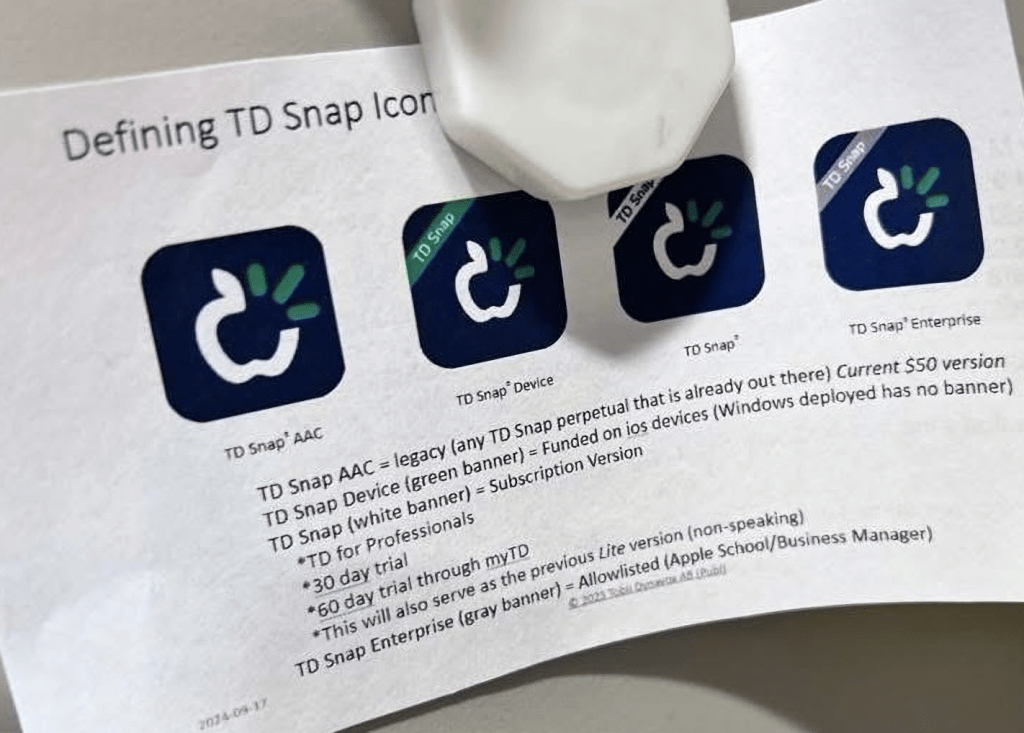
Update 1/24/26: I saw this helpful handout comparing the 4 versions of the app icons shared in a comment on a post in the TD Snap Core First English group on Facebook: https://www.facebook.com/share/p/1AMWnmNeaH/?
Note: This is NOT an endorsement of the company’s decision to abruptly no longer offer the general public a way to make a 1x app-only purchase of TD Snap as of 5/21/24. It was inequitable to do that.
Looking for in-depth AAC feature matching resources? See this blog post: https://bit.ly/5aacFeatureMatchingResources. That post also includes videos comparing AAC apps on various devices on various platforms.
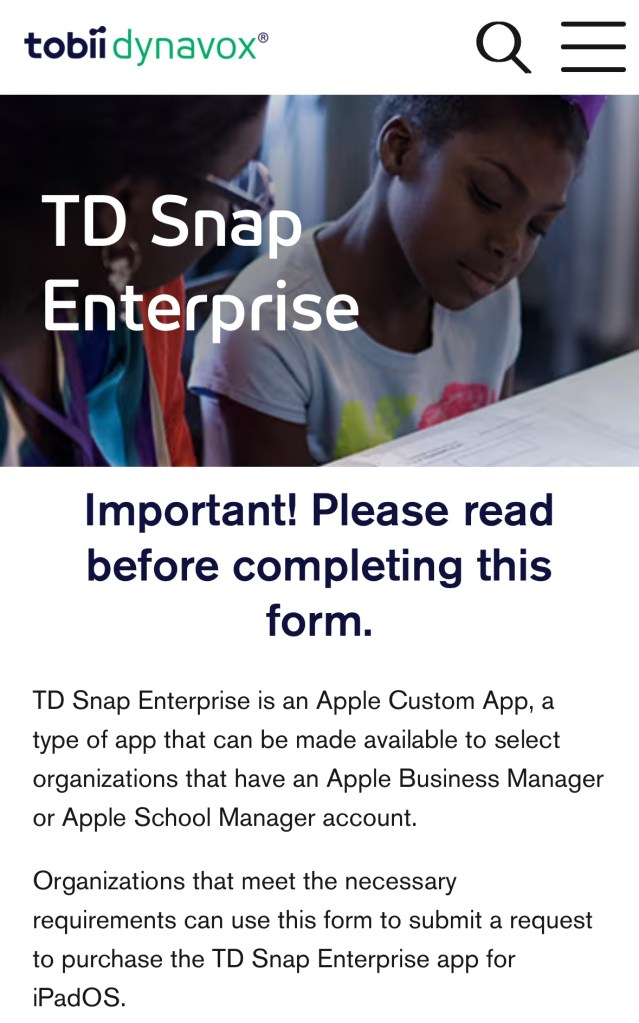
Organizations that have an Apple Business Manager or Apple School Manager account and meet the necessary Tobii Dynavox requirements may qualify for making 1x purchases of the alternative TD Snap Enterprise option (no subscription required).
The last time that I checked the price for TD Snap Enterprise is a 1x purchase of $149.99 (USA) and includes all of the pagesets + the PODD pagesets.
9/9/25 Based on a comment in the AAC for the SLP group on Facebook TD Snap Enterprise does not qualify for an additional discount via bulk purchasing.
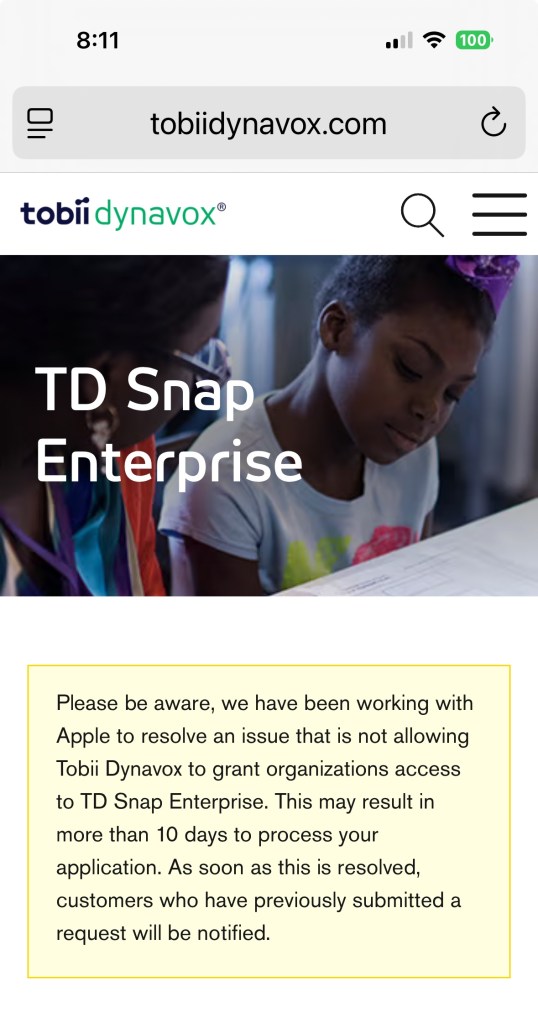
Update 10/17/25: According to an official comment in the Tobii Dynavox Community Facebook group this issue has finally been resolved and that notice pictured in my screenshot is no longer on the application website. “TD Snap Enterprise remains available for organizations that meet the necessary requirements and we are processing the application requests within 10 business days. Anyone applying for TD Snap Enterprise will receive direct updates from our dedicated team. If you would like an update on your application status, please feel free to contact the team at css@tobiidynavox.com.”
9/9/25 Note: There is currently an issue with this. I hope they get it resolved soon.
Screenshot 9/9/25
Update 10/6/25:
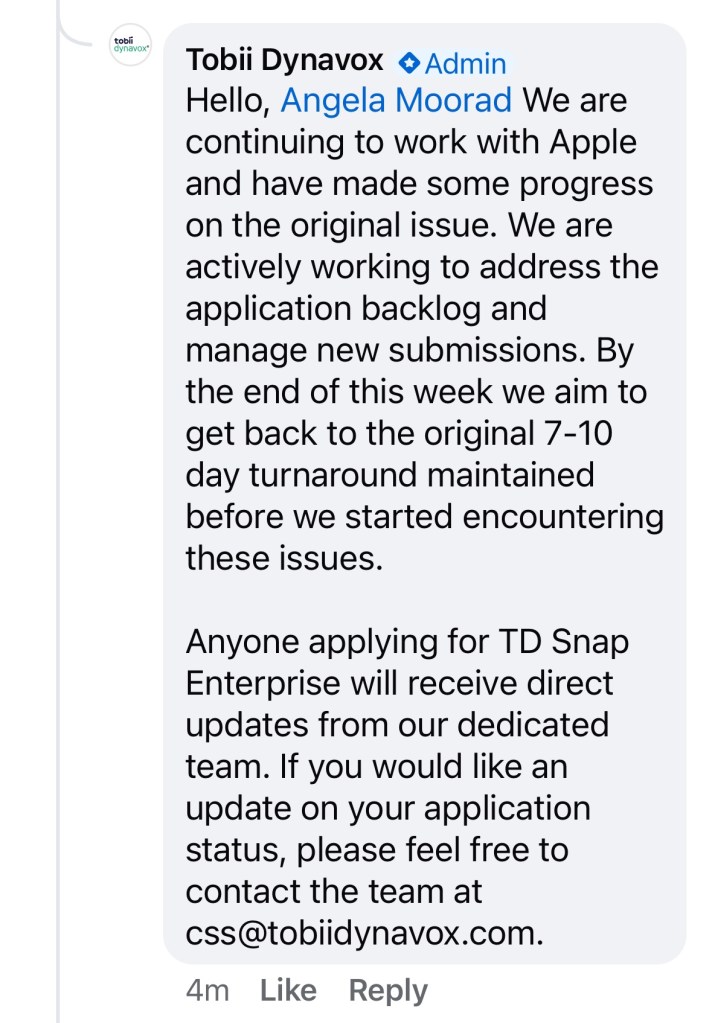
I asked over in the Tobii Dynavox® Community and received this official reply in a comment on this post:
“Hello, Angela Moorad We are continuing to work with Apple and have made some progress on the original issue. We are actively working to address the application backlog and manage new submissions. By the end of this week we aim to get back to the original 7-10 day turnaround maintained before we started encountering these issues.
Anyone applying for TD Snap Enterprise will receive direct updates from our dedicated team. If you would like an update on your application status, please feel free to contact the team at css@tobiidynavox.com.”
Update 1/24/26: I saw this helpful handout comparing the 4 versions of the app icons shared in a comment on a post in the TD Snap Core First English group on Facebook: https://www.facebook.com/share/p/1AMWnmNeaH/?
Note: This is NOT an endorsement of the company’s decision to abruptly no longer offer the general public a way to make a 1x app-only purchase of TD Snap as of 5/21/24. It was inequitable to do that.
Note: They still offer the Tobii Dynavox for Professionals program. SLPs/SLTs and other AAC professionals should continue to use that for full FREE access to the TD Snap app with voice output and access to all pagesets + access to the extra PODD and Gateway pagesets: https://www.mytobiidynavox.com/#/morestuff/professionals
Looking for in-depth AAC feature matching resources? See this blog post: https://bit.ly/5aacFeatureMatchingResources. That post also includes videos comparing AAC apps on various devices on various platforms.
Looking for in-depth AAC feature matching resources? See this blog post: https://bit.ly/5aacFeatureMatchingResources. That post also includes videos comparing the best AAC apps on various devices on various platforms.
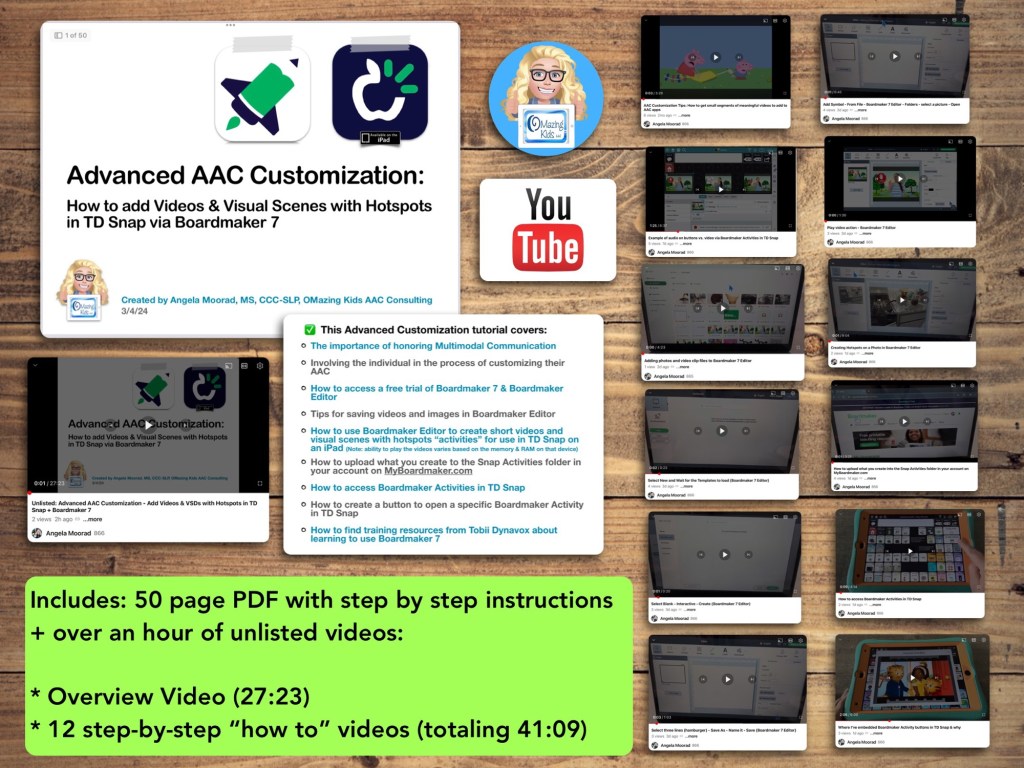
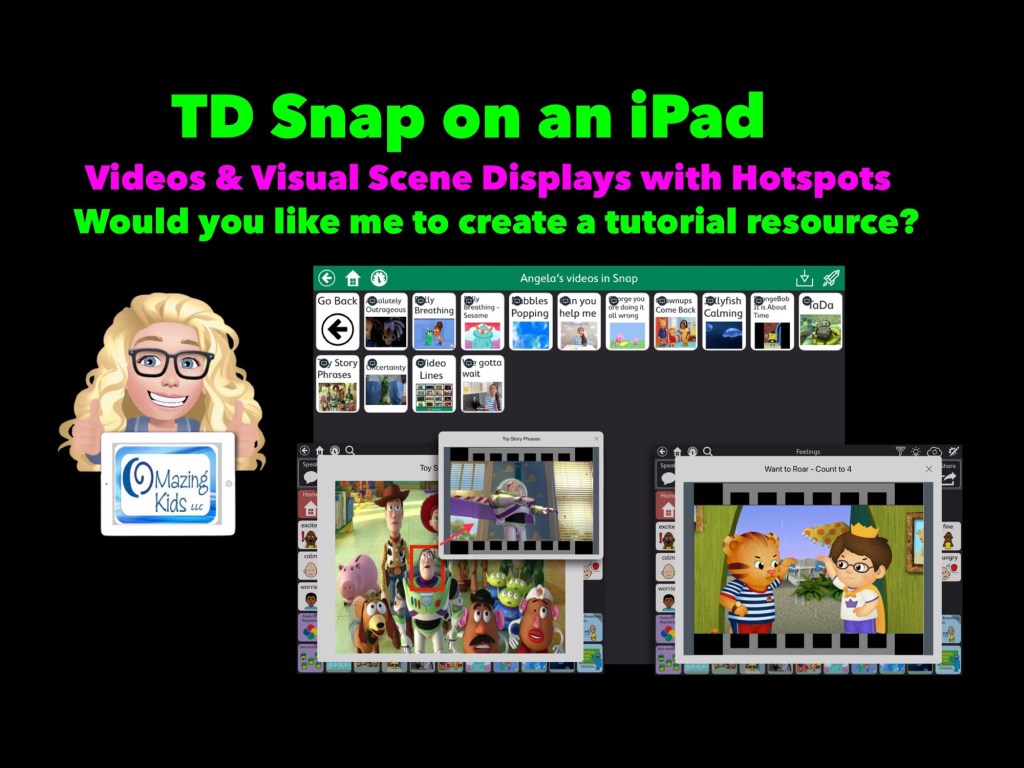
Are you looking for a way to add short videos that can be viewed offline and visual scenes with hotspots to TD Snap? Come learn how to use Boardmaker 7 to create these and then use them in the integrated Boardmaker Activities. Don’t have a Boardmaker 7 subscription? No worries… you’ll also learn how to sign up for a free trial to create what you want.
• The importance of honoring Multimodal Communication
• Involving the individual in the process of customizing their AAC
• How to access a free trial of Boardmaker 7 / Boardmaker 7 Editor
• Tips for saving videos and images in Boardmaker 7 Editor
• How to use Boardmaker 7 Editor to create short videos and visual scenes with hotspots “activities” for use in TD Snap on an iPad
• How to upload what you create to the Snap Activities folder in your account on myBoardmaker
• How to access Boardmaker Activities in TD Snap
• How to create a button to open a specific Boardmaker Activity in TD Snap
• How to find training resources from Tobii Dynavox about learning to use Boardmaker 7
Note: This resource was updated on 5/29/24 to reflect changes that Tobii Dynavox made to TD Snap. As of 5/21/24, they no longer offer the general public the option to do a 1x app-only purchase of this app. It switched to a subscription-based model. The 1.35.1 app update for TD Snap on 12/4/24 added an integrated YouTube player. This is a nice option for teens and adults who need the alternative access of their Speech Generating Device to play YouTube videos for leisure. Playing YouTube videos requires an internet connection and that player is not secured. This is very different from those who want to use short video clips for communication and/or self regulation and need a way to play them reliably offline in a secure way. For those purposes creating Boardmaker Activities will continue to be the best solution at this point in time
Notes:
Boardmaker 7 Editor can only be used to create these Boardmaker Activities on a Chromebook, Windows computer or tablet, or a Mac. Unfortunately there is NOT a way to use Boardmaker 7 Editor to create activities on an iPad (there’s no Boardmaker 7 Editor iOS app and it won’t work in a browser on an iPad). See this website for device compatibility: https://goboardmaker.com/pages/boardmaker-7-help?tab=1.
You must be connected to WiFi in order to initially load a Boardmaker Activity in TD Snap. Then you’ll have the option to toggle on Offline Use for each activity. Offline activities are downloaded per device. If the Page Set is synced or shared to a different device, the download process must be repeated on that device to make the activities available offline.
My demo shows these being added in the Motor Plan 66 pageset in TD Snap. You can add buttons to open a Boardmaker Activity in any of the pagesets within that app.
My demo videos are Boardmaker 7 Editor on my Pixelbook Chromebook and TD Snap on my iPad 9th gen. If you are using a Mac or Windows device what you see on your screen may be a bit different than mine.
The ability to play the videos may vary based on the available memory & RAM on that device.
This research article has helpful considerations for selecting media for use in Visual Scenes and Video Visual Scenes: “Visual Scene Displays for Children and Adults: Using Case Studies to Bridge Research and Clinical Practice”, https://pubs.asha.org/doi/10.1044/2022_PERSP-22-00162
Looking for in-depth AAC feature matching resources? See this blog post: https://bit.ly/5aacFeatureMatchingResources. That post also includes videos comparing AAC apps on various devices on various platforms.
Let me know if you would like me to create a tutorial resource showing the exact steps for creating these using Boardmaker Editor in Boardmaker 7 for use in the TD Snap AAC app by Tobii Dynavox on an iPad.
Here’s a new video with a look at short video clips and visual scenes with hotspots that I’ve added in TD Snap on my iPad via the Boardmaker Activities integration: https://youtu.be/j192ff2f00M?si=h0u45-2HLhAiqs4A
I’ll be leaving the comments open on my video for a few weeks so folks can comment there.
For those who want just a quick peek at two of the examples of a Visual Scene + Video & a video, check out this very short video:
Being able to create these Boardmaker Activities with video clips or visual scene displays with hotspots requires access to Boardmaker Editor in Boardmaker 7.
I wasn’t able to figure out a way to do this with my Boardmaker v6 CD. I’m on my personal iPad that’s not on any type of device management system. If you are using a managed/locked iPad or SGD this may not work.
This works reliably in TD Snap AAC on my iPad. It was unreliable in TD Snap AAC on my Windows tablet (a Microsoft Surface Go 2). My best guess is it *might* work on a more expensive Microsoft Surface Pro with at least 8GB of RAM and larger storage. I have no way to know if this will work in TD Snap on one of the SGDs from Tobii Dynavox (it might require unlocking the device?)
Looking for in-depth AAC feature matching resources? See this blog post: https://bit.ly/5aacFeatureMatchingResources. That post also includes videos comparing AAC apps on various devices on various platforms.
Basic Feature Chart for Affordable and Free AAC apps & AAC-Related Apps (iOS, Android Google Play, Amazon Fire, Windows + a few Web-Based options): https://bit.ly/BasicAffordableAACchart
The perfect companion to supplement these in-depth resources are the “AAC Apps and Features At-a-Glance (Single Page Handouts)”: https://bit.ly/AAC-At-a-Glance
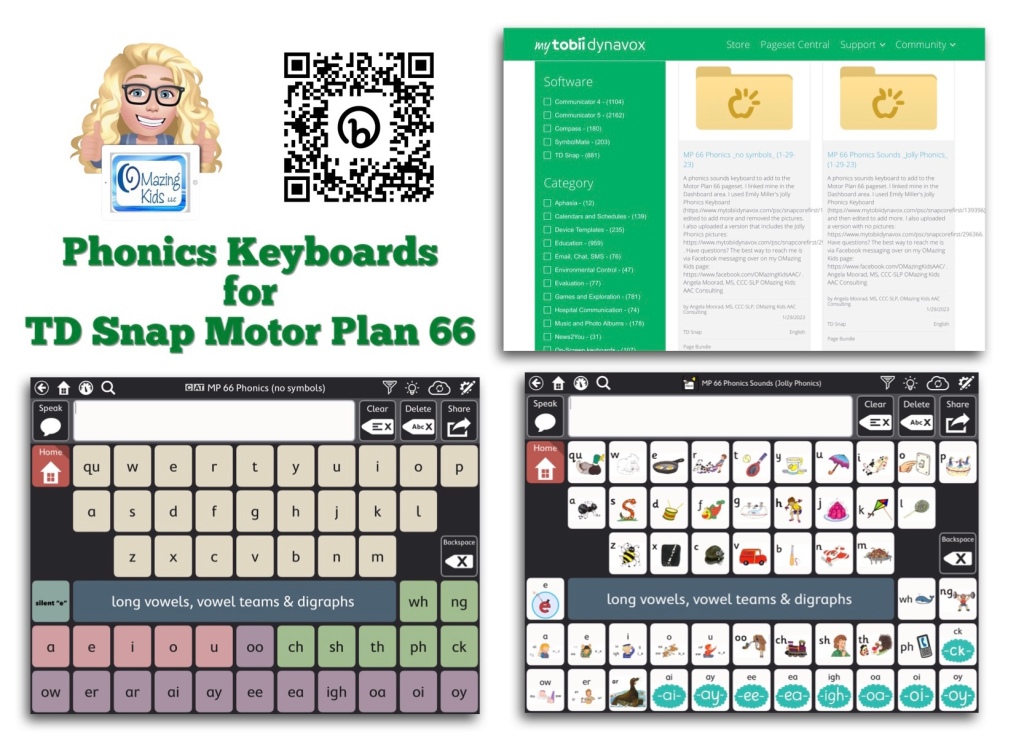
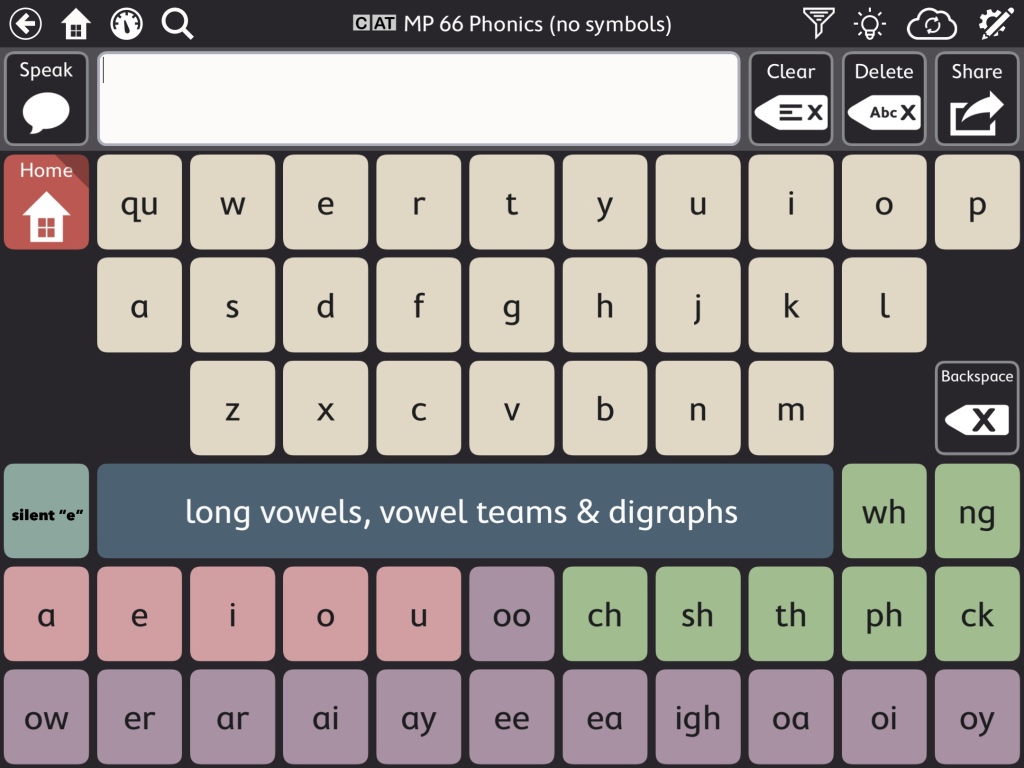
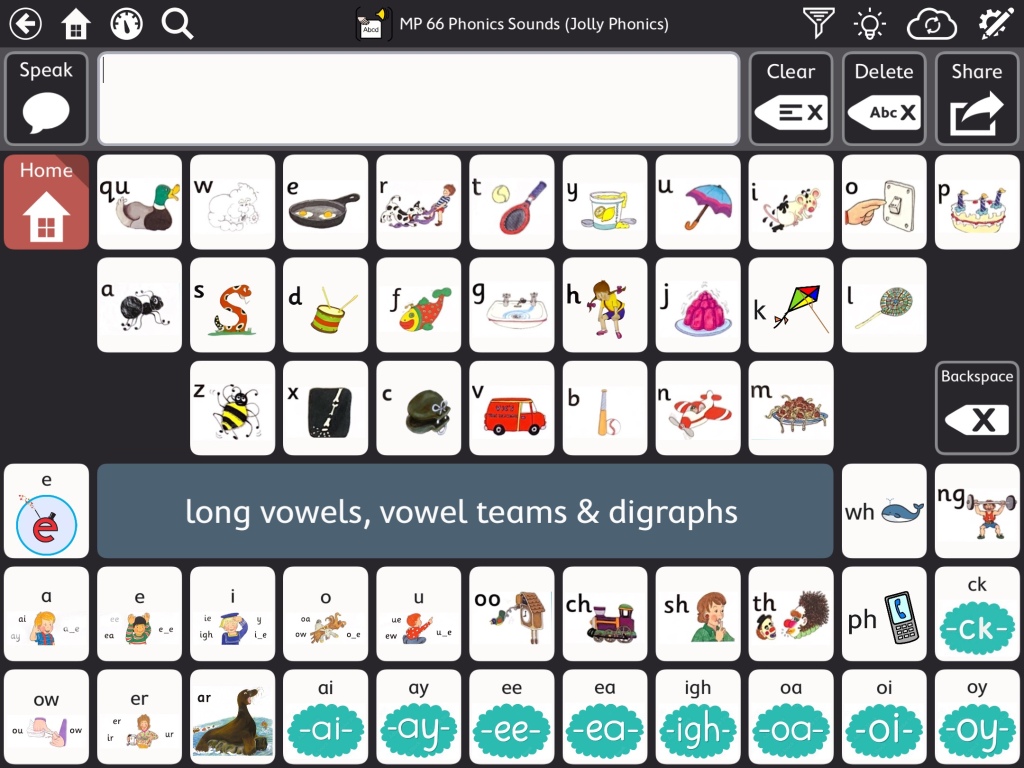
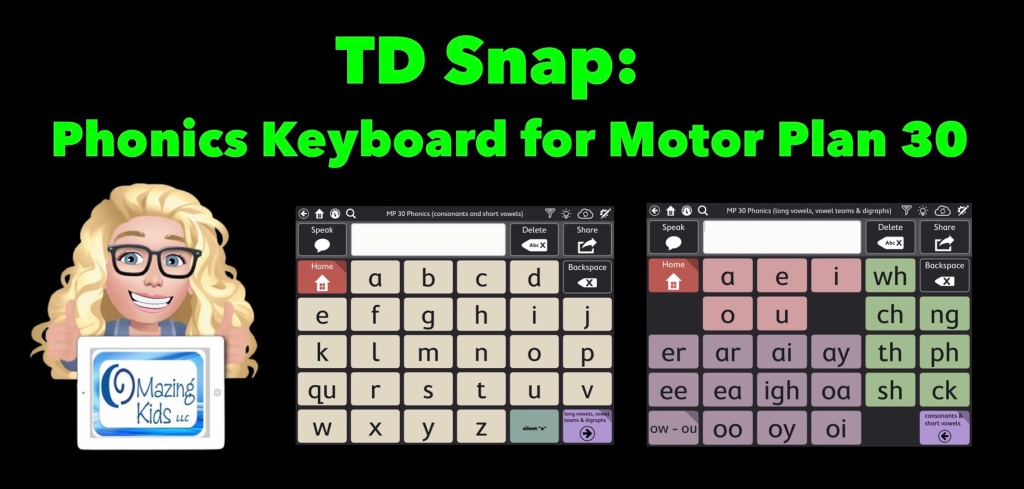
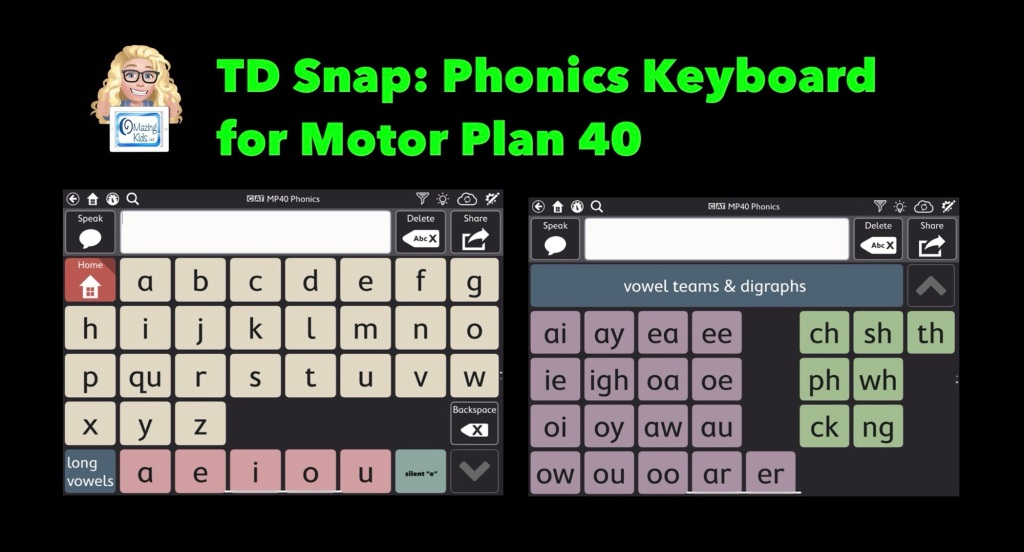
This video shows two phonics sounds keyboards that I added to my Motor Plan 66 pageset in the TD Snap AAC app:
As you’ll see in my video, the Motor Plan 66 pageset already includes a regular QWERTY style keyboard where you can hear letter names as you type. Toggle that on under Edit – User – Preferences – Speak Characters. If you don’t want letters spoken as you type that’s where you can toggle that off.
Note: I am well aware that some folks have a very rigid “anti-phonics keyboard” stance. If this is you then don’t add this to your pageset and scroll on by. I am well aware that there are lots of other strategies needed to teach literacy skills to individuals with complex communication needs. If you need more info about that I suggest reading “Comprehensive Literacy for All” and joining the “Comprehensive Literacy for All BookStudy” group on Facebook: https://www.facebook.com/groups/cl4all. I am sharing these Phonics keyboards as a tool since I personally had LOTS of students/patients/clients who had a high interest in letters, letter names, letter sounds, playing with rhyming, etc. Many of them were likely hyperlexic. I also had several who were Autistic and had a passion for anything letter related. Some were likely Gestalt Language Processors and seemed to really enjoy the playing with letter sounds related to their gestalts/scripts. Having this type of keyboard in an app resonated with them and sparked interest in using their AAC system. Providing this type of option also gave school staff something that helped them include these students in phonics activities and sparked them becoming more comfortable using an AAC app. A win-win in my book. So now that the “why” is made clear onto the “how”…
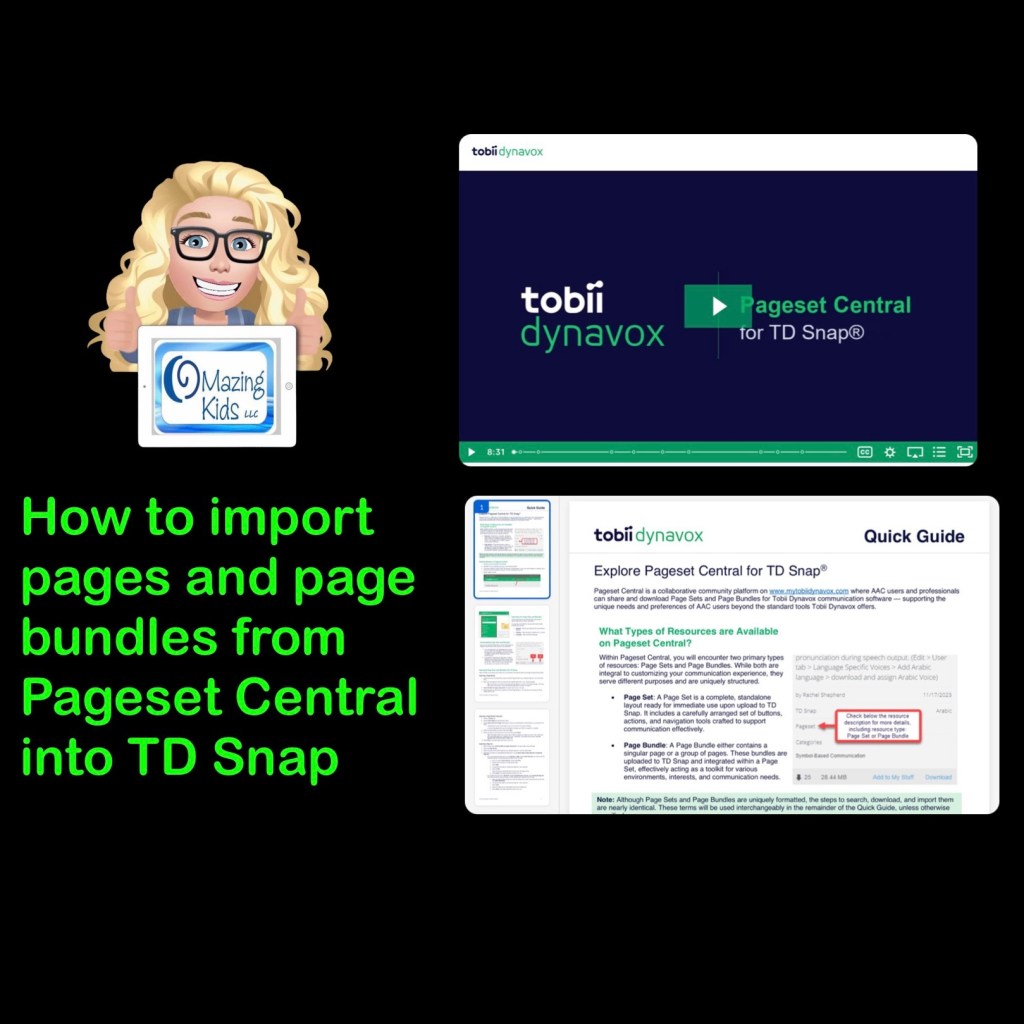
I’m on my iPad in the video but also have this synced with this app on my Windows tablet. I show how to find these on Pageset Central, where I linked mine in the TD Snap Motor Plan 66 Dashboard area, how to import a page to link it to a button, etc… I used Emily Miller’s Jolly Phonics Keyboard (https://www.mytobiidynavox.com/psc/snapcorefirst/139396) as a starting point, edited to add more and did additional voice recordings.
I uploaded a text only version & a version that includes the Jolly Phonics pictures (but could easily be edited to use pictures associated with whatever phonics program your school uses).
These are both FREE via Pageset Central on MyTobiiDynavox:
* Important * These are Page Bundles. You IMPORT them (not download) ***
text only version (can easily edit to change the button colors, font color, font size & style of font)
version with Jolly Phonics pictures (can easily edit to change the pictures) 12/5/25 This version is no longer available
• Version with Jolly Phonics pictures:https://www.mytobiidynavox.com/psc/TDSnap/771138 (note: I show in the video how you can delete those pictures and add you own pics to correspond with whatever phonics program is being used. Some kids liked having phonics pictures. Some didn’t. Choose the option that resonates with them) *** Update 12/5/25: I removed my Jolly Phonics version due to an issue on Pageset Centralwhere it had replicated and was on there numerous times and I had received messages about a problem in it. You should still find other Jolly Phonics keyboards out on Pageset Central ***
Two helpful resources from Tobii Dynavox about how to import page bundles and pagesets that have been shared on Pageset Central into the TD Snap AAC app:
How to find and add the Motor Plan Pagesets in TD Snap. These are a new option in addition to the other pagesets (not replacing anything). These are included with TD Snap (no additional cost). Make sure you have updated TD Snap to version 1.25. These are currently available for USA English & UK English. They indicated that they are working on prioritizing development for other languages and a Spanish/English bilingual version but no specific details are known yet on the timeframes.
Tobii Dynavox has been offering free live webinars specifically about this new pageset option. See their website for more info: https://us.tobiidynavox.com/blogs/live-training. During the one that I attended on Friday (1/27/23) they mentioned that the recording of it would be uploaded to their Learning Hub. I’ll add the link here when it’s available: <link to be added>
My TD Snap related resources:
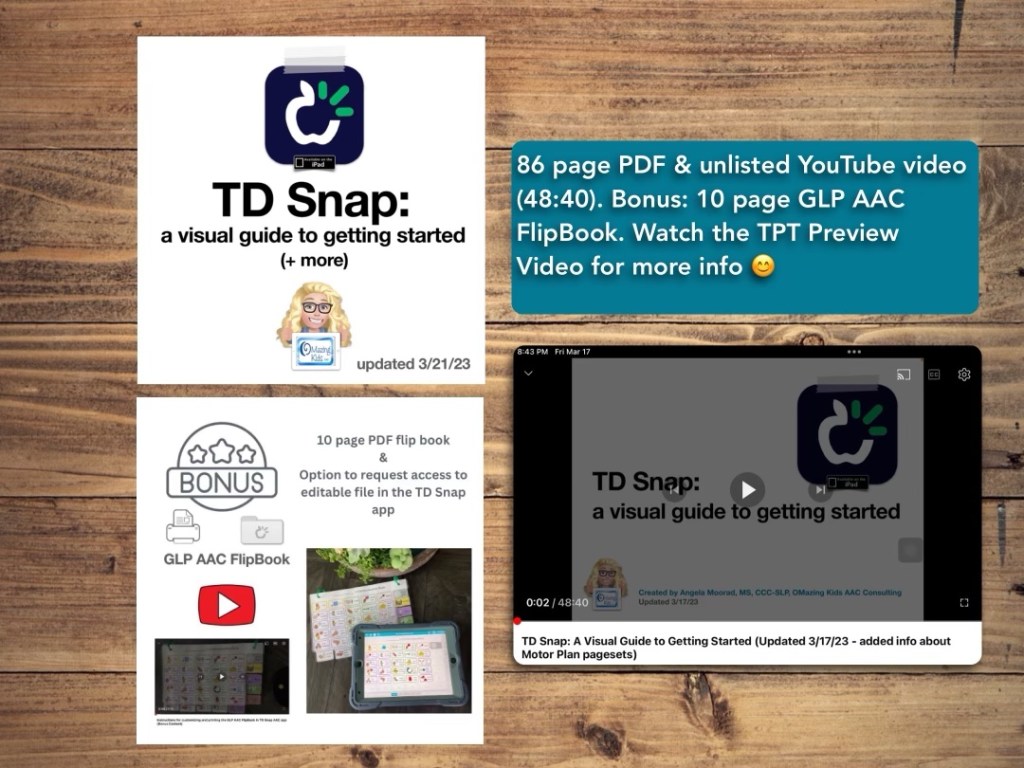
TD Snap: a visual guide to getting started: https://bit.ly/3qRuXdQ (I’ll be updating this soon to add info about the new Motor Plan pageset options)
Feature Matching Chart for Visual Scene and Video Visual Scene Display AAC Apps:https://bit.ly/AACvsd. More info: https://bit.ly/VSDaacBlogPost. This resource is also very comprehensive & updated as needed.
How to Get Access to the Top 12 iOS Symbol-Based AAC Apps (this FREE handout is for SLPs, SLTs, AT specialists & other AAC professionals): https://bit.ly/SLPsSLTsAccessToAACapps
Super excited to be beta testing the new Motor Plan pagesets (Motor Plan 30 & Motor Plan 66) for TD Snap. The two main designers behind it at Tobii Dynavox contacted me and asked if I’d like to see it. So I got my first peek at it during a video conference call over Teams on Thursday (10/20/22) and then received the beta files on Friday (10/21/22). I promised not to share those files but they were fine with me posting on social media about it.
So here are my first videos. I’m sure I’ll be sharing more as I continue to explore it. Very impressed with what I’m seeing.
These new pagesets will be coming to the UK in November 2022 and then coming to the USA in January / February 2023).
Videos (watch this area, I’ll be adding more videos as I explore features. Note: What you see in these videos may not match the final version of these pagesets. I’m sure they will continue to tweak things. That’s what “beta testing” is for 😊):
Motor Plan 30 & Motor Plan 66 pagesets
Setting up a new user for the Motor Plan 30 or Motor Plan 66 pageset. These new pagesets will be an addition to (not replacing) those already available. TD Snap is like a “library” and the pagesets are like “books” available within it.
AAC Feature Matching Resource Bundle (includes all three, save 10%): https://bit.ly/aacFeatureMatchingBundle. If you are looking to purchase resources for several staff / team members, take a look at the Multiple Licenses discount (saves 20%)
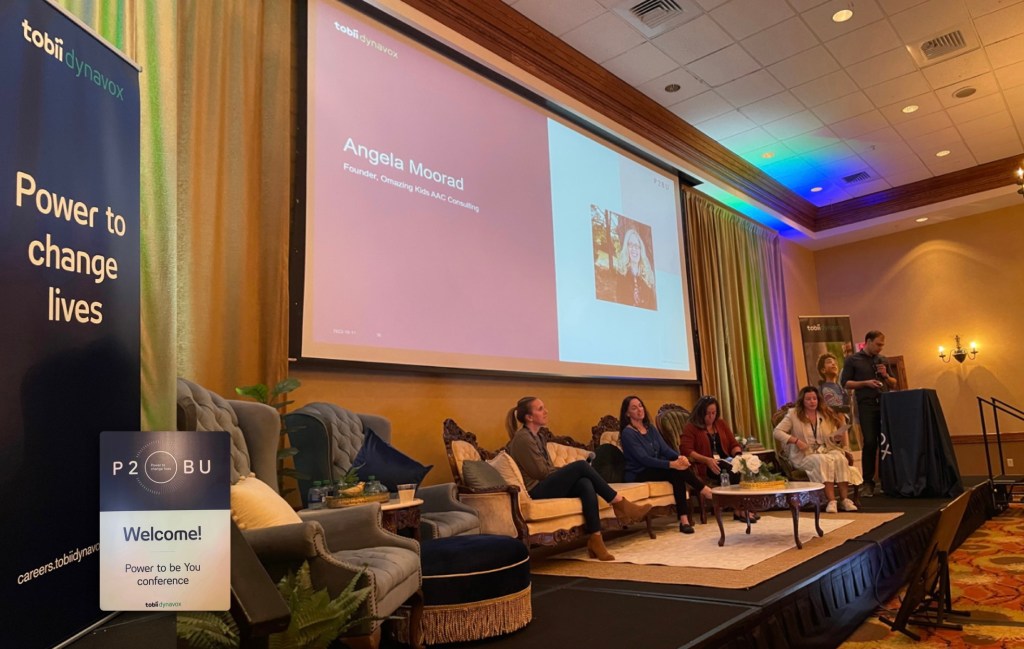
It was an honor to be invited to participate on a “Recommender Panel” at the Tobii Dynavox Power to be You (P2BU) conference today (10/11/22). Thankful for the power of technology via Zoom to be able to do that remotely. It was cool to hear the other panelists perspectives and experiences in doing AAC evals and supporting AAC implementation in various settings. Although we each had varied experiences we had similar feedback for what we’d like to see in the future.
Common themes in recommendations included making AAC accessible on iPhones and pocket-sized devices, expanding to additional platforms, supporting use in more languages, offering more premade bilingual pagesets, offering premade pagesets with high contrast symbols, making it easier to find resources on their website, streamlining the funding process and communication regarding the status, enhancing access to customer support via instant messaging, FaceTime, etc., more transparency regarding the status of support for their older AAC apps and other products, and more support via their Tobii Dynavox Community Facebook group, etc…
It’s amazing how much AAC has changed over the past 33 years. Can’t wait to see what the future holds 😊
This resource has a 78 page PDF, access to a 35 minute unlisted YouTube video.
There is one topic per page with visuals.
This guide walks you through the initial set up and customization process for the TD Snap AAC app with a focus on the Core First pageset being used via direct access touch with a finger by kids, teens or young adults on an iPad. It has all kinds of information to get you going, ideas to foster ownership, the different versions of the app and types of pagesets, information about choosing a grid size, how to set it up, how to edit, ideas for customization, time stamped links to specific sections within helpful webinars, finding user groups, manuals and other resources, info about how SLPs can get free access and more… See the description on TPT for more info.
TPT Preview Video:
Updated 3/21/23: It’s now a 86 page PDF & 48 minute video. Includes info about the new Motor Plan pagesets & bonus content (a 10 page AAC flipbook designed for Gestalt Language Processors in Stage 1 – Stage 2 of the Natural Language Acquisition (NLA) process.









 OMazing Kids AAC Consulting