Angela Moorad, MS, CCC-SLP. Over 36 years experience in AAC. OMazing Kids AAC and app consulting. Creator of several AAC Feature Matching resources (https://omazingkidsllc.com/omazing-kids-aac-resource-links/). Includes info about unique features to support Gestalt Language Processors
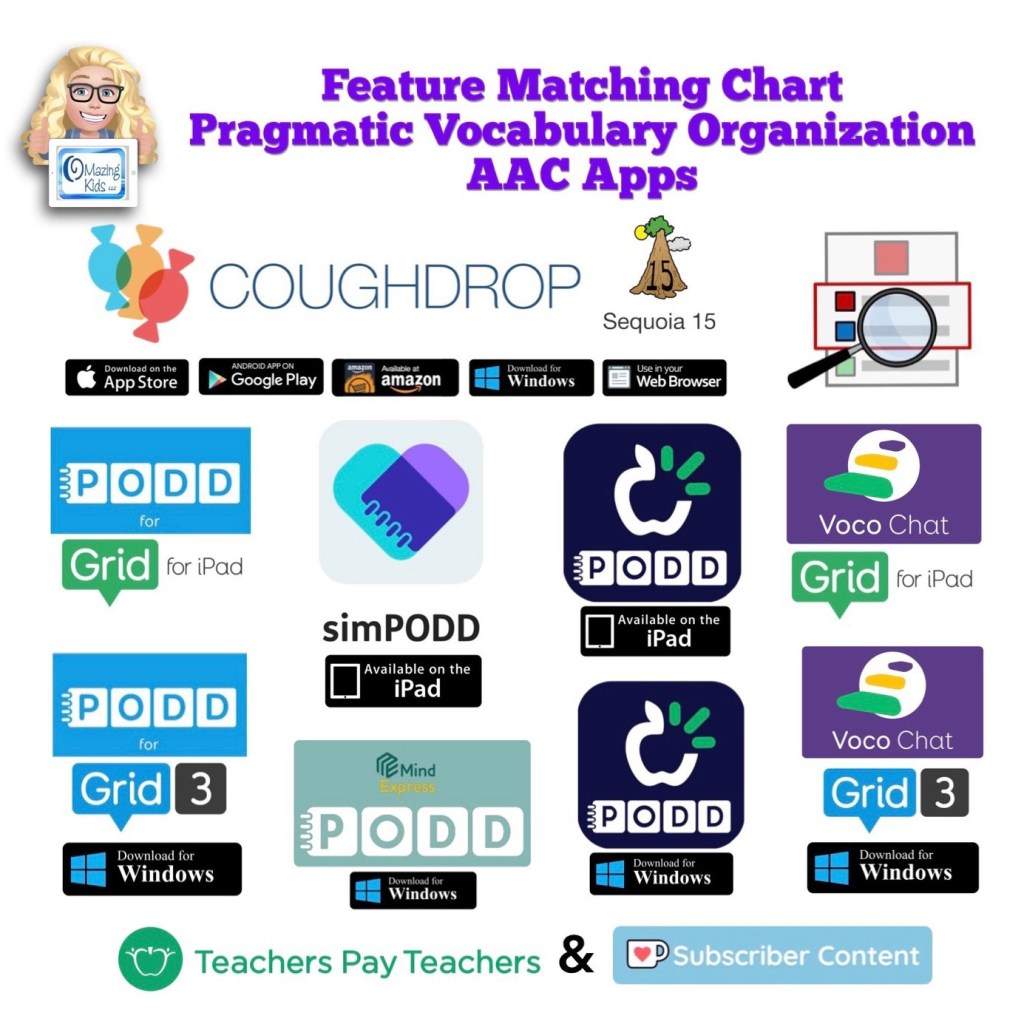
New resource: Feature Matching Chart for Pragmatic Vocabulary Organization AAC Apps
Watch the TPT preview video where I’m viewing the PDF on my iPad in the free Xodo app. You’ll get a feel for how much info will be at your fingertips in this chart.
Watch the Intro video. It provides info about the intent of this resource:
This feature matching resource includes information about the following options:
• CoughDrop – Sequoia board set – multi platform
• PODD for Grid for iPad
• simPODD – iPad
• TD Snap PODD – iPad
• Voco Chat in Grid for iPad
• PODD for Grid 3 – Windows
• PODD for Mind Express 5 – Windows
• TD Snap PODD – Windows
• Voco Chat in Grid 3 – Windows
There are 122 rows in the chart. But it’s super easy to use the “search” option to find what you want quickly.
This resource includes free access to over 3 hours of unlisted YouTube videos where I highlight some of the most unique features in each option and discuss the flexibility in customization, options for alternative access, etc…
Why this might be helpful to you is I have done all the heavy lifting of digging through websites and deep into app settings, testing everything out extensively and then distilling all that info into one PDF with all of the features that you’d need to compare all of these options.
This is a VERY deep dive beyond just vocabulary organization… it’s also an in depth look at the flexibility or limitations of the app platforms, customization and alternative access options plus includes detailed info about three different Bluetooth switch interfaces (Blue2, iSwitch & Cosmo).
You can search to find exactly what you’re looking for and can copy wording from this chart and paste it into your AAC reports to save time.
** All info is comprehensive, 100% up to date and verified by app developers **
I will be maintaining and updating this chart to help meet the need for current and comprehensive info to be used in feature matching.
Includes info about features in these particular apps that may be helpful as folks are exploring ways to modify AAC for Gestalt Language Processors.
Looking for in-depth AAC feature matching resources? See this blog post: https://bit.ly/5aacFeatureMatchingResources. That post also includes videos comparing AAC apps on various devices on various platforms.
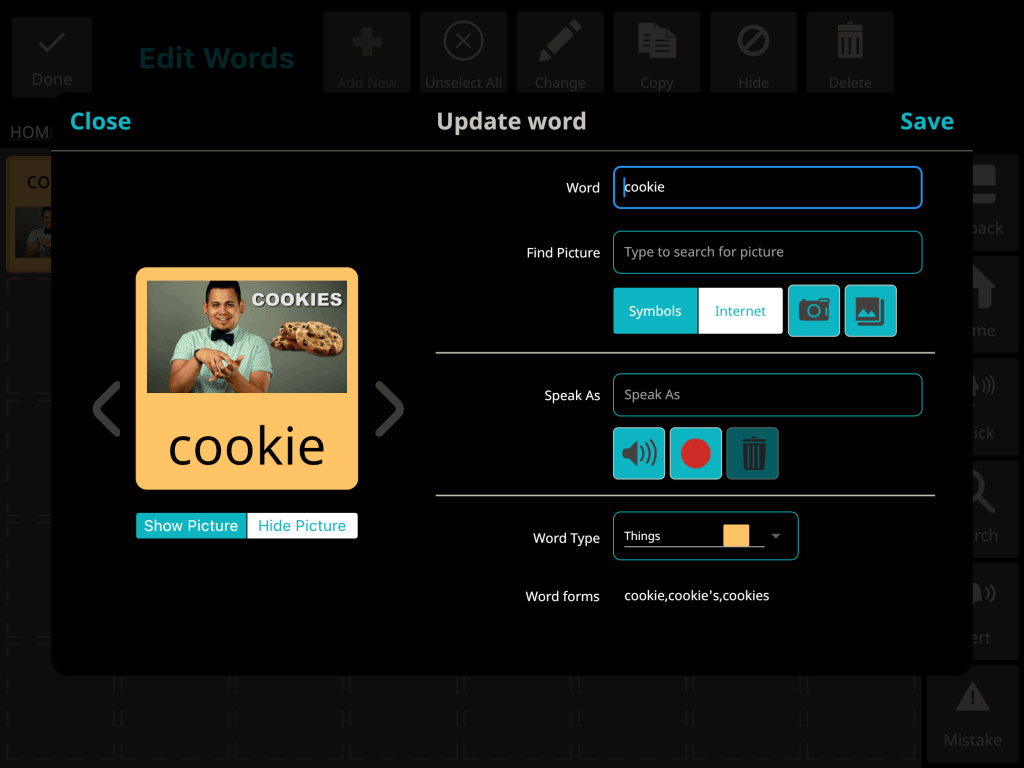
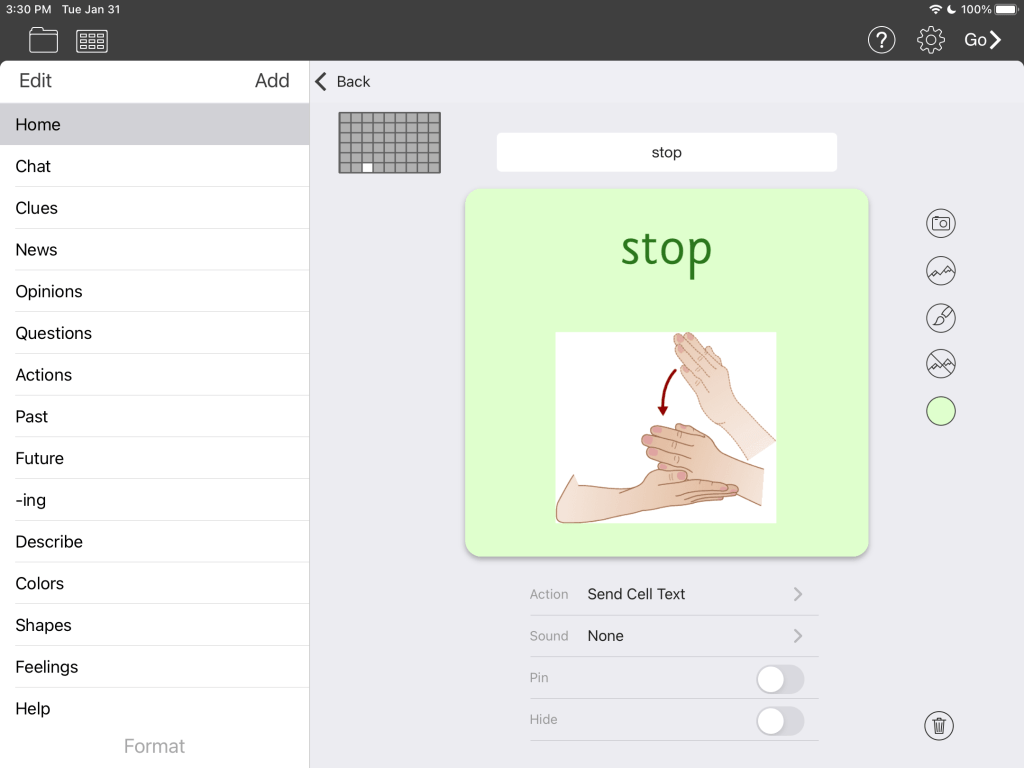
Did you know that several AAC apps have a way to add sign language symbols and some have a way to play an ASL video or GIF? It’s cool to have these options to meet very unique needs.
As with anything that I share… there is no “one size fits all” to AAC. Some individuals may prefer just to sign and might use text messaging or hand writing when communicating with those who don’t know sign language. For those who want to use AAC, some users may prefer the regular symbols in that AAC system, some may prefer text-based AAC, some may prefer that ASL letter symbols be added to a keyboard, some may prefer GIFs or videos of signs, some may prefer static pics of signs, some may prefer a combination of options, etc…
So it is very important to include that individual in deciding what may be helpful for them.
This post is purely just to share info about options. I’m in the unique position of having access not just to almost every AAC app but also various extra symbol sets within them. I feel compelled to share info about what I’m able to find in these apps since that often isn’t fully documented in the description in the App Store or on the various companies’ websites.
Note: Most apps allow you to import pics from your Camera Roll. I often take a screenshot of a symbol that I may need and use it in another app. Most AAC apps also offer a way for folks to share things that they have customized directly with another person via AirDrop, email, DropBox, Google Drive, etc…
My focus in this post is on AAC apps that offer sign language symbols as part of their built in (or an add on) symbol library or offer a way to play ASL videos or GIFs and/or offer a way to download premade boards from a website or public online sharing area. This post is primarily about iOS apps but a few are available on other platforms (Android and/or Windows)
AAC apps are constantly changing as new features are added. The info was accurate at the time of this post. I may occasionally update it in the future.
Avaz AAC
I did not notice any sign language symbols when editing in the iOS or Android versions of this app. This seemed odd since I know that other apps that use SymbolStix have some. But the way that you have to tap to see individual symbols vs. being able to scroll through a large list made it more time consuming to look. So it’s possible that I just didn’t find them. The keyboard buttons are not editable and this app doesn’t offer a way to link a button to play an ASL video saved on that device.
2/10/23 – Avaz now offers a way to add a GIF that’s saved on that device
Update 2/10/23: Avaz now has a way to add a GIF to a button. See their video above ⬆️ . I almost always edit Avaz on my iPad vs. iPhone. I couldn’t find a way to save a GIF to my Camera Roll while on the GIPHY website via the Safari browser but was able to save when using the GIPHY app on my iPad. See my video below ⬇️
Update 5/2/25: Avaz AAC currently does the best job handling GIFs since you can control how many times they loop. Avaz can be used on a smartphone or tablet/iPad and is available for iOS or Android. It has a 14 day free trial.
Clicker Communicator
SymbolStix sign language symbols in the SymbolStix version of Clicker CommunicatorPCS Sign Language symbols in the PCS version of Clicker Communicator
Sign language symbols are available when editing but neither seemed to be as complete of a library as I had seen in other apps that use these symbol sets. I did not find anything in their Learning Grids sharing area related to ASL or sign language. The keyboard buttons are not editable and this app doesn’t offer a way to link a button to play an ASL video saved on that device.
CoughDrop AAC
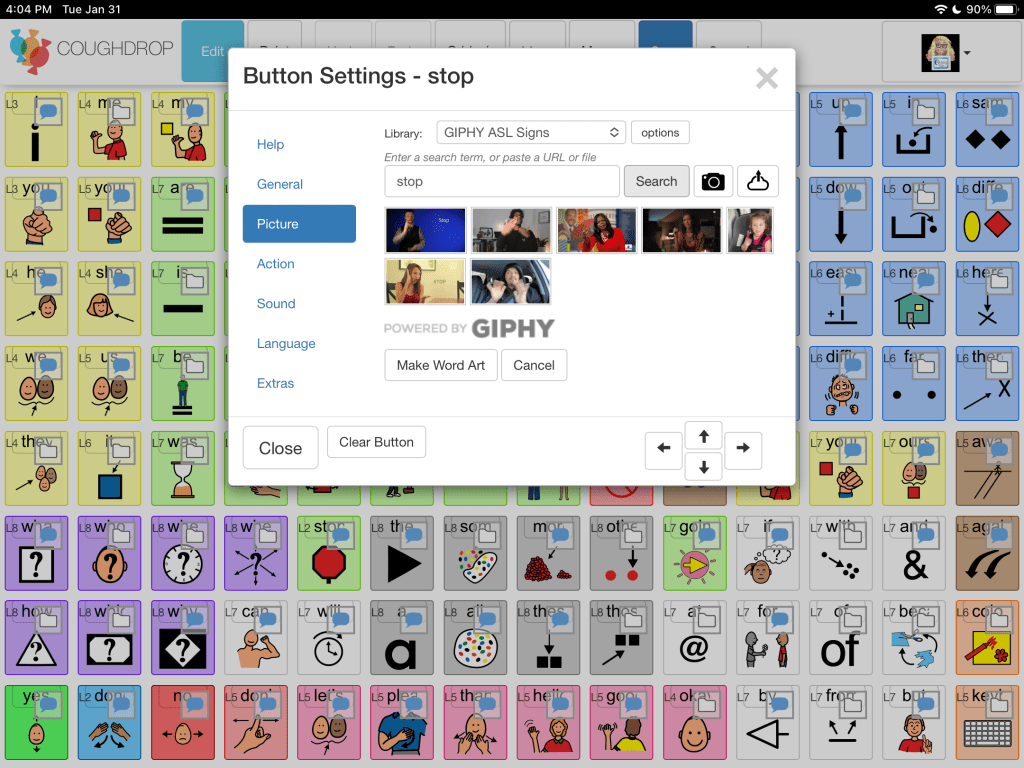
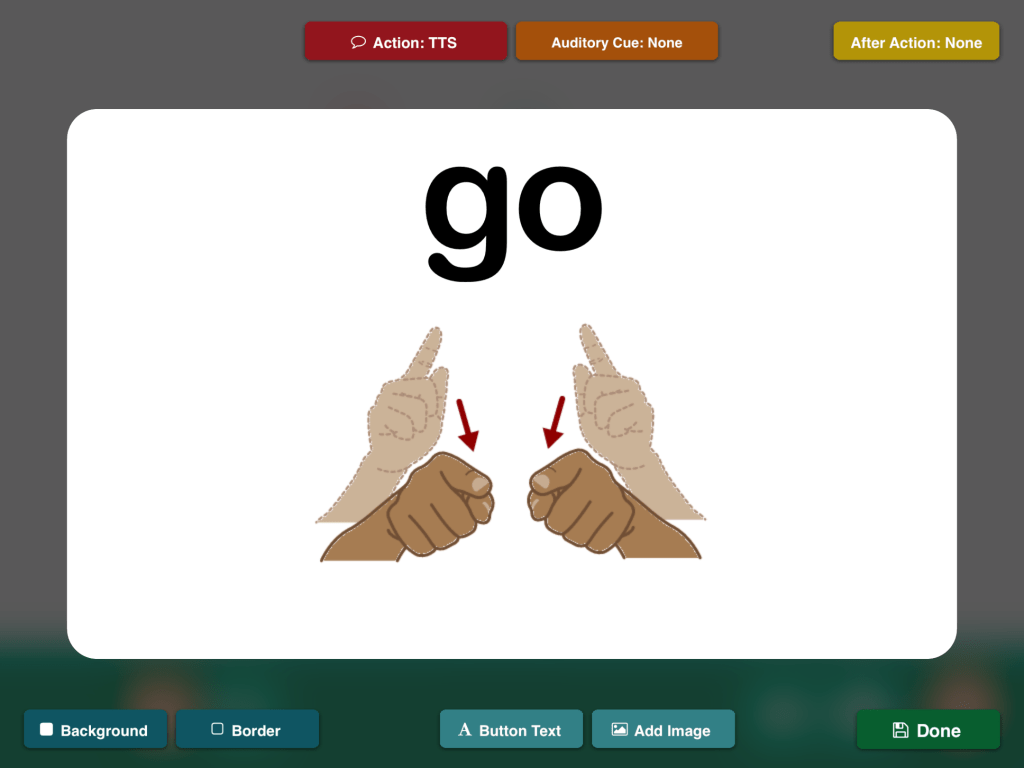
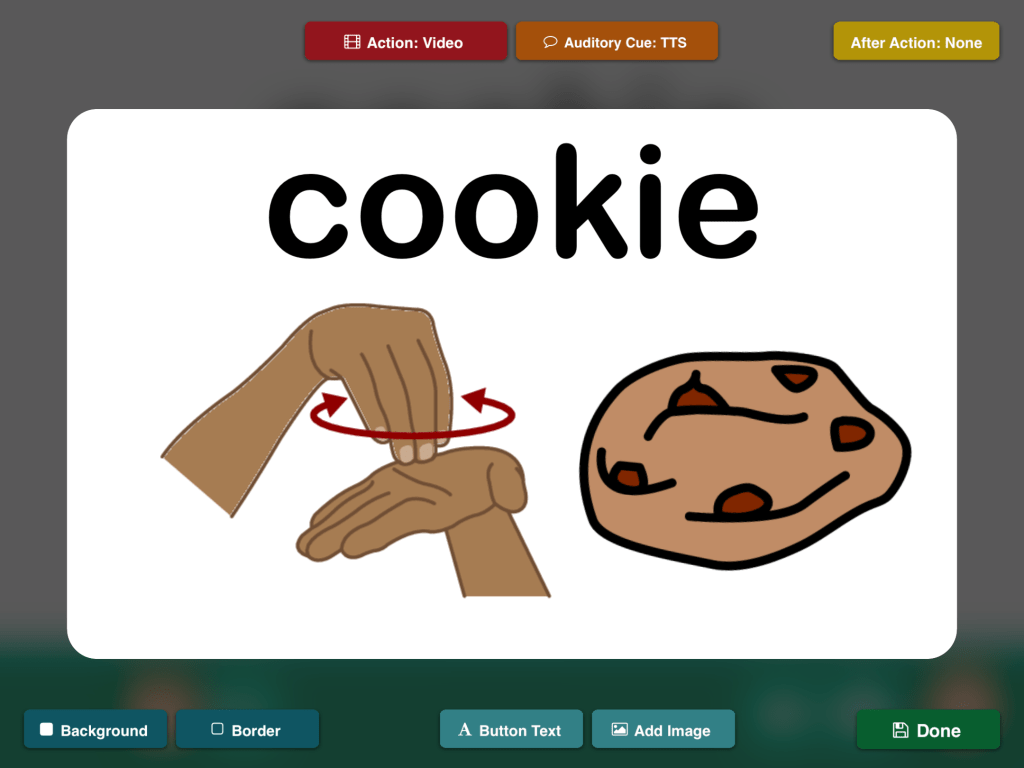
GIPHY ASL sign GIFs in CoughDrop
CoughDrop can be used on almost any device on almost any platform. It has a unique built in option to include GIPHY ASL sign GIFs when searching for symbols while editing. You can search out in their Find a Board area to see examples of how other folks have used this: https://app.mycoughdrop.com/search/any/ASL. I found it visually overstimulating to have several ASL GIF videos playing simultaneously on a page so please keep that in mind when considering this option.
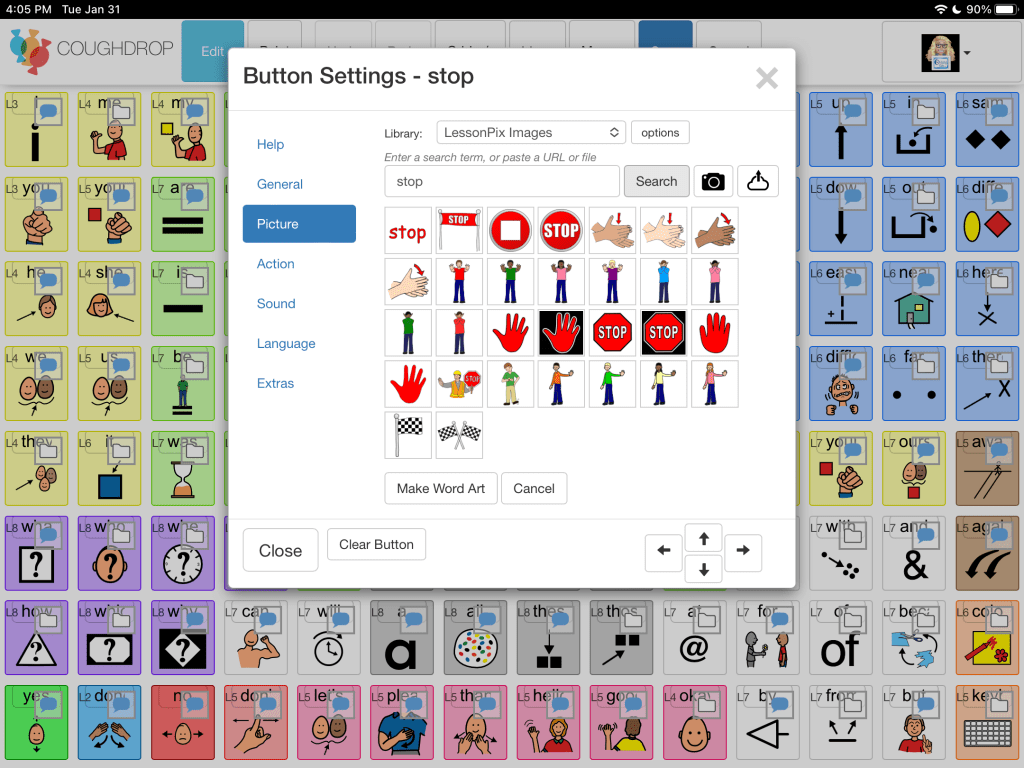
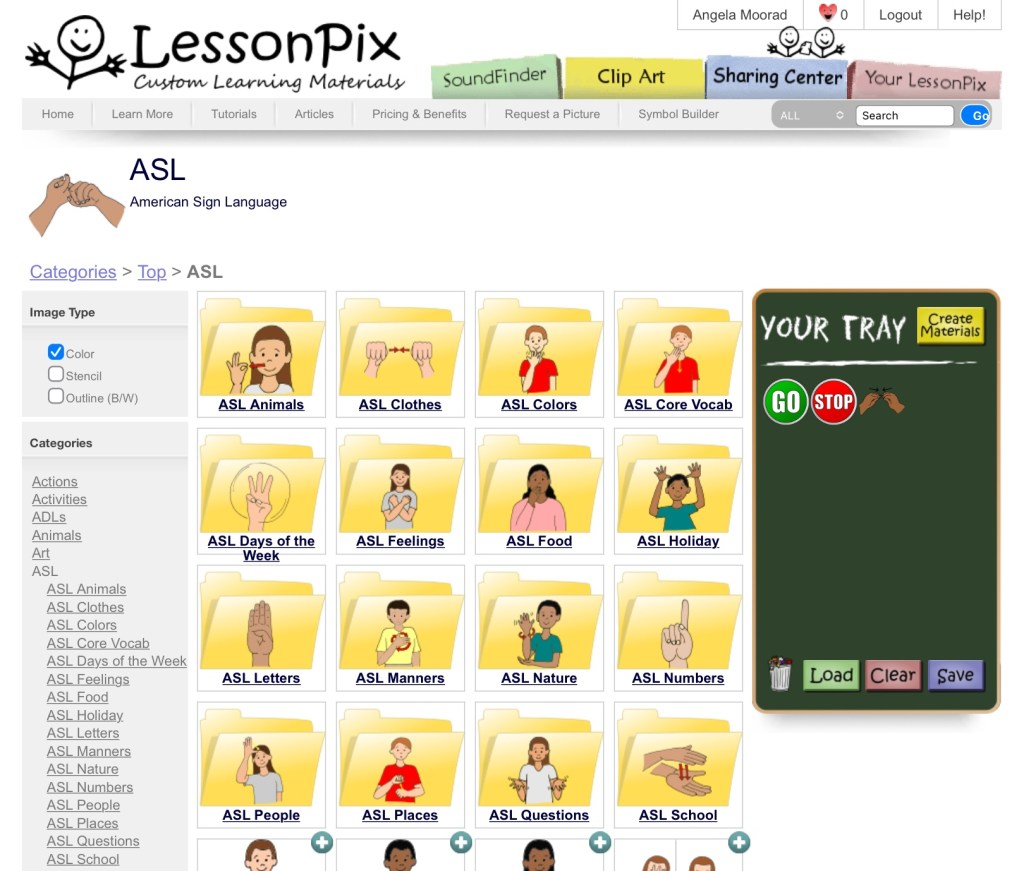
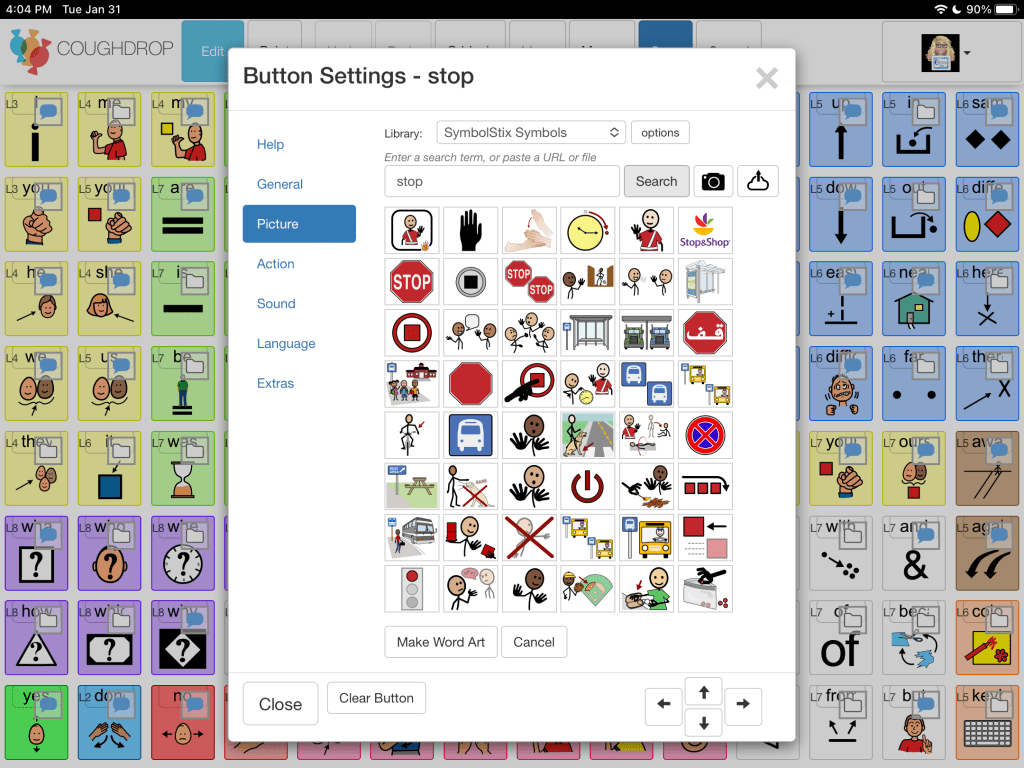
LessonPix ASL symbols can be made available in CoughDrop by linking your accountLessonPix ASL symbols
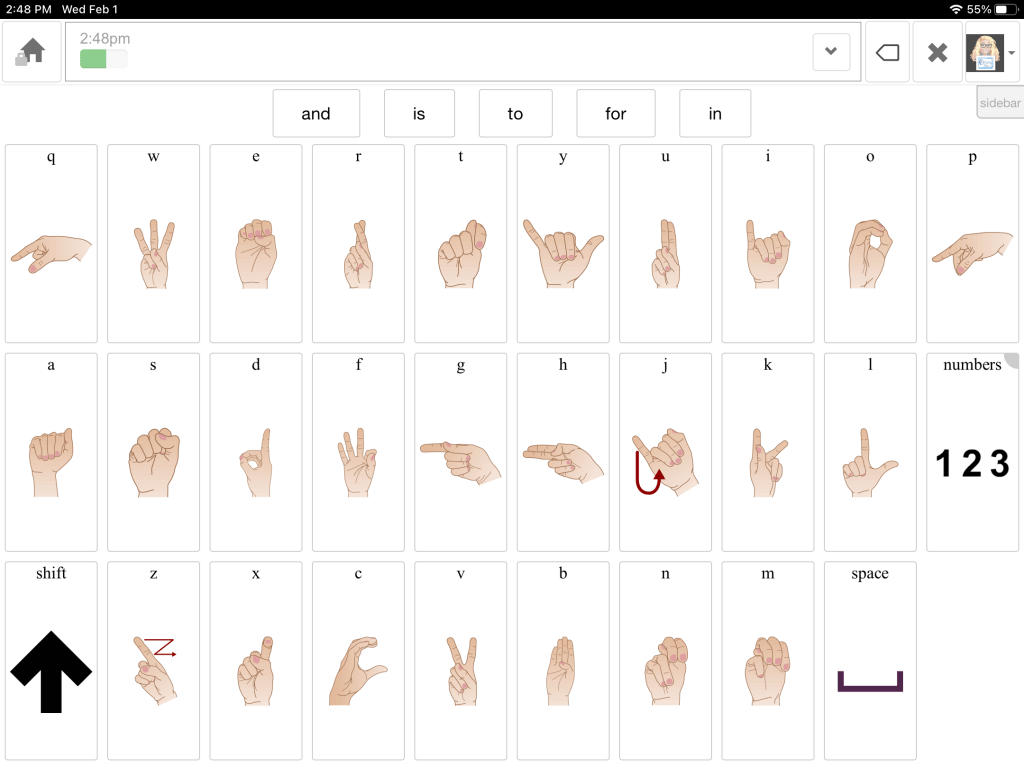
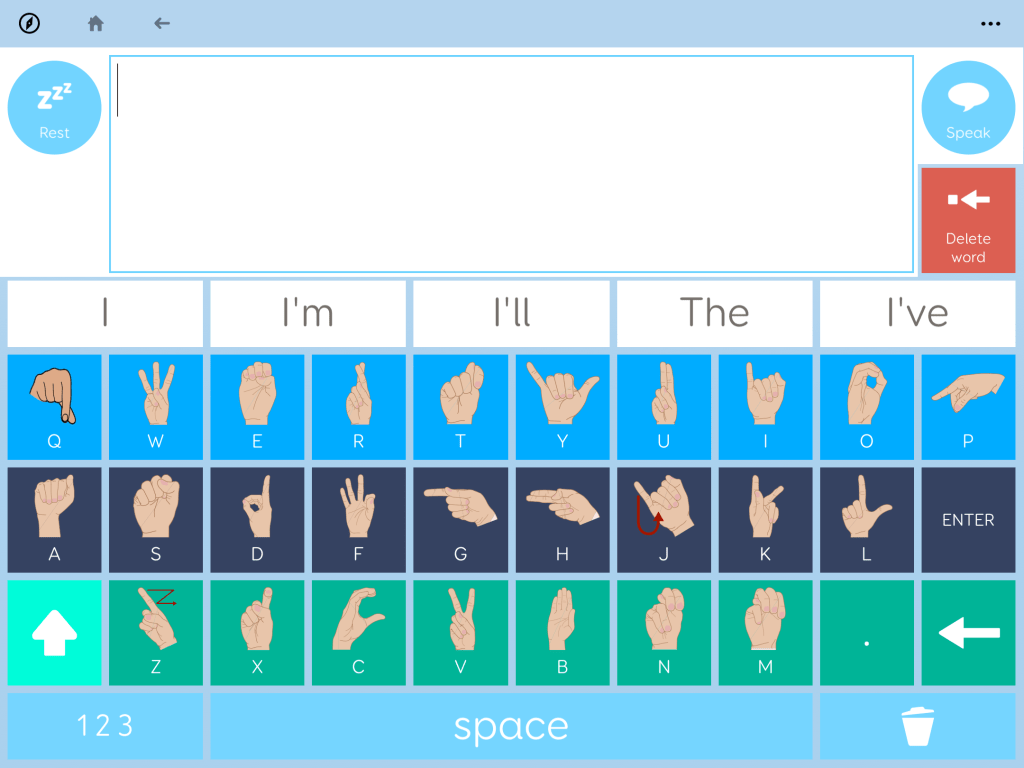
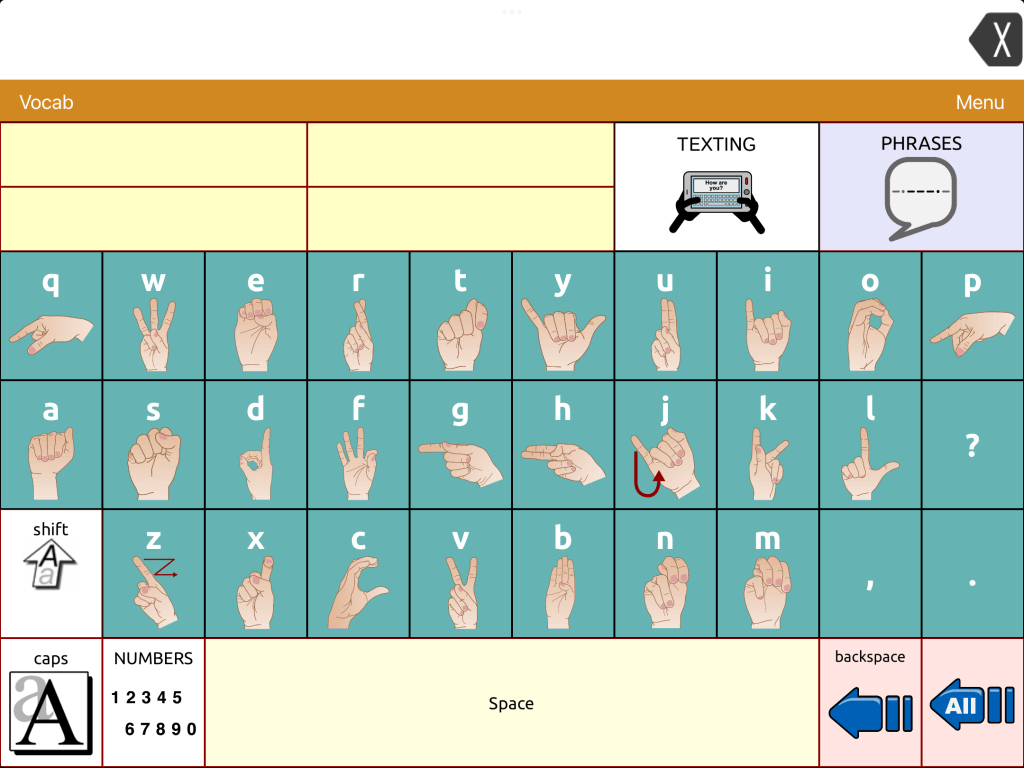
SymbolStix sign language symbols in CoughDrop The keyboard in CoughDrop is editable. I didn’t find a premade keyboard with ASL symbols but I was able to create one and then link it to be used in my board set. I’m still working on the “numbers” page. This took some time to create and some trial and error to figure out so it’s likely best suited for those who are familiar with the CoughDrop interface.
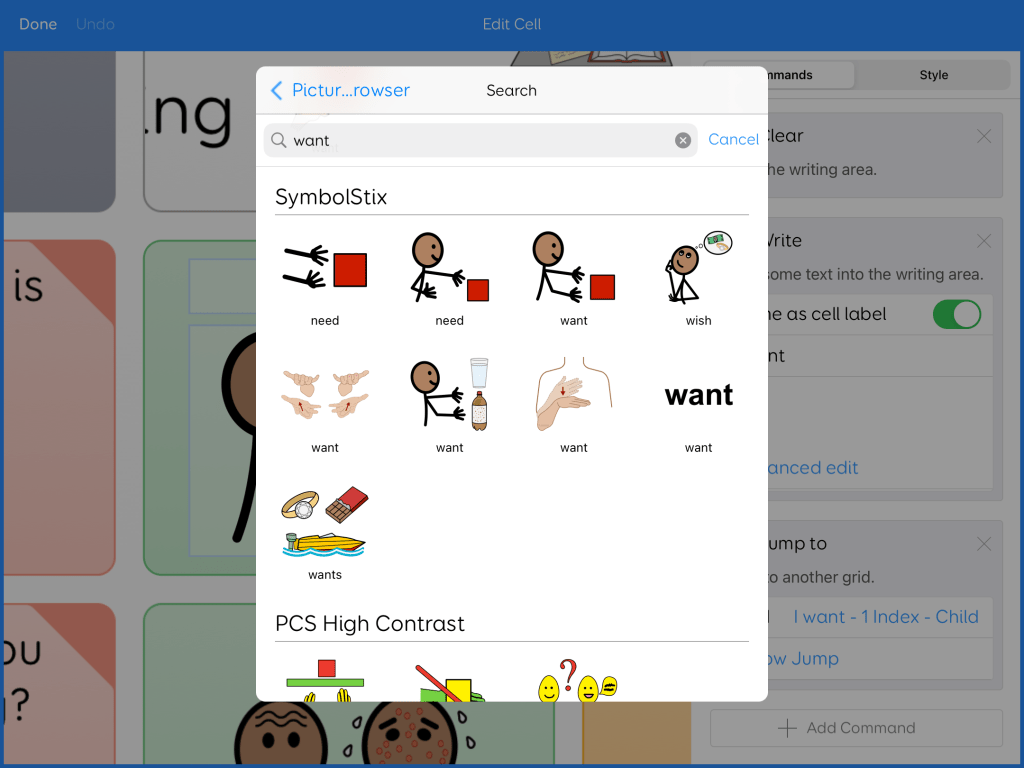
For those who purchase the SymbolStix add-on that allows SymbolStix sign language symbols to be available when editing. What’s interesting is the PCS symbol add-on did not appear to include PCS Sign Language symbols. I searched for several but didn’t find them. It’s possible that I might have overlooked them. The keyboard page is editable. This app doesn’t offer a way to link a button to play an ASL video saved on that device.
Update 5/2/25: Unfortunately the CoughDrop AAC app has become increasingly glitchy since it was acquired by Forbes AAC. The app has not been updated in over a year. I no longer recommend this app.
GoTalk Now Plus
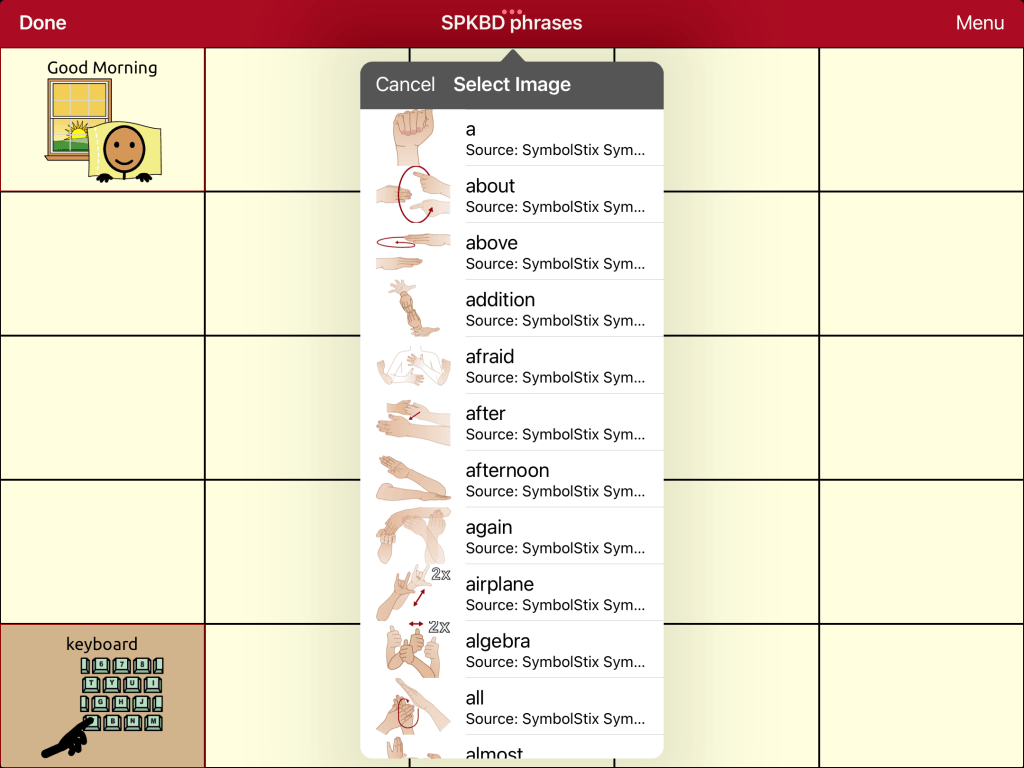
SymbolStix sign language symbols in GoTalk Now Plus
GoTalk Now Plus includes the SymbolStix symbol library. When editing this includes access to the SymbolStix sign language symbols. This app offers several different PCS symbol add-ons but PCS Sign Language symbols isn’t one of the options. They also offer a METACOM symbols add-on but I don’t have that so I don’t know whether or not that includes the METACOM sign language symbols.
GoTalk Now allows multiple images on a button. That allows use of a sign language symbol to be paired with a photo or other symbol.
GoTalk Now Plus is unique in allowing you to have several symbols and/or photos on one button. You can program the button to play a video stored on that iPad. This would allow you to link buttons to sign language video clips. Sign language GIFs could be use if those were converted into videos. This iPad-only app uses the iOS device keyboard. Unfortunately I haven’t found an iOS alternative keyboard that is still available that offers the ASL alphabet symbols on the keys.
Grid for iPad / Grid 3
SymbolStix sign language symbols in Grid for iPad (would also be available in Grid 3 on Windows devices)
The SymbolStix library includes the SymbolStix sign language symbols when editing. This app also has PCS symbols but that didn’t appear to include the PCS Sign Language symbols.
ASL Letter Explorer & Text Writer grid set available for download from the Smartbox Online Grids sharing area. This pic shows is with text only word prediction.ASL Letter Explorer & Text Writer grid set available for download from the Smartbox Online Grids sharing area. This pic shows is with symbol supported word prediction. I edited to change the font & font size to allow the symbols to be large enough to be recognizable.
I searched the Online Grids sharing area and found an ASL Letter Explorer & Text Writer grid set available for download: https://grids.thinksmartbox.com/en/tt-9/98e8ea32-146c-4554-b482-3988248bf294. It is in QWERTY layout and includes word prediction. I adjusted the settings to just have text show up on the word prediction. If you want to have symbol supported word prediction you will need to adjust the font size and type of symbols to allow the symbols to be large enough to be recognizable.
Grid 3 on a Windows device supports use of a button command to play a video saved on that device and there is a Music and Videos grid set available for download from Online Grids. But I haven’t figured out whether or not it’s possible to program a button in one of the symbol-based AAC grid sets to pop up to play a video and then snap back to that page (vs. having it navigate to the separate Music and Videos grid set). The ability to do that would be helpful for being able to link an ASL sign language video to a specific button in an AAC grid set (like I was able to do in GoTalk Now, TouchChat with WordPower & Niki Talk 2 Pro). I’ll update this section if I figure out a way to do this.
LAMP Words for Life
This iPad-only app has its own multi-meaning symbols that are an integral part of the design. It doesn’t include sign language symbols and doesn’t offer a way to link a button to play an ASL video saved on that device. LAMP Words for Life is also available on the company’s SGDs. It is been quite awhile since I’ve used one of those so I’m not sure if it would offer any features related to this.
Mind Express 5
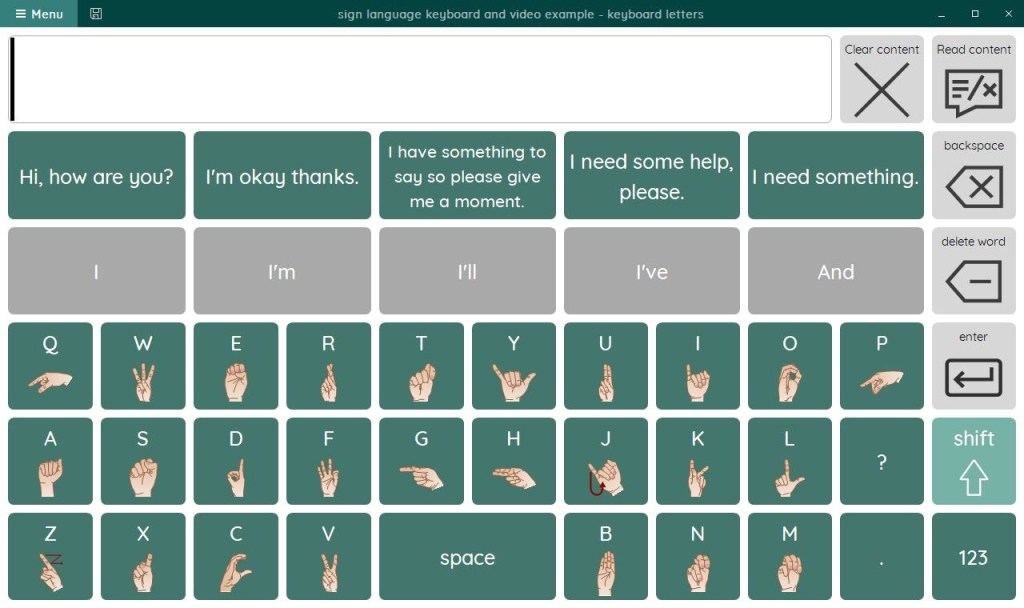
A sign language keyboard page created in Mind Express 5 (on a Windows device)
Mind Express 5 software can be used on Windows devices. The SymbolStix symbol library includes the SymbolStix sign language symbols. A PCS symbol library is available but I didn’t see any PCS sign language symbols when editing. METACOM symbols appear to be available as an add on but I don’t have that symbol library so I don’t know if it includes the METACOM sign language symbols.
It is possible to program buttons to play an ASL sign video or GIF in a popup but it requires some knowledge of advanced programming. I’m still learning the ME5 software so I was very appreciative of Fio Quinn sharing her expertise in a couple of tutorial videos that she made and shared with me. Be watching for more info about Mind Express 5 in an upcoming resource. I’ve been very impressed by how many options that it offers in customizing to meet very specific needs.
My First AAC
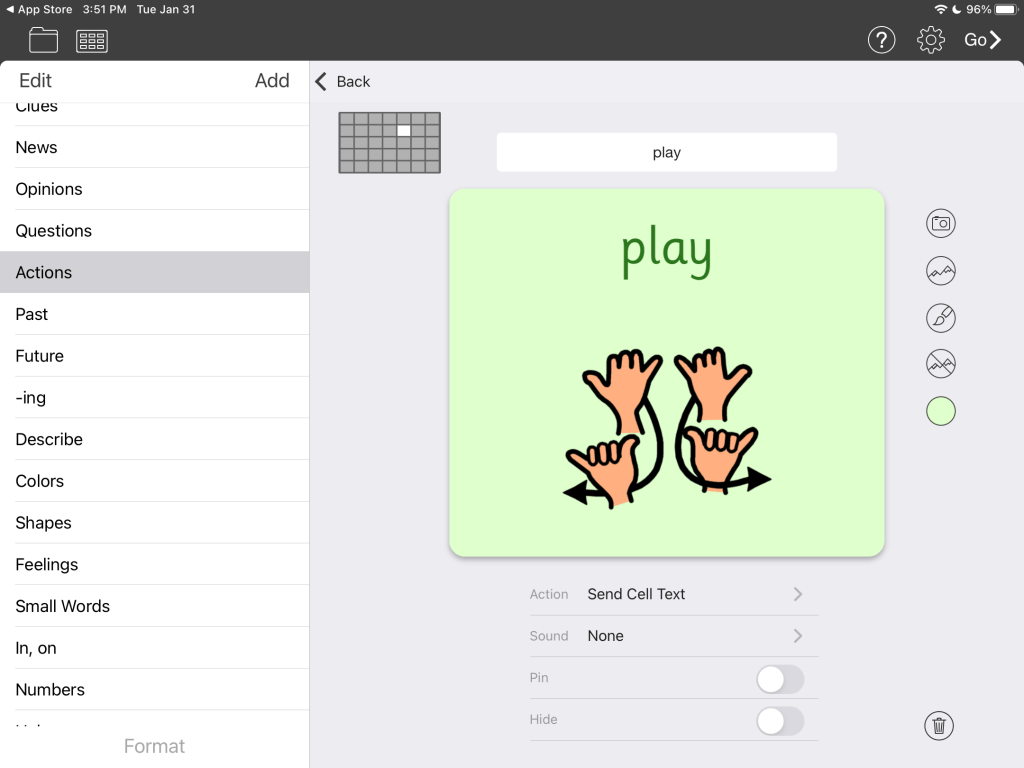
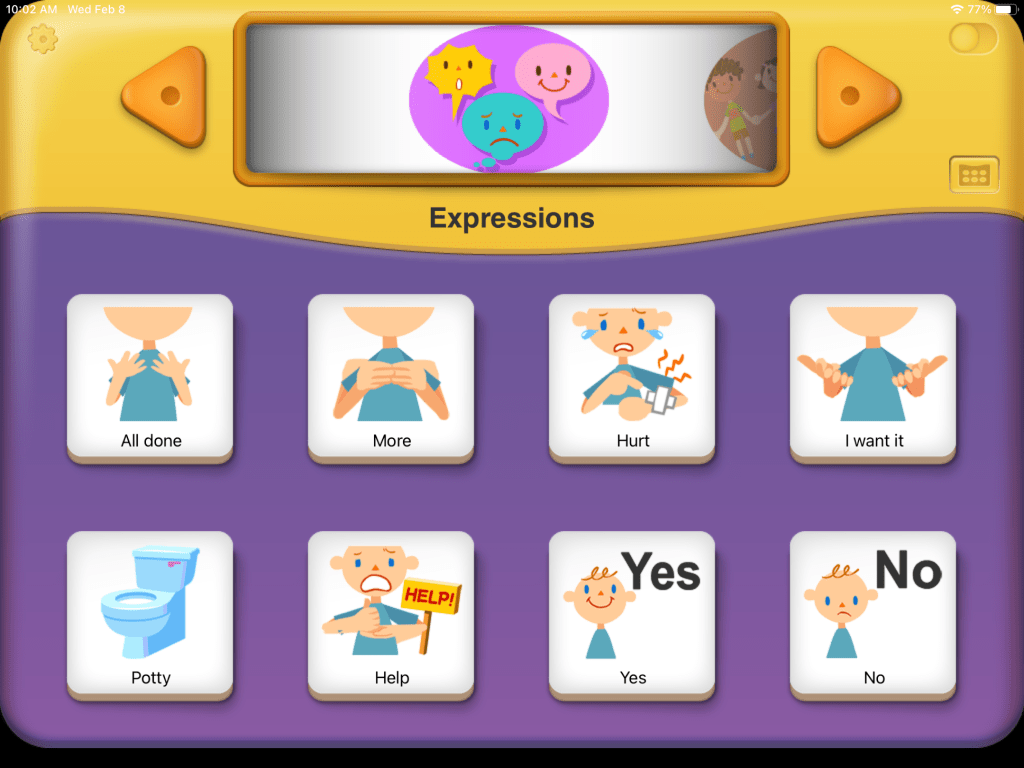
My First AAC has a few buttons that have animated signs
This app uses ARASAAC symbols & Les Pictogrammes symbols. I didn’t see sign language symbols in either within the app. But the app does offer the option to program a button to play a video from the iPad Camera Roll. This would allow you to link a button to play an ASL video. This iPad-only app uses the iOS device keyboard. Unfortunately I haven’t found an iOS alternative keyboard that is still available that offers the ASL alphabet symbols on the keys.
Proloquo
Although this iOS Universal app uses SymbolStix I didn’t find SymbolStix sign language symbols when editing. It doesn’t offer a way to link a button to play an ASL video saved on that device.
Proloquo2Go
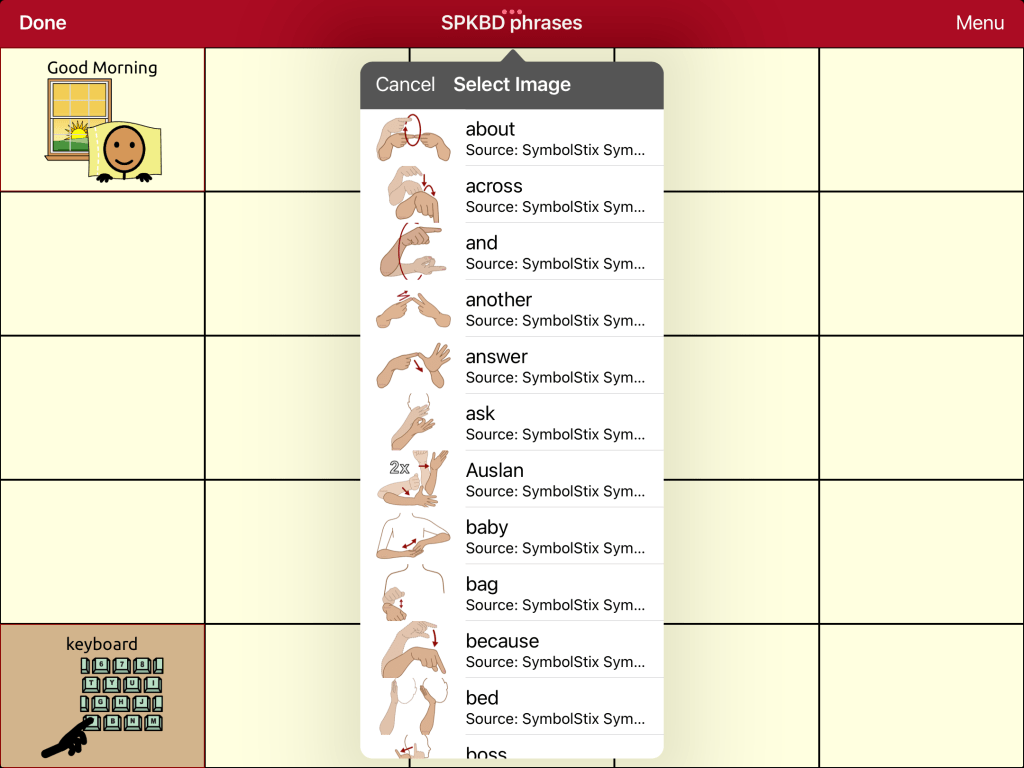
SymbolStix sign language symbols in Proloquo2Go
The SymbolStix library includes the SymbolStix sign language symbols when editing. The keyboard area is not editable. This iOS Universal app can also use the iOS device keyboard but I haven’t found an iOS alternative keyboard that is still available that offers the ASL alphabet symbols on the keys. It doesn’t offer a way to link a button to play an ASL video saved on that device.
simPODD
Although this iPad-only app uses SymbolStix I didn’t find SymbolStix sign language symbols when editing. It doesn’t offer a way to link a button to play an ASL video saved on that device.
Speak for Yourself
This app uses Smarty Symbols. I didn’t see any sign language symbols included in that library. It doesn’t offer a way to link a button to play an ASL video saved on that device. This iOS Universal app uses the iOS device keyboard. Unfortunately I haven’t found an iOS alternative keyboard that is still available that offers the ASL alphabet symbols on the keys.
Talk Suite Pro
This app uses their own unique Persona symbols. I didn’t see any sign language symbols included in that library. It doesn’t offer a way to link a button to play an ASL video saved on that device. The app’s keyboard can’t be edited to add ASL symbols. This iPad-only app also uses the iOS device keyboard. Unfortunately I haven’t found an iOS alternative keyboard that is still available that offers the ASL alphabet symbols on the keys.
TD Snap AAC
Sign language symbols in TD Snap
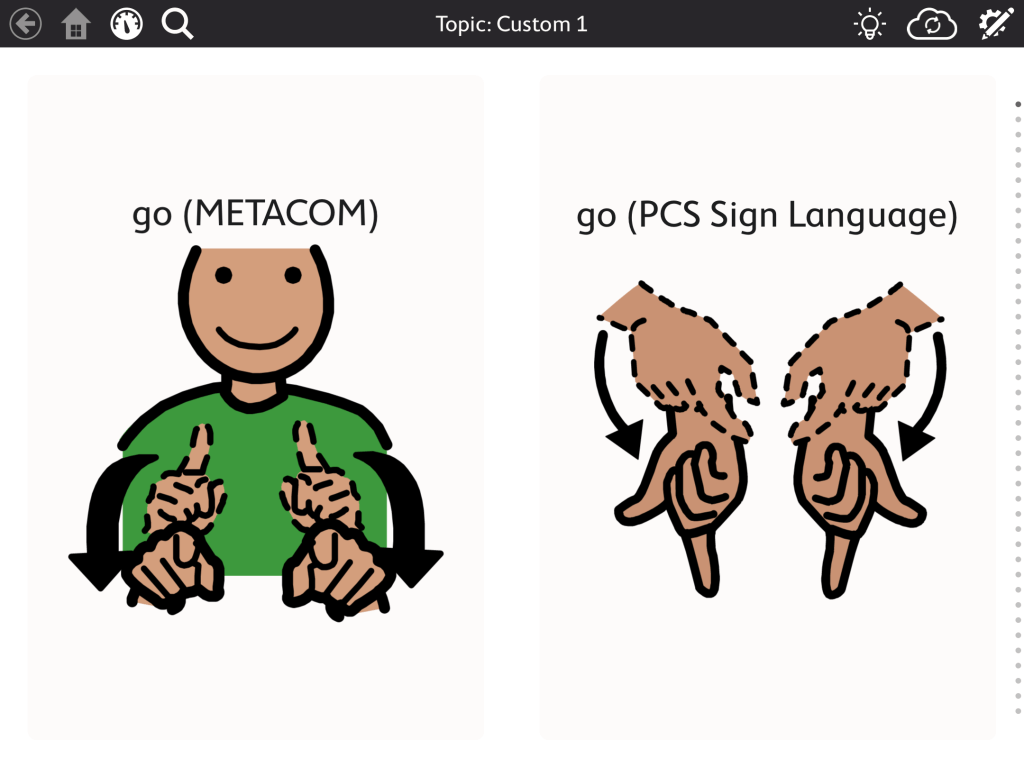
This app is available for the iPad and Windows devices. When editing you can have access to the PCS Sign Language symbol library. These appear to be a mix of American Sign Language and Signed Exact English symbols. You’ll need to make sure you have downloaded it and you can drag it to the top of the symbols list if you want to prioritize those symbols coming up first in a search. They also offer METACOM symbols as an add-on via in-app purchase. That includes sign language symbols. I wasn’t able to find details about these but METACOM symbols were designed in and are primarily used in Germany so these might be German Sign Language.
I checked all of the various pagesets including the add-ones for PODD and Gateway. The PCS Sign Language symbols and METACOM symbols (if purchased) were available when editing regardless of the pageset.
Neither version of TD Snap offers a way to link a button to play an ASL video saved on that device.
METACOM & PCS Sign Language symbols are available in TD Snap
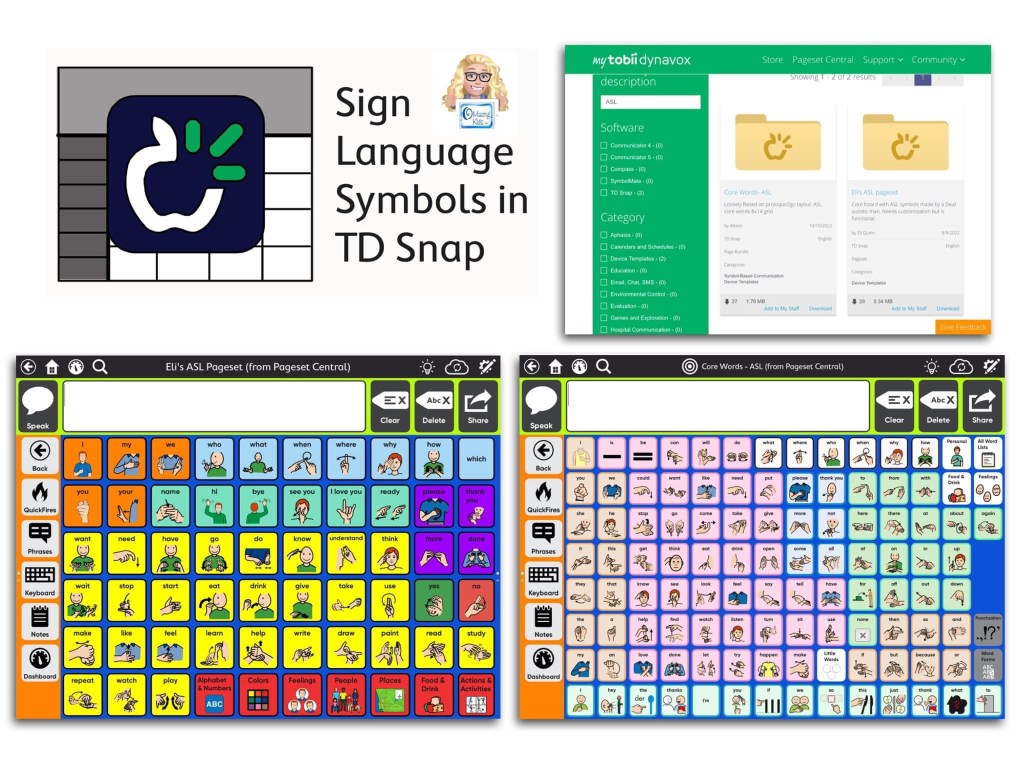
When I searched on Pageset Central these two things came up that folks created with sign language symbols and shared:
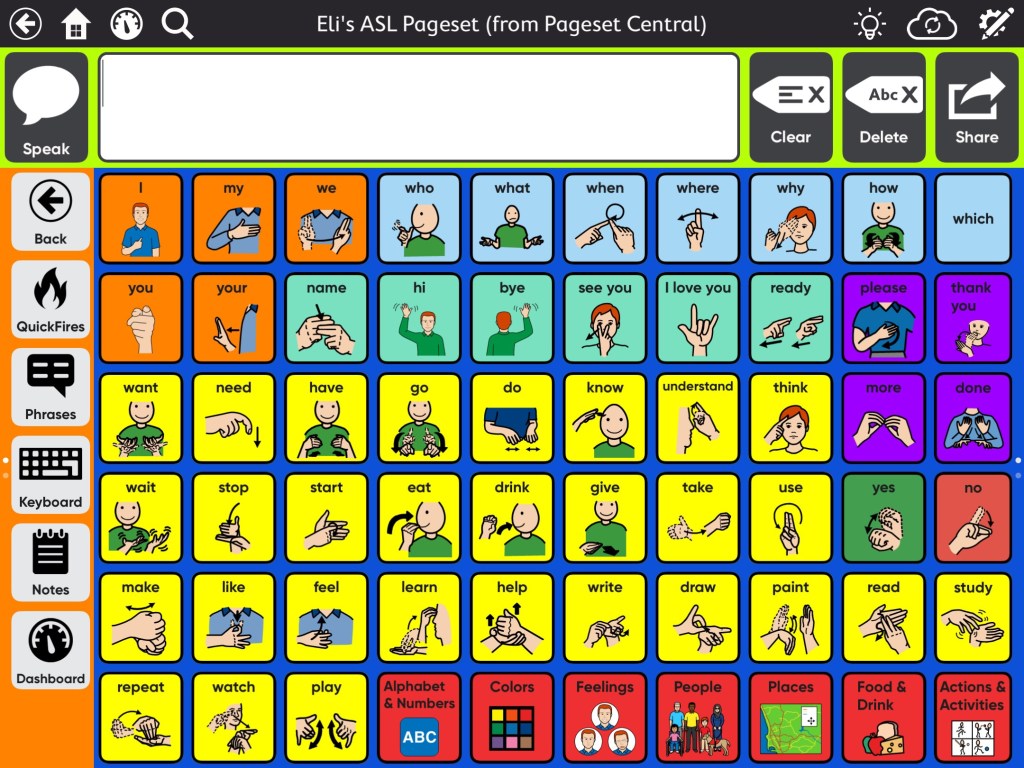
Eli’s ASL Pageset that can be downloaded from Pageset Central for use in TD SnapEli’s ASL Pageset has an Alphabet and Numbers page with ASL symbols on the buttons
It includes an Alphabet and Numbers page with ASL symbols on the buttons. The Keyboard is a regular QWERTY keyboard.
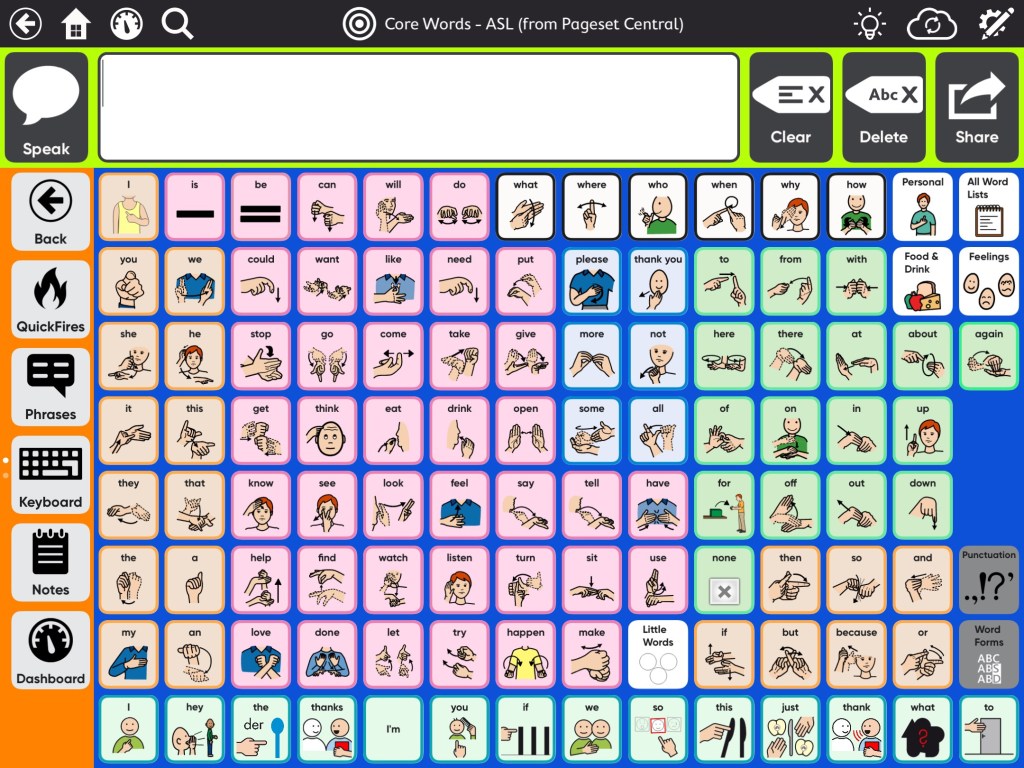
Core Words ASL pageset that can be downloaded from Pageset Central for use in TD Snap
Core Words ASL (just a page… not a full Pageset. So I imported it and added it within Eli’s ASL Pageset): http://bit.ly/3RjXmo1
In order to get these from Pageset Central you need to have a MyTobiiDynavox account (https://www.mytobiidynavox.com), sign into it, and then find these two things in Pageset Central (these the direct links above) and tap “Add to My Stuff” to add it to your MyTobiiDynavox account. Then while in TD Snap you’ll be able to create a new User with the Eli’s ASL Pageset:
TouchChat with WordPower
TouchChat with WordPower – Spelling Sign Language pageset TouchChat with WordPower – American Sign Language SymbolStix symbolsTouchChat with WordPower – Australian Sign Language SymbolStix symbols
When editing this iOS Universal app you’ll have access to two different sign language SymbolStix symbol libraries: American Sign Language & Australian Sign Language.
TouchChat with WordPower also offers the option to link a button to play a video stored on that device. This video shows that being used to play an ASL sign language video. For multiple meaning words with different signs depending on the context you could link to a page that provides a button for each.
The same pageset options may be available in the company’s line of SGDs but it has been awhile since I’ve used those so I don’t know how the features may vary on those.
Twinkl Symbols for AAC
Twinkl Symbols for AAC app includes British Sign Language symbols
Twinkl Symbols for AAC is an iOS Universal app that includes British Sign Language symbols (BSL). The Type 2 Talk keyboard area in this app uses the iOS device keyboard. Unfortunately I haven’t found an iOS alternative keyboard that is still available that offers the ASL alphabet symbols on the keys.
Verbal Me
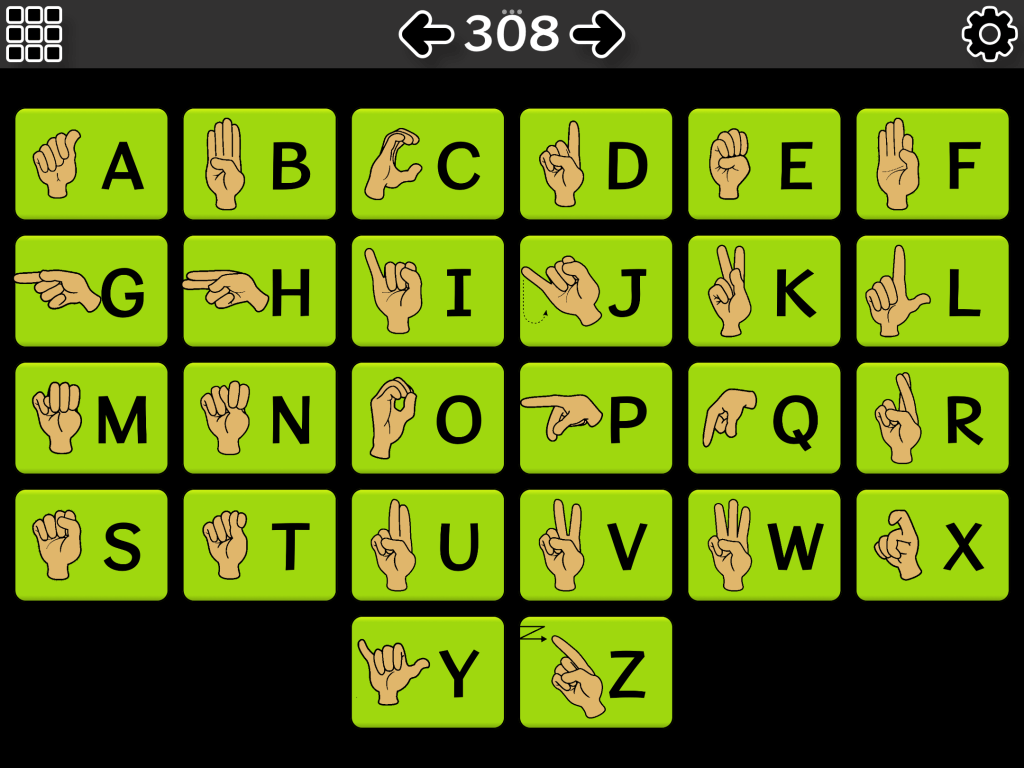
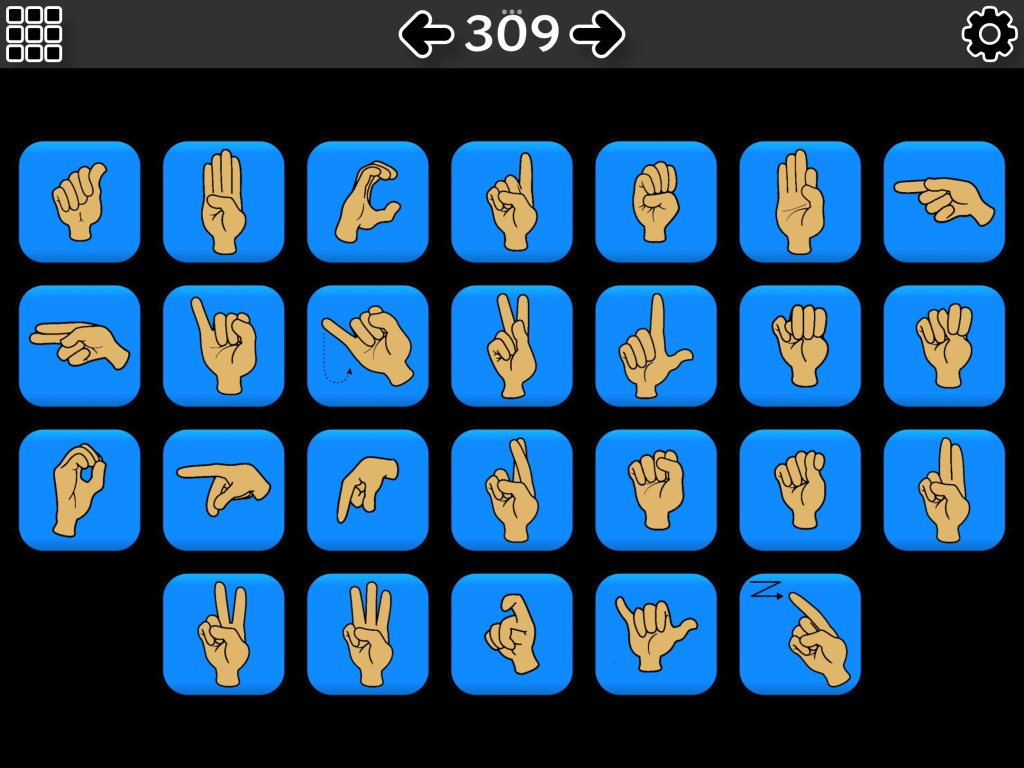
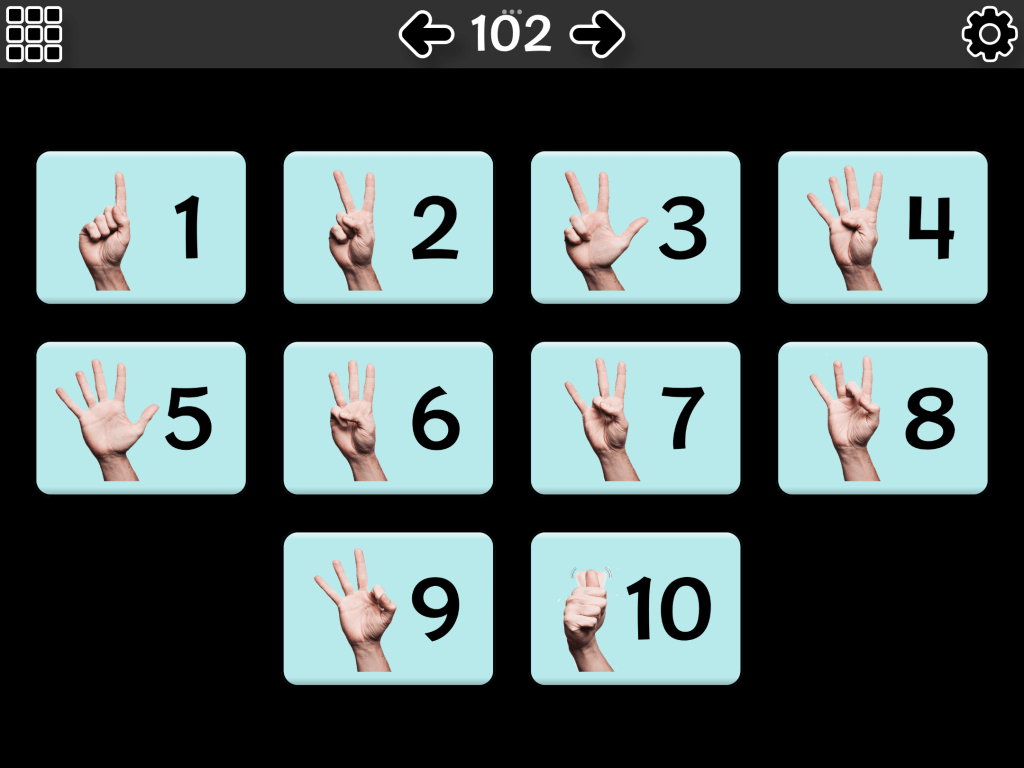
The Verbal Me app has two different sign alphabet pages. This one has the letter + signThe other sign alphabet page in the Verbal Me appSign numbers 1-10 in the Verbal Me app
A simple More & All Done animated signs symbols page in the Verbal Me app
The Custom pages in the Verbal Me app allow you to import your own short video clips. I’ve used this in a couple of different ways.
The very affordable simple Verbal Me app offers several different premade sign language boards within the app + the option to create custom pages that can include short videos. I’ve used this as a way to create a simple board with ASL videos. https://apps.apple.com/us/app/verbal-me/id495853688
Other Options
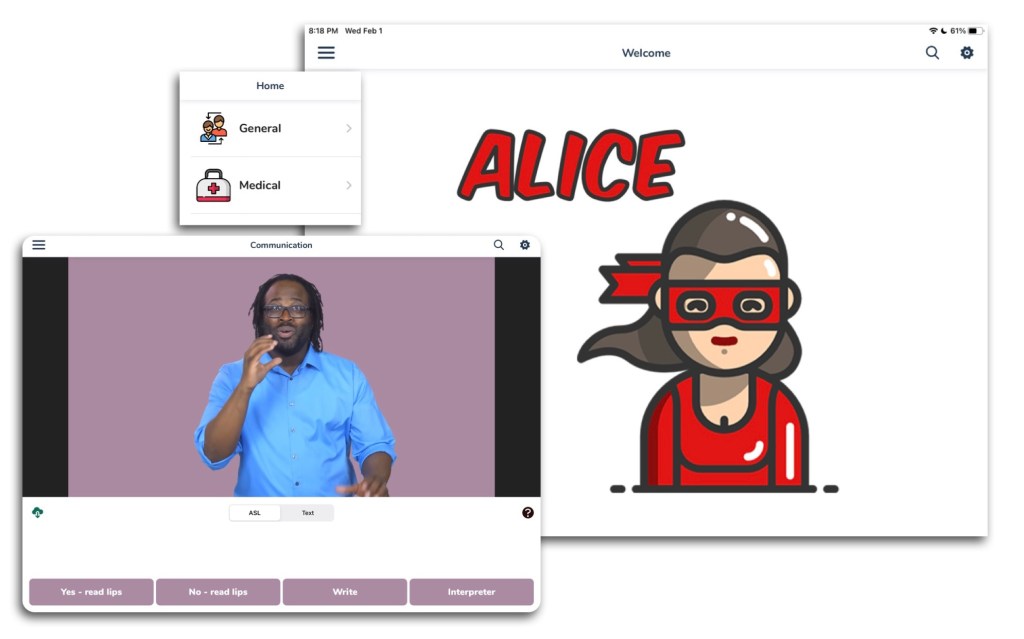
ALICE with ASL & Text
ALICE with ASL & Text app
Pre-recorded content is available in spoken English with ASL or English subtitles allowing users to choose the communication mode they feel most comfortable with. It’s easy for users to find their desired messages quickly with the organized and categorized library of content and search function. The app includes over 30 common general and medical phrases with interactive responses – over 130 unique videos are included in this app. Users choose a phrase they want to communicate and play the video for the other person. Depending on the video content, either person can choose a response. Some additional communication may be prompted via other means – paper/pen, speaking or gesturing. More info: https://access.llc/alice-app/. ALICE with ASL & Text, https://apps.apple.com/app/id1467049575 (iOS Universal)
I did a screen recording of the introduction within the app since I couldn’t find any videos of it online:
Update 5/2/25: Unfortunately this app has disappeared from the App Store.
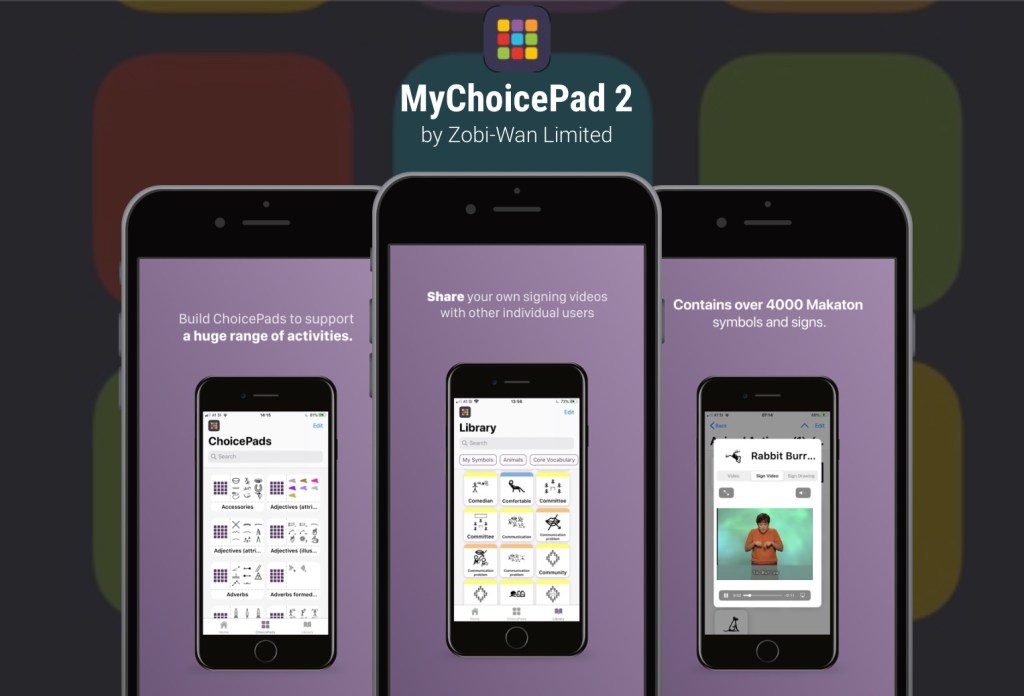
MyChoicePad2
MyChoicePad2 app with Makaton sign language symbols
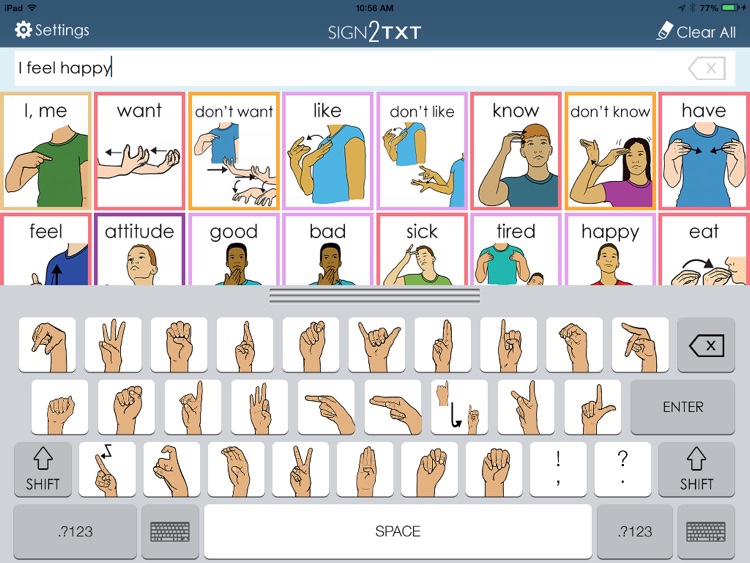
Unfortunately the unique Sign2TXT AAC app with sign language symbols by Angie Craft (https://appsto.re/us/NJMz0.i) disappeared from the App Store a few years ago (even gone from the Purchased area). See the website for more info: http://www.handcraftedasl.com/sign2txt/. You can also see it archived on AppAdvice: https://appadvice.com/app/sign2txt/879126759. I had a couple of Deaf students/patients/clients who did really well with that app. The ability to search for signs by hand shape was very unique. I’m including it in this post in the hopes that the app eventually returns or that this might inspire another app developer to create something or existing app developers to add similar capabilities to their AAC apps.
How to Get Access to the Top 12 iOS Symbol-Based AAC Apps (this FREE handout is for SLPs, SLTs, AT specialists & other AAC professionals): https://bit.ly/SLPsSLTsAccessToAACapps
Have a question, found a broken link or know of another AAC option that includes sign language symbols or can support use of ASL videos or GIFs? The best way to reach me is via Facebook messaging over on my OMazing Kids page: https://www.facebook.com/OMazingKidsAAC/
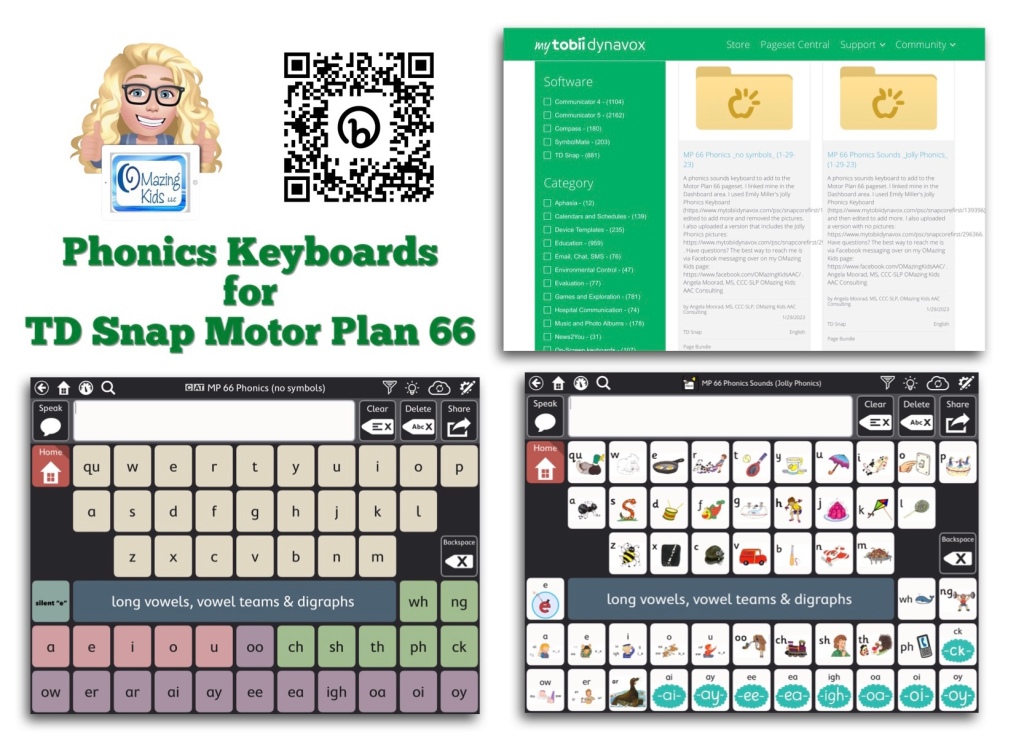
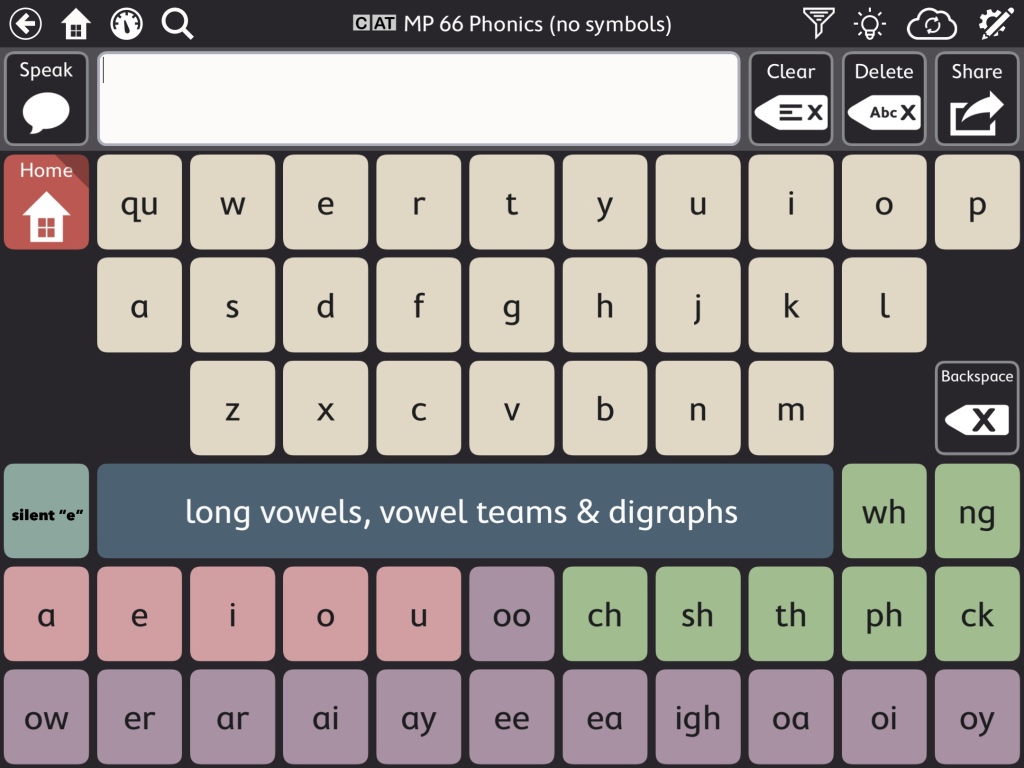
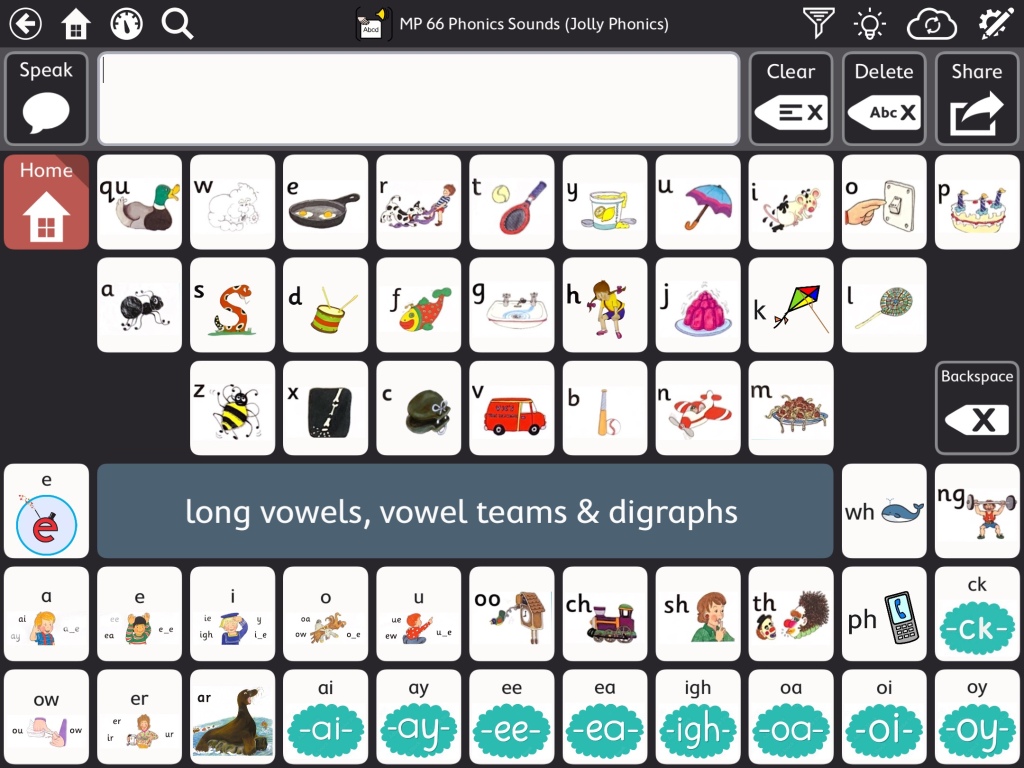
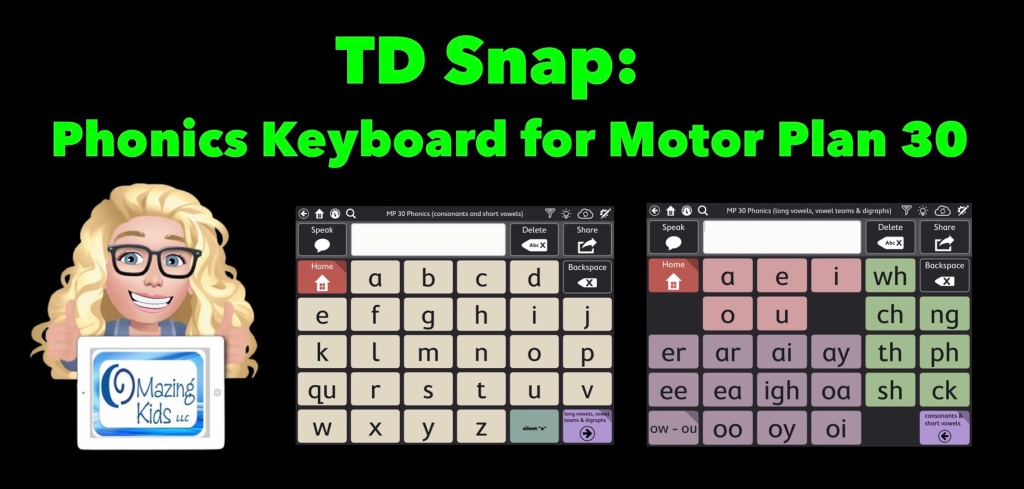
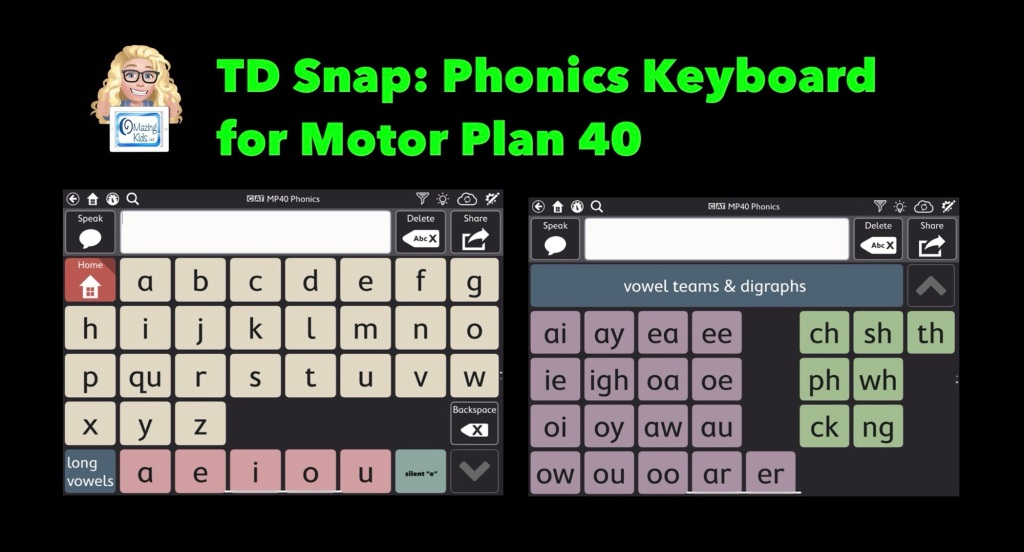
This video shows two phonics sounds keyboards that I added to my Motor Plan 66 pageset in the TD Snap AAC app:
As you’ll see in my video, the Motor Plan 66 pageset already includes a regular QWERTY style keyboard where you can hear letter names as you type. Toggle that on under Edit – User – Preferences – Speak Characters. If you don’t want letters spoken as you type that’s where you can toggle that off.
Note: I am well aware that some folks have a very rigid “anti-phonics keyboard” stance. If this is you then don’t add this to your pageset and scroll on by. I am well aware that there are lots of other strategies needed to teach literacy skills to individuals with complex communication needs. If you need more info about that I suggest reading “Comprehensive Literacy for All” and joining the “Comprehensive Literacy for All BookStudy” group on Facebook: https://www.facebook.com/groups/cl4all. I am sharing these Phonics keyboards as a tool since I personally had LOTS of students/patients/clients who had a high interest in letters, letter names, letter sounds, playing with rhyming, etc. Many of them were likely hyperlexic. I also had several who were Autistic and had a passion for anything letter related. Some were likely Gestalt Language Processors and seemed to really enjoy the playing with letter sounds related to their gestalts/scripts. Having this type of keyboard in an app resonated with them and sparked interest in using their AAC system. Providing this type of option also gave school staff something that helped them include these students in phonics activities and sparked them becoming more comfortable using an AAC app. A win-win in my book. So now that the “why” is made clear onto the “how”…
I’m on my iPad in the video but also have this synced with this app on my Windows tablet. I show how to find these on Pageset Central, where I linked mine in the TD Snap Motor Plan 66 Dashboard area, how to import a page to link it to a button, etc… I used Emily Miller’s Jolly Phonics Keyboard (https://www.mytobiidynavox.com/psc/snapcorefirst/139396) as a starting point, edited to add more and did additional voice recordings.
I uploaded a text only version & a version that includes the Jolly Phonics pictures (but could easily be edited to use pictures associated with whatever phonics program your school uses).
These are both FREE via Pageset Central on MyTobiiDynavox:
* Important * These are Page Bundles. You IMPORT them (not download) ***
text only version (can easily edit to change the button colors, font color, font size & style of font)
version with Jolly Phonics pictures (can easily edit to change the pictures) 12/5/25 This version is no longer available
• Version with Jolly Phonics pictures:https://www.mytobiidynavox.com/psc/TDSnap/771138 (note: I show in the video how you can delete those pictures and add you own pics to correspond with whatever phonics program is being used. Some kids liked having phonics pictures. Some didn’t. Choose the option that resonates with them) *** Update 12/5/25: I removed my Jolly Phonics version due to an issue on Pageset Centralwhere it had replicated and was on there numerous times and I had received messages about a problem in it. You should still find other Jolly Phonics keyboards out on Pageset Central ***
Two helpful resources from Tobii Dynavox about how to import page bundles and pagesets that have been shared on Pageset Central into the TD Snap AAC app:
How to find and add the Motor Plan Pagesets in TD Snap. These are a new option in addition to the other pagesets (not replacing anything). These are included with TD Snap (no additional cost). Make sure you have updated TD Snap to version 1.25. These are currently available for USA English & UK English. They indicated that they are working on prioritizing development for other languages and a Spanish/English bilingual version but no specific details are known yet on the timeframes.
Tobii Dynavox has been offering free live webinars specifically about this new pageset option. See their website for more info: https://us.tobiidynavox.com/blogs/live-training. During the one that I attended on Friday (1/27/23) they mentioned that the recording of it would be uploaded to their Learning Hub. I’ll add the link here when it’s available: <link to be added>
My TD Snap related resources:
TD Snap: a visual guide to getting started: https://bit.ly/3qRuXdQ (I’ll be updating this soon to add info about the new Motor Plan pageset options)
Feature Matching Chart for Visual Scene and Video Visual Scene Display AAC Apps:https://bit.ly/AACvsd. More info: https://bit.ly/VSDaacBlogPost. This resource is also very comprehensive & updated as needed.
How to Get Access to the Top 12 iOS Symbol-Based AAC Apps (this FREE handout is for SLPs, SLTs, AT specialists & other AAC professionals): https://bit.ly/SLPsSLTsAccessToAACapps
Updated resource: Basic Feature Chart for Affordable and Free AAC apps & AAC-Related Apps (iOS, Android Google Play, Amazon Fire, Windows + a few Web-Based options).
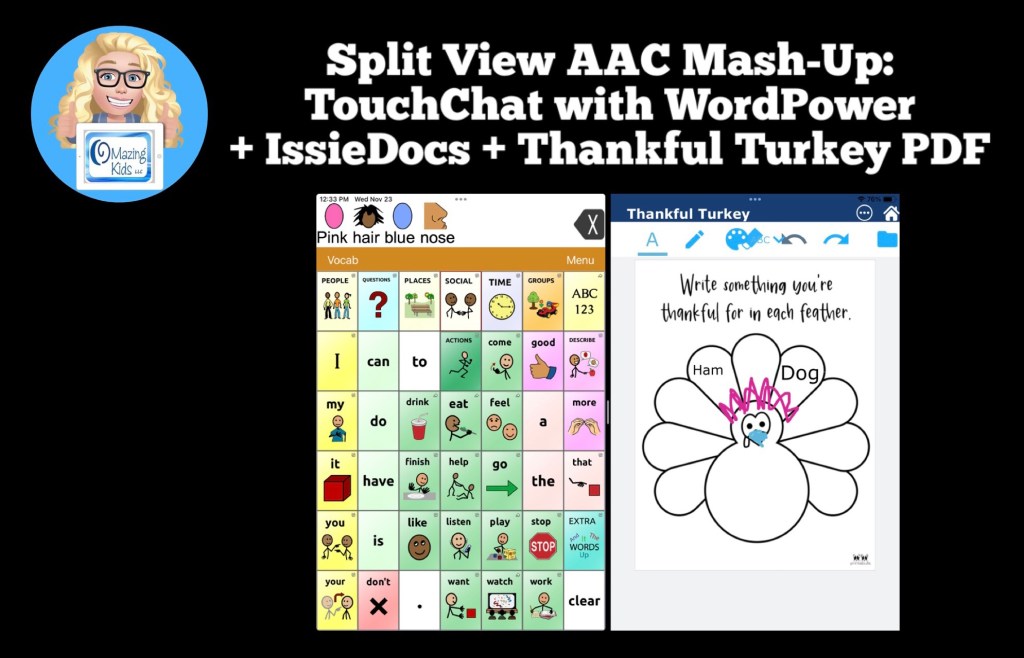
They have several fabulous FREE apps: https://tech.beitissie.org.il/en/our-apps/. Watch their webinar for in-depth info and fun implementation ideas. Info about IssieDocs starts at 42:43 in the webinar (note: the webinar was recorded prior to English being added to the app but use and editing info is the same)
See this blog post for another example of using Split Screen: Gestalt Language Processing & Using Google Maps to Communicate: https://bit.ly/AACandGoogleMaps.
Want to know which other AAC apps support use of Split Screen? I’m adding that info to my in-depth and up to date AAC feature matching resources: https://bit.ly/5aacFeatureMatchingResources
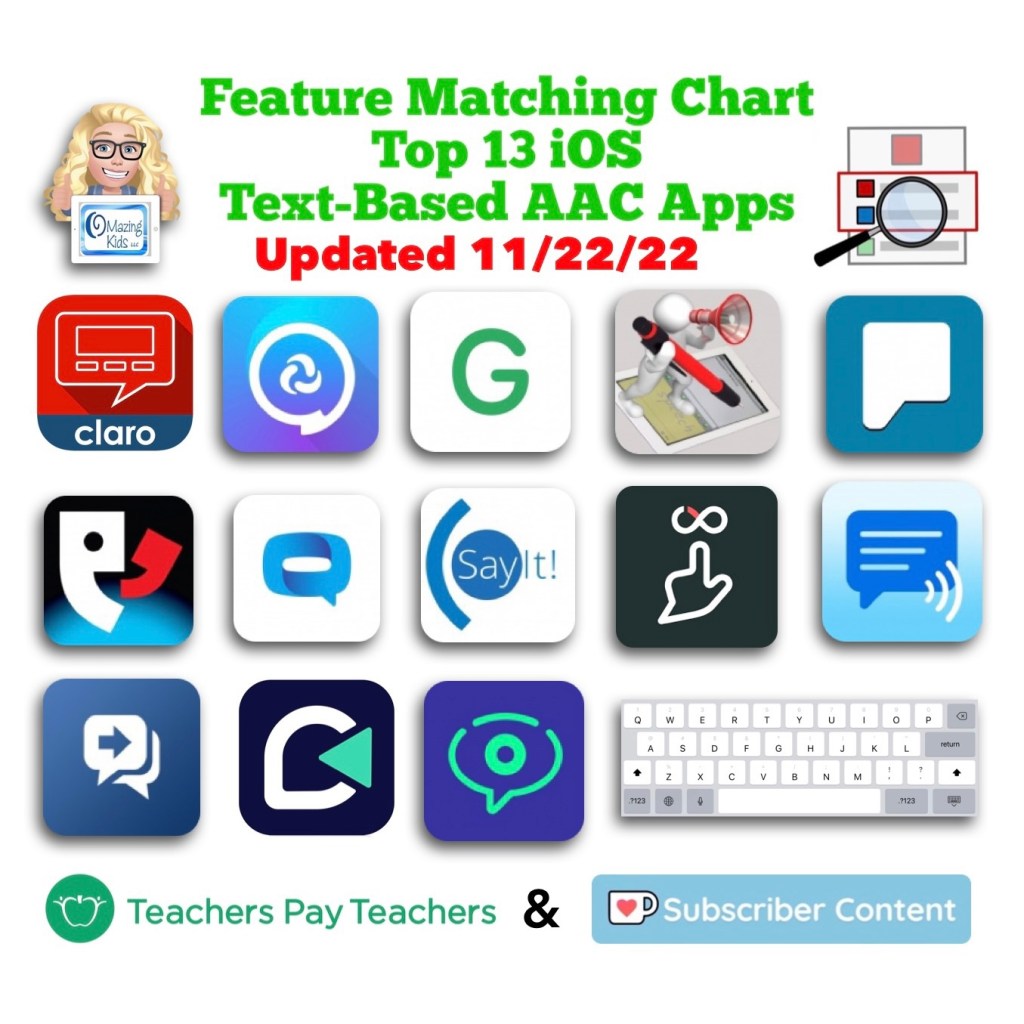
This resource has been updated. The PAROL+ app was removed since it has totally disappeared from the App Store. The HandySpeech app was added in its place. I get pretty frequent requests for info about handwriting-to-text-to-speech AAC so it made sense to add this app. The SayIt! Easy AAC app changed to a “freenium” pricing model. So if you already had this app be sure to tap “Restore Purchases” to get full access without having to pay a subscription or be charged for the much higher app price.
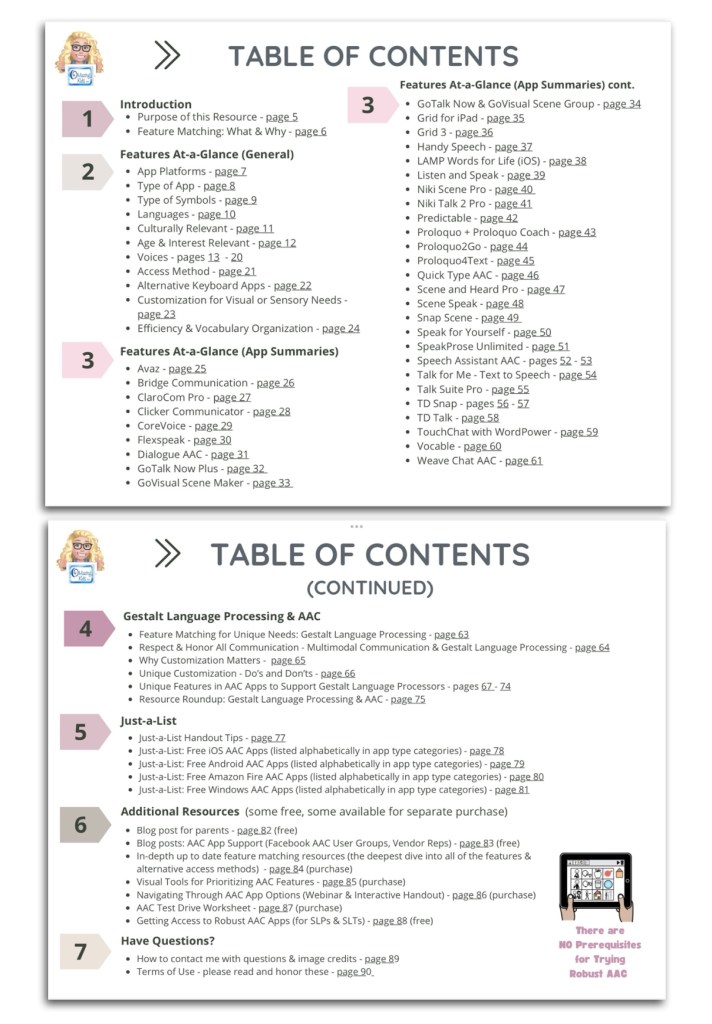
This 90 page PDF resource was inspired by the numerous requests that I’ve received for simple “at a glance” info about features in AAC apps and single page handouts that could be used with parents, caregivers and anyone involved in the AAC decision making process.
A Preview Sample PDF is available for this resource on TPT. It includes the Table of Contents and a few sample pages.
This resource includes:
• A hyperlinked Table of Contents to jump straight to a page. Tap in the top left corner to jump back to the Table of Contents (when being used digitally)
• 11 Features At-a-Glance Handouts
• 36 AAC App Summary At-a-Glance Handouts (see Table of Contents for a list)
• 12 Gestalt Language Processing & AAC Handouts
• 4 Just-a-List Lists of Free AAC apps Handouts
• 2 unlisted videos (5 min demo of how to view 2 pages side-by-side using Split View & a 20 min Resource Overview)
• Links to additional resources
• How to contact me with questions (includes my email address exclusive to TPT)
These will be helpful on either side of an AAC evaluation that involves feature matching and trials of a few options:
• Beforehand to help simplify the process of knowing which apps and/or features you might want to consider during an AAC eval
• Afterwards to place at-a-glance sheets side by side as a reminder of apps that were included in the trials and help simplify the process of deciding which ones warrant a longer term trial or which one might be selected for submission in a funding request.
• These can also be helpful during the feature matching process to help provide simple explanations about some of the features and why they might be important.
It would be impossible to include all of the features in a particular AAC app on a single page handout. These are just “highlights”. These handouts should be used alongside (not instead of) in-depth up to date feature matching resources.
This resource is optimized for both printed and digital use:
Printed:
• Print a single page first to see if you need to choose “shrink to fit” on your printer. Print pages and place them side-by-side to compare features or apps.
• In order to keep the aesthetic of single page handouts the pages are not numbered. If you want to add page numbers, either write them or use a PDF editing app to add them.
Digital:
• The Table of Contents has hyperlinks to tap a page number to jump straight to that page. Tap the top left corner on any page to return to the Table of Contents.
• There a few other underlined hyperlinks in this resource to take you straight to additional information. I purposefully did not include App Store links since those can vary by country and aren’t always redirected.
• There are several options to view two pages side-by-side to compare features or apps:
• Use two iPads or tablets or open on two windows on a laptop.
• On iPadOS 13.0 or later, save the PDF in two different PDF viewer apps and use Split View to view them. The demo video included in the resource shows how.
• The PDF Expert and GoodNotes 5 apps offer a way to view two documents side-by-side within that one app
Looking for in-depth info about features AAC apps? Check out these resources:
• AAC Feature Matching Resource Bundle (includes all three, save 10%): https://bit.ly/aacFeatureMatchingBundle. If you are looking to purchase resources for several staff / team members, take a look at the Multiple Licenses discount (saves 20%)
• Affordable and Free AAC apps & AAC-Related Apps (iOS, Android, Amazon Fire, Windows & a few web-based options): https://bit.ly/BasicAffordableAACchart
Have questions? The best way to reach me with any questions is via messaging on the OMazing Kids Facebook page: https://www.facebook.com/OMazingKidsAAC/. That way AAC related messages don’t get lost among the spam in my e-mail.
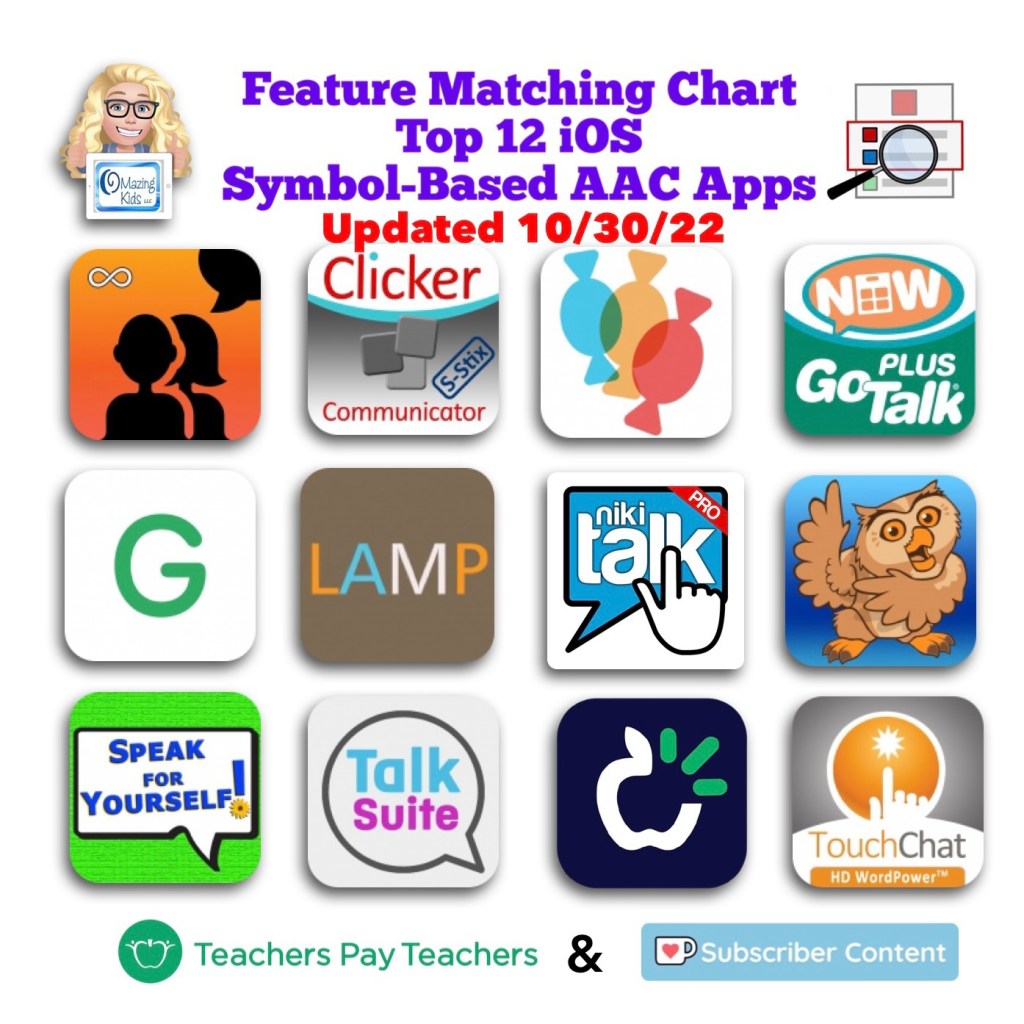
The Feature Matching Chart for the Top 12 Robust iOS Symbol-Based AAC Apps has been updated to add new rows related to the new iOS 16/iPadOS 16 child and adult voices, use of Google Maps to communicate, apps that can be used in Split View, updated features in these apps over the past month, etc…
Jennifer from N of 1 recently shared a story in a Facebook group about how a child used Google Maps to communicate. Mind blown 🤯 I had several students/patients/clients who LOVED maps, addresses, countries and flags. At the time I knew that those served a purpose for self-regulation and pleasure. It makes my heart sad though to think that I may have missed communication via what they were looking up on Google Maps or Google Earth. There are definitely times I wish I had a time portal to go back with knowledge that I have now.
After sharing this on my OMazing Kids AAC Consulting Facebook page and subsequent shares on other pages and groups, I’ve seen LOTS of parents & SLPs share stories about their kids doing this to communicate very specific things. Totally amazing!
This got me digging through all of my AAC apps to see which ones either have a button action or opening a website URL to allow Google Maps to be opened within the app and/or that app supports use of Split View or Slide Over to allow this. If you have a specific model of iPad Pro or iPad Air with M1 chip you might also be able to use othermultitasking options in Stage Manager (my iPad Pro 9.7” is still on iOS 10.3 so that’s too old for the most current versions of most AAC apps or to use Stage Manager)
CoughDrop (in the app: via URL; used in Safari browser: could also use Split Screen)
Dialogue AAC (specific button action for this or via Split Screen)
GoTalk Now (via URL)
LAMP Words for Life (specific button action for this)
Niki Talk 2 Pro (via URL)
Proloquo2Go (via Split Screen)
Speech Assistant AAC (via Split Screen)
TouchChat with WordPower (specific button action for this or via Split Screen)
Etc…
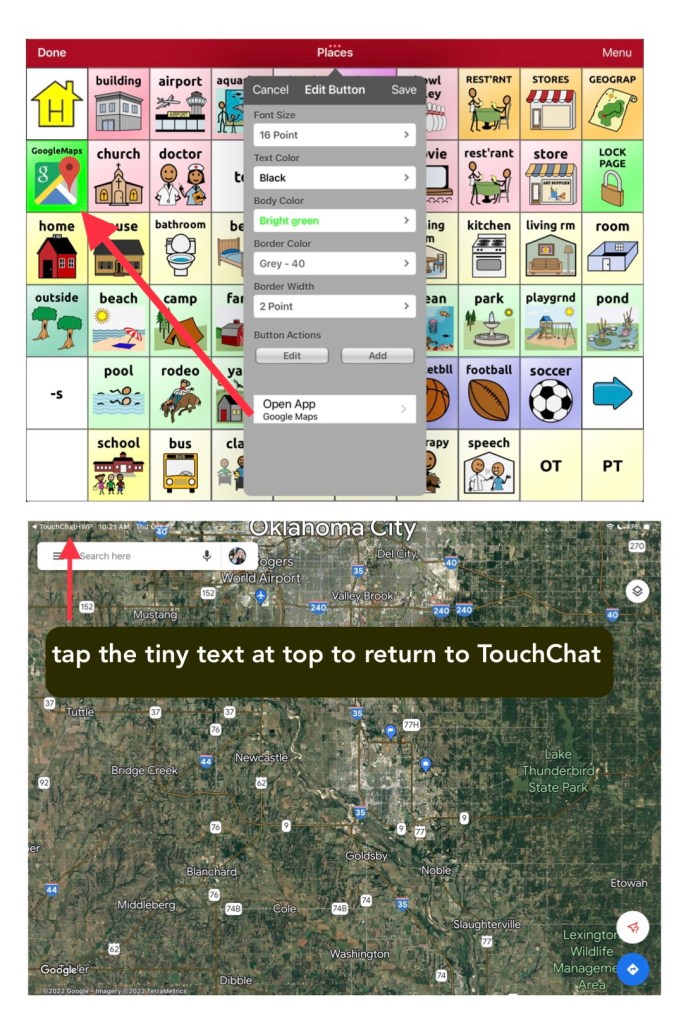
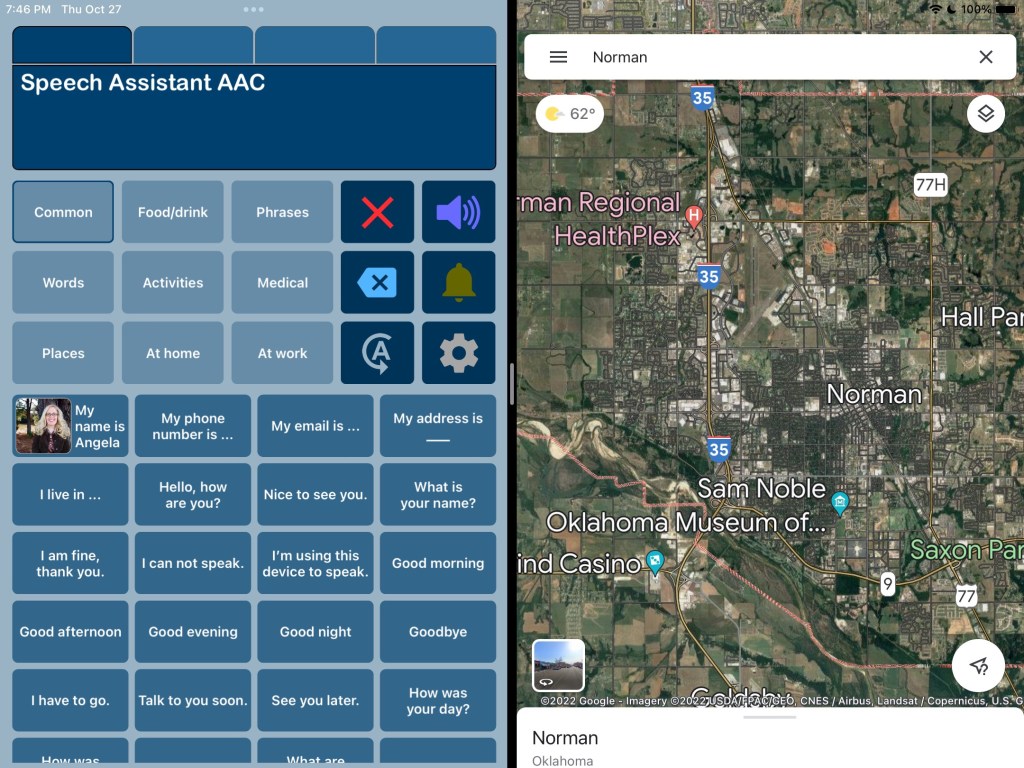
Here are screenshots showing the two different ways to do this in TouchChat with WordPower:
TouchChat with WordPower (WP60 Basic) in Split View with Google MapsTouchChat with WordPower (WP60 Basic) where I added a button for Google Maps under Places and used the specific button action to open the Google Maps app.Speech Assistant AAC in Split View with Google Maps
The easiest option was Split Screen and it allows Google Maps and the AAC app to be on the screen at the same time but only a few AAC apps support use of Split Screen. Split Screen will alter the size of the buttons in that AAC app so it might be tricky when using large grid sizes.
The second easiest option was the specific button action within the three AAC apps by PRC-Saltillo.
Apps that allow you to program a button to open a website URL were a bit finicky / tricky to get it to work. I’ll be adding tips in the feature matching resources.
Another alternative is to use a second iPad or tablet or laptop with Google Maps / Google Earth that can be viewed alongside their AAC device or iPad or tablet being used for AAC.
In-depth details about this will be coming soon. I’m working on this month’s update for my AAC feature matching resources and am adding that info in two new rows. So be watching for it in a few days.
Important Notes:
I’m exploring these as ways to supplement (not replace) how an individual is already using Google Maps. It’s likely that a Gestalt Language Processor already has a well established “gestalt” for how they like to do that but it’s likely that adding this to their AAC system might be something that would spark interest and resonate with them.
I’d only explore this for individuals who have an interest in this. There is no “one size fits all” to anything about AAC. I’m NOT suggesting that we need to add access to Google Maps for every AAC user or even for every GLP who uses AAC.
Guided Access will likely block these methods of using more than one app on an iPad.
AAC Feature Matching Resource Bundle (includes all three, save 10%): https://bit.ly/aacFeatureMatchingBundle. If you are looking to purchase resources for several staff / team members, take a look at the Multiple Licenses discount (saves 20%)














 OMazing Kids AAC Consulting