Feature Matching Chart for the Top 11 Robust iOS Symbol-Based AAC Apps

See this post for the newest update. A 12th app has been added: https://omazingkidsllc.com/2022/01/29/updated-expanded-feature-matching-chart-for-the-top-12-robust-ios-symbol-based-aac-apps/

This major update adds an 11th app (Talk Suite Pro) to the AAC feature matching chart

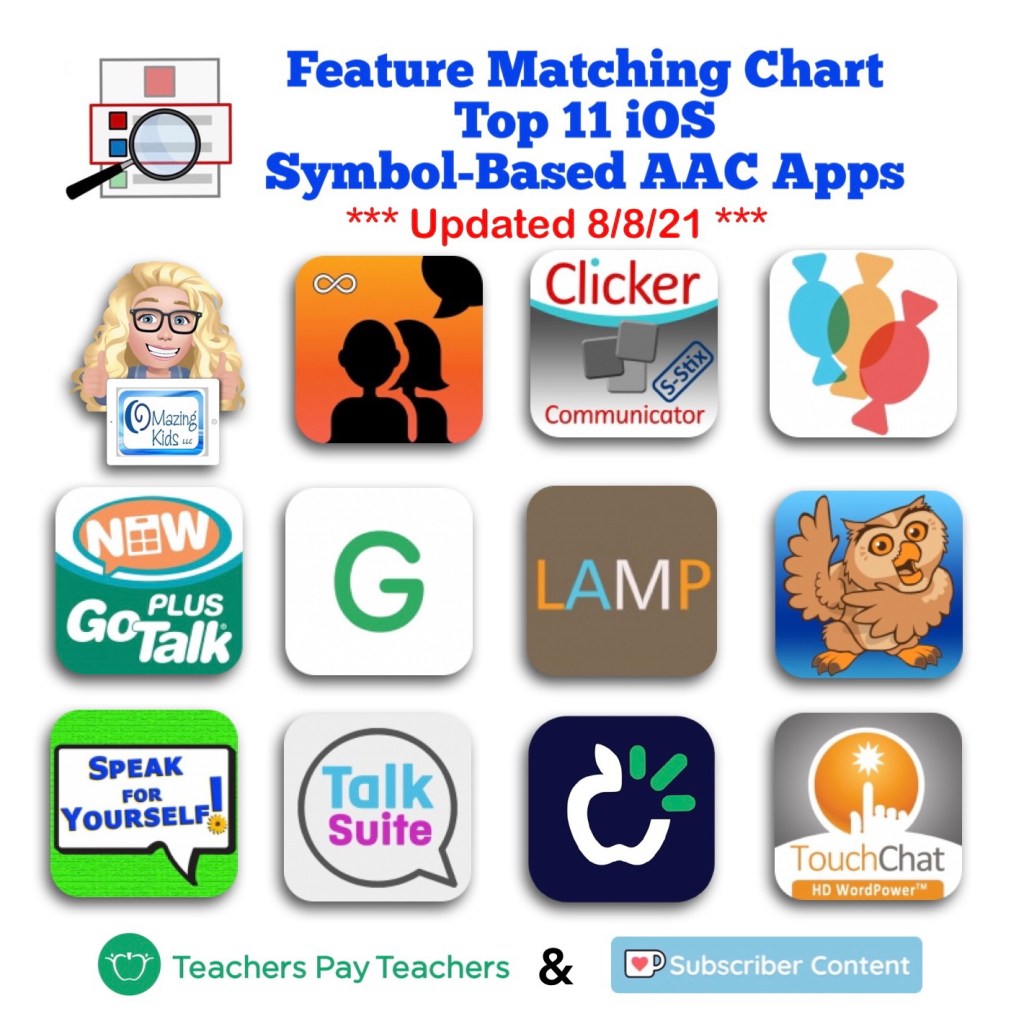
This chart includes an in-depth comparison of features & support resources across 11 robust iOS symbol-based AAC apps:

• Avaz AAC – Lifetime Edition

• Clicker Communicator: AAC

• CoughDrop

• GoTalk Now / GoTalk Now Plus

• Grid for iPad VPP

• LAMP Words for Life

• Proloquo2Go

• Speak for Yourself

• Talk Suite Pro

• TD Snap (formerly known as Snap Core First)

• TouchChat HD with WordPower


Preview:


This product also now includes free exclusive access to an unlisted YouTube video (58:32) with time-stamped sections highlighting the unique features in each app.


Thanks SO much to Lauren S. Enders for this shout out for my AAC Feature Matching Chart in her presentation on 6/24/21 at AAC in the Cloud! See the whole presentation and get her handouts for “Personalizing AAC – A Deep Dive into Vocabulary Customization”: https://presenters.aacconference.com/videos/UVRRd1FUSXg=?. Be sure to also check out her Waklet with links to resources: https://wke.lt/w/s/7ldtJE.


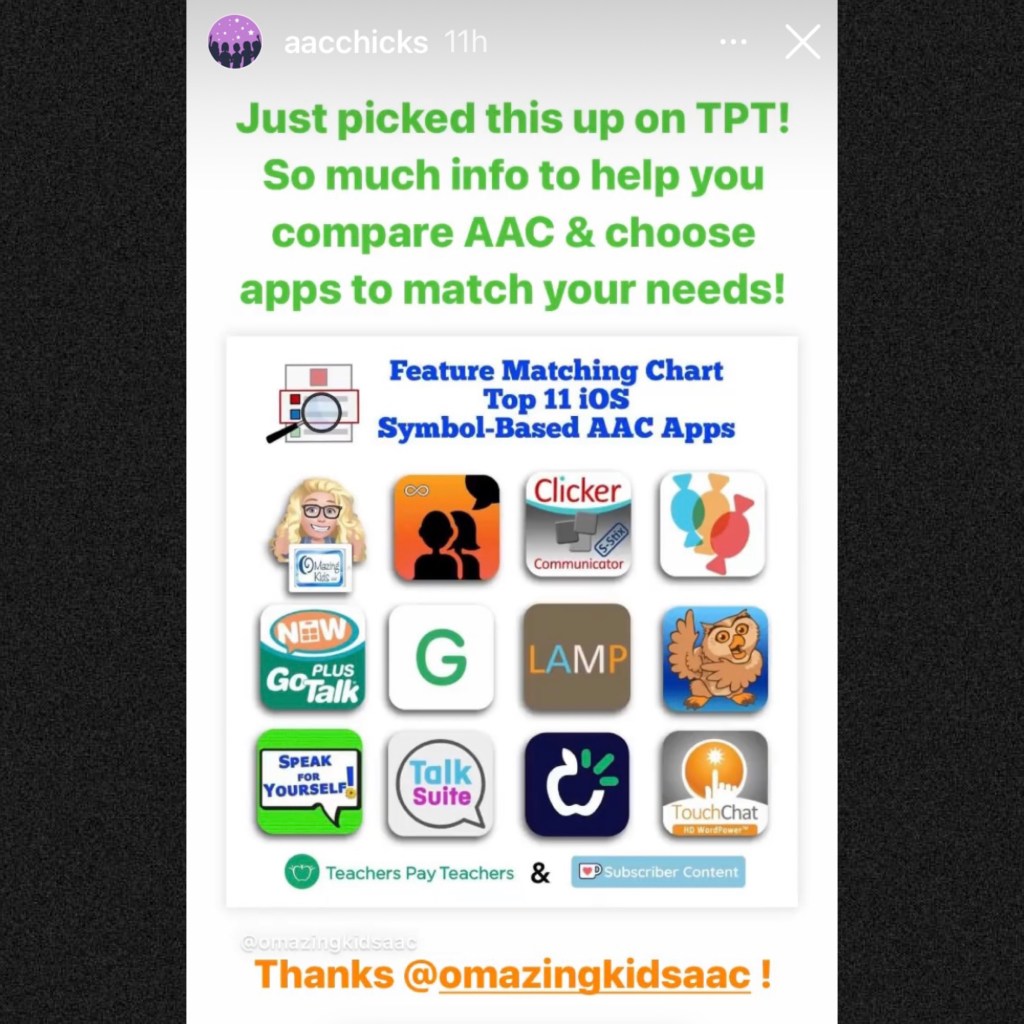
Thanks Vicki Clarke / Dynamic Therapy Associates Inc (aacchicks)! The shoutout for the AAC feature matching chart in your IG Stories on 7/20/21 made my day 🥰


It’s available for purchase on my Teachers Pay Teachers store: https://www.teacherspayteachers.com/Product/Feature-Matching-Chart-for-the-Top-11-Robust-iOS-Symbol-Based-AAC-Apps-6867853.

If you already purchased it be sure to go download the update for free.


Recurring monthly subscribers on Ko-fi can access this as part of their subscription: https://ko-fi.com/post/Feature-Matching-Chart-for-the-Top-11-iOS-Symbol-B-R6R85DVLH


This freebie on my OMazing Kids TPT store has been updated to add the Talk Suite Pro app: https://www.teacherspayteachers.com/Product/How-to-Get-Access-to-the-Top-11-iOS-Symbol-Based-AAC-Apps-TPT-Freebie-6869004


Have questions? The best way to reach me with any questions is via messaging on the OMazing Kids Facebook page: https://www.facebook.com/OMazingKidsAAC/. That way messages don’t get lost among the spam in my e-mail.


Angela Moorad, MS, CCC-SLP, Founder of OMazing Kids, LLC, OMazing Kids AAC Consulting

Teachers Pay Teachers Store: https://www.teacherspayteachers.com/Store/Omazing-Kids-Aac-Consulting

Ko-Fi: https://ko-fi.com/omazingkidsaac

Personal Professional Facebook Page (linked to OMazing Kids): https://www.facebook.com/angela.moorad (adding “friends” who have a direct role in AAC or Assistive Technology – AAC / AT app or product developers, AAC / AT consultants, SLPs who specialize in AAC, other professionals who specialize in AAC or AT, etc.)

OMazing Kids AAC Consulting Facebook Page: https://www.facebook.com/OMazingKidsAAC/

AppPeeps Facebook Group: https://www.facebook.com/groups/OMazingKidsAppPeeps/

Instagram: https://www.instagram.com/omazingkidsaac/

Twitter: https://www.twitter.com/amoorad

Pinterest: http://pinterest.com/OMazingKids/

Linktree: https://linktr.ee/amoorad1
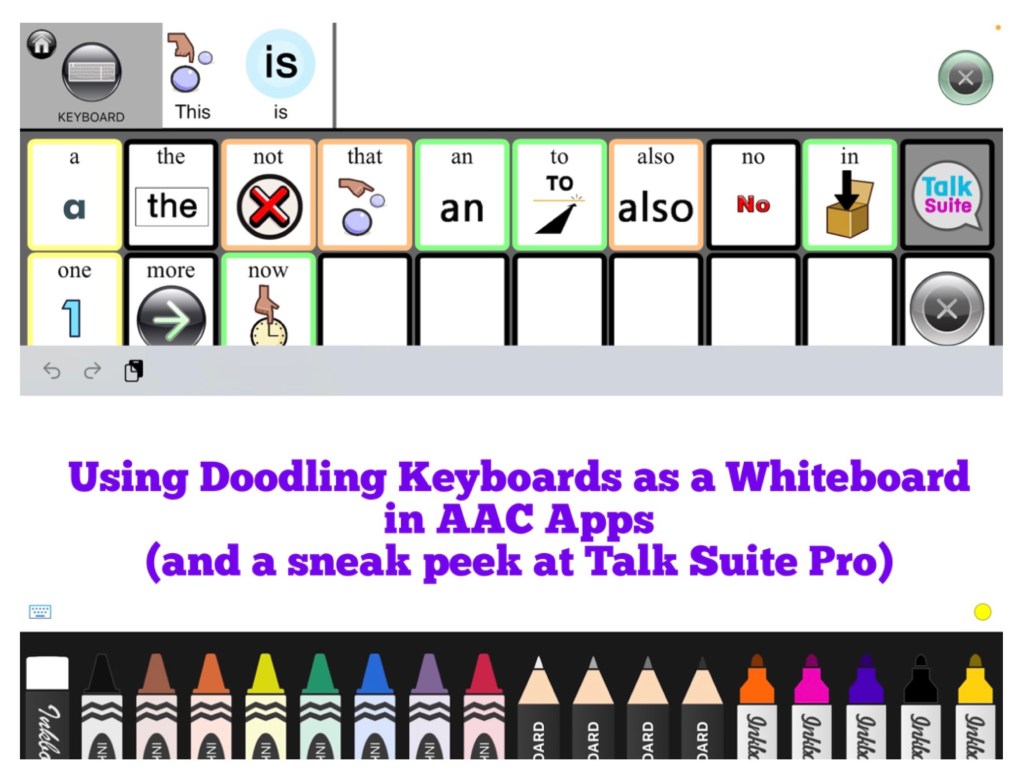
Using Doodling Keyboards as a Whiteboard in AAC Apps (plus a sneak peek at Talk Suite Pro)

Using Doodling Keyboards as a Whiteboard in AAC Apps (plus a sneak peek at Talk Suite Pro)

I’m working on an update for the Feature Matching Chart for the Top 10 (soon to be the Top 11) iOS Symbol-Based AAC Apps. As I was adding more info to the row about “Button Action to Open a Whiteboard”, I thought about how cool it would be to have a work-around for adding a drawing area to apps that don’t have that feature. Guess what… there is!

AAC apps that allow use of the iOS Keyboard open up the possibility of using a whole array of keyboard extension apps. As I searched the App Store I found three “doodling” keyboard apps that I liked and they worked well within those AAC apps. These doodling keyboard areas could be used as an additional means of communication, just for fun or even as a way for some AAC users to draw their own pictures to then be used as symbols on buttons within their AAC app.


Apps seen in the video:

Talk Suite Pro, https://apps.apple.com/us/app/talk-suite-pro/id1079239198, iPad only, iPadOS 9.0 or later

Inkboard, https://apple.co/3wRuKqA, iOS Universal, iOS 12.0 or later (this one was my favorite since it has so many different drawing tools)

DrawBoard Keyboard for Doodling, https://apple.co/3ilRMQP, iOS Universal, iOS 8.0 or later

ScribbleKey, https://apple.co/3hJbqao, iOS Universal, iOS 8.0 or later


Want to learn more about which iOS AAC apps allow use of the iOS Keyboard? Or which iOS AAC apps already include a Whiteboard area? Those are just two of the 95 rows of features included in the Feature Matching Chart. It’s available on the OMazing Kids AAC Consulting Teachers Pay Teacher store. The chart is very comprehensive, totally up to date and will be expanded in the next update to include an 11th app: https://www.teacherspayteachers.com/Product/Feature-Matching-Chart-for-the-Top-10-iOS-Symbol-Based-AAC-Apps-6867853


Angela Moorad, MS, CCC-SLP, OMazing Kids AAC Consulting

Teachers Pay Teachers Store: https://www.teacherspayteachers.com/Store/Omazing-Kids-Aac-Consulting

Ko-Fi: https://ko-fi.com/omazingkidsaac

Facebook: https://www.facebook.com/OMazingKidsAAC/

AppPeeps Group: https://www.facebook.com/groups/OMazingKidsAppPeeps/

Instagram: https://www.instagram.com/omazingkidsaac/

Twitter: https://www.twitter.com/amoorad

YouTube: https://youtube.com/user/amoorad1

Pinterest: http://pinterest.com/OMazingKids/

Linktree: https://linktr.ee/amoorad1

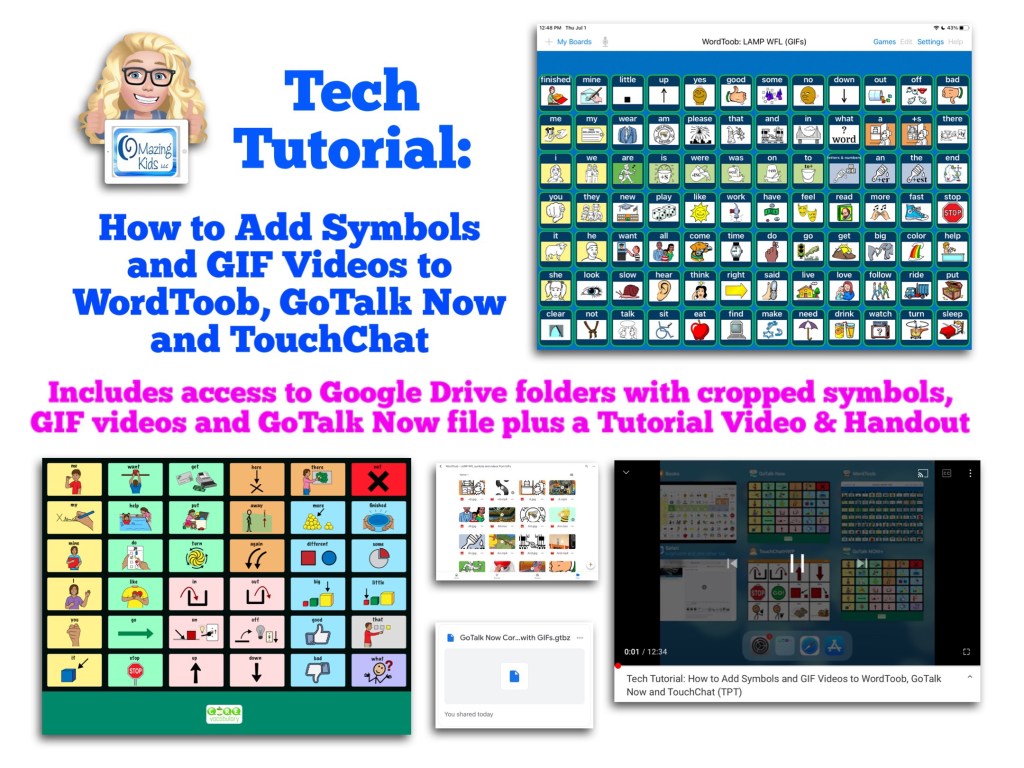
Tech Tutorial: How to Add Symbols and GIF Videos to WordToob, GoTalk Now and TouchChat (includes access to my Google Drive folders with cropped symbols, GIF videos & the GoTalk Now communication book file) – updated 12/1/22

Update 12/1/22:

I deactivated that resource on TPT. Despite having step by step instructions it was a bit too complicated and I was getting way too many questions about it. It was also a bit of a mess trying to share access to the Google Drive where I had stored the symbols and GIF videos.

I did upload the Core Board with GIFs that I made in GoTalk Now to the Private Sharing area in their Online Gallery. 

If you have either GoTalk Now or GoTalk Now Plus, feel free to message me on my OMazing Kids Facebook page: https://www.facebook.com/OMazingKidsAAC/. I’d be glad to share the code and you would be able to download that and the GIF videos are already embedded.

Please only request it if you have GoTalk Now or GoTalk Now Plus. Unfortunately the free GoTalk Now Lite or inexpensive GoTalk Start can’t access the Online Gallery or import a file.

———————————

Archived original post:

Quite a few folks asked how I did this after I posted about it on social media on 7/1/21.

YouTube:

Facebook: OMazing Kids page, also in the AAC for the SLP and AppPeeps groups

Instagram:

https://www.instagram.com/p/CQztIkHsJfo/?utm_medium=copy_link

So I decided to make this tutorial and offer it on my TPT store: *** deactivated this resource ***

Recurring subscribers on my Ko-fi site have free access to this resource as part of the subscription. See the post at https://ko-fi.com/post/Tech-Tutorial–includes-video-tutorial-files-wit-T6T557PXT


This tutorial package includes:

* A handout (3 page PDF)

* Access to a Tutorial Video (12:34, unlisted on YouTube) that shows the whole process for cropping symbols, finding GIFs, converting the GIFs to videos, how to save them, how to add those to buttons in WordToob, GoTalk Now and TouchChat, the pros and cons of each of those options, etc…

* Access to a secured Google Drive folder with all cropped symbols and GIFs converted to videos used to make the 84 button board in WordToob plus a few extra videos used in GoTalk Now and TouchChat

* Access to a secured Google Drive folder with the GoTalk Now Core Board with GIFs .gtbz file that can be imported into GoTalk Now or GoTalk Now Plus (plus info about how to get my hack for importing a single page book into the GoTalk Now Lite app)


Updated 12/18/21: You can use this website to turn a portion of a YouTube video into a GIF: https://gifs.com. Thanks to Sarah Gregory for this hack:


Have questions? The best way to reach me with any questions is via messaging on the OMazing Kids Facebook page: https://www.facebook.com/OMazingKidsAAC/. That way messages don’t get lost among the spam in my e-mail.


Angela Moorad, MS, CCC-SLP, Founder of OMazing Kids, LLC, OMazing Kids AAC Consulting

Teachers Pay Teachers Store: https://www.teacherspayteachers.com/Store/Omazing-Kids-Aac-Consulting

Ko-Fi: https://ko-fi.com/omazingkidsaac

Personal Professional Facebook Page (linked to OMazing Kids): https://www.facebook.com/angela.moorad (adding “friends” who have a direct role in AAC or Assistive Technology – AAC / AT app or product developers, AAC / AT consultants, SLPs who specialize in AAC, other professionals who specialize in AAC or AT, etc.)

OMazing Kids AAC Consulting Facebook Page: https://www.facebook.com/OMazingKidsAAC/

AppPeeps Facebook Group: https://www.facebook.com/groups/OMazingKidsAppPeeps/

Instagram: https://www.instagram.com/omazingkidsaac/

Twitter: https://www.twitter.com/amoorad

Pinterest: http://pinterest.com/OMazingKids/

Linktree: https://linktr.ee/amoorad1

Fostering AAC Ownership (+ AAC tags)

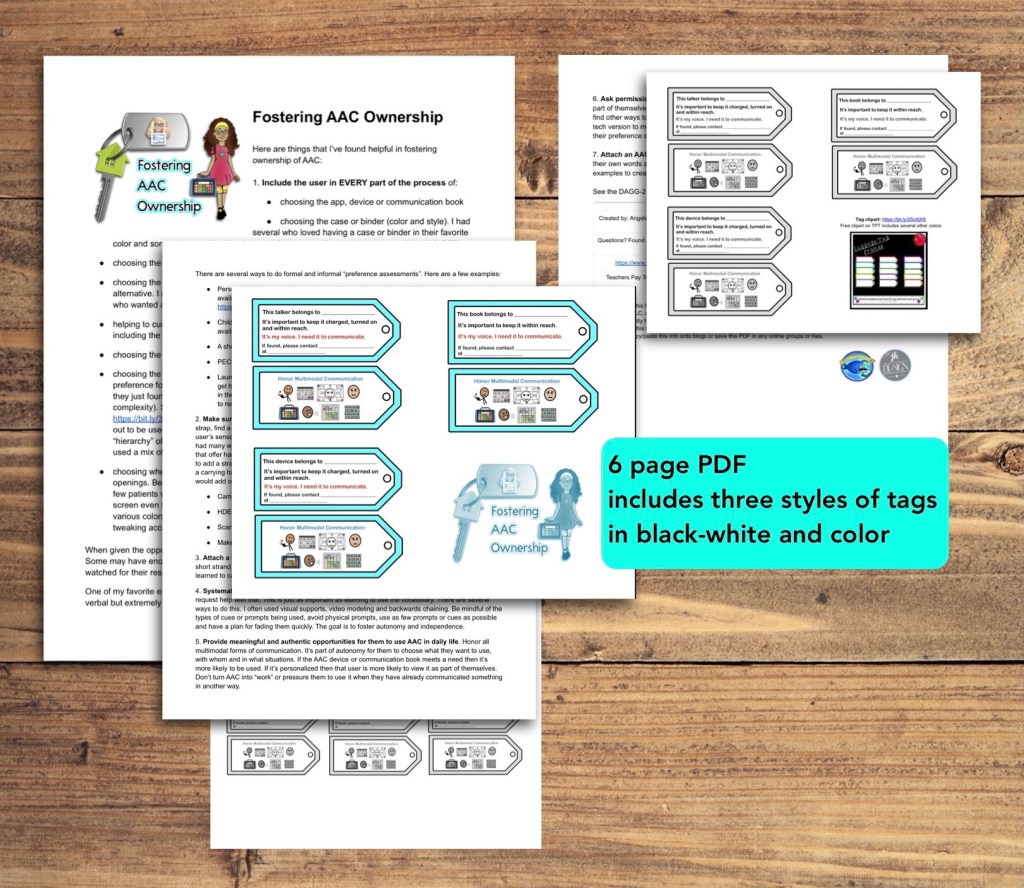
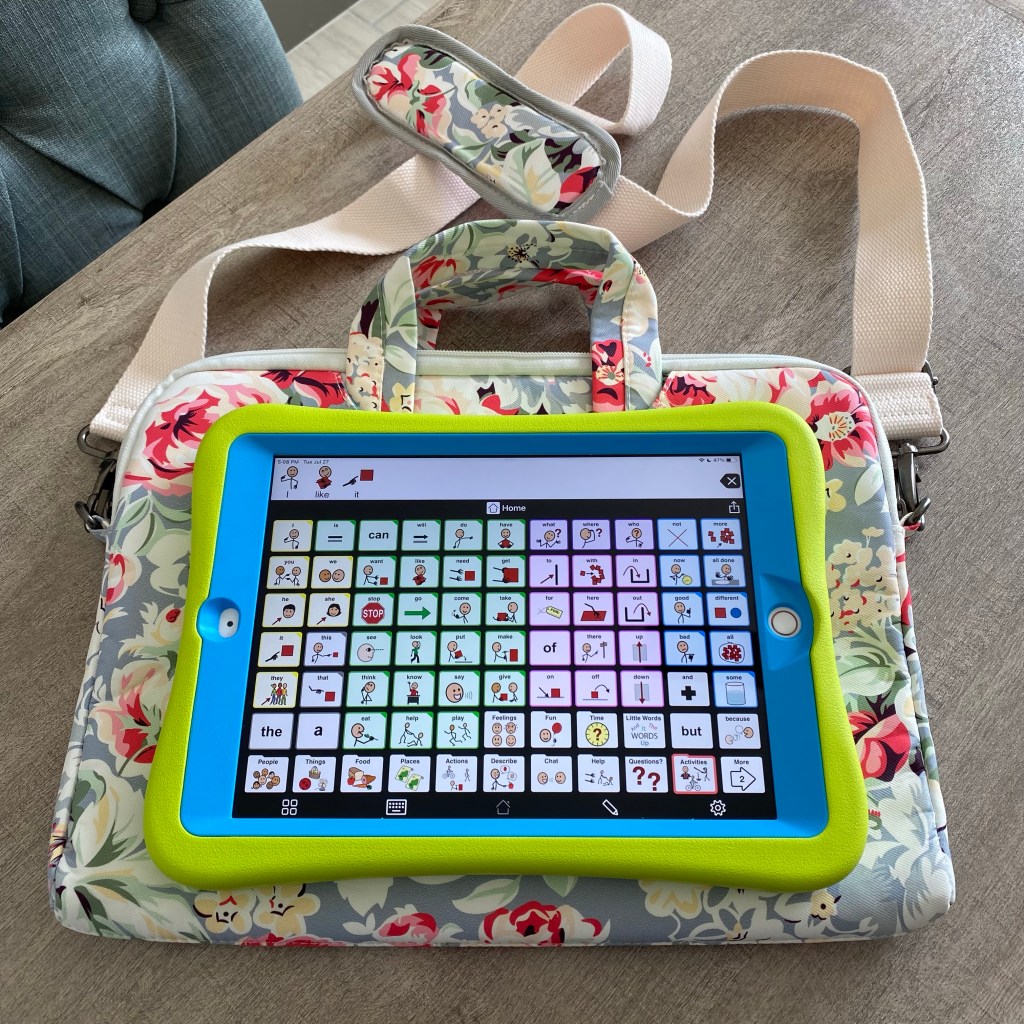
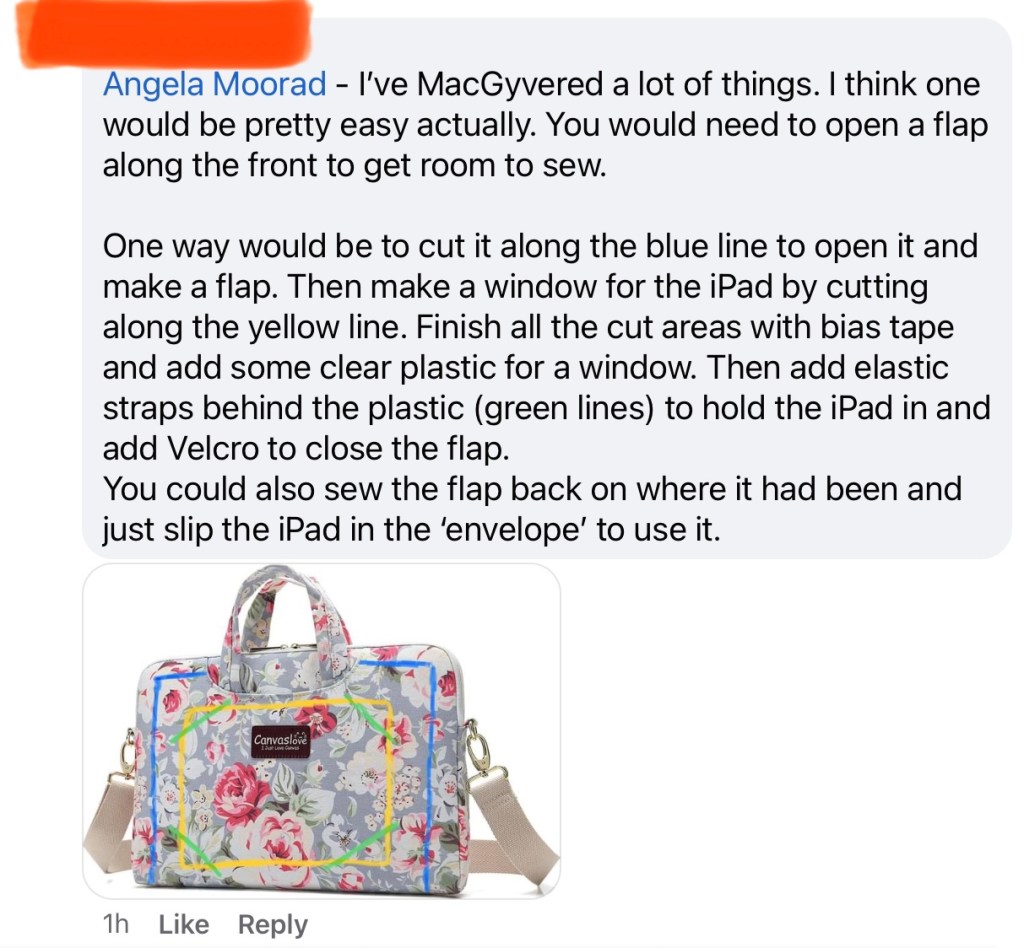
Check out the newest resource on my Teachers Pay Teachers store. The 6-page PDF includes seven strategies for fostering AAC ownership, links to five free Preference Indicator Assessment Questionnaire forms, ways to add carrying straps to cases and three pages of printable AAC tags (three styles: device, talker, book / two sizes / in color and in black-white). Fostering AAC Ownership + AAC tags: https://www.teacherspayteachers.com/Product/Fostering-AAC-Ownership-AAC-tags-6990346


Have questions? The best way to reach me with any questions is via messaging on the OMazing Kids Facebook page: https://www.facebook.com/OMazingKidsAAC/. That way messages don’t get lost among the spam in my e-mail.


Angela Moorad, MS, CCC-SLP, Founder of OMazing Kids, LLC, OMazing Kids AAC Consulting

Teachers Pay Teachers Store: https://www.teacherspayteachers.com/Store/Omazing-Kids-Aac-Consulting

Ko-Fi: https://ko-fi.com/omazingkidsaac

Personal Professional Facebook Page (linked to OMazing Kids): https://www.facebook.com/angela.moorad (adding “friends” who have a direct role in AAC or Assistive Technology – AAC / AT app or product developers, AAC / AT consultants, SLPs who specialize in AAC, other professionals who specialize in AAC or AT, etc.)

OMazing Kids AAC Consulting Facebook Page: https://www.facebook.com/OMazingKidsAAC/

AppPeeps Facebook Group: https://www.facebook.com/groups/OMazingKidsAppPeeps/

Instagram: https://www.instagram.com/omazingkidsaac/

Twitter: https://www.twitter.com/amoorad

Pinterest: http://pinterest.com/OMazingKids/

Linktree: https://linktr.ee/amoorad1
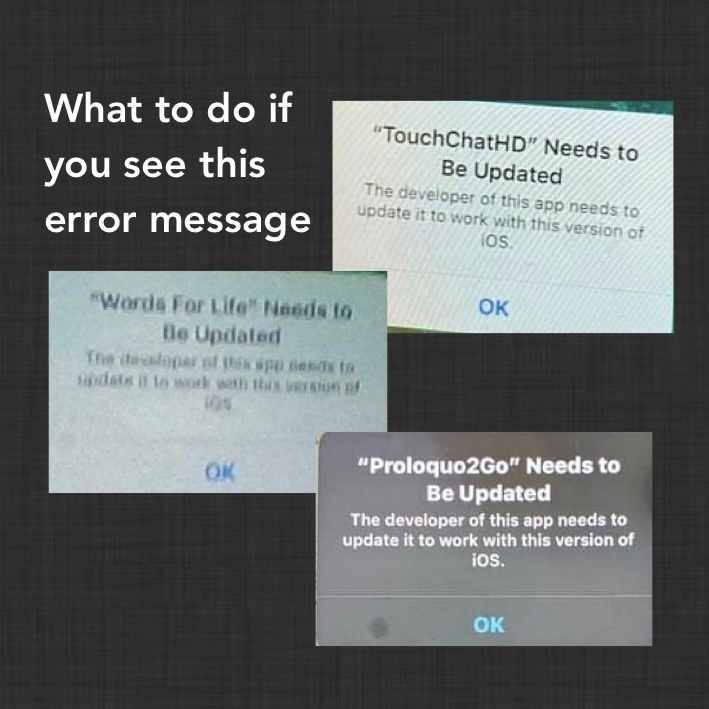
What to do if you see this error message…

I’ve seen numerous posts in a variety of Facebook AAC groups over the past week or so regarding folks getting an error message that the developer needs to update the app. But I have all of the apps in question and know that they are all updated and work fine on both iOS 14.5 and iOS 14.6 (the most current iOS).

What to do if you see this error message depends on the type of device you are using:

  1. Regular iPads: For those using the AAC app on a regular (not “managed”) iPad, check to make sure the iOS and the AAC are both updated and then do a forced restart. You may need to check in your Purchased area in the App Store to make sure there isn’t an update that just hasn’t been pushed out to you yet. See this blog post if you need info about how to do a forced restart: https://omazingkidsllc.com/2021/01/01/how-to-do-a-force-restart-on-an-ipad/. This seems to be resolving the issue for those on regular (not “managed”) devices.
  2. Mobile Device Management (MDM) system devices: If you are using a “managed” iOS-based device and are not able to access the areas to update the iOS and app on it, then you’ll need to check with the company that sold that device. Their customer service number should be on the back of the device. If not, see this post for info about companies that sell those: https://omazingkidsllc.com/2021/03/12/fundable-ios-based-aac-devices/. My best guess is there’s something in their management system that’s either preventing an update or triggering that error message. If the school district provided the device and uses their own system to manage them, then you’ll need to check with the department that handles that.

If any of the companies that sell managed devices have additional insights on what to do feel free to message me on my OMazing Kids AAC Consulting Facebook page (https://www.facebook.com/OMazingKidsAAC/) I’ve had several folks asking so I’ll be giving updates on any new info.


Angela Moorad, MS, CCC-SLP, Founder of OMazing Kids, LLC, OMazing Kids AAC Consulting

Teachers Pay Teachers Store: https://www.teacherspayteachers.com/Store/Omazing-Kids-Aac-Consulting

Ko-Fi: https://ko-fi.com/omazingkidsaac

Personal Professional Facebook Page (linked to OMazing Kids): https://www.facebook.com/angela.moorad (adding “friends” who have a direct role in AAC or Assistive Technology – AAC / AT app or product developers, AAC / AT consultants, SLPs who specialize in AAC, other professionals who specialize in AAC or AT, etc.)

OMazing Kids AAC Consulting Facebook Page: https://www.facebook.com/OMazingKidsAAC/

AppPeeps Facebook Group: https://www.facebook.com/groups/OMazingKidsAppPeeps/

Instagram: https://www.instagram.com/omazingkidsaac/

Twitter: https://www.twitter.com/amoorad

Pinterest: http://pinterest.com/OMazingKids/

Linktree: https://linktr.ee/amoorad1
Feature Matching Chart for the Top 10 iOS Symbol-Based AAC Apps (updated 6/11/21)

*** See this new post for the most current info & a major update: https://omazingkidsllc.com/2021/07/20/feature-matching-chart-for-the-top-11-robust-ios-symbol-based-aac-apps/ ***

The Feature Matching Chart for the Top 10 iOS Symbol-Based AAC Apps has been updated and the new version uploaded to my Teachers Pay Teachers store (https://www.teacherspayteachers.com/Product/Feature-Matching-Chart-for-the-Top-10-iOS-Symbol-Based-AAC-Apps-6867853) and Ko-fi subscription site.

It includes info about app updates done in the past month, info about head tracking and eye gaze capabilities in CoughDrop, a few more tips and time saving features and I added a row about backup/share/restore via a USB flash drive.


Have questions? The best way to reach me with any questions is via messaging on the OMazing Kids Facebook page: https://www.facebook.com/OMazingKidsAAC/. That way messages don’t get lost among the spam in my e-mail.


Angela Moorad, MS, CCC-SLP, Founder of OMazing Kids, LLC, OMazing Kids AAC Consulting

Teachers Pay Teachers Store: https://www.teacherspayteachers.com/Store/Omazing-Kids-Aac-Consulting

Ko-Fi: https://ko-fi.com/omazingkidsaac

Personal Professional Facebook Page (linked to OMazing Kids): https://www.facebook.com/angela.moorad (adding “friends” who have a direct role in AAC or Assistive Technology – AAC / AT app or product developers, AAC / AT consultants, SLPs who specialize in AAC, other professionals who specialize in AAC or AT, etc.)

OMazing Kids Business Facebook Page: https://www.facebook.com/OMazingKidsAAC/

AppPeeps Facebook Group: https://www.facebook.com/groups/OMazingKidsAppPeeps/

Instagram: https://www.instagram.com/omazingkidsaac/

Twitter: https://www.twitter.com/amoorad

Pinterest: http://pinterest.com/OMazingKids/

Linktree: https://linktr.ee/amoorad1
AAC Tutorial: Backup / Restore / Share Customized Programming in the Top 10 iOS Symbol-Based AAC Apps (includes how to use an external USB drive and USB Camera Adapter with Apple Files)

AAC Tutorial: Backup / Restore / Share Customized Programming in the Top 10 iOS Symbol-Based AAC Apps (includes 2 videos & a PDF handout). Covers several options including detailed instructions on how to use an external USB drive and USB Camera Adapter with Apple Files. Now available on my Teachers Pay Teachers store: https://bit.ly/3zj41FG


NOTE: I deactivated this resource on TPT on 11/2/23 when I learned that iOS 17 / iPadOS 17 made some significant changes to how AirDrop works. Prior to this you could AirDrop and the AAC file that you sent would go straight to that AAC app on the receiving device with a confirmation message to tap to import it. As of iOS 17/ iPadOS 17 this is no longer the case. One of the developers of Speak for Yourself shared the following information in a comment in the AAC for the SLP group: “AirDrop now uses the Files app to receive vocabulary. If it’s a managed device (through an MDM or third party insurance-covered device), it may have the files app removed. It’s going to affect any of the apps and any files that you’re trying to AirDrop. It’s doesn’t affect photos, only files.”

Info from Apple: https://developer.apple.com/forums/thread/737971?page=1#767265022 (On iOS 17, the behavior of saving an AirDropped file to the Downloads folder (and then launching Files.app) is intended. That is part of the effort to avoid directly passing a file to an app that declares itself as a handler of the file type but isn’t really the file handler that the user expects.)

At this point I’m going to see if AAC app developers come up with a work around or if Apple rolls back this process before deciding whether or not I will update this resource.


Have questions? The best way to reach me with any questions is via messaging on the OMazing Kids Facebook page: https://www.facebook.com/OMazingKidsAAC/. That way messages don’t get lost among the spam in my e-mail.


Angela Moorad, MS, CCC-SLP, Founder of OMazing Kids, LLC, OMazing Kids AAC Consulting

Teachers Pay Teachers Store: https://www.teacherspayteachers.com/Store/Omazing-Kids-Aac-Consulting

Ko-Fi: https://ko-fi.com/omazingkidsaac

Personal Professional Facebook Page (linked to OMazing Kids): https://www.facebook.com/angela.moorad (adding “friends” who have a direct role in AAC or Assistive Technology – AAC / AT app or product developers, AAC / AT consultants, SLPs who specialize in AAC, other professionals who specialize in AAC or AT, etc.)

OMazing Kids Business Facebook Page: https://www.facebook.com/OMazingKidsAAC/

AppPeeps Facebook Group: https://www.facebook.com/groups/OMazingKidsAppPeeps/

Instagram: https://www.instagram.com/omazingkidsaac/

Twitter: https://www.twitter.com/amoorad

Pinterest: http://pinterest.com/OMazingKids/

Linktree: https://linktr.ee/amoorad1
Resource Roundup: AAC in Early Intervention

Looking for resources to support use of AAC in Early Intervention? Here’s my curated list of resources, handouts and webinars. I’ve only shared things that I’ve personally used, read and watched. There’s no “perfect” one-size-fits-all resource. So that’s why I use bits and pieces from lots of things.

Free handout on my Teachers Pay Teachers store: https://www.teacherspayteachers.com/Product/Resource-Roundup-AAC-in-Early-Intervention-6927799


Have questions? The best way to reach me with any questions is via messaging on the OMazing Kids Facebook page: https://www.facebook.com/OMazingKidsAAC/. That way messages don’t get lost among the spam in my e-mail.


Angela Moorad, MS, CCC-SLP, Founder of OMazing Kids, LLC, OMazing Kids AAC Consulting

Teachers Pay Teachers Store: https://www.teacherspayteachers.com/Store/Omazing-Kids-Aac-Consulting

Ko-Fi: https://ko-fi.com/omazingkidsaac

Personal Professional Facebook Page (linked to OMazing Kids): https://www.facebook.com/angela.moorad (adding “friends” who have a direct role in AAC or Assistive Technology – AAC / AT app or product developers, AAC / AT consultants, SLPs who specialize in AAC, other professionals who specialize in AAC or AT, etc.)

OMazing Kids Business Facebook Page: https://www.facebook.com/OMazingKidsAAC/

AppPeeps Facebook Group: https://www.facebook.com/groups/OMazingKidsAppPeeps/

Instagram: https://www.instagram.com/omazingkidsaac/

Twitter: https://www.twitter.com/amoorad

Pinterest: http://pinterest.com/OMazingKids/

Linktree: https://linktr.ee/amoorad1
Blog: http://omazingkidsllc.com

Tech Tips: Troubleshooting iPad Sound Problems

Having issues with sound on your iPad? Here’s a free handout for some things to try: https://www.teacherspayteachers.com/Product/Tech-Tips-Troubleshooting-iPad-Sound-Problems-6922686


Not on Teachers Pay Teachers? You can also download the free PDF from my blog: https://omazingkidsllc.com/wp-content/uploads/2021/06/tech-tips-troubleshooting-ipad-sound-problems.pdf


Have questions? The best way to reach me with any questions is via messaging on the OMazing Kids Facebook page: https://www.facebook.com/OMazingKidsAAC/. That way messages don’t get lost among the spam in my e-mail.


Angela Moorad, MS, CCC-SLP, Founder of OMazing Kids, LLC OMazing Kids AAC Consulting

Teachers Pay Teachers Store: https://www.teacherspayteachers.com/Store/Omazing-Kids-Aac-Consulting

Ko-Fi: https://ko-fi.com/omazingkidsaac

Personal Professional Facebook Page (linked to OMazing Kids): https://www.facebook.com/angela.moorad (adding “friends” who have a direct role in AAC or Assistive Technology – AAC / AT app or product developers, AAC / AT consultants, SLPs who specialize in AAC, other professionals who specialize in AAC or AT, etc.)

OMazing Kids Business Facebook Page: https://www.facebook.com/OMazingKidsAAC/

AppPeeps Facebook Group: https://www.facebook.com/groups/OMazingKidsAppPeeps/

Instagram: https://www.instagram.com/omazingkidsaac/

Twitter: https://www.twitter.com/amoorad

Pinterest: http://pinterest.com/OMazingKids/

Linktree: https://linktr.ee/amoorad1
Blog: http://omazingkidsllc.com


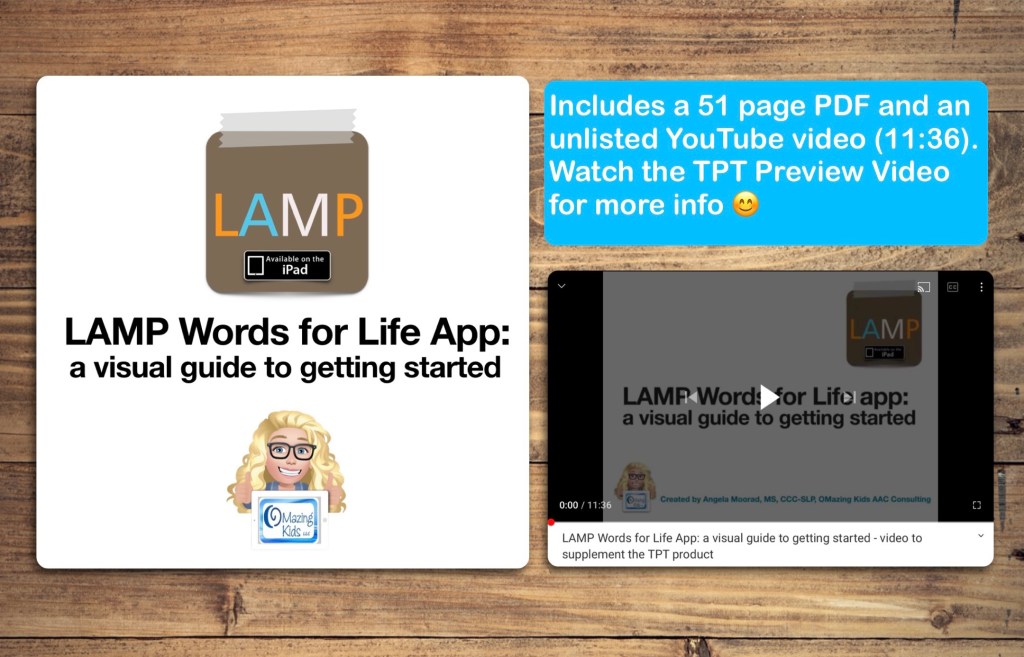
LAMP Words for Life on iPad with High Contrast Symbols

This is what the LAMP Words for Life app looks like on my iPad modified to use High Contrast symbols:


Want to know more? Check out this short recorded webinar on my Teachers Pay Teachers store: https://bit.ly/2Rd430G


Have questions? The best way to reach me with any questions is via messaging on the OMazing Kids Facebook page: https://www.facebook.com/OMazingKidsAAC/. That way messages don’t get lost among the spam in my e-mail.


Angela Moorad, MS, CCC-SLP, Founder of OMazing Kids, LLC OMazing Kids AAC Consulting

Teachers Pay Teachers Store: https://www.teacherspayteachers.com/Store/Omazing-Kids-Aac-Consulting

Ko-Fi: https://ko-fi.com/omazingkidsaac

Personal Professional Facebook Page (linked to OMazing Kids): https://www.facebook.com/angela.moorad (adding “friends” who have a direct role in AAC or Assistive Technology – AAC / AT app or product developers, AAC / AT consultants, SLPs who specialize in AAC, other professionals who specialize in AAC or AT, etc.)

OMazing Kids Business Facebook Page: https://www.facebook.com/OMazingKidsAAC/

AppPeeps Facebook Group: https://www.facebook.com/groups/OMazingKidsAppPeeps/

Instagram: https://www.instagram.com/omazingkidsaac/

Twitter: https://www.twitter.com/amoorad

Pinterest: http://pinterest.com/OMazingKids/

Linktree: https://linktr.ee/amoorad1
Blog: http://omazingkidsllc.com