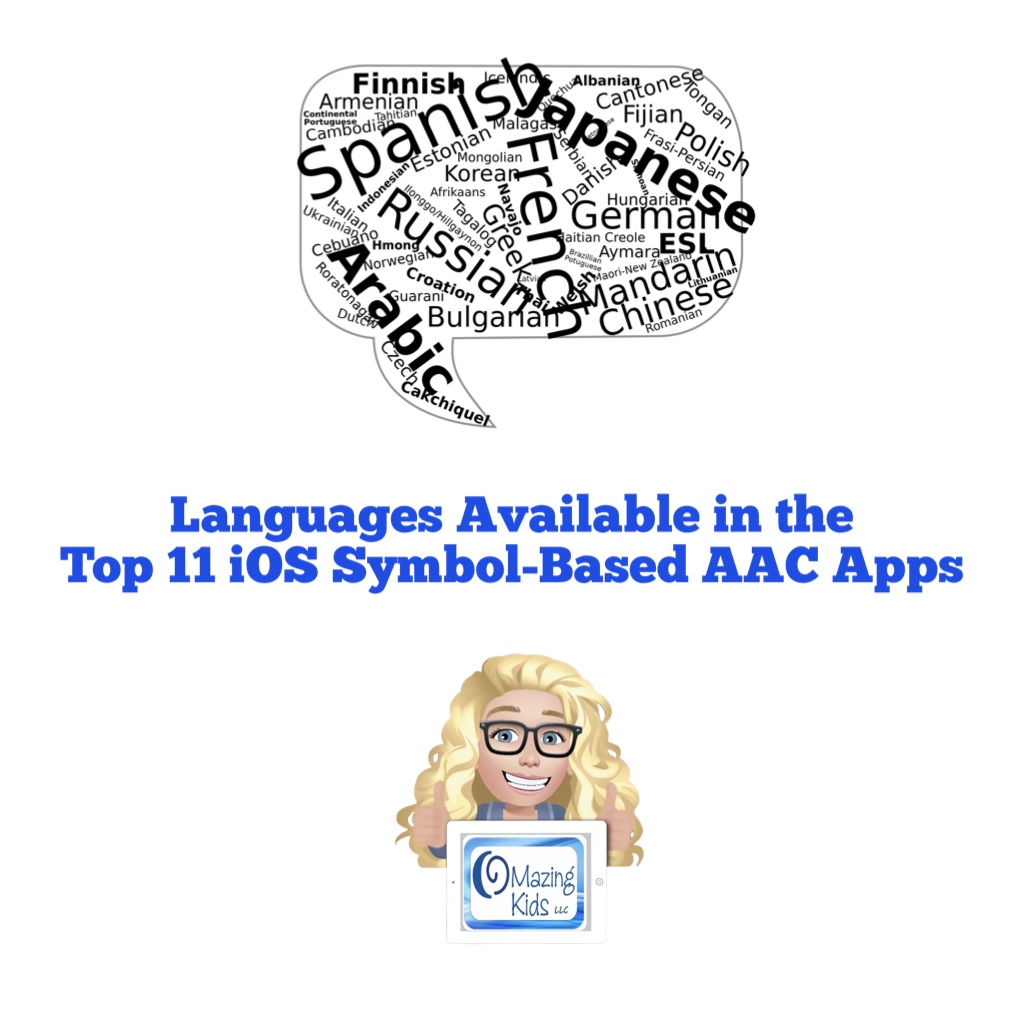
Languages Available in the Top 11 iOS Symbol-Based AAC Apps

Are you looking for info about languages supported in the most commonly used symbol-based AAC apps?

That is one of 98 rows included in my AAC Feature Matching Chart.

Here is a free one-page PDF with the “Languages” row from the Feature Matching Chart for the Top 11 iOS Symbol-Based AAC Apps: https://bit.ly/2VYeaZj (PDF)

It is also available as a freebie on my TPT store: https://www.teacherspayteachers.com/Product/Languages-Available-in-the-Top-11-iOS-Symbol-Based-AAC-Apps-7148289


This is just one of the 98 rows included in the Feature Matching Chart for the Top 11 iOS Symbol-Based AAC apps that can be purchased on my Teachers Pay Teachers store: https://www.teacherspayteachers.com/Product/Feature-Matching-Chart-for-the-Top-11-Robust-iOS-Symbol-Based-AAC-Apps-6867853


Have questions? The best way to reach me with any questions is via messaging on the OMazing Kids Facebook page: https://www.facebook.com/OMazingKidsAAC/. That way messages don’t get lost among the spam in my e-mail.

Angela Moorad, MS, CCC-SLP, Founder of OMazing Kids, LLC, OMazing Kids AAC Consulting

Teachers Pay Teachers Store: https://www.teacherspayteachers.com/Store/Omazing-Kids-Aac-Consulting

YouTube: https://youtube.com/user/amoorad1

Ko-Fi: https://ko-fi.com/omazingkidsaac

OMazing Kids AAC Consulting Facebook Page: https://www.facebook.com/OMazingKidsAAC/

AppPeeps Facebook Group: https://www.facebook.com/groups/OMazingKidsAppPeeps/

Instagram: https://www.instagram.com/omazingkidsaac

Twitter: https://www.twitter.com/amoorad

Pinterest: http://pinterest.com/OMazingKids/

Linktree: https://linktr.ee/amoorad1
Tech Tips: AAC & “Screen Time”

Have you encountered resistance to AAC use due to someone thinking that all “screen time” is bad?

Or they want to limit AAC options to only low-tech or no-tech out of a misguided fear that AAC use would expose them to “screen time” that could inhibit their development?

This free handout will help you dispel those myths with easy to understand info about the differences between active and passive screen time, key discussion points and links to where you can find more info from the American Speech Language and Hearing Association & the US Department of Education.

It’s available as a freebie on my TPT store: https://bit.ly/3xAqYCi


Want to save time and have tons of AAC info at your fingertips?

Check out info and shout outs for my Feature Matching Chart for the Top 11 iOS Symbol-Based AAC Apps: https://omazingkidsllc.com/2021/07/20/feature-matching-chart-for-the-top-11-robust-ios-symbol-based-aac-apps/.

It’s available for purchase here on my TPT store: https://www.teacherspayteachers.com/Product/Feature-Matching-Chart-for-the-Top-11-Robust-iOS-Symbol-Based-AAC-Apps-6867853


Have questions? The best way to reach me with any questions is via messaging on the OMazing Kids Facebook page: https://www.facebook.com/OMazingKidsAAC/. That way messages don’t get lost among the spam in my e-mail.


Angela Moorad, MS, CCC-SLP, Founder of OMazing Kids, LLC, OMazing Kids AAC Consulting

Teachers Pay Teachers Store: https://www.teacherspayteachers.com/Store/Omazing-Kids-Aac-Consulting

YouTube: https://youtube.com/user/amoorad1

Ko-Fi: https://ko-fi.com/omazingkidsaac

OMazing Kids AAC Consulting Facebook Page: https://www.facebook.com/OMazingKidsAAC/

AppPeeps Facebook Group: https://www.facebook.com/groups/OMazingKidsAppPeeps/

Instagram: https://www.instagram.com/omazingkidsaac

Twitter: https://www.twitter.com/amoorad

Pinterest: http://pinterest.com/OMazingKids/

Linktree: https://linktr.ee/amoorad1
Tech Tips: Installing iOS Apps on Multiple Devices

Have you ever wondered how many devices you can load an iOS app on? Or the legalities surrounding app usage?

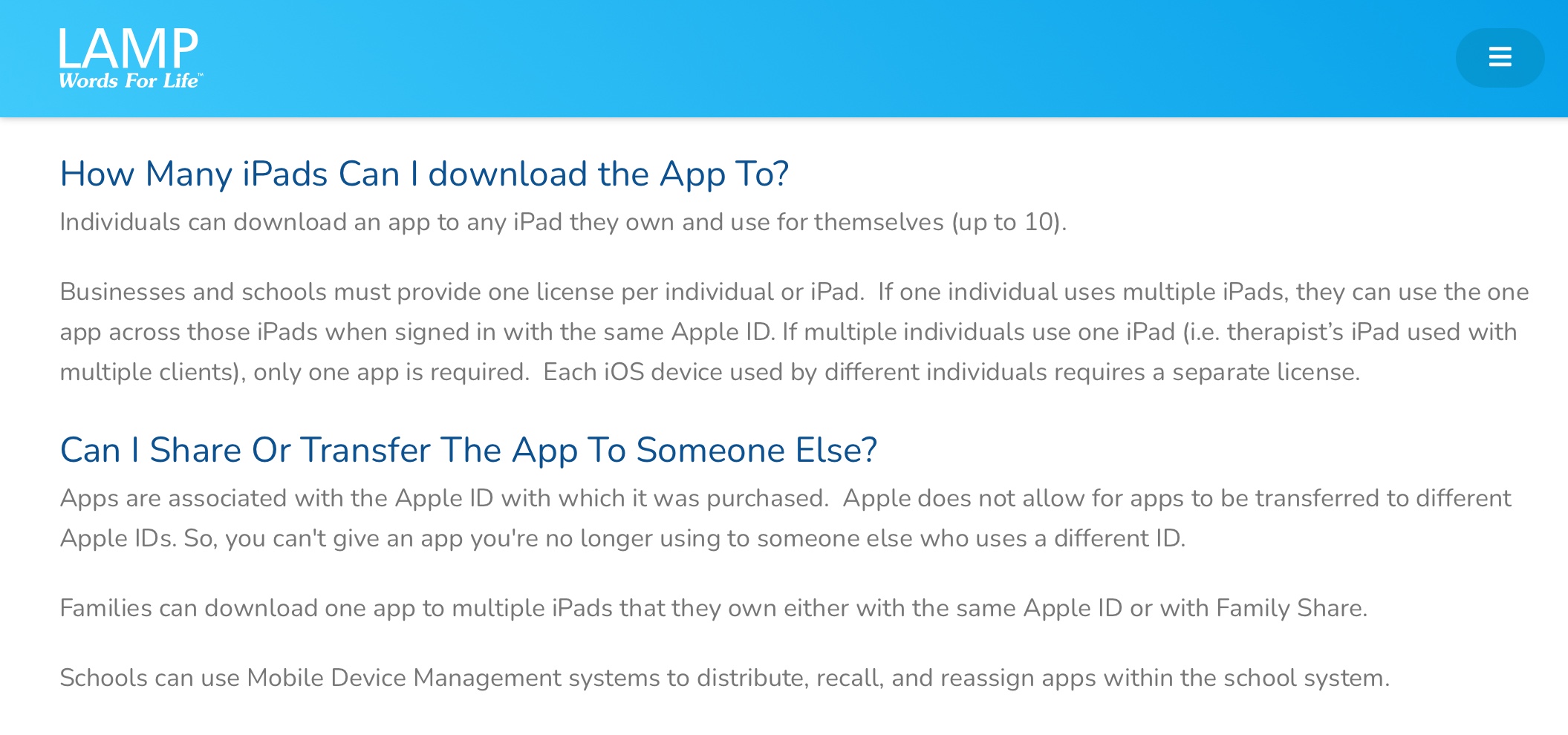
The new website for LAMP Words for Life has a nice simple summary. Here’s a screenshot:

https://lampwflapp.com/support/faqs.

Most major AAC app developers have similar info on their website or defer to the Apple info linked below.


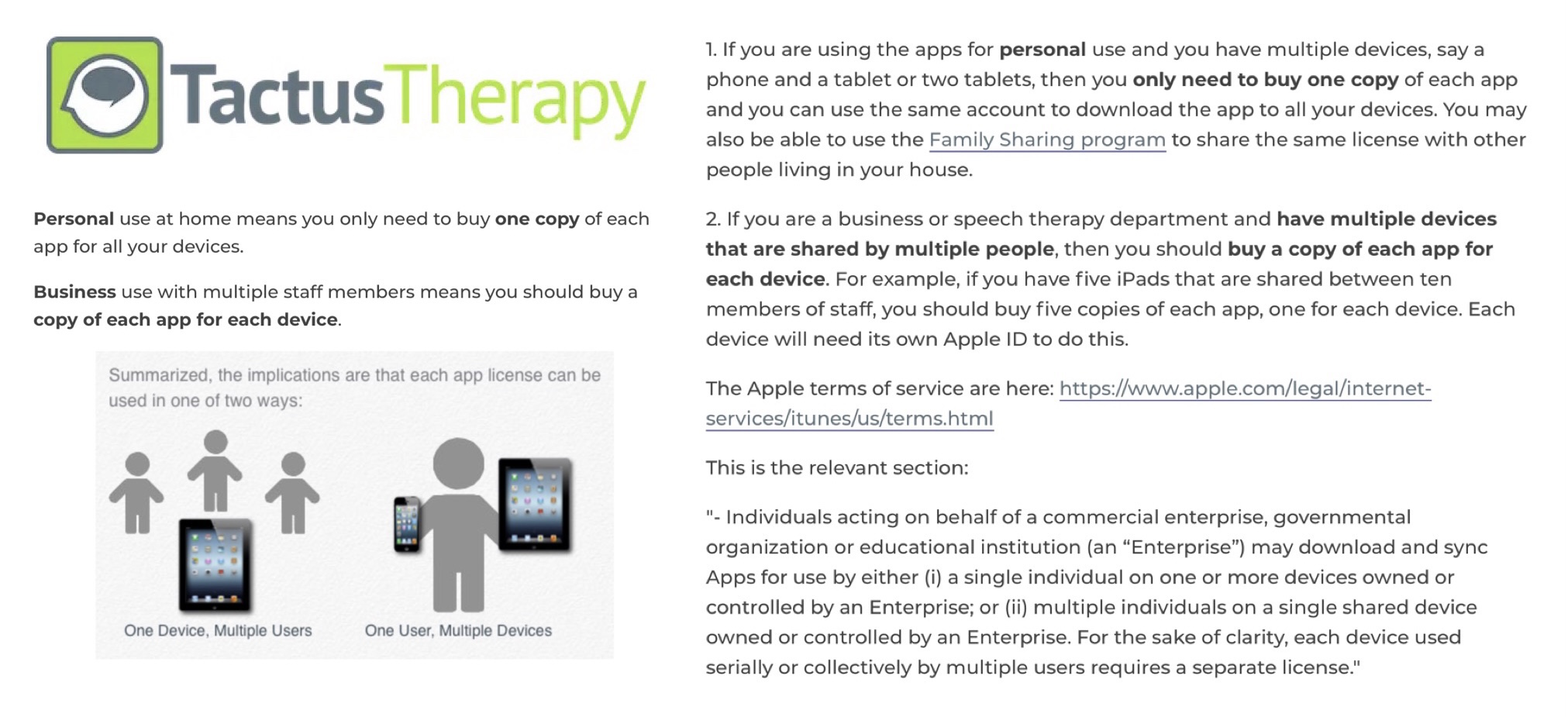
I also frequently share this easy to understand info from Tactus Therapy:

https://help.tactustherapy.com/hc/en-us/articles/360024699251-We-have-lots-of-devices-How-many-copies-or-licenses-of-each-app-should-I-buy-


If you want to read more in-depth legal descriptions about this, read the Apple Media Services Terms and Conditions: https://www.apple.com/legal/internet-services/itunes/us/terms.html.

See more about devices associated with an Apple ID: https://support.apple.com/en-us/HT204074. You can have up to ten devices (no more than five computers) associated with your Apple ID for purchases at one time.

And info about Family Sharing for those in the household: https://www.apple.com/family-sharing/ (FYI…. in-app purchases and subscriptions may not be eligible for Family Sharing)

School systems and other organizations can get a discount when purchasing apps in bulk. See the Apple School Manager info: https://support.apple.com/guide/apple-school-manager/how-to-buy-content-apde19b23f7f/1/web/1 (also: https://support.apple.com/en-us/HT206960 & https://www.apple.com/business/docs/site/Apple_Business_Manager_Getting_Started_Guide.pdf)


Note: Rules regarding app usage may vary outside of the USA


If you are looking for a way to share customized programming with another person who owns an app, check that AAC app company’s website.

Want to save time and have all of that info (and so much more) at your fingertips? Check out my Feature Matching Chart for the Top 11 iOS Symbol-Based AAC Apps: https://omazingkidsllc.com/2021/07/20/feature-matching-chart-for-the-top-11-robust-ios-symbol-based-aac-apps/


This info is also available as a FREE handout on my TPT store: https://www.teacherspayteachers.com/Product/Tech-Tips-Installing-iOS-Apps-on-Multiple-Devices-7127363


Have questions? The best way to reach me with any questions is via messaging on the OMazing Kids Facebook page: https://www.facebook.com/OMazingKidsAAC/. That way messages don’t get lost among the spam in my e-mail.


Angela Moorad, MS, CCC-SLP, Founder of OMazing Kids, LLC, OMazing Kids AAC Consulting

Teachers Pay Teachers Store: https://www.teacherspayteachers.com/Store/Omazing-Kids-Aac-Consulting

YouTube: https://youtube.com/user/amoorad1

Ko-Fi: https://ko-fi.com/omazingkidsaac

Personal Professional Facebook Page (linked to OMazing Kids): https://www.facebook.com/angela.moorad (adding “friends” who have a direct role in AAC or Assistive Technology – AAC / AT app or product developers, AAC / AT consultants, SLPs who specialize in AAC, other professionals who specialize in AAC or AT, etc.)

OMazing Kids AAC Consulting Facebook Page: https://www.facebook.com/OMazingKidsAAC/

AppPeeps Facebook Group: https://www.facebook.com/groups/OMazingKidsAppPeeps/

Instagram: https://www.instagram.com/omazingkidsaac

Twitter: https://www.twitter.com/amoorad

Pinterest: http://pinterest.com/OMazingKids/

Linktree: https://linktr.ee/amoorad1

Updated AAC Feature Matching Chart (8-8-21)

This month’s update for the Feature Matching Chart for the Top 11 iOS Symbol-Based AAC Apps is available on my TPT store: https://www.teacherspayteachers.com/Product/Feature-Matching-Chart-for-the-Top-11-Robust-iOS-Symbol-Based-AAC-Apps-6867853

Recurring monthly subscribers on my Ko-fi site can access the update on this post: https://ko-fi.com/post/Update-Feature-Matching-Chart-8-8-21-Q5Q75MF4E

Links have also been updated in the “How to Get Access to the Top 11 iOS Symbol-Based AAC Apps (TPT Freebie)”: https://www.teacherspayteachers.com/Product/How-to-Get-Access-to-the-Top-11-iOS-Symbol-Based-AAC-Apps-TPT-Freebie-6869004


In depth info about the Feature Matching Chart: https://omazingkidsllc.com/2021/07/20/feature-matching-chart-for-the-top-11-robust-ios-symbol-based-aac-apps/


Have questions? The best way to reach me with any questions is via messaging on the OMazing Kids Facebook page: https://www.facebook.com/OMazingKidsAAC/. That way messages don’t get lost among the spam in my e-mail.


Angela Moorad, MS, CCC-SLP, Founder of OMazing Kids, LLC, OMazing Kids AAC Consulting

Teachers Pay Teachers Store: https://www.teacherspayteachers.com/Store/Omazing-Kids-Aac-Consulting

YouTube: https://youtube.com/user/amoorad1

Ko-Fi: https://ko-fi.com/omazingkidsaac

Personal Professional Facebook Page (linked to OMazing Kids): https://www.facebook.com/angela.moorad (adding “friends” who have a direct role in AAC or Assistive Technology – AAC / AT app or product developers, AAC / AT consultants, SLPs who specialize in AAC, other professionals who specialize in AAC or AT, etc.)

OMazing Kids AAC Consulting Facebook Page: https://www.facebook.com/OMazingKidsAAC/

AppPeeps Facebook Group: https://www.facebook.com/groups/OMazingKidsAppPeeps/

Instagram: https://www.instagram.com/omazingkidsaac

Twitter: https://www.twitter.com/amoorad

Pinterest: http://pinterest.com/OMazingKids/

Linktree: https://linktr.ee/amoorad1

LAMP Words for Life App: a visual guide to getting started (new TPT product)

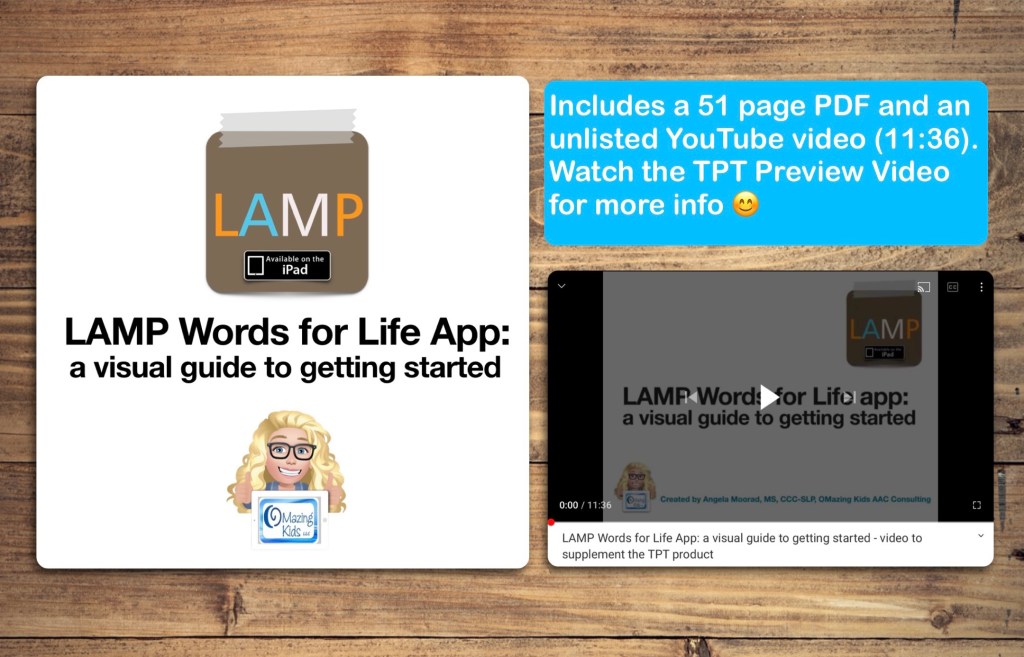
This visual guide walks you through the initial set up and customization process for the LAMP Words for Life AAC app on the iPad.

*** There is one topic per page with visuals ***

It is perfect for those who are brand new to the app and want screenshots for every step in the initial set up, tips on choosing a vocabulary file and customization options to help buttons stand out.


Video overview:


Available for purchase on my TPT store: https://bit.ly/3fqh67F

Want more specific details about this product?

It is a 51 page PDF that covers the following areas:

  • Setting the course
  • Presume Potential
  • Multimodal Communication
  • Involving the child to foster ownership
  • Begin with the end in mind
  • Core & Fringe Vocabulary
  • Importance of having access to a keyboard area
  • Screenshots and info about the 1-Hit, Transition and Full Vocabulary options
  • The screen that will be seen during set up
  • How to copy a vocab file
  • Providing the “opportunity” to try a robust vocab file
  • Adjusting the settings to help the buttons stand out on the screen
  • How to change the Symbol Skin Tone
  • How to backup customized programming
  • Choosing a voice
  • Areas on the Home Screen
  • How to find the “How To” manual within the app and on the LAMP Words for Life website
  • Using Vocabulary Builder
  • Using Word Finder
  • LAMP Words for Life Users Group on Facebook
  • Resources and free webinars on the LAMP Words for Life website
  • Webinars specifically for parents/caregivers
  • Resources on the PRC website
  • The Center for AAC & Autism’s YouTube playlist specifically about programming on the iPad (which is different than programming it on an Accent device)
  • The PRC YouTube channel
  • The last page has the link to an unlisted YouTube video (11:36) that’s provided to supplement this resource

If you want links to be clickable, please view the PDF in the free Xodo app (https://www.xodo.com), Books/iBooks app or other PDF viewer.


Have questions? The best way to reach me with any questions is via messaging on the OMazing Kids Facebook page: https://www.facebook.com/OMazingKidsAAC/. That way messages don’t get lost among the spam in my e-mail.


Angela Moorad, MS, CCC-SLP, Founder of OMazing Kids, LLC, OMazing Kids AAC Consulting

Teachers Pay Teachers Store: https://www.teacherspayteachers.com/Store/Omazing-Kids-Aac-Consulting

YouTube: https://youtube.com/user/amoorad1

Ko-Fi: https://ko-fi.com/omazingkidsaac

Personal Professional Facebook Page (linked to OMazing Kids): https://www.facebook.com/angela.moorad (adding “friends” who have a direct role in AAC or Assistive Technology – AAC / AT app or product developers, AAC / AT consultants, SLPs who specialize in AAC, other professionals who specialize in AAC or AT, etc.)

OMazing Kids AAC Consulting Facebook Page: https://www.facebook.com/OMazingKidsAAC/

AppPeeps Facebook Group: https://www.facebook.com/groups/OMazingKidsAppPeeps/

Instagram: https://www.instagram.com/omazingkidsaac

Twitter: https://www.twitter.com/amoorad

Pinterest: http://pinterest.com/OMazingKids/

Linktree: https://linktr.ee/amoorad1

TouchChat with WordPower: a visual guide to getting started (new TPT product)

This visual guide walks you through the initial set up and customization process for the TouchChat with WordPower AAC app.

*** There is one topic per page with visuals ***

It is perfect for those who are brand new to the app and want screenshots for every step in the initial set up, tips on choosing a vocabulary file and customization options to help buttons stand out.


Video overview:


Available for purchase on my TPT store: https://bit.ly/3rDRcT1


Want more specific details about this product?

It is a 40 page PDF that covers the following areas:

• Setting the course

• Presume Potential

• Multimodal Communication

• Involving the child to foster ownership

• Begin with the end in mind

• Core & Fringe Vocabulary

• Importance of having access to a keyboard area

• Tips for choosing a Vocabulary File

• The screen that will be seen during set up

• Screenshots and info about four robust vocab file options that are recommended

• How to copy a vocab file

• Providing the “opportunity” to try a robust vocab file

• Adjusting the settings to help the buttons stand out on the screen

• How to change the Symbol Skin Tone

• Choosing a voice

• Areas on the Home Screen

• How to find the “How To” manual within the app and on the TouchChat website

• TouchChat Users Group on Facebook

• Resources and free webinars on the TouchChat website

• Webinars specifically for parents/caregivers

• Resources on the Saltillo website

• TouchChat’s YouTube Channel

The last page of the PDF has the link to an unlisted YouTube video (11:08) that’s provided to supplement this resource

If you want links to be clickable, please view the PDF in the free Xodo app (https://www.xodo.com), Books/iBooks app or other PDF viewer.


Have questions? The best way to reach me with any questions is via messaging on the OMazing Kids Facebook page: https://www.facebook.com/OMazingKidsAAC/. That way messages don’t get lost among the spam in my e-mail.


Angela Moorad, MS, CCC-SLP, Founder of OMazing Kids, LLC, OMazing Kids AAC Consulting

Teachers Pay Teachers Store: https://www.teacherspayteachers.com/Store/Omazing-Kids-Aac-Consulting

YouTube: https://youtube.com/user/amoorad1

Ko-Fi: https://ko-fi.com/omazingkidsaac

Personal Professional Facebook Page (linked to OMazing Kids): https://www.facebook.com/angela.moorad (adding “friends” who have a direct role in AAC or Assistive Technology – AAC / AT app or product developers, AAC / AT consultants, SLPs who specialize in AAC, other professionals who specialize in AAC or AT, etc.)

OMazing Kids AAC Consulting Facebook Page: https://www.facebook.com/OMazingKidsAAC/

AppPeeps Facebook Group: https://www.facebook.com/groups/OMazingKidsAppPeeps/

Instagram: https://www.instagram.com/omazingkidsaac

Twitter: https://www.twitter.com/amoorad

Pinterest: http://pinterest.com/OMazingKids/

Linktree: https://linktr.ee/amoorad1
Pretty Carrying Bag for an iPad

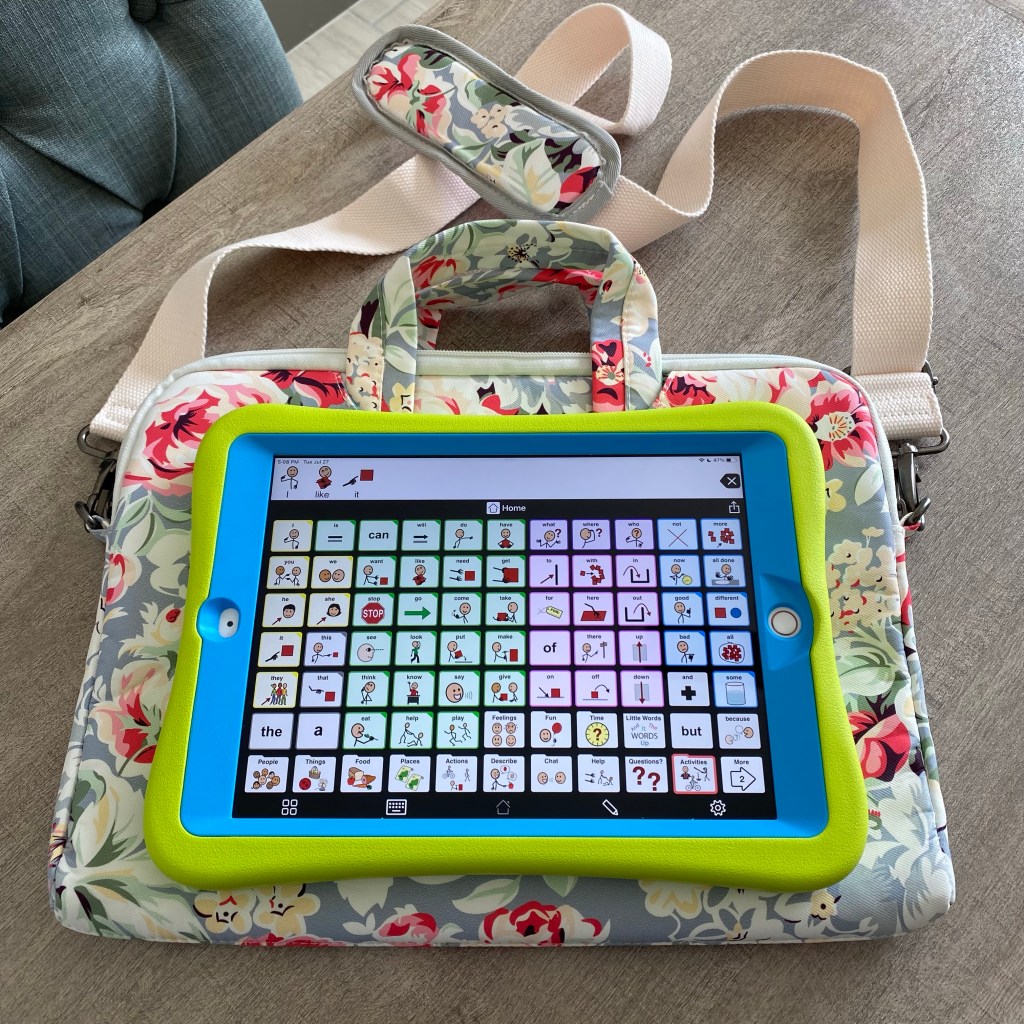
If you are looking for a pretty crossbody bag that can fit an iPad while it is in its protective case in Landscape orientation + has extra pockets to carry things like a phone, keys, etc…, then take a look at this bag from Canvaslove.

That’s my iPad (8th gen) in a Pepkoo case. There’s plenty of room for it in the main padded area with a zipper closure. There is a large slip pocket on the front, a full length zipper pocket on the back and another large slip pocket on the back.

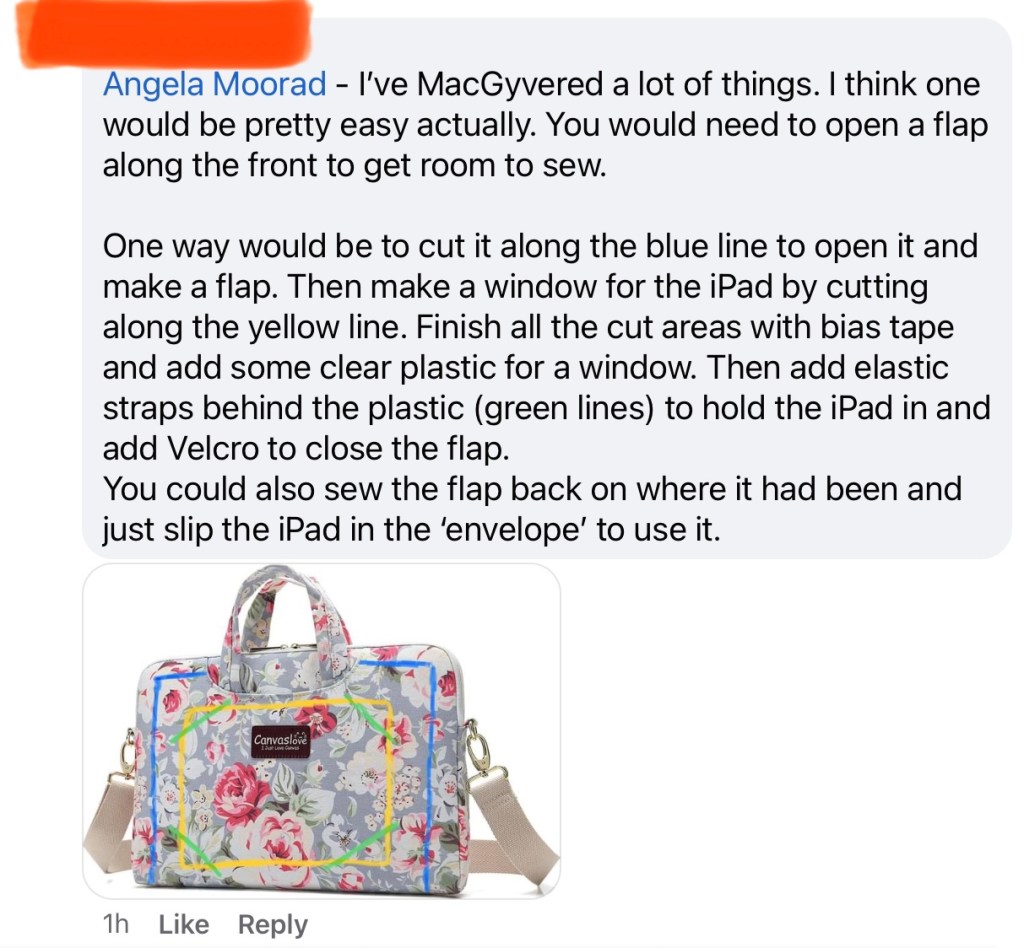
If you have good sewing and MacGyver-ing abilities, it looks like it might be possible to cut an opening to create a spot in the front to have the iPad screen accessible for modeling.

See this screenshot from a comment that I received in a group on Facebook with some suggestions. I’ll add more ideas as I receive them…

YouTube video:


I ordered mine when it was on sale for $12 on Amazon. Looks like the price went up a bit but it’s still a good deal: Canvaslove, https://www.amazon.com/dp/B01KSIBKQ6/ref=cm_sw_r_cp_api_glt_fabc_7KETDZ9SP2WCFBS7WKRG?_encoding=UTF8&psc=1.

There are several different prints to choose from 😊


I’d love to hear if anyone tries modifying it to put the iPad in the front to wear for modeling.


I worked with several teenage girls who cared very much about AAC looking cute and feminine. When I had them look online and show me what that meant to them, most gravitated towards patterns from Vera Bradley or Lilly Pulitzer. Which many teens and women love. They wanted to fit in with their peers. Most bags and carrying straps from AAC companies didn’t fit what they wanted. See this post on my blog for another example: https://omazingkidsllc.com/2014/10/06/cute-trendy-aac-think-like-macgyver


I often used a Vera Bradley pattern wallpaper on the iPad Lock Screen: https://verabradley.com/pages/downloads#Fall-2020


Have questions? The best way to reach me with any questions is via messaging on the OMazing Kids Facebook page: https://www.facebook.com/OMazingKidsAAC/. That way messages don’t get lost among the spam in my e-mail.


Angela Moorad, MS, CCC-SLP, Founder of OMazing Kids, LLC, OMazing Kids AAC Consulting

Teachers Pay Teachers Store: https://www.teacherspayteachers.com/Store/Omazing-Kids-Aac-Consulting

YouTube: https://youtube.com/user/amoorad1

Ko-Fi: https://ko-fi.com/omazingkidsaac

Personal Professional Facebook Page (linked to OMazing Kids): https://www.facebook.com/angela.moorad (adding “friends” who have a direct role in AAC or Assistive Technology – AAC / AT app or product developers, AAC / AT consultants, SLPs who specialize in AAC, other professionals who specialize in AAC or AT, etc.)

OMazing Kids AAC Consulting Facebook Page: https://www.facebook.com/OMazingKidsAAC/

AppPeeps Facebook Group: https://www.facebook.com/groups/OMazingKidsAppPeeps/

Instagram: https://www.instagram.com/omazingkidsaac

Twitter: https://www.twitter.com/amoorad

Pinterest: http://pinterest.com/OMazingKids/

Linktree: https://linktr.ee/amoorad1
Lilly’s Voice – Amazing AAC Video & AAC Fundraising (updated 6/13/25)

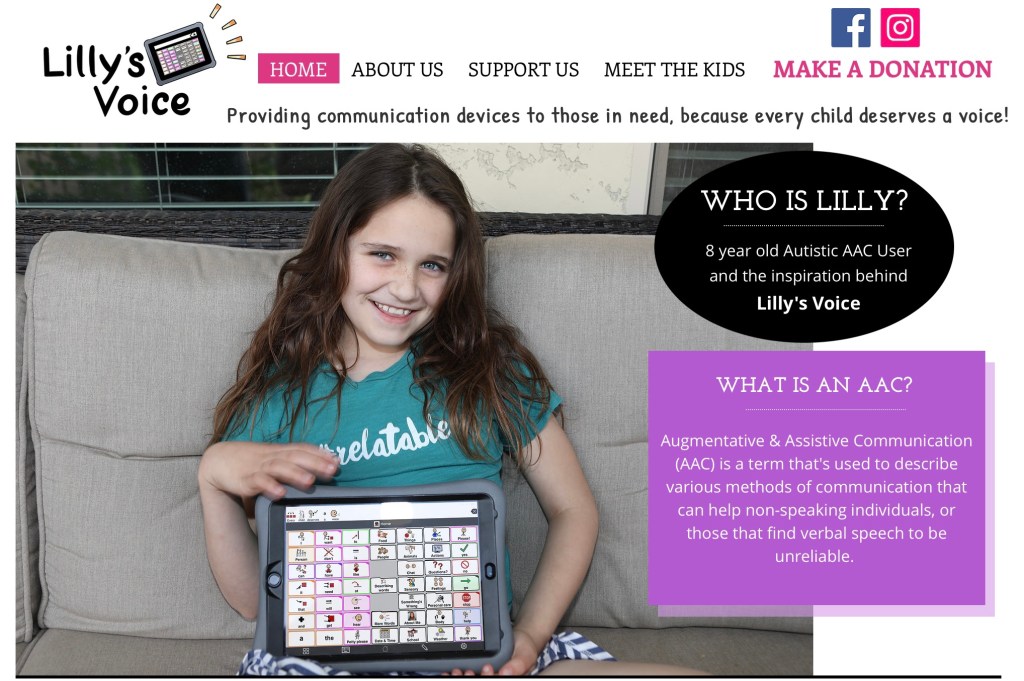
Update: As of 6/13/25 Lilly’s Voice has provided over 500 AAC devices. This is why I continue to donate to Lilly’s Voice. I invite you to do the same. https://www.lillysvoice.org.


Check out this AMAZING video from Lilly’s Voice / A Friend for Lillybug…

On Instagram (if you are logged into Instagram you’ll also be able to read the comments):

Also on YouTube:

I love this community of parents who have connected on Instagram to support each other and advocate for access to robust AAC regardless of age or abilities 💕

Please consider making a donation to help fund an iPad with an AAC app for kids on their waiting list. See details on their website: https://lillysvoice.wixsite.com/lillysvoice

Follow them on social media:

Instagram: https://www.instagram.com/LillysVoice/ & https://instagram.com/afriendforlillybug

Facebook: https://www.facebook.com/LillysVoice


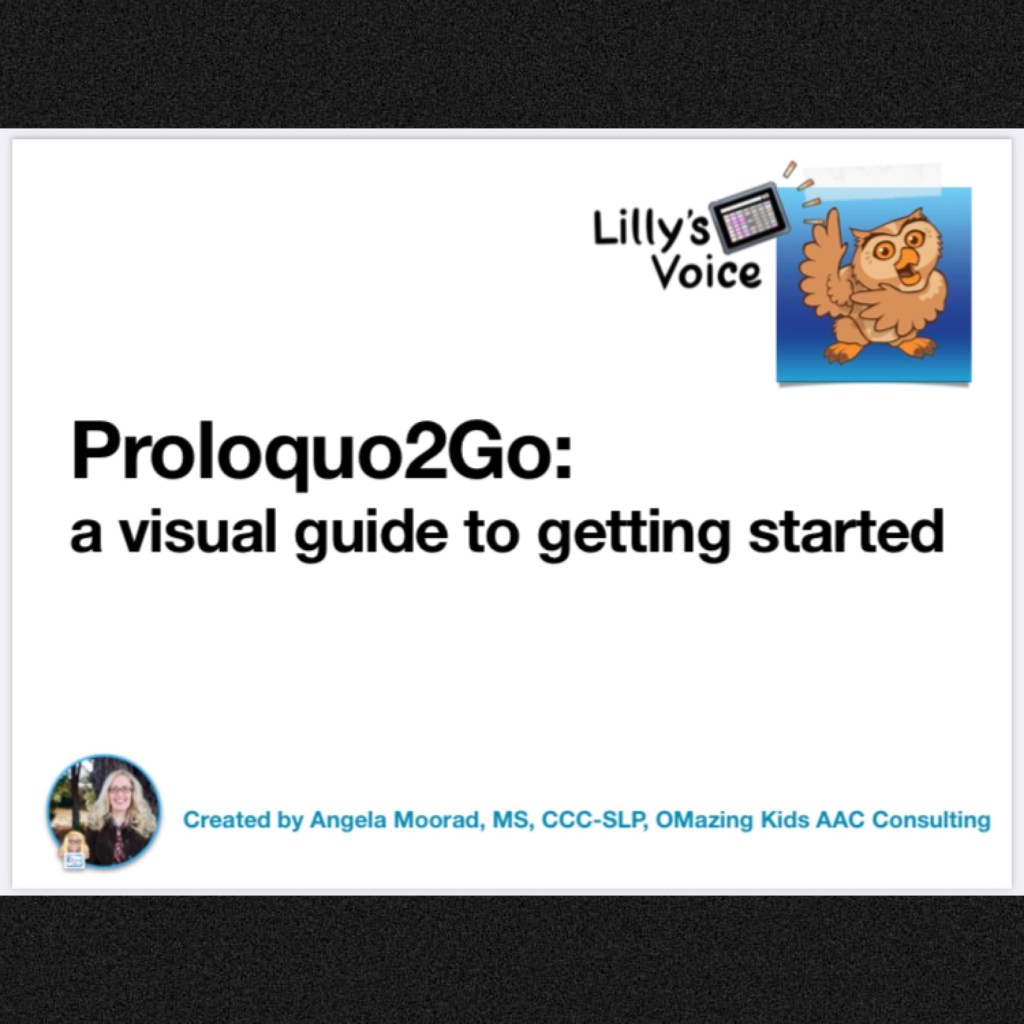
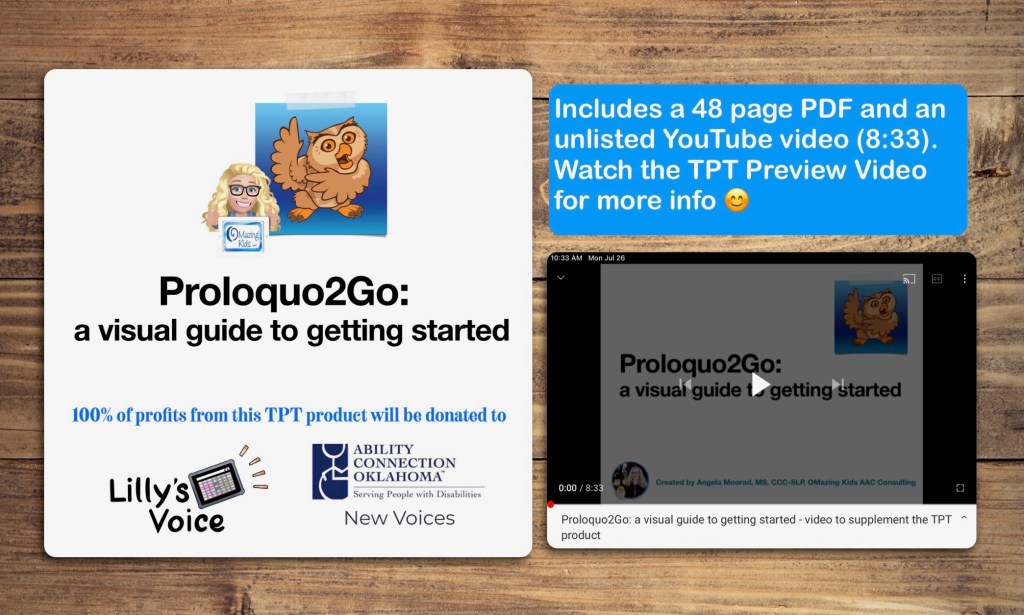
7/25/21 - Hot off the presses…. I made and donated a visual guide for getting started on Proloquo2Go for Lilly’s Voice to give to parents to help them get their child’s AAC app set up. Many of them don’t have an SLP to help them. Made my heart happy to be able to create this for them 💕

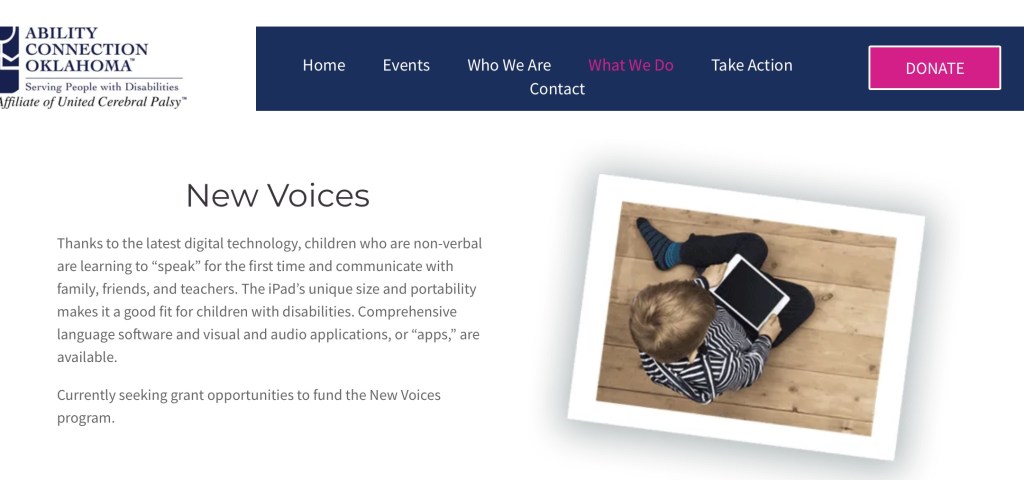
I’m going to do my part by creating some content on my TPT store that will be a fundraiser. Proceeds from that will be split between Lilly’s Voice and Ability Connection Oklahoma – New Voices (a local grant in my state).


Update 7/26/21: The fundraising TPT product is now available: https://omazingkidsllc.com/2021/07/26/proloquo2go-a-visual-guide-to-getting-started-tpt-product-fundraiser-for-lillys-voice-ability-connection-oklahoma-new-voices/


Ability Connection Oklahoma – New Voices grant

Facebook: https://www.facebook.com/abilityconnectionoklahoma

Instagram: https://instagram.com/abilityok

Website: https://www.acok.org/what-we-do


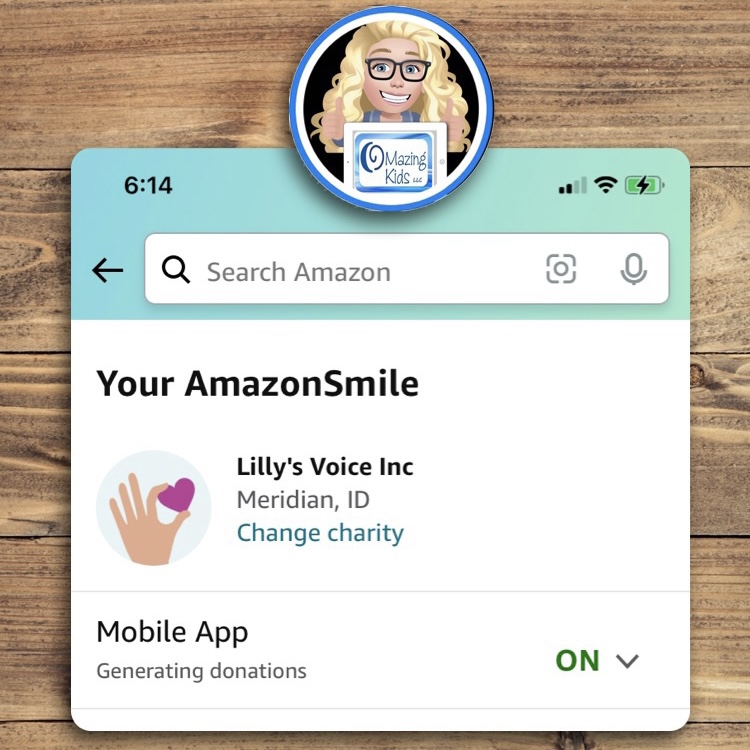
Did you know that you can also support charities that provide AAC grants by designating them as your charity of choice while shopping on Amazon’s Amazon Smile program?

Updated 10/10/22: I designated Lilly’s Voice as my charity in AmazonSmile to help support their fabulous work in getting an iPad with an AAC app and case into the hands of kids who need it. If you shop on Amazon it’s an easy way to help a charity that you believe in, it doesn’t cost you anything extra, and it’s super easy now that you can do it directly within the Amazon app. See more info: https://smile.amazon.com/charity/smile/about.

You can look through the charity options to see what may be applicable to your area or support Lilly’s Voice too.


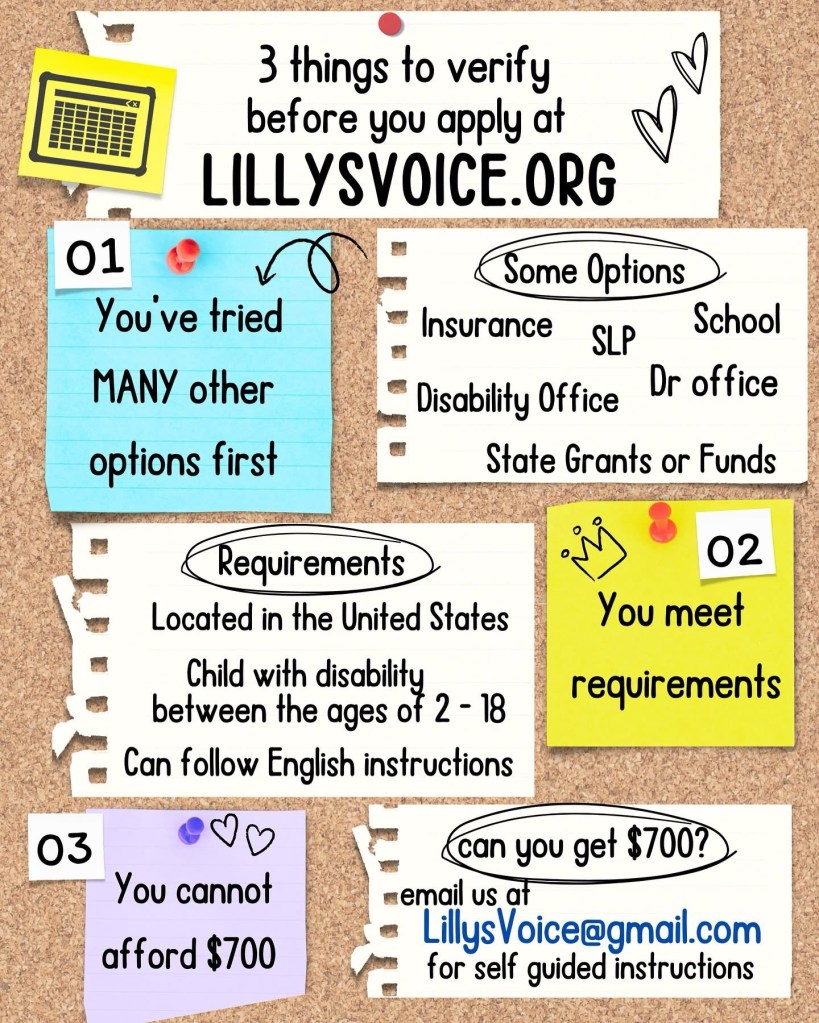
Update 12/16/24: Things to do before applying for help through Lilly’s Voice. See this post on their Facebook page: https://www.facebook.com/share/p/19cztLdam4/?mibextid=wwXIfr


I’m not affiliated with Lilly’s Voice or Ability Connection Oklahoma…. but I’m a huge fan of both and am doing my part to help spread the word to help their fundraising efforts 😊


Have a question? The best way to reach me is via Facebook messaging over on my OMazing Kids page: https://www.facebook.com/OMazingKidsAAC/


Angela Moorad, MS, CCC-SLP, Founder of OMazing Kids, LLC, OMazing Kids AAC Consulting

• Teachers Pay Teachers Store: https://www.teacherspayteachers.com/Store/Omazing-Kids-Aac-Consulting

• YouTube: https://youtube.com/user/amoorad1

• Ko-Fi: https://ko-fi.com/omazingkidsaac

• OMazing Kids AAC Consulting Facebook Page: https://www.facebook.com/OMazingKidsAAC/

• AppPeeps Facebook Group: https://www.facebook.com/groups/OMazingKidsAppPeeps/

• GoTalk Now AAC & GoVisual Visual Scene Apps – Ideas and Sharing Facebook Group: https://bit.ly/GoTalkNowAACappGroup

• Instagram: https://www.instagram.com/omazingkidsaac

• Twitter: https://www.twitter.com/amoorad

• Pinterest: http://pinterest.com/OMazingKids/

• Linktree: https://linktr.ee/amoorad1

• LinkedIn: https://www.linkedin.com/in/angelamooradomazingkidsaac

• Blog: https://omazingkidsllc.com

Feature Matching Chart for the Top 11 Robust iOS Symbol-Based AAC Apps

See this post for the newest update. A 12th app has been added: https://omazingkidsllc.com/2022/01/29/updated-expanded-feature-matching-chart-for-the-top-12-robust-ios-symbol-based-aac-apps/

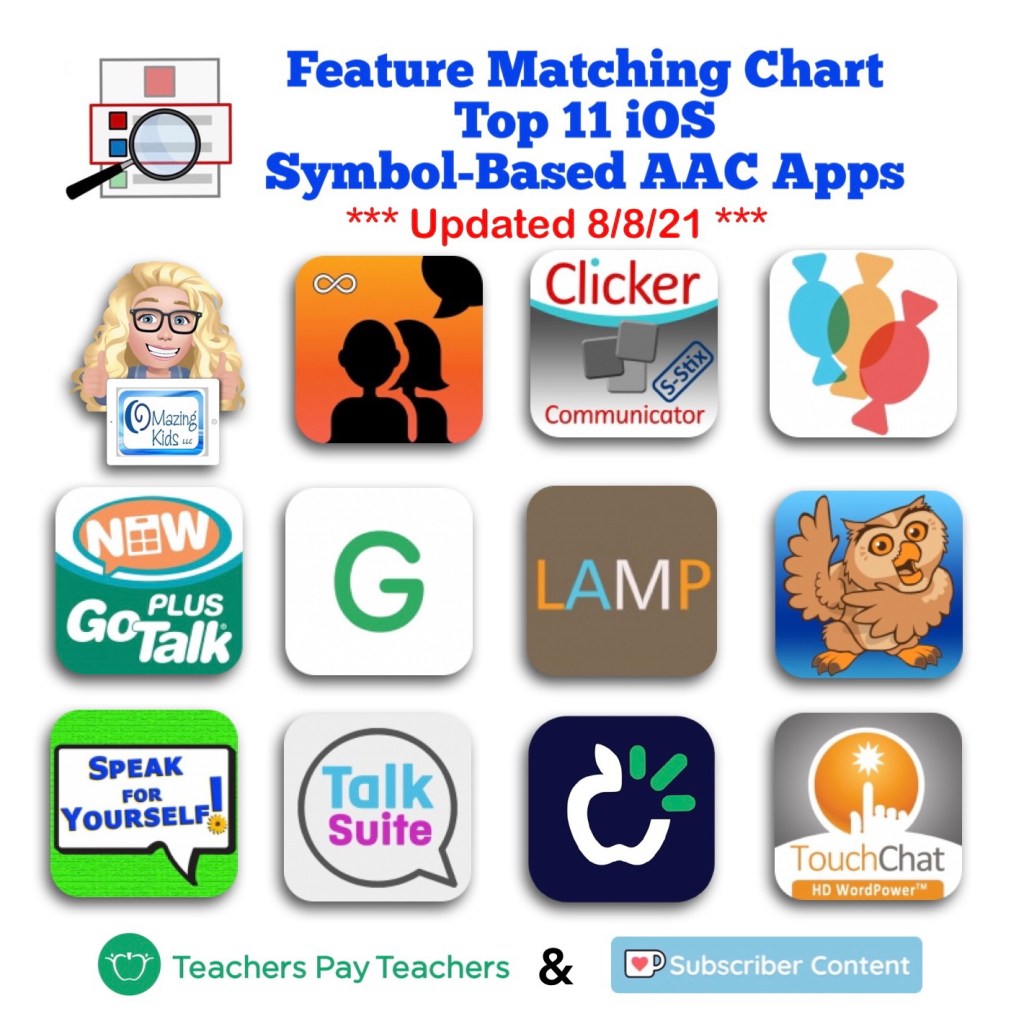
This major update adds an 11th app (Talk Suite Pro) to the AAC feature matching chart

This chart includes an in-depth comparison of features & support resources across 11 robust iOS symbol-based AAC apps:

• Avaz AAC – Lifetime Edition

• Clicker Communicator: AAC

• CoughDrop

• GoTalk Now / GoTalk Now Plus

• Grid for iPad VPP

• LAMP Words for Life

• Proloquo2Go

• Speak for Yourself

• Talk Suite Pro

• TD Snap (formerly known as Snap Core First)

• TouchChat HD with WordPower


Preview:


This product also now includes free exclusive access to an unlisted YouTube video (58:32) with time-stamped sections highlighting the unique features in each app.


Thanks SO much to Lauren S. Enders for this shout out for my AAC Feature Matching Chart in her presentation on 6/24/21 at AAC in the Cloud! See the whole presentation and get her handouts for “Personalizing AAC – A Deep Dive into Vocabulary Customization”: https://presenters.aacconference.com/videos/UVRRd1FUSXg=?. Be sure to also check out her Waklet with links to resources: https://wke.lt/w/s/7ldtJE.


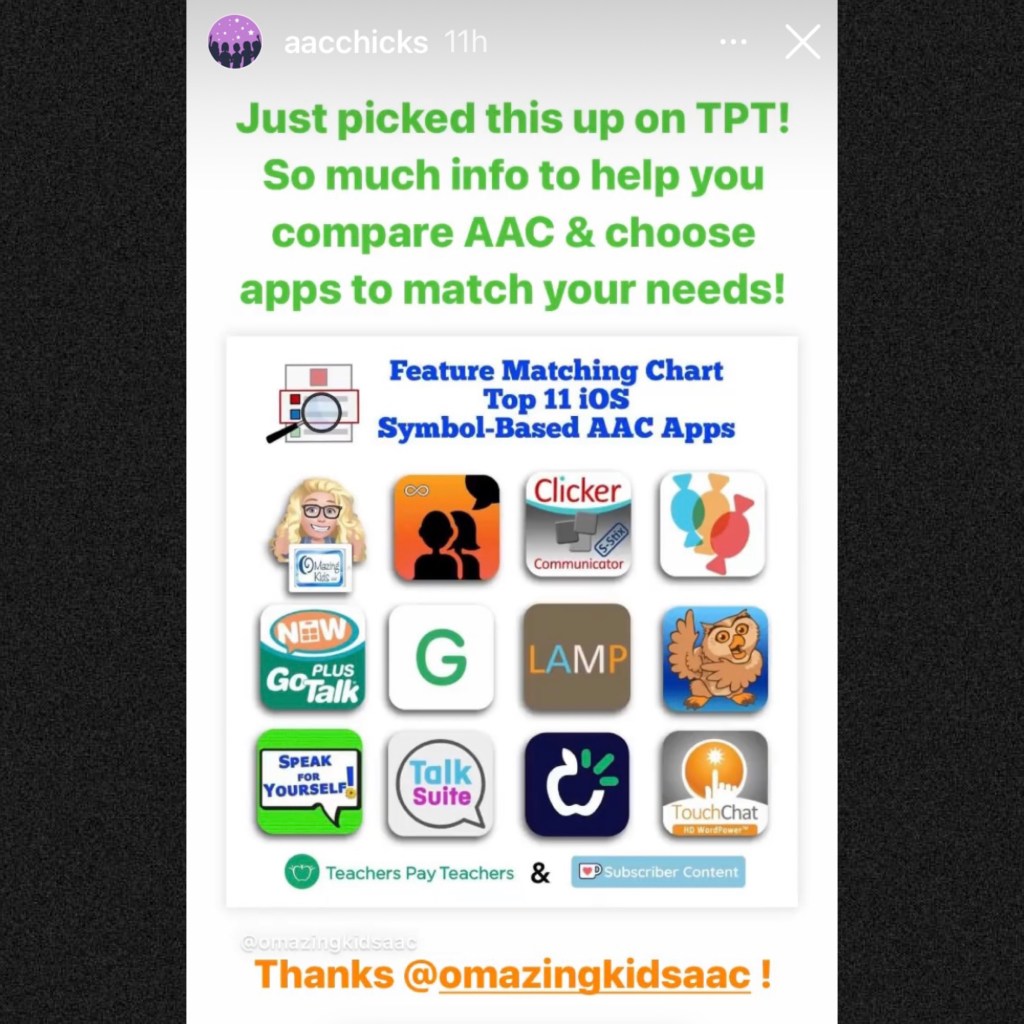
Thanks Vicki Clarke / Dynamic Therapy Associates Inc (aacchicks)! The shoutout for the AAC feature matching chart in your IG Stories on 7/20/21 made my day 🥰


It’s available for purchase on my Teachers Pay Teachers store: https://www.teacherspayteachers.com/Product/Feature-Matching-Chart-for-the-Top-11-Robust-iOS-Symbol-Based-AAC-Apps-6867853.

If you already purchased it be sure to go download the update for free.


Recurring monthly subscribers on Ko-fi can access this as part of their subscription: https://ko-fi.com/post/Feature-Matching-Chart-for-the-Top-11-iOS-Symbol-B-R6R85DVLH


This freebie on my OMazing Kids TPT store has been updated to add the Talk Suite Pro app: https://www.teacherspayteachers.com/Product/How-to-Get-Access-to-the-Top-11-iOS-Symbol-Based-AAC-Apps-TPT-Freebie-6869004


Have questions? The best way to reach me with any questions is via messaging on the OMazing Kids Facebook page: https://www.facebook.com/OMazingKidsAAC/. That way messages don’t get lost among the spam in my e-mail.


Angela Moorad, MS, CCC-SLP, Founder of OMazing Kids, LLC, OMazing Kids AAC Consulting

Teachers Pay Teachers Store: https://www.teacherspayteachers.com/Store/Omazing-Kids-Aac-Consulting

Ko-Fi: https://ko-fi.com/omazingkidsaac

Personal Professional Facebook Page (linked to OMazing Kids): https://www.facebook.com/angela.moorad (adding “friends” who have a direct role in AAC or Assistive Technology – AAC / AT app or product developers, AAC / AT consultants, SLPs who specialize in AAC, other professionals who specialize in AAC or AT, etc.)

OMazing Kids AAC Consulting Facebook Page: https://www.facebook.com/OMazingKidsAAC/

AppPeeps Facebook Group: https://www.facebook.com/groups/OMazingKidsAppPeeps/

Instagram: https://www.instagram.com/omazingkidsaac/

Twitter: https://www.twitter.com/amoorad

Pinterest: http://pinterest.com/OMazingKids/

Linktree: https://linktr.ee/amoorad1
Using Doodling Keyboards as a Whiteboard in AAC Apps (plus a sneak peek at Talk Suite Pro)

Using Doodling Keyboards as a Whiteboard in AAC Apps (plus a sneak peek at Talk Suite Pro)

I’m working on an update for the Feature Matching Chart for the Top 10 (soon to be the Top 11) iOS Symbol-Based AAC Apps. As I was adding more info to the row about “Button Action to Open a Whiteboard”, I thought about how cool it would be to have a work-around for adding a drawing area to apps that don’t have that feature. Guess what… there is!

AAC apps that allow use of the iOS Keyboard open up the possibility of using a whole array of keyboard extension apps. As I searched the App Store I found three “doodling” keyboard apps that I liked and they worked well within those AAC apps. These doodling keyboard areas could be used as an additional means of communication, just for fun or even as a way for some AAC users to draw their own pictures to then be used as symbols on buttons within their AAC app.


Apps seen in the video:

Talk Suite Pro, https://apps.apple.com/us/app/talk-suite-pro/id1079239198, iPad only, iPadOS 9.0 or later

Inkboard, https://apple.co/3wRuKqA, iOS Universal, iOS 12.0 or later (this one was my favorite since it has so many different drawing tools)

DrawBoard Keyboard for Doodling, https://apple.co/3ilRMQP, iOS Universal, iOS 8.0 or later

ScribbleKey, https://apple.co/3hJbqao, iOS Universal, iOS 8.0 or later


Want to learn more about which iOS AAC apps allow use of the iOS Keyboard? Or which iOS AAC apps already include a Whiteboard area? Those are just two of the 95 rows of features included in the Feature Matching Chart. It’s available on the OMazing Kids AAC Consulting Teachers Pay Teacher store. The chart is very comprehensive, totally up to date and will be expanded in the next update to include an 11th app: https://www.teacherspayteachers.com/Product/Feature-Matching-Chart-for-the-Top-10-iOS-Symbol-Based-AAC-Apps-6867853


Angela Moorad, MS, CCC-SLP, OMazing Kids AAC Consulting

Teachers Pay Teachers Store: https://www.teacherspayteachers.com/Store/Omazing-Kids-Aac-Consulting

Ko-Fi: https://ko-fi.com/omazingkidsaac

Facebook: https://www.facebook.com/OMazingKidsAAC/

AppPeeps Group: https://www.facebook.com/groups/OMazingKidsAppPeeps/

Instagram: https://www.instagram.com/omazingkidsaac/

Twitter: https://www.twitter.com/amoorad

YouTube: https://youtube.com/user/amoorad1

Pinterest: http://pinterest.com/OMazingKids/

Linktree: https://linktr.ee/amoorad1