Angela Moorad, MS, CCC-SLP. Over 36 years experience in AAC. OMazing Kids AAC and app consulting. Creator of several AAC Feature Matching resources (https://omazingkidsllc.com/omazing-kids-aac-resource-links/). Includes info about unique features to support Gestalt Language Processors
Looking for in-depth AAC feature matching resources? See this blog post: https://bit.ly/5aacFeatureMatchingResources. That post also includes videos comparing the best AAC apps on various devices on various platforms.
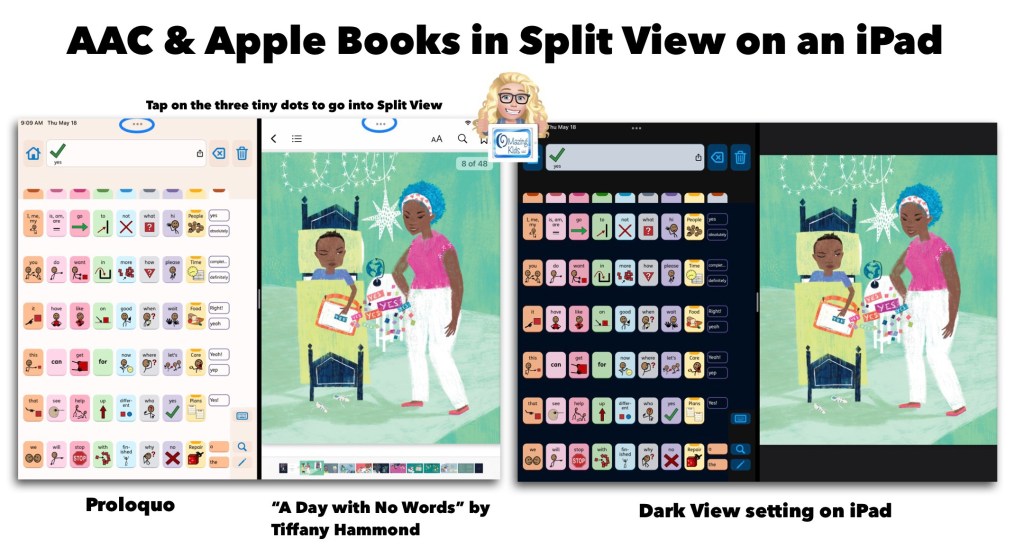
Image ID: Screenshot showing the Proloquo AAC app in Split View alongside the Apple Books app with the book “A Day With No Words” by Tiffany Hammond. Includes a notation to tap the three tiny dots to access Split View.
AAC apps that offer full support of Split View / Split Screen offer the opportunity for greater accessibility and access than AAC apps that don’t support this. Why does this matter?There are many adult AAC users who multitask with their tech. But this isn’t just a feature that benefits adults. Here is an example of how I’m using the Proloquo app by AssistiveWare alongside the Apple Books app with “A Day With No Words” by Tiffany Hammond (Fidgets and Fries). I also own a hardcover copy of this same book and loved it so much that I decided to purchase the ebook version in Apple Books to offer another means of access and use (both alongside AAC and separately).
My only “wish” is that iPad Accessibility – Spoken Content – Speak Screen was able to properly detect the text in picture books. I tried it in both Apple Books and the preview in the Kindle for iPad app. Both weren’t able to perceive the text separately from the gorgeous illustrations. Which I wouldn’t trade the stylized text in this book for that. I just wish there was something behind the scenes that made this type of text accessible. (Hey Apple & Amazon Kindle if you happen to read this… please make it so.)
Basic Feature Chart for Affordable and Free AAC apps & AAC-Related Apps (iOS, Android Google Play, Amazon Fire, Windows + a few Web-Based options): https://bit.ly/BasicAffordableAACchart
The perfect companion to supplement these in-depth resources are the “AAC Apps and Features At-a-Glance (Single Page Handouts)”: https://bit.ly/AAC-At-a-Glance
Updated 5/25/23:
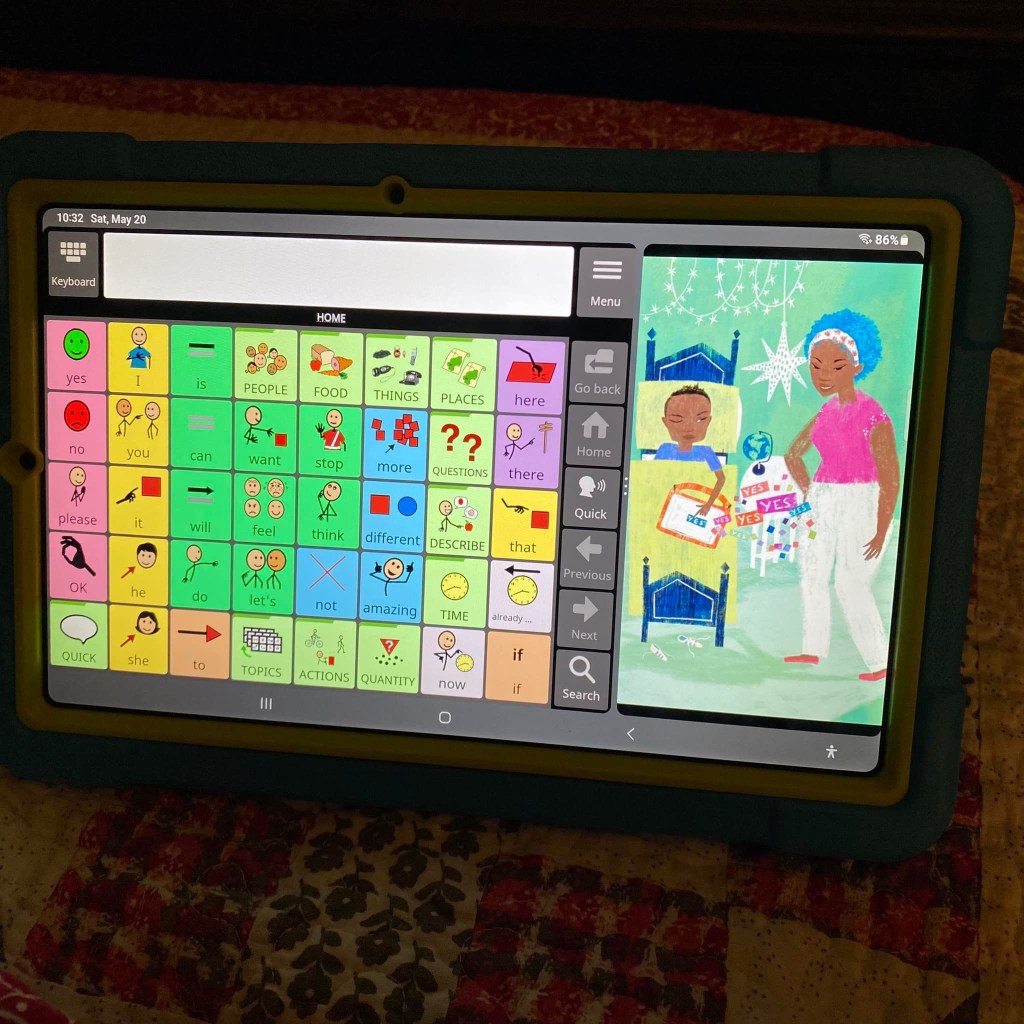
Excited to discover that there’s a way to do Split View on my Samsung Galaxy Tab S6 Lite tablet. This is the Android version of Avaz alongside “A Day With No Words” by Tiffany Hammond (Fidgets and Fries).
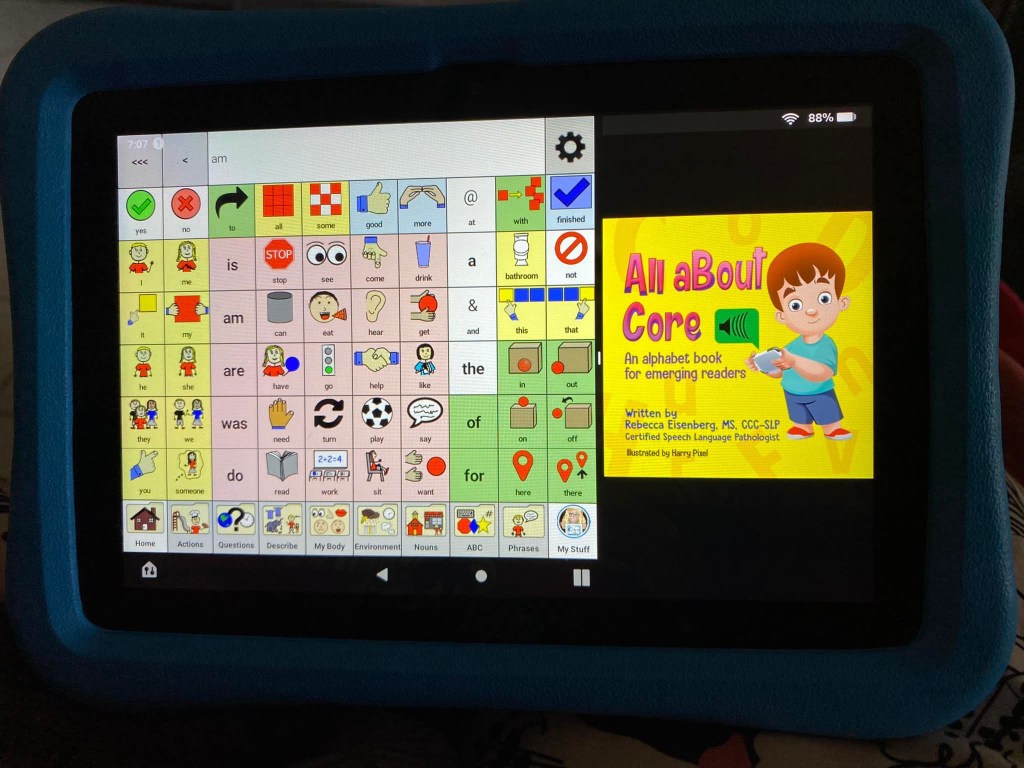
Guess what… there’s a way to do Split Screen on an Amazon Fire tablet too. This is the CoreVoice app. Be watching for a video tutorial soon 🎦
My latest tech rabbit hole to go down is use of an external Bluetooth keyboard with AAC. I’ve gotten a few inquiries related to this recently so I decided to see what I could find.
Features: I wanted something that could be used across all of my tech (iOS, Android, Windows), is affordable, portable, reliable, easy to pair, has a nice feel to the keys, has a slight incline, etc. This keyboard has three separate Bluetooth buttons to be able to toggle easily between three different devices that have been paired to it (not used simultaneously on three devices but makes switching between them very quick).
It’s been surprising to discover how many AAC apps (symbol-based & text-based) support use of an external keyboard. I’ll be adding this info to the next update for my feature matching resources.
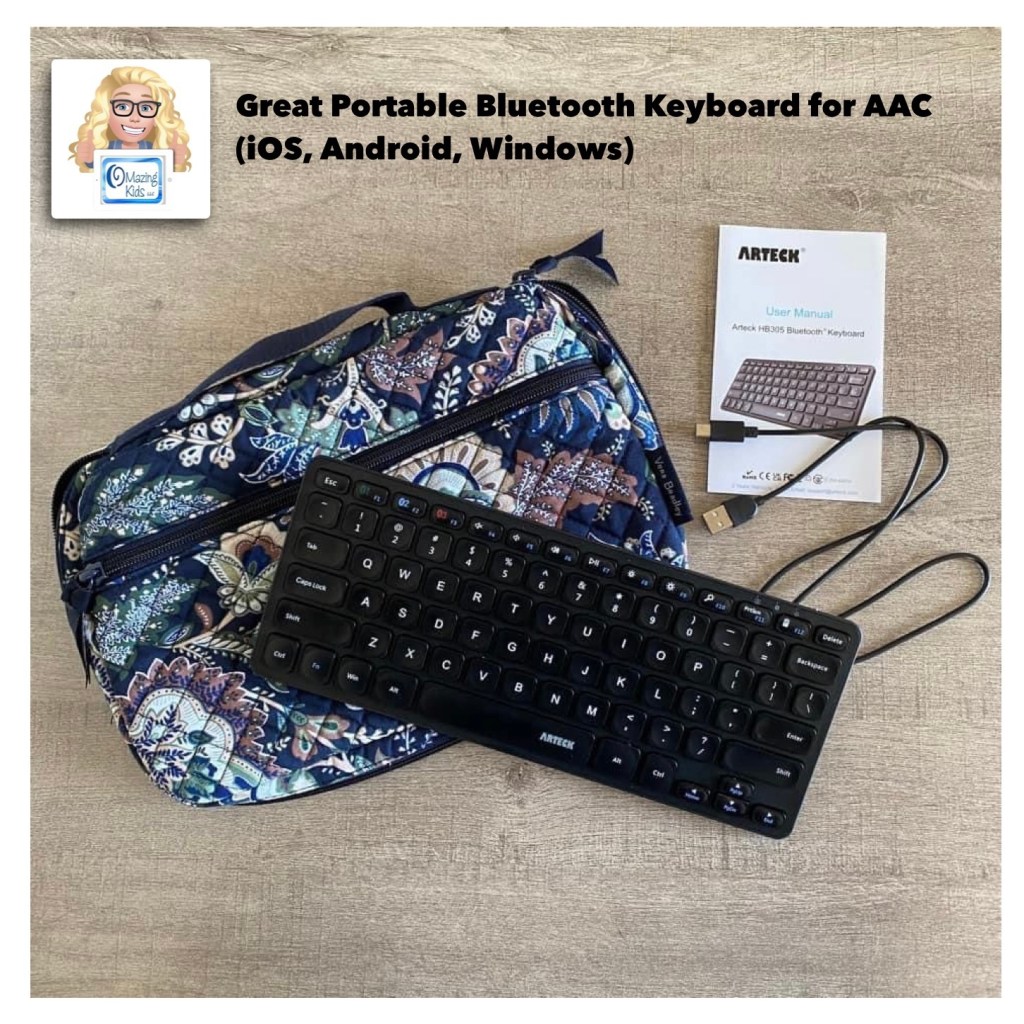
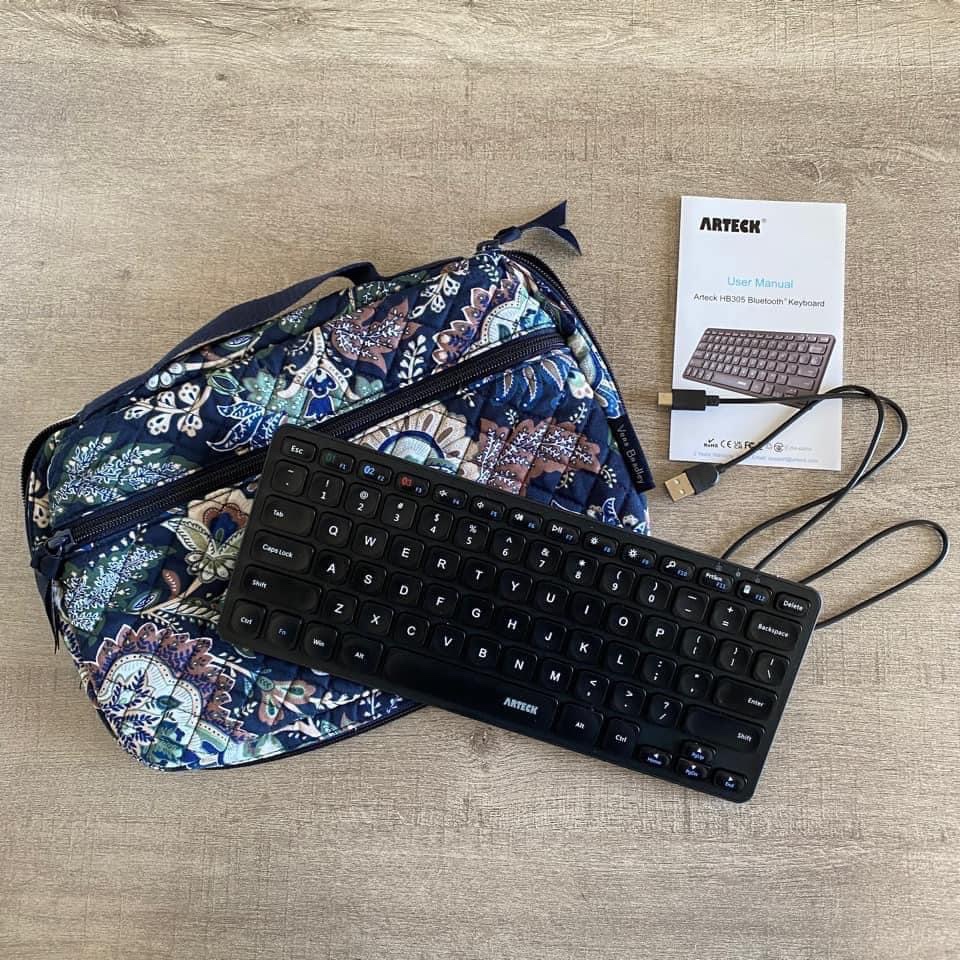
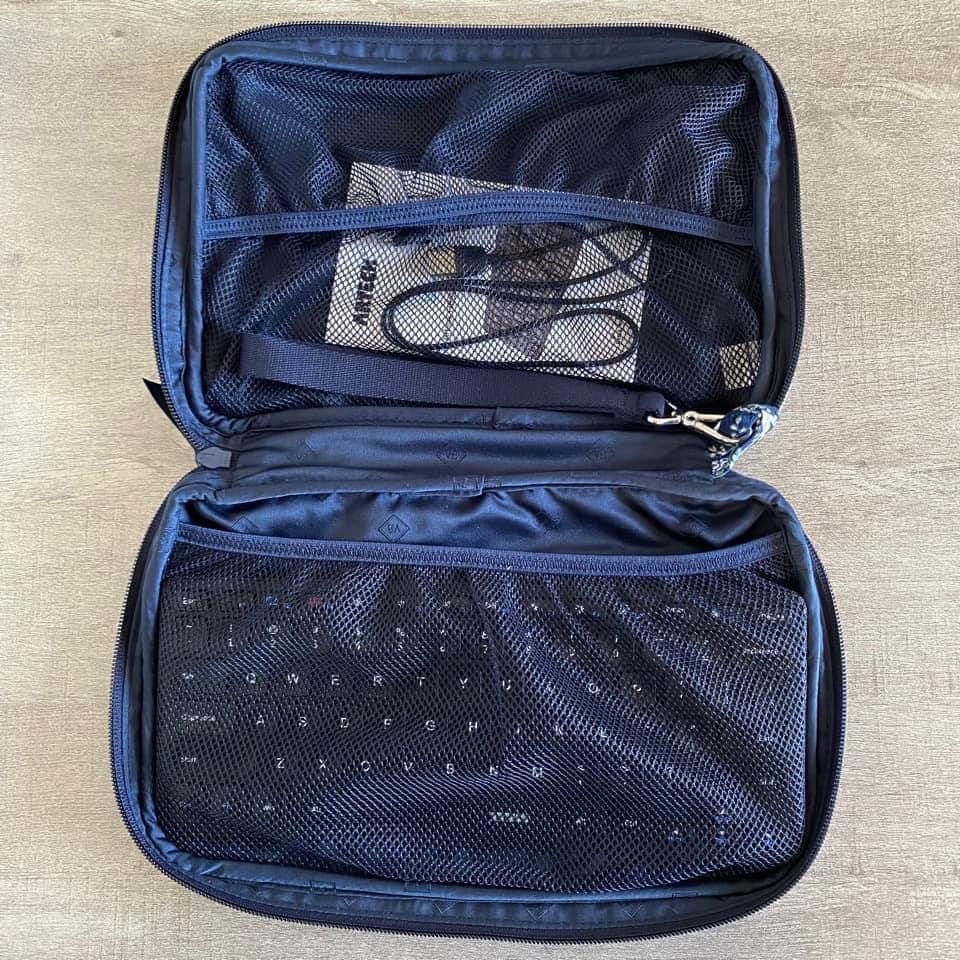
I’ve been impressed with the Arteck Universal Multi-Device Bluetooth Keyboard that I bought on Amazon.com: https://a.co/d/2Qn2f9d. Great price ($17.99 – an extra 20% off = $14.39), has a good feel to it and it fits perfectly in a Vera Bradley pouch that I already had.
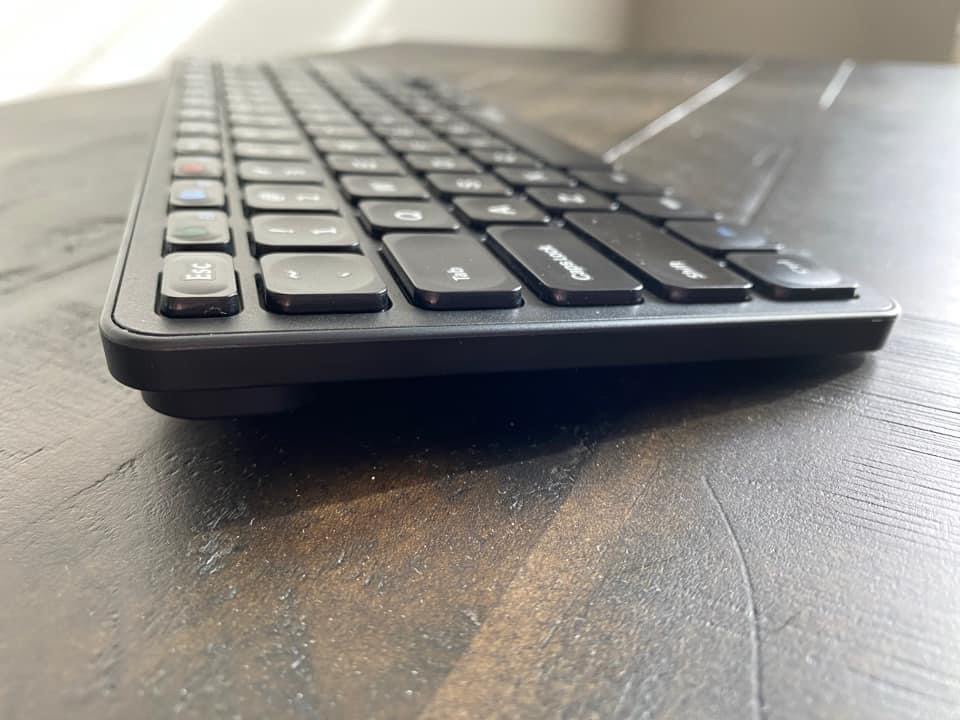
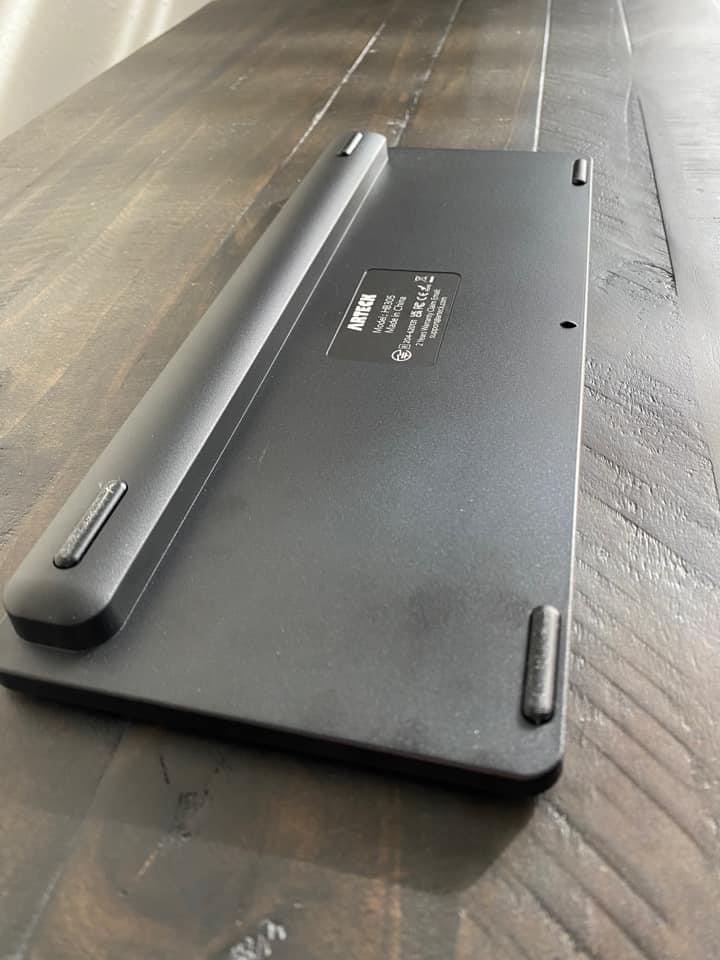
Has a nice slight angleThe backThe Vera Bradley “Travel Baby Changing Pad” in the pattern Java Navy Camo. I have two of these and use them to hold all types of tech items. The “changing pad” part of it is separate which allows you to use the pouch part of it for lots of different things.
See more about this Vera Bradley item and what will fit in it on my Vera Bradley YouTube channel:
This item was on sale for a good price when I purchased both of them back in December ($20.75). It’s priced higher now but prices on Amazon change frequently so it’s something that you may want to save in your cart and watch for a good sale: https://a.co/d/dSPfFhM
Important Considerations: These keyboard features would likely be the top features for folks who are able to type on a keyboard on a laptop or computerand are wanting something portable to use with their AAC. A couple of the inquiries that I received were regarding adult AAC users who preferred to type on a keyboard vs. on a device screen, a couple were from folks wanting a keyboard for use when editing & a couple were related to children who have a passion for letters and keyboards (based on the info that I was provided they are likely Gestalt Language Processors with Hyperlexia) and those supporting AAC use thought that they might prefer using an external Bluetooth keyboard. Each situation is unique. If you are wanting to explore external Bluetooth keyboard options for individuals with complex access needs then it’s important to consult with an OT and/or AT Specialist. There are several alternative assistive technology keyboards on the market but those are very specialized, typically much more expensive and may not work across multiple platforms.
It’s important to find a keyboard that’s compatible with whatever operating system is used on that device. I read through tons of reviews prior to deciding to try this particular keyboard. I took the time to add my own review for it on Amazon to help others find it more quickly than I did. That’s also the reason that I decided to post about it on social media and write this blog post.
Looking for in-depth AAC feature matching resources? See this blog post: https://bit.ly/5aacFeatureMatchingResources. That post also includes videos comparing AAC apps on various devices on various platforms.
The feature matching charts for both the symbol-based and text-based AAC apps have been updated to add a row with details about whether or not that app supports use of an external Bluetooth keyboard and info related to whether or not you first have to tap the Message Window to place the cursor, if the Enter key can be used to speak the contents of the Message Window, etc…
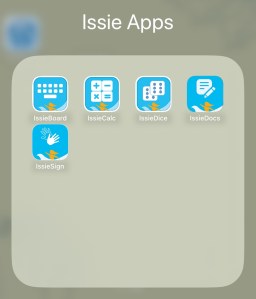
They have several fabulous FREE apps: https://tech.beitissie.org.il/en/our-apps/. Watch their webinar for in-depth info and fun implementation ideas. Info about IssieDocs starts at 42:43 in the webinar (note: the webinar was recorded prior to English being added to the app but use and editing info is the same)
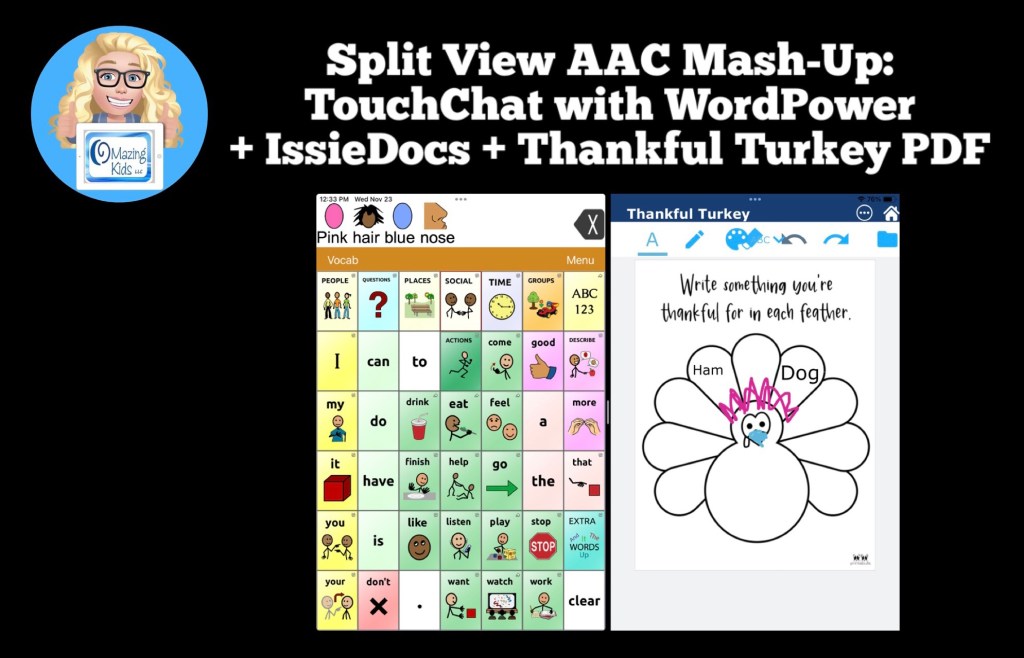
See this blog post for another example of using Split Screen: Gestalt Language Processing & Using Google Maps to Communicate: https://bit.ly/AACandGoogleMaps.
Want to know which other AAC apps support use of Split Screen? I’m adding that info to my in-depth and up to date AAC feature matching resources: https://bit.ly/5aacFeatureMatchingResources
I took the plunge today and updated my iPhone 11 to iOS 16 specifically to try out the two brand new USA English child iOS voices: Joelle & Noelle.
It has been over a month since iOS 16 was released and Apple had rolled out a few bug fixes and several app developers had released updates for AAC apps. The chatter online about problems surrounding iOS 16 seemed to have lessened. So I decided that I wanted to go ahead and update. Heads up… it took quite awhile to download and then install iOS 16.0.3 so be sure to have your iPhone plugged in and on a consistently strong WiFi connection the entire time. After that was done I had several apps that needed to be updated. Most app developers had to add a way for these new voices to be selected. These are the only 2 child voices that I know of.
Why am I so excited about these new iOS child voices?
Many free and affordable iOS AAC apps rely on iOS voices since there is a pretty significant licensing cost to include premium voices in apps. That’s why some apps have those as in-app purchases.
Having child iOS voices means that many free and affordable apps will now have these two new child voice options. As you’ll see in my video, some apps automatically detect and use the child voice that I set under Accessibility – Spoken Content – Voices – English – listened to previews and then downloaded the voices that I wanted. Keeping in mind that everything you download takes up memory so I only downloaded what I knew I would use. For most AAC apps I had to go into the settings within that app and set it to the child voice that I wanted to use.
I hope this is just the beginning and hopefully Apple will add child voices for other languages in the future.
Note: It is anticipated that iPadOS 16 *might* be rolled out next week. I’m going to wait a few weeks to make sure Apple and app developers have time to work out any bugs before I update my iPads to that.
AAC Feature Matching Resource Bundle (includes all three, save 10%): https://bit.ly/aacFeatureMatchingBundle. If you are looking to purchase resources for several staff / team members, take a look at the Multiple Licenses discount (saves 20%)
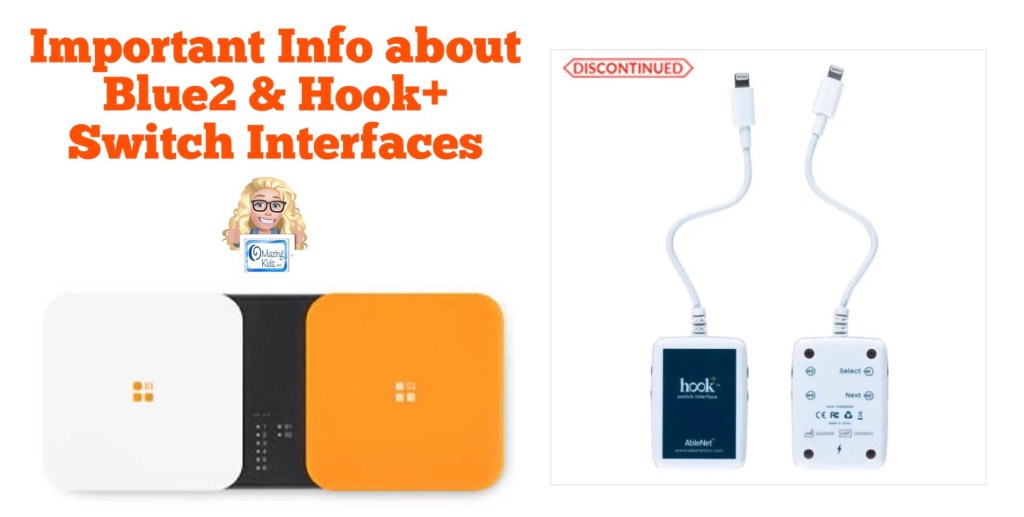
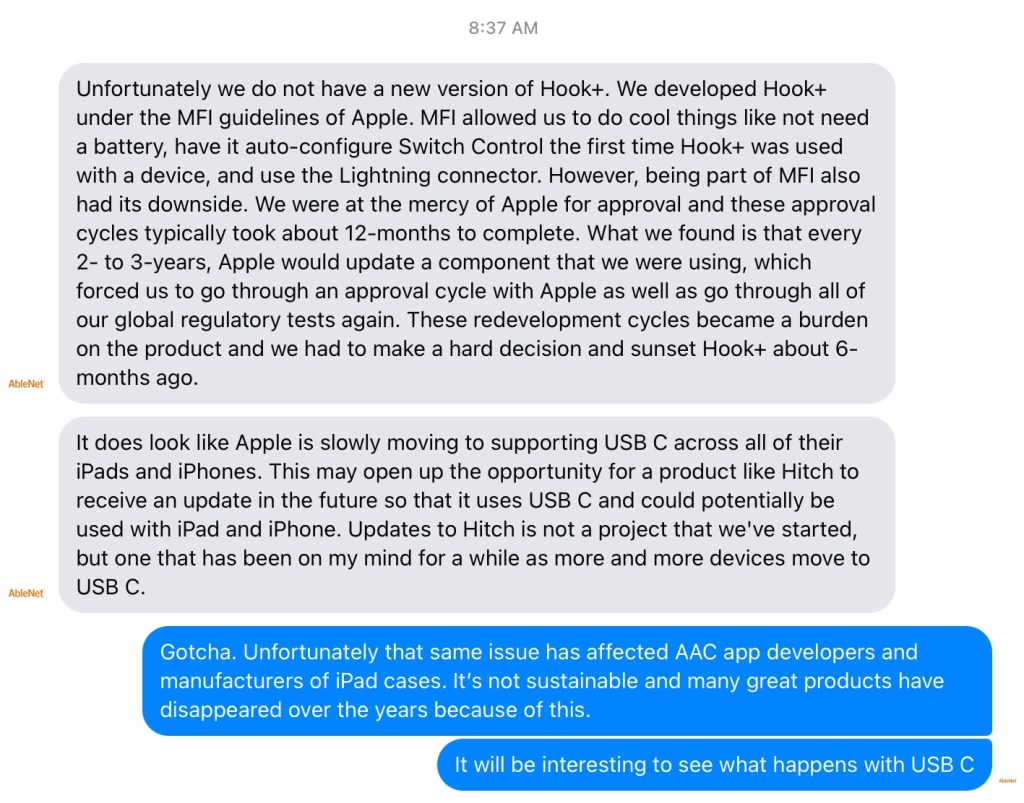
Sharing for those who might have been in the process of recommending a Hook+ switch interface. I reached out to AbleNet Inc. on Facebook Messenger to ask if an updated version is in the works since the current model was discontinued and received the following reply: Unfortunately we do not have a new version of Hook+. We developed Hook+ under the MFI guidelines of Apple. MFI allowed us to do cool things like not need a battery, have it auto-configure Switch Control the first time Hook+ was used with a device, and use the Lightning connector. However, being part of MFI also had its downside. We were at the mercy of Apple for approval and these approval cycles typically took about 12-months to complete. What we found is that every 2- to 3-years, Apple would update a component that we were using, which forced us to go through an approval cycle with Apple as well as go through all of our global regulatory tests again. These redevelopment cycles became a burden on the product and we had to make a hard decision and sunset Hook+ about 6-months ago.
It does look like Apple is slowly moving to supporting USB C across all of their iPads and iPhones. This may open up the opportunity for a product like Hitch to receive an update in the future so that it uses USB C and could potentially be used with iPad and iPhone. Updates to Hitch is not a project that we’ve started, but one that has been on my mind for a while as more and more devices move to USB C.
Some users are having connectivity issues with the Blue2 Bluetooth Switch Interface
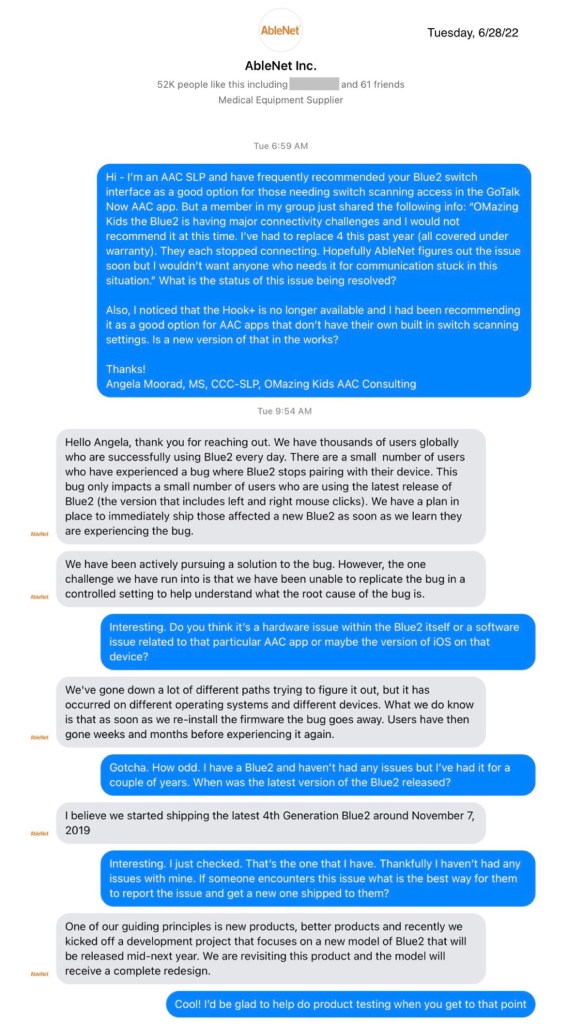
Sharing for those who are exploring using the Blue2 switch interface. I heard from two members in the GoTalk Now AAC & GoVisual Scene Apps – Ideas and Sharing Facebook group today that they are having connectivity reliability issues with it. I haven’t had any issues with my Blue2 but reached out to AbleNet Inc. to find out more info. Here is a screenshot of the reply that I received.
For those using a screen reader here is the text contained in the screenshots above:
Tuesday, 6/28/22, 6:59am CDT
Angela:
Hi – I’m an AAC SLP and have frequently recommended your Blue2 switch interface as a good option for those needing switch scanning access in the GoTalk Now AAC app. But a member in my GoTalk Now AAC & GoVisual Visual Scene Apps – Ideas and Sharing Facebook Group: https://bit.ly/GoTalkNowAACappGroup just shared the following info: “OMazing Kids the Blue2 is having major connectivity challenges and I would not recommend it at this time. I’ve had to replace 4 this past year (all covered under warranty). They each stopped connecting. Hopefully AbleNet figures out the issue soon but I wouldn’t want anyone who needs it for communication stuck in this situation.” What is the status of this issue being resolved?
Also, I noticed that the Hook+ is no longer available and I had been recommending it as a good option for AAC apps that don’t have their own built in switch scanning settings. Is a new version of that in the works?
Hello Angela, thank you for reaching out. We have thousands of users globally who are successfully using Blue2 every day. There are a small number of users who have experienced a bug where Blue2 stops pairing with their device. This bug only impacts a small number of users who are using the latest release of Blue2 (the version that includes left and right mouse clicks). We have a plan in place to immediately ship those affected a new Blue2 as soon as we learn they are experiencing the bug.
We have been actively pursuing a solution to the bug. However, the one challenge we have run into is that we have been unable to replicate the bug in a controlled setting to help understand what the root cause of the bug is.
Angela:
Interesting. Do you think it’s a hardware issue within the Blue2 itself or a software issue related to that particular AAC app or maybe the version of iOS on that device?
Ablenet:
We’ve gone down a lot of different paths trying to figure it out, but it has occurred on different operating systems and different devices. What we do know is that as soon as we re-install the firmware the bug goes away. Users have then gone weeks and months before experiencing it again.
Angela:
Gotcha. How odd. I have a Blue2 and haven’t had any issues but I’ve had it for a couple of years. When was the latest version of the Blue2 released?
Ablenet:
I believe we started shipping the latest 4th Generation Blue2 around November 7, 2019
Angela:
Interesting. I just checked. That’s the one that I have. Thankfully I haven’t had any issues with mine. If someone encounters this issue what is the best way for them to report the issue and get a new one shipped to them?
Ablenet:
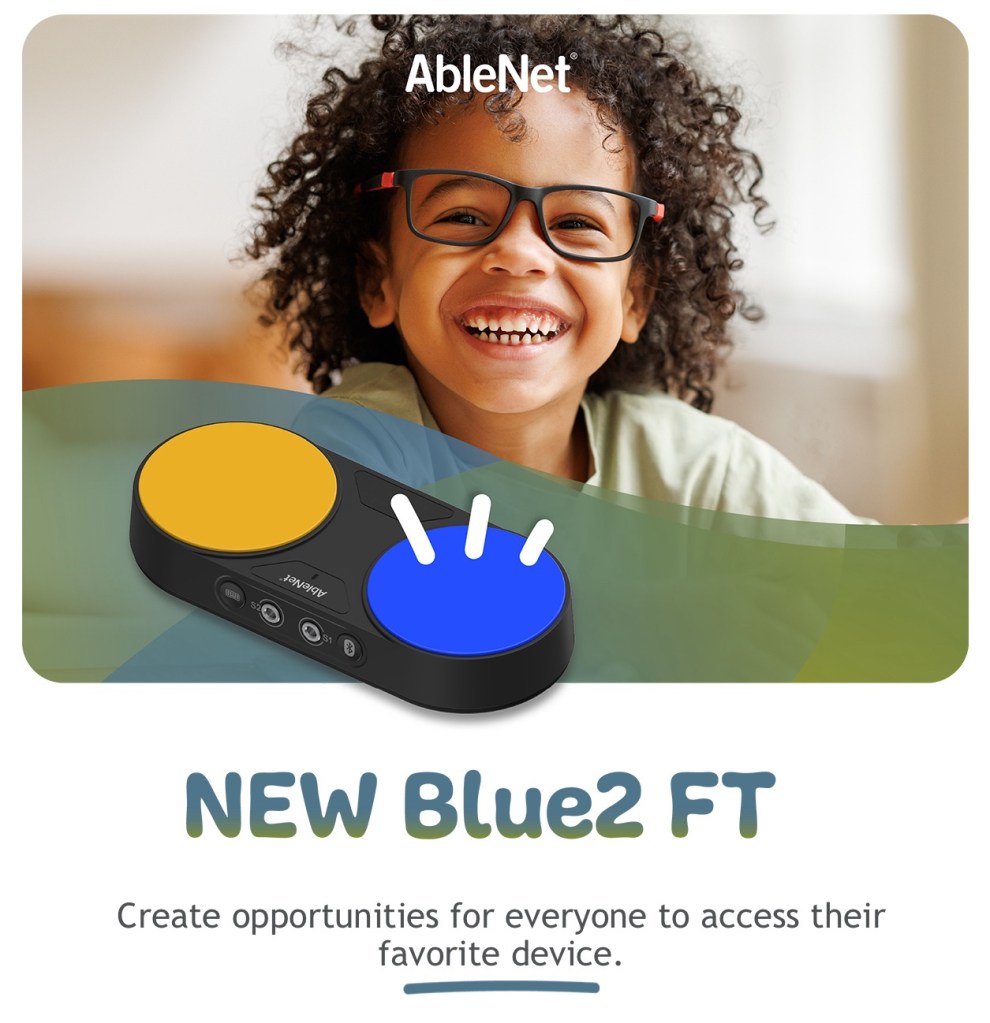
One of our guiding principles is new products, better products and recently we kicked off a development project that focuses on a new model of Blue2 that will be released mid-next year. We are revisiting this product and the model will receive a complete redesign.
Angela:
Cool! I’d be glad to help do product testing when you get to that point
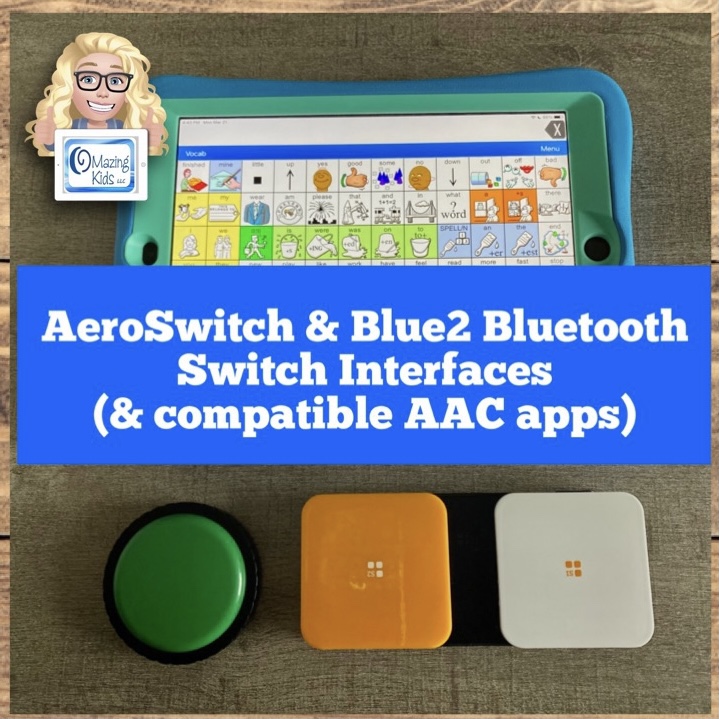
I have already tried the AeroSwitch by PRC-Saltillo. They sent me one to try for a month. It’s the only option for using the in-app switch scanning settings in that company’s AAC apps. Info about my experiences with that switch interface can be found in my Feature Matching resources. A brief video: https://youtu.be/hyJj4_pcIy0. Additional videos are included in the Feature Matching resources.
This evening I messaged Inclusive Technology to see if I can borrow an iSwitch + Smoothie Switch & the Cosmos Switch in order to try them out in all of the AAC apps. I’ll keep you posted. Since the Blue2 that I have isn’t having any issues I really can’t justify investing in purchasing other switch interfaces right now.
Updated 4/8/24: I saved up and purchased both of those since I wasn’t able to borrow them.
I’d love to hear what wired and wireless Bluetooth switch interfaces others are using and whether they are reliable and durable. Feel free to message me via Facebook messaging over on my OMazing Kids page: https://www.facebook.com/OMazingKidsAAC/
I’ve been getting quite a few requests for info about which Bluetooth switch interfaces will work for specific AAC apps.
So I borrowed an AeroSwitch from PRC-Saltillo and then did trials with it and my Blue2 (AbleNet).
This video has general info:
More in-depth info about exact settings that I used and the steps involved can be found in the most recent updates for the Feature Matching Charts on 3/21/22. If you purchased them on TPT be sure to download the new PDFs for the latest info. Ko-fi subscribers can find the links on today’s post.
There are now three rows dedicated to info about switch access (one row about which apps offer their own in-app settings to support switch scanning access vs. those that rely solely on iOS Accessibility to do this), one row for which apps the AeroSwitch worked for (including the very specific settings needed to accomplish that), and one row for which apps can be used with the Blue2.
For the symbol-based apps, there are four more specific videos that are “unlisted” and can only be viewed by those who have the link provided in the Feature Matching Chart. Those have more specific info and show the AeroSwitch being used in the LAMP Words for Life app on an iPad, being used on the TouchChat with WordPower app on an iPad, and one about the Blue2 and which apps it will and will not work in. For the text-based apps, there is one “unlisted” video about using the AeroSwitch with the Dialogue AAC app.
The symbol-based app chart has also been updated to include some basic info about the features new Proloquo + Proloquo Coach subscription-based apps as compared to Proloquo2Go. One isn’t “better” than the other. Like any AAC the best fit will depend on the specific needs of that AAC user and those supporting them.
Have questions? The best way to reach me with any questions is via messaging on the OMazing Kids Facebook page: https://www.facebook.com/OMazingKidsAAC/. That way AAC related messages don’t get lost among the spam in my e-mail.
You may be an AAC SLP if the top three deciding factors on replacing a glitchy aging laptop are “Can it run Boardmaker v6, Grid 3 and TD Snap for Windows?” 🤓
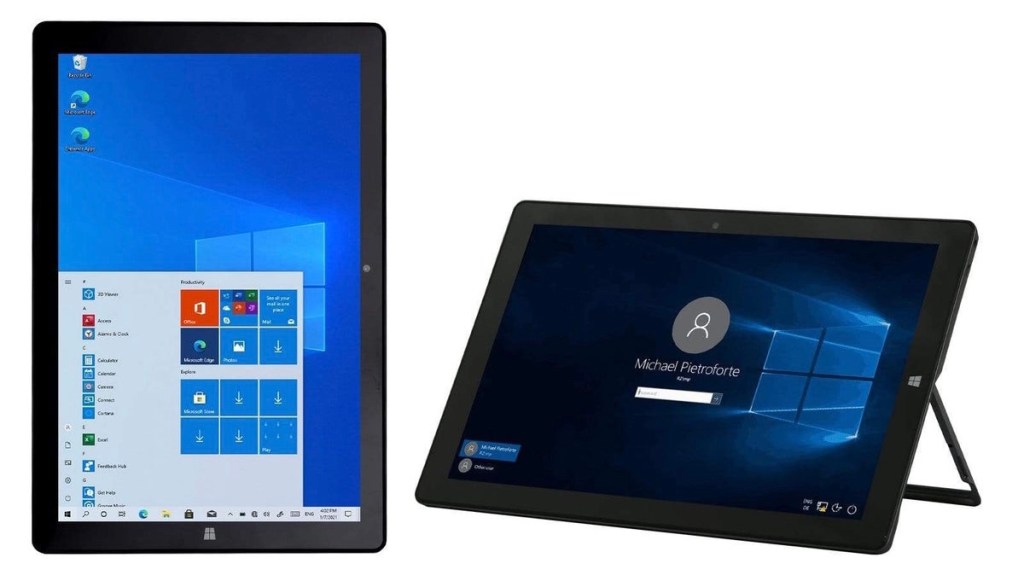
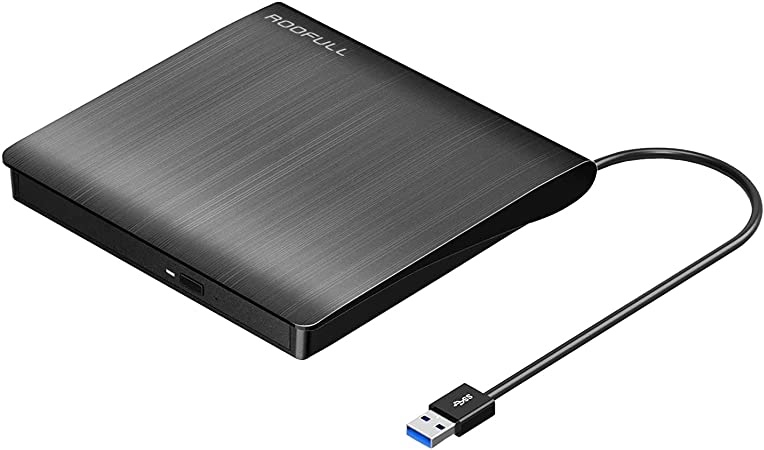
Since I couldn’t get any confirmation that these could work as expected on Windows 11, I ended up getting a Windows 10 tablet and an external CD drive. Once Boardmaker is open, the CD drive can be removed. I have Boardmaker v6, Grid 3, TD Snap, CoughDrop, Cboard, etc. all set up and they are working well.
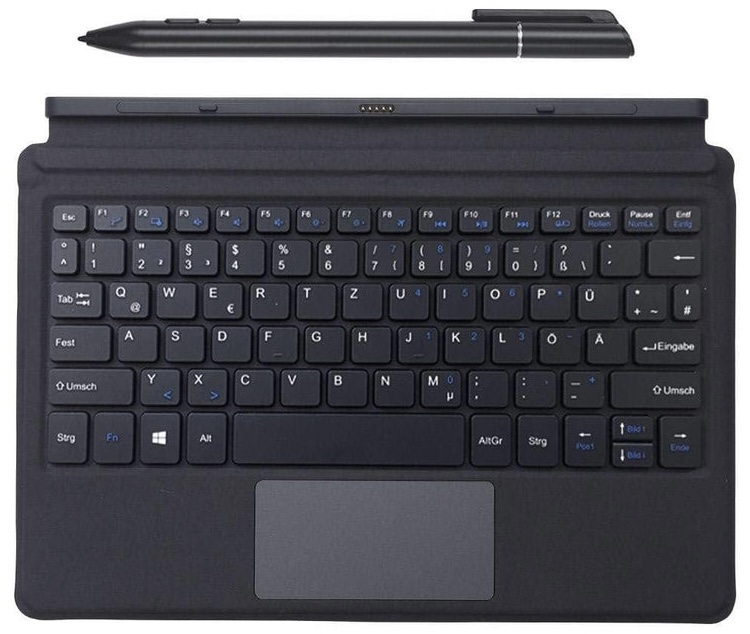
I did quite a bit of research and comparison of features and costs. I read lots of reviews. I wanted something small and affordable. I rarely use a laptop these days since I can do almost everything on my iPad or iPhone so this will suite my needs. This particular one had really good reviews on Amazon. It has a 10.1” screen, a built-in stand, comes with a keyboard cover that’s similar to an Apple Smart Keyboard and a stylus, and has Windows 10:
(Be sure to decline upgrading to Windows 11 during setup)
I found the perfect vintage Vera Bradley carrying bag to fit it. A Tablet Hipster in Olivia Pink from 2013. I bought it in excellent condition for a bargain on Poshmark.
Here’s the external CD drive that I bought. You need one that can be plugged into an outlet since many 2 in 1 devices don’t have enough power through the USB port to run an external CD drive: ROOFULL External CD DVD +/-RW Drive Burner USB 3.0 Type-C Portable CD/DVD Optical Drive Player Reader Writer with Protective Carrying Case for Mac MacBook Pro/ Air, iMac, Windows 11/10 Laptop Desktop, https://smile.amazon.com/dp/B081H3F2J7/ref=cm_sw_r_cp_api_glt_i_RXATFKRZXZYY4HYD23HH?_encoding=UTF8&psc=1
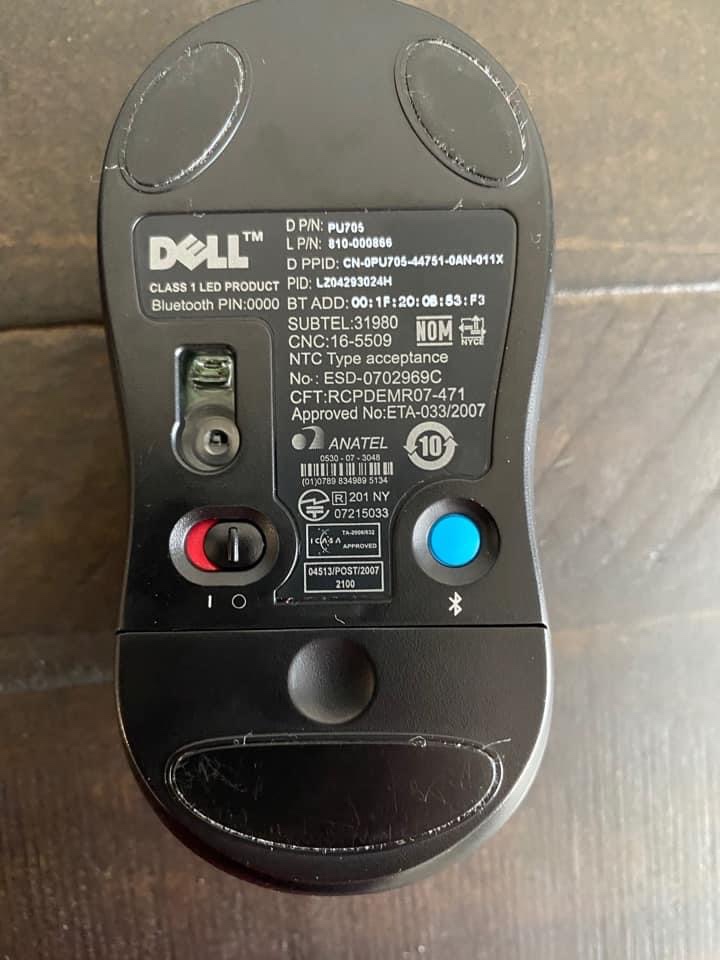
I already had a Dell Bluetooth travel mouse that doesn’t require a USB receiver. This is the same mouse that I use to model on AAC apps on an iPad. If you search on Amazon for a Bluetooth Mouse that can work on an iPad they should also work for this since those don’t require a USB receiver.
If an iPad is on iOS 13.4 or later, you can use a Bluetooth mouse or trackpad to model. It’s a way to model AAC or demo any apps without having to touch the iPad screen. Here’s a video:
How to set up the Accessibility settings for Pointer Control: https://support.apple.com/en-bh/HT211008. Tip: You need to have your Bluetooth mouse or trackpad paired with that iPad in order for Pointer Control to show up as an option in the Accessibility settings.
This worked in every AAC app and other apps that I’ve tried so far 😊
This is just one of many tools that I use to create things with symbols. I use LessonPix – Custom Learning Materials (which is fabulous but can’t be used to create or print PODD books), iESLp App, Twinkl Symbols app, Global Symbols website, AbleNet Inc.’s SymbolOverlay app, Tools2Talk + app, Niki Talk’s Search on ARASAAC app, the PictoMaker app, ProxTalker Pro app, etc…
I don’t have any plans to subscribe to Boardmaker 7. Everything that I see indicates that it’s still a hot mess and there’s no reason for me to pay for a subscription since I have a way to use Boardmaker v6 and have lots of other ways to create things with symbols.
Note: I would not recommend this Windows tablet for use as an AAC device since there isn’t a protective case available and the speakers aren’t the greatest. I probably wouldn’t recommend any Windows tablet for that purpose unless it’s one built for rugged use. I’m just using Grid 3, TD Snap, CoughDrop and Cboard on it to try out features compared to what’s available on those on an iPad. I also wouldn’t recommend this Windows tablet for writing reports or completing paperwork. The screen and keyboard are pretty small for those labor intensive types of things.
Disclaimers:
I have no way to know how long this particular Windows tablet will ship with Windows 10 installed vs. the Windows 11 operating system. It’s always wise to look closely at specs and reviews when purchasing any tech.
I also have no way to know if Boardmaker v6 will work on Windows 11 or not but it sounded pretty iffy.
I am not liable for any purchasing decisions that others make. Just sharing what works for me
Have questions? The best way to reach me with any questions is via messaging on the OMazing Kids Facebook page: https://www.facebook.com/OMazingKidsAAC/. That way AAC related messages don’t get lost among the spam in my e-mail.
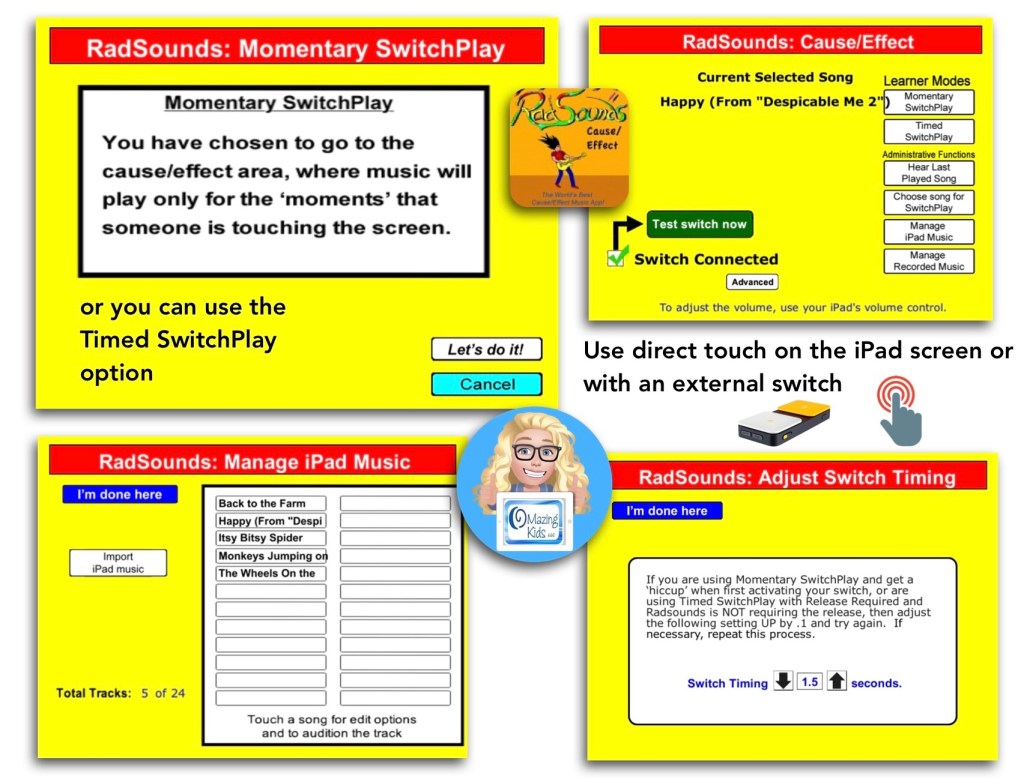
The RadSounds – Cause and Effect app has a Momentary SwitchPlay option that can be used to only play the music while the screen is being touched or switch is being pressed.
It also has a Timed option to allow music to play without having to hold down the switch or touch the screen the whole time.
Surprisingly the app works on the latest iOS (iPadOS 15.3.1) even though it’s been quite awhile since the app has been updated.
Have questions? The best way to reach me with any questions is via messaging on the OMazing Kids Facebook page: https://www.facebook.com/OMazingKidsAAC/. That way AAC related messages don’t get lost among the spam in my e-mail.




 OMazing Kids AAC Consulting