Angela Moorad, MS, CCC-SLP. Over 36 years experience in AAC. OMazing Kids AAC and app consulting. Creator of several AAC Feature Matching resources (https://omazingkidsllc.com/omazing-kids-aac-resource-links/). Includes info about unique features to support Gestalt Language Processors
The sales on Amazon + the AAC app sales = an opportunity for very affordable AAC. Here are a few examples…
$44.99: Limited-time deal: Fire HD 8 tablet, 8″ HD display, 32 GB, latest model (2020 release), designed for portable entertainment, Twilight Blue https://a.co/1jbEW50
$59.88: Samsung Galaxy A03s, 32GB, Black – Prepaid Tracfone Smartphone (you don’t have to “activate” it) https://a.co/ccrm6PU
$249.00: SAMSUNG Galaxy Tab S6 Lite 10.4″ 64GB Android Tablet w/ Long Lasting Battery, S Pen Included, Slim Metal Design, AKG Dual Speakers, US Version, Angora Blue https://a.co/iSA07vZ
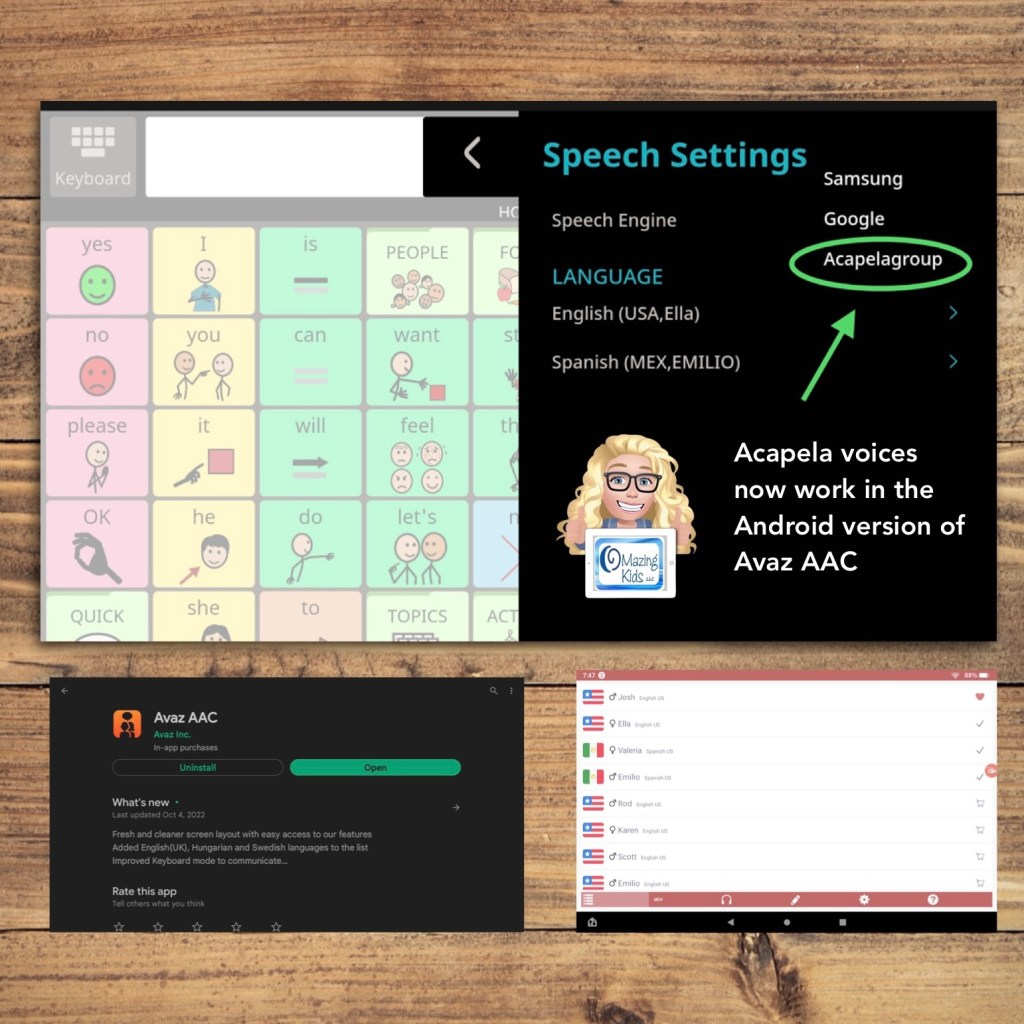
The update for the Android version of Avaz on 10/4/22 added access to setting Acapela as a Speech Engine. This allows you to use any Acapela voices that you have purchased and installed.
Super excited to have access to child voices again in the Android version of this app. The iOS version already has child voice options.
See my video:
There’s an extra step to get those to work side loaded on an Amazon Fire tablet.
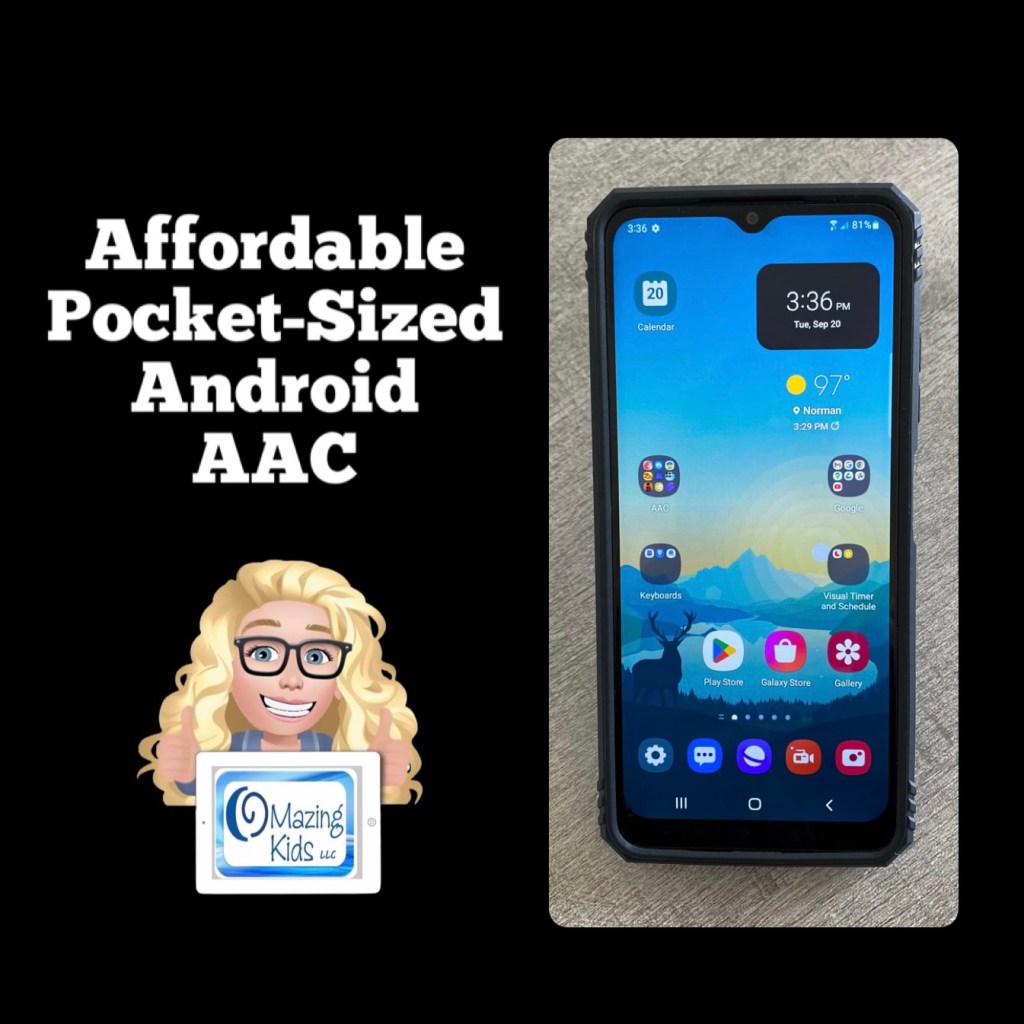
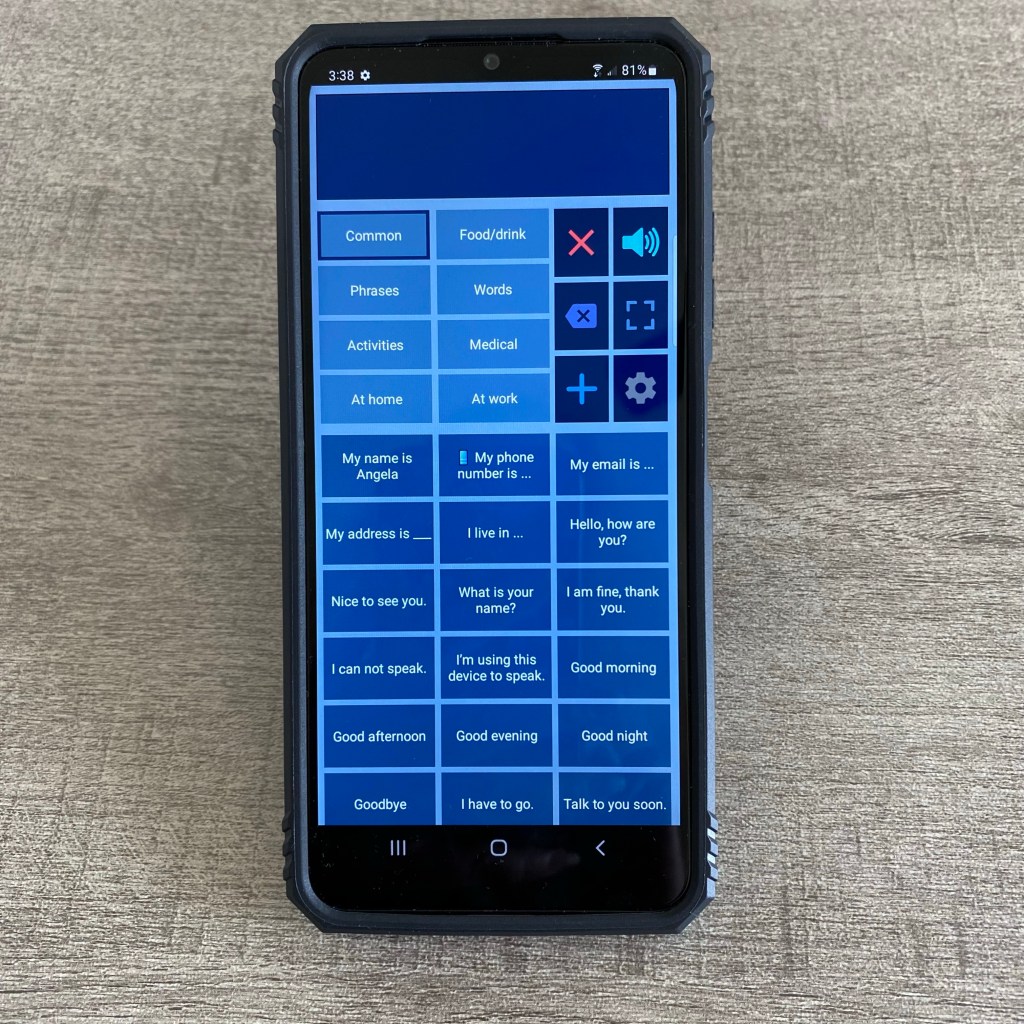
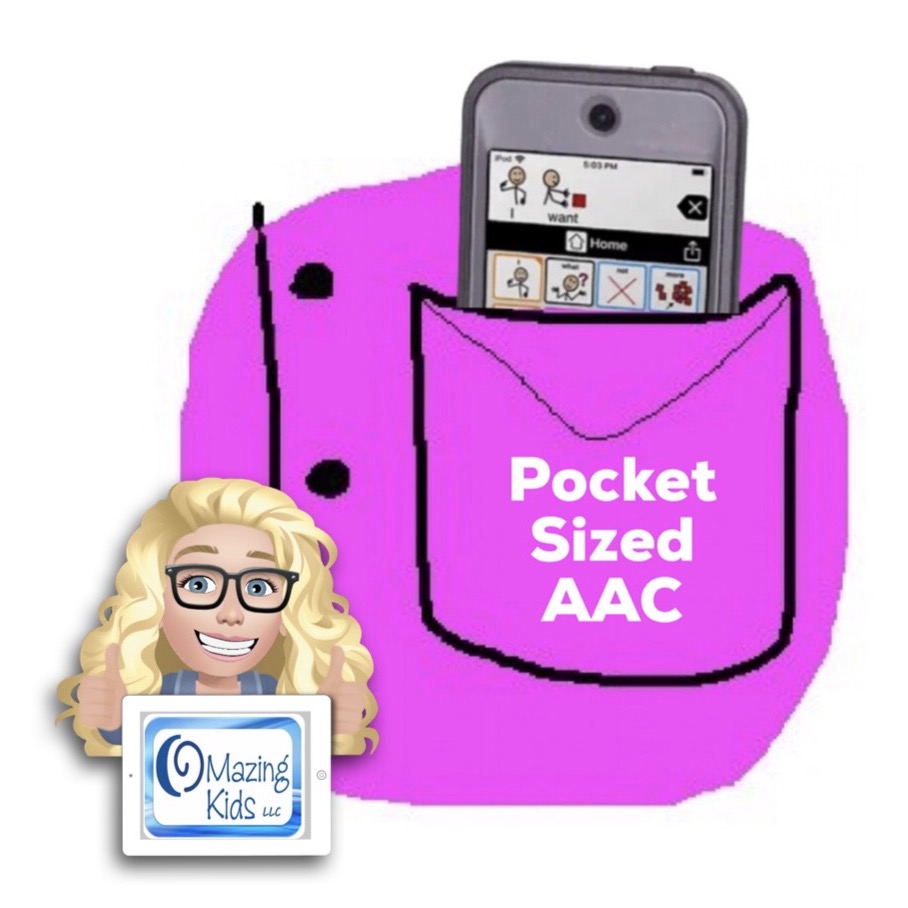
Looking for a very affordable option for pocket-sized AAC? Many individuals prefer to just add an app to their iPhone or Android phone but some facilities don’t allow phones (or it would be a battle to get an exception) or a phone might not be the best choice for AAC for a younger child. The iPod Touch used to be my “go to” option for this. Since the iPod Touch is no longer available I purchased an Android prepaid TracFone (keeping it unactivated)… Shout out to Karen Erickson for sharing that idea in a comment in the AAC for the SLP group.
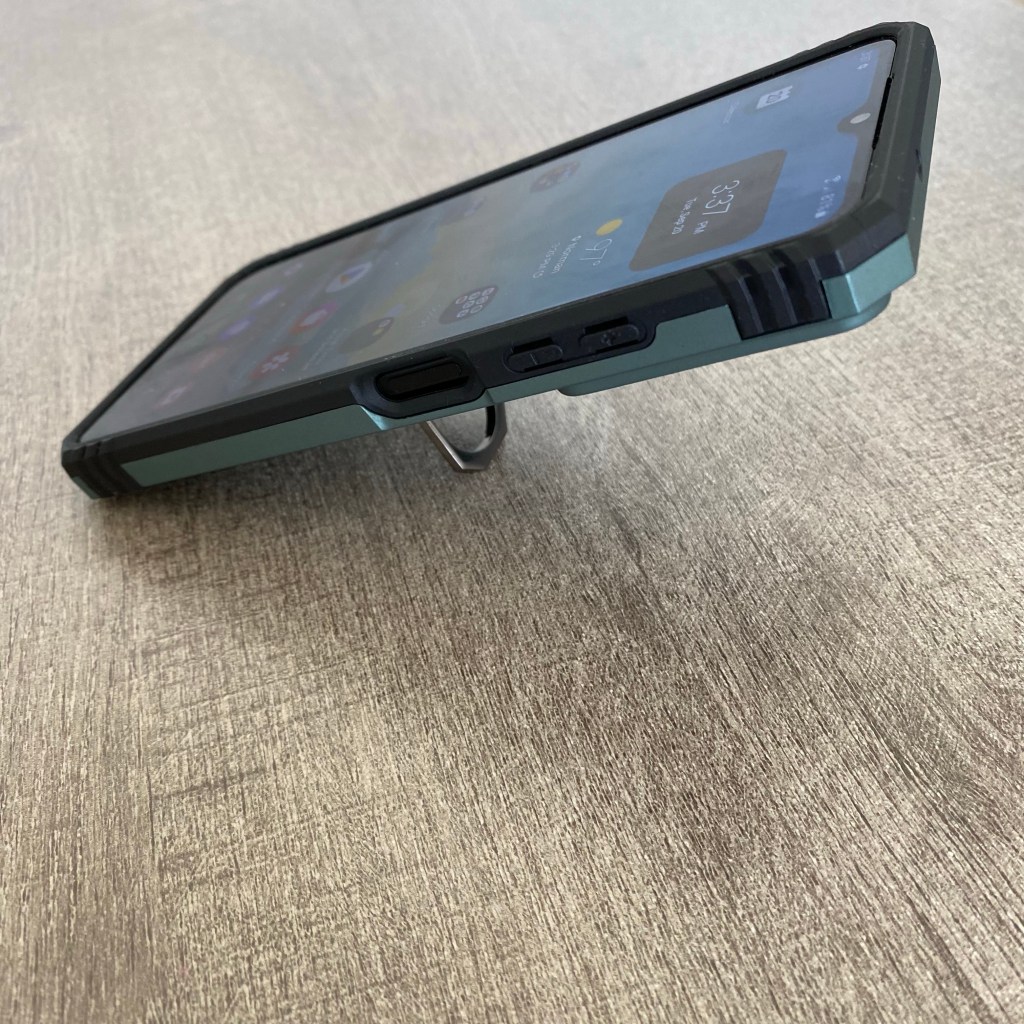
LeYi for Galaxy A03S Case with Screen Protector and Camera Protection Slide Cover, Military-Grade Samsung A03S Phone Case with Magnetic Ring Metal Kickstand for Men Boys (6.5 Inch), Green https://a.co/d/bLpM2Oe
$59.88 Android phone + $12.99 case + the cost of an app = very affordable pocket-sized AAC 🎉
(Updated 8/12/23: That Android phone is still available on Amazon and was even a little less expensive ($49.88). The case is still also available and was less expensive ($11.99). If you put the free Android version of Weave Chat AAC on it (https://play.google.com/store/apps/details?id=com.weavechat.weavechat) you can have fairly robust pocket-sized symbol-based AAC for under $62 (+tax). The adult text-to-speech voices from Samsung & Google are pretty good. If you want Acapela voices, the Weave Chat AAC app and a few others allow use of the one you have purchased and set as a default within the Acapela app. That would be a way to add high quality child voices. Prices vary. I just purchased the child African American English voices (Tiana and Malik) for $7.99 each. The great thing is you only have to purchase the Acapela voices once and then can use them in any AAC app that supports use of them. I have previously purchased Ella & Josh (USA English) + Valeria & Emilio (USA Spanish). That app has voices available to purchase in several languages.
So for under $70 (+tax) you can have fairly robust pocket-sized symbol-based AAC with Weave Chat AAC using a high quality Acapela voice)
Updated 11/19/25: The model of phone that I have is still occasionally available on Amazon but you may want to consider a newer model. I saw the Tracfone – Samsung Galaxy A15 5G 64GB Prepaid – Black on the Best Buy website for $49.99. And the same style of case available for it on Amazon for around $10.00. Acapela child, teen, and adult voices in the Acapela TTS app are still around $7.99 each.
So in late 2025 for under $70 (+tax) you can have robust pocket-sized AAC with Weave Chat AAC, TypingTalk AAC, and Speech Assistant AAC using a high quality Acapela voice.
See this video for a look at some of the AAC apps I have installed on it:
A short video specifically about Speech Assistant AAC on an Android phone:
And a longer in-depth video about Speech Assistant AAC on an Android phone that shows more about the app and all of the Settings:
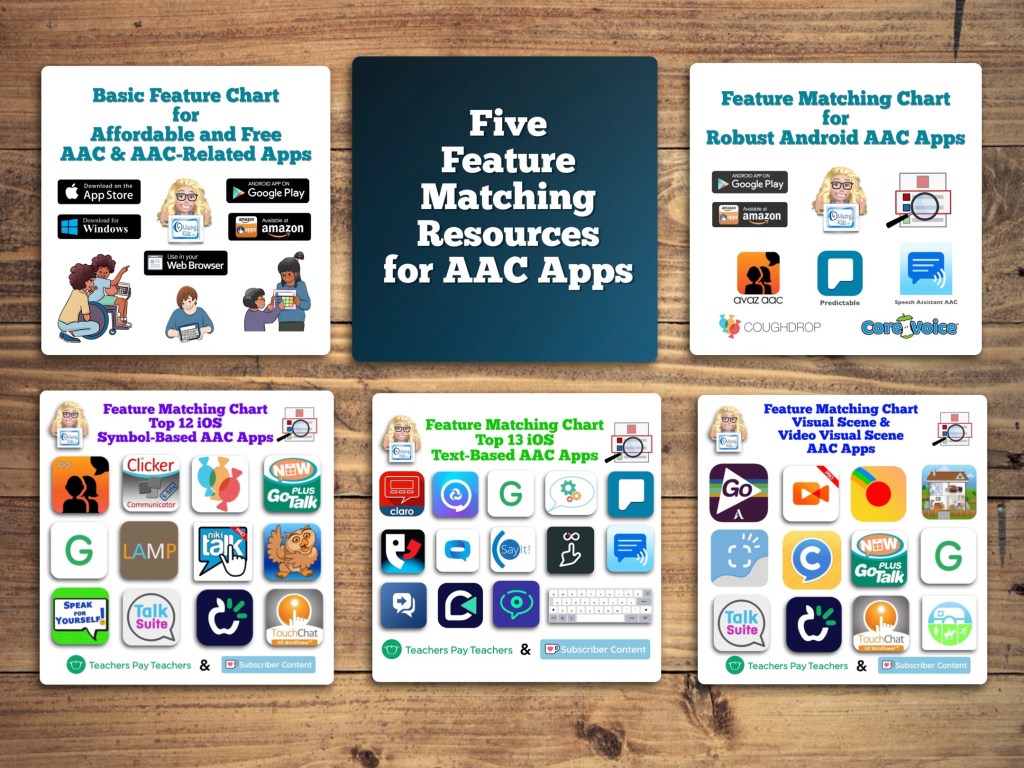
* Five Feature Matching Resources for AAC Apps (comparing features in AAC apps) + several videos comparing AAC apps across platforms (iPad, Android, Amazon Fire, Windows):https://bit.ly/5aacFeatureMatchingResources
Tips: If you are using an Android tablet & an Amazon Fire Tablet with the Google Play App Store side loaded, be sure to toggle on Family Sharing before making app purchases & make the purchases from the Google Play App Store on your Amazon Fire Tablet. Those have been recognized by Google Play on my Android tablet. The reverse was hit and miss (likely due to the side loading).
In addition to creating communication boards, flip books and true object based icons for non-tech AAC, I look at using whatever tech an individual has and finding a good affordable option to put on that so they have something to use immediately.
These can be helpful to use until an AAC eval can be completed, until a more robust option can be purchased, to meet a short term need or as a secondary tool to offer features that might not be available in their main AAC device, etc.
Or this may be what they use long term. Unfortunately not everyone has access to getting an AAC eval or options for funding more robust AAC so there are individuals who may rely on these affordable devices and apps as their only option.
It is also a reality that not everyone can afford an iPad so that’s why this blog post covers the three main app stores.
This is intended to give you a *general* idea of the overall cost of purchasing AAC for use on Amazon Fire vs. Android vs. iPad.
Total cost of a good model of tablet + good case with a rotating stand + a robust symbol-based AAC app:
• Amazon Fire: $310.00
• Android: $480.00
• iPad: $520.00
Prices would be $100 less if purchasing the app during a 50% off sale (typically in April and October). Additional savings if purchasing a tablet or iPad during a sale. These prices don’t include any extras like in-app purchases for premium symbols, premium voices, extra pagesets / vocab files, Apple Care, a screen protector or a extremely protective case, etc…
This is a cost comparison based on prices of devices and cases that I purchased and is just a general comparison. Avaz and CoughDrop are used in this comparison since they are the most robust symbol-based AAC apps available across all three platforms. Prices will vary based on the AAC app and whether or not you wait to purchase during sales.
Amazon Fire Tablet:
Amazon Fire HD 8 Tablet (2020 release): https://a.co/d/j0doVDO, $89.99 ($44.99 during Amazon Prime Days Sale)
Total: $108.98 ($63.98 during Amazon Prime Days Sale)
Robust symbol-based AAC app options:
• Avaz (Free app, 2 week free trial, then subscription ($9.99/mo or $99.99/yr) or a one time $199.99 purchase), side loaded from Google Play App Store
• CoughDrop (Free app, 2 month free trial, then subscription ($6/mo) or one-time purchase ($200). More info about their other subscription options: https://bit.ly/3h8aEC1)
• CoreVoice: $49.99
Total cost of tablet + case + robust symbol-based AAC app:
~ $158.97 – $308.98 (or as low as $113.97 – $163.98 if you get the tablet on sale and get Avaz or CoughDrop when they are 50% off – typically in April & in October).
Android Tablet:
Samsung Galaxy Tab S6 Lite 10.4″, 64GB: https://a.co/d/07JEMhI, $249.99 (the price has gone down since I purchased mine for $299)
Case with rotating stand (similar to the Pepkoo). I ended up purchasing one on eBay (https://www.ebay.com/itm/374088538546. Sadly that case is out of stock. I contacted the seller on eBay and they won’t be getting any more). It’s difficult to find cases with this type of rotating stand for the Samsung Galaxy Tab S6 Lite 10.4” Android tablet. I found this one but haven’t seen it in person: https://www.ebay.com/itm/114920453285, $28.99
Total: ~ $278.98
Updated 9/20/22: Looking for an affordable option for pocket-sized AAC? Many users prefer to just add an app to their iPhone or Android phone but some settings don’t allow phones (or it would be a battle to get an exception). The iPod Touch used to be my “go to” option for this. Since the iPod Touch was discontinued I purchased an Android Samsung Galaxy A03s (prepaid TracFone that has NOT been activated for cellular service) on Amazon. Shout out to Karen Erickson for sharing that idea in a comment in the AAC for the SLP group. It was only $59.88 and essentially gives me an Android equivalent to an iPod Touch (which Apple has discontinued) for pocket-sized AAC. I added a $12.99 case that has a tiny ring stand and sliding cover for the camera. So for $72.87 (+ the cost of the app) I have a very affordable pocket-sized AAC device:https://omazingkidsllc.com/2022/09/20/affordable-pocket-sized-android-aac/
Robust symbol-based AAC app options:
• Avaz (Free app, 2 week free trial, then subscription ($9.99/mo or $99.99/yr) or a one time $199.99 purchase)
• CoughDrop (Free app, 2 month free trial, then subscription ($6/mo) or one-time purchase ($200). More info about their other subscription options: https://bit.ly/3h8aEC1)
• CoreVoice: $49.99
Total cost of tablet + case + robust symbol-based AAC app:
~ $328.97 – $478.98 (or $378.98 if you get Avaz or CoughDrop when they are 50% off – typically in April & in October)
If you also need a shoulder carrying strap look at the Pepkoo Triple Shockproof Case: https://a.co/d/0RyWDMz, $26.99
Total: ~ $319.99 – $325.99
Robust symbol-based AAC app options:
• Avaz: Free app, 2 week free trial, then $9.99/mo or $99.99/yr subscription or $199.99 one time purchase
• Clicker Communicator: $199.99
• CoreVoice: $49.99
• CoughDrop: Free app, 2 month free trial, then $6/mo subscription or $200 one time purchase. More info about their other subscription options: https://bit.ly/3h8aEC1
• GoTalk Now / GoTalk Now Plus: $99.99 / $169.99
• Grid for iPad: free version with 30 day free trial, then $10.99/mo subscription or $399.99 one time purchase
• LAMP Words for Life: $299.99
• Niki Talk 2 Pro: $89.99
• Proloquo + Proloquo Coach: free app, 30 day free trial, then $9.99/mo or $99.99/yr subscription
• Proloquo2Go: $249.99
• Speak for Yourself: free version with 30 day free trial, then $299.99 one time purchase
• Talk Suite Pro: $199.99
• TD Snap: free version with 60 day free trial, then $49.99 one time purchase
• TouchChat with WordPower: free version with 30 day free trial, then $299.99 one time purchase
Total cost of iPad + case + robust symbol-based AAC app:
~ $369.98 – $725.98 (varies depending on the app, some of these apps are ~50% off twice a year. As a comparison to the Amazon & Android versions, the total if you got Avaz or CoughDrop for 50% off = ~ $419.99
Apple launched the iPad 10th gen today (10/18/22). Unfortunately they changed the size. It’s 10.9” instead of 10.2”.
Which means the cases that we have been using/recommending for the 7th gen/8th gen/9th gen iPads won’t fit the 10th gen.
It might be awhile before case manufacturers get good cases for the 10th gen on the market. Especially cases with the features that we want for AAC users.
Apple also raised the price by $120.
10th gen, 64GB: $449
9th gen, 64G: $329
Amazon currently has the 9th gen, 64GB iPad on sale for $269: Limited-time deal: 2021 Apple 10.2-inch iPad (Wi-Fi, 64GB) – Silver https://a.co/7YHiqTO
<< sigh >> 😢
I had hoped that Apple would continue to leave that base model iPad at the same size and price since we had been having a good multi-year run of Apple leaving the base model iPad specs alone. So on the verge of a recession they decided that it’s time for a $120 price jump and put stress on case manufacturers with the size change. This is why we have lost so many great case options over the years (GripCase, LifeProof Nüüd, etc..). Apple claims to care about accessibility but then is this clueless 🙄😢
If you know someone who was thinking about getting an iPad for AAC, I’d let them know so they can get a good price on the 9th gen before those are no longer available
Windows: The cost would vary greatly depending on the type of tablet or laptop purchased. The Windows tablet that I purchased would not be durable enough for primary use for AAC.
This post is not implying that price should be the sole factor when choosing AAC but it is acknowledging that in real life many folks have to purchase this on their own and price is a factor.
Tips: If you are using an Android tablet & an Amazon Fire Tablet with the Google Play App Store side loaded, be sure to toggle on Family Sharing before making app purchases & make the purchases from the Google Play App Store on your Amazon Fire Tablet. Those have been recognized by Google Play on my Android tablet. The reverse was hit and miss (likely due to the side loading).
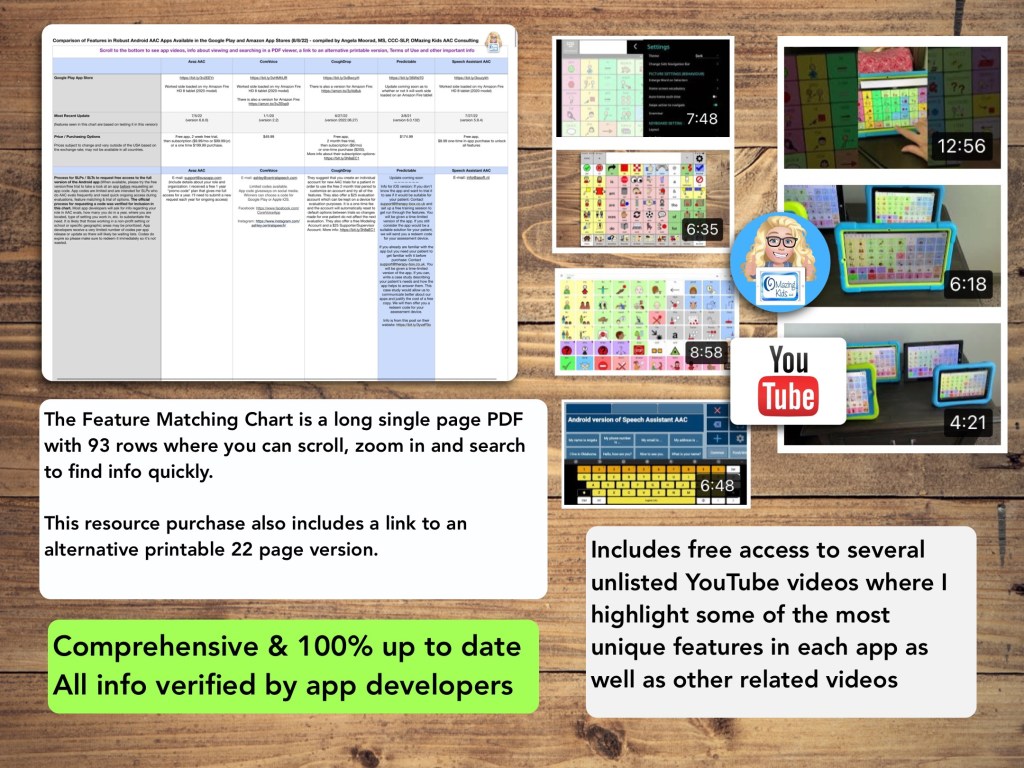
New Resource: Feature Matching Chart for Robust Android AAC Apps (Google Play & Amazon Fire).
This resource includes an in-depth comparison of features & support resources across 5 robust Android AAC apps:
• Avaz AAC
• CoreVoice
• CoughDrop
• Predictable
• Speech Assistant AAC
(** Note: The info about Predictable is currently basic. In-depth info about features in that app will be added to this resource in a free update after the anticipated update for the Android version is released in the Google Play App Store **)
There are lots of simple affordable and free AAC apps available for Android and Amazon Fire tablets. See this resource for basic info about those apps: https://bit.ly/BasicAffordableAACchart
Looking for info about other AAC apps? Check out these resources:
This new resource was inspired by the frequent requests that I receive for info about less expensive options and for info about apps for devices beyond just the iPad. Everything featured in this chart is priced under $10
It has 11 columns with the following info for each app:
• App Name
• App Store link(s)
• Website
• Price
• Is it Robust (Yes, Partially, No, or Not applicable)
• Type of App
• Type of Keyboard
• Voice Options (includes option for Recorded Speech)
• Option to Play Videos
• Backup & Sharing capabilities
• Basic info about other features in the app. For iOS, it includes info about device compatibility and minimum iOS requirements
There are 123 rows with apps available across each of the major platforms: Apple App Store, Google Play, Amazon & Windows + a few Web-Based options
Why this is helpful to you is I have done all of the digging and sifted through hundreds of apps to get you straight to the ones worth considering. This is a vetted resource where everything was tested on my personal devices.
Preview video:
See the description on my TPT store for more info about this new resource and why it was created.
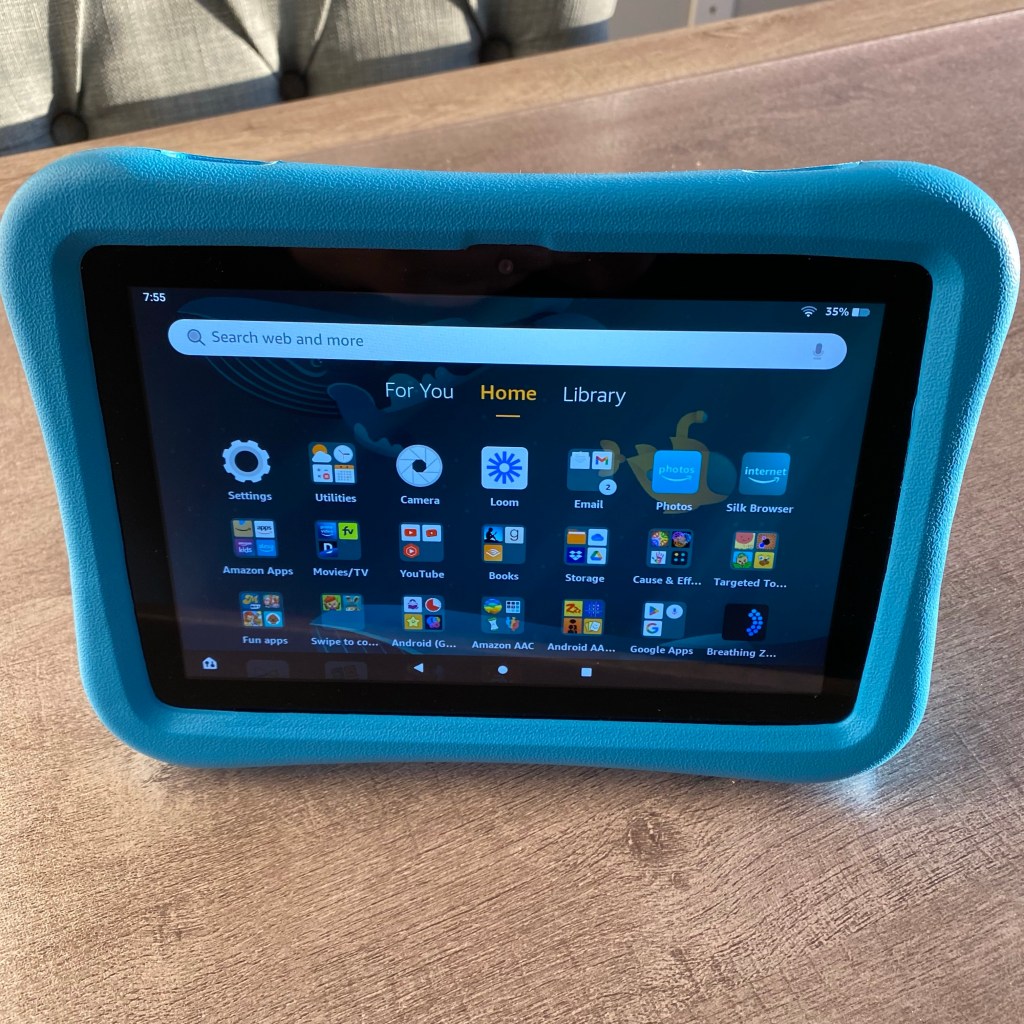
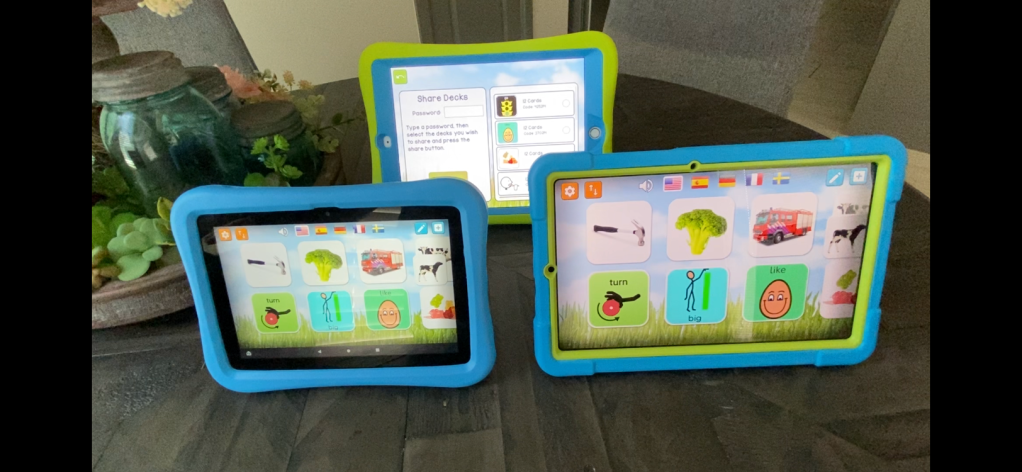
I recently purchased an Amazon Fire HD 8 tablet, 8″ HD display, 32 GB, latest model (2020 release) & a Samsung Galaxy Tab S6 Lite 10.4″, 64GB Android tablet to be able to explore AAC and related apps on those platforms in addition to iOS (iPad 8th gen & iPhone 11). I was excited to discover that you can share customized matching games across the platforms in the MyMemo app.
Are you a parent or caregiver who wants to try out AAC options for your child? I highly recommend that you pursue an AAC eval (including feature matching and trial of options) with an SLP who has expertise in this area.
This is not meant to put up a roadblock or to “gate keep”. I like to compare it to decisions made regarding wheelchairs. Could you just go pick one out and buy it? If you had the money, sure. But it may not be the best “fit” for that person.
But don’t feel that you HAVE TO wait.
Unfortunately it’s still common to see comments from parents and caregivers who have been told “no”, “only after we try _____”, or “only after they demonstrate ________ skills”, etc.
Another reality is not every parent or caregiver will have access to this type of evaluation. This may be even more challenging in the midst of the pandemic despite the best efforts of SLPs to provide these services remotely.
It may just be a little trickier to determine what the best AAC option will be for your child since many parents don’t have unlimited resources to buy several AAC apps to try.
If your child is a Gestalt Language Processor, be sure to also read the section specifically related to Gestalt Language Processing & AAC at the end of this post.
I am not implying that a free or inexpensive app is always the ideal way to meet most communication needs. But these can be helpful to use until an AAC eval can be completed, a more robust option can be purchased, to meet a short term need or as a secondary tool to offer features that might not be available in their main AAC app, etc..
You may need to use a combination of several apps and add it to existing communication such as True Object Based Icons (TOBIs), facial expressions, gestures, vocalizations, etc. That individual can then pick what methods work best for them in any given situation. We all use various modes of communication (words, gestures, emojis, texting, drawing, etc).
Even when choosing a free or affordable AAC app you’ll want to consider the features that will best match that individual’s needs
Here are some resources that can help you make informed AAC purchasing decisions prior to purchasing more expensive AAC apps:
All states in the USA are supposed to have an Assistive Technology Lending Library program where parents & professionals can borrow AAC devices, iPads with AAC apps & other AT for short-term trial. It’s a great way to try various options out before making purchasing decisions. Find the AT Lending Library in your state: https://www.at3center.net/stateprogram
Even if your state’s program isn’t loaning out equipment due to the pandemic they might have the option to do a short term loan of the software/app.
The AT Program in your state may also know of SLPs who do AAC evals and funding resources (including grants) specific to your area.
You can learn about AAC apps by joining the various AAC user groups on Facebook and watching free webinars on the company’s website or YouTube channel.
Note: If you own an AbleNet QuickTalker Freestyle provided by AbleNet you need to ask for support in their QuickTalker Freestyle Community group (https://www.facebook.com/groups/918051228958948/?__n=K) and use their customer service: https://quicktalkerfreestyle.com. Since they sold the device they need to provide all of the support for both hardware and software/apps.
Updated 6/24/25: AbleNet announced as of Monday July 7, 2025 that Facebook group will be discontinued. Folks can join one of their other groups:
AbleNet QuickTalker Freestyle SLP Community Group:
Note: I hope they reconsider this decision. The most helpful AAC groups that I’m in are ones where everyone is welcome and supported vs. segmenting them like that.
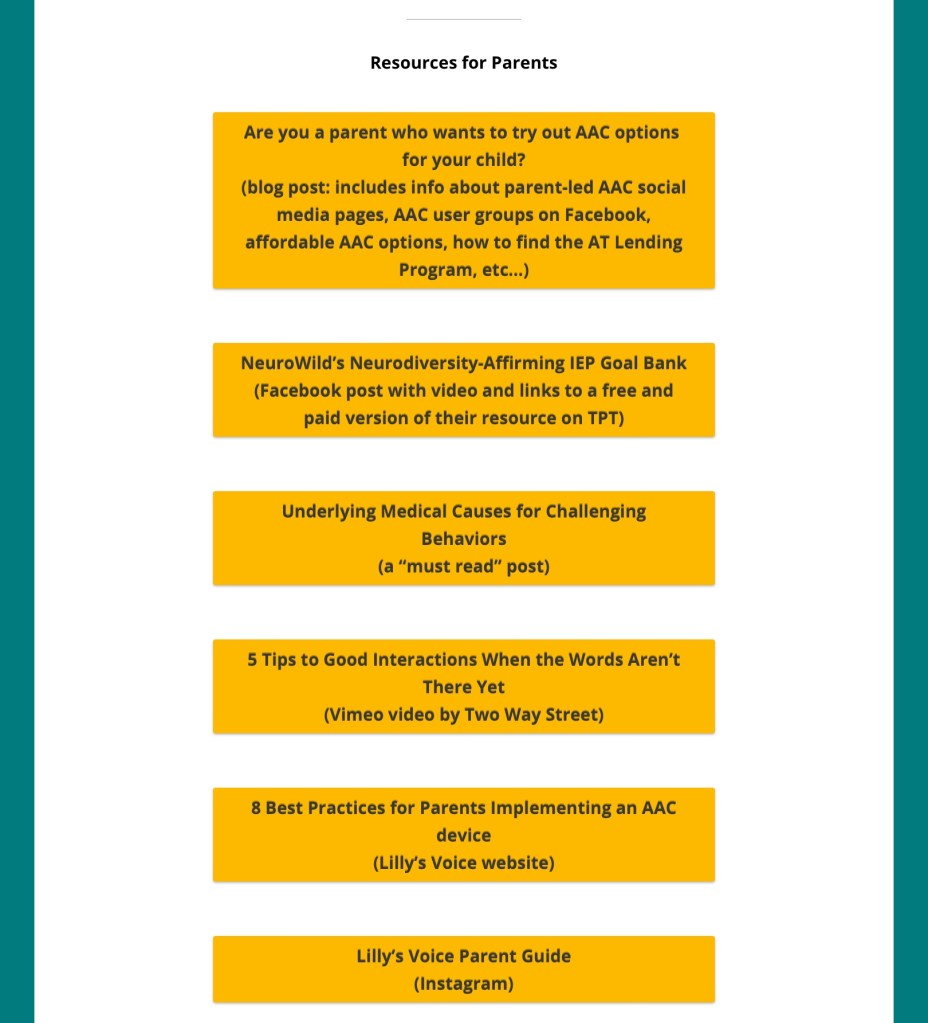
Great video from Two Way Street: “5 Tips to Good Interaction When the Words Aren’t There Yet”
You can see the pricing history for any iOS app in the free AppRaven app (gives you an idea of the pattern of when it goes on sale): https://apps.apple.com/us/app/appraven-apps-gone-free/id1490607195. Many AAC apps tend to go on sale in the USA in April (Autism Awareness / Acceptance Month) and in October (AAC Awareness Month).
I have several free resources available on Teachers Pay Teachers:
I’ve received lots of messages from parents asking what the “best” AAC app is for Gestalt Language Processors. I wish there was a simple answer for this but there isn’t.
Of the thousands of AAC users that I’ve worked with each one had unique needs. For some it was the language(s) that app needed to support, the method of access (tapping to select, drag and release to select, switch scanning, head tracking, eye gaze, etc.), how many navigational hits it took to get to a word, the sensory aspects (type and color of symbols, voice options), etc… This was in addition to unique features that might be helpful for GLPs.
That’s why it’s important to consider the bigger picture of all of their needs and hopefully try a few AAC options before making a purchasing decision.
If you are a parent and don’t have access to an SLP to help you navigate the AAC app options, feel free to message me on my OMazing Kids AAC Consulting Facebook page. I’m glad to answer basic questions about AAC apps and share links to unlisted YouTube videos related to those apps.
Why are those videos unlisted? Those particular videos were created as part of my in-depth feature matching resources that are primarily designed for SLPs and other professionals. Of course anyone can purchase them but they might be way too much info and overwhelming for those just getting started with AAC. I don’t want parents to feel like they have to purchase that type of resource just to see the videos.
So parents please message me if you’d like to see a video about a particular AAC app. I answer quickly on my Facebook page.
I’m not currently offering in-depth virtual AAC consultation or coaching but may consider doing that at some point in the future.
I have over 33 years of experience in AAC, have used almost every iOS AAC app in the USA iTunes (Apple) App Store, Android AAC apps, Amazon Fire AAC apps, Windows AAC apps, web-based AAC apps + lots of AAC-related apps. I am always glad to share what I know about the features in these apps and refer you on to where you can get good / accurate additional info.









 OMazing Kids AAC Consulting