Dear Future AAC App Developers – Thinking about developing a new AAC app? Here are my thoughts… (current AAC app developers lean in & listen… this post is for you too) – updated 3/17/25

Thinking about developing a new AAC app? I do quite a bit of beta testing and am asked pretty frequently for my feedback on AAC app development. Here are my thoughts…

The top 3 needs that I see for AAC apps:

1. Relevant: There is a need for robust AAC apps in a wider variety/diversity of languages and dialects (content, symbols & voices). Ideally these need to be developed in conjunction with native speakers of that language to insure accuracy and cultural relevance of the content, symbols and voices.

2. Portable: There is a need for more AAC apps to be usable on an iPhone & Android phone. I get numerous requests every month for info about the options. Sadly more than half of the robust iOS symbol-based AAC apps can only be used on an iPad. I had several older kids, teens and young adults that preferred the portability and the “look” of pocket-sized AAC on their phone. Some used it as an alternative to their larger device. Others used it as their primary AAC.

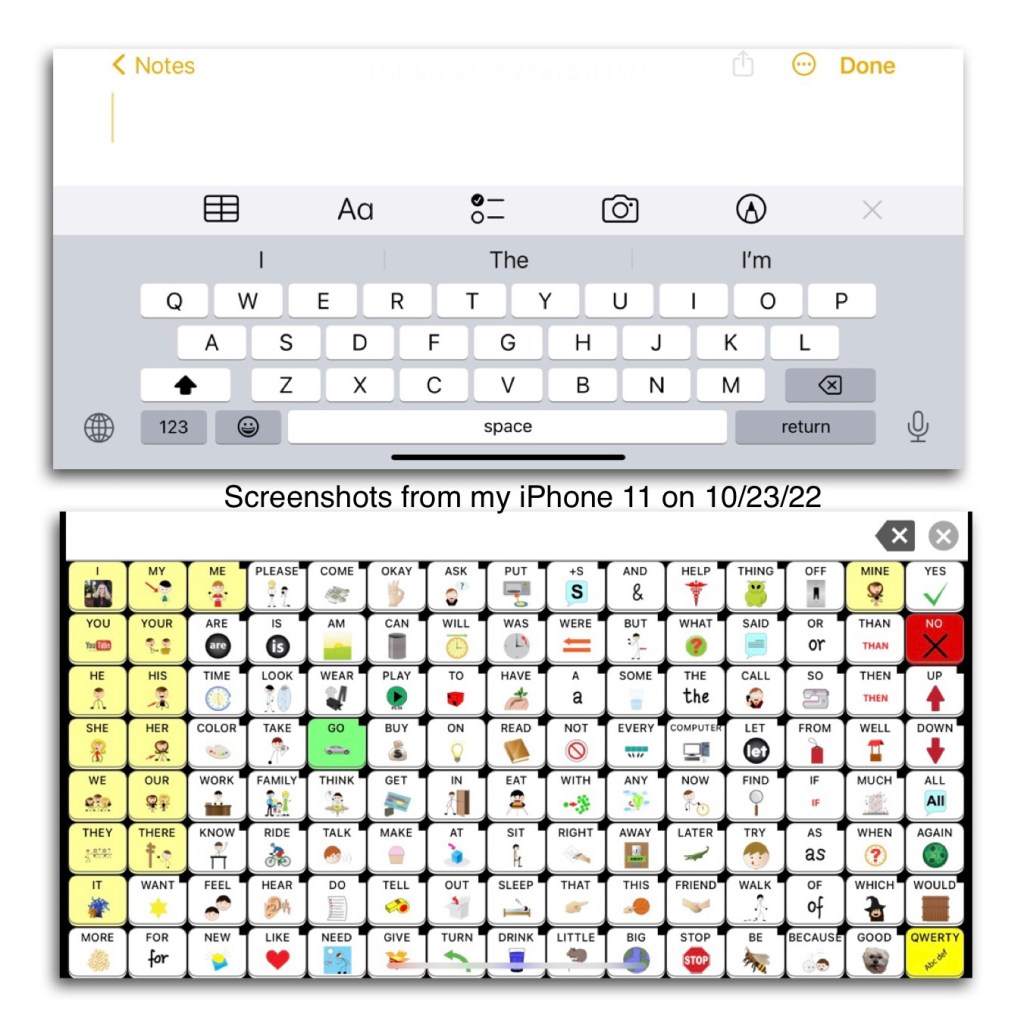
Some app developers claim that it would be impossible to offer their app on an iPhone because it would “mess with the motor plan” or “the buttons would be too small”. Hmm… somehow Speak for Yourself did this way back in 2016 and their app has 120 buttons per page and is a “motor planning” based app. In the years since then I’ve seen several posts from AAC users, parents, SLPs, teachers, etc. who all appreciate the flexibility that this offers. The screen on the largest iPhones are only a couple of inches smaller than an iPad Mini. Even on my iPhone 11 with its 6.1” screen I’m able to use this app well enough to do some modeling and use it all the time to take a look at the Settings area to answer questions about the app when I don’t have my iPad with me.

Read these posts on the Speak for Yourself website: https://speakforyourself.org/does-aac-button-size-really-matter/ & https://speakforyourself.org/tiny-speak-coming-soon-iphones/. A quote from the second post: “The buttons are small, BUT they are twice the size of the keyboard buttons that we all use, including our students who flawlessly use mom or dad’s phone to search for videos on YouTube. Many of our users will be able to access Tiny Speak for Yourself (Tiny SfY), but even if they are not able to access it, having the app on an iPhone also puts the ability to model seamlessly into the hands of parents, professionals…and siblings. That may be the biggest game changer of Tiny SfY.”

Look at the data and the button size comparisons. Look at the pictures and video of it in use. Read the linked blog posts about the impact of having this option.
It’s doable. Not saying it’s easy for developers to reprogram an app to make it iOS Universal. I’m sure it takes a lot of work. But if you listen to your customers it’s one of the biggest needs. So listen, roll up your sleeves and make it happen.

3. Affordable: We need more robust AAC options that can be used on the more affordable tablets (Amazon Fire & Android). I’ve been getting numerous messages from folks who don’t have access to getting an AAC device funded or are tired of professionals saying their child isn’t “ready”. In these instances the total cost of an Amazon Fire tablet or basic Android tablet + case + AAC app = affordable enough for the parent to purchase it themselves. Not everyone can afford an iPad.


Here are my other thoughts based on over 35 years of experience in AAC and using lots of AAC apps across all of the platforms:

• Any new AAC app needs to support robust communication for a wide variety of functions. There are already several simple choice making apps on the market. Robust AAC contains many different types of words (verbs, nouns, pronouns, adjectives, adverbs, prepositions, conjunctions, articles/determiners & interjections), includes Core Vocabulary & Fringe Vocabulary (relevant to that user’s culture, interests and needs), includes Prestored Phrases (to support quick participation), Word Forms (verb tenses, word endings), allows editing to add new vocabulary and customize existing vocabulary, and a way to backup customizations.

• Most robust AAC apps offer a Search/Word Finder. The lack of a Search/Word Finder can be a significant issue for those supporting lots of AAC users across multiple systems since they may not use that particular app everyday.

• There needs to be a balance between safeguards to help insure an AAC app is used as designed to provide robust AAC & flexibility in editing. When AAC apps are too restrictive in editing it makes it difficult to make sure the content and symbols are culturally relevant, honor that user’s and their family’s customs and religious beliefs and that they are not racially biased. It’s difficult to do that when much/most of the app can’t be edited.

There also needs to be flexibility to allow editing in order to allow use of robust elements like verb tenses and word endings even if that individual is using a low cell count grid size in order to support access for fine motor and visual needs.

• We need AAC apps to come pre-programmed with more robust academic vocabulary across grade levels. Relying too heavily on “descriptive teaching” will not allow individuals access to enough vocabulary to be successful in academic settings. This is feedback that I’m hearing directly from AAC users and those supporting them. Having more academic vocabulary pre-programmed will reduce the burden currently put on parents and/or AAC users to add this.
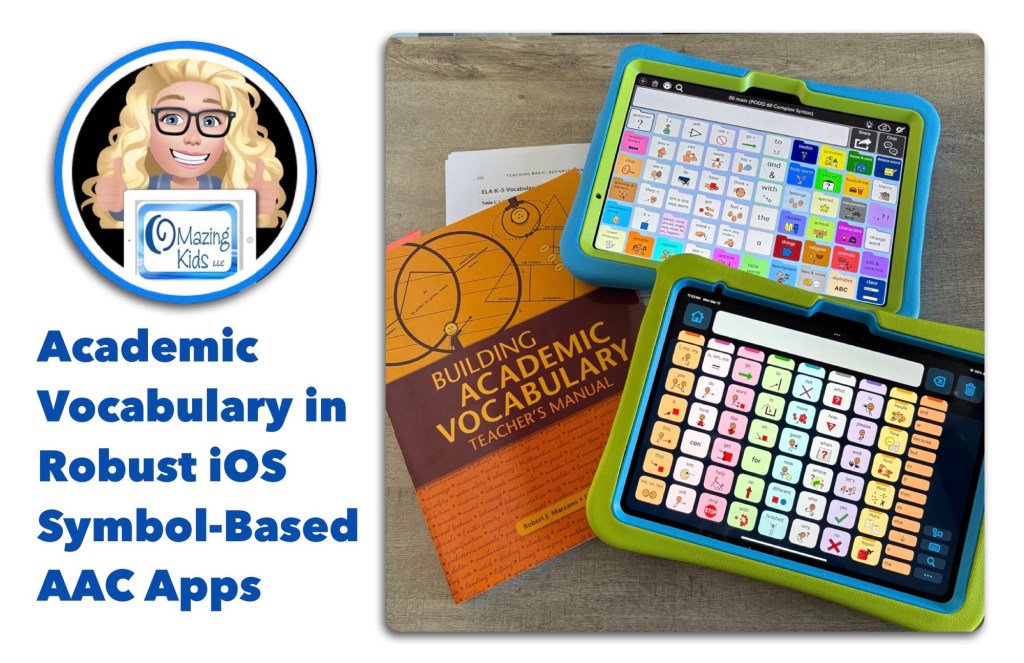
See my blog post on 3/15/25: Academic Vocabulary in Robust iOS Symbol-Based AAC Apps: https://bit.ly/AcademicVocabularyInRobust-iOS-Symbol-BasedAACApps. It has the most current information on this topic.

.

Here are some links to public social media posts where parents and AAC users are sharing their thoughts on this:

Notes: I will be adding links above as I receive them. I am NOT implying that AAC use should become “work” or used primarily for “academic” activities. Only providing an awareness of robust academic vocabulary needing to be included as part of an AAC system/toolkit.

See my Facebook post on 2/19/25: https://www.facebook.com/story.php?story_fbid=981599047233897&id=100061514336631

• Also see this post on my OMazing Kids AAC Consulting Facebook page where I invited folks to discuss “If you could design an AAC app that had all of the features that you needed what would be your “must have” features and why?”: https://www.facebook.com/share/18HreuwFjr/?mibextid=wwXIfr

.

• Take a good look at the major AAC apps on the market and determine what specific features your new app would offer that are not already available.

Get input from AAC users regarding features they think would be helpful.

• Do lots of beta testing to insure the app is intuitive / easy to use.

• You should only offer an AAC app that is truly worth having and meets needs. There are several free or very cheap AAC apps on the market. But you rarely see them mentioned or recommended because they are so poorly designed.

• Offer a fully featured free trial for at least 30 days (preferably at least 60 days) & include access to any extra pagesets / vocab files / grid sets / board sets during that trial. This access needs to be available on the device that the individual might actually be using (as an example, having a free trial on Windows isn’t really going to be totally helpful if they will be using an iPad). SLPs/SLTs and others supporting AAC use can typically get access to the full apps to trial but there are often waiting lists and not everyone has access to an SLP or access to getting an AAC eval. (Note: The various app platforms pose barriers to app developers for some of the options to offer free trials or free promo codes so there are constraints to what they can do regarding this. There would also be a need for companies licensing voices and premium vocab files to allow for these types of free trials)

• Offer purchasing flexibility. Subscriptions offer easier access for individuals (but don’t work well for schools, state run facilities and funding sources). The option to purchase a multi-year subscription can be helpful in some situations. If it will have a subscription, also offer a 1x purchasing option for those who can’t do subscriptions. If it’s an in-app purchase, also offer an option that will work for schools and state run facilities.

• Price your app where it is affordable & sustainable.

• Beyond the initial costs of developing the app, make sure that you also have a very well thought out long term plan and finances for supporting and keeping an AAC app updated.

I’ve received numerous messages over the years on my OMazing Kids AAC Consulting page from parents and therapists with very heartbreaking stories of AAC users losing their voice when Apple released a new iOS and the app wouldn’t work as expected. Several AAC app developers have not updated apps in 5 years or more. It’s one thing to lose a favorite game or therapy app but a whole different thing to lose an AAC app.


Wisdom shared by Open AAC:

CONSIDERATIONS FOR DEVELOPERS

LONG-TERM FUNCTIONALITY TO REMEMBER WHEN DEVELOPING AAC SYSTEMS

https://www.openaac.org/considerations


Want to read more about affordable AAC and/or pocket sized AAC? See these blog posts:


Looking for Affordable and Free AAC apps? Check out this resource: Basic Feature Chart for Affordable and Free AAC apps & AAC-Related Apps (iOS, Android Google Play, Amazon Fire, Windows + a few Web-Based options): https://bit.ly/BasicAffordableAACchart. More info: https://bit.ly/BasicAffordableAACblogpost


Looking for Robust AAC options for Amazon Fire or Android? Check out this resource: Robust Android AAC (Android Google Play & Amazon Fire): https://bit.ly/RobustAndroidAACappChart. More info: https://bit.ly/RobustAndroidAACblogpost


Several videos comparing AAC apps across platforms (iPad, Android, Amazon Fire, Windows):


Looking for in-depth and up to date info about features AAC apps? Check out these resources: https://bit.ly/5aacFeatureMatchingResources


Have a question? The best way to reach me is via Facebook messaging over on my OMazing Kids page: https://www.facebook.com/OMazingKidsAAC/


Angela Moorad, MS, CCC-SLP, Founder of OMazing Kids, LLC, OMazing Kids AAC Consulting

• Teachers Pay Teachers Store: https://www.teacherspayteachers.com/Store/Omazing-Kids-Aac-Consulting

• YouTube: https://youtube.com/user/amoorad1

• Ko-Fi: https://ko-fi.com/omazingkidsaac

• OMazing Kids AAC Consulting Facebook Page: https://www.facebook.com/OMazingKidsAAC/

• AppPeeps Facebook Group: https://www.facebook.com/groups/OMazingKidsAppPeeps/

• GoTalk Now AAC & GoVisual Visual Scene Apps – Ideas and Sharing Facebook Group: https://bit.ly/GoTalkNowAACappGroup

• Instagram: https://www.instagram.com/omazingkidsaac

• Twitter: https://www.twitter.com/amoorad

• Pinterest: http://pinterest.com/OMazingKids/

• Linktree: https://linktr.ee/amoorad1

• LinkedIn: https://www.linkedin.com/in/angelamooradomazingkidsaac

• Blog: https://omazingkidsllc.com
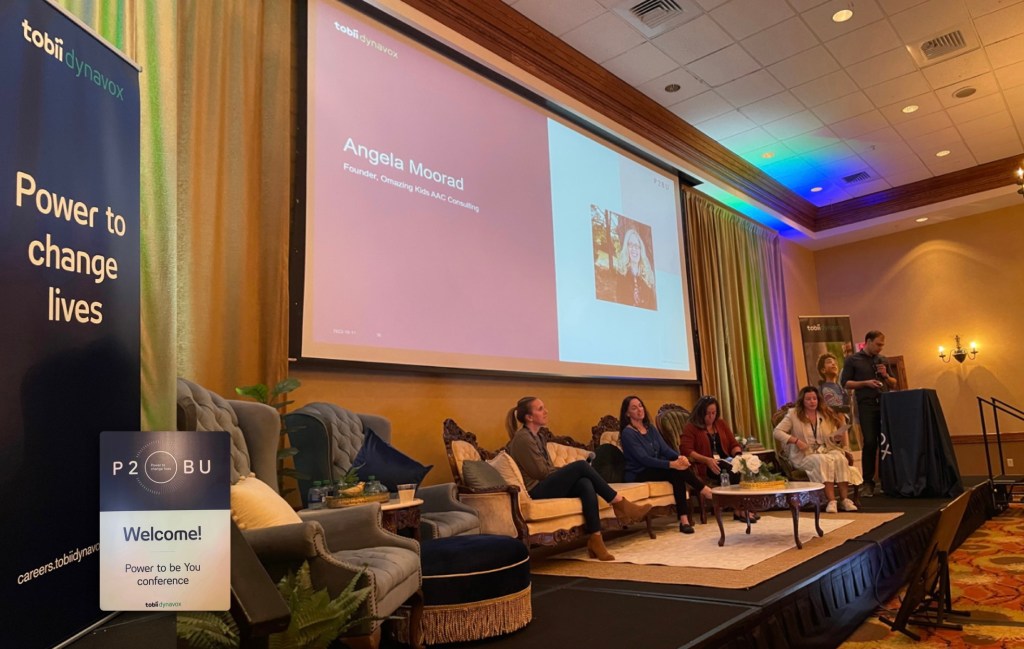
Participated in the Recommender Panel at the Tobii Dynavox Power to be You (P2BU) conference today

It was an honor to be invited to participate on a “Recommender Panel” at the Tobii Dynavox Power to be You (P2BU) conference today (10/11/22). Thankful for the power of technology via Zoom to be able to do that remotely. It was cool to hear the other panelists perspectives and experiences in doing AAC evals and supporting AAC implementation in various settings. Although we each had varied experiences we had similar feedback for what we’d like to see in the future.

Common themes in recommendations included making AAC accessible on iPhones and pocket-sized devices, expanding to additional platforms, supporting use in more languages, offering more premade bilingual pagesets, offering premade pagesets with high contrast symbols, making it easier to find resources on their website, streamlining the funding process and communication regarding the status, enhancing access to customer support via instant messaging, FaceTime, etc., more transparency regarding the status of support for their older AAC apps and other products, and more support via their Tobii Dynavox Community Facebook group, etc…

It’s amazing how much AAC has changed over the past 33 years. Can’t wait to see what the future holds 😊


Have a question? The best way to reach me is via Facebook messaging over on my OMazing Kids page: https://www.facebook.com/OMazingKidsAAC/


Angela Moorad, MS, CCC-SLP, Founder of OMazing Kids, LLC, OMazing Kids AAC Consulting

• Teachers Pay Teachers Store: https://www.teacherspayteachers.com/Store/Omazing-Kids-Aac-Consulting

• YouTube: https://youtube.com/user/amoorad1

• Ko-Fi: https://ko-fi.com/omazingkidsaac

• OMazing Kids AAC Consulting Facebook Page: https://www.facebook.com/OMazingKidsAAC/

• AppPeeps Facebook Group: https://www.facebook.com/groups/OMazingKidsAppPeeps/

• GoTalk Now AAC & GoVisual Visual Scene Apps – Ideas and Sharing Facebook Group: https://bit.ly/GoTalkNowAACappGroup

• Instagram: https://www.instagram.com/omazingkidsaac

• Twitter: https://www.twitter.com/amoorad

• Pinterest: http://pinterest.com/OMazingKids/

• Linktree: https://linktr.ee/amoorad1

• LinkedIn: https://www.linkedin.com/in/angelamooradomazingkidsaac

• Blog: https://omazingkidsllc.com

Sales on Amazon + the AAC app sales = an opportunity for very affordable AAC

The sales on Amazon + the AAC app sales = an opportunity for very affordable AAC. Here are a few examples…

$44.99: Limited-time deal: Fire HD 8 tablet, 8″ HD display, 32 GB, latest model (2020 release), designed for portable entertainment, Twilight Blue https://a.co/1jbEW50

$59.88: Samsung Galaxy A03s, 32GB, Black – Prepaid Tracfone Smartphone (you don’t have to “activate” it) https://a.co/ccrm6PU

$159.99: Samsung Galaxy Tab A8 Android Tablet, 10.5” LCD Screen, 32GB Storage, Long-Lasting Battery, Kids Content, Smart Switch, Expandable Memory, Dark Gray https://a.co/6Ln6wdx

$249.00: SAMSUNG Galaxy Tab S6 Lite 10.4″ 64GB Android Tablet w/ Long Lasting Battery, S Pen Included, Slim Metal Design, AKG Dual Speakers, US Version, Angora Blue https://a.co/iSA07vZ

$299.00: 2021 Apple 10.2-inch iPad (Wi-Fi, 64GB) – Silver https://a.co/geaTgcD


Info about cases: https://omazingkidsllc.com/2021/04/30/pepkoo-ipad-8th-gen-case-features/


See this roundup post from Lauren Enders Gonzales, MA, CCC – SLP about all of the AAC app sales this month: https://m.facebook.com/story.php?story_fbid=2941267676011196&id=178231088981549


Note: Prices on USA Amazon website 5:45am CDT, 10/10/22; prices can change at any time and may not be available in other countries)


See the following blog posts for additional information:


Have a question? The best way to reach me is via Facebook messaging over on my OMazing Kids page: https://www.facebook.com/OMazingKidsAAC/


Disclaimer: I assume no liability for purchases and am not making student/client/patient specific recommendations.


Angela Moorad, MS, CCC-SLP, Founder of OMazing Kids, LLC, OMazing Kids AAC Consulting

• Teachers Pay Teachers Store: https://www.teacherspayteachers.com/Store/Omazing-Kids-Aac-Consulting

• YouTube: https://youtube.com/user/amoorad1

• Ko-Fi: https://ko-fi.com/omazingkidsaac

• OMazing Kids AAC Consulting Facebook Page: https://www.facebook.com/OMazingKidsAAC/

• AppPeeps Facebook Group: https://www.facebook.com/groups/OMazingKidsAppPeeps/

• GoTalk Now AAC & GoVisual Visual Scene Apps – Ideas and Sharing Facebook Group: https://bit.ly/GoTalkNowAACappGroup

• Instagram: https://www.instagram.com/omazingkidsaac

• Twitter: https://www.twitter.com/amoorad

• Pinterest: http://pinterest.com/OMazingKids/

• Linktree: https://linktr.ee/amoorad1

• LinkedIn: https://www.linkedin.com/in/angelamooradomazingkidsaac

• Blog: https://omazingkidsllc.com
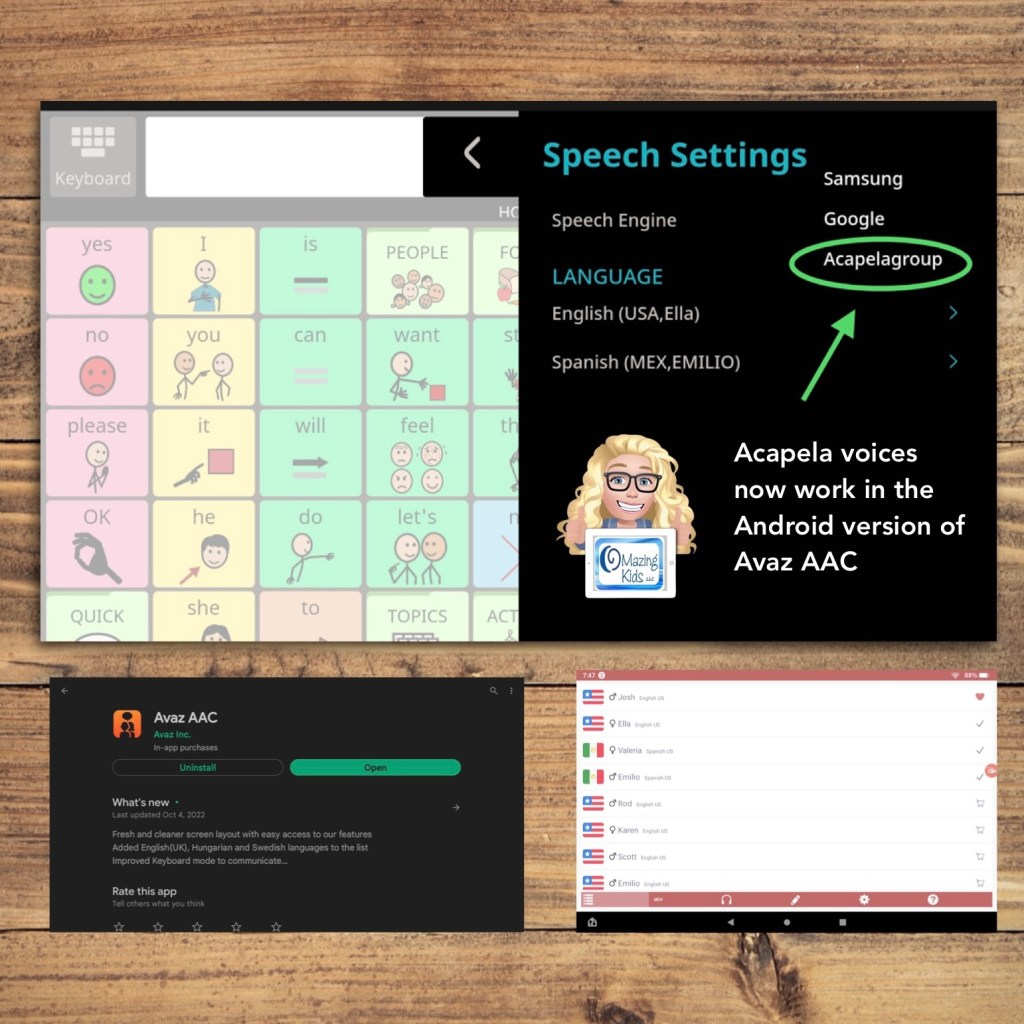
Android version of Avaz AAC now has access to Acapela voices (this gives us child voice options again)

The update for the Android version of Avaz on 10/4/22 added access to setting Acapela as a Speech Engine. This allows you to use any Acapela voices that you have purchased and installed.

Super excited to have access to child voices again in the Android version of this app. The iOS version already has child voice options.

See my video:


There’s an extra step to get those to work side loaded on an Amazon Fire tablet.

See my video:


Have a question? The best way to reach me is via Facebook messaging over on my OMazing Kids page: https://www.facebook.com/OMazingKidsAAC/


Angela Moorad, MS, CCC-SLP, Founder of OMazing Kids, LLC, OMazing Kids AAC Consulting

• Teachers Pay Teachers Store: https://www.teacherspayteachers.com/Store/Omazing-Kids-Aac-Consulting

• YouTube: https://youtube.com/user/amoorad1

• Ko-Fi: https://ko-fi.com/omazingkidsaac

• OMazing Kids AAC Consulting Facebook Page: https://www.facebook.com/OMazingKidsAAC/

• AppPeeps Facebook Group: https://www.facebook.com/groups/OMazingKidsAppPeeps/

• GoTalk Now AAC & GoVisual Visual Scene Apps – Ideas and Sharing Facebook Group: https://bit.ly/GoTalkNowAACappGroup

• Instagram: https://www.instagram.com/omazingkidsaac

• Twitter: https://www.twitter.com/amoorad

• Pinterest: http://pinterest.com/OMazingKids/

• Linktree: https://linktr.ee/amoorad1

• LinkedIn: https://www.linkedin.com/in/angelamooradomazingkidsaac

• Blog: https://omazingkidsllc.com

New Resource: Simple Eye Gaze Communication Flip Book

New Resource: Simple Eye Gaze Communication Flip Book: https://bit.ly/SimpleEyeGazeFlipBook


TPT Preview Video:


This 32-page PDF resource includes:

• a tabbed 9-page Simple Eye Gaze Communication Flip Book with Open Source symbols and four extra customizable pages

• a blank tabbed 9-page eye gaze flip book template that can be totally customized with your own pictures, symbols and text

• written & video instructions for how to easily customize the printable using the free linked websites prior to printing

• written & video instructions for cutting and assembling

Free Bonus Content: a download code for a digital companion file for GoTalk Now or GoTalk Now Plus. Includes links to a YouTube video to show how to find the GoTalk Now Online Gallery and an unlisted YouTube video to demo content in this companion file, settings to adjust to simplify the interface and editing within that AAC app, etc.


The design allows for quick communication and engagement with a Start Here cover page (I want, Tell you what I think, Quick Word & Something’s wrong), tabbed secondary pages, and longer tabbed tertiary pages. An blank set of the longer tabbed pages is provided for customization for each individual’s unique interests.


A totally blank template and tab labels is provided for those who want to translate it and use symbols relevant to that environment or culture.


The resource includes links to three free websites where you can download free Open Source symbols + a free website where you can import the PDF and then add your own text and symbols or photos prior to printing.


The Simple Eye Gaze Communication Book is easy to print, cut out, laminate and assemble. Written and video instructions are included.


I created this to be used as a simple way to get started with exploring eye gaze for communication. It’s sized to be portable and fit easily in a bag or tote for use in everyday environments and on the go. Parents of my students/patients/clients LOVED these and so did AAC users across a wide range of ages.


Free Bonus Content (requires an iPad & either the GoTalk Now or GoTalk Now Plus app by Attainment Company, neither of those are included with this purchase): This digital companion file for GoTalk Now matches the content of the Simple Eye Gaze Communication Flip Book. It is primarily designed for direct touch or scanning but other access methods might be possible depending on the particular model of iPad being used. I uploaded it as a template in the private sharing area on the GoTalk Now Online Gallery. It is exclusive free bonus content for those who purchased this resource. The free GoTalk Now Lite app and the inexpensive GoTalk Start app don’t have a way to import communication books.


Why was the Bonus Content created in GoTalk Now? It offers an Online Gallery with private sharing codes, it was easy to format it to match the content of the eye gaze communication flip book + GoTalk Now/GoTalk Now Plus offers a way to program buttons to link to play music that has been purchased and downloaded into the Apple Music app. See this blog post: https://omazingkidsllc.com/2020/10/20/saving-videos-vs-linking-to-youtube-videos-for-use-in-gotalk-now-plus-how-to-save-youtube-videos/ and offers a way to play videos that are stored on the Camera Roll or linked from YouTube. See this blog post: https://omazingkidsllc.com/2021/10/08/using-the-gotalk-now-app-as-adapted-access-to-play-songs/. Both are great for immediately reinforcing the request for a highly preferred song or video and for use as a means of adapted access to these leisure activities. I explored a few other options on iOS, Android and Amazon Fire but none offered all of what I needed.


Note: This AAC resource is not intended to be a robust communication option. It is something simple to allow early exploration of eye gaze for communication. The bonus content for those with an iPad and GoTalk Now or GoTalk Now Plus provides large target low cell count digital AAC for early exploration of AAC options. Both can also be a helpful supplemental resource as part of a comprehensive AAC system.


Looking for info about robust AAC apps? Check out my five feature matching resources: https://bit.ly/5aacFeatureMatchingResources


Looking for Core Word eye gaze options? I’ve seen a couple on TPT and a free one on the Project Core website.


Looking for info about eye gaze alternative access for non-tech PODD? Take a look at this website: https://cpec-store.myshopify.com/collections/podd-books/products/pragmatic-organisation-dynamic-display-podd-communication-book-alternative-access-templates (unfortunately that still isn’t commercially available in the USA or on letter-sized paper).


Looking for options for robust digital PODD on an iPad or other dedicated speech-generating devices? See my huge blog post: https://omazingkidsllc.com/2018/01/10/i-have-something-to-say-about-podd/. I update that post periodically. It also includes some info about other AAC apps or vocabulary sets within them that are built with pragmatic branching organization. Examples include the Voco Chat gridset available in Grid for iPad (or Grid 3 on Windows devices), the Sequoia board set in CoughDrop, pasco by Ace Centre, etc…


Free handout “Resource Roundup: PODD”: https://www.teacherspayteachers.com/Product/Resource-Roundup-PODD-7175047


Have a question? The best way to reach me is via Facebook messaging over on my OMazing Kids page: https://www.facebook.com/OMazingKidsAAC/


Angela Moorad, MS, CCC-SLP, Founder of OMazing Kids, LLC, OMazing Kids AAC Consulting

• Teachers Pay Teachers Store: https://www.teacherspayteachers.com/Store/Omazing-Kids-Aac-Consulting

• YouTube: https://youtube.com/user/amoorad1

• Ko-Fi: https://ko-fi.com/omazingkidsaac

• OMazing Kids AAC Consulting Facebook Page: https://www.facebook.com/OMazingKidsAAC/

• AppPeeps Facebook Group: https://www.facebook.com/groups/OMazingKidsAppPeeps/

• GoTalk Now AAC & GoVisual Visual Scene Apps – Ideas and Sharing Facebook Group: https://bit.ly/GoTalkNowAACappGroup

• Instagram: https://www.instagram.com/omazingkidsaac

• Twitter: https://www.twitter.com/amoorad

• Pinterest: http://pinterest.com/OMazingKids/

• Linktree: https://linktr.ee/amoorad1

• LinkedIn: https://www.linkedin.com/in/angelamooradomazingkidsaac

• Blog: https://omazingkidsllc.com

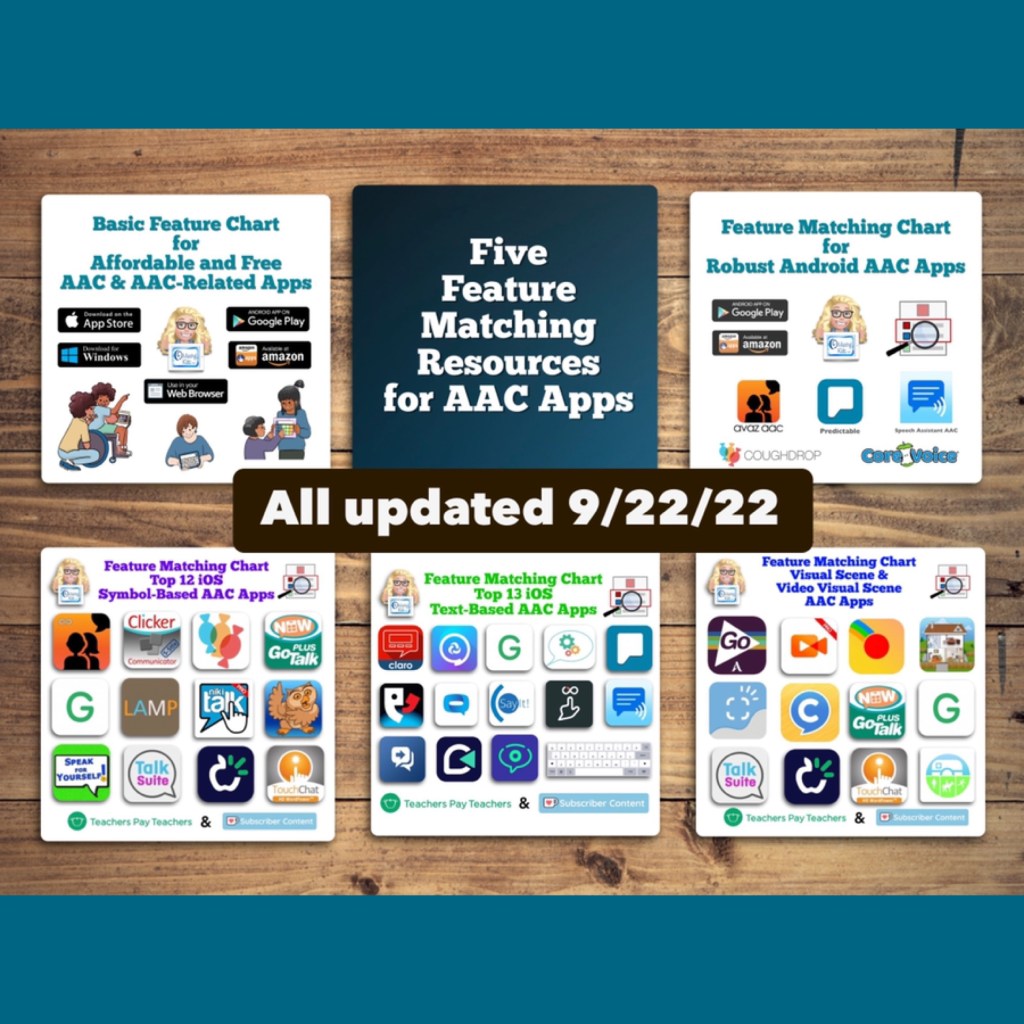
All 5 AAC Feature Matching Resources Updated on 9/22/22

All 5 in-depth AAC feature matching resources have been updated on 9/22/22. Those who have previously purchased them on TPT can download the most current version for no additional cost. Ko-fi subscribers can find the download links on today’s post: https://ko-fi.com/post/All-5-AAC-feature-matching-resources–updated-92-J3J2F7G41 or the pinned post: https://ko-fi.com/Post/Links-to-posts-about-most-current-feature-matching-F1F5C9DMD


Info about these resources to compare features in AAC apps can be found on this post: https://bit.ly/5aacFeatureMatchingResources


Have a question? The best way to reach me is via Facebook messaging over on my OMazing Kids page: https://www.facebook.com/OMazingKidsAAC/


Angela Moorad, MS, CCC-SLP, Founder of OMazing Kids, LLC, OMazing Kids AAC Consulting

• Teachers Pay Teachers Store: https://www.teacherspayteachers.com/Store/Omazing-Kids-Aac-Consulting

• YouTube: https://youtube.com/user/amoorad1

• Ko-Fi: https://ko-fi.com/omazingkidsaac

• OMazing Kids AAC Consulting Facebook Page: https://www.facebook.com/OMazingKidsAAC/

• AppPeeps Facebook Group: https://www.facebook.com/groups/OMazingKidsAppPeeps/

• GoTalk Now AAC & GoVisual Visual Scene Apps – Ideas and Sharing Facebook Group: https://bit.ly/GoTalkNowAACappGroup

• Instagram: https://www.instagram.com/omazingkidsaac

• Twitter: https://www.twitter.com/amoorad

• Pinterest: http://pinterest.com/OMazingKids/

• Linktree: https://linktr.ee/amoorad1

• LinkedIn: https://www.linkedin.com/in/angelamooradomazingkidsaac

• Blog: https://omazingkidsllc.com
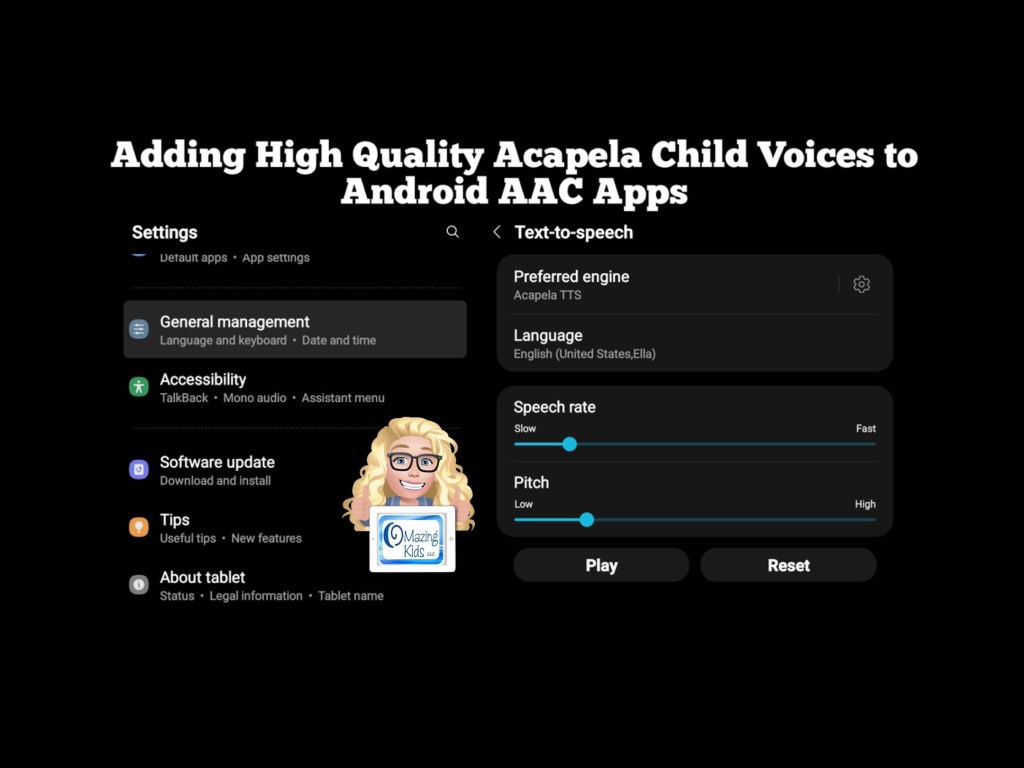
Adding High Quality Acapela Child Voices to Android AAC Apps

I was thrilled to discover a way to add high quality Acapela child voices to several Android AAC apps. Older teens and adults may be fine using the Android system voices but it’s important to have age appropriate voices for children using AAC. This video shows how I added high quality Acapela voices to several Android AAC apps:

The Acapela voices even worked in the Speech Assistant AAC app side loaded on my Amazon Fire tablet:


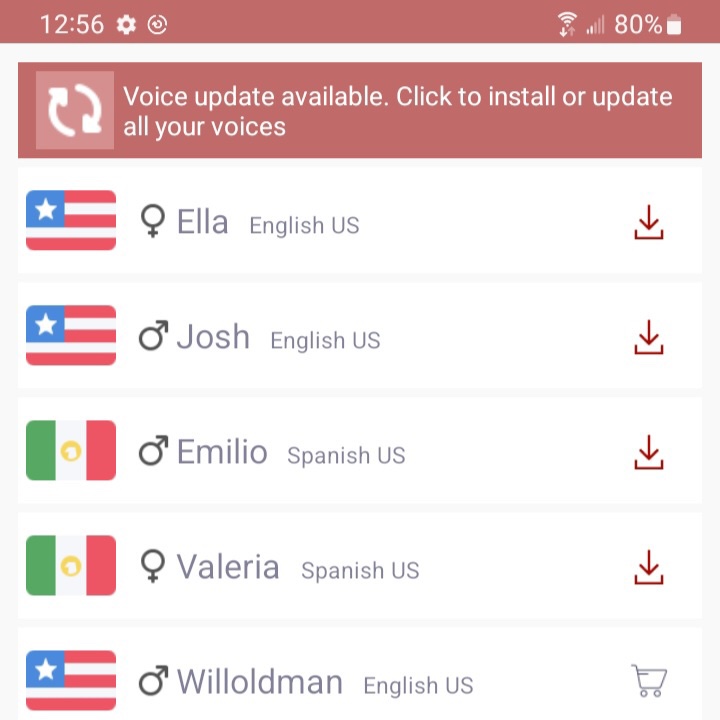
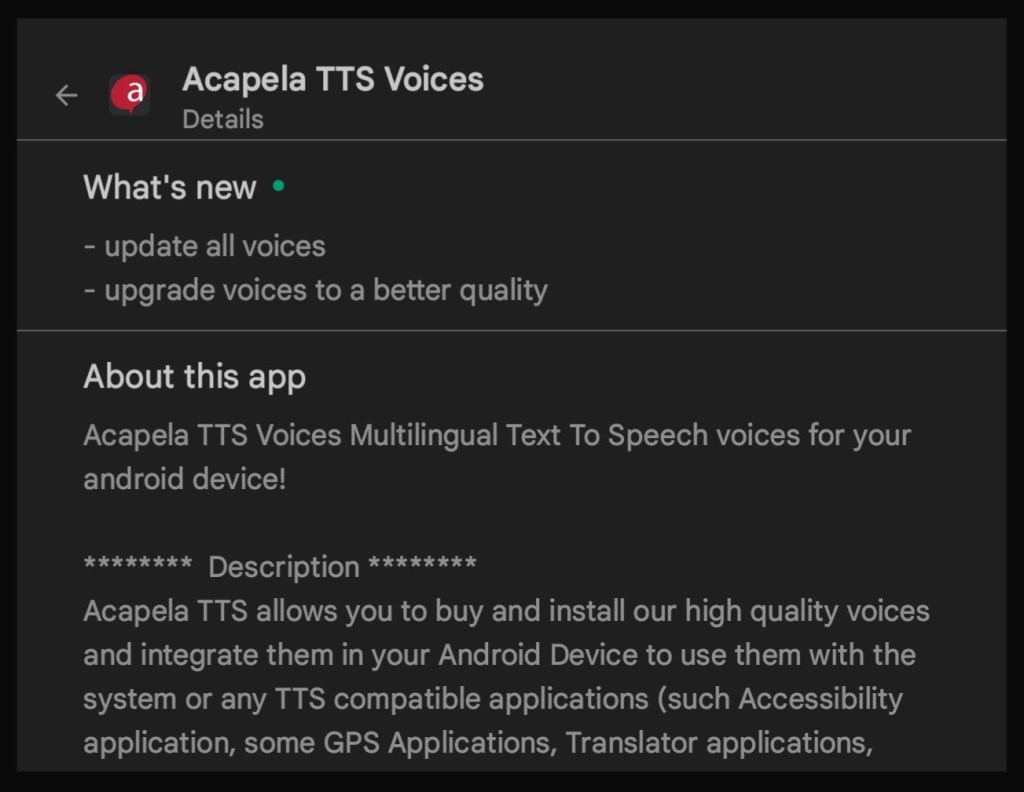
I installed the Android Acapela app (https://play.google.com/store/apps/details?id=com.acapelagroup.android.tts), purchased the USA English child voices Ella & Josh and the USA Spanish child voices Valeria & Emilio for $7.99 each, and then downloaded them within that app. There are lots of other voice options for lots of different languages. Then I set Acapela TTS as the preferred engine under the Samsung tablet Settings – General Management – Text to Speech. Also set Language to English. Some apps require it to also be set within the app. Those details will be included in the Android AAC feature matching charts (see links below). The Acapela voices worked in some but not all Android apps.


*** Update 9/22/22: The Android Acapela app has been updated so be sure to update it and then redownload your voices.


Here is a list of the Android AAC apps that it worked in on my Samsung Galaxy Tab S6 Lite tablet at the time of this recording (9/20/22). These also work on my Samsung Galaxy A03s phone.

  • AAC Keyboard with Friends
  • AsTeRICS Grid
  • Avaz AAC (as of the 10/4/22 app update)
  • Cboard (only if using the app while in Guest Mode, not logged in; *** Updated 10/8/22- after the Acapela app update this also now works side loaded on my Amazon Fire Tablet)
  • CoreVoice
  • HelpTalk
  • I Can Communicate
  • LetMeTalk (an Amazon app that is side loaded on my Samsung tablet)
  • Predictable
  • SpeakEasy
  • Speak It
  • Speech Assistant AAC (also worked in the app side loaded on my Amazon Fire tablet. This was the only app that the Acapela voices worked in on my Amazon Fire tablet. *** Updated 10/8/22: after the Acapela app update I was also able to get the voices to work in Avaz AAC & in Cboard (not logged in)
  • SymboTalk
  • Vocable
  • WeaveChat
  • Yes No AAC

Unfortunately this did not work in the Android version of Avaz since Acapela is not included as a Speech Engine option in the Settings in that app. The company has indicated that they are working on adding child voices back to the Android version of the app *** Update: The 10/4/22 update for the Android version of Avaz AAC added access to the Acapela voices. See this blog post for details: https://omazingkidsllc.com/2022/10/08/android-version-of-avaz-aac-now-has-access-to-acapela-voices-this-gives-us-child-voice-options-again/

This did not work when System Voices was set within CoughDrop but that app already includes up to 2 high quality voices with a paid account.


Note: This process of accessing Acapela voices is not applicable to iOS AAC apps. Apple handles voices differently.


Looking for Affordable and Free Android AAC apps? Check out this resource: Basic Feature Chart for Affordable and Free AAC apps & AAC-Related Apps (iOS, Android Google Play, Amazon Fire, Windows + a few Web-Based options): https://bit.ly/BasicAffordableAACchart. More info: https://bit.ly/BasicAffordableAACblogpost

Looking for robust AAC options for Android? Check out this resource: Robust Android AAC (Android Google Play & Amazon Fire): https://bit.ly/RobustAndroidAACappChart. More info: https://bit.ly/RobustAndroidAACblogpost

Several videos comparing AAC apps across platforms (iPad, Android, Amazon Fire, Windows): https://bit.ly/5aacFeatureMatchingResources


Have a question? The best way to reach me is via Facebook messaging over on my OMazing Kids page: https://www.facebook.com/OMazingKidsAAC/


Angela Moorad, MS, CCC-SLP, Founder of OMazing Kids, LLC, OMazing Kids AAC Consulting

• Teachers Pay Teachers Store: https://www.teacherspayteachers.com/Store/Omazing-Kids-Aac-Consulting

• YouTube: https://youtube.com/user/amoorad1

• Ko-Fi: https://ko-fi.com/omazingkidsaac

• OMazing Kids AAC Consulting Facebook Page: https://www.facebook.com/OMazingKidsAAC/

• AppPeeps Facebook Group: https://www.facebook.com/groups/OMazingKidsAppPeeps/

• GoTalk Now AAC & GoVisual Visual Scene Apps – Ideas and Sharing Facebook Group: https://bit.ly/GoTalkNowAACappGroup

• Instagram: https://www.instagram.com/omazingkidsaac

• Twitter: https://www.twitter.com/amoorad

• Pinterest: http://pinterest.com/OMazingKids/

• Linktree: https://linktr.ee/amoorad1

• LinkedIn: https://www.linkedin.com/in/angelamooradomazingkidsaac

• Blog: https://omazingkidsllc.com
Affordable Pocket-Sized Android AAC (updated 11/19/25)

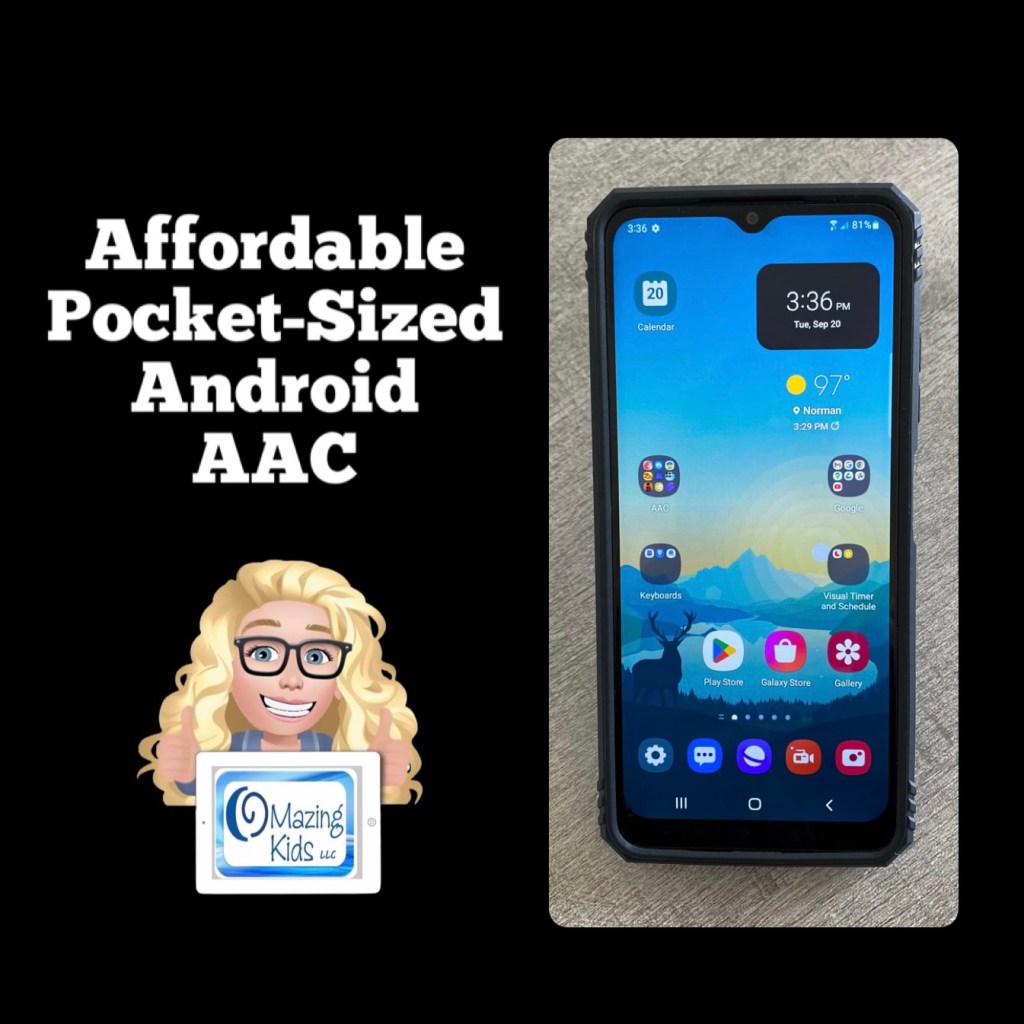
Looking for a very affordable option for pocket-sized AAC? Many individuals prefer to just add an app to their iPhone or Android phone but some facilities don’t allow phones (or it would be a battle to get an exception) or a phone might not be the best choice for AAC for a younger child. The iPod Touch used to be my “go to” option for this. Since the iPod Touch is no longer available I purchased an Android prepaid TracFone (keeping it unactivated)… Shout out to Karen Erickson for sharing that idea in a comment in the AAC for the SLP group.

Tracfone Samsung Galaxy A03s, 32GB, Black – Prepaid Smartphone (Locked) https://a.co/d/fAxcP4J

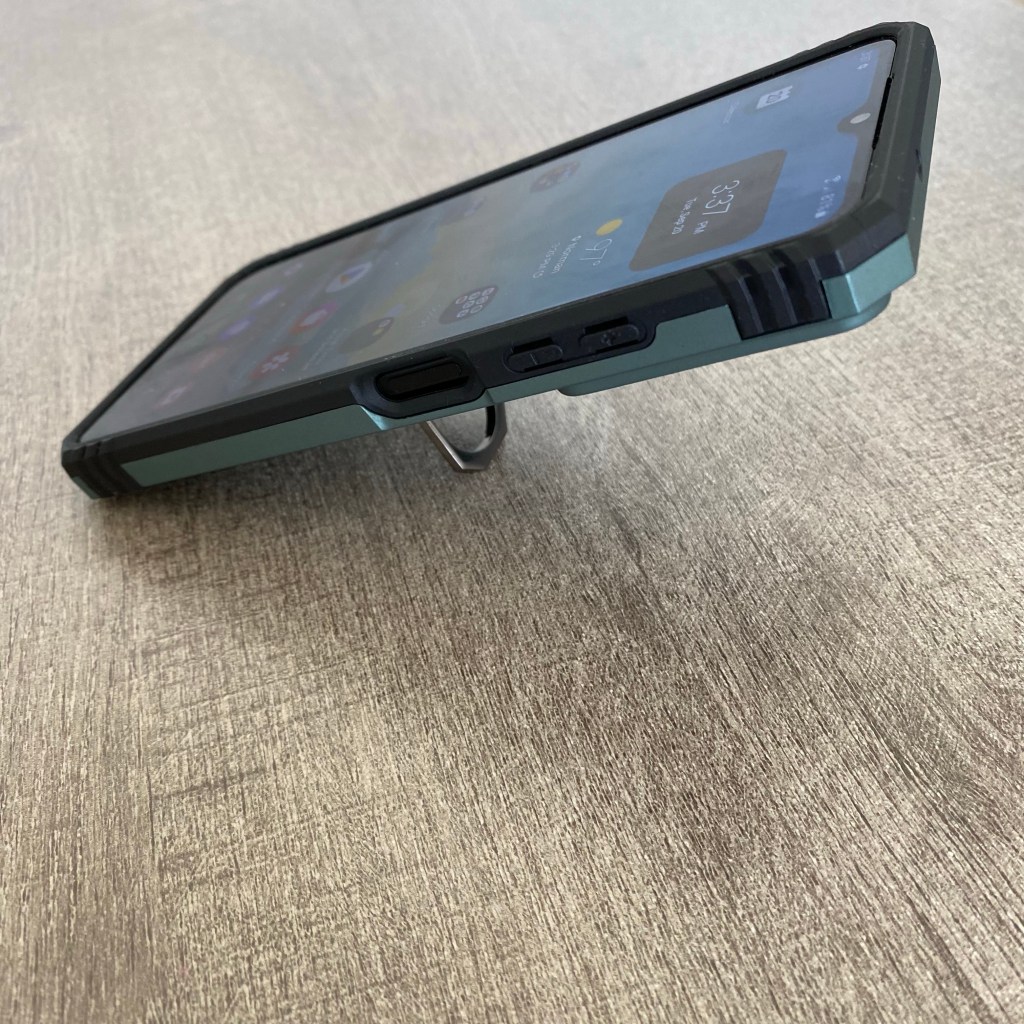
LeYi for Galaxy A03S Case with Screen Protector and Camera Protection Slide Cover, Military-Grade Samsung A03S Phone Case with Magnetic Ring Metal Kickstand for Men Boys (6.5 Inch), Green https://a.co/d/bLpM2Oe

$59.88 Android phone + $12.99 case + the cost of an app = very affordable pocket-sized AAC 🎉

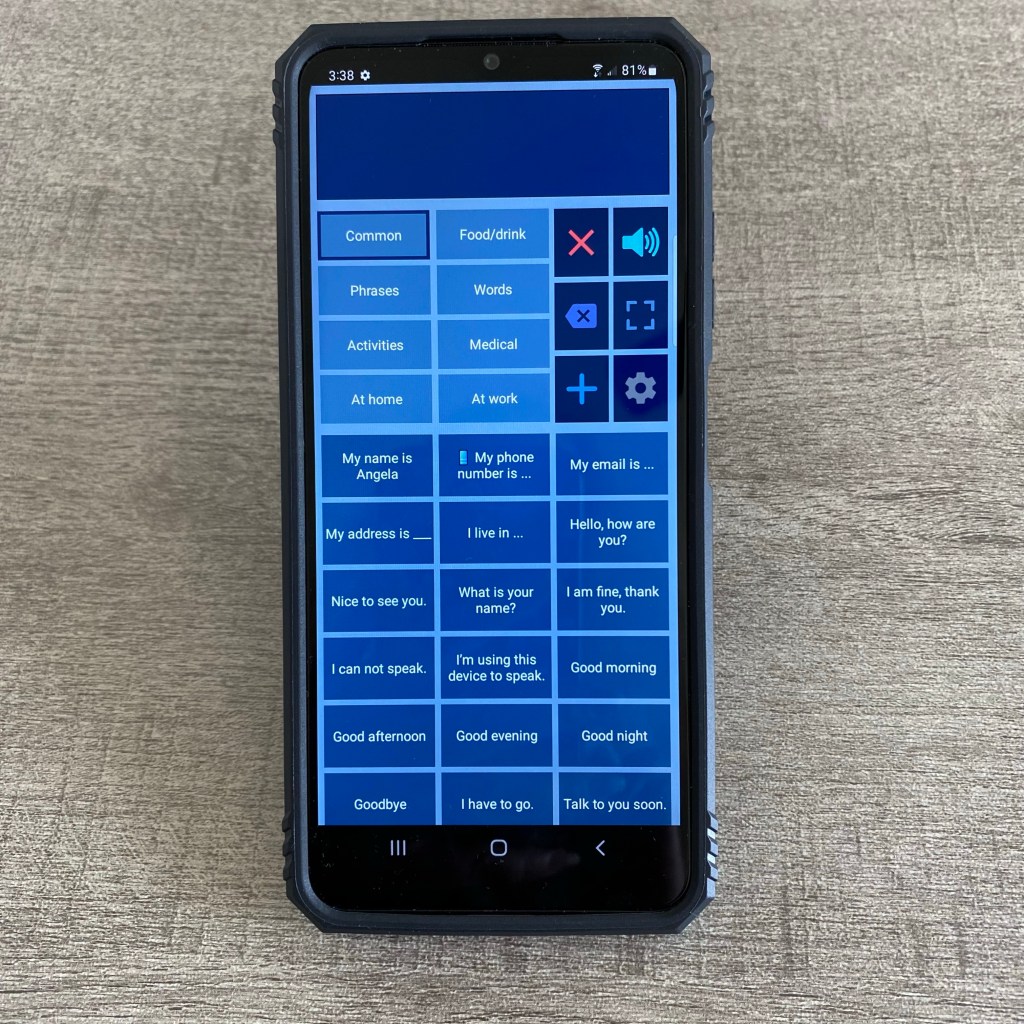
(Updated 8/12/23: That Android phone is still available on Amazon and was even a little less expensive ($49.88). The case is still also available and was less expensive ($11.99). If you put the free Android version of Weave Chat AAC on it (https://play.google.com/store/apps/details?id=com.weavechat.weavechat) you can have fairly robust pocket-sized symbol-based AAC for under $62 (+tax). The adult text-to-speech voices from Samsung & Google are pretty good. If you want Acapela voices, the Weave Chat AAC app and a few others allow use of the one you have purchased and set as a default within the Acapela app. That would be a way to add high quality child voices. Prices vary. I just purchased the child African American English voices (Tiana and Malik) for $7.99 each. The great thing is you only have to purchase the Acapela voices once and then can use them in any AAC app that supports use of them. I have previously purchased Ella & Josh (USA English) + Valeria & Emilio (USA Spanish). That app has voices available to purchase in several languages.

So for under $70 (+tax) you can have fairly robust pocket-sized symbol-based AAC with Weave Chat AAC using a high quality Acapela voice)

Updated 11/19/25: The model of phone that I have is still occasionally available on Amazon but you may want to consider a newer model. I saw the Tracfone – Samsung Galaxy A15 5G 64GB Prepaid – Black on the Best Buy website for $49.99. And the same style of case available for it on Amazon for around $10.00. Acapela child, teen, and adult voices in the Acapela TTS app are still around $7.99 each.

Weave Chat AAC is free and has continued to improve and support more languages. Another good free AAC app is TypingTalk AAC. It is a text-based app but you can add a picture, emoji or a symbol to buttons if needed (https://play.google.com/store/apps/details?id=com.miyanour.speechassist). The basic features in Speech Assistant AAC are also free to use on Android (https://play.google.com/store/apps/details?id=nl.asoft.speechassistant)

So in late 2025 for under $70 (+tax) you can have robust pocket-sized AAC with Weave Chat AAC, TypingTalk AAC, and Speech Assistant AAC using a high quality Acapela voice.


See this video for a look at some of the AAC apps I have installed on it:

A short video specifically about Speech Assistant AAC on an Android phone:

And a longer in-depth video about Speech Assistant AAC on an Android phone that shows more about the app and all of the Settings:

Sound comparison test:

See more details on my updated blog post: https://omazingkidsllc.com/2021/03/22/pocket-sized-aac/


Looking for Affordable and Free AAC apps? Check out this resource: Basic Feature Chart for Affordable and Free AAC apps & AAC-Related Apps (iOS, Android Google Play, Amazon Fire, Windows + a few Web-Based options): https://bit.ly/BasicAffordableAACchart. More info: https://bit.ly/BasicAffordableAACblogpost

Looking for Robust AAC options for Android? Check out this resource: Robust Android AAC (Android Google Play & Amazon Fire): https://bit.ly/RobustAndroidAACappChart. More info: https://bit.ly/RobustAndroidAACblogpost

Several videos comparing AAC apps across platforms (iPad, Android, Amazon Fire, Windows): https://bit.ly/5aacFeatureMatchingResources


Info about much more expensive but fundable pocket-sized AAC devices can be found on this post: https://omazingkidsllc.com/2021/03/22/pocket-sized-aac/


Have a question? The best way to reach me is via Facebook messaging over on my OMazing Kids page: https://www.facebook.com/OMazingKidsAAC/


Looking for more AAC resources? Check out the Resource Links page here on my blog: https://omazingkidsllc.com/omazing-kids-aac-resource-links


Have a question? The best way to reach me is via Facebook messaging over on my OMazing Kids page: https://www.facebook.com/OMazingKidsAAC/


Angela Moorad, MS, CCC-SLP, Founder of OMazing Kids, LLC, OMazing Kids AAC Consulting

• Teachers Pay Teachers Store: https://www.teacherspayteachers.com/Store/Omazing-Kids-Aac-Consulting

• YouTube: https://youtube.com/user/amoorad1

• Ko-Fi: https://ko-fi.com/omazingkidsaac

• OMazing Kids AAC Consulting Facebook Page: https://www.facebook.com/OMazingKidsAAC/

• AppPeeps Facebook Group: https://www.facebook.com/groups/OMazingKidsAppPeeps/

• GoTalk Now AAC & GoVisual Visual Scene Apps – Ideas and Sharing Facebook Group: https://bit.ly/GoTalkNowAACappGroup

• Instagram: https://www.instagram.com/omazingkidsaac

• X (formerly Twitter): https://www.x.com/amoorad

• Pinterest: http://pinterest.com/OMazingKids/

• Linktree: https://linktr.ee/amoorad1

• LinkedIn: https://www.linkedin.com/in/angelamooradomazingkidsaac

• AppRaven AAC App Collections: https://bit.ly/AAConAppRaven

• Blog: https://omazingkidsllc.com / Resource Links page: https://omazingkidsllc.com/omazing-kids-aac-resource-links

Preparing for iOS 16 & iPadOS 16: How to Turn Off Automatic Download & Installation of iPadOS / iOS Updates (also issues with iOS 15.7 & iPadOS 15.7)

It is anticipated that Apple will be releasing iOS 16 around 12:00pm CDT today (9/12/22): https://www.macrumors.com/guide/ios-16-release-date/

They have delayed the release for iPadOS 16 to October 2022 (I’ll update this post when a specific date is announced): https://www.macrumors.com/2022/08/23/apple-seeds-ipados-16-1-beta-1/.

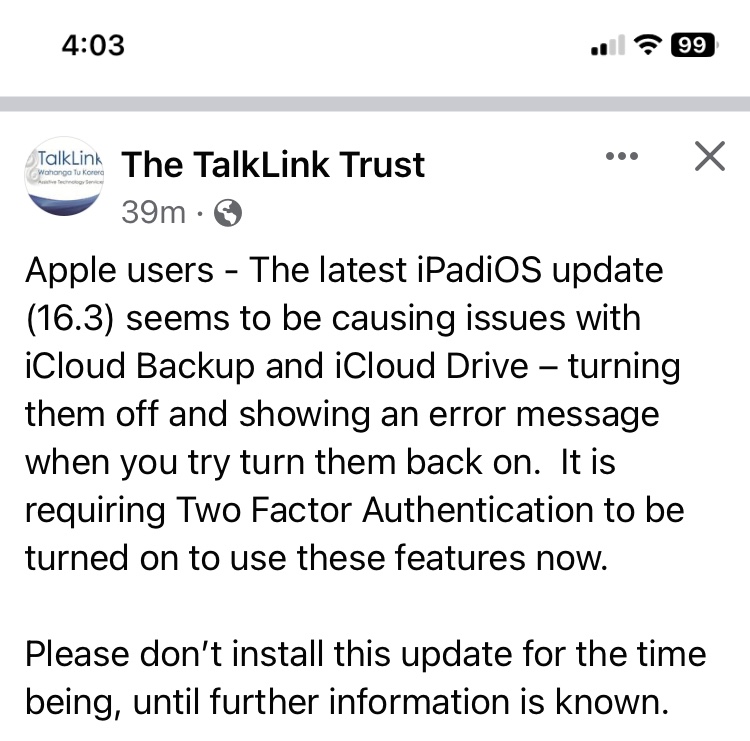
Updated 1/26/23: Problems with iOS 16.3: Apple users – The latest iPadiOS update (16.3) seems to be causing issues with iCloud Backup and iCloud Drive – turning them off and showing an error message when you try turn them back on. It is requiring Two Factor Authentication to be turned on to use these features now. Please don’t install this update for the time being, until further information is known.

Updated 12/21/22: Issues with YouTube on iOS 16.x: https://piunikaweb.com/2022/12/01/youtube-app-not-loading-or-crashing-on-ios-16-devices

Updated 10/11/22: Based on this tweet it looks like iPadOS 16 might release the week of 10/24/22. Several replies to that tweet mentioned it being buggy/glitchy in beta testing:


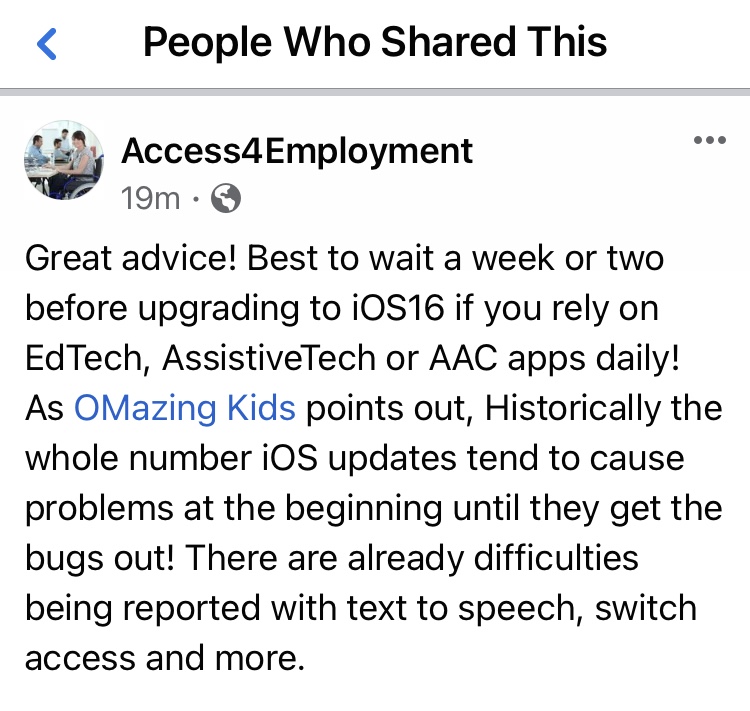
Historically the whole number iOS updates tend to cause problems. Several years ago I had an iPad “brick” and it had to be restored to factory settings. Almost every whole number iOS release has caused issues with AAC apps and therapy apps. And general device issues unrelated to any specific app.

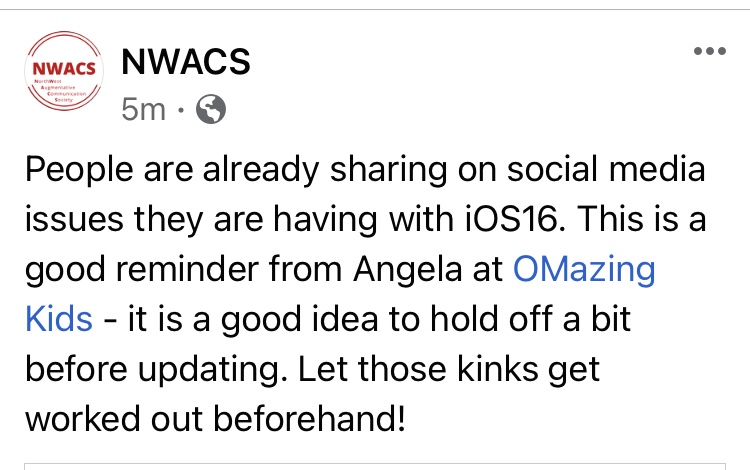
Most developers of robust AAC apps have done everything that they can do to prepare for the newest iOS. But it is wise to wait for awhile for kinks to be worked out and for app developers to have time to release updates to fix any problems. And Apple often releases secondary iOS updates to fix issues. I typically wait several months and watch for posts from app developers indicating that it’s safe to install the new iOS.

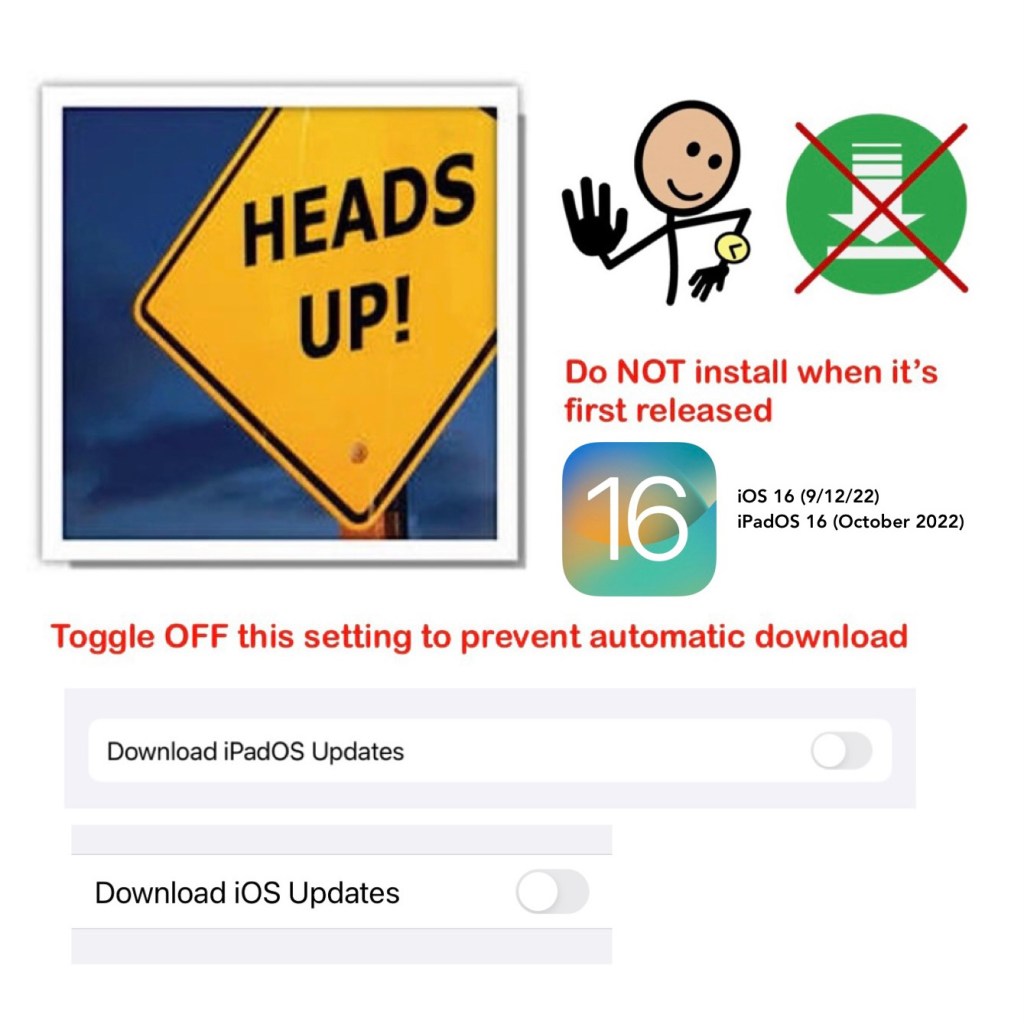
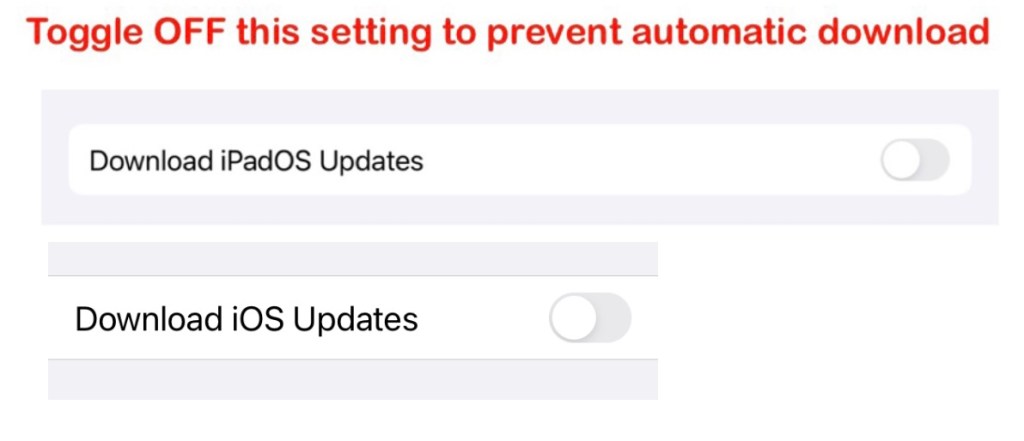
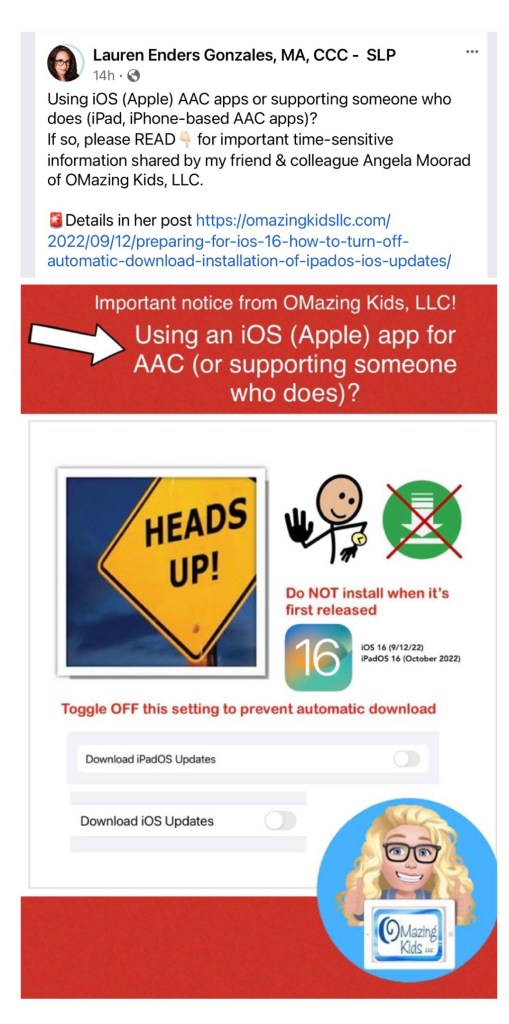
Unfortunately the “default” setting on an iPad is usually for the iOS updates to be automatically downloaded and automatically installed. In order to prevent that from happening, please check the settings on any iPad or iPhone being used for AAC or as a therapy tool. Even if you have toggled it off in the past please take the time to check it again. I found that a recent iOS update had toggled it back on.

Go to Settings (grey gear) – General – Software Update – Automatic Updates – toggle off Download iPadOS (iOS) Updates

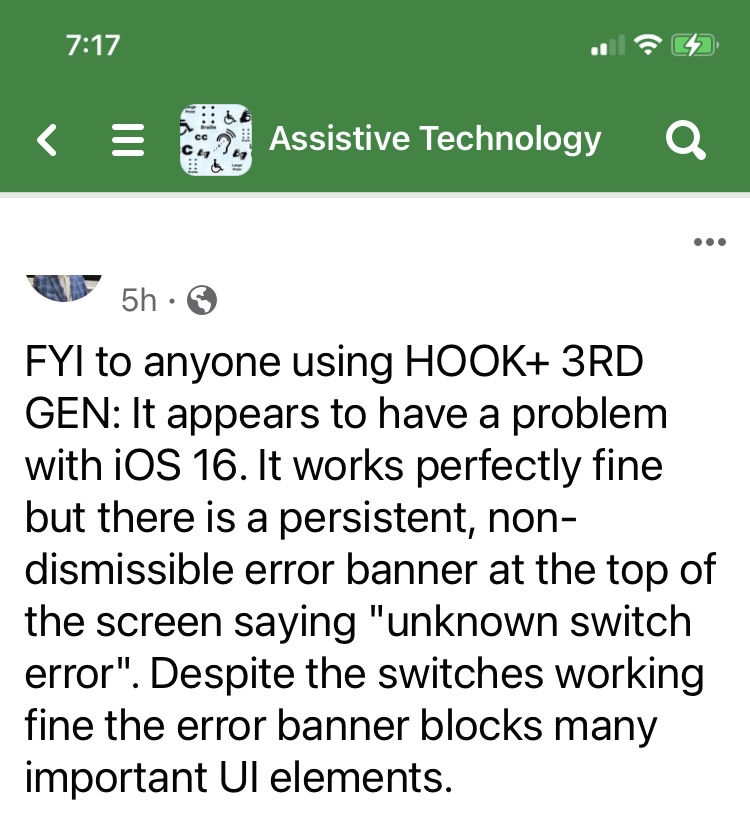
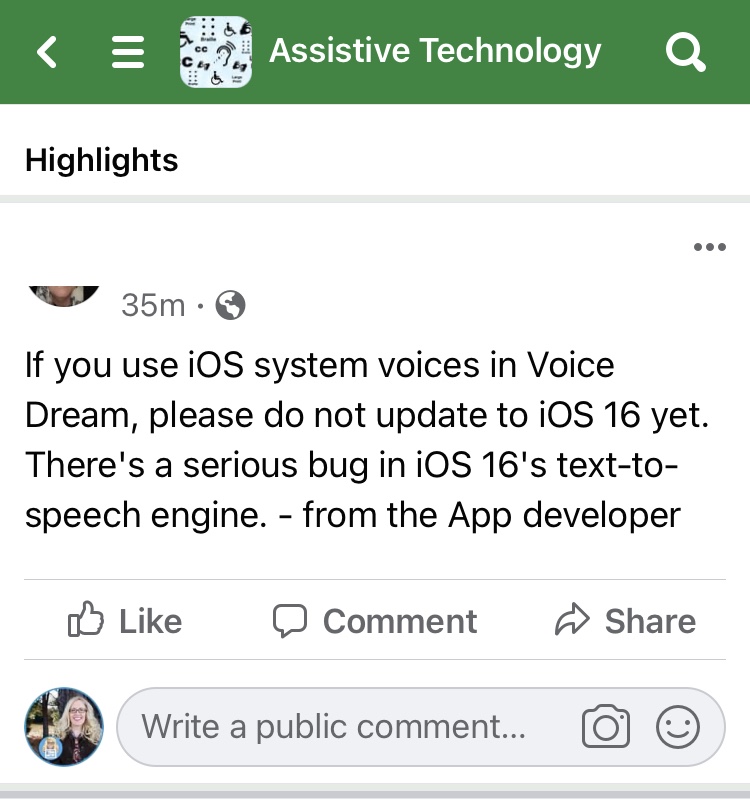
Update: I’m already seeing posts related to iOS 16 issues & some related to the iPadOS 15.7 update. I’ll keep updating this post to provide examples of what folks are experiencing

The current list of iOS 16 problems includes abnormal battery drain, Wi-Fi issues, UI lag, crashes, Touch ID issues, and installation issues. See this website for more info: https://www.gottabemobile.com/ios-16-problems-fixes/amp/ & https://www.gottabemobile.com/ios-16-problems/amp/

I also saw this about iOS 16 interfering with being able to update apps: https://www.macrumors.com/2022/09/12/iphone-users-unable-to-update-apps-app-store-error/


9/16/22 This info was posted in a comment in the Tobii Dynavox Community group on Facebook by one of the moderators of that group: “We are recommending to wait a little bit after release just to be safe. Once the final build of iOS16 comes out, we will be testing the final build with TD Pilot, TD Snap, and TD Talk and will then be able to make a definitive recommendation. Also, in the current beta, there is an issue with AssistiveTouch, however Apple says it will be resolved before release.”


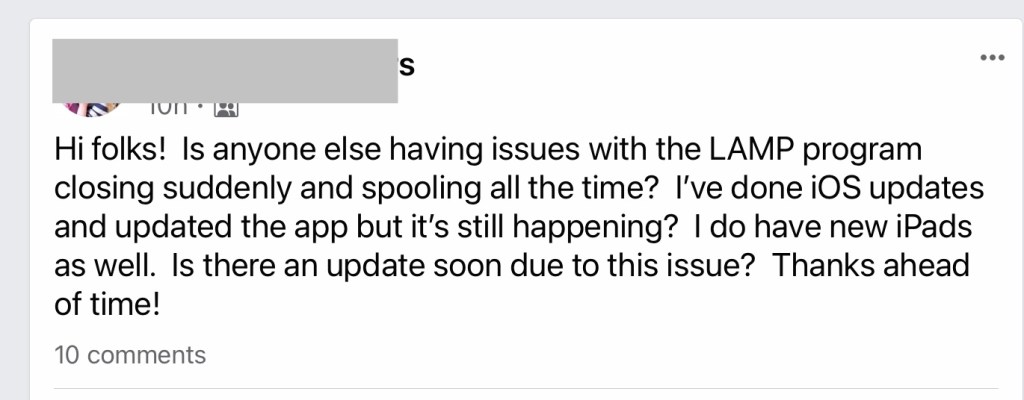
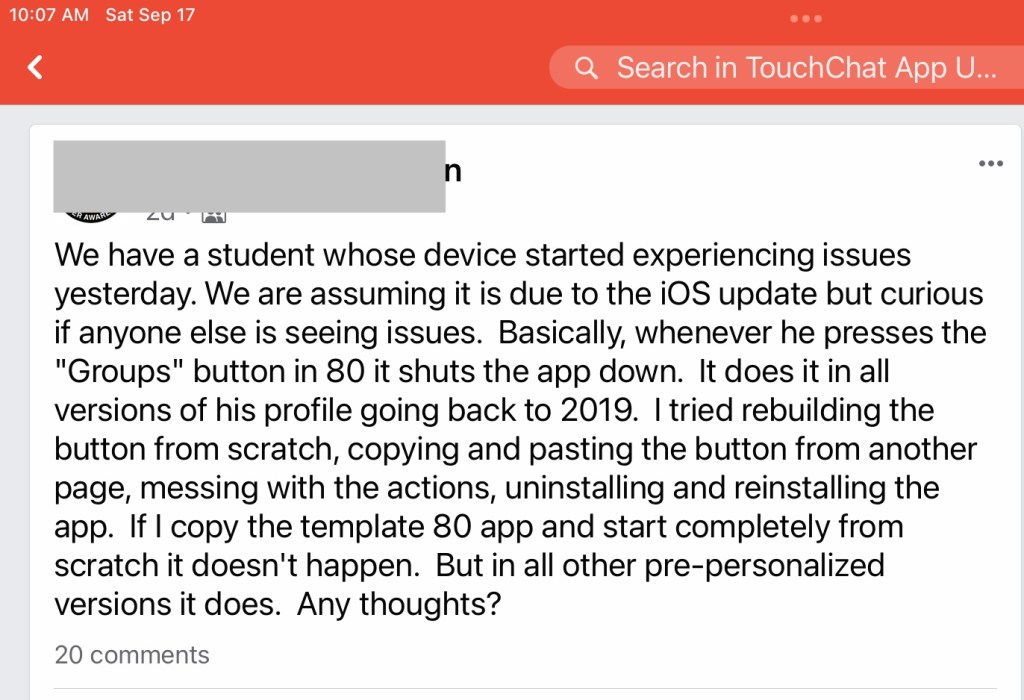
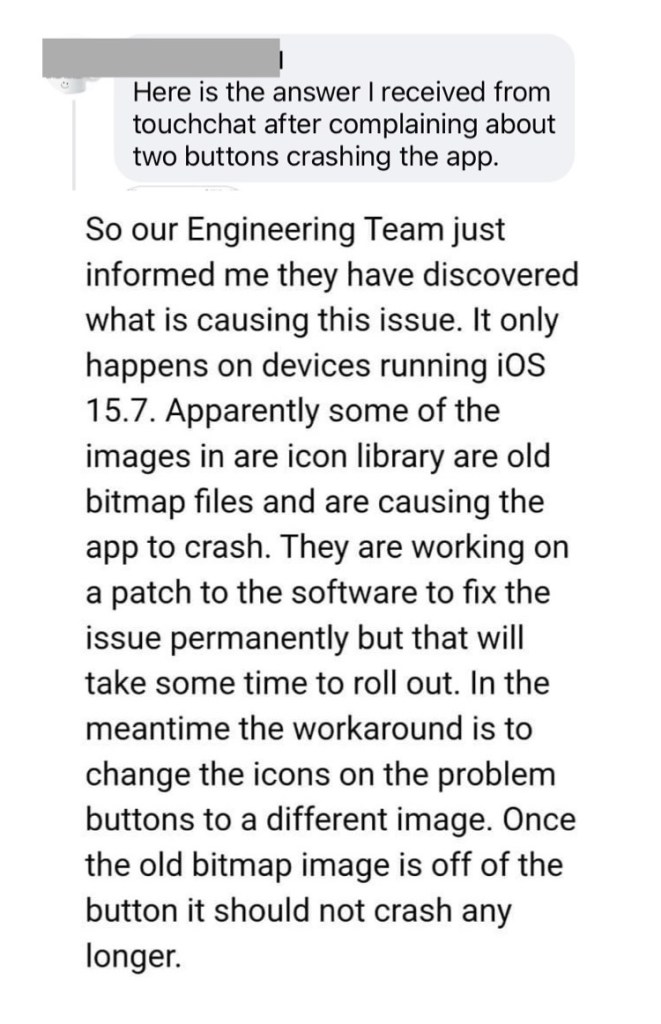
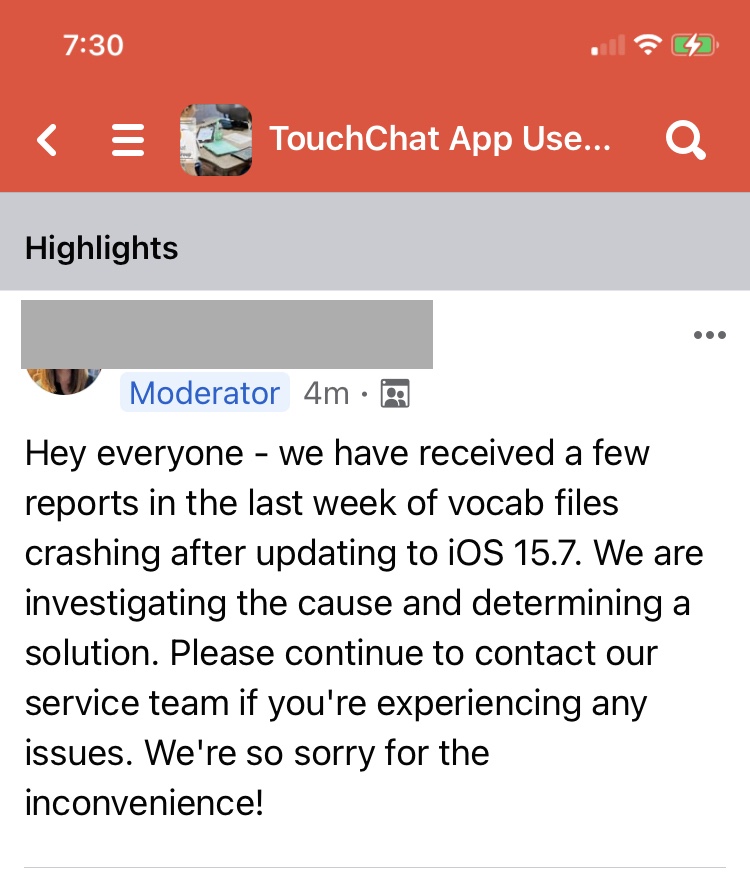
And some folks are having problems with the iOS 15.7 & iPadOS 15.7 update:

9/23/22:


FYI… I shared this post with several AAC app developers and in several AAC user groups on Facebook to hopefully prevent AAC users from encountering issues.

What’s interesting is one AAC app developer chose to remove my post from their group with the “feedback” that “new versions of iOS do not get installed automatically”. While in theory that should be true I’ve personally had an iPad revert to auto download and auto install of iOS updates and had to manually toggle it off again. Plus my post is intended to help folks make an informed decision as to whether or not it would be wise to upgrade to iOS 16 / iPadOS when it first comes out. It can’t hurt to be cautious and wait to upgrade to the new iOS.


I appreciate those who shared it. Special shout-out to my AAC friend Lauren Enders Gonzalez, MA, CCC-SLP for helping to spread the word: https://m.facebook.com/story.php?story_fbid=pfbid02xRcWs2Cx16ASN1r8cZ5SbS943qpPC5xadRxdbPCq5Lj5ovcZhig2YowNPzZGzgBzl&id=178231088981549


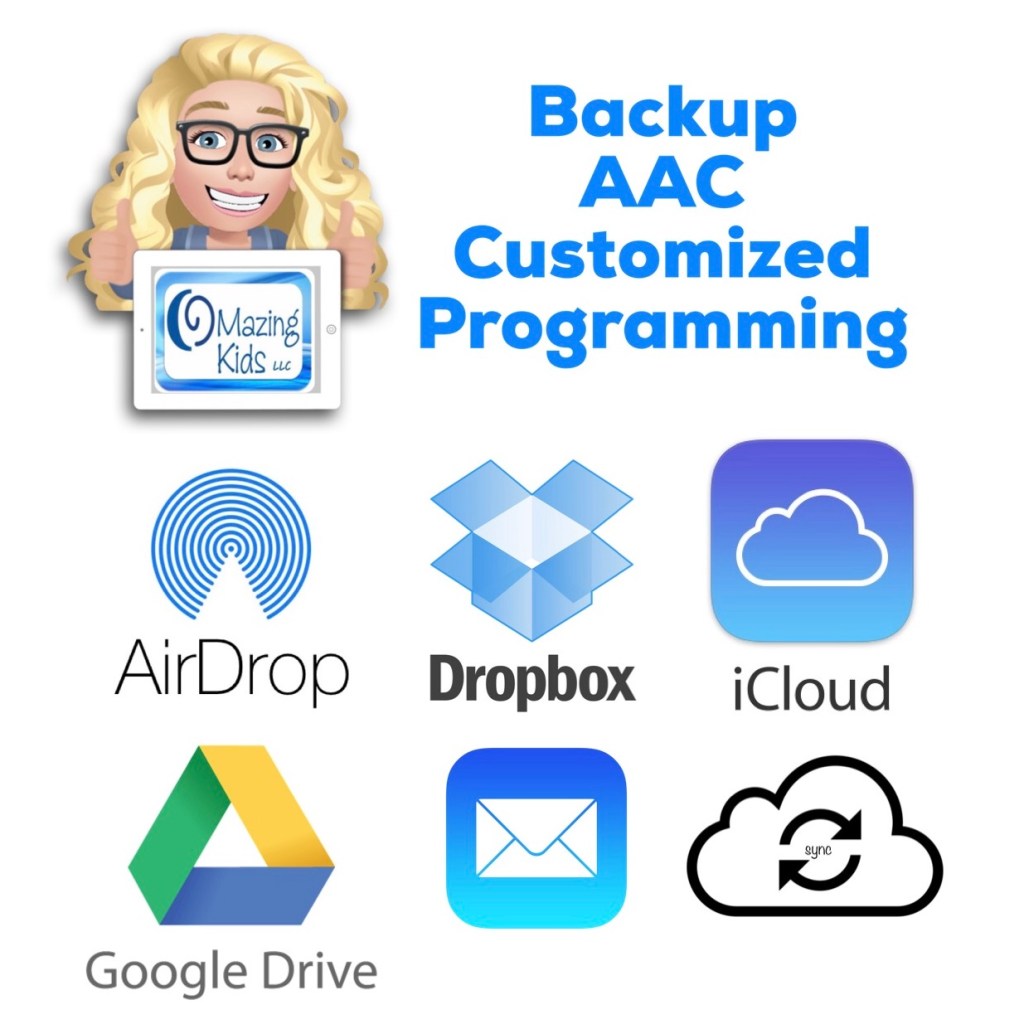
While you’re on that device now would also be a good time to backup all customized programming: https://omazingkidsllc.com/2021/03/21/backup-aac-customized-programming/


If you’re in a very large school district that has hundreds of students using iPads for AAC, then I’d check with your IT department to see what the options are for temporarily toggling off the automatic download and installation of iOS updates. If that’s not feasible in your district, then take this as a “heads up” that you may need to have paper-based AAC options on hand just in case they are needed.


What to do if you have an iPad on an older iOS: Unfortunately on older versions of iOS there’s not a way to prevent the iOS update from downloading. But it should ask for permission before installing it. A sign that an iOS update has downloaded is a sudden large drop in available memory. To find that file to delete it on an older iOS, go into Settings – General – Storage & iCloud Usage – Storage – Manage Storage. Wait for the app list to populate and then delete the one with the grey gear. For example, I have an iPad Pro 9.7” that I purposefully kept on iOS 10.3.3 in order to avoid losing a bunch of apps when iOS 11 rolled out. By deleting that iOS update file I freed up 3.7GB of memory and helping to prevent an accidental update. I periodically get a notification asking me to update the iOS. I am very cautious to tap “Details” and then close out of it. Also go to Settings – iTunes & App Store – and toggle off Updates under Automatic Downloads.


Why am I concerned? There are historical issues every time that Apple rolls out a whole number iOS update. Some caused major problems. iOS 15 had several issues. The fact that Apple has delayed release of iPadOS to work out bugs is a red flag 🚩. Of course I have no way to know what will happen with iOS 16 but am seeing enough red flags to be concerned and to post about it.


It’s heartbreaking when AAC users lose their voice when a new iOS rolls out and causes glitches. Now is the time to prevent that from happening.


Have a question? The best way to reach me is via Facebook messaging over on my OMazing Kids page: https://www.facebook.com/OMazingKidsAAC/


Angela Moorad, MS, CCC-SLP, Founder of OMazing Kids, LLC, OMazing Kids AAC Consulting

• Teachers Pay Teachers Store: https://www.teacherspayteachers.com/Store/Omazing-Kids-Aac-Consulting

• YouTube: https://youtube.com/user/amoorad1

• Ko-Fi: https://ko-fi.com/omazingkidsaac

• OMazing Kids AAC Consulting Facebook Page: https://www.facebook.com/OMazingKidsAAC/

• AppPeeps Facebook Group: https://www.facebook.com/groups/OMazingKidsAppPeeps/

• GoTalk Now AAC & GoVisual Visual Scene Apps – Ideas and Sharing Facebook Group: https://bit.ly/GoTalkNowAACappGroup

• Instagram: https://www.instagram.com/omazingkidsaac

• Twitter: https://www.twitter.com/amoorad

• Pinterest: http://pinterest.com/OMazingKids/

• Linktree: https://linktr.ee/amoorad1

• LinkedIn: https://www.linkedin.com/in/angelamooradomazingkidsaac

• Blog: https://omazingkidsllc.com
How to Maximize Battery Life on an iPad or iPhone

I receive frequent requests for info about things that can be done to maximize the battery life on an iPad or iPhone. So I’m sharing the resource that I have bookmarked for this.

Disclaimer: Please think through the pros/cons of any of the options mentioned in the article. For example, adjusting the brightness might not fit some user’s visual needs, toggling off Bluetooth would interfere with use of a Bluetooth speaker, toggling off Location Services may interfere with being able to use “Find My”, etc…

Use of these iOS devices for AAC takes more consideration than other uses. So weigh the pros/cons to make a thoughtful decision. Sometimes having an external battery pack available can be a solution to recharging on the go.

Here’s the article: https://www.igeeksblog.com/how-to-improve-ipad-battery-life/

Updated 9/23/22: Also read about how use of haptic feedback in the iOS keyboard on iOS 16 drains the battery: https://www.idownloadblog.com/2022/09/22/iphone-keyboard-haptics-battery-life-impact/ (thankfully it’s set to “off” by default)


Have a question? The best way to reach me is via Facebook messaging over on my OMazing Kids page: https://www.facebook.com/OMazingKidsAAC/


Angela Moorad, MS, CCC-SLP, Founder of OMazing Kids, LLC, OMazing Kids AAC Consulting

• Teachers Pay Teachers Store: https://www.teacherspayteachers.com/Store/Omazing-Kids-Aac-Consulting

• YouTube: https://youtube.com/user/amoorad1

• Ko-Fi: https://ko-fi.com/omazingkidsaac

• OMazing Kids AAC Consulting Facebook Page: https://www.facebook.com/OMazingKidsAAC/

• AppPeeps Facebook Group: https://www.facebook.com/groups/OMazingKidsAppPeeps/

• GoTalk Now AAC & GoVisual Visual Scene Apps – Ideas and Sharing Facebook Group: https://bit.ly/GoTalkNowAACappGroup

• Instagram: https://www.instagram.com/omazingkidsaac

• Twitter: https://www.twitter.com/amoorad

• Pinterest: http://pinterest.com/OMazingKids/

• Linktree: https://linktr.ee/amoorad1

• LinkedIn: https://www.linkedin.com/in/angelamooradomazingkidsaac

• Blog: https://omazingkidsllc.com