Angela Moorad, MS, CCC-SLP. Over 36 years experience in AAC. OMazing Kids AAC and app consulting. Creator of several AAC Feature Matching resources (https://omazingkidsllc.com/omazing-kids-aac-resource-links/). Includes info about unique features to support Gestalt Language Processors
Added a new Landing Page to help folks choose which version of this resource you need (a single long page PDF where you can scroll, zoom and search OR a multipage PDF for those who want to print, view it in Adobe Acrobat or on a Mac computer)
Looking for other in-depth AAC feature matching resources? See this blog post: https://bit.ly/5aacFeatureMatchingResources. That post also includes videos comparing the best AAC apps on various devices on various platforms.
Professionals need access in order to take AAC on a “test drive”. This new FREE handout includes info about how SLPs / SLTs and other AAC professionals can get access to over 25 robust and unique AAC apps or software for iOS, Android, Amazon Fire and Windows.
There is no “one size fits all” to anything about AAC and many individuals will need to use a variety of options (non tech, mid tech, high tech (SGDs, apps on an iPad or iPhone or other tablet or phone), sign language, gestures, facial expressions, vocalizations, segments of videos for gestalts, handwriting, etc…) as part of a multimodal system to support communication across environments and situations.
An AAC app is often part of a successful multimodal AAC system. While there isn’t any “perfect” AAC app there are features in these apps that might make some a better “fit” over other options.
It’s similar to taking a test drive to find a form of transportation that you like and meets your needs at that point in your life. All cars have an engine, tires and seats. Your first car may have been very basic transportation. But think about your dream vehicle. What features would it have? Why would you choose it over a different option? Older individuals might prioritize safety features. A teen or single young adult might prioritize the “look” / how “cool” it is. A family with young children might prioritize how many car seats can fit and storage. Others might prioritize fuel efficiency and eco-friendliness. You might ride a bike, subway, train, take an Uber ride, take a ferry, paddle in a canoe, etc. None of these is necessarily “better” than another or the “best” form of transportation. The “best” option is the one that meets the needs of that individual in that situation.
Looking for in-depth AAC feature matching resources? See this blog post: https://bit.ly/5aacFeatureMatchingResources. That post also includes videos comparing the best AAC apps on various devices on various platforms.
* Updated with info about new features in apps, updated pricing info and updated lists of free apps.
Those who have previously purchased it on TPT can download the most current version for no additional cost: https://bit.ly/AAC-At-a-Glance.
Looking for in-depth AAC feature matching resources? See this blog post: https://bit.ly/5aacFeatureMatchingResources. That post also includes videos comparing the best AAC apps on various devices on various platforms.
As of 1/10/25 Weave Chat AAC has the following languages:
English USA
English UK
English Australia
Azerbaijani
Dutch
German
Greek
Icelandic
Italian
Macedonian
Norwegian
Polish
Spanish (Spain)
Spanish (Latin American)
Tagalog (Filipino)
Vietnamese
Important Note: English has full grammar support. The remaining languages are initially released in “Alpha” phase (lacks grammar rules and language specific words). Weave Chat uses a group of native and fluent speakers of each language who volunteer to do the translation and localization to insure accuracy and cultural relevance. Each language will eventually have grammar support and language specific vocabulary added with Spanish being the first focus for completion.
If you are reading this post and are fluent in Haitian Creole please consider volunteering to help bring that language to Weave Chat AAC. The work is about 50% completed. There are currently no AAC options on any platform for Haitian Creole. I get pretty frequent messages from folks asking about options for that language and I done exhaustive searches several times and haven’t found anything.
Disclaimer: I’m not affiliated with the app developer. I just help spread the word about this app and help provide info about how to get voices on the various platforms to use in it. And I have in-depth info about the app in my various AAC feature matching resources.
Looking for in-depth AAC feature matching resources? See this blog post: https://bit.ly/5aacFeatureMatchingResources. That post also includes videos comparing AAC apps on various devices on various platforms.
Weave Chat AAC is a totally FREE robust AAC app available for iOS, Android and Amazon Fire: https://www.weavechat.com
It relies solely on system voices.
Text to speech voice options vary greatly across these platforms.
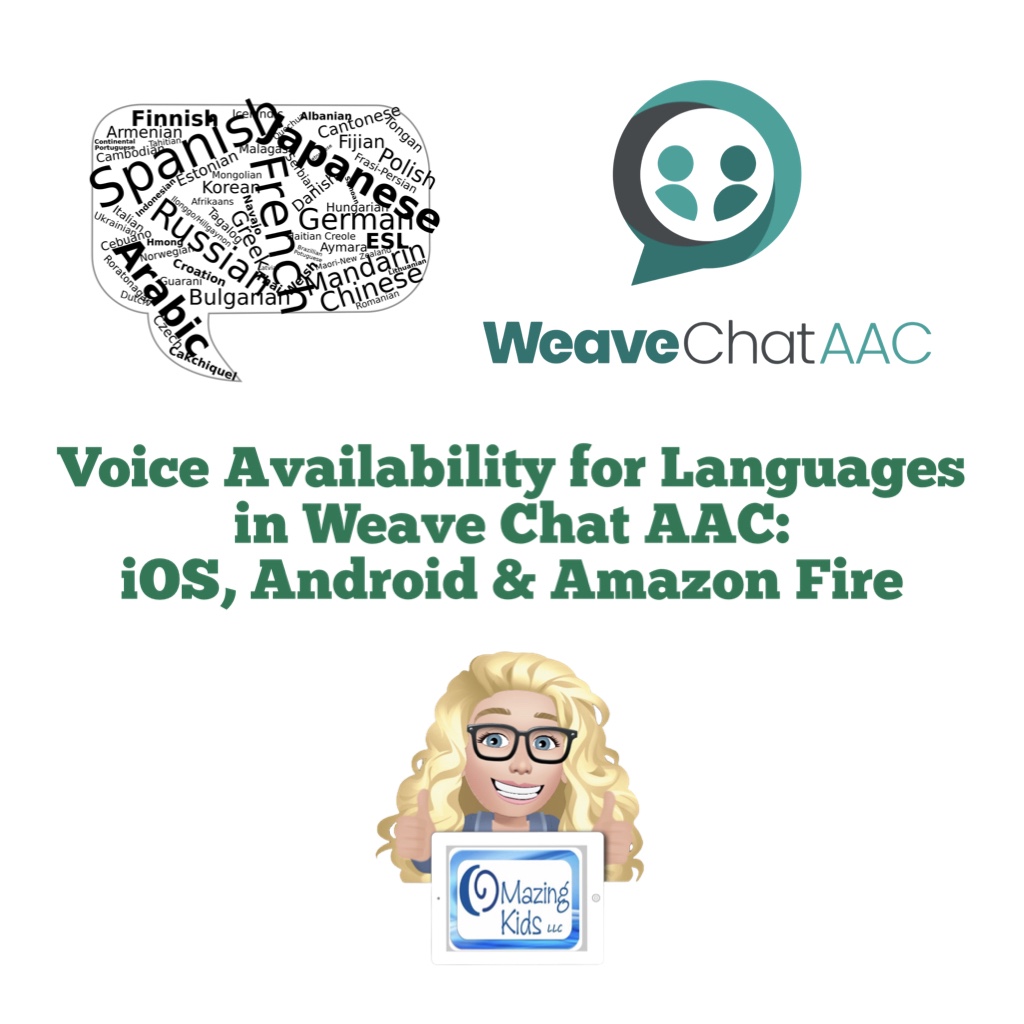
This free handout shows voice availability for each language across the platforms.
Weave Chat AAC is rapidly adding more languages. These were the ones available as of 10/26/24. I will be updating this chart as they add more languages.
Looking for in-depth AAC feature matching resources? See this blog post: https://bit.ly/5aacFeatureMatchingResources. That post also includes videos comparing the best AAC apps on various devices on various platforms.
Updated Resource 8/5/24: AAC Apps and Features At-a-Glance (Single Page Handouts):https://bit.ly/AAC-At-a-Glance. This 90 page PDF resource has been updated to add Weave Chat AAC, to reflect new features in apps and to update info about pricing. See the new Table of Contents: https://bit.ly/-TOC-AACAppsandFeaturesAt-a-Glance. Those who have previously purchased it on TPT can download the most current version for no additional cost: https://bit.ly/AAC-At-a-Glance.
Looking for other in-depth AAC feature matching resources? See this blog post: https://bit.ly/5aacFeatureMatchingResources. That post also includes videos comparing the best AAC apps on various devices on various platforms.
Two years ago I purchased an Amazon Fire HD 8 tablet, 8″ HD display, 32GB (2020 release) to see how well it might work for AAC. It was “okay” for basic text-based AAC but sometimes lagged when using symbol-based AAC or visual scenes. Likely due to the processor not being fast enough.
Amazon had it on sale for $84.99 (regular price $179.99). I got a total of $42.00 in incentives (20% off my new tablet = $17 + $25 gift card). A couple of days later I paid $15 to remove the ads. So I only ended up paying $57.99 for this brand new tablet with double the memory, a much better processor and larger screen.
Note: I purposefully did NOT buy an Amazon Fire tablet designed for kids that includes a case because it comes preloaded with lots of content that I don’t want and might not have had the option to uninstall. I can see the appeal of their Amazon Kids warranty but I’m very careful with my tech, always have it in a protective case and have never had any issues.
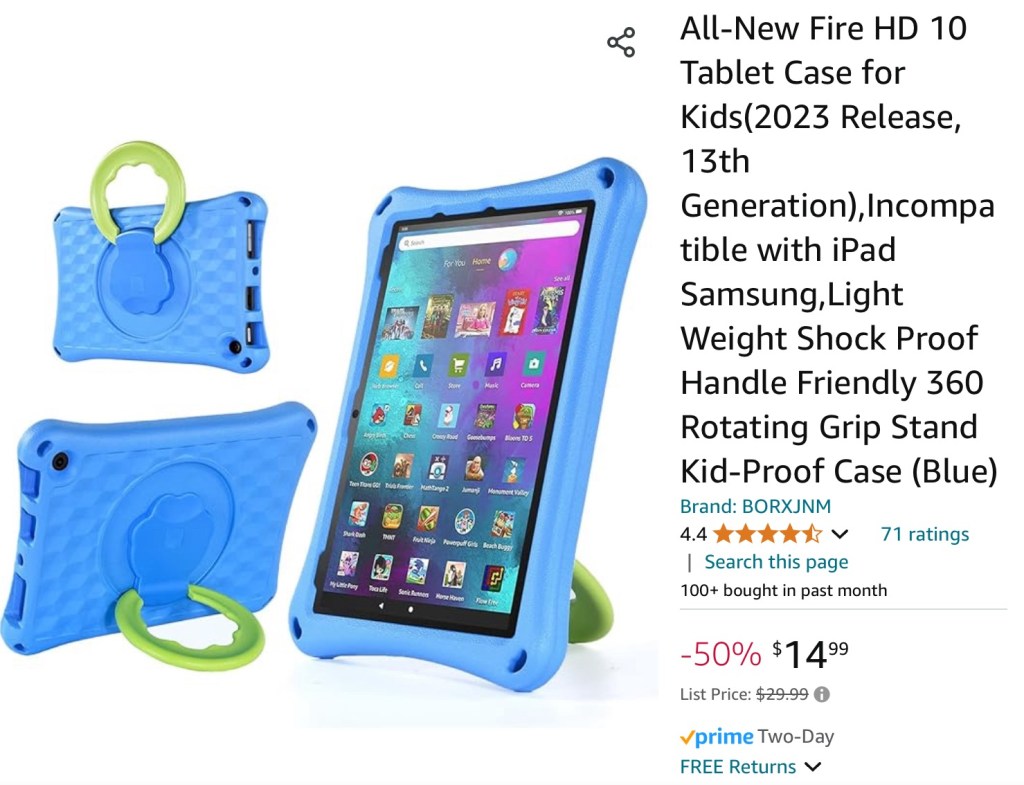
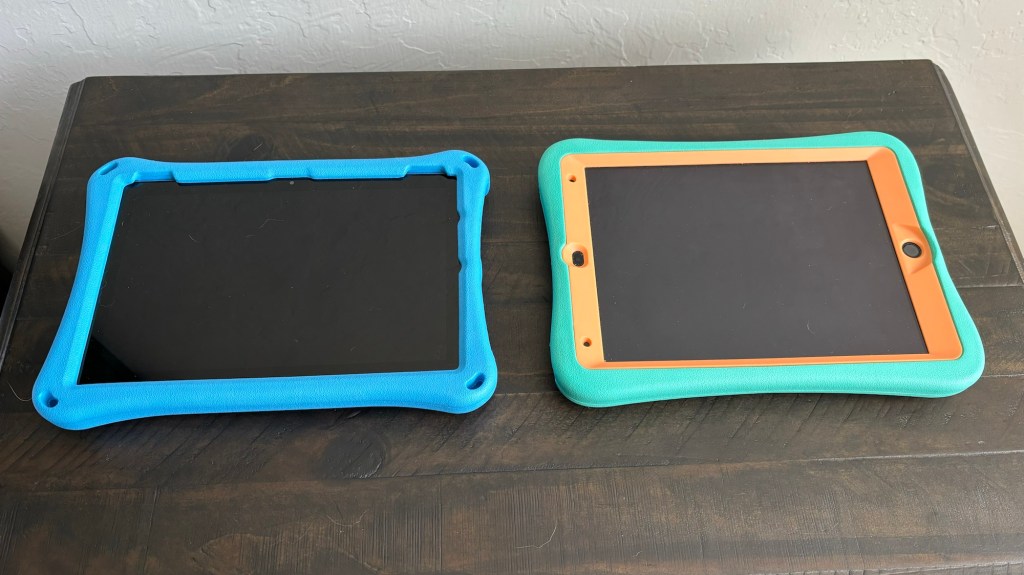
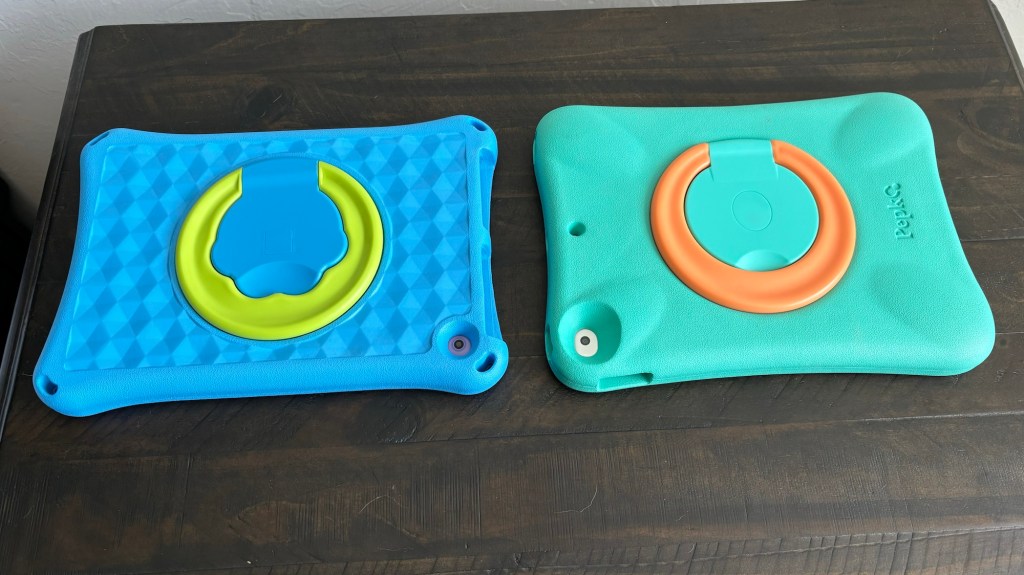
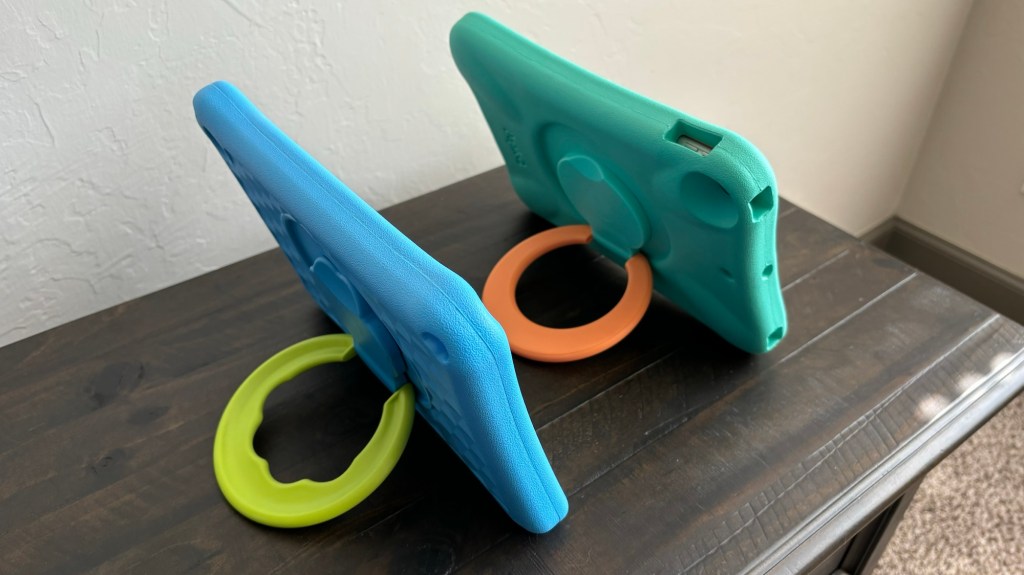
I bought this case with a rotating ring stand for $14.99 on Amazon. I need cases that can be used in both Landscape and Portrait orientation. This case is similar to a Pepkoo but the foam isn’t quite as thick and the ring stand doesn’t feel quite as durable. I’ll update this post if I have any issues with durability.
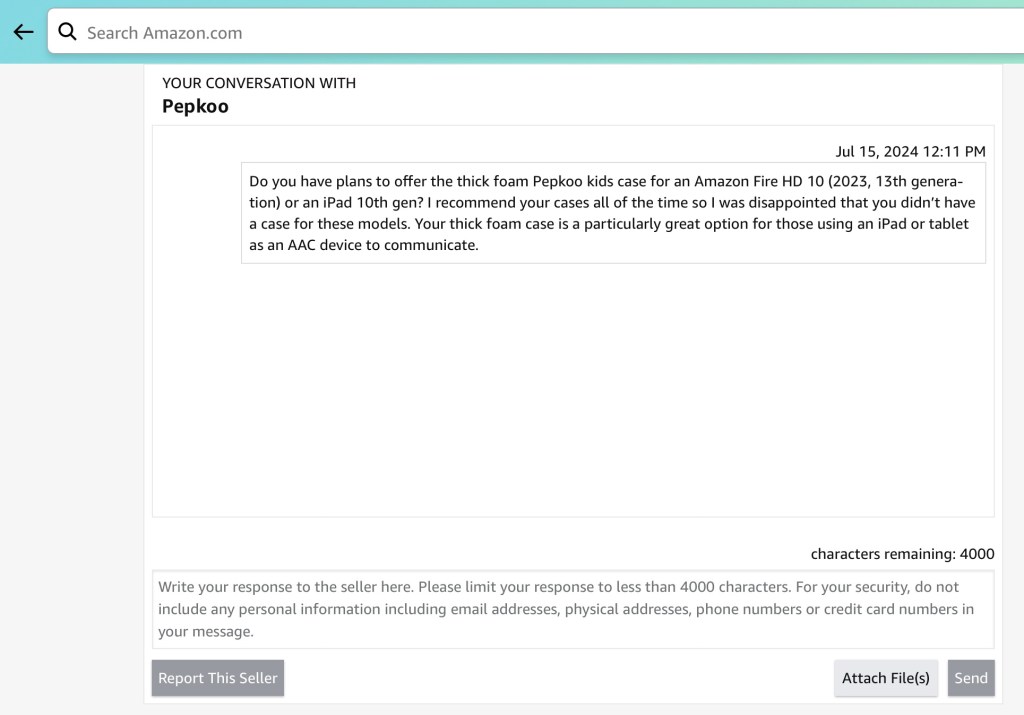
I sent a message to Pepkoo on their Amazon store to specifically ask whether or not they have any plans to eventually offer their thick foam kids case for this specific model of Amazon Fire tablet and/or an iPad 10th gen.
The blue case on the left is on my Amazon Fire HD 10. The case on the right is a Pepkoo case on my iPad 9th gen.
See my video comparing these two cases:
A sound and size comparison of iPad 9th gen, Samsung Galaxy Tab S6 Lite, Amazon Fire HD 10 (2023, 13th gen):
A peek at the AAC apps I have loaded on my Amazon Fire HD 10 (2023 release, 13th generation) tablet – some apps from the Amazon Appstore + lots of Android AAC apps side loaded from the Google Play Store:
Tips: If you are using an Android tablet & an Amazon Fire Tablet with the Google Play App Store side loaded, be sure to toggle on Family Sharing before making app purchases & make the purchases from the Google Play App Store on your Amazon Fire Tablet. Those have been recognized by Google Play on my Android tablet. The reverse was hit and miss (likely due to the side loading).
Update 1/16/26 about the Amazon Fire version of Weave Chat AAC: I ended up uninstalling the Amazon version of the app on my Amazon Fire HD 10 2023 13th generation tablet today and installed the Android version since I have the Google Play Store side loaded and so far it is working as expected.
The last update for the Amazon Fire version of Weave Chat AAC was on September 12, 2025 so it is missing features compared to the Android and iOS versions. The app developer has indicated that rolling out the most recent updates on the Amazon platform would cause the app to no longer work on many models of Amazon Fire tablets so they are leaving it on the older version. The Android version and iOS version of Weave Chat AAC are the focus for updates for now. Over time Amazon will phase out and add new devices that will support the current version of the Weave Chat AAC app and they will release a new version for that platform at that time.
Disclaimer: I am not implying that an Amazon Fire tablet is your best option for AAC. I am sharing this info for those who have asked about the most affordable option. Not everyone has a funding source and sadly gatekeeping of AAC is a real barrier.
If you are a parent or caregiver having to DIY your own AAC, please read this post on my blog for additional tips and resources: https://bit.ly/ParentAAC
Please consider individual needs for access, hardware and software as part of the feature matching process.
I am not liable for any purchasing decisions, results of loading or side loading apps, durability of tech or cases, etc. and am not making any recommendations for AAC for individuals.
Resource Update: The Basic Feature Chart for Affordable and Free AAC apps & AAC-Related Apps (iOS, Android Google Play, Amazon Fire, Windows + a few Web-Based options) has been updated (11/11/23).
Looking for in-depth AAC feature matching resources? See this blog post: https://bit.ly/5aacFeatureMatchingResources. That post also includes videos comparing AAC apps on various devices on various platforms.
Weave Chat AAC has added quite a bit more content and features and is now a robust AAC app that’s totally free. They offer apps on three major app stores: iOS, Google Play (Android) & Amazon.
How to add high quality Acapela voices to Android AAC apps
Want basic info about this app? Check out “Affordable and Free AAC apps & AAC-Related Apps (iOS, Android, Amazon Fire, Windows & a few web-based options)”: https://bit.ly/BasicAffordableAACchart.
Want an in-depth look at the Android and Amazon Fire versions of Weave Chat AAC? Check out this expanded resource: “Feature Matching Chart for Robust Android AAC Apps (Google Play & Amazon Fire)”: https://bit.ly/RobustAndroidAACappChart.
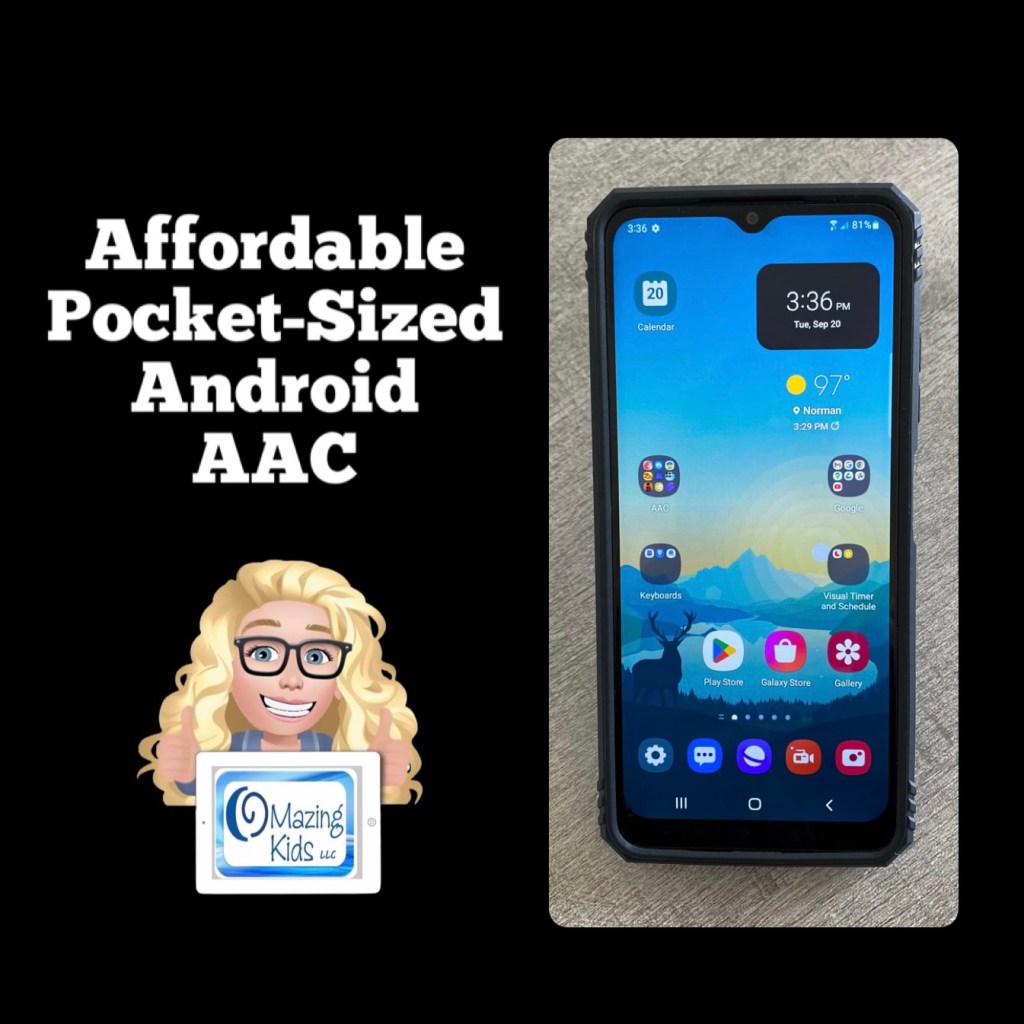
Updated this blog post on 8/12/23: That Android phone is still available on Amazon and is even a little less expensive now ($49.88). The case is still also available and is less expensive ($11.99). If you put the free Android version of Weave Chat AAC on it (https://play.google.com/store/apps/details?id=com.weavechat.weavechat) you can have fairly robust pocket-sized symbol-based AAC for under $62 (+tax). The adult text-to-speech voices from Samsung & Google are pretty good. If you want Acapela voices, the Weave Chat AAC app and a few others allow use of the one you have purchased and set as a default within the Acapela app. That would be a way to add high quality child voices. Prices vary. I just purchased the child African American English voices (Tiana and Malik) for $7.99 each. The great thing is you only have to purchase the Acapela voices once and then can use them in any AAC app that supports use of them. I have previously purchased Ella & Josh (USA English) + Valeria & Emilio (USA Spanish). That app has voices available to purchase in several languages.
So for under $70 (+tax) you can have fairly robust pocket-sized symbol-based AAC with Weave Chat AAC using a high quality Acapela voice.
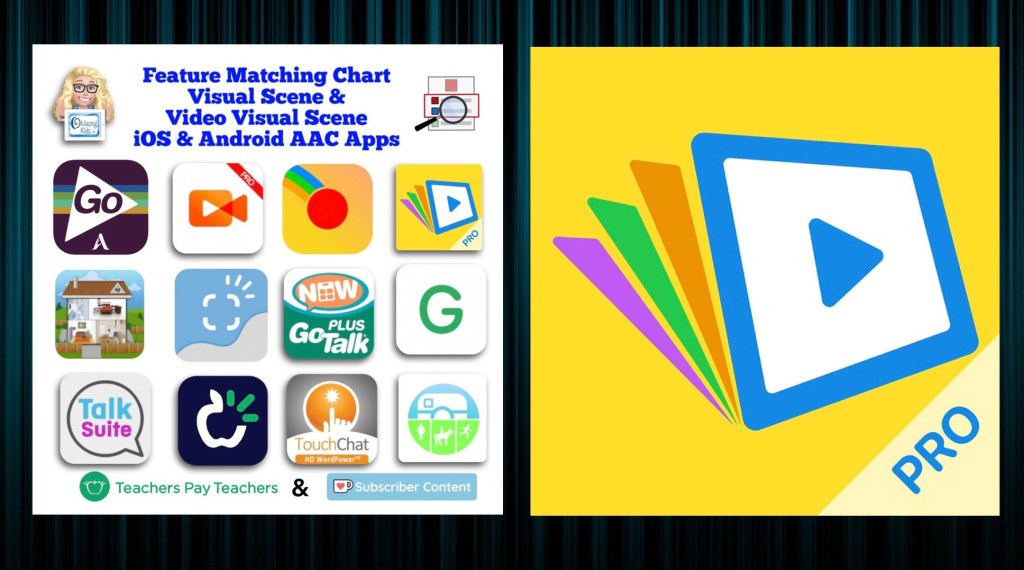
Resource Update: Feature Matching Chart for Visual Scene and Video Visual Scene Display iOS & Android AAC Apps was updated on 7/27/23. I added Scene & Heard Pro by Therapy Box and added the newer version of EasyVSD. Those who have previously purchased this resource on TPT can download the most current version for no additional cost: https://bit.ly/AACvsd . Ko-fi subscribers will be able to access a copy on the pinned resource post: https://ko-fi.com/Post/Links-to-posts-about-most-current-feature-matching-F1F5C9DMD.
A FREE handout for SLPs/SLTs and other AAC professionals has also been updated: How to Get Access to Visual Scene & Video Visual Scene AAC Apps (TPT Freebie), https://bit.ly/SLP-SLT-Access-VSDapps.
Looking for more in-depth up to date AAC feature matching resources? See this blog post: https://bit.ly/5aacFeatureMatchingResources. The most current info about AAC apps can be found in my feature matching resources. The blog post also includes videos comparing AAC apps on various devices on various platforms.
The perfect companion to supplement these in-depth resources are the “AAC Apps and Features At-a-Glance (Single Page Handouts)”: https://bit.ly/AAC-At-a-Glance
Looking for basic info about AAC apps that are always affordable or free? See the Basic Feature Chart for Affordable and Free AAC apps & AAC-Related Apps (iOS, Android Google Play, Amazon Fire, Windows + a few Web-Based options): https://bit.ly/BasicAffordableAACchart.









 OMazing Kids AAC Consulting