Angela Moorad, MS, CCC-SLP. Over 36 years experience in AAC. OMazing Kids AAC and app consulting. Creator of several AAC Feature Matching resources (https://omazingkidsllc.com/omazing-kids-aac-resource-links/). Includes info about unique features to support Gestalt Language Processors
My latest tech rabbit hole to go down is use of an external Bluetooth keyboard with AAC. I’ve gotten a few inquiries related to this recently so I decided to see what I could find.
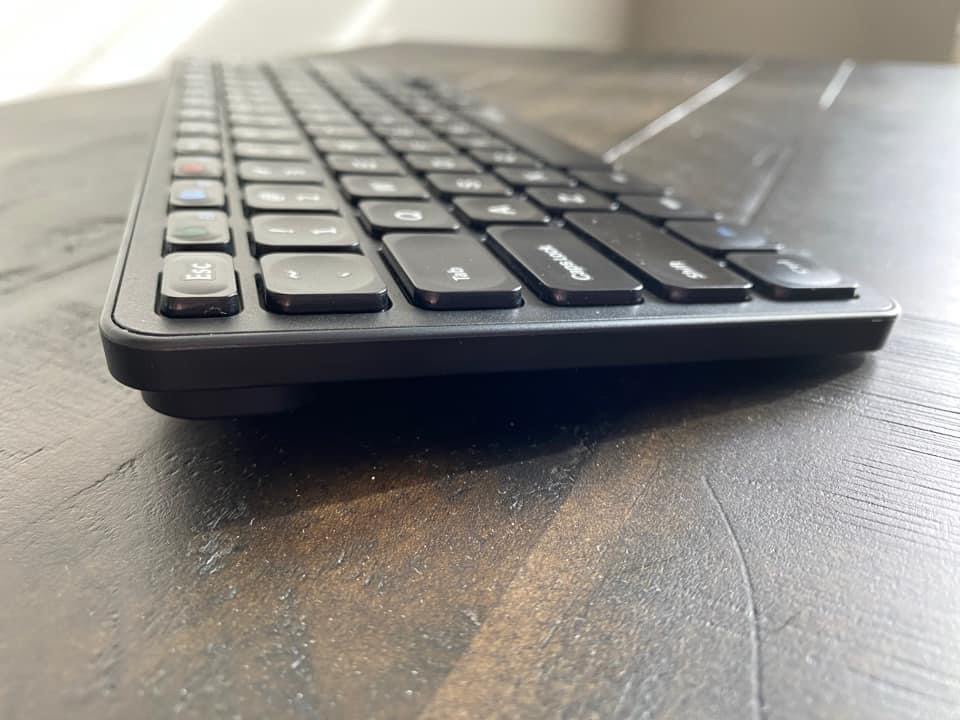
Features: I wanted something that could be used across all of my tech (iOS, Android, Windows), is affordable, portable, reliable, easy to pair, has a nice feel to the keys, has a slight incline, etc. This keyboard has three separate Bluetooth buttons to be able to toggle easily between three different devices that have been paired to it (not used simultaneously on three devices but makes switching between them very quick).
It’s been surprising to discover how many AAC apps (symbol-based & text-based) support use of an external keyboard. I’ll be adding this info to the next update for my feature matching resources.
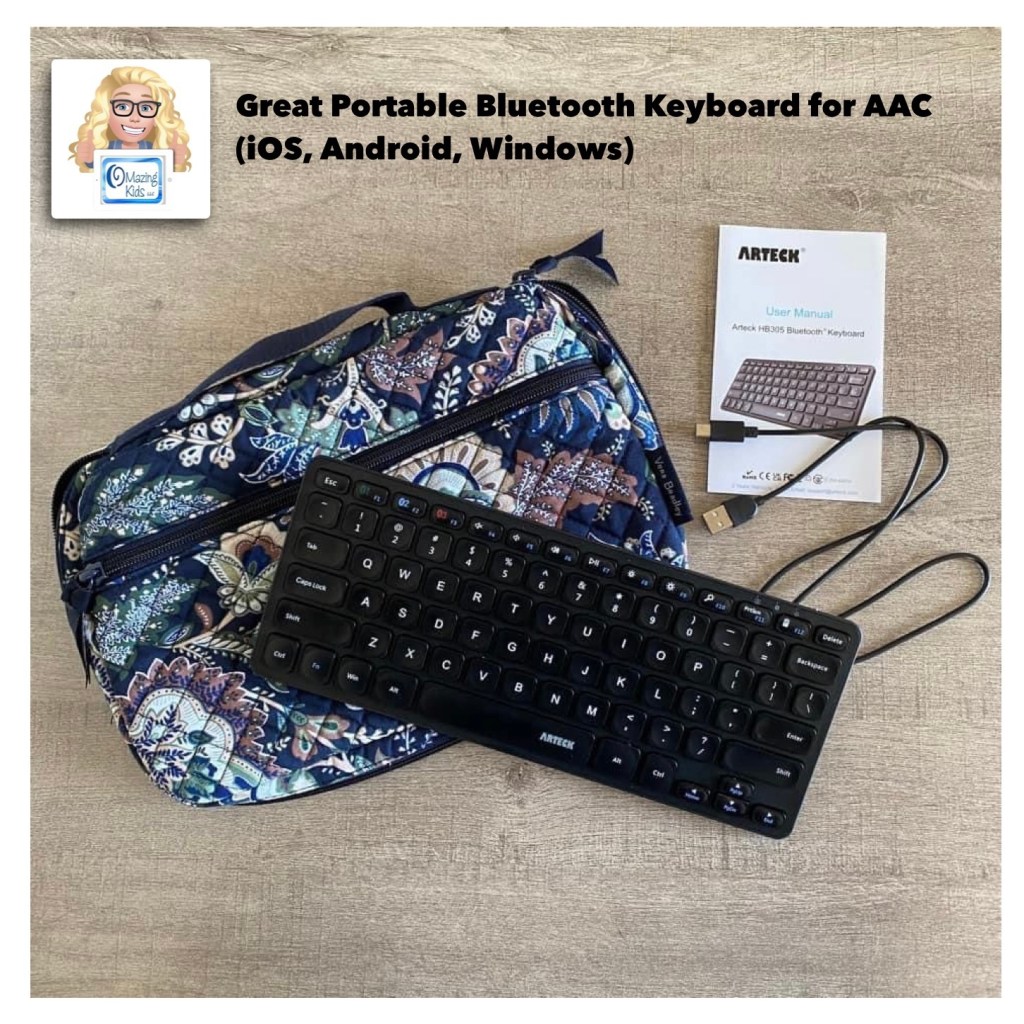
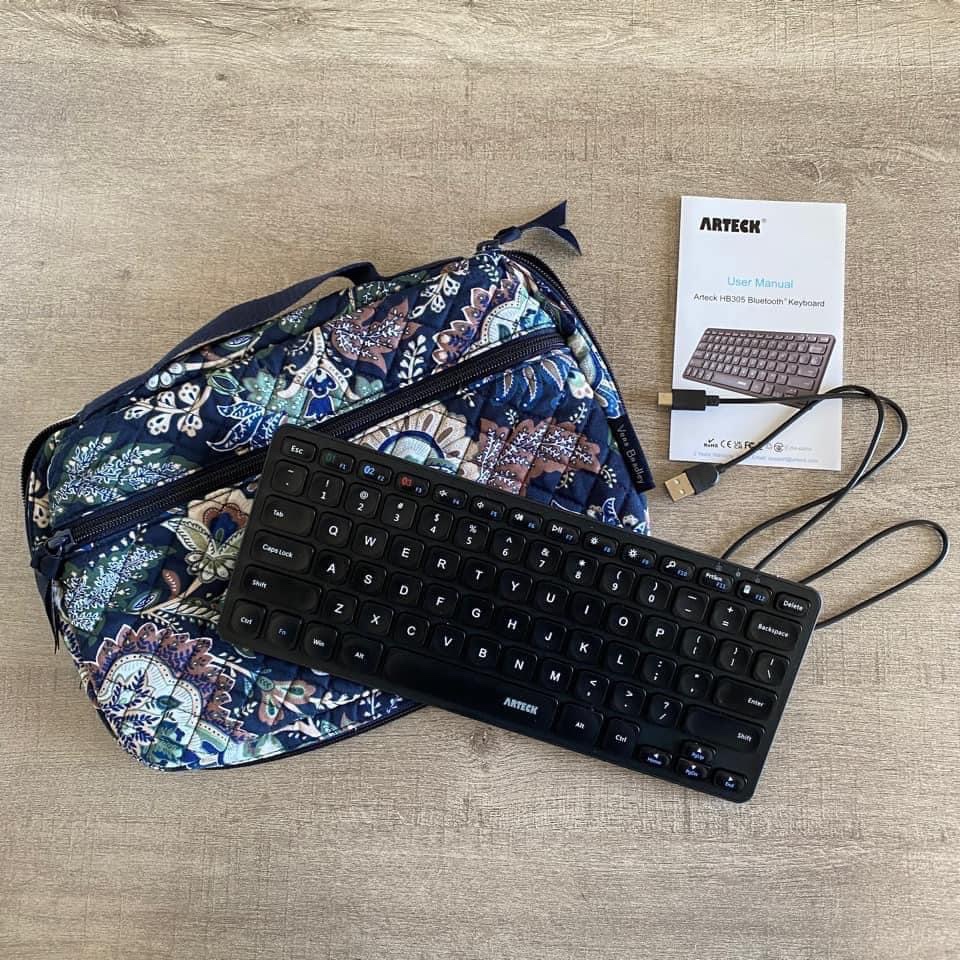
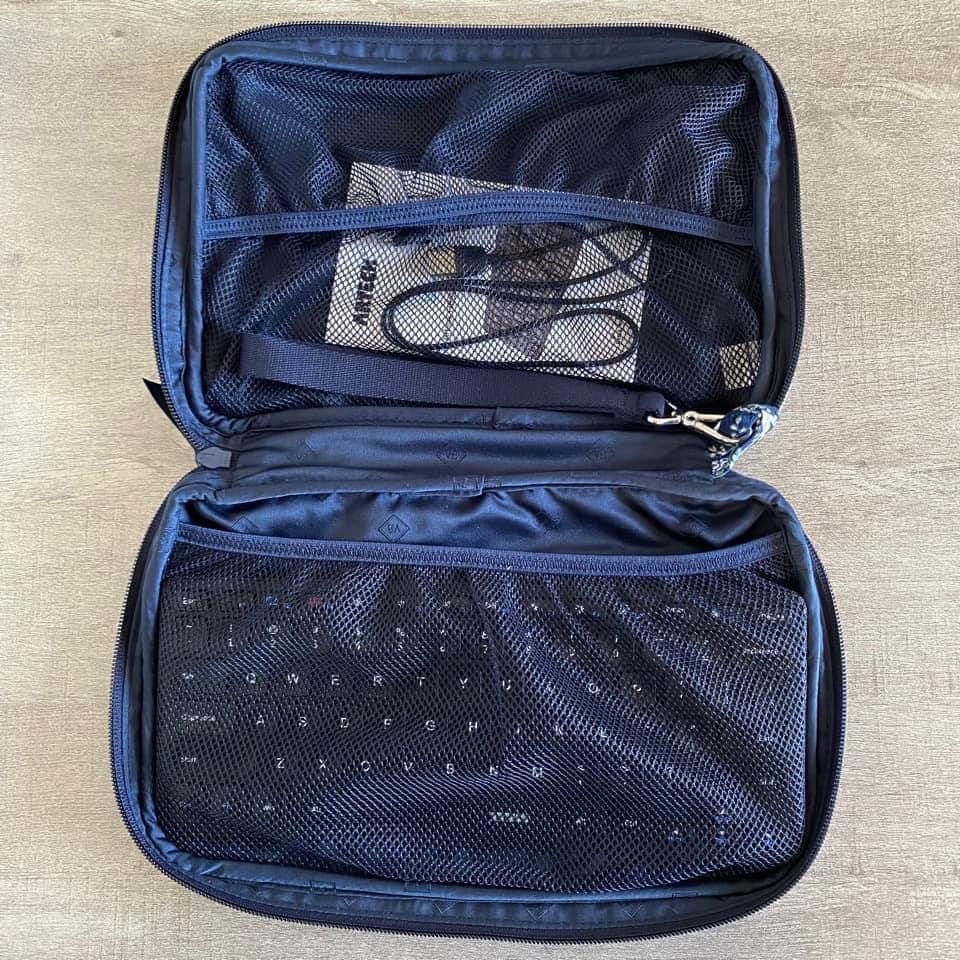
I’ve been impressed with the Arteck Universal Multi-Device Bluetooth Keyboard that I bought on Amazon.com: https://a.co/d/2Qn2f9d. Great price ($17.99 – an extra 20% off = $14.39), has a good feel to it and it fits perfectly in a Vera Bradley pouch that I already had.
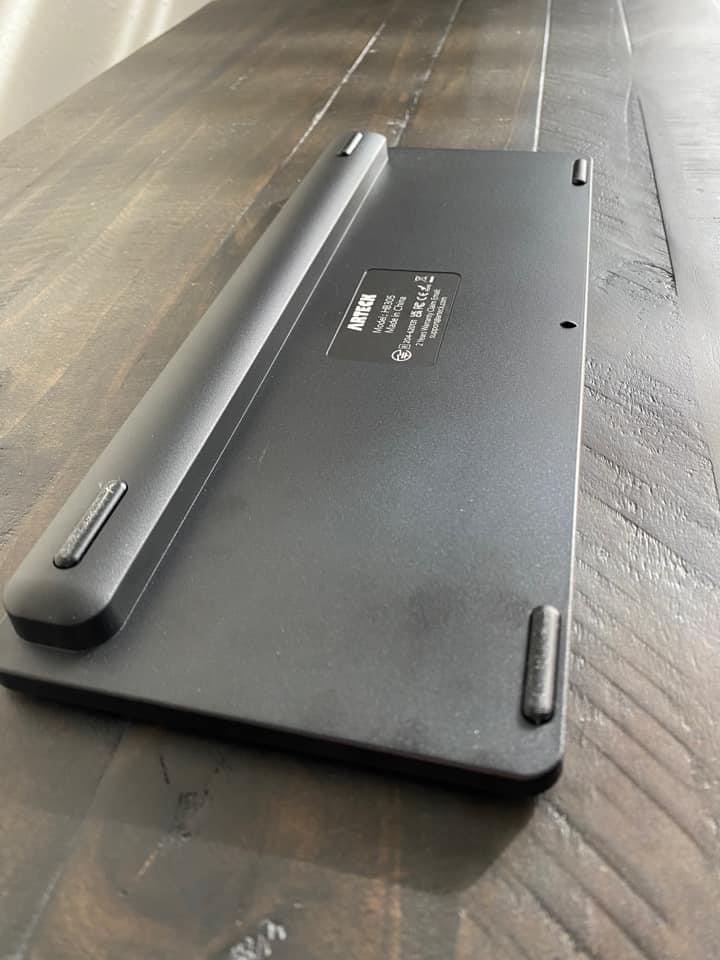
Has a nice slight angleThe backThe Vera Bradley “Travel Baby Changing Pad” in the pattern Java Navy Camo. I have two of these and use them to hold all types of tech items. The “changing pad” part of it is separate which allows you to use the pouch part of it for lots of different things.
See more about this Vera Bradley item and what will fit in it on my Vera Bradley YouTube channel:
This item was on sale for a good price when I purchased both of them back in December ($20.75). It’s priced higher now but prices on Amazon change frequently so it’s something that you may want to save in your cart and watch for a good sale: https://a.co/d/dSPfFhM
Important Considerations: These keyboard features would likely be the top features for folks who are able to type on a keyboard on a laptop or computerand are wanting something portable to use with their AAC. A couple of the inquiries that I received were regarding adult AAC users who preferred to type on a keyboard vs. on a device screen, a couple were from folks wanting a keyboard for use when editing & a couple were related to children who have a passion for letters and keyboards (based on the info that I was provided they are likely Gestalt Language Processors with Hyperlexia) and those supporting AAC use thought that they might prefer using an external Bluetooth keyboard. Each situation is unique. If you are wanting to explore external Bluetooth keyboard options for individuals with complex access needs then it’s important to consult with an OT and/or AT Specialist. There are several alternative assistive technology keyboards on the market but those are very specialized, typically much more expensive and may not work across multiple platforms.
It’s important to find a keyboard that’s compatible with whatever operating system is used on that device. I read through tons of reviews prior to deciding to try this particular keyboard. I took the time to add my own review for it on Amazon to help others find it more quickly than I did. That’s also the reason that I decided to post about it on social media and write this blog post.
Looking for in-depth AAC feature matching resources? See this blog post: https://bit.ly/5aacFeatureMatchingResources. That post also includes videos comparing AAC apps on various devices on various platforms.
The feature matching charts for both the symbol-based and text-based AAC apps have been updated to add a row with details about whether or not that app supports use of an external Bluetooth keyboard and info related to whether or not you first have to tap the Message Window to place the cursor, if the Enter key can be used to speak the contents of the Message Window, etc…
Updated resource: Basic Feature Chart for Affordable and Free AAC apps & AAC-Related Apps (iOS, Android Google Play, Amazon Fire, Windows + a few Web-Based options). Now also includes info about apps available for Chromebook.
Looking for in-depth up to date info to compare features in AAC apps for iOS, Android, Amazon Fire and Windows? Check out my 5 AAC Feature Matching resources:https://bit.ly/5aacFeatureMatchingResources
Decisions about when and how to secure devices need to be made based on individual needs, age of the user, how long they have been using AAC, etc… The needs of a young child first learning how to use AAC are very different from the needs of an older teen or adult who uses tech to multitask.
I would never hand a young child a totally unlocked / unsecured iPad, tablet, smartphone, laptop or any other tech that then could access all of the internet. There are several reasons why that could be very risky.
You also need to consider financial risks. Several years ago I had a patient who had run up over $1,000 in credit card charges making app purchases and in-app purchases on the parent’s unsecured iPad. Fortunately they were eventually able to get it refunded but that’s not always the case.
There are ways to choose how secure a device needs to be by using a combo of options. It doesn’t have to be “all or nothing”.
Let the battery drain. When it gets low enough Guided Access *should* turn off
Additional possible hacks can be found in this post. Number 3 looks interesting. I haven’t tried it yet but I’m guessing that it would only work if Location Services and Find My are both toggled on and set up: https://convergeddevices.net/iphone-stuck-in-guided-access-mode/
And there are a few important settings to adjust in order to prevent the AAC app (or any other apps) from being deleted. This is also where you need to toggle off the ability to download apps and the ability to make in-app purchases. Be sure to set a strong password.
Use Screen Time alongside Guided Access to provide even more control.
Note: iPads on a “managed” system will have even stronger ways to lock down the device. Check with the IT department in charge of that managed system to determine the options.
If you have a Samsung Android tablet, also look at Samsung Kids as a way to create a secured area where you can add any combination of apps:
Can use the included My Camera to take pictures and videos and then view them within My Gallery. The included Bobby’s Canvas app has a fun drawing area. Exiting Samsung Kids is secured with a PIN. More info: https://www.samsung.com/us/apps/samsung-kids/
The YouTube Kids app (https://bit.ly/3O0FpIT) or the Video Collections app (https://bit.ly/3zEuW1k or on Samsung Galaxy Store: https://bit.ly/3zGG7q7 ) can be used as a way to save links to specific YouTube videos or channels. Adding one of these apps within the secured Samsung Kids area would allow Gestalt Language Processors to access videos as part of their communication system in a secured way.
Windows: Set up a single-app kiosk on Windows 10/11: https://bit.ly/3Ocxdo3 (applicable for Windows 10 Pro, Enterprise, and Education & Windows 11. Unfortunately you can not set Kiosk mode for Windows 10 Home edition (the operating system on my AWOW AiBook 10 Windows tablet / mini laptop: https://bit.ly/3IJRBf8).
Terms of Use: You may not copy any part of this blog post or document (including the content, layout, format, ideas or design) and reproduce it or distribute it as your own work. Please do not copy/paste this info onto other blogs or save this PDF in any online groups or files. It is available for free on my TPT store: https://bit.ly/OKonTPT.
Looking for in-depth up to date info to compare features in AAC apps for iOS, Android, Amazon Fire and Windows? Check out my 5 AAC Feature Matching resources:https://bit.ly/5aacFeatureMatchingResources
Like anything else related to AAC it’s wise to weigh the pros & cons to help decide what model of iPad, case and speaker may be the best fit for that user’s needs and the environments they will be in. This should be part of what’s considered during an AAC & feature matching.
Traditional SGDs have built in speakers but not everyone has a funding source to pay for those much more expensive devices and the weight of them can be too heavy for many AAC users to carry.
Some wheelchairs for very young children are too lightweight for that type of heavy SGD to be mounted to it.
The weight of traditional SGDs is a common factor that I see mentioned related to device abandonment. So that should always be considered during the AAC evaluation and feature matching process.
I get pretty frequent requests for info about ways to amplify the sound on an iPad when using it for AAC. Thankfully Apple has improved the sound loudness and sound quality in the basic iPad model over the years. But in noisier settings it can still be a little difficult to hear.
This blog post is focused on sound amplification when the iPad is being used for AAC.
There are primarily three options:
Purchase an iPad Pro. It is louder than an iPad 8th gen or iPad 9th gen since the iPad Pro has four speakers vs. two speakers in those base models.
Purchase an external Bluetooth speaker that can either be attached to a carrying strap or worn.
Purchase a case with a built-in Bluetooth speaker (or one that allows that to be added).
See a 4th app-specific option at the end of this post.
Option 1 (iPad Pro): Here’s a video showing the sound on my iPad Pro 9.7”. Sound loudness was ~ 80dB (measured with the Decibel X app on my iPhone 11) which was just slightly less than the Tobii Dynavox Speech Case (see info below). It’s likely that newer iPad Pro models would have even better sound output.
iPad Pro 11 inch $799
iPad Pro 11 inch
Pros: Having the increased volume without having the extra weight associated with having a case with built-in speakers or the drain that using Bluetooth speakers puts on the iPad battery.
Cons: Significantly higher price and kid-friendly cases can be more difficult to find for that model of iPad.
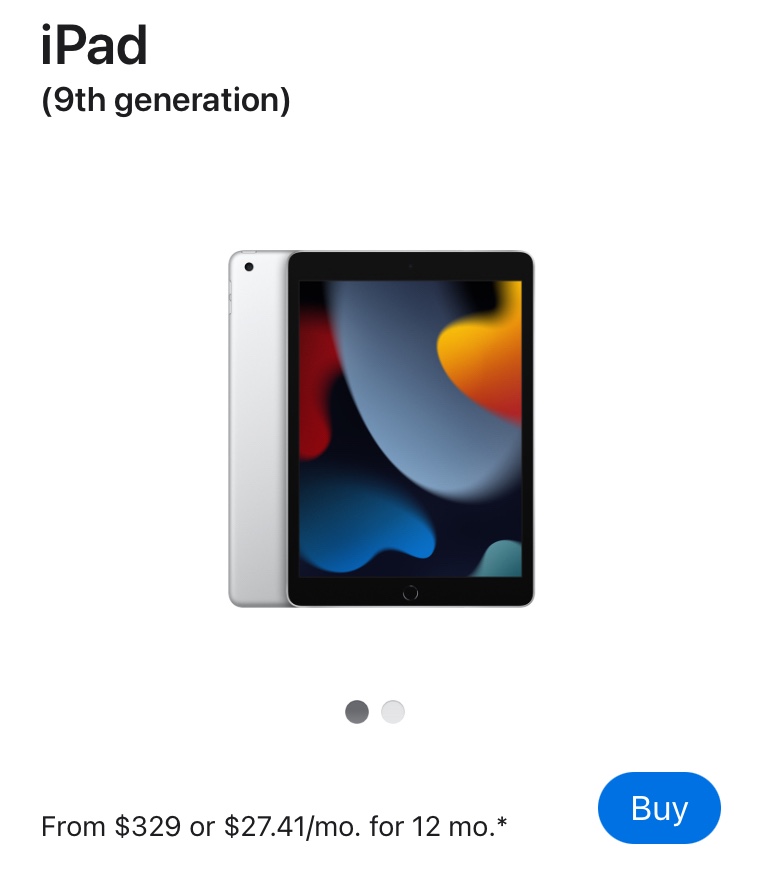
At the time of this post the price for the least expensive iPad Pro 11” was $799. The price for the least expensive iPad 9th gen 10.2” was $329 ($470 less than the least expensive iPad Pro on Apple’s website. Even less expensive if you get the $269.99 deal currently available on Amazon Prime).
Kid-friendly & AAC-friendly iPad Cases for the iPad Pro 11:
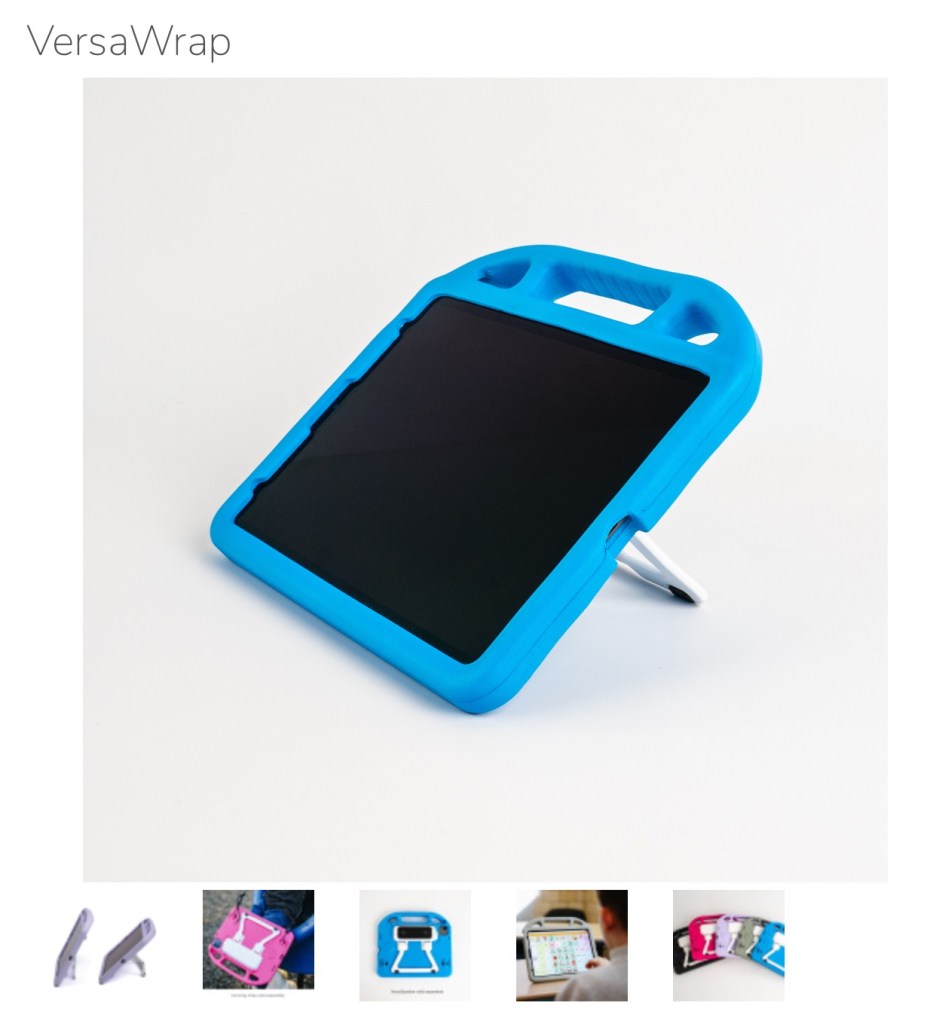
PRC-Saltillo’s VersaWrap Case has a built-in stand and the Bluetooth speaker is optional so you won’t need to purchase that if you have an iPad Pro 11”. The VersaWrap 10.1 case was designed to fit several different similarly sized iPad models (iPad 7th 8th, 9th, 10th Gen; iPad Air 4th, 5th Gen; iPad Pro 11 1st, 2nd, 3rd, 4th Gen). This will hopefully will allow it to remain a sustainable option for years to come. It is available on Amazon (https://a.co/d/4buZfTy) and their website (https://store.prc-saltillo.com/versawrap-f19142). It comes in 5 colors (black, grey, blue, pink, purple). Weight: 9.6 oz. (.6 lb). They also offer one sized to fit the iPad Pro 12.9” so be sure to look closely prior to ordering. Price: $75.00.
Total cost: iPad Pro 11 ($799, 128GB) + VersaWrap ($75) = $874 (+ taxes and shipping)
Update 8/23/24: Unfortunately I’ve seen a few SLPs comment or post about durability and design flaws on the VersaWrap Case + VersaSpeaker. If you are in the AAC for the SLP group on Facebook see the comments in this post for just one example: https://www.facebook.com/share/p/r3qJAYRtWGHF7eKS/?.
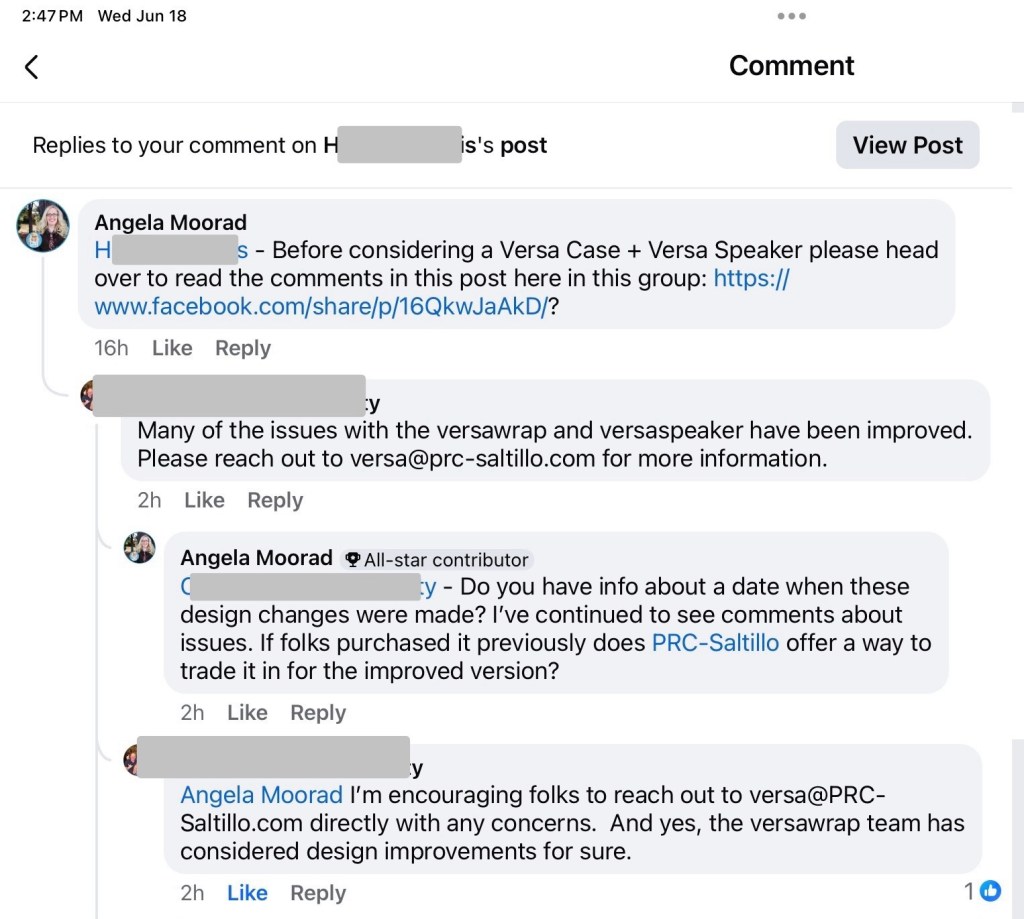
6/18/25 Update: It was encouraging to hear that PRC-Saltillo has made some design improvements in the VersaWrap Case & VersaSpeaker. If you purchased either of those prior to these improvements and have had problems with them I encourage you to contact PRC-Saltillo (versa@prc-saltillo.com) to see if they will offer a way to trade them out for an improved version.
iPad 9th gen, $329 (often less expensive on Amazon or Best Buy)
The iPad 9th gen, $329, 64 GB is currently my top pick for an affordable iPad being used just for AAC and AAC-related apps (like Pictello and alternative keyboard apps). Sound loudness of iPad 8th gen and iPad 9th gen in a Pepkoo case: ~ 76.6 dB (measured with Decibel X app on my iPhone 11).
If you plan on embedding lots of videos or saving music on that iPad or you are an SLP who will also be loading therapy apps, then you should get the 256GB model ($479). There aren’t enough features relevant to supporting AAC use to warrant the huge price difference in the new iPad 10th gen ($449, 64GB or $599, 256GB) and the case options would be very limited for that model. If you plan on using external eye tracker hardware then you need to research the exact model of iPad needed to support that before making your purchasing decision.
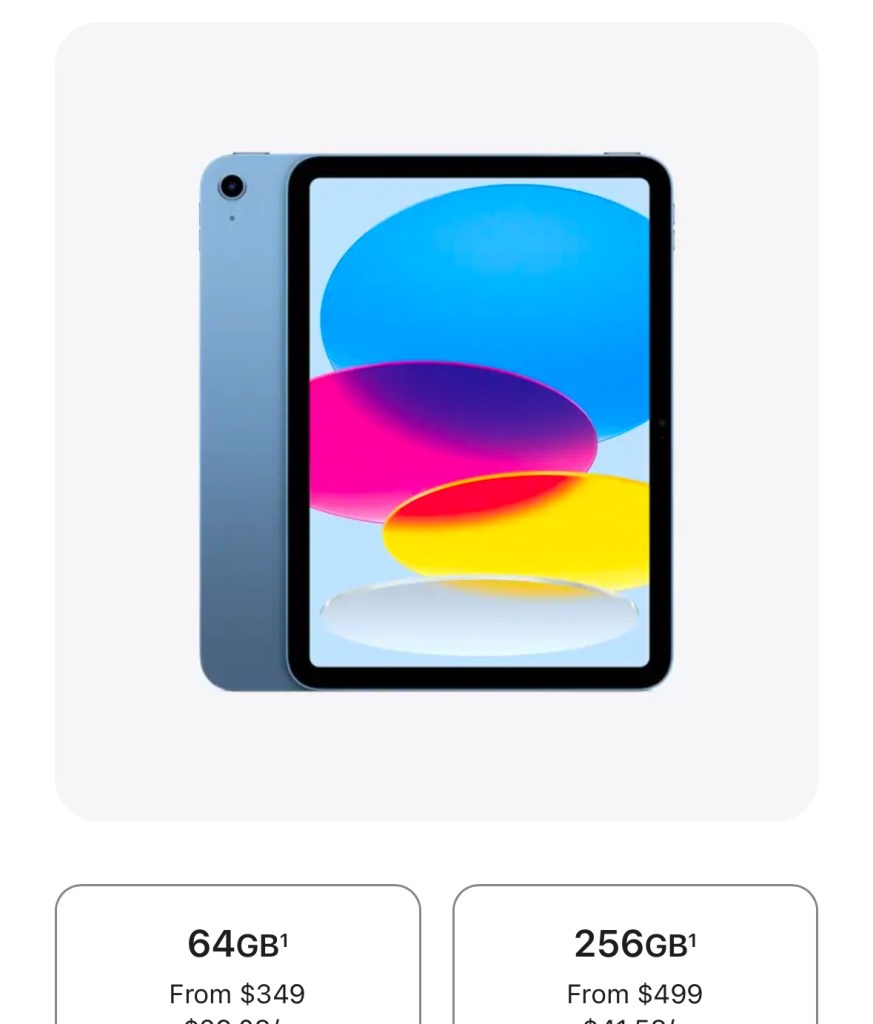
Update 11/26/24: Applediscontinued the iPad 9th gen. The iPad 10th gen is now the current base model. Thankfully Apple lowered the price. The iPad 10th gen has features not supported on the iPad 9th gen [create and use an Apple Personal Voice (iOS 17.0 and later) and be able to try out the integrated eye tracking (iOS 18.0 and later)]. Note: If you think you will want to try out Apple Intelligence AI then you’ll need to look at compatible models. I recently traded in an iPad 9th gen towards an iPad Air (M2) 2024 256GB to upgrade my tech to be compatible with all of these new features.
11/26/24 Screenshot for the iPad 10th gen from Apple’s website. Be sure to compare prices. Amazon and Best Buy often offer discounts.
If an iPad is out of your price range, see my blog posts about affordable AAC:
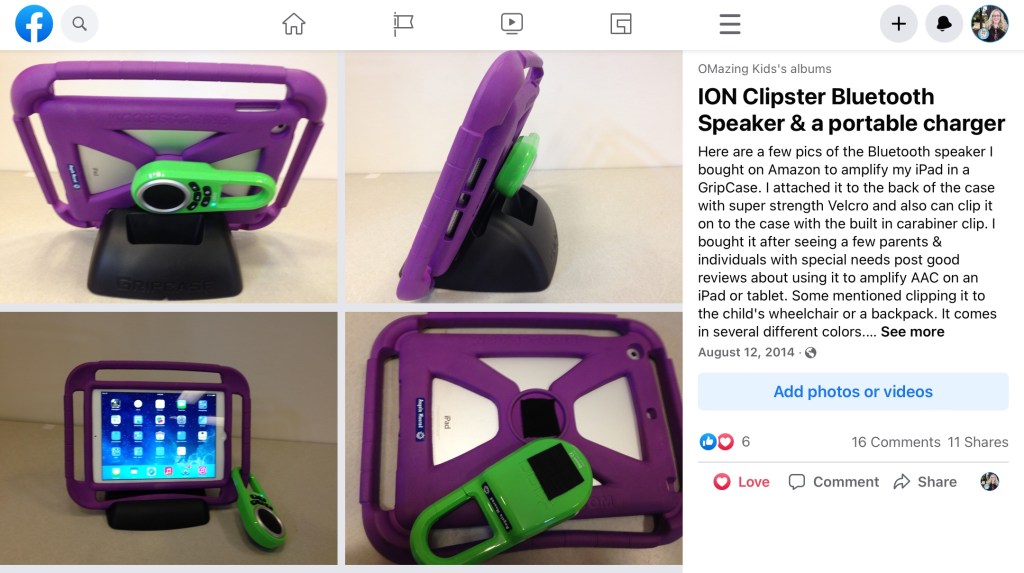
Option 2 (External Bluetooth Speaker): Options for good Bluetooth speakers has changed over the years. My “go to” for an inexpensive lightweight Bluetooth speaker that had great sound quality and didn’t drop off the first part of the message was the iON Clipster. I often clipped it onto a carrying strap or attached it with super strength Velcro.
Here a blast from the past. The iON Clipster + the GripCase case in 2014. I own two iON Clipsters and they still work. The maximum loudness is about 85dB (measured with the Decibel X app on my iPhone):
Unfortunately the iON Clipster hasn’t been available for several years.
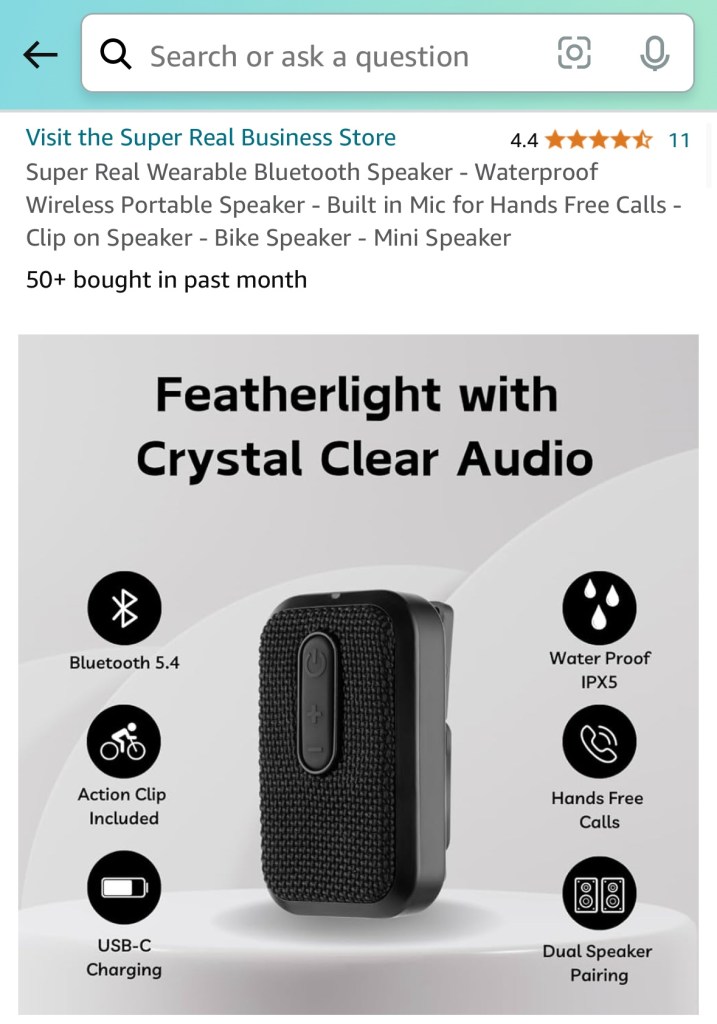
Updated 8/23/24: A comparison of the iON Clipster Active and a brand new option called the Super Real. Both measured at around 88dB in the Decibel X app on my iPhone 15
11/29/24 – FYI… the full paid version of the TD Snap AAC app has a 5-6 second lag in speech output now when you first open the app. It’s as if it’s having to verify use of the voice output even if you are using the full paid version. Something about the company’s switch to a subscription-based option has caused this issue. This impacts use of an external Bluetooth speaker and I suspect it’s one reason why their new TD Navio has a hard wired speaker vs. the previous Speech Case that used a Bluetooth connection. Because of this you may experience sound cut off on any Bluetooth speaker being used with TD Snap on an iPad when first opening the app or if it hasn’t been used in awhile. Even my iON Clipster is having this issue with this app and it has never had any sound cutoff in any AAC app. The problem is in TD Snap (not a flaw in a Bluetooth speaker that works fine with other AAC apps).
Links to current recommended options (will likely change as these options disappear and new ones come on the market). FYI… I recently discovered that some AAC apps do not support use of Bluetooth speakers at all and some don’t work with particular models of Bluetooth speakers. I’m in the process of adding these details to my AAC feature matching resources.
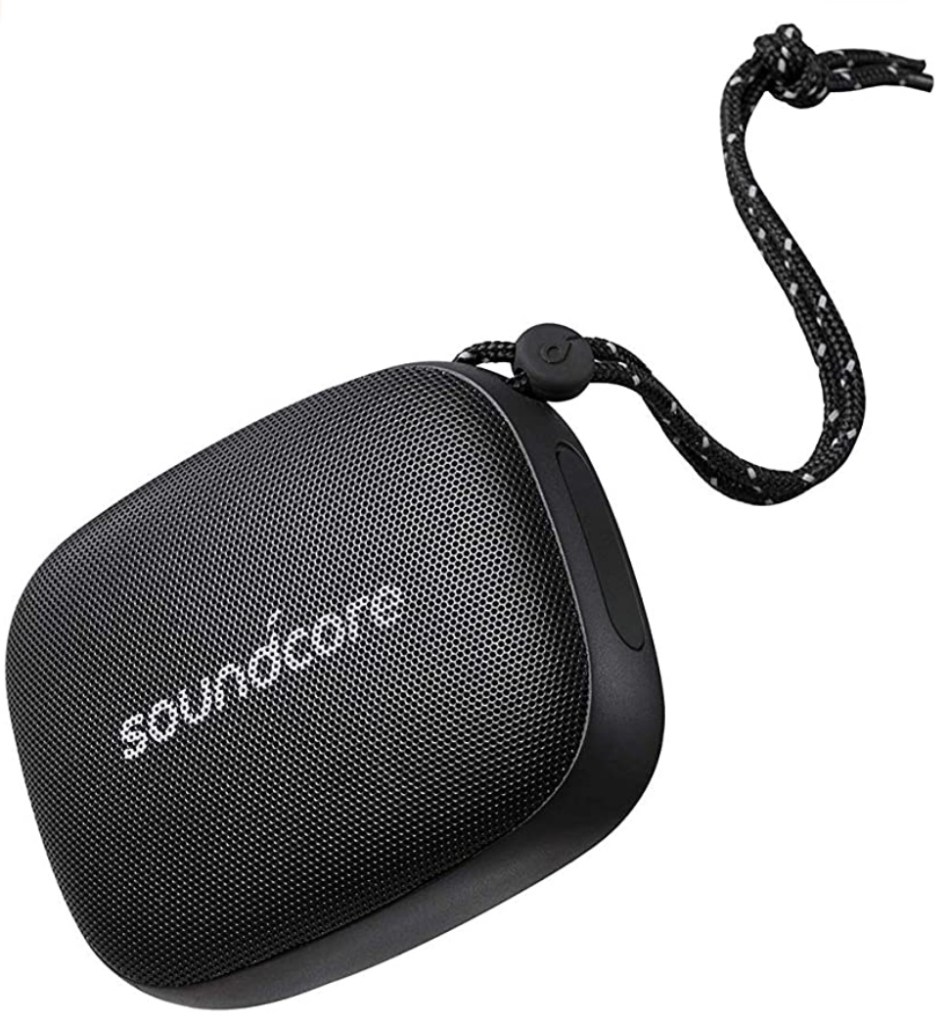
Anker Soundcore Icon Mini (Amazon, $29.99, 8 hrs of use per charge, waterproof, 6.4 oz. While I haven’t personally had a need to order one I’ve seen a couple of AAC specialists recommend it for use in especially loud settings but they indicated that the weight and design may not be as good as the Noxgear 39g): https://a.co/d/iS91sD9 (Update 11/29/24: That model was discontinued. I purchased the Soundcore Select 4 Go Bluetooth Speaker by Anker. See info below)
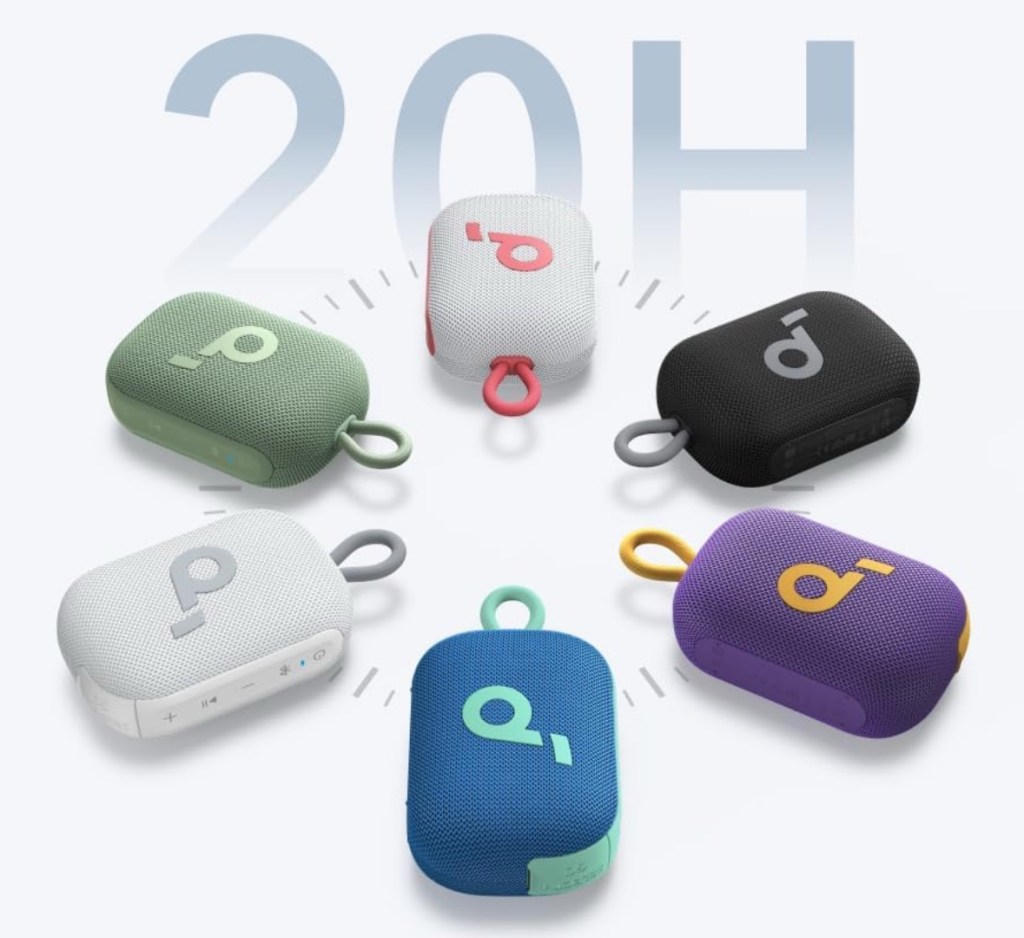
Soundcore Select 4 Go Bluetooth Speaker by Anker
Soundcore Select 4 Go Bluetooth Speaker by Anker
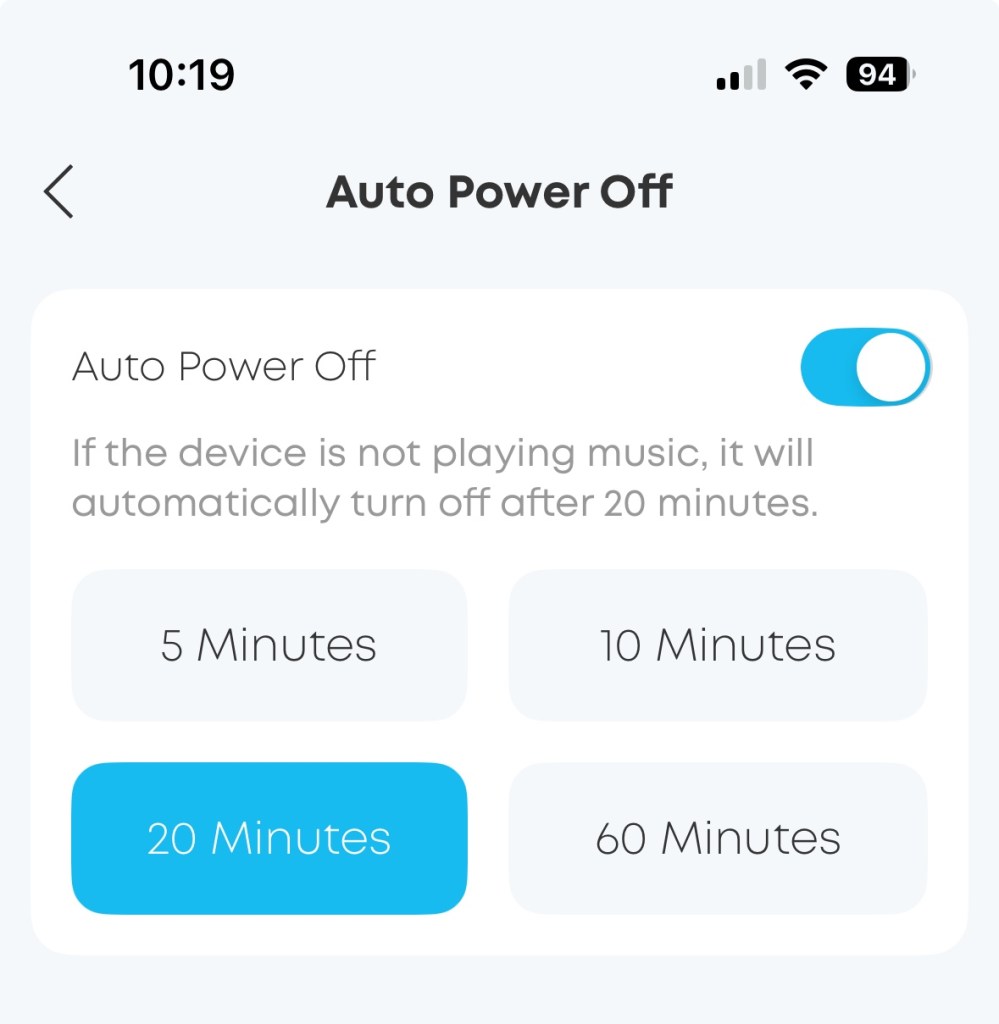
I purchased this on sale for $19.99 on Amazon in November 2024 (https://a.co/d/4jS0Rql). It has fabulous sound quality, can be VERY loud (90 dB), and didn’t cut off sound when used in AAC (other than TD Snap which is having an app-specific issue with sound). It reportedly has a 20 hour use (which would vary depending the volume being used). There’s a free Soundcore app that allows you to customize the sound equalizer and adjust whether or not you want to speaker to go to sleep after a set period of not being used.
It’s a bit heavy to attach to an AAC carrying strap for an ambulatory AAC user unless they are an adult or someone who wants to add some weight to their device (not typically the case but I saw a post this week from someone who missed the bulky heavier feeling of their previous SGD compared to their iPad)
Comparison of three Bluetooth speakers:
Soundcore Select 4 Go Bluetooth Speaker by Anker: 264g, 90dB
Super Real: 70g, 88dB
iON Clipster Active: 136g, 88dB
Noxgear 39g
Noxgear 39g (Amazon, $59.95 (usually $69.95 updated 9/6/24: usual price listed as $99.90, on sale for $69.95; 39 grams (1.38 oz.), 15 hrs of use per charge). While I haven’t personally had a need to order one I’ve seen several AAC specialists recommend it. Occasionally I’ve seen comments that it wasn’t quite loud enough for a school cafeteria or community outings. To be honest if a speaker could get that loud I might be concerned about the risk of hearing damage. I’d also be teaching the AAC user skills to approach a communication partner and gaining their attention. Amazon: https://a.co/d/fUlqlC6
The JBL Clip 3 isn’t recommended since some folks reported that it sometimes cuts off the first part of the message.
Kid-friendly & AAC-friendly iPad Cases for the iPad 10.2” (iPad 7th, 8th & 9th gen). I’d add a high quality tempered glass screen protector. I prefer that over cases that have a built in flimsy plastic screen protector. A shoulder carrying strap could be added to thicker foam cases by drilling holes. See a picture in my in-depth blog post about cases: https://bit.ly/iPadCasesPepkooAndMore.
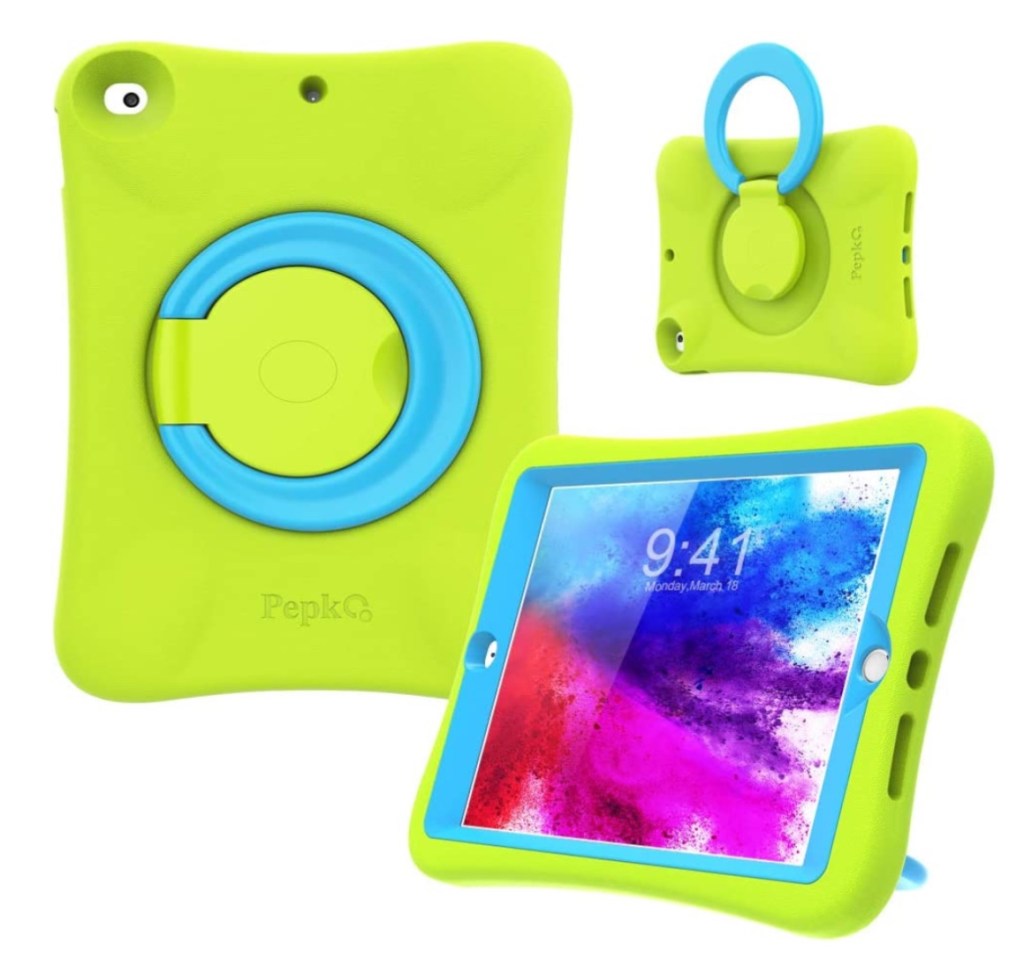
Pepkoo Combined weight of iPad 8th gen in a Pepkoo case = 1 lb, 12.2 oz.
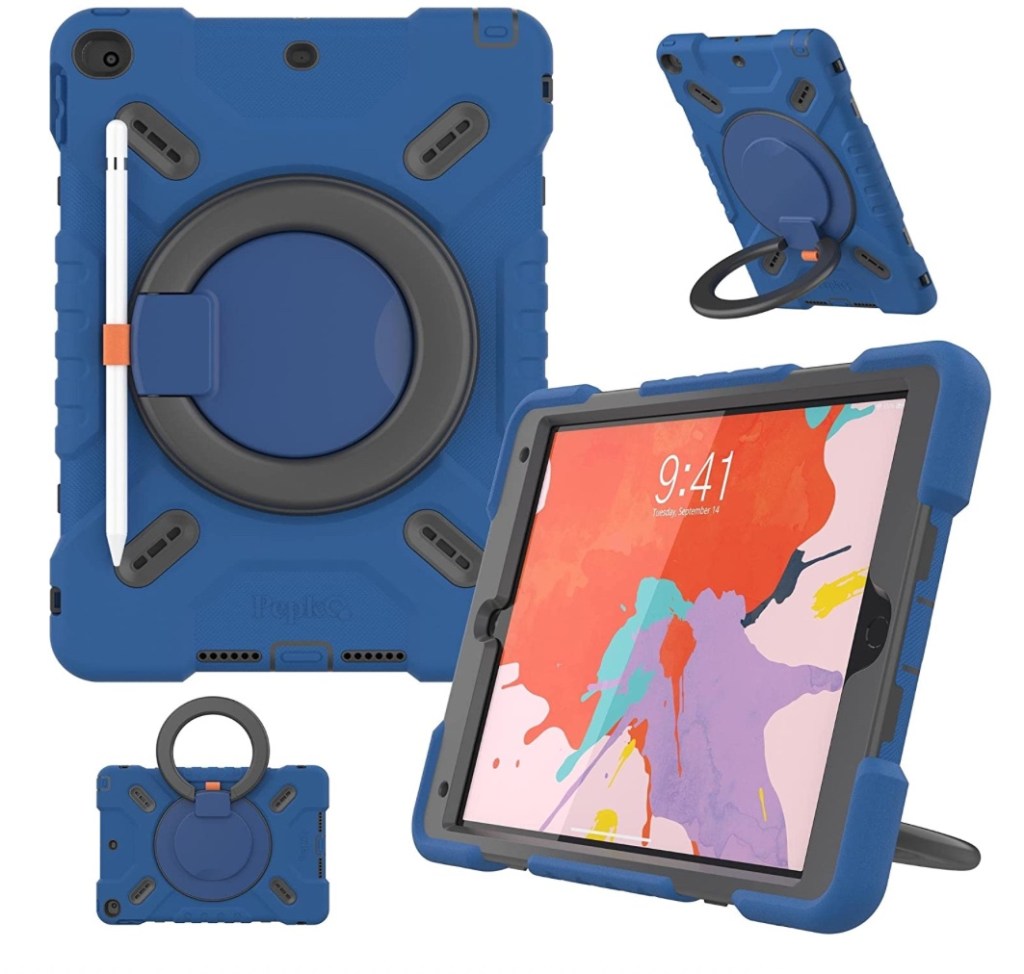
Pepkoo (My favorite case, lightweight, affordable, available in several fun colors, attached sturdy rotating stand that doubles as carrying handle (lays flush enough that the case doesn’t wobble when laid flat on a table); $20.99 on Amazon): https://a.co/d/5zJmNO0. Combined weight of iPad 8th gen in a Pepkoo case = 1 lb, 12.2 oz. (weighed on my postal scale). Sound loudness with iPad 8th gen and iPad 9th gen in this case: ~ 76.6 dB (measured with Decibel X app on my iPhone 11)
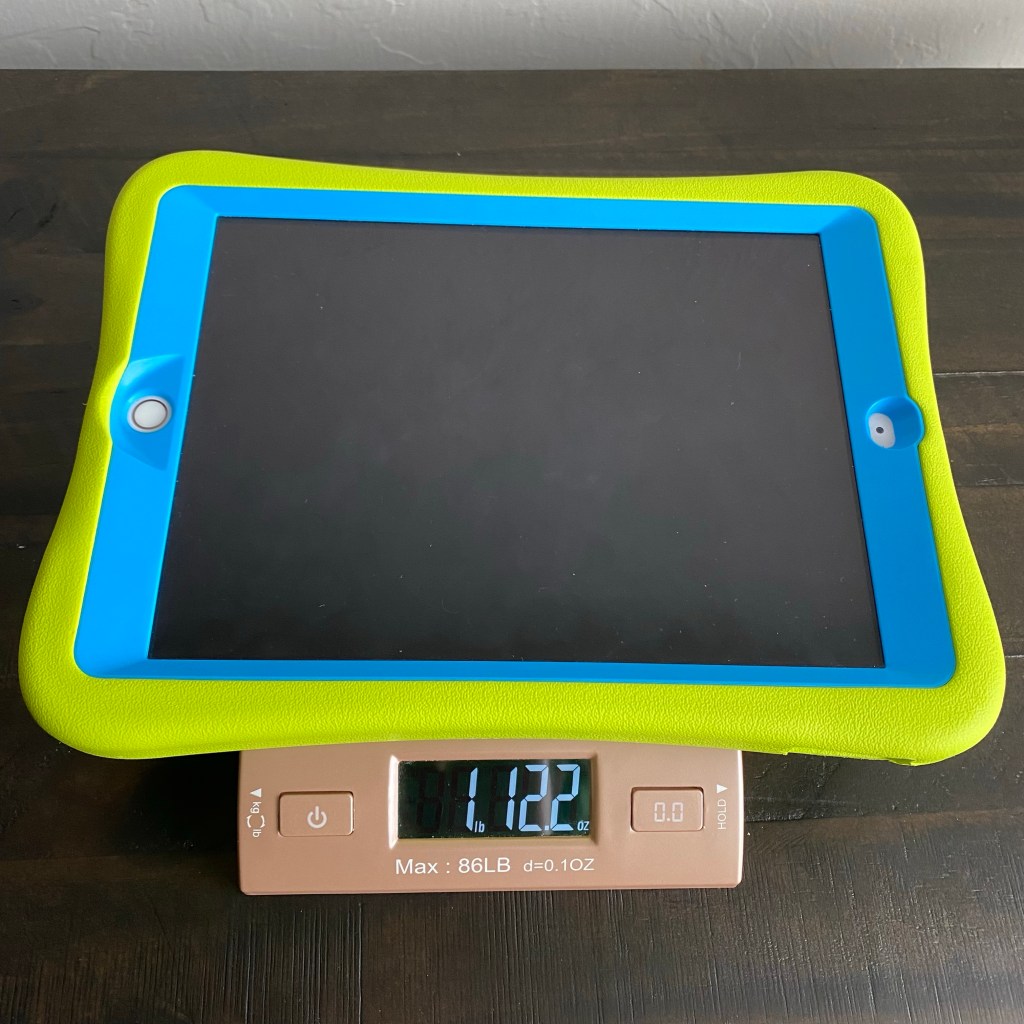
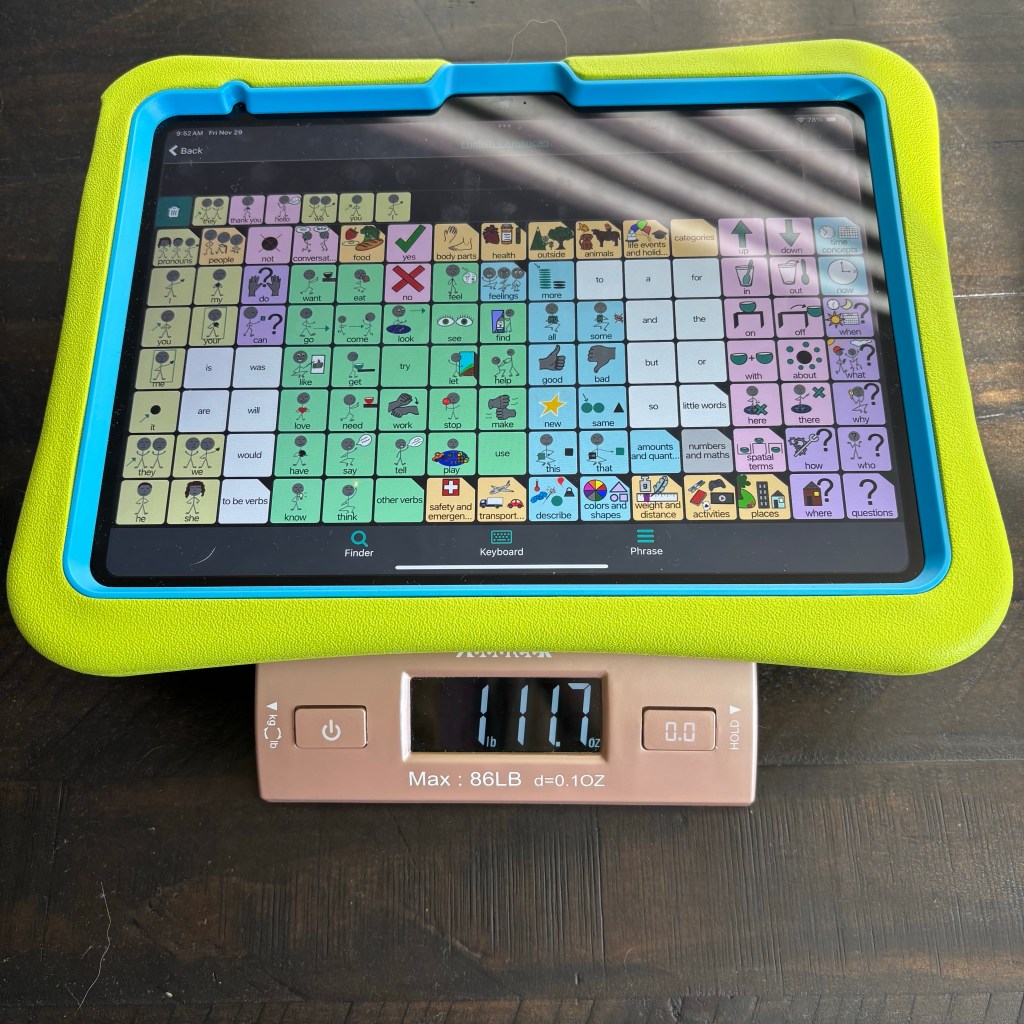
Combined weight of iPad 10th gen + this case = 1 lb., 11.7 oz; 75dB (built in iPad speakers)
NLR Fun Pepkoo Kids Case for iPad, Shockproof Cover for 10.9” iPad 10th Generation (2022)
Combined weight of iPad 10th gen + this case = 1 lb., 11.7 oz; 75dB
Pepkoo Triple Shockproof
Pepkoo Triple Shockproof (I prefer the original Pepkoo but this model has the extra feature of a shoulder carrying strap; $26.99 on Amazon): https://a.co/d/0fvvQsm
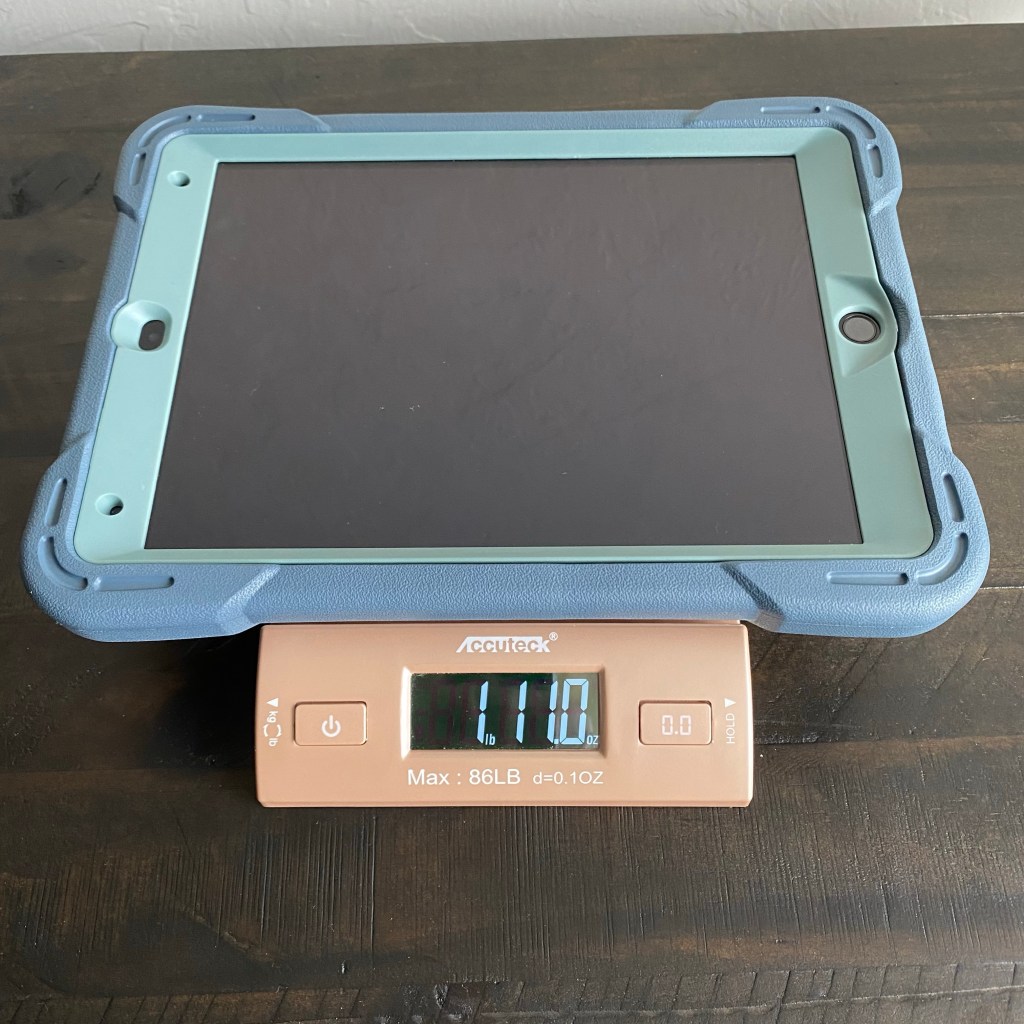
Rug-Ed Buddy 10Combined weight of iPad 8th gen in a Rug-Ed Buddy 10 case = 1 lb, 11oz.
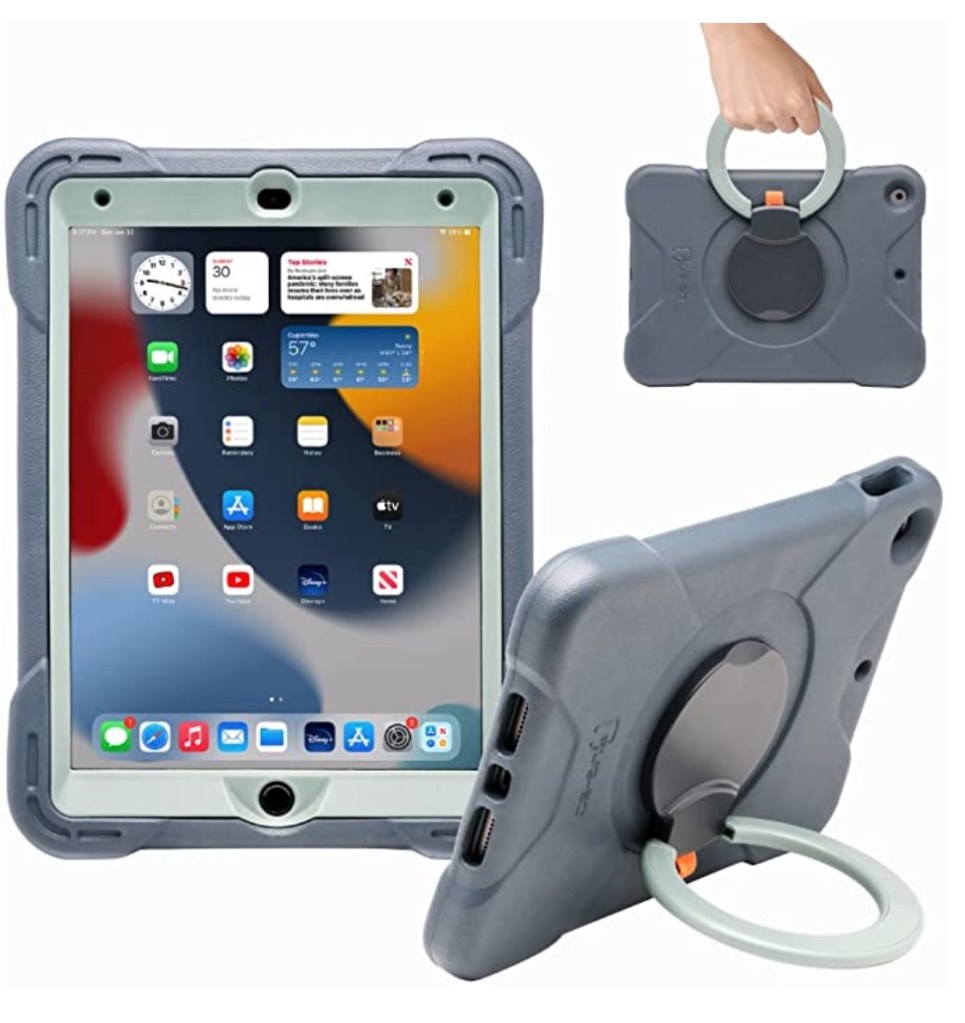
Rug-Ed Buddy 10 (I love this case almost as much as the Pepkoo, lightweight, affordable, attached rotating stand that doubles as carrying handle, similar to Pepkoo, slightly slimmer, comes in two muted colors, comes with two tempered glass screen protectors; $29.99 on Amazon & company’s website): https://a.co/d/ePU8GWt & https://rug-ed.com/collections/ipad-cases/products/buddy-coming-soon-in-november-2021. Combined weight of iPad 8th gen in a Rug-Ed Buddy 10 case = 1 lb, 11oz. (weighed on my postal scale).
Rug-Ed Journey 10
Rug-Ed Journey 10 (lightweight 1lb., similar to Buddy 10 but slimmer, doesn’t have plastic case around edge of screen which makes it better suited to snap-in keyguards, 6 color options, comes with two tempered glass screen protectors; $29.99 on Amazon & company’s website): https://a.co/d/1UFyc2N & https://rug-ed.com/collections/ipad-cases/products/journey
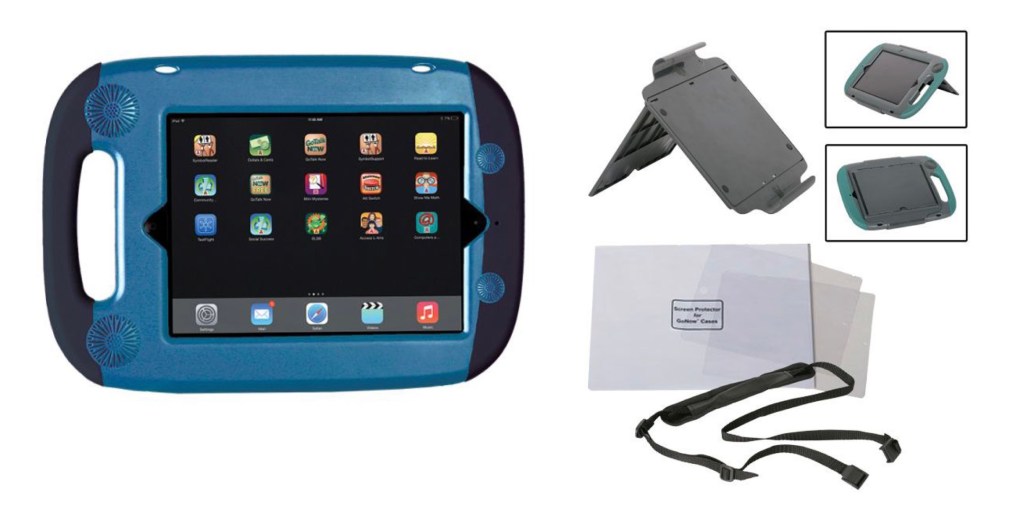
GoNow Case + Accessories Kit to add stand cover and carrying strap
Go Now Case. Weight not listed, $99.00 case, $10.00 shoulder strap, $39.00 cover stand. If you need the ultimate protective case that requires a screwdriver to remove it, my top pick is the GoNow Case + add the accessories for a a shoulder carrying strap and cover stand. I’d get a high quality tempered glass screen protector instead of the one that they offer. This is my “go to” when it’s needed for protection. The cons are this case is heavier, more expensive and I don’t like this type of stand as well as a rotating ring stand: https://www.attainmentcompany.com/gonow-case-for-ipads-10-2-and-10-5, accessories: https://www.attainmentcompany.com/gonow-case-accessories
Total cost: iPad 9th gen ($329) + external Bluetooth speaker ($29.99-$69.95) + one of the cases with an attached rotating ring stand ($20.99-$29.99) = $379.98-$428.94 (+ taxes and shipping)
Option 3 (iPad Cases with a built-in Bluetooth speaker (or one that allows that to be added). The options for these have also varied over the years. Every time Apple changes the specs for the base model of iPad many companies that used to offer cases haven’t been able to afford to keep offering different models of cases.
Info about current recommended options (will likely change as these options disappear and new ones come on the market):
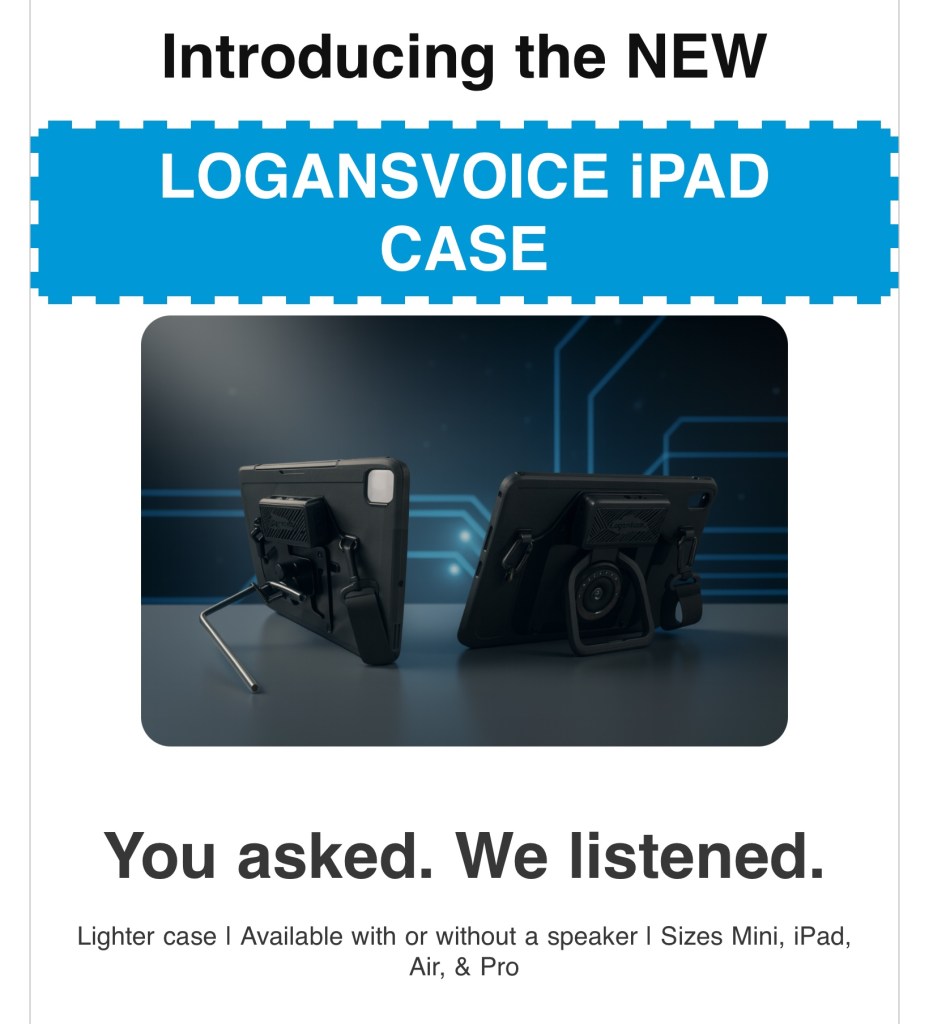
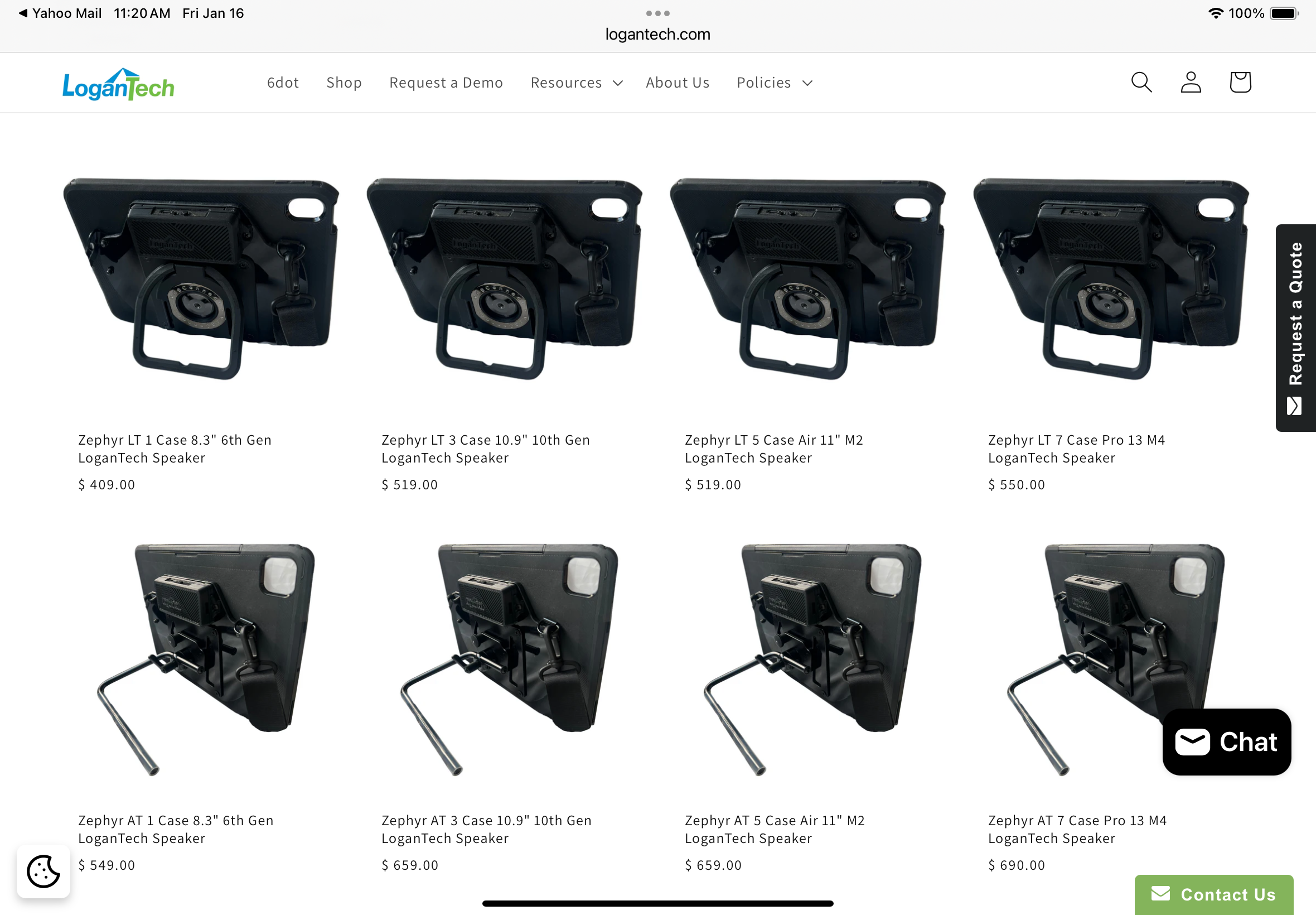
Total cost: iPad 9th gen ($329) + LogansVoice 10.2” case ($399) = $728 (+ taxes and shipping)
Update 12/16/25: Be sure to see their website for current prices.
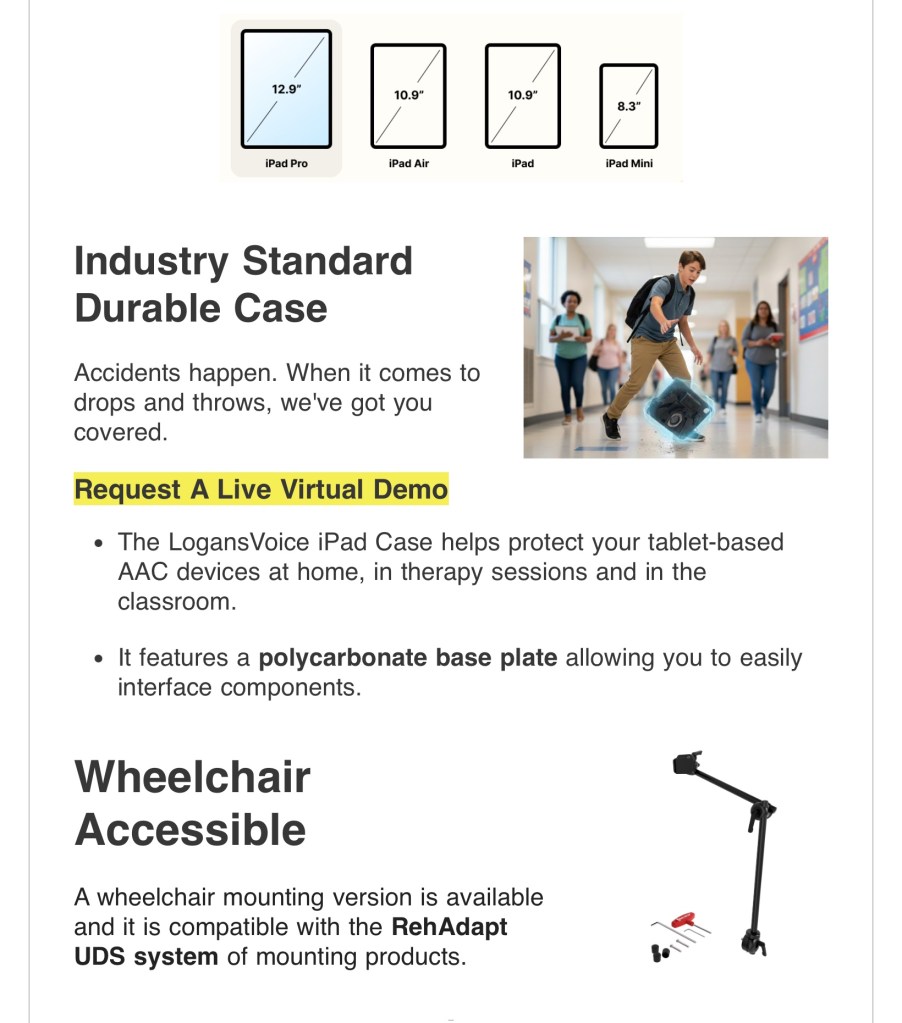
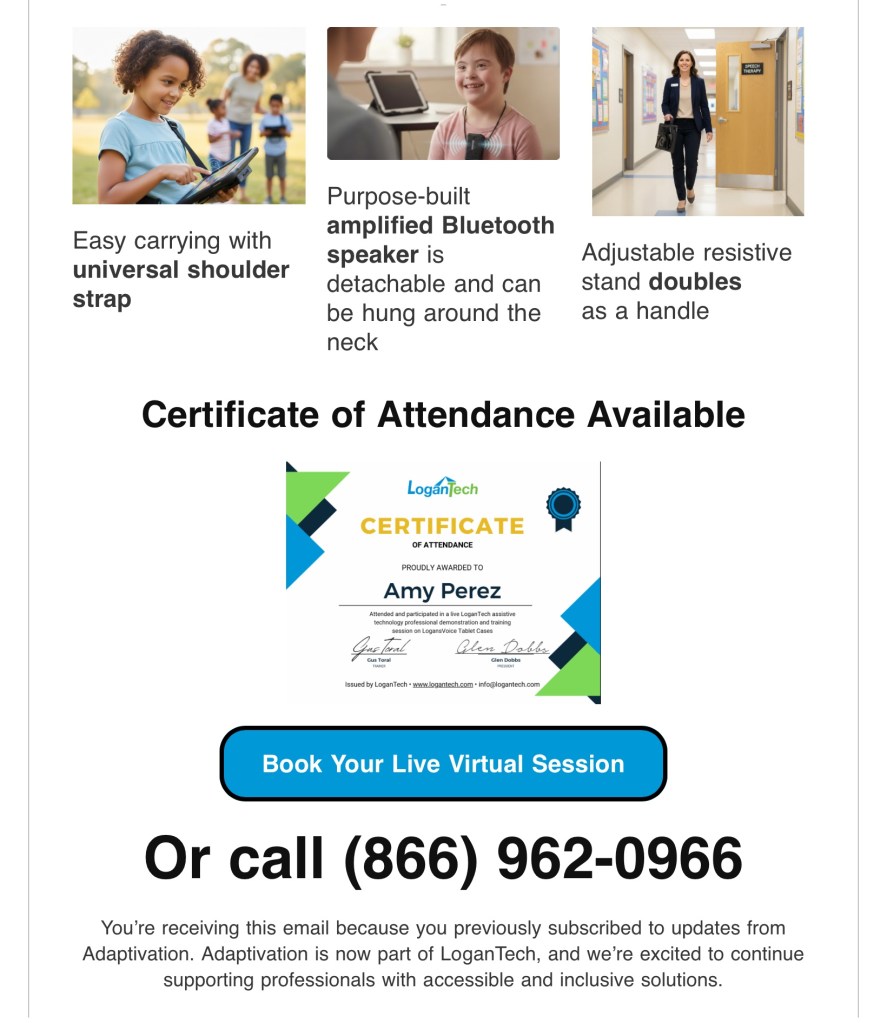
Update 12/16/25 Excited to see this email from LoganTech, Makers of ProxTalker about their new case options. I didn’t find them yet on their website so here are some screenshots from the email that I received today. I don’t have any other details yet.
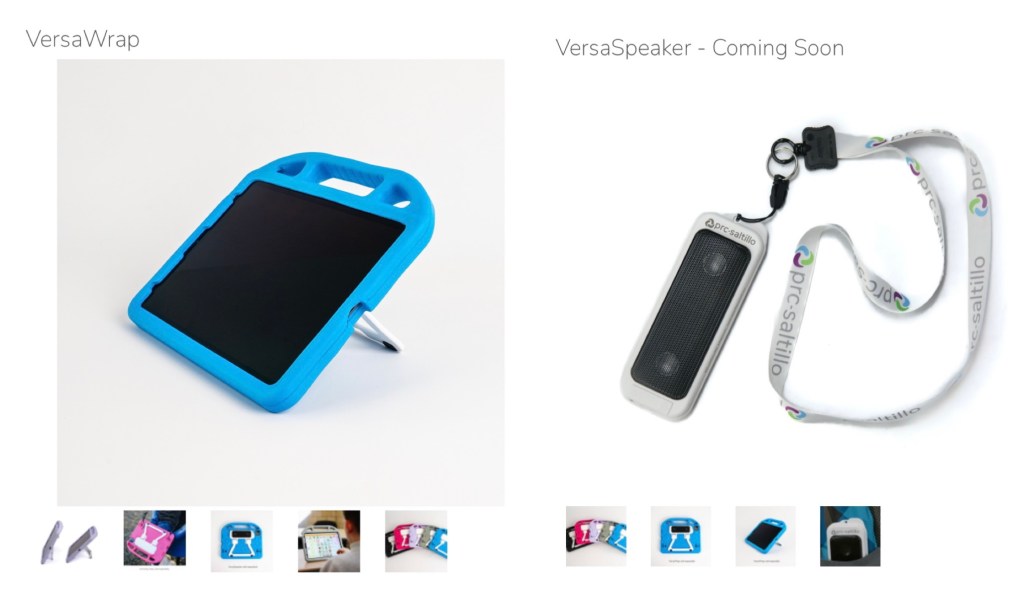
PRC-Saltillo’s new VersaWrap Case has a built-in stand and they will have a VersaSpeaker Bluetooth speaker that can be inserted to transform this into a case with an embedded speaker. There is also a spot to add an Apple AirTag.
The VersaWrap 10.1 case was designed to fit several different similarly sized iPad models which hopefully will allow it to remain a sustainable option for years to come. It is available on Amazon (https://a.co/d/4buZfTy) and their website (https://store.prc-saltillo.com/versawrap-f19142). It comes in 5 colors (black, grey, blue, pink, purple). Weight: 9.6 oz. (.6 lb). They also offer one sized to fit the iPad Pro 12.9” so be sure to look closely prior to ordering. Price: $75.00 (on sale for $60.00 (20% off) during their Cyber Sale event 11/25/22 through midnight 11/28/22. Sale is available on Amazon & their website)
The optional VersaSpeaker will reportedly be $149.00 but it isn’t available yet. The VersaWrap user guide shows an optional carrying strap but I haven’t seen any details about that yet.
*** I hope to be able to borrow the VersaWrap after the VersaSpeaker is available so I can do sound and weight tests and try out the various stand positions *** So be watching this section for more info…
Update 8/23/24: Unfortunately I’ve seen a few SLPs comment or post about durability and design flaws on the VersaWrap Case + VersaSpeaker. If you are in the AAC for the SLP group on Facebook see the comments in this post for just one example: https://www.facebook.com/share/p/r3qJAYRtWGHF7eKS/?
*** 6/18/25 Update: It was encouraging to hear that PRC-Saltillo has made some design improvements in the VersaWrap Case & VersaSpeaker. If you purchased either of those prior to these improvements and have had problems with them I encourage you to contact PRC-Saltillo (versa@prc-saltillo.com) to see if they will offer a way to trade them out for an improved version. ***
Total cost: iPad 9th gen ($329) + VersaWrap ($75.00) + VersaSpeaker ($149.00) = $553 (+ taxes and shipping)
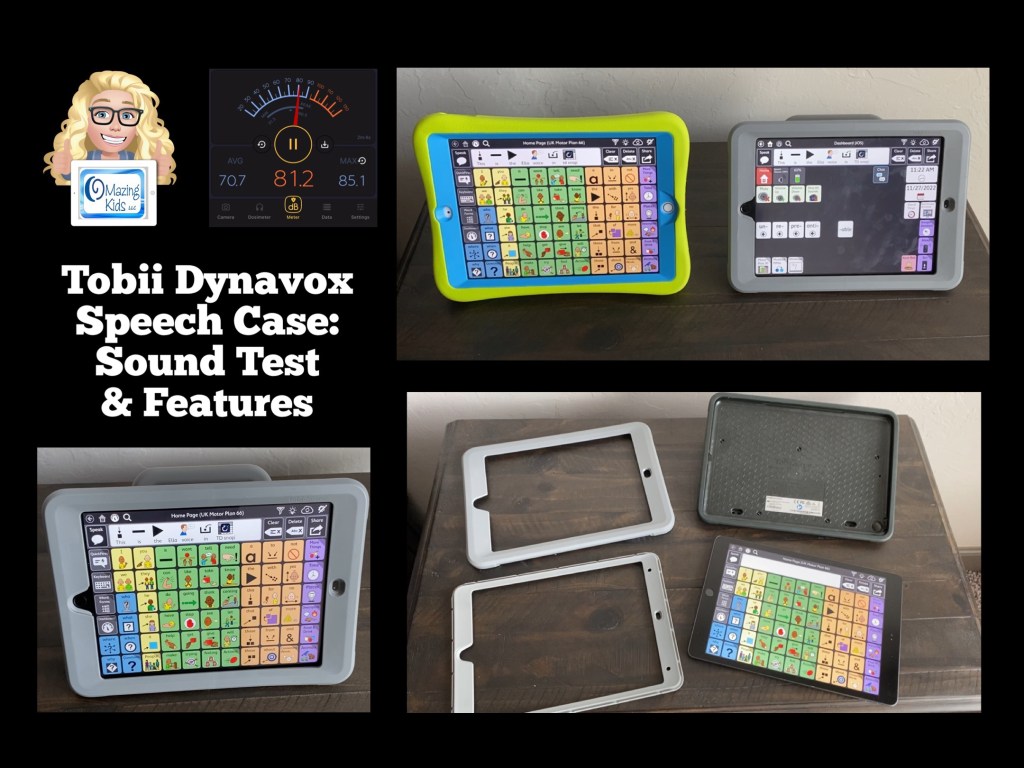
I was able to borrow the 10.2” sized Speech Case to try out so I have firsthand info to share on this particular case.
Here’s my sound comparison test of an iPad 8th gen in a Speech Case vs an iPad 8th gen in a case without an external speaker. Sound loudness with iPad 8th gen in the Speech Case: ~ 85 dB (measured with Decibel X app on my iPhone 11)
Here’s a video showing a close look at the features:
And a video showing it disassembled so you can see the parts:
Weight: Combined weight of iPad 8th gen in the Speech Case = 2 lbs, 12.4 oz.
Total cost: iPad 9th gen ($329) + Speech Case ($399) = $728 (+ taxes and shipping)
Update 6/24/24: The Speech Case is not durable or protective enough. See these examples from posts by users in the Tobii Dynavox Community group on Facebook:
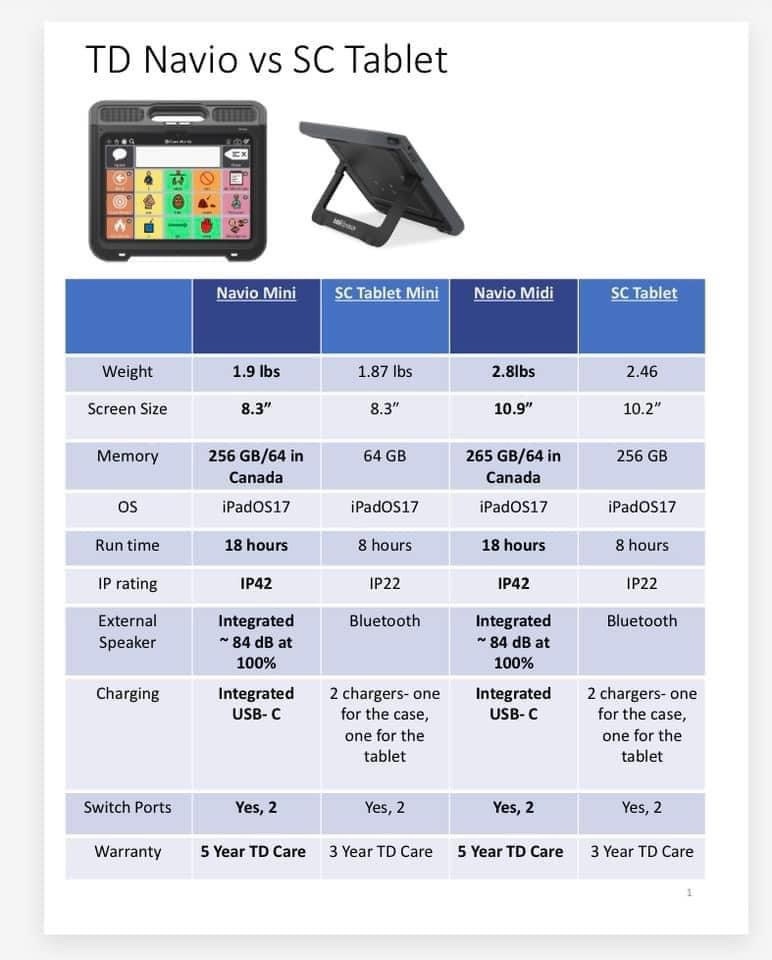
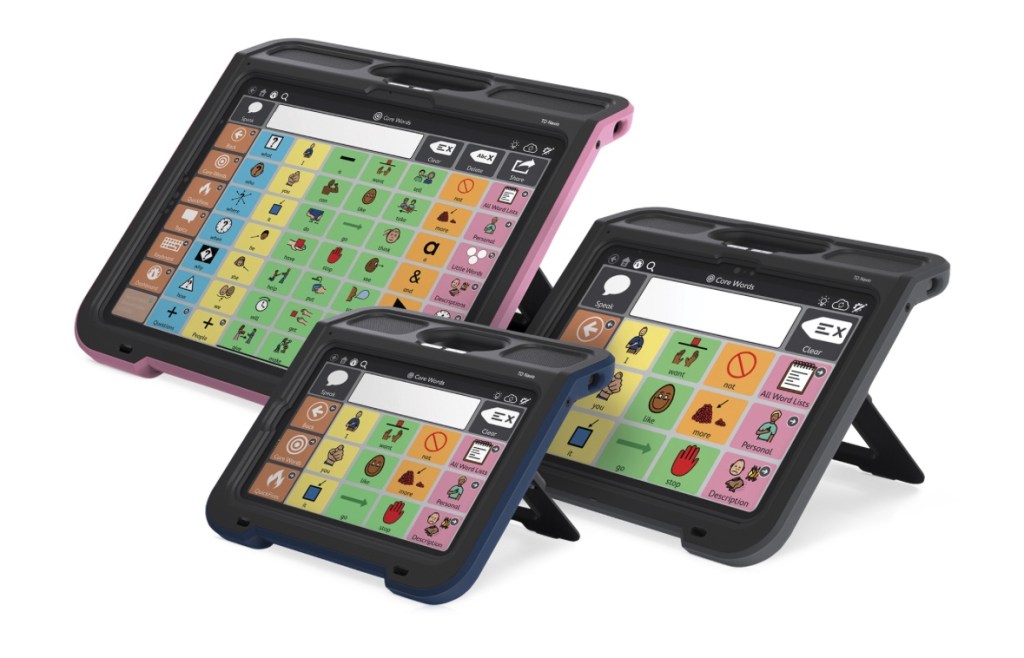
Update 9/6/24: The TD Navio has been released and will be replacing the SC Tablet. It is unknown whether or not the company will eventually be selling just the case like they did with the TD Speech Case. Update to the update: I found out that the iPad in the TD Navio is hardwired into the case so it is NOT removable. Protective Case color options are pink, blue, purple, and grey. The company will not be selling the case separately.
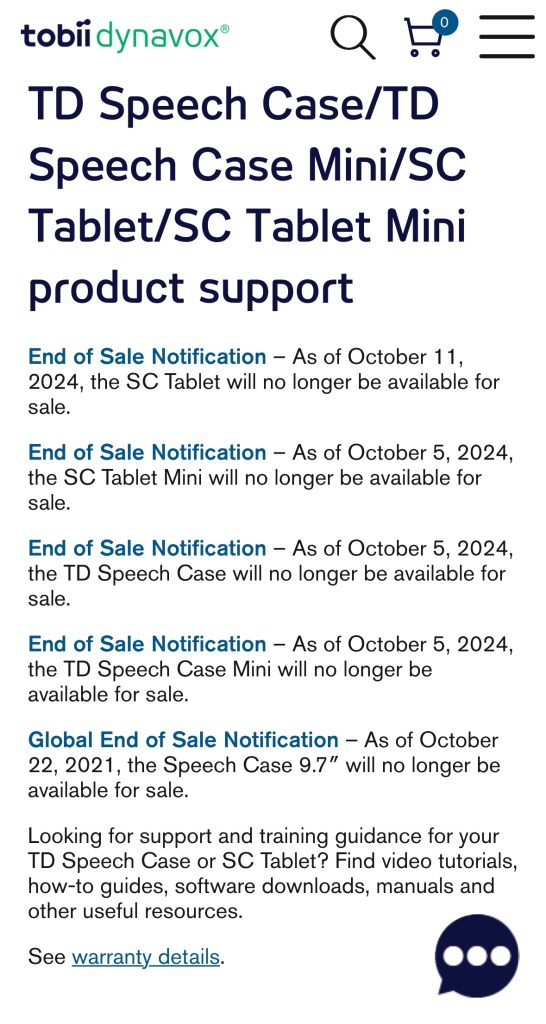
End of Sale Notice for SC Tablet, SC Tablet Mini, TD Speech Case & TD Speech Case Mini can be found on the Tobii Dynavox Global website: https://www.tobiidynavox.com/pages/product-support-speech-case (I didn’t see this same info on the USA Tobii Dynavox website yet).
Tobii Dynavox provided the following info in a comment on their Facebook page:
The introduction of TD Navio and the improved new TD I-110 (model name: TD I-110 2) will result in the end of sale on October 5, 2024 for the following products:
· TD I-110 (first generation): Will no longer be for sale in all markets
· TD Speech Case: Will no longer be for sale in all markets
· TD Speech Case Mini: Will no longer be for sale in all markets
· SC Tablet: Will no longer be for sale in all markets except US and CA
· SC Tablet Mini: Will no longer be for sale in all markets except CA
As for how TD Navio is different, we’re always striving to innovate and deliver the best solutions for our customers. In developing TD Navio, we carefully considered input from AAC users, their families, friends, and professionals. The result is a device designed to be lightweight, durable, and comfortable to hold, regardless of hand size. Its balanced weight and specially crafted handle allow users to securely grip it from multiple angles.
TD Navio is built for all-day communication, with a quick-charge battery that provides up to 18 hours of typical use. It also includes a fully adjustable stand for optimal viewing angles and powerful, integrated speakers with easy-to-adjust volume settings. Plus, it’s protected by a 5-year warranty that covers accidental damage.
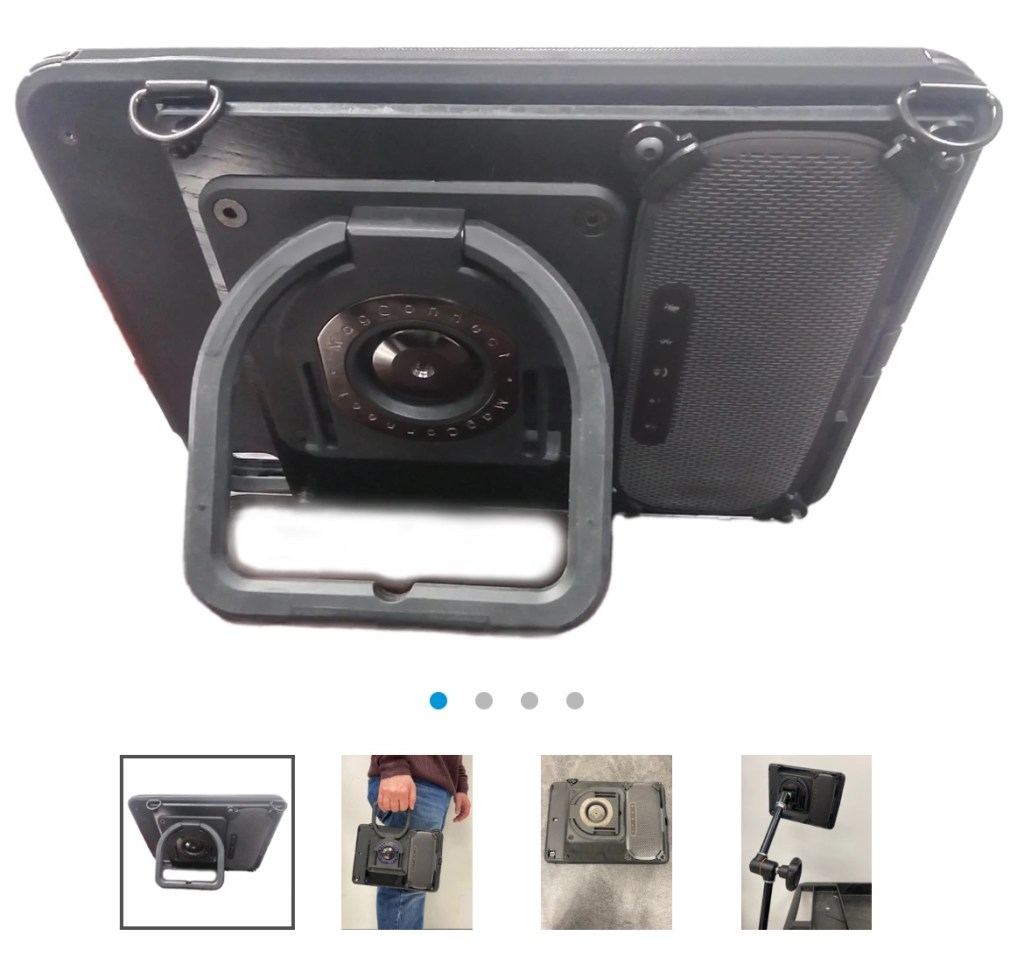
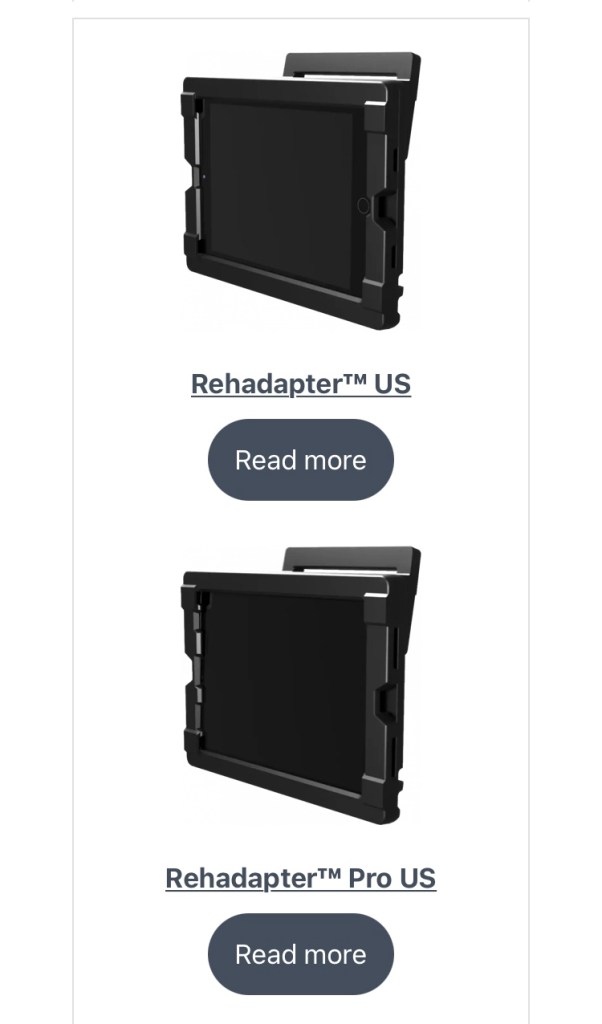
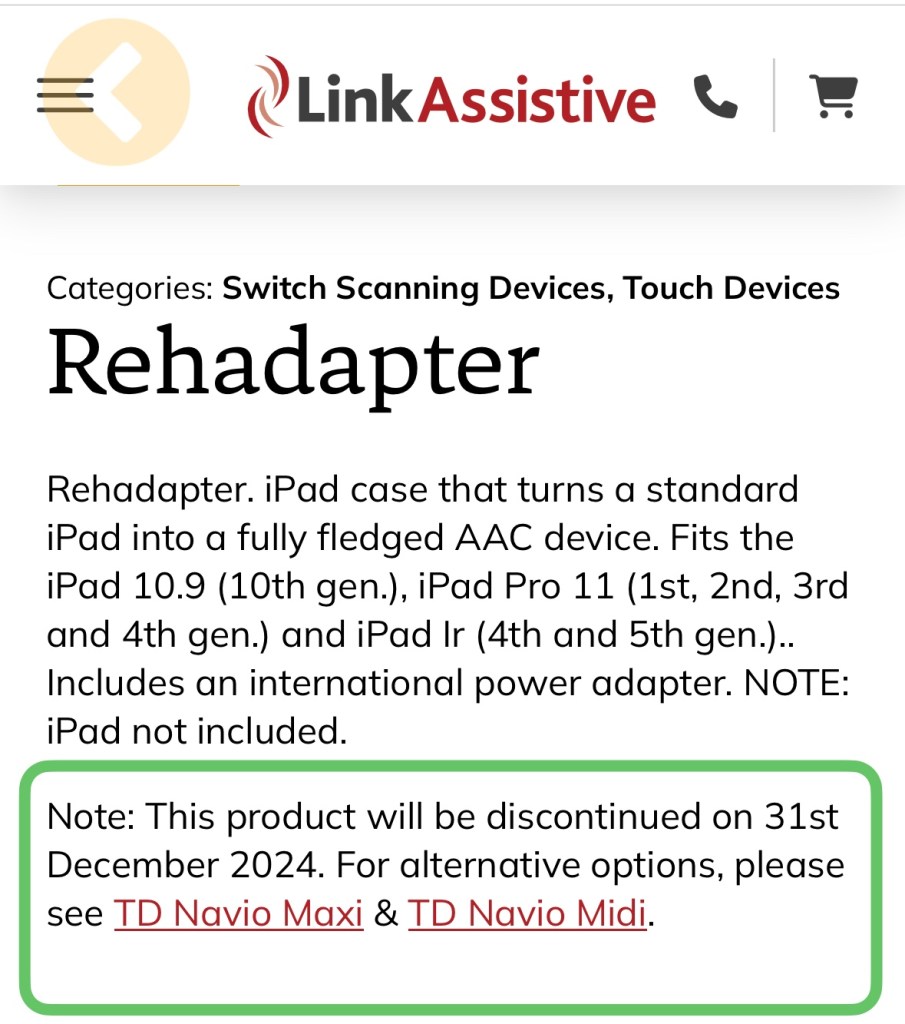
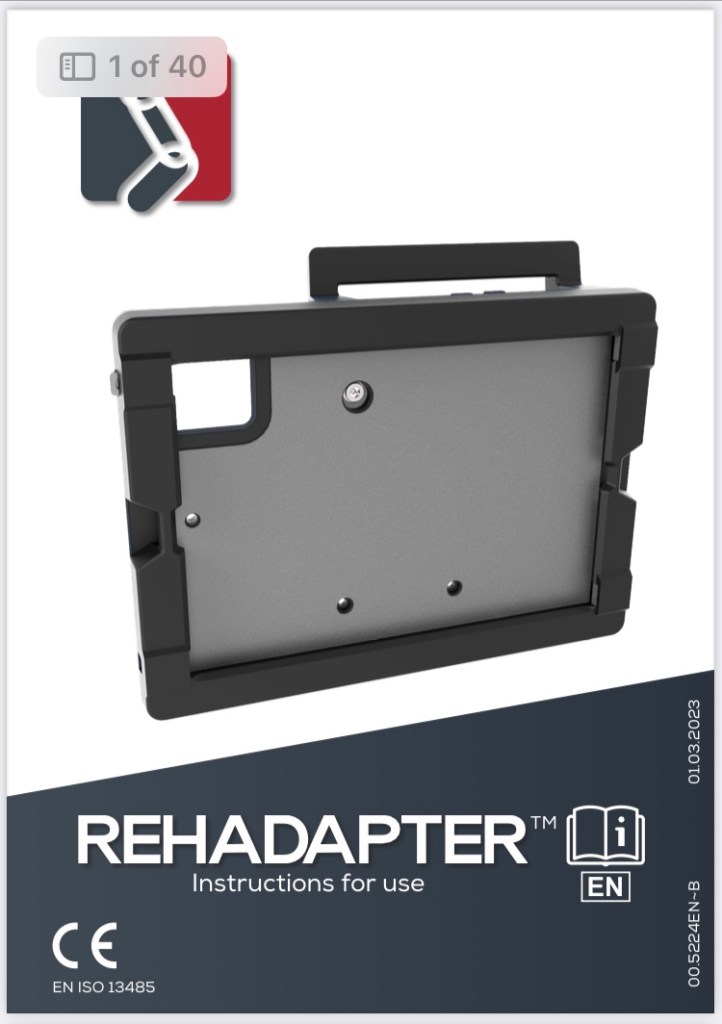
Rehadapter Case: I’ve only seen it mentioned online and was not able to find any pricing info. Here’s the website in case you want to research this option: https://rehadapter.com
Three different models available: 10.2” iPad (7th, 8th & 9th gen), 10.9” iPad (10th gen), and the iPad Pro 11 (1st, 2nd, 3rd and 4th gen.) and Air (4th and 5th gen.).
Update 11/26/24: This product will be discontinued on December 31, 2024.
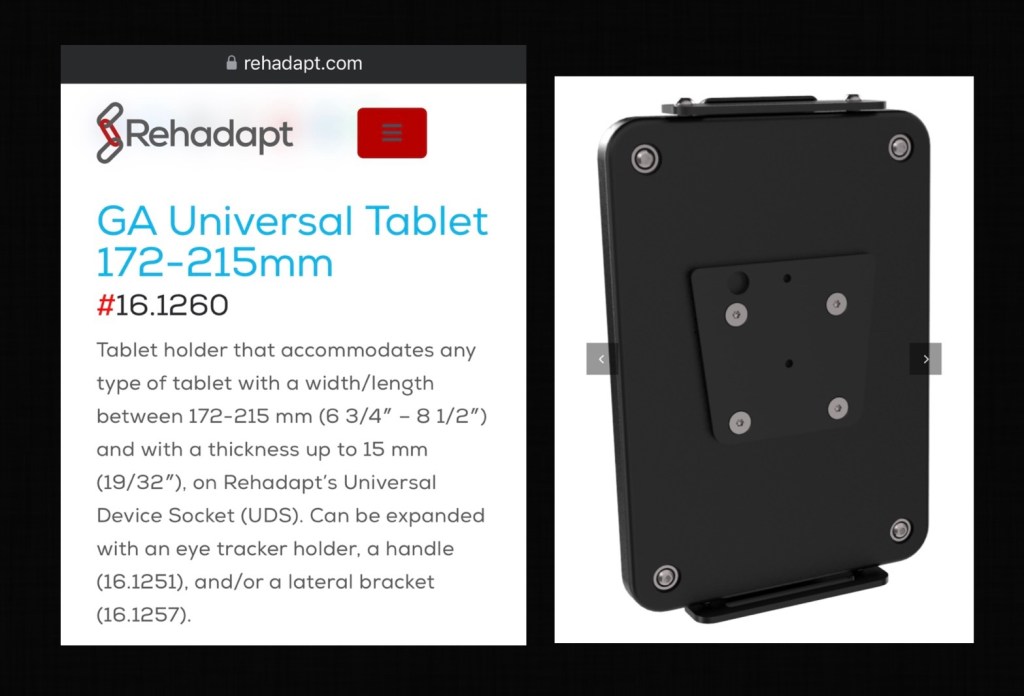
I just found out about this item from REHAdapt Engineering: GA Universal Tablet 172-215mm, #16.1260, https://rehadapt.com/product/ga-universal-tablet-172-215mm. It’s part of their new modular options. The company verified that the connect IT Universal device socket features the same dimensions as the Rehadapt one. And that this holder works well with OtterBox and other protective cases.
Sound loudness with iPad 8th gen in the Rehadapter Case: ~ 82.8 dB (measured with Decibel X app on my iPhone 11)
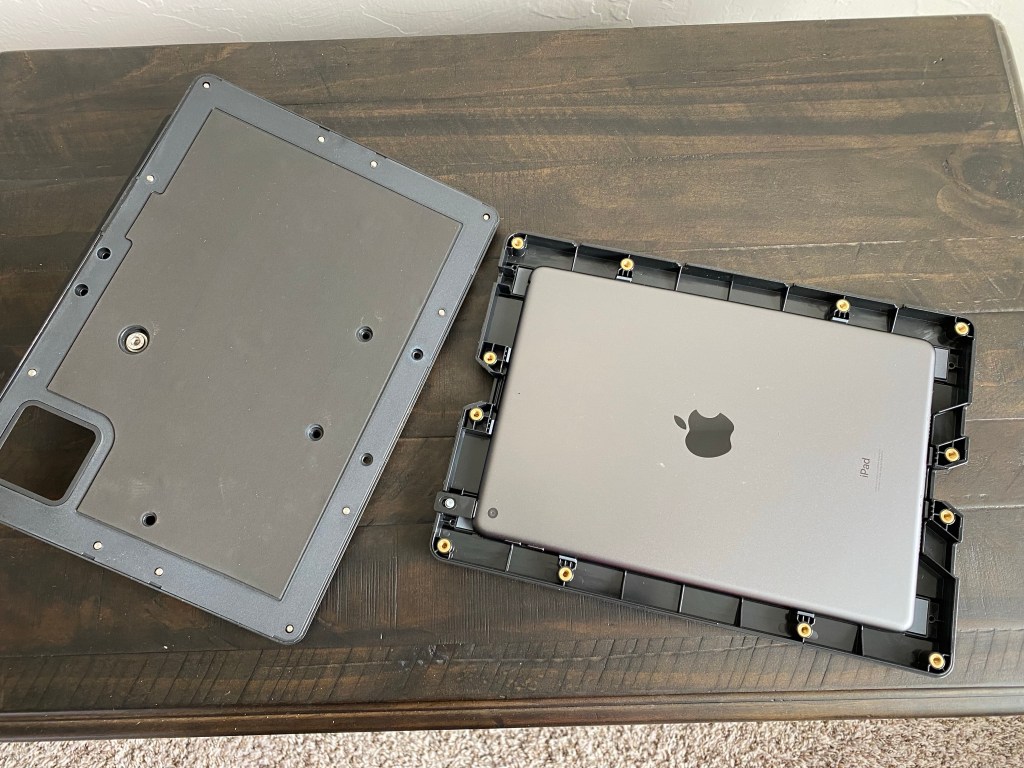
It’s great that the iPad is secured within the case with 12 self contained screws (can’t be lost) that require use of an Alan wrench (included). It’s very easy to put on & take off with that tool (took about 2 minutes) but should be impossible to do so without it. So this is a case to consider if you have users prone to peeling off cases and then damaging the iPad.
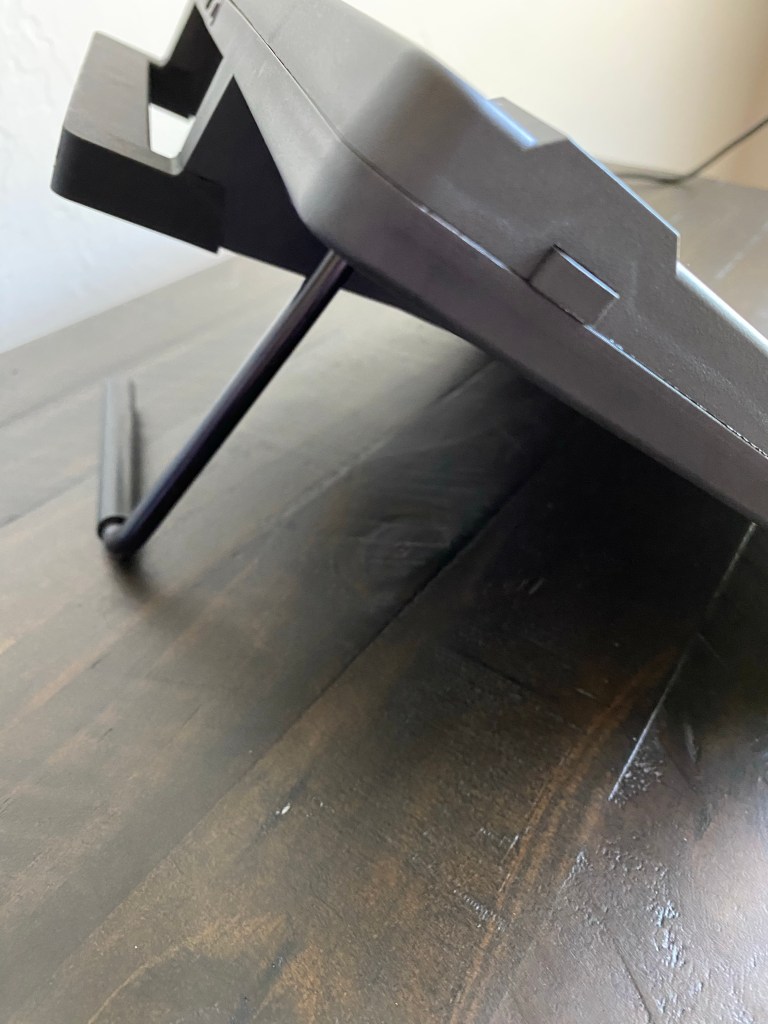
Very sturdy adjustable stand
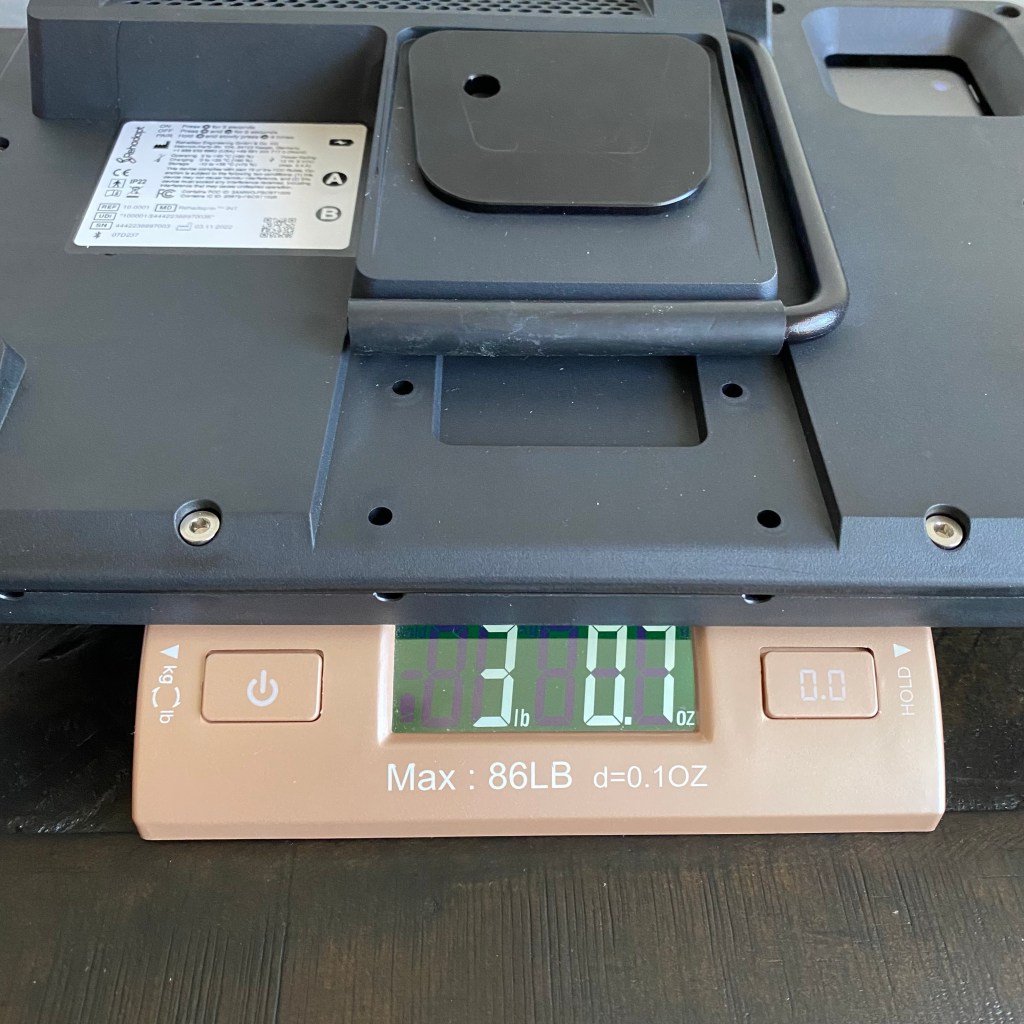
Weight: Combined weight of iPad 8th gen in the Rehadapter Case = 3 lbs, 0.7 oz. Note: This weight includes the mounting plate on the back of the case.
Total cost: iPad 9th gen ($329) + Rehadapter case ($599) = $928 (+ taxes and shipping). Price in USA.
Price for the 10.9” model case: $599. Price for Pro model case: $699. They offer a variety of keyguard options, screen protectors, carrying strap, carrying bag, padded protection sleeve, and mounts for the Irisbond Hiru eye tracker and the Origin HeadMouse Nano.
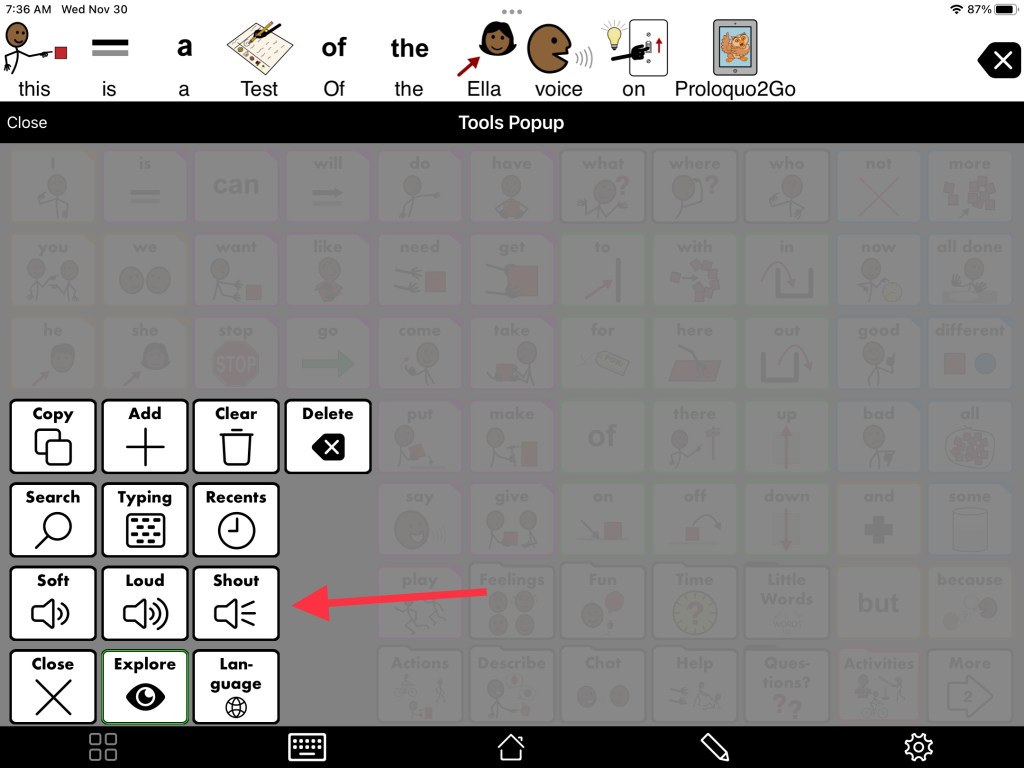
Proloquo2Go has Whisper, Loud & Shout volume buttons in the Tools Popup. I created a test phrase “This is a test of the Ella voice on Proloquo2Go” on an iPad 8th gen in a Pepkoo case and measured the loudness with the Decibel X app on my iPhone 11:
Whisper = 63 dB
Loud = 73.8 dB
Shout = 81.8 dB (digitally boosted sound with minimal reduction in sound quality)
Manually setting the iPad to the loudest setting = 76.6 dB
The GoTalk Now app has an option in the app Settings – Text to Speech Settings – Acapela TTS Volume Boost – options for No Boost, Slight Boost, Medium Boost & Heavy Boost. Whether or not that “boost” made a difference varied by the voice being used. This setting would then always be used vs. having a way for the user to choose a loudness option based on the situation.
Several other robust AACapps offered a way to adjust the volume within the app but the “shout” or highest setting didn’t boost the sound beyond the iPad loudest volume. I’ll be adding a row related to those settings in the next update for my AAC feature matching resources.
Looking for in-depth up to date info to compare features in AAC apps for iOS, Android, Amazon Fire and Windows? Check out my 5 AAC Feature Matching resources: https://bit.ly/5aacFeatureMatchingResources
Know of great options for cases or Bluetooth speakers that I should take a look at? Have questions? The best way to reach me is via Facebook messaging over on my OMazing Kids page: https://www.facebook.com/OMazingKidsAAC/
Disclaimers: This blog post may be updated in the future as options change. Prices & availability were correct at the time this post was published but could change at any time. It’s wise to double check info prior to making purchasing decisions. I am not making patient-specific recommendations and am not liable for any purchasing decisions.
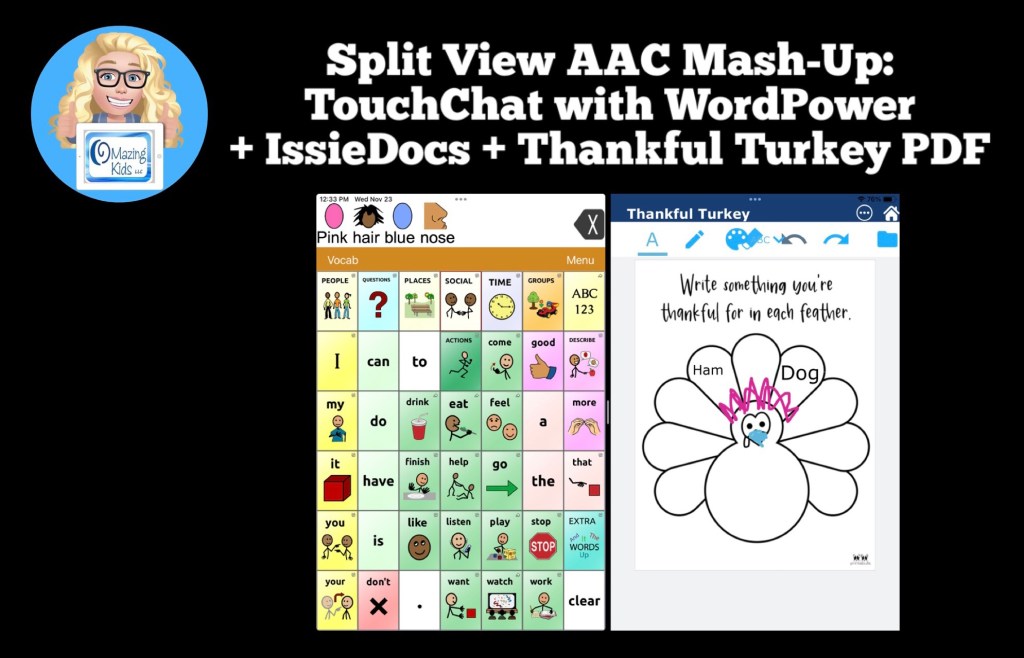
They have several fabulous FREE apps: https://tech.beitissie.org.il/en/our-apps/. Watch their webinar for in-depth info and fun implementation ideas. Info about IssieDocs starts at 42:43 in the webinar (note: the webinar was recorded prior to English being added to the app but use and editing info is the same)
See this blog post for another example of using Split Screen: Gestalt Language Processing & Using Google Maps to Communicate: https://bit.ly/AACandGoogleMaps.
Want to know which other AAC apps support use of Split Screen? I’m adding that info to my in-depth and up to date AAC feature matching resources: https://bit.ly/5aacFeatureMatchingResources
My video shows a great protective sleeve that will fit the Pepkoo and Rud-Ed Buddy 10 cases:
I always take my iPad with me when I travel and have tried TONS of protective sleeves but had a difficult time finding one that would fit my iPad 8th gen in the Pepkoo case or my iPad 9th gen in the Rug-Ed Buddy 10 case.
Most iPad or tablet sleeves are designed to fit an iPad that either isn’t in a case or is in a very slim case. Or there were oversized sleeves designed for a Chromebook or laptop. Those were too bulky.
I finally found the perfect option on Amazon: Dadanism 9-11 Inch Tablet Sleeve Case for iPad 10.2 2019-2021, iPad Pro 11 2018-2021, iPad Air 4 10.9 2020, Galaxy Tab A7 10.4 2020, Lenovo Tab M10 Plus 10.3, Tablet Protective Sleeve Bag, Night Blue, https://a.co/d/6DAfnoh. Exterior Dimensions: 12.2” x 9.45” x 0.98”.
See my blog post about iPad Cases with Rotating Stand for iPad 7th gen / 8th gen / 9th gen: Pepkoo & Rug-Ed Buddy 10 (plus cases for Samsung Galaxy Tab S6 Lite tablet, Samsung Galaxy A03s phone, and Amazon Fire HD 8 tablet):https://omazingkidsllc.com/2021/04/30/pepkoo-ipad-8th-gen-case-features/
Looking for in-depth up to date info to compare features in AAC apps for iOS, Android, Amazon Fire and Windows? Check out my 5 AAC Feature Matching resources: https://bit.ly/5aacFeatureMatchingResources
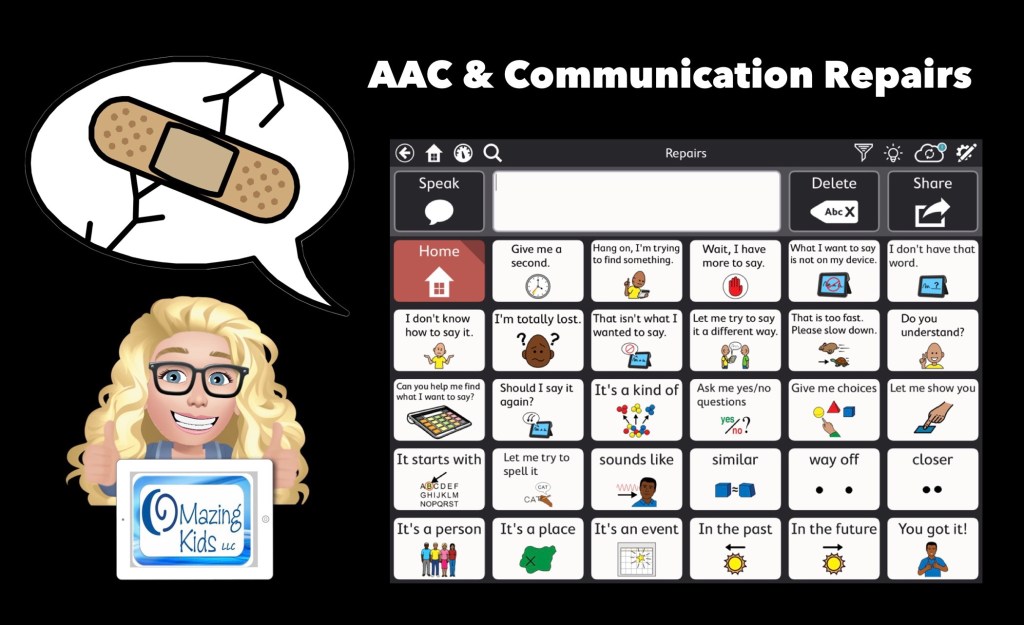
I’ve received quite a few requests for info about using AAC to clarify spoken communication and for info about “communication repair” ideas for AAC users.
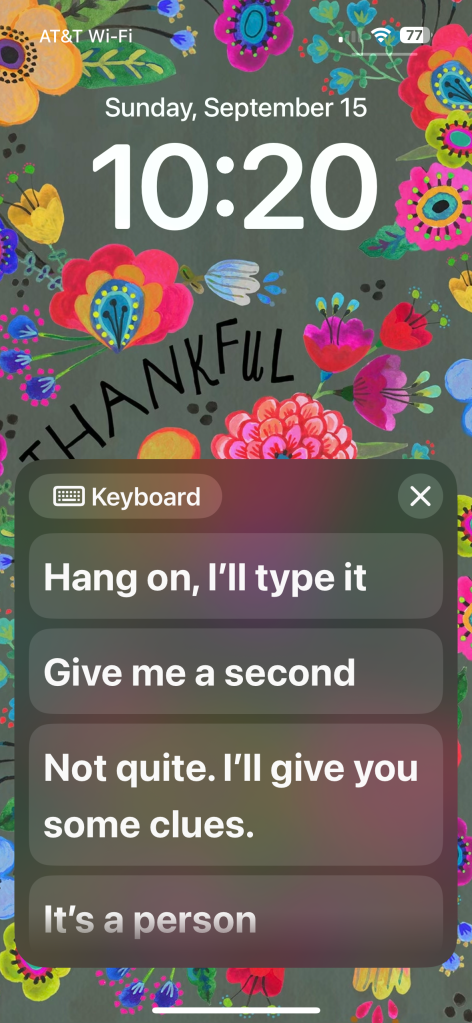
First thing to consider is it doesn’t necessarily have to be an AAC app. They could use Live Speech on an iPhone (or iPad… but most are likely going to prefer a phone since it’s more portable and it fits in with peers)
Live Speech is a free option included in iOS 17 or later (found under Accessibility – Speech). I set it to open immediately via a double tap under Back Tap. This allows me to have immediate access to typing and a few saved phrases even on the Lock Screen and it can use my Apple Personal Voice. (https://support.apple.com/en-us/105018)
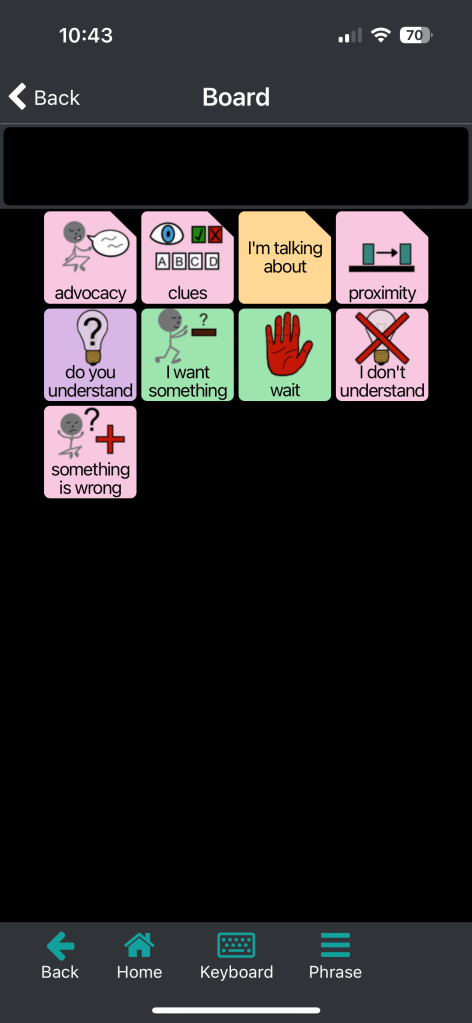
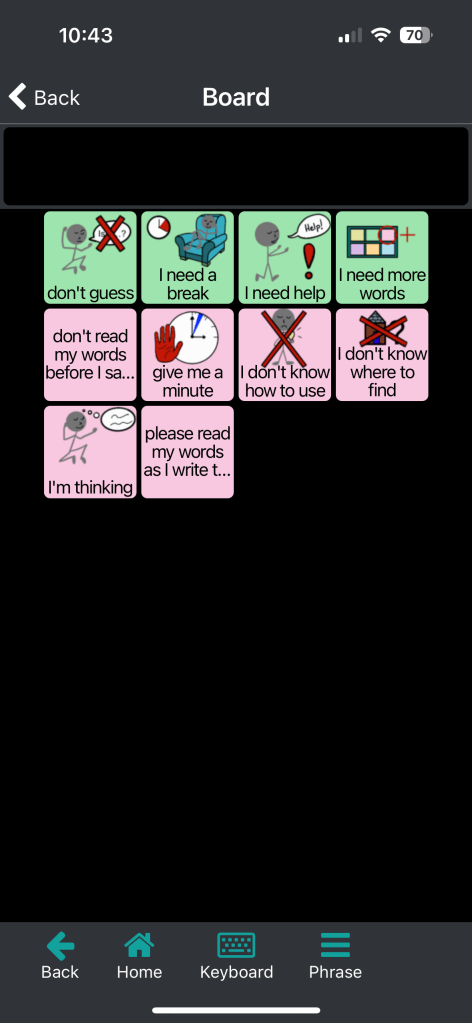
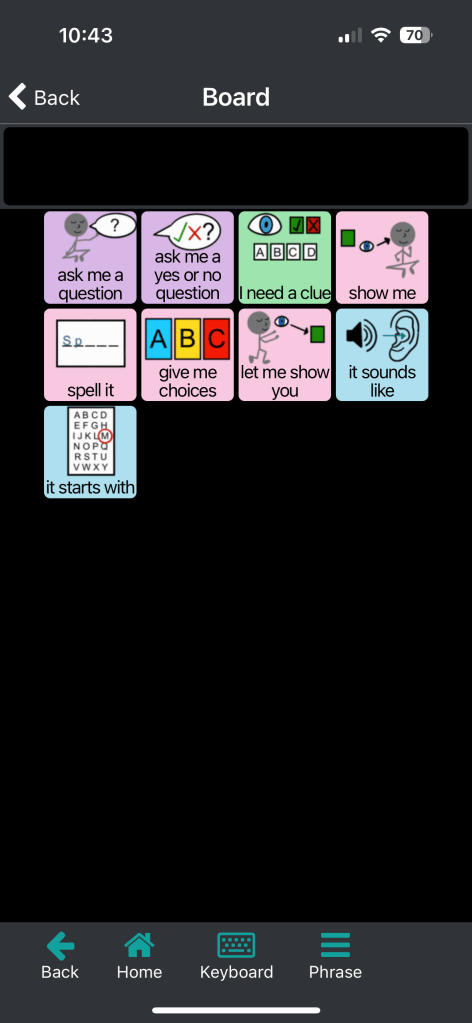
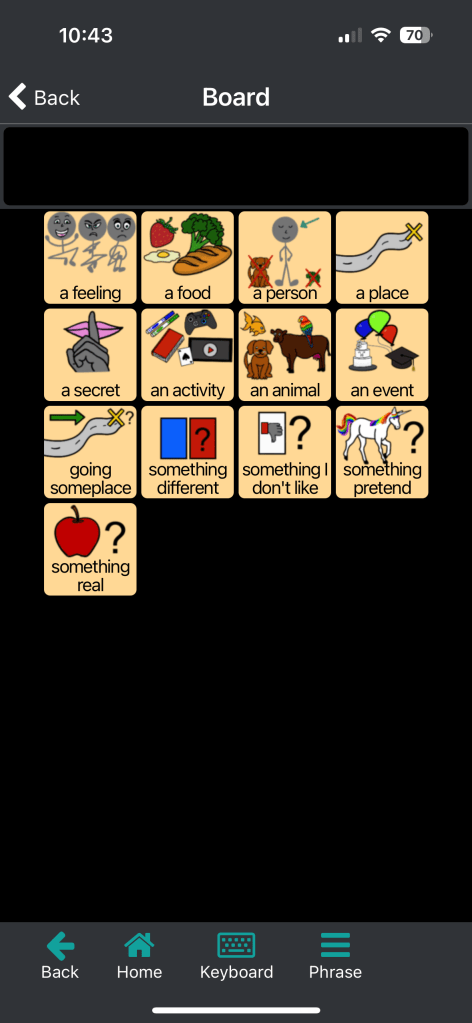
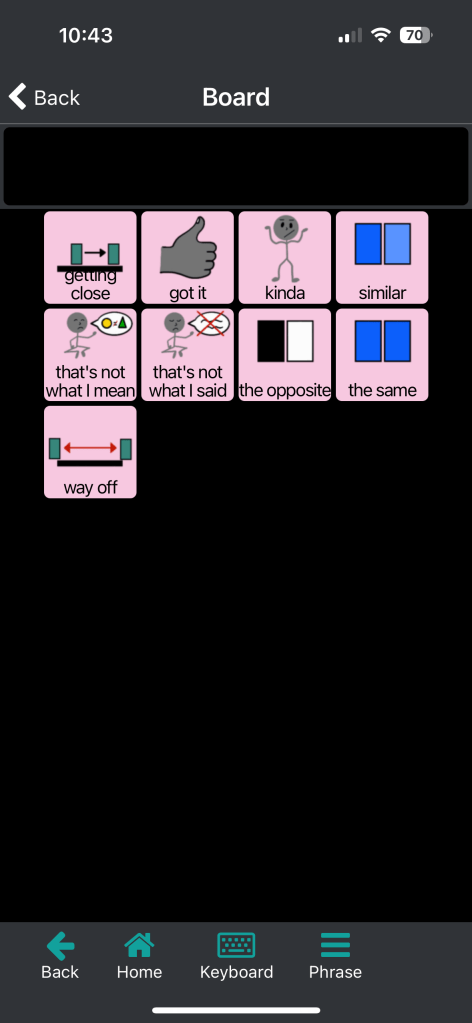
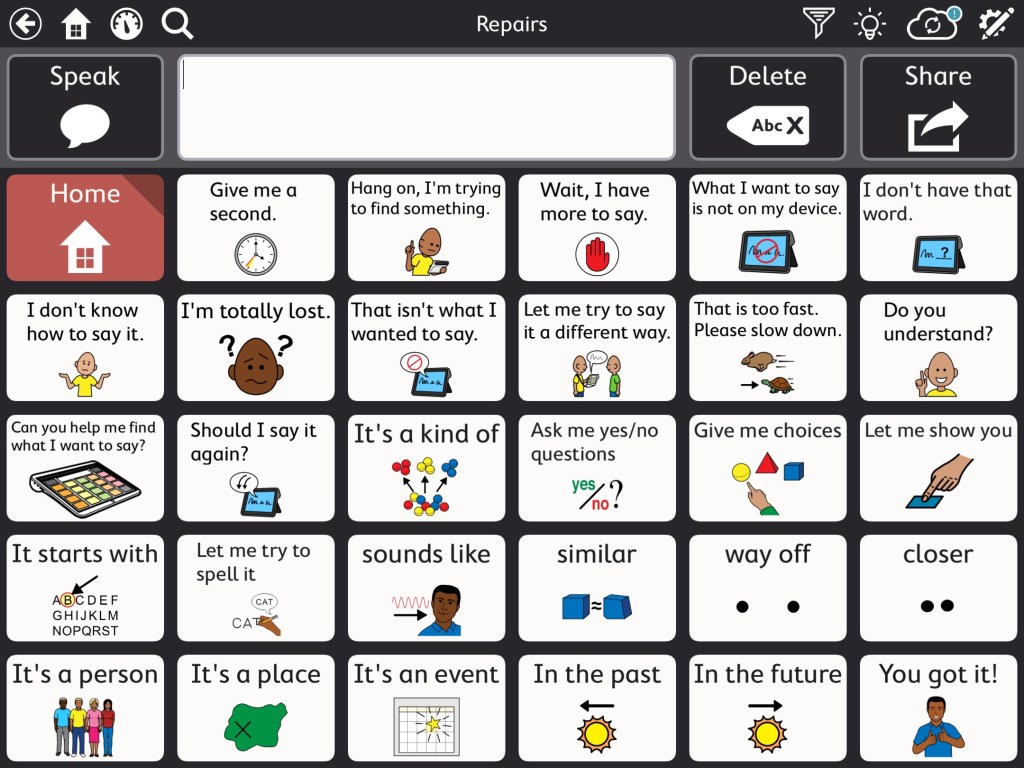
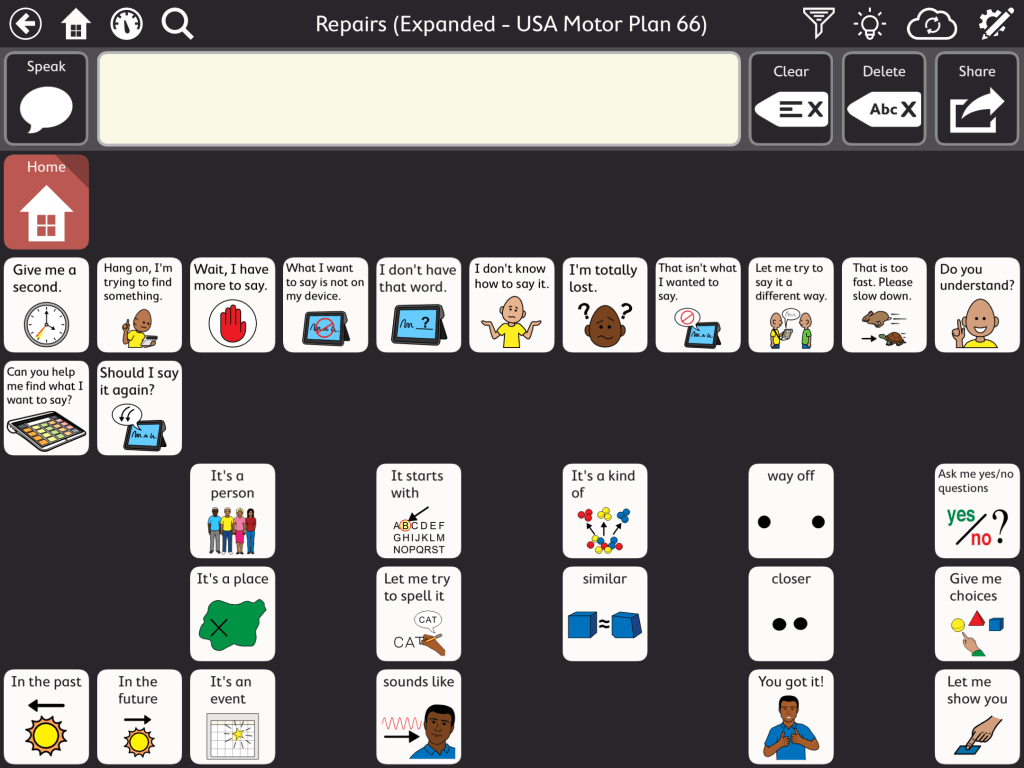
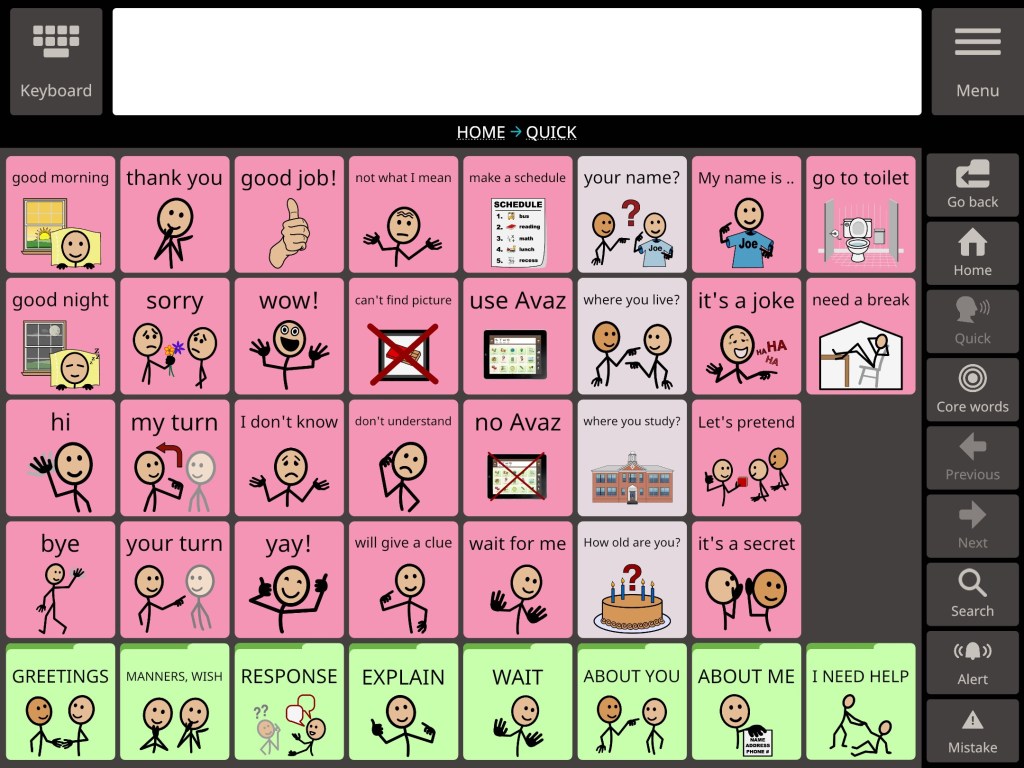
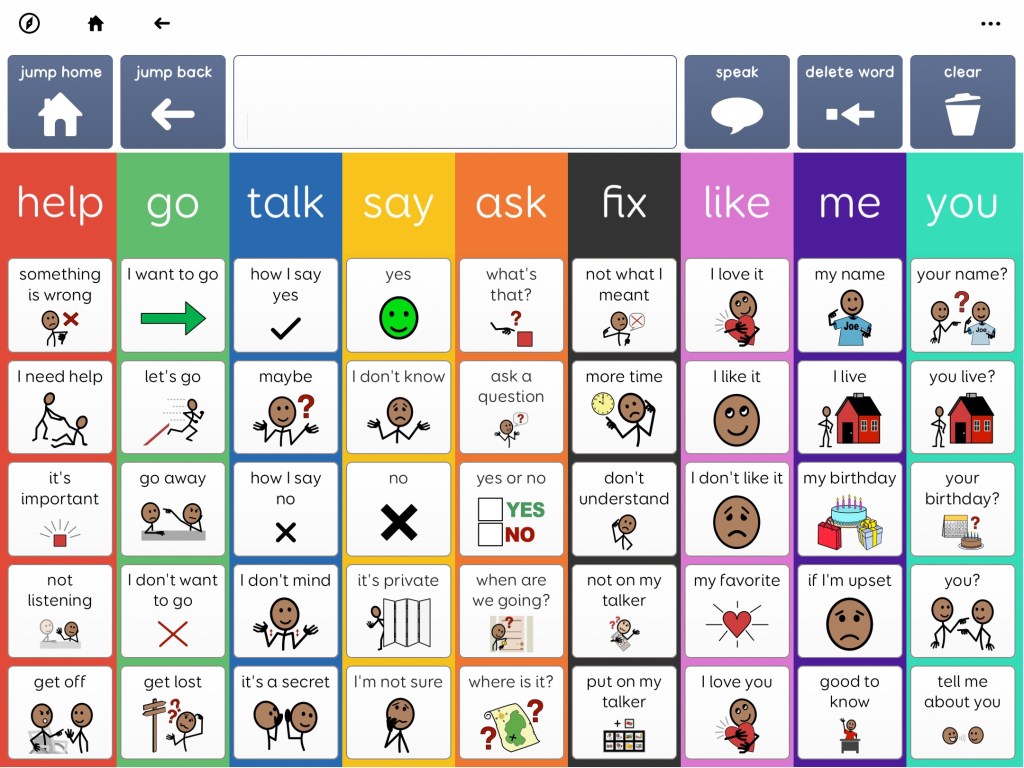
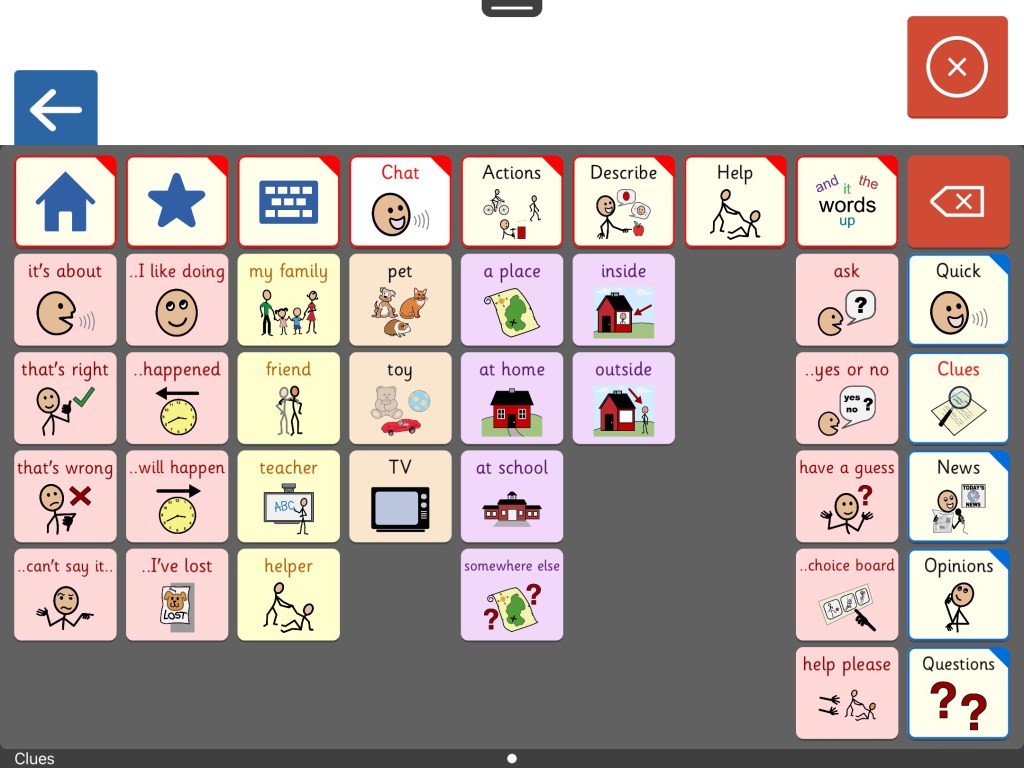
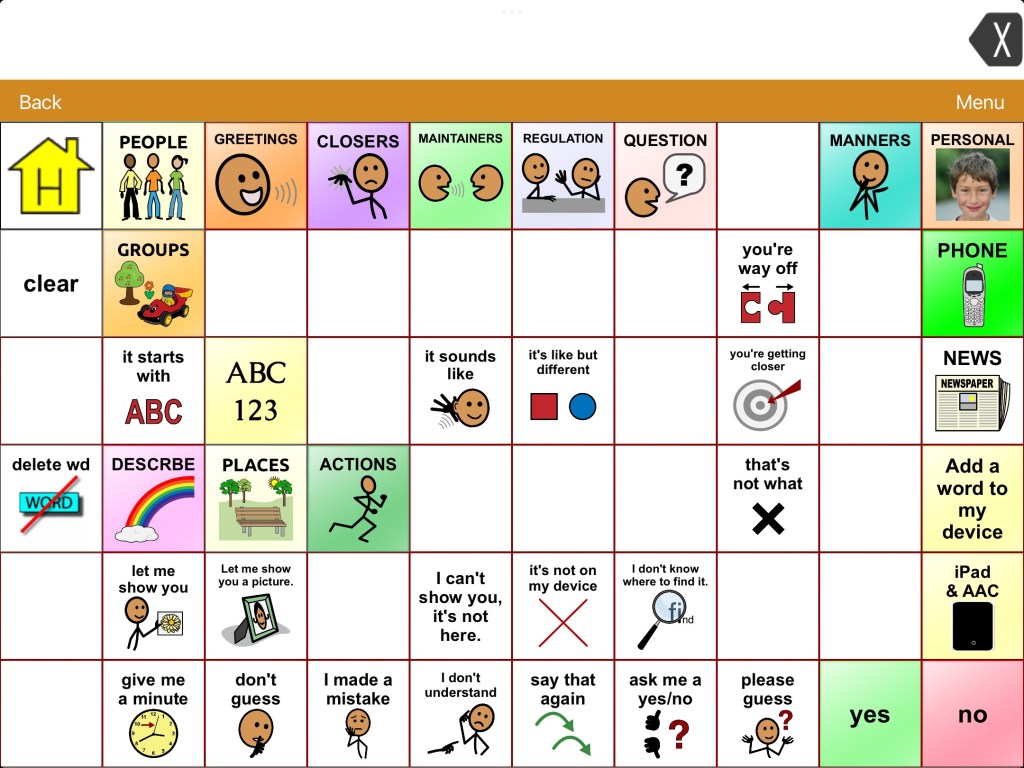
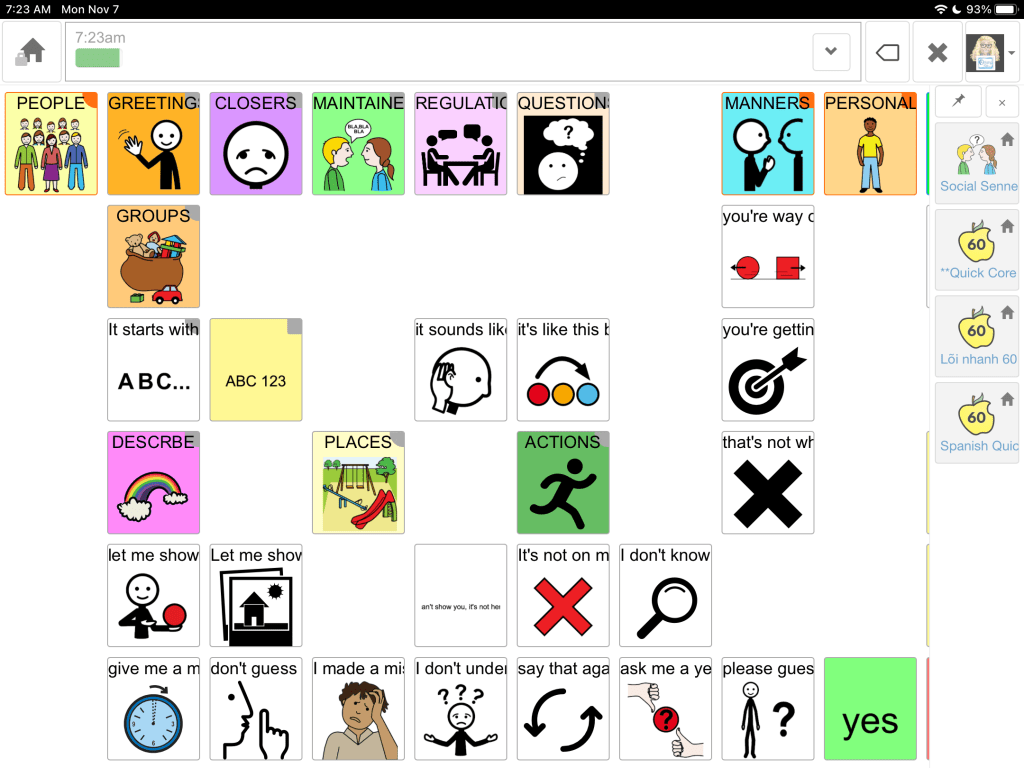
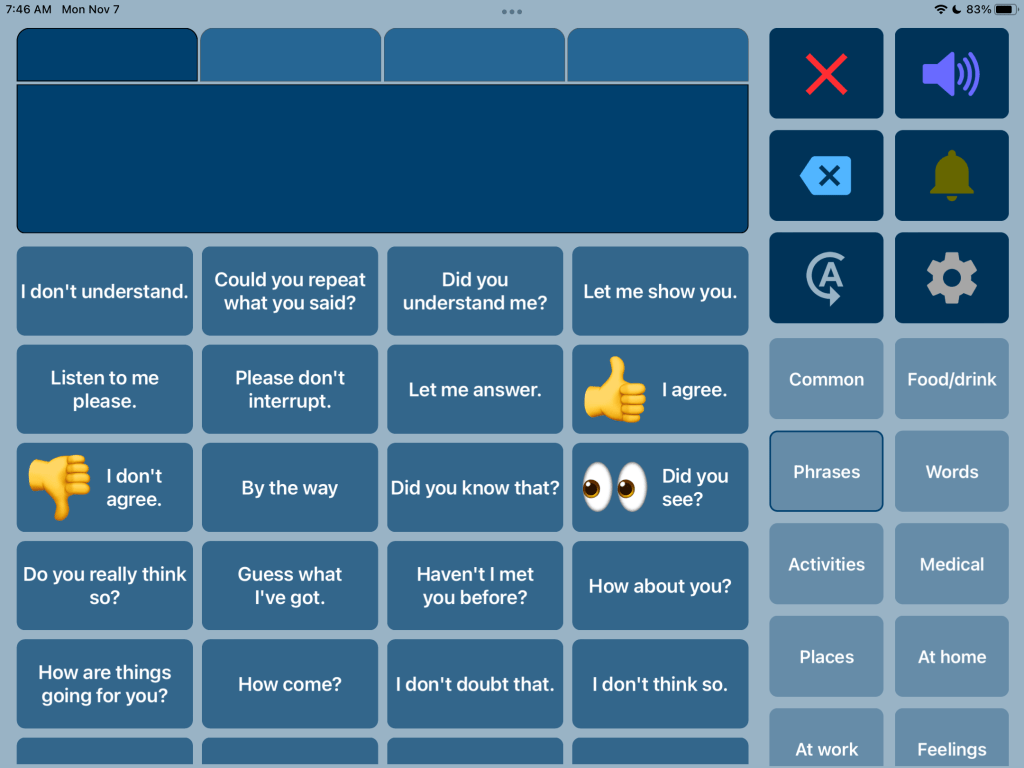
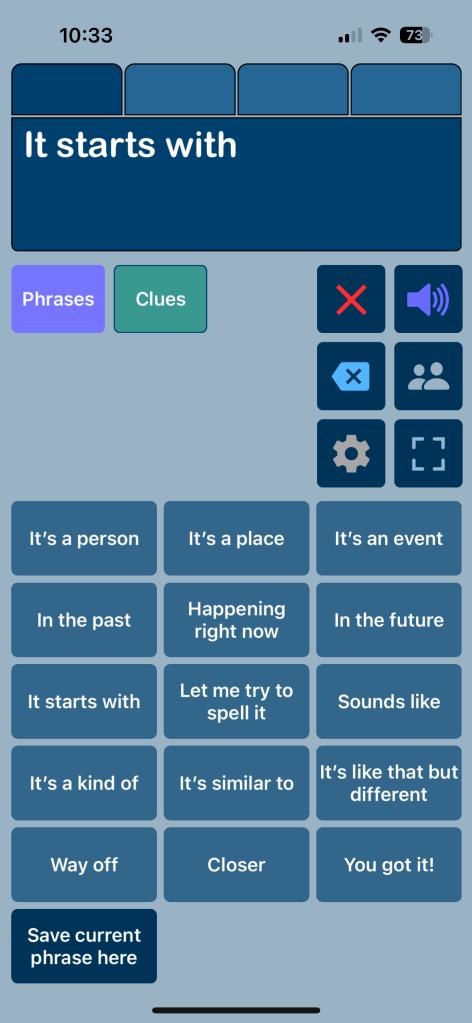
If you’re needing something more robust, quite a few AAC apps have this type of content or there is a way to import it. These screenshots are examples of “Communication Repairs” vocabulary. See caption under each pic for more info.
Info about the Senner-Baud social pages can be found on the Technology & Language Center, Inc. website: https://talcaac.com/add-on-social-pages/. They have “how to” videos that show how to import/add them to each app. It’s important to follow the exact steps in their videos for it to work properly.
Communication Repairs in Weave Chat AACAdvocacy CluesI’m talking aboutProximity
Weave Chat AAC is a totally free robust AAC app available on iOS, Android, and Amazon Fire. Here are screenshots of included vocabulary for communication repairs. It is totally customizable.
A communication repair page in the Motor Plan 30 pageset in TD Snap. I added more to it by copying and pasting buttons from the Aphasia pageset and some from the Senner-Baud social pages that I had imported into the Core First pageset.
And my Communication Repairs page in the USA Motor Plan 66 pageset in TD Snap.
The Quick page in Avaz AAC (40 pictures per screen grid size, most recent update with new interface)
A screenshot of the Messages page from Super Core 50 in Grid for iPad (or Grid 3 on Windows devices)
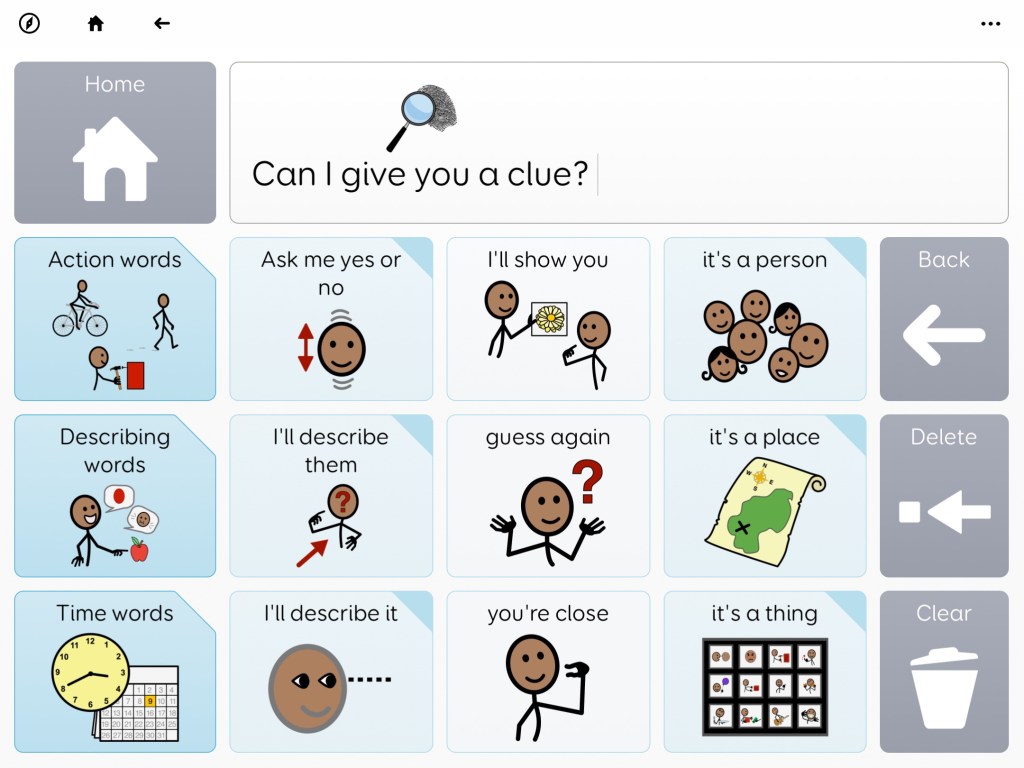
A screenshot from Voco Chat in Grid for iPad (or Grid 3 on Windows devices). This page is found under My Toolkit – Can I give you a clue.
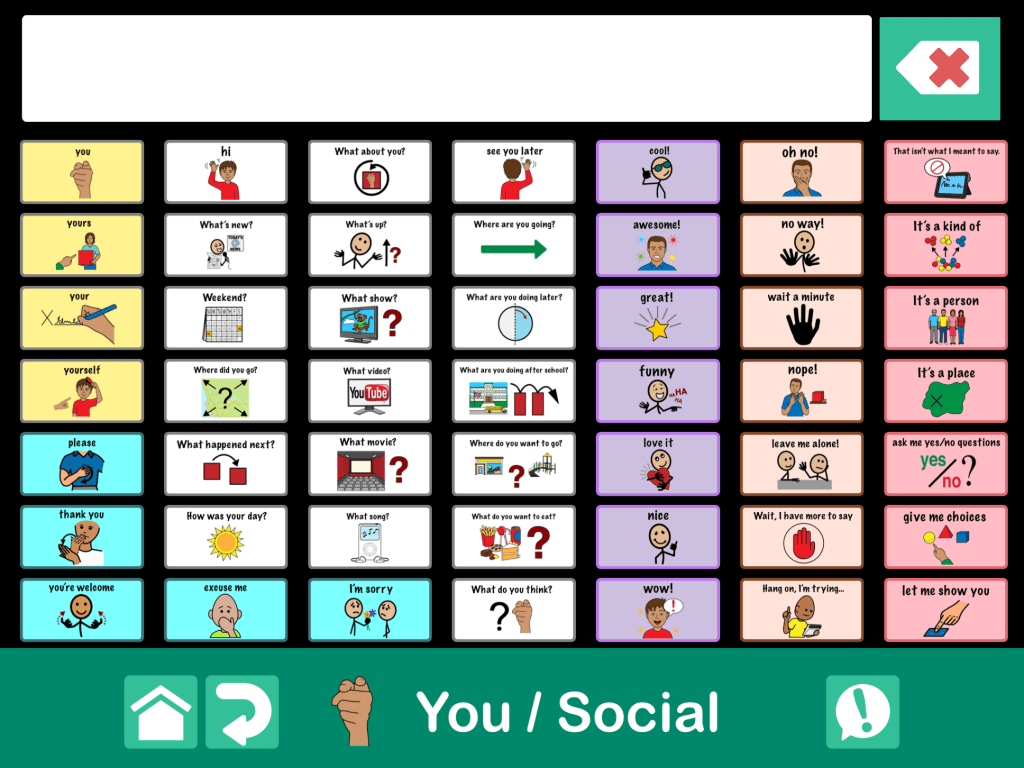
This is a page within a fairly robust communication book that I built with the largest grid size (49 buttons, 7×7) in GoTalk Now Plus. It was influenced by this type of content in other apps. The “!” button has an eight button popup with quick words that can be accessed while on any page in the app.
Notes:
The free download link for the fairly robust Communication Book that I built is available by request for members of the GoTalk Now AAC & GoVisual Visual Scene Apps – Ideas and Sharing Facebook Group: https://bit.ly/GoTalkNowAACappGroup. Join the group and then head to this featured post where I shared the OneDrive download link: https://www.facebook.com/story.php?story_fbid=962573088901633&id=355075249651423. (Be sure to open in a browser outside of social media. If you run into issues try a different browser. I know for sure that it works in Safari.)
I have only created this Communication Book in English since that is my native language.
This Communication Book is way too large to upload to the GoTalk Now Online Gallery.
Please only download it if you have GoTalk Now or GoTalk Now Plus.
There is NOT a way to import a Communication Book into the free GoTalk Now Lite app or the inexpensive GoTalk Start app.
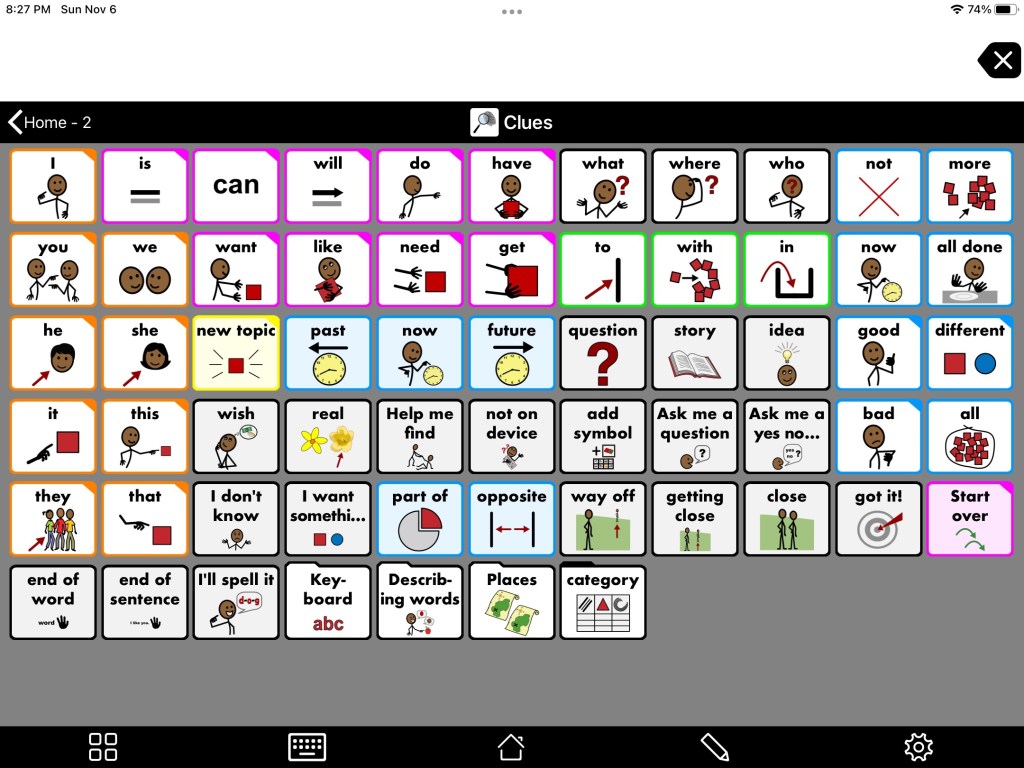
The Clues page from Proloquo2Go. On 7 x 11 grid in Crescendo Intermediate Core this page is found on Home 2 – Clues.
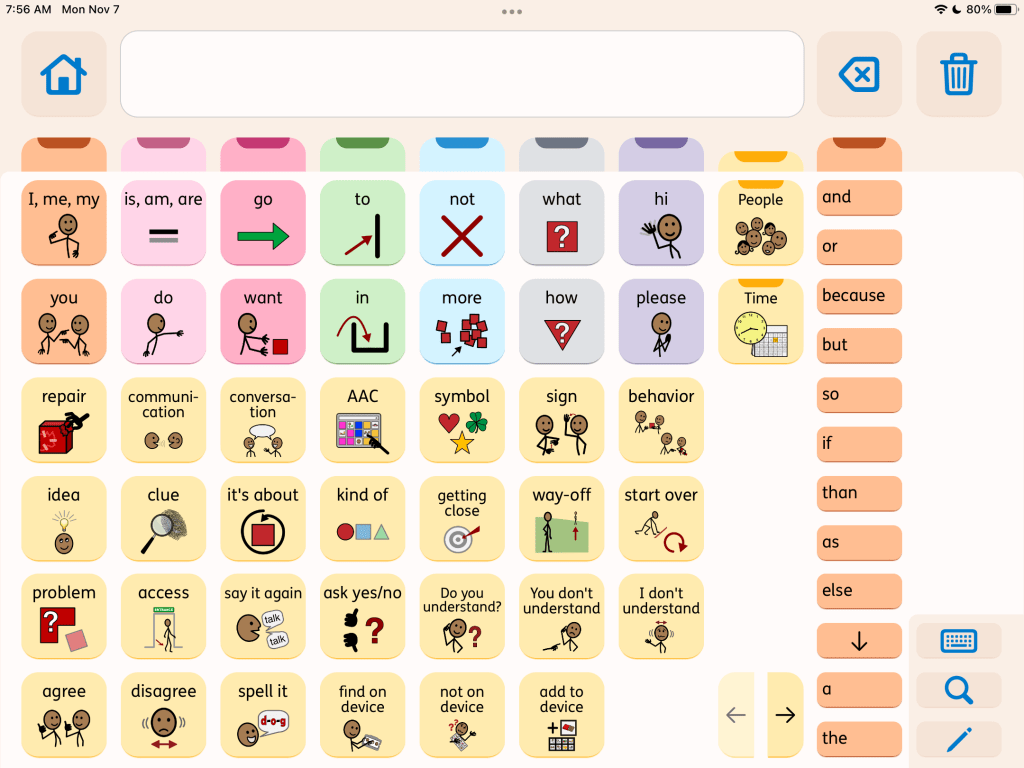
The Repair page in the subscription-based Proloquo + Proloquo Coach app.
The Clues page from Clicker Communicator AAC. This is found in Clicker Core 3 vocabulary – Chat – Clues.
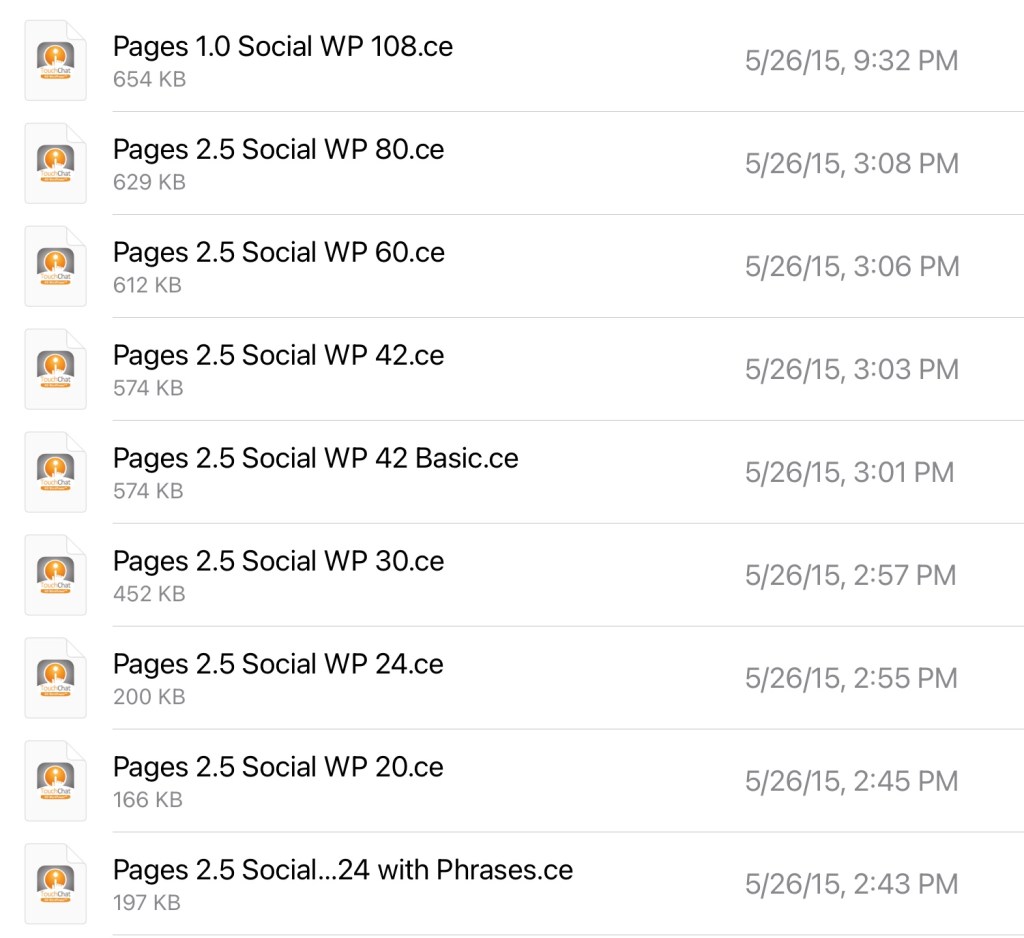
The Repairs page from the Senner-Baud social pages imported into the WordPower 60 Basic vocabulary in TouchChat with WordPower. The zipped file has these for nine different vocab file sizes.
The Repairs page from the Senner-Baud social pages imported and added to the Sidebar in Quick Core 60 in CoughDrop.
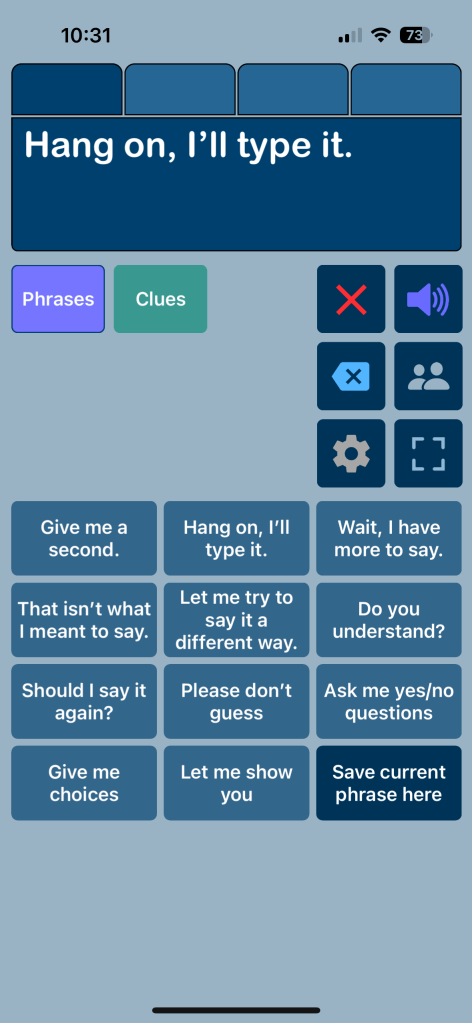
The Phrases area in Speech Assistant AAC. This very affordable text-based AAC app is easy to customize and allows an emoji, picture or symbol to be added to a button to help it stand out. I’ve rearranged some of the phrases to group them for conversational repair and added to it.
You can also build something very simple specifically for communication repairs in Speech Assistant AAC. These are screenshots from it on my iPhone.
I am sharing these as examples in case you were looking for apps that offer this type of content or are thinking of adding this type of vocabulary to an your AAC app.
As always, it’s best to include the AAC user in customizing their own system… including what they want added, where they want to add it, what symbols they want to use, etc…
AAC Feature Matching Resource Bundle (includes all three, save 10%): https://bit.ly/aacFeatureMatchingBundle. If you are looking to purchase resources for several staff / team members, take a look at the Multiple Licenses discount (saves 20%)
Super excited to be beta testing the new Motor Plan pagesets (Motor Plan 30 & Motor Plan 66) for TD Snap. The two main designers behind it at Tobii Dynavox contacted me and asked if I’d like to see it. So I got my first peek at it during a video conference call over Teams on Thursday (10/20/22) and then received the beta files on Friday (10/21/22). I promised not to share those files but they were fine with me posting on social media about it.
So here are my first videos. I’m sure I’ll be sharing more as I continue to explore it. Very impressed with what I’m seeing.
These new pagesets will be coming to the UK in November 2022 and then coming to the USA in January / February 2023).
Videos (watch this area, I’ll be adding more videos as I explore features. Note: What you see in these videos may not match the final version of these pagesets. I’m sure they will continue to tweak things. That’s what “beta testing” is for 😊):
Motor Plan 30 & Motor Plan 66 pagesets
Setting up a new user for the Motor Plan 30 or Motor Plan 66 pageset. These new pagesets will be an addition to (not replacing) those already available. TD Snap is like a “library” and the pagesets are like “books” available within it.
AAC Feature Matching Resource Bundle (includes all three, save 10%): https://bit.ly/aacFeatureMatchingBundle. If you are looking to purchase resources for several staff / team members, take a look at the Multiple Licenses discount (saves 20%)
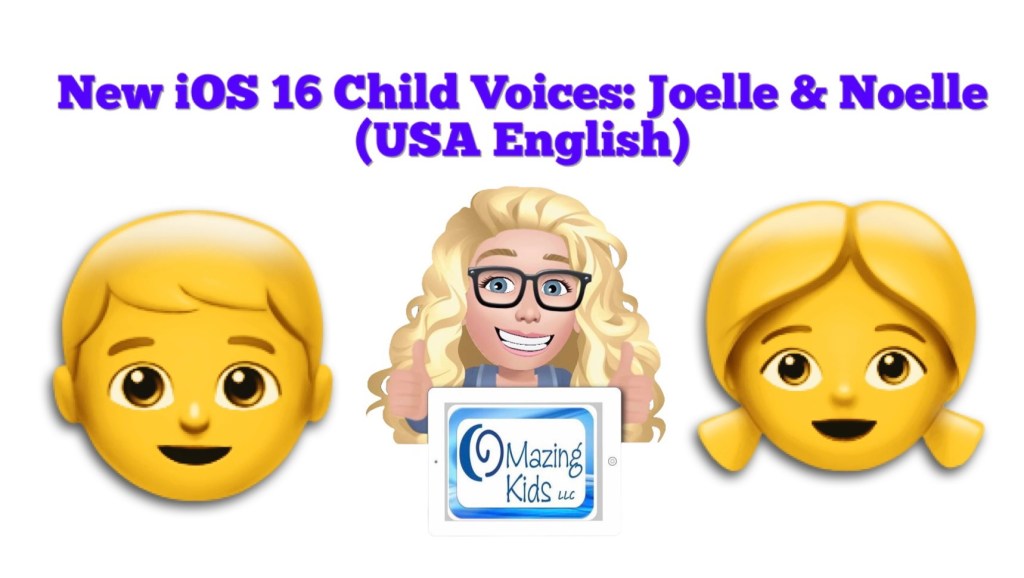
I took the plunge today and updated my iPhone 11 to iOS 16 specifically to try out the two brand new USA English child iOS voices: Joelle & Noelle.
It has been over a month since iOS 16 was released and Apple had rolled out a few bug fixes and several app developers had released updates for AAC apps. The chatter online about problems surrounding iOS 16 seemed to have lessened. So I decided that I wanted to go ahead and update. Heads up… it took quite awhile to download and then install iOS 16.0.3 so be sure to have your iPhone plugged in and on a consistently strong WiFi connection the entire time. After that was done I had several apps that needed to be updated. Most app developers had to add a way for these new voices to be selected. These are the only 2 child voices that I know of.
Why am I so excited about these new iOS child voices?
Many free and affordable iOS AAC apps rely on iOS voices since there is a pretty significant licensing cost to include premium voices in apps. That’s why some apps have those as in-app purchases.
Having child iOS voices means that many free and affordable apps will now have these two new child voice options. As you’ll see in my video, some apps automatically detect and use the child voice that I set under Accessibility – Spoken Content – Voices – English – listened to previews and then downloaded the voices that I wanted. Keeping in mind that everything you download takes up memory so I only downloaded what I knew I would use. For most AAC apps I had to go into the settings within that app and set it to the child voice that I wanted to use.
I hope this is just the beginning and hopefully Apple will add child voices for other languages in the future.
Note: It is anticipated that iPadOS 16 *might* be rolled out next week. I’m going to wait a few weeks to make sure Apple and app developers have time to work out any bugs before I update my iPads to that.
AAC Feature Matching Resource Bundle (includes all three, save 10%): https://bit.ly/aacFeatureMatchingBundle. If you are looking to purchase resources for several staff / team members, take a look at the Multiple Licenses discount (saves 20%)
Thinking about developing a new AAC app? I do quite a bit of beta testing and am asked pretty frequently for my feedback on AAC app development. Here are my thoughts…
The top 3 needs that I see for AAC apps:
1. Relevant: There is a need for robust AAC apps in a wider variety/diversity of languages and dialects (content, symbols & voices). Ideally these need to be developed in conjunction with native speakers of that language to insure accuracy and cultural relevance of the content, symbols and voices.
2. Portable: There is a need for more AAC apps to be usable on an iPhone & Android phone. I get numerous requests every month for info about the options. Sadly more than half of the robust iOS symbol-based AAC apps can only be used on an iPad. I had several older kids, teens and young adults that preferred the portability and the “look” of pocket-sized AAC on their phone. Some used it as an alternative to their larger device. Others used it as their primary AAC.
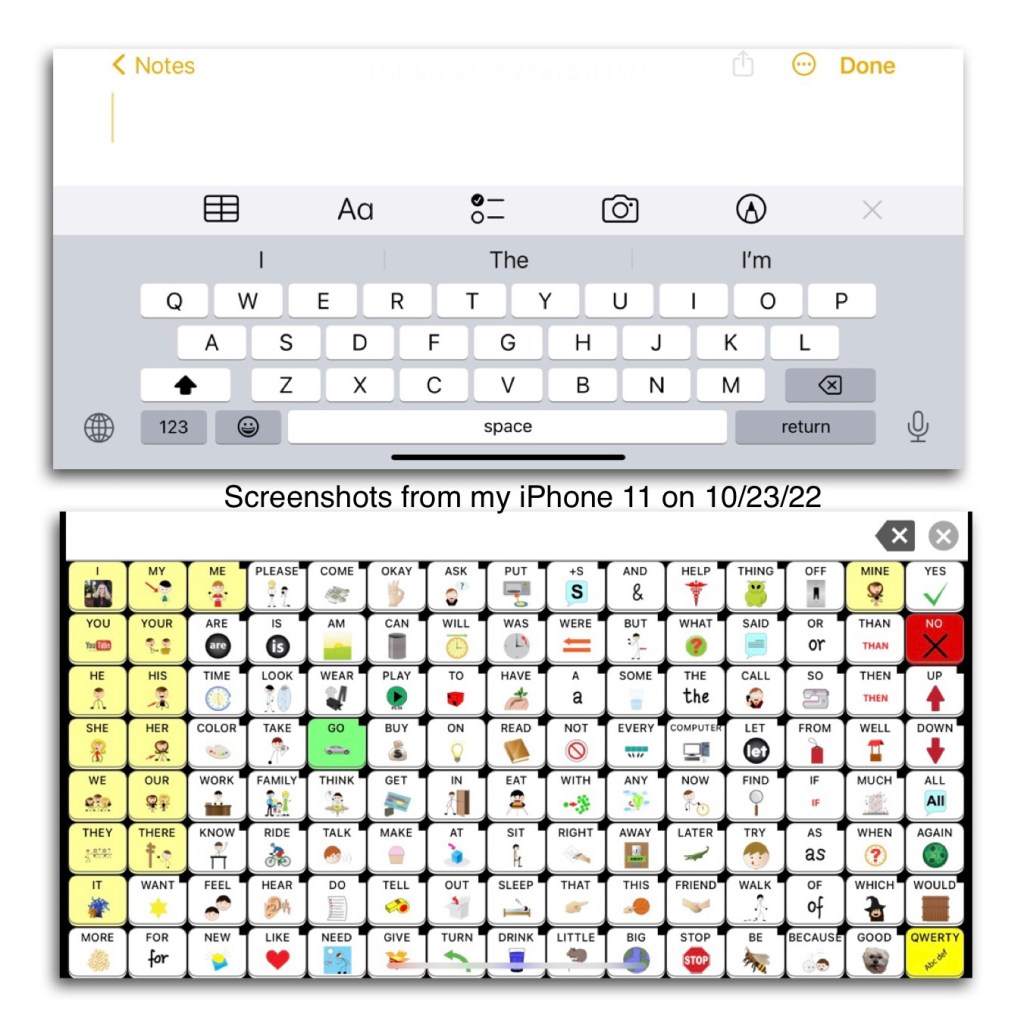
Some app developers claim that it would be impossible to offer their app on an iPhone because it would “mess with the motor plan” or “the buttons would be too small”. Hmm… somehow Speak for Yourself did this way back in 2016 and their app has 120 buttons per page and is a “motor planning” based app. In the years since then I’ve seen several posts from AAC users, parents, SLPs, teachers, etc. who all appreciate the flexibility that this offers. The screen on the largest iPhones are only a couple of inches smaller than an iPad Mini. Even on my iPhone 11 with its 6.1” screen I’m able to use this app well enough to do some modeling and use it all the time to take a look at the Settings area to answer questions about the app when I don’t have my iPad with me.
Read these posts on the Speak for Yourself website: https://speakforyourself.org/does-aac-button-size-really-matter/ & https://speakforyourself.org/tiny-speak-coming-soon-iphones/. A quote from the second post: “The buttons are small, BUT they are twice the size of the keyboard buttons that we all use, including our students who flawlessly use mom or dad’s phone to search for videos on YouTube. Many of our users will be able to access Tiny Speak for Yourself (Tiny SfY), but even if they are not able to access it, having the app on an iPhone also puts the ability to model seamlessly into the hands of parents, professionals…and siblings. That may be the biggest game changer of Tiny SfY.”
Look at the data and the button size comparisons. Look at the pictures and video of it in use. Read the linked blog posts about the impact of having this option.
It’s doable. Not saying it’s easy for developers to reprogram an app to make it iOS Universal. I’m sure it takes a lot of work. But if you listen to your customers it’s one of the biggest needs. So listen, roll up your sleeves and make it happen.
3. Affordable: We need more robust AAC options that can be used on the more affordable tablets (Amazon Fire & Android). I’ve been getting numerous messages from folks who don’t have access to getting an AAC device funded or are tired of professionals saying their child isn’t “ready”. In these instances the total cost of an Amazon Fire tablet or basic Android tablet + case + AAC app = affordable enough for the parent to purchase it themselves. Not everyone can afford an iPad.
Here are my other thoughts based on over 35 years of experience in AAC and using lots of AAC apps across all of the platforms:
• Any new AAC app needs to support robust communication for a wide variety of functions. There are already several simple choice making apps on the market. Robust AAC contains many different types of words (verbs, nouns, pronouns, adjectives, adverbs, prepositions, conjunctions, articles/determiners & interjections), includes Core Vocabulary & Fringe Vocabulary (relevant to that user’s culture, interests and needs), includes Prestored Phrases (to support quick participation), Word Forms (verb tenses, word endings), allows editing to add new vocabulary and customize existing vocabulary, and a way to backup customizations.
• Most robust AAC apps offer a Search/Word Finder. The lack of a Search/Word Finder can be a significant issue for those supporting lots of AAC users across multiple systems since they may not use that particular app everyday.
• There needs to be a balance between safeguards to help insure an AAC app is used as designed to provide robust AAC & flexibility in editing. When AAC apps are too restrictive in editing it makes it difficult to make sure the content and symbols are culturally relevant, honor that user’s and their family’s customs and religious beliefs and that they are not racially biased. It’s difficult to do that when much/most of the app can’t be edited.
There also needs to be flexibility to allow editing in order to allow use of robust elements like verb tenses and word endings even if that individual is using a low cell count grid size in order to support access for fine motor and visual needs.
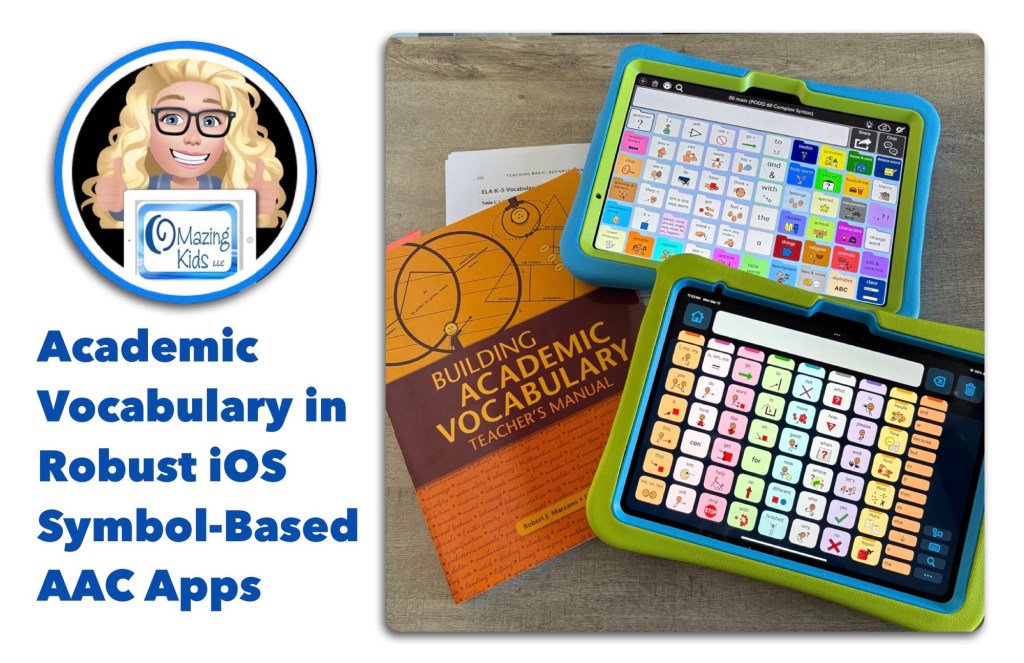
• We need AAC apps to come pre-programmed with more robust academic vocabulary across grade levels. Relying too heavily on “descriptive teaching” will not allow individuals access to enough vocabulary to be successful in academic settings. This is feedback that I’m hearing directly from AAC users and those supporting them. Having more academic vocabulary pre-programmed will reduce the burden currently put on parents and/or AAC users to add this.
Notes: I will be adding links above as I receive them. I am NOT implying that AAC use should become “work” or used primarily for “academic” activities. Only providing an awareness of robust academic vocabulary needing to be included as part of an AAC system/toolkit.
• Also see this post on my OMazing Kids AAC Consulting Facebook page where I invited folks to discuss “If you could design an AAC app that had all of the features that you needed what would be your “must have” features and why?”: https://www.facebook.com/share/18HreuwFjr/?mibextid=wwXIfr
.
• Take a good look at the major AAC apps on the market and determine what specific features your new app would offer that are not already available.
• Get input from AAC users regarding features they think would be helpful.
• Do lots of beta testing to insure the app is intuitive / easy to use.
• You should only offer an AAC app that is truly worth having and meets needs. There are several free or very cheap AAC apps on the market. But you rarely see them mentioned or recommended because they are so poorly designed.
• Offer a fully featured free trial for at least 30 days (preferably at least 60 days) & include access to any extra pagesets / vocab files / grid sets / board sets during that trial. This access needs to be available on the device that the individual might actually be using (as an example, having a free trial on Windows isn’t really going to be totally helpful if they will be using an iPad). SLPs/SLTs and others supporting AAC use can typically get access to the full apps to trial but there are often waiting lists and not everyone has access to an SLP or access to getting an AAC eval. (Note: The various app platforms pose barriers to app developers for some of the options to offer free trials or free promo codes so there are constraints to what they can do regarding this. There would also be a need for companies licensing voices and premium vocab files to allow for these types of free trials)
• Offer purchasing flexibility. Subscriptions offer easier access for individuals (but don’t work well for schools, state run facilities and funding sources). The option to purchase a multi-year subscription can be helpful in some situations. If it will have a subscription, also offer a 1x purchasing option for those who can’t do subscriptions. If it’s an in-app purchase, also offer an option that will work for schools and state run facilities.
• Price your app where it is affordable & sustainable.
• Beyond the initial costs of developing the app, make sure that you also have a very well thought out long term plan and finances for supporting and keeping an AAC app updated.
I’ve received numerous messages over the years on my OMazing Kids AAC Consulting page from parents and therapists with very heartbreaking stories of AAC users losing their voice when Apple released a new iOS and the app wouldn’t work as expected. Several AAC app developers have not updated apps in 5 years or more. It’s one thing to lose a favorite game or therapy app but a whole different thing to lose an AAC app.
Wisdom shared by Open AAC:
CONSIDERATIONS FOR DEVELOPERS
LONG-TERM FUNCTIONALITY TO REMEMBER WHEN DEVELOPING AAC SYSTEMS
AAC Feature Matching Resource Bundle (includes all three, save 10%): https://bit.ly/aacFeatureMatchingBundle. If you are looking to purchase resources for several staff / team members, take a look at the Multiple Licenses discount (saves 20%)















 OMazing Kids AAC Consulting