Unknown's avatar

About OMazing Kids

Angela Moorad, MS, CCC-SLP. Over 36 years experience in AAC. Experience using almost every AAC app on iOS, Android, Amazon Fire, Chromebook and Windows devices + traditional Speech Generating Devices (SGDs). Creator of AAC-Related Resources & App-Related Resources. AAC Consulting & App Consulting.

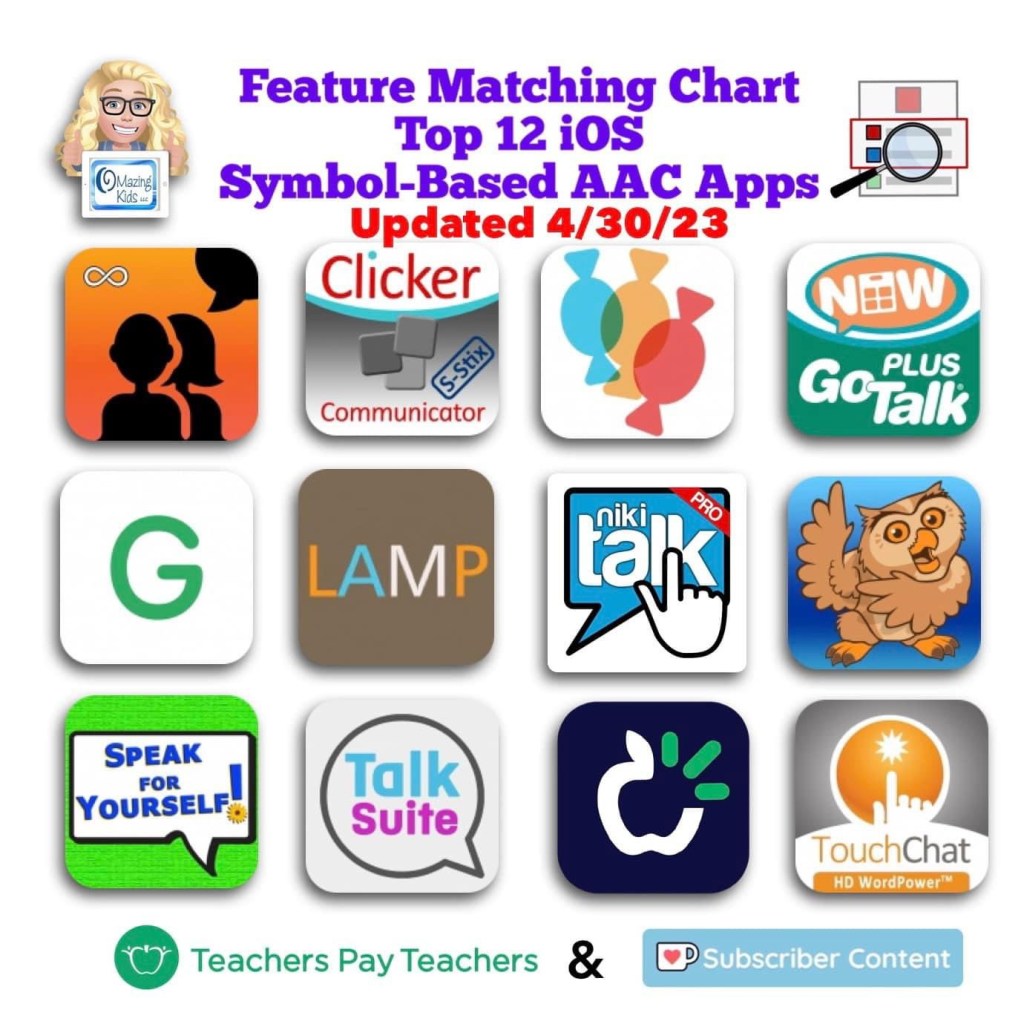
Updated 4/30/23: Feature Matching Chart for the Top 12 iOS Symbol Based AAC Apps

Resource Update: The Feature Matching Chart for the Top 12 iOS Symbol Based AAC Apps has been updated. Those who have previously purchased it on TPT can download the newest version for no additional cost: https://bit.ly/SymbolBasedAACapps. Ko-fi subscribers can access a copy on yesterday’s post or the pinned resource post: https://ko-fi.com/Post/Links-to-posts-about-most-current-feature-matching-F1F5C9DMD.


Looking for other in-depth AAC feature matching resources? See this blog post: https://bit.ly/5aacFeatureMatchingResources. That post also includes videos comparing AAC apps on various devices on various platforms.


Looking for more AAC resources? Check out the Resource Links page here on my blog: https://omazingkidsllc.com/omazing-kids-aac-resource-links


Have a question? The best way to reach me is via Facebook messaging over on my OMazing Kids page: https://www.facebook.com/OMazingKidsAAC/


Angela Moorad, MS, CCC-SLP, Founder of OMazing Kids, LLC, OMazing Kids AAC Consulting

• Teachers Pay Teachers Store: https://www.teacherspayteachers.com/Store/Omazing-Kids-Aac-Consulting

• YouTube: https://youtube.com/user/amoorad1

• Ko-Fi: https://ko-fi.com/omazingkidsaac

• OMazing Kids AAC Consulting Facebook Page: https://www.facebook.com/OMazingKidsAAC/

• AppPeeps Facebook Group: https://www.facebook.com/groups/OMazingKidsAppPeeps/

• GoTalk Now AAC & GoVisual Visual Scene Apps – Ideas and Sharing Facebook Group: https://bit.ly/GoTalkNowAACappGroup

• Instagram: https://www.instagram.com/omazingkidsaac

• Twitter: https://www.twitter.com/amoorad

• Pinterest: http://pinterest.com/OMazingKids/

• Linktree: https://linktr.ee/amoorad1

• LinkedIn: https://www.linkedin.com/in/angelamooradomazingkidsaac

• Blog: https://omazingkidsllc.com / Resource Links page: https://omazingkidsllc.com/omazing-kids-aac-resource-links
Ultimate App and Digital Resource Guide for SLPs (2023)

The Ultimate App and Digital Resource Guide for SLPs has been updated for 2023: https://bit.ly/UltimateAppDigitalResourceGuideSLP.

Those who have previously purchased it on TPT can download the updated version for no additional cost.


Have a question? The best way to reach me is via Facebook messaging over on my OMazing Kids page: https://www.facebook.com/OMazingKidsAAC/


Angela Moorad, MS, CCC-SLP, Founder of OMazing Kids, LLC, OMazing Kids AAC Consulting

• Teachers Pay Teachers Store: https://www.teacherspayteachers.com/Store/Omazing-Kids-Aac-Consulting

• YouTube: https://youtube.com/user/amoorad1

• Ko-Fi: https://ko-fi.com/omazingkidsaac

• OMazing Kids AAC Consulting Facebook Page: https://www.facebook.com/OMazingKidsAAC/

• AppPeeps Facebook Group: https://www.facebook.com/groups/OMazingKidsAppPeeps/

• GoTalk Now AAC & GoVisual Visual Scene Apps – Ideas and Sharing Facebook Group: https://bit.ly/GoTalkNowAACappGroup

• Instagram: https://www.instagram.com/omazingkidsaac

• Twitter: https://www.twitter.com/amoorad

• Pinterest: http://pinterest.com/OMazingKids/

• Linktree: https://linktr.ee/amoorad1

• LinkedIn: https://www.linkedin.com/in/angelamooradomazingkidsaac

• Blog: https://omazingkidsllc.com / Resource Links page: https://omazingkidsllc.com/omazing-kids-aac-resource-links

Updated Resource: Feature Matching Chart for Robust Android AAC Apps (Google Play & Amazon Fire) – updated 4/2/23

Updated resource: Feature Matching Chart for Robust Android AAC Apps (Google Play & Amazon Fire). Those who have previously purchased it on TPT can download the most current version for no additional cost: https://bit.ly/RobustAndroidAACappChart. Ko-fi subscribers will be able to access a copy on the pinned resource post: https://ko-fi.com/Post/Links-to-posts-about-most-current-feature-matching-F1F5C9DMD


Looking for other in-depth AAC feature matching resources? See this blog post: https://bit.ly/5aacFeatureMatchingResources. That post also includes videos comparing AAC apps on various devices on various platforms.


Looking for more AAC resources? Check out the Resource Links page here on my blog: https://omazingkidsllc.com/omazing-kids-aac-resource-links


Have a question? The best way to reach me is via Facebook messaging over on my OMazing Kids page: https://www.facebook.com/OMazingKidsAAC/


Angela Moorad, MS, CCC-SLP, Founder of OMazing Kids, LLC, OMazing Kids AAC Consulting

• Teachers Pay Teachers Store: https://www.teacherspayteachers.com/Store/Omazing-Kids-Aac-Consulting

• YouTube: https://youtube.com/user/amoorad1

• Ko-Fi: https://ko-fi.com/omazingkidsaac

• OMazing Kids AAC Consulting Facebook Page: https://www.facebook.com/OMazingKidsAAC/

• AppPeeps Facebook Group: https://www.facebook.com/groups/OMazingKidsAppPeeps/

• GoTalk Now AAC & GoVisual Visual Scene Apps – Ideas and Sharing Facebook Group: https://bit.ly/GoTalkNowAACappGroup

• Instagram: https://www.instagram.com/omazingkidsaac

• Twitter: https://www.twitter.com/amoorad

• Pinterest: http://pinterest.com/OMazingKids/

• Linktree: https://linktr.ee/amoorad1

• LinkedIn: https://www.linkedin.com/in/angelamooradomazingkidsaac

• Blog: https://omazingkidsllc.com / Resource Links page: https://omazingkidsllc.com/omazing-kids-aac-resource-links
A Visual Guide to Getting Started – all six resources updated (3/30/23)

All six of these resources were updated on 3/30/23 to be more age-neutral & to add info about new features. Those who have previously purchased them on TPT can download the most current version for no additional cost:

• GoTalk Now: a visual guide to getting started (+ more): https://bit.ly/3GXx59C

• Grid for iPad: a visual guide to getting started: https://bit.ly/3BaxphD

• LAMP Words for Life App: a visual guide to getting started: https://bit.ly/386Ty3W

• Proloquo2Go: a visual guide to getting started: https://bit.ly/3kezwtW

• TD Snap: a visual guide to getting started (+ more) (+ bonus AAC flipbook): https://bit.ly/3qRuXdQ

• TouchChat with WordPower: a visual guide to getting started: https://bit.ly/3zcxvVk


Looking for other in-depth AAC feature matching resources? See this blog post: https://bit.ly/5aacFeatureMatchingResources. That post also includes videos comparing AAC apps on various devices on various platforms.


Looking for more AAC resources? Check out the Resource Links page here on my blog: https://omazingkidsllc.com/omazing-kids-aac-resource-links


Have a question? The best way to reach me is via Facebook messaging over on my OMazing Kids page: https://www.facebook.com/OMazingKidsAAC/


Angela Moorad, MS, CCC-SLP, Founder of OMazing Kids, LLC, OMazing Kids AAC Consulting

• Teachers Pay Teachers Store: https://www.teacherspayteachers.com/Store/Omazing-Kids-Aac-Consulting

• YouTube: https://youtube.com/user/amoorad1

• Ko-Fi: https://ko-fi.com/omazingkidsaac

• OMazing Kids AAC Consulting Facebook Page: https://www.facebook.com/OMazingKidsAAC/

• AppPeeps Facebook Group: https://www.facebook.com/groups/OMazingKidsAppPeeps/

• GoTalk Now AAC & GoVisual Visual Scene Apps – Ideas and Sharing Facebook Group: https://bit.ly/GoTalkNowAACappGroup

• Instagram: https://www.instagram.com/omazingkidsaac

• Twitter: https://www.twitter.com/amoorad

• Pinterest: http://pinterest.com/OMazingKids/

• Linktree: https://linktr.ee/amoorad1

• LinkedIn: https://www.linkedin.com/in/angelamooradomazingkidsaac

• Blog: https://omazingkidsllc.com / Resource Links page: https://omazingkidsllc.com/omazing-kids-aac-resource-links
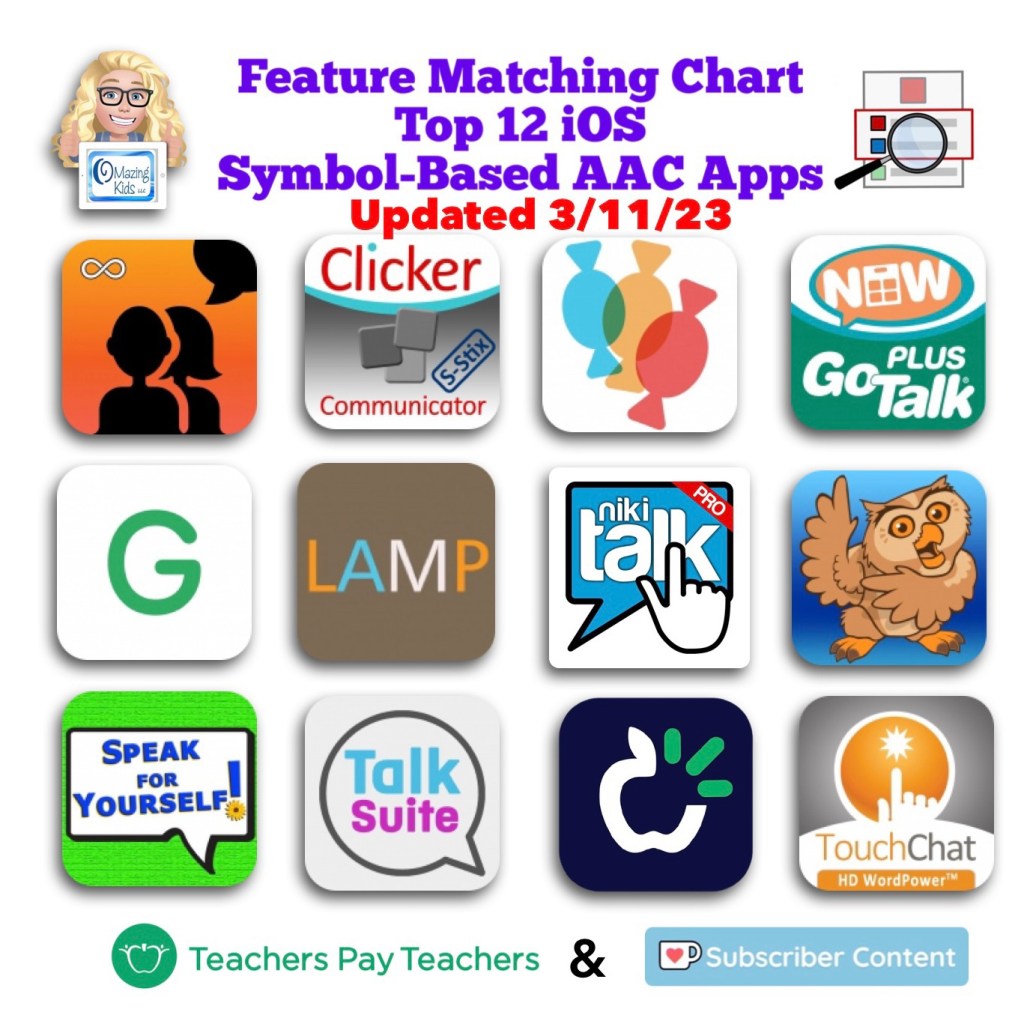
Updated Feature Matching Chart for iOS Symbol Based AAC Apps (3/11/23)

Resource Update: The Feature Matching Chart for the Top 12 iOS Symbol Based AAC Apps & the supplemental handout about unique features for Gestalt Language Processors have both been updated. Those who have previously purchased it on TPT can download the newest version for no additional cost: https://bit.ly/SymbolBasedAACapps. Ko-fi subscribers will be able to access a copy on the pinned resource post: https://ko-fi.com/Post/Links-to-posts-about-most-current-feature-matching-F1F5C9DMD later today.


Did you know that PRC-Saltillo added a new “Open Website” button action? I immediately checked it out as a way to finally be able to open a specific YouTube video in LAMP Words for Life. It works but isn’t ideal. Want to learn a secret hack to remove the extraneous clutter and remove the “Share” icon? I’ve shared all the details in this latest update for the Feature Matching Chart for the Top 12 Robust iOS Symbol-Based AAC Apps: https://bit.ly/SymbolBasedAACapps. I added an exclusive unlisted YouTube video showing how to do this that’s only accessible to those who have this resource. Why this might be helpful? Many Gestalt Language Processors are drawn to particular segments of videos and may replay them over and over. These may be used as communication but it often takes some detective work to figure out the meaning for that individual. These videos may also play a part in self-regulation. Individuals with some speech may recite these lines in a scripted way. Our Gestalt Language Processors who use AAC deserve the opportunity to do this. Adding video clips for gestalts that are uniquely meaningful to that individual may be an instant “spark” for increased interest in using their AAC.


Looking for other in-depth AAC feature matching resources? See this blog post: https://bit.ly/5aacFeatureMatchingResources. That post also includes videos comparing AAC apps on various devices on various platforms.


Looking for more AAC resources? Check out the Resource Links page here on my blog: https://omazingkidsllc.com/omazing-kids-aac-resource-links


Have a question? The best way to reach me is via Facebook messaging over on my OMazing Kids page: https://www.facebook.com/OMazingKidsAAC/


Angela Moorad, MS, CCC-SLP, Founder of OMazing Kids, LLC, OMazing Kids AAC Consulting

• Teachers Pay Teachers Store: https://www.teacherspayteachers.com/Store/Omazing-Kids-Aac-Consulting

• YouTube: https://youtube.com/user/amoorad1

• Ko-Fi: https://ko-fi.com/omazingkidsaac

• OMazing Kids AAC Consulting Facebook Page: https://www.facebook.com/OMazingKidsAAC/

• AppPeeps Facebook Group: https://www.facebook.com/groups/OMazingKidsAppPeeps/

• GoTalk Now AAC & GoVisual Visual Scene Apps – Ideas and Sharing Facebook Group: https://bit.ly/GoTalkNowAACappGroup

• Instagram: https://www.instagram.com/omazingkidsaac

• Twitter: https://www.twitter.com/amoorad

• Pinterest: http://pinterest.com/OMazingKids/

• Linktree: https://linktr.ee/amoorad1

• LinkedIn: https://www.linkedin.com/in/angelamooradomazingkidsaac

• Blog: https://omazingkidsllc.com / Resource Links page: https://omazingkidsllc.com/omazing-kids-aac-resource-links

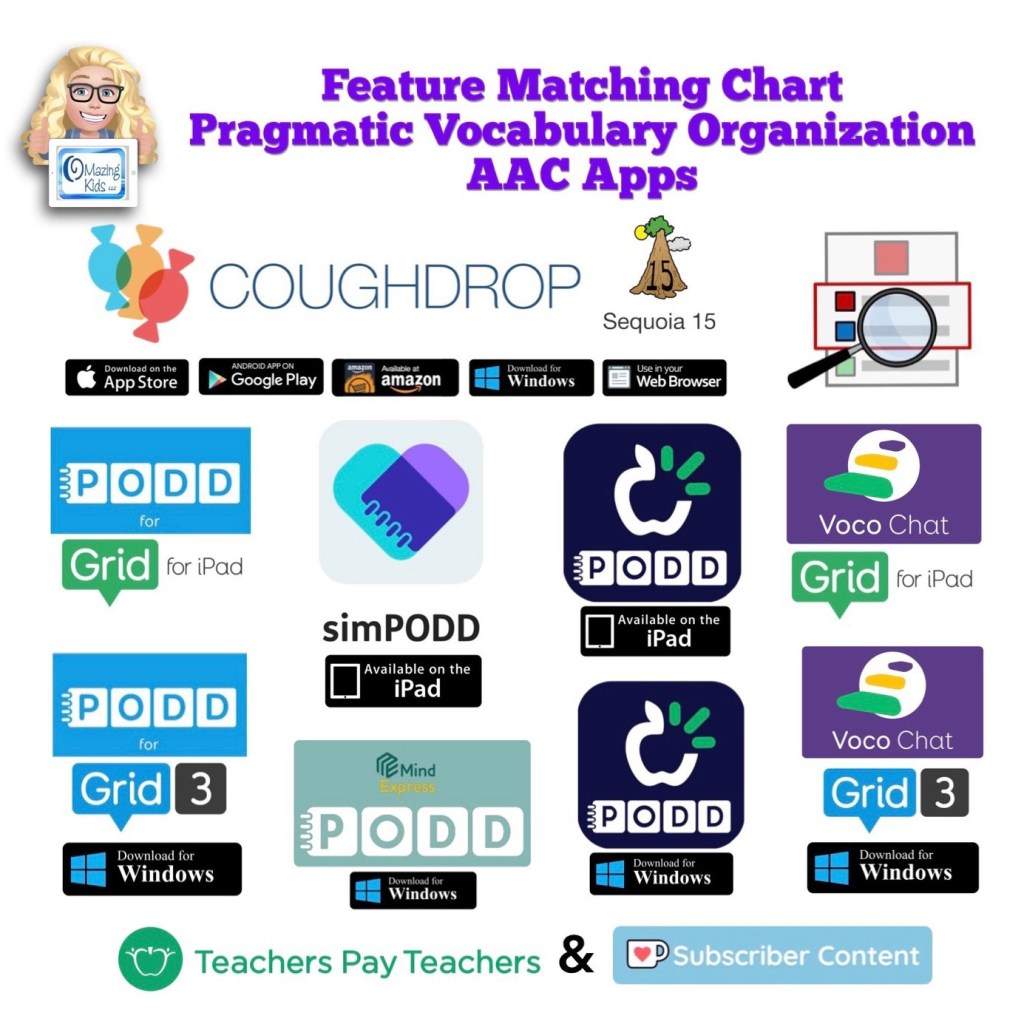
New: Feature Matching Chart for Pragmatic Vocabulary Organization AAC Apps

New resource: Feature Matching Chart for Pragmatic Vocabulary Organization AAC Apps

Watch the TPT preview video where I’m viewing the PDF on my iPad in the free Xodo app. You’ll get a feel for how much info will be at your fingertips in this chart.


Watch the Intro video. It provides info about the intent of this resource:


Available on TPT: https://bit.ly/PragmaticOrgVocabAAC-FeatureMatching-TPT

Ko-fi subscribers: https://ko-fi.com/post/NEW-Feature-Chart-for-Pragmatic-Vocabulary-Organiz-O4O4J8YG6 or the pinned post: https://ko-fi.com/Post/Links-to-posts-about-most-current-feature-matching-F1F5C9DMD


This feature matching resource includes information about the following options:

• CoughDrop – Sequoia board set – multi platform

• PODD for Grid for iPad

• simPODD – iPad

• TD Snap PODD – iPad

• Voco Chat in Grid for iPad

• PODD for Grid 3 – Windows

• PODD for Mind Express 5 – Windows

• TD Snap PODD – Windows

• Voco Chat in Grid 3 – Windows

There are 122 rows in the chart. But it’s super easy to use the “search” option to find what you want quickly.

This resource includes free access to over 3 hours of unlisted YouTube videos where I highlight some of the most unique features in each option and discuss the flexibility in customization, options for alternative access, etc…

Why this might be helpful to you is I have done all the heavy lifting of digging through websites and deep into app settings, testing everything out extensively and then distilling all that info into one PDF with all of the features that you’d need to compare all of these options.

This is a VERY deep dive beyond just vocabulary organization… it’s also an in depth look at the flexibility or limitations of the app platforms, customization and alternative access options plus includes detailed info about three different Bluetooth switch interfaces (Blue2, iSwitch & Cosmo).

You can search to find exactly what you’re looking for and can copy wording from this chart and paste it into your AAC reports to save time.

** All info is comprehensive, 100% up to date and verified by app developers **


I will be maintaining and updating this chart to help meet the need for current and comprehensive info to be used in feature matching.

Includes info about features in these particular apps that may be helpful as folks are exploring ways to modify AAC for Gestalt Language Processors.


Looking for in-depth AAC feature matching resources? See this blog post: https://bit.ly/5aacFeatureMatchingResources. That post also includes videos comparing AAC apps on various devices on various platforms.


Have a question? The best way to reach me is via Facebook messaging over on my OMazing Kids page: https://www.facebook.com/OMazingKidsAAC/


Angela Moorad, MS, CCC-SLP, Founder of OMazing Kids, LLC, OMazing Kids AAC Consulting

• Teachers Pay Teachers Store: https://www.teacherspayteachers.com/Store/Omazing-Kids-Aac-Consulting

• YouTube: https://youtube.com/user/amoorad1

• Ko-Fi: https://ko-fi.com/omazingkidsaac

• OMazing Kids AAC Consulting Facebook Page: https://www.facebook.com/OMazingKidsAAC/

• AppPeeps Facebook Group: https://www.facebook.com/groups/OMazingKidsAppPeeps/

• GoTalk Now AAC & GoVisual Visual Scene Apps – Ideas and Sharing Facebook Group: https://bit.ly/GoTalkNowAACappGroup

• Instagram: https://www.instagram.com/omazingkidsaac

• Twitter: https://www.twitter.com/amoorad

• Pinterest: http://pinterest.com/OMazingKids/

• Linktree: https://linktr.ee/amoorad1

• LinkedIn: https://www.linkedin.com/in/angelamooradomazingkidsaac

• Blog: https://omazingkidsllc.com

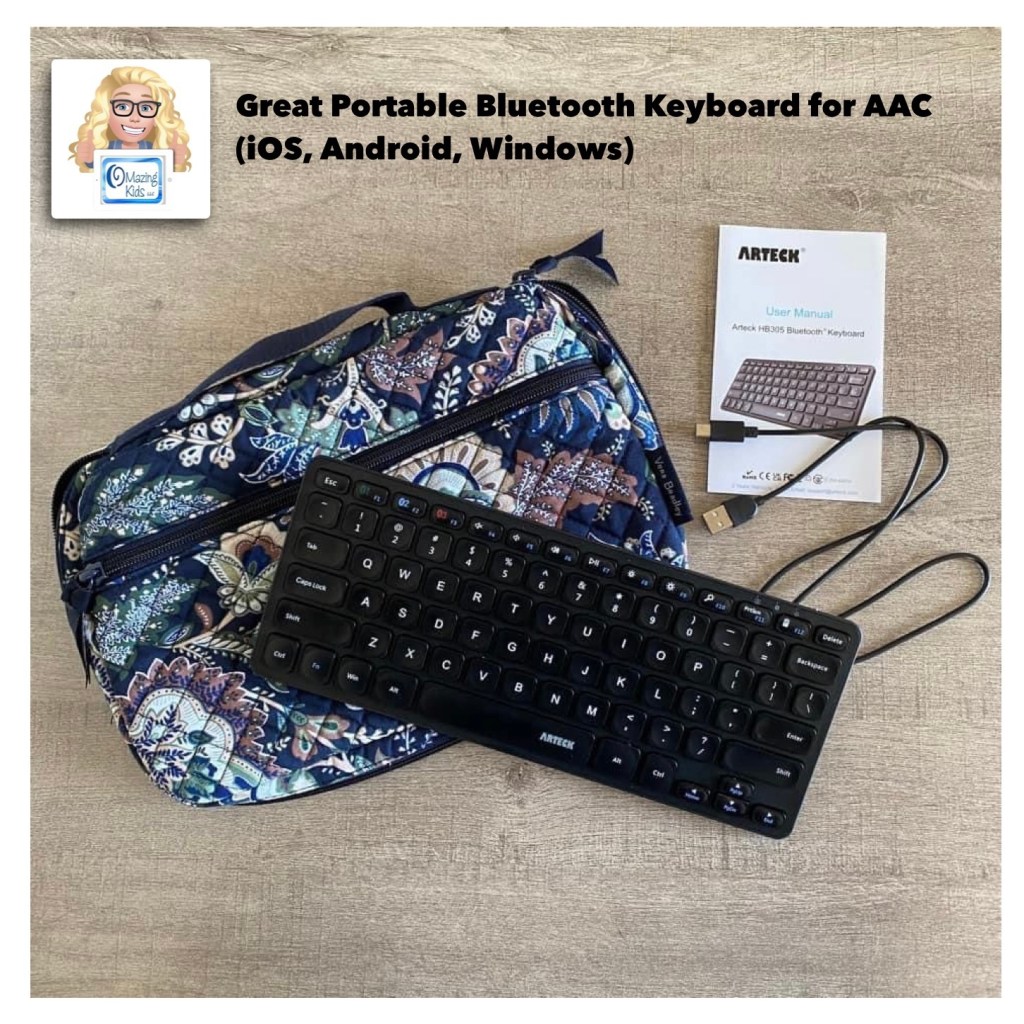
Great Portable Bluetooth Keyboard for AAC (iOS, Android, Windows)

My latest tech rabbit hole to go down is use of an external Bluetooth keyboard with AAC. I’ve gotten a few inquiries related to this recently so I decided to see what I could find.

Features: I wanted something that could be used across all of my tech (iOS, Android, Windows), is affordable, portable, reliable, easy to pair, has a nice feel to the keys, has a slight incline, etc. This keyboard has three separate Bluetooth buttons to be able to toggle easily between three different devices that have been paired to it (not used simultaneously on three devices but makes switching between them very quick).

It’s been surprising to discover how many AAC apps (symbol-based & text-based) support use of an external keyboard. I’ll be adding this info to the next update for my feature matching resources.

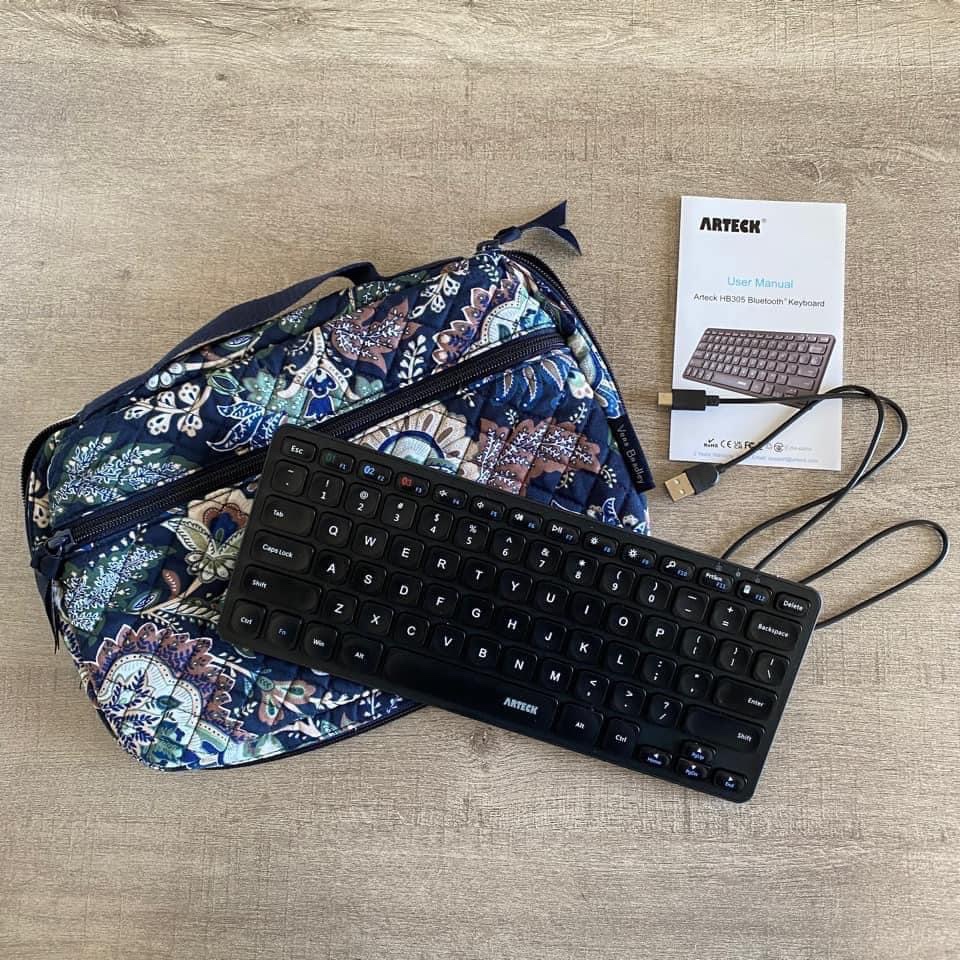
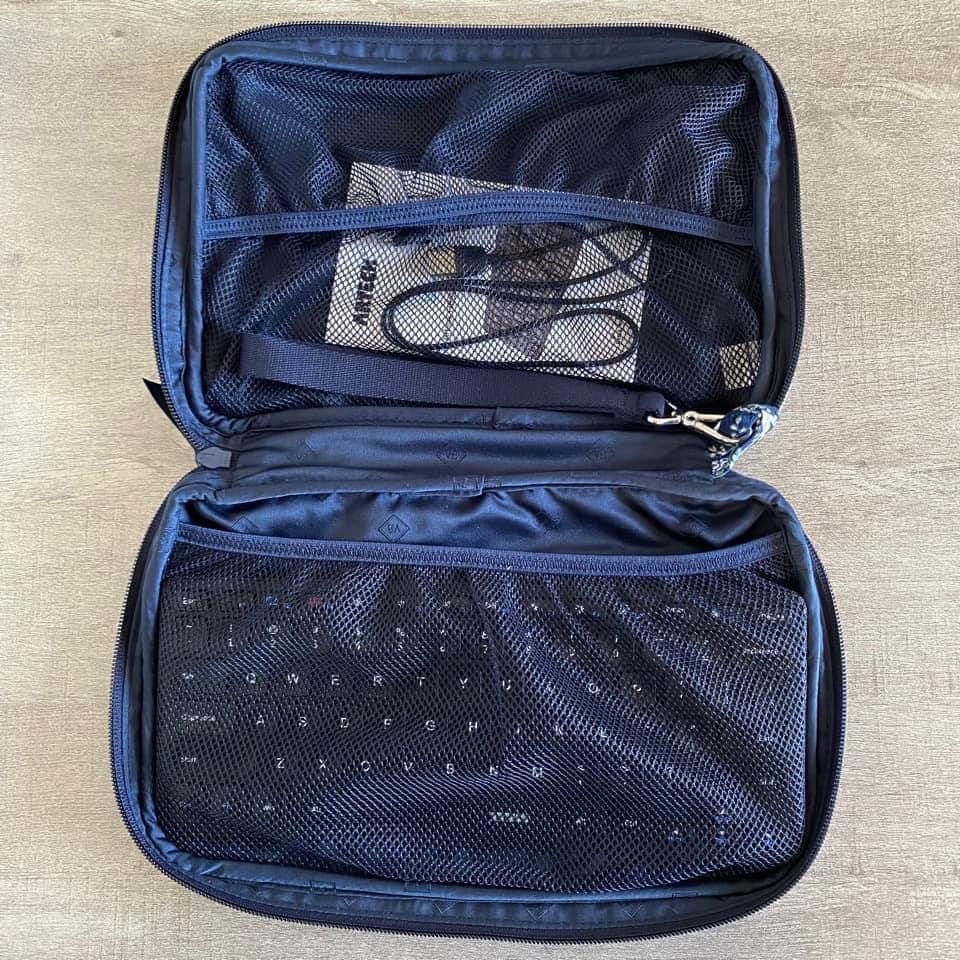
I’ve been impressed with the Arteck Universal Multi-Device Bluetooth Keyboard that I bought on Amazon.com: https://a.co/d/2Qn2f9d. Great price ($17.99 – an extra 20% off = $14.39), has a good feel to it and it fits perfectly in a Vera Bradley pouch that I already had.

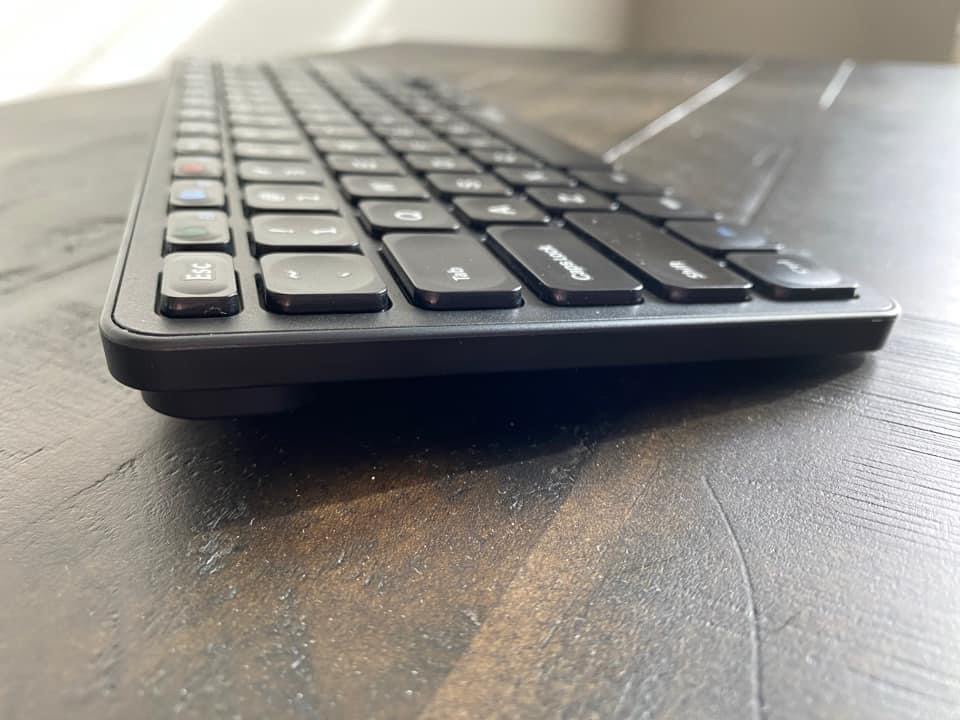
Has a nice slight angle
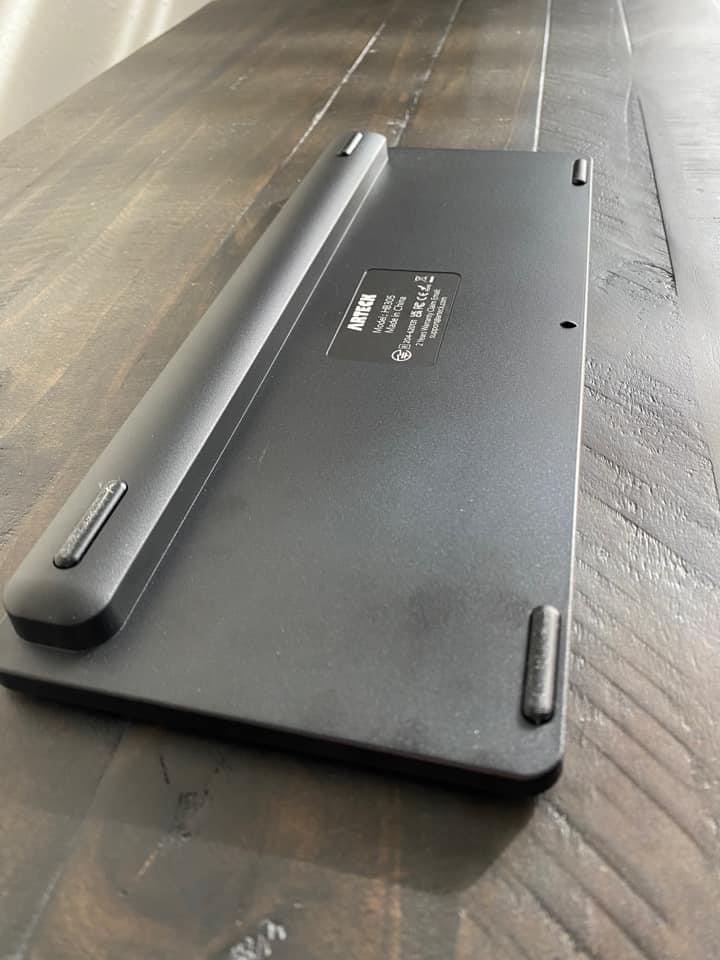
The back
The Vera Bradley “Travel Baby Changing Pad” in the pattern Java Navy Camo. I have two of these and use them to hold all types of tech items. The “changing pad” part of it is separate which allows you to use the pouch part of it for lots of different things.

See more about this Vera Bradley item and what will fit in it on my Vera Bradley YouTube channel:

This item was on sale for a good price when I purchased both of them back in December ($20.75). It’s priced higher now but prices on Amazon change frequently so it’s something that you may want to save in your cart and watch for a good sale: https://a.co/d/dSPfFhM


Important Considerations: These keyboard features would likely be the top features for folks who are able to type on a keyboard on a laptop or computer and are wanting something portable to use with their AAC. A couple of the inquiries that I received were regarding adult AAC users who preferred to type on a keyboard vs. on a device screen, a couple were from folks wanting a keyboard for use when editing & a couple were related to children who have a passion for letters and keyboards (based on the info that I was provided they are likely Gestalt Language Processors with Hyperlexia) and those supporting AAC use thought that they might prefer using an external Bluetooth keyboard. Each situation is unique. If you are wanting to explore external Bluetooth keyboard options for individuals with complex access needs then it’s important to consult with an OT and/or AT Specialist. There are several alternative assistive technology keyboards on the market but those are very specialized, typically much more expensive and may not work across multiple platforms.

It’s important to find a keyboard that’s compatible with whatever operating system is used on that device. I read through tons of reviews prior to deciding to try this particular keyboard. I took the time to add my own review for it on Amazon to help others find it more quickly than I did. That’s also the reason that I decided to post about it on social media and write this blog post.


Looking for in-depth AAC feature matching resources? See this blog post: https://bit.ly/5aacFeatureMatchingResources. That post also includes videos comparing AAC apps on various devices on various platforms.

The feature matching charts for both the symbol-based and text-based AAC apps have been updated to add a row with details about whether or not that app supports use of an external Bluetooth keyboard and info related to whether or not you first have to tap the Message Window to place the cursor, if the Enter key can be used to speak the contents of the Message Window, etc…


Have a question? The best way to reach me is via Facebook messaging over on my OMazing Kids page: https://www.facebook.com/OMazingKidsAAC/


Angela Moorad, MS, CCC-SLP, Founder of OMazing Kids, LLC, OMazing Kids AAC Consulting

• Teachers Pay Teachers Store: https://www.teacherspayteachers.com/Store/Omazing-Kids-Aac-Consulting

• YouTube: https://youtube.com/user/amoorad1

• Ko-Fi: https://ko-fi.com/omazingkidsaac

• OMazing Kids AAC Consulting Facebook Page: https://www.facebook.com/OMazingKidsAAC/

• AppPeeps Facebook Group: https://www.facebook.com/groups/OMazingKidsAppPeeps/

• GoTalk Now AAC & GoVisual Visual Scene Apps – Ideas and Sharing Facebook Group: https://bit.ly/GoTalkNowAACappGroup

• Instagram: https://www.instagram.com/omazingkidsaac

• Twitter: https://www.twitter.com/amoorad

• Pinterest: http://pinterest.com/OMazingKids/

• Linktree: https://linktr.ee/amoorad1

• LinkedIn: https://www.linkedin.com/in/angelamooradomazingkidsaac

• Blog: https://omazingkidsllc.com

CoughDrop AAC on Samsung Android Tablet: Creating a Bilingual Punjabi-English Setup

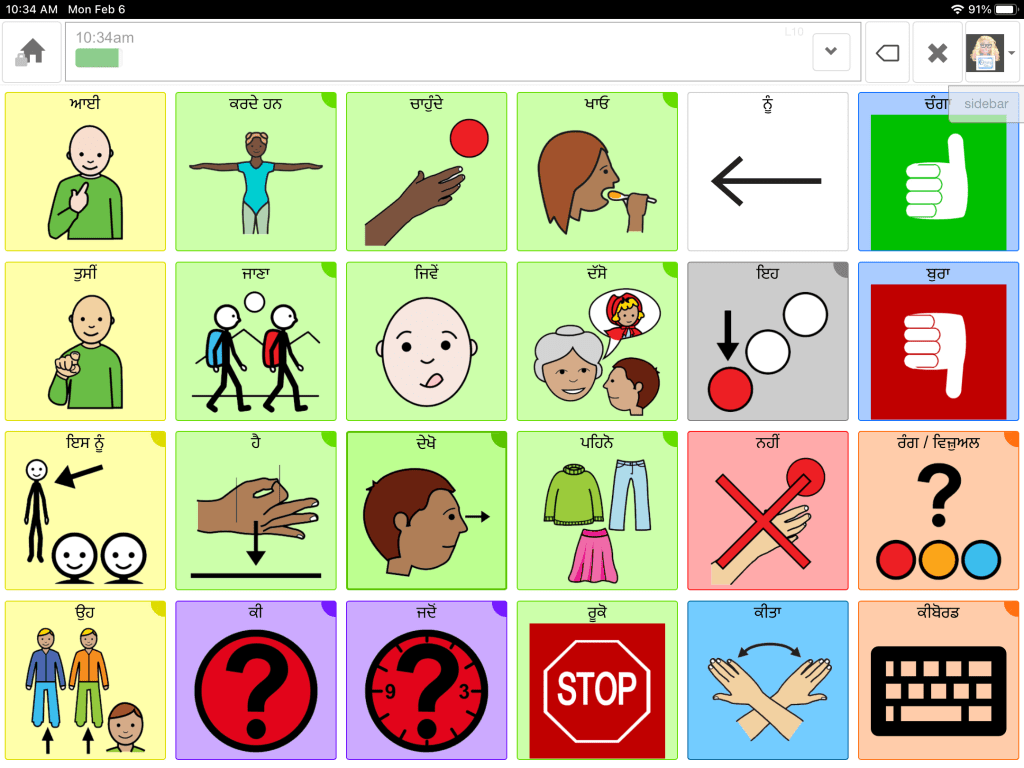
I made this video to share with someone in the AAC for the SLP Facebook group who was looking for an option for Punjabi & English bilingual AAC and decided to post it here too in case it would be helpful to anyone else. Note: I checked and Punjabi wasn’t listed as a language in any of the apps from Avaz: https://avazapp.com/products/avaz-aac-app/.

It was possible to create this type of setup in the Android version of Coughdrop AAC on my Samsung Galaxy Tab S6 Lite 10.4” tablet.

When I set Google as the preferred speech engine I was able to find several adult female and a couple of adult male synthesized Punjabi voices. At the time that I posted this I did not find any Punjabi synthesized voices available on the iPad.

CoughDrop uses Google Translate to create the Punjabi translation so it would be very important to have a native speaker of that language review the translation, content and symbols for accuracy & cultural relevance.

Instead of using the Coughdrop keyboard you’ll need to install the Samsung Punjabi-English system keyboard and then program the keyboard button on the home page to use that instead (:native-keyboard has to be in the Speak – Sound box & you toggle on using the native keyboard under preferences).

You’ll need to install these two languages in the Samsung settings (General Management – Language). You add the board for each language to the sidebar to create a way to toggle between them. It took some trial and error to figure it out but is doable.

Video


How did I know that Punjabi was an option on Android? I took a really deep dive into exploring voices and languages available in iOS, Android, Amazon Fire and Windows when I created the AAC Apps and Features At-a-Glance (Single Page Handouts): https://bit.ly/AAC-At-a-Glance. That 90 page PDF resource was inspired by the numerous requests that I’ve received for simple “at a glance” info about features in AAC apps and single page handouts that could be used with parents, caregivers and anyone involved in the AAC decision making process. More info: https://omazingkidsllc.com/2022/11/20/aac-apps-and-features-at-a-glance-single-page-handouts/

Looking for in-depth AAC feature matching resources? See this blog post: https://bit.ly/5aacFeatureMatchingResources. That post also includes videos comparing AAC apps on various devices on various platforms.


Have a question? The best way to reach me is via Facebook messaging over on my OMazing Kids page: https://www.facebook.com/OMazingKidsAAC/


Angela Moorad, MS, CCC-SLP, Founder of OMazing Kids, LLC, OMazing Kids AAC Consulting

• Teachers Pay Teachers Store: https://www.teacherspayteachers.com/Store/Omazing-Kids-Aac-Consulting

• YouTube: https://youtube.com/user/amoorad1

• Ko-Fi: https://ko-fi.com/omazingkidsaac

• OMazing Kids AAC Consulting Facebook Page: https://www.facebook.com/OMazingKidsAAC/

• AppPeeps Facebook Group: https://www.facebook.com/groups/OMazingKidsAppPeeps/

• GoTalk Now AAC & GoVisual Visual Scene Apps – Ideas and Sharing Facebook Group: https://bit.ly/GoTalkNowAACappGroup

• Instagram: https://www.instagram.com/omazingkidsaac

• Twitter: https://www.twitter.com/amoorad

• Pinterest: http://pinterest.com/OMazingKids/

• Linktree: https://linktr.ee/amoorad1

• LinkedIn: https://www.linkedin.com/in/angelamooradomazingkidsaac

• Blog: https://omazingkidsllc.com

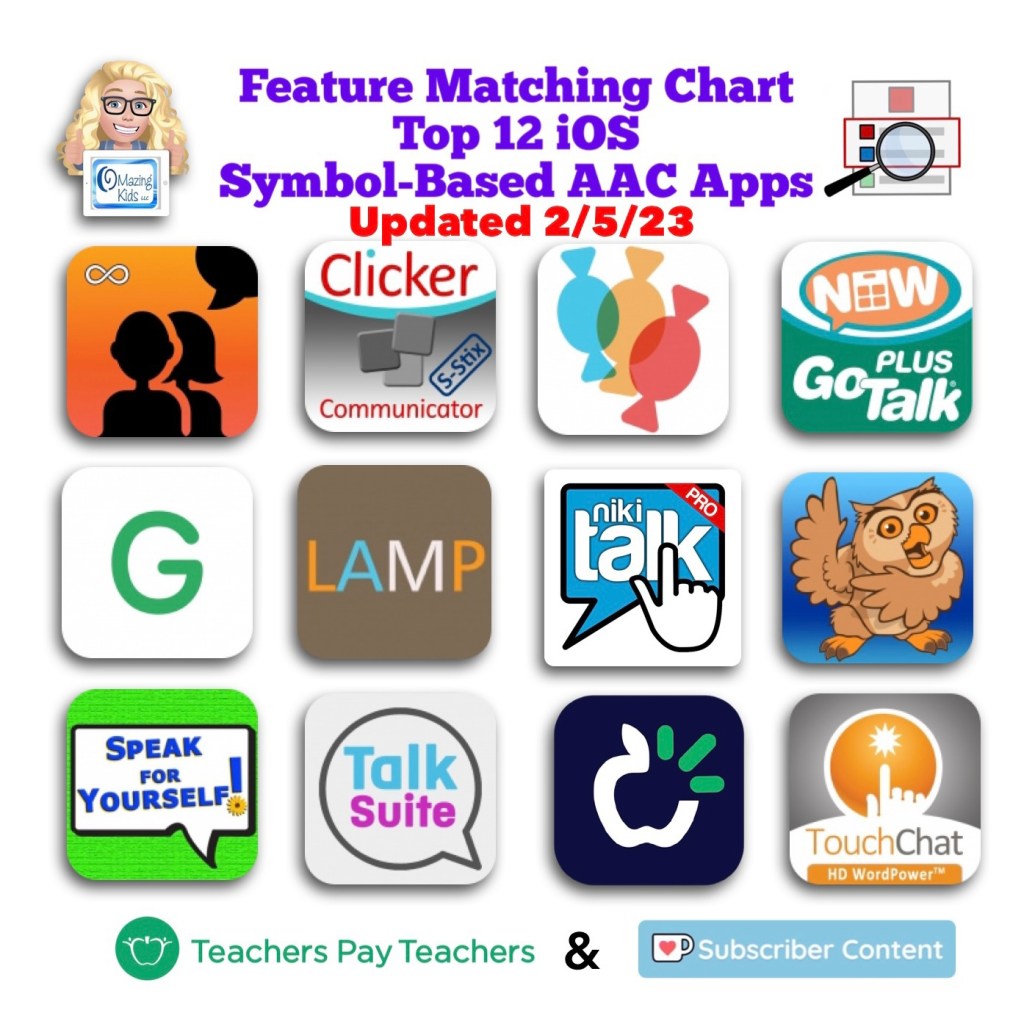
Updated Resource: Symbol Based AAC Feature Matching Chart (updated 2-5-23)

The Feature Matching Chart for the Top 12 Robust iOS Symbol-Based AAC Apps has been updated. Includes info about features in the new Motor Plan pagesets in TD Snap, info about sign language symbols available in apps, info about using Slide Over in apps that don’t fully support Split Screen/Split View, and several new features added in apps since the last update. Be sure to download a fresh copy for the most current info.

Those who have previously purchased it on TPT can download the most current version for no additional cost: https://bit.ly/SymbolBasedAACapps.

Ko-fi recurring monthly subscribers can find the download link on today’s post (https://ko-fi.com/post/Updated-Symbol-Based-AAC-Feature-Matching-Chart-2-A0A2II2HL) or or the pinned post: https://ko-fi.com/Post/Links-to-posts-about-most-current-feature-matching-F1F5C9DMD.

More info about this and other resources to compare features in AAC apps can be found on this post: https://bit.ly/5aacFeatureMatchingResources


Have a question? The best way to reach me is via Facebook messaging over on my OMazing Kids page: https://www.facebook.com/OMazingKidsAAC/


Angela Moorad, MS, CCC-SLP, Founder of OMazing Kids, LLC, OMazing Kids AAC Consulting

• Teachers Pay Teachers Store: https://www.teacherspayteachers.com/Store/Omazing-Kids-Aac-Consulting

• YouTube: https://youtube.com/user/amoorad1

• Ko-Fi: https://ko-fi.com/omazingkidsaac

• OMazing Kids AAC Consulting Facebook Page: https://www.facebook.com/OMazingKidsAAC/

• AppPeeps Facebook Group: https://www.facebook.com/groups/OMazingKidsAppPeeps/

• GoTalk Now AAC & GoVisual Visual Scene Apps – Ideas and Sharing Facebook Group: https://bit.ly/GoTalkNowAACappGroup

• Instagram: https://www.instagram.com/omazingkidsaac

• Twitter: https://www.twitter.com/amoorad

• Pinterest: http://pinterest.com/OMazingKids/

• Linktree: https://linktr.ee/amoorad1

• LinkedIn: https://www.linkedin.com/in/angelamooradomazingkidsaac

• Blog: https://omazingkidsllc.com


TD Snap AAC: How to Add an Alert Bell (to gain attention) – video tutorial

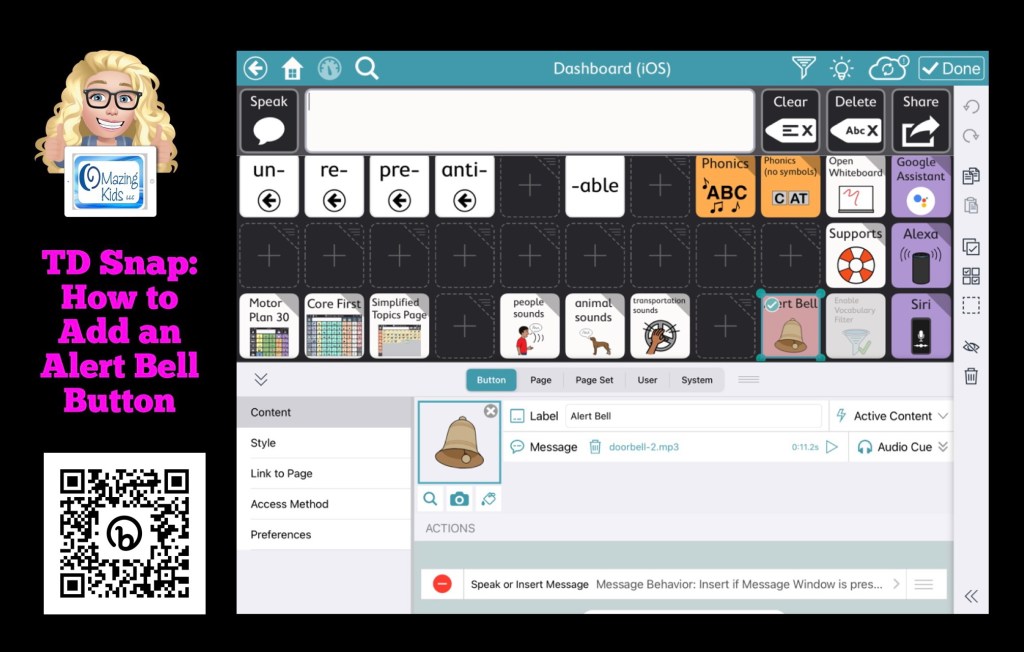
In this video I show how and discuss why I typically add an Alert Bell button in TD Snap. The most time consuming part was finding a free mp3 doorbell sound that was both pleasant and sustained long enough to gain attention. Here’s the website that I used: https://www.soundjay.com/doorbell-sound-effect.html.

Watch my short tutorial video for all of the steps for adding it to your pageset and considerations when doing this:


My TD Snap related resources:


Have a question? The best way to reach me is via Facebook messaging over on my OMazing Kids page: https://www.facebook.com/OMazingKidsAAC/


Angela Moorad, MS, CCC-SLP, Founder of OMazing Kids, LLC, OMazing Kids AAC Consulting

• Teachers Pay Teachers Store: https://www.teacherspayteachers.com/Store/Omazing-Kids-Aac-Consulting

• YouTube: https://youtube.com/user/amoorad1

• Ko-Fi: https://ko-fi.com/omazingkidsaac

• OMazing Kids AAC Consulting Facebook Page: https://www.facebook.com/OMazingKidsAAC/

• AppPeeps Facebook Group: https://www.facebook.com/groups/OMazingKidsAppPeeps/

• GoTalk Now AAC & GoVisual Visual Scene Apps – Ideas and Sharing Facebook Group: https://bit.ly/GoTalkNowAACappGroup

• Instagram: https://www.instagram.com/omazingkidsaac

• Twitter: https://www.twitter.com/amoorad

• Pinterest: http://pinterest.com/OMazingKids/

• Linktree: https://linktr.ee/amoorad1

• LinkedIn: https://www.linkedin.com/in/angelamooradomazingkidsaac

• Blog: https://omazingkidsllc.com