Unknown's avatar

About OMazing Kids

Angela Moorad, MS, CCC-SLP. Over 36 years experience in AAC. Experience using almost every AAC app on iOS, Android, Amazon Fire, Chromebook and Windows devices + traditional Speech Generating Devices (SGDs). Creator of AAC-Related Resources & App-Related Resources. AAC Consulting & App Consulting.

Why AAC Customization Matters for Gestalt Language Processors / Gestalt Language Learners (updated 4/2/25)

This is a page from my “AAC Apps and Features At-a-Glance (Single Page Handouts)”:
https://bit.ly/AAC-At-a-Glance

The power of truly embracing and incorporating individual interests into an AAC system and AAC implementation plus customizing for unique needs cannot be overstated.

It is a respectful neurodiversity affirming practice that

  • builds connections
  • fosters AAC ownership
  • resonates with them
  • allows for authentic communication

AAC systems and many AAC implementation strategies were designed with Analytic Language Learners in mind.

There are things that can be done to personalize an AAC user’s device that don’t involve changing any of the layout. I’ve seen way too many kids, teens and young adults who were deemed “unable” or “not ready” to use AAC or who showed little to no interest in using it until we involved them in choosing and in customizing an AAC system that resonated with them. What sparks that interest and joy is highly individualized but when you experience that it’s magical.

While we don’t yet have “scientific research” related to AAC for Gestalt Language Processors, we do have Clinical Expertise and Client/Patient/Caregiver Perspectives.

Combine good AAC practices (presume potential, form authentic connections, engage in fun child-led activities based on their unique interests, accommodate sensory needs, model AAC use without demands, etc.) with a Natural Language Acquisition approach.


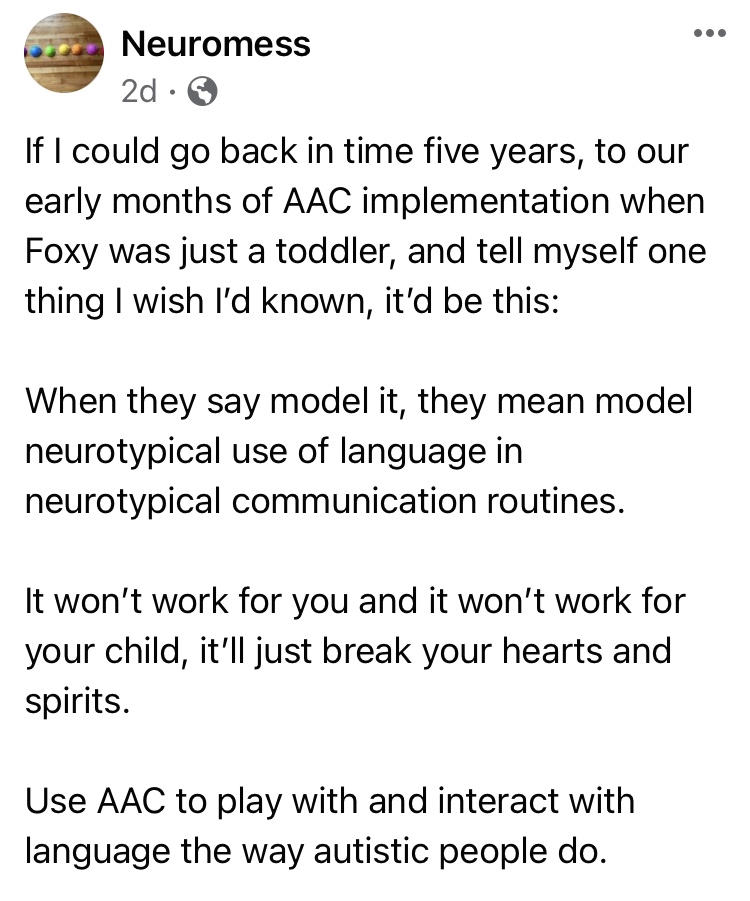
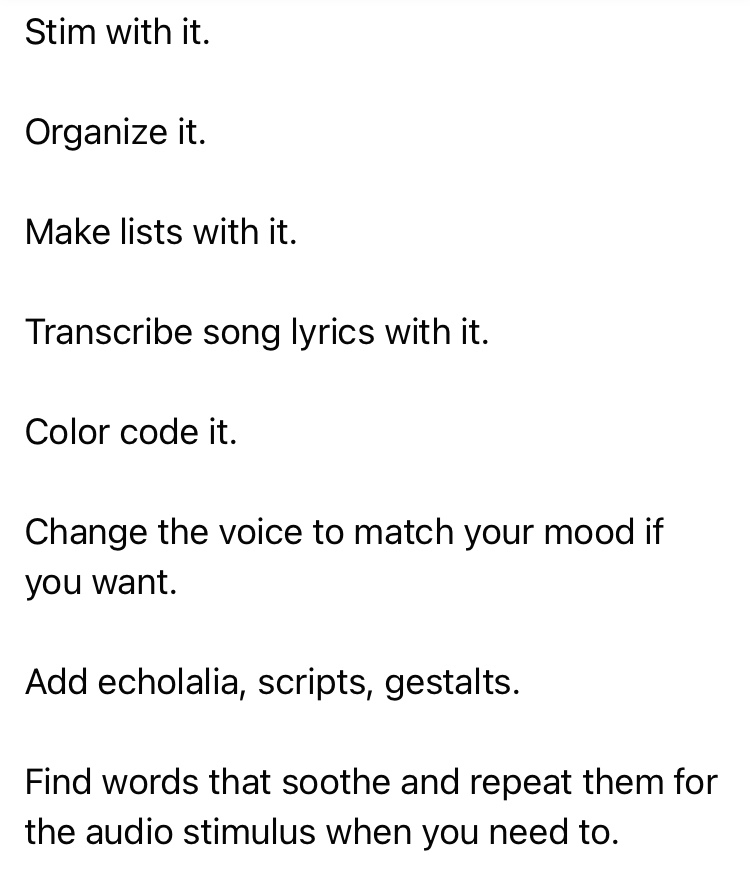
Read this post by a parent on the Neuromess Facebook page: https://www.facebook.com/101795887897310/posts/pfbid02d4EL2x9CQ4iivQu1BCzM6wKiWoPEhpom49eeMvwhZmpmDHcFD2EirioDKBJgsBrrl/?d=n


And read this The North Star and the Compass Facebook post with Canva links: A year in the life of one creative communicator (Speak for Yourself, Pictello, Spotify, Proloquo2Go as AAC). How do you truly follow a kid’s lead when they do unexpected things with their AAC?

https://www.facebook.com/story.php?id=100084827601023&story_fbid=433678696136380

And watch their videos about how much thought they put into designing a variety of AAC tools specifically for their son:

Proloquo2Go:

Speak for Yourself:

Pictello: (Facebook video)

https://www.facebook.com/story.php?id=100084827601023&story_fbid=769205125160666


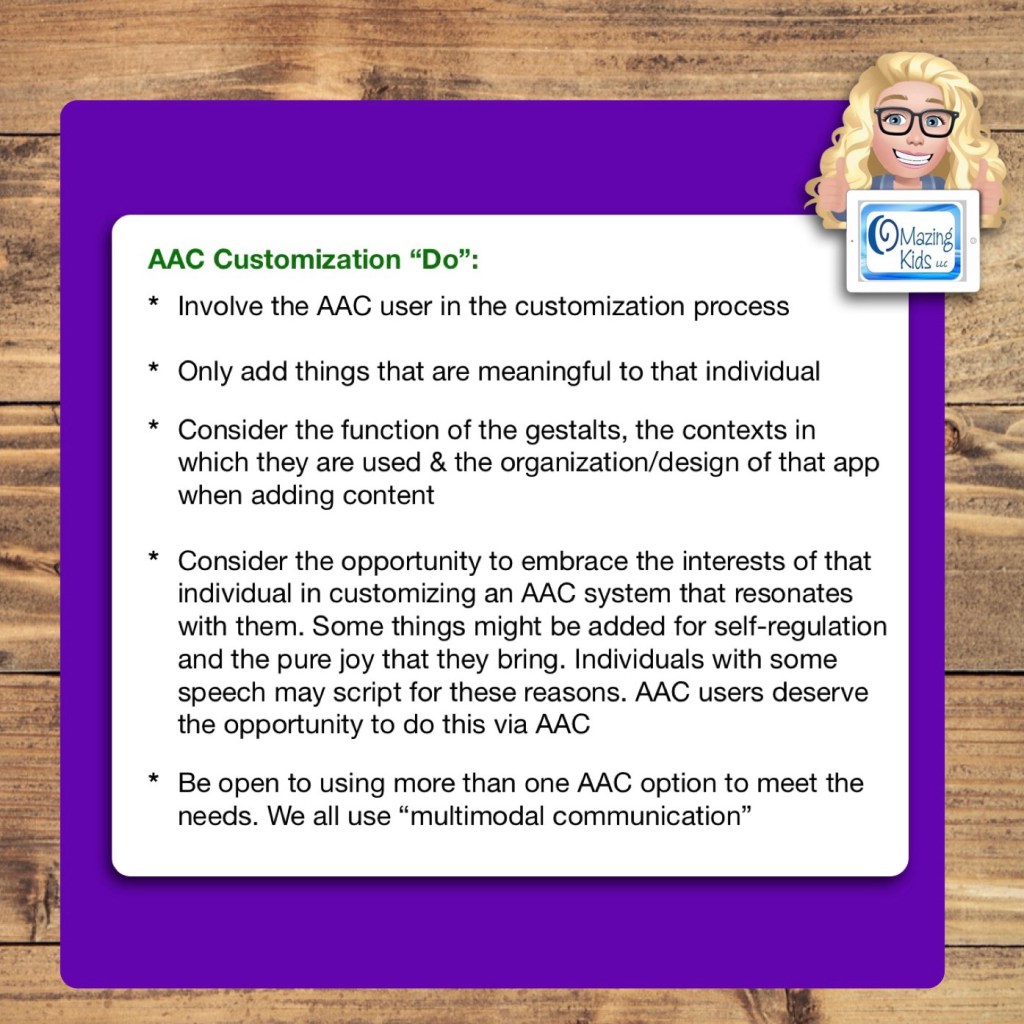
AAC Customization “Do”:

  • Involve the AAC user in the customization process
  • Only add things that are meaningful to that individual
  • Consider the function of the gestalts, the contexts in which they are used & the organization/design of that app when adding content
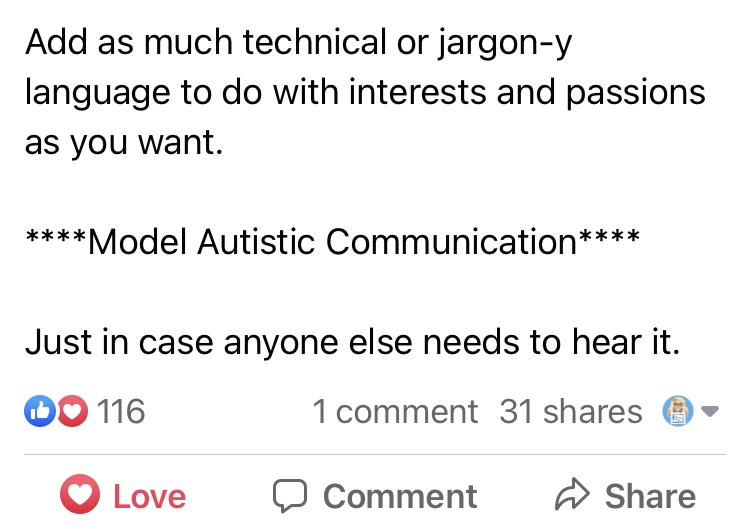
  • Consider the opportunity to embrace the interests of that individual in customizing an AAC system that resonates with them. Some things might be added for self-regulation and the pure joy that they bring. Individuals with some speech may script for these reasons. AAC users deserve the opportunity to do this via AAC
  • Be open to using more than one AAC option to meet the needs. We all use “multimodal communication”

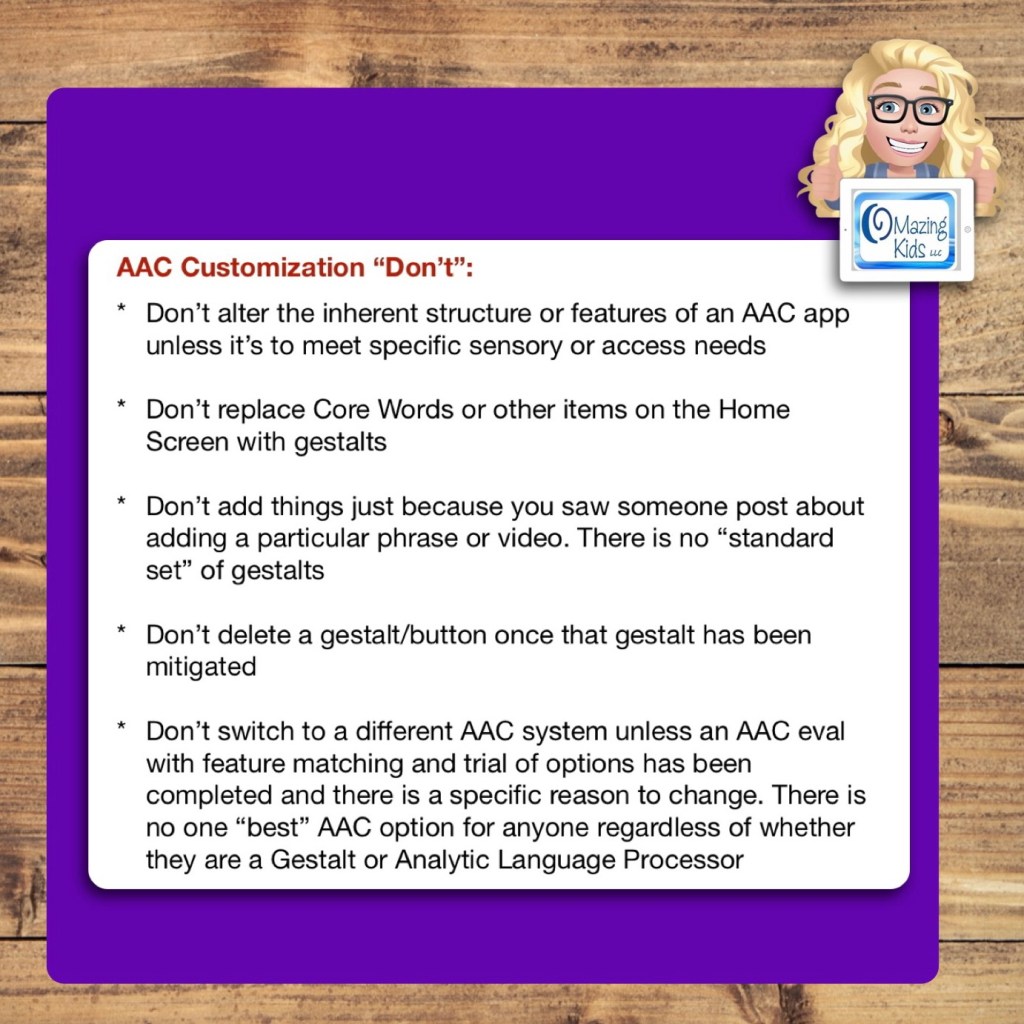
AAC Customization “Don’t”:

  • Don’t alter the inherent structure or features of an AAC app unless it’s to meet specific sensory or access needs
  • Don’t replace Core Words or other items on the Home Screen with gestalts
  • Don’t add things just because you saw someone post about adding a particular phrase or video. There is no “standard set” of gestalts
  • Don’t delete a gestalt/button once that gestalt has been mitigated
  • Don’t switch to a different AAC system unless an AAC eval with feature matching and trial of options has been completed and there is a specific reason to change. There is no one “best” AAC option for anyone regardless of whether they are a Gestalt or Analytic Language Processor
Another page from my AAC Apps and Features At-a-Glance (Single Page Handouts)”: https://bit.ly/AAC-At-a-Glance

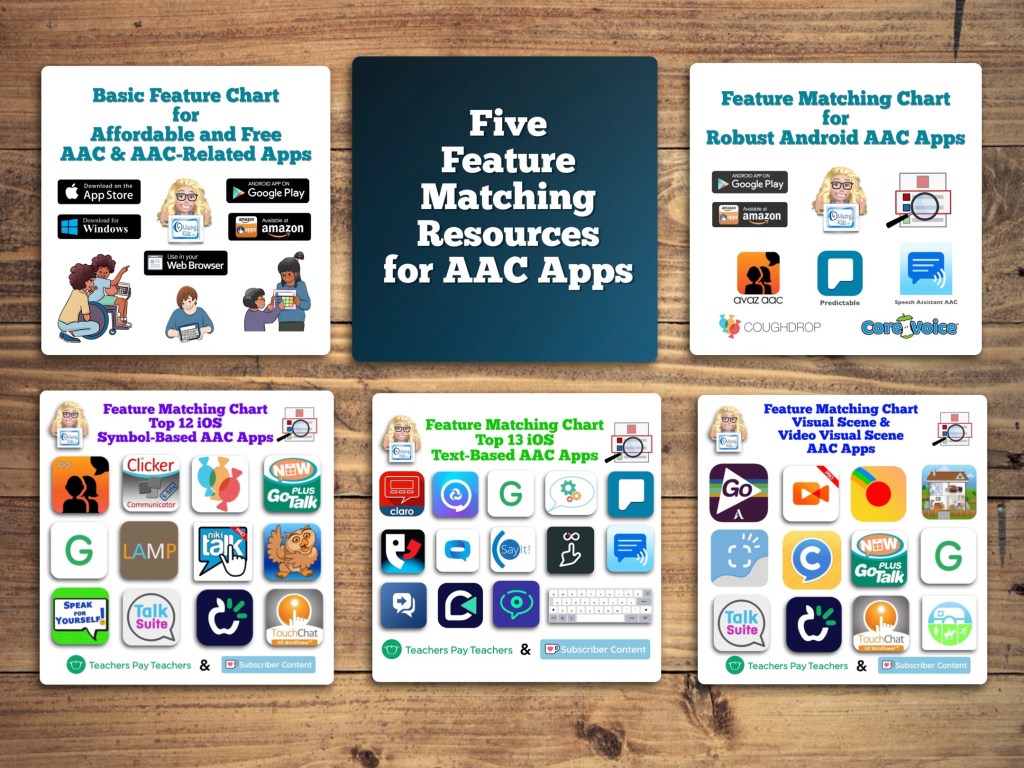
Want to learn more about AAC feature matching (comparing features and matching them to an individual’s needs)? Check out the three feature matching resources: https://bit.ly/3aacFeatureMatchingResources. The feature matching resource for the symbol-based AAC apps includes a free supplemental handout “Unique Features in Symbol-Based AAC Apps to Support Gestalt Language Processors”. It has info related to all 12 apps + additional info about features in 8 free and affordable symbol-based AAC apps (mainly iOS, some Android and a couple of Windows) priced $2.99 or less.


Looking for a customizable non-tech printable AAC flip book? See my resource “TD Snap: a visual guide to getting started”. It includes free Bonus Content: access to a 10 page printable AAC flip book specifically designed with Gestalt Language Processors in Stage 1 – Stage 2 of the Natural Language Acquisition (NLA) process in mind + the option to request an editable version in TD Snap. The free bonus handout includes instructions for printing, cutting out and assembling + a video): https://www.teacherspayteachers.com/Product/TD-Snap-a-visual-guide-to-getting-started-more-bonus-AAC-flipbook-7445593


Free handout: Resource Roundup: Gestalt Language Processing & AAC, https://bit.ly/GLPandAAC


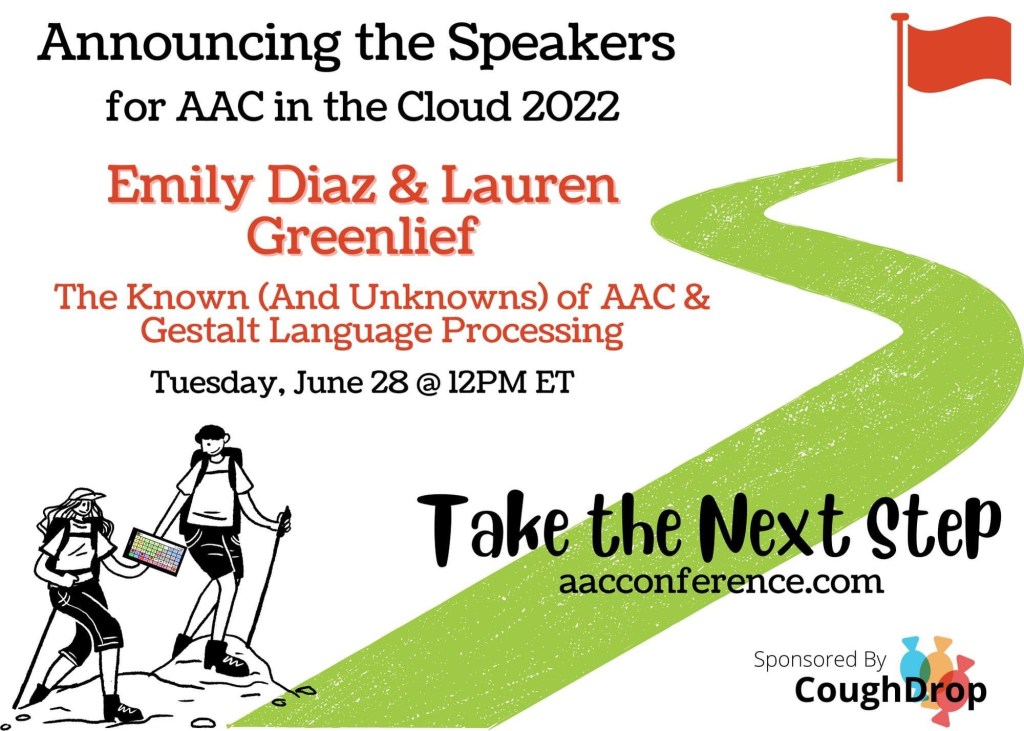
The 2022 AAC in the Cloud free online conference has two sessions related to GLP & AAC:

https://presenters.aacconference.com/videos/UWpRNVFUSXk=


Looking for in-depth AAC feature matching resources? See this blog post: https://bit.ly/5aacFeatureMatchingResources. That post also includes videos comparing AAC apps on various devices on various platforms.


Looking for more AAC resources? Check out the Resource Links page here on my blog: https://omazingkidsllc.com/omazing-kids-aac-resource-links


Have a question? The best way to reach me is via Facebook messaging over on my OMazing Kids page: https://www.facebook.com/OMazingKidsAAC/


Angela Moorad, MS, CCC-SLP, Founder of OMazing Kids, LLC, OMazing Kids AAC Consulting

• Teachers Pay Teachers Store: https://www.teacherspayteachers.com/Store/Omazing-Kids-Aac-Consulting

• YouTube: https://youtube.com/user/amoorad1

• Ko-Fi: https://ko-fi.com/omazingkidsaac

• OMazing Kids AAC Consulting Facebook Page: https://www.facebook.com/OMazingKidsAAC/

• AppPeeps Facebook Group: https://www.facebook.com/groups/OMazingKidsAppPeeps/

• GoTalk Now AAC & GoVisual Visual Scene Apps – Ideas and Sharing Facebook Group: https://bit.ly/GoTalkNowAACappGroup

• Instagram: https://www.instagram.com/omazingkidsaac

• Twitter: https://www.twitter.com/amoorad

• Pinterest: http://pinterest.com/OMazingKids/

• Linktree: https://linktr.ee/amoorad1

• LinkedIn: https://www.linkedin.com/in/angelamooradomazingkidsaac

• Blog: https://omazingkidsllc.com / Resource Links page: https://omazingkidsllc.com/omazing-kids-aac-resource-links

New Resource: Customizing My AAC (Empowering AAC Users & Fostering Ownership)

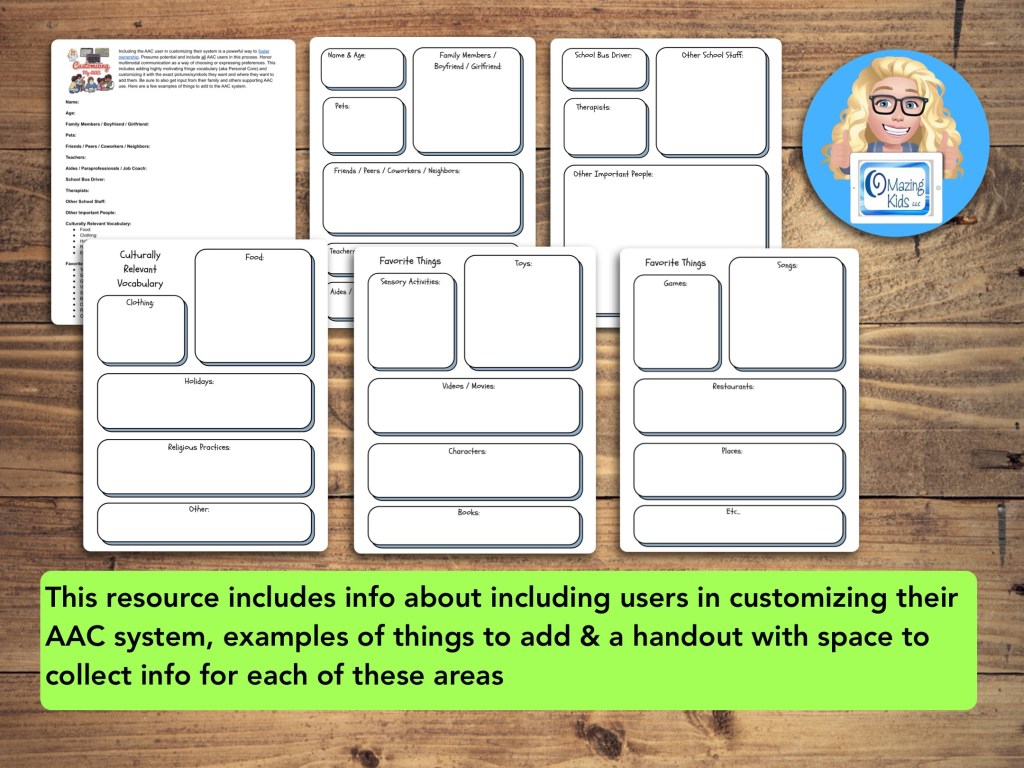
This empowering new resource includes info about including users in customizing their AAC system, examples of things to consider adding & a handout with space to collect info for each of these areas: https://www.teacherspayteachers.com/Product/Customizing-My-AAC-Empowering-AAC-Users-Fostering-Ownership-8175636.


Check out the podcast where I discussed several cases of successful fostering ownership: https://bit.ly/FosteringAACOwnershipPodcast & this blog post “Cute & Trendy AAC ~ think like MacGyver + involving users in customizing their AAC”: https://bit.ly/3yYNjtZ


Looking for other resources to foster ownership of AAC? Check out:

• Fostering AAC Ownership + AAC tags: https://www.teacherspayteachers.com/Product/Fostering-AAC-Ownership-AAC-tags-6990346

• Customizing AAC Apps to Meet Unique Needs – High Contrast Symbols: https://www.teacherspayteachers.com/Product/Customizing-AAC-Apps-to-Meet-Unique-Needs-High-Contrast-Symbols-Webinar-6914135

• Unique Features in Symbol-Based AAC Apps to Support Gestalt Language Processors (a supplemental handout included with the Feature Matching Chart for the Top 12 Robust iOS Symbol-Based AAC Apps): https://www.teacherspayteachers.com/Product/Feature-Matching-Chart-for-the-Top-12-Robust-iOS-Symbol-Based-AAC-Apps-6867853


Have a question? The best way to reach me is via Facebook messaging over on my OMazing Kids page: https://www.facebook.com/OMazingKidsAAC/

Angela Moorad, MS, CCC-SLP, Founder of OMazing Kids, LLC, OMazing Kids AAC Consulting

• Teachers Pay Teachers Store: https://www.teacherspayteachers.com/Store/Omazing-Kids-Aac-Consulting

• YouTube: https://youtube.com/user/amoorad1

• Ko-Fi: https://ko-fi.com/omazingkidsaac

• OMazing Kids AAC Consulting Facebook Page: https://www.facebook.com/OMazingKidsAAC/

• AppPeeps Facebook Group: https://www.facebook.com/groups/OMazingKidsAppPeeps/

• GoTalk Now AAC & GoVisual Visual Scene Apps – Ideas and Sharing Facebook Group: https://bit.ly/GoTalkNowAACappGroup

• Instagram: https://www.instagram.com/omazingkidsaac

• Twitter: https://www.twitter.com/amoorad

• Pinterest: http://pinterest.com/OMazingKids/

• Linktree: https://linktr.ee/amoorad1

• LinkedIn: https://www.linkedin.com/in/angelamooradomazingkidsaac

• Blog: https://omazingkidsllc.com

Clipart Credit: Drawn to AAC: https://www.teacherspayteachers.com/Product/AAC-Teachers-and-Learners-7475352

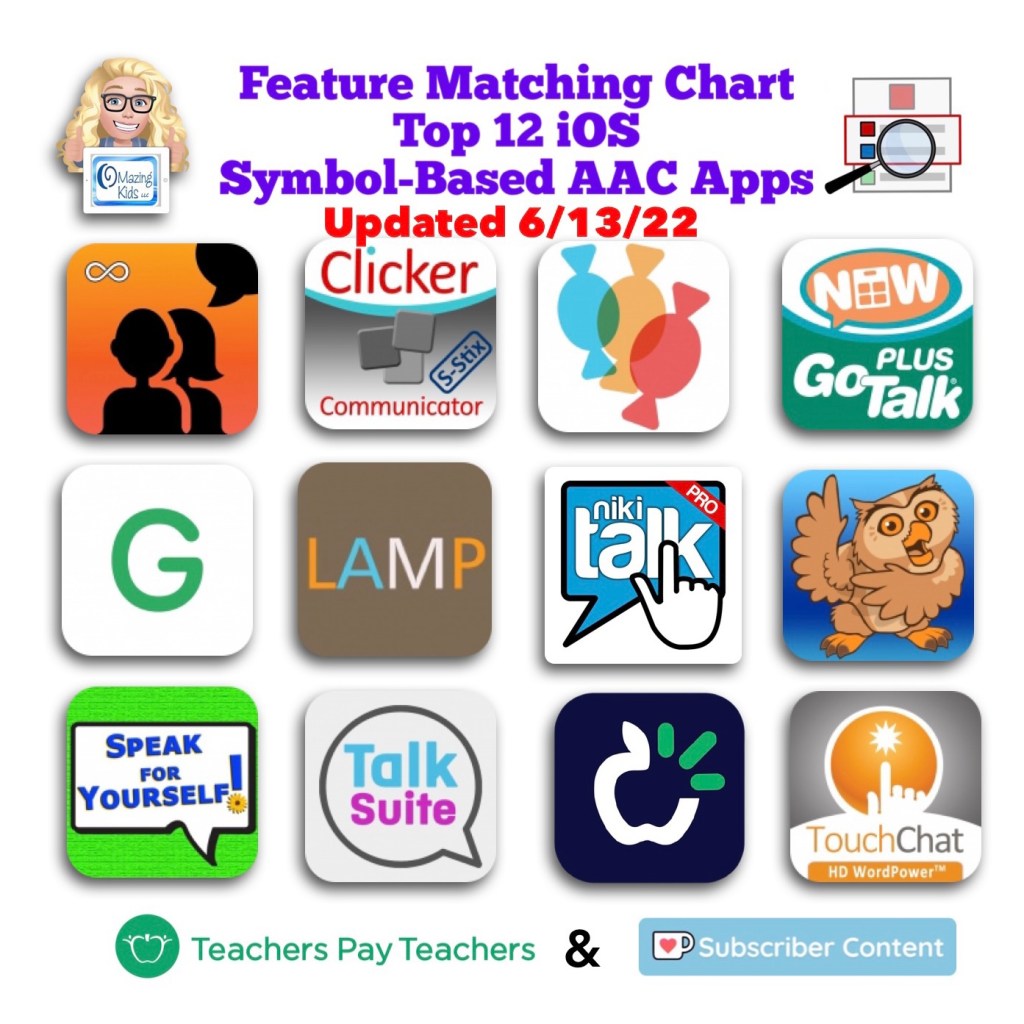
Updated Feature Matching Chart for the Top 12 Robust iOS Symbol-Based AAC Apps (6-13-22)

🎉 Resource Update Alert 🎉 6/13/22 Updated Feature Matching Chart for the Top 12 Robust iOS Symbol-Based AAC Apps

Those who have previously purchased this resource can download the latest version for no additional cost on TPT: https://bit.ly/SymbolBasedAACapps. Current Ko-fi subscribers can access the latest update on today’s post: https://ko-fi.com/post/Updated-Symbol-Based-AAC-Feature-Matching-Chart-6-Z8Z5D968O

Info about all three Feature Matching Resources for AAC Apps (comparing features in AAC apps) + TPT bundle and multiple license discounts: https://bit.ly/3aacFeatureMatchingResources


Have a question? The best way to reach me is via Facebook messaging over on my OMazing Kids page: https://www.facebook.com/OMazingKidsAAC/


Angela Moorad, MS, CCC-SLP, Founder of OMazing Kids, LLC, OMazing Kids AAC Consulting

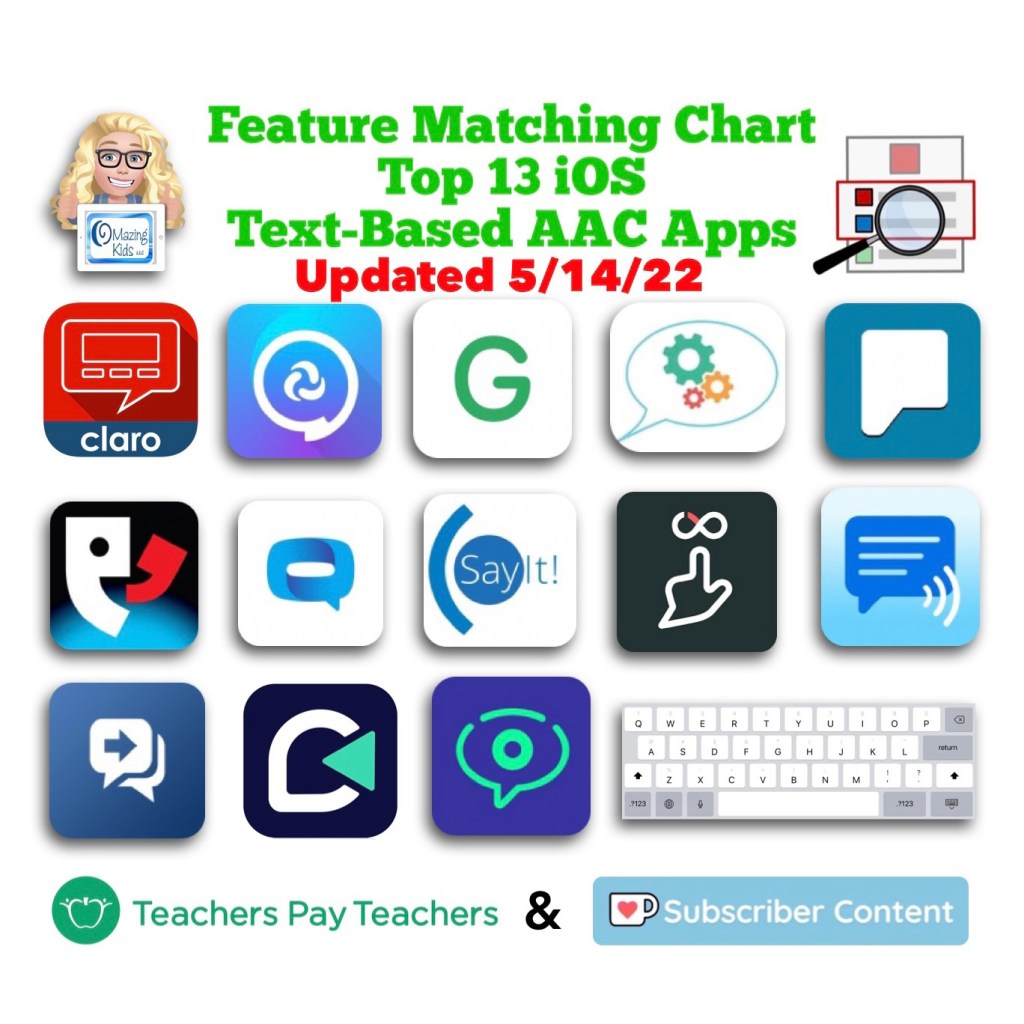
Updated Feature Matching Chart for the Top 13 iOS Text-Based AAC Apps – 5-14-22

5/14/22 Updated Feature Matching Chart for the Top 13 iOS Text-Based AAC Apps. Those who have previously purchased this resource can download the latest version for no additional cost on TPT: https://bit.ly/TextBasedAACapps. Current Ko-fi subscribers can access the latest update on today’s post. https://ko-fi.com/post/51422-Updated-Text-Based-AAC-App-Chart-S6S7CP0CM


Info about all three Feature Matching Resources for AAC Apps (comparing features in AAC apps) + TPT bundle and multiple license discounts: https://bit.ly/3aacFeatureMatchingResources


Have a question? The best way to reach me is via Facebook messaging over on my OMazing Kids page: https://www.facebook.com/OMazingKidsAAC/


Angela Moorad, MS, CCC-SLP, Founder of OMazing Kids, LLC, OMazing Kids AAC Consulting

5/12/22 Updated Feature Matching Chart for the Top 12 Robust iOS Symbol-Based AAC Apps

5/12/22 Updated Feature Matching Chart for the Top 12 Robust iOS Symbol-Based AAC Apps

Those who have previously purchased this resource can download the latest version for no additional cost on TPT: https://bit.ly/SymbolBasedAACapps. Current Ko-fi subscribers can access the latest update on today’s post: https://ko-fi.com/post/51212–Updated-symbol-based-AAC-feature-matchin-D1D5CNZ7N


Info about all three Feature Matching Resources for AAC Apps (comparing features in AAC apps) + TPT bundle and multiple license discounts: https://bit.ly/3aacFeatureMatchingResources


Have a question? The best way to reach me is via Facebook messaging over on my OMazing Kids page: https://www.facebook.com/OMazingKidsAAC/


Angela Moorad, MS, CCC-SLP, Founder of OMazing Kids, LLC, OMazing Kids AAC Consulting

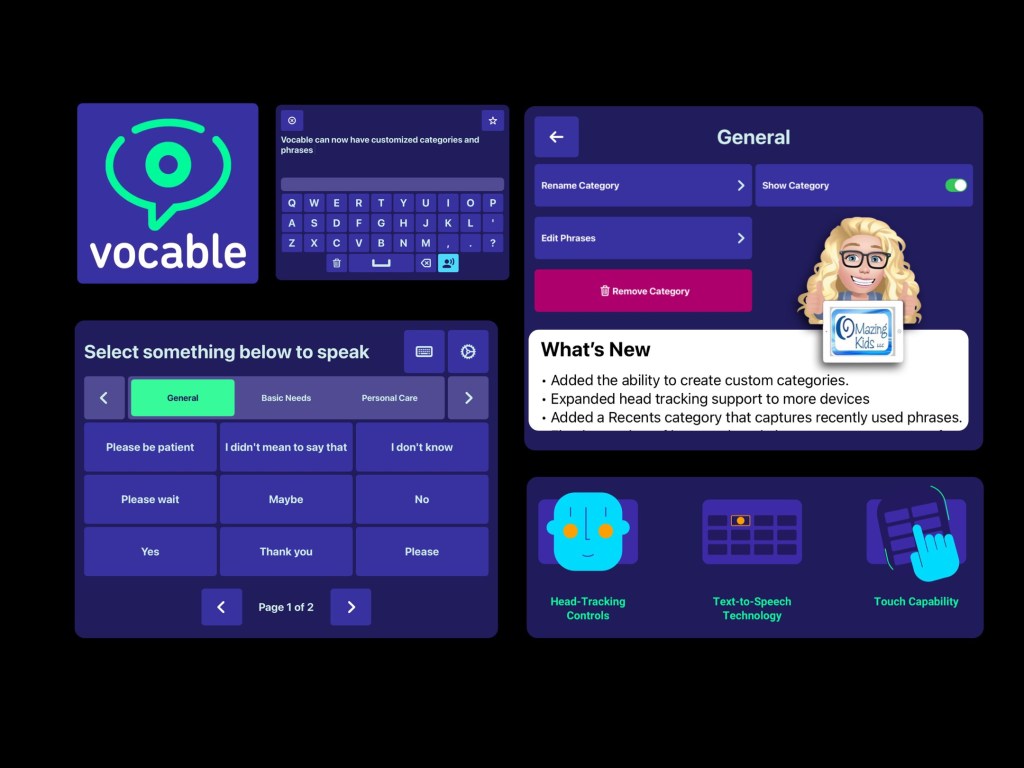
The FREE Vocable iOS Text-Based AAC App is now totally customizable (direct touch or head tracking) – updated 3/6/25

I was SO excited to see today’s update for the iOS version of the free Vocable text-based AAC app added a way to edit all of the premade content (categories and phrases).

I have corresponded with the app developer several times via email and had a great Zoom call with one of their team members on 4/8/22 to provide feedback regarding new features.

It was refreshing to connect with an app development team that is totally made up of volunteers committed to offering an open source app. It is quite impressive that they released this update so quickly 😊

This allows the app to be totally customized to a particular user’s needs and will make this app usable for a wider range of ages.

Can be used via direct touch or head tracking (without needing extra equipment)


Video of the app on my iPad 8th gen on iOS 14.5:

iOS: https://apps.apple.com/us/app/vocable-aac/id1497040547 (iOS Universal (iPad/iPadOS 14.0 or later. iPhone & iPod Touch/iOS 14.0 or later) + Mac with Apple M1 chip/macOS 11.0 or later)

There is also an Android version but it doesn’t have these new features yet: https://play.google.com/store/apps/details?id=com.willowtree.vocable. I’ll update this blog post if that version of this app is updated.

Website: https://www.vocable.app


I’ve been getting quite a few requests for info from parents and pediatric SLPs looking for text-based AAC apps. It’s very interesting how many young kids are preferring a text-only setup. The recurring themes are hyperlexia, a high interest in letters and being visually overstimulated by symbols.

I typically recommend that folks try a text-only set up in one of the robust symbol-based AAC apps since those have high quality child voices & premade vocabulary more suitable for children (https://omazingkidsllc.com/2021/10/19/creating-a-text-only-set-up-for-kids-in-symbol-based-aac-apps/) + also explore true text-based AAC apps. Then determine what combination of AAC options might best meet the needs.


Updated 3/6/25 – Looking for more free and affordable AAC apps? Check out my Basic Feature Chart for Affordable and Free AAC apps & AAC-Related Apps (iOS, Android Google Play, Amazon Fire, Windows + a few Web-Based options): https://bit.ly/BasicAffordableAACchart.

In addition to Vocable two other top picks for free AAC apps are Weave Chat AAC & GoTalk Now Lite.

Weave Chat AAC is robust, can be text-based or symbol-based (or customized with pictures), is available in several languages and the app developer updates it frequently. It’s available on iOS, Android and Amazon Fire: https://www.weavechat.com. Be sure to join their Weave Chat AAC Community group on Facebook: https://www.facebook.com/groups/676728011274573/

I’m leery of apps that require a log-in and had an in-depth discussion with the developer of Weave Chat AAC about that before signing up to use the app. The log in info is solely used for their cloud based system that backs up and syncs the app across devices.

If you want a totally free AAC app with no log in and can be customized with photos take a look at GoTalk Now Lite by Attainment Company, Inc.. (https://apps.apple.com/us/app/gotalk-now-lite/id953164338). I have a GoTalk Now AAC & GoVisual Scene Apps – Ideas and Sharing group on Facebook for it: https://bit.ly/GoTalkNowAACappGroup


Have a question? The best way to reach me is via Facebook messaging over on my OMazing Kids page: https://www.facebook.com/OMazingKidsAAC/


Angela Moorad, MS, CCC-SLP, Founder of OMazing Kids, LLC, OMazing Kids AAC Consulting

All About My AAC – quick info about my AAC app settings (new resource on TPT)

This new resource can be used to document “at a glance” quick info about settings in an AAC app that have been customized to fit that individual’s needs. It is available on my TPT store: https://bit.ly/AllAboutMyAAC. Current subscribers on Ko-fi can access this resource on today’s post: https://ko-fi.com/post/All-About-My-AAC–quick-info-about-my-AAC-app-set-X8X2CGC9X


The options vary depending on the app being used so this resource includes:

  • A page for each of the Top 12 iOS symbol-based AAC apps
  • A page that could be used with any AAC app
  • A version with more open space to write whatever is needed
  • Each page also includes a place to document: Name, Date, iPad Passcode, Guided Access Passcode, App Passcode, Modeling Preferences, and Other Important Info

Clipart Credit: Drawn to AAC: https://www.teacherspayteachers.com/Product/AAC-Teachers-and-Learners-7475352


Top 12 iOS Symbol-Based AAC Apps:

  • Avaz AAC – Lifetime Edition
  • Clicker Communicator: AAC
  • CoughDrop
  • GoTalk Now / GoTalk Now Plus
  • Grid for iPad VPP
  • LAMP Words for Life
  • Niki Talk 2 Pro
  • Proloquo2Go
  • Speak for Yourself
  • Talk Suite Pro
  • TD Snap 
  • TouchChat HD with WordPower

Additional resources:


Have a question? The best way to reach me is via Facebook messaging over on my OMazing Kids page: https://www.facebook.com/OMazingKidsAAC/


Angela Moorad, MS, CCC-SLP, Founder of OMazing Kids, LLC, OMazing Kids AAC Consulting

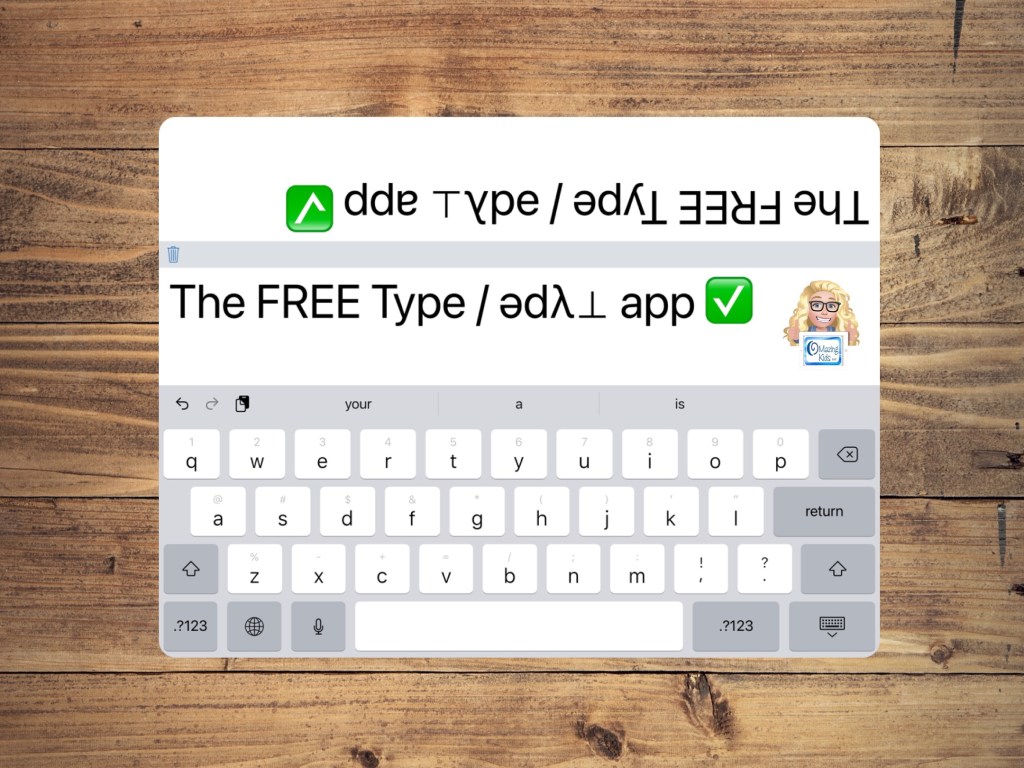
Free Type / ǝdλ⊥ Large Text Typing App with Flipped Dual Message Window & Spoken Content

Although the free Type / ǝdλ app (https://apps.apple.com/us/app/type-%C7%9Dd%CE%BB/id1020070997) hasn’t been updated in many years it currently works on my two iPad 8th gens on iOS 14.5 & iOS 15.4.1 and my iPhone 11 on iOS 14.8.

My guess is this app is the simplicity of this app has allowed it to continue to work without being updated.


I’m sharing it as something that is helpful when you need large text and a dual message window. It is easy to change the size of the text by pinching in/out on the message window.

It could be a good option for AAC users who want something simple to use on their iPhone or iPad and prefer not to have voice output.

But you could enable a voice to have the text spoken by having the following toggled on in the device Settings (gray gear): Accessibility – Spoken Content – Speak Selection. This section is also where you can choose an iOS voice, adjust the rate of speech, have text highlighted when spoken, edit pronunciations, etc.


Have a question? The best way to reach me is via Facebook messaging over on my OMazing Kids page: https://www.facebook.com/OMazingKidsAAC/.


Angela Moorad, MS, CCC-SLP, Founder of OMazing Kids, LLC, OMazing Kids AAC Consulting

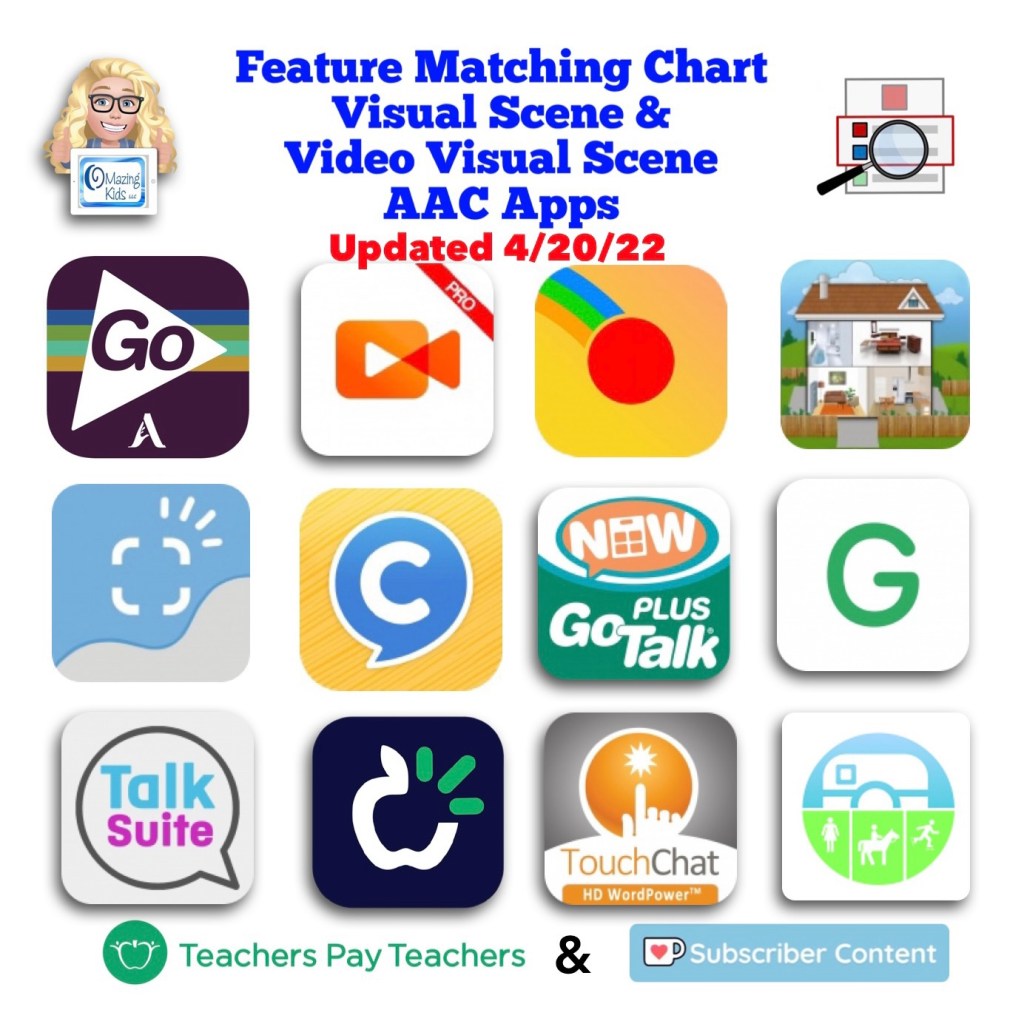
Resource Update Alert 🎉: Feature Matching Chart for Visual Scene and Video Visual Scene Display AAC Apps

An update for the Feature Matching Chart for Visual Scene and Video Visual Scene Display AAC Apps has been uploaded to Teachers Pay Teachers. More info has been added about the EasyVSD Android app. FYI… the ChatAble app is not currently available for purchase while it is in the process of being updated.

Those who have previously purchased this resource either individually or as part of the bundle can go download the new PDF for no additional cost over on TPT: https://www.teacherspayteachers.com/Product/Feature-Matching-Chart-for-Visual-Scene-and-Video-Visual-Scene-Display-AAC-Apps-7811258, Bundle: https://www.teacherspayteachers.com/Product/AAC-Feature-Matching-Resource-Bundle-7849416

Current Ko-fi subscribers can find the links in today’s post (4/20/22): https://ko-fi.com/post/Updated-Feature-Matching-Chart-Visual-Scene-Displ-I2I7C9CSX


Have questions? The best way to reach me with any questions is via messaging on the OMazing Kids Facebook page: https://www.facebook.com/OMazingKidsAAC/. That way AAC related messages don’t get lost among the spam in my e-mail.


Angela Moorad, MS, CCC-SLP, Founder of OMazing Kids, LLC, OMazing Kids AAC Consulting

• Teachers Pay Teachers Store: https://www.teacherspayteachers.com/Store/Omazing-Kids-Aac-Consulting

• YouTube: https://youtube.com/user/amoorad1

• Ko-Fi: https://ko-fi.com/omazingkidsaac

• OMazing Kids AAC Consulting Facebook Page: https://www.facebook.com/OMazingKidsAAC/

• AppPeeps Facebook Group: https://www.facebook.com/groups/OMazingKidsAppPeeps/

• GoTalk Now AAC & GoVisual Visual Scene Apps – Ideas and Sharing Facebook Group: https://bit.ly/GoTalkNowAACappGroup

• Instagram: https://www.instagram.com/omazingkidsaac

• Twitter: https://www.twitter.com/amoorad

• Pinterest: http://pinterest.com/OMazingKids/

• Linktree: https://linktr.ee/amoorad1

• LinkedIn: https://www.linkedin.com/in/angelamooradomazingkidsaac

• Blog: https://omazingkidsllc.com
What’s New in AAC (April 2022)

What’s New in AAC in April 2022. Progress continues to be made in diversity in AAC apps. Darius (the new African American male voice from Acapela) is now available in Proloquo2Go and Proloquo4Text. Seven of the top twelve iOS symbol-based AAC apps now offer a way to change the symbol skin tones: CoughDrop, GoTalk Now, Grid for iPad, Proloquo2Go, Talk Suite Pro, TD Snap, TouchChat with WordPower.

Want to be in the know when new features are added to AAC apps? This month’s updates for the feature matching resources are available on TPT & Ko-fi. See details on these two OMazing Kids AAC Consulting blog posts: https://bit.ly/3JSOZdM & https://bit.ly/3uVyKIG


Have questions? The best way to reach me with any questions is via messaging on the OMazing Kids Facebook page: https://www.facebook.com/OMazingKidsAAC/. That way AAC related messages don’t get lost among the spam in my e-mail.


Angela Moorad, MS, CCC-SLP, Founder of OMazing Kids, LLC, OMazing Kids AAC Consulting