Angela Moorad, MS, CCC-SLP. Over 36 years experience in AAC. OMazing Kids AAC and app consulting. Creator of several AAC Feature Matching resources (https://omazingkidsllc.com/omazing-kids-aac-resource-links/). Includes info about unique features to support Gestalt Language Processors
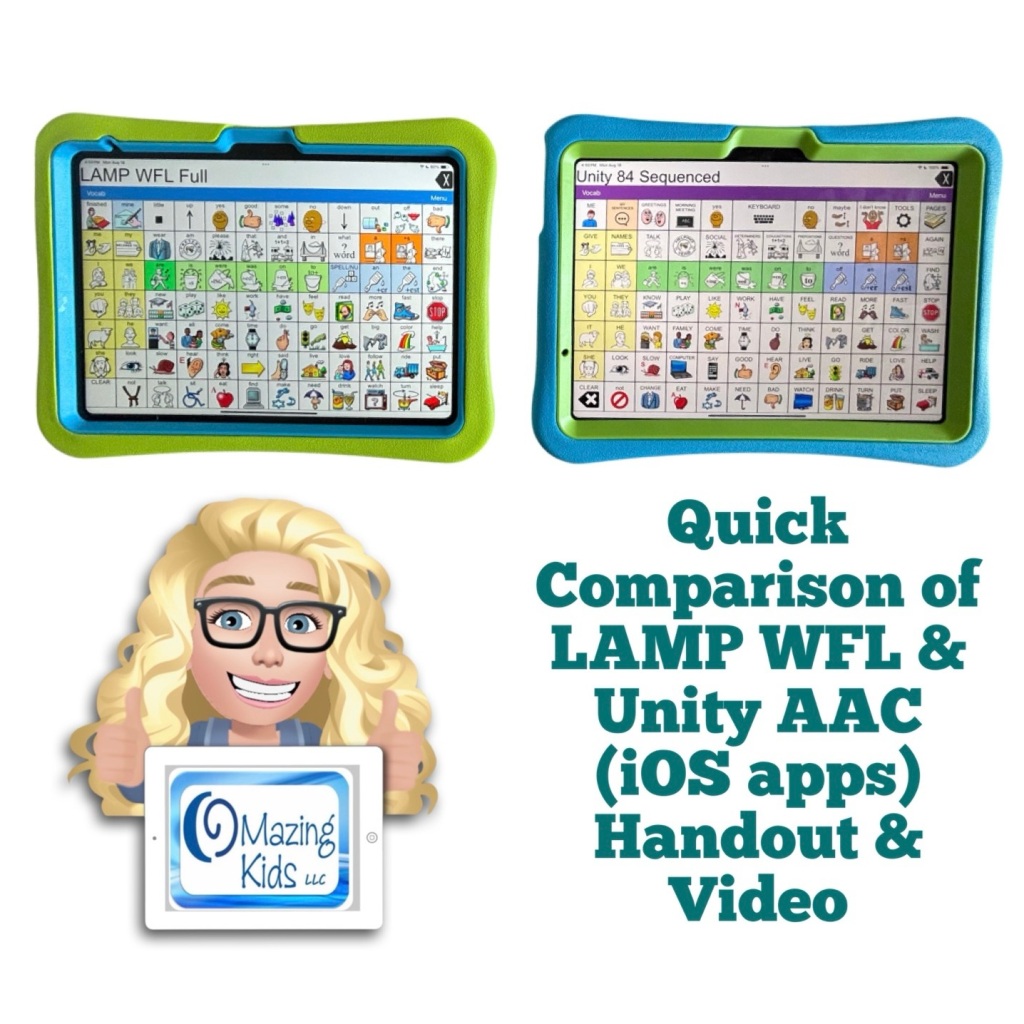
Want a quick way to compare some of the main differences between the new Unity AAC iOS app & the LAMP Words for Life iOS app?
✅ Check out my brand new resource “Quick Comparison of LAMP Words for Life & Unity AAC iOS Apps”
🎯 This resource includes a two page PDF handout with 23 rows comparing key differences between the LAMP Words for Life & Unity AAC iOS apps + exclusive access to an 49:29unlisted YouTube video where I show the differences. It is designed for a quick comparison (not an in-depth look at all of the features).
Created 8/19/25. This just highlights a few differences between these two iOS apps (not all of the features).
In-depth info about LAMP WFL features can be found in the Feature Matching Chart for the Top 13+ Robust iOS Symbol-Based AAC Apps: https://bit.ly/SymbolBasedAACapps
I’ll add info about the new iOS Unity AAC app to that soon.
Neither app is “better” than the other. It depends on the needs of the AAC user, their family and others supporting AAC use. Additional features may be available if using either software on PRC-Saltillo SGDs. Contact your local PRC-Saltillo Consultant for info about options on their SGDs.
Looking for in-depth AAC feature matching resources? See this blog post: https://bit.ly/5aacFeatureMatchingResources. That post also includes videos comparing the best AAC apps on various devices on various platforms.
Professionals need access in order to take AAC on a “test drive”. This new FREE handout includes info about how SLPs / SLTs and other AAC professionals can get access to over 25 robust and unique AAC apps or software for iOS, Android, Amazon Fire and Windows.
There is no “one size fits all” to anything about AAC and many individuals will need to use a variety of options (non tech, mid tech, high tech (SGDs, apps on an iPad or iPhone or other tablet or phone), sign language, gestures, facial expressions, vocalizations, segments of videos for gestalts, handwriting, etc…) as part of a multimodal system to support communication across environments and situations.
An AAC app is often part of a successful multimodal AAC system. While there isn’t any “perfect” AAC app there are features in these apps that might make some a better “fit” over other options.
It’s similar to taking a test drive to find a form of transportation that you like and meets your needs at that point in your life. All cars have an engine, tires and seats. Your first car may have been very basic transportation. But think about your dream vehicle. What features would it have? Why would you choose it over a different option? Older individuals might prioritize safety features. A teen or single young adult might prioritize the “look” / how “cool” it is. A family with young children might prioritize how many car seats can fit and storage. Others might prioritize fuel efficiency and eco-friendliness. You might ride a bike, subway, train, take an Uber ride, take a ferry, paddle in a canoe, etc. None of these is necessarily “better” than another or the “best” form of transportation. The “best” option is the one that meets the needs of that individual in that situation.
Looking for in-depth AAC feature matching resources? See this blog post: https://bit.ly/5aacFeatureMatchingResources. That post also includes videos comparing the best AAC apps on various devices on various platforms.
This is a major update. Be sure to download the new PDF for the most current information.
Flexspeak VPP has been added.
This is the final time that Coughdrop will be included in this feature matching resource (it hasn’t been updated in over a year and has no signs of the increasing glitchiness being resolved. I no longer recommend this app. It will be removed from this resource in the next update.).
The “Unique Features in Symbol-Based AAC Apps to Support Gestalt Language Processors” supplemental handout linked within it has also been updated.
Looking for other in-depth AAC feature matching resources? See this blog post: https://bit.ly/5aacFeatureMatchingResources. That post also includes videos comparing the best AAC apps on various devices on various platforms.
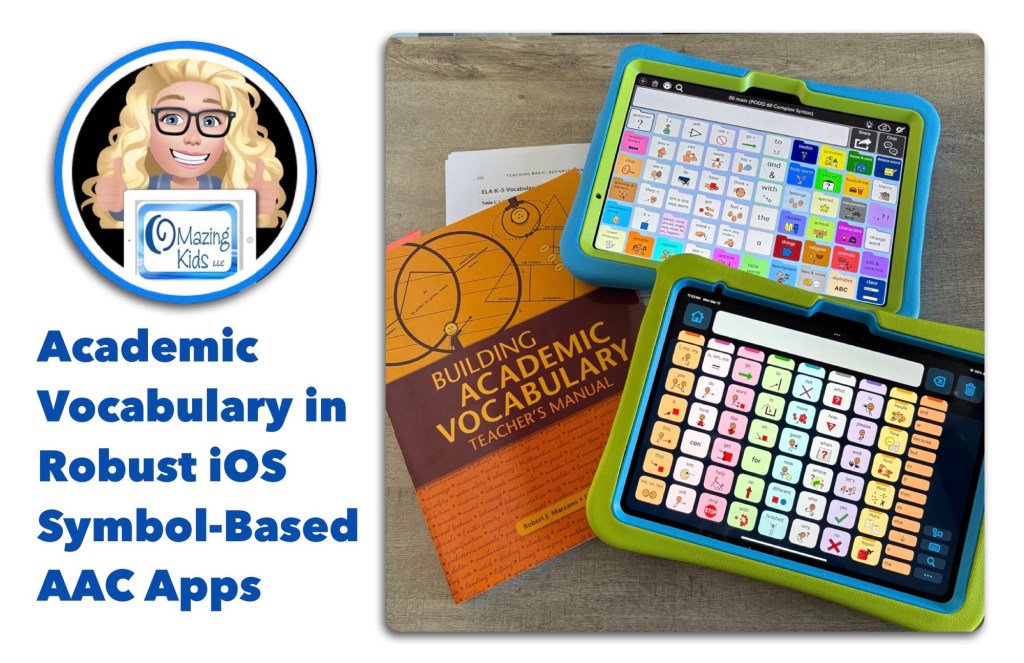
I recently took a deep dive into looking at inclusion of premade Kindergarten math, language arts, science, and social studies academic vocabulary in USA English in 23 vocabulary options in robust iOS symbol-based AAC apps.
✅ Here’s a ranking summary of how the vocabulary fared with inclusion of 147 specific wordson 3/15/25:
🥇 Proloquo (the newer app, different from Proloquo2Go): 147/147 = 100% (20 of the words are only available as a Related Word. So for those who are unable to use buttons that small or buttons without symbol support the score would drop to 127/147 but that’s still 1st place in this comparison)
🥈 PODD 60 Complex Syntax (same in all apps that offer PODD): 126/147 = 86%
🥉 Quick Core 112 in CoughDrop: 120/147 = 82%
SuperCore 50 Teen/Adult in Grid for iPad: 117/147 = 80%
Avaz 117 grid & Motor Plan 66in TD Snap (MP30 & MP40 have the same vocabulary as MP66): 116/147 = 79%
Speak for Yourself: 115/147 = 78%
Avaz 60 grid: 114/147 = 78%
SuperCore 50 Child in Grid for iPad: 108/147 = 73%
Full Vocabulary in LAMP Words for Life: 106/147 = 72%
Weave Chat AAC 7×15: 105/147 = 71%
9×16 Crescendo Advanced Core in Proloquo2Go: 104/147 = 71%
7×11 Crescendo Intermediate Core in Proloquo2Go: 102/147 = 69%
WordPower60 Basic & WordPower108 in TouchChat with WordPower: 100/147 = 68%
Talk Suite Pro 7×10: 99/147 = 67%
Flexspeak: 96/147 = 65%
Core First 8×10 in TD Snap: 94/147 = 64%
Quick Core 60 in CoughDrop: 85/147 = 58%
Gateway Developing Language & Gateway Advanced Communicator both 9×12 (really 9×11) in Proloquo2Go: 83/147 = 56%
Gateway Child Language and Literacy 9×11 grid in TD Snap: 80/147 = 54%
Note: The rankings in this comparison will change over timeas AAC app developers add new vocabulary to their app(s). Gateway in TouchChat with WordPower wasn’t included in the comparison since it doesn’t have a Search unless you edit to add it. Gateway in Mind Express 5 and WordPower in Grid 3 weren’t included in the comparison since those are only available on Windows.
❓How I decided on a list of 147 specific academic words:
I do NOT trust Artificial Intelligence (AI) to create accurate information and therefore did not use it when working on this comparison.
❓Where you can find a copy of the specific vocabulary list, data, and notes from my comparison:
This information is included in the most recent update for my Feature Matching Chart for the Top 13+ Robust iOS Symbol-Based AAC Apps on 3/15/25. Available on TPT: https://bit.ly/SymbolBasedAACapps. Those who have previously purchased this resource on TPT can download the newest version for no additional cost.
I will be emailing a copy to each of the AAC app developers included in this comparison.
❓How I determined if an app included these words:
This was based on a fresh install of the most current version of each app out of the box (official from that company, no editing done) on 3/15/25. Only included robust iOS symbol-based apps with a Search available. I personally checked all 147 words in all 23 vocabulary files in these apps.
❓Why my comparison is only for Kindergarten vocabulary:
I needed a manageable task to actually get it done. I don’t have access to an automated way to do this. It took me hours to search each word in all of these vocabulary options.
I have used Proloquo (the newer app, different from Proloquo2Go) enough to know the gap between the depth of academic vocabulary it offers vs. other AAC apps will widen even more as you look at academic vocabulary beyond Kindergarten. Proloquo offers academic vocabulary on up to an adult level.
❓Why my comparison is only for USA English vocabulary:
I am not a native or fluent speaker of any other language. Hopefully folks who speak other languages will do a similar comparison.
❓Why my comparison only includes symbol-based AAC:
Most Kindergarten students who use AAC tend to use symbol-based AAC. Of course some might be able to type or use text-based AAC… I’ve had kids as young as 3 1/2 years old who could…. but this isn’t typically the case.
⭐️ Conclusions:
The Proloquo app (newer app, different from Proloquo2Go) has excellent academic vocabulary but the half-sized Related Words buttons may pose accessibility issues for some individuals due to the small size and lack of symbol support. Hopefully AssistiveWare will eventually add this same depth of academic vocabulary to their Proloquo2Go app.
We need more AAC apps to come pre-programmed with robust academic vocabulary across grade levels that can be used by AAC users with a wide range of access needs.
Relying too heavily or solely on “descriptive teaching / descriptive language” will not allow individuals access to enough vocabulary to be successful in academic settings. This is feedback that I’m hearing directly from AAC users and those supporting them. Having more academic vocabulary pre-programmed will reduce the burden currently put on parents and/or AAC users to add this. I’ve personally experienced folks taking “descriptive language” to an extreme when I questioned why particular commonly used words weren’t in an AAC apps. In one instance I was told to use “round + sandwich” when the word “hamburger” wasn’t in an app. That happened to be one of that child’s favorite foods so of course I added that word.
✅ ❌ Important Notes:
Of course we can’t expect an AAC app to have EVERY word in the English language. Even Proloquo doesn’t have EVERY word and I see occasional posts from folks asking for advice on where to add a particular word or related word. Every AAC app is going to need to be personalized. That’s different from the academic vocabulary being discussed here.
I am NOT implying these are the only academic words a Kindergarten student might need. That might vary depending from state to state and from school district to school district.
I am NOT implying that AAC use should become “work” or used primarily for “academic” activities.
I am NOT implying that these 147 words are only “academic”. Words are words. They might be used to share information about highly preferred topics and used across environments (not just at school).
This is just a comparison of one aspect out of hundreds of features in robust AAC apps. It should not be the only thing considered when considering AAC options. It’s important to do comprehensive feature matching and a consideration of all of the things that individual might need in a robust AAC system (which often needs to include more than one tool). See my roundup post of in-depth Feature Matching Resources for AAC Apps (comparing features in AAC apps) + several videos comparing AAC apps across platforms (iPad, Android, Amazon Fire, Windows):https://bit.ly/5aacFeatureMatchingResources
I’m NOT saying that Descriptive Teaching / Descriptive Language isn’t a helpful strategy. But I am listening to AAC users and parents supporting them when they express frustration in how that is often used as an excuse to not provide enough academic vocabulary in AAC apps for them/their child to have access to enough vocabulary to be successful in academic settings.
Two things can be true at the same time. It will be helpful to have more academic vocabulary included in symbol-based AAC apps AND “descriptive teaching / descriptive language” strategies can be helpful when a particular word isn’t available in that particular AAC app yet.
🎯 The purpose of this comparison is to raise awareness of robust academic vocabulary needing to be included as part of an AAC system/toolkit. See this blog post for more info: https://bit.ly/DearAAC-appDevelopers.
Looking for in-depth AAC feature matching resources? See this blog post: https://bit.ly/5aacFeatureMatchingResources. That post also includes videos comparing AAC apps on various devices on various platforms.
Looking for other in-depth AAC feature matching resources? See this blog post: https://bit.ly/5aacFeatureMatchingResources. That post also includes videos comparing the best AAC apps on various devices on various platforms.
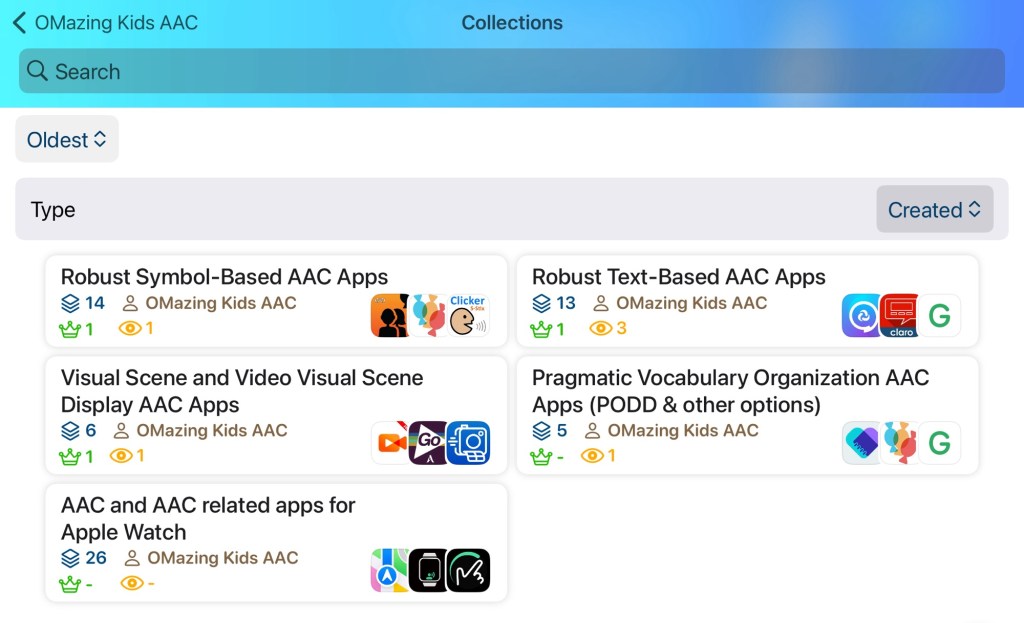
I was sad to see the AppSliced website close down but then relieved to find the same type of info available on AppRaven. It’s a free app and the basic features are free. It’s a good way to see pricing history on apps and a bit of other info. I also like the option to create collections.
I’ll update this post as I create other collections.
Looking in-depth AAC feature matching resources? See this blog post: https://bit.ly/5aacFeatureMatchingResources. That post also includes videos comparing the best AAC apps on various devices on various platforms.
Resource Update: Feature Matching Chart for Visual Scene and Video Visual Scene Display AAC Apps.
I added info about the Android version of Scene and Heard Pro Lifetime and info about the iOS and Android versions of QuickPic AAC + lots of info about new features in several of the other apps & info about my experience with creating and using a “The VoiceKeeper” voice.
Those who have previously purchased it on TPT can download the most current version for no additional cost: https://bit.ly/AACvsd .
Looking for other in-depth AAC feature matching resources? See this blog post: https://bit.ly/5aacFeatureMatchingResources. That post also includes videos comparing the best AAC apps on various devices on various platforms.
The Feature Matching Chart for the Top iOS Text Based AAC Apps has been updated on 6/29/24 to reflect new features in these apps. Includes major update in Predictable 7. Those who have previously purchased this resource on TPT can download the newest version for no additional cost: https://bit.ly/TextBasedAACapps. Ko-fi subscribers will be able to access a copy on the pinned resource post: https://ko-fi.com/Post/Links-to-posts-about-most-current-feature-matching-F1F5C9DMD
Looking for other in-depth AAC feature matching resources? See this blog post: https://bit.ly/5aacFeatureMatchingResources. That post also includes videos comparing the best AAC apps on various devices on various platforms.
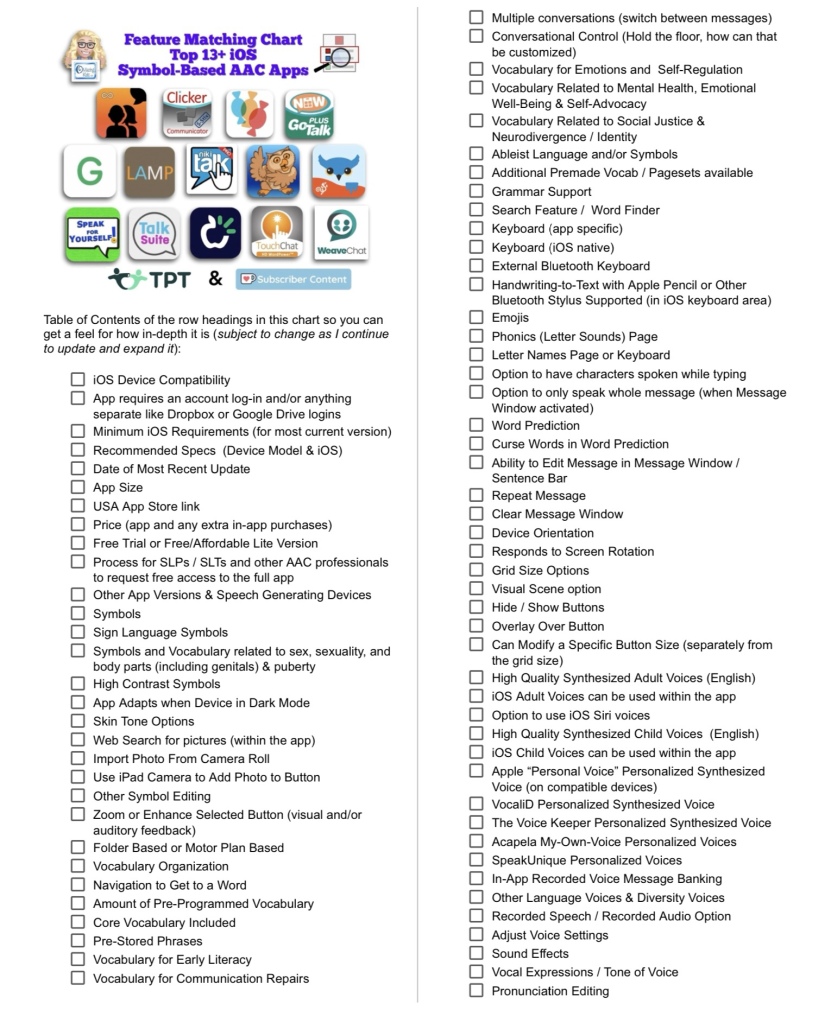
Resource Updated: The Feature Matching Chart for the Top 13+ iOS Symbol Based AAC Apps (6/12/24).
It includes information about new features in several apps + info related to the changes in TD Snap becoming a subscription-based app.
The “Unique Features in Symbol-Based AAC Apps to Support Gestalt Language Processors” supplemental handout linked within it has also been updated.
I also updated the Table of Contents in the TPT resource description for those who want more info about the types of things covered: https://bit.ly/TOC-iOSaacSBfmc-06-12-24.
Those who have previously purchased this resource on TPT can download the newest version for no additional cost: https://bit.ly/SymbolBasedAACapps.
Looking for other in-depth AAC feature matching resources? See this blog post: https://bit.ly/5aacFeatureMatchingResources. That post also includes videos comparing the best AAC apps on various devices on various platforms.
This new FREE handout has info about how individuals can access a free trial of several robust AAC apps to try out on their own iPad, Android tablet, Amazon Fire tablet, or Windows tablet. Or use online.
If you are an SLP/SLT making funding/purchasing recommendations or another professional supporting AAC users and need ongoing access to robust AAC apps, see this blog post: AAC Test Drive & Getting Access to Robust AAC Apps,https://bit.ly/AACtestdrive. It has links to four FREE handouts with the details on how to get access to these apps.
Notes:
Each app has its own minimum spec requirements. You can find those either in that app store or on the website where you download it.
Some of these apps could also be trialed via a loaner AAC device from that company, via a company that sells a fundable iOS-based or Android-based device or a loaner from your state’s AT Lending Program.
Terms of Use: You may not copy any part of this document (including the content, layout, format, ideas or design) and reproduce it or distribute it as your own work. Please do not copy/paste this info onto other blogs or save this PDF in any online groups or files. It is available for free on my TPT store: https://bit.ly/OMazingKidsAAConTPT.







 OMazing Kids AAC Consulting