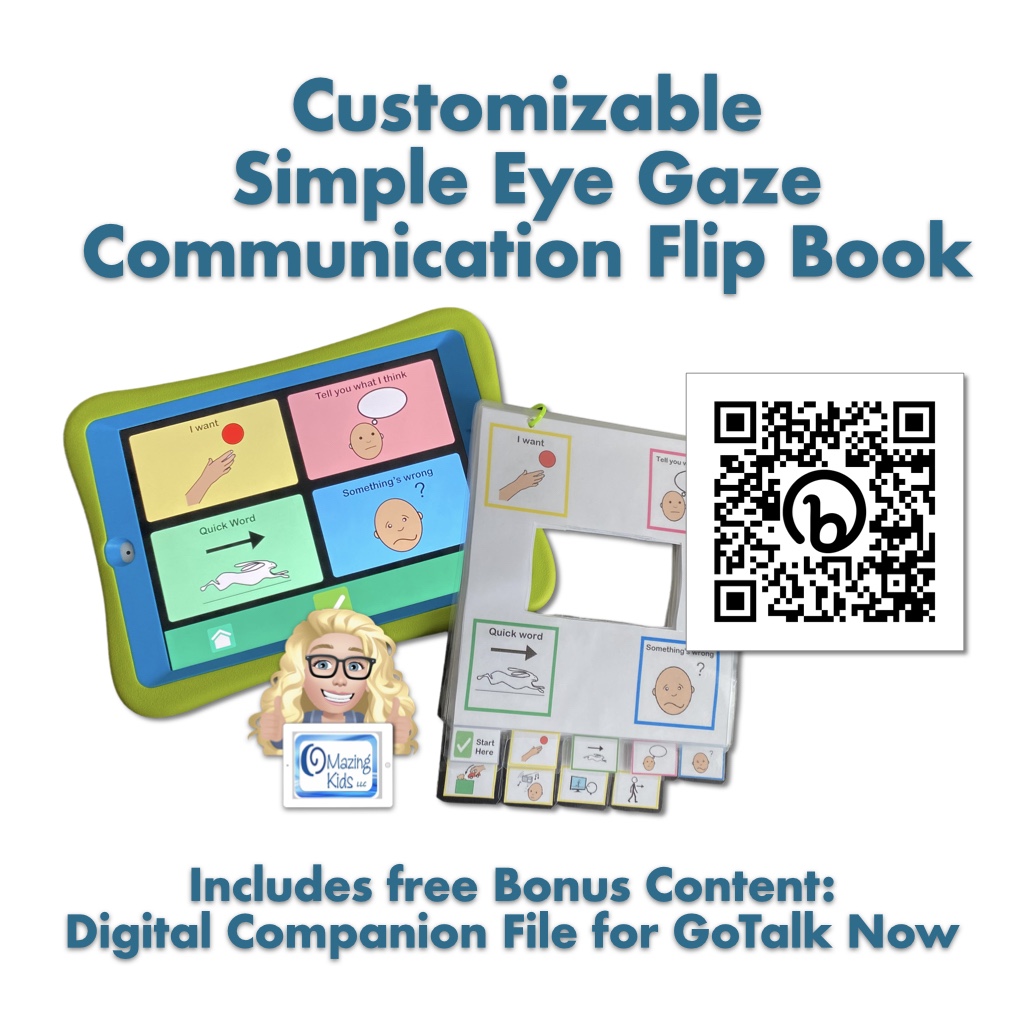
New Resource: Simple Eye Gaze Communication Flip Book

New Resource: Simple Eye Gaze Communication Flip Book: https://bit.ly/SimpleEyeGazeFlipBook


TPT Preview Video:


This 32-page PDF resource includes:

• a tabbed 9-page Simple Eye Gaze Communication Flip Book with Open Source symbols and four extra customizable pages

• a blank tabbed 9-page eye gaze flip book template that can be totally customized with your own pictures, symbols and text

• written & video instructions for how to easily customize the printable using the free linked websites prior to printing

• written & video instructions for cutting and assembling

Free Bonus Content: a download code for a digital companion file for GoTalk Now or GoTalk Now Plus. Includes links to a YouTube video to show how to find the GoTalk Now Online Gallery and an unlisted YouTube video to demo content in this companion file, settings to adjust to simplify the interface and editing within that AAC app, etc.


The design allows for quick communication and engagement with a Start Here cover page (I want, Tell you what I think, Quick Word & Something’s wrong), tabbed secondary pages, and longer tabbed tertiary pages. An blank set of the longer tabbed pages is provided for customization for each individual’s unique interests.


A totally blank template and tab labels is provided for those who want to translate it and use symbols relevant to that environment or culture.


The resource includes links to three free websites where you can download free Open Source symbols + a free website where you can import the PDF and then add your own text and symbols or photos prior to printing.


The Simple Eye Gaze Communication Book is easy to print, cut out, laminate and assemble. Written and video instructions are included.


I created this to be used as a simple way to get started with exploring eye gaze for communication. It’s sized to be portable and fit easily in a bag or tote for use in everyday environments and on the go. Parents of my students/patients/clients LOVED these and so did AAC users across a wide range of ages.


Free Bonus Content (requires an iPad & either the GoTalk Now or GoTalk Now Plus app by Attainment Company, neither of those are included with this purchase): This digital companion file for GoTalk Now matches the content of the Simple Eye Gaze Communication Flip Book. It is primarily designed for direct touch or scanning but other access methods might be possible depending on the particular model of iPad being used. I uploaded it as a template in the private sharing area on the GoTalk Now Online Gallery. It is exclusive free bonus content for those who purchased this resource. The free GoTalk Now Lite app and the inexpensive GoTalk Start app don’t have a way to import communication books.


Why was the Bonus Content created in GoTalk Now? It offers an Online Gallery with private sharing codes, it was easy to format it to match the content of the eye gaze communication flip book + GoTalk Now/GoTalk Now Plus offers a way to program buttons to link to play music that has been purchased and downloaded into the Apple Music app. See this blog post: https://omazingkidsllc.com/2020/10/20/saving-videos-vs-linking-to-youtube-videos-for-use-in-gotalk-now-plus-how-to-save-youtube-videos/ and offers a way to play videos that are stored on the Camera Roll or linked from YouTube. See this blog post: https://omazingkidsllc.com/2021/10/08/using-the-gotalk-now-app-as-adapted-access-to-play-songs/. Both are great for immediately reinforcing the request for a highly preferred song or video and for use as a means of adapted access to these leisure activities. I explored a few other options on iOS, Android and Amazon Fire but none offered all of what I needed.


Note: This AAC resource is not intended to be a robust communication option. It is something simple to allow early exploration of eye gaze for communication. The bonus content for those with an iPad and GoTalk Now or GoTalk Now Plus provides large target low cell count digital AAC for early exploration of AAC options. Both can also be a helpful supplemental resource as part of a comprehensive AAC system.


Looking for info about robust AAC apps? Check out my five feature matching resources: https://bit.ly/5aacFeatureMatchingResources


Looking for Core Word eye gaze options? I’ve seen a couple on TPT and a free one on the Project Core website.


Looking for info about eye gaze alternative access for non-tech PODD? Take a look at this website: https://cpec-store.myshopify.com/collections/podd-books/products/pragmatic-organisation-dynamic-display-podd-communication-book-alternative-access-templates (unfortunately that still isn’t commercially available in the USA or on letter-sized paper).


Looking for options for robust digital PODD on an iPad or other dedicated speech-generating devices? See my huge blog post: https://omazingkidsllc.com/2018/01/10/i-have-something-to-say-about-podd/. I update that post periodically. It also includes some info about other AAC apps or vocabulary sets within them that are built with pragmatic branching organization. Examples include the Voco Chat gridset available in Grid for iPad (or Grid 3 on Windows devices), the Sequoia board set in CoughDrop, pasco by Ace Centre, etc…


Free handout “Resource Roundup: PODD”: https://www.teacherspayteachers.com/Product/Resource-Roundup-PODD-7175047


Have a question? The best way to reach me is via Facebook messaging over on my OMazing Kids page: https://www.facebook.com/OMazingKidsAAC/


Angela Moorad, MS, CCC-SLP, Founder of OMazing Kids, LLC, OMazing Kids AAC Consulting

• Teachers Pay Teachers Store: https://www.teacherspayteachers.com/Store/Omazing-Kids-Aac-Consulting

• YouTube: https://youtube.com/user/amoorad1

• Ko-Fi: https://ko-fi.com/omazingkidsaac

• OMazing Kids AAC Consulting Facebook Page: https://www.facebook.com/OMazingKidsAAC/

• AppPeeps Facebook Group: https://www.facebook.com/groups/OMazingKidsAppPeeps/

• GoTalk Now AAC & GoVisual Visual Scene Apps – Ideas and Sharing Facebook Group: https://bit.ly/GoTalkNowAACappGroup

• Instagram: https://www.instagram.com/omazingkidsaac

• Twitter: https://www.twitter.com/amoorad

• Pinterest: http://pinterest.com/OMazingKids/

• Linktree: https://linktr.ee/amoorad1

• LinkedIn: https://www.linkedin.com/in/angelamooradomazingkidsaac

• Blog: https://omazingkidsllc.com

GoTalk Now and GoTalk Now Plus: How to Link Two or More Different Communication Books using Quick Buttons Pop-Up

I get messages or see posts pretty frequently about how to handle the situation where an AAC user has more than one User Area or Communication Book. This often occurs when folks create something with a specific environment in mind rather than looking at the bigger picture.

Of course we all want our AAC users to have access to robust vocabulary but it’s unfair to remove something that they have already been using.

So instead of taking something away I look for ways to add to or to link what they have.

The options for doing that depend on the particular AAC app. Thankfully GoTalk Now and GoTalk Now Plus offer a way to do this.

This video shows you an option using the Quick Button pop-up area. I like using this since it’s available from any page.

Just be sure to create a button in each book to be able to toggle back and forth.

You’ll need to backup each book and might have to re-link them if they are reinstalled.

Of course having everything in one book to meet needs across environments is ideal but sometimes that doesn’t happen. This is one way that I’ve tried to make the best of that situation.


Join the GoTalk Now AAC & GoVisual Visual Scene Apps – Ideas and Sharing Facebook Group: https://bit.ly/GoTalkNowAACappGroup


Have questions? The best way to reach me with any questions is via messaging on the OMazing Kids Facebook page: https://www.facebook.com/OMazingKidsAAC/. That way AAC related messages don’t get lost among the spam in my e-mail.


Angela Moorad, MS, CCC-SLP, Founder of OMazing Kids, LLC, OMazing Kids AAC Consulting

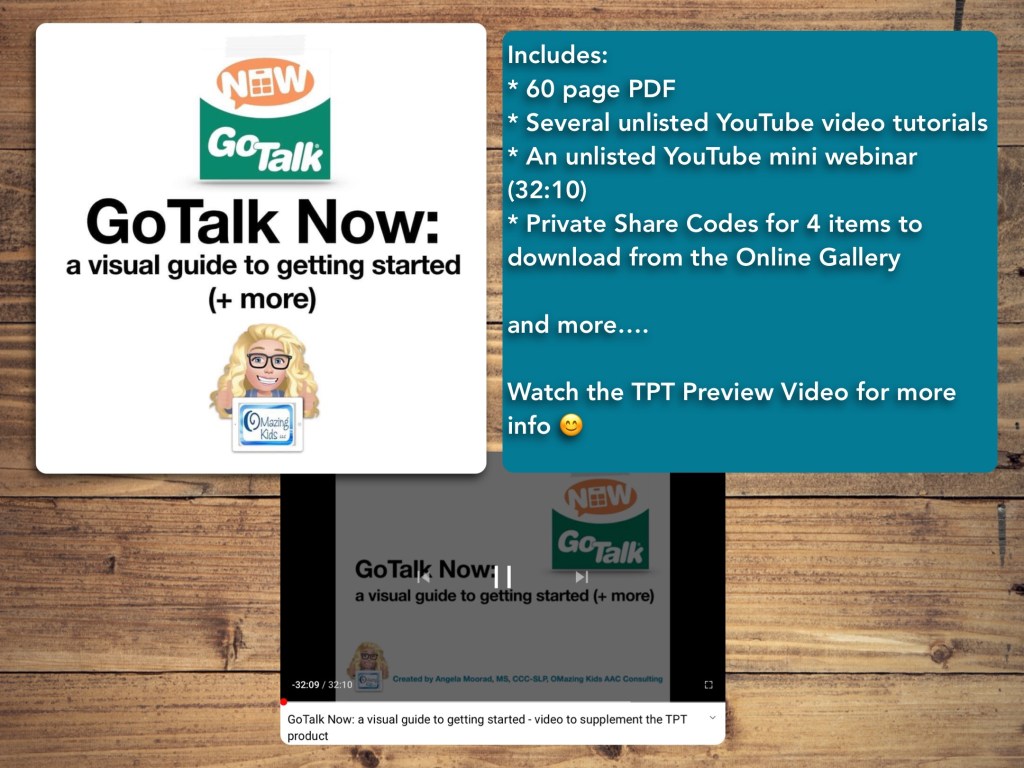
GoTalk Now: a visual guide to getting started (+ more)

This resource has a 60 page PDF, access to several unlisted YouTube videos, exclusive Share Codes that will allow you to download 4 premade items from my private area on the Online Gallery, etc …

*** There is one topic per page with visuals ***

It is perfect for those who are brand new to the app and want screenshots for every step in the initial set up and also has more in-depth info for those who want to see examples of ways to use the app, info about switch scanning access, and more…

This AAC app has several features that could be helpful for Gestalt Language Processors.

Want more specific details about this product? See the full description on TPT: https://www.teacherspayteachers.com/Product/GoTalk-Now-a-visual-guide-to-getting-started-more-7408544

Preview video:


GoTalk Now / GoTalk Now Plus is included in the Feature Matching Chart for the Top 11 Robust iOS Symbol-Based AAC Apps: https://www.teacherspayteachers.com/Product/Feature-Matching-Chart-for-the-Top-11-Robust-iOS-Symbol-Based-AAC-Apps-6867853


Have a question? The best way to reach me is via Facebook messaging over on my OMazing Kids page: https://www.facebook.com/OMazingKidsAAC/


Angela Moorad, MS, CCC-SLP, Founder of OMazing Kids, LLC, OMazing Kids AAC Consulting

Teachers Pay Teachers Store: https://www.teacherspayteachers.com/Store/Omazing-Kids-Aac-Consulting

YouTube: https://youtube.com/user/amoorad1

Ko-Fi: https://ko-fi.com/omazingkidsaac

OMazing Kids AAC Consulting Facebook Page: https://www.facebook.com/OMazingKidsAAC/

AppPeeps Facebook Group: https://www.facebook.com/groups/OMazingKidsAppPeeps/

GoTalk Now AAC App – Ideas and Sharing Facebook Group: https://bit.ly/GoTalkNowAACappGroup

Instagram: https://www.instagram.com/omazingkidsaac

Twitter: https://www.twitter.com/amoorad

Pinterest: http://pinterest.com/OMazingKids/

Linktree: https://linktr.ee/amoorad1

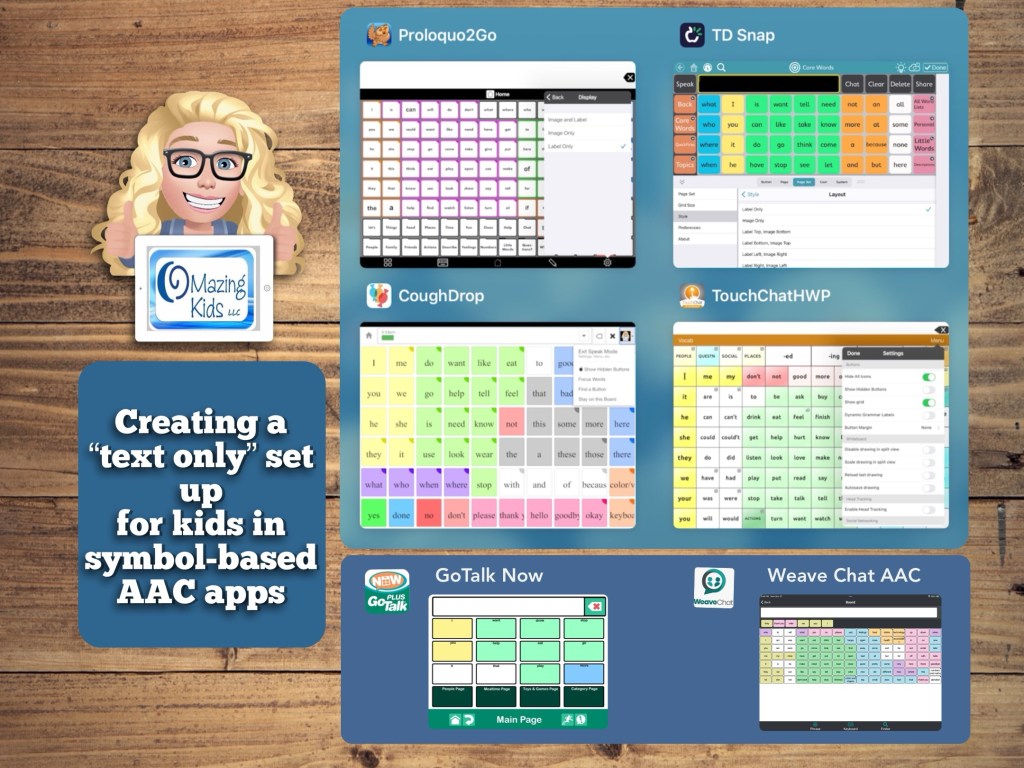
Creating a “text only” set up for kids in symbol-based AAC apps (updated 11/27/23)

I’ve seen several posts recently from pediatric SLPs looking for text-based AAC options for pretty young children. I had several patients like that on my caseload who preferred not to have symbols but the true text-based AAC apps didn’t have the vocabulary or age-appropriate voices that they needed.

This video shows how you can adjust the settings in 4 symbol-based AAC apps to turn them into a text-based set up. There are time stamps so you can jump to each app.

Tip: Just to be safe sure to backup your vocab file / communication book / board set / pageset BEFORE toggling off the symbols. That way you have an easy way to go back if they don’t like it or something glitches.


0:00 Intro
0:45 – Proloquo2Go
1:21 – TouchChat with WordPower
1:52 – CoughDrop
2:36 – TD Snap


The pros to doing this are having access to the age-appropriate vocabulary and age-appropriate voices.

All 4 of these apps have a keyboard area and 3 of them can access the iOS keyboard.


**** Important TouchChat Info (4/29/22): I just encountered a glitch with the TouchChat with WordPower app (version 2.36.0). I had toggled off “Show Icons” to demo a text only setup. When I tried to toggle back on the icons that toggle button would not work. I tried a Forced Restart but it didn’t resolve the issue. So I backed up all of my customized Vocab Files, deleted the app, reinstalled the app and imported all of my Vocab Files. I’ll be including this caution when folks ask me about using a text-only setup in this app until the app developer fixes the glitch.

Update about the TouchChat glitch (5/2/22): I heard back from TouchChat Support and they asked for a picture of all of my settings in the app since they hadn’t been able to replicate the issue. I had already deleted and reinstalled the TouchChat with WordPower app on my iPad. So I didn’t have any way to know what the combination of settings were that caused it or if it was an odd glitch that might have happened when I downloaded the most recent app update. Good news though… I just tried the Hide All Icons and now I’m not having the glitch anymore. So deleting and reinstalling the app seems to have resolved the issue.


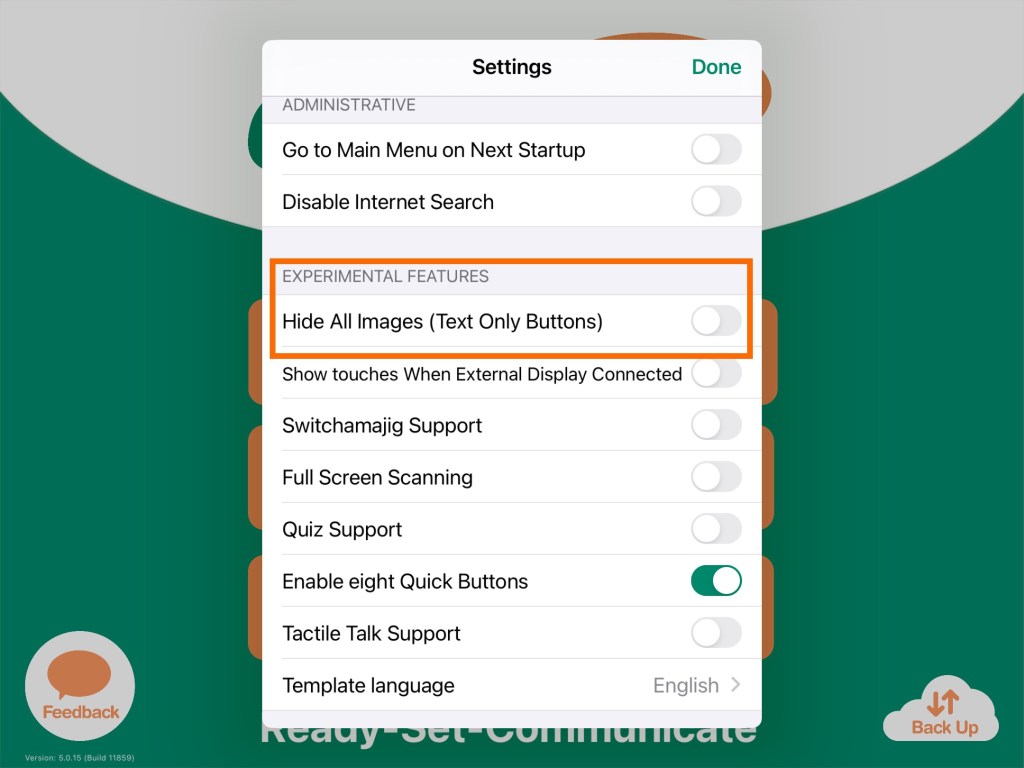
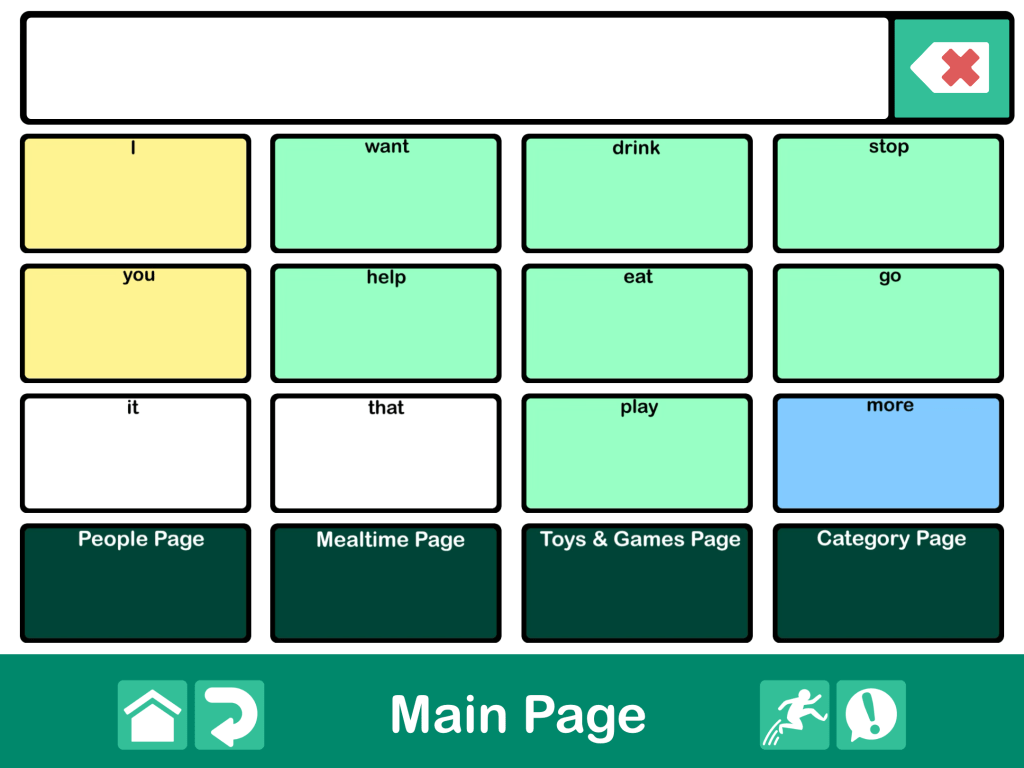
Update 4/25/22: There’s a setting in GoTalk Now to toggle on “Hide All Images” that creates a text only setup. The process can take awhile on larger Communication Books with numerous pages and larger grid sizes.


Update 11/27/23:

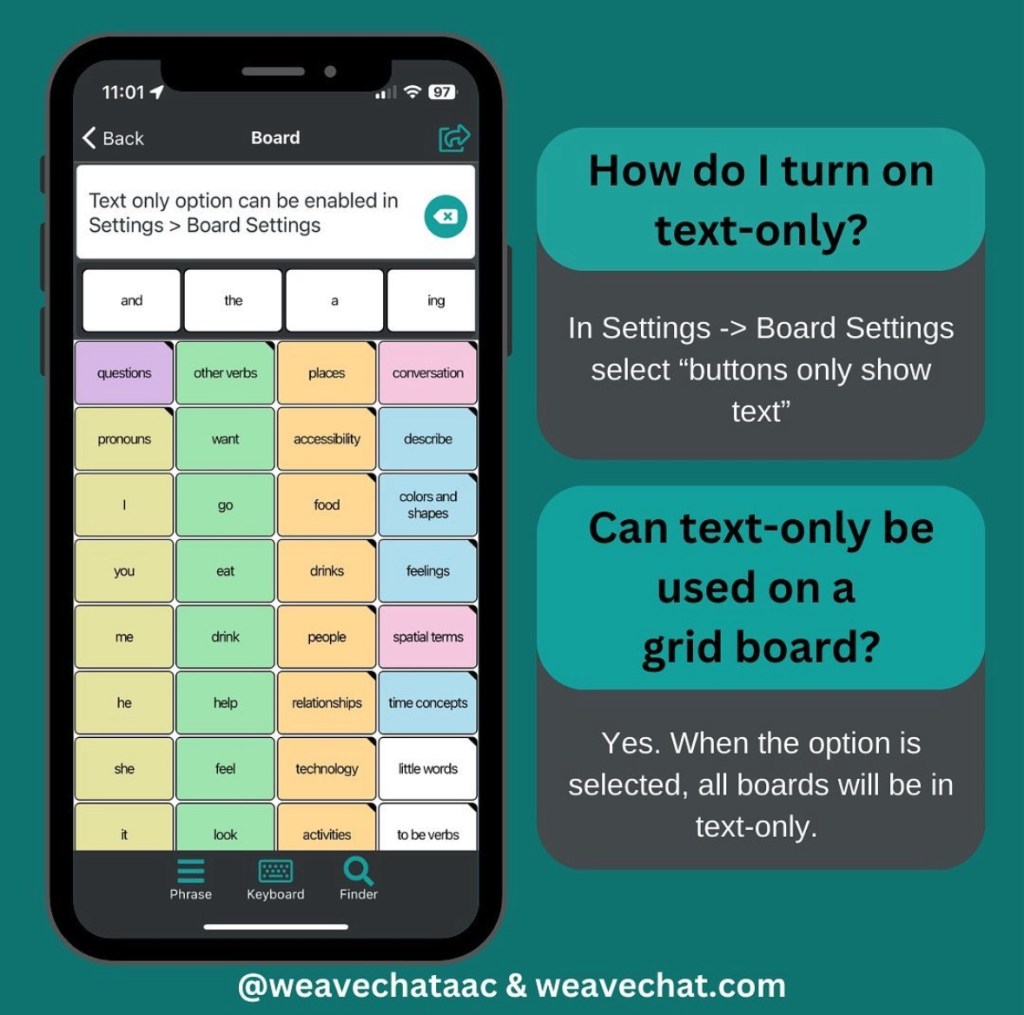
Weave Chat AAC is a totally free AAC app that recently added a setting to toggle off symbols to create a text-based option. They offer their app for iOS, Android and Amazon Fire. For in-depth info about the features see my Feature Matching Chart for Robust Android AAC Apps (Google Play & Amazon Fire): https://bit.ly/RobustAndroidAACappChart.

Website: https://www.weavechat.com


Of course you could also explore apps specifically designed for text-based AAC. I have several text-based AAC apps installed on my iPhone, iPad, Android phone, Android tablet, Amazon Fire tablet, Windows tablet and Chromebook. See my feature matching resources for details.

Looking for in-depth AAC feature matching resources? See this blog post: https://bit.ly/5aacFeatureMatchingResources. That post also includes videos comparing AAC apps on various devices on various platforms.


Looking for more AAC resources? Check out the Resource Links page here on my blog: https://omazingkidsllc.com/omazing-kids-aac-resource-links


Have a question? The best way to reach me is via Facebook messaging over on my OMazing Kids page: https://www.facebook.com/OMazingKidsAAC/


Angela Moorad, MS, CCC-SLP, Founder of OMazing Kids, LLC, OMazing Kids AAC Consulting

• Teachers Pay Teachers Store: https://www.teacherspayteachers.com/Store/Omazing-Kids-Aac-Consulting

• YouTube: https://youtube.com/user/amoorad1

• Ko-Fi: https://ko-fi.com/omazingkidsaac

• OMazing Kids AAC Consulting Facebook Page: https://www.facebook.com/OMazingKidsAAC/

• AppPeeps Facebook Group: https://www.facebook.com/groups/OMazingKidsAppPeeps/

• GoTalk Now AAC & GoVisual Visual Scene Apps – Ideas and Sharing Facebook Group: https://bit.ly/GoTalkNowAACappGroup

• Instagram: https://www.instagram.com/omazingkidsaac

• Twitter: https://www.twitter.com/amoorad

• Pinterest: http://pinterest.com/OMazingKids/

• Linktree: https://linktr.ee/amoorad1

• LinkedIn: https://www.linkedin.com/in/angelamooradomazingkidsaac

• Blog: https://omazingkidsllc.com / Resource Links page: https://omazingkidsllc.com/omazing-kids-aac-resource-links
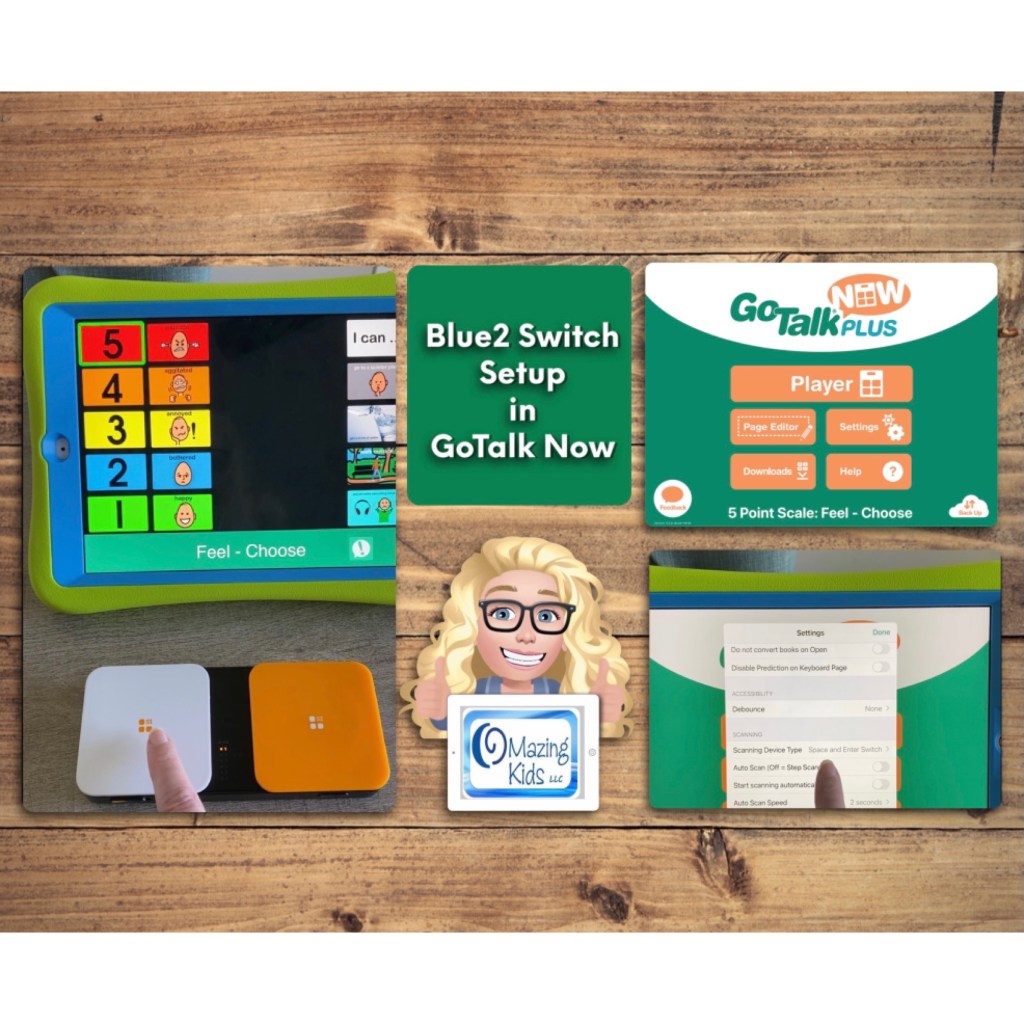
Setting up Blue2 switch for GoTalk Now app

A quick look at setting up the Blue2 Bluetooth switch for use in GoTalk Now.

The switch interface shown in this video: https://www.ablenetinc.com/blue2-bluetooth-switch/


Be sure to join the GoTalk Now AAC App – Ideas and Sharing Facebook group: https://bit.ly/GoTalkNowAACappGroup


Find other blog posts related to GoTalk Now: https://omazingkidsllc.com/?s=GoTalk&submit=Search


Want in-depth info about the GoTalk Now AAC app and other robust apps? See this AAC feature matching resource: https://www.teacherspayteachers.com/Product/Feature-Matching-Chart-for-the-Top-11-Robust-iOS-Symbol-Based-AAC-Apps-6867853


Have a question? The best way to reach me is via Facebook messaging over on my OMazing Kids page: https://www.facebook.com/OMazingKidsAAC/


Angela Moorad, MS, CCC-SLP, Founder of OMazing Kids, LLC, OMazing Kids AAC Consulting

Teachers Pay Teachers Store: https://www.teacherspayteachers.com/Store/Omazing-Kids-Aac-Consulting

YouTube: https://youtube.com/user/amoorad1

Ko-Fi: https://ko-fi.com/omazingkidsaac

OMazing Kids AAC Consulting Facebook Page: https://www.facebook.com/OMazingKidsAAC/

AppPeeps Facebook Group: https://www.facebook.com/groups/OMazingKidsAppPeeps/

GoTalk Now AAC App – Ideas and Sharing Facebook Group: https://bit.ly/GoTalkNowAACappGroup

Instagram: https://www.instagram.com/omazingkidsaac

Twitter: https://www.twitter.com/amoorad

Pinterest: http://pinterest.com/OMazingKids/

Linktree: https://linktr.ee/amoorad1

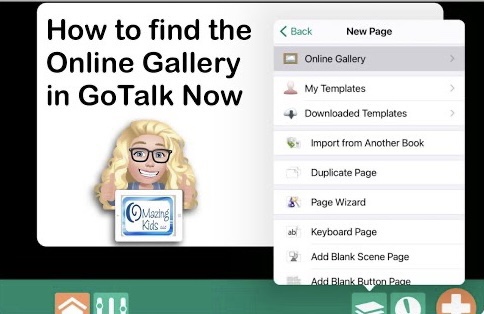
How to find the Online Gallery in the GoTalk Now or GoTalk Now Plus AAC apps

How to find the Online Gallery in the GoTalk Now or GoTalk Now Plus AAC apps

This is a screencast video showing how to find the Online Gallery in the GoTalk Now or GoTalk Now Plus AAC apps. This isn’t available when using the free Lite version or their Starter version of the app.


Join the GoTalk Now AAC App – Ideas and Sharing Facebook group: https://bit.ly/GoTalkNowAACappGroup


Have a question? The best way to reach me is via Facebook messaging over on my OMazing Kids page: https://www.facebook.com/OMazingKidsAAC/


Angela Moorad, MS, CCC-SLP, Founder of OMazing Kids, LLC, OMazing Kids AAC Consulting

Teachers Pay Teachers Store: https://www.teacherspayteachers.com/Store/Omazing-Kids-Aac-Consulting

YouTube: https://youtube.com/user/amoorad1

Ko-Fi: https://ko-fi.com/omazingkidsaac

OMazing Kids AAC Consulting Facebook Page: https://www.facebook.com/OMazingKidsAAC/

AppPeeps Facebook Group: https://www.facebook.com/groups/OMazingKidsAppPeeps/

GoTalk Now AAC App – Ideas and Sharing Facebook Group: https://bit.ly/GoTalkNowAACappGroup

Instagram: https://www.instagram.com/omazingkidsaac

Twitter: https://www.twitter.com/amoorad

Pinterest: http://pinterest.com/OMazingKids/

Linktree: https://linktr.ee/amoorad1

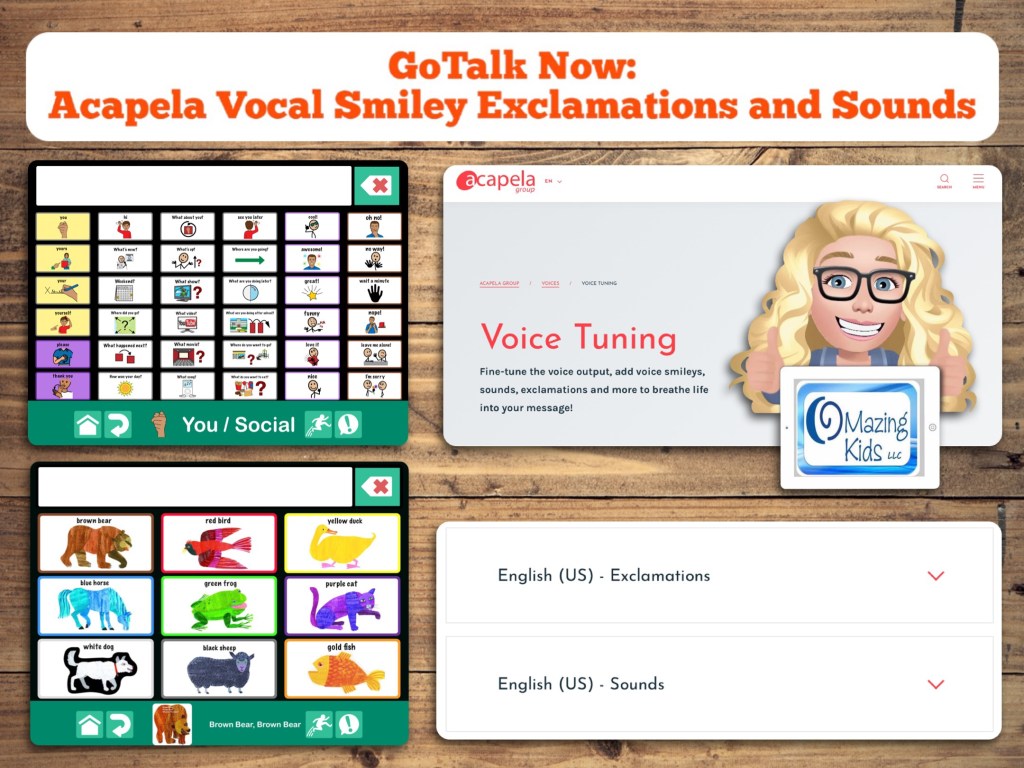
Using Acapela Vocal Smileys – Exclamations and Sounds (with premium Acapela voices)

GoTalk Now: Using Acapela Vocal Smiley – Exclamations and Sounds (with premium Acapela voices):

This video shows how you can add personality (spunk / intonation) and sound effects to GoTalk Now if you are using one of the premium Acapela voices.

I recently purchased the Josh and Ella premium USA English child voices since I have them in other AAC apps and love using them.

The codes for the Vocal Smiley Exclamations and Sounds are specific to that particular language and voice.

Acapela Vocal Smileys Exclamations and Sounds Chart (very specific to each voice, requires precise use of capitalization and punctuation): https://www.acapela-group.com/www/static/website/VocalSmileys/excla.html

See them on their website: https://www.acapela-group.com/vocal-smileys-examples/.

You can hear samples of the premium child voices: https://www.acapela-group.com/voices/children-voices/.

Additional info: https://www.acapela-group.com/voices/voice-tuning/.


Join the GoTalk Now AAC App – Ideas and Sharing Facebook group: https://bit.ly/GoTalkNowAACappGroup


Update 3/12/22: Acapela Vocal Smileys Page for TD Snap Core First (Ella voice) free on MyTobiiDynavox Pageset Central: https://www.mytobiidynavox.com/psc/snapcorefirst/303381


Update 4/14/23: How to add Acapela Vocal Smileys (expressions & sounds) to the LAMP Words for Life app on the iPad


Details about which AAC apps support use of the Acapela Vocal Smileys Expressions and Sounds can be found in my feature matching resources: https://bit.ly/5aacFeatureMatchingResources


Have a question? The best way to reach me is via Facebook messaging over on my OMazing Kids page: https://www.facebook.com/OMazingKidsAAC/


Angela Moorad, MS, CCC-SLP, Founder of OMazing Kids, LLC, OMazing Kids AAC Consulting

Teachers Pay Teachers Store: https://www.teacherspayteachers.com/Store/Omazing-Kids-Aac-Consulting

YouTube: https://youtube.com/user/amoorad1

Ko-Fi: https://ko-fi.com/omazingkidsaac

OMazing Kids AAC Consulting Facebook Page: https://www.facebook.com/OMazingKidsAAC/

AppPeeps Facebook Group: https://www.facebook.com/groups/OMazingKidsAppPeeps/

GoTalk Now AAC App – Ideas and Sharing Facebook Group: https://bit.ly/GoTalkNowAACappGroup

Instagram: https://www.instagram.com/omazingkidsaac

Twitter: https://www.twitter.com/amoorad

Pinterest: http://pinterest.com/OMazingKids/

Linktree: https://linktr.ee/amoorad1

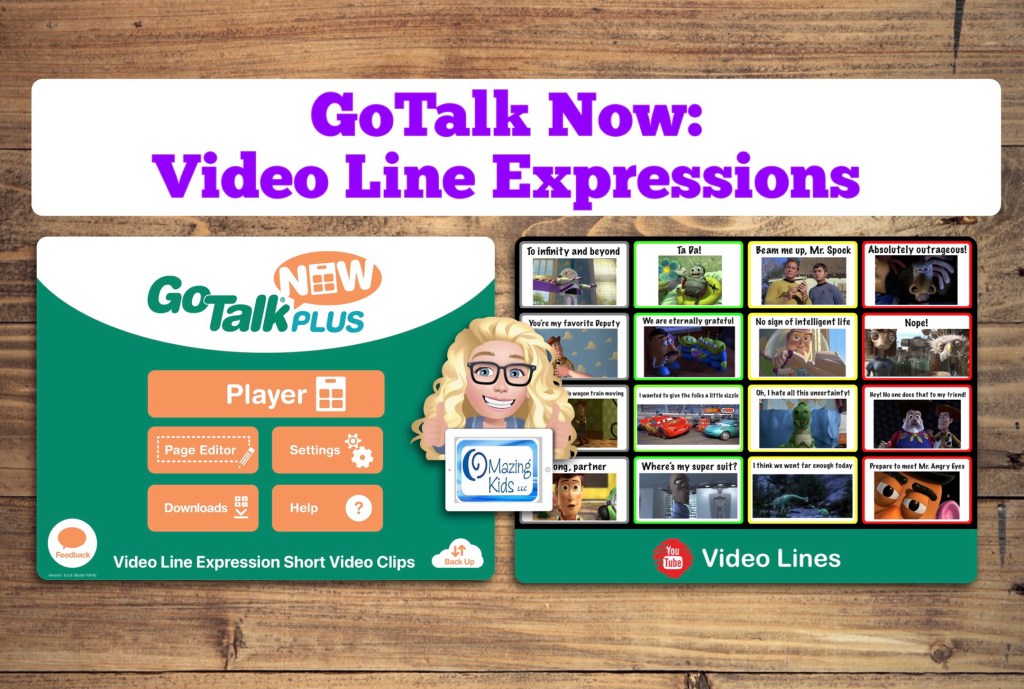
GoTalk Now: Video Line Expressions (thinking about creative AAC options for Gestalt Language Processors) – updated 2/13/24

GoTalk Now: Video Line Expressions (https://youtu.be/v-YignzpGnw)


This is a Communication Book that I created in the GoTalk Now app with 16 buttons with very short video clips based on “scripts” that my patients used to express emotions or thoughts.

I’ve been following discussions about how traditional AAC options may not meet the needs of Gestalt Language Processors and have been thinking about how features in current AAC apps could be modified or used in creative ways.

These very short video clips and Visual Scene Displays (https://youtu.be/hGPMNVLJo0c, https://omazingkidsllc.com/2021/10/11/how-to-video-creating-a-visual-scene-page-in-gotalk-now/) or Video Visual Scene Displays are a few of the things that I’ve been thinking about.

The video clips are saved on the Camera Roll on this iPad. I downloaded many of them from the Yarn website where you can find videos by searching a line (https://getyarn.io). If I couldn’t find exactly what I wanted on that website then I made a very short screencast recording from YouTube.

The Online Gallery has been glitchy today. I attempted to upload this to share several times. My guess is the company’s website/servers are likely overwhelmed by all the folks who purchased the app during the sale yesterday. I’ll try again in a few days. In the meantime, I uploaded it to Dropbox: https://bit.ly/GTNvideoExpressions


Want more ideas for this fabulous app? Join the GoTalk Now AAC App – Ideas and Sharing Facebook group: https://bit.ly/GoTalkNowAACappGroup

I’m not affiliated with the app developer… just a huge fan of the app 😊


Updated 2/13/24: Here are two posts about incorporating short video clips into AAC apps on an iPad:

LAMP Words for Life (Facebook post: https://www.facebook.com/story.php/?id=100057074875694&story_fbid=6156622841055336

TD Snap (blog post):

https://omazingkidsllc.com/2024/02/10/adding-video-clips-and-vsds-with-hotspots-to-td-snap-aac-on-ipad/


Have a question? The best way to reach me is via Facebook messaging over on my OMazing Kids page: https://www.facebook.com/OMazingKidsAAC/


Angela Moorad, MS, CCC-SLP, Founder of OMazing Kids, LLC, OMazing Kids AAC Consulting

Teachers Pay Teachers Store: https://www.teacherspayteachers.com/Store/Omazing-Kids-Aac-Consulting

YouTube: https://youtube.com/user/amoorad1

Ko-Fi: https://ko-fi.com/omazingkidsaac

OMazing Kids AAC Consulting Facebook Page: https://www.facebook.com/OMazingKidsAAC/

AppPeeps Facebook Group: https://www.facebook.com/groups/OMazingKidsAppPeeps/

GoTalk Now AAC App – Ideas and Sharing Facebook Group: https://bit.ly/GoTalkNowAACappGroup

Instagram: https://www.instagram.com/omazingkidsaac

Twitter: https://www.twitter.com/amoorad

Pinterest: http://pinterest.com/OMazingKids/

Linktree: https://linktr.ee/amoorad1

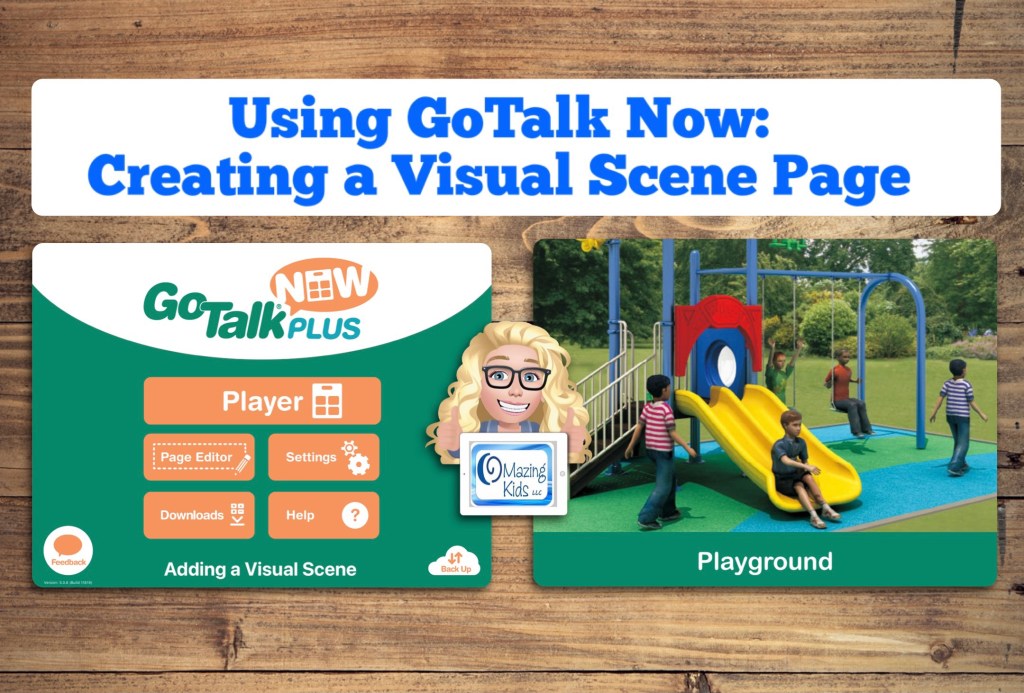
How to Video: Creating a Visual Scene page in GoTalk Now

How to Video: Creating a Visual Scene page in GoTalk Now, https://youtu.be/hGPMNVLJo0c


Want more info about ways to use Visual Scene Displays or Video Visual Scene Displays? This recorded webinar from ISAAC has several case studies / examples: https://isaac-online.org/english/webinars/archived-webinars/bridging-research-to-practice-with-visual-scene-displays/


Join the GoTalk Now AAC App – Ideas and Sharing Facebook group: https://bit.ly/GoTalkNowAACappGroup

(I’m not affiliated with the app developer… just sharing tips on how to use this fabulous app 😊)


Have a question? The best way to reach me is via Facebook messaging over on my OMazing Kids page: https://www.facebook.com/OMazingKidsAAC/


Angela Moorad, MS, CCC-SLP, Founder of OMazing Kids, LLC, OMazing Kids AAC Consulting

Teachers Pay Teachers Store: https://www.teacherspayteachers.com/Store/Omazing-Kids-Aac-Consulting

YouTube: https://youtube.com/user/amoorad1

Ko-Fi: https://ko-fi.com/omazingkidsaac

OMazing Kids AAC Consulting Facebook Page: https://www.facebook.com/OMazingKidsAAC/

AppPeeps Facebook Group: https://www.facebook.com/groups/OMazingKidsAppPeeps/

GoTalk Now AAC App – Ideas and Sharing Facebook Group: https://bit.ly/GoTalkNowAACappGroup

Instagram: https://www.instagram.com/omazingkidsaac

Twitter: https://www.twitter.com/amoorad

Pinterest: http://pinterest.com/OMazingKids/

Linktree: https://linktr.ee/amoorad1

Using the GoTalk Now App as Adapted Access to Play Songs

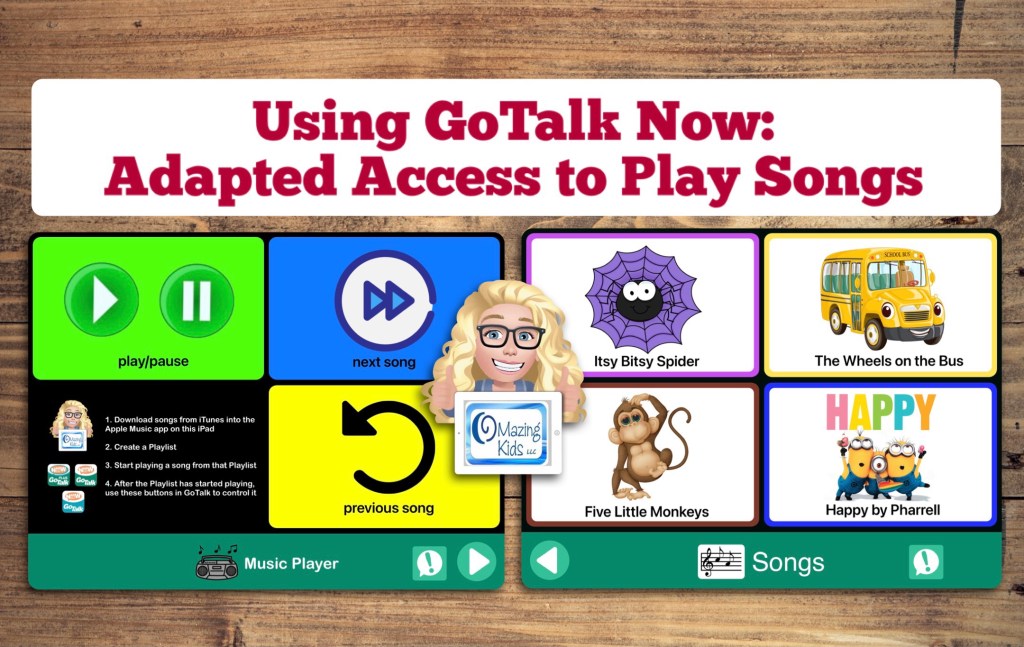
One of my favorite uses for the GoTalk Now app by Attainment Company, Inc. is to create boards to use as an adapted means of access to play music.

This video shows how to create a music player board (play/pause, next song, previous song), how to create a song board with buttons to play specific songs, and using the Expanded Quick Buttons as a means to comment or request and as a means to go between the two boards (instead of swiping or using paging buttons)


Join the GoTalk Now AAC App – Ideas and Sharing Facebook group: https://bit.ly/GoTalkNowAACappGroup


Want the link to find the app and info about the $10 sale on 10/10/21? See this blog post: https://omazingkidsllc.com/2021/10/08/reminder-gotalk-now-10-app-sale-on-10-10-21/

(I’m not affiliated with the app developer… just a huge fan of this app 😊)


Have a question? The best way to reach me is via Facebook messaging over on my OMazing Kids page: https://www.facebook.com/OMazingKidsAAC/


Angela Moorad, MS, CCC-SLP, Founder of OMazing Kids, LLC, OMazing Kids AAC Consulting

Teachers Pay Teachers Store: https://www.teacherspayteachers.com/Store/Omazing-Kids-Aac-Consulting

YouTube: https://youtube.com/user/amoorad1

Ko-Fi: https://ko-fi.com/omazingkidsaac

OMazing Kids AAC Consulting Facebook Page: https://www.facebook.com/OMazingKidsAAC/

AppPeeps Facebook Group: https://www.facebook.com/groups/OMazingKidsAppPeeps/

GoTalk Now AAC App – Ideas and Sharing Facebook Group: https://bit.ly/GoTalkNowAACappGroup

Instagram: https://www.instagram.com/omazingkidsaac

Twitter: https://www.twitter.com/amoorad

Pinterest: http://pinterest.com/OMazingKids/

Linktree: https://linktr.ee/amoorad1