{App Review} Clue Catcher All Grades Edition app

image

.

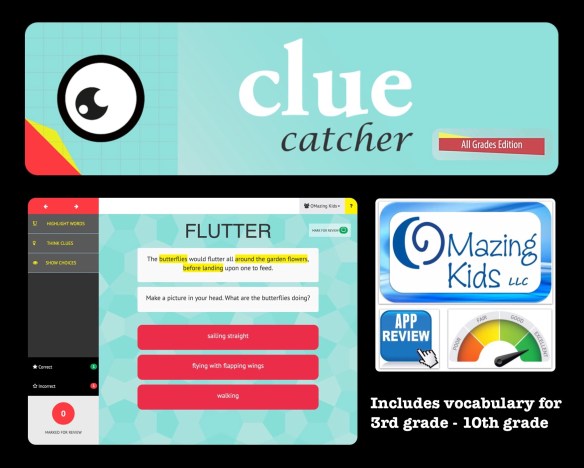
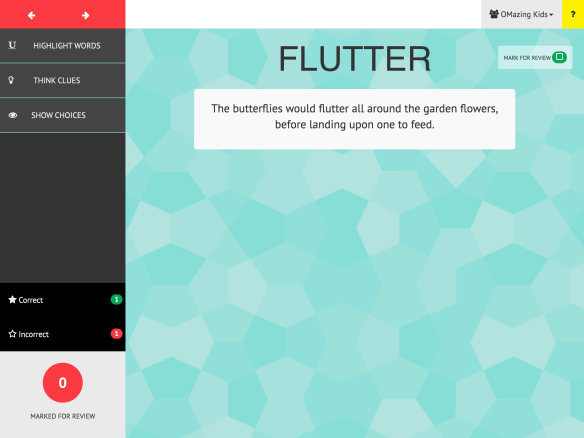
Clue Catcher is a unique new app designed by a Speech-Language Pathologist to help teach the inferencing skills necessary to use context to define unfamiliar words. Students will learn how to identify the words and phrases that are meaningful and contribute to a better understanding of an unfamiliar word’s meaning. The app covers vocabulary across elementary and secondary grade levels (3rd grade – 10th grade).

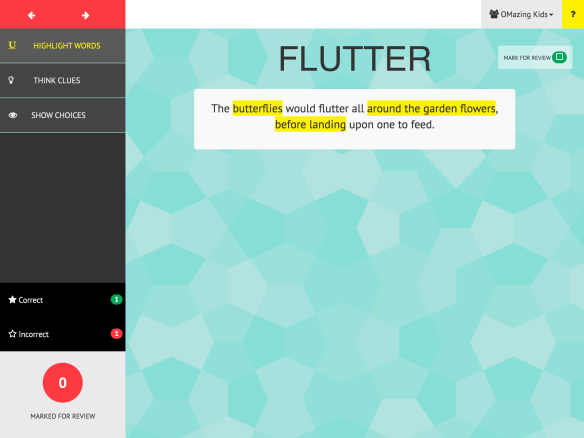
I love the clean intuitive interface, scaffolding, wide range of vocabulary, arrows to easily skip ahead or go back, ability to set up multiple users, can easily edit or delete users, can easily see what words a user got correct, missed, and the words marked for review.

My wishes for a future app update would be an option to toggle back and forth easily between users to allow them to take turns without having to exit a user and then open up a new one, to be able to choose specific target words from a list within the grade levels and an extension down to the lower grades (Kindergarten – 2nd grade) with an option to fade picture cues in and then out for kids functioning at a lower level. An option to export data of words correct & incorrect via e-mail would also be nice.

.

image image image

.

Clue Catcher lets you …

  • view the target word both in isolation and within a content rich sentence
  • highlight the keywords within a sentence that will help a student to generate an appropriate definition
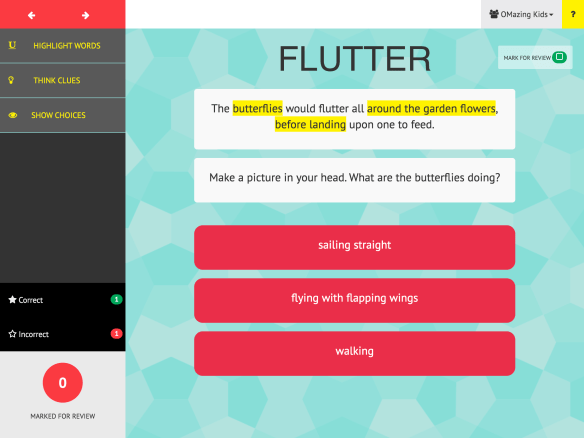
  • select a ‘Think Clue’ which will guide the student through higher-level critical thinking skills which will help them relate to the word in a way that is meaningful
  • select the best choice from three options
  • keep track of correct and incorrect responses, for progress monitoring and data collection purposes
  • set up individual students and assign them to specific grade level vocabulary lists
  • change the grade level assigned to specific students as their skills improve
  • discontinue and pick up at a later time, without losing your data
  • Clue Catcher “All Grades Edition” includes words for all available grade levels (3rd though 10th).

$12.99, App Store link: Clue Catcher All Grades Edition by Golden Mean Advisory Resources LLC, https://appsto.re/us/Sjm1ab.i

FREE lite version: A separate free version of the app can be downloaded that includes 5 words for each grade level that you can use to learn about its functionality. That version allows users to gain access to the complete word lists from one or more grade levels through in-app purchases: https://appsto.re/us/VD306.i

More details on their website: http://www.cluecatcher.net.
Facebook: https://www.facebook.com/ClueCatcher/
.
Disclaimer: I received this app via a promo code from the developer. No compensation was received to review them and my opinions are strictly my own.
.

Angela Moorad, MS, CCC-SLP
Speech-Language Pathologist
Founder of OMazing Kids, LLC – inclusive wellness & educational activities for kids of all abilities
Home E-Mail: amoorad1@juno.com
Facebook Messaging for OMazing Kids: https://www.facebook.com/messages/17426452595789
Facebook: http://www.facebook.com/OMazingKidsYoga
AppPeeps Facebook Group: https://www.facebook.com/groups/OMazingKidsAppPeeps/
Twitter: http://twitter.com/#!/amoorad
YouTube: http://www.youtube.com/user/amoorad1
Pinterest: http://pinterest.com/OMazingKids/
Google+: https://plus.google.com/u/0/110305433538768736741
Boardmaker Share: http://www.boardmakershare.com/Community/FriendsProfile/10916/Angela-Moorad
Blog: http://omazingkidsllc.com
.
Angela Moorad is the founder of OMazing Kids, LLC and is an ASHA certified & licensed pediatric Speech-Language Pathologist and Kids Yoga Teacher with over 26 years experience working in a variety of settings (early intervention, schools, teletherapy & a nonprofit pediatric rehab hospital for children with developmental disabilities). She is an app beta tester for educational & therapeutic app developers and loves sharing info about great apps, products, books & toys to use with kids of all abilities.
.
{please ignore any ads that may appear below. This is a free blog and I don’t have any control over ads nor do I profit from them}

{App Reviews} Two Splingo apps: the newly updated Splingo’s Language Universe & the Receptive Language Assessment

image

.

{App Reviews} Two Splingo apps: the newly updated Splingo’s Language Universe & the Receptive Language Assessment

My patients LOVE the Splingo character so I was thrilled to have the opportunity to add these two apps to my SLP toolbox!

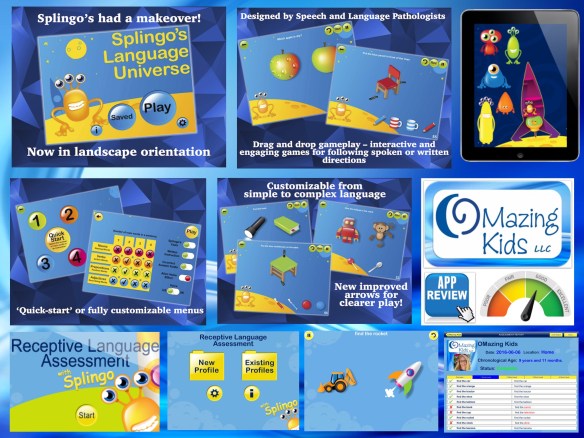
Splingo’s Language Universe by The Speech And Language Store LLP
https://appsto.re/us/c0urB.i, $2.99

This affordable app has lots of great content to target several different language goals. I love the space theme and getting to build a rocket for Splingo!

  • Level 1 – contains instructions of 1 main word (ex: “find the apple”)
  • Level 2 – contains instructions of 2 main words (ex: “find the red apple”)
  • Level 3 – contains instructions of 3 main words (ex: “find the big red apple”)
  • Level 4 – contains instructions of 4 main words (ex: “give the big red apple to the boy”)

Includes nouns, verbs, prepositions & adjectives. The app is customizable so you can create a combination of levels and word types to a child’s developmental level. Includes US and UK voice options.

My wishes for a future app update would be a listing of the specific targets included in each area at each level and being able to pick specific targets. This would make it easier for SLPs to select the specific targets being addressed for a particular patient. It would be nice to have a “pro” version of this app that offered the options to set up multiple users and data collection. Their assessment app offers that but since it is for assessment purposes the child does not have the opportunity to try again if they miss an item.

——-

Receptive Language Assessment with Splingo by The Speech And Language Store LLP, https://appsto.re/us/JN3NF.i, $24.99

  • Assess a variety of word/sentence types at 4 increasing levels of complexity
  • Generate clear, professional reports at the touch of a button and print via email for intervention planning and inclusion in client’s records.
  • I like the option of being able to see the content included by e-mailing yourself a blank copy of the report & the detailed in-app instructions.
  • Create multiple client profiles including thumbnail photos
  • Select US or UK vocabulary options
  • Select US or UK audio options
  • Real voice (not synthesized)
  • Save an assessment part-way through and return at a later date
  • Select start and end point based on your clients language levels
  • Trial items in demo mode to allow the student/client to become familiar with the assessment format
  • Include/exclude reward system featuring our entertaining alien, Splingo
  • Include/exclude the written sentence to assist comprehension, or for use as a reading comprehension assessment

Includes a variety of word and sentence types at four different levels of complexity:

  • 1 main word – object nouns, person nouns, location nouns, verbs, prepositions, size adjectives, color adjectives and attribute adjectives
  • 2 main words – seven different sentence types e.g. object-person, adjective-object etc
  • 3 main words – seven different sentence types, e.g. adjective-object-location, person-action-location etc
  • 4 main words – seven different sentence types, e.g. object-preposition-adjective-location, person-action-preposition-location

My wish for a future app update would be an option for a PDF version of the report. It would also be fun to get to build Splingo’s rocket or something similar at the end of the assessment or when it is paused to resume later.
.
Disclaimer: I received these apps via promo codes from the developer. No compensation was received to review them and my opinions are strictly my own.
.

Angela Moorad, MS, CCC-SLP
Speech-Language Pathologist
Founder of OMazing Kids, LLC – inclusive wellness & educational activities for kids of all abilities
Home E-Mail: amoorad1@juno.com
Facebook Messaging for OMazing Kids: https://www.facebook.com/messages/17426452595789
Facebook: http://www.facebook.com/OMazingKidsYoga
AppPeeps Facebook Group: https://www.facebook.com/groups/OMazingKidsAppPeeps/
Twitter: http://twitter.com/#!/amoorad
YouTube: http://www.youtube.com/user/amoorad1
Pinterest: http://pinterest.com/OMazingKids/
Google+: https://plus.google.com/u/0/110305433538768736741
Boardmaker Share: http://www.boardmakershare.com/Community/FriendsProfile/10916/Angela-Moorad
Blog: http://omazingkidsllc.com
.
Angela Moorad is the founder of OMazing Kids, LLC and is an ASHA certified & licensed pediatric Speech-Language Pathologist and Kids Yoga Teacher with over 26 years experience working in a variety of settings (early intervention, schools, teletherapy & a nonprofit pediatric rehab hospital for children with developmental disabilities). She is an app beta tester for educational & therapeutic app developers and loves sharing info about great apps, products, books & toys to use with kids of all abilities.
.
{please ignore any ads that may appear below. This is a free blog and I don’t have any control over ads nor do I profit from them}
{App Review} Speech and Language Warm-Ups by Super Duper Publications

image

.

{App Review} Speech and Language Warm-Ups by Super Duper Publications

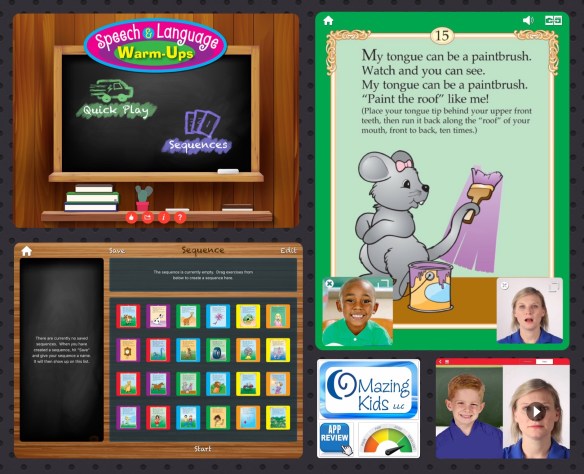
I have several tough-to-motivate patients with severe speech sound disorders who have been easily engaged with use of this new app. It is affordable and full of several great features. Speech & Language Warm-Ups targets following directions, breath support, production of individual sounds, and lip, tongue, and jaw movements. The Speech & Language Warm-Ups app includes:

  • 24 engaging activities
  • Video models of each exercise that can be enlarged or hidden
  • Audio of each poem (tap on the text to speak or pause)
  • Animated illustrations (tap on the pic to pause)
  • Ability to use built-in camera so student can view his/her own productions (can be enlarged or hidden). This allows you to customize the experience for individual patient needs. I had one patient who was very self conscious about being on screen but once I toggled the camera off he loved the app. All my other patients were in love with seeing themselves on the iPad… lol!
  • A full screen split screen can show either the camera and the animation at the same time or the camera and the video at the same time.
  • Ability to select specific exercises
  • Option to create sequences of activities
  • Quick Play option
  • Can be used in landscape or portrait orientation

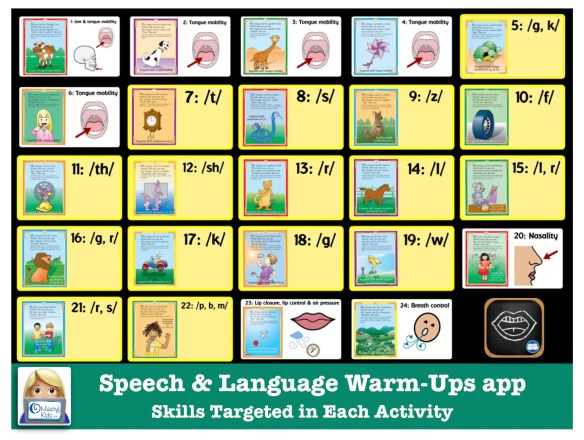
Targeted Skills:

  • Hungry Cow — jaw and tongue mobility
  • Dog’s Tail — tongue mobility
  • Giraffe’s Neck — tongue mobility
  • Circle (Pinwheel) — tongue mobility
  • Scared Turtle — tongue mobility for “G” and “K” sounds
  • Toothbrush — tongue mobility
  • Clock — production of “T” sound
  • Snake — production of “S” sound
  • Zipper (Kangaroo) — production of “Z” sound
  • Tire — production of “F” sound
  • Fan — production of “TH” sound
  • Teacher (Rabbit) — production of “SH” sound
  • Scratch an Itch (Cat) — tongue mobility for “R” sound
  • Horse — tongue strength and coordination for “L” sound
  • Paintbrush (Mouse) — tongue mobility for “L” and “R” sounds
  • Lion — production of “G” and “R” sounds
  • Old Car — production of “K” sound
  • Thirsty Kid — production of “G” sound
  • Wind — breath support and control for “W” sound
  • Play a Song — velum closure and awareness of nasality in air flow
  • Make Friends — lip control for “R” and “S” sounds
  • Say Good-bye — lip strength and coordination for “P,” “B,” and “M” sounds
  • Balloon — lip closure, lip control, and air pressure
  • Mountain — breath control

.

Wishes for a future app update (submitted via e-mail to the app developer on 6/8/16): For the activities that target specific speech sounds, it would be helpful to have the sound labeled on the top right colored corner of those cards to make it quicker to find a specific sound when working with a patient. This would be helpful both in the quick play and sequences areas. Currently that info is only found under the “?” button.

Update 4/29/20: I made this free visual since the targeted skills are still not easy to determine when selecting activities in the app:

Free visual for Super Duper Speech and Language Warm Ups app

Speech and Language Warm-Ups app by Super Duper (visual for skills targeted in each activity) – made by Angela Moorad, MS, CCC-SLP at OMazing Kids

.

I highly recommend this app! You could easily spend more than this on a printable of just the rhymes if such a thing even existed on TPT and this app has the rhymes, animated illustrations, video modeling and visual feedback like you would get in a mirror. It’s a perfect example of how an app can be better than the “old school” way of doing speech therapy. See this post for more about use of the iPad as a tool in your SLP toolbox: https://omazingkidsllc.com/2016/06/09/the-ipad-the-slp-toolbox/.

.
App Store link: Speech & Language Warm-Ups by Super Duper Publications
https://appsto.re/us/OV2Aab.i, $3.99, iPad only, requires iOS 8.2 or higher
.
Disclaimer: I purchased this app at full price and my opinions are strictly my own.
.
Angela Moorad, MS, CCC-SLP
Speech-Language Pathologist
Founder of OMazing Kids, LLC – inclusive wellness & educational activities for kids of all abilities
Home E-Mail: amoorad1@juno.com
Facebook Messaging for OMazing Kids: https://www.facebook.com/messages/17426452595789
Facebook: http://www.facebook.com/OMazingKidsYoga
AppPeeps Facebook Group: https://www.facebook.com/groups/OMazingKidsAppPeeps/
Twitter: http://twitter.com/#!/amoorad
YouTube: http://www.youtube.com/user/amoorad1
Pinterest: http://pinterest.com/OMazingKids/
Google+: https://plus.google.com/u/0/110305433538768736741
Boardmaker Share: http://www.boardmakershare.com/Community/FriendsProfile/10916/Angela-Moorad
Blog: http://omazingkidsllc.com
.
Angela Moorad is the founder of OMazing Kids, LLC and is an ASHA certified & licensed pediatric Speech-Language Pathologist and Kids Yoga Teacher with over 26 years experience working in a variety of settings (early intervention, schools, teletherapy & a nonprofit pediatric rehab hospital for children with developmental disabilities). She is an app beta tester for educational & therapeutic app developers and loves sharing info about great apps, products, books & toys to use with kids of all abilities.
.
{please ignore any ads that may appear below. This is a free blog and I don’t have any control over ads nor do I profit from them}
{App Reviews} Advanced Naming Therapy & AlphaTopics by Tactus Therapy Solutions

image

.

{App Reviews} Advanced Naming Therapy & AlphaTopics by Tactus Therapy Solutions

Although Tactus Therapy Solutions apps are primarily designed for adult patients, I have found them quite helpful in my work with older kids & teens. Their apps always have a clean intuitive interface and high quality pictures. So I was thrilled to have the opportunity to try out these two:

.

image

Advanced Naming Therapy – Speech Exercises to Help Word Finding by Tactus Therapy Solutions Ltd.
https://appsto.re/us/Wrmtab.i, Introductory Price $19.99 USD until end of June, iPad only (website indicates working on expanding to include iPhone)

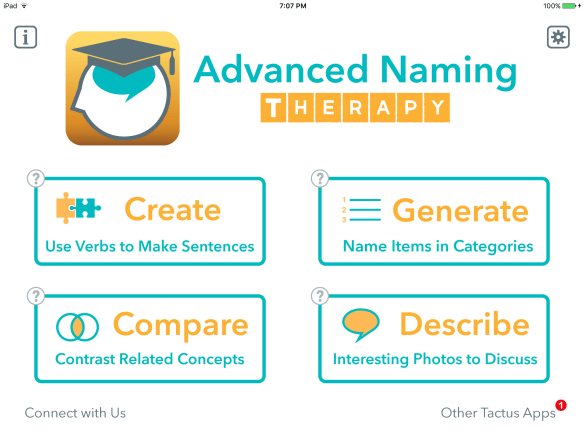
Taking over where their best-selling Naming Therapy app left off, Advanced Naming Therapy moves beyond confrontation naming strategies to give you more to talk about in new ways.

* Create sentences around common verbs

* Generate words in categories against the clock

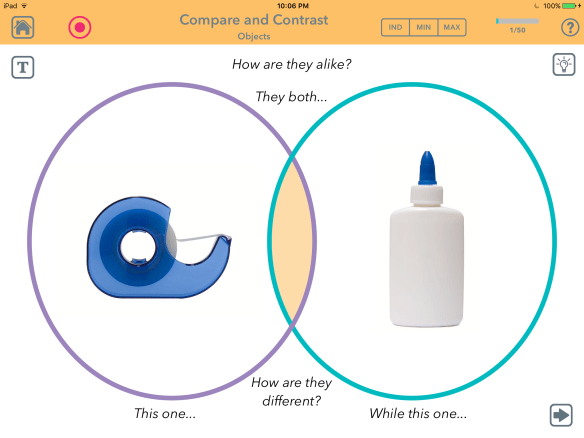
* Compare and contrast related concepts

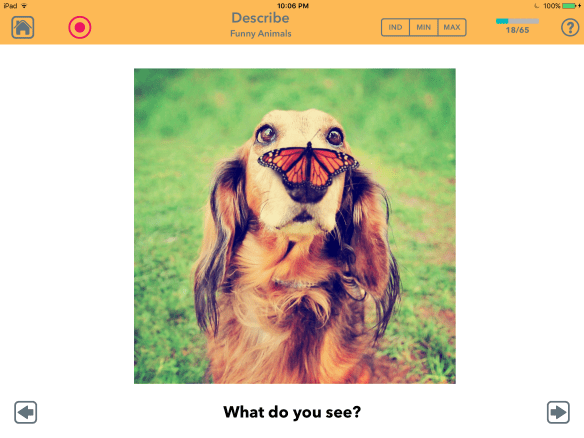
* Describe funny and interesting pictures

.

image

.image

.

I have a couple of older kids and teen patients who have word finding issues and have responded well to use of this app. The Venn diagram format for “compare and contrast” and the funny/interesting pictures were especially helpful. I highly recommend this app!

More info: http://tactustherapy.com/app/advanced-naming/
.

image

AlphaTopics – AAC Letter & Topic Communication Boards + Whiteboard for Dysarthria & Aphasia by Tactus Therapy Solutions Ltd.
https://appsto.re/us/1c4C5.i, $4.99, iOS Universal

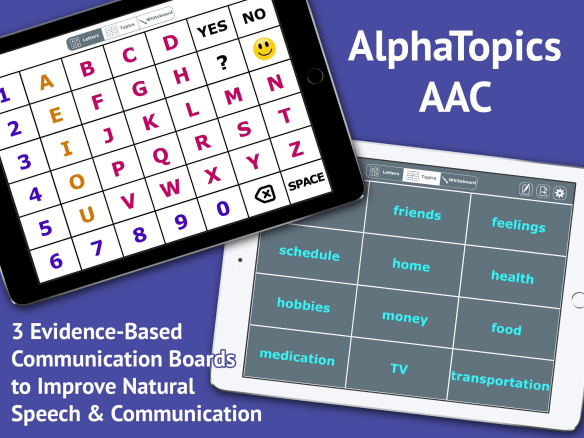
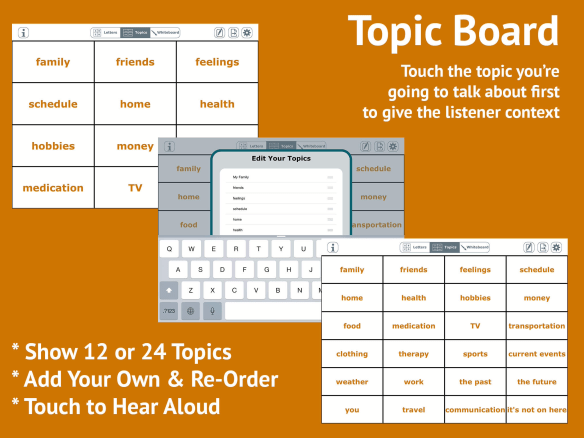
AlphaTopics lets you speak naturally, while giving your conversation partner enough context to understand you better. Just point to the topic or the first letter of each word you say. Get your point across faster and clearer with this simple speech supplementation strategy.

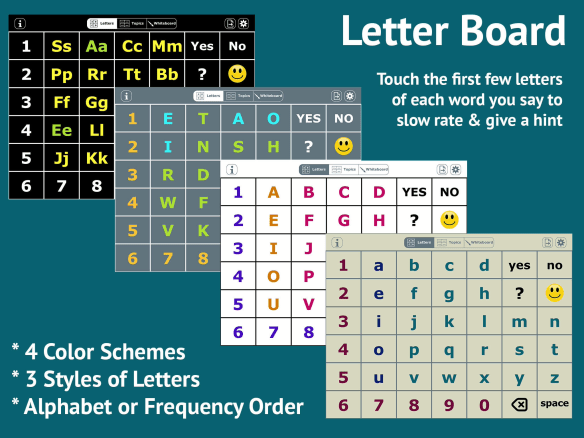
* Alphabet board says the name of each letter. I especially like the smiley face laugh button & the question mark “huh?” button.
* Topics board can be fully customized
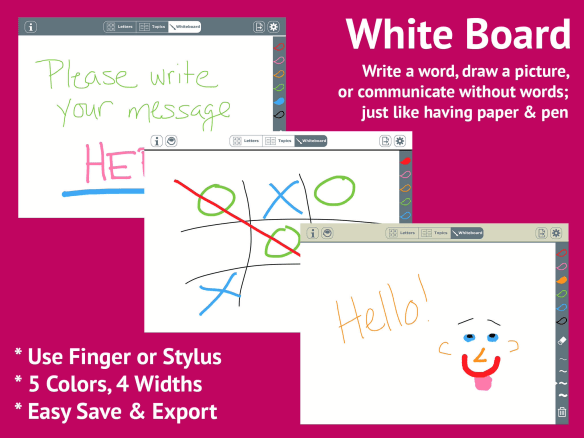
* White board to write or draw your message
* Individualize colors, layout, and access method

.

image image image

The boards can all be e-mailed as a PDF for easy printing as a non-tech backup. Definitely worth having this low cost AAC option in my toolbox!

More info: http://tactustherapy.com/app/alphatopics-aac/

.
Disclaimer: I received both of these apps via promo codes from the developer. No compensation was received to review them and my opinions are strictly my own.
.

Angela Moorad, MS, CCC-SLP
Speech-Language Pathologist
Founder of OMazing Kids, LLC – inclusive wellness & educational activities for kids of all abilities
Home E-Mail: amoorad1@juno.com
Facebook Messaging for OMazing Kids: https://www.facebook.com/messages/17426452595789
Facebook: http://www.facebook.com/OMazingKidsYoga
AppPeeps Facebook Group: https://www.facebook.com/groups/OMazingKidsAppPeeps/
Twitter: http://twitter.com/#!/amoorad
YouTube: http://www.youtube.com/user/amoorad1
Pinterest: http://pinterest.com/OMazingKids/
Google+: https://plus.google.com/u/0/110305433538768736741
Boardmaker Share: http://www.boardmakershare.com/Community/FriendsProfile/10916/Angela-Moorad
Blog: http://omazingkidsllc.com
.
Angela Moorad is the founder of OMazing Kids, LLC and is an ASHA certified & licensed pediatric Speech-Language Pathologist and Kids Yoga Teacher with over 26 years experience working in a variety of settings (early intervention, schools, teletherapy & a nonprofit pediatric rehab hospital for children with developmental disabilities). She is an app beta tester for educational & therapeutic app developers and loves sharing info about great apps, products, books & toys to use with kids of all abilities.
.
{please ignore any ads that may appear below. This is a free blog and I don’t have any control over ads nor do I profit from them}
{App Review} Circles App: Social Boundaries & Relationships by James Stanfield Co., Inc.

image

.

{App Review} Circles App: Social Boundaries & Relationships by James Stanfield Co., Inc.

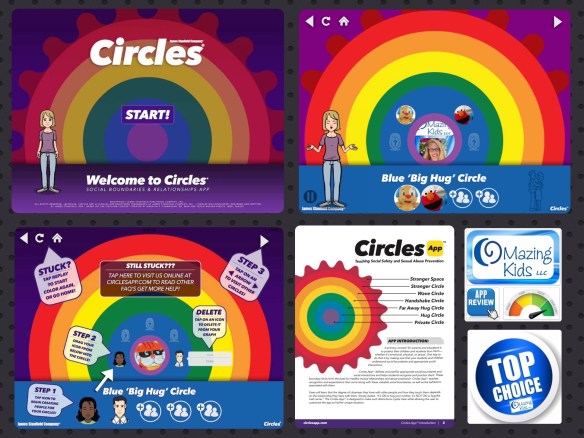
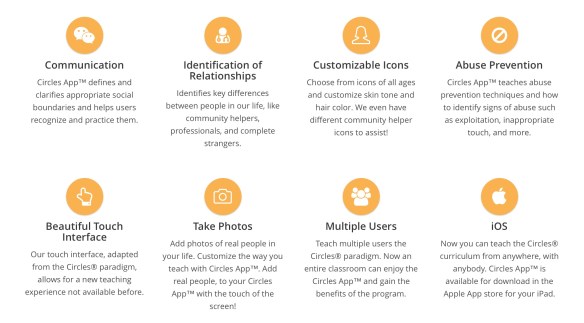
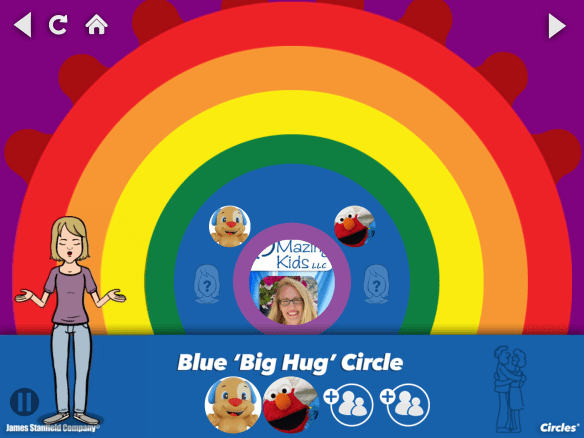
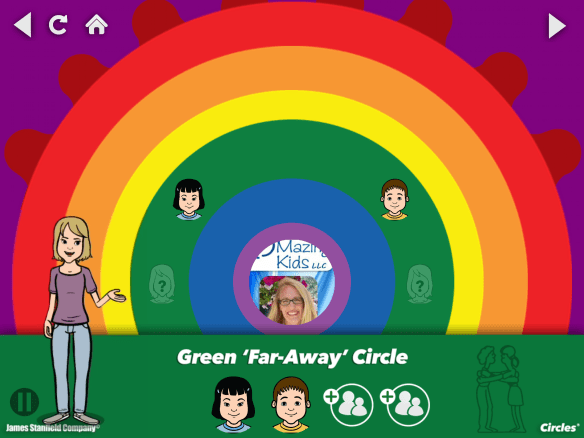
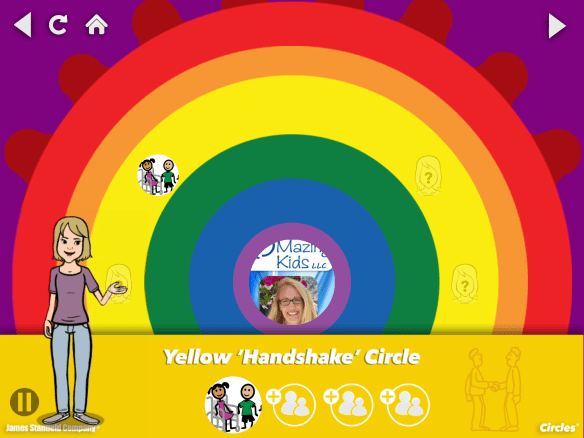
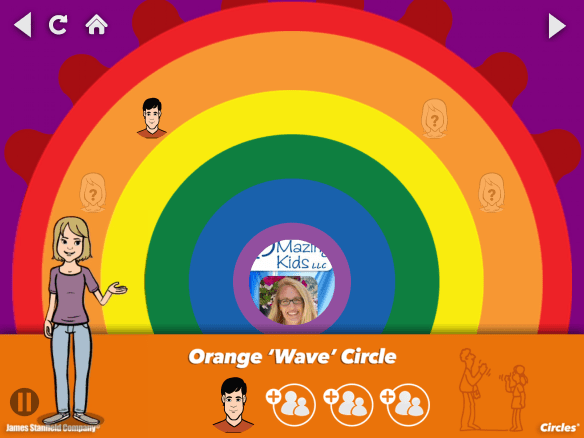
The Circles App™ is an innovative way to teach children that the degree of closeness they have with other people and how they touch them, depends on the kind of relationship they have with them. It is an essential tool for social skills learning, especially for kids, teens, and young adults with special needs, intellectual disabilities, and individuals on the autism spectrum. With a colorful, interactive relationship graph, The Circles App™ teaches:

  • appropriate social interactions in relation to TOUCH: who gets a hug, who gets high-fives, who gets fist bumps, and more!
  • intimacy boundaries to help prevent abuse and exploitation
  • how to recognize and practice boundary limits for healthy mutual relationships

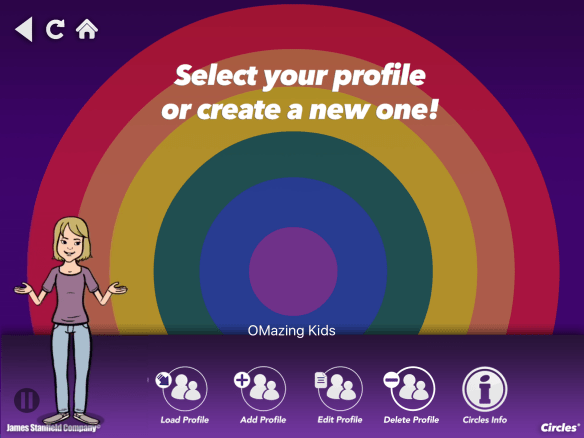
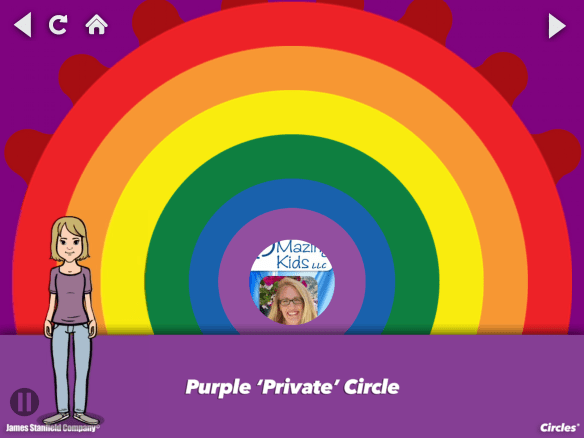
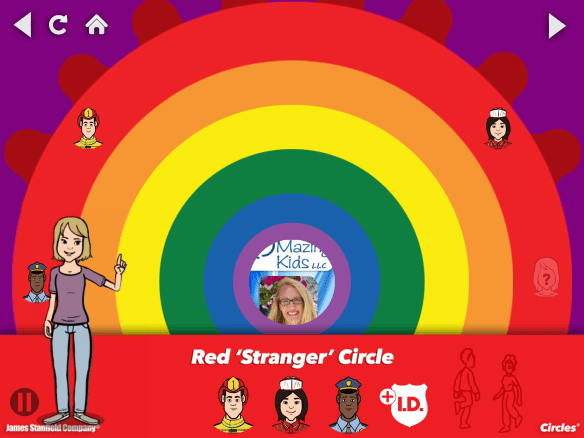
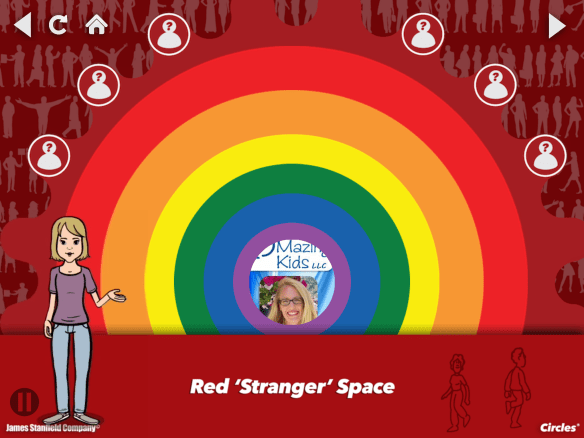
I love how this app breaks this concept down into concrete visual sections! It does a good job of showing the difference between community workers in the red circle vs. other strangers in the red stranger space. I also like how it includes fist bumps and bro hugs as current ways that kids greet each other. This will be a fabulous tool in my toolbox as I work with with patients who have difficulty understanding social boundaries and those who are at high risk for being taken advantage of. The app is easy to customize with pictures that are meaningful to that individual. It is designed to be appropriate for a wide range of ages.

.

image

.

image

.

image

.

image

.

image

.

image

.

image

.

image

.

image

.

App Store: https://appsto.re/us/6LK58.i, iOS 8.4 or later, iPad only, $24.99

Website: http://circlesapp.com

Tutorial: http://circlesapp.com/circles-app-tutorial/

Download a FREE Circles App User Guide with app instructions, FAQs, and general notes on how you can make the App work for you: http://eepurl.com/bULTWP

Facebook: https://www.facebook.com/stanfieldcompany
Twitter: https://twitter.com/JSTANFIELDCO
Pinterest: https://www.pinterest.com/stanfieldco/circles-app-intimacy-relationships-social-boundari/
.

Disclaimer: I received this app via a promo code from the developer. No compensation was received to review it and my opinions are strictly my own.

.

Angela Moorad, MS, CCC-SLP
Speech-Language Pathologist
Founder of OMazing Kids, LLC – inclusive wellness & educational activities for kids of all abilities
Home E-Mail: amoorad1@juno.com
Facebook Messaging for OMazing Kids: https://www.facebook.com/messages/17426452595789
Facebook: http://www.facebook.com/OMazingKidsYoga
AppPeeps Facebook Group: https://www.facebook.com/groups/OMazingKidsAppPeeps/
Twitter: http://twitter.com/#!/amoorad
YouTube: http://www.youtube.com/user/amoorad1
Pinterest: http://pinterest.com/OMazingKids/
Google+: https://plus.google.com/u/0/110305433538768736741
Boardmaker Share: http://www.boardmakershare.com/Community/FriendsProfile/10916/Angela-Moorad
Blog: http://omazingkidsllc.com
.
Angela Moorad is the founder of OMazing Kids, LLC and is an ASHA certified & licensed pediatric Speech-Language Pathologist and Kids Yoga Teacher with over 26 years experience working in a variety of settings (early intervention, schools, teletherapy & a nonprofit pediatric rehab hospital for children with developmental disabilities). She is an app beta tester for educational & therapeutic app developers and loves sharing info about great apps, products, books & toys to use with kids of all abilities.
.
{please ignore any ads that may appear below. This is a free blog and I don’t have any control over ads nor do I profit from them}
{App Review} Speech That Works app by Sunshine Cottage School For Deaf Children

image

.

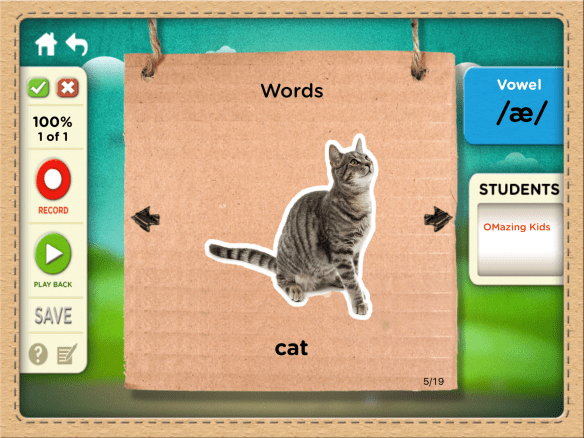
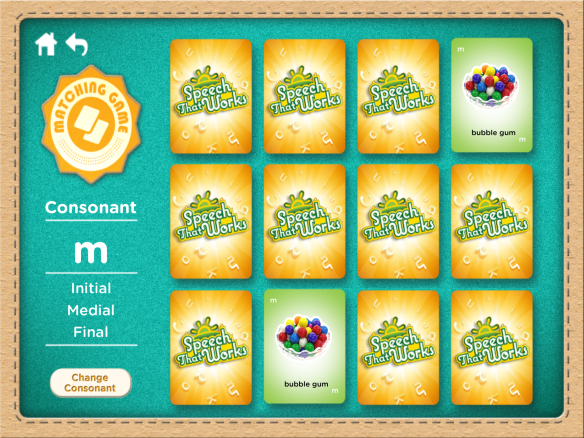
{App Review} Speech That Works by Sunshine Cottage School For Deaf Children is a fabulous app designed by a team of speech-language pathologists. It has several features that make it particularly useful when working with kids with apraxia, hearing impairment or those needing to target vowels, consonants in single syllables or other areas not typically included in most artic apps. This app was developed with strategies to enhance motor speech planning and automaticity. It’s definitely a blessing to have this as part of my SLP toolkit!

What’s unique that I love about this app:

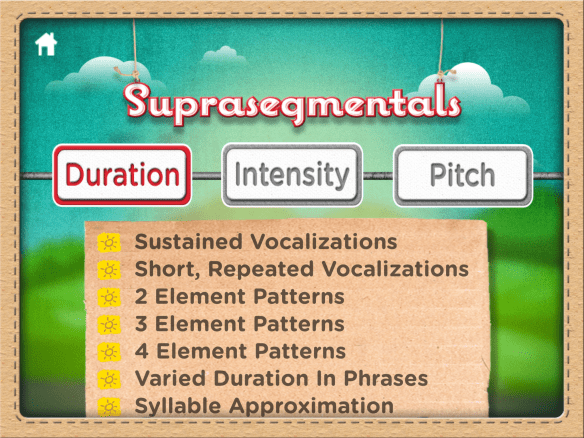
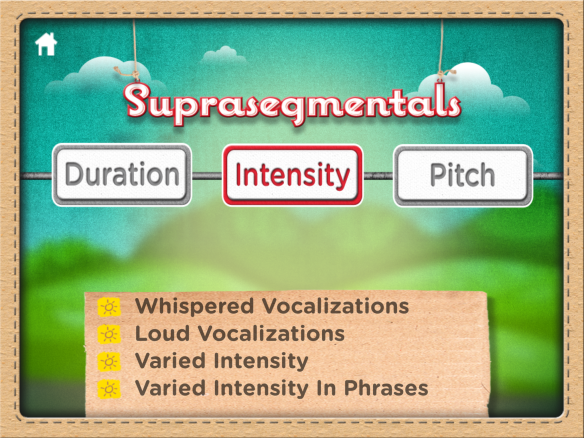
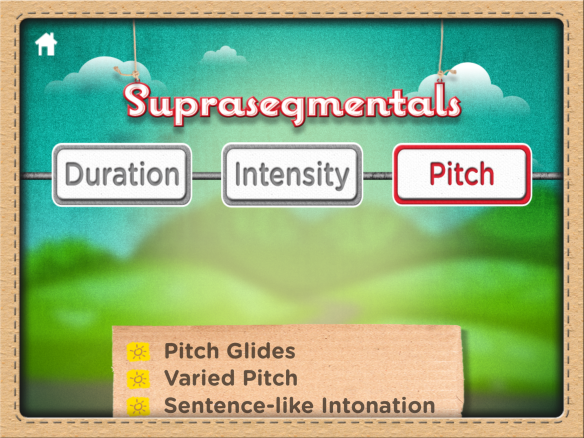
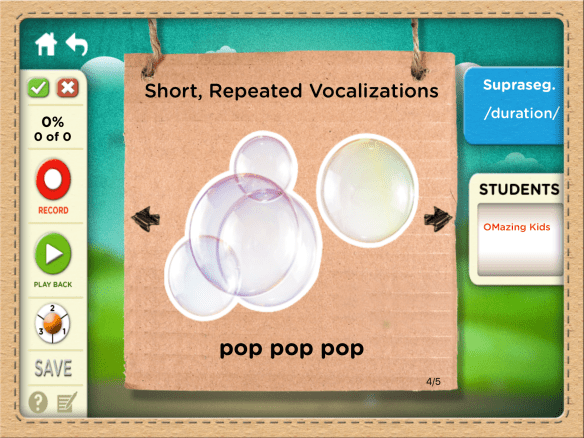
  • Suprasegmental targets for duration, intensity, and pitch.
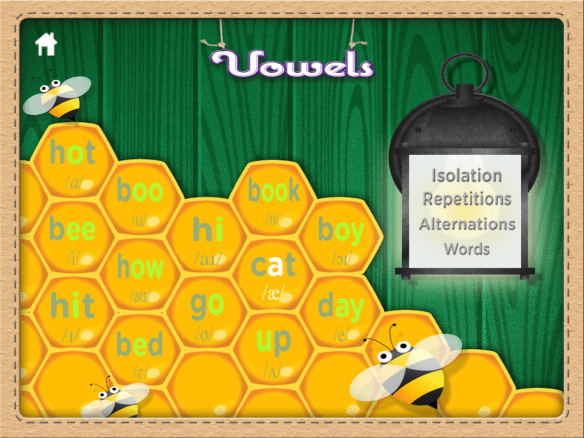
  • Vowels in isolation, repetitions, alternations, and words.
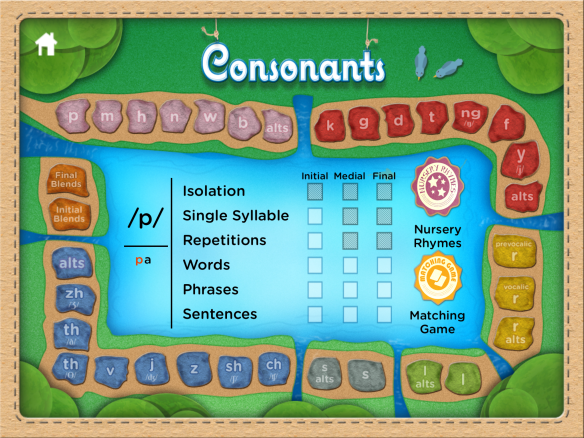
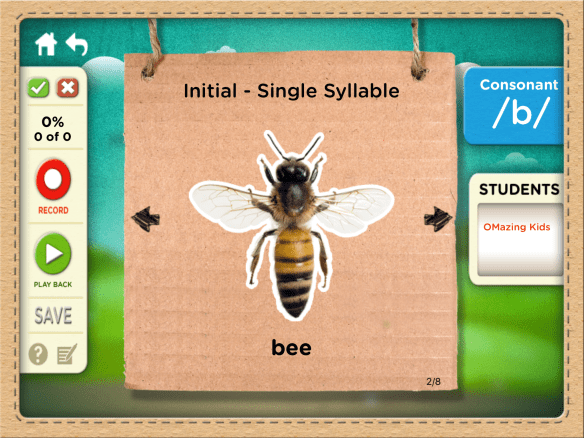
  • Consonants in isolation, single syllables, repetitions and alternations in addition to all positions in words, phrases & sentences.
  • The phrase generator allows you to select a person+’s (or “my”), a color and then a word containing the target phoneme.
  • The sentences contain two words with the target phoneme.
  • Includes all of the types of vocalic /r/.
  • Each blend can be targeted separately.
  • Includes final consonant clusters formed when words have grammatical marker endings.
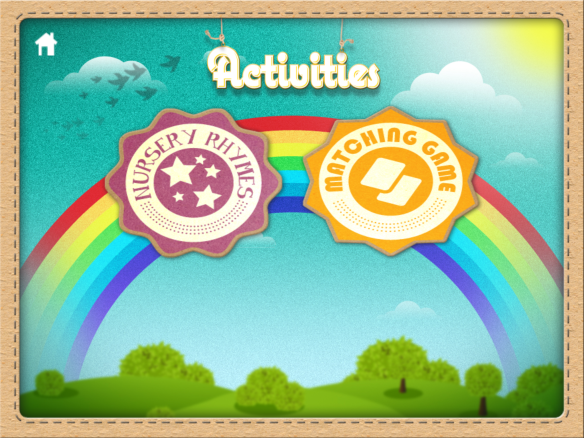
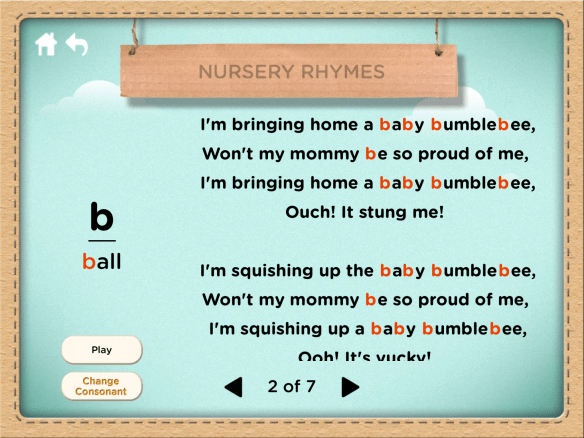
  • Nursery rhymes loaded with each consonant target sound.
  • Data can be sorted for a patient by date or by sound goal and can be filtered with a start and end date (great for quickly being able to find data for a specific reporting period) and e-mailed.
  • Elicitation techniques and carryover activities are provided for some sounds.

The only wish I have for a future app update would be the addition of a section for minimal contrast pairs for vowels at the word level since I have had a couple of patients with very funky vowel errors and in my quest to find materials to target this in therapy found very little (only a few cards from the Contrasts for Auditory and Speech Training (CAST) (http://www.linguisystems.com/products/product/display?itemid=10229) and a couple of reading apps targeting short vowels).

.

App Tutorial:

.

A few screenshots:

image

.

image

.

image

.

image

.

image

.

image

.

image

.

image

.

image


.

image

.

image

.

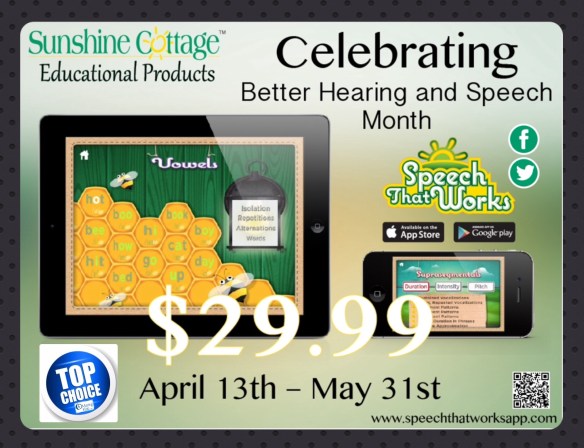
App Store: https://appsto.re/us/Y6Fu3.i, iOS 6.0 or later, Universal app, $49.99 -> currently on sale for $29.99 until 5/31/16 for Better Hearing & Speech Month.

.

Here are a few tips:
* iOS App Store prices often change at 10:00pm CST (adjust for your time zone) but can change at any time with no notice. So it’s always wise to get the apps you want quickly and always verify the price before downloading an app.
* I always verify app prices in the USA App Store at the time I do a post. Prices in other countries will vary depending on the exchange rate. I have no way to verify prices or whether or not an app is available in other countries.
* If you don’t have an iPad yet or don’t have one running the iOS required to download a particular app, you can download that app on iTunes on a computer and have it in your cloud to install later.
* I only post about iOS (Apple) apps since I only have an iPad & iPhone.
* I only post about apps that I have actually downloaded and tried out. There are LOTS of apps out there but only a handful earn a spot in the limited real estate on my iPad. Even with a 128GB iPad Air I am still constantly playing the “app shuffle”.

.

There is also an Android version. Since I don’t have any Android devices I can’t comment on how well the app works on that platform but am including the link here for folks who want to check it out. Appears to be priced the same: https://play.google.com/store/apps/details?id=org.sunshinecottage.sscapps.STW&hl=en

.

Website: http://www.sunshinecottage.org/stwapp.php

Facebook: https://www.facebook.com/SSCEducationalProducts
Twitter: https://twitter.com/SSCEdProducts

.

Disclaimer: I received this app via a promo code from the developer. No compensation was received to review it and my opinions are strictly my own.
.

Angela Moorad, MS, CCC-SLP
Speech-Language Pathologist
Founder of OMazing Kids, LLC – inclusive wellness & educational activities for kids of all abilities
Home E-Mail: amoorad1@juno.com
Facebook Messaging for OMazing Kids: https://www.facebook.com/messages/17426452595789
Facebook: http://www.facebook.com/OMazingKidsYoga
AppPeeps Facebook Group: https://www.facebook.com/groups/OMazingKidsAppPeeps/
Twitter: http://twitter.com/#!/amoorad
YouTube: http://www.youtube.com/user/amoorad1
Pinterest: http://pinterest.com/OMazingKids/
Google+: https://plus.google.com/u/0/110305433538768736741
Boardmaker Share: http://www.boardmakershare.com/Community/FriendsProfile/10916/Angela-Moorad
Blog: http://omazingkidsllc.com
.
Angela Moorad is the founder of OMazing Kids, LLC and is an ASHA certified & licensed pediatric Speech-Language Pathologist and Kids Yoga Teacher with over 26 years experience working in a variety of settings (early intervention, schools, teletherapy & a nonprofit pediatric rehab hospital for children with developmental disabilities). She is an app beta tester for educational & therapeutic app developers and loves sharing info about great apps, products, books & toys to use with kids of all abilities.
.
{please ignore any ads that may appear below. This is a free blog and I don’t have any control over ads nor do I profit from them}
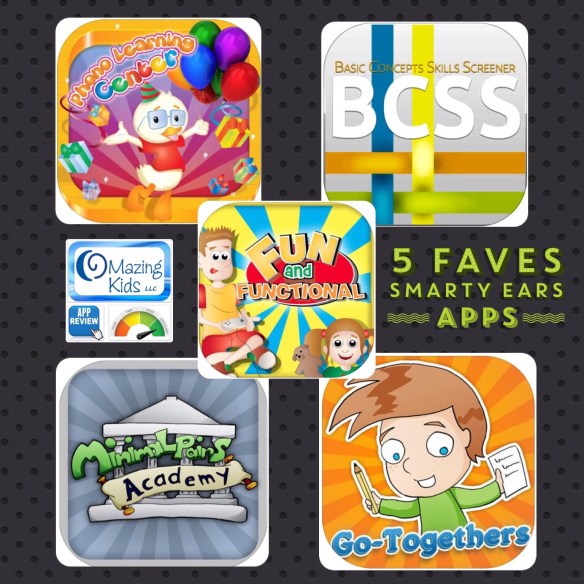
{Five Faves} Five of my favorite apps by Smarty Ears: Phono Learning Center, Minimal Pairs Academy, Fun & Functional, Go-Togethers & Basic Concepts Skills Screener

image

.

{Five Faves} Five of my favorite apps by Smarty Ears: Phono Learning Center, Minimal Pairs Academy, Fun & Functional, Go-Togethers & Basic Concepts Skills Screener.

I’m sure by now all of my SLPeeps have heard of Smarty Ears apps. They have a large line of apps specifically designed for SLPs by SLPs. This post is highlighting five of my faves chosen because they each meet a unique need. My comments are based on the features available in the most recent version of the app in the USA App Store at the time of this post. The cool thing about apps is that dependable app developers continue to improve apps over time based on the feedback that they receive from users and release updates to keep apps compatible with the latest iOS operating system.

.

Phono Learning Center by Smarty Ears
https://appsto.re/us/aqv6M.i

How it’s unique: Specifically designed for using the Cycles Approach when working with kids with very poor intelligibility and several phonological process disorders.

In depth info: http://smartyearsapps.com/service/phono-learning-center/

Here’s what I love about this app:
* All of the target words were carefully selected for each sound level with co-articulation and facilitation considered.
* Easy user set up.
* If using the Cycles hierarchy, only one process at a time may be targeted. Targets are easily changed by editing the profile. If you chose not to be restricted to the Cycles hierarchy, it is possible to target multiple sounds at once.
* You can change the scoring style. The Standard scoring is incorrect, almost correct, and correct (or missed, almost, and got it). The Level of Prompts scoring incorporates the errorless learning theory suggested in the Cycles technique. With this style, it is expected for the student to be nearly 100% accurate and the level of prompts is used to mark if the word was produced prompted, imitated, or spontaneously correct.
* Includes an auditory bombardment activity
* Includes four game activities (inflating a hot air balloon, matching, shooting hoops with crumpled paper & filling in a jigsaw puzzle) and it’s very easy to switch between them without having to start over. Kids with severe phonological disorders can be challenging to engage in speech therapy so game-based activities like these are worth their weight in gold. Ever had a patient have earth shattering meltdowns at even the sight of traditional flashcards? You seriously need to consider other ways to entice engagement and this is a fabulous tool to have in your speechie toolbox.
* Single and multiplayer options
* Data collection and reports
* Lots of free printable homework sheets
* My wishes for a future app update are adding an option to slow down the pace of the auditory bombardment & make it more obvious when a target has been selected by either having a check or a darker highlighting around that item. It would also be nice to be able to see specific items missed in the user reports, to be able to share a report from a specific session and to be able to delete data from a particular session without having to delete the user.

Video tutorial:

https://vimeo.com/66895739

More info about the Cycles Approach:

Cycles Approach for Speech Therapy | Steps and Therapy Plan

Click to access ebp_v5_article2_old.pdf

——-

Minimal Pairs Academy by Smarty Ears
https://appsto.re/us/oVi1C.i

How it’s unique: Targeting phonological processes via minimal contrast pairs.

In depth info: http://smartyearsapps.com/service/minimal-pairs-academy/

Here’s what I love about this app:
* Easy user set up.
* Includes auditory bombardment, auditory discrimination, production (large card facing up that has the target word and a smaller card facing down that has the corresponding minimal pair) & fill in the blank phrases.
* Targets lots of different phonological processes (cluster reduction, deaffrication, devoicing, final consonant deletion, fronting, gliding, initial consonant deletion, prevocalic voicing, stopping & stridency deletion – many broken out into sub-categories) with the option to edit lists within each to deselect particular word pairs.
* In-app recording option
* Single and multiplayer options
* Data collection and reports
* My wishes for a future app update would be the addition of printable worksheets like those available in Phono Learning Center and a mini reinforcer game. It would also be nice to be able to see specific items missed in the user reports, to be able to share a report from a specific session and to be able to delete data from a particular session without having to delete the user.

Video:

https://vimeo.com/35841681

——-

Fun & Functional by Smarty Ears
https://appsto.re/us/rskUD.i

How it’s unique: Goes beyond your typical name or identify vocabulary apps to get kids to think about the function or use of common items in the context of Wh-questions.

In depth info: http://smartyearsapps.com/service/fun-functional/

Here’s what I love about this app:
* Targets receptive and expressive language skills. Great options in settings area select to do just receptive, just expressive or alternate between them.
* Easy user set up
* Option to adjust the field of choices (2, 3 or 4) in receptive activities
* Options for setting what happens when an incorrect answer is selected (keep going, remove the item or buzz)
* Several categories with the option to toggle each on/off
* Option to select receptive vocabulary that is less similar to make the activity less challenging or more similar to make it more challenging
* Data collection and reports with basic info.
* My wishes for a future app update would be to have the option to toggle off the “yeah” auditory feedback on correct answers (it gets a little over stimulating after awhile) & to add a multiuser option to this app to make it more useful in groups. It would also be nice to be able to see specific items missed in the user reports, to be able to share a report from a specific session and to be able to delete data from a particular session without having to delete the user.

Video tutorial:

———

Go-Togethers by Smarty Ears
https://appsto.re/us/FfRGE.i

How it’s unique: Targets the ability to identify and generate words that “go together” in semantic associations (a critical language skill that relates to vocabulary and word retrieval)

In depth info: http://smartyearsapps.com/service/togethers/

Here’s what I love about this app:
* Easy user set up
* Lots of categories of vocabulary and the option to select just the ones you want included. Easier categories are in Level 1 & more challenging ones on Level 2.
* The receptive activity can be done by either drawing a line with your finger to the correct answer(s) or tapping them. Some kids have difficulty swiping in a specific direction on the iPad so it’s helpful to have tapping as an option.
* The expressive activity includes scoring options for the child naming items that go with the pictured item separately from telling why
* The ability to delete data for a particular session without having to delete that user.
* My wishes for a future app update would be an easier to read font for the users names, add the option to toggle off the auditory feedback on correct answers (it gets a little over stimulating after awhile), add a multiuser option to this app to make it more useful in groups, make it more obvious on how to get to the category lists in the settings area and to be able to share a report from a specific session.

Video tutorial:

https://vimeo.com/38898065

———-

Basic Concepts Skills Screener by Smarty Ears
https://appsto.re/us/I1h8N.i

How it’s unique: It’s an awesome quick way to assess understanding of basic concepts and is especially helpful for kids who are too old for standardized tests targeting those concepts.

In depth info: http://smartyearsapps.com/service/basic-concepts-skills-screener/

Here’s what I love about this app:
* Motivating format for assessing understanding of basic concepts
* No negative feedback is provided. The user gets the same feedback regardless of their answer.
* The app will not progress to the next screen until the NEXT button in the bottom right corner has been tapped. The picture that is selected when the NEXT button is tapped is the one that is scored. If no picture is selected when the NEXT button is tapped, a pop-up message will show explaining that there must be a selection made.
* The display in the corner lets you know that you have completed ____ of ______ items.
* The report provides a wealth of details about specific items missed, data by type of concept (comparative, quantitative, spatial, temporal) & percent by typical age of mastery (age 3, 4, 5 & 6)
* Options to do a quick screening (30 items) or a full screening (79 items). I always pick the full screening and can easily get it done in one session. But if needed, you can save the screening and continue later.
* My wishes for a future app update would be to make a couple of the images a little clearer (ex: beginning to grow – the plant in the hand is too similar to the smallest one in the ground; old – very few of my patients have tapped on the picture of the elderly man. I have wondered if it may be due to that Smarty Symbol not having clothes and the other 3 do) and to add the option to either turn off the auditory feedback when a selection has been tapped or to make it quieter (it can be a little over stimulating for some patients but I don’t want to turn down the sound on the iPad due to that impacting the loudness of the voiceovers on the testing prompts).

This app is seriously one of the most used on my iPad. I work with kids up to 21 years of age and most are not functioning anywhere near their age level. This app has come in very helpful in identifying gaps in understanding of basic concepts so treatment can be more specifically targeted.

Video tutorial:

https://vimeo.com/69751227


.
Disclaimer: I received all 5 of these apps via promo codes from the developer. No compensation was received to review them and my opinions are strictly my own.
.

Angela Moorad, MS, CCC-SLP
Speech-Language Pathologist
Founder of OMazing Kids, LLC – inclusive wellness & educational activities for kids of all abilities
Home E-Mail: amoorad1@juno.com
Facebook Messaging for OMazing Kids: https://www.facebook.com/messages/17426452595789
Facebook: http://www.facebook.com/OMazingKidsYoga
AppPeeps Facebook Group: https://www.facebook.com/groups/OMazingKidsAppPeeps/
Twitter: http://twitter.com/#!/amoorad
YouTube: http://www.youtube.com/user/amoorad1
Pinterest: http://pinterest.com/OMazingKids/
Google+: https://plus.google.com/u/0/110305433538768736741
Boardmaker Share: http://www.boardmakershare.com/Community/FriendsProfile/10916/Angela-Moorad
Blog: http://omazingkidsllc.com
.
Angela Moorad is the founder of OMazing Kids, LLC and is an ASHA certified & licensed pediatric Speech-Language Pathologist and Kids Yoga Teacher with over 26 years experience working in a variety of settings (early intervention, schools, teletherapy & a nonprofit pediatric rehab hospital for children with developmental disabilities). She is an app beta tester for educational & therapeutic app developers and loves sharing info about great apps, products, books & toys to use with kids of all abilities.
.
{please ignore any ads that may appear below. This is a free blog and I don’t have any control over ads nor do I profit from them}
{App Review} My PlayHome: Hospital
image

.

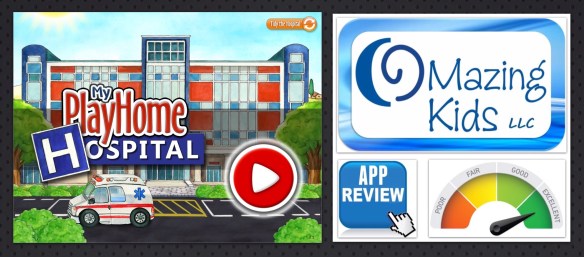
Totally LOVE this new app from My PlayHome! So many areas to explore: reception desk, wheelchairs, elevator, gift shop, waiting area with a TV & vending machine, treatment area with oxygen masks, vital signs monitors, syringes, saline and blood bags, privacy screens and a computer with realistic typing and clicking. In the private patient rooms the curtains can be shut to darken the room. The doctor’s office has a functioning stethoscope to hear the heartbeat. The X-ray area is amazing. Love how the X-ray machine responds accurately to the part of the body being scanned and then you can “print” a copy and view it.

Love the arrows that make it clear how to navigate to other areas. Also love the intuitive way that the apps in the series link to each other and it’s especially cool that you can drive the ambulance from the hospital to the school, stores and home. The sound effects are very realistic. Unless you press the “tidy the hospital” button on the opening screen, the items & people remain where they are the next time you open the app.

Only a few wishes for a future app update to make the app even more accurate: it would be nice to be able to change the TVs to a couple of different channels, when a tray is placed in the sink in the upstairs break area it partially shows through in an odd way, the soda in the bottle from the vending machine needs to disappear as it’s being consumed, the characters need to be able to hold the phone to their ear, it would be cool to have an overhead paging system microphone at the reception desk and the doctor’s office needs a biohazard disposal can for the needles. Being a SLP, it would be super cool to see an option added to the X-ray area to do a dysphagiagram (swallow study).

See the App Trailer: http://youtu.be/v91tMkFAFPc

.

This app is a bargain for only $2.99: My PlayHome Hospital by PlayHome Software Ltd
https://appsto.re/us/FAksbb.i

I highly recommend SLPs have all the apps in this series. Lots of opportunities for language, following directions, spatial concepts, etc. plus this particular app could be used as part of a social story to help prepare a child for an upcoming medical procedure or hospital stay.
.
Angela Moorad, MS, CCC-SLP
Speech-Language Pathologist
Founder of OMazing Kids, LLC – inclusive wellness & educational activities for kids of all abilities
Home E-Mail: amoorad1@juno.com
Facebook Messaging for OMazing Kids: https://www.facebook.com/messages/17426452595789
Facebook: http://www.facebook.com/OMazingKidsYoga
AppPeeps Facebook Group: https://www.facebook.com/groups/OMazingKidsAppPeeps/
Twitter: http://twitter.com/#!/amoorad
YouTube: http://www.youtube.com/user/amoorad1
Pinterest: http://pinterest.com/OMazingKids/
Google+: https://plus.google.com/u/0/110305433538768736741
Boardmaker Share: http://www.boardmakershare.com/Community/FriendsProfile/10916/Angela-Moorad
Blog: http://omazingkidsllc.com
.
Angela Moorad is the founder of OMazing Kids, LLC and is an ASHA certified & licensed pediatric Speech-Language Pathologist and Kids Yoga Teacher with over 26 years experience working in a variety of settings (early intervention, schools, teletherapy & a nonprofit pediatric rehab hospital for children with developmental disabilities). She is an app beta tester for educational & therapeutic app developers and loves sharing info about great apps, products, books & toys to use with kids of all abilities.
.
{please ignore any ads that may appear below. This is a free blog and I don’t have any control over ads nor do I profit from them}