Angela Moorad, MS, CCC-SLP. Over 36 years experience in AAC. OMazing Kids AAC and app consulting. Creator of several AAC Feature Matching resources (https://omazingkidsllc.com/omazing-kids-aac-resource-links/). Includes info about unique features to support Gestalt Language Processors
Pursuing funding for augmentative communication devices is not for the timid or the faint of heart.
.
Unless you are working with a family who is very wealthy and can afford to purchase it themselves you need to be prepared for the paperwork & “fiery hoops”.
The funding department at the company selling the device will provide valuable support but a lot will rest on the shoulders of the SLP submitting the funding request.
It is wise to get as much information as you can before you start the process. Read through the definition of “medical necessity” and all the required elements for purchase of a speech generating device (SGD) as durable medical equipment (DME) for that insurance company and/or Medicaid in your state. This will give you both verbiage to include in your report and a checklist of all the bases you need to cover.
In my most recent funding request I had to deal with both the requirements of private insurance and Medicaid. Each had their own requirements. This patient’s insurance company required at least a 30 day trial with the SGD being requested. Medicaid in my state requires a video demonstrating clear communicative intent, independent use and for eye gaze devices “proof of accuracy”. Trying to submit a funding request before we had all of those elements would have been fruitless.
“Proving accuracy” may not sound like a big deal but I can testify that it was a huge fiery hoop when the patient was a 2.5 year old who had huge meltdowns every time I tried “show me the _____” activities. As in several sessions went down the toilet because we tried that.
So I laid in bed at night mulling over the quandary of how to “prove accuracy” in order to get her the AAC device that I knew she needed and that she had already shown me she could use. Add the extra self induced pressure of desperately wanting to get this accomplished before my retirement. Thank the Lord for stumbling upon a toy that this child was intrigued by. Not really the most highly preferred item. In fact early in the trial of the eye gaze device her Mom and I thought she may have been accidentally activating the button to request it since her reaction upon getting the toy was pretty “meh” 😐. So her Mom asked if I could move the button for it to a different location. Guess who immediately activated the button for that toy again and gave us her famous impish grin. Every time I moved that button she found it and grinned. So that was our golden ticket to making it through the fiery hoop of “proving accuracy”. I added a tiny button to her home page in Communicator 5 on the Tobii Dynavox i15+ eye gaze SGD and linked it to a page set that I built with the “noisy ball” and three other items with the placement randomized on each page. The first session I showed it to her she was a little fussy so we didn’t stay there long. The next week she was well rested and especially perky. Guess who found the “noisy ball” with 100% accuracy when presented in a playful way as a game of “hide and seek”? Yup. She did. And I got it all on video including her huge smile at the end as if to say “I rocked that didn’t I?”.
Tip: When you are required to provide a video with your funding request it’s important to always have a means of videoing on you in all sessions so you can capture the moments.
That was a huge fiery hoop to make it through and I worked late that evening to start the AAC eval report to get the funding request process started. Here’s the deal…. once you start that ball rolling you have to be willing to do what it takes under very short timeframes when they request additional video or ask for an addendum for additional information. If you don’t meet their very short timeframes then the request will automatically be denied and you have to start all over. For this child I had to provide documentation as to why she could not use handwriting as a means of communicating (ummmm…… not a developmentally appropriate expectation for any 3 year old let alone one with Rett Sydrome and no functional hand use) & additional videos proving she was making independent and intentional requests with the SGD. All of which had already been documented both in video and in writing. Of course I was frustrated every time but I had to vent to my fellow SLPeeps and then did what it took to make it through that next fiery hoop. I cried tears of relief and joy when I finally got the e-mail that her SGD had been approved and the day it arrived.
In the end it is all worth it to see the look on a child’s face when they get to take home their “voice” for the first time.
.
I’m not sharing this to brag on myself but rather to leave pearls of wisdom learned from my 28 year career as a SLP. I’ll be retiring in 11 weeks so I’m trying to pass along things that I’ve learned before I move on to the next chapter in my life. I spent several hours researching the internet and posting in AAC and SLP Facebook groups begging for ideas for how to “prove accuracy” for a 2.5 years old using an eye gaze device. But there was nothing. So I hope that this info helps some other speechie in the future. For your patient it will likely be some other random toy or activity but the concept of turning it into a playful “hide and seek” activity may be your ticket to making it through the “proving accuracy” fiery hoop.
.
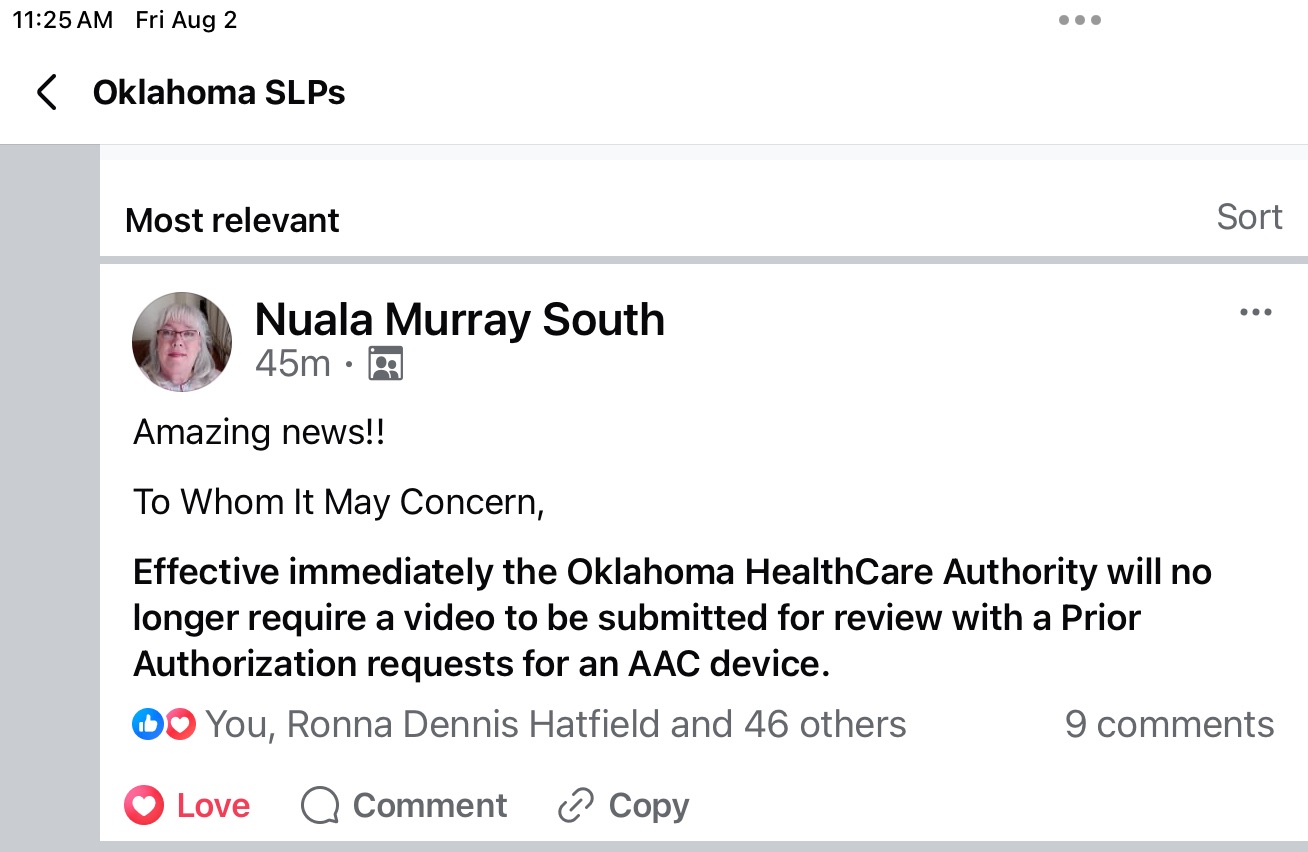
Update 8/2/24: I just saw a post from our Tobii Dynavox rep in Oklahoma:
Amazing news!!
To Whom It May Concern,
Effective immediately the Oklahoma HealthCare Authority will no longer require a video to be submitted for review with a Prior Authorization requests for an AAC device.
Additional Info:
When you are completing your AAC evaluation report and funding request look it over to make sure that you documented the feature matching process, consideration of several options, trials of options and why that particular one is being recommended.
Most insurance companies are looking for justification for medical necessity and will only authorize funding of a requested SGD “that is not more costly than an alternative that is at least as likely to produce equivalent therapeutic results for the treatment of the plan member’s condition. Documentation must show that all least costly alternatives have been considered and ruled out before funding of an SGD will be authorized”.
Also referred to as the “least costly equally effective alternative”.
Personal Professional Facebook Page (linked to OMazing Kids): https://www.facebook.com/angela.moorad (adding“friends” who have a direct role in AAC or Assistive Technology – AAC / AT app or product developers, AAC / AT consultants, SLPs who specialize in AAC, other professionals who specialize in AAC or AT, etc.)
{New App Review} My patients LOVE the newest app from Erik X. Raj! I love how you can move, rotate, resize and layer the articulation stickers and then save your creation to the Camera Roll to send home for practice. The app can be used with either the forward facing or rear camera. Kids love seeing themselves in the picture. 😂
Have you ever had a patient who you knew had something to say but you struggled to find a means of communication?
I spent almost a year trying literally EVERY possible AAC device and app and every type of access option in a quest to find a “voice” for a child who I knew had so much to say. She made it very clear that she wanted to use her hands for direct access despite having minimal use of them. She hated head pointing and eye gaze devices and any type of scanning. I would seriously lay in bed at night and ponder what else we could try. I spent hours scouring the internet looking for PODD resources and watched just about every video I could find. Thank goodness a PODD training finally came close enough and was priced affordably enough that our facility sent two SLPs to get trained. Ideally I would have gone to that PODD training but it didn’t make sense for me to take a spot being so close to retirement. But having two of our SLPs trained gave me access to a PODD book to trial with her and then was able to order a premade one for her. Ideally you would custom make and print a book but the facility where I work had not figured out the logistics of printing on special water and rip resistant paper and spiral binding. So I have customized the premade PODD book for her by using clear packing tape to add symbols. Her older sister has even hand drawn a few symbols and the family has written lists on the back of pages. It may not be perfect but it’s working for her. She is my PODD rock star. Every week I end my session by telling her to “PODD on” (rock on with PODD).
.
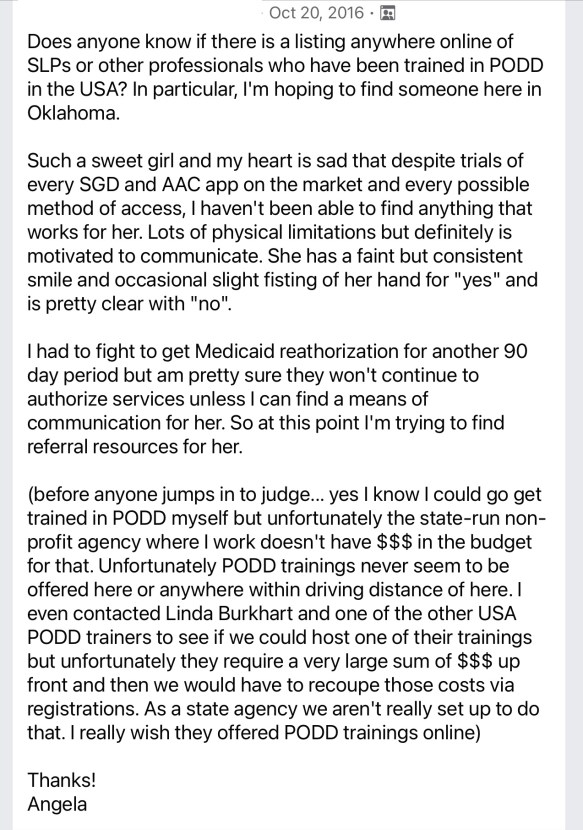
Here’s a screenshot of my desperate plea for help in the AAC for the SLP group on 10/20/16:
I periodically update this blog post. It is a “pay it forward” labor of love. I had an incredibly hard time finding info about PODD to get started with that patient back in 2016. So I was determined to make it easier for anyone trying to do that. 😊
.
The latest full update for this post was on 9/26/22 when I went through and checked all of the links and info and updated as needed.
On 1/8/23 I updated pricing info for the digital PODD apps.
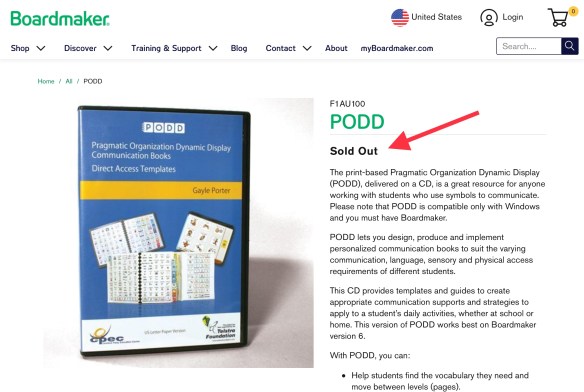
On 2/24/23 I updated to reflect that the PODD direct access template is sold out again on the Boardmaker website.
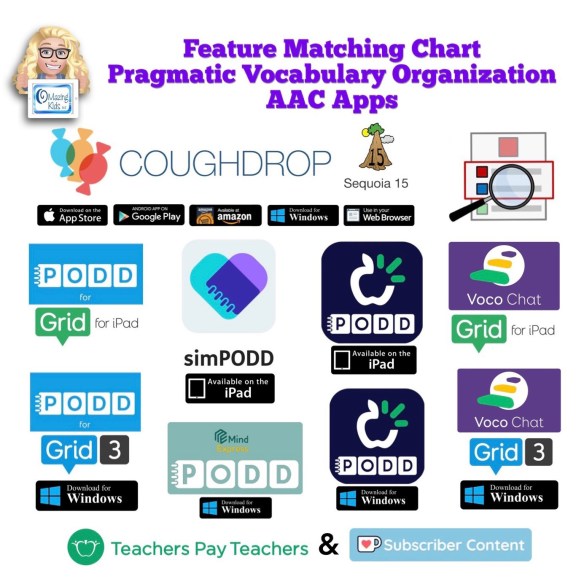
On 3/12/23 I updated this post to add info about Feature Matching Chart for Pragmatic Vocabulary Organization AAC Apps.
On 10/18/23, I updated this post again following a Teams call with Josh Witt at Boardmaker/Tobii Dynavox.
On 2/18/25, I updated the links for where printed PODD books can be ordered.
New resource: Feature Matching Chart for Pragmatic Vocabulary Organization AAC Apps. This is a VERY deep dive beyond just vocabulary organization… it’s also an in depth look at the flexibility or limitations of the app platforms, customization and alternative access options plus includes detailed info about three different Bluetooth switch interfaces (Blue2, iSwitch & Cosmo).
Available on TPT: https://bit.ly/PragmaticOrgVocabAAC-FeatureMatching-TPT. This resource includes free access to over 3 hours of unlisted YouTube videos where I highlight some of the most unique features in each option and discuss the flexibility in customization, options for alternative access, etc…
I’m sharing links to things that were helpful during this PODD adventure and a few lessons learned….
.
What does PODD stand for? Pragmatic Organization Dynamic Display
.
Update 9/25/22: This website has great info about the history of PODD: https://www.cpec.org.au/podd
. How to get started? Ideally go to a PODD training….. but the reality is they may not be offered anywhere near you and they tend to be very expensive. This was my reality so I learned as much as I could online through blog posts, workshop handouts, videos, Facebook groups, etc….
One of the biggest mind shifts for me was to let go of the need to plan contrived communication opportunities in therapy sessions and instead model initiating saying “I have something to say” through facial expression, raising my hand and vocalizing and then using PODD to share my own thoughts or ideas. I had to get comfortable with doing lots of modeling without any pressure on the child to do anything. And comfortable with writing measurable goals in a whole different way.
Examples of some of the goals that I have written for her during this process:
“__________ will show increasing interest and attention to someone using pages from the PODD aided communication system to talk to her in natural contexts throughout the day. This will be measured by an increase in: looking towards the communication symbols or the communication partner, calming during this process, looking away to the side but with a stillness as if listening, or responding the partner’s message. Will increase from ______ to at least _______ times documented during the auth period.”
“Within natural contexts throughout the day, _________ will initiate use of PODD AAC by raising her hand and/or vocalizing to indicate “I have something to say”. Will increase from _______ to at least ________ times documented during the auth period.”
“After signaling “I have something to say”, __________will express an increasing range of communicative functions such as requests, comments, and directing actions using direct selection and/or partner assisted scanning with pages from the PODD communication book and yes/no responses. Will increase from_______ to at least ________ times documented during the auth period.”
Update 7/24/20: Those handouts are all no longer available. The website indicates they are being updated. Fortunately I had copies saved in the iBooks app on my iPad. I merged them into one PDF and uploaded that to my blog: https://bit.ly/PODDcommunicationFocusHandouts (as of 6/5/23 2/18/25 the update for those handouts still hasn’t appeared)
————————-
This weekend I found these handouts and videos on Linda Burkhart’s website about PODD:
“Aided Language Stimulation and a Robust Language System: Autism a Case Example” – Presented by Linda J. Burkhart and Aura Baker at Closing the Gap Conference, October, 2016
Partner-Assisted Communication Strategies for Children Who Face Multiple Challenges Handout by Linda J. Burkhart and Gayle Porter ((Pre-conference Instructional course – ISAAC 2006): https://bit.ly/3f4DlNu
Partner-Assisted Communication Strategies for Children Who Face Multiple Challenges: PODD Communication Books – Gayle Porter Handout by Linda J. Burkhart and Gayle Porter (Pre-conference Instructional course – ISAAC 2006): https://bit.ly/2BvPI7y
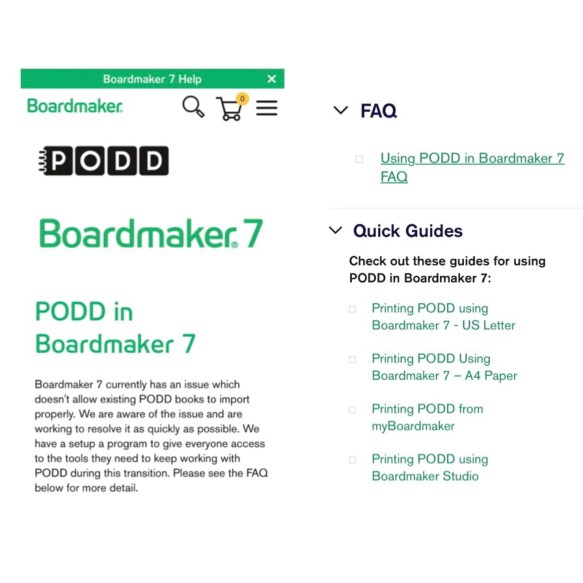
Update 10/18/23: I just got finished with a Teams call with Josh Witt. Boardmaker/Tobii Dynavox has the PODD Direct Access CDs back in stock and will be ordering those in larger quantities to hopefully avoid them being out of stock so frequently or for so long: https://goboardmaker.com/products/podd. As far as PODD working better in Boardmaker 7, he shared this page where they have added some Quick Guides and if folks are using the most current version of Boardmaker 7 & follow the steps in those guides it’s supposedly better. I asked for another free trial of Boardmaker 7 to try it out for myself. https://goboardmaker.com/pages/podd-in-boardmaker-7
Update 11/20/25: And it’s sold out again.
At this point I’d be looking at simPODD or Mind Express 5 as more reliable sources for creating printable paper-based PODD books.
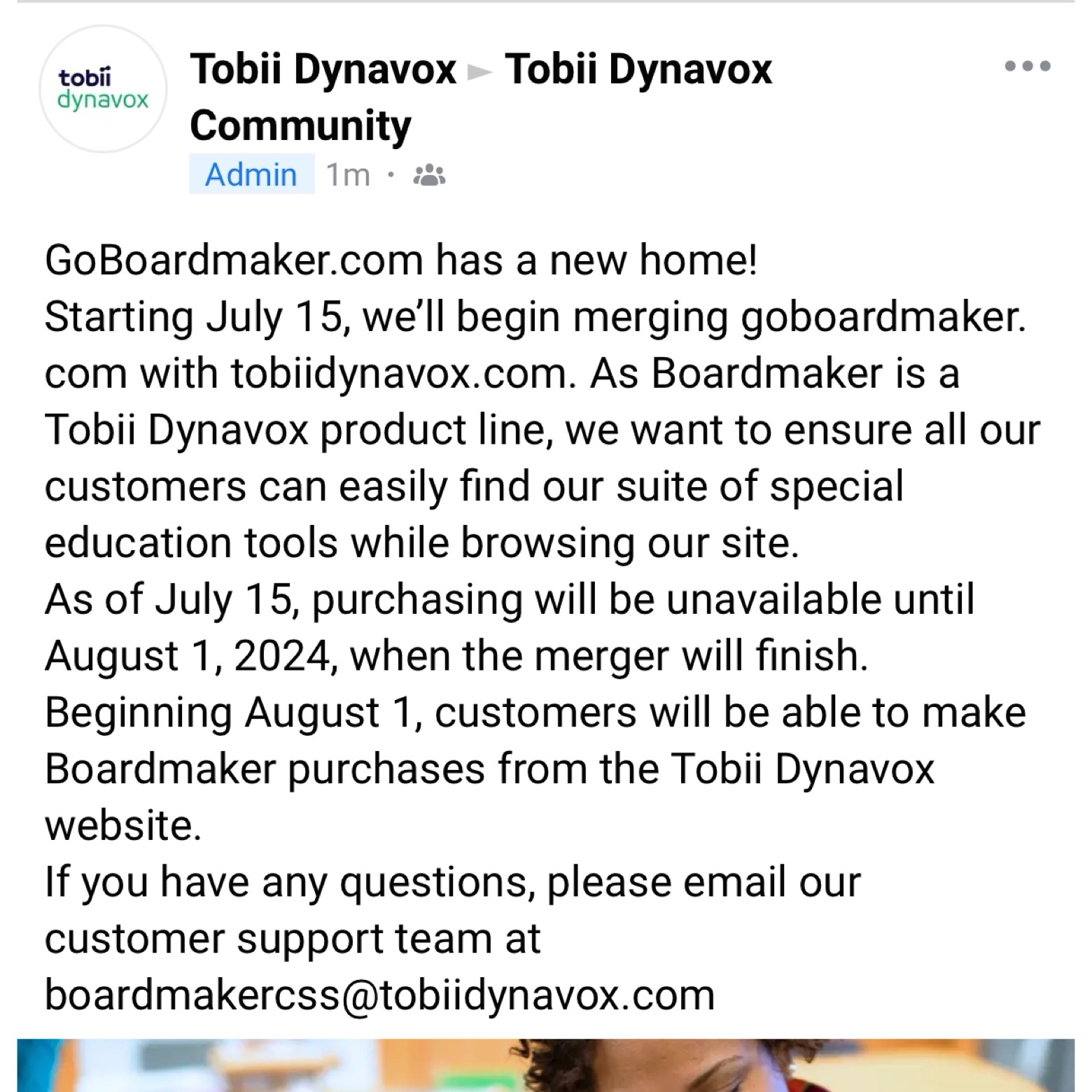
Update 7/11/24: Important information from Tobii Dynavox about Boardmaker. Text from screenshot of the post in the Tobii Dynavox Community:
“GoBoardmaker.com has a new home!
Starting July 15, we’ll begin merging goboardmaker.com with tobiidynavox.com. As Boardmaker is a Tobii Dynavox product line, we want to ensure all our customers can easily find our suite of special education tools while browsing our site.
As of July 15, purchasing will be unavailable until August 1, 2024, when the merger will finish.
Beginning August 1, customers will be able to make Boardmaker purchases from the Tobii Dynavox website.
If you have any questions, please email our customer support team at
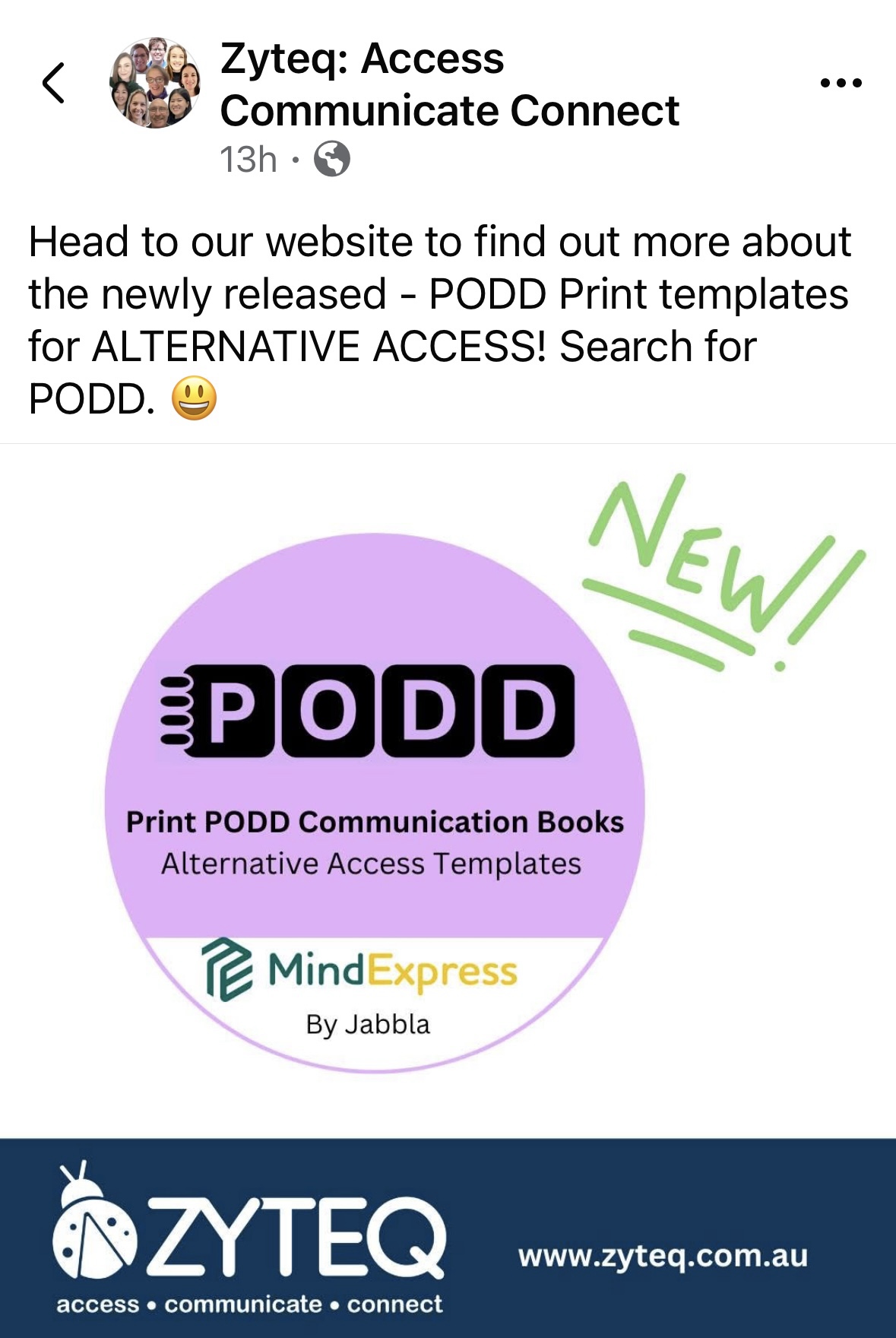
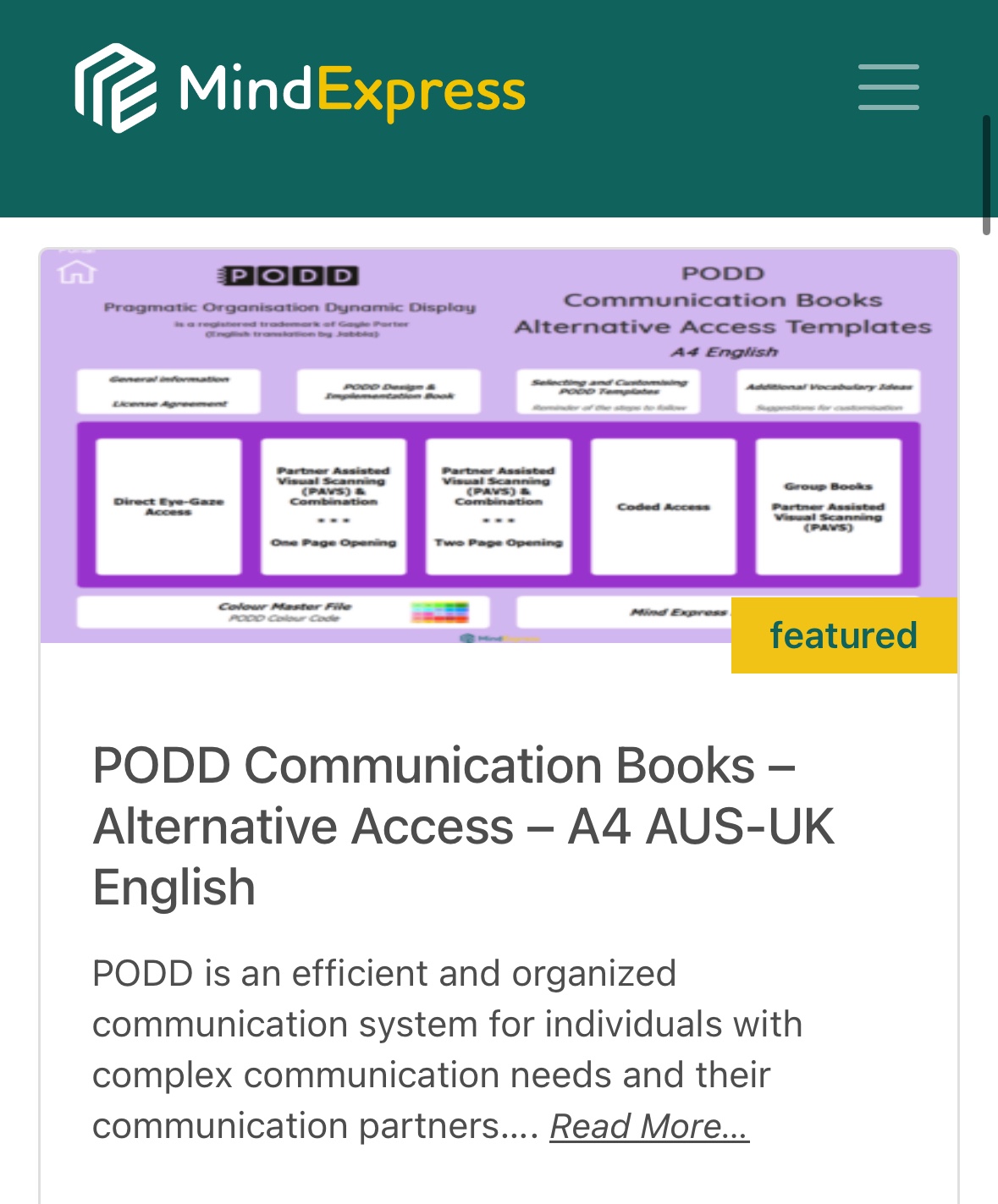
Update 3/18/25: Gayle Porter talking about PODD on Mind Express 5… she said the Alternative Access Templates will be available “in the next month or so”:
Combination Eye-Gaze plus Partner-Assisted Visual Scanning (EG + PAVS)
Combination Direct Pointing plus Partner-Assisted Visual Scanning (D + PAVS)
Colour Coded and Partner-Assisted Visual Scanning (CC)
Full Coded (C)
With varying and evolving levels of linguistic complexity, these communication books support language development while meeting the varied needs of each user (motor, visual and language needs). The range of PODD communication books supports individuals from first words through to complex syntax. This resource on Mind Express 5 includes templates to make 22 different alternative access PODD books (20 personal books and 2 group books). Here is a list of all the books included:
9 Eye-Gaze Early Functions
9 Eye-Gaze Expanded Functions
9 PAVS Early Functions
9 PAVS Expanded Functions
12 PAVS Early Functions
12 PAVS Expanded Functions
16 Direct Plus PAVS Combination Access
16 Eye Gaze Plus PAVS Combination Access
20 PAVS Expanded Functions
36 PAVS Key Word
40 PAVS Key Word
48 PAVS Key Word
64 PAVS Key Word
80 PAVS Key Word
100 PAVS Key Word
40 CC Key Word
48 CC Key Word
64 CC Key Word
80 CC Expanded Key Word
100 + CC Complex Syntax
Group PAVS – Early Functions – Book Format
Group PAVS – Expanded Functions – Book Format
Group PAVS – Early Functions – Vest Format
Group PAVS – Expanded Functions – Vest Format
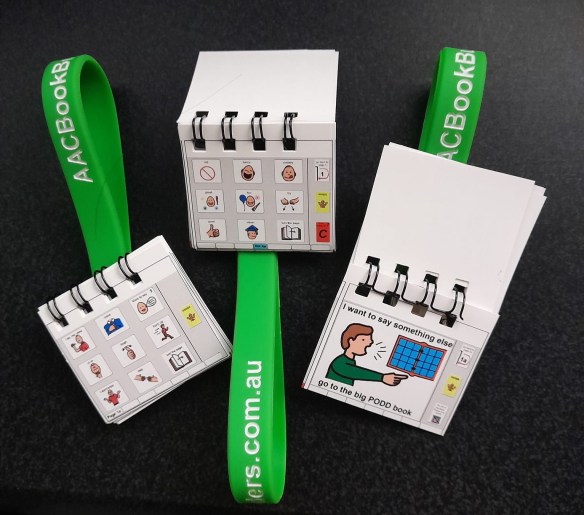
Options for purchasing premade PODD books (you have to sign a confirmation that you own both the Boardmaker and PODD software). A big shout out to Rachael Langley & Kelly Fonner for helping me find the first two options! The third one was seen in a Facebook group:
So I’ve been frustrated that I’m always fumbling through this patient’s PODD book in sessions. I wish there was a “word finder” for PODD (one of the downsides of a no tech system). I’m pretty “at home” with most AAC devices and apps since I have had lots of time to look through them and use them. I wanted to have this same level of ease in using PODD so I decided that I needed a copy of the same style of PODD book that she is using.
Unfortunately I can’t use the Tobii Dynavox PODD pageset in the Compass app to model since it doesn’t look anything like my patient’s PODD book. Since I am only 14 weeks away from retirement it did not make sense to spend about $80 to order a premade PODD book for me. I had seen comments online of folks saving a PODD book as a PDF so that’s what I decided to do. I saved the PDF in iBooks on my iPad. Now I have a way to look through it to get a feel for what vocabulary is in it and the pragmatic branching.
Be forewarned ….. it’s a VERY tedious & time consuming process to save a PODD book into one PDF if you are using Boardmaker 6 on a CD. It took me about 3 hours for a 123 pages of PODD. It’s not hard but time consuming.
Open the first page of your PODD book in Boardmaker.
Go to File – Print Set Up – Print Set Up – selected “Microsoft Print to PDF” – OK – Remember Board Settings for New Boards – OK
Go to File – Print (make sure it says “Microsoft Print to PDF” as the printer) – OK
You have to repeat the process for every single page that you want to include in the PDF of your PODD book. (I don’t have access to Boardmaker Online so I don’t know what the steps are there).
After you have all your pages saved as PDFs, then go to the Small PDF website (https://smallpdf.com/merge-pdf). This website lets you upload an unlimited number of PDFs. I uploaded all 123 of the PDF documents that I wanted included in this PODD book. After they are all uploaded then you hit “merge”. I was surprised how quickly this website handled merging 123 separate PDFs into one 123 page PDF document. I then uploaded the merged PDF from my computer into the media storage on my blog (a secured area that only I have access to). From there I was able to e-mail the link to the iPad that I use for AAC and opened the PDF in iBooks to save it on the device.
But I’m hearing that the solutions offered in the Quick Guides may not resolve the issues especiallyifyou are trying to do 2-sided printing. Contact yourlocal Boardmaker support team.
. More PODD tips: http://praacticalaac.org/?s=PODD
.
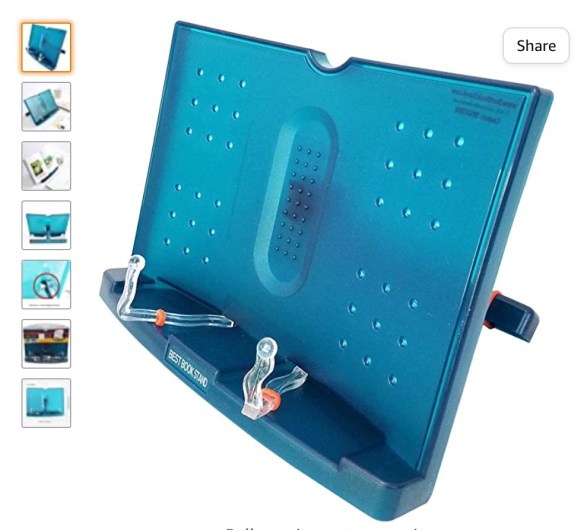
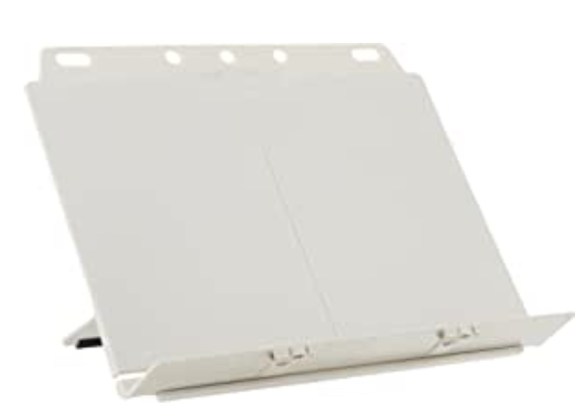
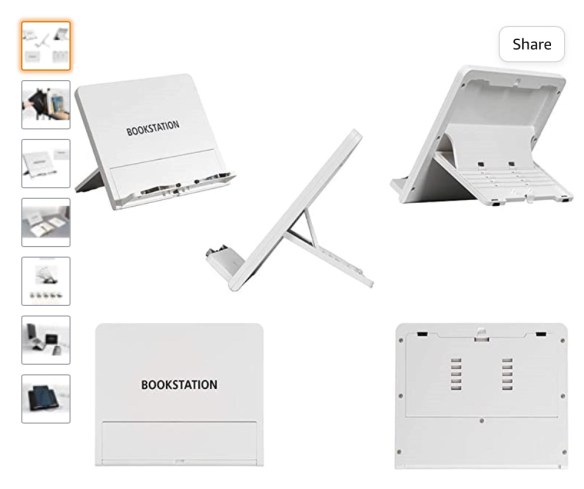
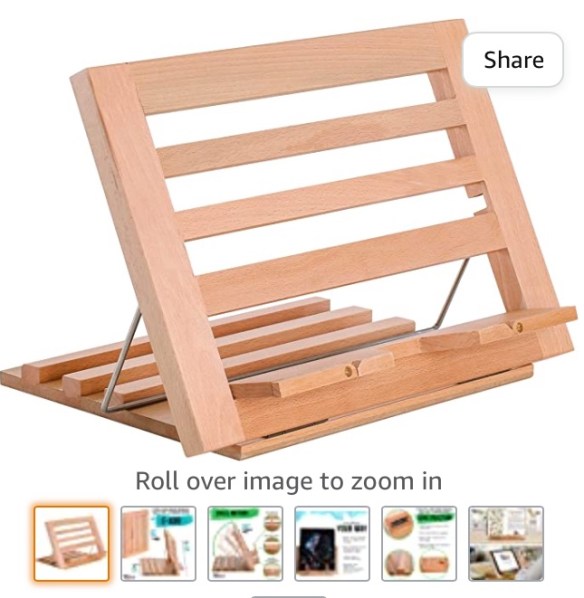
Mary-Louise Bertram demonstrates how to make a portable stand for a PODD book, that could also work well for other kinds of communication books.
.
How We Speak PODD makes their carrying rods:
.
Here are some examples of PODD book stands made out of PVC. The amazing PT tech at our facility made some of the first style ones for us: PODD PVC stand examples
.
Update 1/19/23: Nice short video with carrying strap ideas for two different styles of PODD books: https://youtu.be/PhM4LfPjBIo
See Facebook groups for each digital PODD app below.
.
Gayle Porter has reportedly been working on an “alternative access” version of PODD for quite awhile but as of the time of this post it is still not available here in the USA.
So I made these very simple eye gaze boards with pragmaticbranching to use with a couple of other older patients. (Update: As of 1/13/21 the Alternative Access version of PODD is still not available in the USA and no info could be found regarding when it will be available. Update: As of 1/8/23 the Alternative Access version is still not commercially available in the USA. You could order it from Australia and get A4 paper to print it on but any binders would also need to be that size: https://cpec-store.myshopify.com/collections/podd-books/products/pragmatic-organisation-dynamic-display-podd-communication-book-alternative-access-templates. Or see the ordering info above for Alt+Shift (USA) and AAC Book Builders (Australia) for purchasing premade Alternative Access PODD books.
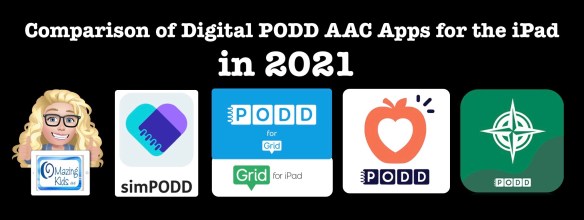
Digital PODD books are available on the iPad in four ways: simPODD, Grid for iPad, Snap Core First and PODD with Compass. This post is based on my personal experiences in trying all four options.
Update 7/22/21: Snap Core First has been re-branded as TD Snap AAC. The process of setting up a new user in the app has been improved. The other features remain the same.
Updated 9/25/22:
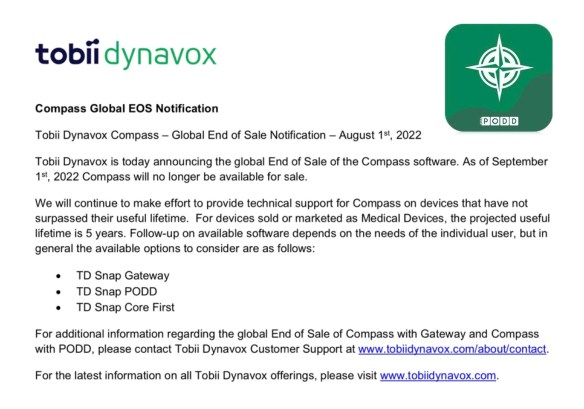
As of September 1st, 2022, PODD with Compass is no longer available for sale (http://downloads.tobiidynavox.com/Other/Legacy%20EOS/Compass%20EOS.pdf). They will continue to make effort to provide technical support for Compass on devices that have not surpassed their useful lifetime.
————-
3/12/23 For comprehensive and up to date info about all of the digital PODD options on the iPad and Windows devices, see this new resource. Like all of my feature matching resources it will be updated if features change in apps:
As I mentioned at the beginning of this blog post, I did not have the opportunity to attend a formal PODD training. I’m in Oklahoma and PODD trainings were always too far away and too expensive for the state agency to send us. There was finally one in Texas just a few months before I retired but I gave my spot to another SLP on the team since spending that much for me to attend did not make sense that close to retirement.
So in order to support the patients that I used PODD with I taught myself via all of the resources that I shared on this blog post: videos, webinars, handouts, reading everything included with the PODD CD, participating in several AAC Facebook groups, and being cross-trained by the two SLPs who did go to that PODD training in Texas, etc. Since then I have continued to remain active with AAC.
I’m glad to answer questions or point you in the direction of who may be able to answer them 😊
Want to suggest PODD resources or info to be added to this list? The best way to reach me is via Facebook messaging over on my OMazing Kids page: https://www.facebook.com/OMazingKidsAAC/. If you are an app developer and would like to have me review a new digital PODD app for the iPad or PODD that was added to an existing app via IAP, please send the link from the USA App Store so I can look at the info before you send a promo code. I want to make sure that one of my iPads is compatible in order to try it out.
.
I’m retired from providing clinical services but am doing AAC consulting, creating AAC resources, actively posting about AAC and apps and using AAC in volunteer work.
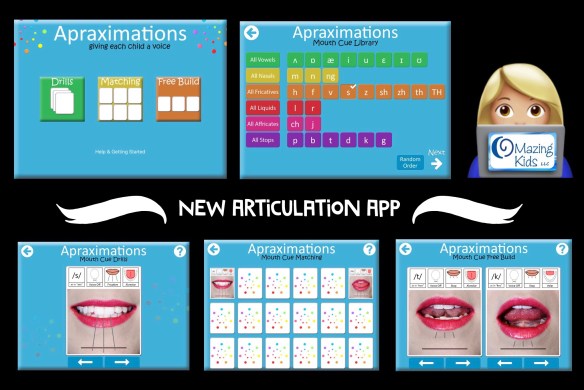
New Articulation App: Apraximations – Mouth Cues by Alissa Holloway
I was thrilled to see that the full version of this app was finally released! I especially like the matching game and the free build option. It’s great to have another tool in my speechie toolkit to help kids who are at the very early stage of learning about production of speech sounds. I used the “free build” screen to show a patient side by side differences between his target sound vs. error sound. I saw him have an “ah ha” moment and get a couple of correct productions in imitation. Having the voice output paired with each visual was what helped. He kept tapping, looking and listening and then on his own imitated the target sound. He sustained attention much longer than I’ve ever gotten him to look at my mouth.
.
Wishes for a future app update: It would be cool to have short video clips of each sound in addition to the pictures and then be able to select which you want to use on each activity screen.
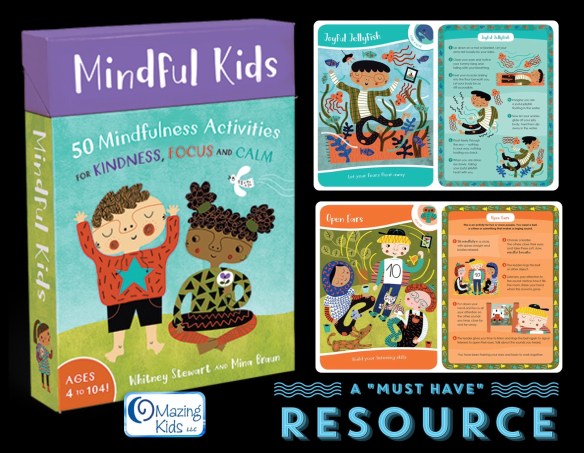
Mindful Kids: 50 Mindfulness Activities for Kindness, Focus and Calm by Whitney Stewart and Mina Braun
Be still my heart! This is the best new kids mindfulness product that I’ve seen in a long time. The boxed card deck includes 50 creative mindfulness games, visualizations and exercises divided into 5 categories to help children feel grounded, find calm, improve focus, practice loving-kindness and relax. Whimsical full-color illustrations on both sides of the cards break down each practice into easy-to-follow steps. Tips on individual cards plus an 8-page instructional booklet show modifications that make these activities inclusive for children of all abilities.
.
What I love about these cards:
* Large 5″ X 7″ sturdy cards with a protective coating. The size will be helpful in groups as well as 1-on-1 sessions and the two sided card format is easy to “grab and go”.
* Whimsical colorful illustrations depicting kids of diverse ethnic backgrounds and abilities participating in the activities. The color and style of illustrations are not childish. This makes this card set useable for a wide range of ages (says “ages 4-104” on the front of the storage box)
* The front of each card has a large illustration, activity category with color coded edge, activity title and brief description.
* The back of each card has illustrated step-by-step simple instructions. I love how simple the wording is. Some cards have additional tips or challenges.
* Many of the cards deal with a wide range of emotions…. this set is a perfect addition to any SEL (social emotional learning) program!
* A few cards address “dealing with change”…. this is often difficult for my patients with Autism, OCD and other special needs so I’m especially excited about these cards.
* There are no religious images, words or symbols. This will make this card set usable in a wide range of environments.
* The instructional booklet has simple kid-friendly explanations about mindfulness and the five categories of activities. Also includes tips for modifying activities.
* The cards come in a sturdy storage box with hinged lid covered in whimsical colorful illustrations.
.
List of cards included in each category:
Start Your Day: Stay Grounded. Feel strong, focused and confident as you begin each day.
* Mindful Breaths
* Mindful Mood
* Mountain Rising
* Rooted Like a Tree
* Inhaling the Universe
* Cloud Burst
* Mindful Jungle Movement
* Reflection Pond
* Words to Yourself
* Rings of Light
Find Calm: Ride Your Waves. Learn to handle tricky or challenging emotions.
* Shake the Sillies Out
* Balanced Breathing
* Tummy Ride
* Mind Bubbles
* The Power of Blue
* Joyful Jellyfish
* Happy Hum
* Fist Squeeze
* Finding the Pause
* Peaceful Place
Focus: Strengthen Your Mind. Wake up your brain, build concentration and sharpen your sensory awareness.
* Tap and Wiggle
* Finger Fiddle
* Mind Castle
* Wise Old Owl
* Mental Snapshot
* Mind Magic
* Open Ears
* The Nose Knows
* Sharp Eyes
* Mindful Munch
Open Your Heart: Accept Life with Kindness. Feel a sense of self-acceptance and connection to the world.
* Sharing Friendship
* Everything Changes
* Sitting With It
* Name That Feeling
* Finding Feelings
* The Inner Me
* Cooking Up Connections
* Breath by Breath
* Loving-Kindness
* Heart Garden
Rest & Relax: Unwind Your Tangles. Reflect, relax and ease your busy mind.
* Animal Dance
* Swaying Trees
* Figure Eights
* Rain Shower
* Safekeeping
* Rock, Roll and Rest
* Squeeze and Release
* Floating Smiles
* I Am Thankful
* Folding Flower
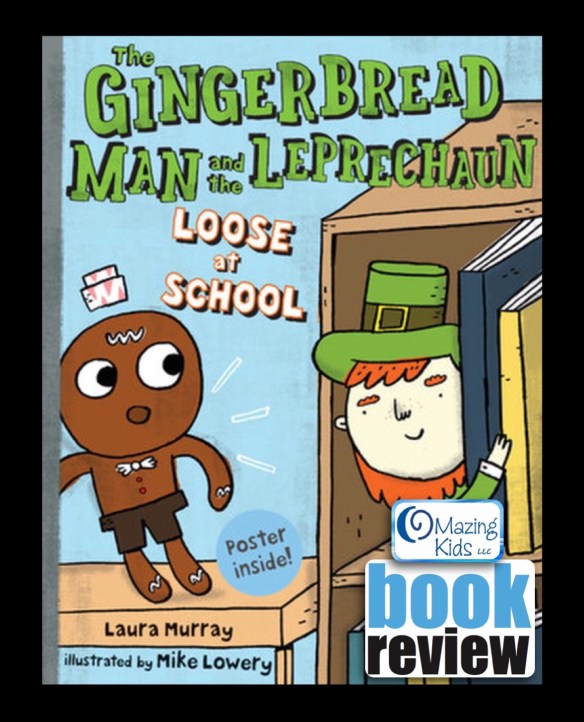
{Book Review} “The Gingerbread Man and the Leprechaun Loose at School” by Laura Murray
Uh-Oh! This leprechaun is trouble!
After a mischievous leprechaun makes a mess in the school band room, the Gingerbread Man vows to catch him. He follows the leprechaun’s clues all around the building finding chaos everywhere–even in the library! But then he finds a clue that almost scares the buttons off of him. It says the leprechaun’s next target might be a house made of gingerbread! Luckily, the Gingerbread Man makes it to his classroom in time to set a trap for the leprechaun. He’ll show that mischief maker that he messed with the wrong cookie this time. ”I’m on a mission! I’ve got a good plan. I can catch him! I’m the Gingerbread Man!”
. What I love about this book:
* wonderful rhyming text that is fun to read
* funny illustrations (many have speech bubbles)
* lots of great verbs & adjectives
* clues for where the leprechaun is going next
I can’t wait to use this book in March as part of a St. Patrick’s Day theme ☘🍀.
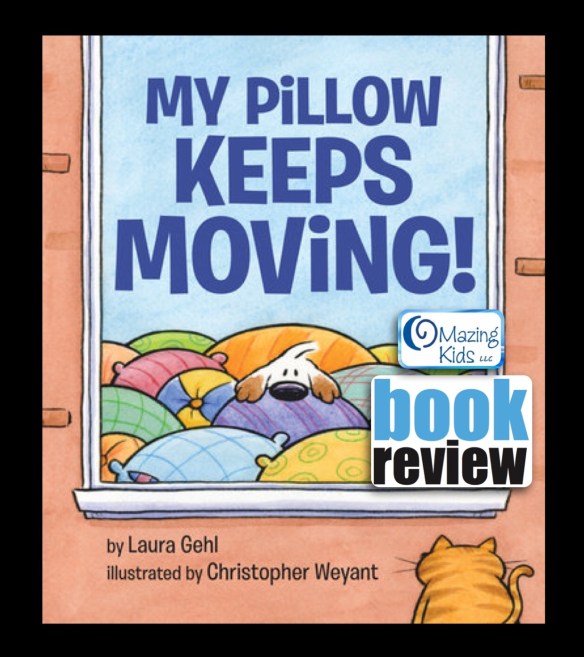
{Book Review} My Pillow Keeps Moving by Laura Gehl
A clever pup ends up in a cozy home, and she’ll do anything to stay there. She impersonates everything the lonely homeowner needs–a pillow, a footstool, a jacket. But in the end, being herself works best. Laura Gehl’s spare, humorous text and New Yorker cartoonist Christopher Weyant’s expressive characters will leave young readers giggling and begging for more.
What I love about this book: Over half of the pages in this fun book are wordless…. great for sparking conversations about the comical illustrations. The pages that contain text have lots of adjectives. This book is a fun new addition to my speechie library 📚.
Many app developers spent 2017 focused on updating their apps to be compatible with iOS 11. Some updated their entire line of apps, some only updated a few apps and a few totally abandoned their apps. It’s always sad to see good apps disappear from the App Store. It’s why I have not updated most of my iPads to iOS 11. But there are a few bright spots to share where app developers actually added some exciting new features to apps in 2017. Here are seven of my favorite updates (listed in alphabetical order):
. Articulate It! Pro by Smarty Ears: added several fun new themes & improved existing themes, added the option for manual turn taking, added the option to switch the activity without having to start over, etc.
It’s amazing to see how much the field of AAC has changed over the course of my 28 year career as a SLP. Long gone are the old days of it taking years to see any major changes or improvements in AAC options. We are living in an era of rapid advancement thanks largely to social media that provides the opportunity for AAC users, therapists, teachers & parents to provide direct input to app and technology developers regarding what features we need. Most good AAC apps are now updated several times a year. Here is my list of top 10 updates that occurred for AAC apps in 2017:
.
#1: Proloquo2Go – in March 2017 version 5.0 added an amazing Search feature & Progressive Language. If you haven’t checked out this AAC app in awhile, I invite you to take a look at it again. These new features are a game changer. It also now includes English, Spanish, French & Dutch languages.
#2: Speak For Yourself – in January 2017 version 2.6 made this a Universal iOS app that can be used on an iPhone, iPod Touch & iPad. It also includes room for up to 40 different users (a great feature for SLPs trialing AAC with several different patients). Other updates this year added options to share vocabulary via AirDrop, more buttons became editable, the sentence bar background color can be changed & a “Manual Whisper Mode” was added to allow users to create a whole sentence prior to speaking.
#3: LAMP Words for Life – in July 2017 version 1.6.0 added a bilingual Spanish/English pageset, Word Finder updated to show and take you through the path to a word and added the option to backup to DropBox.
#4: TouchChat with WordPower HD – several updates added new pageset options, Arabic language added through an in-app purchase, Canadian French vocabulary files available as free upgrade and vocabulary files can now be backed up to DropBox and can be shared via E-mail and iMessaging.
#5: GoTalk Now Plus – in March 2017 version 4.11.6 added PCS Thinline symbols as an option through in-app purchase. In September 2017 version 4.11.11 added the option for Hybrid Scene pages (visual scene + up to 4 buttons) & the option to share messages from the Express Bar to Facebook, e-mail and text messaging.
#6: Snap + Core First – this new app was just released in June 2017 and in December 2017 already had a major update to add a bilingual Spanish/English pageset option & Spanish voices. At the end of October 2017 they added access to voice output in the free version of this app for ASHA certified SLPs as part of your MyTobiiDynavox account.
#7: Avaz Pro – in May 2017 version 4.2.6 added the option of having up to 77 buttons per screen. In September 2017 version 4.3 added the option to share via AirDrop and the Search now takes you through the path to a word.
#10: Custom Boards Premium by Smarty Ears had a major overhaul. New templates and updated Smarty Symbols were added. A great affordable option for making printable choice boards and visual supports.
https://itunes.apple.com/us/app/custom-boards-premium/id463344117?mt=8
. See this updated post for info about how SLPs can get free access to several AAC apps, funding tips & links to AAC user Facebook groups: https://omazingkidsllc.com/2016/06/11/aac-tips-how-slps-can-get-free-access-to-aac-apps-aac-app-user-groups-funding-options-more/.
. 2017 was a years of ups & downs in the world of AAC apps. It was exciting to see so many great improvements in apps and a couple of new apps released but at the same time very sad to see a few AAC apps either disappear or no longer function properly after the release of iOS 11. I’ve received numerous messages on my OMazing Kids page from parents and therapists with very heartbreaking stories of AAC users losing their voice when iOS 11 came out. Several small AAC app developers had not updated those apps in almost 5 years. It’s one thing to lose a favorite game or therapy app but a whole different thing to lose an AAC app. It’s a cautionary tale to anyone who has thoughts of developing a new AAC app. Beyond the initial costs of developing the app, it is imperative that you also have a very well thought out long term plan and finances for supporting and keeping an AAC app updated.
.
{Best 17 in ’17} Top 17 new apps for SLPs released in 2017:
Here is a list of my top 17 favorite new apps released in 2017. Ranked based on being helpful with the most patients seen in OMazing Kids speech therapy this year. Prices are in the USA App Store (will vary elsewhere based on the exchange rate):
#1: Boo Articulation Helper by Bildligt talat AB, https://itunes.apple.com/us/app/boo-articulation-helper/id1216642311?mt=8, $9.99. This app has motivated countless kids to imitate vowels, consonants, CV & VC combinations. Kids absolutely LOVE the Boo character. This app is worth it’s weight in speechie gold. Excited to hear they have more features being added in 2018. They offer a free lite version for those who want to try before you buy.
#2: Snap + Core First by Tobii Dynavox LLC, https://itunes.apple.com/us/app/snap-core-first/id1072799231?mt=8, FREE – has no voice output but ASHA certified SLPs can now get free access to the voice output. See these posts for info about how to activate the free voice output in the free version of the app:
They also have this free companion app filled with videos, tutorials and tips. It’s a very large app so make sure you have plenty of free space and a strong WiFi connection before downloading: Pathways for Core First by Tobii Dynavox LLC, https://itunes.apple.com/us/app/pathways-for-core-first/id1187433636?mt=8
#3: Speech Tutor Educational by Synapse Apps, LLC, https://itunes.apple.com/us/app/speech-tutor-educational/id1323272450?mt=8, $39.99. So many fantastic features packed into this new app (including their unique placement videos, minimal pairs, etc.). Includes kid-friendly & clean modes which makes the app suitable for any age patient. They also offer a subscription-based version of the app.
#4: Inference Pics by APTUS SPEECH & LANGUAGE THERAPY LTD, https://itunes.apple.com/us/app/inference-pics/id1270407967?mt=8, $12.99. Includes the option to show or hide possible answers. When choices are shown there is a button on each choice that can be tapped to have it read aloud before selecting an answer. I love this feature! This makes the app customizable to a patient’s specific needs and accessible to those who may not be able to read. They offer a free lite version for those who want to try before you buy.
#5: Social Detective Intermediate by Social Skill Builder, Inc., https://itunes.apple.com/us/app/social-detective-intermediate/id1079442478?mt=8, $22.99. This app picks up where the Beginner leaves off and focuses on decoding the thoughts and emotions of people students interact with. Using this information, students will make smart guesses to predict what those people might do or say next.
#7: Say It.. Or Not? Social Filter Skills: School Ed. by Janine Toole, https://itunes.apple.com/us/app/say-it-or-not-social-filter-skills-school-ed/id1177251535?mt=8, $14.99. I am loving the content in this app! The scenarios provided are diverse and relatable. Although it takes a little longer for the app to load if you toggle on the “voice on” option, I highly suggest doing so. It will add the option for you to tap a speaker button on each item which then reads it to you. The voiceovers are very well done with great tones of voice. I appreciate that the developer included a way for the SLP to unlock all the content and go directly to an area they want to target. They offer a free lite version for those who want to try before you buy.
#8: Minimal Pairs for Speech Therapy by Innovative Investments Limited, https://itunes.apple.com/us/app/minimal-pairs-for-speech-therapy/id1207483809?mt=8, 99 cents. ‘Cause a speechie can never have too many options for minimal contrast pairs. Love the large pics & it’s only 99 cents so great when parents ask for recommendations for apps for carryover at home.
#11: aacorn Plus – Advanced AAC by aacorn, https://itunes.apple.com/us/app/aacorn-plus-advanced-aac/id1167373769?mt=8, $119.99. This version of the app includes over 7,000 SymbolStix symbols. I love that they are high contrast against a black background. I’ve found this app helpful for modeling sentence creation as well as for AAC.
#15: Care for Our World by Sunbreak Games, LLC, https://itunes.apple.com/us/app/care-for-our-world/id1097364668?mt=8, $2.99 -> currently on sale for 99 cents. The beautiful rhyming words flow easily as you read or listen to it being read to you & inspire kids to think about all the gifts of nature and living creatures from forest, jungle, or sea that live in our world and a plea to take care of them. The illustrations are breathtaking! Really more works of art than just illustrations. This app brings them alive in an amazing way. I love the gentleness of both the words & illustrations. Both evoke feelings of calmness & kindness. I love that the message of caring for the earth is done in a kid-friendly way.
#17: LudiTab Spatial Recognition by SEJER, https://itunes.apple.com/us/app/luditab-spatial-recognition/id1275104117?mt=8, FREE. One in a series of eight new free apps that are well designed and have lots of great opportunities for targeting vocabulary, spatial concepts, sizes, colors, shapes, identifying sounds, following directions, etc. See this post: http://bit.ly/2CuTgD9.
.
Honorable Mentions: Seventeen more apps released in 2017 that I loved using in OMazing Kids speech therapy (listed in alphabetical order):


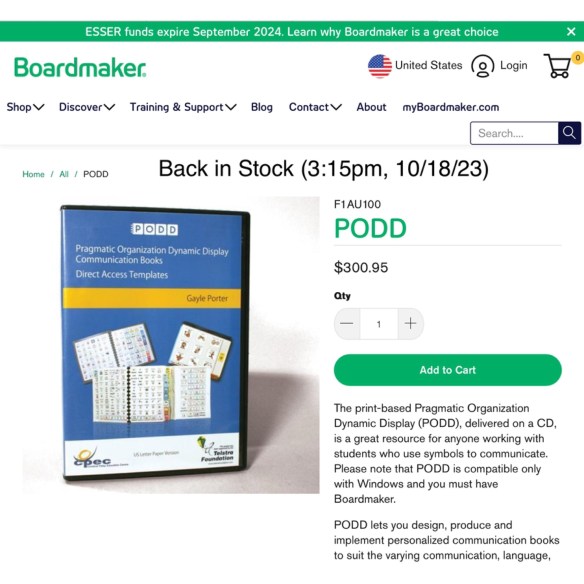 Update 10/18/23: I just got finished with a Teams call with Josh Witt. Boardmaker/Tobii Dynavox has the PODD Direct Access CDs back in stock and will be ordering those in larger quantities to hopefully avoid them being out of stock so frequently or for so long: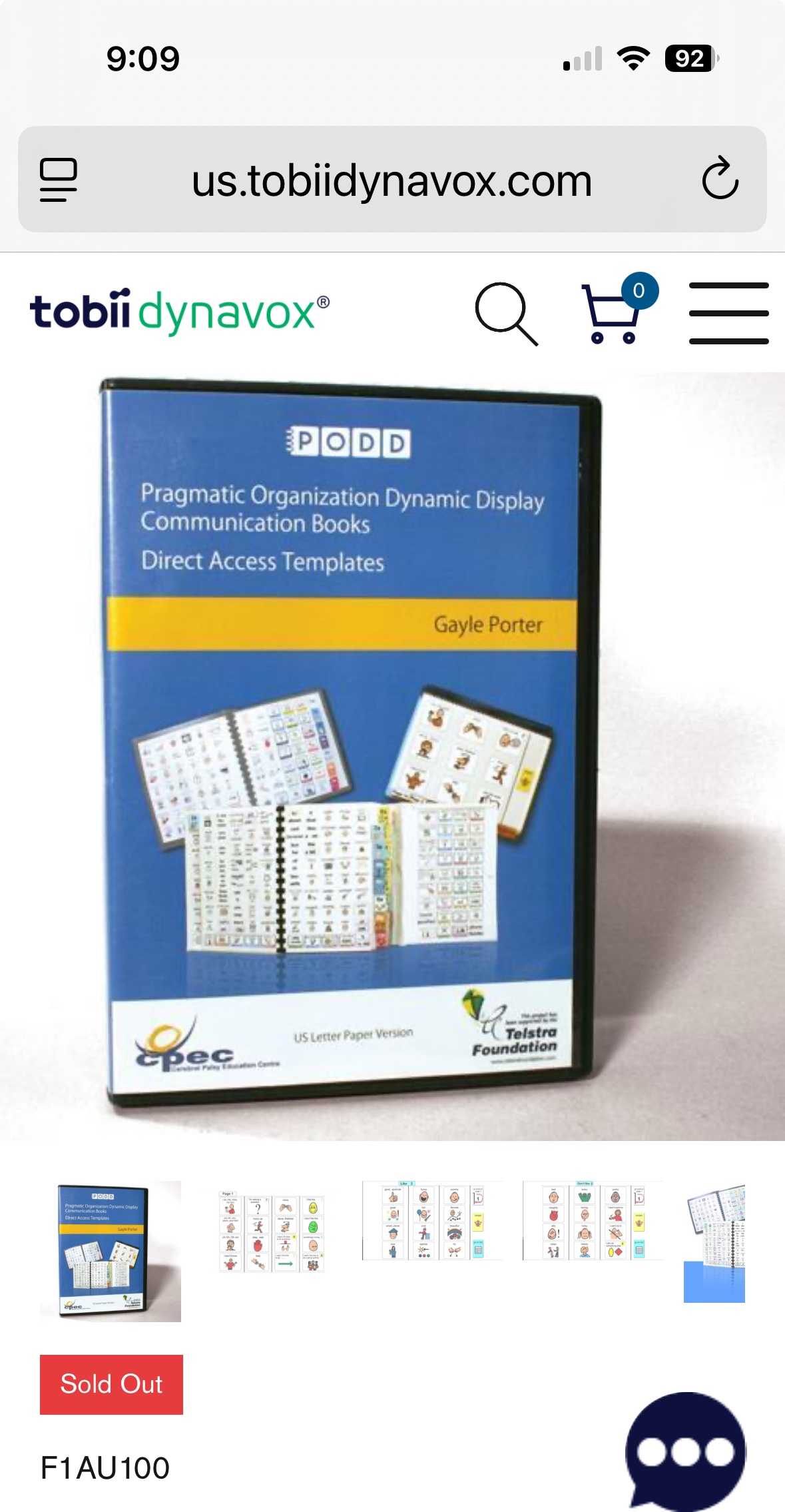
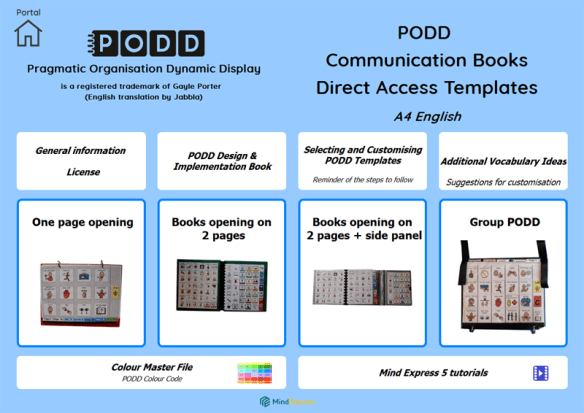 Update 10/3/23: Jabbla now has PODD Communication Books – Direct Access – A4 AUS-UK English available for printing within Mind Express 5:

 OMazing Kids AAC Consulting