Angela Moorad, MS, CCC-SLP. Over 36 years experience in AAC. OMazing Kids AAC and app consulting. Creator of several AAC Feature Matching resources (https://omazingkidsllc.com/omazing-kids-aac-resource-links/). Includes info about unique features to support Gestalt Language Processors
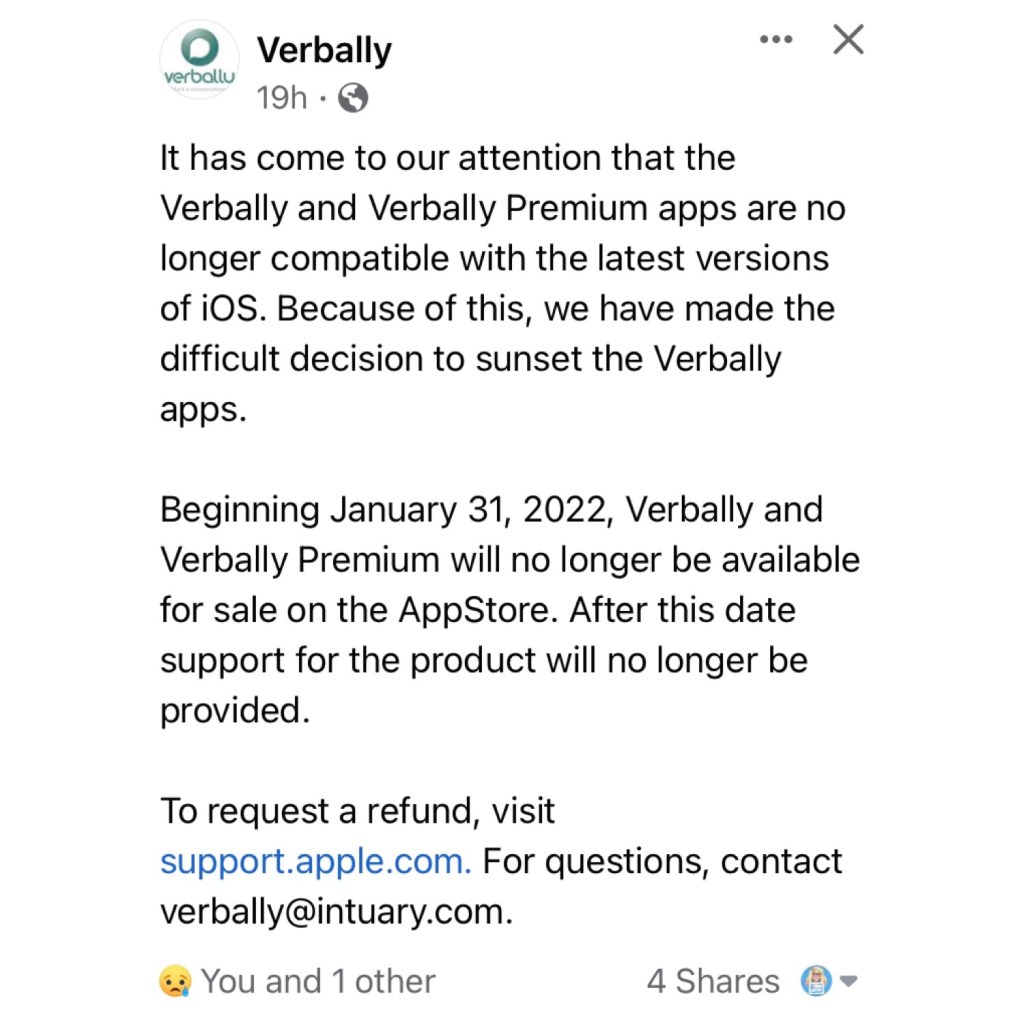
Verbally just announced that the Verbally and Verbally Premium text-based AAC apps will be removed from the Apple Apple Store on 1/31/22:
“It has come to our attention that the Verbally and Verbally Premium apps are no longer compatible with the latest versions of iOS. Because of this, we have made the difficult decision to sunset the Verbally apps.
Beginning January 31, 2022, Verbally and Verbally Premium will no longer be available for sale on the AppStore. After this date support for the product will no longer be provided.
The last update for Verbally was on October 29, 2015
Updated 11/26/24: I was shocked that the Verbally AAC app was included when I set up my new iPad Air 11” (M2) 2024 from an iCloud backup from my iPad 9th gen. It’s still showing up in my Purchases area so I’m guessing that’s why it was included. There were so many apps that didn’t redownload because they were no longer available in the App Store. Surprisingly even though Verbally had not been updated in over 9 years it somehow still works on iPadOS 18.1.1. I’ve always like the sound of the Alert bell in that app so I preserved it by taking a screen recording of it and then extracting the audio. It’s pretty tech geeky to be excited to have this as my Alert sound in GoTalk Now and TD Snap. I may also add in Grid for iPad.
Update 12/13/25: Well the sad day has finally arrived. I updated my iPad 10th gen to iPadOS 26.2 (the most current OS). Verbally will open but as soon as I tap any button the app crashes. It was impressive that it worked as long as it did considering the last app update was over 10 years and it was removed from being able to purchased in the App Store in July 2023. I’m glad I recorded the Verbally alert chime sound when I did.
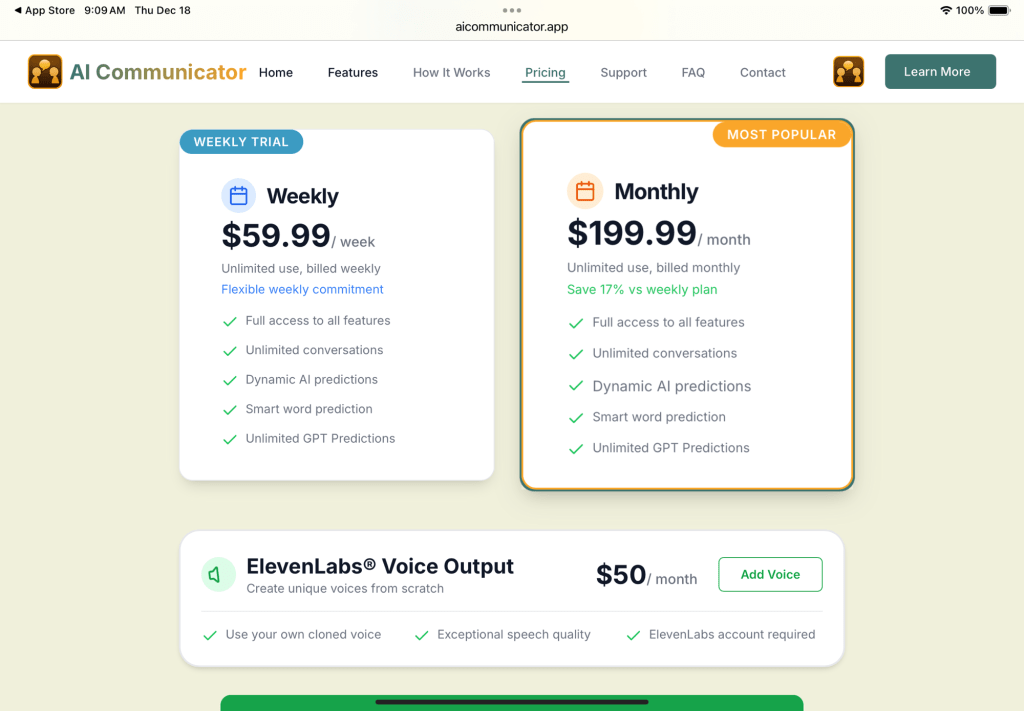
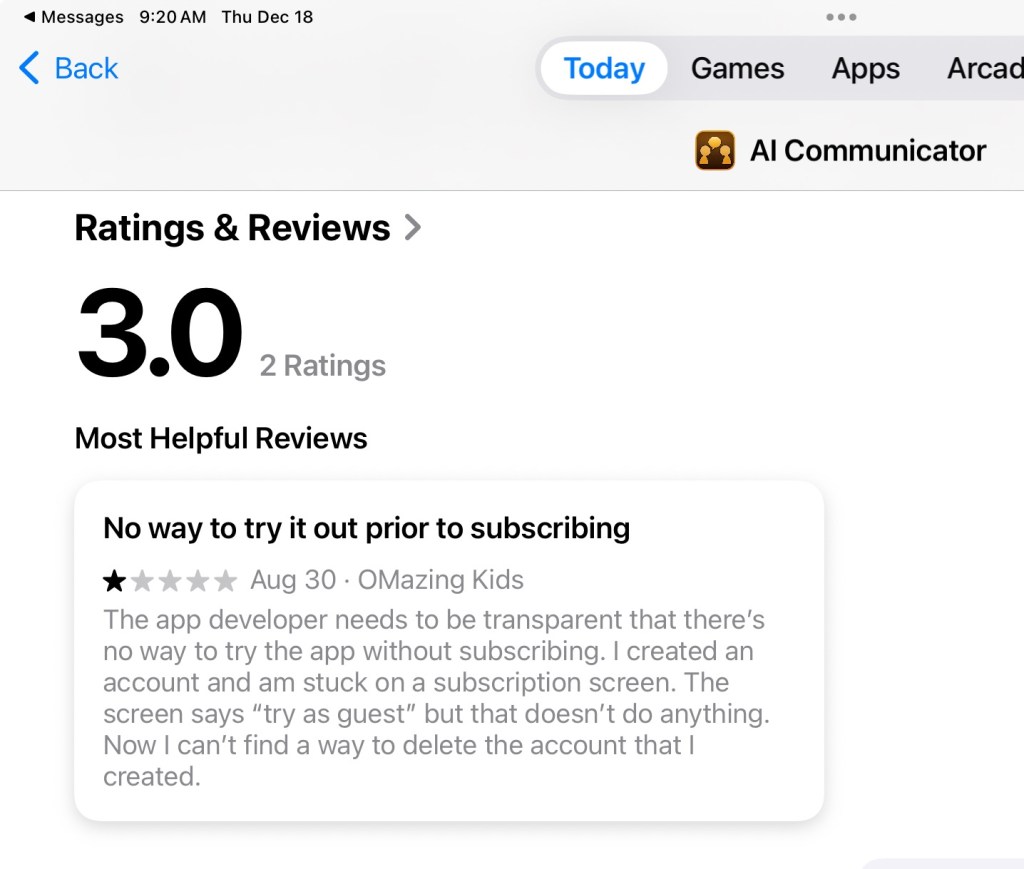
There’s this app that has a similar look but there’s no way to try it out before purchasing a subscription and these subscription prices are RIDICULOUS. I don’t know anyone who could afford to pay that. I left a review in the App Store with my concerns.
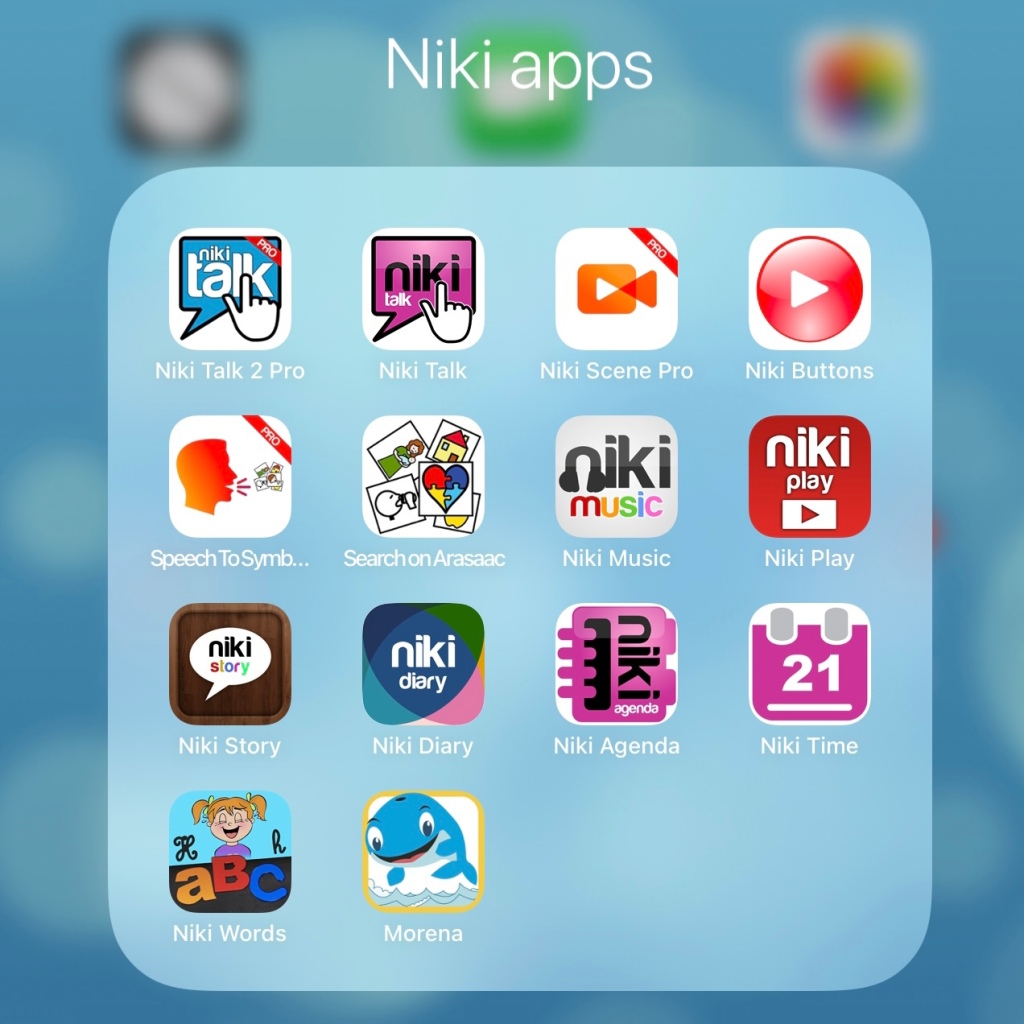
It’s been exciting to see several new apps release recently from Alessandro La Rocca. He is an independent special needs & AAC app developer who has a good history of creating and supporting/maintaining apps in the App Store since 2012. Some of his apps are also available for Android and Amazon Fire.
• Navigation to get to a word: Depends on board size (Core 24: most 2-3 hits, some fringe 4 hits)
• Grammar support: Basic verb tenses: past, present, future (no -ing, no plural or possessive word endings)
• Keyboard: Keyboard button can always be available on the Side Bar on left side of the screen. Can be toggled off in the app settings. Uses the iOS iPad keyboard which allows use of keyboard extension apps. The typical iOS keyboard word prediction doesn’t work within the app but you can have word prediction if you are using an alternative iOS keyboard extension app that has word prediction built into it (ex: Keedogo Plus, SuperKeys, SwiftKey)
• Hide/Show buttons: Advanced Editing – “select all” (then tap individual buttons to deselect any you don’t want hidden) – Edit – Visible (toggle off to hide, toggle on to unhide)
• Has a Search feature
• Pre-made Core 12 & Core 24 page sets for: English (some editing needed for USA English), German, Spanish, French, Hungarian, Italian, Portuguese, Swedish. There aren’t any pre-made page sets for larger grid sizes or in the other languages that have an iOS voice but you could build them. ** Update: A Search feature was added in the update on 1/25/22 so finding where vocabulary is stored will be easy.
• iOS text to speech voices for the following languages: Czech, Danish, Dutch, English, Finnish, French, German, Greek, Hungarian, Italian, Norwegian, Polish, Portuguese, Romanian, Russian, Slovakian, Spanish, and Swedish. Defaults to language being used on that iPad but can choose a specific language under Settings – User
• Can use recorded voice
• Button action to play a video. Works great to play videos saved to the iPad’s Camera Roll. Can also play linked YouTube videos (opens in a popup within the app but there is an unsecured link that will take you out to YouTube. Guided Access did NOT block this so it is very important to understand the risks of linking to YouTube videos especially for young children. The separate Niki Playapp is another option for playing videos is a secure way (see info below).
• Backup & Sharing: Cloud-based (not a way to back it up other than Share to upload it, get a Share Code and then use that code before it expires to download the page set)
Niki Talk, https://apps.apple.com/us/app/niki-talk/id556798417 (iOS Universal, iOS 10.0 or later. Most recent update: 10/6/20 (version 2.0.1). Price: Free but needs to be used with the Niki Designer website in order to do editing. Free trial. See pricing on the website: http://www.nikitalk.com/Designer.aspx). This is a much older AAC app that looks like a communication binder with Velcro strips. It’s for very basic communication. Can send a text message including the symbols. Also available on Android & Amazon Fire. More info: http://www.nikitalk.com/Talk.aspx
.
Niki Scene Pro, https://apps.apple.com/us/app/niki-scene-pro/id1597894942 (iPad only, iPadOS 12.0 or later. Most recent update: 12/19/21 (version 1.0.3). Price: $6.99. This new app hasn’t been added to their website yet. See their Facebook page and this video:
Additional info about the features in this very affordable and intuitive/easy to use Visual Scene Display AAC app:
• Import picture from Camera Roll or use iPad camera to take a pic
• Full visual scene with hotspots. Draw hotspots in any shape. 5 color options. Dotted or solid line.
• Long press on an image on the Home Screen and tap Share and then it generates a sharing code that is active for 3 days. These Share Codes can be used as a way to share your creations with others who have the app. There isn’t a formal way to backup what you create in the app but you could share items, copy the Share Code, and then download those creations onto a new iPad as long as you do it before those codes expire.
• Can toggle off Editing in the Settings and secure Settings with a Passcode
Niki Buttons, https://apps.apple.com/us/app/niki-buttons/id1572170910, iOS Universal, iOS 10.0 or later. Most recent update: 6/22/21 (version 1.1.0). Price: $3.99. A set of four single message buttons that look like a Big Mack VOCA (voice output communication aid) (blue, green, red, yellow). Tap at bottom of screen to select one. Can add a symbol to the button. Uses recorded speech. This new app hasn’t been added to their website yet. See their Facebook page and this video:
Search on ARASAAC, https://apps.apple.com/us/app/search-on-arasaac/id1599712099, iOS Universal, iOS 12.0 or later. Most recent update: 12/11/21 (version 1.0.0). Free. Allows you to search for free open source symbols of the ARASAAC website and save them to the Camera Roll on your device. Also available for Android. See this Facebook post:
If you go to the ARASAAC website you can edit symbols to change the skin tone and hair color. And then export the pic as a .png (has transparent background) and save it on the Camera Roll to import into any app. https://arasaac.org/pictograms/search.
Other special needs apps:
Speech to Symbol Pro, https://apps.apple.com/us/app/speech-to-symbol-pro/id1571118745 (iOS Universal, iOS 12.0 or later. Most recent update: 10/24/21 (version 1.0.3). Price: $6.99. Note: This is NOT an AAC app. It’s a quick way to create visual supports as you speak. I like being able to customize it to add symbols or pictures. That way everything you speak can have a symbol. You can find more free ARASAAC symbols using the free Search on ARASAAC app. Or by going out to their website. If you go to the website you can even edit symbols to change the skin tone and hair color. And then export the pic as a .png (has transparent background) and save it on the Camera Roll to import into this app. https://arasaac.org/pictograms/search. There’s also the option to tap each symbol or the entire sequence to have them spoken. This turns them into a visual support with voice output.
Niki Play, https://apps.apple.com/us/app/niki-play/id803959942, iOS Universal, iOS 10.0 or later. Most recent update: 6/12/21. Price: $3.99. Niki Play allows kids to enjoy their favorite videos and music independently. Parents can download to import videos directly from YouTube or from the Camera Roll, play songs from the Apple Music library, save voice recordings and pictures. I love that the app is secured with a parental gate, that the app isn’t linking to YouTube (it’s downloading those videos directly for use within the app), has options for 1, 2, 4, 6 or 9 items per screen and offers a way to rearrange the items. More info: http://www.nikitalk.com/Play.aspx
Niki Diary, https://apps.apple.com/us/app/niki-diary/id852210800, iPad only, iPad iOS 12.0 or later. Most recent update: 10/30/21. Price $6.99. A multimedia calendar diary to tell people around them what they did or what they plan to do a certain day using images, videos, text and speech. Can also be used as a memory support. More info: http://www.nikitalk.com/Diary.aspx.
Niki Words, https://apps.apple.com/us/app/niki-words/id743777884, iPad only, iOS 8.0 or later. Most recent update: 9/29/17 (it’s been over 4 years since the last update). Price: $5.99. Fun and Learning with Letters. Includes Play with words (drag the letters to make up the word matching the picture), Crosswords & Magic blackboard. More info: http://www.nikitalk.com/Words.aspx
Prices outside of the USA will vary based on the exchange rate
Prices are subject to change
I used each of these apps on my iPad 8th gen running iOS 14.5 to test out features as I was working on this blog post. I have purposefully not updated to iOS 15 yet due to ongoing reports of problems with it in several AAC and SLP therapy apps . So I have no way to know if there are any issues with any of these apps on iOS 15.0, 15.1 or 15.2.
After I posted about the new Almagu voices in the LAMP Words for Life and the TouchChat with WordPower AAC apps, I received a few comments that some folks felt these new voices were quieter than what they were currently using.
That wasn’t my first impression of the voices so being the tech geeky SLP that I am I decided to do my own comparison experiment.
Of course I don’t have a soundproof booth and a real decibel meter but I kept the parameters equal when comparing these voices.
Test phrase: “This is a test of loudness with the Decibel 10 app”
Devices:
* iPad 8th gen at full volume measured in a quiet room in my home
I only tested child voices in USA English since that is my native language and the age of voices that I used the most with patients.
TouchChat with WordPower
Almagu:
• Kessie: 72dB
• Lisa: 72dB
• Noah: 73dB
• Sophia: 72dB
Acapela:
• Kenny: 72dB
• Nelly: 73dB
LAMP Words for Life:
Almagu:
• Kessie: 72dB
• Lisa: 73dB
• Noah: 72dB
• Sophia: 73dB
Ivona:
• Justin: 71dB
• Ivy: 70dB
Proloquo2Go:
High Quality Acapela:
• Ella: 74dB
• Josh: 73dB
Speak for Yourself:
CereProc:
• Jordan: 74dB
• Andy: 74dB
Grid for iPad:
Nuance:
• Joelle: 74dB
• Noelle: 74dB
Grid for iPad also has the USA English child voices from Acapela & CereProc. The results were the same as seen above.
Results:
* All of the voices that I tested were very similar in loudness.
* I did note some slightly odd intonation in the Almagu voices. In particular the vowels were a little off and how smoothly an utterance was spoken wasn’t quite as good as the Josh & Ella voices, the Joelle & Noelle voices and the Jordan & Andy voices. But this could be influenced by how many years I have had experience listening to those vs. these brand new Almagu voices. What’s interesting is when I played the same phrases in the Almagu voices on the TouchChat and LAMP WFL websites the quality was better there compared to what I heard in the apps. *** Updated 2/13/22: The intonation in the Almagu voices has improved with the 2.35.0 update in both LAMP Words for Life and TouchChat with WordPower ***
It’s exciting to have new diverse child, teen, adult and elder voice options!
See how to import your own picture into the app to decorate a Christmas Tree cookie in this video:
Here’s the undecorated Christmas Tree cookie on a black background in case you’d like to use it in the app: https://bit.ly/ChristmasTreeCookieHighContrast (save it to the Camera Roll on your iPad or iPhone by doing a long press and tap “Save to Photos”)
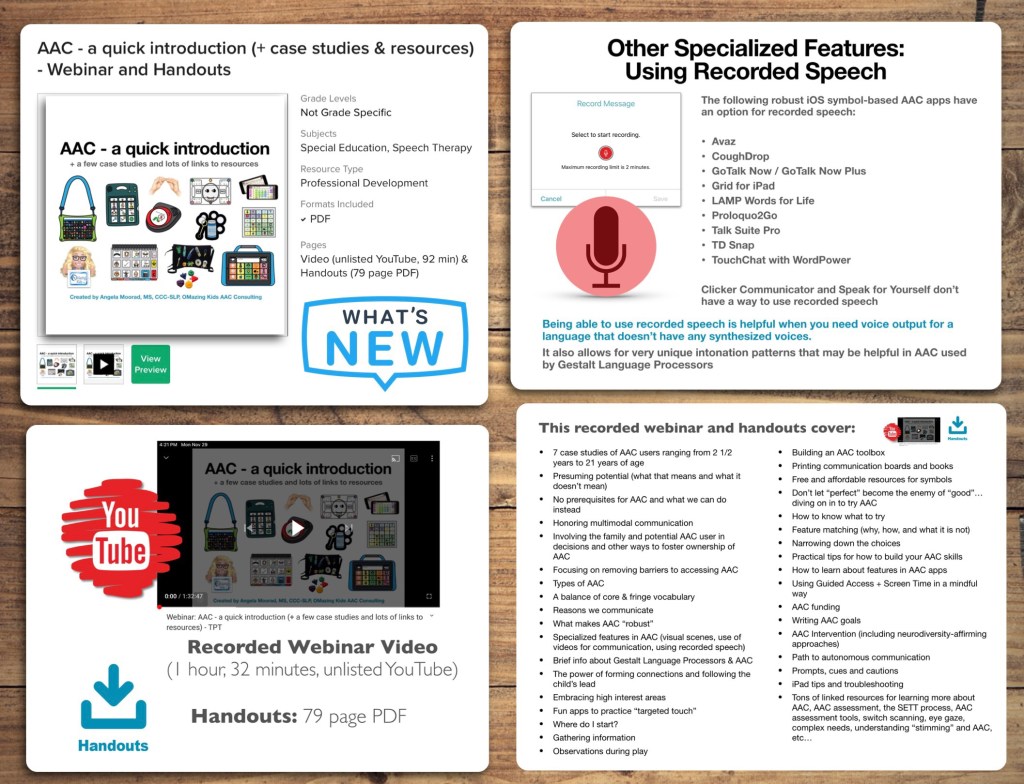
Come learn from my over 30 years of experience working as an AAC SLP with kids, teens and young adults (birth to 21 years of age) in a variety of settings.
• Tons of linked resources for learning more about AAC, AAC assessment, the SETT process, AAC assessment tools, switch scanning, eye gaze, complex needs, understanding “stimming” and AAC, etc…
What’s included with the purchase of this resource:
• Recorded Webinar Video (1 hour, 32 minutes), viewable on the unlisted YouTube link provided in the Handout PDF
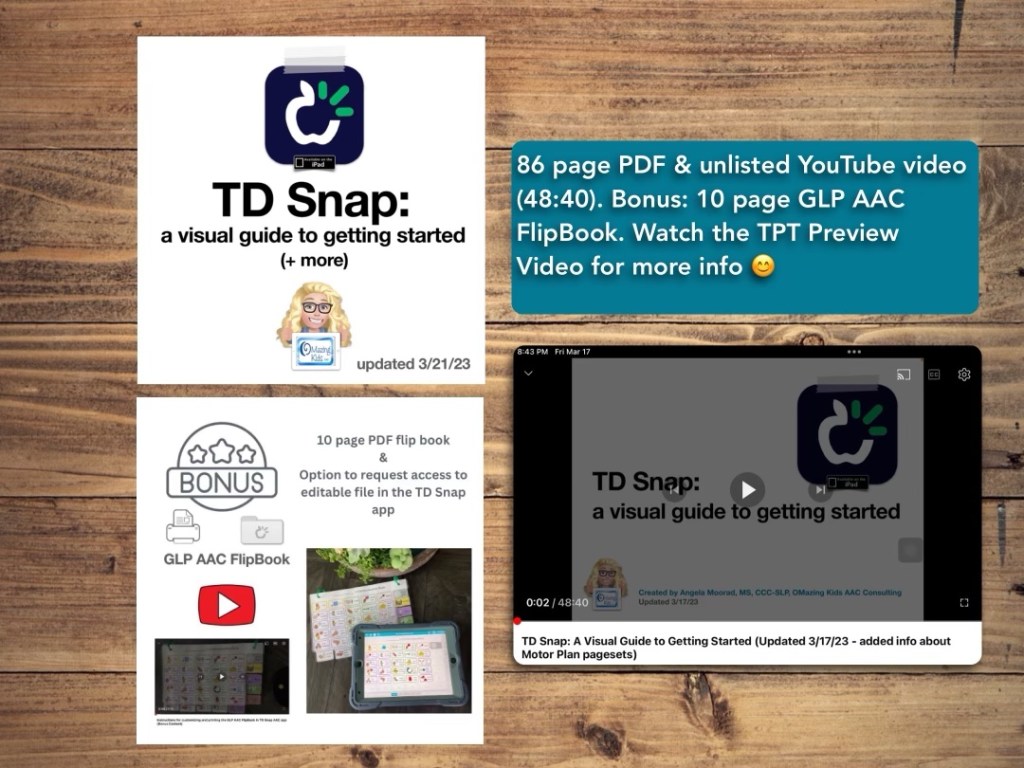
This resource has a 78 page PDF, access to a 35 minute unlisted YouTube video.
There is one topic per page with visuals.
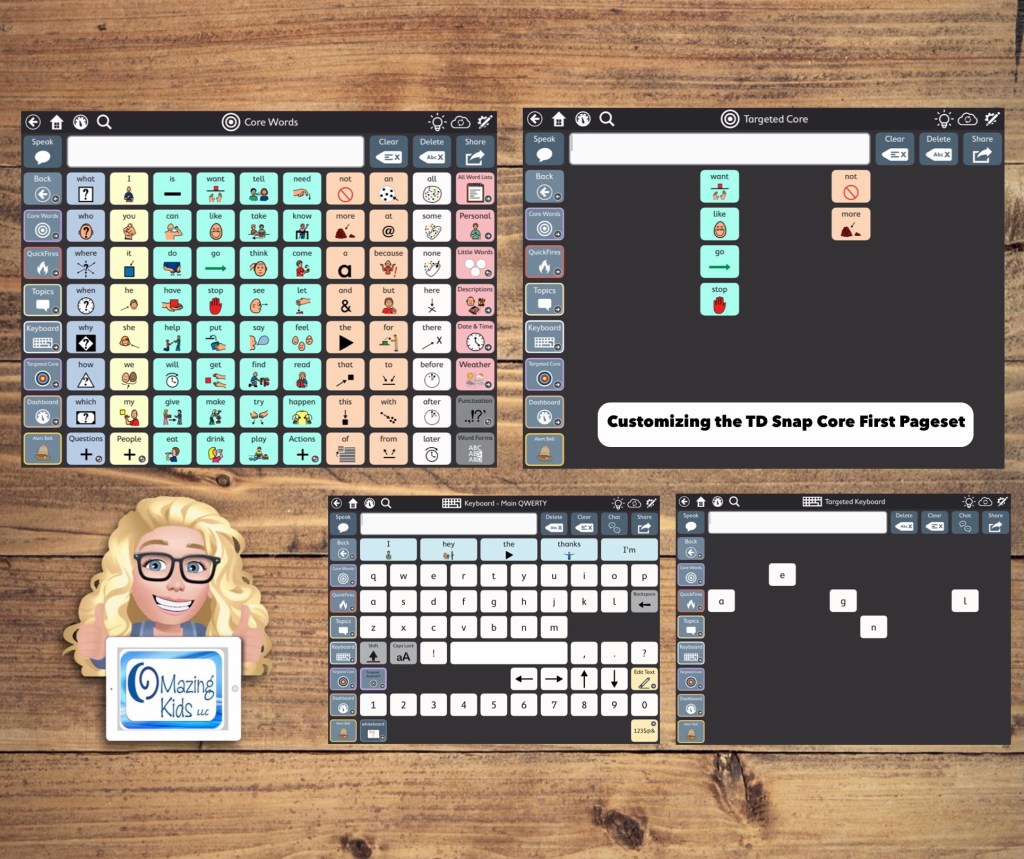
This guide walks you through the initial set up and customization process for the TD Snap AAC app with a focus on the Core First pageset being used via direct access touch with a finger by kids, teens or young adults on an iPad. It has all kinds of information to get you going, ideas to foster ownership, the different versions of the app and types of pagesets, information about choosing a grid size, how to set it up, how to edit, ideas for customization, time stamped links to specific sections within helpful webinars, finding user groups, manuals and other resources, info about how SLPs can get free access and more… See the description on TPT for more info.
TPT Preview Video:
Updated 3/21/23: It’s now a 86 page PDF & 48 minute video. Includes info about the new Motor Plan pagesets & bonus content (a 10 page AAC flipbook designed for Gestalt Language Processors in Stage 1 – Stage 2 of the Natural Language Acquisition (NLA) process.
The FREE Xodo app is my favorite PDF reader. The search feature in it is fabulous. It can be used on any platform and computers. I just noticed that their former website (http://www.xodo.com) redirects to a new website. Go to this section to use it to view PDFs in a web browser: https://pdf.online/pdf-viewer.
Update 10/12/25: If you are new to using Xodo it may no longer be free. I’m still able to use it for free but a couple of folks have reported it no longer being free.
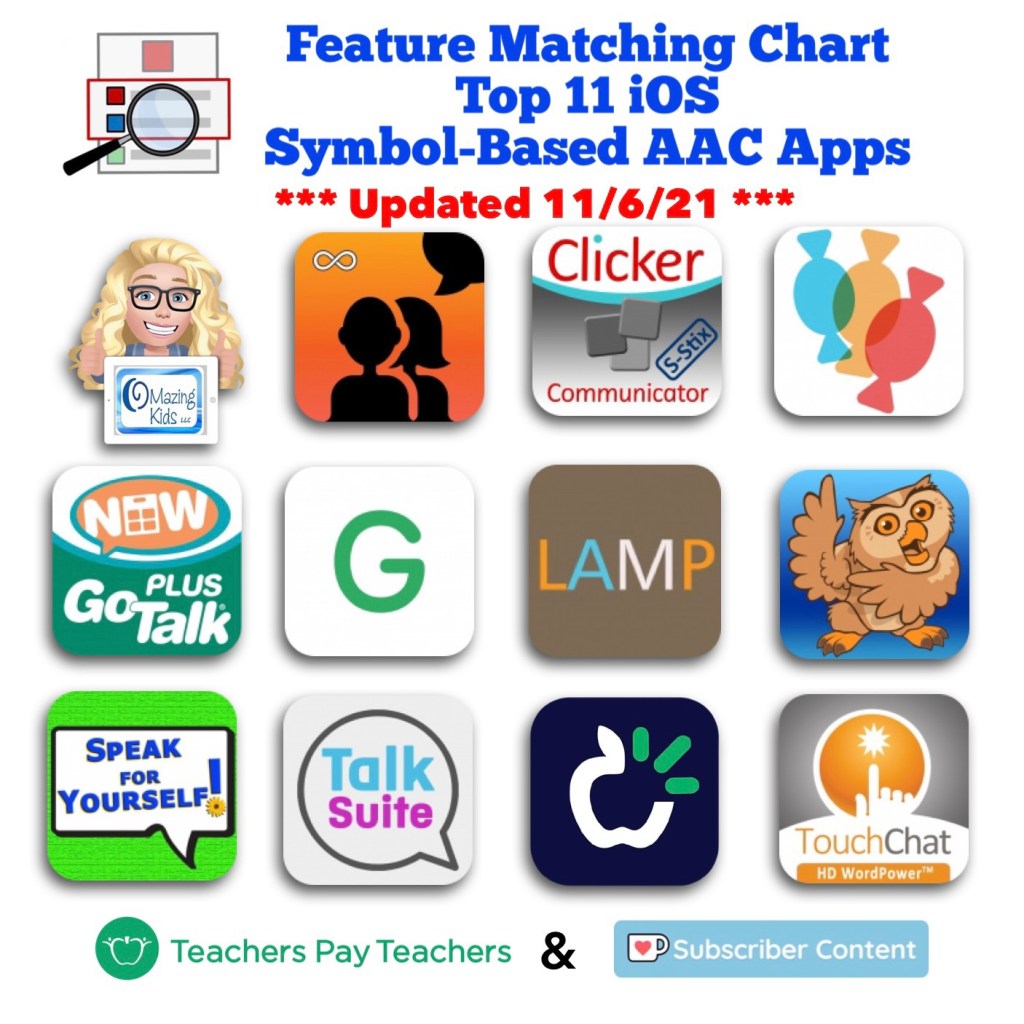
Updated Feature Matching Chart for the Top 11 iOS Symbol-Based AAC Apps (11/6/21). There is a designation on rows for features that may be helpful as folks are exploring ways to modify AAC for Gestalt Language Processors. The quickest way to find those is to view the PDF in the free Xodo PDF viewer (http://www.xodo.com…. Go to this on their new website: https://pdf.online/pdf-viewer) and then search “gestalt”.




 OMazing Kids AAC Consulting