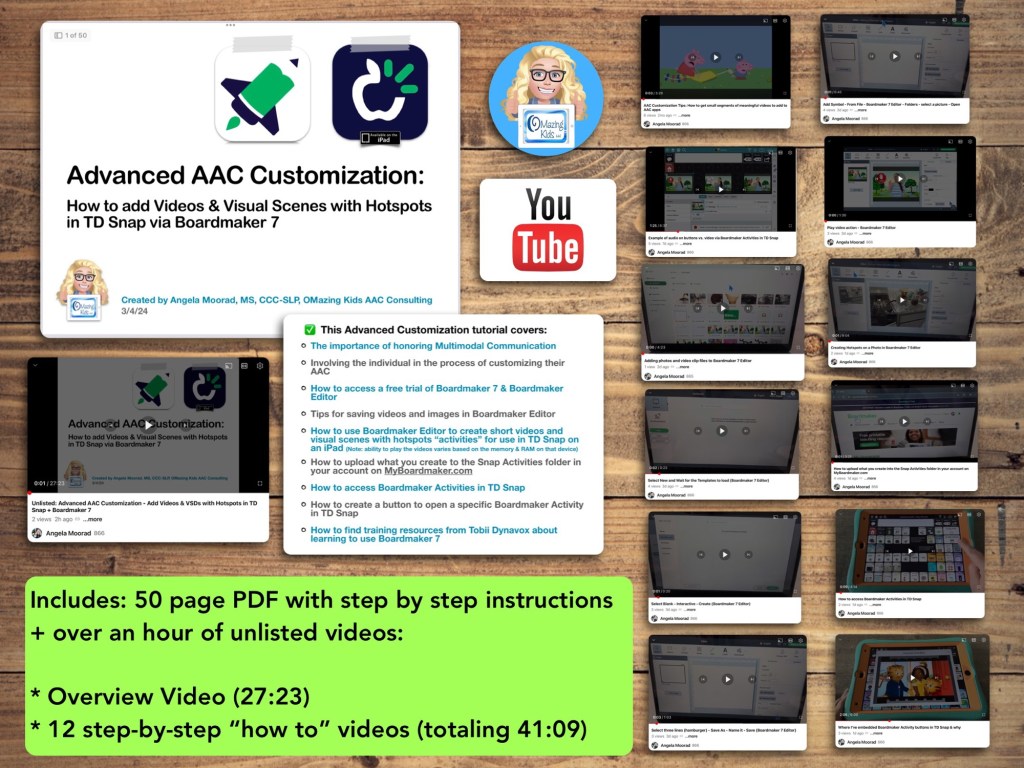
New Resource: How to add Videos (that can be viewed offline) & Visual Scenes with Hotspots in TD Snap via Boardmaker 7

Are you looking for a way to add short videos that can be viewed offline and visual scenes with hotspots to TD Snap? Come learn how to use Boardmaker 7 to create these and then use them in the integrated Boardmaker Activities. Don’t have a Boardmaker 7 subscription? No worries… you’ll also learn how to sign up for a free trial to create what you want.

Available on TPT: https://www.teacherspayteachers.com/Product/How-to-add-Videos-Visual-Scenes-with-Hotspots-in-TD-Snap-via-Boardmaker-7-11196195


Preview

Included in this resource

This resource includes a 50 page PDF of my slides with step by step instructions + over an hour of unlisted videos:

• Overview Video (27:23)

• 12 step-by-step “how to” videos (totaling 41:09)


What you’ll learn in this resource:

• The importance of honoring Multimodal Communication

• Involving the individual in the process of customizing their AAC

• How to access a free trial of Boardmaker 7 / Boardmaker 7 Editor

• Tips for saving videos and images in Boardmaker 7 Editor

• How to use Boardmaker 7 Editor to create short videos and visual scenes with hotspots “activities” for use in TD Snap on an iPad

• How to upload what you create to the Snap Activities folder in your account on myBoardmaker

• How to access Boardmaker Activities in TD Snap

• How to create a button to open a specific Boardmaker Activity in TD Snap

• How to find training resources from Tobii Dynavox about learning to use Boardmaker 7

Note: This resource was updated on 5/29/24 to reflect changes that Tobii Dynavox made to TD Snap. As of 5/21/24, they no longer offer the general public the option to do a 1x app-only purchase of this app. It switched to a subscription-based model. The 1.35.1 app update for TD Snap on 12/4/24 added an integrated YouTube player. This is a nice option for teens and adults who need the alternative access of their Speech Generating Device to play YouTube videos for leisure. Playing YouTube videos requires an internet connection and that player is not secured. This is very different from those who want to use short video clips for communication and/or self regulation and need a way to play them reliably offline in a secure way. For those purposes creating Boardmaker Activities will continue to be the best solution at this point in time


Notes:

  • Boardmaker 7 Editor can only be used to create these Boardmaker Activities on a Chromebook, Windows computer or tablet, or a Mac. Unfortunately there is NOT a way to use Boardmaker 7 Editor to create activities on an iPad (there’s no Boardmaker 7 Editor iOS app and it won’t work in a browser on an iPad). See this website for device compatibility: https://goboardmaker.com/pages/boardmaker-7-help?tab=1.
  • You must be connected to WiFi in order to initially load a Boardmaker Activity in TD Snap. Then you’ll have the option to toggle on Offline Use for each activity. Offline activities are downloaded per device. If the Page Set is synced or shared to a different device, the download process must be repeated on that device to make the activities available offline.
  • My demo shows these being added in the Motor Plan 66 pageset in TD Snap. You can add buttons to open a Boardmaker Activity in any of the pagesets within that app.
  • My demo videos are Boardmaker 7 Editor on my Pixelbook Chromebook and TD Snap on my iPad 9th gen. If you are using a Mac or Windows device what you see on your screen may be a bit different than mine.
  • The ability to play the videos may vary based on the available memory & RAM on that device.

Read in-depth info about using Boardmaker Activities in TD Snap starting on page 53 in the TD Snap User’s Manual: https://download.mytobiidynavox.com/Snap/documents/TD_Snap_UsersManual_en-US.pdf#page53


This research article has helpful considerations for selecting media for use in Visual Scenes and Video Visual Scenes: “Visual Scene Displays for Children and Adults: Using Case Studies to Bridge Research and Clinical Practice”, https://pubs.asha.org/doi/10.1044/2022_PERSP-22-00162

And an older research article: “Using Visual Scene Displays as Communication Support Options
Using Visual Scene Displays as Communication Support Options
for People with Chronic, Severe Aphasia
”: https://digitalcommons.unl.edu/cgi/viewcontent.cgi?article=1153&context=specedfacpub


Looking for in-depth AAC feature matching resources? See this blog post: https://bit.ly/5aacFeatureMatchingResources. That post also includes videos comparing AAC apps on various devices on various platforms.
Looking for more AAC resources? Check out the Resource Links page my blog: https://omazingkidsllc.com/omazing-kids-aac-resource-links 


Angela Moorad, MS, CCC-SLP, Founder of OMazing Kids, LLC, OMazing Kids AAC Consulting

• Teachers Pay Teachers Store: https://www.teacherspayteachers.com/Store/Omazing-Kids-Aac-Consulting 

• YouTube: https://youtube.com/user/amoorad1 

• Ko-Fi: https://ko-fi.com/omazingkidsaac 

• OMazing Kids AAC Consulting Facebook Page: https://www.facebook.com/OMazingKidsAAC/ 

• AppPeeps Facebook Group: https://www.facebook.com/groups/OMazingKidsAppPeeps/ 

• GoTalk Now AAC & GoVisual Visual Scene Apps – Ideas and Sharing Facebook Group: https://bit.ly/GoTalkNowAACappGroup 

• Instagram: https://www.instagram.com/omazingkidsaac 

• Instagram Threads: https://www.threads.net/@omazingkidsaac 

• Twitter: https://www.twitter.com/amoorad 

• Pinterest: http://pinterest.com/OMazingKids/ 

• Linktree: https://linktr.ee/amoorad1 

• LinkedIn: https://www.linkedin.com/in/angelamooradomazingkidsaac 

• Blog: https://omazingkidsllc.com  / Resource Links page: https://omazingkidsllc.com/omazing-kids-aac-resource-links 

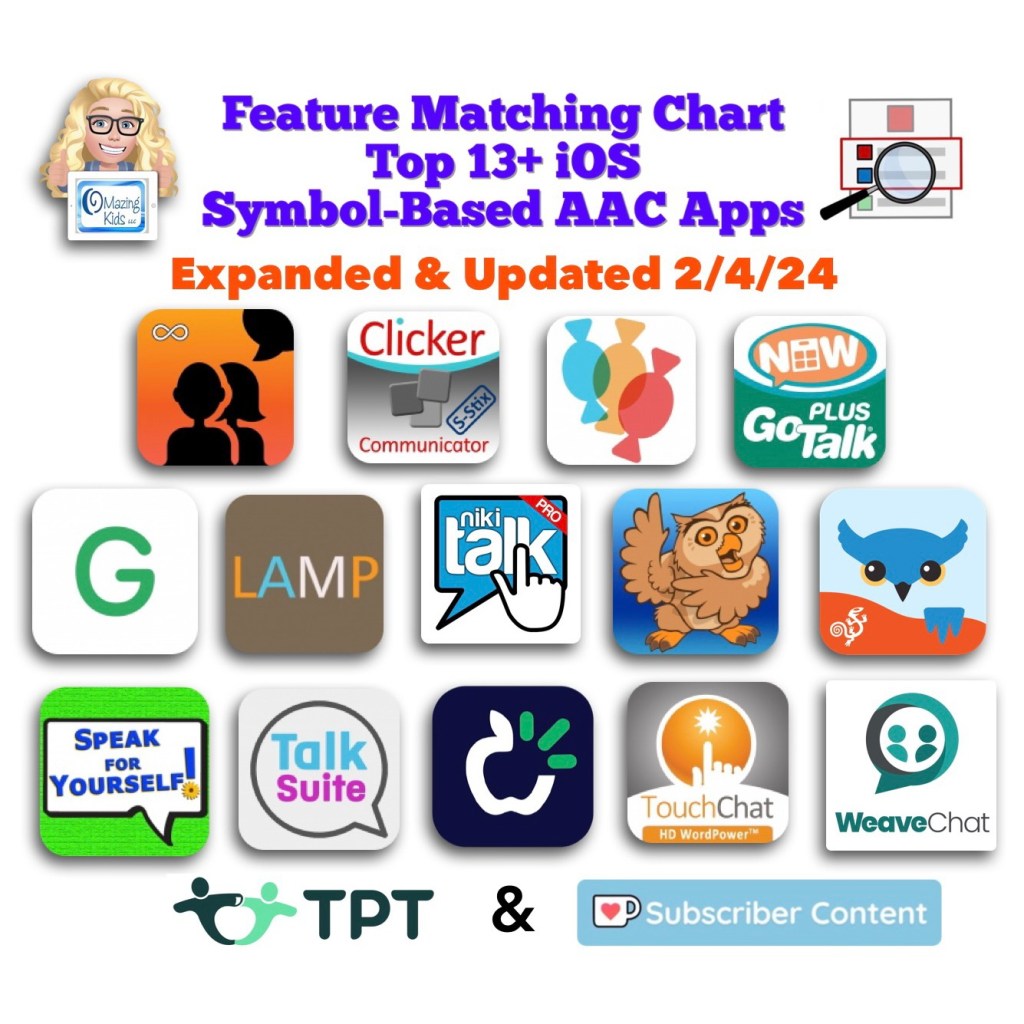
Resource Expanded & Updated: The Feature Matching Chart for the Top 13+ iOS Symbol Based AAC Apps (2/4/24)

Image ID: Screenshot of the cover image for this resource in my TPT (Teachers Pay Teachers) Store. Includes the icon for each app in the Apple App Store, the OMazing Kids logo and logos for TPT and Ko-fi. Date updated: 2/4/24.

Resource Expanded & Updated: The Feature Matching Chart for the Top 13+ iOS Symbol Based AAC Apps (2/4/24).

Weave Chat AAC has been added, it has a deeper dive into specific types of vocabulary within AAC apps, new features in these apps, etc…

Those who have previously purchased it on TPT can download the newest version for no additional cost: https://bit.ly/SymbolBasedAACapps. Ko-fi subscribers will be able to access a copy on the pinned resource post: https://ko-fi.com/Post/Links-to-posts-about-most-current-feature-matching-F1F5C9DMD.


Looking for other in-depth AAC feature matching resources? See this blog post: https://bit.ly/5aacFeatureMatchingResources. That post also includes videos comparing AAC apps on various devices on various platforms.

Looking for more AAC resources? Check out the Resource Links page here on my blog: https://omazingkidsllc.com/omazing-kids-aac-resource-links


Have a question? The best way to reach me is via Facebook messaging over on my OMazing Kids page: https://www.facebook.com/OMazingKidsAAC/


Angela Moorad, MS, CCC-SLP, Founder of OMazing Kids, LLC, OMazing Kids AAC Consulting

• Teachers Pay Teachers Store: https://www.teacherspayteachers.com/Store/Omazing-Kids-Aac-Consulting

• YouTube: https://youtube.com/user/amoorad1

• Ko-Fi: https://ko-fi.com/omazingkidsaac

• OMazing Kids AAC Consulting Facebook Page: https://www.facebook.com/OMazingKidsAAC/

• AppPeeps Facebook Group: https://www.facebook.com/groups/OMazingKidsAppPeeps/

• GoTalk Now AAC & GoVisual Visual Scene Apps – Ideas and Sharing Facebook Group: https://bit.ly/GoTalkNowAACappGroup

• Instagram: https://www.instagram.com/omazingkidsaac

• Twitter: https://www.twitter.com/amoorad

• Pinterest: http://pinterest.com/OMazingKids/

• Linktree: https://linktr.ee/amoorad1

• LinkedIn: https://www.linkedin.com/in/angelamooradomazingkidsaac

• Blog: https://omazingkidsllc.com / Resource Links page: https://omazingkidsllc.com/omazing-kids-aac-resource-links

Updated Resource 12-22-23: AAC Apps and Features At-a-Glance (Single Page Handouts)

Updated Resource 12/22/23: AAC Apps and Features At-a-Glance (Single Page Handouts): https://bit.ly/AAC-At-a-Glance.

This 92 page PDF resource has been updated to reflect new features in apps.

See the Table of Contents: https://bit.ly/TOC-AACAppsandFeaturesAt-a-Glance.

Those who have previously purchased it on TPT can download the most current version for no additional cost: https://bit.ly/AAC-At-a-Glance.


Looking for in-depth AAC feature matching resources? See this blog post: https://bit.ly/5aacFeatureMatchingResources. That post also includes videos comparing AAC apps on various devices on various platforms.


Looking for more AAC resources? Check out the Resource Links page here on my blog: https://omazingkidsllc.com/omazing-kids-aac-resource-links


Have a question? The best way to reach me is via Facebook messaging over on my OMazing Kids page: https://www.facebook.com/OMazingKidsAAC/


Angela Moorad, MS, CCC-SLP, Founder of OMazing Kids, LLC, OMazing Kids AAC Consulting

• Teachers Pay Teachers Store: https://www.teacherspayteachers.com/Store/Omazing-Kids-Aac-Consulting

• YouTube: https://youtube.com/user/amoorad1

• Ko-Fi: https://ko-fi.com/omazingkidsaac

• OMazing Kids AAC Consulting Facebook Page: https://www.facebook.com/OMazingKidsAAC/

• AppPeeps Facebook Group: https://www.facebook.com/groups/OMazingKidsAppPeeps/

• GoTalk Now AAC & GoVisual Visual Scene Apps – Ideas and Sharing Facebook Group: https://bit.ly/GoTalkNowAACappGroup

• Instagram: https://www.instagram.com/omazingkidsaac

• Twitter: https://www.twitter.com/amoorad

• Pinterest: http://pinterest.com/OMazingKids/

• Linktree: https://linktr.ee/amoorad1

• LinkedIn: https://www.linkedin.com/in/angelamooradomazingkidsaac

• Blog: https://omazingkidsllc.com / Resource Links page: https://omazingkidsllc.com/omazing-kids-aac-resource-links

11/11/22 Updated Resource: Basic Feature Chart for Affordable and Free AAC Apps and AAC-Related Apps

Resource Update: The Basic Feature Chart for Affordable and Free AAC apps & AAC-Related Apps (iOS, Android Google Play, Amazon Fire, Windows + a few Web-Based options) has been updated (11/11/23).

Those who have previously purchased it on TPT can download the newest version for no additional cost: https://bit.ly/BasicAffordableAACchart (the Bitly website has been acting up today so here’s the long link too: https://www.teacherspayteachers.com/Product/Basic-Feature-Chart-for-Affordable-and-Free-AAC-apps-AAC-Related-Apps-8327157). Ko-fi subscribers will be able to access a copy on the pinned resource post: https://ko-fi.com/Post/Links-to-posts-about-most-current-feature-matching-F1F5C9DMD


Looking for in-depth AAC feature matching resources? See this blog post: https://bit.ly/5aacFeatureMatchingResources. That post also includes videos comparing AAC apps on various devices on various platforms.


Looking for more AAC resources? Check out the Resource Links page here on my blog: https://omazingkidsllc.com/omazing-kids-aac-resource-links


Have a question? The best way to reach me is via Facebook messaging over on my OMazing Kids page: https://www.facebook.com/OMazingKidsAAC/


Angela Moorad, MS, CCC-SLP, Founder of OMazing Kids, LLC, OMazing Kids AAC Consulting

• Teachers Pay Teachers Store: https://www.teacherspayteachers.com/Store/Omazing-Kids-Aac-Consulting

• YouTube: https://youtube.com/user/amoorad1

• Ko-Fi: https://ko-fi.com/omazingkidsaac

• OMazing Kids AAC Consulting Facebook Page: https://www.facebook.com/OMazingKidsAAC/

• AppPeeps Facebook Group: https://www.facebook.com/groups/OMazingKidsAppPeeps/

• GoTalk Now AAC & GoVisual Visual Scene Apps – Ideas and Sharing Facebook Group: https://bit.ly/GoTalkNowAACappGroup

• Instagram: https://www.instagram.com/omazingkidsaac

• Twitter: https://www.twitter.com/amoorad

• Pinterest: http://pinterest.com/OMazingKids/

• Linktree: https://linktr.ee/amoorad1

• LinkedIn: https://www.linkedin.com/in/angelamooradomazingkidsaac

• Blog: https://omazingkidsllc.com / Resource Links page: https://omazingkidsllc.com/omazing-kids-aac-resource-links

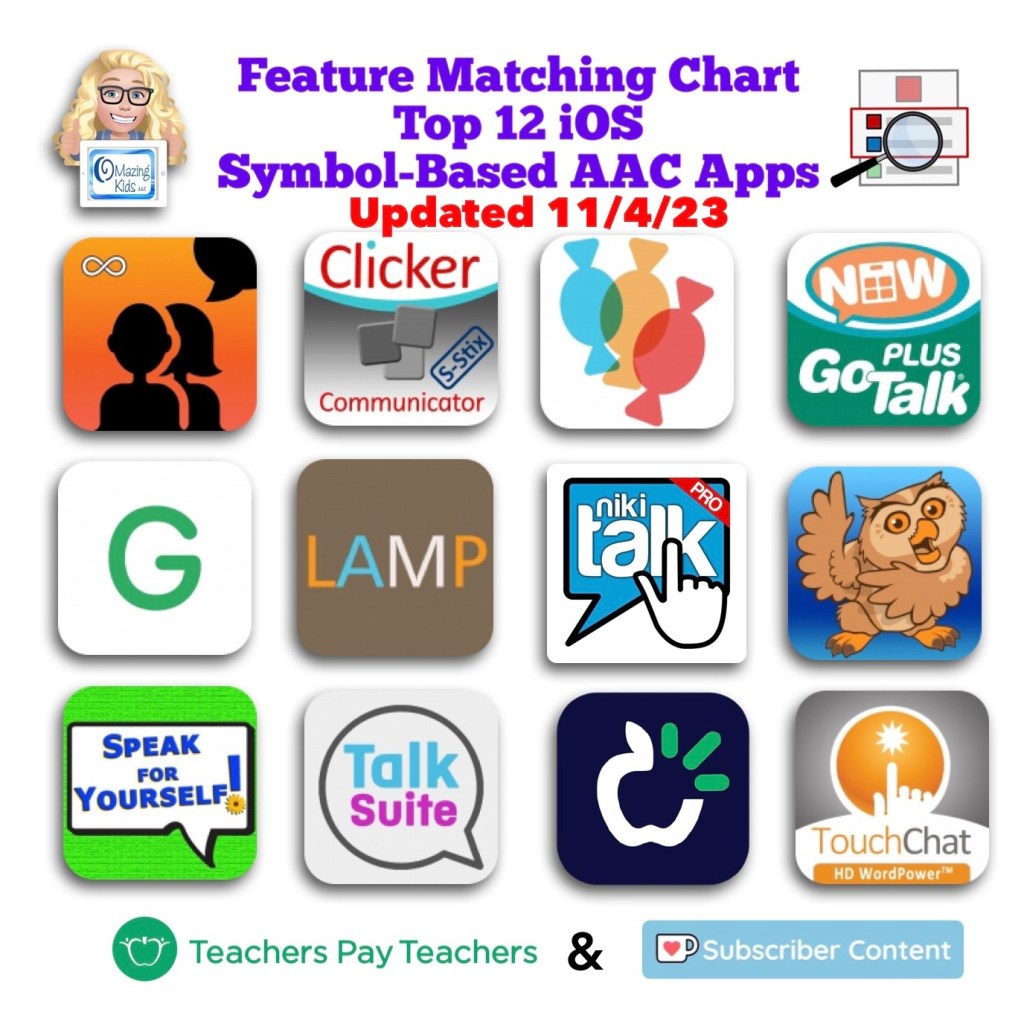
Updated Feature Matching Chart for the Top 12 iOS Symbol-Based AAC Apps (11/4/23)

Resource Update: The Feature Matching Chart for the Top 12 iOS Symbol Based AAC Apps has been updated on 11/4/23. There is new info related to iOS 17, new features in AAC apps, a new row related to apps that support use of Personal Voice, a new row related to use of Emojis in these apps, etc… Those who have previously purchased it on TPT can download the newest version for no additional cost: https://bit.ly/SymbolBasedAACapps. Ko-fi subscribers will be able to access a copy on the pinned resource post: https://ko-fi.com/Post/Links-to-posts-about-most-current-feature-matching-F1F5C9DMD.

#AACapps #AACfeatures #ComparingAACapps

Image ID: Screenshot of the cover image for this resource in my TPT (Teachers Pay Teachers) Store. Includes the icon for each app in the Apple App Store, the OMazing Kids logo and logos for TPT and Ko-fi. Date updated: 11/4/23


Looking for in-depth AAC feature matching resources? See this blog post: https://bit.ly/5aacFeatureMatchingResources. That post also includes videos comparing AAC apps on various devices on various platforms.


Looking for more AAC resources? Check out the Resource Links page my blog: https://omazingkidsllc.com/omazing-kids-aac-resource-links


Have a question? The best way to reach me is via Facebook messaging over on my OMazing Kids page: https://www.facebook.com/OMazingKidsAAC/


Angela Moorad, MS, CCC-SLP, Founder of OMazing Kids, LLC, OMazing Kids AAC Consulting

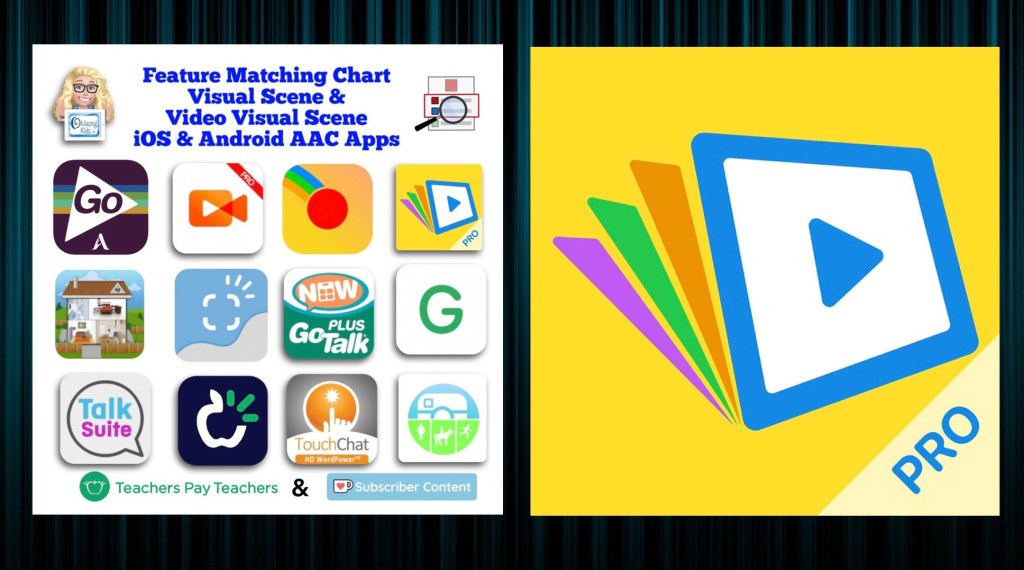
Resource Update: Feature Matching Chart for Visual Scene and Video Visual Scene Display iOS & Android AAC Apps was updated on 7/27/23

Resource Update: Feature Matching Chart for Visual Scene and Video Visual Scene Display iOS & Android AAC Apps was updated on 7/27/23. I added Scene & Heard Pro by Therapy Box and added the newer version of EasyVSD. Those who have previously purchased this resource on TPT can download the most current version for no additional cost: https://bit.ly/AACvsd . Ko-fi subscribers will be able to access a copy on the pinned resource post: https://ko-fi.com/Post/Links-to-posts-about-most-current-feature-matching-F1F5C9DMD.


A FREE handout for SLPs/SLTs and other AAC professionals has also been updated: How to Get Access to Visual Scene & Video Visual Scene AAC Apps (TPT Freebie), https://bit.ly/SLP-SLT-Access-VSDapps.


Looking for more in-depth up to date AAC feature matching resources? See this blog post: https://bit.ly/5aacFeatureMatchingResources. The most current info about AAC apps can be found in my feature matching resources. The blog post also includes videos comparing AAC apps on various devices on various platforms.


Want to learn more? Check out this recorded webinar and interactive handouthttps://bit.ly/NavigatingThruAACapps


The perfect companion to supplement these in-depth resources are the “AAC Apps and Features At-a-Glance (Single Page Handouts)”: https://bit.ly/AAC-At-a-Glance


Looking for basic info about AAC apps that are always affordable or free? See the Basic Feature Chart for Affordable and Free AAC apps & AAC-Related Apps (iOS, Android Google Play, Amazon Fire, Windows + a few Web-Based options): https://bit.ly/BasicAffordableAACchart.


Have a question? The best way to reach me is via Facebook messaging over on my OMazing Kids page: https://www.facebook.com/OMazingKidsAAC/


Angela Moorad, MS, CCC-SLP, Founder of OMazing Kids, LLC, OMazing Kids AAC Consulting

• Teachers Pay Teachers Store: https://www.teacherspayteachers.com/Store/Omazing-Kids-Aac-Consulting

• YouTube: https://youtube.com/user/amoorad1

• Ko-Fi: https://ko-fi.com/omazingkidsaac

• OMazing Kids AAC Consulting Facebook Page: https://www.facebook.com/OMazingKidsAAC/

• AppPeeps Facebook Group: https://www.facebook.com/groups/OMazingKidsAppPeeps/

• GoTalk Now AAC & GoVisual Visual Scene Apps – Ideas and Sharing Facebook Group: https://bit.ly/GoTalkNowAACappGroup

• Instagram: https://www.instagram.com/omazingkidsaac

• Instagram Threads: https://www.threads.net/@omazingkidsaac

• Twitter: https://www.twitter.com/amoorad

• Pinterest: http://pinterest.com/OMazingKids/

• Linktree: https://linktr.ee/amoorad1

• LinkedIn: https://www.linkedin.com/in/angelamooradomazingkidsaac

• Blog: https://omazingkidsllc.com / Resource Links page: https://omazingkidsllc.com/omazing-kids-aac-resource-links

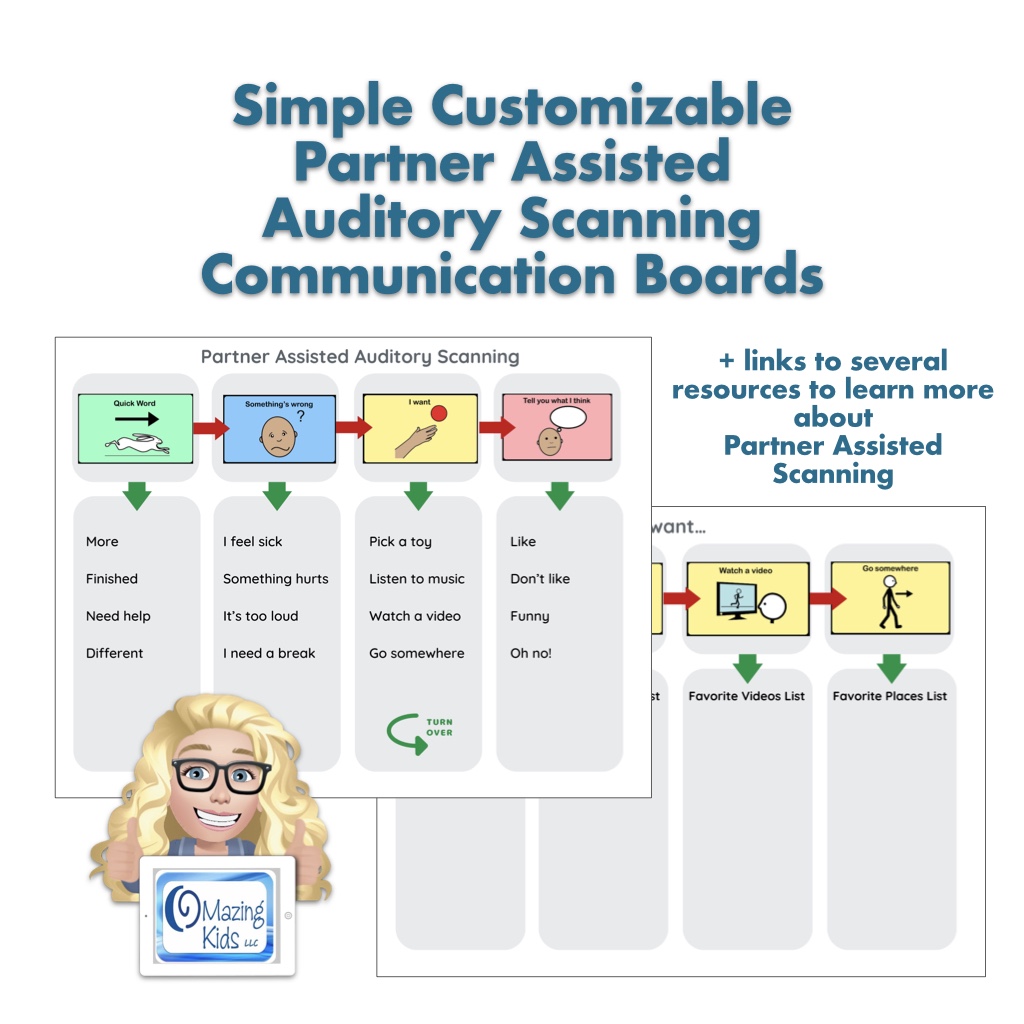
New Resource: Simple Customizable Partner Assisted Auditory Scanning AAC Communication Boards

Cover image for this resource on TPT. Shows part of the resource and the OMazing Kids logo.

New Resource: Simple Customizable Partner Assisted Auditory Scanning AAC Boards, https://bit.ly/PartnerAssistedAuditoryScanning-TPT.

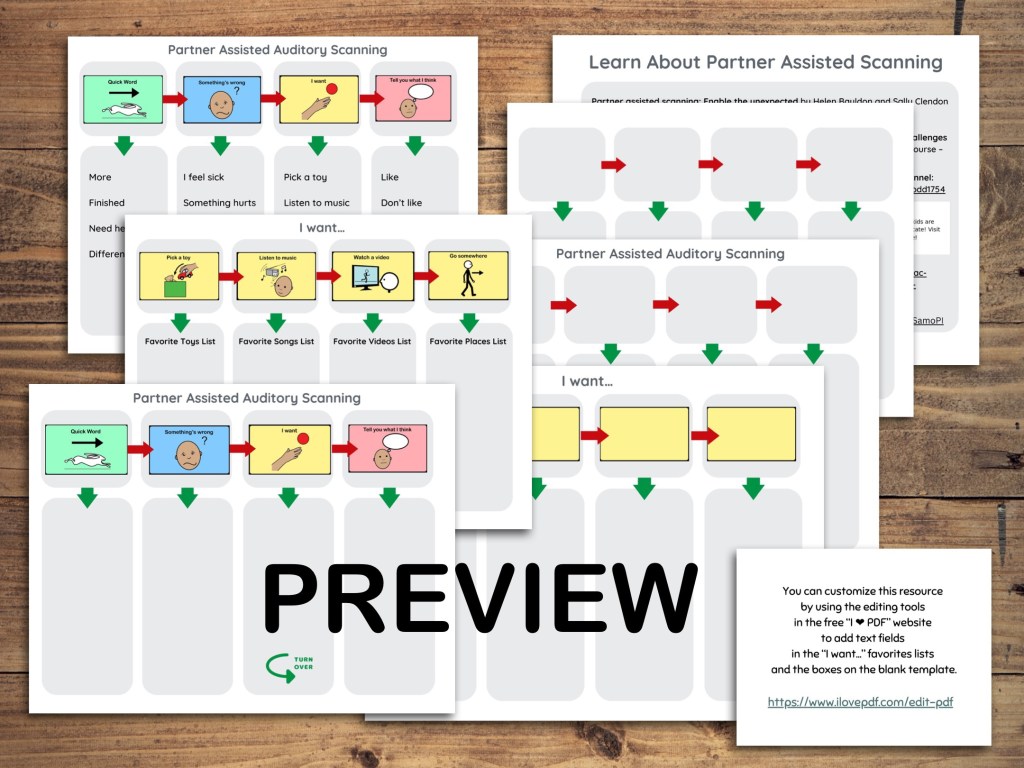
This 10 page PDF includes the following:

  • a two page Simple Customizable Partner Assisted Auditory Scanning Communication Board set with room to add your own “favorites lists”
  • a two page empty version of that board set so you can add your own info on both pages
  • a two page totally blank Partner Assisted Auditory Scanning Communication Board template 
  • a page with links to six resources to Learn How to Do Partner Assisted Scanning (including Partner Assisted Auditory Scanning – PAAS)
  • a page about how to use the free I Love PDF website to customize this resource, a link to a short video tutorial (my unlisted YouTube video) & printing tips.

Note: This AAC resource is not intended to be a robust communication option. It is something simple to allow exploration of Partner Assisted Auditory Scanning for communication. 


Looking for in-depth up to date AAC feature matching resources? See this blog post: https://bit.ly/5aacFeatureMatchingResources. The most current info about AAC apps can be found in my feature matching resources. The blog post also includes videos comparing AAC apps on various devices on various platforms.


Want to learn more? Check out this recorded webinar and interactive handouthttps://bit.ly/NavigatingThruAACapps


The perfect companion to supplement these in-depth resources are the 

AAC Apps and Features At-a-Glance (Single Page Handouts)”: https://bit.ly/AAC-At-a-Glance


Looking for basic info about AAC apps that are always affordable or free? See the Basic Feature Chart for Affordable and Free AAC apps & AAC-Related Apps (iOS, Android Google Play, Amazon Fire, Windows + a few Web-Based options): https://bit.ly/BasicAffordableAACchart.


See more info in the description on my TPT store: https://bit.ly/PartnerAssistedAuditoryScanning-TPT.


Have a question? The best way to reach me is via Facebook messaging over on my OMazing Kids page: https://www.facebook.com/OMazingKidsAAC/


Angela Moorad, MS, CCC-SLP, Founder of OMazing Kids, LLC, OMazing Kids AAC Consulting

• Teachers Pay Teachers Store: https://www.teacherspayteachers.com/Store/Omazing-Kids-Aac-Consulting

• YouTube: https://youtube.com/user/amoorad1

• Ko-Fi: https://ko-fi.com/omazingkidsaac

• OMazing Kids AAC Consulting Facebook Page: https://www.facebook.com/OMazingKidsAAC/

• AppPeeps Facebook Group: https://www.facebook.com/groups/OMazingKidsAppPeeps/

• GoTalk Now AAC & GoVisual Visual Scene Apps – Ideas and Sharing Facebook Group: https://bit.ly/GoTalkNowAACappGroup

• Instagram: https://www.instagram.com/omazingkidsaac

• Twitter: https://www.twitter.com/amoorad

• Pinterest: http://pinterest.com/OMazingKids/

• Linktree: https://linktr.ee/amoorad1

• LinkedIn: https://www.linkedin.com/in/angelamooradomazingkidsaac

• Blog: https://omazingkidsllc.com / Resource Links page: https://omazingkidsllc.com/omazing-kids-aac-resource-links

Resource Update: The Basic Feature Chart for Affordable and Free AAC apps & AAC-Related Apps (iOS, Android Google Play, Amazon Fire, Windows + a few Web-Based options and Chromebook (updated 5/31/23)

Resource Update: The Basic Feature Chart for Affordable and Free AAC apps & AAC-Related Apps (iOS, Android Google Play, Amazon Fire, Windows + a few Web-Based options and Chromebook) has been updated (5/31/23).

Those who have previously purchased it on TPT can download the newest version for no additional cost: https://bit.ly/BasicAffordableAACchart.

Ko-fi subscribers will be able to access a copy on the pinned resource post: https://ko-fi.com/Post/Links-to-posts-about-most-current-feature-matching-F1F5C9DMD


Looking for in-depth AAC feature matching resources? See this blog post: https://bit.ly/5aacFeatureMatchingResources. That post also includes videos comparing AAC apps on various devices on various platforms.

Looking for more AAC resources? Check out the Resource Links page here on my blog: https://omazingkidsllc.com/omazing-kids-aac-resource-links


Have a question? The best way to reach me is via Facebook messaging over on my OMazing Kids page: https://www.facebook.com/OMazingKidsAAC/


Angela Moorad, MS, CCC-SLP, Founder of OMazing Kids, LLC, OMazing Kids AAC Consulting

• Teachers Pay Teachers Store: https://www.teacherspayteachers.com/Store/Omazing-Kids-Aac-Consulting

• YouTube: https://youtube.com/user/amoorad1

• Ko-Fi: https://ko-fi.com/omazingkidsaac

• OMazing Kids AAC Consulting Facebook Page: https://www.facebook.com/OMazingKidsAAC/

• AppPeeps Facebook Group: https://www.facebook.com/groups/OMazingKidsAppPeeps/

• GoTalk Now AAC & GoVisual Visual Scene Apps – Ideas and Sharing Facebook Group: https://bit.ly/GoTalkNowAACappGroup

• Instagram: https://www.instagram.com/omazingkidsaac

• Twitter: https://www.twitter.com/amoorad

• Pinterest: http://pinterest.com/OMazingKids/

• Linktree: https://linktr.ee/amoorad1

• LinkedIn: https://www.linkedin.com/in/angelamooradomazingkidsaac

• Blog: https://omazingkidsllc.com / Resource Links page: https://omazingkidsllc.com/omazing-kids-aac-resource-links

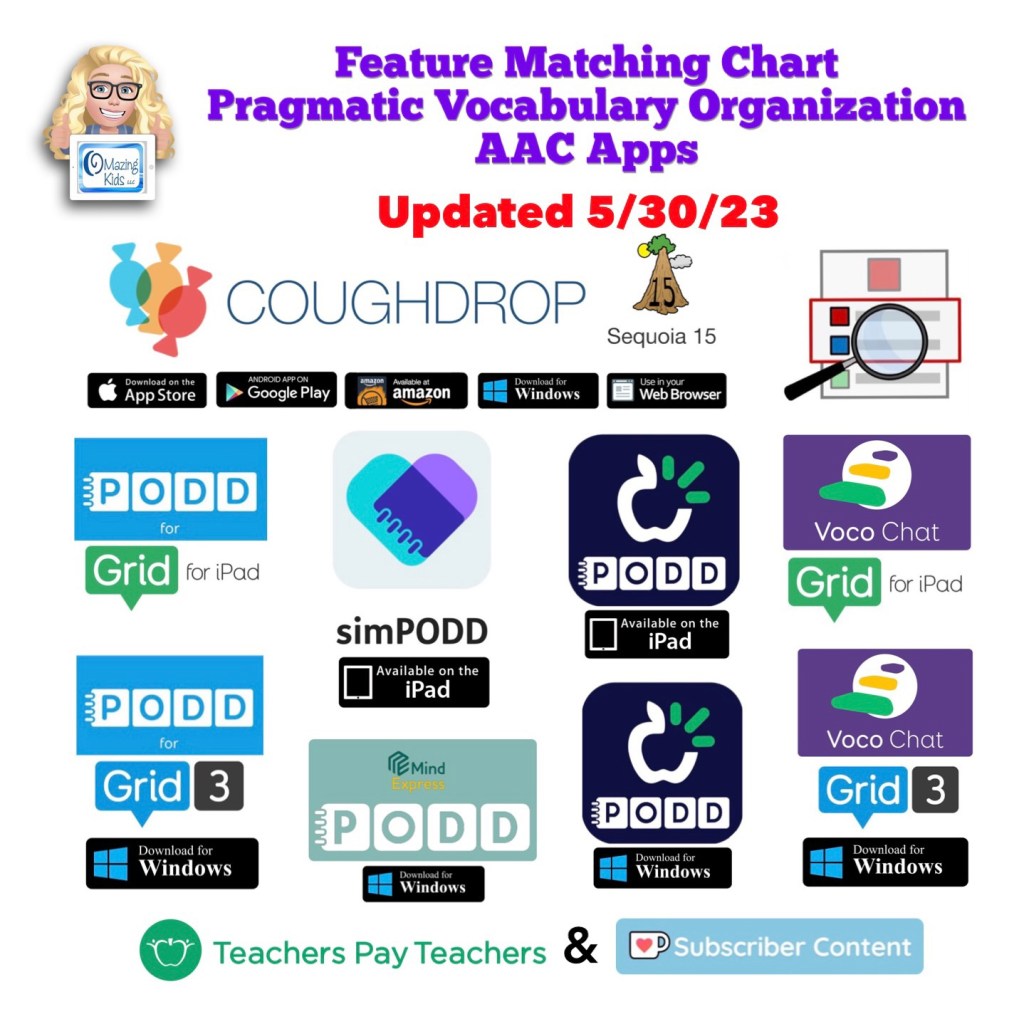
Updated 5/30/23: Feature Matching Chart for Pragmatic Vocabulary Organization AAC Apps

Resource Update: The Feature Matching Chart for Pragmatic Vocabulary Organization AAC Apps has been updated (5/30/23).

Those who have previously purchased it on TPT can download the newest version for no additional cost: https://bit.ly/PragmaticOrgVocabAAC-FeatureMatching-TPT. More info: http://bit.ly/3ycG1EL.

Ko-fi subscribers will be able to access a copy on the pinned resource post: https://ko-fi.com/Post/Links-to-posts-about-most-current-feature-matching-F1F5C9DMD


Looking for other in-depth AAC feature matching resources? See this blog post: https://bit.ly/5aacFeatureMatchingResources. That post also includes videos comparing AAC apps on various devices on various platforms.

Looking for more AAC resources? Check out the Resource Links page here on my blog: https://omazingkidsllc.com/omazing-kids-aac-resource-links


Have a question? The best way to reach me is via Facebook messaging over on my OMazing Kids page: https://www.facebook.com/OMazingKidsAAC/


Angela Moorad, MS, CCC-SLP, Founder of OMazing Kids, LLC, OMazing Kids AAC Consulting

• Teachers Pay Teachers Store: https://www.teacherspayteachers.com/Store/Omazing-Kids-Aac-Consulting

• YouTube: https://youtube.com/user/amoorad1

• Ko-Fi: https://ko-fi.com/omazingkidsaac

• OMazing Kids AAC Consulting Facebook Page: https://www.facebook.com/OMazingKidsAAC/

• AppPeeps Facebook Group: https://www.facebook.com/groups/OMazingKidsAppPeeps/

• GoTalk Now AAC & GoVisual Visual Scene Apps – Ideas and Sharing Facebook Group: https://bit.ly/GoTalkNowAACappGroup

• Instagram: https://www.instagram.com/omazingkidsaac

• Twitter: https://www.twitter.com/amoorad

• Pinterest: http://pinterest.com/OMazingKids/

• Linktree: https://linktr.ee/amoorad1

• LinkedIn: https://www.linkedin.com/in/angelamooradomazingkidsaac

• Blog: https://omazingkidsllc.com / Resource Links page: https://omazingkidsllc.com/omazing-kids-aac-resource-links

Free Trials of Robust AAC Apps for Individuals (iOS, Android, Amazon, Windows and Web-Based)

Cover image for this free resource on TPT. Stylized graphic for each app platform.

This new FREE handout has info about how individuals can access a free trial of several robust AAC apps to try out on their own iPad, Android tablet, Amazon Fire tablet, or Windows tablet. Or use online.

See the resource description on TPT for more info: https://bit.ly/FreeRobustAACAppTrials-Individuals.


If you are an SLP/SLT making funding/purchasing recommendations or another professional supporting AAC users and need ongoing access to robust AAC apps, see this blog post: AAC Test Drive & Getting Access to Robust AAC Apps, https://bit.ly/AACtestdrive. It has links to four FREE handouts with the details on how to get access to these apps.


Notes:

  • Each app has its own minimum spec requirements. You can find those either in that app store or on the website where you download it. 

Looking for in-depth up to date info about the features in AAC apps? Check out this blog post with resource links and videos: https://bit.ly/5aacFeatureMatchingResources


Have a question? The best way to reach me is via Facebook messaging over on my OMazing Kids page: https://www.facebook.com/OMazingKidsAAC/


Angela Moorad, MS, CCC-SLP, Founder of OMazing Kids, LLC, OMazing Kids AAC Consulting

• Teachers Pay Teachers Store: https://www.teacherspayteachers.com/Store/Omazing-Kids-Aac-Consulting

• YouTube: https://youtube.com/user/amoorad1

• Ko-Fi: https://ko-fi.com/omazingkidsaac

• OMazing Kids AAC Consulting Facebook Page: https://www.facebook.com/OMazingKidsAAC/

• AppPeeps Facebook Group: https://www.facebook.com/groups/OMazingKidsAppPeeps/

• GoTalk Now AAC & GoVisual Visual Scene Apps – Ideas and Sharing Facebook Group: https://bit.ly/GoTalkNowAACappGroup

• Instagram: https://www.instagram.com/omazingkidsaac

• Twitter: https://www.twitter.com/amoorad

• Pinterest: http://pinterest.com/OMazingKids/

• Linktree: https://linktr.ee/amoorad1

• LinkedIn: https://www.linkedin.com/in/angelamooradomazingkidsaac

• Blog: https://omazingkidsllc.com / Resource Links page: https://omazingkidsllc.com/omazing-kids-aac-resource-links


This handout was the sole idea and creation of Angela Moorad, MS, CCC-SLP, OMazing Kids AAC Consulting, OMazing Kids, LLC, all rights reserved. © 2023 and beyond. I assume no liability for app purchases and am not making client/student/patient-specific recommendations. Published 5/29/23.

Terms of Use: You may not copy any part of this document (including the content, layout, format, ideas or design) and reproduce it or distribute it as your own work. Please do not copy/paste this info onto other blogs or save this PDF in any online groups or files. It is available for free on my TPT store: https://bit.ly/OMazingKidsAAConTPT.