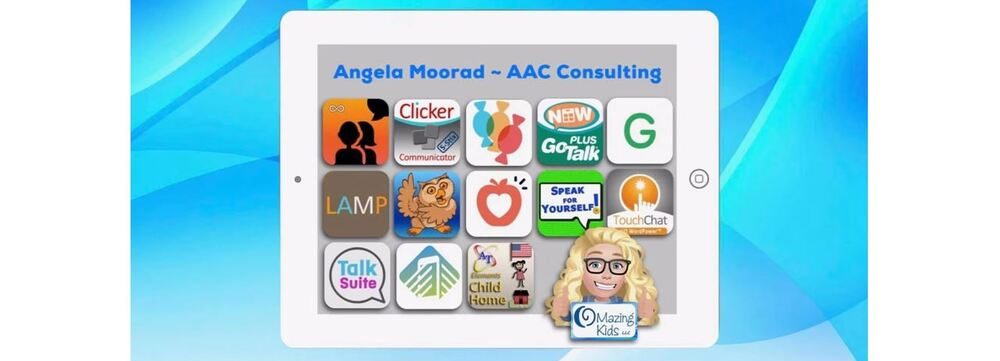
Angela Moorad, MS, CCC-SLP. Over 36 years experience in AAC. OMazing Kids AAC and app consulting. Creator of several AAC Feature Matching resources (https://omazingkidsllc.com/omazing-kids-aac-resource-links/). Includes info about unique features to support Gestalt Language Processors
Angela Moorad, MS, CCC-SLP. Over 36 years experience in AAC. Experience using almost every AAC app on iOS, Android, Amazon Fire, Chromebook and Windows devices + traditional Speech Generating Devices (SGDs). Creator of AAC-Related Resources & App-Related Resources. AAC Consulting & App Consulting.
Yup…. I’m really retiring in 1 week. I’ve been doing this for 28 years and am very excited to “despeechify” my life and start a whole new adventure. Info about my retirement sale can be found on this post: https://omazingkidsllc.com/2018/04/14/omazing-kids-slp-retirement-sale-what-i-have-where-i-will-be-selling-it/.
.
I have received numerous messages asking “What will happen to your blog?” & “Where can we find info about apps that are free or on sale for a great deal?”. So I wrote this post to pass along info.
. What will happen to my blog and social media sites:
I am planning on leaving my blog and social media sites up for 12 months after I retire to allow folks plenty of time to save any free printables, workshop presentation handouts, the big post listing apps for SLPs by goal areas, the big blog post with tips about how SLPs can get FREE access to AAC apps, AAC app user groups, funding options & more, AAC core vocabulary ideas, kids yoga lesson plans and other info that I have shared over the years. I’ll decide later what to do with my blog and social media sites beyond that.
. Reviews:
I am not accepting any requests to do any new reviews for products, books or apps. I have a couple of reviews that are currently in process but those will be the last ones that I do.
.
Blog:
I will be doing very few new blog posts or updates to previous posts since I will be focused on selling off my stash of materials and getting our house sold so my husband and I can move to the mountains in Colorado and do some traveling.
.
If you run into dead links on old blog posts please keep in mind that all links were active at the time that blog post was done. Please use Google to look for whatever that resource might have been.
.
If you are looking for something on my blog, please use the “search” feature.
. How to find info about app deals:
If you still have an iPad running something prior to iOS 11, then these are the two ways that I use to find apps that are either free or on sale for a great deal that day:
Unfortunately most of the large app review sites have either disappeared, post very infrequently or have moved on to focusing on reviews for products. To be honest by the time some sites post about an app being free I have already found it myself using the methods listed above.
.
AAC App Sales:
Be sure to follow Lauren Enders’ Facebook page for the most reliable info about upcoming AAC app sales:
The AAC for the SLP is also a helpful group to brainstorm case options.
* Looking for non-AAC apps with certain features or to target specific goals? Since I will no longer be doing therapy I won’t be keeping up on these details. Unfortunately I don’t have a specific place to refer you to for this.
.
I rarely check the e-mail that I have associated with this blog since it is flooded with spam mail and after retirement will only occasionally respond to questions on Facebook unless they are specifically related to my retirement sale. It is hard for me to walk away from something that I spent so much time on but need to do so to focus on the future.
.
Thanks to everyone who has left kind comments or messages. I’m glad that you have found my posts helpful over the years 😃.
.
5/14/21 – This old blog post from April 2018 has been archived. This resource started as ablog post where I documented core words in picture books that I was selling when I retired from clinical practice. I remember sitting in my living room surrounded by piles of over 1,200 kids picture books and Post It notes. Later I expanded it to include more books that I had used digitally and offered it on TPT after I had received numerous requests for it.
An updated and expanded list is available in this download over on my new Teachers Pay Teachers store. Be sure to click “Follow” on my store to get notifications when new items are added and updates are made.
Personal Professional Facebook Page (linked to OMazing Kids): https://www.facebook.com/angela.moorad (adding “friends” who have a direct role in AAC or Assistive Technology – AAC / AT app or product developers, AAC / AT consultants, SLPs who specialize in AAC, other professionals who specialize in AAC or AT, etc.)
There have been LOTS of folks interested in what is happening to my stash of materials, books, games, toys, etc. when I retire. I have been flooded with Facebook messages on my personal account and on OMazing Kids. So much so that I realized that I need to write this blog post with details to make it easier to share.
.
First off here’s what I DON’T have: no tests, no test protocols, no Kaufman apraxia kits, no decks of articulation cards, no materials for feeding & swallowing. The hospital where I work has those. Plus I typically use my iPad with high quality apps to work on articulation. I am not selling my Boardmaker CD.
. Here’s what I DO have and where I will be selling those items. I am only shipping items within the USA:
Books (regular kids picture books that I have organized by themes): I have LOTS of these books. All are in great condition (may have name on cover). A few are board books, a few are paperback and most are hardcover. These can be shipped inexpensively via media mail shipping. I am selling these books in my own OMazing Kids SLP Retirement Sale group since the group has gained quite a few members and things are now selling pretty quickly there 😃.
.
Plush Book Buddies: I have a few that I will be selling as a Book + Book Buddy set and several plush Book Buddies that I will be selling separately. Prices will vary and will be included in that post in my own OMazing Kids SLP Retirement Sale group. Plush Book Buddies cannot be shipped via media mail. The shipping costs will be based on the weight, size of box, how many zones it crosses in shipping, etc.
.
Books for targeting Core Vocabulary for AAC users: I will be selling these in my own OMazing Kids SLP Retirement Sale group. These are priced a little higher than my regular book bundles due to their unique usefulness in targeting specific goals.
.
Specialty books (books for kids yoga, books to target specific speech & language goals, etc.) – I will be selling these in my own OMazing Kids SLP Retirement Sale group. These are priced a little higher than my regular book bundles due to their unique usefulness in targeting specific goals.
.
Kids music CDs – I have a lot of great kids music that I used when teaching a variety of groups and during therapy sessions. I also have kids yoga CDs. I will be selling all of them either in my own OMazing Kids SLP Retirement Sale group or my garage sale. Prices vary. See list on each post. All in very good condition. May have name on cover and/or on the CD. These can be shipped inexpensively via media mail shipping.
.
Kids DVDs – I have several kids yoga and mindfulness DVDs and a few other kids DVDs. All are in good condition (may have name on cover). Prices vary. They will be sold in the CD post described above. These can be shipped inexpensively via media mail shipping.
.
Therapy books – including several books from Hanen, books for teaching social skills, books for teaching self regulation skills, books with strategies for stuttering, language, Autism, early literacy, AAC manuals, etc…. Prices will vary. all are in good condition (may have name on cover) and can be shipped inexpensively via media mail. These will be sold in my own OMazing Kids SLP Retirement group. Some may be sold as part of “Build your own specialty book bundles” (see info above).
.
Therapy card decks & materials: I have a few Super Duper fun decks (Function Match Up, Yes/No, Multiple Meaning Words, Syllable Drilling, What Does Miss Bee See, Rebus Infer a Word, Auditory Memory for WH questions fun deck, Phonemic Awareness). Also have from Super Duper: Anytime Go Togethers, Webber Inferencing Big Deck, Sequencing Verb Tenses. Lots of other language stuff from various companies. All are in good condition (may have name on box). Several are hard to find since they are no longer available from that company. These items cannot be shipped via media mail. The shipping costs will be based on the weight, size of box, how many zones it crosses in shipping, etc. (I’ve seen conflicting info about whether “flash cards” are considered eligible for media mail. I asked in person at my local post office and even they did not have a definitive answer…. so it’s not worth risking especially since many are in metal storage tins.). Given the shipping costs I anticipate selling most of these items at my in home garage sale (see details below).
.
Therapy games: I have a few games specifically designed for language, spatial concepts, storytelling, categories, colors, shapes, articulation, early literacy, etc…. These items cannot be shipped via media mail. The shipping costs will be based on the weight, size of box, how many zones it crosses in shipping, etc. Given the shipping costs I anticipate selling most of my therapy games at my in home garage sale (see details below).
.
Games: I have lots of games. All are in good condition. I even have the much sought after Cranium Cariboo (in pristine condition – Update: SOLD) and also much sought after Candyland Castle (also in pristine condition). Due to the demand for those two games I will be selling them on my own OMazing Kids page or my OMazing Kids SLP Retirement Sale group. Games cannot be shipped via media mail. The shipping costs will be based on the weight, size of box, how many zones it crosses in shipping, etc. Given the shipping costs I anticipate selling most of my games at my in home garage sale (see details below).
.
Toys: I have a ton of toys. All are in good working condition. I have several items by Melissa & Doug, Fisher Price, Playskool, etc. Also have several sensory items. Toys cannot be shipped via media mail. The shipping costs will be based on the weight, size of box, how many zones it crosses in shipping, etc. Given the shipping costs I anticipate selling most of my toys at my in home garage sale (see details below).
.
Other stuff:
Materials for making communication books & visual schedules
Storage containers, work bins, finished bins
AAC stuff
Visual supports & Time Timers
Things that have been symbol adapted
Symbol-supported teaching materials
a Sensory Storytime kit for “Dog’s Colorful Day”
an Owl Bumpidoodle cushion & things for a “calm down” kit
Tiggly stylus sets
Kids styluses
Props used in kids yoga classes
Kids yoga card decks
iON Clipster Bluetooth speakers (used to amplify iPad for AAC)
Bluebee Pals Bluetooth plush animal speakers
Posters
Clipboards
Award certificates (what I used when kids “graduated” from therapy)
Other random stuff….. etc….
.
Tips for Facebook buy-sell-trade groups:
join my OMazing Kids SLP Retirement Sale group: (group set to inactive now)
be sure to change the settings for “notifications” to “all posts”.
Payment is made via PayPal. If purchasing a bundle you must have the minimum number of items or $ amount for that bundle. Then I will send an invoice via PayPal. Please make sure your mailing address is correct in the PayPal system. After you pay your invoice that is the address that I will use to ship items to you.
*** UPDATE: I will no longer be selling things in any BST group other than my own OMazing Kids SLP Retirement Sale group. Too many fishy shenanigans going on in other groups. ****
. In Home Garage Sale: For those of you who live in Oklahoma (or want to make a road trip here) here are details about my in home garage sale. I have my living room set up with shelving, bookcases & tables full of all the stuff listed above. I’m trying to sell off most of the stuff that can be shipped via media mail before then…. ’cause right now there is barely a path. I knew I had a lot of stuff but the sheer magnitude of my speechie hoarding is now very apparent that I have it all in my living room (and have totally taken over the tables in my kitchen and dining room as I sort, weigh and prep for mailing items. You should have seen the looks that I got lugging my huge tub filled with boxes into the Post Office to ship earlier this week 👀 Yup. I was “that” person we all hate being behind 😂🤣). I’ll post a pic on my page and group once I get everything organized and priced so you can see what I mean by a “SLP hoarders stash”.
When: Saturday, May 19, 2018 at 9:00am-1:00pm CST
Where: in the living room of my home in Norman, Oklahoma. Please send me a private Facebook message for my address. Please only message me if you will be coming and please don’t pass my address along to anyone else. I don’t want the general public showing up. This is a specialty sale geared towards therapists (SLP, OT, PT) and teachers.
Payment Options: Cash only at the in home garage sale.
I cannot hold items since I need to get everything sold and paid for quickly to be able to prepare for selling our home.
Also there are no returns or exchanges for this same reason.
.
Feel free to message me on Facebook with any questions.
.
Angela Moorad, MS, CCC-SLP
Speech-Language Pathologist
Founder of OMazing Kids, LLC
Facebook Messaging for OMazing Kids: http://m.me/OMazingKidsYoga (note: Facebook frequently changes the link to messaging so if this one doesn’t work head over to my page and click on the “Send Message” button)
Facebook: http://www.facebook.com/OMazingKidsYoga
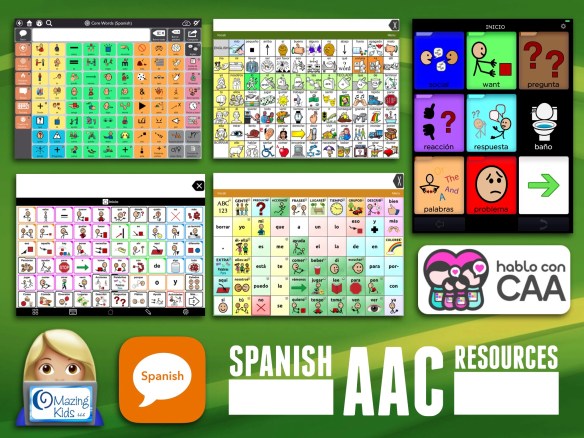
Spanish AAC Apps, Devices & Resources (Hablo con CAA)
It can be challenging to find information about and resources for AAC in languages other than English. Since Spanish is the most common language after English in my state I have compiled a list to make it easier to share with parents:
.
Hablo con CAA is a great website in Spanish: https://habloconcaa.wordpress.com. They also have a Facebook page & Facebook group. Most posts are in Spanish.
* PRC’s Accent series of devices with UNIDAD bilingual English – Spanish language system.
* Saltillo’s NovaChat series of devices. Several Spanish pageset options.
* Tobii Dynavox offers Snap + Core First in several dedicated devices. This vocabulary has a bilingual Spanish/English option.
. Robust AAC apps:
(For this app: https://www.attainmentcompany.com/gotalk-now. The same guide should be applicable to the other versions of the app. I use this version: https://www.attainmentcompany.com/gotalk-now-plus). The Users Guide is also available within the help section in the apps. The Spanish version will only appear if the iPad’s language is set to Spanish (Settings > General > iPad Language & Regions). Then, when in the app, if you go to the Help section it will display the Spanish guide.
More info: As you adjust the language on that iPad (Settings > General > iPad Language & Regions) the buttons in the app are translated and the user guide has been translated for Chinese, Czech, English, Finnish, German, Italian, Polish, Portuguese, Spanish, Swedish, Turkish, and Ukrainian. Then, for Danish and Greek, the app is translated into the language, but the user guide remains English.
It is also worth noting that the app can be programmed to speak any language supported by the iPad. For instance, someone who speaks French and has a French keyboard downloaded on their iPad, when they use the text-to-speech within the app, it will speak in French.
Fingertip Sphere Breathing for Self Regulation & Calming
I learned this technique during one of the webinars in the Preschool Mindfulness Summit in January. It was amazing to see how well it worked with one of my patients who has Autism (and possibly OCD and Explosive Disorder). This child has a very short fuse and when he explodes it is painful for everyone including him. We had tried several different strategies to help him learn self regulation and self calming skills with little success. The issue was in that explosive moment he was too out of control to use any strategies.
.
During our last session he became obsessed over a particular page in a board book, insisting that he had to “see the page in the middle” and then exploding when I removed the book to prevent it from being damaged. I then closed my eyes, placed my fingertips together and slowly expanded them (like a Hoberman Sphere) as I took a deep breath in through my nose and gently pressed them back together as I blew the breath slowly out of my mouth. After about 3 breaths I heard him calming down and he asked “What you doing?”. As I continued my slow breathing process with my eyes closed, I softly said “Ms. Angela is taking a break. ________ (child’s name) yelling scared Ms. Angela. When I get scared I take deep breaths.”. Then I continued doing the fingertip breathing with my eyes closed. Within a second or two I heard him breathing, peeked and saw him imitating what I was doing. Once he was calm I gently placed a new activity in front of him. He started to re-escalate and obsess over wanting the book again so I closed my eyes and started the breathing again. He again imitated and this time calmed down and was able to maintain that state of calm for the rest of our session. I cannot express what a HUGE moment this was for him. As he took a play break after the session I talked with his mother to make sure she understood what I had done and how powerful it would be for her son to experience the ability to self regulate and calm.
.
It is important to note that I did not tell this child to “calm down” or to “take a deep breath”. When I calmed and centered myself and modeled this breathing technique he began to imitate what I was doing and then got to experience the power of self calming.
.
Moments like this are exactly why I sought out training in kids yoga and mindfulness seven years ago. When a child is totally disregulated they are not going to learn anything I had planned for that session. So I needed tools in the speechie toolbox to help my patients.
Of course I also make referrals as needed to good pediatric psychological services in our area.
.
I have shared several resources for “breathing”, “self regulation”, “calming”, “mindfulness” and “social emotional learning” over the years on my blog. You can find those posts easily by doing a search for those terms. I have also shared additional resources out on my OMazing Kids Facebook page. Many of those posts are saved in the photos/albums area…. so feel free to look through those as well.
.
This gif shows a Hoberman Sphere in action for those that may not be familiar with it:
A quick video of some of the ways that I use the GoTalk Now Plus AAC app from Attainment Company, Inc. It has several unique features that make it a “must have” on any speechie’s iPad 😃.
.
.
In case you are wondering how the sound is that loud… This is my 9.7″ iPad Pro. It is in an original Gripcase USA case with handles on all four sides. I made a “bumper” out of a piece of pool noodle to prevent the bottom handle from getting bent out of shape when using my iPad on my lap.
Pursuing funding for augmentative communication devices is not for the timid or the faint of heart.
.
Unless you are working with a family who is very wealthy and can afford to purchase it themselves you need to be prepared for the paperwork & “fiery hoops”.
The funding department at the company selling the device will provide valuable support but a lot will rest on the shoulders of the SLP submitting the funding request.
It is wise to get as much information as you can before you start the process. Read through the definition of “medical necessity” and all the required elements for purchase of a speech generating device (SGD) as durable medical equipment (DME) for that insurance company and/or Medicaid in your state. This will give you both verbiage to include in your report and a checklist of all the bases you need to cover.
In my most recent funding request I had to deal with both the requirements of private insurance and Medicaid. Each had their own requirements. This patient’s insurance company required at least a 30 day trial with the SGD being requested. Medicaid in my state requires a video demonstrating clear communicative intent, independent use and for eye gaze devices “proof of accuracy”. Trying to submit a funding request before we had all of those elements would have been fruitless.
“Proving accuracy” may not sound like a big deal but I can testify that it was a huge fiery hoop when the patient was a 2.5 year old who had huge meltdowns every time I tried “show me the _____” activities. As in several sessions went down the toilet because we tried that.
So I laid in bed at night mulling over the quandary of how to “prove accuracy” in order to get her the AAC device that I knew she needed and that she had already shown me she could use. Add the extra self induced pressure of desperately wanting to get this accomplished before my retirement. Thank the Lord for stumbling upon a toy that this child was intrigued by. Not really the most highly preferred item. In fact early in the trial of the eye gaze device her Mom and I thought she may have been accidentally activating the button to request it since her reaction upon getting the toy was pretty “meh” 😐. So her Mom asked if I could move the button for it to a different location. Guess who immediately activated the button for that toy again and gave us her famous impish grin. Every time I moved that button she found it and grinned. So that was our golden ticket to making it through the fiery hoop of “proving accuracy”. I added a tiny button to her home page in Communicator 5 on the Tobii Dynavox i15+ eye gaze SGD and linked it to a page set that I built with the “noisy ball” and three other items with the placement randomized on each page. The first session I showed it to her she was a little fussy so we didn’t stay there long. The next week she was well rested and especially perky. Guess who found the “noisy ball” with 100% accuracy when presented in a playful way as a game of “hide and seek”? Yup. She did. And I got it all on video including her huge smile at the end as if to say “I rocked that didn’t I?”.
Tip: When you are required to provide a video with your funding request it’s important to always have a means of videoing on you in all sessions so you can capture the moments.
That was a huge fiery hoop to make it through and I worked late that evening to start the AAC eval report to get the funding request process started. Here’s the deal…. once you start that ball rolling you have to be willing to do what it takes under very short timeframes when they request additional video or ask for an addendum for additional information. If you don’t meet their very short timeframes then the request will automatically be denied and you have to start all over. For this child I had to provide documentation as to why she could not use handwriting as a means of communicating (ummmm…… not a developmentally appropriate expectation for any 3 year old let alone one with Rett Sydrome and no functional hand use) & additional videos proving she was making independent and intentional requests with the SGD. All of which had already been documented both in video and in writing. Of course I was frustrated every time but I had to vent to my fellow SLPeeps and then did what it took to make it through that next fiery hoop. I cried tears of relief and joy when I finally got the e-mail that her SGD had been approved and the day it arrived.
In the end it is all worth it to see the look on a child’s face when they get to take home their “voice” for the first time.
.
I’m not sharing this to brag on myself but rather to leave pearls of wisdom learned from my 28 year career as a SLP. I’ll be retiring in 11 weeks so I’m trying to pass along things that I’ve learned before I move on to the next chapter in my life. I spent several hours researching the internet and posting in AAC and SLP Facebook groups begging for ideas for how to “prove accuracy” for a 2.5 years old using an eye gaze device. But there was nothing. So I hope that this info helps some other speechie in the future. For your patient it will likely be some other random toy or activity but the concept of turning it into a playful “hide and seek” activity may be your ticket to making it through the “proving accuracy” fiery hoop.
.
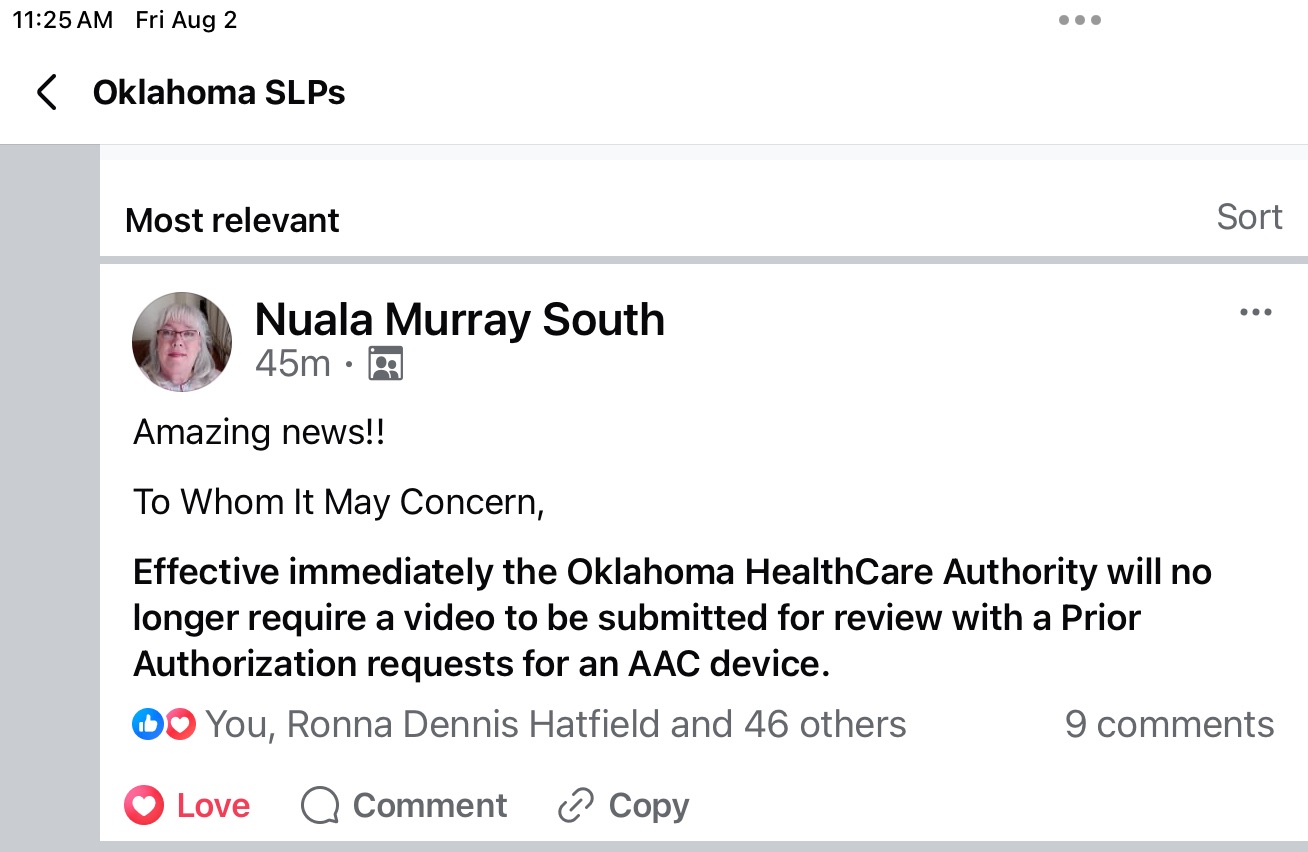
Update 8/2/24: I just saw a post from our Tobii Dynavox rep in Oklahoma:
Amazing news!!
To Whom It May Concern,
Effective immediately the Oklahoma HealthCare Authority will no longer require a video to be submitted for review with a Prior Authorization requests for an AAC device.
Additional Info:
When you are completing your AAC evaluation report and funding request look it over to make sure that you documented the feature matching process, consideration of several options, trials of options and why that particular one is being recommended.
Most insurance companies are looking for justification for medical necessity and will only authorize funding of a requested SGD “that is not more costly than an alternative that is at least as likely to produce equivalent therapeutic results for the treatment of the plan member’s condition. Documentation must show that all least costly alternatives have been considered and ruled out before funding of an SGD will be authorized”.
Also referred to as the “least costly equally effective alternative”.
Personal Professional Facebook Page (linked to OMazing Kids): https://www.facebook.com/angela.moorad (adding“friends” who have a direct role in AAC or Assistive Technology – AAC / AT app or product developers, AAC / AT consultants, SLPs who specialize in AAC, other professionals who specialize in AAC or AT, etc.)
{New App Review} My patients LOVE the newest app from Erik X. Raj! I love how you can move, rotate, resize and layer the articulation stickers and then save your creation to the Camera Roll to send home for practice. The app can be used with either the forward facing or rear camera. Kids love seeing themselves in the picture. 😂
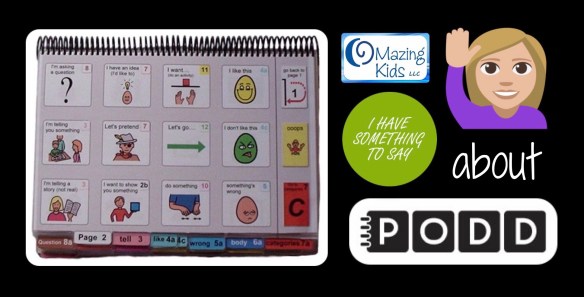
Have you ever had a patient who you knew had something to say but you struggled to find a means of communication?
I spent almost a year trying literally EVERY possible AAC device and app and every type of access option in a quest to find a “voice” for a child who I knew had so much to say. She made it very clear that she wanted to use her hands for direct access despite having minimal use of them. She hated head pointing and eye gaze devices and any type of scanning. I would seriously lay in bed at night and ponder what else we could try. I spent hours scouring the internet looking for PODD resources and watched just about every video I could find. Thank goodness a PODD training finally came close enough and was priced affordably enough that our facility sent two SLPs to get trained. Ideally I would have gone to that PODD training but it didn’t make sense for me to take a spot being so close to retirement. But having two of our SLPs trained gave me access to a PODD book to trial with her and then was able to order a premade one for her. Ideally you would custom make and print a book but the facility where I work had not figured out the logistics of printing on special water and rip resistant paper and spiral binding. So I have customized the premade PODD book for her by using clear packing tape to add symbols. Her older sister has even hand drawn a few symbols and the family has written lists on the back of pages. It may not be perfect but it’s working for her. She is my PODD rock star. Every week I end my session by telling her to “PODD on” (rock on with PODD).
.
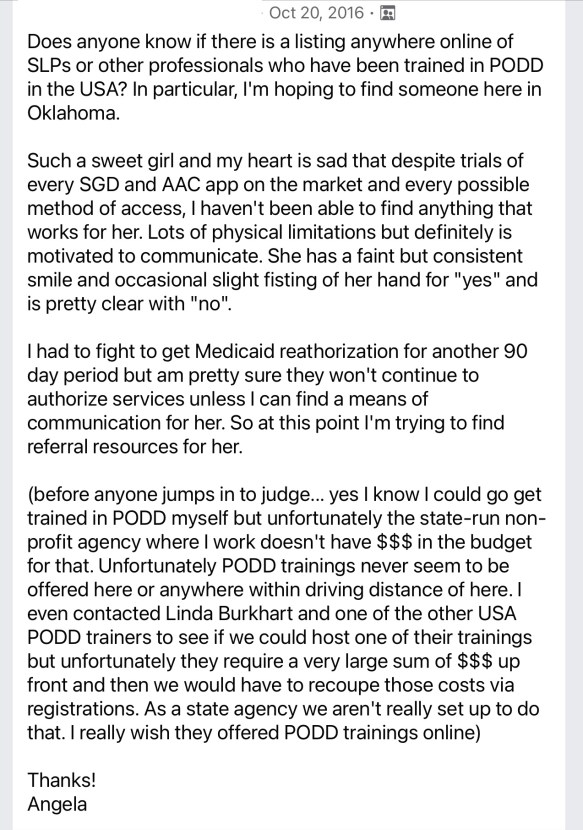
Here’s a screenshot of my desperate plea for help in the AAC for the SLP group on 10/20/16:
I periodically update this blog post. It is a “pay it forward” labor of love. I had an incredibly hard time finding info about PODD to get started with that patient back in 2016. So I was determined to make it easier for anyone trying to do that. 😊
.
The latest full update for this post was on 9/26/22 when I went through and checked all of the links and info and updated as needed.
On 1/8/23 I updated pricing info for the digital PODD apps.
On 2/24/23 I updated to reflect that the PODD direct access template is sold out again on the Boardmaker website.
On 3/12/23 I updated this post to add info about Feature Matching Chart for Pragmatic Vocabulary Organization AAC Apps.
On 10/18/23, I updated this post again following a Teams call with Josh Witt at Boardmaker/Tobii Dynavox.
On 2/18/25, I updated the links for where printed PODD books can be ordered.
On 7/25/26, I added a link to a video about PODD in TD Snap.
New resource: Feature Matching Chart for Pragmatic Vocabulary Organization AAC Apps. This is a VERY deep dive beyond just vocabulary organization… it’s also an in depth look at the flexibility or limitations of the app platforms, customization and alternative access options plus includes detailed info about three different Bluetooth switch interfaces (Blue2, iSwitch & Cosmo).
Available on TPT: https://bit.ly/PragmaticOrgVocabAAC-FeatureMatching-TPT. This resource includes free access to over 3 hours of unlisted YouTube videos where I highlight some of the most unique features in each option and discuss the flexibility in customization, options for alternative access, etc…
I’m sharing links to things that were helpful during this PODD adventure and a few lessons learned….
.
What does PODD stand for? Pragmatic Organization Dynamic Display
.
Update 9/25/22: This website has great info about the history of PODD: https://www.cpec.org.au/podd
. How to get started? Ideally go to a PODD training….. but the reality is they may not be offered anywhere near you and they tend to be very expensive. This was my reality so I learned as much as I could online through blog posts, workshop handouts, videos, Facebook groups, etc….
One of the biggest mind shifts for me was to let go of the need to plan contrived communication opportunities in therapy sessions and instead model initiating saying “I have something to say” through facial expression, raising my hand and vocalizing and then using PODD to share my own thoughts or ideas. I had to get comfortable with doing lots of modeling without any pressure on the child to do anything. And comfortable with writing measurable goals in a whole different way.
Examples of some of the goals that I have written for her during this process:
“__________ will show increasing interest and attention to someone using pages from the PODD aided communication system to talk to her in natural contexts throughout the day. This will be measured by an increase in: looking towards the communication symbols or the communication partner, calming during this process, looking away to the side but with a stillness as if listening, or responding the partner’s message. Will increase from ______ to at least _______ times documented during the auth period.”
“Within natural contexts throughout the day, _________ will initiate use of PODD AAC by raising her hand and/or vocalizing to indicate “I have something to say”. Will increase from _______ to at least ________ times documented during the auth period.”
“After signaling “I have something to say”, __________will express an increasing range of communicative functions such as requests, comments, and directing actions using direct selection and/or partner assisted scanning with pages from the PODD communication book and yes/no responses. Will increase from_______ to at least ________ times documented during the auth period.”
Update 7/24/20: Those handouts are all no longer available. The website indicates they are being updated. Fortunately I had copies saved in the iBooks app on my iPad. I merged them into one PDF and uploaded that to my blog: https://bit.ly/PODDcommunicationFocusHandouts (as of 6/5/23 2/18/25 the update for those handouts still hasn’t appeared)
————————-
This weekend I found these handouts and videos on Linda Burkhart’s website about PODD:
“Aided Language Stimulation and a Robust Language System: Autism a Case Example” – Presented by Linda J. Burkhart and Aura Baker at Closing the Gap Conference, October, 2016
Partner-Assisted Communication Strategies for Children Who Face Multiple Challenges Handout by Linda J. Burkhart and Gayle Porter ((Pre-conference Instructional course – ISAAC 2006): https://bit.ly/3f4DlNu
Partner-Assisted Communication Strategies for Children Who Face Multiple Challenges: PODD Communication Books – Gayle Porter Handout by Linda J. Burkhart and Gayle Porter (Pre-conference Instructional course – ISAAC 2006): https://bit.ly/2BvPI7y
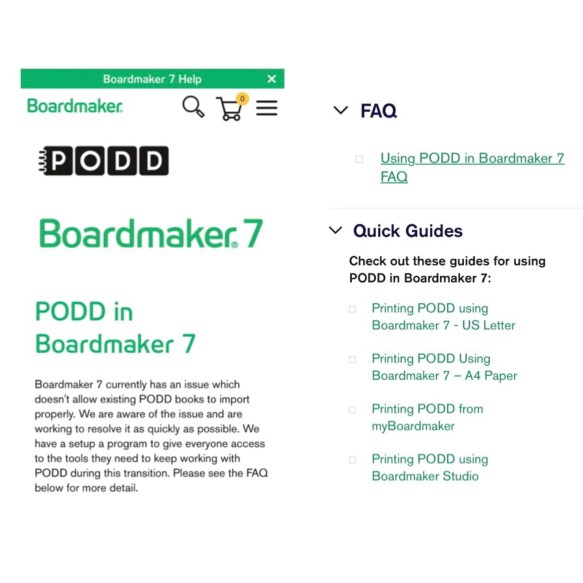
Update 10/18/23: I just got finished with a Teams call with Josh Witt. Boardmaker/Tobii Dynavox has the PODD Direct Access CDs back in stock and will be ordering those in larger quantities to hopefully avoid them being out of stock so frequently or for so long: https://goboardmaker.com/products/podd. As far as PODD working better in Boardmaker 7, he shared this page where they have added some Quick Guides and if folks are using the most current version of Boardmaker 7 & follow the steps in those guides it’s supposedly better. I asked for another free trial of Boardmaker 7 to try it out for myself. https://goboardmaker.com/pages/podd-in-boardmaker-7
Update 11/20/25: And it’s sold out again.
At this point I’d be looking at simPODD or Mind Express 5 as more reliable sources for creating printable paper-based PODD books.
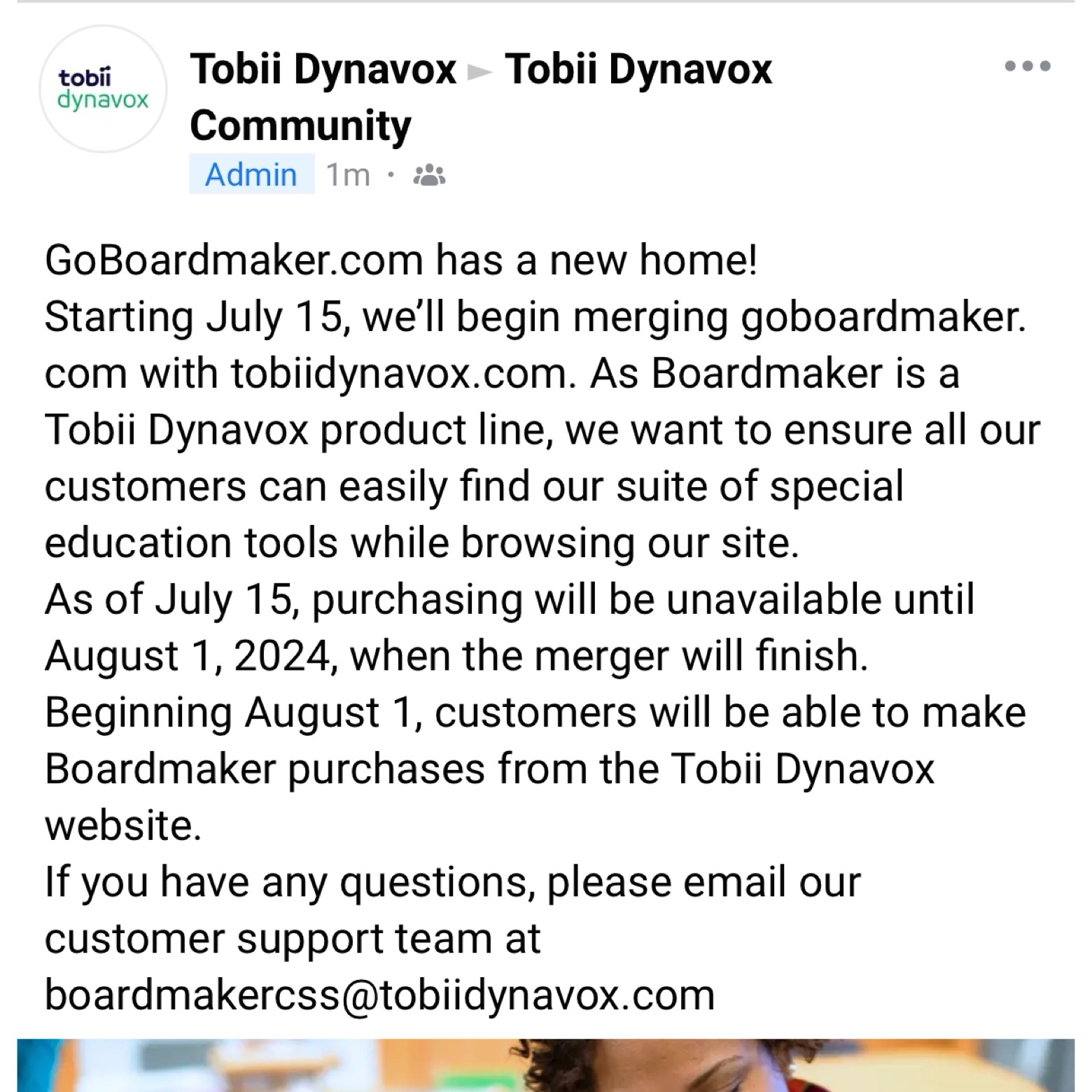
Update 7/11/24: Important information from Tobii Dynavox about Boardmaker. Text from screenshot of the post in the Tobii Dynavox Community:
“GoBoardmaker.com has a new home!
Starting July 15, we’ll begin merging goboardmaker.com with tobiidynavox.com. As Boardmaker is a Tobii Dynavox product line, we want to ensure all our customers can easily find our suite of special education tools while browsing our site.
As of July 15, purchasing will be unavailable until August 1, 2024, when the merger will finish.
Beginning August 1, customers will be able to make Boardmaker purchases from the Tobii Dynavox website.
If you have any questions, please email our customer support team at
Update 3/18/25: Gayle Porter talking about PODD on Mind Express 5… she said the Alternative Access Templates will be available “in the next month or so”:
Combination Eye-Gaze plus Partner-Assisted Visual Scanning (EG + PAVS)
Combination Direct Pointing plus Partner-Assisted Visual Scanning (D + PAVS)
Colour Coded and Partner-Assisted Visual Scanning (CC)
Full Coded (C)
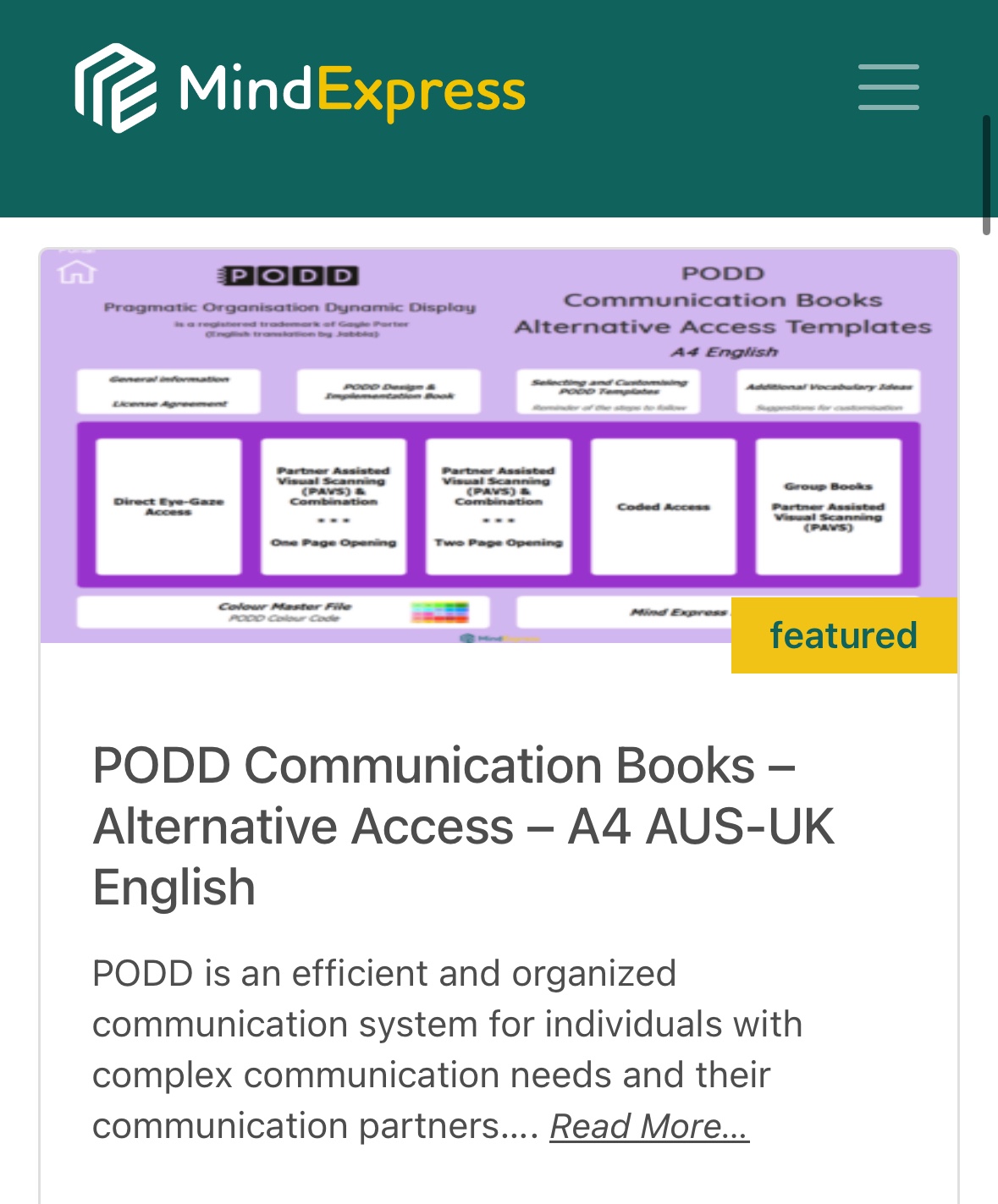
With varying and evolving levels of linguistic complexity, these communication books support language development while meeting the varied needs of each user (motor, visual and language needs). The range of PODD communication books supports individuals from first words through to complex syntax. This resource on Mind Express 5 includes templates to make 22 different alternative access PODD books (20 personal books and 2 group books). Here is a list of all the books included:
9 Eye-Gaze Early Functions
9 Eye-Gaze Expanded Functions
9 PAVS Early Functions
9 PAVS Expanded Functions
12 PAVS Early Functions
12 PAVS Expanded Functions
16 Direct Plus PAVS Combination Access
16 Eye Gaze Plus PAVS Combination Access
20 PAVS Expanded Functions
36 PAVS Key Word
40 PAVS Key Word
48 PAVS Key Word
64 PAVS Key Word
80 PAVS Key Word
100 PAVS Key Word
40 CC Key Word
48 CC Key Word
64 CC Key Word
80 CC Expanded Key Word
100 + CC Complex Syntax
Group PAVS – Early Functions – Book Format
Group PAVS – Expanded Functions – Book Format
Group PAVS – Early Functions – Vest Format
Group PAVS – Expanded Functions – Vest Format
Options for purchasing premade PODD books (you have to sign a confirmation that you own both the Boardmaker and PODD software). A big shout out to Rachael Langley & Kelly Fonner for helping me find the first two options! The third one was seen in a Facebook group:
So I’ve been frustrated that I’m always fumbling through this patient’s PODD book in sessions. I wish there was a “word finder” for PODD (one of the downsides of a no tech system). I’m pretty “at home” with most AAC devices and apps since I have had lots of time to look through them and use them. I wanted to have this same level of ease in using PODD so I decided that I needed a copy of the same style of PODD book that she is using.
Unfortunately I can’t use the Tobii Dynavox PODD pageset in the Compass app to model since it doesn’t look anything like my patient’s PODD book. Since I am only 14 weeks away from retirement it did not make sense to spend about $80 to order a premade PODD book for me. I had seen comments online of folks saving a PODD book as a PDF so that’s what I decided to do. I saved the PDF in iBooks on my iPad. Now I have a way to look through it to get a feel for what vocabulary is in it and the pragmatic branching.
Be forewarned ….. it’s a VERY tedious & time consuming process to save a PODD book into one PDF if you are using Boardmaker 6 on a CD. It took me about 3 hours for a 123 pages of PODD. It’s not hard but time consuming.
Open the first page of your PODD book in Boardmaker.
Go to File – Print Set Up – Print Set Up – selected “Microsoft Print to PDF” – OK – Remember Board Settings for New Boards – OK
Go to File – Print (make sure it says “Microsoft Print to PDF” as the printer) – OK
You have to repeat the process for every single page that you want to include in the PDF of your PODD book. (I don’t have access to Boardmaker Online so I don’t know what the steps are there).
After you have all your pages saved as PDFs, then go to the Small PDF website (https://smallpdf.com/merge-pdf). This website lets you upload an unlimited number of PDFs. I uploaded all 123 of the PDF documents that I wanted included in this PODD book. After they are all uploaded then you hit “merge”. I was surprised how quickly this website handled merging 123 separate PDFs into one 123 page PDF document. I then uploaded the merged PDF from my computer into the media storage on my blog (a secured area that only I have access to). From there I was able to e-mail the link to the iPad that I use for AAC and opened the PDF in iBooks to save it on the device.
But I’m hearing that the solutions offered in the Quick Guides may not resolve the issues especiallyifyou are trying to do 2-sided printing. Contact yourlocal Boardmaker support team.
. More PODD tips: http://praacticalaac.org/?s=PODD
.
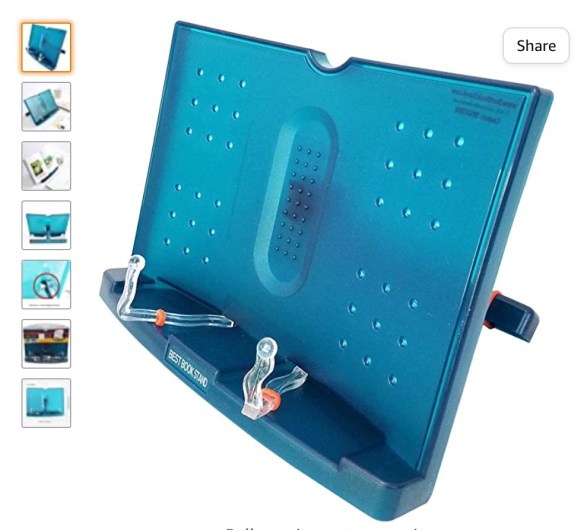
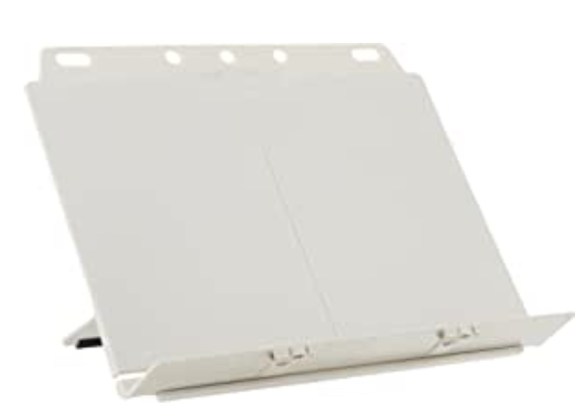
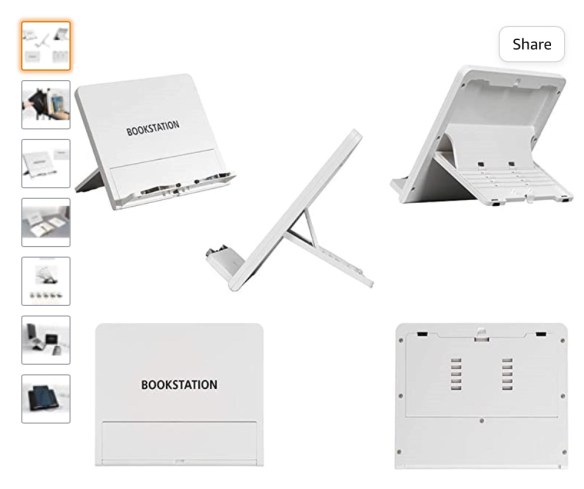
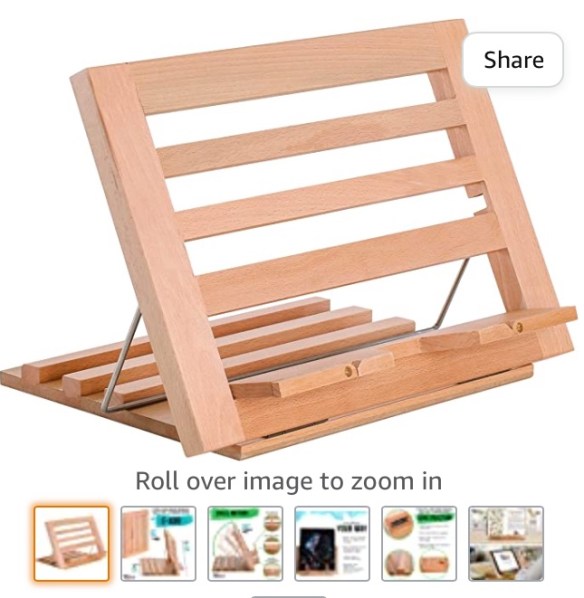
Mary-Louise Bertram demonstrates how to make a portable stand for a PODD book, that could also work well for other kinds of communication books.
.
How We Speak PODD makes their carrying rods:
.
Here are some examples of PODD book stands made out of PVC. The amazing PT tech at our facility made some of the first style ones for us: PODD PVC stand examples
.
Update 1/19/23: Nice short video with carrying strap ideas for two different styles of PODD books: https://youtu.be/PhM4LfPjBIo
See Facebook groups for each digital PODD app below.
.
Gayle Porter has reportedly been working on an “alternative access” version of PODD for quite awhile but as of the time of this post it is still not available here in the USA.
So I made these very simple eye gaze boards with pragmaticbranching to use with a couple of other older patients. (Update: As of 1/13/21 the Alternative Access version of PODD is still not available in the USA and no info could be found regarding when it will be available. Update: As of 1/8/23 the Alternative Access version is still not commercially available in the USA. You could order it from Australia and get A4 paper to print it on but any binders would also need to be that size: https://cpec-store.myshopify.com/collections/podd-books/products/pragmatic-organisation-dynamic-display-podd-communication-book-alternative-access-templates. Or see the ordering info above for Alt+Shift (USA) and AAC Book Builders (Australia) for purchasing premade Alternative Access PODD books.
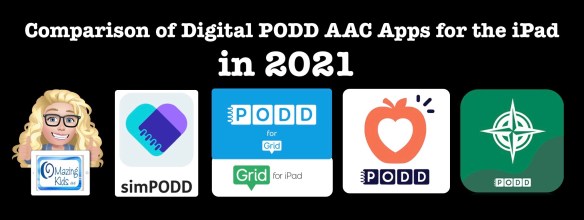
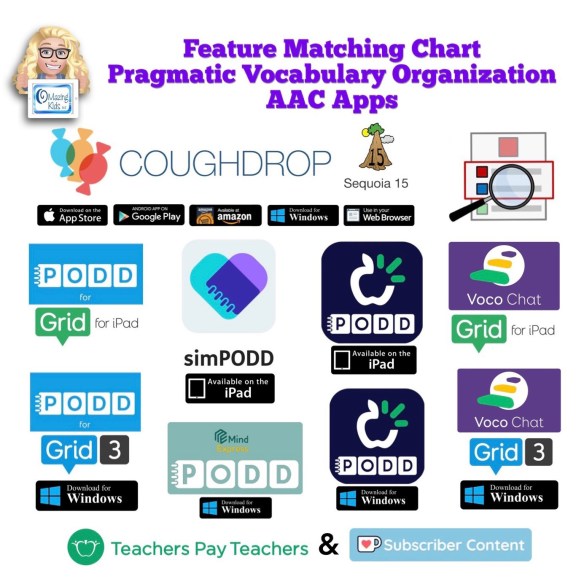
Digital PODD books are available on the iPad in four ways: simPODD, Grid for iPad, Snap Core First and PODD with Compass. This post is based on my personal experiences in trying all four options.
Update 7/22/21: Snap Core First has been re-branded as TD Snap AAC. The process of setting up a new user in the app has been improved. The other features remain the same.
Updated 9/25/22:
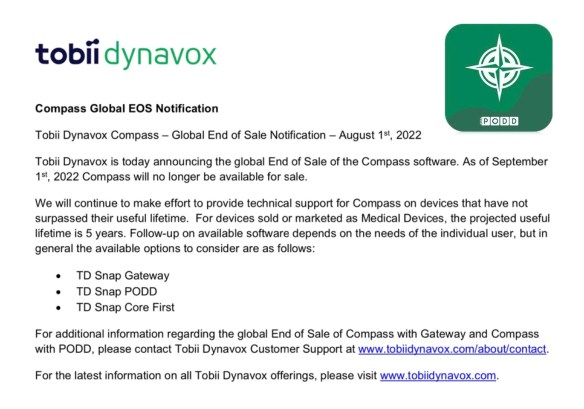
As of September 1st, 2022, PODD with Compass is no longer available for sale (http://downloads.tobiidynavox.com/Other/Legacy%20EOS/Compass%20EOS.pdf). They will continue to make effort to provide technical support for Compass on devices that have not surpassed their useful lifetime.
————-
3/12/23 For comprehensive and up to date info about all of the digital PODD options on the iPad and Windows devices, see this new resource. Like all of my feature matching resources it will be updated if features change in apps:
As I mentioned at the beginning of this blog post, I did not have the opportunity to attend a formal PODD training. I’m in Oklahoma and PODD trainings were always too far away and too expensive for the state agency to send us. There was finally one in Texas just a few months before I retired but I gave my spot to another SLP on the team since spending that much for me to attend did not make sense that close to retirement.
So in order to support the patients that I used PODD with I taught myself via all of the resources that I shared on this blog post: videos, webinars, handouts, reading everything included with the PODD CD, participating in several AAC Facebook groups, and being cross-trained by the two SLPs who did go to that PODD training in Texas, etc. Since then I have continued to remain active with AAC.
I’m glad to answer questions or point you in the direction of who may be able to answer them 😊
Want to suggest PODD resources or info to be added to this list? The best way to reach me is via Facebook messaging over on my OMazing Kids page: https://www.facebook.com/OMazingKidsAAC/. If you are an app developer and would like to have me review a new digital PODD app for the iPad or PODD that was added to an existing app via IAP, please send the link from the USA App Store so I can look at the info before you send a promo code. I want to make sure that one of my iPads is compatible in order to try it out.
.
I’m retired from providing clinical services but am doing AAC consulting, creating AAC resources, actively posting about AAC and apps and using AAC in volunteer work.
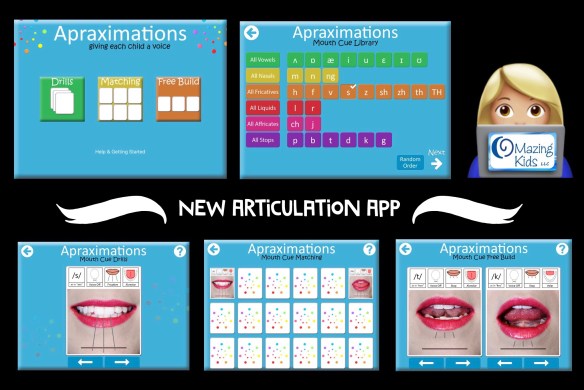
New Articulation App: Apraximations – Mouth Cues by Alissa Holloway
I was thrilled to see that the full version of this app was finally released! I especially like the matching game and the free build option. It’s great to have another tool in my speechie toolkit to help kids who are at the very early stage of learning about production of speech sounds. I used the “free build” screen to show a patient side by side differences between his target sound vs. error sound. I saw him have an “ah ha” moment and get a couple of correct productions in imitation. Having the voice output paired with each visual was what helped. He kept tapping, looking and listening and then on his own imitated the target sound. He sustained attention much longer than I’ve ever gotten him to look at my mouth.
.
Wishes for a future app update: It would be cool to have short video clips of each sound in addition to the pictures and then be able to select which you want to use on each activity screen.






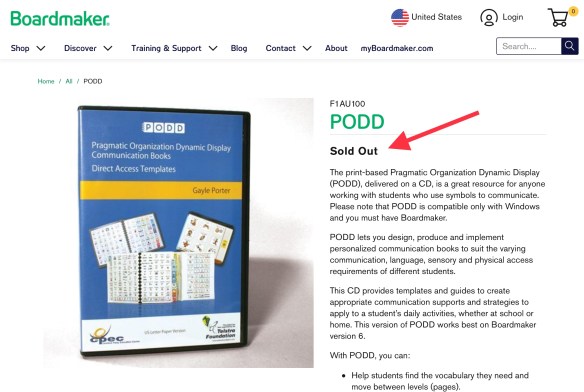
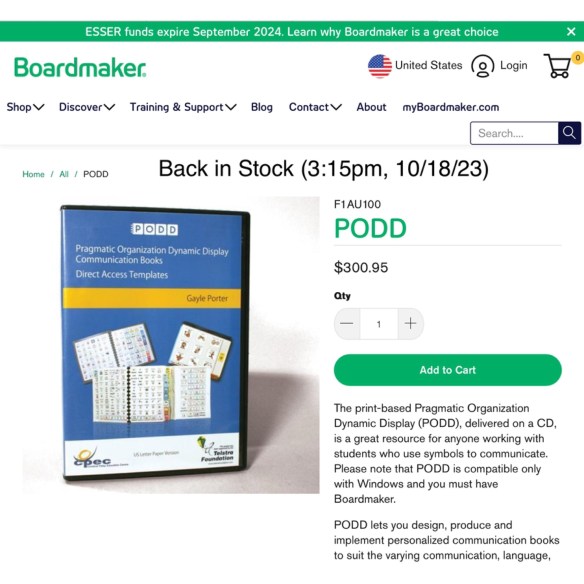 Update 10/18/23: I just got finished with a Teams call with Josh Witt. Boardmaker/Tobii Dynavox has the PODD Direct Access CDs back in stock and will be ordering those in larger quantities to hopefully avoid them being out of stock so frequently or for so long: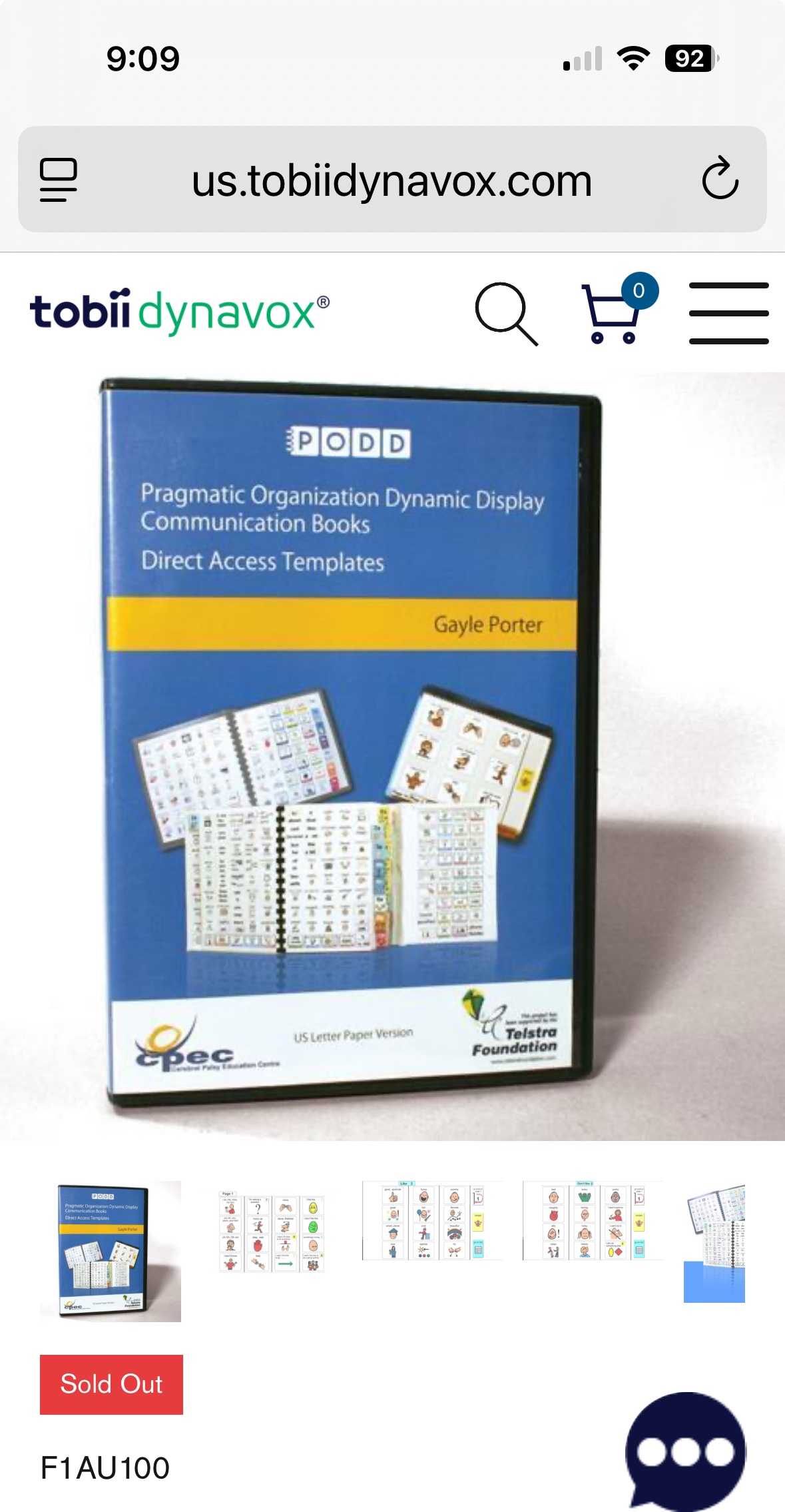
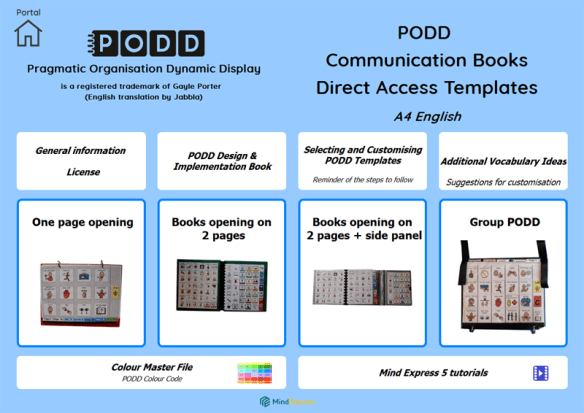 Update 10/3/23: Jabbla now has PODD Communication Books – Direct Access – A4 AUS-UK English available for printing within Mind Express 5: