My AAC App Collections on AppRaven

I was sad to see the AppSliced website close down but then relieved to find the same type of info available on AppRaven. It’s a free app and the basic features are free. It’s a good way to see pricing history on apps and a bit of other info. I also like the option to create collections.


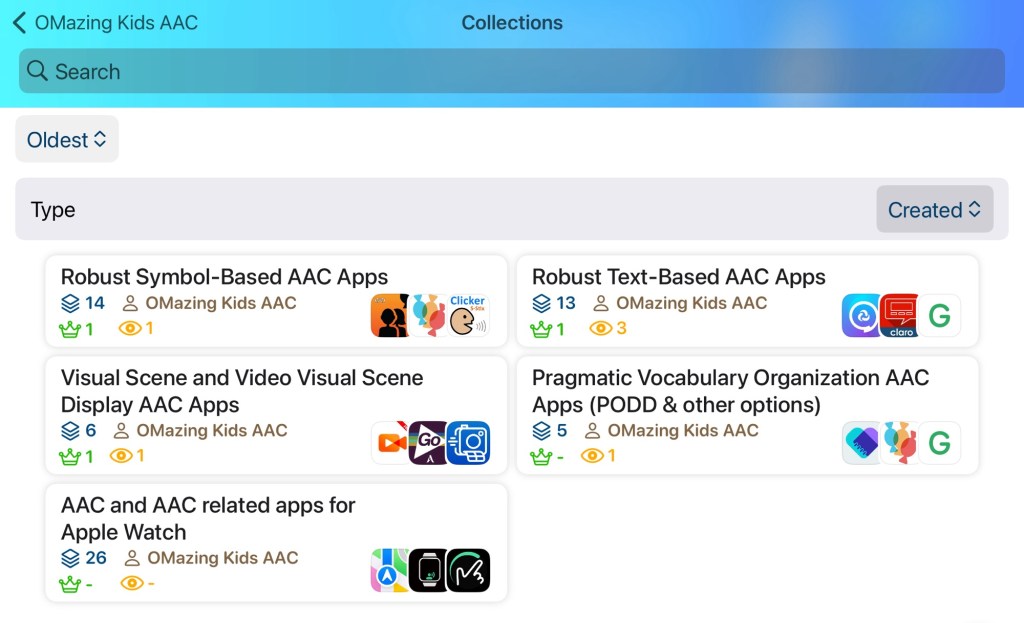
App Collections I have created on App Raven:

I’ll update this post as I create other collections.


Looking in-depth AAC feature matching resources? See this blog post: https://bit.ly/5aacFeatureMatchingResources. That post also includes videos comparing the best AAC apps on various devices on various platforms.


Looking for more AAC resources? Check out the Resource Links page here on my blog: https://omazingkidsllc.com/omazing-kids-aac-resource-links


Have a question? The best way to reach me is via Facebook messaging over on my OMazing Kids page: https://www.facebook.com/OMazingKidsAAC/


Angela Moorad, MS, CCC-SLP, Founder of OMazing Kids, LLC, OMazing Kids AAC Consulting

• Teachers Pay Teachers Store: https://www.teacherspayteachers.com/Store/Omazing-Kids-Aac-Consulting

• YouTube: https://youtube.com/user/amoorad1

• Ko-Fi: https://ko-fi.com/omazingkidsaac

• OMazing Kids AAC Consulting Facebook Page: https://www.facebook.com/OMazingKidsAAC/

• AppPeeps Facebook Group: https://www.facebook.com/groups/OMazingKidsAppPeeps/

• GoTalk Now AAC & GoVisual Visual Scene Apps – Ideas and Sharing Facebook Group: https://bit.ly/GoTalkNowAACappGroup

• Instagram: https://www.instagram.com/omazingkidsaac

• Twitter: https://www.twitter.com/amoorad

• Pinterest: http://pinterest.com/OMazingKids/

• Linktree: https://linktr.ee/amoorad1

• LinkedIn: https://www.linkedin.com/in/angelamooradomazingkidsaac

• AppRaven AAC App Collections: https://bit.ly/AAConAppRaven

• Blog: https://omazingkidsllc.com / Resource Links page: https://omazingkidsllc.com/omazing-kids-aac-resource-links

🎉 New Resource 🎉 Feature Matching Basics & Tips: AAC Apps for the Apple Watch

Have you ever considered using AAC on an Apple Watch but weren’t sure about the options or how to set it up? I’ve made it simple.


Check out my brand new resource “Feature Matching Basics & Tips: AAC Apps for the Apple Watch”: https://bit.ly/AppleWatchAAC.


This resource contains a 6 page PDF handout & exclusive access to three unlisted YouTube videos with easy to understand information about :

  • An overview of things to consider when deciding to use AAC apps on an Apple Watch
  • How to pair the Apple Watch with a wearable Bluetooth speaker (simple demo video)
  • How to use the Apple Watch app on a paired iPhone to set up apps on the Apple Watch
  • How to find info about setting up an Apple Watch for a family member who doesn’t have their own iPhone, tech safety considerations & parental controls
  • Two recommended watch face options well-suited for AAC users (using one app or using multiple apps)
  • Apple Watch face “Complications” made simple: What these are on an Apple Watch and how to set them up (simple tutorial video)
  • Basic info about features of 33 apps and features available for the Apple Watch (8 apps and a feature specifically designed for AAC + 25 AAC-related apps and features that can be used to communicate in a variety of creative ways… including some that allow you to play short video and audio clips. Particularly helpful for Gestalt Language Processors)
  • ✅ Designation of particularly helpful apps as “top picks
  • 🔎 Designation of AAC apps that are robust with many more features when used on an iPhone or iPad
  • Exclusive access to an unlisted YouTube video where I demo these “top picks” and show what the robust apps look like on an Apple Watch
  • 9 other apps that I explored and reasons that I ruled those out
  • Exclusive access to those three unlisted YouTube videos (2:30 min, 3:18 min, 48:27 min – with time stamped chapters to quickly jump to info)

The PDF handout is formatted to be printed or viewed on a PDF reader or in the Apple Books app where you can tap on blue underlined text that links directly to additional or related information.


The 48:27 demo video of the “top picks” and robust AAC apps has time-stamped chapters to help you quickly jump to the info about a particular app. 


See my list on AppRaven: AAC and AAC related apps for Apple Watch

https://appraven.net/collection/102811024


Looking for other in-depth AAC feature matching resources? See this blog post: https://bit.ly/5aacFeatureMatchingResources. That post also includes videos comparing the best AAC apps on various devices on various platforms.


Looking for more AAC resources? Check out the Resource Links page here on my blog: https://omazingkidsllc.com/omazing-kids-aac-resource-links


Have a question? The best way to reach me is via Facebook messaging over on my OMazing Kids page: https://www.facebook.com/OMazingKidsAAC/


Angela Moorad, MS, CCC-SLP, Founder of OMazing Kids, LLC, OMazing Kids AAC Consulting

• Teachers Pay Teachers Store: https://www.teacherspayteachers.com/Store/Omazing-Kids-Aac-Consulting

• YouTube: https://youtube.com/user/amoorad1

• Ko-Fi: https://ko-fi.com/omazingkidsaac

• OMazing Kids AAC Consulting Facebook Page: https://www.facebook.com/OMazingKidsAAC/

• AppPeeps Facebook Group: https://www.facebook.com/groups/OMazingKidsAppPeeps/

• GoTalk Now AAC & GoVisual Visual Scene Apps – Ideas and Sharing Facebook Group: https://bit.ly/GoTalkNowAACappGroup

• Instagram: https://www.instagram.com/omazingkidsaac

• Twitter: https://www.twitter.com/amoorad

• Pinterest: http://pinterest.com/OMazingKids/

• Linktree: https://linktr.ee/amoorad1

• LinkedIn: https://www.linkedin.com/in/angelamooradomazingkidsaac

• Blog: https://omazingkidsllc.com / Resource Links page: https://omazingkidsllc.com/omazing-kids-aac-resource-links

Two Resource Updates: Feature Matching Chart for Pragmatic Vocabulary Organization AAC Apps & the AAC Apps and Features At-a-Glance (Single Page Handouts)

These two resources have been updated:

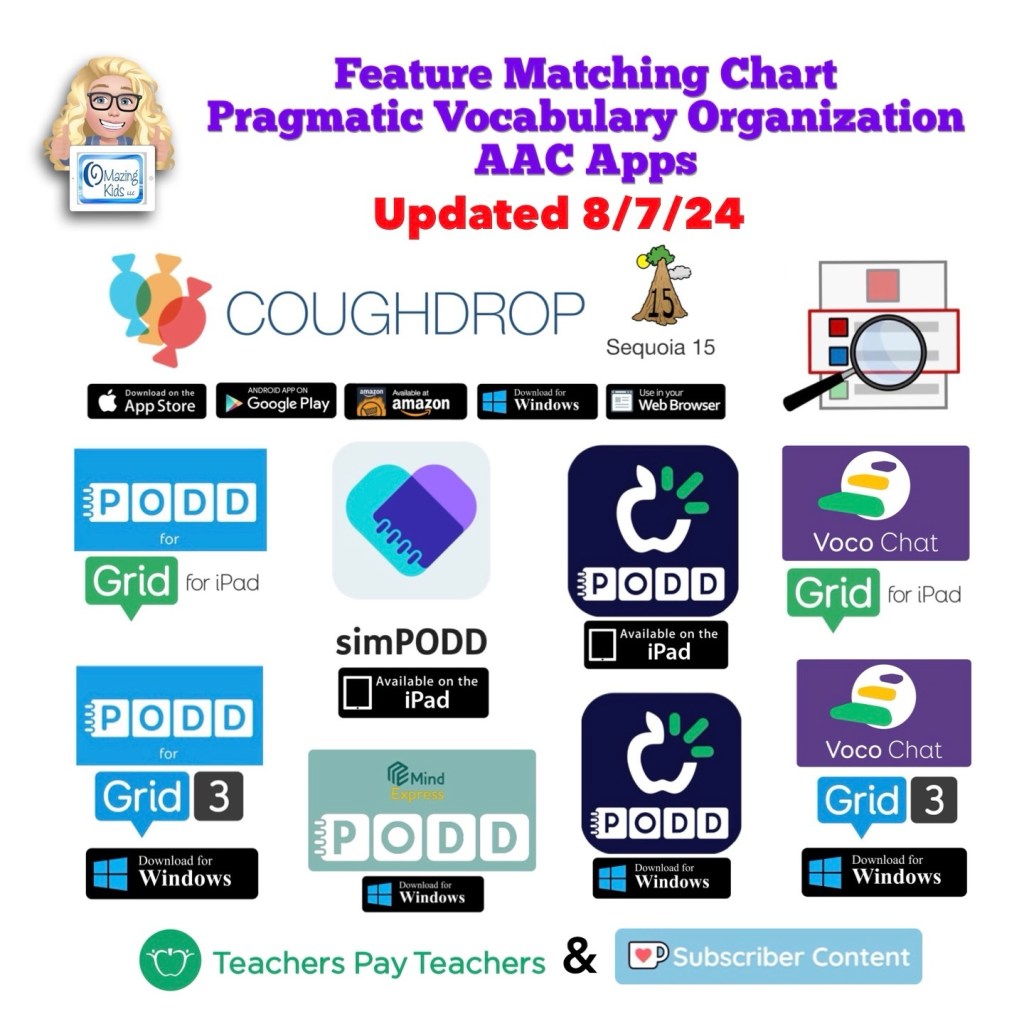
The Feature Matching Chart for Pragmatic Vocabulary Organization AAC Apps has been updated (8/7/24). Those who have previously purchased it on TPT can download the newest version for no additional cost: https://bit.ly/PragmaticOrgVocabAAC-FeatureMatching-TPT. Ko-fi subscribers will be able to access a copy on the pinned resource post: https://ko-fi.com/Post/Links-to-posts-about-most-current-feature-matching-F1F5C9DMD


Updated Resource 8/5/24: AAC Apps and Features At-a-Glance (Single Page Handouts): https://bit.ly/AAC-At-a-Glance. This 90 page PDF resource has been updated to add Weave Chat AAC, to reflect new features in apps and to update info about pricing. See the new Table of Contents: https://bit.ly/-TOC-AACAppsandFeaturesAt-a-Glance. Those who have previously purchased it on TPT can download the most current version for no additional cost: https://bit.ly/AAC-At-a-Glance.


Looking for other in-depth AAC feature matching resources? See this blog post: https://bit.ly/5aacFeatureMatchingResources. That post also includes videos comparing the best AAC apps on various devices on various platforms.


Looking for more AAC resources? Check out the Resource Links page here on my blog: https://omazingkidsllc.com/omazing-kids-aac-resource-links


Have a question? The best way to reach me is via Facebook messaging over on my OMazing Kids page: https://www.facebook.com/OMazingKidsAAC/


Angela Moorad, MS, CCC-SLP, Founder of OMazing Kids, LLC, OMazing Kids AAC Consulting

• Teachers Pay Teachers Store: https://www.teacherspayteachers.com/Store/Omazing-Kids-Aac-Consulting

• YouTube: https://youtube.com/user/amoorad1

• Ko-Fi: https://ko-fi.com/omazingkidsaac

• OMazing Kids AAC Consulting Facebook Page: https://www.facebook.com/OMazingKidsAAC/

• AppPeeps Facebook Group: https://www.facebook.com/groups/OMazingKidsAppPeeps/

• GoTalk Now AAC & GoVisual Visual Scene Apps – Ideas and Sharing Facebook Group: https://bit.ly/GoTalkNowAACappGroup

• Instagram: https://www.instagram.com/omazingkidsaac

• Twitter: https://www.twitter.com/amoorad

• Pinterest: http://pinterest.com/OMazingKids/

• Linktree: https://linktr.ee/amoorad1

• LinkedIn: https://www.linkedin.com/in/angelamooradomazingkidsaac

• Blog: https://omazingkidsllc.com / Resource Links page: https://omazingkidsllc.com/omazing-kids-aac-resource-links

Resource Update: Feature Matching Chart for Visual Scene and Video Visual Scene Display AAC Apps (7-4-24)

Resource Update: Feature Matching Chart for Visual Scene and Video Visual Scene Display AAC Apps.


I added info about the Android version of Scene and Heard Pro Lifetime and info about the iOS and Android versions of QuickPic AAC + lots of info about new features in several of the other apps & info about my experience with creating and using a “The VoiceKeeper” voice.


Those who have previously purchased it on TPT can download the most current version for no additional cost: https://bit.ly/AACvsd .


Ko-fi subscribers will be able to access a copy on the pinned resource post: https://ko-fi.com/Post/Links-to-posts-about-most-current-feature-matching-F1F5C9DMD


Looking for other in-depth AAC feature matching resources? See this blog post: https://bit.ly/5aacFeatureMatchingResources. That post also includes videos comparing the best AAC apps on various devices on various platforms.


Looking for more AAC resources? Check out the Resource Links page here on my blog: https://omazingkidsllc.com/omazing-kids-aac-resource-links


Have a question? The best way to reach me is via Facebook messaging over on my OMazing Kids page: https://www.facebook.com/OMazingKidsAAC/


Angela Moorad, MS, CCC-SLP, Founder of OMazing Kids, LLC, OMazing Kids AAC Consulting

• Teachers Pay Teachers Store: https://www.teacherspayteachers.com/Store/Omazing-Kids-Aac-Consulting

• YouTube: https://youtube.com/user/amoorad1

• Ko-Fi: https://ko-fi.com/omazingkidsaac

• OMazing Kids AAC Consulting Facebook Page: https://www.facebook.com/OMazingKidsAAC/

• AppPeeps Facebook Group: https://www.facebook.com/groups/OMazingKidsAppPeeps/

• GoTalk Now AAC & GoVisual Visual Scene Apps – Ideas and Sharing Facebook Group: https://bit.ly/GoTalkNowAACappGroup

• Instagram: https://www.instagram.com/omazingkidsaac

• Twitter: https://www.twitter.com/amoorad

• Pinterest: http://pinterest.com/OMazingKids/

• Linktree: https://linktr.ee/amoorad1

• LinkedIn: https://www.linkedin.com/in/angelamooradomazingkidsaac

• Blog: https://omazingkidsllc.com / Resource Links page: https://omazingkidsllc.com/omazing-kids-aac-resource-links

6-29-24 Updated Feature Matching Chart for iOS Text-Based AAC Apps

The Feature Matching Chart for the Top iOS Text Based AAC Apps has been updated on 6/29/24 to reflect new features in these apps. Includes major update in Predictable 7. Those who have previously purchased this resource on TPT can download the newest version for no additional cost: https://bit.ly/TextBasedAACapps. Ko-fi subscribers will be able to access a copy on the pinned resource post: https://ko-fi.com/Post/Links-to-posts-about-most-current-feature-matching-F1F5C9DMD


Looking for other in-depth AAC feature matching resources? See this blog post: https://bit.ly/5aacFeatureMatchingResources. That post also includes videos comparing the best AAC apps on various devices on various platforms.


Looking for more AAC resources? Check out the Resource Links page here on my blog: https://omazingkidsllc.com/omazing-kids-aac-resource-links


Have a question? The best way to reach me is via Facebook messaging over on my OMazing Kids page: https://www.facebook.com/OMazingKidsAAC/


Angela Moorad, MS, CCC-SLP, Founder of OMazing Kids, LLC, OMazing Kids AAC Consulting

• Teachers Pay Teachers Store: https://www.teacherspayteachers.com/Store/Omazing-Kids-Aac-Consulting

• YouTube: https://youtube.com/user/amoorad1

• Ko-Fi: https://ko-fi.com/omazingkidsaac

• OMazing Kids AAC Consulting Facebook Page: https://www.facebook.com/OMazingKidsAAC/

• AppPeeps Facebook Group: https://www.facebook.com/groups/OMazingKidsAppPeeps/

• GoTalk Now AAC & GoVisual Visual Scene Apps – Ideas and Sharing Facebook Group: https://bit.ly/GoTalkNowAACappGroup

• Instagram: https://www.instagram.com/omazingkidsaac

• Twitter: https://www.twitter.com/amoorad

• Pinterest: http://pinterest.com/OMazingKids/

• Linktree: https://linktr.ee/amoorad1

• LinkedIn: https://www.linkedin.com/in/angelamooradomazingkidsaac

• Blog: https://omazingkidsllc.com / Resource Links page: https://omazingkidsllc.com/omazing-kids-aac-resource-links

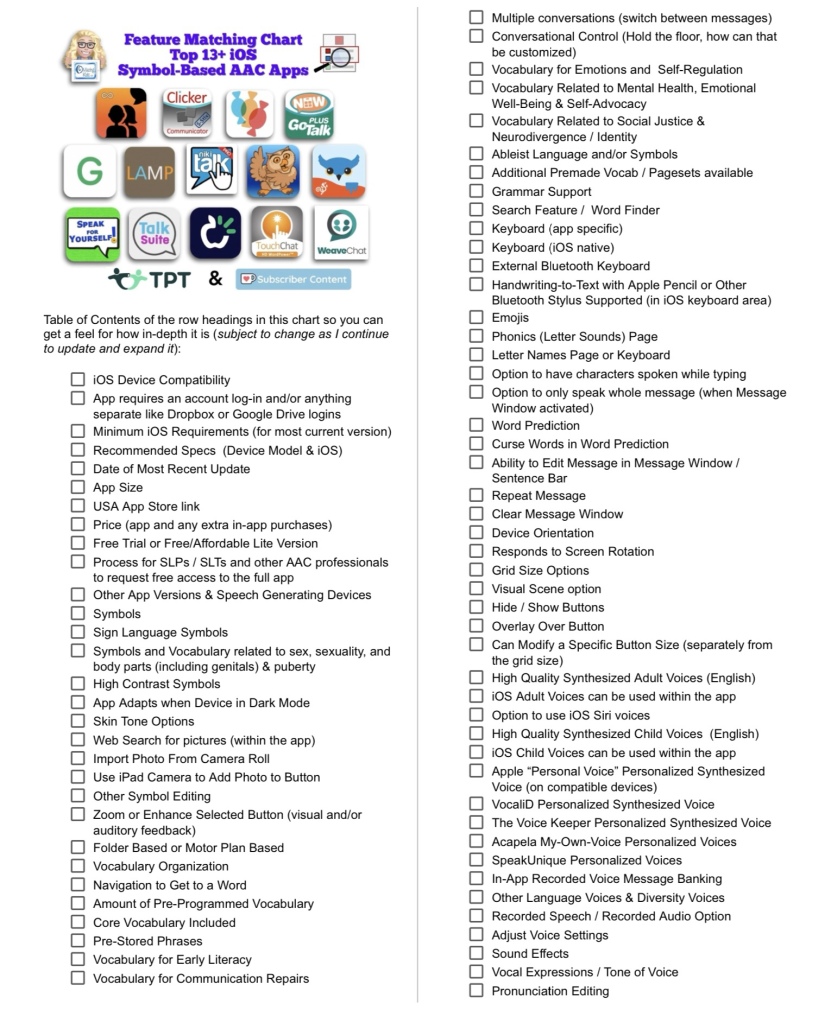
Resource Updated: The Feature Matching Chart for the Top 13+ iOS Symbol Based AAC Apps (6/12/24)

Resource Updated: The Feature Matching Chart for the Top 13+ iOS Symbol Based AAC Apps (6/12/24).


It includes information about new features in several apps + info related to the changes in TD Snap becoming a subscription-based app.


The “Unique Features in Symbol-Based AAC Apps to Support Gestalt Language Processors” supplemental handout linked within it has also been updated.


I also updated the Table of Contents in the TPT resource description for those who want more info about the types of things covered: https://bit.ly/TOC-iOSaacSBfmc-06-12-24.


Those who have previously purchased this resource on TPT can download the newest version for no additional cost: https://bit.ly/SymbolBasedAACapps.


Ko-fi subscribers will be able to access a copy on the pinned resource post: https://ko-fi.com/Post/Links-to-posts-about-most-current-feature-matching-F1F5C9DMD.


Looking for other in-depth AAC feature matching resources? See this blog post: https://bit.ly/5aacFeatureMatchingResources. That post also includes videos comparing the best AAC apps on various devices on various platforms.


Looking for more AAC resources? Check out the Resource Links page here on my blog: https://omazingkidsllc.com/omazing-kids-aac-resource-links


Have a question? The best way to reach me is via Facebook messaging over on my OMazing Kids page: https://www.facebook.com/OMazingKidsAAC/


Angela Moorad, MS, CCC-SLP, Founder of OMazing Kids, LLC, OMazing Kids AAC Consulting

• Teachers Pay Teachers Store: https://www.teacherspayteachers.com/Store/Omazing-Kids-Aac-Consulting

• YouTube: https://youtube.com/user/amoorad1

• Ko-Fi: https://ko-fi.com/omazingkidsaac

• OMazing Kids AAC Consulting Facebook Page: https://www.facebook.com/OMazingKidsAAC/

• AppPeeps Facebook Group: https://www.facebook.com/groups/OMazingKidsAppPeeps/

• GoTalk Now AAC & GoVisual Visual Scene Apps – Ideas and Sharing Facebook Group: https://bit.ly/GoTalkNowAACappGroup

• Instagram: https://www.instagram.com/omazingkidsaac

• Twitter: https://www.twitter.com/amoorad

• Pinterest: http://pinterest.com/OMazingKids/

• Linktree: https://linktr.ee/amoorad1

• LinkedIn: https://www.linkedin.com/in/angelamooradomazingkidsaac

• Blog: https://omazingkidsllc.com / Resource Links page: https://omazingkidsllc.com/omazing-kids-aac-resource-links

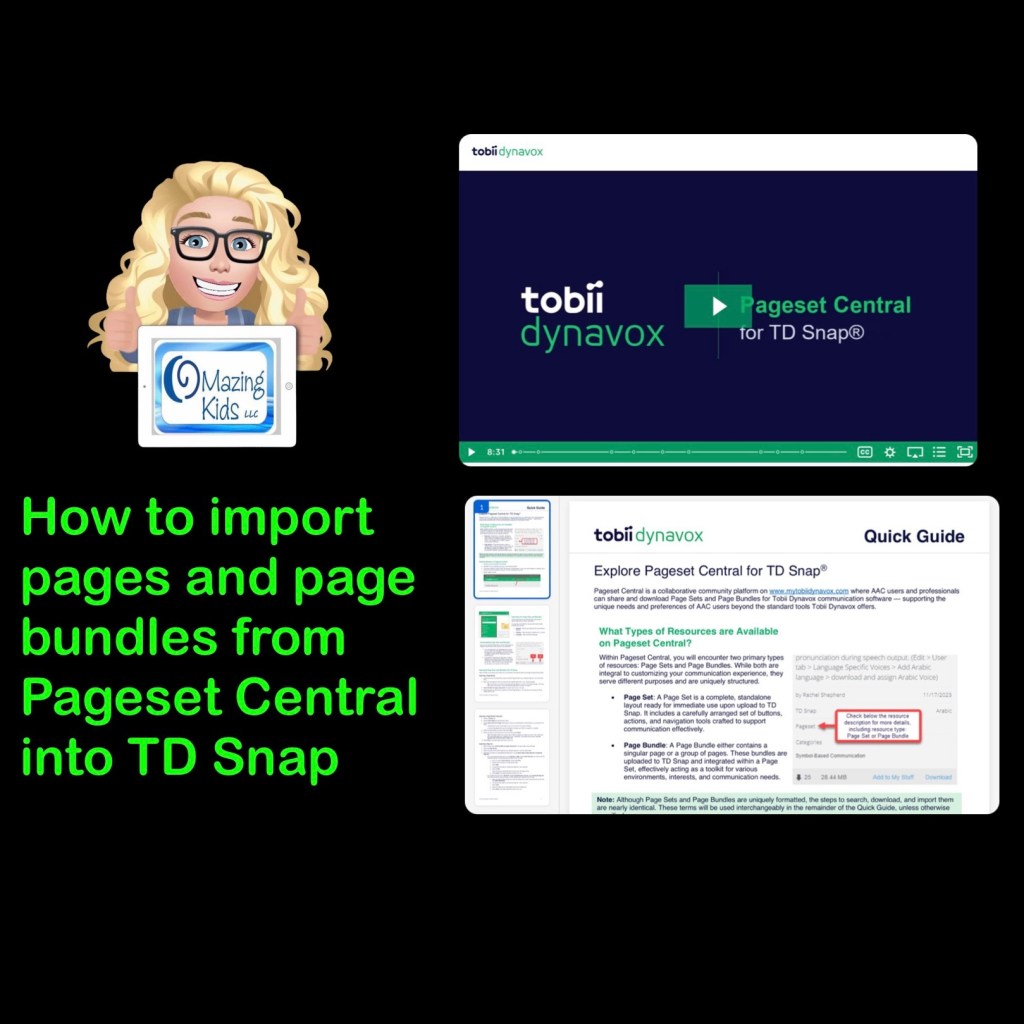
How to import pages and page bundles from Tobii Dynavox’s Pageset Central into TD Snap

Want to learn how to import pages and page bundles from Tobii Dynavox’s Pageset Central into the TD Snap AAC app?

Tobii Dynavox has two resources to walk through how to do it.


Pageset Central: https://www.mytobiidynavox.com/PagesetCentral. Tip: Find things that I’ve shared by searching “Moorad”


More Resources for TD Snap:

TD Snap: a visual guide to getting started (+ more) (+ bonus AAC flipbook): https://bit.ly/3qRuXdQ


How to add Videos & Visual Scenes with Hotspots in TD Snap via Boardmaker 7: https://bit.ly/AddVideosAndVSDsWithHotspotsInTDsnap


Free Customizable Printable AAC Emergency Communication Board and Keyboard: https://bit.ly/FreeCustomizableEmergencyCommBoard


Looking for in-depth AAC feature matching resources? See this blog post: https://bit.ly/5aacFeatureMatchingResources. That post also includes videos comparing the best AAC apps on various devices on various platforms.


Looking for more AAC resources? Check out the Resource Links page here on my blog: https://omazingkidsllc.com/omazing-kids-aac-resource-links


Have a question? The best way to reach me is via Facebook messaging over on my OMazing Kids page: https://www.facebook.com/OMazingKidsAAC/


Angela Moorad, MS, CCC-SLP, Founder of OMazing Kids, LLC, OMazing Kids AAC Consulting

• Teachers Pay Teachers Store: https://www.teacherspayteachers.com/Store/Omazing-Kids-Aac-Consulting

• YouTube: https://youtube.com/user/amoorad1

• Ko-Fi: https://ko-fi.com/omazingkidsaac

• OMazing Kids AAC Consulting Facebook Page: https://www.facebook.com/OMazingKidsAAC/

• AppPeeps Facebook Group: https://www.facebook.com/groups/OMazingKidsAppPeeps/

• GoTalk Now AAC & GoVisual Visual Scene Apps – Ideas and Sharing Facebook Group: https://bit.ly/GoTalkNowAACappGroup

• Instagram: https://www.instagram.com/omazingkidsaac

• Twitter: https://www.twitter.com/amoorad

• Pinterest: http://pinterest.com/OMazingKids/

• Linktree: https://linktr.ee/amoorad1

• LinkedIn: https://www.linkedin.com/in/angelamooradomazingkidsaac

• Blog: https://omazingkidsllc.com / Resource Links page: https://omazingkidsllc.com/omazing-kids-aac-resource-links

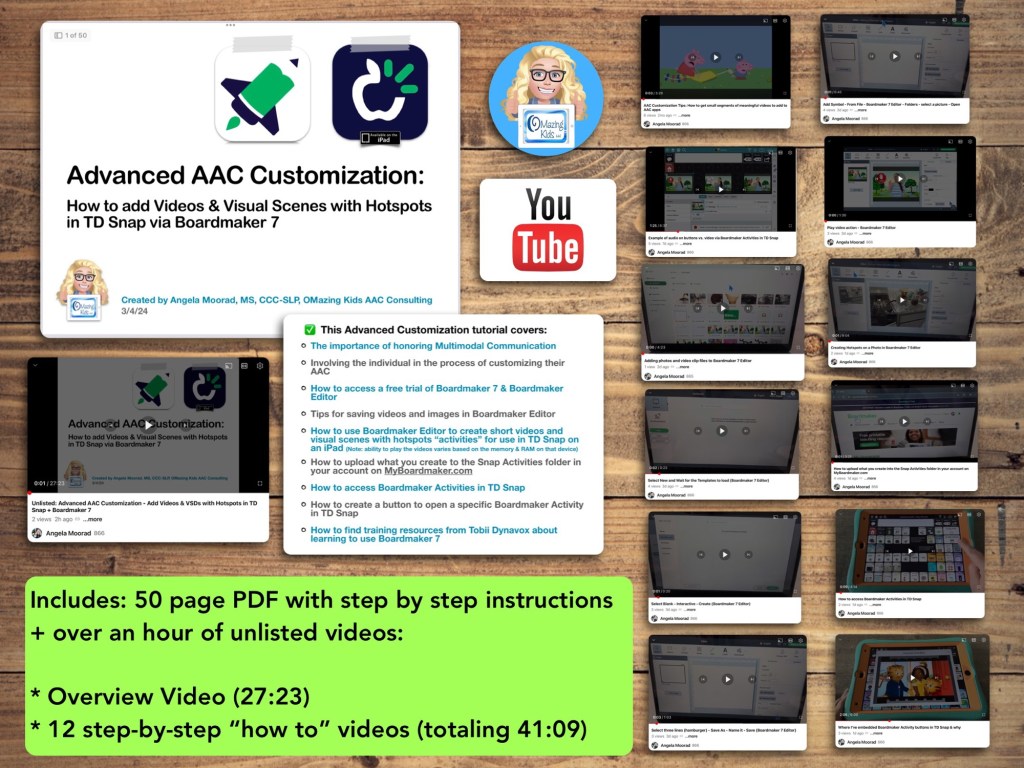
New Resource: How to add Videos & Visual Scenes with Hotspots in TD Snap via Boardmaker 7

Are you looking for a way to add short videos and visual scenes with hotspots to TD Snap? Come learn how to use Boardmaker 7 to create these and then use them in the integrated Boardmaker Activities. Don’t have a Boardmaker 7 subscription? No worries… you’ll also learn how to sign up for a free trial to create what you want.

Available on TPT: https://www.teacherspayteachers.com/Product/How-to-add-Videos-Visual-Scenes-with-Hotspots-in-TD-Snap-via-Boardmaker-7-11196195


Preview

Included in this resource

This resource includes a 50 page PDF of my slides with step by step instructions + over an hour of unlisted videos:

• Overview Video (27:23)

• 12 step-by-step “how to” videos (totaling 41:09)


What you’ll learn in this resource:

• The importance of honoring Multimodal Communication

• Involving the individual in the process of customizing their AAC

• How to access a free trial of Boardmaker 7 / Boardmaker 7 Editor

• Tips for saving videos and images in Boardmaker 7 Editor

• How to use Boardmaker 7 Editor to create short videos and visual scenes with hotspots “activities” for use in TD Snap on an iPad

• How to upload what you create to the Snap Activities folder in your account on myBoardmaker

• How to access Boardmaker Activities in TD Snap

• How to create a button to open a specific Boardmaker Activity in TD Snap

• How to find training resources from Tobii Dynavox about learning to use Boardmaker 7

Note: This resource was updated on 5/29/24 to reflect changes that Tobii Dynavox made to TD Snap. As of 5/21/24, they no longer offer the general public the option to do a 1x app-only purchase of this app. It switched to a subscription-based model. The 1.35.1 app update for TD Snap on 12/4/24 added an integrated YouTube player. This is a nice option for teens and adults who need the alternative access of their Speech Generating Device to play YouTube videos for leisure. Playing YouTube videos requires an internet connection and that player is not secured. This is very different from those who want to use short video clips for communication and/or self regulation and need a way to play them reliably offline in a secure way. For those purposes creating Boardmaker Activities will continue to be the best solution at this point in time


Notes:

  • Boardmaker 7 Editor can only be used to create these Boardmaker Activities on a Chromebook, Windows computer or tablet, or a Mac. Unfortunately there is NOT a way to use Boardmaker 7 Editor to create activities on an iPad (there’s no Boardmaker 7 Editor iOS app and it won’t work in a browser on an iPad). See this website for device compatibility: https://goboardmaker.com/pages/boardmaker-7-help?tab=1.
  • You must be connected to WiFi in order to initially load a Boardmaker Activity in TD Snap. Then you’ll have the option to toggle on Offline Use for each activity. Offline activities are downloaded per device. If the Page Set is synced or shared to a different device, the download process must be repeated on that device to make the activities available offline.
  • My demo shows these being added in the Motor Plan 66 pageset in TD Snap. You can add buttons to open a Boardmaker Activity in any of the pagesets within that app.
  • My demo videos are Boardmaker 7 Editor on my Pixelbook Chromebook and TD Snap on my iPad 9th gen. If you are using a Mac or Windows device what you see on your screen may be a bit different than mine.
  • The ability to play the videos may vary based on the available memory & RAM on that device.

Read in-depth info about using Boardmaker Activities in TD Snap starting on page 53 in the TD Snap User’s Manual: https://download.mytobiidynavox.com/Snap/documents/TD_Snap_UsersManual_en-US.pdf#page53


This research article has helpful considerations for selecting media for use in Visual Scenes and Video Visual Scenes: “Visual Scene Displays for Children and Adults: Using Case Studies to Bridge Research and Clinical Practice”, https://pubs.asha.org/doi/10.1044/2022_PERSP-22-00162

And an older research article: “Using Visual Scene Displays as Communication Support Options
Using Visual Scene Displays as Communication Support Options
for People with Chronic, Severe Aphasia
”: https://digitalcommons.unl.edu/cgi/viewcontent.cgi?article=1153&context=specedfacpub


Looking for in-depth AAC feature matching resources? See this blog post: https://bit.ly/5aacFeatureMatchingResources. That post also includes videos comparing AAC apps on various devices on various platforms.


Looking for more AAC resources? Check out the Resource Links page my blog: https://omazingkidsllc.com/omazing-kids-aac-resource-links 


Angela Moorad, MS, CCC-SLP, Founder of OMazing Kids, LLC, OMazing Kids AAC Consulting

• Teachers Pay Teachers Store: https://www.teacherspayteachers.com/Store/Omazing-Kids-Aac-Consulting 

• YouTube: https://youtube.com/user/amoorad1 

• Ko-Fi: https://ko-fi.com/omazingkidsaac 

• OMazing Kids AAC Consulting Facebook Page: https://www.facebook.com/OMazingKidsAAC/ 

• AppPeeps Facebook Group: https://www.facebook.com/groups/OMazingKidsAppPeeps/ 

• GoTalk Now AAC & GoVisual Visual Scene Apps – Ideas and Sharing Facebook Group: https://bit.ly/GoTalkNowAACappGroup 

• Instagram: https://www.instagram.com/omazingkidsaac 

• Instagram Threads: https://www.threads.net/@omazingkidsaac 

• Twitter: https://www.twitter.com/amoorad 

• Pinterest: http://pinterest.com/OMazingKids/ 

• Linktree: https://linktr.ee/amoorad1 

• LinkedIn: https://www.linkedin.com/in/angelamooradomazingkidsaac 

• Blog: https://omazingkidsllc.com  / Resource Links page: https://omazingkidsllc.com/omazing-kids-aac-resource-links 

11/11/22 Updated Resource: Basic Feature Chart for Affordable and Free AAC Apps and AAC-Related Apps

Resource Update: The Basic Feature Chart for Affordable and Free AAC apps & AAC-Related Apps (iOS, Android Google Play, Amazon Fire, Windows + a few Web-Based options) has been updated (11/11/23).

Those who have previously purchased it on TPT can download the newest version for no additional cost: https://bit.ly/BasicAffordableAACchart (the Bitly website has been acting up today so here’s the long link too: https://www.teacherspayteachers.com/Product/Basic-Feature-Chart-for-Affordable-and-Free-AAC-apps-AAC-Related-Apps-8327157). Ko-fi subscribers will be able to access a copy on the pinned resource post: https://ko-fi.com/Post/Links-to-posts-about-most-current-feature-matching-F1F5C9DMD


Looking for in-depth AAC feature matching resources? See this blog post: https://bit.ly/5aacFeatureMatchingResources. That post also includes videos comparing AAC apps on various devices on various platforms.

Looking for more AAC resources? Check out the Resource Links page here on my blog: https://omazingkidsllc.com/omazing-kids-aac-resource-links


Have a question? The best way to reach me is via Facebook messaging over on my OMazing Kids page: https://www.facebook.com/OMazingKidsAAC/


Angela Moorad, MS, CCC-SLP, Founder of OMazing Kids, LLC, OMazing Kids AAC Consulting

• Teachers Pay Teachers Store: https://www.teacherspayteachers.com/Store/Omazing-Kids-Aac-Consulting

• YouTube: https://youtube.com/user/amoorad1

• Ko-Fi: https://ko-fi.com/omazingkidsaac

• OMazing Kids AAC Consulting Facebook Page: https://www.facebook.com/OMazingKidsAAC/

• AppPeeps Facebook Group: https://www.facebook.com/groups/OMazingKidsAppPeeps/

• GoTalk Now AAC & GoVisual Visual Scene Apps – Ideas and Sharing Facebook Group: https://bit.ly/GoTalkNowAACappGroup

• Instagram: https://www.instagram.com/omazingkidsaac

• Twitter: https://www.twitter.com/amoorad

• Pinterest: http://pinterest.com/OMazingKids/

• Linktree: https://linktr.ee/amoorad1

• LinkedIn: https://www.linkedin.com/in/angelamooradomazingkidsaac

• Blog: https://omazingkidsllc.com / Resource Links page: https://omazingkidsllc.com/omazing-kids-aac-resource-links

Resource Update: Feature Matching Chart for Visual Scene and Video Visual Scene Display iOS & Android AAC Apps was updated on 7/27/23

Resource Update: Feature Matching Chart for Visual Scene and Video Visual Scene Display iOS & Android AAC Apps was updated on 7/27/23. I added Scene & Heard Pro by Therapy Box and added the newer version of EasyVSD. Those who have previously purchased this resource on TPT can download the most current version for no additional cost: https://bit.ly/AACvsd . Ko-fi subscribers will be able to access a copy on the pinned resource post: https://ko-fi.com/Post/Links-to-posts-about-most-current-feature-matching-F1F5C9DMD.


A FREE handout for SLPs/SLTs and other AAC professionals has also been updated: How to Get Access to Visual Scene & Video Visual Scene AAC Apps (TPT Freebie), https://bit.ly/SLP-SLT-Access-VSDapps.


Looking for more in-depth up to date AAC feature matching resources? See this blog post: https://bit.ly/5aacFeatureMatchingResources. The most current info about AAC apps can be found in my feature matching resources. The blog post also includes videos comparing AAC apps on various devices on various platforms.


Want to learn more? Check out this recorded webinar and interactive handouthttps://bit.ly/NavigatingThruAACapps


The perfect companion to supplement these in-depth resources are the “AAC Apps and Features At-a-Glance (Single Page Handouts)”: https://bit.ly/AAC-At-a-Glance


Looking for basic info about AAC apps that are always affordable or free? See the Basic Feature Chart for Affordable and Free AAC apps & AAC-Related Apps (iOS, Android Google Play, Amazon Fire, Windows + a few Web-Based options): https://bit.ly/BasicAffordableAACchart.


Have a question? The best way to reach me is via Facebook messaging over on my OMazing Kids page: https://www.facebook.com/OMazingKidsAAC/


Angela Moorad, MS, CCC-SLP, Founder of OMazing Kids, LLC, OMazing Kids AAC Consulting

• Teachers Pay Teachers Store: https://www.teacherspayteachers.com/Store/Omazing-Kids-Aac-Consulting

• YouTube: https://youtube.com/user/amoorad1

• Ko-Fi: https://ko-fi.com/omazingkidsaac

• OMazing Kids AAC Consulting Facebook Page: https://www.facebook.com/OMazingKidsAAC/

• AppPeeps Facebook Group: https://www.facebook.com/groups/OMazingKidsAppPeeps/

• GoTalk Now AAC & GoVisual Visual Scene Apps – Ideas and Sharing Facebook Group: https://bit.ly/GoTalkNowAACappGroup

• Instagram: https://www.instagram.com/omazingkidsaac

• Instagram Threads: https://www.threads.net/@omazingkidsaac

• Twitter: https://www.twitter.com/amoorad

• Pinterest: http://pinterest.com/OMazingKids/

• Linktree: https://linktr.ee/amoorad1

• LinkedIn: https://www.linkedin.com/in/angelamooradomazingkidsaac

• Blog: https://omazingkidsllc.com / Resource Links page: https://omazingkidsllc.com/omazing-kids-aac-resource-links