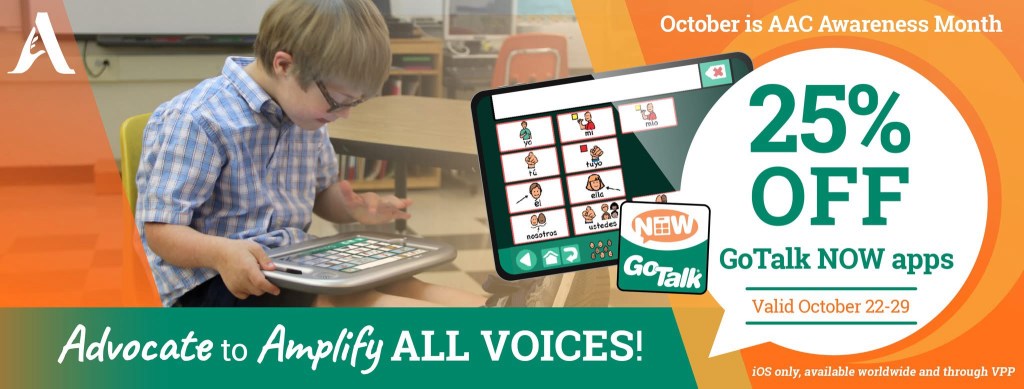
GoTalk Now: An AAC option that will reliably and easily include embedded video and music files when backing up and sharing a Communication Book. Rare sale on this app starts October 22, 2025.

If you are looking for an AAC option that will reliably and easily include videos and music files stored on that iPad that have been linked to play on a button then GoTalk Now is a tool that you should consider adding to your AAC toolkit.

Mark your calendar so you don’t miss their upcoming sale on October 22-29, 2025. It’s very rare for Attainment Company, Inc. to offer a sale. See the pricing history on AppRaven for GoTalk Now (https://appraven.net/app/1040142) & GoTalk Now Plus (https://appraven.net/app/4293360).

When you export a Communication Book from GoTalk Now (or GoTalk Now Plus) using the “Share Compressed Book” option it fully embeds and includes all videos, music files, recorded audio, photos, etc.. and reliably includes those when backing up and sharing.

That’s why I recommend GoTalk Now (or GoTalk Now Plus) as a supplemental tool in the AAC toolbox for those who will be using lots of video clips or music.

Note: The free GoTalk Now Lite and inexpensive GoTalk Start versions of this app do not have a way to backup or share.

Feel free to join my GoTalk Now AAC & GoVisual Visual Scene Apps – Ideas and Sharing Facebook Group: https://bit.ly/GoTalkNowAACappGroup. There are now two staff from Attainment Company, Inc. in the group.

Be sure to answer the questions when requesting to join and if you invite folks to join be sure they answer the questions. That’s how I keep the group secure from spammers.


Looking for in-depth AAC feature matching resources? See this blog post: https://bit.ly/5aacFeatureMatchingResources. That post also includes videos comparing the best AAC apps on various devices on various platforms.


Looking for more AAC resources? Check out the Resource Links page here on my blog: https://omazingkidsllc.com/omazing-kids-aac-resource-links


Have a question? The best way to reach me is via Facebook messaging over on my OMazing Kids page: https://www.facebook.com/OMazingKidsAAC/


Angela Moorad, MS, CCC-SLP, Founder of OMazing Kids, LLC, OMazing Kids AAC Consulting

• Teachers Pay Teachers Store: https://www.teacherspayteachers.com/Store/Omazing-Kids-Aac-Consulting

• YouTube: https://youtube.com/user/amoorad1

• Ko-Fi: https://ko-fi.com/omazingkidsaac

• OMazing Kids AAC Consulting Facebook Page: https://www.facebook.com/OMazingKidsAAC/

• AppPeeps Facebook Group: https://www.facebook.com/groups/OMazingKidsAppPeeps/

• GoTalk Now AAC & GoVisual Visual Scene Apps – Ideas and Sharing Facebook Group: https://bit.ly/GoTalkNowAACappGroup

• Instagram: https://www.instagram.com/omazingkidsaac

• X (formerly Twitter): https://www.x.com/amoorad

• Pinterest: http://pinterest.com/OMazingKids/

• Linktree: https://linktr.ee/amoorad1

• LinkedIn: https://www.linkedin.com/in/angelamooradomazingkidsaac

• AppRaven AAC App Collections: https://bit.ly/AAConAppRaven

• Blog: https://omazingkidsllc.com / Resource Links page: https://omazingkidsllc.com/omazing-kids-aac-resource-links
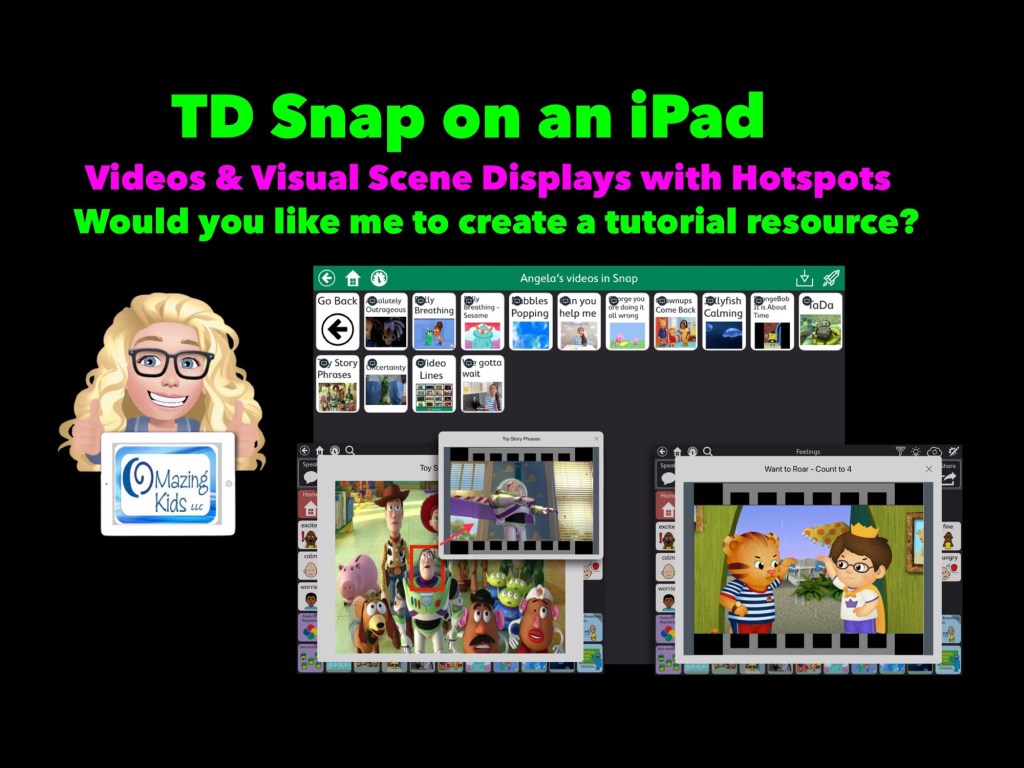
Adding video clips and VSDs with hotspots to TD Snap AAC on iPad

Let me know if you would like me to create a tutorial resource showing the exact steps for creating these using Boardmaker Editor in Boardmaker 7 for use in the TD Snap AAC app by Tobii Dynavox on an iPad.


Here’s a new video with a look at short video clips and visual scenes with hotspots that I’ve added in TD Snap on my iPad via the Boardmaker Activities integration: https://youtu.be/j192ff2f00M?si=h0u45-2HLhAiqs4A 

I’ll be leaving the comments open on my video for a few weeks so folks can comment there.

For those who want just a quick peek at two of the examples of a Visual Scene + Video & a video, check out this very short video:


Or feel free to send me a message on my OMazing Kids AAC Consulting Facebook page (https://www.facebook.com/OMazingKidsAAC/) or on Instagram (https://www.instagram.com/omazingkidsaac)


Notes:

  • Being able to create these Boardmaker Activities with video clips or visual scene displays with hotspots requires access to Boardmaker Editor in Boardmaker 7. 
  • I wasn’t able to figure out a way to do this with my Boardmaker v6 CD. I’m on my personal iPad that’s not on any type of device management system. If you are using a managed/locked iPad or SGD this may not work.
  • This works reliably in TD Snap AAC on my iPad. It was unreliable in TD Snap AAC on my Windows tablet (a Microsoft Surface Go 2). My best guess is it *might* work on a more expensive Microsoft Surface Pro with at least 8GB of RAM and larger storage. I have no way to know if this will work in TD Snap on one of the SGDs from Tobii Dynavox (it might require unlocking the device?)

Looking for in-depth AAC feature matching resources? See this blog post: https://bit.ly/5aacFeatureMatchingResources. That post also includes videos comparing AAC apps on various devices on various platforms.


Looking for more AAC resources? Check out the Resource Links page my blog: https://omazingkidsllc.com/omazing-kids-aac-resource-links 


Angela Moorad, MS, CCC-SLP, Founder of OMazing Kids, LLC, OMazing Kids AAC Consulting

• Teachers Pay Teachers Store: https://www.teacherspayteachers.com/Store/Omazing-Kids-Aac-Consulting 

• YouTube: https://youtube.com/user/amoorad1 

• Ko-Fi: https://ko-fi.com/omazingkidsaac 

• OMazing Kids AAC Consulting Facebook Page: https://www.facebook.com/OMazingKidsAAC/ 

• AppPeeps Facebook Group: https://www.facebook.com/groups/OMazingKidsAppPeeps/ 

• GoTalk Now AAC & GoVisual Visual Scene Apps – Ideas and Sharing Facebook Group: https://bit.ly/GoTalkNowAACappGroup 

• Instagram: https://www.instagram.com/omazingkidsaac 

• Instagram Threads: https://www.threads.net/@omazingkidsaac 

• Twitter: https://www.twitter.com/amoorad 

• Pinterest: http://pinterest.com/OMazingKids/ 

• Linktree: https://linktr.ee/amoorad1 

• LinkedIn: https://www.linkedin.com/in/angelamooradomazingkidsaac 

• Blog: https://omazingkidsllc.com  / Resource Links page: https://omazingkidsllc.com/omazing-kids-aac-resource-links 
Gestalt Language Processing & Using Google Maps to Communicate (including Split View and AAC)

Jennifer from N of 1 recently shared a story in a Facebook group about how a child used Google Maps to communicate. Mind blown 🤯 I had several students/patients/clients who LOVED maps, addresses, countries and flags. At the time I knew that those served a purpose for self-regulation and pleasure. It makes my heart sad though to think that I may have missed communication via what they were looking up on Google Maps or Google Earth. There are definitely times I wish I had a time portal to go back with knowledge that I have now.

Read the story by Faithmummy. I LOVE her posts and have followed her page for years. Somehow I either missed this when it was written in 2016 or don’t remember it: https://themighty.com/topic/autism-spectrum-disorder/autism-son-uses-google-street-view-maps-communicate


After sharing this on my OMazing Kids AAC Consulting Facebook page and subsequent shares on other pages and groups, I’ve seen LOTS of parents & SLPs share stories about their kids doing this to communicate very specific things. Totally amazing!


This got me digging through all of my AAC apps to see which ones either have a button action or opening a website URL to allow Google Maps to be opened within the app and/or that app supports use of Split View or Slide Over to allow this. If you have a specific model of iPad Pro or iPad Air with M1 chip you might also be able to use other multitasking options in Stage Manager (my iPad Pro 9.7” is still on iOS 10.3 so that’s too old for the most current versions of most AAC apps or to use Stage Manager)

  • CoughDrop (in the app: via URL; used in Safari browser: could also use Split Screen)
  • Dialogue AAC (specific button action for this or via Split Screen)
  • GoTalk Now (via URL)
  • LAMP Words for Life (specific button action for this)
  • Niki Talk 2 Pro (via URL)
  • Proloquo2Go (via Split Screen)
  • Speech Assistant AAC (via Split Screen)
  • TouchChat with WordPower (specific button action for this or via Split Screen)
  • Etc…

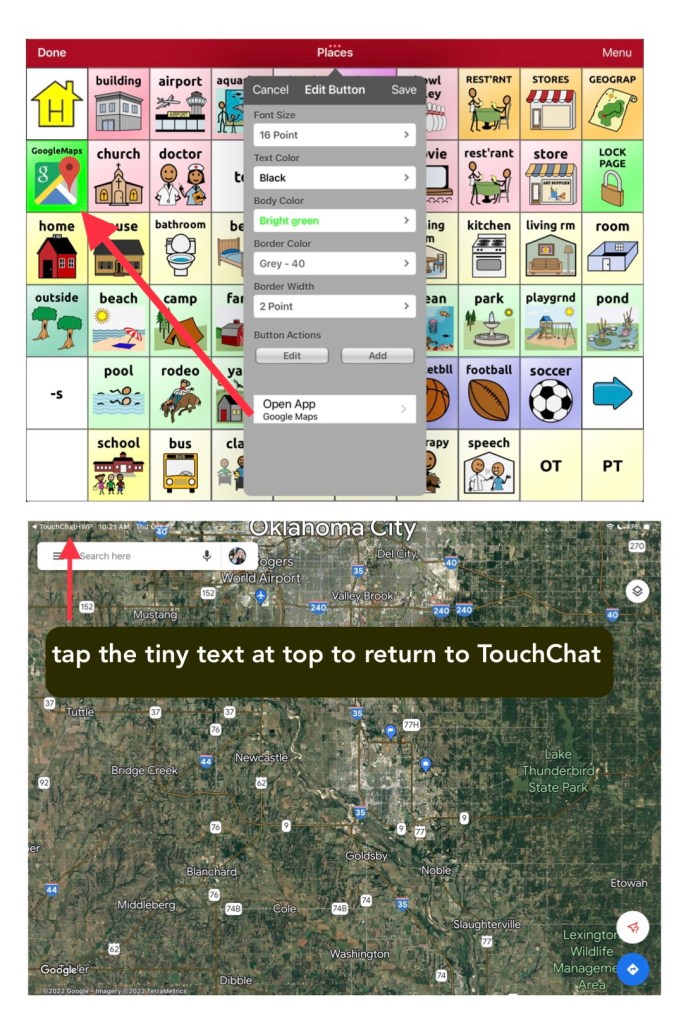
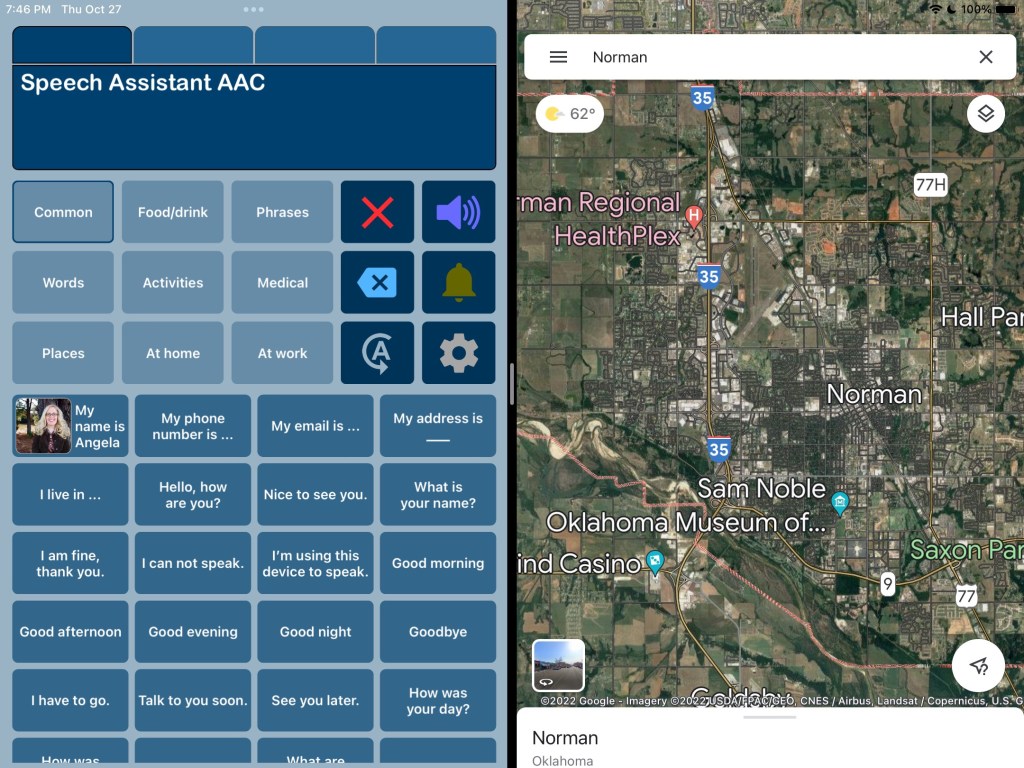
Here are screenshots showing the two different ways to do this in TouchChat with WordPower:

TouchChat with WordPower (WP60 Basic) in Split View with Google Maps
TouchChat with WordPower (WP60 Basic) where I added a button for Google Maps under Places and used the specific button action to open the Google Maps app.
Speech Assistant AAC in Split View with Google Maps

The easiest option was Split Screen and it allows Google Maps and the AAC app to be on the screen at the same time but only a few AAC apps support use of Split Screen. Split Screen will alter the size of the buttons in that AAC app so it might be tricky when using large grid sizes.

The second easiest option was the specific button action within the three AAC apps by PRC-Saltillo.

Apps that allow you to program a button to open a website URL were a bit finicky / tricky to get it to work. I’ll be adding tips in the feature matching resources.

Another alternative is to use a second iPad or tablet or laptop with Google Maps / Google Earth that can be viewed alongside their AAC device or iPad or tablet being used for AAC.

In-depth details about this will be coming soon. I’m working on this month’s update for my AAC feature matching resources and am adding that info in two new rows. So be watching for it in a few days.


Important Notes:

  • I’m exploring these as ways to supplement (not replace) how an individual is already using Google Maps. It’s likely that a Gestalt Language Processor already has a well established “gestalt” for how they like to do that but it’s likely that adding this to their AAC system might be something that would spark interest and resonate with them.
  • I’d only explore this for individuals who have an interest in this. There is no “one size fits all” to anything about AAC. I’m NOT suggesting that we need to add access to Google Maps for every AAC user or even for every GLP who uses AAC.
  • Guided Access will likely block these methods of using more than one app on an iPad.

Looking for in-depth and up to date info about features AAC apps? Check out these resources: https://bit.ly/5aacFeatureMatchingResources


Have a question? The best way to reach me is via Facebook messaging over on my OMazing Kids page: https://www.facebook.com/OMazingKidsAAC/


Angela Moorad, MS, CCC-SLP, Founder of OMazing Kids, LLC, OMazing Kids AAC Consulting

• Teachers Pay Teachers Store: https://www.teacherspayteachers.com/Store/Omazing-Kids-Aac-Consulting

• YouTube: https://youtube.com/user/amoorad1

• Ko-Fi: https://ko-fi.com/omazingkidsaac

• OMazing Kids AAC Consulting Facebook Page: https://www.facebook.com/OMazingKidsAAC/

• AppPeeps Facebook Group: https://www.facebook.com/groups/OMazingKidsAppPeeps/

• GoTalk Now AAC & GoVisual Visual Scene Apps – Ideas and Sharing Facebook Group: https://bit.ly/GoTalkNowAACappGroup

• Instagram: https://www.instagram.com/omazingkidsaac

• Twitter: https://www.twitter.com/amoorad

• Pinterest: http://pinterest.com/OMazingKids/

• Linktree: https://linktr.ee/amoorad1

• LinkedIn: https://www.linkedin.com/in/angelamooradomazingkidsaac

• Blog: https://omazingkidsllc.com