

If you purchased the full paid version of TD Snap AAC prior to May 21, 2024 and need to reinstall it you need to look in your Apps – My Apps section in the App Store for “TD Snap AAC Legacy”. That area is in the top right corner of the App Store.
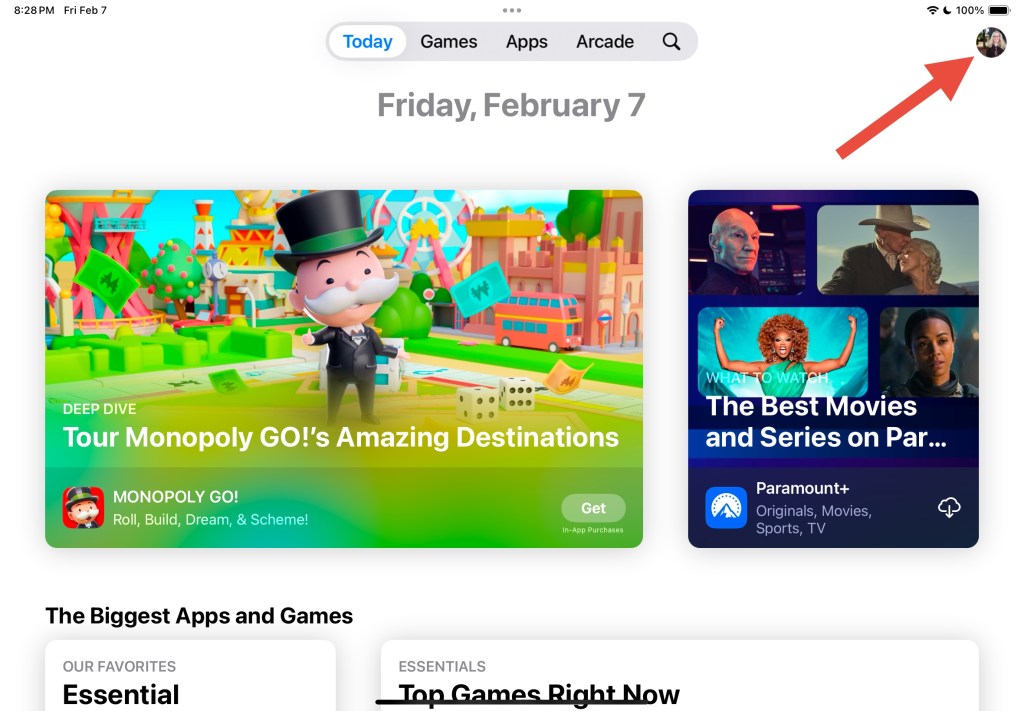
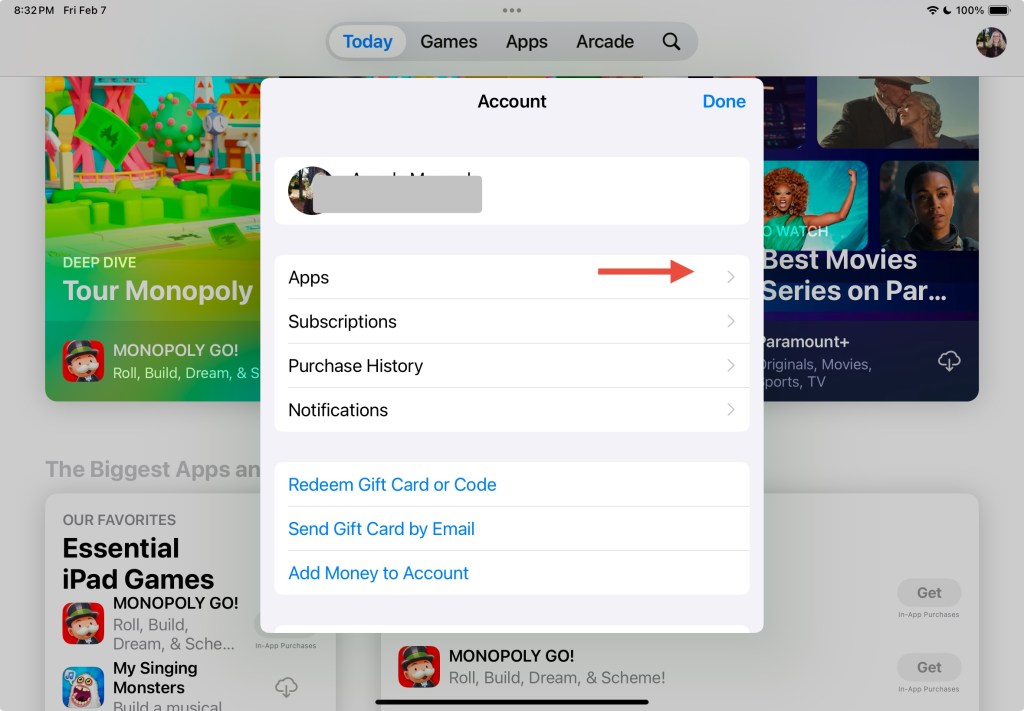
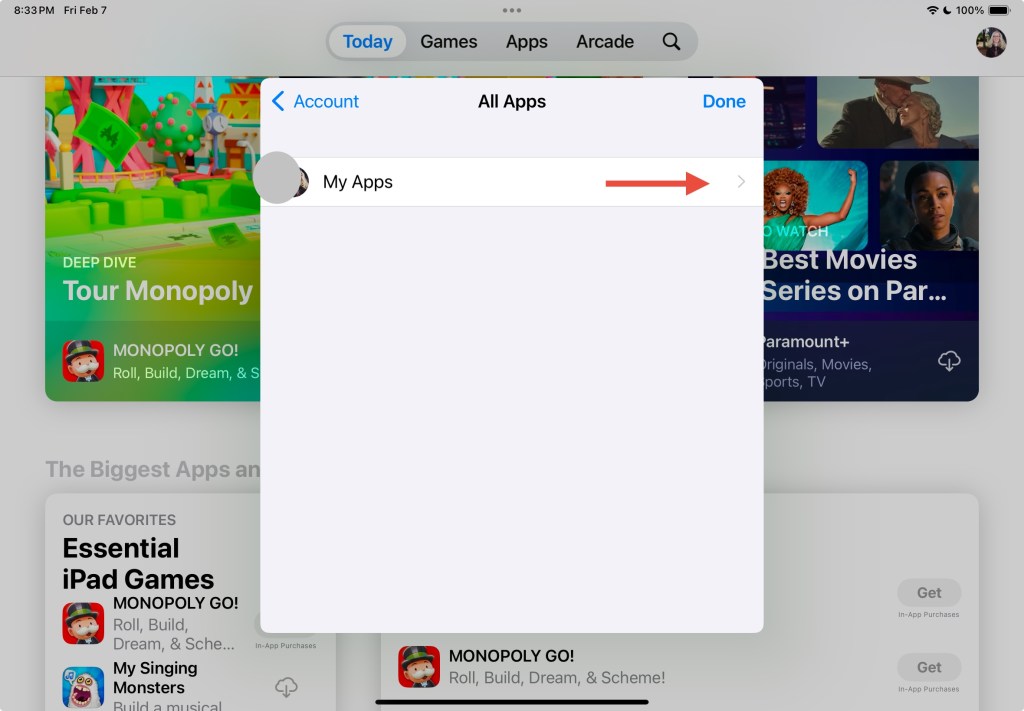
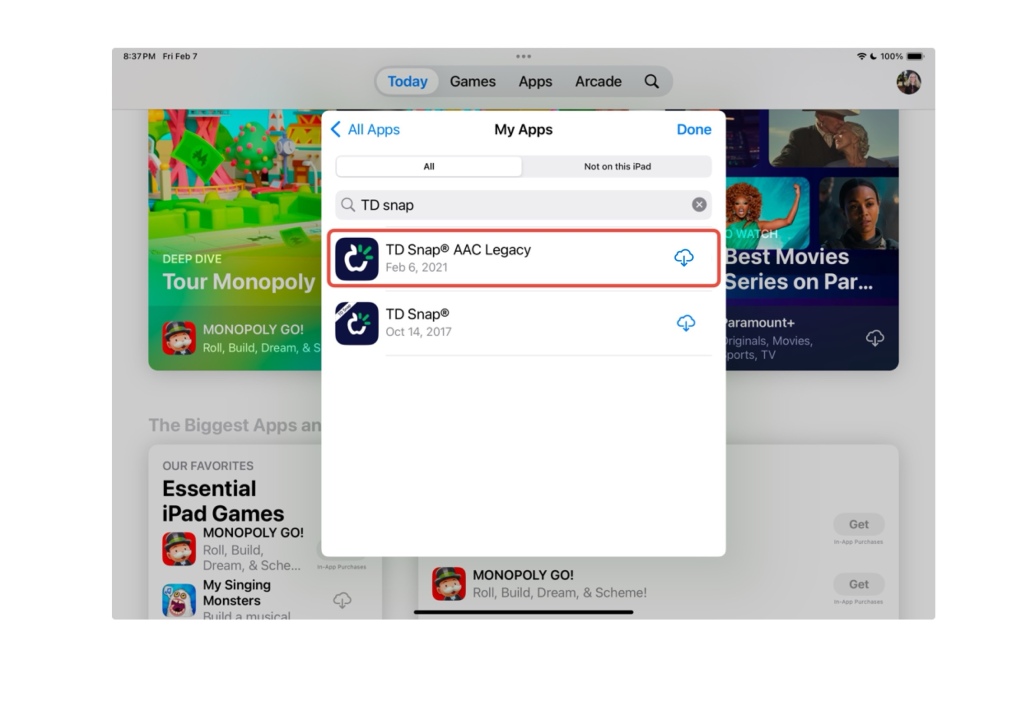
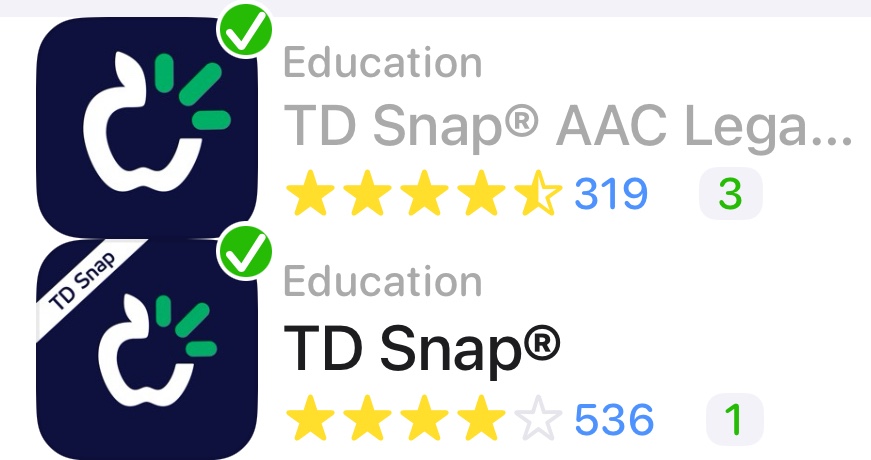
TD Snap AAC Legacy is “unlisted” in the App Store so it won’t show up in a search in the main part of the App Store.
Here’s the link: https://apps.apple.com/us/app/td-snap-aac-legacy/id1257753762.
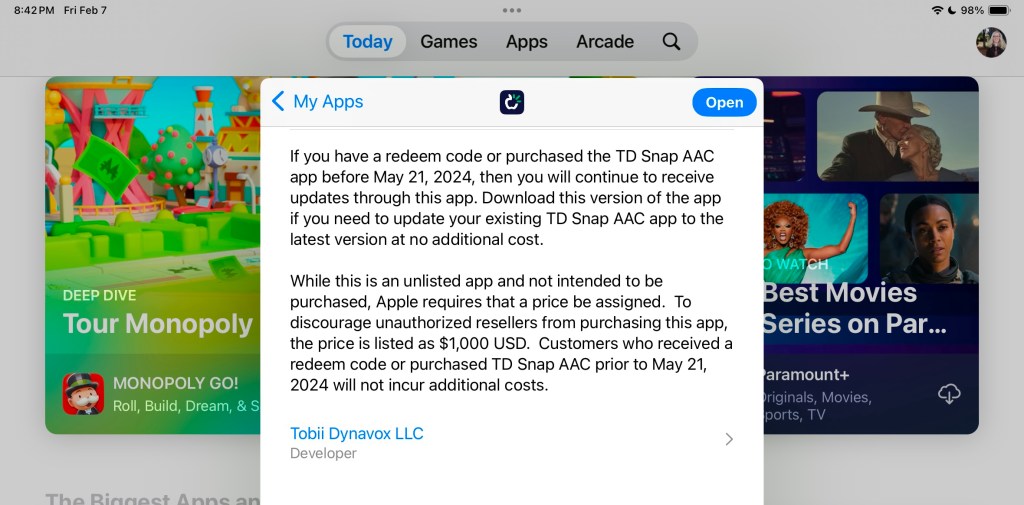
Read the app description in the App Store for information about why it is listed this way and why a $1,000.00 price is shown.
(Note: If you are looking to purchase the app in a school district please see my post about TD Snap Enterprise for an alternative way to purchase it for a significantly lower 1x purchase price)
Important:
- You must be logged into the same Apple ID / Apple Account originally used to purchase TD Snap AAC prior to May 21, 2024.
- If you are seeing a price instead of a downward facing download arrow then log out of the App Store – do a Forced Restart on that iPad – when it starts back up log back into the App Store making sure that it’s with the same Apple ID / Apple Account used to originally purchase that app.
- If you still see a price instead of the download arrow after doing a Forced Restart and you are sure that you are logged into the same Apple ID / Apple Account originally used to purchase the full paid version of this app, you should contact Tobii Dynavox Customer Support for assistance. (I don’t have any affiliation with the company so I can’t assist you with this)
- If your iPad is on any type of MDM device management system then you will need to contact the company or school district managing it for assistance.
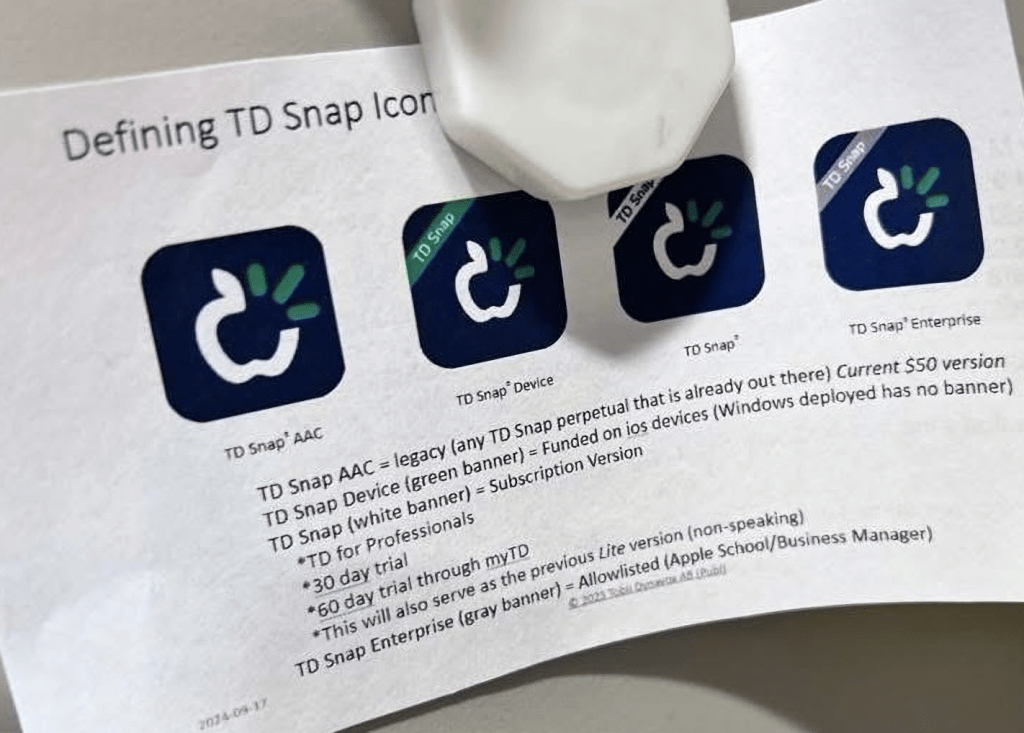
Update 1/24/26: I saw this helpful handout comparing the 4 versions of the app icons shared in a comment on a post in the TD Snap Core First English group on Facebook: https://www.facebook.com/share/p/1AMWnmNeaH/?
Note: This is NOT an endorsement of the company’s decision to abruptly no longer offer the general public a way to make a 1x app-only purchase of TD Snap as of 5/21/24. It was inequitable to do that.
Have other questions? The best way to reach me is via Facebook messaging over on my OMazing Kids page: https://www.facebook.com/OMazingKidsAAC/
Looking for in-depth AAC feature matching resources? See this blog post: https://bit.ly/5aacFeatureMatchingResources. That post also includes videos comparing AAC apps on various devices on various platforms.
Looking for more AAC resources? Check out the Resource Links page my blog: https://omazingkidsllc.com/omazing-kids-aac-resource-links
Angela Moorad, MS, CCC-SLP, Founder of OMazing Kids, LLC, OMazing Kids AAC Consulting
• Teachers Pay Teachers Store: https://www.teacherspayteachers.com/Store/Omazing-Kids-Aac-Consulting
• YouTube: https://youtube.com/user/amoorad1
• Ko-Fi: https://ko-fi.com/omazingkidsaac
• OMazing Kids AAC Consulting Facebook Page: https://www.facebook.com/OMazingKidsAAC/
• AppPeeps Facebook Group: https://www.facebook.com/groups/OMazingKidsAppPeeps/
• GoTalk Now AAC & GoVisual Visual Scene Apps – Ideas and Sharing Facebook Group: https://bit.ly/GoTalkNowAACappGroup
• Instagram: https://www.instagram.com/omazingkidsaac
• Instagram Threads: https://www.threads.net/@omazingkidsaac
• X (formerly Twitter): https://www.x.com/amoorad
• Pinterest: http://pinterest.com/OMazingKids/
• Linktree: https://linktr.ee/amoorad1
• LinkedIn: https://www.linkedin.com/in/angelamooradomazingkidsaac
• Reddit: https://www.reddit.com/u/VintageVeraBradley/s/w3L1d8H5rk
• AppRaven AAC App Collections: https://bit.ly/AAConAppRaven
• Blog: https://omazingkidsllc.com / Resource Links page: https://omazingkidsllc.com/omazing-kids-aac-resource-links
 OMazing Kids AAC Consulting