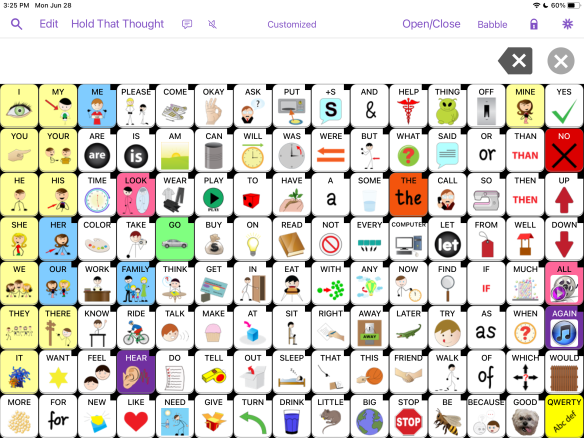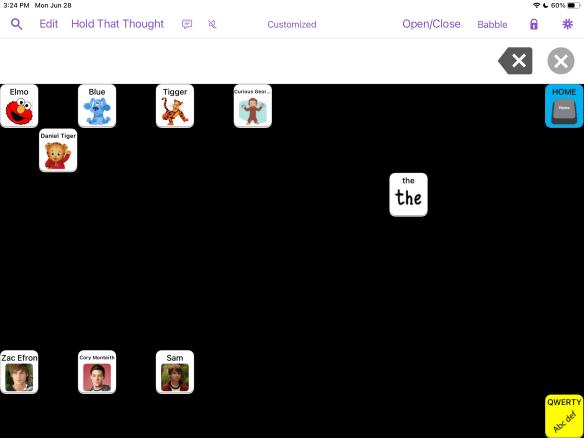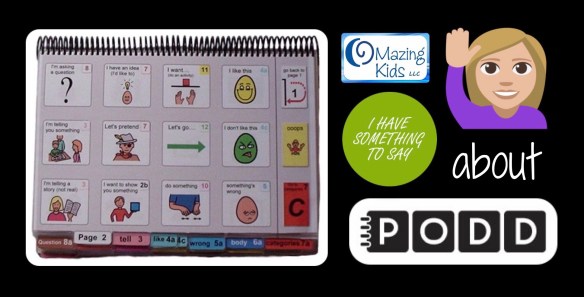
I have something to say…… about PODD (updated with additional resources and a comparison of all digital PODD apps for the iPad and Windows devices in 2023) – updated 11/20/25

.

Have you ever had a patient who you knew had something to say but you struggled to find a means of communication?

I spent almost a year trying literally EVERY possible AAC device and app and every type of access option in a quest to find a “voice” for a child who I knew had so much to say. She made it very clear that she wanted to use her hands for direct access despite having minimal use of them. She hated head pointing and eye gaze devices and any type of scanning. I would seriously lay in bed at night and ponder what else we could try. I spent hours scouring the internet looking for PODD resources and watched just about every video I could find. Thank goodness a PODD training finally came close enough and was priced affordably enough that our facility sent two SLPs to get trained. Ideally I would have gone to that PODD training but it didn’t make sense for me to take a spot being so close to retirement. But having two of our SLPs trained gave me access to a PODD book to trial with her and then was able to order a premade one for her. Ideally you would custom make and print a book but the facility where I work had not figured out the logistics of printing on special water and rip resistant paper and spiral binding. So I have customized the premade PODD book for her by using clear packing tape to add symbols. Her older sister has even hand drawn a few symbols and the family has written lists on the back of pages. It may not be perfect but it’s working for her. She is my PODD rock star. Every week I end my session by telling her to “PODD on” (rock on with PODD).

.

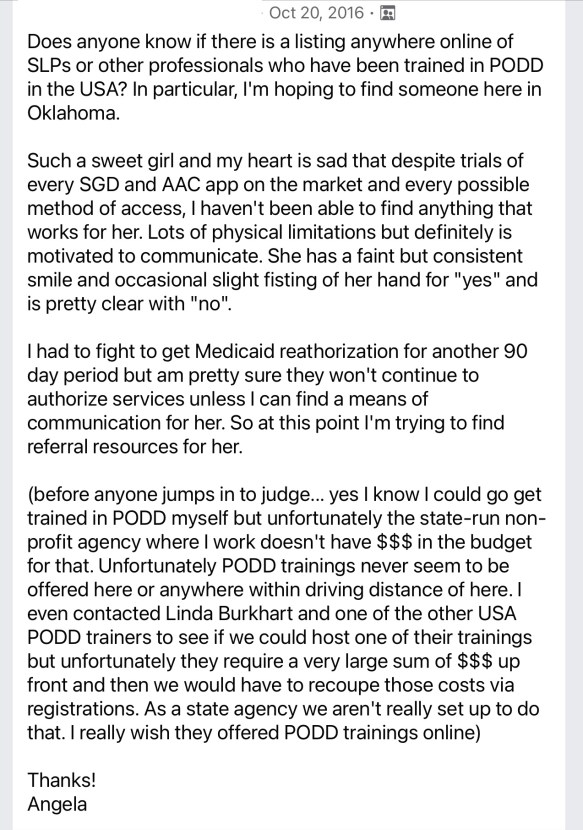
Here’s a screenshot of my desperate plea for help in the AAC for the SLP group on 10/20/16:
I periodically update this blog post. It is a “pay it forward” labor of love. I had an incredibly hard time finding info about PODD to get started with that patient back in 2016. So I was determined to make it easier for anyone trying to do that. 😊
.
The latest full update for this post was on 9/26/22 when I went through and checked all of the links and info and updated as needed.
On 1/8/23 I updated pricing info for the digital PODD apps.
On 2/24/23 I updated to reflect that the PODD direct access template is sold out again on the Boardmaker website.
On 3/12/23 I updated this post to add info about Feature Matching Chart for Pragmatic Vocabulary Organization AAC Apps.

On 10/18/23, I updated this post again following a Teams call with Josh Witt at Boardmaker/Tobii Dynavox.

On 2/18/25, I updated the links for where printed PODD books can be ordered.

.
https://www.teacherspayteachers.com/Product/Resource-Roundup-PODD-7175047
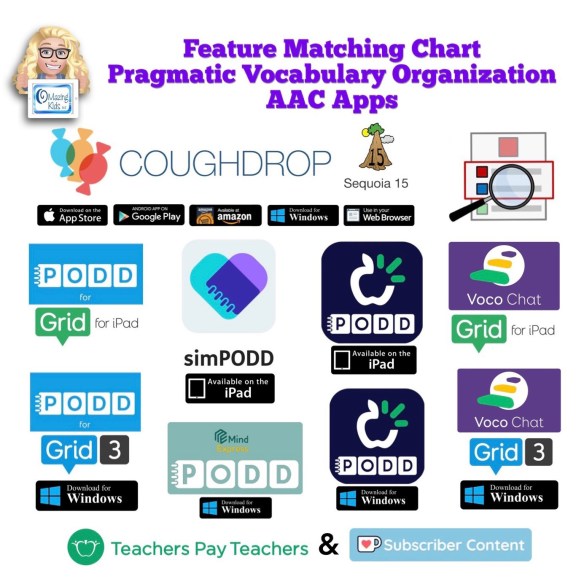

New resource: Feature Matching Chart for Pragmatic Vocabulary Organization AAC Apps. This is a VERY deep dive beyond just vocabulary organization… it’s also an in depth look at the flexibility or limitations of the app platforms, customization and alternative access options plus includes detailed info about three different Bluetooth switch interfaces (Blue2, iSwitch & Cosmo).

Available on TPT: https://bit.ly/PragmaticOrgVocabAAC-FeatureMatching-TPT. This resource includes free access to over 3 hours of unlisted YouTube videos where I highlight some of the most unique features in each option and discuss the flexibility in customization, options for alternative access, etc…

More info on my blog post: http://bit.ly/3ycG1EL


I’m sharing links to things that were helpful during this PODD adventure and a few lessons learned….
.

What does PODD stand for? Pragmatic Organization Dynamic Display

.

Update 9/25/22: This website has great info about the history of PODD: https://www.cpec.org.au/podd
.
How to get started? Ideally go to a PODD training….. but the reality is they may not be offered anywhere near you and they tend to be very expensive. This was my reality so I learned as much as I could online through blog posts, workshop handouts, videos, Facebook groups, etc….

One of the biggest mind shifts for me was to let go of the need to plan contrived communication opportunities in therapy sessions and instead model initiating saying “I have something to say” through facial expression, raising my hand and vocalizing and then using PODD to share my own thoughts or ideas. I had to get comfortable with doing lots of modeling without any pressure on the child to do anything. And comfortable with writing measurable goals in a whole different way.

Examples of some of the goals that I have written for her during this process:

“__________ will show increasing interest and attention to someone using pages from the PODD aided communication system to talk to her in natural contexts throughout the day. This will be measured by an increase in: looking towards the communication symbols or the communication partner, calming during this process, looking away to the side but with a stillness as if listening, or responding the partner’s message. Will increase from ______ to at least _______ times documented during the auth period.”

“Within natural contexts throughout the day, _________ will initiate use of PODD AAC by raising her hand and/or vocalizing to indicate “I have something to say”. Will increase from _______ to at least ________ times documented during the auth period.”

“After signaling “I have something to say”, __________will express an increasing range of communicative functions such as requests, comments, and directing actions using direct selection and/or partner assisted scanning with pages from the PODD communication book and yes/no responses. Will increase from_______ to at least ________ times documented during the auth period.”

…..

Writing IEP Goals and Objectives for Receptive and Expressive Communication for Children with Complex Communication Needs, By Linda Burkhart & Gayle Porter from the PODD Communication Books Advanced workshop Manual ©.2019, https://lindaburkhart.com/wp-content/uploads/2021/04/IEP-goals-from-Advanced-2019.pdf

……

Update 3/10/21: A nice article about Partner Assisted Scanning (shared by Laura Taylor): https://speechpathologyaustralia.cld.bz/JCPSLP-November-2017/28

Update 7/27/20: The Angelman Syndrome Foundation has lots of nice examples of goals in the AAC section on their website (not specific to PODD but relevant): https://www.angelman.org/resources-education/iep-bank/
————————
Reading these 1 page PODD tip sheets helped break the concept into manageable chunks: http://interactivespeech.com.au/podd-communication-focus-handouts.php

Update 7/24/20: Those handouts are all no longer available. The website indicates they are being updated. Fortunately I had copies saved in the iBooks app on my iPad. I merged them into one PDF and uploaded that to my blog: https://bit.ly/PODDcommunicationFocusHandouts (as of 6/5/23 2/18/25 the update for those handouts still hasn’t appeared)

————————-

This weekend I found these handouts and videos on Linda Burkhart’s website about PODD:

“Aided Language Stimulation and a Robust Language System: Autism a Case Example” – Presented by Linda J. Burkhart and Aura Baker at Closing the Gap Conference, October, 2016


Click to access Jax_story_CTGap_presentation_10_16_post.pdf

http://lindaburkhart.com/index.php/handout_jax_autism

“Aided Language Stimulation: Giving Kids the Gift of Language”
– presented by Linda Burkhart and Karen Owens (We Speak PODD) at AITA January 2017


Click to access Gift-of-Language_ATIA_Jan_17.pdf

https://bit.ly/39voWJd


Partner-Assisted Communication Strategies for Children Who Face Multiple Challenges Handout by Linda J. Burkhart and Gayle Porter ((Pre-conference Instructional course – ISAAC 2006): https://bit.ly/3f4DlNu


Partner-Assisted Communication Strategies for Children Who Face Multiple Challenges: PODD Communication Books – Gayle Porter Handout by Linda J. Burkhart and Gayle Porter (Pre-conference Instructional course – ISAAC 2006):  https://bit.ly/2BvPI7y

Handouts

Older handouts with great info:

https://bit.ly/3hHmdzb

http://lindaburkhart.com/wp-content/uploads/2016/06/Light_Com_part_1_-5_12_handout.pdf
http://lindaburkhart.com/wp-content/uploads/2016/07/Light_Com_part_2_PODD_50_min_5_12_handout_rev.pdf
.

Update 9/28/23: Using lists in PODD Communication Books ( post by Two Way Street): https://twowaystreet.com.au/2021/02/04/using-lists-in-podd-communication-books

.

Update 3/12/21:

Two parents discussing PODD books. Tracey Campbell is the parent describing how she first learned about PODD.

https://youtu.be/4p5eH1u1j40

See her TrAACey Talks YouTube channel for several more great videos: https://youtube.com/channel/UCUR-pRpRI7GH4cn645IbM8w

Intro to a single opening PODD book: https://youtu.be/D5QTl4cfEWs

Update 7/26/20:

Jodi Melendez: Making Modeling Fun at Home – AAC in the Cloud 2018 (webinar by a parent who uses PODD with her daughter): https://youtu.be/J6YfJuz1ktA

Getting Started with PODD with Mary Louise Bertram webinar: https://youtu.be/s_mc6AWQOM0 (it’s part of a great series of trainings from the Angelman Syndrome Foundation: https://www.angelman.org/resources-education/communication/) . She also has a great video where she models on PODD and uses some signs while reading a book: https://youtu.be/4HuJLuPk7Cg

Parents as Partners Working Together to Support PODD Users handouts (March 2017): http://ncaca.info/wp-content/uploads/2017/03/NCACA-2017-PODD-Karen-Lynn-handout.pdf

Recorded presentations from the FAST educational summit 2015 (Foundation for Angelman Syndrome Therapeutics):
Gayle Porter (this presentation was not specifically about PODD… but a little bit about PODD starts at 43:13): https://youtu.be/LoD32hBtyaU
Linda Burkhart (not solely about PODD but a lot about it): https://youtu.be/QZJRK0MB2ug
Handouts from their presentation: https://lindaburkhart.com/wp-content/uploads/2016/06/handout-Which-Way-to-Autonomous-Communication-AS-Porter-Burkhart.pdf

Talking with Tech podcast with guest Kelly Fonner who is a certified PODD trainer on 2/19/19 (her part starts at 20:33, Why would someone consider using PODD? starts at 29:20, Pitfalls to avoid starts at 40:33) : https://talkingwithtech.podbean.com/e/kelly-fonner-all-about-podd-pragmatic-organization-dynamic-display/

Updated PODD Overview: https://novitatech.com.au/equipment/podd-communication-books/

Lots of PODD info has been added to the PODD USA website…. I wish all of this had been there back when I was on my quest to learn about PODD: http://www.poddusa.com/links.html . Updated 9/25/22: The website is now: http://www.kellyfonner.com/poddusa/links.html

Updated 2/18/25: The link is https://www.poddusa.com again.


Updated 9/25/22
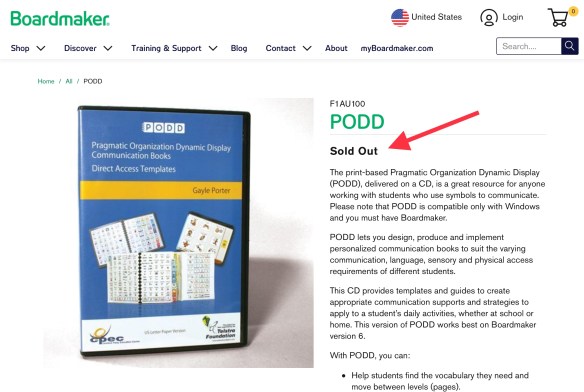
Update 9/25/22: The PODD Template CDs have been Sold Out on the Tobii Dynavox website for quite awhile: https://goboardmaker.com/products/podd. I was unable to find any info about whether or not those will be restocked. A couple of the USA PODD trainers are recommending folks purchase them from the CPEC website in Australia. If you do that you may need to edit some content from Australian English to USA English and be sure to order the US Letter Paper Size: https://cpec-store.myshopify.com/collections/podd-books/products/pragmatic-organisation-dynamic-display-podd-communication-book-direct-access-templates-a4-a5-paper-size?variant=17769125955

Update 1/8/23: The PODD CD was available again on the Tobii Dynavox website


Update 2/24/23: And it’s sold out again.


Update 10/3/23: The Inclusive Technologies website has the PODD CD: https://www.inclusive.com/uk/pragmatic-organisation-dynamic-display-podd.html & the PODD Alternative Access (A4 paper size) CD: https://www.inclusive.com/uk/podd-alternative-access-a4-version.html
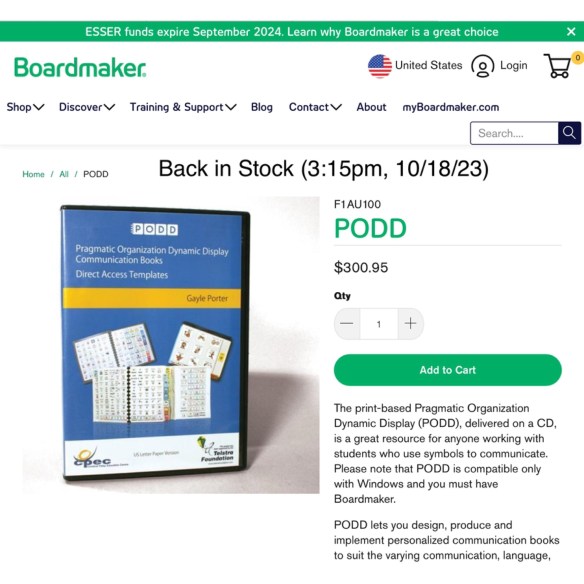

Update 10/18/23: I just got finished with a Teams call with Josh Witt. Boardmaker/Tobii Dynavox has the PODD Direct Access CDs back in stock and will be ordering those in larger quantities to hopefully avoid them being out of stock so frequently or for so long: https://goboardmaker.com/products/podd. As far as PODD working better in Boardmaker 7, he shared this page where they have added some Quick Guides and if folks are using the most current version of Boardmaker 7 & follow the steps in those guides it’s supposedly better. I asked for another free trial of Boardmaker 7 to try it out for myself. https://goboardmaker.com/pages/podd-in-boardmaker-7
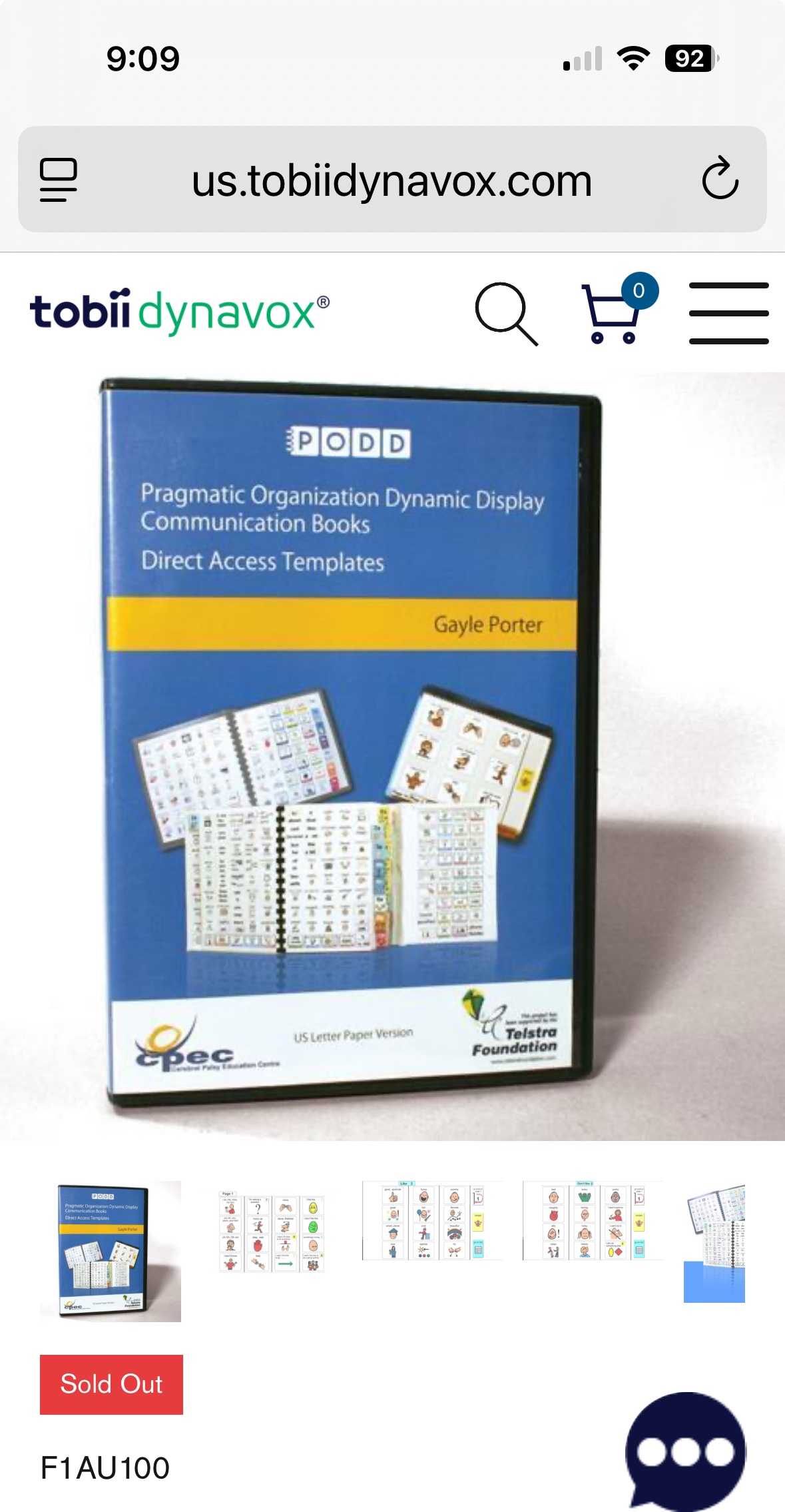

Update 11/20/25: And it’s sold out again.

At this point I’d be looking at simPODD or Mind Express 5 as more reliable sources for creating printable paper-based PODD books.
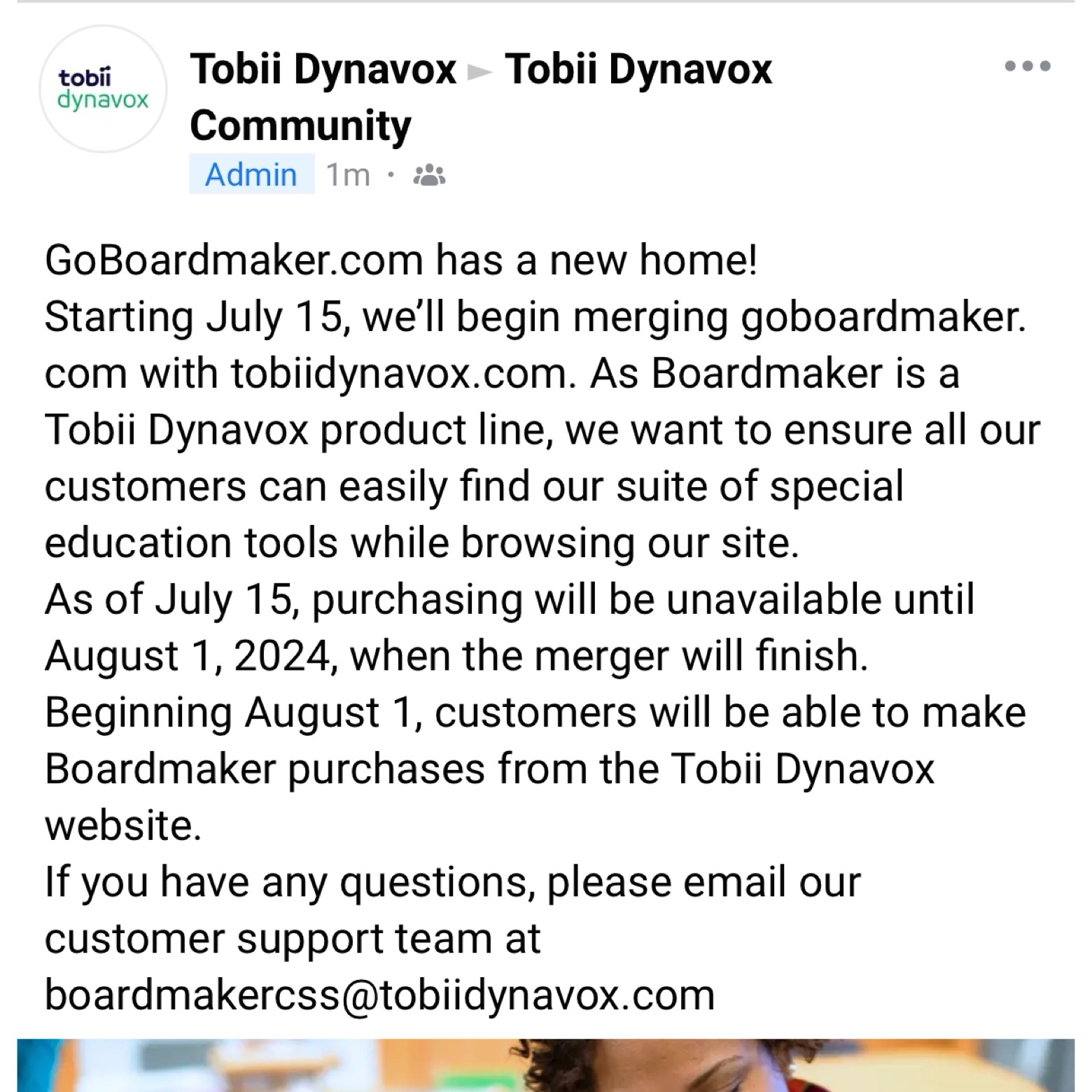

Update 7/11/24: Important information from Tobii Dynavox about Boardmaker. Text from screenshot of the post in the Tobii Dynavox Community:

“GoBoardmaker.com has a new home!

Starting July 15, we’ll begin merging goboardmaker.com with tobiidynavox.com. As Boardmaker is a Tobii Dynavox product line, we want to ensure all our customers can easily find our suite of special education tools while browsing our site.

As of July 15, purchasing will be unavailable until August 1, 2024, when the merger will finish.

Beginning August 1, customers will be able to make Boardmaker purchases from the Tobii Dynavox website.

If you have any questions, please email our customer support team at

boardmakercss@tobiidynavox.com”

https://www.facebook.com/story.php?id=127748650590859&story_fbid=8288273787871597

(I’m not affiliated with the company so please contact them directly with any questions)
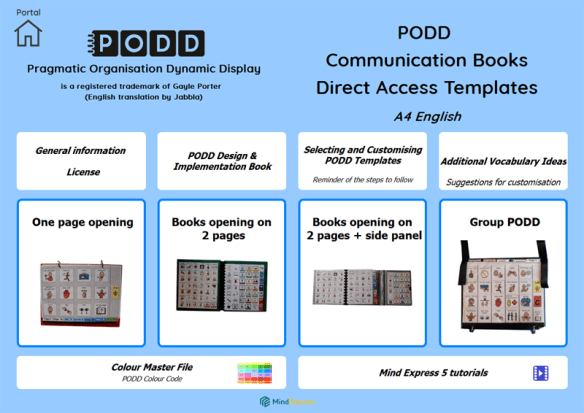

Update 10/3/23: Jabbla now has PODD Communication Books – Direct Access – A4 AUS-UK English available for printing within Mind Express 5: https://mindexpress.jabbla.com/en/download/podd-communication-books-direct-access/. Hopefully the USA Letter sized version will be available soon. More info: https://www.jabbla.com/en/vocab/podd/
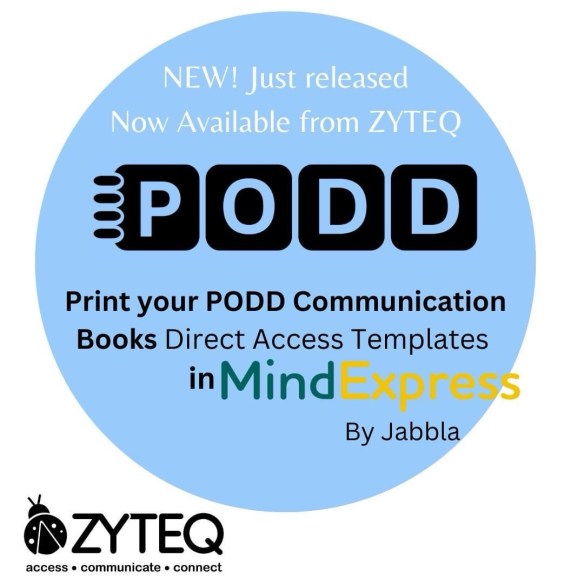

Update 10/15/23: For those in Australia, see Zyteq’s website for purchasing options and pricing for PODD & printing PODD direct access templates in Mind Express 5: https://www.zyteq.com.au/products/software/podd-communication-book-templates-direct-access-for-mind-express-5


Update 10/3/23: French PODD info: https://www.caapables.fr/ressources-podd/


Update 3/18/25: Gayle Porter talking about PODD on Mind Express 5… she said the Alternative Access Templates will be available “in the next month or so”:

https://www.facebook.com/story.php?story_fbid=1190588106404285&id=100063593214284
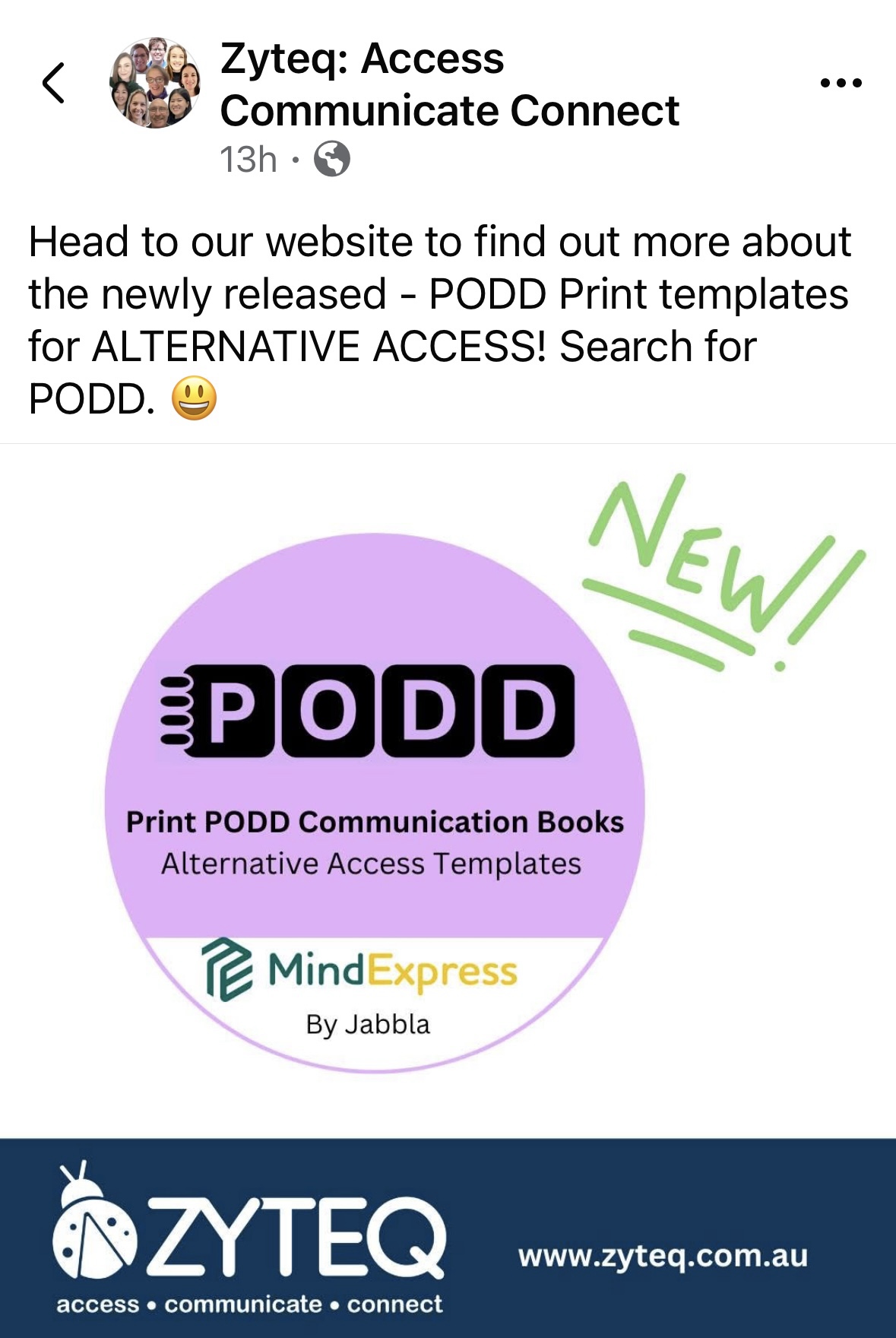
Update 4/28/25: The Alternative Access PODD templates are available: See info on the Zyteq: Access Communicate Connect website: https://www.zyteq.com.au/products/software/podd-communication-book-templates-alternative-access-for-mind-express-5.
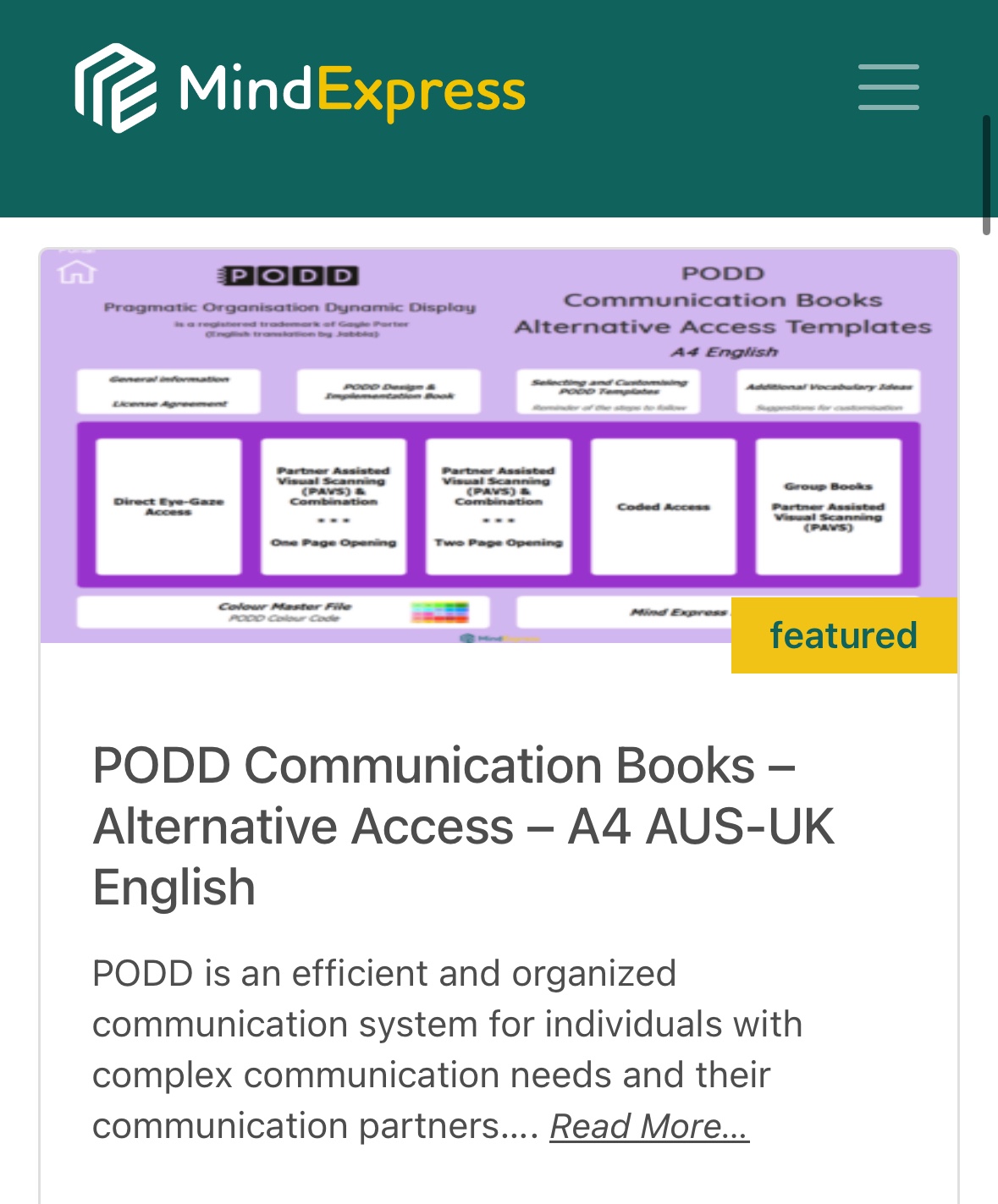
Also available on the Jabbla Mind Express website: https://mindexpress.jabbla.com/en/download/podd-communication-books-alternative-access-a4-aus-uk-english/

Alternative access versions of PODD:

  • Partner-Assisted Visual Scanning (PAVS)

  • Eye-Gaze (EG)

  • Combination Eye-Gaze plus Partner-Assisted Visual Scanning (EG + PAVS)

  • Combination Direct Pointing plus Partner-Assisted Visual Scanning (D + PAVS)

  • Colour Coded and Partner-Assisted Visual Scanning (CC)

  • Full Coded (C)

With varying and evolving levels of linguistic complexity, these communication books support language development while meeting the varied needs of each user (motor, visual and language needs). The range of PODD communication books supports individuals from first words through to complex syntax. This resource on Mind Express 5 includes templates to make 22 different alternative access PODD books (20 personal books and 2 group books). Here is a list of all the books included:

  • 9 Eye-Gaze Early Functions

  • 9 Eye-Gaze Expanded Functions

  • 9 PAVS Early Functions

  • 9 PAVS Expanded Functions

  • 12 PAVS Early Functions

  • 12 PAVS Expanded Functions

  • 16 Direct Plus PAVS Combination Access

  • 16 Eye Gaze Plus PAVS Combination Access

  • 20 PAVS Expanded Functions

  • 36 PAVS Key Word

  • 40 PAVS Key Word

  • 48 PAVS Key Word

  • 64 PAVS Key Word

  • 80 PAVS Key Word

  • 100 PAVS Key Word

  • 40 CC Key Word

  • 48 CC Key Word

  • 64 CC Key Word

  • 80 CC Expanded Key Word

  • 100 + CC Complex Syntax

  • Group PAVS – Early Functions – Book Format

  • Group PAVS – Expanded Functions – Book Format

  • Group PAVS – Early Functions – Vest Format

  • Group PAVS – Expanded Functions – Vest Format


Options for purchasing premade PODD books (you have to sign a confirmation that you own both the Boardmaker and PODD software). A big shout out to Rachael Langley & Kelly Fonner for helping me find the first two options! The third one was seen in a Facebook group:

* Alt+Shift: https://www.altshift.education/resources/order-podd-books-through-altshift, http://www.surveygizmo.com/s3/1970606/PODD-Book-Order-Form-3 (several sizes and styles to choose from. This is where we ordered this patient’s book from. The spiral binding is not very large so we had to use a wooden dowel rod to hang it on the PVC stand. Updated 9/26/22: They also offer alternative access PODD books. See their website for requirements.

.

* http://www.esc4.net/Assets/podd-books-order-formv2.pdf

.

* https://terraslatepaper.com/products/podd-communication-book (you have to send them PDF to print) – Updated 9/25/22 This company no longer does this

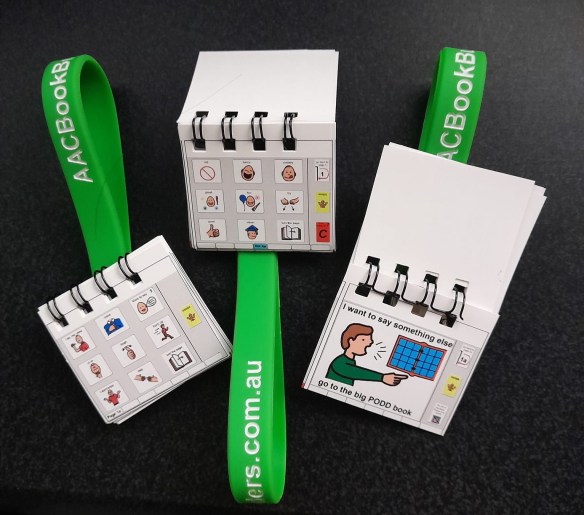
* Update 9/26/22: AAC Book Builders in Australia: http://aacbookbuilders.com.au/productpage/ & their Facebook page: https://www.facebook.com/aacbookbuilders/. I don’t know prices and whether or not they ship internationally but thought it was cool that they also rent PODD books for trials and have tiny doll-sized PODD books

Updated 2/18/25: The website link is now: https://aacbookbuilders.com.au/product_page/
.

How to convert PODD to PDF in Boardmaker 6 (tap this title to open PDF)

So I’ve been frustrated that I’m always fumbling through this patient’s PODD book in sessions. I wish there was a “word finder” for PODD (one of the downsides of a no tech system). I’m pretty “at home” with most AAC devices and apps since I have had lots of time to look through them and use them.  I wanted to have this same level of ease in using PODD so I decided that I needed a copy of the same style of PODD book that she is using.

Unfortunately I can’t use the Tobii Dynavox PODD pageset in the Compass app to model since it doesn’t look anything like my patient’s PODD book. Since I am only 14 weeks away from retirement it did not make sense to spend about $80 to order a premade PODD book for me.  I had seen comments online of folks saving a PODD book as a PDF so that’s what I decided to do. I saved the PDF in iBooks on my iPad. Now I have a way to look through it to get a feel for what vocabulary is in it and the pragmatic branching.

Be forewarned ….. it’s a VERY tedious & time consuming process to save a PODD book into one PDF if you are using Boardmaker 6 on a CD. It took me about 3 hours for a 123 pages of PODD. It’s not hard but time consuming.

  • Open the first page of your PODD book in Boardmaker.
  • Go to File – Print Set Up – Print Set Up – selected “Microsoft Print to PDF” – OK – Remember Board Settings for New Boards – OK
  • Go to File – Print (make sure it says “Microsoft Print to PDF” as the printer) – OK

You have to repeat the process for every single page that you want to include in the PDF of your PODD book. (I don’t have access to Boardmaker Online so I don’t know what the steps are there).

After you have all your pages saved as PDFs, then go to the Small PDF website (https://smallpdf.com/merge-pdf). This website lets you upload an unlimited number of PDFs. I uploaded all 123 of the PDF documents that I wanted included in this PODD book. After they are all uploaded then you hit “merge”. I was surprised how quickly this website handled merging 123 separate PDFs into one 123 page PDF document. I then uploaded the merged PDF from my computer into the media storage on my blog (a secured area that only I have access to). From there I was able to e-mail the link to the iPad that I use for AAC and opened the PDF in iBooks to save it on the device.

**** Note: Boardmaker 7 has been released but there are significant issues with its abilities to import PODD books. Tobii Dynavox released info on what to do in this document (last updated 12/14/20): http://tdvox.web-downloads.s3.amazonaws.com/Boardmaker/v7/Using%20PODD%20in%20Boardmaker%207%20FAQ.pdf

Additional info: https://www.tobiidynavox.com/landing-pages/podd-in-boardmaker-7/
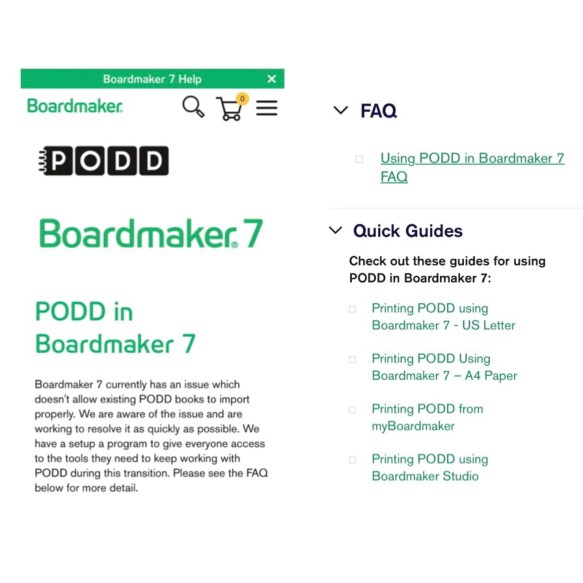
7/12/21: See this info for additional help: https://goboardmaker.com/pages/podd-in-boardmaker-7

But I’m hearing that the solutions offered in the Quick Guides may not resolve the issues especially if you are trying to do 2-sided printing. Contact your local Boardmaker support team.

.

Find a PODD Training:

Updated 9/25/22:

PODD Training Calendar: http://www.kellyfonner.com/poddusa/index.html

.

Comparisons of PODD one page opening types of books: PODD-Comparison-for-one-page-opening-communication-books

Language: Pragmatic Functions and semantic meaning comparisons of PODD one page opening types of books: PODD-Language-Comparison-for-one-page-opening-communication-books

.
More PODD tips:
http://praacticalaac.org/?s=PODD
.
Mary-Louise Bertram demonstrates how to make a portable stand for a PODD book, that could also work well for other kinds of communication books.


.
How We Speak PODD makes their carrying rods:


.
Here are some examples of PODD book stands made out of PVC. The amazing PT tech at our facility made some of the first style ones for us:  PODD PVC stand examples
.

Update 1/19/23: Nice short video with carrying strap ideas for two different styles of PODD books: https://youtu.be/PhM4LfPjBIo

.

Update 7/28/20: More stand options

Therese Willkomm (a “MacGyver of AT”) making a stand out of corrugated plastic: https://youtu.be/1EeX7bIKiEU
More details (the dimensions are for an iPad stand but could easily be adapted for a PODD book): https://www.atprogramnews.com/2012/08/make-an-ipad-stand-in-under-3-minutes.html . Also found a PDF on this website: https://iod.unh.edu/node/73. (Updated 9/25/22: see this instead: https://iod.unh.edu/sites/default/files/media/2021-09/making-an-eileen.pdf)
.
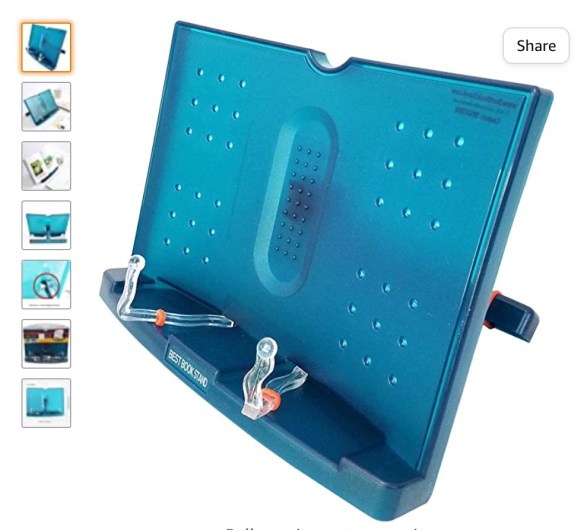

I’ve also seen this stand recommended: BestBookStand Actto BST-09:
https://www.amazon.com/BestBookStand-Actto-BST-09-adjustable-Portable/dp/B005IV6U0U

.
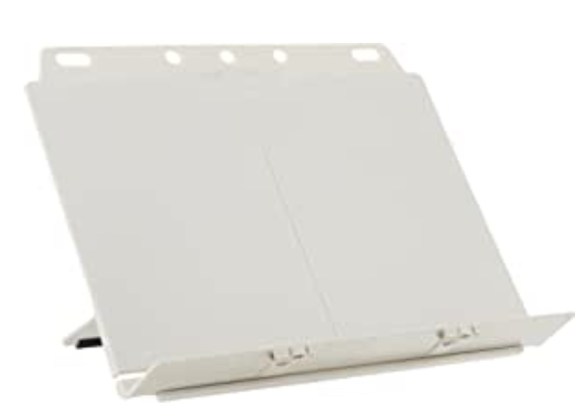
And this one: Fellowes Booklift Copyholder, Platinum (21100)
https://www.amazon.com/dp/B00004Z5QI/ref=cm_sw_em_r_mt_dp_cRElFbJ4VYSBM

.
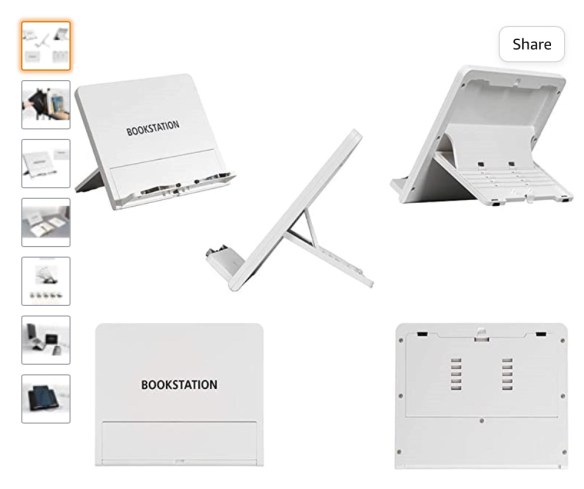
BookStation

https://www.amazon.com/dp/B08H8DZ2W8/ref=cm_sw_r_sms_api_i_.jmOFbXJ02NGD?_encoding=UTF8&psc=1

.
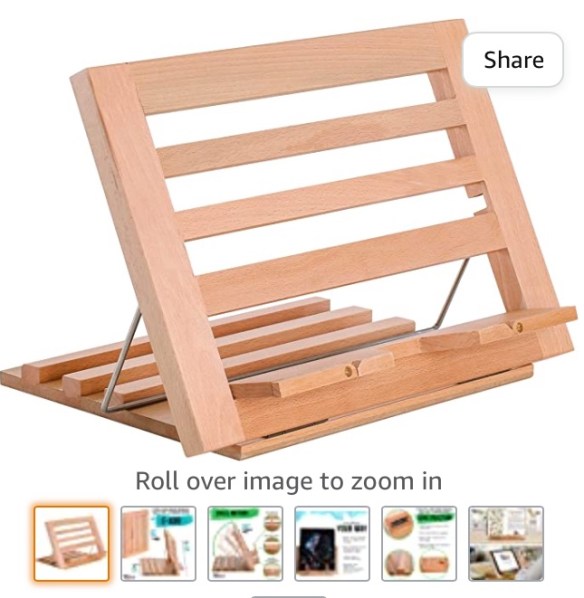
U.S. Art Supply Hampton Large Wooden Table Easel

https://www.amazon.com/dp/B01E7GLMOK/ref=cm_sw_r_cp_api_glc_fabc_94i0Fb8F9WGQZ

.

Updated 3/12/21:

PODD in the Classroom: Portable, Wearable, & Comfortable by Rachael Langley (on PrAACtical AAC): https://praacticalaac.org/praactical/how-i-do-it-by-rachael-langley-podd-in-the-classroom-portable-wearable-comfortable/

.

PODD Facebook groups:
* PODD and Alternative Access: https://www.facebook.com/groups/245472458977470
* PODD Trained Discussion Group: https://www.facebook.com/groups/146028998941754
* PODD Europe: https://www.facebook.com/groups/304605199684150
* PODD & Angelman Sydrome: https://www.facebook.com/groups/AngelmanPODD/

* PODD with Alternative Access and Alternative Presentation: https://www.facebook.com/groups/245472458977470/

* PODD Interest Group Australia: https://www.facebook.com/groups/poddaus/

More Facebook groups that are not specific to PODD but folks frequently post about it there:

* AAC for the SLP: https://www.facebook.com/groups/1539830846285663/

* AAC Through Motivate, Model, Move Out Of The Way: https://www.facebook.com/groups/421704261346486/

* Angelman, Literacy, and Education (including Alphabet Therapy): https://www.facebook.com/groups/265187670266772/

See Facebook groups for each digital PODD app below.

.
Gayle Porter has reportedly been working on an “alternative access” version of PODD for quite awhile but as of the time of this post it is still not available here in the USA.

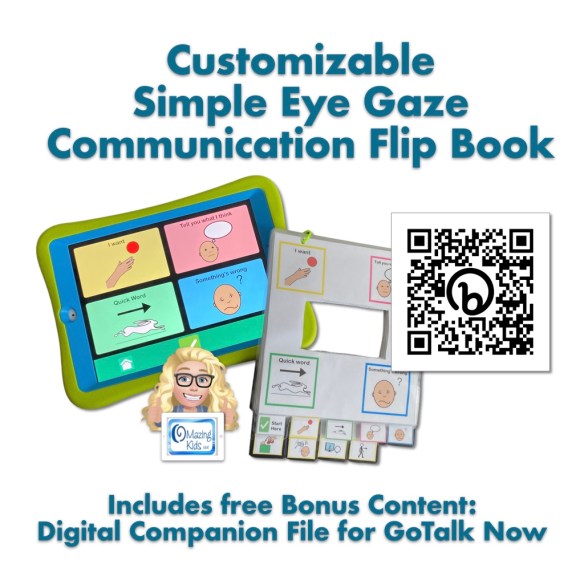
So I made these very simple eye gaze boards with pragmatic branching to use with a couple of other older patients. (Update: As of 1/13/21 the Alternative Access version of PODD is still not available in the USA and no info could be found regarding when it will be available. Update: As of 1/8/23 the Alternative Access version is still not commercially available in the USA. You could order it from Australia and get A4 paper to print it on but any binders would also need to be that size: https://cpec-store.myshopify.com/collections/podd-books/products/pragmatic-organisation-dynamic-display-podd-communication-book-alternative-access-templates. Or see the ordering info above for Alt+Shift (USA) and AAC Book Builders (Australia) for purchasing premade Alternative Access PODD books.

.

Facebook post from 10/31/17:

https://www.facebook.com/watch/?v=1650668341650831

.

https://youtu.be/JKsf9bjRiGU

.

Update 9/25/22: This frequently requested resource in now available on TPT. See this blog post for details: Simple Eye Gaze Communication Flip Book: https://omazingkidsllc.com/2022/09/25/new-resource-simple-eye-gaze-communication-flip-book/
.

Update 7/22/20:
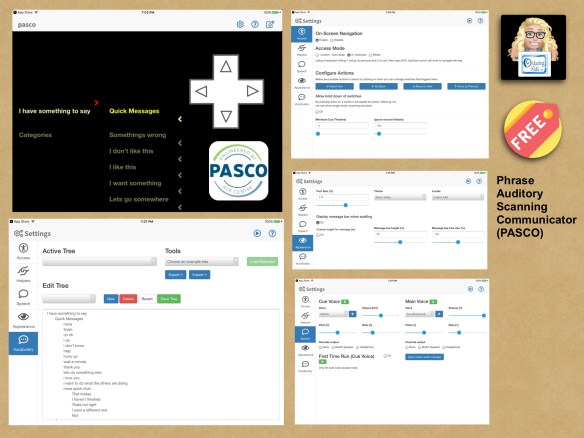
 

I recently discovered this unique free AAC app in the App Store. pasco by Ace Centre
https://apps.apple.com/us/app/pasco/id1317265884. pasco (Phrase Auditory Scanning COmmunicator). It works on the iPad and iPhone. The auditory scanning options are very similar to those in PODD. There are no symbols. It’s totally auditory. The in app guide is in the “?” area. More info: http://acecentre.org.uk/project/pasco/. Support FAQs: https://acecentre.org.uk/page/pasco-support/

8/7/24: Pasco is being sunsetted and replaced by the new free Echo app: https://acecentre.org.uk/resources/echo. Unfortunately the pragmatic branching vocabulary that was included in their Pasco app isn’t included in this new app but it could be built. I haven’t found a way to share or backup what is created. There isn’t a way to import content from Pasco for use in the new Echo app. See this post by Will Wade on LinkedIn: https://www.linkedin.com/posts/willwade_assistivetech-innovation-echo-activity-7226899981331267584-PPUQ?utm_source=share&utm_medium=member_ios

.
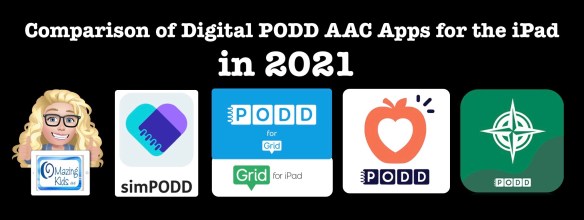
Update 1/9/21:

Digital PODD books are available on the iPad in four ways: simPODD, Grid for iPad, Snap Core First and PODD with Compass. This post is based on my personal experiences in trying all four options.

Update 7/22/21: Snap Core First has been re-branded as TD Snap AAC. The process of setting up a new user in the app has been improved. The other features remain the same.

Updated 9/25/22:
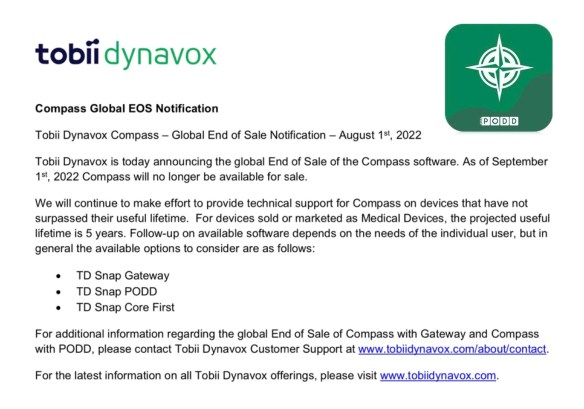
As of September 1st, 2022, PODD with Compass is no longer available for sale (http://downloads.tobiidynavox.com/Other/Legacy%20EOS/Compass%20EOS.pdf). They will continue to make effort to provide technical support for Compass on devices that have not surpassed their useful lifetime.

————-

3/12/23 For comprehensive and up to date info about all of the digital PODD options on the iPad and Windows devices, see this new resource. Like all of my feature matching resources it will be updated if features change in apps:

http://bit.ly/3ycG1EL


As I mentioned at the beginning of this blog post, I did not have the opportunity to attend a formal PODD training. I’m in Oklahoma and PODD trainings were always too far away and too expensive for the state agency to send us. There was finally one in Texas just a few months before I retired but I gave my spot to another SLP on the team since spending that much for me to attend did not make sense that close to retirement.

So in order to support the patients that I used PODD with I taught myself via all of the resources that I shared on this blog post: videos, webinars, handouts, reading everything included with the PODD CD, participating in several AAC Facebook groups, and being cross-trained by the two SLPs who did go to that PODD training in Texas, etc. Since then I have continued to remain active with AAC.

I’m glad to answer questions or point you in the direction of who may be able to answer them 😊

The best way to reach me is via Facebook messaging over on my OMazing Kids page: https://www.facebook.com/OMazingKidsAAC/

Want to suggest PODD resources or info to be added to this list? The best way to reach me is via Facebook messaging over on my OMazing Kids page: https://www.facebook.com/OMazingKidsAAC/. If you are an app developer and would like to have me review a new digital PODD app for the iPad or PODD that was added to an existing app via IAP, please send the link from the USA App Store so I can look at the info before you send a promo code. I want to make sure that one of my iPads is compatible in order to try it out.

.

I’m retired from providing clinical services but am doing AAC consulting, creating AAC resources, actively posting about AAC and apps and using AAC in volunteer work.

.

Updated contact info 9/25/22

Angela Moorad, MS, CCC-SLP, Founder of OMazing Kids, LLC, OMazing Kids AAC Consulting

• Teachers Pay Teachers Store: https://www.teacherspayteachers.com/Store/Omazing-Kids-Aac-Consulting

• YouTube: https://youtube.com/user/amoorad1

• Ko-Fi: https://ko-fi.com/omazingkidsaac

• OMazing Kids AAC Consulting Facebook Page: https://www.facebook.com/OMazingKidsAAC/

• AppPeeps Facebook Group: https://www.facebook.com/groups/OMazingKidsAppPeeps/

• GoTalk Now AAC & GoVisual Visual Scene Apps – Ideas and Sharing Facebook Group: https://bit.ly/GoTalkNowAACappGroup

• Instagram: https://www.instagram.com/omazingkidsaac

• Twitter: https://www.twitter.com/amoorad

• Pinterest: http://pinterest.com/OMazingKids/

• Linktree: https://linktr.ee/amoorad1

• LinkedIn: https://www.linkedin.com/in/angelamooradomazingkidsaac

• Blog: https://omazingkidsllc.com
{50+ Fun Food Apps} Expanding AAC opportunities with kids cooking & food themed apps

.

{50+ Fun Food Apps} Expanding AAC opportunities with kids cooking & food themed apps

.

One of the first motivators for many beginning AAC users is to request food. But then sometimes kids get stuck there. One way to move on is to tap into that high interest area by using food and cooking themed apps on a second iPad. Many of these apps are filled with opportunities to target verbs, adjectives, emotions and core vocabulary on their AAC device all centered around a food theme. I went through my app collection and compiled this list with a wide range of ages in mind:

.
Angela Moorad, MS, CCC-SLP
Speech-Language Pathologist
Founder of OMazing Kids, LLC – inclusive wellness & educational activities for kids of all abilities
Facebook Messaging for OMazing Kids: https://www.facebook.com/messages/174264525957894
Facebook: http://www.facebook.com/OMazingKidsYoga
AppPeeps Facebook Group: https://www.facebook.com/groups/OMazingKidsAppPeeps/
Twitter: http://twitter.com/#!/amoorad
Instagram: https://www.instagram.com/omazingkids
YouTube: http://www.youtube.com/user/amoorad1
Pinterest: http://pinterest.com/OMazingKids/
YappGuru: http://yappguru.com/user/omazing-kids/
Google+: https://plus.google.com/u/0/110305433538768736741
Boardmaker Share: http://www.boardmakershare.com/Community/FriendsProfile/10916/Angela-Moorad
Blog: http://omazingkidsllc.com
.
Angela Moorad is the founder of OMazing Kids, LLC and is an ASHA certified & licensed pediatric Speech-Language Pathologist and Kids Yoga Teacher with over 27 years experience working in a variety of settings (early intervention, schools, teletherapy & a nonprofit pediatric rehab hospital for children with developmental disabilities). She is an app beta tester for educational & therapeutic app developers and loves sharing info about great apps, products, books & toys to use with kids of all abilities.


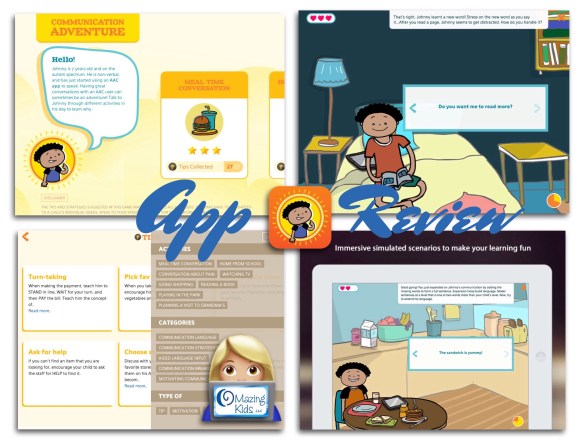
{App Review} Communication Adventure – An app for communication training for caregivers of children with complex communication needs by Avaz, Inc.

.

{App Review} Communication Adventure – An app for communication training for caregivers of children with complex communication needs by Avaz, Inc.

 .
This app from Avaz provides several scenarios to practice opportunities for encouraging and expanding communication. The tips are pretty universal and could apply to any robust AAC system or even general language development. There were a couple of items that I might have coached a parent a little differently in but overall the app has good info and would be a fun and very affordable way to train parents, teachers, aides or other caregivers on ways to encourage & expand communication. After you complete all the modules you then have access to an area with additional tips / ideas.
.
.
[FYI… if you have the  Avaz Pro – AAC App (https://appsto.re/us/19nrH.i) then you have similar scenarios in the “dashboard” area but they take longer to unlock there since that is contingent upon practicing sentences]
.
.

Angela Moorad, MS, CCC-SLP

Speech-Language Pathologist 

Founder of OMazing Kids, LLC – inclusive wellness & educational activities for kids of all abilities 

Facebook Messaging for OMazing Kids: http://m.me/OMazingKidsYoga

Facebook: http://www.facebook.com/OMazingKidsYoga 

AppPeeps Facebook Group: https://www.facebook.com/groups/OMazingKidsAppPeeps/ 

Twitter: http://twitter.com/#!/amoorad 

Instagram: https://www.instagram.com/omazingkids

YouTube: http://www.youtube.com/user/amoorad1 

Pinterest: http://pinterest.com/OMazingKids/ 

YappGuru: http://yappguru.com/user/omazing-kids/

Google+: https://plus.google.com/u/0/110305433538768736741

Boardmaker Share: http://www.boardmakershare.com/Community/FriendsProfile/10916/Angela-Moorad 

Blog: http://omazingkidsllc.com

.

Angela Moorad is the founder of OMazing Kids, LLC and is an ASHA certified & licensed pediatric Speech-Language Pathologist and Kids Yoga Teacher with over 27 years experience working in a variety of settings (early intervention, schools, teletherapy & a nonprofit pediatric rehab hospital for children with developmental disabilities). She is an app beta tester for educational & therapeutic app developers and loves sharing info about great apps, products, books & toys to use with kids of all abilities. 


.

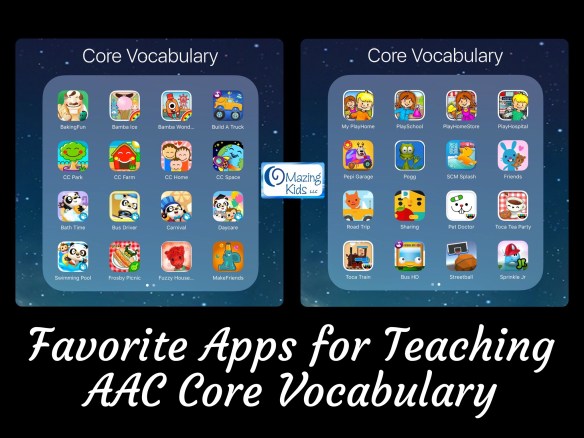
{Appy AAC Awareness Month}: Favorite Apps for Teaching AAC Core Vocabulary (updated 3/12/23)

image

.

{Appy AAC Awareness Month}: Favorite Apps for Teaching AAC Core Vocabulary


3/13/22: Thanks to Vicki Clarke for the mention of this post in your article today on PrAACtical AAC: AAC Implementation Framework: Step 2, TRAIN: https://praacticalaac.org/praactical/aac-implementation-framework-step-2-train.

Welcome to anyone visiting this 2016 blog post. I’ve updated app availability below. Sadly several of these apps are no longer available. App prices have changed since I wrote this post over 6 years ago.

.

A more current resource about apps is my Ultimate App and Digital Resource Guide for SLPs (I’ll be working on doing the 2023 update for that soon. Anyone who has previously purchased it will be able to download the updated version when it’s available: https://bit.ly/UltimateAppDigitalResourceGuideSLP.

  • Interactive PDF (256 pages with linked Table of Contents) full of lists of hundreds of apps and digital resources organized by SLP goal areas and themes
  • App demo videos (links to 29 unlisted YouTube videos)

.

100 Great Kids Picture Books to Target Core Vocabulary for AAC Users: https://bit.ly/PictureBooks4CoreAAC

.

To make things easier to find on my blog see the new Resources Links page: https://omazingkidsllc.com/omazing-kids-aac-resource-links/


7/22/20: See this newer blog post for current info: https://omazingkidsllc.com/2020/07/22/over-100-free-affordable-apps-boom-cards-to-target-aac-core-vocabulary-list-compiled-by-angela-moorad-ms-ccc-slp-omazing-kids/


I’m always looking for fun and motivating ways to target core vocabulary for my patients that are AAC users. I use a variety of toys, books, sensory activities & apps to provide lots of opportunities for practice in the short amount of time I have with them in OMazing Kids speech therapy each week. My iPad loaded with fabulous apps is one of the best tools in my SLP therapy toolbox!

.
Here are some of my favorite iOS apps for targeting core vocabulary (listed in alphabetical order, prices were verified and all were available in the USA App Store at the time of this post. I have no way to know if these apps are available in other countries or what the prices would be if they are):

* BakingFun for Kids, $1.99, https://appsto.re/us/HZYAQ.i (free printable core vocab mini book to go with the app: https://omazingkidsllc.com/2014/08/25/core-vocabulary-app-of-the-week-free-printable-booklet-baking-fun-by-kujifun/)
* Bamba apps (my faves are: Ice-Cream, FREE, https://appsto.re/us/gkz-F.i & Wonderland, FREE, https://appsto.re/us/Frwzcb.i)
* Build A Truck – Duck Duck Moose, FREE, https://appsto.re/us/tSBYR.i
* Choo Choo Park, $.99 -> currently FREE, https://appsto.re/us/V2G_9.i (definitely worth grabbing all 6 of their apps while they are free. I rotate them on/off my iPad seasonally or based on themes. Update 3/13/23: Sadly all of these apps have totally disappeared from the App Store)
* Dr. Panda apps (tons of great apps… some of my faves: Bus Driver, $2.99. -> currently on sale for $.99, https://appsto.re/us/JhJlS.i; Carnival, $2.99, https://appsto.re/us/KvVQ7.i; Bath Time,
$2.99, https://appsto.re/us/iek0bb.i; Daycare, $2.99, https://appsto.re/us/fuJuI.i & Swimming Pool, $1.99, https://appsto.re/us/xKWM2.i)
* Frosby Picnic Camp, $1.99, https://appsto.re/us/1H16O.i
* Fuzzy House, $2.99, https://appsto.re/us/jPZBbb.i
* Let’s Make Friends – Play Toy, $2.99, https://appsto.re/us/Rvk-Q.i
* My PlayHome, $3.99, https://appsto.re/us/5fdnA.i (they also have Stores (https://appsto.re/us/slcXO.i), School (https://appsto.re/us/zL392.i) & Hospital (https://appsto.re/us/FAksbb.i) apps that are $2.99 each and the cool thing is the apps all link to each other so you can easily explore the town. Update 3/13/23: They also have a newer My PlayHome Plus app)
* Pepi Garage, FREE, https://appsto.re/us/a0Me9.i (Update 3/13/23: Sadly this app has disappeared from the App Store)
* Pogg, $.99, https://appsto.re/us/L4HUt.i
* Sago Mini apps (lots of great apps…. some of my faves: Friends, FREE, https://appsto.re/us/61Qh0.i (Update 3/12/23: $3.99, new link: https://apps.apple.com/us/app/sago-mini-friends/id1245748156. This app developer has primarily switched to a subscription based model with their Sago Mini World app: https://apps.apple.com/us/app/sago-mini-world-kids-games/id874425722); Road Trip, $2.99, https://appsto.re/us/M1E7Z.i (Update 3/12/23: no longer available as a stand alone app but it’s available within Sago Mini World)
* Science Museum Splash!, $.99, https://appsto.re/us/sfoDQ.i (very excited to see this app reappear in the App Store. Update 3/12/23: Sadly this app has disappeared again)
* Sharing with Duckie Deck, $2.99, https://appsto.re/us/la7qI.i (Update 3/12/23: Sadly this app has disappeared from the App Store)
* Toca Boca apps (several great apps… some of my faves: Pet Doctor, $2.99, https://appsto.re/us/HnSkW.i, Tea Party, $2.99, https://appsto.re/us/Kogsz.i & Train, $2.99, https://appsto.re/us/JM5fF.i)
* Wheels on the Bus HD by Duck Duck Moose, FREE, https://appsto.re/us/kg7kw.i

For older kids & teens, I also use a variety of sports-themed and game apps (ex: Streetball Game, $2.99, https://appsto.re/us/Vv80bb.i (Update 3/12/23: Sadly this app has disappeared from the App Store); Galaxy Bowling, $3.99,
https://appsto.re/us/FwitA.i; Air Hockey by Acceleroto, $.99, https://appsto.re/us/LrAdr.i, Sprinkle Junior, $1.99, https://appsto.re/us/KB7sC.i (Update 3/12/23: Sadly this app has disappeared from the App Store), Thinkrolls Logic Puzzles Bundle – 2 apps, $5.99, https://appsto.re/us/sr_0db.i, Update 3/12/23: That bundle is no longer available but you can still purchase the apps separately: Thinkrolls: https://apps.apple.com/us/app/thinkrolls-kids-logic-puzzles/id917176209, Thinkrolls 2: https://apps.apple.com/us/app/thinkrolls-2-kids-puzzles/id968707176)
.

Tips: Apps come and go frequently in the App Store. New apps are released. Sometimes older apps disappear while they are being updated. Sometimes they never reappear. So it’s always wise to periodically back up your iPad by plugging it into a computer logged into your iTunes account. This insures you won’t lose any apps that may disappear from the App Store. I originally got most of these apps by grabbing them quickly when they were free for a day or two. Watch my OMazing Kids Facebook page and AppPeeps Facebook group where I share these as “free app alerts”. Others I got on sale or via doing app reviews.

The main thing I look for when searching for apps to use for targeting core vocabulary for AAC users in therapy sessions are open-ended play apps that are intuitive, have large engaging graphics, are ad-free, have the option to toggle off any background music or it is very subtle (not over stimulating) while still leaving on any sound effects or voiceovers and any outside links are well hidden behind a parental gate.
.
Of course these apps should be on a separate iPad from their “talker” so you can “talk” while playing (Update 3/12/23: Some apps could also be used in Split View or Slide Over)

.
I use these apps to target the same core vocabulary that I would with a “real” toy or activity. Think of it as the “virtual” version of that. I lock the “play” iPad into the app that I have selected by enabling Guided Access. If the child is using an iPad as their “talker”, then it is also locked into their AAC app via Guided Access.

(Update 3/12/23: please read this blog post for the most current info about Tech Safety. There are more options now. It no longer has to be all or nothing: https://bit.ly/TechSafetyAndAAC-BlogPost)

.
Need ideas for how to target core vocabulary? I’m LOVING the Core Word 5-Minute Fillers on the NEW AssistiveWare Core Word Classroom website. Here’s a screenshot of the one for Mr. Potato Head.

.

You could use these ideas with a “real” Mr. Potato Head or the app version (Mr. Potato Head – Create & Play: School Edition by Originator Inc., $4.99, https://appsto.re/us/Y6JCI.i. Update 3/12/23: Sadly this app has disappeared from the App Store)

http://coreword.assistiveware.com – It’s only free for a short time while the website is in “beta” development so I’d suggest that you save any PDFs that you love.
.
I also love this free resource from Saltillo (maker of NovaChat and ChatFusion SGDs & the TouchChat AAC app): https://www.facebook.com/OMazingKidsYoga/photos/a.433610663356611.117461.174264525957894/1192093340841669/?type=3
.
Other helpful resources:

Balanced AAC approach: http://praacticalaac.org/praactical/the-baby-the-bathwater-and-core-vocabulary/

Tons of great info: http://praacticalaac.org/?s=Core

Quick handout: http://www.handyhandouts.com/pdf/405_CoreVocabulary.pdf

Need help getting FREE access to AAC apps to trial with patients? Check out this post:

Update 3/12/23: The most current info about how SLPs/SLTs can get access to robust AAC apps can be found on this post: https://bit.ly/AACtestdrive

#SLPeeps #AAC #AidedLanguageStimulation #augcomm
.

Updated contact info 3/12/23

Angela Moorad, MS, CCC-SLP, Founder of OMazing Kids, LLC, OMazing Kids AAC Consulting

• Teachers Pay Teachers Store: https://www.teacherspayteachers.com/Store/Omazing-Kids-Aac-Consulting

• YouTube: https://youtube.com/user/amoorad1

• Ko-Fi: https://ko-fi.com/omazingkidsaac

• OMazing Kids AAC Consulting Facebook Page: https://www.facebook.com/OMazingKidsAAC/

• AppPeeps Facebook Group: https://www.facebook.com/groups/OMazingKidsAppPeeps/

• GoTalk Now AAC & GoVisual Visual Scene Apps – Ideas and Sharing Facebook Group: https://bit.ly/GoTalkNowAACappGroup

• Instagram: https://www.instagram.com/omazingkidsaac

• Twitter: https://www.twitter.com/amoorad

• Pinterest: http://pinterest.com/OMazingKids/

• Linktree: https://linktr.ee/amoorad1

• LinkedIn: https://www.linkedin.com/in/angelamooradomazingkidsaac

• Blog: https://omazingkidsllc.com / Resource Links page: https://omazingkidsllc.com/omazing-kids-aac-resource-links
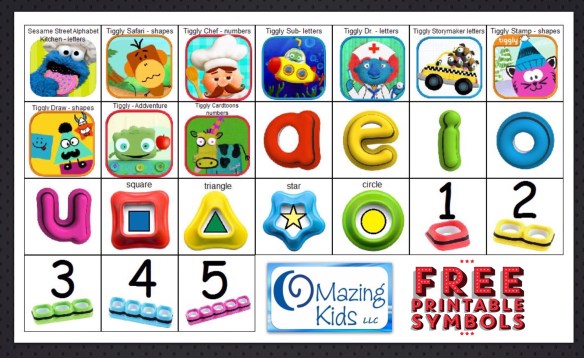
Free printable symbols for Tiggly apps & styluses

image

.

My favorite therapy activity today was using the Tiggly Safari app with the shape styluses on my iPad to create lots of opportunities for language, listening, matching, sustained attention, joint attention and tons of fun! This particular patient is a preschooler with Autism and newly emerging verbal skills. I use symbols with him in a combo of PECS communication, as a visual support for choices and as aided language input. His smiles & giggles were the highlight of my day. 🙂

.

There are currently 10 Tiggly apps and three different sets of styluses. Here are some free printable symbols that I made for my patients who use PECS to be able to choose a particular Tiggly app as well as which stylus they want to use. Now that I have the images created, I can also import them into a variety of AAC apps as fringe vocabulary for a couple of my patients who have a high interest in these particular apps.
.
For those of you who have Boardmaker, I saved it out on the Boarmaker Share website: http://br.boardmakershare.com/Activity/1908065/PECS-symbols-for-Tiggly-Apps–Styluses
.
For those who don’t have Boardmaker, I also saved a PDF version in Dropbox: https://www.dropbox.com/s/8nthta3ufmlshhw/tiggly%2520apps%2520and%2520styluses.pdf?dl=0
.
Want more info about Tiggly? Check out their website: https://www.tiggly.com & their Facebook page: https://www.facebook.com/Tiggly. Link to the application for their their Tiggly Educator program: http://goo.gl/forms/x8g0Pr3ZGE

.
Angela Moorad, MS, CCC-SLP
Speech-Language Pathologist
Founder of OMazing Kids, LLC – inclusive wellness & educational activities for kids of all abilities
Home E-Mail: amoorad1@juno.com
Facebook Messaging for OMazing Kids: https://www.facebook.com/messages/17426452595789
Facebook: http://www.facebook.com/OMazingKidsYoga
AppPeeps Facebook Group: https://www.facebook.com/groups/OMazingKidsAppPeeps/
Twitter: http://twitter.com/#!/amoorad
YouTube: http://www.youtube.com/user/amoorad1
Pinterest: http://pinterest.com/OMazingKids/
Google+: https://plus.google.com/u/0/110305433538768736741
Boardmaker Share: http://www.boardmakershare.com/Community/FriendsProfile/10916/Angela-Moorad
Blog: http://omazingkidsllc.com
.
Angela Moorad is the founder of OMazing Kids, LLC and is an ASHA certified & licensed pediatric Speech-Language Pathologist and Kids Yoga Teacher with over 25 years experience working in a variety of settings (early intervention, schools, teletherapy & a nonprofit pediatric rehab hospital for children with developmental disabilities). She is an app beta tester for educational & therapeutic app developers and loves sharing info about great apps, products, books & toys to use with kids of all abilities.

.

{please ignore any ads that may appear below. This is a free blog. I have no control over the ads nor do I make any profit from them}

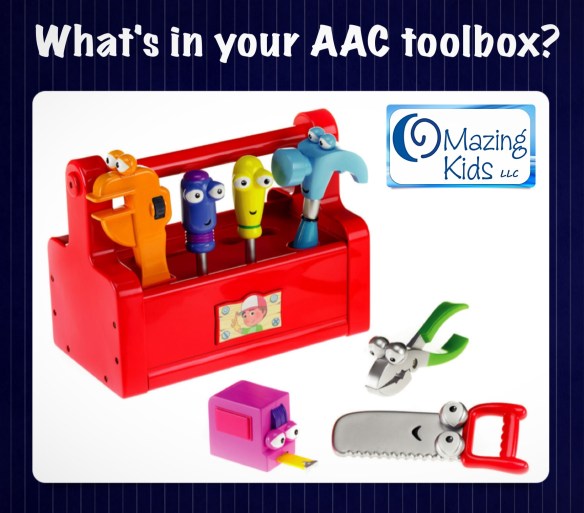
What’s in your AAC toolbox?

AAC toolbox


.

What’s the best AAC app? What’s the best dedicated speech generating device? What’s the best case? What’s the best ______…..

Several times a week I am either asked this question or I see it posted in one of the many AAC Facebook groups I follow.

Occasionally it seems to end up in a rather heated debate of ______ vs. ________.

This is counterproductive. Although there are key best practices when considering AAC options, there is not any one best AAC option (or one best therapy approach, or one best anything) when it comes to best meeting individual needs.

I have added a lot of tools to my toolbox over my 25+ year career as a speech-language pathologist. There have been pivotal moments where new tools were added that forever changed my perspective. Although shiny new tools may be exciting they did not replace the old tried & true tools. The exciting thing about tools is that you can use them together to build & repair. Would it make sense to ask “What’s better…. a hammer or a drill? a saw or a tape measure? a wrench or a flashlight? Of course not. Each tool has it’s specific purpose.  You select the tool based on what job you need to accomplish.

The show Handy Manny comes to mind. The tools don’t compete with each other. They work together.

Handy Manny: We Work Together

Okay Tools we’ve got a job to do
Let’s get going and fix it right
Twist and turn, make it tight
Trabajamos juntos
We work together now
Cut it
Measure it
Tap it flat
Bend and twist
Just like that
Each of us has a special job
We work together
Todos juntos
We can fix it right


All states in the USA are supposed to have an Assistive Technology Lending Library program where parents & professionals can borrow AAC devices, iPads with AAC apps & other AT for short-term trial. It’s a great way to try various options out before making purchasing decisions. There are lots of great AAC devices & lots of great AAC apps…. but like anything there is no magical solution that meets every child’s specific needs. That’s why doing a good feature-match and trial of options is critical.

Find the AT Lending Library in your state: https://www.at3center.net/state-at-programs

Happy AAC Awareness Month!


grass-green-divider-bar

Below the green divider is an update on 11/15/25: I wrote this blog post over a decade ago and it still rings true. I’ve added even more tools (many creative and unconventional) to my AAC Toolbox and continue to embrace using a variety of creative combinations of them to meet individual needs. And some of the best “tools” are taking time to “just be with” the individuals you are supporting, getting to know and honoring all the ways they communicate, and presuming that everyone communicates in some way and has the potential to learn to use additional options that are meaningful to them.


Looking for in-depth AAC feature matching resources? See this blog post: https://bit.ly/5aacFeatureMatchingResources. That post also includes videos comparing the best AAC apps on various devices on various platforms.


Looking for more AAC resources? Check out the Resource Links page here on my blog: https://omazingkidsllc.com/omazing-kids-aac-resource-links


Have a question? The best way to reach me is via Facebook messaging over on my OMazing Kids page: https://www.facebook.com/OMazingKidsAAC/


Angela Moorad, MS, CCC-SLP, Founder of OMazing Kids, LLC, OMazing Kids AAC Consulting

• Teachers Pay Teachers Store: https://www.teacherspayteachers.com/Store/Omazing-Kids-Aac-Consulting

• YouTube: https://youtube.com/user/amoorad1

• Ko-Fi: https://ko-fi.com/omazingkidsaac

• OMazing Kids AAC Consulting Facebook Page: https://www.facebook.com/OMazingKidsAAC/

• AppPeeps Facebook Group: https://www.facebook.com/groups/OMazingKidsAppPeeps/

• GoTalk Now AAC & GoVisual Visual Scene Apps – Ideas and Sharing Facebook Group: https://bit.ly/GoTalkNowAACappGroup

• Instagram: https://www.instagram.com/omazingkidsaac

• X (formerly Twitter): https://www.x.com/amoorad

• Pinterest: http://pinterest.com/OMazingKids/

• Linktree: https://linktr.ee/amoorad1

• LinkedIn: https://www.linkedin.com/in/angelamooradomazingkidsaac

• AppRaven AAC App Collections: https://bit.ly/AAConAppRaven

• Blog: https://omazingkidsllc.com / Resource Links page: https://omazingkidsllc.com/omazing-kids-aac-resource-links
Cute & Trendy AAC ~ think like MacGyver + involving users in customizing their AAC

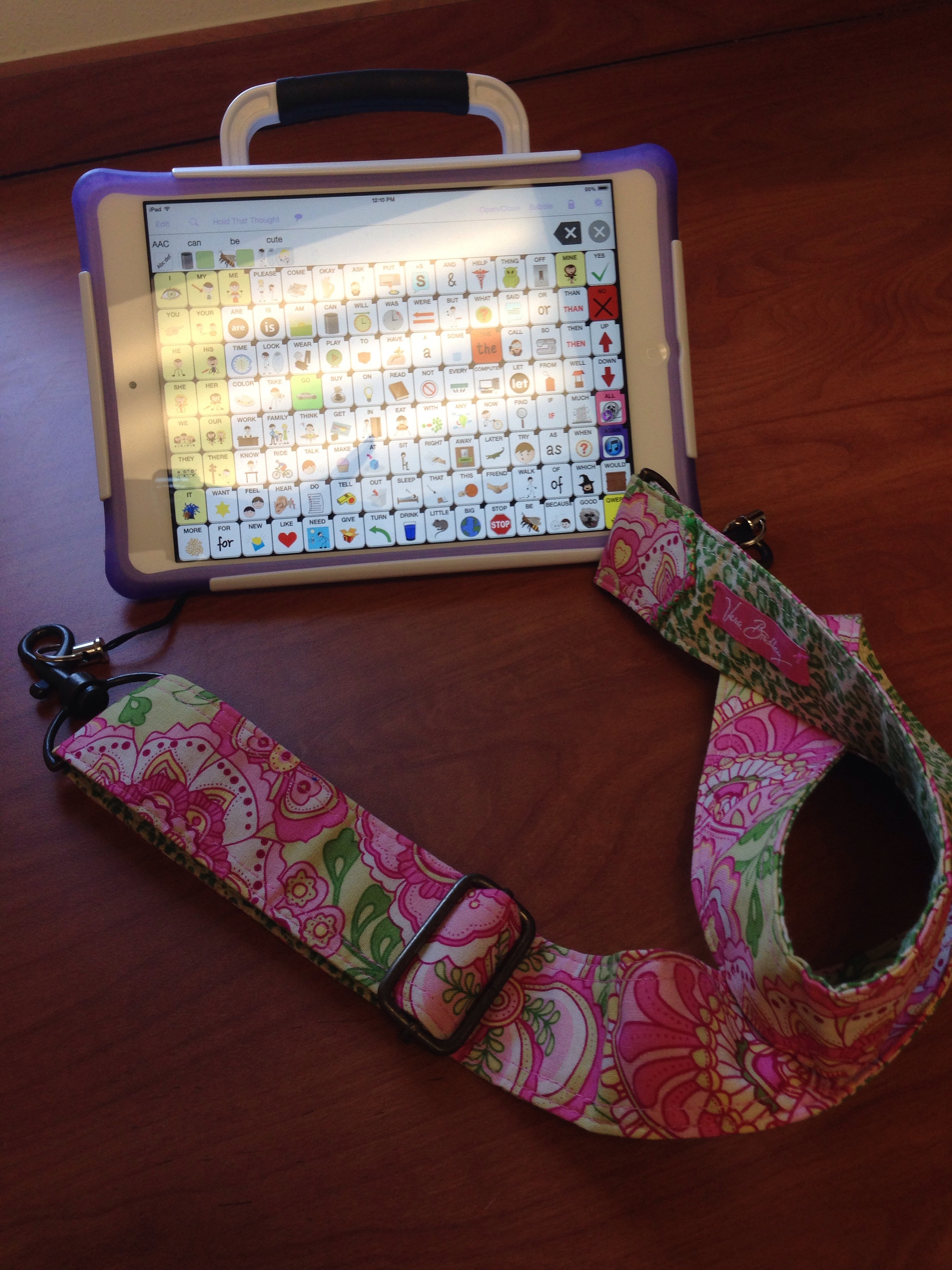
Vera Bradley AAC strap

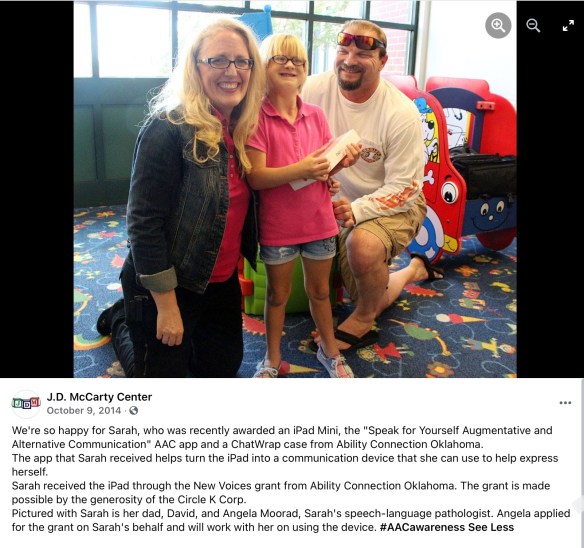
Thanks to Ability Connection Oklahoma one of my sweet 12 year old patients received an iPad Mini with the Speak for Yourself AAC app in a ChatWrap case by Saltillo Corporation!

https://www.facebook.com/112865048767286/photos/a.537071919679928.1073741827.112865048767286/724085767645208/?type=1&theater

Several of my coworkers commented “How cute!” as they saw me assembling it on Friday…. first time I’ve ever heard AAC described as “cute”. Love it! There is no reason why AAC can’t be cute & trendy. The white case with the light purple edge definitely adds a cute feminine look to a white iPad Mini. But the strap that comes with it is black and not dainty enough for this girlie girl.

So I put on my MacGyver thinking cap. Ever since attending a Linda Burkhart workshop back in 1993 I have built quite a stash of items with the intent of someday using them for another purpose. {If you ever have the opportunity to attend a Linda Burkhart workshop sign up as quickly as you can. She’s been doing Assistive Technology & AAC before the internet, cell phones or iPads were invented. She’s a guru of low-tech solutions & the original MacGyver in the special needs world}

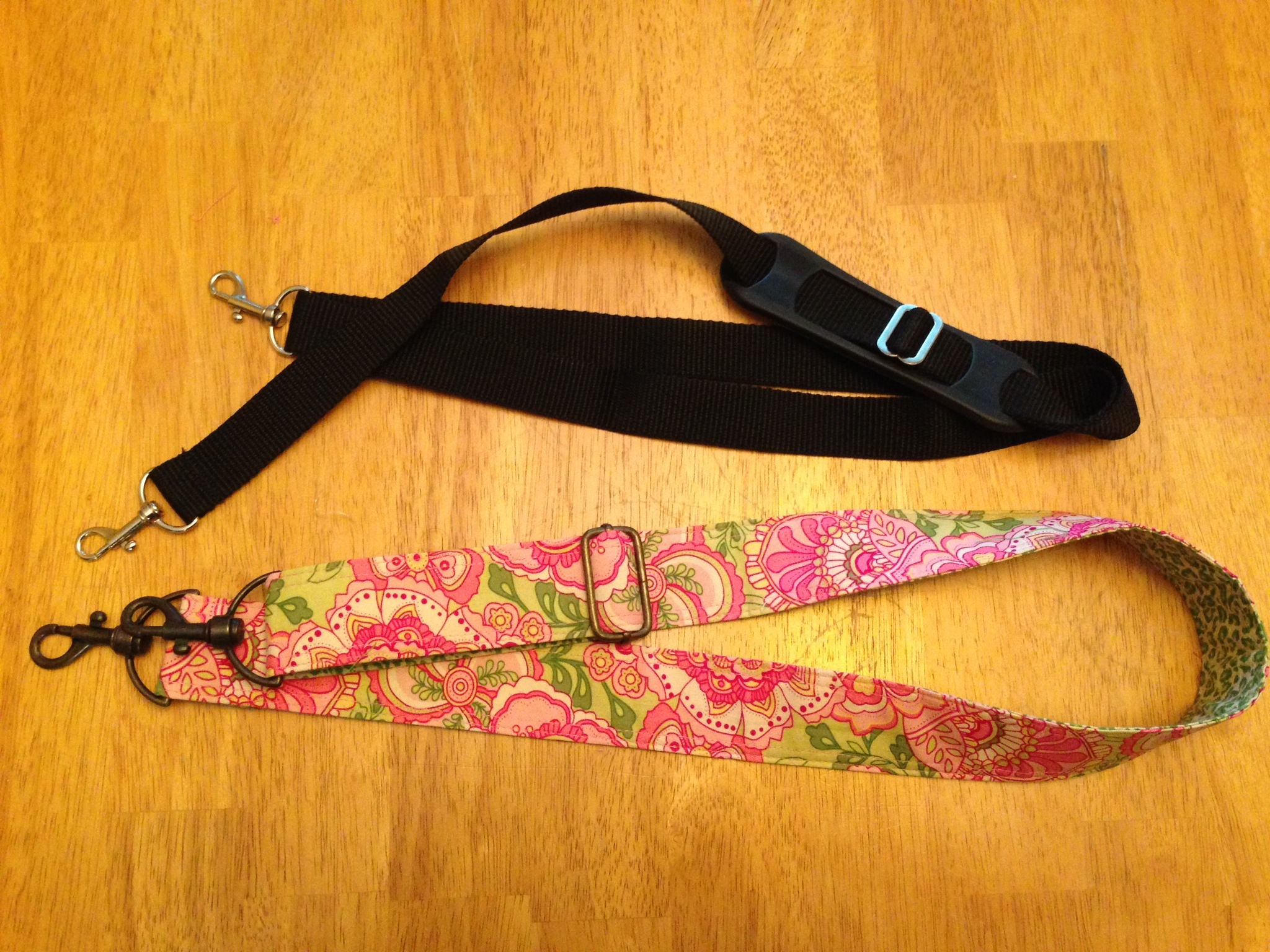
After rummaging through my closets & drawers I found everything I needed to make a stylish lightweight shoulder strap worthy of this sweet 12 year old patient’s new AAC device.

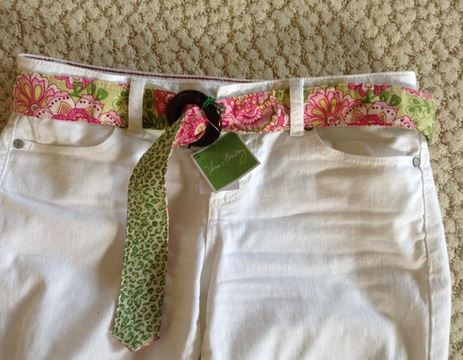
I decided to repurpose an old Vera Bradley Pedal Pink belt (circa 2006) into a carrying strap. My mom had used it as a belt then passed it on to me. I used it as a belt but hadn’t worn it in several years. It almost made it into the donation pile a couple of times…. but my MacGyver/Linda Burkhart mindset said “No that would make the perfect strap for a PECS book or AAC device some day”.

I forgot to take a pic of the belt before I started deconstructing it so here’s one I found on e-Bay:

VB belt

.

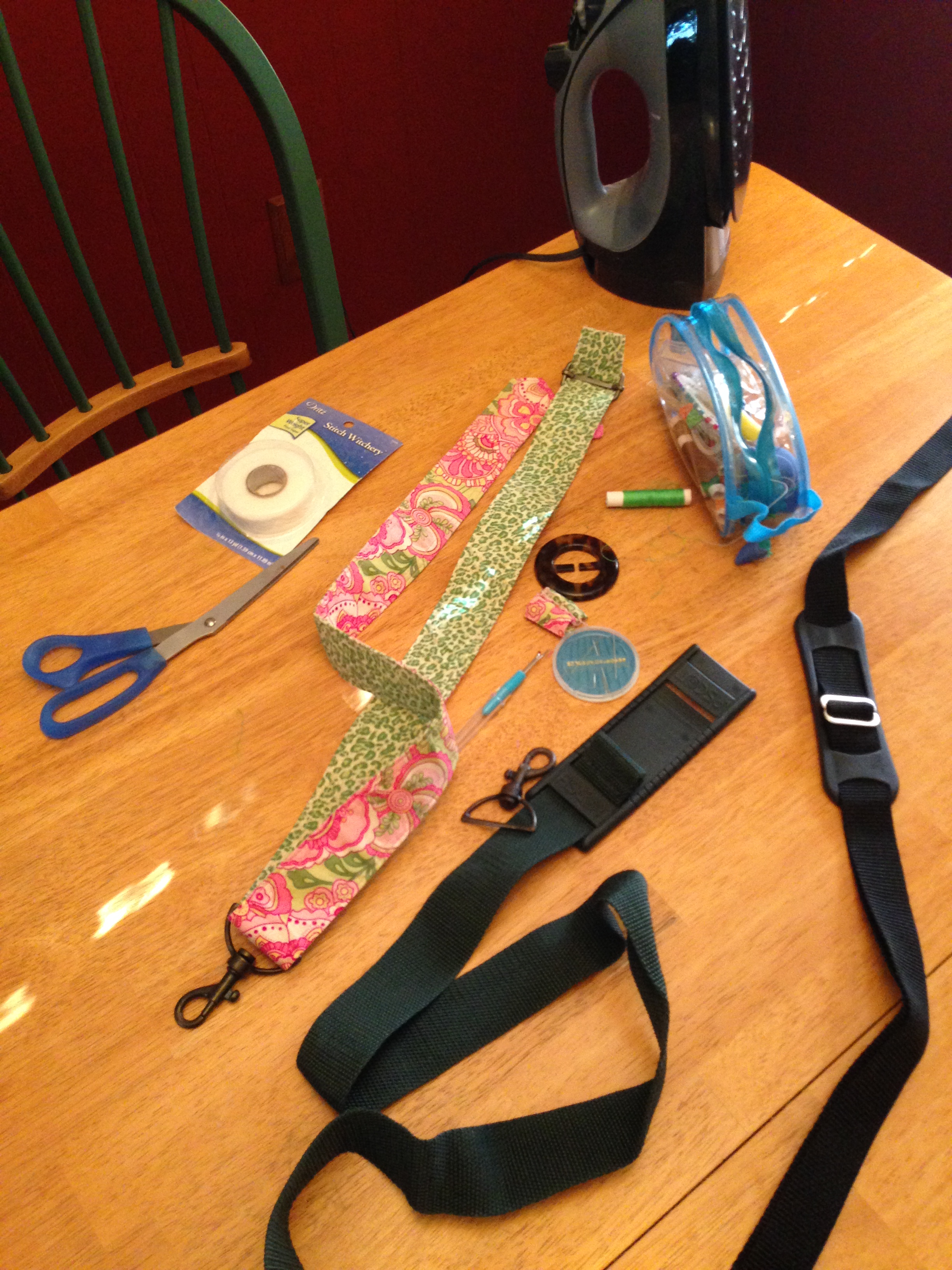
Here’s my kitchen table with all my MacGyver supplies:


photo (7)


.

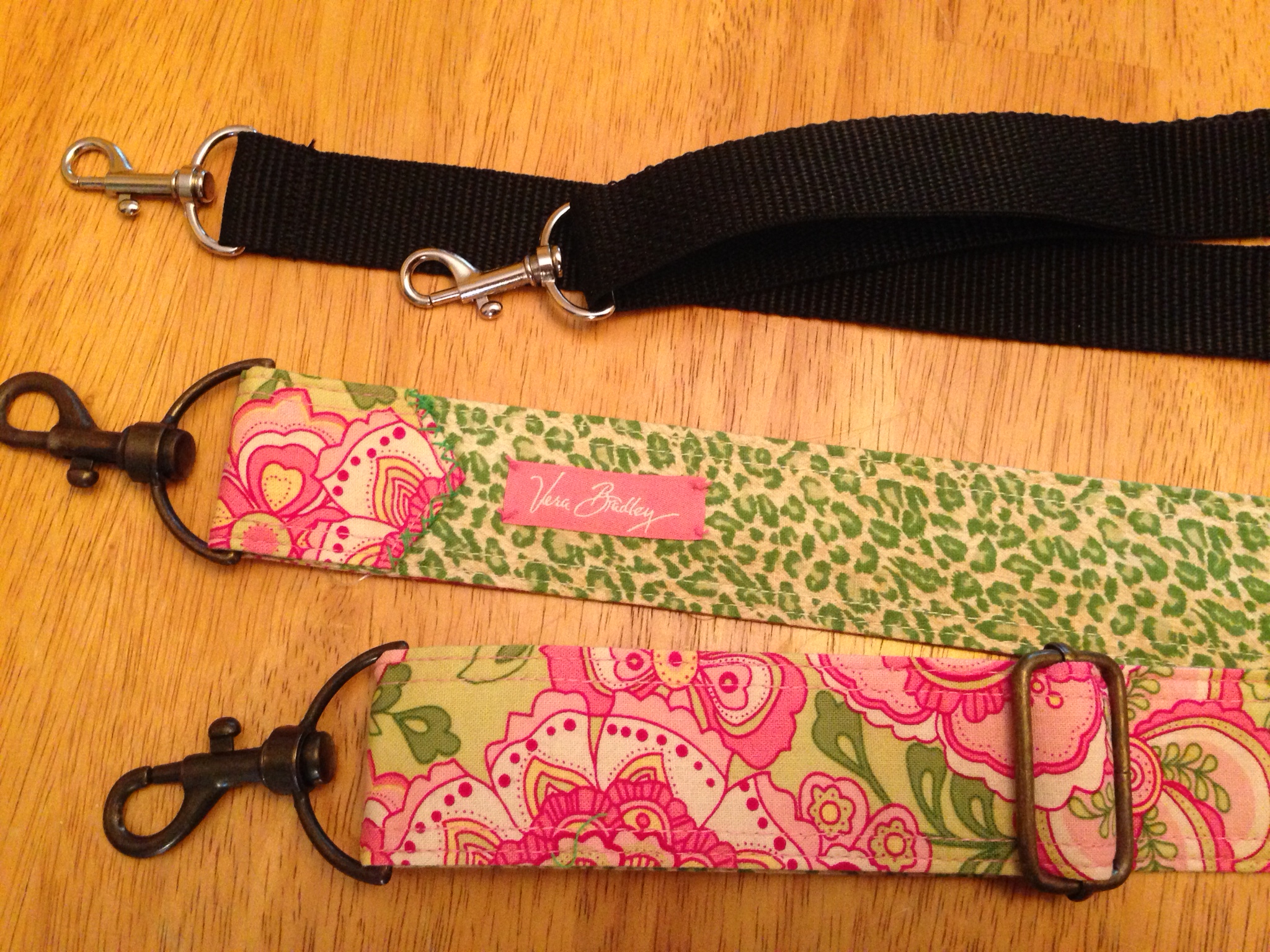
It took less than an hour to transform the old belt & parts from an old duffel bag strap into a new carrying strap and cost $0.00 since these were all things I’ve had laying around my house for years.  I don’t own a sewing machine so it’s assembled with heavy duty iron-on stitch witchery fusible tape and then hand sewn. I’m pretty sure this sweet patient will be the only owner of this combo of a white iPad Mini + Speak For Yourself + ChatWrap Case w/ purple “boot” edging + a custom-made Vera Bradley carrying strap 🙂

photo (4)

 .

If you were a 12 year old girl, which carrying strap would you like? Which one would help your AAC device look cute & fashionable? Which one would promote attachment to the device and confidence in carrying it? The Vera Bradley one of course! Since many AAC devices are abandoned these are important things to consider. Hmmm…. I wonder if developing AAC fashion accessories could be a retirement career?

photo (5)

 https://www.facebook.com/OMazingKidsAAC/photos/a.191017694282577/821747994542874/?type=3

.

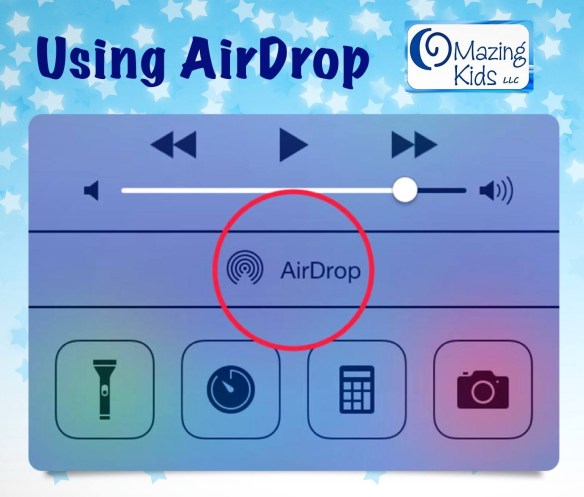
AirDrop totally rocks…. and so does my sweet 12 year old patient. I’ve spent the past week seeing her an hour every day to work on programming & training in use of her speech generating device (an iPad Mini with the Speak for Yourself AAC app in a ChatWrap case by Saltillo Corporation). As a SLP I tend to explain everything I’m doing & include patients in decisions regarding their AAC. After all it’s her voice not mine. Her school has been fabulous about texting me photos of staff & classmates. Totally LOVE how easy it is to AirDrop them from my iPad or iPhone to this patient’s iPad Mini. This is by far the most personalized AAC I’ve done so far in my 24+ year career as a SLP. All because it’s so easy to save pics to the iPad camera roll, import them from another iPad or iPhone using AirDrop & then upload them into SFY. Guess what this sweetie did today after being included in the process of adding customized buttons to SFY over the past week?! As I was working on saving a button we had just customized, her iPad Mini went “ping”. Up pops the message to accept a picture via AirDrop. OMG…. as she was looking through pictures from the movie Charlie St. Cloud on my iPad she had independently found one she liked, saved it to my iPad’s camera roll, opened the camera roll, tapped on the send arrow, waited for AirDrop to appear & then tap on it to send it to her iPad Mini. Let’s see…. I’m counting about 6 steps in that process. The cool thing us that I didn’t spend time specifically teaching her how to do that but I guess after spending a week with me narrating aloud and including her in the process it “stuck”.

grass-green-divider-bar

See this blog post for a cute carrying bag for the iPad: https://omazingkidsllc.com/2021/07/27/pretty-carrying-bag-for-an-ipad/

—————–

Updated contact info 6/28/21:

Have questions? The best way to reach me with any questions is via messaging on the OMazing Kids Facebook page: https://www.facebook.com/OMazingKidsAAC/. That way messages don’t get lost among the spam in my e-mail.


Angela Moorad, MS, CCC-SLP, Founder of OMazing Kids, LLC, OMazing Kids AAC Consulting

Teachers Pay Teachers Store: https://www.teacherspayteachers.com/Store/Omazing-Kids-Aac-Consulting

Ko-Fi: https://ko-fi.com/omazingkidsaac

Personal Professional Facebook Page (linked to OMazing Kids): https://www.facebook.com/angela.moorad (adding “friends” who have a direct role in AAC or Assistive Technology – AAC / AT app or product developers, AAC / AT consultants, SLPs who specialize in AAC, other professionals who specialize in AAC or AT, etc.)

OMazing Kids AAC Consulting Facebook Page: https://www.facebook.com/OMazingKidsAAC/

AppPeeps Facebook Group: https://www.facebook.com/groups/OMazingKidsAppPeeps/

Instagram: https://www.instagram.com/omazingkidsaac/

Twitter: https://www.twitter.com/amoorad

Pinterest: http://pinterest.com/OMazingKids/

Linktree: https://linktr.ee/amoorad1

.

NOTE: Please ignore any ads that appear below the crayons divider bar or any ads or unusual hyperlinks that may appear above. This is a free blog site & I have no control over ads appearing here. I have attempted to remove the CouponDropDown but no luck so far…. DO NOT click on any hyperlinks unless you hover above them first to insure they are valid. Ones I included should appear in blue font.

crayons divider

Embarking on an AAC Voyage ~ Keep Sailing

image

.

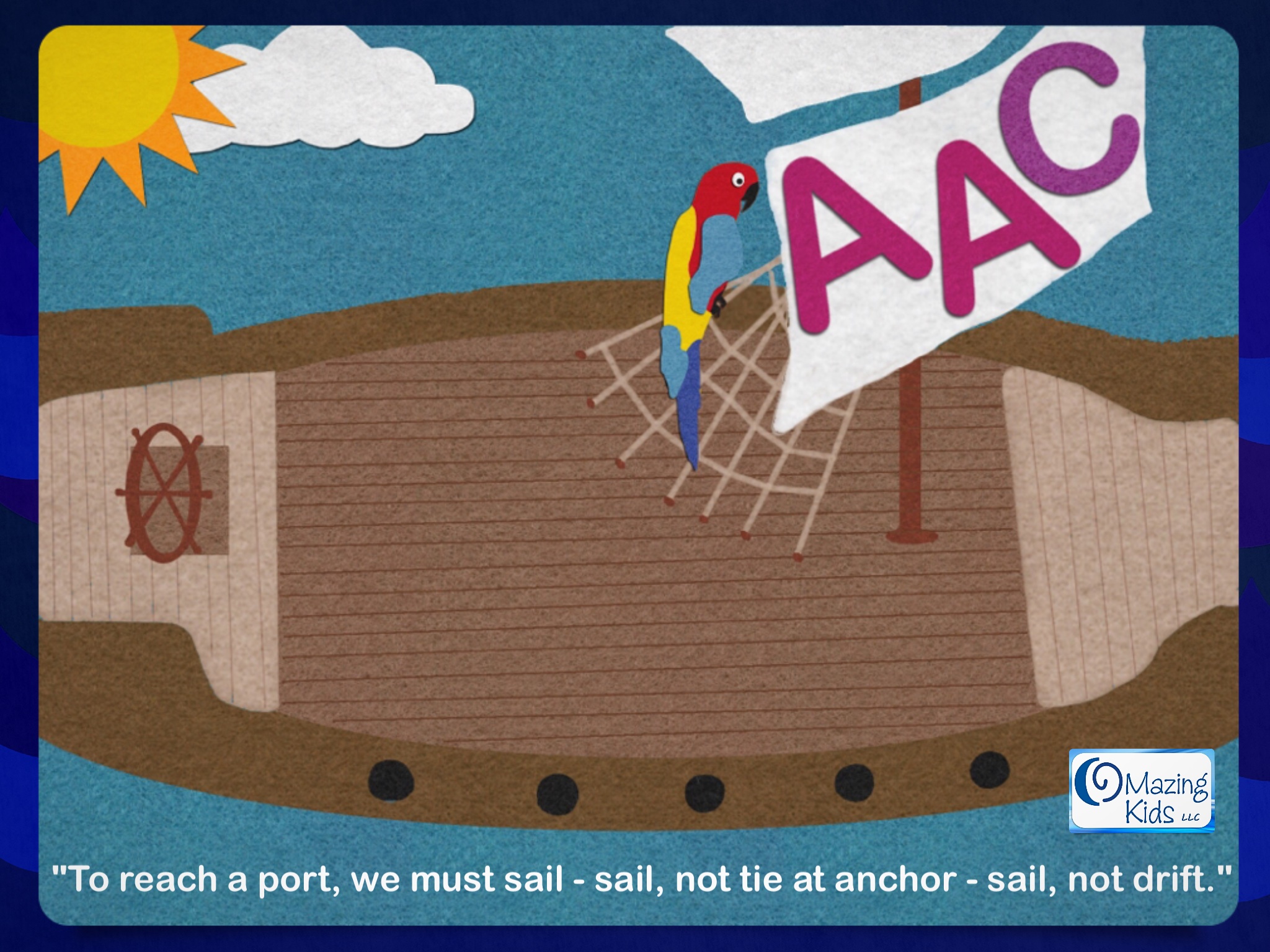
“To reach a port, we must sail – sail, not tie at anchor – sail not drift.”

How does this quote relate to ‪Augmentative and Alternative Communication (AAC) & AAC Awareness‬? I’m glad you asked!

  • It is not okay to get stuck in the whirlpool of “proving” a child has met some outdated “prerequisites” before implementing meaningful communication.
  • It is not okay to set anchor at the “Cape of No Hope”… where assumptions are made on the child’s diagnosis and expectations set low.
  • It is not okay to drift at sea with no clear goals to get meaningful communication options in place.

We must ‪presume competence & work together to sail the ship to port. All aboard…. the ‪AAC ship is setting sail  🙂

Happy AAC Awareness Month! Follow the journey under the hashtags #AACfamily  #AACawareness #BecauseOfAAC & #PresumeCompetence.

*

grass-green-divider-bar

Angela Moorad, MS, CCC-SLP, IAYT, RCYP-2

Speech-Language Pathologist

Founder of OMazing Kids, LLC – inclusive wellness activities for kids of all abilities

Radiant Child Yoga Certified – Levels 1 & 2

E-Mail: amoorad1@juno.com

Facebook: http://www.facebook.com/OMazingKidsYoga

Contests & Giveaways on Facebook: http://www.facebook.com/OMazingKidsContestsandGiveaways

Twitter: http://twitter.com/#!/amoorad

YouTube: http://www.youtube.com/user/amoorad1

Pinterest: http://pinterest.com/OMazingKids/

Soundcloud: https://soundcloud.com/#omazing-kids-yoga

Google+: https://plus.google.com/u/0/110305433538768736741

Boardmaker Share: http://www.boardmakershare.com/Community/FriendsProfile/10916/Angela-Moorad

Blog: http://omazingkidsllc.com
App Reviews on The Appy Ladies: http://theappyladies.com/?s=Moorad
Posting Apps & Special Needs Resources on The Appy Ladies on Facebook: https://www.facebook.com/TheAppyLadies 

.

OMazing Kids LLC is an organization that promotes inclusive wellness activities for kids of all abilities. The blog and social media pages share information about books, DVD’s, CD’s, games and other products specifically designed for kids wellness, mindfulness and relaxation, product reviews & giveaways, lesson plan & activity ideas, research, kids wellness in the news and a connection corner with listings of individuals doing adapted yoga and those offering trainings.

NOTE: Please ignore any ads that appear below the crayons divider bar or any ads or unusual hyperlinks that may appear above. This is a free blog site & I have no control over ads appearing here. I have attempted to remove the CouponDropDown but no luck so far…. DO NOT click on any hyperlinks unless you hover above them first to insure they are valid. Ones I included should appear in blue font.

crayons divider

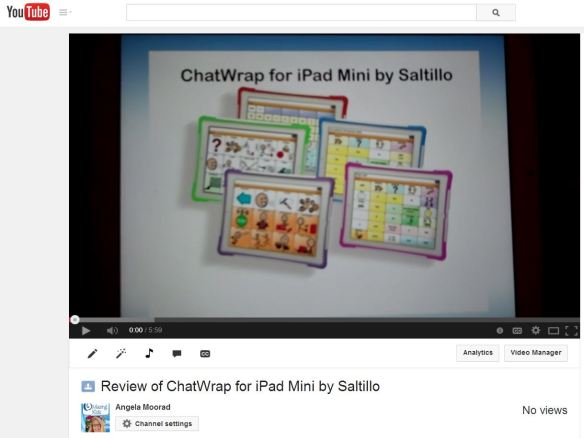
Review w/ video: ChatWrap Case for iPad Mini

Watch this video for a quick overview of the features, size & weight of the ChatWrap for iPad Mini by Saltillo. If you have any difficulty watching the embedded video, go directly to YouTube by clicking the pic below or using this link: http://youtu.be/Diq8NuFnN6c

Chatwrap youtube video

This case is incredibly lightweight, slim & has awesome amplification quality through the attached Bluetooth speaker!

I’ve been a pediatric Speech-Language Pathologist for 24 years and have seen LOTS of AAC devices and cases and this one is quite unique. Definitely worth considering if you are looking for voice amplification to turn your iPad Mini into a speech-generating device while not adding excess bulk or weight.

  • case weight = .7 lb
  • total weight with iPad Mini in it = 1.4 lbs
  • thickness at the tallest portion is only about 1.5 inch (about 2/3 the height of a dollar bill)
  • an extra kickstand is available (3.5 inches tall, holds device at 45 degree angle)
  • extra colored “boots” are available to personalize the case
  • the volume can get very loud. At full volume, the ChatWrap attached Bluetooth speaker gets as loud as 95dB. This is based on a trial with the phrase “AAC should be cute” with the following three options set at the maximum volume in the same office environment and measured with the Decibel 10th app at 2 feet away: iPad Mini speaker (72dB), ion Clipster (85dB), ChatWrap for iPad Mini (95db). [This test was inspired by this post on the Uncommon Sense blog: http://niederfamily.blogspot.com/2014/09/comparison-of-volume-intensity-in-ipad.html%5D

See more details & ordering info online at www.chatwrap.com.

Disclaimer: I did not receive any compensation for this review and do not have any affiliation with any AAC company or app developer. Please consult with your child’s SLP or AAC team when deciding on the best case for their needs. I am providing this overview solely as a means to get more details out there for folks to make informed purchasing decisions.

*

grass-green-divider-bar

Angela Moorad, MS, CCC-SLP, IAYT, RCYP-2

Speech-Language Pathologist

Founder of OMazing Kids, LLC – inclusive wellness activities for kids of all abilities

Radiant Child Yoga Certified – Levels 1 & 2

E-Mail: amoorad1@juno.com

Facebook: http://www.facebook.com/OMazingKidsYoga

Contests & Giveaways on Facebook: http://www.facebook.com/OMazingKidsContestsandGiveaways

Twitter: http://twitter.com/#!/amoorad

YouTube: http://www.youtube.com/user/amoorad1

Pinterest: http://pinterest.com/OMazingKids/

Soundcloud: https://soundcloud.com/#omazing-kids-yoga

Google+: https://plus.google.com/u/0/110305433538768736741

Boardmaker Share: http://www.boardmakershare.com/Community/FriendsProfile/10916/Angela-Moorad

Blog: http://omazingkidsllc.com
App Reviews on The Appy Ladies: http://theappyladies.com/?s=Moorad
Posting Apps & Special Needs Resources on The Appy Ladies on Facebook: https://www.facebook.com/TheAppyLadies 

.

OMazing Kids LLC is an organization that promotes inclusive wellness activities for kids of all abilities. The blog and social media pages share information about books, DVD’s, CD’s, games and other products specifically designed for kids wellness, mindfulness and relaxation, product reviews & giveaways, lesson plan & activity ideas, research, kids wellness in the news and a connection corner with listings of individuals doing adapted yoga and those offering trainings.

NOTE: Please ignore any ads that appear below the crayons divider bar or any ads or unusual hyperlinks that may appear above. This is a free blog site & I have no control over ads appearing here. I have attempted to remove the CouponDropDown but no luck so far…. DO NOT click on any hyperlinks unless you hover above them first to insure they are valid. Ones I included should appear in blue font.

crayons divider