Major update for the Feature Matching Chart for Robust Android AAC Apps (Google Play & Amazon Fire) on 10/22/25

Major update for the Feature Matching Chart for Robust Android AAC Apps (Google Play & Amazon Fire) on 10/22/25.

Those who have previously purchased it on TPT can download the most current version for no additional cost: https://bit.ly/RobustAndroidAACappChart.

Ko-fi subscribers will be able to access a copy on the pinned resource post: https://ko-fi.com/Post/Links-to-posts-about-most-current-feature-matching-F1F5C9DMD

  • Added 4 apps: AsTeRICS Grid, DialoQ Talk, Spoken, TypingTalk AAC. 
  • Removed 3 apps: Core Voice, CoughDrop, GoTalk Everywhere. 
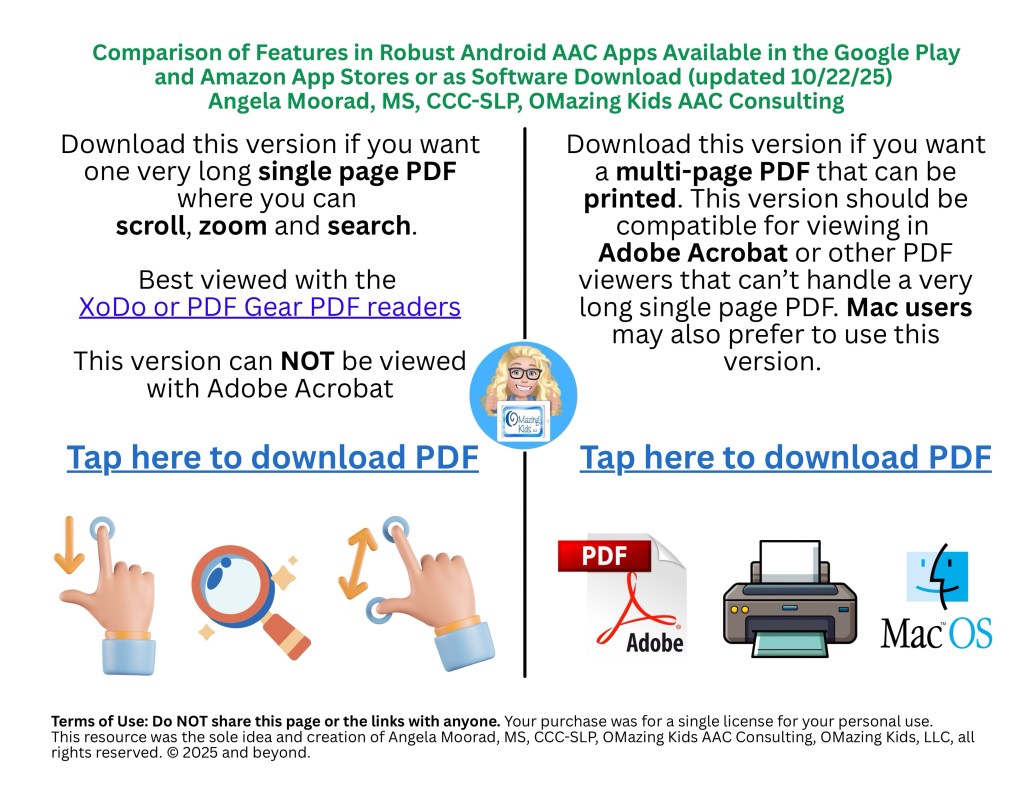
A screenshot of the new Landing Page
  • Added a new Landing Page to help folks choose which version of this resource you need (a single long page PDF where you can scroll, zoom and search OR a multipage PDF for those who want to print, view it in Adobe Acrobat or on a Mac computer)

See the preview video on TPT & YouTube:

There are 102 rows in the chart. But it’s super easy to use the “search” option in the XoDo or PDF Gear PDF viewers to find what you want quickly. See this blog post for info: https://bit.ly/XodoApp.


Looking for other in-depth AAC feature matching resources? See this blog post: https://bit.ly/5aacFeatureMatchingResources. That post also includes videos comparing the best AAC apps on various devices on various platforms.


Looking for more AAC resources? Check out the Resource Links page here on my blog: https://omazingkidsllc.com/omazing-kids-aac-resource-links


Have a question? The best way to reach me is via Facebook messaging over on my OMazing Kids page: https://www.facebook.com/OMazingKidsAAC/


Angela Moorad, MS, CCC-SLP, Founder of OMazing Kids, LLC, OMazing Kids AAC Consulting

• Teachers Pay Teachers Store: https://www.teacherspayteachers.com/Store/Omazing-Kids-Aac-Consulting

• YouTube: https://youtube.com/user/amoorad1

• Ko-Fi: https://ko-fi.com/omazingkidsaac

• OMazing Kids AAC Consulting Facebook Page: https://www.facebook.com/OMazingKidsAAC/

• AppPeeps Facebook Group: https://www.facebook.com/groups/OMazingKidsAppPeeps/

• GoTalk Now AAC & GoVisual Visual Scene Apps – Ideas and Sharing Facebook Group: https://bit.ly/GoTalkNowAACappGroup

• Instagram: https://www.instagram.com/omazingkidsaac

• X (formerly Twitter): https://www.x.com/amoorad

• Pinterest: http://pinterest.com/OMazingKids/

• Linktree: https://linktr.ee/amoorad1

• LinkedIn: https://www.linkedin.com/in/angelamooradomazingkidsaac

• AppRaven AAC App Collections: https://bit.ly/AAConAppRaven

• Blog: https://omazingkidsllc.com / Resource Links page: https://omazingkidsllc.com/omazing-kids-aac-resource-links
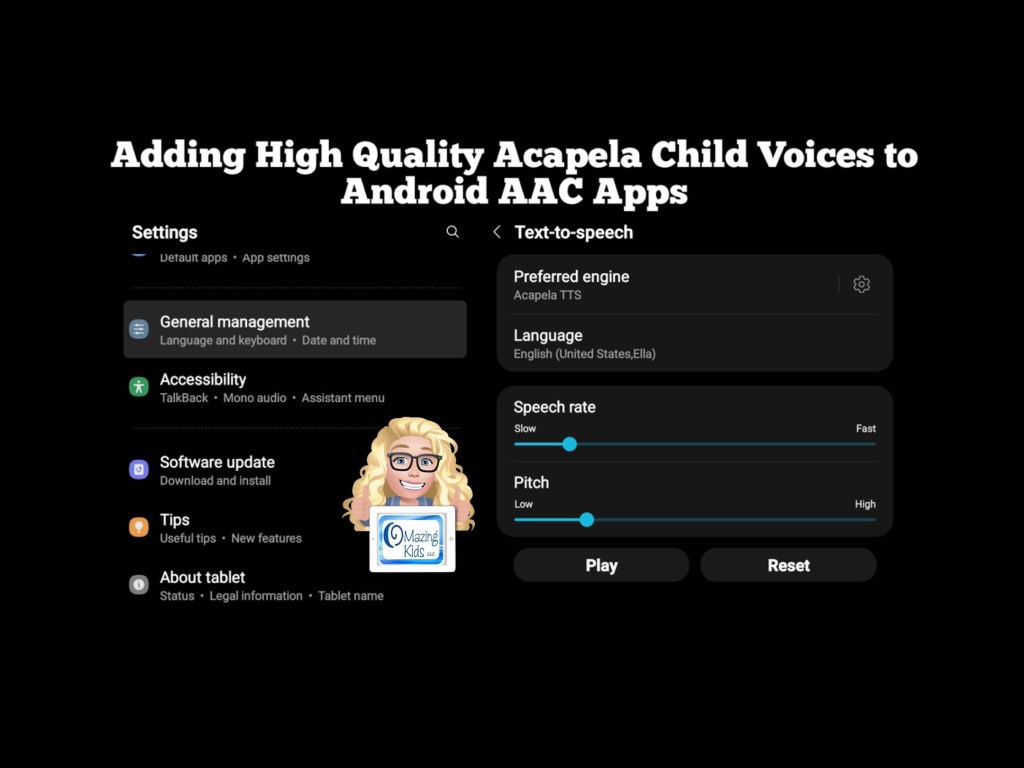
Adding High Quality Acapela Child Voices to Android AAC Apps

I was thrilled to discover a way to add high quality Acapela child voices to several Android AAC apps. Older teens and adults may be fine using the Android system voices but it’s important to have age appropriate voices for children using AAC. This video shows how I added high quality Acapela voices to several Android AAC apps:

The Acapela voices even worked in the Speech Assistant AAC app side loaded on my Amazon Fire tablet:


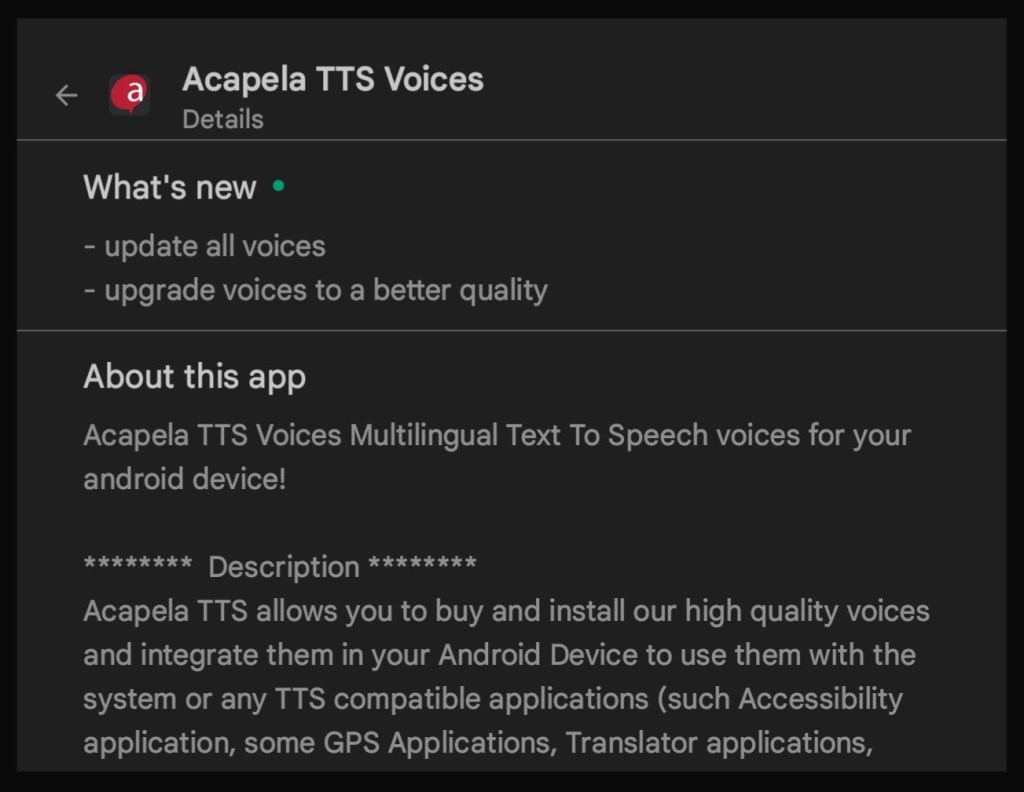
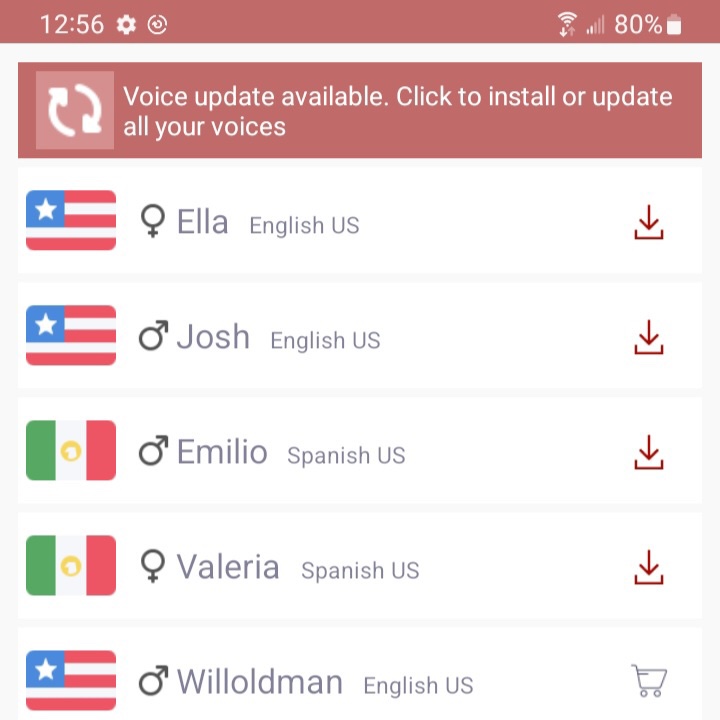
I installed the Android Acapela app (https://play.google.com/store/apps/details?id=com.acapelagroup.android.tts), purchased the USA English child voices Ella & Josh and the USA Spanish child voices Valeria & Emilio for $7.99 each, and then downloaded them within that app. There are lots of other voice options for lots of different languages. Then I set Acapela TTS as the preferred engine under the Samsung tablet Settings – General Management – Text to Speech. Also set Language to English. Some apps require it to also be set within the app. Those details will be included in the Android AAC feature matching charts (see links below). The Acapela voices worked in some but not all Android apps.


*** Update 9/22/22: The Android Acapela app has been updated so be sure to update it and then redownload your voices.


Here is a list of the Android AAC apps that it worked in on my Samsung Galaxy Tab S6 Lite tablet at the time of this recording (9/20/22). These also work on my Samsung Galaxy A03s phone.

  • AAC Keyboard with Friends
  • AsTeRICS Grid
  • Avaz AAC (as of the 10/4/22 app update)
  • Cboard (only if using the app while in Guest Mode, not logged in; *** Updated 10/8/22- after the Acapela app update this also now works side loaded on my Amazon Fire Tablet)
  • CoreVoice
  • HelpTalk
  • I Can Communicate
  • LetMeTalk (an Amazon app that is side loaded on my Samsung tablet)
  • Predictable
  • SpeakEasy
  • Speak It
  • Speech Assistant AAC (also worked in the app side loaded on my Amazon Fire tablet. This was the only app that the Acapela voices worked in on my Amazon Fire tablet. *** Updated 10/8/22: after the Acapela app update I was also able to get the voices to work in Avaz AAC & in Cboard (not logged in)
  • SymboTalk
  • Vocable
  • WeaveChat
  • Yes No AAC

Unfortunately this did not work in the Android version of Avaz since Acapela is not included as a Speech Engine option in the Settings in that app. The company has indicated that they are working on adding child voices back to the Android version of the app *** Update: The 10/4/22 update for the Android version of Avaz AAC added access to the Acapela voices. See this blog post for details: https://omazingkidsllc.com/2022/10/08/android-version-of-avaz-aac-now-has-access-to-acapela-voices-this-gives-us-child-voice-options-again/

This did not work when System Voices was set within CoughDrop but that app already includes up to 2 high quality voices with a paid account.


Note: This process of accessing Acapela voices is not applicable to iOS AAC apps. Apple handles voices differently.


Looking for Affordable and Free Android AAC apps? Check out this resource: Basic Feature Chart for Affordable and Free AAC apps & AAC-Related Apps (iOS, Android Google Play, Amazon Fire, Windows + a few Web-Based options): https://bit.ly/BasicAffordableAACchart. More info: https://bit.ly/BasicAffordableAACblogpost

Looking for robust AAC options for Android? Check out this resource: Robust Android AAC (Android Google Play & Amazon Fire): https://bit.ly/RobustAndroidAACappChart. More info: https://bit.ly/RobustAndroidAACblogpost

Several videos comparing AAC apps across platforms (iPad, Android, Amazon Fire, Windows): https://bit.ly/5aacFeatureMatchingResources


Have a question? The best way to reach me is via Facebook messaging over on my OMazing Kids page: https://www.facebook.com/OMazingKidsAAC/


Angela Moorad, MS, CCC-SLP, Founder of OMazing Kids, LLC, OMazing Kids AAC Consulting

• Teachers Pay Teachers Store: https://www.teacherspayteachers.com/Store/Omazing-Kids-Aac-Consulting

• YouTube: https://youtube.com/user/amoorad1

• Ko-Fi: https://ko-fi.com/omazingkidsaac

• OMazing Kids AAC Consulting Facebook Page: https://www.facebook.com/OMazingKidsAAC/

• AppPeeps Facebook Group: https://www.facebook.com/groups/OMazingKidsAppPeeps/

• GoTalk Now AAC & GoVisual Visual Scene Apps – Ideas and Sharing Facebook Group: https://bit.ly/GoTalkNowAACappGroup

• Instagram: https://www.instagram.com/omazingkidsaac

• Twitter: https://www.twitter.com/amoorad

• Pinterest: http://pinterest.com/OMazingKids/

• Linktree: https://linktr.ee/amoorad1

• LinkedIn: https://www.linkedin.com/in/angelamooradomazingkidsaac

• Blog: https://omazingkidsllc.com