
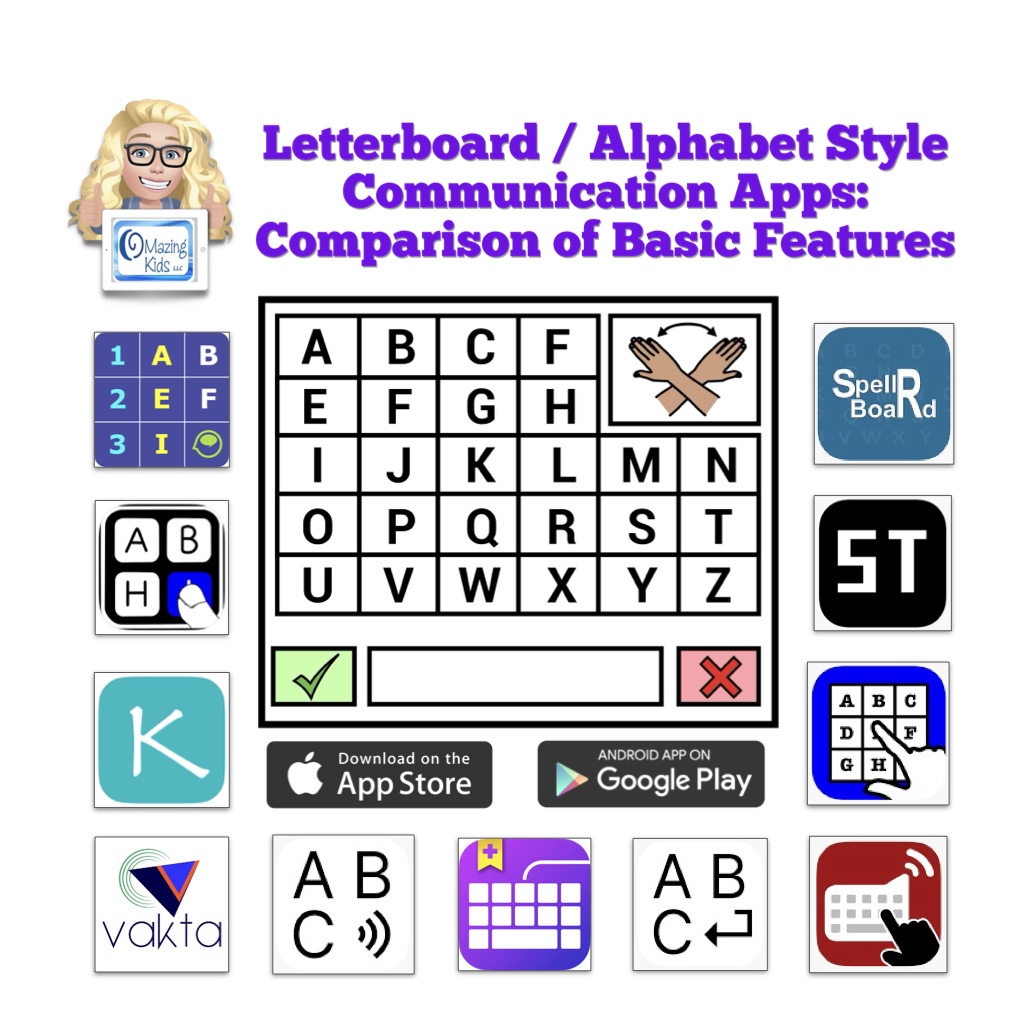
New resource available on TPT: https://www.teacherspayteachers.com/Product/Letterboard-Alphabet-Style-AAC-Apps-Comparison-of-Basic-Features-12930717
This resource provides a comparison of basic features in several Letterboard / Alphabet style communication apps. All are available for iOS and some are also available for Android.
Apps specifically designed as a Letterboard / Alphabet board:
- AlphaTopics – AAC
- iMean
- Kirsty Types
- MyABCboard
- Spell 2 Speak
- Spell Tap
- SpellRBoard
- Vakta
- Vani Letterboard
The following info is provided for each app:
- App Store link(s)
- Device Compatibility
- Website
- Price
- Cost over Time (1 year, 3 years, 5 years)
- Board Types
- Message Window
- Letter Case on Buttons
- Letter Case in Message Window
- Spelling Correction
- Word Prediction
- Design
- Languages
- Voice Options
- Additional Features
- Additional Info
This info is based on my personal use of each app on my devices (iPad, iPhone, Android tablet, Android phone, Chromebook, Amazon Fire tablet)
This resource also includes:
- A list of 4 robust AAC apps that have a premade Letterboard style board (different than an ABC alphabetical keyboard)
- A list of 14 AAC apps that offer an in-app ABC (alphabetical) keyboard or letters area option within the app and those letters can be combined and spoken as words in the Message Window
- A list of 12 symbol-based AAC Apps that allow use of iOS Keyboard extension apps and which text-based apps don’t.
- A list of 6 iOS & 1 Android Keyboard Apps that offer an ABC (alphabetical) option
- Additional Info About Using Letter / Alphabet Boards for Communication. Includes links to information and demo videos about Partner Assisted Scanning, Partner Assisted Spelling, PODD as an Alternative Pencil, and other means of spelling for communication, free printable non-tech Letterboards, Alphabet boards, Eye Gaze Boards and Flip Books that I found online, commercially available non-tech physical keyboards with an alphabetical layout option, links to research related to spelling for communication, etc…
Important Information:
The PDF is not intended to be printed. It one very long page that’s interactive so you can scroll, zoom in to see content and tap on links. It’s best viewed in the free Xodo PDF reader that can be used on almost any platform. See this blog post for new info about Xodo: https://omazingkidsllc.com/2021/11/06/free-xodo-pdf-reader-app/. It can also be viewed in the Books app on your iPad.
Important info for those wanting to view the PDF on a Mac computer: Save the PDF to your computer and then open the PDF online in Xodo: https://www.xodo.com/app/#/
A link to the Alternative Printable Version can be found at the very bottom left corner within this PDF. That version includes a link to the alternative printable version of the supplemental handout. That will allow you access to a separate PDF that can be downloaded and is formatted for printing. The link to that will change when I update this resource.
This resource is NOT promoting any particular approach/method/intervention/program. It is intended to be an AAC feature matching tool to help folks make informed decisions when choosing iOS and Android Letterboard / Alphabet style AAC apps for potential purchase and to provide additional information related to these unique types of AAC. The information in this chart was compiled based on my personal use of each app using the most current version on devices running the most current iOS/OS, reading through app user guides, watching recent recorded webinars, etc.. This is intended to be an unbiased view of the features. I do not have a financial affiliation with any company. Apps included in this resource are subject to change as features and app availability changes over time. The apps in this resource are uniquely designed tools in an AAC toolbox that are designed in very specific ways to meet unique needs.
If you are looking for in-depth information about more commonly used AAC apps please see my other AAC feature matching resources:
- Robust iOS Symbol-Based AAC apps: https://bit.ly/SymbolBasedAACapps
- Robust iOS Text-Based AAC apps: https://bit.ly/TextBasedAACapps
- Robust Android AAC apps (Android Google Play & Amazon Fire): https://bit.ly/RobustAndroidAACappChart
- iOS & Android Visual Scenes & Video Visual Scene apps: https://bit.ly/AACvsd
- Pragmatic Vocabulary Organization AAC Apps (PODD & other options): https://bit.ly/PragmaticOrgVocabAAC-FeatureMatching-TPT
- Feature Matching Basics & Tips: AAC Apps for the Apple Watch: https://bit.ly/AppleWatchAAC
- AAC Apps and Features At-a-Glance (Single Page Handouts): https://bit.ly/AAC-At-a-Glance
Have a question? The best way to reach me is via Facebook messaging over on my OMazing Kids page: https://www.facebook.com/OMazingKidsAAC/
Looking for more AAC resources? Check out the Resource Links page my blog: https://omazingkidsllc.com/omazing-kids-aac-resource-links
Angela Moorad, MS, CCC-SLP, Founder of OMazing Kids, LLC, OMazing Kids AAC Consulting
• Teachers Pay Teachers Store: https://www.teacherspayteachers.com/Store/Omazing-Kids-Aac-Consulting
• YouTube: https://youtube.com/user/amoorad1
• Ko-Fi: https://ko-fi.com/omazingkidsaac
• OMazing Kids AAC Consulting Facebook Page: https://www.facebook.com/OMazingKidsAAC/
• AppPeeps Facebook Group: https://www.facebook.com/groups/OMazingKidsAppPeeps/
• GoTalk Now AAC & GoVisual Visual Scene Apps – Ideas and Sharing Facebook Group: https://bit.ly/GoTalkNowAACappGroup
• Instagram: https://www.instagram.com/omazingkidsaac
• Instagram Threads: https://www.threads.net/@omazingkidsaac
• X (formerly Twitter): https://www.x.com/amoorad
• Pinterest: http://pinterest.com/OMazingKids/
• Linktree: https://linktr.ee/amoorad1
• LinkedIn: https://www.linkedin.com/in/angelamooradomazingkidsaac
• Reddit: https://www.reddit.com/u/VintageVeraBradley/s/w3L1d8H5rk
• AppRaven AAC App Collections: https://bit.ly/AAConAppRaven
• Blog: https://omazingkidsllc.com / Resource Links page: https://omazingkidsllc.com/omazing-kids-aac-resource-links
 OMazing Kids AAC Consulting