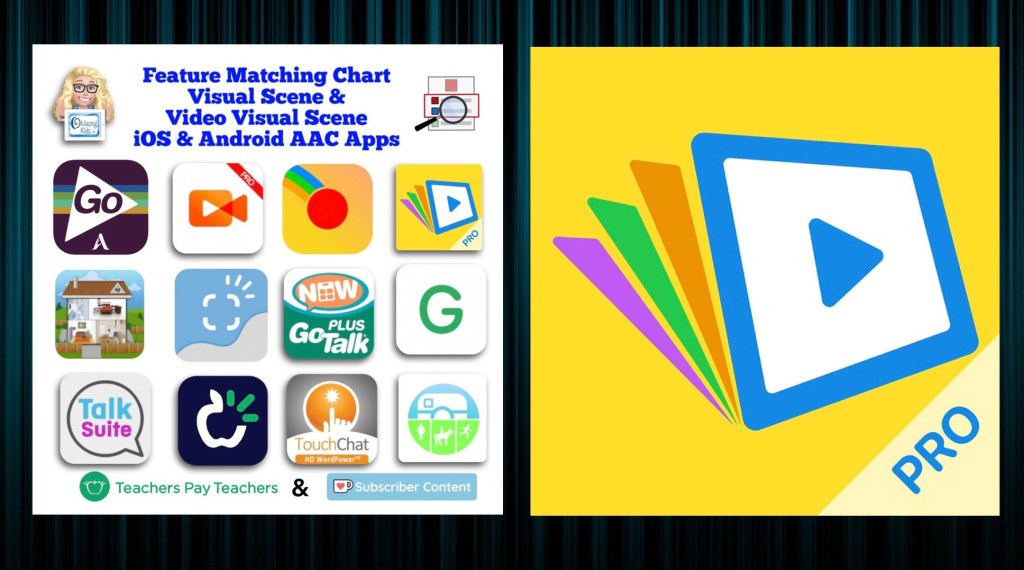
New Resource: How to add Videos (that can be viewed offline) & Visual Scenes with Hotspots in TD Snap via Boardmaker 7

Are you looking for a way to add short videos that can be viewed offline and visual scenes with hotspots to TD Snap? Come learn how to use Boardmaker 7 to create these and then use them in the integrated Boardmaker Activities. Don’t have a Boardmaker 7 subscription? No worries… you’ll also learn how to sign up for a free trial to create what you want.

Available on TPT: https://www.teacherspayteachers.com/Product/How-to-add-Videos-Visual-Scenes-with-Hotspots-in-TD-Snap-via-Boardmaker-7-11196195


Preview
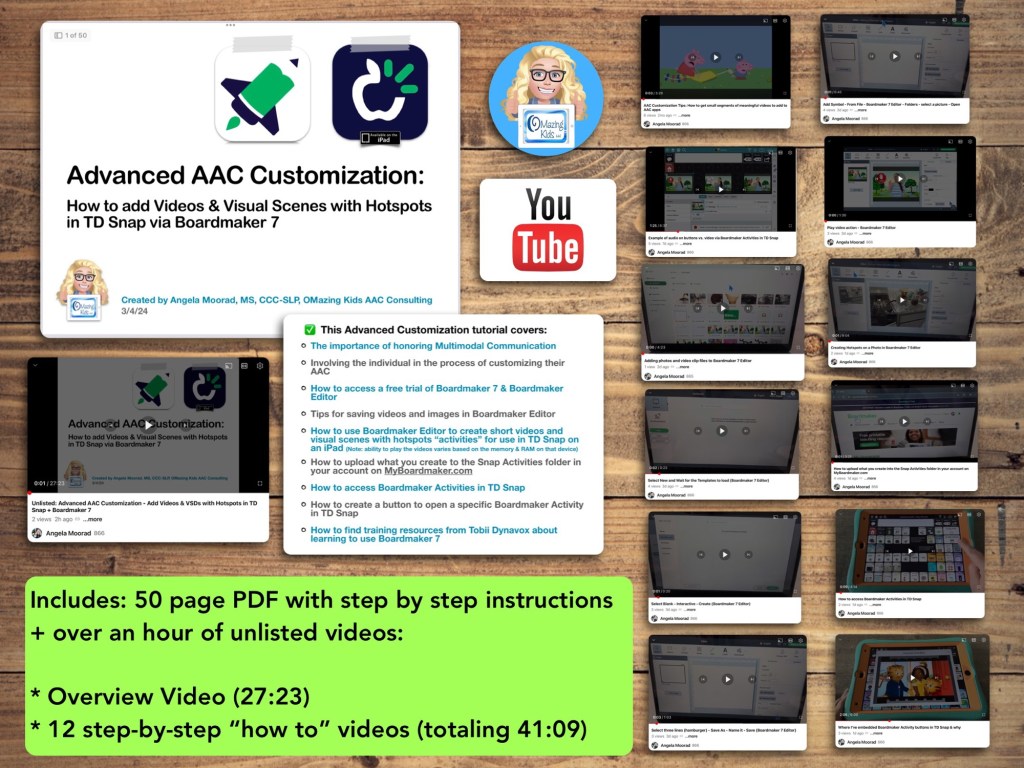
Included in this resource

This resource includes a 50 page PDF of my slides with step by step instructions + over an hour of unlisted videos:

• Overview Video (27:23)

• 12 step-by-step “how to” videos (totaling 41:09)


What you’ll learn in this resource:

• The importance of honoring Multimodal Communication

• Involving the individual in the process of customizing their AAC

• How to access a free trial of Boardmaker 7 / Boardmaker 7 Editor

• Tips for saving videos and images in Boardmaker 7 Editor

• How to use Boardmaker 7 Editor to create short videos and visual scenes with hotspots “activities” for use in TD Snap on an iPad

• How to upload what you create to the Snap Activities folder in your account on myBoardmaker

• How to access Boardmaker Activities in TD Snap

• How to create a button to open a specific Boardmaker Activity in TD Snap

• How to find training resources from Tobii Dynavox about learning to use Boardmaker 7

Note: This resource was updated on 5/29/24 to reflect changes that Tobii Dynavox made to TD Snap. As of 5/21/24, they no longer offer the general public the option to do a 1x app-only purchase of this app. It switched to a subscription-based model. The 1.35.1 app update for TD Snap on 12/4/24 added an integrated YouTube player. This is a nice option for teens and adults who need the alternative access of their Speech Generating Device to play YouTube videos for leisure. Playing YouTube videos requires an internet connection and that player is not secured. This is very different from those who want to use short video clips for communication and/or self regulation and need a way to play them reliably offline in a secure way. For those purposes creating Boardmaker Activities will continue to be the best solution at this point in time


Notes:

  • Boardmaker 7 Editor can only be used to create these Boardmaker Activities on a Chromebook, Windows computer or tablet, or a Mac. Unfortunately there is NOT a way to use Boardmaker 7 Editor to create activities on an iPad (there’s no Boardmaker 7 Editor iOS app and it won’t work in a browser on an iPad). See this website for device compatibility: https://goboardmaker.com/pages/boardmaker-7-help?tab=1.
  • You must be connected to WiFi in order to initially load a Boardmaker Activity in TD Snap. Then you’ll have the option to toggle on Offline Use for each activity. Offline activities are downloaded per device. If the Page Set is synced or shared to a different device, the download process must be repeated on that device to make the activities available offline.
  • My demo shows these being added in the Motor Plan 66 pageset in TD Snap. You can add buttons to open a Boardmaker Activity in any of the pagesets within that app.
  • My demo videos are Boardmaker 7 Editor on my Pixelbook Chromebook and TD Snap on my iPad 9th gen. If you are using a Mac or Windows device what you see on your screen may be a bit different than mine.
  • The ability to play the videos may vary based on the available memory & RAM on that device.

Read in-depth info about using Boardmaker Activities in TD Snap starting on page 53 in the TD Snap User’s Manual: https://download.mytobiidynavox.com/Snap/documents/TD_Snap_UsersManual_en-US.pdf#page53


This research article has helpful considerations for selecting media for use in Visual Scenes and Video Visual Scenes: “Visual Scene Displays for Children and Adults: Using Case Studies to Bridge Research and Clinical Practice”, https://pubs.asha.org/doi/10.1044/2022_PERSP-22-00162

And an older research article: “Using Visual Scene Displays as Communication Support Options
Using Visual Scene Displays as Communication Support Options
for People with Chronic, Severe Aphasia
”: https://digitalcommons.unl.edu/cgi/viewcontent.cgi?article=1153&context=specedfacpub


Looking for in-depth AAC feature matching resources? See this blog post: https://bit.ly/5aacFeatureMatchingResources. That post also includes videos comparing AAC apps on various devices on various platforms.


Looking for more AAC resources? Check out the Resource Links page my blog: https://omazingkidsllc.com/omazing-kids-aac-resource-links 


Angela Moorad, MS, CCC-SLP, Founder of OMazing Kids, LLC, OMazing Kids AAC Consulting

• Teachers Pay Teachers Store: https://www.teacherspayteachers.com/Store/Omazing-Kids-Aac-Consulting 

• YouTube: https://youtube.com/user/amoorad1 

• Ko-Fi: https://ko-fi.com/omazingkidsaac 

• OMazing Kids AAC Consulting Facebook Page: https://www.facebook.com/OMazingKidsAAC/ 

• AppPeeps Facebook Group: https://www.facebook.com/groups/OMazingKidsAppPeeps/ 

• GoTalk Now AAC & GoVisual Visual Scene Apps – Ideas and Sharing Facebook Group: https://bit.ly/GoTalkNowAACappGroup 

• Instagram: https://www.instagram.com/omazingkidsaac 

• Instagram Threads: https://www.threads.net/@omazingkidsaac 

• Twitter: https://www.twitter.com/amoorad 

• Pinterest: http://pinterest.com/OMazingKids/ 

• Linktree: https://linktr.ee/amoorad1 

• LinkedIn: https://www.linkedin.com/in/angelamooradomazingkidsaac 

• Blog: https://omazingkidsllc.com  / Resource Links page: https://omazingkidsllc.com/omazing-kids-aac-resource-links 

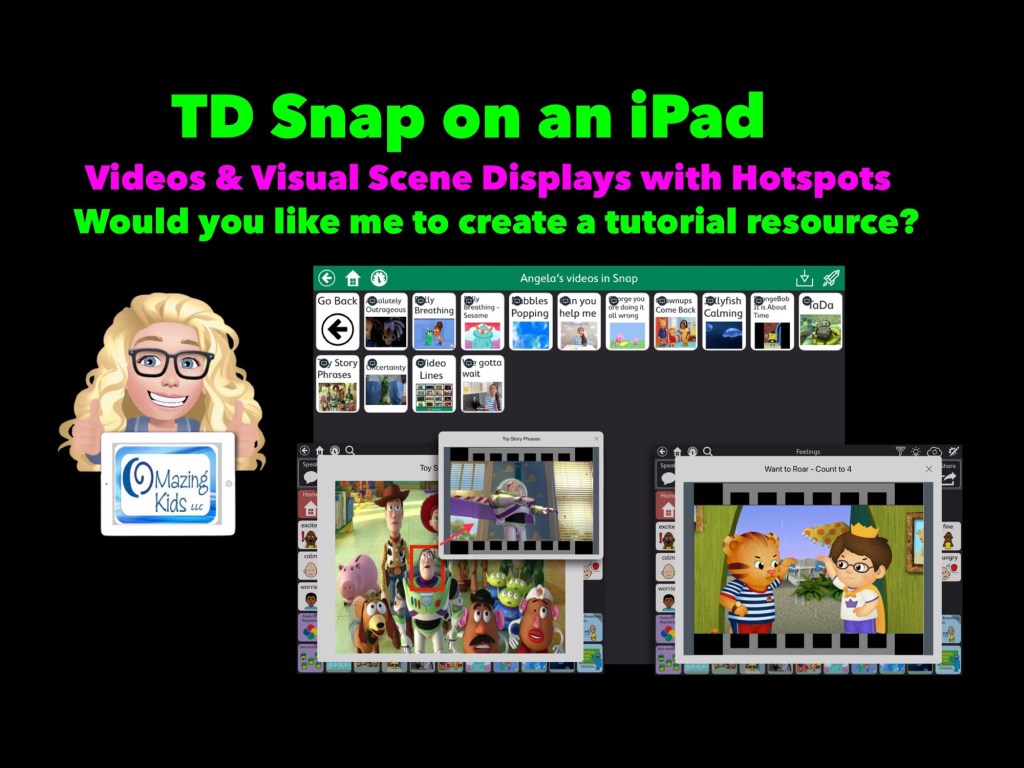
Adding video clips and VSDs with hotspots to TD Snap AAC on iPad

Let me know if you would like me to create a tutorial resource showing the exact steps for creating these using Boardmaker Editor in Boardmaker 7 for use in the TD Snap AAC app by Tobii Dynavox on an iPad.


Here’s a new video with a look at short video clips and visual scenes with hotspots that I’ve added in TD Snap on my iPad via the Boardmaker Activities integration: https://youtu.be/j192ff2f00M?si=h0u45-2HLhAiqs4A 

I’ll be leaving the comments open on my video for a few weeks so folks can comment there.

For those who want just a quick peek at two of the examples of a Visual Scene + Video & a video, check out this very short video:


Or feel free to send me a message on my OMazing Kids AAC Consulting Facebook page (https://www.facebook.com/OMazingKidsAAC/) or on Instagram (https://www.instagram.com/omazingkidsaac)


Notes:

  • Being able to create these Boardmaker Activities with video clips or visual scene displays with hotspots requires access to Boardmaker Editor in Boardmaker 7. 
  • I wasn’t able to figure out a way to do this with my Boardmaker v6 CD. I’m on my personal iPad that’s not on any type of device management system. If you are using a managed/locked iPad or SGD this may not work.
  • This works reliably in TD Snap AAC on my iPad. It was unreliable in TD Snap AAC on my Windows tablet (a Microsoft Surface Go 2). My best guess is it *might* work on a more expensive Microsoft Surface Pro with at least 8GB of RAM and larger storage. I have no way to know if this will work in TD Snap on one of the SGDs from Tobii Dynavox (it might require unlocking the device?)

Looking for in-depth AAC feature matching resources? See this blog post: https://bit.ly/5aacFeatureMatchingResources. That post also includes videos comparing AAC apps on various devices on various platforms.


Looking for more AAC resources? Check out the Resource Links page my blog: https://omazingkidsllc.com/omazing-kids-aac-resource-links 


Angela Moorad, MS, CCC-SLP, Founder of OMazing Kids, LLC, OMazing Kids AAC Consulting

• Teachers Pay Teachers Store: https://www.teacherspayteachers.com/Store/Omazing-Kids-Aac-Consulting 

• YouTube: https://youtube.com/user/amoorad1 

• Ko-Fi: https://ko-fi.com/omazingkidsaac 

• OMazing Kids AAC Consulting Facebook Page: https://www.facebook.com/OMazingKidsAAC/ 

• AppPeeps Facebook Group: https://www.facebook.com/groups/OMazingKidsAppPeeps/ 

• GoTalk Now AAC & GoVisual Visual Scene Apps – Ideas and Sharing Facebook Group: https://bit.ly/GoTalkNowAACappGroup 

• Instagram: https://www.instagram.com/omazingkidsaac 

• Instagram Threads: https://www.threads.net/@omazingkidsaac 

• Twitter: https://www.twitter.com/amoorad 

• Pinterest: http://pinterest.com/OMazingKids/ 

• Linktree: https://linktr.ee/amoorad1 

• LinkedIn: https://www.linkedin.com/in/angelamooradomazingkidsaac 

• Blog: https://omazingkidsllc.com  / Resource Links page: https://omazingkidsllc.com/omazing-kids-aac-resource-links 

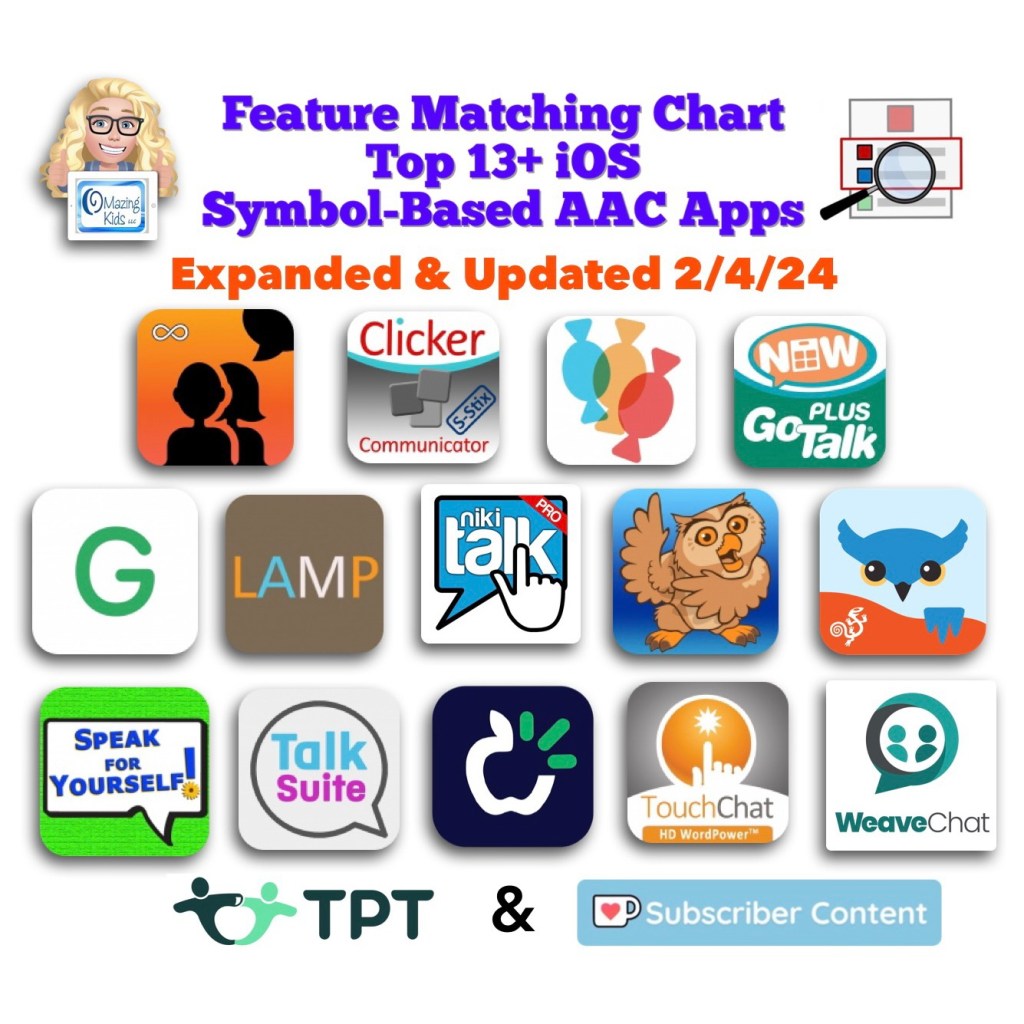
Resource Expanded & Updated: The Feature Matching Chart for the Top 13+ iOS Symbol Based AAC Apps (2/4/24)

Image ID: Screenshot of the cover image for this resource in my TPT (Teachers Pay Teachers) Store. Includes the icon for each app in the Apple App Store, the OMazing Kids logo and logos for TPT and Ko-fi. Date updated: 2/4/24.

Resource Expanded & Updated: The Feature Matching Chart for the Top 13+ iOS Symbol Based AAC Apps (2/4/24).

Weave Chat AAC has been added, it has a deeper dive into specific types of vocabulary within AAC apps, new features in these apps, etc…

Those who have previously purchased it on TPT can download the newest version for no additional cost: https://bit.ly/SymbolBasedAACapps. Ko-fi subscribers will be able to access a copy on the pinned resource post: https://ko-fi.com/Post/Links-to-posts-about-most-current-feature-matching-F1F5C9DMD.


Looking for other in-depth AAC feature matching resources? See this blog post: https://bit.ly/5aacFeatureMatchingResources. That post also includes videos comparing AAC apps on various devices on various platforms.


Looking for more AAC resources? Check out the Resource Links page here on my blog: https://omazingkidsllc.com/omazing-kids-aac-resource-links


Have a question? The best way to reach me is via Facebook messaging over on my OMazing Kids page: https://www.facebook.com/OMazingKidsAAC/


Angela Moorad, MS, CCC-SLP, Founder of OMazing Kids, LLC, OMazing Kids AAC Consulting

• Teachers Pay Teachers Store: https://www.teacherspayteachers.com/Store/Omazing-Kids-Aac-Consulting

• YouTube: https://youtube.com/user/amoorad1

• Ko-Fi: https://ko-fi.com/omazingkidsaac

• OMazing Kids AAC Consulting Facebook Page: https://www.facebook.com/OMazingKidsAAC/

• AppPeeps Facebook Group: https://www.facebook.com/groups/OMazingKidsAppPeeps/

• GoTalk Now AAC & GoVisual Visual Scene Apps – Ideas and Sharing Facebook Group: https://bit.ly/GoTalkNowAACappGroup

• Instagram: https://www.instagram.com/omazingkidsaac

• Twitter: https://www.twitter.com/amoorad

• Pinterest: http://pinterest.com/OMazingKids/

• Linktree: https://linktr.ee/amoorad1

• LinkedIn: https://www.linkedin.com/in/angelamooradomazingkidsaac

• Blog: https://omazingkidsllc.com / Resource Links page: https://omazingkidsllc.com/omazing-kids-aac-resource-links
Updated Resource 12-22-23: AAC Apps and Features At-a-Glance (Single Page Handouts)

Updated Resource 12/22/23: AAC Apps and Features At-a-Glance (Single Page Handouts): https://bit.ly/AAC-At-a-Glance.

This 92 page PDF resource has been updated to reflect new features in apps.

See the Table of Contents: https://bit.ly/TOC-AACAppsandFeaturesAt-a-Glance.

Those who have previously purchased it on TPT can download the most current version for no additional cost: https://bit.ly/AAC-At-a-Glance.


Looking for in-depth AAC feature matching resources? See this blog post: https://bit.ly/5aacFeatureMatchingResources. That post also includes videos comparing AAC apps on various devices on various platforms.


Looking for more AAC resources? Check out the Resource Links page here on my blog: https://omazingkidsllc.com/omazing-kids-aac-resource-links


Have a question? The best way to reach me is via Facebook messaging over on my OMazing Kids page: https://www.facebook.com/OMazingKidsAAC/


Angela Moorad, MS, CCC-SLP, Founder of OMazing Kids, LLC, OMazing Kids AAC Consulting

• Teachers Pay Teachers Store: https://www.teacherspayteachers.com/Store/Omazing-Kids-Aac-Consulting

• YouTube: https://youtube.com/user/amoorad1

• Ko-Fi: https://ko-fi.com/omazingkidsaac

• OMazing Kids AAC Consulting Facebook Page: https://www.facebook.com/OMazingKidsAAC/

• AppPeeps Facebook Group: https://www.facebook.com/groups/OMazingKidsAppPeeps/

• GoTalk Now AAC & GoVisual Visual Scene Apps – Ideas and Sharing Facebook Group: https://bit.ly/GoTalkNowAACappGroup

• Instagram: https://www.instagram.com/omazingkidsaac

• Twitter: https://www.twitter.com/amoorad

• Pinterest: http://pinterest.com/OMazingKids/

• Linktree: https://linktr.ee/amoorad1

• LinkedIn: https://www.linkedin.com/in/angelamooradomazingkidsaac

• Blog: https://omazingkidsllc.com / Resource Links page: https://omazingkidsllc.com/omazing-kids-aac-resource-links
11/11/22 Updated Resource: Basic Feature Chart for Affordable and Free AAC Apps and AAC-Related Apps

Resource Update: The Basic Feature Chart for Affordable and Free AAC apps & AAC-Related Apps (iOS, Android Google Play, Amazon Fire, Windows + a few Web-Based options) has been updated (11/11/23).

Those who have previously purchased it on TPT can download the newest version for no additional cost: https://bit.ly/BasicAffordableAACchart (the Bitly website has been acting up today so here’s the long link too: https://www.teacherspayteachers.com/Product/Basic-Feature-Chart-for-Affordable-and-Free-AAC-apps-AAC-Related-Apps-8327157). Ko-fi subscribers will be able to access a copy on the pinned resource post: https://ko-fi.com/Post/Links-to-posts-about-most-current-feature-matching-F1F5C9DMD


Looking for in-depth AAC feature matching resources? See this blog post: https://bit.ly/5aacFeatureMatchingResources. That post also includes videos comparing AAC apps on various devices on various platforms.


Looking for more AAC resources? Check out the Resource Links page here on my blog: https://omazingkidsllc.com/omazing-kids-aac-resource-links


Have a question? The best way to reach me is via Facebook messaging over on my OMazing Kids page: https://www.facebook.com/OMazingKidsAAC/


Angela Moorad, MS, CCC-SLP, Founder of OMazing Kids, LLC, OMazing Kids AAC Consulting

• Teachers Pay Teachers Store: https://www.teacherspayteachers.com/Store/Omazing-Kids-Aac-Consulting

• YouTube: https://youtube.com/user/amoorad1

• Ko-Fi: https://ko-fi.com/omazingkidsaac

• OMazing Kids AAC Consulting Facebook Page: https://www.facebook.com/OMazingKidsAAC/

• AppPeeps Facebook Group: https://www.facebook.com/groups/OMazingKidsAppPeeps/

• GoTalk Now AAC & GoVisual Visual Scene Apps – Ideas and Sharing Facebook Group: https://bit.ly/GoTalkNowAACappGroup

• Instagram: https://www.instagram.com/omazingkidsaac

• Twitter: https://www.twitter.com/amoorad

• Pinterest: http://pinterest.com/OMazingKids/

• Linktree: https://linktr.ee/amoorad1

• LinkedIn: https://www.linkedin.com/in/angelamooradomazingkidsaac

• Blog: https://omazingkidsllc.com / Resource Links page: https://omazingkidsllc.com/omazing-kids-aac-resource-links

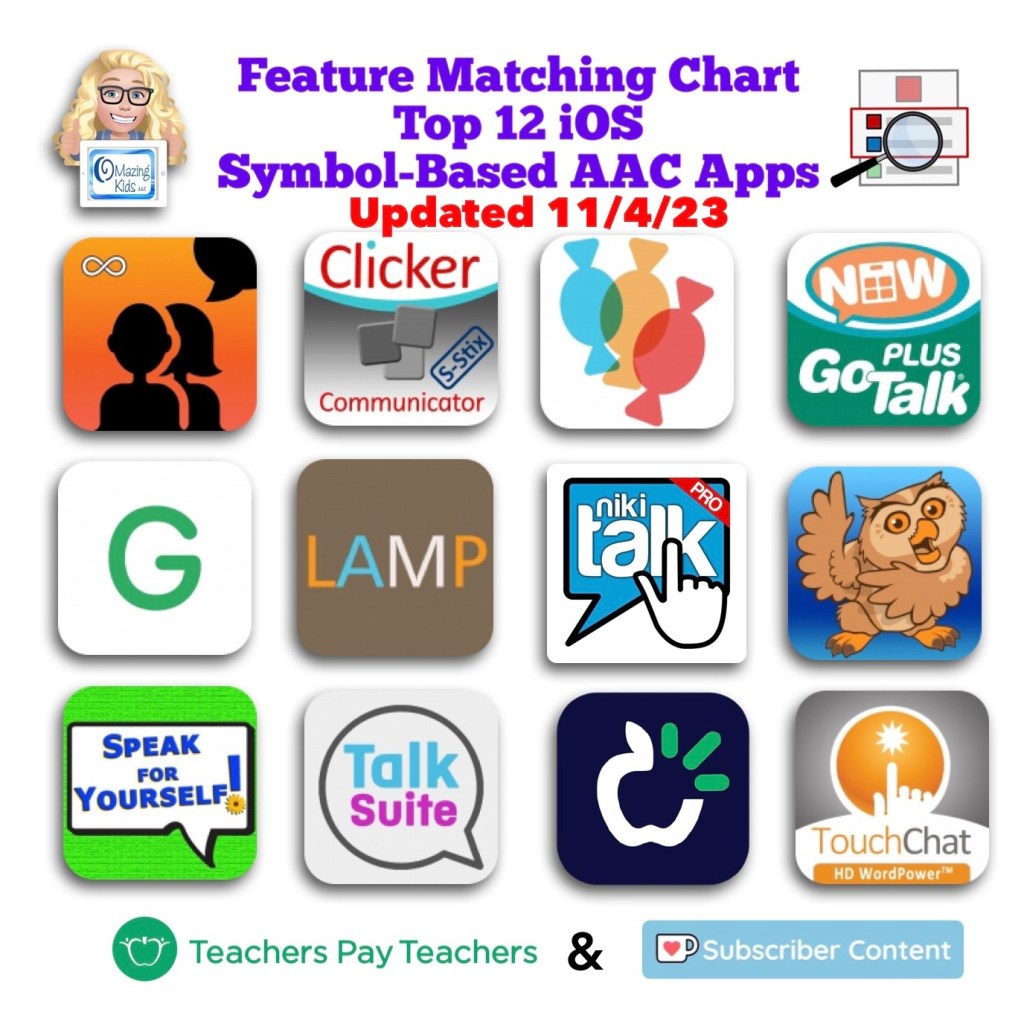
Updated Feature Matching Chart for the Top 12 iOS Symbol-Based AAC Apps (11/4/23)

Resource Update: The Feature Matching Chart for the Top 12 iOS Symbol Based AAC Apps has been updated on 11/4/23. There is new info related to iOS 17, new features in AAC apps, a new row related to apps that support use of Personal Voice, a new row related to use of Emojis in these apps, etc… Those who have previously purchased it on TPT can download the newest version for no additional cost: https://bit.ly/SymbolBasedAACapps. Ko-fi subscribers will be able to access a copy on the pinned resource post: https://ko-fi.com/Post/Links-to-posts-about-most-current-feature-matching-F1F5C9DMD.

#AACapps #AACfeatures #ComparingAACapps

Image ID: Screenshot of the cover image for this resource in my TPT (Teachers Pay Teachers) Store. Includes the icon for each app in the Apple App Store, the OMazing Kids logo and logos for TPT and Ko-fi. Date updated: 11/4/23


Looking for in-depth AAC feature matching resources? See this blog post: https://bit.ly/5aacFeatureMatchingResources. That post also includes videos comparing AAC apps on various devices on various platforms.


Looking for more AAC resources? Check out the Resource Links page my blog: https://omazingkidsllc.com/omazing-kids-aac-resource-links


Have a question? The best way to reach me is via Facebook messaging over on my OMazing Kids page: https://www.facebook.com/OMazingKidsAAC/


Angela Moorad, MS, CCC-SLP, Founder of OMazing Kids, LLC, OMazing Kids AAC Consulting

SymbolStix & Photopea

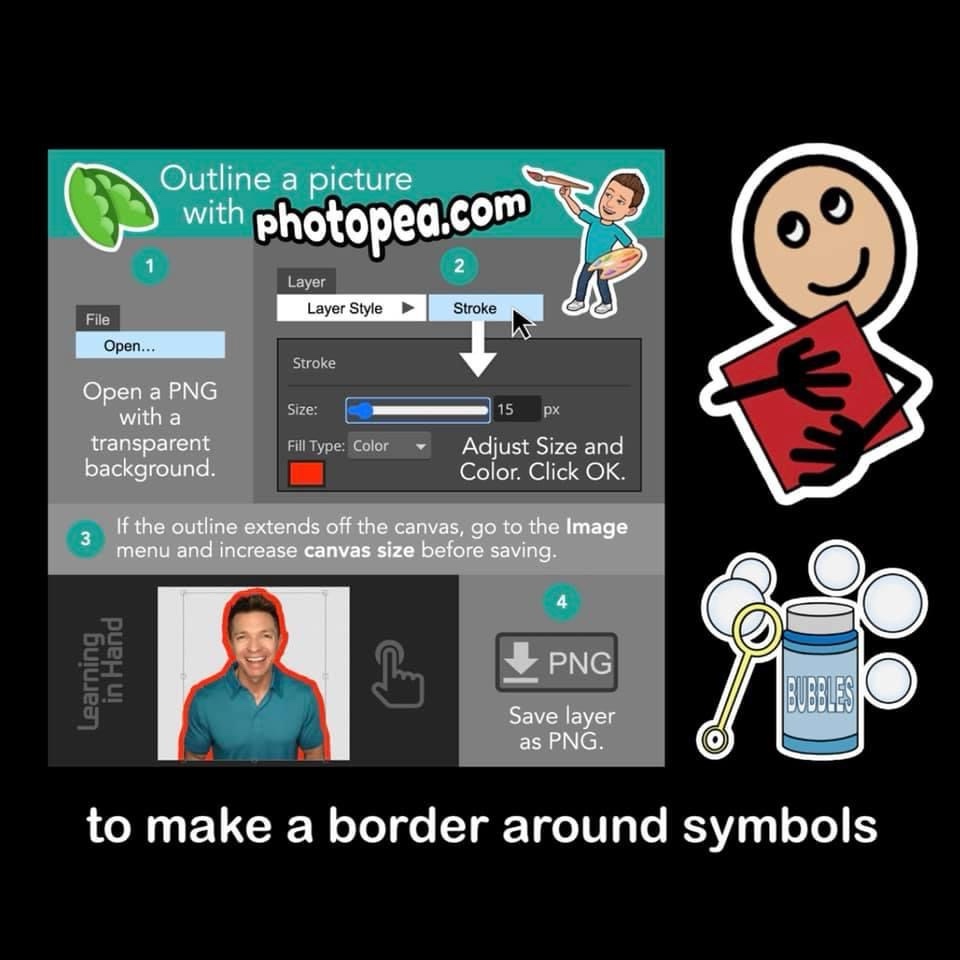
Thanks to Learning in Hand for this cool tip! 🖌 Outline the contours of a picture with photopea.com. It worked great to add a border around some SymbolStix symbols. Get more info over on his post on Instagram: https://www.instagram.com/p/CSDEvYOtnq4/


Looking for in-depth AAC feature matching resources? See this blog post: https://bit.ly/5aacFeatureMatchingResources. That post also includes videos comparing AAC apps on various devices on various platforms.


Looking for more AAC resources? Check out the Resource Links page my blog: https://omazingkidsllc.com/omazing-kids-aac-resource-links


Have a question? The best way to reach me is via Facebook messaging over on my OMazing Kids page: https://www.facebook.com/OMazingKidsAAC/


Angela Moorad, MS, CCC-SLP, Founder of OMazing Kids, LLC, OMazing Kids AAC Consulting

Microsoft Surface Go 2: Sound Loudness and Quality (compared to an iPad 9th gen) + a Case with a Rotating Stand + a pretty Vera Bradley Storage Pouch

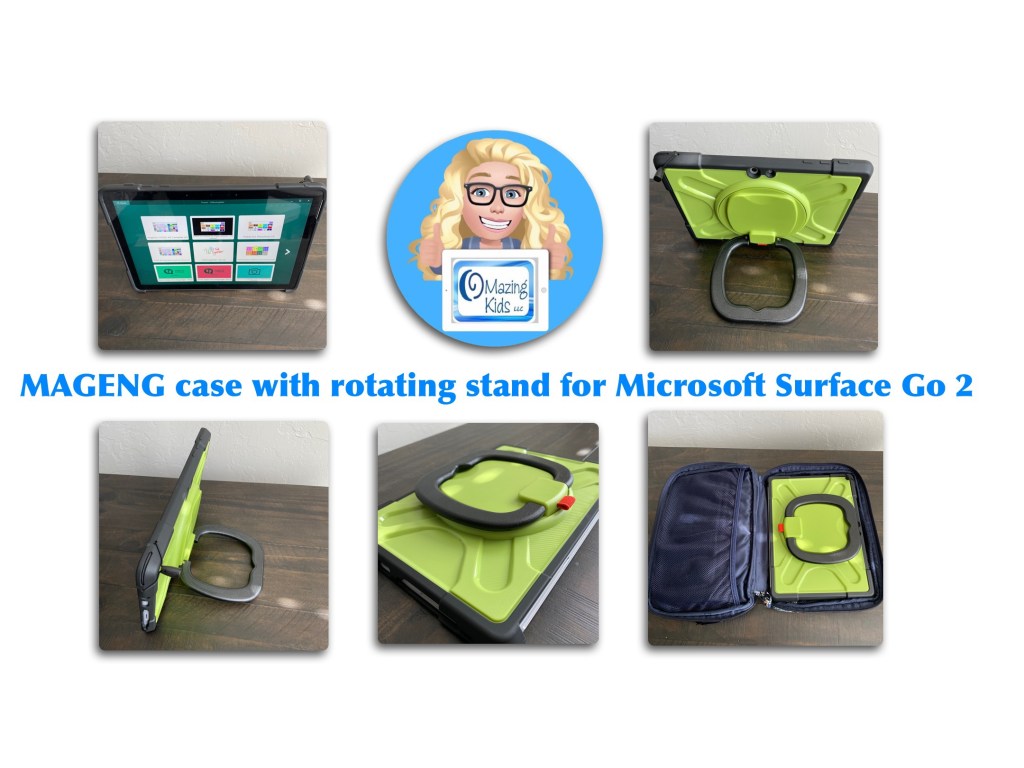
It took quite awhile to find a case that I liked with a rotating stand for my Microsoft Surface Go 2. I bought it on Amazon: https://a.co/d/gMKBP4W. See my video for details:

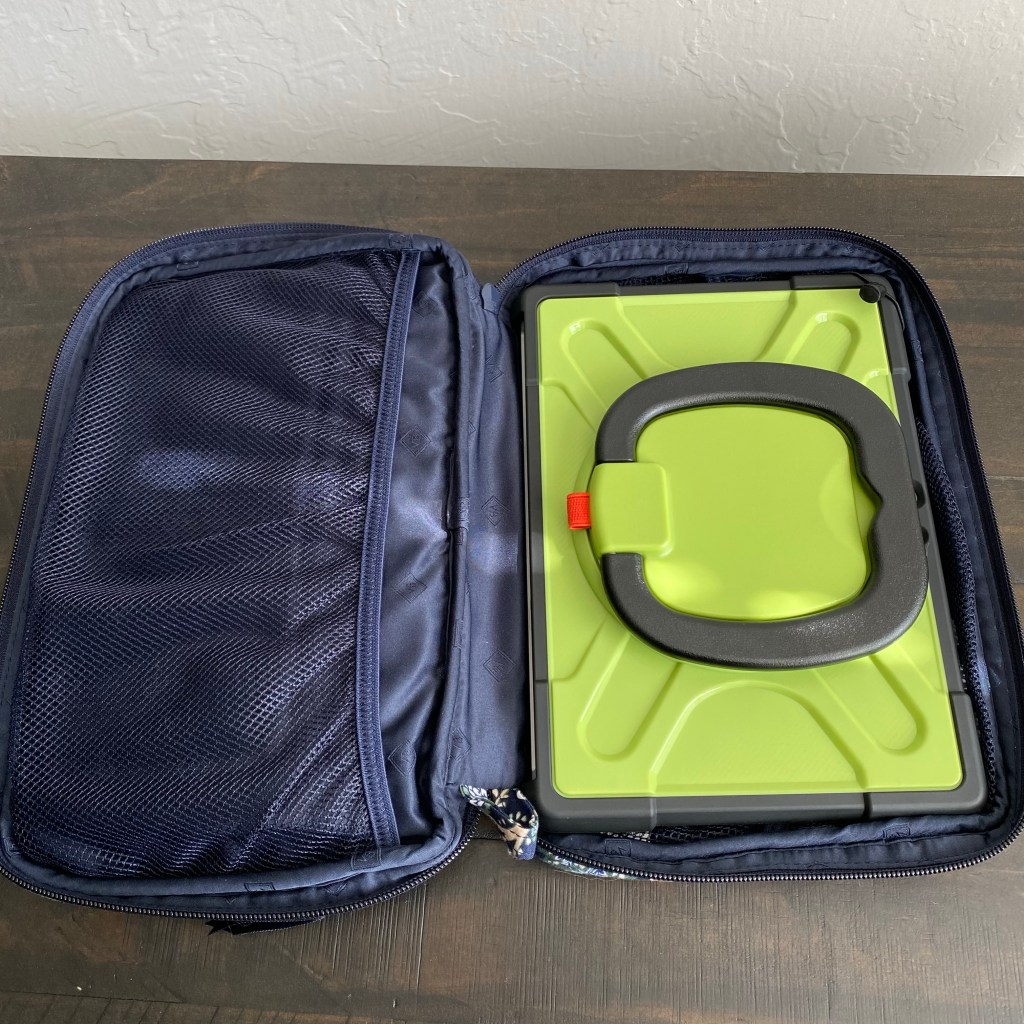
I have it stored in a Vera Bradley Java Navy Camo “Baby Changing Pad” pouch. The front of it has a zippered pocket where I store the charging cord, plug and stylus. This item was on sale for a great price again in May ($19.60) so I purchased a third one specifically to store this device. It’s priced higher now but prices on Amazon change frequently so it’s something that you may want to save in your cart and watch for a good sale: https://a.co/d/dSPfFhM


A comparison of the sound loudness and quantity on a Microsoft Surface Go 2 & an iPad 9th gen (2:33):


Looking for in-depth AAC feature matching resources? See this blog post: https://bit.ly/5aacFeatureMatchingResources. That post also includes videos comparing AAC apps on various devices on various platforms.


Looking for more AAC resources? Check out the Resource Links page my blog: https://omazingkidsllc.com/omazing-kids-aac-resource-links


Have a question? The best way to reach me is via Facebook messaging over on my OMazing Kids page: https://www.facebook.com/OMazingKidsAAC/


Angela Moorad, MS, CCC-SLP, Founder of OMazing Kids, LLC, OMazing Kids AAC Consulting

Weave Chat AAC added to the Feature Matching Chart for Robust Android AAC Apps

Weave Chat AAC

Weave Chat AAC has added quite a bit more content and features and is now a robust AAC app that’s totally free. They offer apps on three major app stores: iOS, Google Play (Android) & Amazon.

Website: https://www.weavechat.com


How to add high quality Acapela voices to Android AAC apps


Want basic info about this app? Check out “Affordable and Free AAC apps & AAC-Related Apps (iOS, Android, Amazon Fire, Windows & a few web-based options)”: https://bit.ly/BasicAffordableAACchart.


Want an in-depth look at the Android and Amazon Fire versions of Weave Chat AAC? Check out this expanded resource: “Feature Matching Chart for Robust Android AAC Apps (Google Play & Amazon Fire)”: https://bit.ly/RobustAndroidAACappChart.

Added Weave Chat AAC & updated info about other apps. Those who have previously purchased it on TPT can download the most current version for no additional cost: https://bit.ly/RobustAndroidAACappChart. Ko-fi subscribers will be able to access a copy on the pinned resource post: https://ko-fi.com/Post/Links-to-posts-about-most-current-feature-matching-F1F5C9DMD


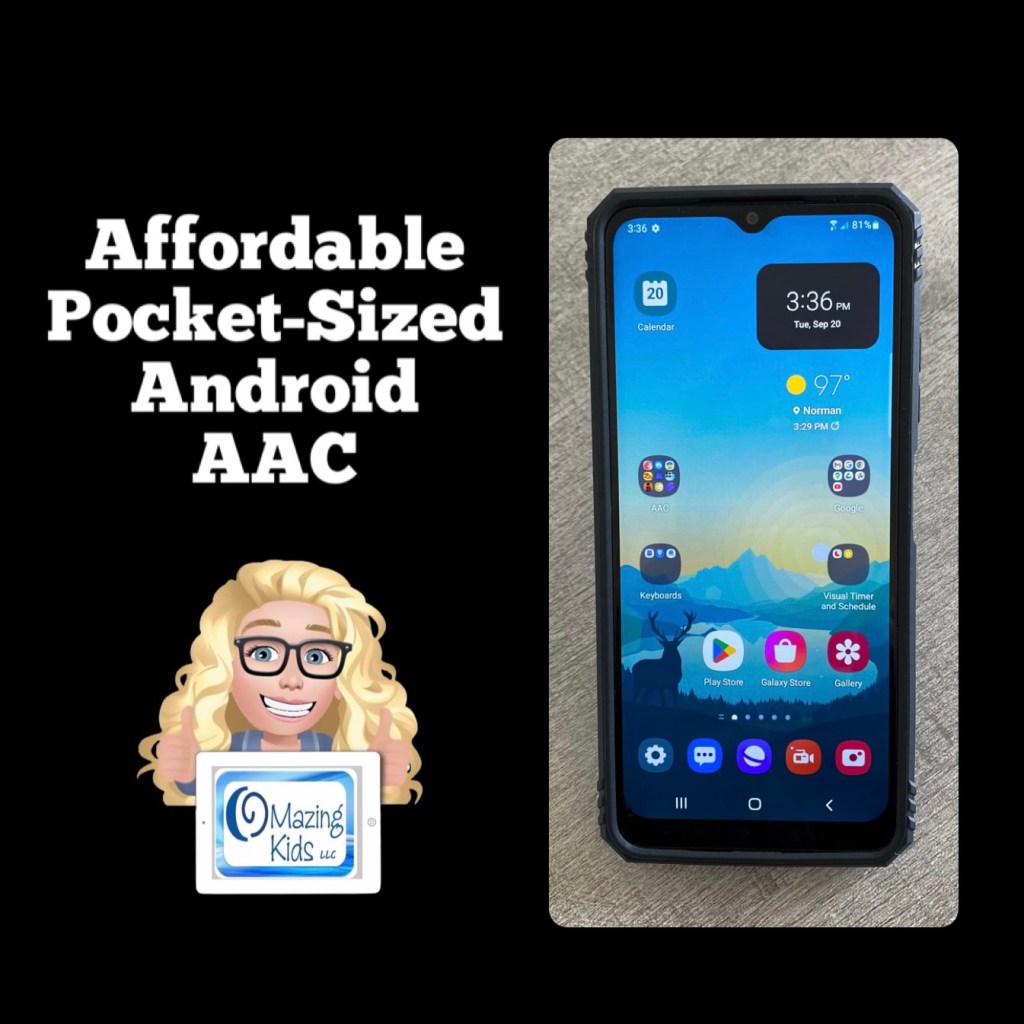
Updated this blog post on 8/12/23: That Android phone is still available on Amazon and is even a little less expensive now ($49.88). The case is still also available and is less expensive ($11.99). If you put the free Android version of Weave Chat AAC on it (https://play.google.com/store/apps/details?id=com.weavechat.weavechat) you can have fairly robust pocket-sized symbol-based AAC for under $62 (+tax). The adult text-to-speech voices from Samsung & Google are pretty good. If you want Acapela voices, the Weave Chat AAC app and a few others allow use of the one you have purchased and set as a default within the Acapela app. That would be a way to add high quality child voices. Prices vary. I just purchased the child African American English voices (Tiana and Malik) for $7.99 each. The great thing is you only have to purchase the Acapela voices once and then can use them in any AAC app that supports use of them. I have previously purchased Ella & Josh (USA English) + Valeria & Emilio (USA Spanish). That app has voices available to purchase in several languages.

So for under $70 (+tax) you can have fairly robust pocket-sized symbol-based AAC with Weave Chat AAC using a high quality Acapela voice.

https://bit.ly/AffordablePocketSizedAndroidAAC


Have a question? The best way to reach me is via Facebook messaging over on my OMazing Kids page: https://www.facebook.com/OMazingKidsAAC/


Angela Moorad, MS, CCC-SLP, Founder of OMazing Kids, LLC, OMazing Kids AAC Consulting

• Teachers Pay Teachers Store: https://www.teacherspayteachers.com/Store/Omazing-Kids-Aac-Consulting

• YouTube: https://youtube.com/user/amoorad1

• Ko-Fi: https://ko-fi.com/omazingkidsaac

• OMazing Kids AAC Consulting Facebook Page: https://www.facebook.com/OMazingKidsAAC/

• AppPeeps Facebook Group: https://www.facebook.com/groups/OMazingKidsAppPeeps/

• GoTalk Now AAC & GoVisual Visual Scene Apps – Ideas and Sharing Facebook Group: https://bit.ly/GoTalkNowAACappGroup

• Instagram: https://www.instagram.com/omazingkidsaac

• Instagram Threads: https://www.threads.net/@omazingkidsaac

• Twitter: https://www.twitter.com/amoorad

• Pinterest: http://pinterest.com/OMazingKids/

• Linktree: https://linktr.ee/amoorad1

• LinkedIn: https://www.linkedin.com/in/angelamooradomazingkidsaac

• Blog: https://omazingkidsllc.com / Resource Links page: https://omazingkidsllc.com/omazing-kids-aac-resource-links
Resource Update: Feature Matching Chart for Visual Scene and Video Visual Scene Display iOS & Android AAC Apps was updated on 7/27/23

Resource Update: Feature Matching Chart for Visual Scene and Video Visual Scene Display iOS & Android AAC Apps was updated on 7/27/23. I added Scene & Heard Pro by Therapy Box and added the newer version of EasyVSD. Those who have previously purchased this resource on TPT can download the most current version for no additional cost: https://bit.ly/AACvsd . Ko-fi subscribers will be able to access a copy on the pinned resource post: https://ko-fi.com/Post/Links-to-posts-about-most-current-feature-matching-F1F5C9DMD.


A FREE handout for SLPs/SLTs and other AAC professionals has also been updated: How to Get Access to Visual Scene & Video Visual Scene AAC Apps (TPT Freebie), https://bit.ly/SLP-SLT-Access-VSDapps.


Looking for more in-depth up to date AAC feature matching resources? See this blog post: https://bit.ly/5aacFeatureMatchingResources. The most current info about AAC apps can be found in my feature matching resources. The blog post also includes videos comparing AAC apps on various devices on various platforms.


Want to learn more? Check out this recorded webinar and interactive handouthttps://bit.ly/NavigatingThruAACapps


The perfect companion to supplement these in-depth resources are the “AAC Apps and Features At-a-Glance (Single Page Handouts)”: https://bit.ly/AAC-At-a-Glance


Looking for basic info about AAC apps that are always affordable or free? See the Basic Feature Chart for Affordable and Free AAC apps & AAC-Related Apps (iOS, Android Google Play, Amazon Fire, Windows + a few Web-Based options): https://bit.ly/BasicAffordableAACchart.


Have a question? The best way to reach me is via Facebook messaging over on my OMazing Kids page: https://www.facebook.com/OMazingKidsAAC/


Angela Moorad, MS, CCC-SLP, Founder of OMazing Kids, LLC, OMazing Kids AAC Consulting

• Teachers Pay Teachers Store: https://www.teacherspayteachers.com/Store/Omazing-Kids-Aac-Consulting

• YouTube: https://youtube.com/user/amoorad1

• Ko-Fi: https://ko-fi.com/omazingkidsaac

• OMazing Kids AAC Consulting Facebook Page: https://www.facebook.com/OMazingKidsAAC/

• AppPeeps Facebook Group: https://www.facebook.com/groups/OMazingKidsAppPeeps/

• GoTalk Now AAC & GoVisual Visual Scene Apps – Ideas and Sharing Facebook Group: https://bit.ly/GoTalkNowAACappGroup

• Instagram: https://www.instagram.com/omazingkidsaac

• Instagram Threads: https://www.threads.net/@omazingkidsaac

• Twitter: https://www.twitter.com/amoorad

• Pinterest: http://pinterest.com/OMazingKids/

• Linktree: https://linktr.ee/amoorad1

• LinkedIn: https://www.linkedin.com/in/angelamooradomazingkidsaac

• Blog: https://omazingkidsllc.com / Resource Links page: https://omazingkidsllc.com/omazing-kids-aac-resource-links