The NEW way to find languages, set voices & create a bilingual setup in the PRC-Saltillo AAC apps (LAMP Words for Life, TouchChat with WordPower, Dialogue AAC) after the 2.52.0 app update on February 10, 2025

I’ve seen numerous posts and comments from folks frustrated and confused by the change in the way that all of the PRC-Saltillo AAC apps (LAMP Words for Life, TouchChat with WordPower and Dialogue AAC) handle languages, voices and bilingual / multilingual vocab files.

I’m doing this roundup post of videos and tips to make it easier to share.


My video with tips:


Looking for info about this in Spanish? Check out this video from Halya Lenard, Bilingual AAC SLP (@speechieontheroad)⁠:


Official videos and resources from PRC-Saltillo…

PRC-Saltillo overview of the changes in the 2.52.0 app updates

Written announcement: https://www.prc-saltillo.com/articles/app-release-252?mode=view.

It’s important to read the PRC-Saltillo written announcements in addition to watching their videos. It often contains extra info not shown in the video. In this case the written post was the only way that I figured out why the Acapela and Almagu voices kept disappearing from the pick lists in the apps.

Their post says: “To give you the best voice experience, there will be voice limits. When setting up your files for multilingual use, you may choose:

  • Up to two Acapela voices
  • One Almagu voice
  • Unlimited Apple voices

When you reach the limit of a voice synthesizer, the options for that voice synthesizer will be hidden from the selection list until you unselect the maximum number.”

So after reading that I knew to change one of my voices to an Apple iOS voice in order to see the Acapela or Almagu appear in the pick list again. I have already provided feedback to the company that they should dim them instead of hiding them and provide some sort of popup info within the apps regarding this voice limit. I’m very well versed in problem solving and troubleshooting in AAC apps so if I was extremely frustrated and confused by this I can only imagine how many others will be.


Want to be notified when they make announcements like this?


LAMP Words for Life:

How to find and add languages to have Vocab file options added to the Vocab files area and how to set voices:

Written info: https://lampwflapp.com/support/support-articles/add-languages

.

Using the “Go to Vocabulary” button action to create a button in different vocab files to toggle between them:

Written info: https://lampwflapp.com/support/support-articles/link-vocabs-together

.

If you need them, the “legacySpanish/English and Canadian French/English bilingual vocab files are available for download on their website: https://lampwflapp.com/features/languages

.

LAMP Words for Life 2.52 bug update: https://lampwflapp.com/support/support-articles/bug-update-252. Nothing currently listed but I know that Highlight Spoken Word is not working with Acapela voices in this app too.


TouchChat with WordPower:

How to find and add languages to have Vocab file options added to the Vocab files area and how to set voices:

Written info: https://touchchatapp.com/support/add-languages

.

Using the “Go to Vocabulary” button action to create a button in different vocab files to toggle between them. This offers a much simpler way vs. creating Profiles. The only reason to mess with Profiles anymore would be if you needed to save particular different setups of settings.

Written info: https://touchchatapp.com/support/create-button-open-vocab-file

.

TouchChat 2.52 update announcement: https://touchchatapp.com/articles/app-release-252?mode=view

TouchChat 2.52 bug update: https://touchchatapp.com/support/bug-update-252. On 3/17/25 it lists:

  • TouchChat Discover upgrades may not show content
    • Workaround: Uninstall and reinstall the app. In the library menu, check Menu > Languages & Regions, ensure your preferred languages are in the list.
  • Highlight Spoken Word not working with Acapela voices
  • Auto Clear feature not working with Acapela voices
  • Acapela or Almagu voices are not visible in the menu
    • Workaround: There is a voice cap (Almagu: one voice; Acapela: two voices). If you have one of these voices selected and not seeing any additional Almagu or Acapela voices, select an Apple voice to see all your voice options.

Dialogue AAC:

I only found the 2.52 update PRC-Saltillo announcement linked above … not any specific videos or written info about how to add languages, select voices or link vocab files in the Dialogue AAC app. But the under hood architecture is very similar to the other two apps so the information above should help you sort any issues out.


Thankfully the 2.52.1 app updates for all 3 apps on March 6, 2025 appear to have resolved the major glitches caused by the 2.52.0 (app crashes, vocab builder lists appearing to be lost (actually hidden), some folks losing customized vocab files, etc…)

Hopefully over time folks will become accustomed to the new way these three apps handle languages, voices and creation of bilingual/multilingual setups.

To be honest I found it very confusing and frustrating too but once I figured out what the company had done I can see how this new design will provide the app architecture to support adding vocab files in more languages and providing more flexibility in how to link them for bilingual or multilingual use.

There are a few known remaining glitches caused by the 2.52.0 app updates. Hopefully those will be fixed soon.


✅ Be sure to like/follow OMazing Kids on Facebook. I tend to post most frequently there and often post about known issues in AAC apps. I also create short tutorial videos frequently and share some of those publicly on my YouTube channel. Some videos are unlisted if I create them for a very specific situation or to share with app developers to provide feedback about glitches I’m experiencing in their app(s). See my social media links below.


Have questions? The best way to reach me is via Facebook messaging over on my OMazing Kids page: https://www.facebook.com/OMazingKidsAAC/


👀 Looking for in-depth AAC feature matching resources? See this blog post: https://bit.ly/5aacFeatureMatchingResources. That post also includes videos comparing AAC apps on various devices on various platforms.


Looking for more AAC resources? Check out the Resource Links page my blog: https://omazingkidsllc.com/omazing-kids-aac-resource-links


Angela Moorad, MS, CCC-SLP, Founder of OMazing Kids, LLC, OMazing Kids AAC Consulting

• Teachers Pay Teachers Store: https://www.teacherspayteachers.com/Store/Omazing-Kids-Aac-Consulting

• YouTube: https://youtube.com/user/amoorad1

• Ko-Fi: https://ko-fi.com/omazingkidsaac

• OMazing Kids AAC Consulting Facebook Page: https://www.facebook.com/OMazingKidsAAC/

• AppPeeps Facebook Group: https://www.facebook.com/groups/OMazingKidsAppPeeps/

• GoTalk Now AAC & GoVisual Visual Scene Apps – Ideas and Sharing Facebook Group: https://bit.ly/GoTalkNowAACappGroup

• Instagram: https://www.instagram.com/omazingkidsaac

• Instagram Threads: https://www.threads.net/@omazingkidsaac

• X (formerly Twitter): https://www.x.com/amoorad

• Pinterest: http://pinterest.com/OMazingKids/

• Linktree: https://linktr.ee/amoorad1

• LinkedIn: https://www.linkedin.com/in/angelamooradomazingkidsaac

• Reddit: https://www.reddit.com/u/VintageVeraBradley/s/w3L1d8H5rk

• AppRaven AAC App Collections: https://bit.ly/AAConAppRaven

• Blog: https://omazingkidsllc.com / Resource Links page: https://omazingkidsllc.com/omazing-kids-aac-resource-links

True Code Switching in Bilingual AAC Apps – updated 11/12/25

See my new video for a quick demo of what true “code switching” looks like when speaking the content of the Message Window in Spanish-English bilingual use in Proloquo2Go and TD Snap vs. Spanish-English bilingual use in TouchChat with WordPower and LAMP Words for Life:


There are voices for each language in LAMP Words for Life and in TouchChat with WordPower.

If you are using the English part of the bilingual vocabulary file or an English vocabulary file it uses the English voice.

If you are using the Spanish part of the bilingual vocabulary file or a Spanish vocabulary file it uses the Spanish voice.

What those two apps can’t do is speak part of the Message Window in English and part of the Message Window in Spanish to combine it into one message with true code switching within the utterance.

Proloquo2Go and TD Snap do support this true code switching.


Update 2/21/25:

Weave Chat AAC now supports true multilingual code switching 🎉

This is currently supported on the iOS and Amazon Fire versions. The update for the Android version should be available very soon.

Here it is on my iPad Air 11” (M2) 2024:


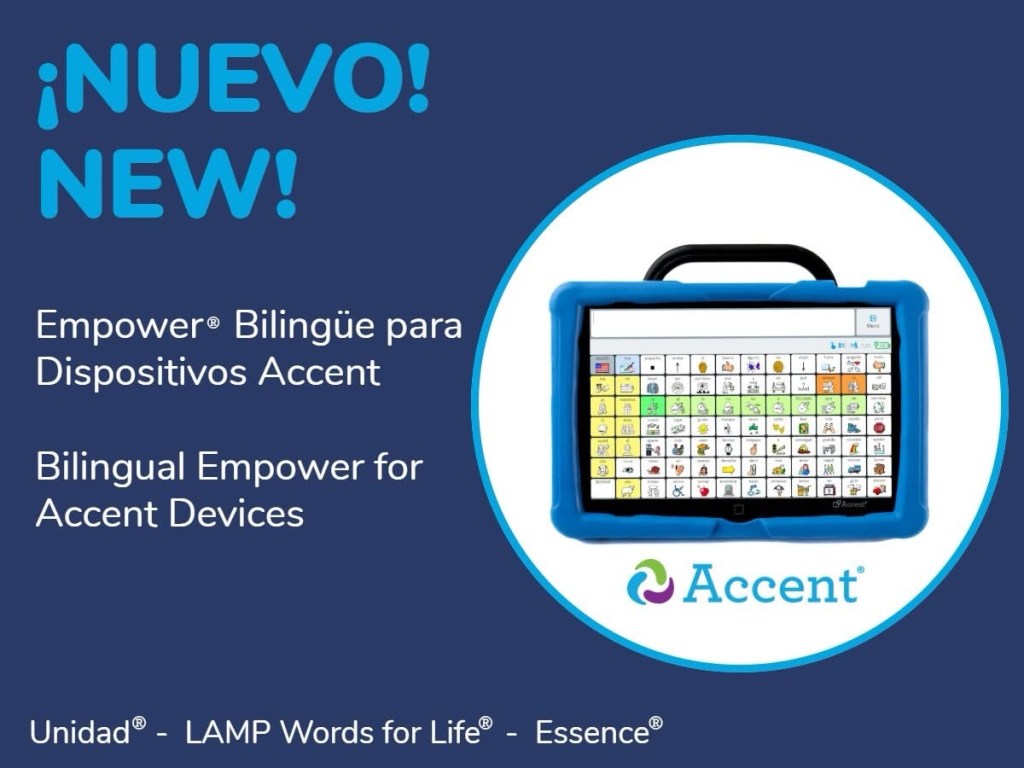
5/16/25: PRC-Saltillo announced new bilingual support and code switching in Empower® software for Accent® devices. Starting with update 1.27, Spanish/English options are now available in Unidad, LAMP Words for Life and Essence vocabularies. See their website for details:

https://www.prc-saltillo.com/articles/bilingual-empower?mode=view&

See this post on their Facebook page for a short video:

https://www.facebook.com/share/v/16YKcVhBPG/?mibextid=wwXIfr


6/24/25: Avaz blog post “Why Bilingual AAC Needs More Than Just Translations”: https://avazapp.com/blog/why-bilingual-aac-needs-more-than-just-translations/

What Does “More Than Translation” Look Like?

  • Language-specific core word sets
  • Culturally grounded vocabulary
  • Flexible code-switching
  • Grammar-aware layouts
  • Family-led customization
  • Equal access to all languages

References

  1. Diaz, L. Why Bilingual AAC Users Need Access to Both Languages.
  2. Boyle, S. Designing AAC Systems for Bilingual Users.
  3. Soto, G. & Yu, B. (2014). Considerations for the Provision of AAC Services to Bilingual Children.
  4. Gutierrez-Clellen, V. et al. (2009). Code-switching in bilingual children with language impairment.

Avaz now has Bilingual Vocabulary Packs that support true code switching:

  • Vietnamese/English (adult male, adult female, boy & girl files are each available for download from their website. They work on both the iOS and Android versions of the app)
  • Bengali/English (adult male and adult female files are each available for download from website. They work on both the iOS and Android versions of the app)

There are 4 other languages that you can fill out an online form to “express interest”. I filled that out for each of these. After I receive them I can verify how long it takes to receive the files, what the second language is, and that they support true code switching:

  • Malayalam
  • Marathi
  • Tamil
  • Telugu


Flexspeak supports multilingual use and has an AI translation tool to translate the content of the Message window. When using that you end up having two Message Windows. One with the original language spoken in that voice and a second one in the other language spoken with that voice. The AI translation requires an internet connection. The app does NOT support true code switching within one message.


The NEW way to find languages, set voices & create a bilingual setup in the PRC-Saltillo AAC apps (LAMP Words for Life, TouchChat with WordPower, Dialogue AAC) after the 2.52.0 app update on February 10, 2025, https://bit.ly/LampWFL-TouchChat-languages-voices-bilingualSetUp-2025

Checklist for Creating a Culturally Inclusive AAC System:

https://aaclanguagelab.com/materials/Culturally_Inclusive_Checklist.pdf


Learn more about Code-Switching, Code-Mixing, Code-Meshing and Translanguaging: https://bilinguistics.com/code-switching-and-code-mixing/


9/12/25: See this myth-busting post on Instagram:

https://www.instagram.com/p/DOgV3zPDmUJ/?igsh=MTV6dThneXR1OG0xeA==

And in Spanish:

https://www.instagram.com/p/DOefsWSEg6J/?igsh=MXZpdmt3ODhrYno5YQ==


Note: The ability to do true code switching when speaking the content of the Message Window is just one of many potential things to consider during the “feature matching” process to find the best fit for an individual user’s needs.


As far as the “design” of vocabulary included, how it is organized, whether or not buttons are placed in the same spot or have the same symbol in two different languages….

I know from watching a webinar from Saltillo several years ago quite a bit of thought went into the exact vocabulary and symbols used in the Spanish vocab files in TouchChat with WordPower (https://youtu.be/_UJpPCqeiVU?si=0qDYKA9RgzG9zfyr)

There are so many differences between all the different types of Spanish. And symbols can carry different meanings in different cultures so different symbols may be used to avoid misunderstandings or offensive content. They spent months gathering input from native speakers to decide which words to use and the exact symbols.

And differences between articles, verb conjugations, etc. that would make it impossible to have vocabulary in exactly the same place in English and Spanish. Even LAMP Words for Life Spanish/English doesn’t have words in *exactly* the same spot in both languages.

I’ve also watched a webinar from Tobii Dynavox about the creation of the bilingual Spanish-English USA Motor Plan pageset in TD Snap (https://tobiidynavox.talentlms.com/learner/courseinfo/id:1226) and then learned how that’s different than the Spanish (Spain) version which has a Motor Plan 40 option. Of course I was intrigued as to why so I asked and got this reply: “They felt Spain needed an extra 40 button layout because Spain uses an extra pronoun and the Home page became very crowded with pronouns at 30 buttons. In Spanish in general they felt it was important to have all the subject pronouns on the home page.”

Here’s info that I received from the CEO of AssistiveWare about the design process of their Spanish-English vocabulary in Proloquo2Go: “This blog post might interest you: https://www.assistiveware.com/blog/bilingual-aac. It explains the process we used. Our Spanish vocabulary was designed for both monolingual and bilingual use. The word selection and the grammar system was adapted to Spanish and we build a Castilian and American Spanish variant adjusting for regional differences in core and fringe. It took our whole team a full year going from researching transcripts of children’s language to building the vocabulary and localizing all the fringe. It involved Spanish speaking AAC experts and linguists from our side plus a review by external SLPs and Spanish speakers. We support advanced grammar construction including the creation of compound words such as damelo (give me that) common in Spanish.

… because the languages, their syntax, and grammar are different a good localization cannot have the same word in the exact same place. While there is overlap between core words for different languages the list of core words and their relative frequencies are not identical. Fringe, of course, is also influenced by cultural differences. So if you want to do a good job localizing a vocabulary you cannot keep all words in the same place. We chose to optimize for each language used by itself rather than optimize for bilingual use (but even if we had done the latter a literal translation would not have been an acceptable result). What we did do is keep the folder hierarchy identical across languages to facilitate bilingual use. Also note that because of the differences between languages, syntax, and grammar for speaking people the “pathways” are also not the same for all languages a good AAC localization reflects that too.”


Bilingual Spanish / English parent-friendly AAC info from Bilingüe AAC on Padlet: https://padlet.com/bilingueaac/bilingueaac-resources-2024-gmw3qsxcg0xo3zaz


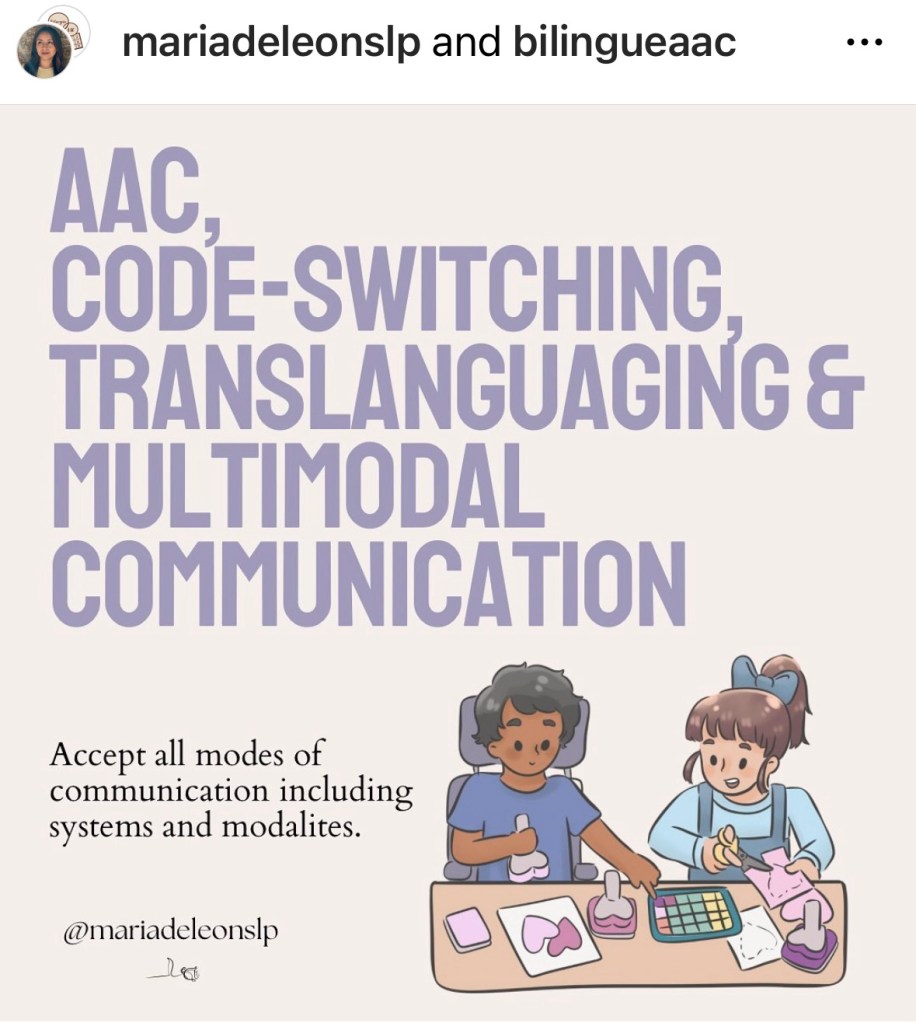
“AAC, Code-Switching, Translanguaging & Multimodal Communication” post by @mariadeleonslp & Bilingüe AAC on Instagram: https://www.instagram.com/p/CvNjsdvvXZL/?igsh=cG5zM2YwcGdhYmsz


Looking for other in-depth AAC feature matching resources? See this blog post: https://bit.ly/5aacFeatureMatchingResources. That post also includes videos comparing the best AAC apps on various devices on various platforms.


Looking for more AAC resources? Check out the Resource Links page here on my blog: https://omazingkidsllc.com/omazing-kids-aac-resource-links

Have a question? The best way to reach me is via Facebook messaging over on my OMazing Kids page: https://www.facebook.com/OMazingKidsAAC/


Angela Moorad, MS, CCC-SLP, Founder of OMazing Kids, LLC, OMazing Kids AAC Consulting

• Teachers Pay Teachers Store: https://www.teacherspayteachers.com/Store/Omazing-Kids-Aac-Consulting

• YouTube: https://youtube.com/user/amoorad1

• Ko-Fi: https://ko-fi.com/omazingkidsaac

• OMazing Kids AAC Consulting Facebook Page: https://www.facebook.com/OMazingKidsAAC/

• AppPeeps Facebook Group: https://www.facebook.com/groups/OMazingKidsAppPeeps/

• GoTalk Now AAC & GoVisual Visual Scene Apps – Ideas and Sharing Facebook Group: https://bit.ly/GoTalkNowAACappGroup

• Instagram: https://www.instagram.com/omazingkidsaac

• Twitter: https://www.twitter.com/amoorad

• Pinterest: http://pinterest.com/OMazingKids/

• Linktree: https://linktr.ee/amoorad1

• LinkedIn: https://www.linkedin.com/in/angelamooradomazingkidsaac

• Blog: https://omazingkidsllc.com / Resource Links page: https://omazingkidsllc.com/omazing-kids-aac-resource-links