Angela Moorad, MS, CCC-SLP. Over 36 years experience in AAC. OMazing Kids AAC and app consulting. Creator of several AAC Feature Matching resources (https://omazingkidsllc.com/omazing-kids-aac-resource-links/). Includes info about unique features to support Gestalt Language Processors
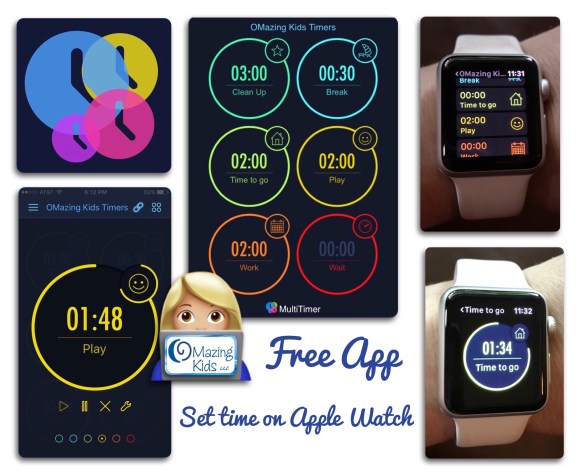
FREE Visual Timer App – adjustable directly on Apple Watch
.
Most of the timer apps that can be used on an Apple Watch require you to first set a and activate the timer on the paired iPhone and only work when the phone is within range of the Bluetooth connection with that phone. Although I love the Time Timer app it is not that helpful to me since I work in a facility that prohibits taking your phone into patient areas. The timer app native to the Apple Watch can be adjusted directly on the watch but is not a visual timer.
So I was very excited to discover that one of my other visual timer apps can be used totally independently on the Apple Watch. The key is to customize it on your phone, sync it with your watch and then the timer time can be set, timer activated, paused & reset all directly from the watch WITHOUT it having to be paired with your phone.
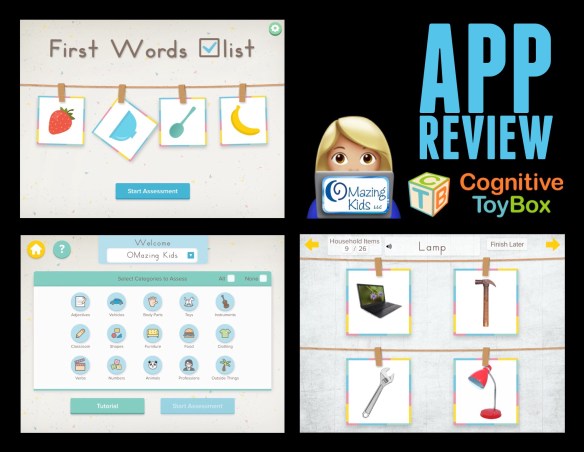
{App Review} First Words Checklist: Teacher Edition
First Words Checklist is an informal receptive vocabulary assessment for young children. The app assesses a child’s knowledge of over 100 words in 15 categories (adjectives, vehicles, body parts, toys, instruments, classroom, shapes, furniture, food, clothing, verbs, numbers, animals, professions & outside things). Pictures are real photos on a plain white background presented in fields of 4. Prompts are varied (put your finger on, touch the, show me the, etc…). The app shows that you have completed _____ of _______ so you know how many more items there are to complete in a section. Multiple users can be set up with data tracking for each. The settings menu is locked behind a parental gate. Settings include being able to toggle off background music, adjusting frequency of the bird appearing or toggling it off and being able to assess all categories or specific categories. There is an option to replay the question and arrows to go forward or back. There is no aversive feedback provided for incorrect answers. An assessment can be paused and resumed later. The results screen shows a percentage correct as well as specific vocabulary the child got correct and incorrect. A PDF report of the results can be sent be sent via e-mail.
I found the app easy to use and helpful in both assessing and working on receptive vocabulary. Just a few wishes for a future app update: “belly” might be a better choice than “stomach”, the word “vase” was pronounced differently than most kids are accustomed to, “rocket” seemed out of place in “outside things”, it would be nice to see more common jobs listed in the “professions” category.
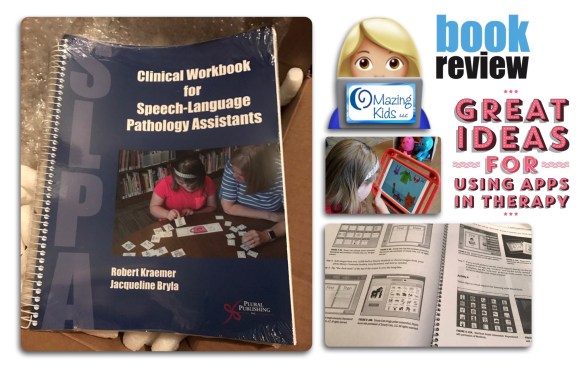
{Book Review} Clinical Workbook for Speech-Language Pathology Assistants by Robert Kraemer & Jacqueline Bryla
.
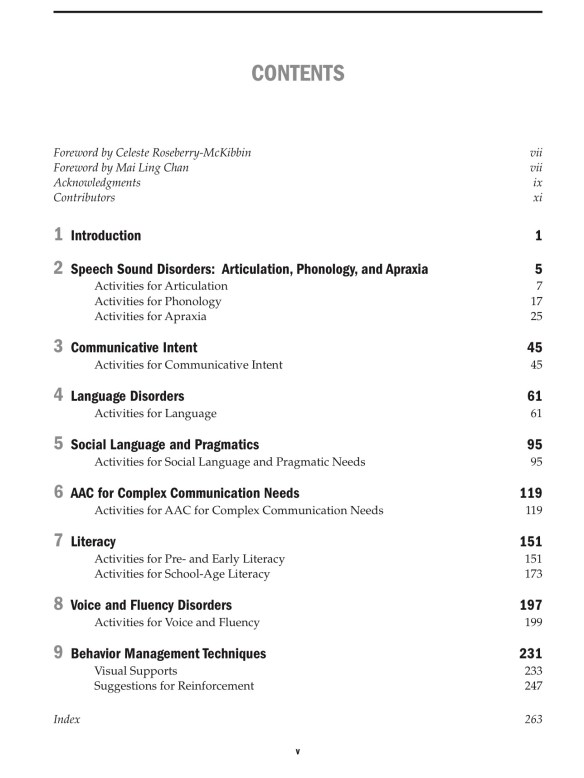
This workbook is the first of its kind to feature treatment activities using iPad apps in addition to traditional therapeutic activities and materials. Each activity is explained with detailed, step-by-step instructions and supporting photographs. Includes activities for the following areas: speech (articulation, phonological disorders and childhood apraxia of speech), communicative intent, language, social skills, complex communication needs and AAC, voice, fluency, early literacy & positive behavior supports.
.
Spiral-bound: 278 pages
Publisher: Plural Publishing, Inc.; 1 edition (February 1, 2017)
Language: English
ISBN-10: 1597568902
ISBN-13: 978-1597568906
Product Dimensions: 0.8 x 8.8 x 10.8 inches
.
.
I was thrilled to have the opportunity to provide feedback to Jackie as she spent countless hours writing this book and to now get to see the finished product for this review!
.
.
Here’s what I love about this book:
The activities ideas are easy to follow with step-by-step instructions and are enhanced by black and white screenshots from apps and photos of kids participating.
Includes ideas for individual and group sessions.
QR codes, App Store links and websites make it easy to find the exact app or materials being used for each activity.
Great ideas for targeting goals for early communication with the “Knock-Knock Box” program including objects to include in the kit, skills to target, and specific verbs and concepts associated with each object in the kit.
Fun ideas and activities for targeting core vocabulary for AAC users.
Several activities include printables from SLPs on Teachers Pay Teachers.
Awesome wire spiral binding will hold up well with repeated use and allows the book to stay open to a specific page when placed on the table.
Includes a wide variety of apps. Examples of apps included in this workbook are: Articulation Station, Secret Mission Articulation, Phono Learning Center, PhonoPix, Word FLiPS, Apraxia Ville, Apraxia RainbowBee, several Sago Mini apps, StoryToys Touch Look Listen My First Words, Question Therapy by Tactus, WordToob, the My PlayHome series of apps, Auditory Memory Club, Social Quest, Between the Lines series of apps by Hamaguchi, Social Norms by Virtual Speech Center, Proloquo2Go, TouchChat HD with WordPower, Avaz Pro, Clicker Communicator, Toto’s Treehouse by Dr. Panda, What’s in the Bag?, Pogg, several Tiggly apps, Word Wizard and Writing Wizard by L’Escapadou, Mystery Word Town by Artgig, Conversation Paceboard by Aptus, Fluency SIS, Decibel 10th, FluencyCoach, ChoiceWorks visual schedule and visual supports app, Custom Boards, Jigsaw Wonder Puzzles series of apps by Eggroll Games, Wellbeyond Meditation for Kids, Thinkrolls series of apps by Avokiddo, Winky Think by Spinlight Studios, Busy Shapes, Crazy Gears and Busy Water apps by Edoki, open ended play apps by Toca Boca, Touch and Write series of apps by FizzBrain, etc….
Although this workbook was designed for SLPAs, it would also be a great resource for SLPs who may have just gotten their first iPad and are looking for ideas to get up to speed quickly on apps and how they can be incorporated into therapy. Once you get inspiration from these examples you could easily apply similar strategies to other apps you may get. See this post for my list of apps for SLPs broken out by goal areas: https://omazingkidsllc.com/2016/12/31/the-ipad-the-slp-in-2017-app-list-for-slps-sorted-by-goal-area/.
.
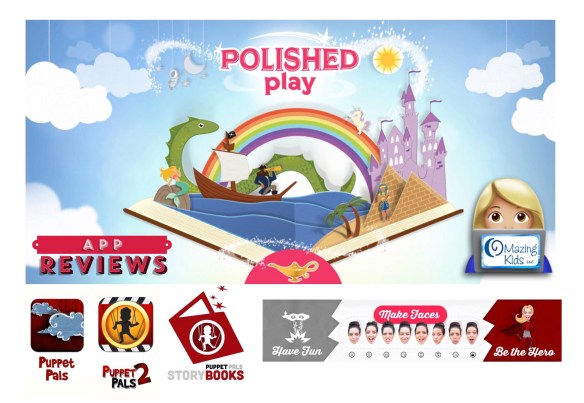
Always excited to add apps to my therapy toolbox. Here are some great ones from Polished Play:
Looking for a creative way to work on story telling language skills? Then check out the Puppet Pals apps. I like Puppet Pals 2 a bit better than the original app since it has a scrollable background, characters with moveable arms & legs, they can get in vehicles or on a horse, their mouth moves when you tap, hold and talk, etc.
Brand NEW app: Commander Amazing by Polished Play, https://appsto.re/us/OuRw-.i, $2.99. I love the combination of kids getting to be the characters, that the hero can be male or female, getting to take up to 10 emotion face pictures, funny story & game. Excited to hear that this developer will be releasing a new app in the PuppetPals StoryBooks series at the end of each month and that user pictures will be available across the series of apps. What a fun new concept! http://www.polishedplay.com/storybooks
They even have the character heads synched with their new Yarn Spin app (https://appsto.re/us/GkPeeb.i). to send funny animated stickers starring you.
Be still my heart! Care for Our World, one of my favorite books and play sets, is now also available as an interactive app for the iPad. It’s perfect for Earth Day and any other day.
.
.
Here’s what I absolutely LOVE about this app:
Intuitive interface, options to toggle on/off several options separately (autoplay, narration, music, sounds and “learn words”), all interactive elements make sense and add to the story, the nature sound effects are amazing and relaxing, the voiceovers are very well done, text is highlighted as it is read, pages have forward and back arrows in the bottom corners making it very clear how pages are turned and the ability to jump to a particular page.
The beautiful rhyming words flow easily as you read or listen to it being read to you & inspire kids to think about all the gifts of nature and living creatures from forest, jungle, or sea that live in our world and a plea to take care of them.
The illustrations by Alexandra Ball are breathtaking! Really more works of art than just illustrations. This app brings them alive in an amazing way.
I love the gentleness of both the words & illustrations. Both evoke feelings of calmness & kindness. I love that the message of caring for the earth is done in a kid-friendly way.
Includes a coloring book activity section with “fill” and “draw” options, three brush size options in “draw” mode”, the ability to zoom in on a particular area of the picture to easily color small details, and the option to save to an art gallery and view it later.
Includes a virtual playset with 4 backgrounds, interactive characters and animals that can be added/removed, resized, flipped, layered and moved (wonderful to use to work on vocabulary, following directions, spatial concepts, adjectives, etc….) and the option to save to an art gallery and view it later. I hope they add an ocean background in a future update. It would also be nice to have the option to have the background nature sounds on while in this part of the app (the music could still play but the nature background sounds did not)
I liked that pictures from the coloring book and playset are all saved within the app rather than filling up your iPad’s Camera Roll.
Includes an Animal Encyclopedia area with kid-friendly facts, animal sound effects and real photos. My only wishes in this area for a future update would be voiceovers so kids could tap and have the facts read to them.
The story and illustrations have lots of opportunities for kids yoga: mountain, ocean breath, fish (sign), crab, shark, frog, snake, flower, buzzing bee breath, sloth, apple picking stretch, forward fold picking veggies, raccoon (gyan mudra mask), sheep, bear, tree, bird, squirrel, owl, spider (partners pose), butterfly, ladybug (child’s pose + wings), cricket (palming w/ chirp), cat, upward facing dog, bunny breath, turtle, camel, elephant, giraffe, lion, monkey (chest thymus taps), gyan mudra looking binoculars, koala self hug, kangaroo, penguin egg (child’s pose), discuss ways to be kind to: myself, other people, animals & our planet Earth, coloring relaxation (using the calming nature sound effects from the app and free printable coloring pages below).
.
This app is an amazing bargain at only $2.99 and is highly recommended!
{App Reviews} Great special needs apps from Inclusive Technology / HelpKidzLearn
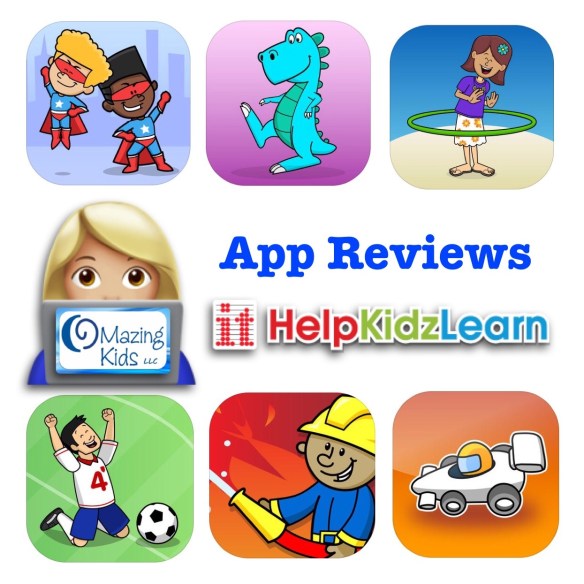
Looking for very well designed apps for kids with special needs? One of my “go to” recommendations are all of the apps from Inclusive Technology. Their apps always have an intuitive interface, excellent graphics (many on a high contrast solid black background), high quality voiceovers and sound effects, fun themes, immediate activation for teaching cause & effect, and many are switch capable but can also be used via touch on the iPad screen. Many are very affordable at $2.99 each. The apps priced higher than that include features that are well worth the price. See their website for in depth info about each app: http://www.helpkidzlearn.com/us/apps. They also offer Android versions for all of their apps on the Google Play store.
Here are the 6 most recent additions to my iPad app collection:
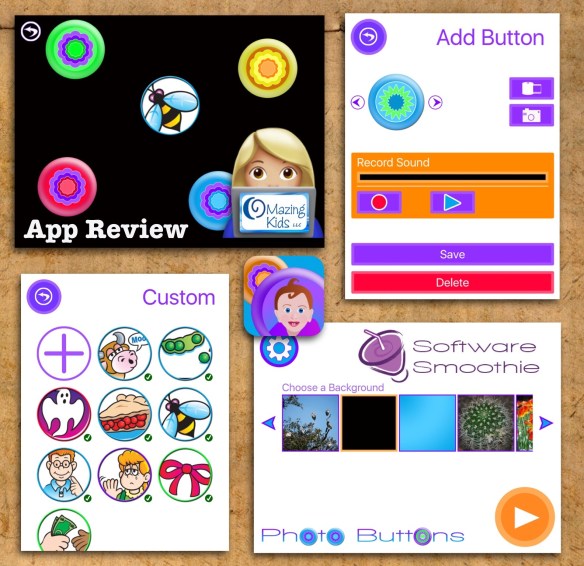
Photo Buttons is a simple, bubble-popping style cause and effect app that you can customize with personal pictures and recordings. Touch anywhere on the screen to show a button. Interact with the buttons by touching and dragging and tapping them to reveal images and sounds. Tap the buttons again to “pop” them. I imported screenshots of CV (consonant-vowel) words from one of my other apps and used a solid black background. The app was very simple to use and it was motivating for my patients to have a different way to practice those sound combinations.
Angela Moorad is the founder of OMazing Kids, LLC and is an ASHA certified & licensed pediatric Speech-Language Pathologist and Kids Yoga Teacher with over 27 years experience working in a variety of settings (early intervention, schools, teletherapy & a nonprofit pediatric rehab hospital for children with developmental disabilities). She is an app beta tester for educational & therapeutic app developers and loves sharing info about great apps, products, books & toys to use with kids of all abilities.
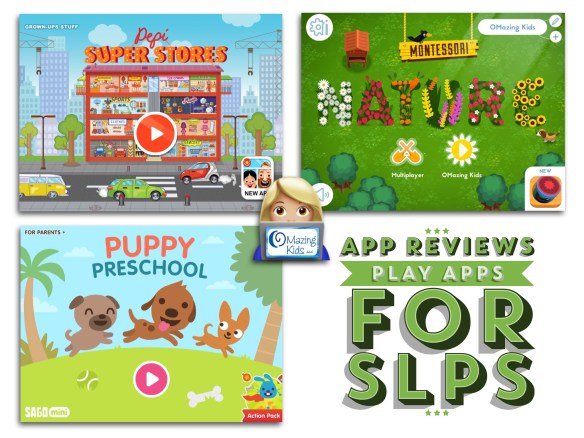
{App Reviews} Play Apps for SLPs: Pepi Super Stores, Sago Mini Puppy Preschool & Montessori Nature
I love finding ways to use well designed kids play based apps to target goals in OMazing Kids speech therapy! The process of doing this is very similar to picking traditional toys to use in therapy. The key is to know what goals you want to target and then pick the materials (or in this case apps) to address them. Some additional considerations for picking good apps include looking for ones with the following features: clean intuitive interface, high quality graphics, voiceovers and sounds with the ability to toggle off background music, no ads, any external links are secured in a parental info area and allows for open-ended exploration.
Here are three new apps that I recently added to my collection. Here are features that make them useful for SLPs:
Has 12 areas (food court with burgers, Asian food, ice cream, pizza; sporting goods, music store, clothes, jewelry, hair salon, photo booth, grocery store & parking garage) in a shopping mall with numerous opportunities for making choices, describing, spatial concepts, compare/contrast, etc. I love the diverse mix of quirky characters. Things that could be improved in a future update: hide / secure the “new app” info to the grown-ups stuff area or add a way to toggle it off in the iPad settings area & add option to toggle off the music on the home screen (it fades out as soon as you enter the stores but still would be nice to be able to toggle it off)
Features 10 puppies with four activity areas targeting counting, shapes, colors and music. It is fun to compare/contrast the various puppies and to target language goals as you play with them. I appreciate that all Sago Mini apps allow you to toggle off the “Sago News” (link to new apps) and the “For Parents” sections in the iPad settings area.
See this post for a picture of the puppies. I use this as a visual support for one of my patients with Autism who has a high interest with knowing the names of characters:
The app offers a realistic environment in which kids have to plant, nurture, harvest, and sell their crop. Just as real gardening would take time, it takes awhile to go through the process of planting all the way to selling the crops. This app would be fun to incorporate into a gardening theme and could be used in small chunks over several sessions.
.
{App Reviews} 5 fun apps from Fox & Sheep: Little Fox Animal Doctor, Unicorn Glitterluck, Pony Style Box, The Orchard & Little Farmers
I love using well designed apps in therapy! Especially those that provide opportunities for learning embedded in games and provide motivation for kids to work hard in therapy to earn time playing them. Here are five new additions to my toolbox at OMazing Kids:
I have several patients who love being a pet doctor and this app is a fave. The app has a simple interface, great 3D graphics and it provides simple options and cues as to what each animal needs in order to feel better. Lots of great opportunities for language and fosters problem solving and empathy. One of my patients who uses the LAMP Words for Life AAC app frequently comments “help” as we help each animal feel better.
The app interface has changed a bit since they released this video but it still gives you a general idea of what the app is like:
I currently have a 9 year old patient whose skills are more like that of a 6 year old and she absolutely ADORES this app. It is what she chooses to work for at the end of every session. It’s cool to have an app that looks like harder game apps but yet is simple enough to allow her to play it successfully. I love that a level in the game is short enough to be used as a reinforcer at the end of sessions. The section where you decorate the unicorn provides lots of opportunities for choices and descriptive language.
Fun to target simple turn taking, color matching and working together to get the fruit all picked before Theo the Raven gets to the basket. Watch out as he throws fruit at the screen and tries other tricks to get the fruit.
I’ve had a couple of older patients have fun exploring the small elements in this app. It can be a little tricky figuring out how to operate the items on the screen which can be good for fostering persistence. I personally like their Little Builders app a little better than this one but it’s cool to have both to use with patients who have more advanced visual motor skills.
{App Reviews} 4 more great apps from PlayToddlers: Sweet Home Stories, Dress Up Professions, Animal Puzzle & Shapes Builder
I love using well designed apps in therapy! Here are four new additions to my toolbox at OMazing Kids:
.
Sweet Home Stories: I have a couple of patients who LOVE this developer’s daycare app so I was thrilled to try out this newest app with them. Just as I expected, they love this app too! Open-ended play apps are a fun way to teach vocabulary, actions, spatial concepts, turn taking & more. This app has really cool 3D cartoon-like graphics, several fun areas to explore (front courtyard (with a fountain, birdhouse, gate, potted flowers, mailbox & tricycle), living room playroom (with chairs, TV, coffee table, phone, blocks, skateboard, feather duster, lamp, etc.), a kitchen (with realistic food items, sound effects for eating/drinking, stove, dishwasher, silverware, refillable water pitcher, refrigerator, toaster, cat bowl with cat food, drawers/cabinets that can be opened and closed, etc), a kids’ bedroom (with two beds, blankets that send the child to sleep when pulled up, stuffed animals, desk with lamp books and laptop, relaxing color scheme and mobile, etc.), the parents’ bedroom (similar to the kids’ bedroom with the addition of a crib and toys for the baby), a bathroom (with shower, toilet, sink, washing machine, mop, hair dyer, electric shaver, etc.), and a second outdoor area (with seeds, shovel, watering can, garden bed, clothesline, garden cart, rocking chair, guitar, etc..), the option to toggle off separately from most sound effects (but have to toggle it off every time you open the app), and an intuitive interface (arrows make it clear his to get to the next area). The only wishes I have for a future app update would be to allow the parents and kids could “hold” the phone, that the parents could “hold” the baby, for the music player to work when the app background music is toggled off and for the background music to stay toggled off when you close/reopen the app. This app is chock full of great language opportunities and will definitely get LOTS of use in my therapy toolbox!
* Sweet Home Stories – Family playhouse for kids. by Guillermo Fernandez Gonzalez, https://appsto.re/us/xSXMhb.i, $2.99
—
Dress Up Professions: Adorable illustrations, includes a boy and a girl and outfits for 15 occupations. After the character is dressed you get to paint a picture of it. The app has an intuitive interface and will provide lots of opportunities for language related to occupations, clothing & body parts. My wish for a future update would be for all external links to be hidden in a parent area. They are protected but easily seen at this point. I would also like the option to toggle off the background music while leaving other sound effects on.
* Dress Up : Professions – Occupations puzzle game & Drawing activities by Play Toddlers (Full Version for iPad), https://appsto.re/us/onYMM.i, $2.99
—
Animal Puzzle: Adorable animal illustrations, includes 48 easy puzzles with options for 4, 6 or 9 pieces organized by subcategories on a bookshelf, the animal is named and after you complete a puzzle it is named again and the animal is shown in a field of 3 choices with the prompt “Where is _______?”. If you tap on the wrong animal, that animal is named without any aversive negative feedback (yippee for no buzzing or no “no, try again”) and the child can keep trying until they tap on the correct animal. Background music can be toggled off separately from other sound effects but it would be nice for it to stay toggled off rather than having to redo that every time you open the app. The app has a nice intuitive interface and will be a fun way to work on animal vocabulary and subcategories of animals.
Shapes Builder: Build 36 different items out of easy shapes presented in groups of 6 items on a map on 6 different fun themed islands. I like how the boat travels to each island, the items start out very easy and increase gradually in difficulty, if you try to put a shape in the wrong spot a cue is provided regarding the correct place, the fish is fun to “catch” in each level, that the items are unlocked as you complete them in order but once unlocked can be completed again at any time, you are prompted to swipe a wand across the completed item which then transforms into a 3D “real” item that can be rotated. The way the items are presented on a map provides an incentive to explore to see what other treasures you may find on each island. It is fun to try to guess what the item will be based on the colors of the places for shapes and the overall design. The app provides lots of opportunities for language and could be used with kids individually or as a collaborative game in therapy. Although I liked the music it still would be helpful to have the option to toggle it off separately from other sound effects. It would also be nice to have a way to “reset” the app without having to delete and reinstall it. Ideally this should be added to a secure parent area.
* Shapes Builder – Educational tangram puzzle game for preschool children by Play Toddlers, https://appsto.re/us/bSbOab.i, $2.99


 OMazing Kids AAC Consulting