
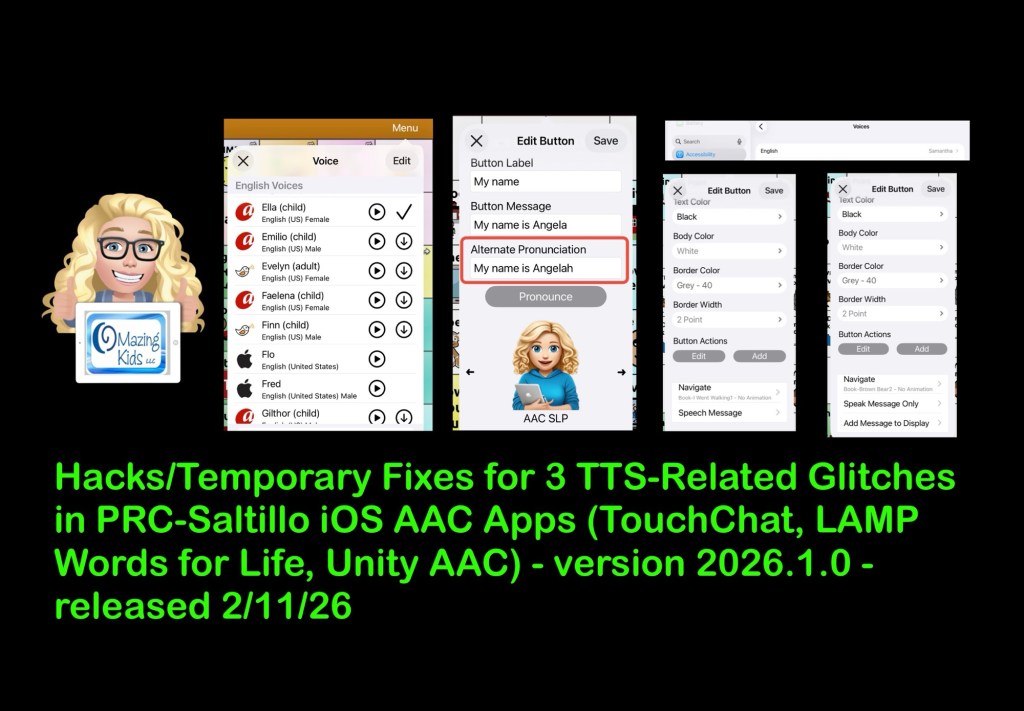
Hacks/Temporary Fixes for 3 Text to Speech-Related Glitches in PRC-Saltillo iOS AAC Apps (TouchChat, LAMP Words for Life, Unity AAC) – version 2026.1.0 – released 2/11/26

There are three distinct glitches related to text to speech (TTS) voices in the most recent 2026.1.0 app updates for the PRC-Saltillo AAC apps on 2/11/26. I know I’m not the only one experiencing these glitches based on numerous posts and comments on social media: 

  • Dot glitch (Acapela TTS voices speak “dot” if you tap an empty Message Window 
  • Alternate Pronunciation at button level glitch that causes the content of the Message Window to be spoken 3-4 times regardless of the type of TTS voice being used
  • iOS Accessibility TTS voice being used on random buttons instead of the voice set in the app

Here are three screen recording videos so you can see what’s occurring and the short term hacks / solutions that I’m recommending to folks until PRC-Saltillo gets these glitches fixed:


These glitches are also occurring in Dialogue AAC. I didn’t make a video for it since there isn’t a user group for that app on Facebook and I haven’t received any messages about it these issues in that app.


Hopefully my videos will be helpful in figuring what’s happening and help contribute to getting it fixed.

On 2/23/26 I emailed the company this information to the customer support email address listed for each app:

lampwfl@aacapps.com

touchchat@aacapps.com

unityaac@aacapps.com


I received a reply from the LAMP WFL app support that same day and supplied the following details that they requested.

1. What Version of the LAMP app you are on. Select Vocab > Choose New Vocab > LAMP – Version #.##.# (bottom of the screen): LAMP version 2026.1.0 (real app, NOT an upgrade from LAMP WFL Discover)

2. What Version of iOS is running on your iPad. Go to Settings > General > About > Version ##.#.#: iPadOS 26.3

3. What model of iPad are you using: iOS settings->General->About->Model Number: iPad 10th gen (personal iPad, NOT on any type of MDM management system)

4. How much storage is available on the iOS device. iOS settings->General->iPad (or iPhone) Storage: 11.47GB of free storage 

5. Which of the following Vocabulary sets are you using?LAMP WFL 1-Hit, LAMP WFL Transition, LAMP WFL Full, LAMP WFL 1-Hit Spanish/English (LAMP Version 1.6.0 and Higher), LAMP WFL Full Spanish/English (LAMP Version 1.6.0 and Higher), LAMP WFL 1-Hit VI, LAMP WFL Full VI, Blank Vocabulary that has be Customized from the ground up without using a copy of the Template as a base: LAMP WFL Full – USA English (not highly edited)

6. Is Vocabulary Builder ON or OFF? Select MENU – Select VOCAB BUILDER – The ON / OFF status is at the bottom of the window: Not using Vocabulary Builder

7. Are you using Guided Access: Not using Guided Access

8. What Access Method are you using? (Touch or Look device, Scanning): Direct touch access method. No Dwell Time, No Release Time.

9. When was the file created? File created today (2/23/26) but these same issues are occurring in other Vocab files. 

10. When did you first notice this happen? Noticed immediately after the most recent app update on 2/11/26. 


Note: As of 11:30am Central Time on Tuesday 2/24/26 I haven’t received a reply yet from the Customer Support for TouchChat or for Unity. If/when I do I will provide them the same detailed information and will update this blog post.


Looking for in-depth AAC feature matching resources? See this blog post: https://bit.ly/5aacFeatureMatchingResources. That post also includes videos comparing the best AAC apps on various devices on various platforms.


Looking for AAC resources? Check out the Resource Links page here on my blog: https://omazingkidsllc.com/omazing-kids-aac-resource-links. I do my best to keep links updated but some companies are making this challenging.


Have a question? The best way to reach me is via Facebook messaging over on my OMazing Kids page: https://www.facebook.com/OMazingKidsAAC/


Angela Moorad, MS, CCC-SLP, Founder of OMazing Kids, LLC, OMazing Kids AAC Consulting

• Teachers Pay Teachers Store: https://www.teacherspayteachers.com/Store/Omazing-Kids-Aac-Consulting

• YouTube: https://youtube.com/user/amoorad1

• Ko-Fi: https://ko-fi.com/omazingkidsaac

• OMazing Kids AAC Consulting Facebook Page: https://www.facebook.com/OMazingKidsAAC/

• AppPeeps Facebook Group: https://www.facebook.com/groups/OMazingKidsAppPeeps/

• GoTalk Now AAC & GoVisual Visual Scene Apps – Ideas and Sharing Facebook Group: https://bit.ly/GoTalkNowAACappGroup

• Instagram: https://www.instagram.com/omazingkidsaac

• X (formerly Twitter): https://www.x.com/amoorad

• Pinterest: http://pinterest.com/OMazingKids/

• Linktree: https://linktr.ee/amoorad1

• LinkedIn: https://www.linkedin.com/in/angelamooradomazingkidsaac

• AppRaven AAC App Collections: https://bit.ly/AAConAppRaven

• Blog: https://omazingkidsllc.com / Resource Links page: https://omazingkidsllc.com/omazing-kids-aac-resource-links

The NEW way to find languages, set voices & create a bilingual setup in the PRC-Saltillo AAC apps (LAMP Words for Life, TouchChat with WordPower, Dialogue AAC) after the 2.52.0 app update on February 10, 2025

I’ve seen numerous posts and comments from folks frustrated and confused by the change in the way that all of the PRC-Saltillo AAC apps (LAMP Words for Life, TouchChat with WordPower and Dialogue AAC) handle languages, voices and bilingual / multilingual vocab files.

I’m doing this roundup post of videos and tips to make it easier to share.


My video with tips:


Looking for info about this in Spanish? Check out this video from Halya Lenard, Bilingual AAC SLP (@speechieontheroad)⁠:


Official videos and resources from PRC-Saltillo…

PRC-Saltillo overview of the changes in the 2.52.0 app updates

Written announcement: https://www.prc-saltillo.com/articles/app-release-252?mode=view.

It’s important to read the PRC-Saltillo written announcements in addition to watching their videos. It often contains extra info not shown in the video. In this case the written post was the only way that I figured out why the Acapela and Almagu voices kept disappearing from the pick lists in the apps.

Their post says: “To give you the best voice experience, there will be voice limits. When setting up your files for multilingual use, you may choose:

  • Up to two Acapela voices
  • One Almagu voice
  • Unlimited Apple voices

When you reach the limit of a voice synthesizer, the options for that voice synthesizer will be hidden from the selection list until you unselect the maximum number.”

So after reading that I knew to change one of my voices to an Apple iOS voice in order to see the Acapela or Almagu appear in the pick list again. I have already provided feedback to the company that they should dim them instead of hiding them and provide some sort of popup info within the apps regarding this voice limit. I’m very well versed in problem solving and troubleshooting in AAC apps so if I was extremely frustrated and confused by this I can only imagine how many others will be.


Want to be notified when they make announcements like this?


LAMP Words for Life:

How to find and add languages to have Vocab file options added to the Vocab files area and how to set voices:

Written info: https://lampwflapp.com/support/support-articles/add-languages

.

Using the “Go to Vocabulary” button action to create a button in different vocab files to toggle between them:

Written info: https://lampwflapp.com/support/support-articles/link-vocabs-together

.

If you need them, the “legacySpanish/English and Canadian French/English bilingual vocab files are available for download on their website: https://lampwflapp.com/features/languages

.

LAMP Words for Life 2.52 bug update: https://lampwflapp.com/support/support-articles/bug-update-252. Nothing currently listed but I know that Highlight Spoken Word is not working with Acapela voices in this app too.


TouchChat with WordPower:

How to find and add languages to have Vocab file options added to the Vocab files area and how to set voices:

Written info: https://touchchatapp.com/support/add-languages

.

Using the “Go to Vocabulary” button action to create a button in different vocab files to toggle between them. This offers a much simpler way vs. creating Profiles. The only reason to mess with Profiles anymore would be if you needed to save particular different setups of settings.

Written info: https://touchchatapp.com/support/create-button-open-vocab-file

.

TouchChat 2.52 update announcement: https://touchchatapp.com/articles/app-release-252?mode=view

TouchChat 2.52 bug update: https://touchchatapp.com/support/bug-update-252. On 3/17/25 it lists:

  • TouchChat Discover upgrades may not show content
    • Workaround: Uninstall and reinstall the app. In the library menu, check Menu > Languages & Regions, ensure your preferred languages are in the list.
  • Highlight Spoken Word not working with Acapela voices
  • Auto Clear feature not working with Acapela voices
  • Acapela or Almagu voices are not visible in the menu
    • Workaround: There is a voice cap (Almagu: one voice; Acapela: two voices). If you have one of these voices selected and not seeing any additional Almagu or Acapela voices, select an Apple voice to see all your voice options.

Dialogue AAC:

I only found the 2.52 update PRC-Saltillo announcement linked above … not any specific videos or written info about how to add languages, select voices or link vocab files in the Dialogue AAC app. But the under hood architecture is very similar to the other two apps so the information above should help you sort any issues out.


Thankfully the 2.52.1 app updates for all 3 apps on March 6, 2025 appear to have resolved the major glitches caused by the 2.52.0 (app crashes, vocab builder lists appearing to be lost (actually hidden), some folks losing customized vocab files, etc…)

Hopefully over time folks will become accustomed to the new way these three apps handle languages, voices and creation of bilingual/multilingual setups.

To be honest I found it very confusing and frustrating too but once I figured out what the company had done I can see how this new design will provide the app architecture to support adding vocab files in more languages and providing more flexibility in how to link them for bilingual or multilingual use.

There are a few known remaining glitches caused by the 2.52.0 app updates. Hopefully those will be fixed soon.


✅ Be sure to like/follow OMazing Kids on Facebook. I tend to post most frequently there and often post about known issues in AAC apps. I also create short tutorial videos frequently and share some of those publicly on my YouTube channel. Some videos are unlisted if I create them for a very specific situation or to share with app developers to provide feedback about glitches I’m experiencing in their app(s). See my social media links below.


Have questions? The best way to reach me is via Facebook messaging over on my OMazing Kids page: https://www.facebook.com/OMazingKidsAAC/


👀 Looking for in-depth AAC feature matching resources? See this blog post: https://bit.ly/5aacFeatureMatchingResources. That post also includes videos comparing AAC apps on various devices on various platforms.


Looking for more AAC resources? Check out the Resource Links page my blog: https://omazingkidsllc.com/omazing-kids-aac-resource-links


Angela Moorad, MS, CCC-SLP, Founder of OMazing Kids, LLC, OMazing Kids AAC Consulting

• Teachers Pay Teachers Store: https://www.teacherspayteachers.com/Store/Omazing-Kids-Aac-Consulting

• YouTube: https://youtube.com/user/amoorad1

• Ko-Fi: https://ko-fi.com/omazingkidsaac

• OMazing Kids AAC Consulting Facebook Page: https://www.facebook.com/OMazingKidsAAC/

• AppPeeps Facebook Group: https://www.facebook.com/groups/OMazingKidsAppPeeps/

• GoTalk Now AAC & GoVisual Visual Scene Apps – Ideas and Sharing Facebook Group: https://bit.ly/GoTalkNowAACappGroup

• Instagram: https://www.instagram.com/omazingkidsaac

• Instagram Threads: https://www.threads.net/@omazingkidsaac

• X (formerly Twitter): https://www.x.com/amoorad

• Pinterest: http://pinterest.com/OMazingKids/

• Linktree: https://linktr.ee/amoorad1

• LinkedIn: https://www.linkedin.com/in/angelamooradomazingkidsaac

• Reddit: https://www.reddit.com/u/VintageVeraBradley/s/w3L1d8H5rk

• AppRaven AAC App Collections: https://bit.ly/AAConAppRaven

• Blog: https://omazingkidsllc.com / Resource Links page: https://omazingkidsllc.com/omazing-kids-aac-resource-links