
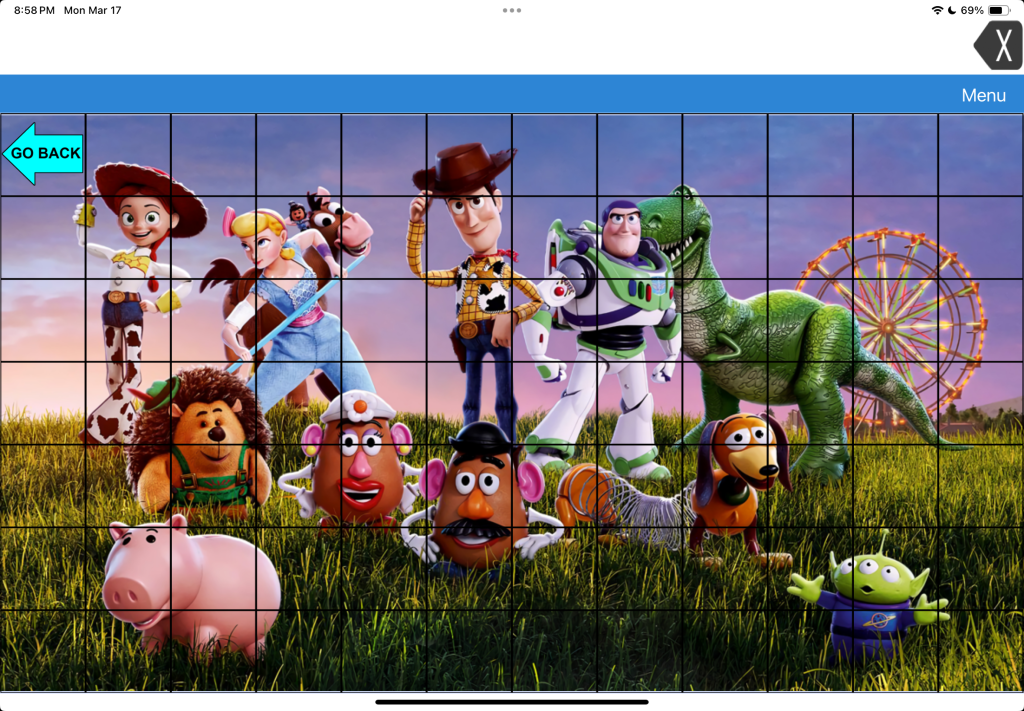
LAMP Words for Life doesn’t “officially” offer a way to add Visual Scenes like the company’s TouchChat app does. So this is an “off label” hack.
LAMP Words for Life doesn’t have any premade Visual Scene pages like TouchChat (both premade hybrid visual scenes and a way to create visual scenes with hotspots on a picture) and doesn’t have all of the same editing options (can’t resize individual buttons, can’t resize the grid).
But in LAMP Words for Life you can import a photo onto a page background and create transparent buttons to be hot spots. Each of the buttons have to be set to Transparent in order for the background photo to be visible.
It’s a bit trickier to place the hotspots since you can’t resize the grid or the individual buttons.
These hotspot buttons could play recorded audio and could even use the Open Website button action to open a URL to a specific YouTube video. Or any other button action available.
If the individual is still learning the motor plans to individual words then I likely wouldn’t add phrase buttons on a Visual Scene in it.
But I might add character names or audio clips if that’s highly interesting to that individual.
I would only add something like this to LAMP if it’s something that will spark joy and interest in using it, the user wants it added and we would do it in a mindful way to not disrupt the integral design or motor plans in this app.
❓ Have questions? The best way to reach me is via Facebook messaging over on my OMazing Kids page: https://www.facebook.com/OMazingKidsAAC/
👀 Looking for in-depth AAC feature matching resources? See this blog post: https://bit.ly/5aacFeatureMatchingResources. That post also includes videos comparing AAC apps on various devices on various platforms.
Looking for more AAC resources? Check out the Resource Links page my blog: https://omazingkidsllc.com/omazing-kids-aac-resource-links
Angela Moorad, MS, CCC-SLP, Founder of OMazing Kids, LLC, OMazing Kids AAC Consulting
• Teachers Pay Teachers Store: https://www.teacherspayteachers.com/Store/Omazing-Kids-Aac-Consulting
• YouTube: https://youtube.com/user/amoorad1
• Ko-Fi: https://ko-fi.com/omazingkidsaac
• OMazing Kids AAC Consulting Facebook Page: https://www.facebook.com/OMazingKidsAAC/
• AppPeeps Facebook Group: https://www.facebook.com/groups/OMazingKidsAppPeeps/
• GoTalk Now AAC & GoVisual Visual Scene Apps – Ideas and Sharing Facebook Group: https://bit.ly/GoTalkNowAACappGroup
• Instagram: https://www.instagram.com/omazingkidsaac
• Instagram Threads: https://www.threads.net/@omazingkidsaac
• X (formerly Twitter): https://www.x.com/amoorad
• Pinterest: http://pinterest.com/OMazingKids/
• Linktree: https://linktr.ee/amoorad1
• LinkedIn: https://www.linkedin.com/in/angelamooradomazingkidsaac
• Reddit: https://www.reddit.com/u/VintageVeraBradley/s/w3L1d8H5rk
• AppRaven AAC App Collections: https://bit.ly/AAConAppRaven
• Blog: https://omazingkidsllc.com / Resource Links page: https://omazingkidsllc.com/omazing-kids-aac-resource-links
 OMazing Kids AAC Consulting