
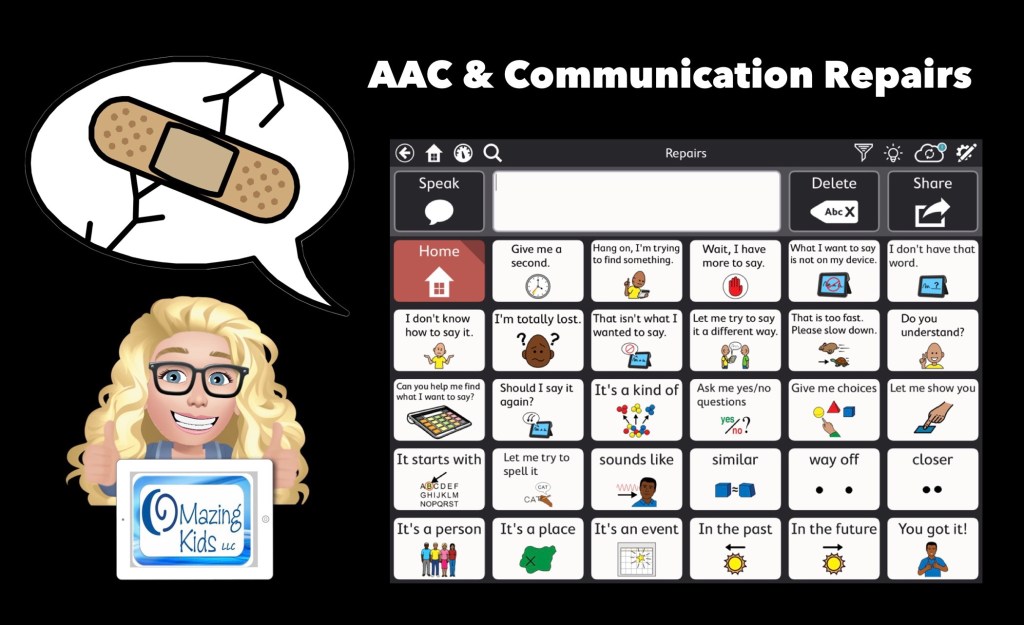
I’ve received quite a few requests for info about using AAC to clarify spoken communication and for info about “communication repair” ideas for AAC users.
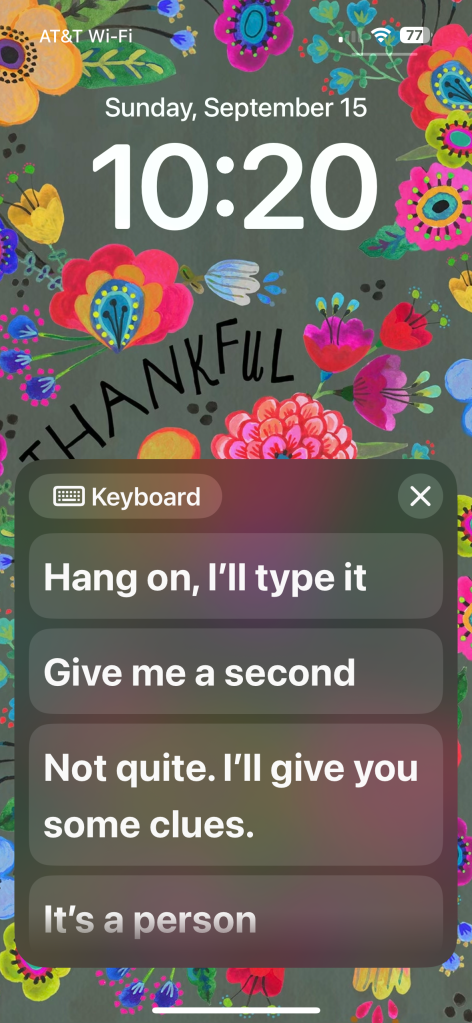
First thing to consider is it doesn’t necessarily have to be an AAC app. They could use Live Speech on an iPhone (or iPad… but most are likely going to prefer a phone since it’s more portable and it fits in with peers)
Live Speech is a free option included in iOS 17 or later (found under Accessibility – Speech). I set it to open immediately via a double tap under Back Tap. This allows me to have immediate access to typing and a few saved phrases even on the Lock Screen and it can use my Apple Personal Voice. (https://support.apple.com/en-us/105018)
If you’re needing something more robust, quite a few AAC apps have this type of content or there is a way to import it. These screenshots are examples of “Communication Repairs” vocabulary. See caption under each pic for more info.
Info about the Senner-Baud social pages can be found on the Technology & Language Center, Inc. website: https://talcaac.com/add-on-social-pages/. They have “how to” videos that show how to import/add them to each app. It’s important to follow the exact steps in their videos for it to work properly.
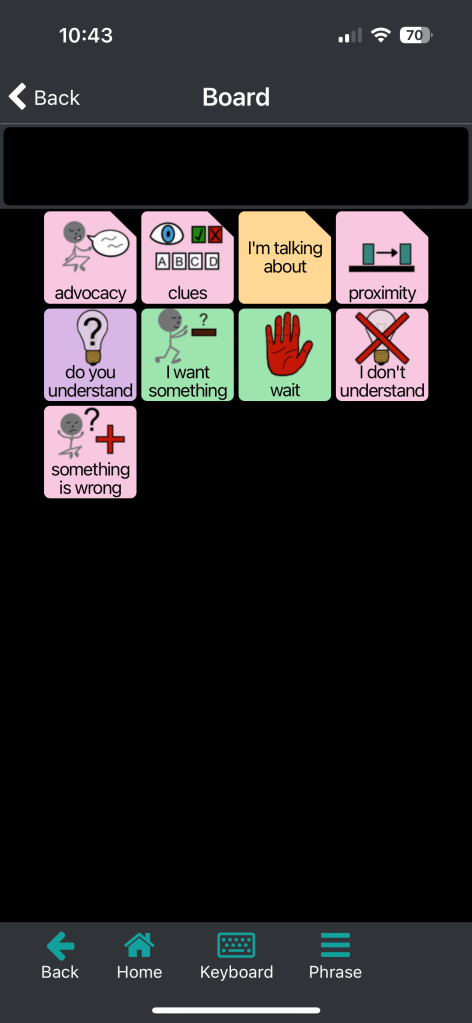
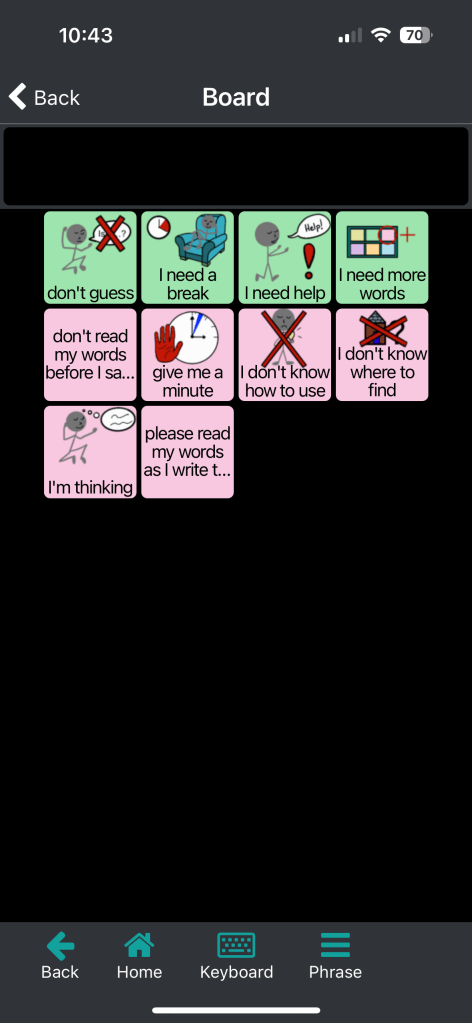
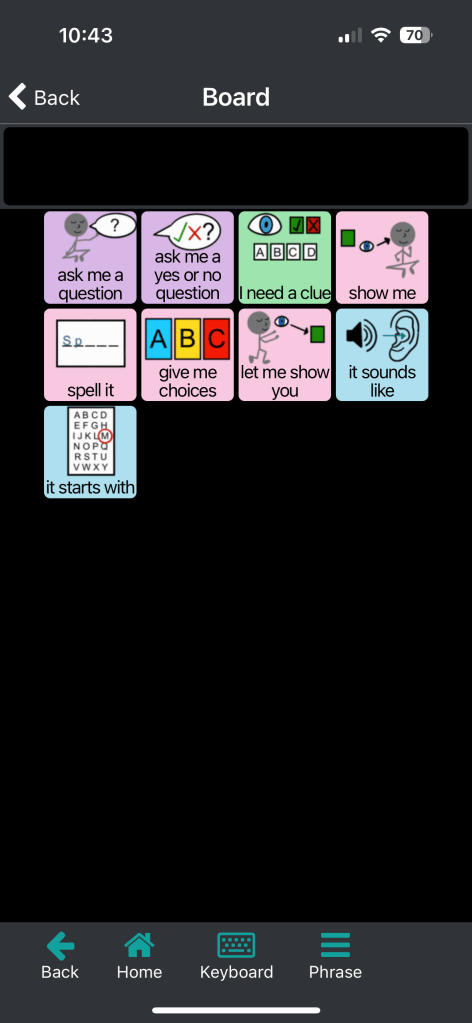
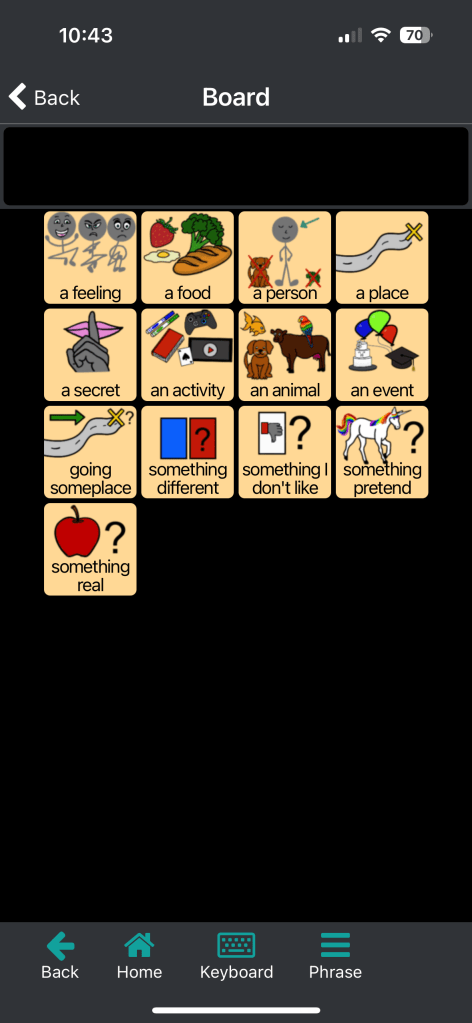
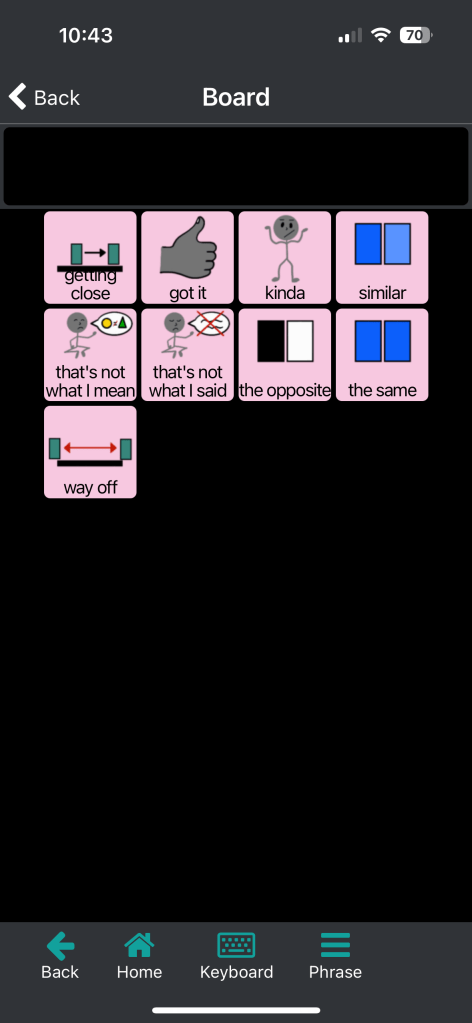
Weave Chat AAC is a totally free robust AAC app available on iOS, Android, and Amazon Fire. Here are screenshots of included vocabulary for communication repairs. It is totally customizable.
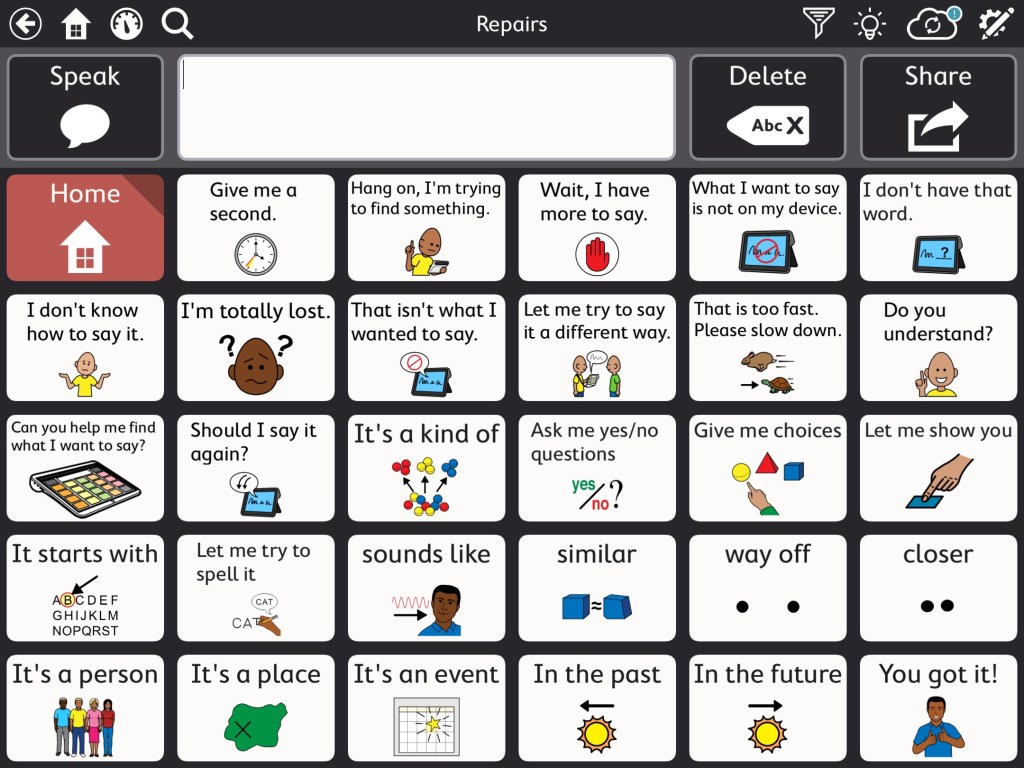
A communication repair page in the Motor Plan 30 pageset in TD Snap. I added more to it by copying and pasting buttons from the Aphasia pageset and some from the Senner-Baud social pages that I had imported into the Core First pageset.
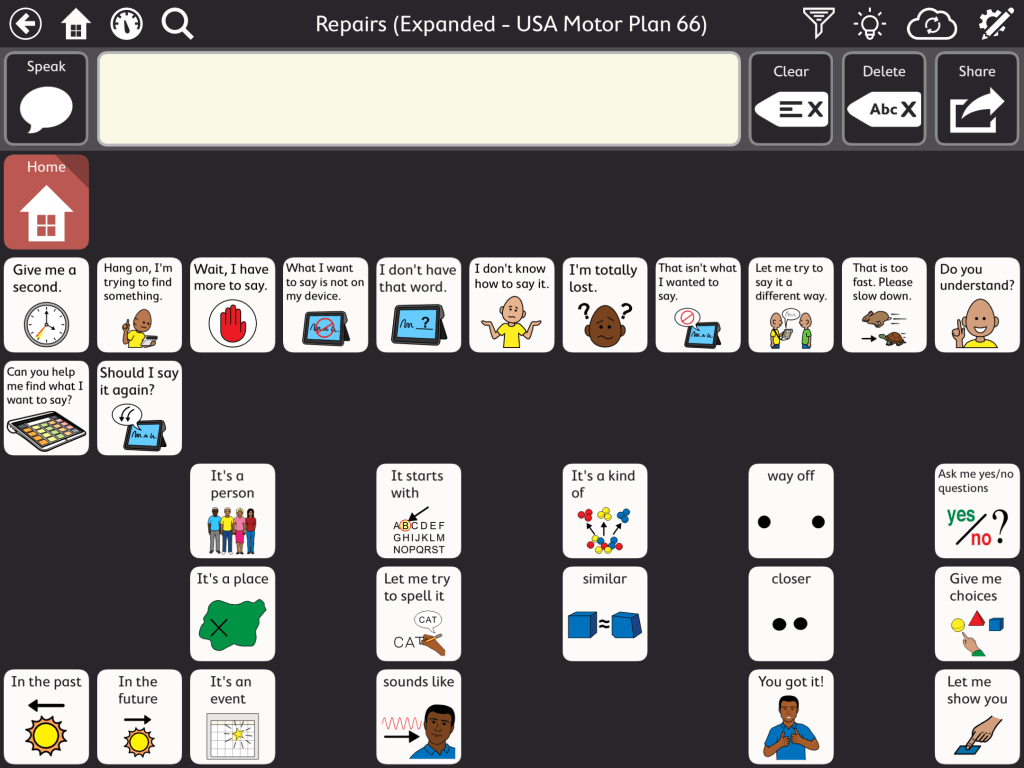
And my Communication Repairs page in the USA Motor Plan 66 pageset in TD Snap.
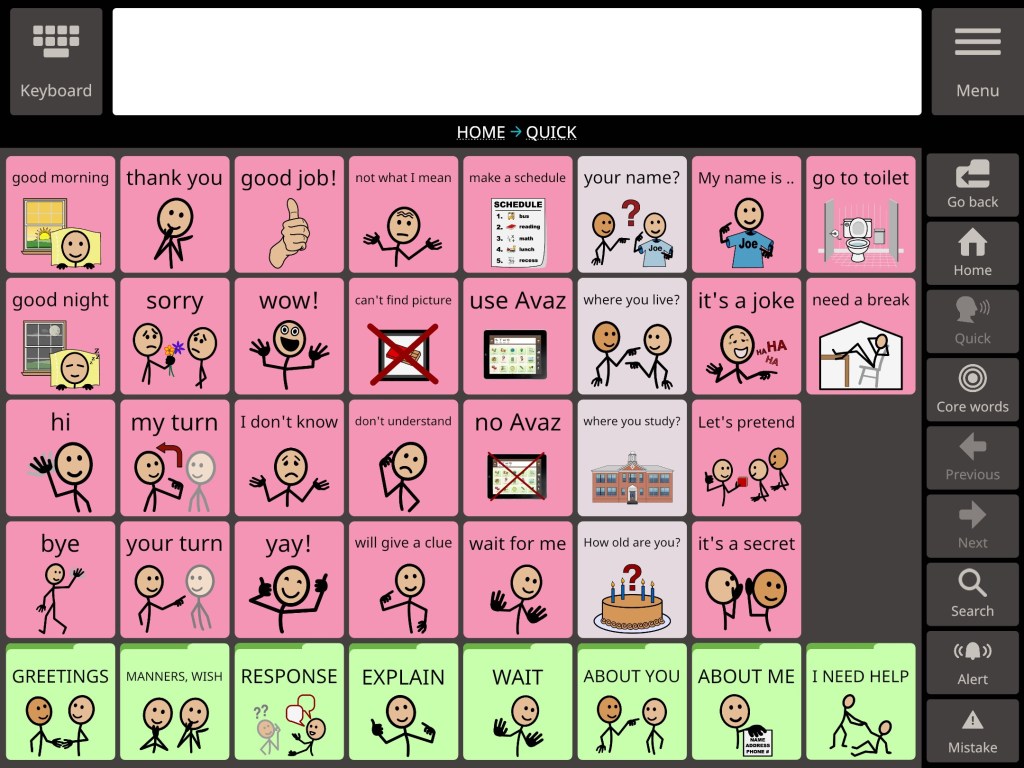
The Quick page in Avaz AAC (40 pictures per screen grid size, most recent update with new interface)
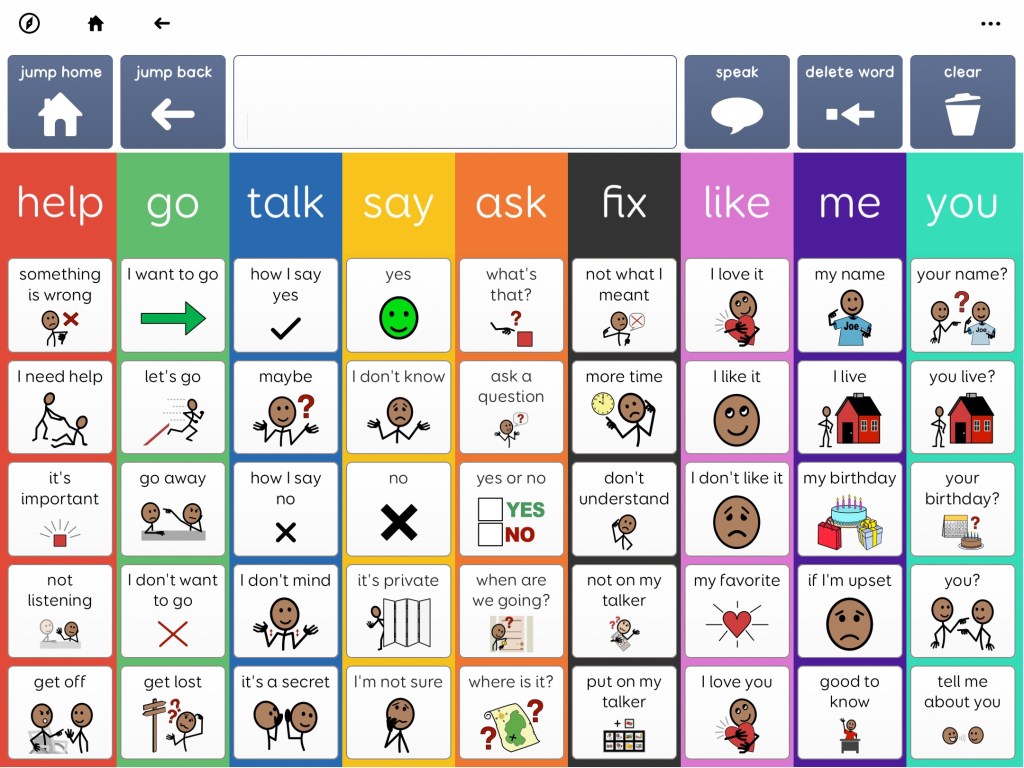
A screenshot of the Messages page from Super Core 50 in Grid for iPad (or Grid 3 on Windows devices)
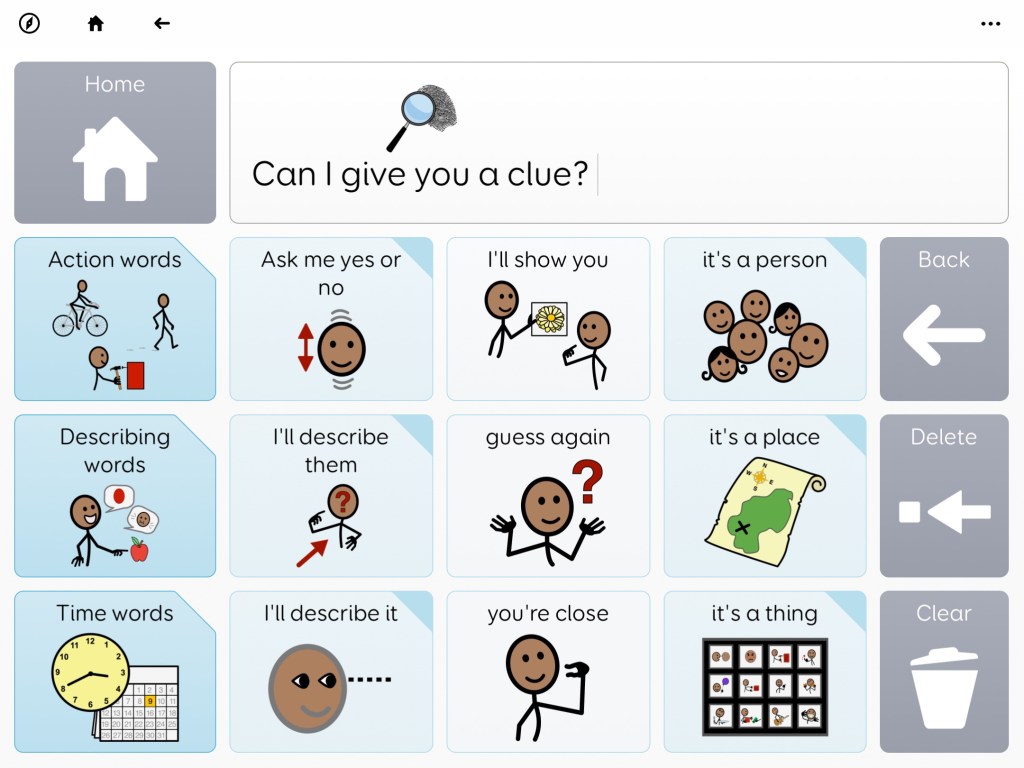
A screenshot from Voco Chat in Grid for iPad (or Grid 3 on Windows devices). This page is found under My Toolkit – Can I give you a clue.
Update 1/28/26: See more info in this post by Smartbox: https://thinksmartbox.com/news/the-skill-of-repairing-communication
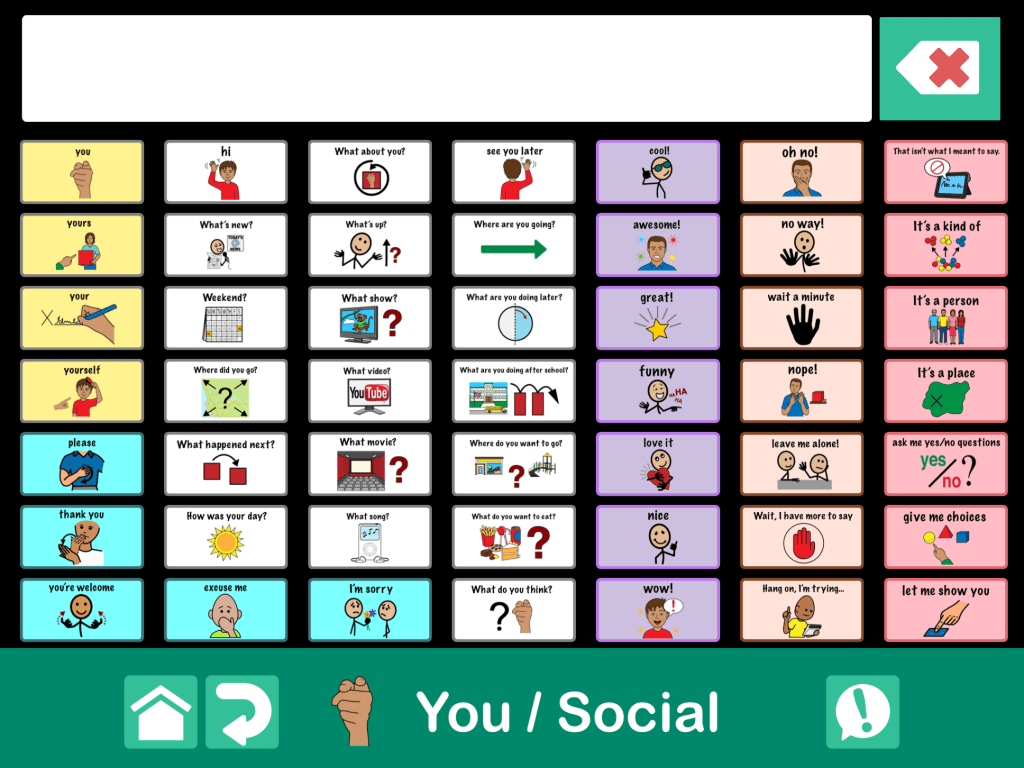

This is a page within a fairly robust communication book that I built with the largest grid size (49 buttons, 7×7) in GoTalk Now Plus. It was influenced by this type of content in other apps. The “!” button has an eight button popup with quick words that can be accessed while on any page in the app.
Notes:
- The free download link for the fairly robust Communication Book that I built is available by request for members of the GoTalk Now AAC & GoVisual Visual Scene Apps – Ideas and Sharing Facebook Group: https://bit.ly/GoTalkNowAACappGroup. Join the group and then head to this featured post where I shared the OneDrive download link: https://www.facebook.com/story.php?story_fbid=962573088901633&id=355075249651423. (Be sure to open in a browser outside of social media. If you run into issues try a different browser. I know for sure that it works in Safari.)
- I have only created this Communication Book in English since that is my native language.
- This Communication Book is way too large to upload to the GoTalk Now Online Gallery.
- Please only download it if you have GoTalk Now or GoTalk Now Plus.
- There is NOT a way to import a Communication Book into the free GoTalk Now Lite app or the inexpensive GoTalk Start app.
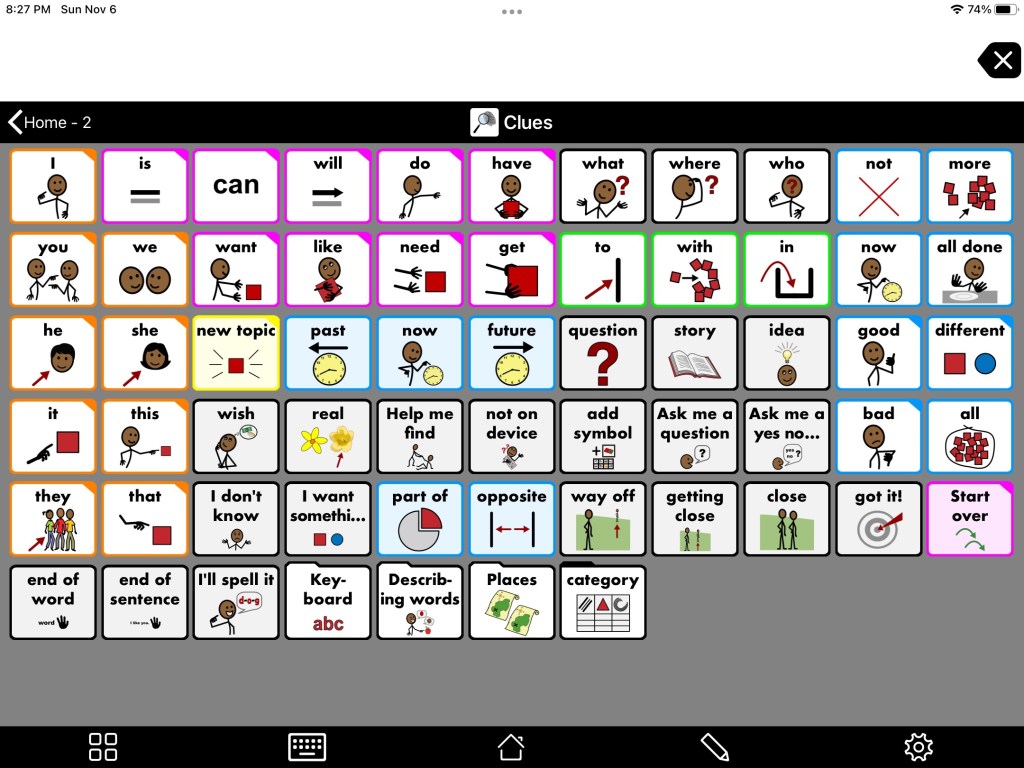
The Clues page from Proloquo2Go. On 7 x 11 grid in Crescendo Intermediate Core this page is found on Home 2 – Clues.
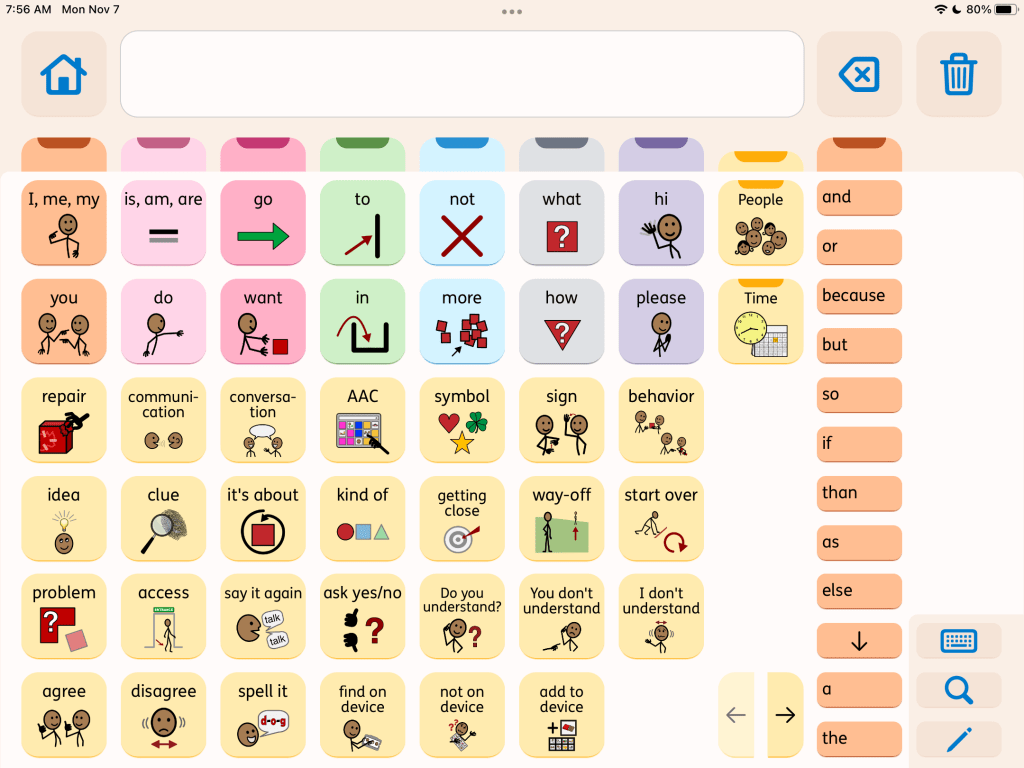
The Repair page in the subscription-based Proloquo + Proloquo Coach app.
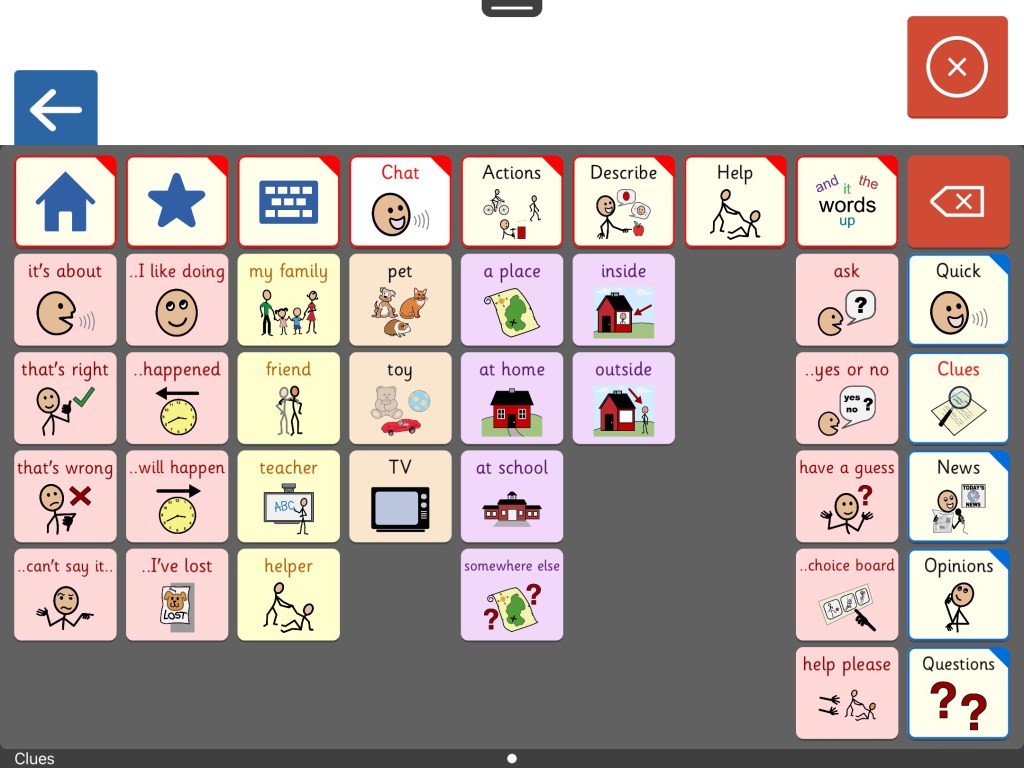
The Clues page from Clicker Communicator AAC. This is found in Clicker Core 3 vocabulary – Chat – Clues.
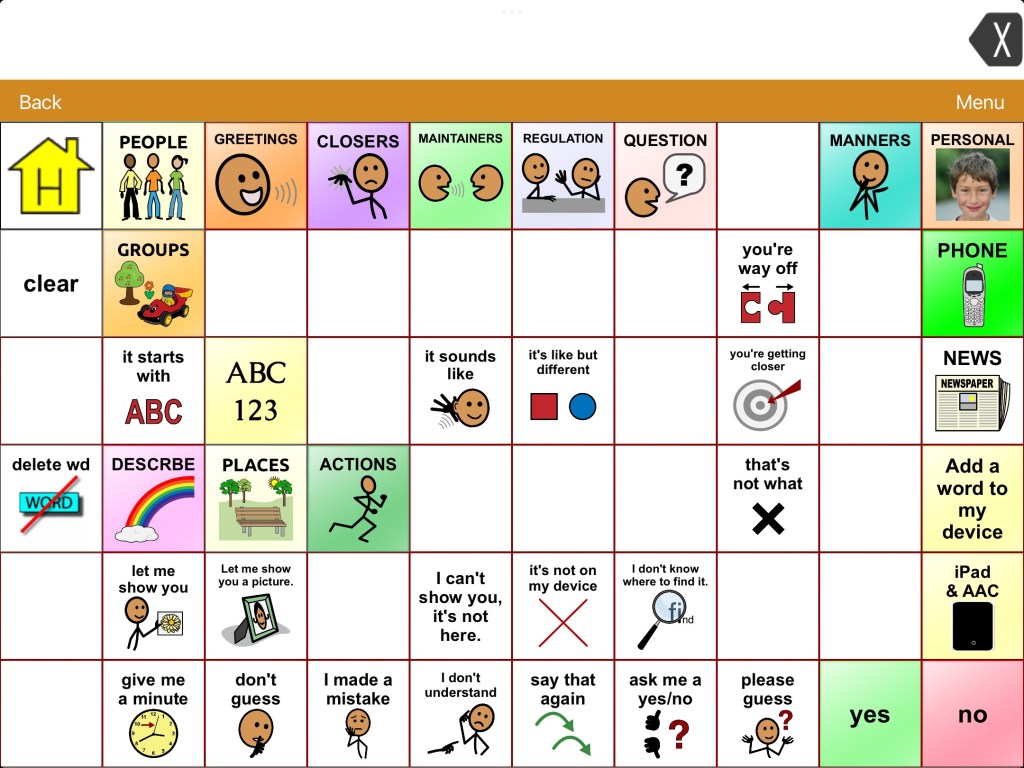
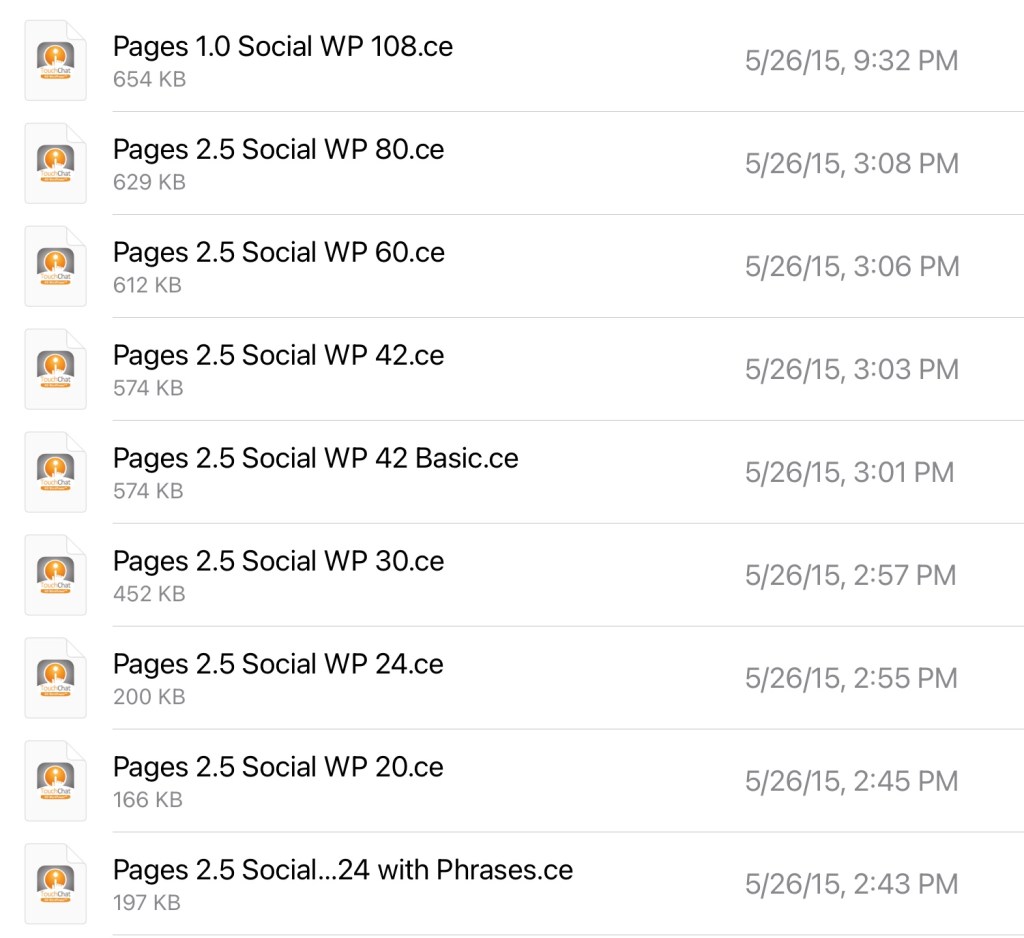
The Repairs page from the Senner-Baud social pages imported into the WordPower 60 Basic vocabulary in TouchChat with WordPower. The zipped file has these for nine different vocab file sizes.
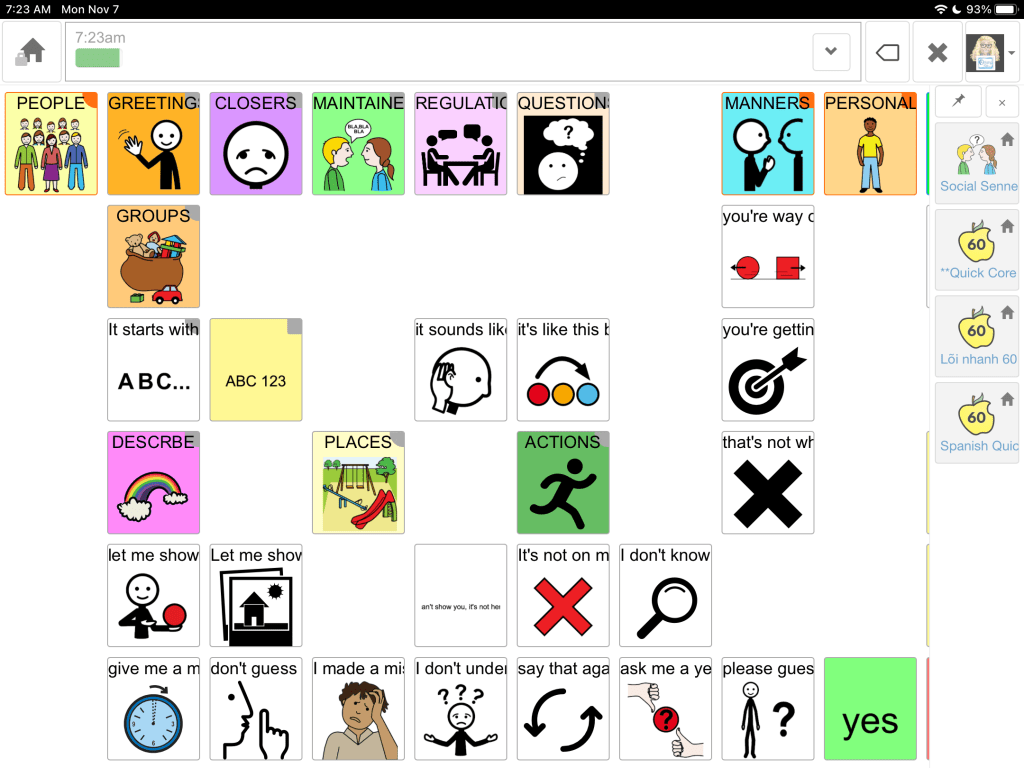
The Repairs page from the Senner-Baud social pages imported and added to the Sidebar in Quick Core 60 in CoughDrop.
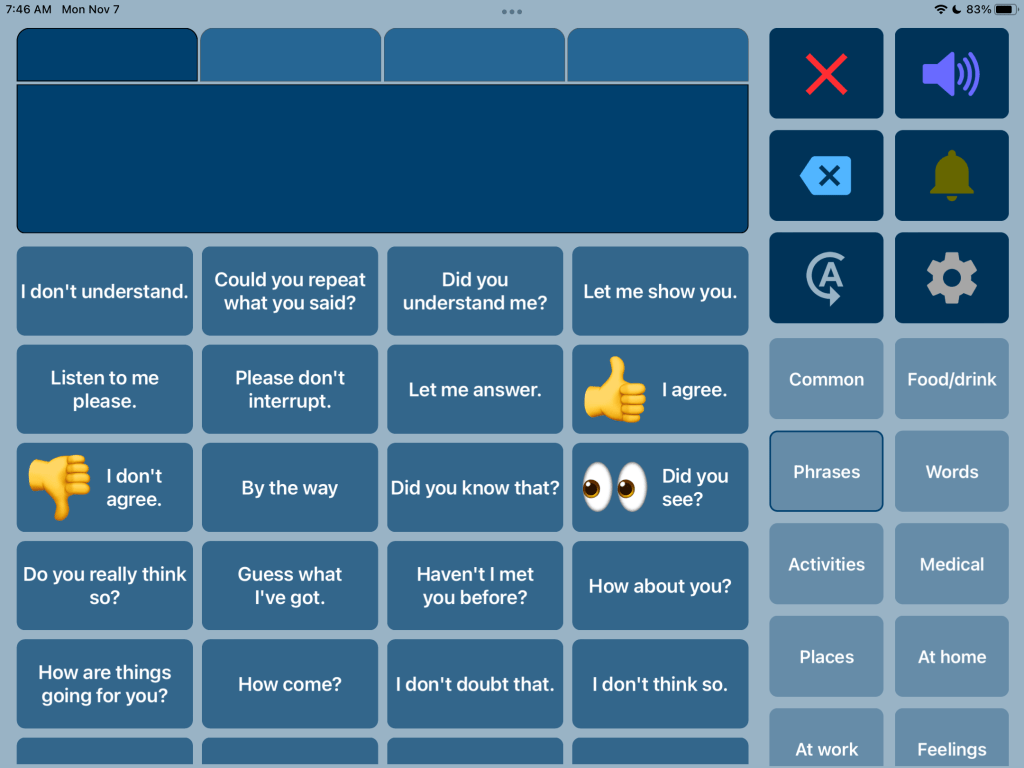
The Phrases area in Speech Assistant AAC. This very affordable text-based AAC app is easy to customize and allows an emoji, picture or symbol to be added to a button to help it stand out. I’ve rearranged some of the phrases to group them for conversational repair and added to it.
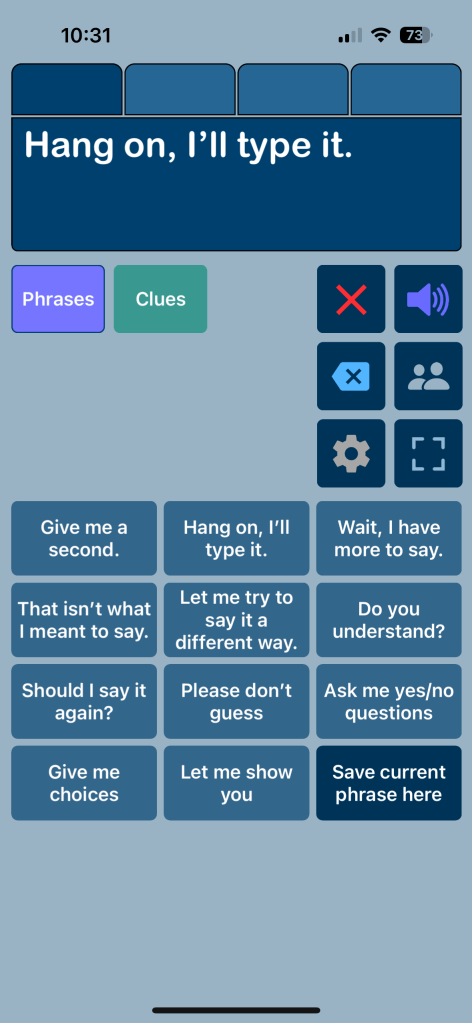
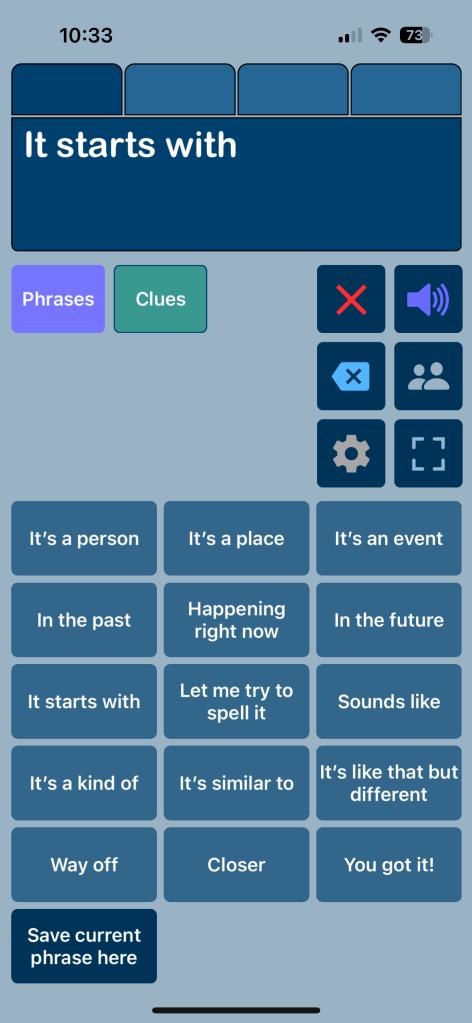
You can also build something very simple specifically for communication repairs in Speech Assistant AAC. These are screenshots from it on my iPhone.
I am sharing these as examples in case you were looking for apps that offer this type of content or are thinking of adding this type of vocabulary to an your AAC app.
As always, it’s best to include the AAC user in customizing their own system… including what they want added, where they want to add it, what symbols they want to use, etc…
Here’s a great post about communication breakdowns and communication repairs on the Uncommon Sense Blog: http://niederfamily.blogspot.com/2014/11/communication-breakdowns-repairs-with.html?m=1
Looking for in-depth and up to date info about features AAC apps? Check out these resources: https://bit.ly/5aacFeatureMatchingResources
- Robust iOS Symbol-Based: https://bit.ly/SymbolBasedAACapps
- Robust iOS Text-Based: https://bit.ly/TextBasedAACapps
- Visual Scenes & Video Visual Scenes: https://bit.ly/AACvsd
- AAC Feature Matching Resource Bundle (includes all three, save 10%): https://bit.ly/aacFeatureMatchingBundle. If you are looking to purchase resources for several staff / team members, take a look at the Multiple Licenses discount (saves 20%)
- Robust Android AAC Apps (Google Play & Amazon Fire): https://bit.ly/RobustAndroidAACappChart
- Affordable and Free AAC apps & AAC-Related Apps (iOS, Android, Amazon Fire, Windows & a few web-based options): https://bit.ly/BasicAffordableAACchart
Have a question? The best way to reach me is via Facebook messaging over on my OMazing Kids page: https://www.facebook.com/OMazingKidsAAC/
Angela Moorad, MS, CCC-SLP, Founder of OMazing Kids, LLC, OMazing Kids AAC Consulting
• Teachers Pay Teachers Store: https://www.teacherspayteachers.com/Store/Omazing-Kids-Aac-Consulting
• YouTube: https://youtube.com/user/amoorad1
• Ko-Fi: https://ko-fi.com/omazingkidsaac
• OMazing Kids AAC Consulting Facebook Page: https://www.facebook.com/OMazingKidsAAC/
• AppPeeps Facebook Group: https://www.facebook.com/groups/OMazingKidsAppPeeps/
• GoTalk Now AAC & GoVisual Visual Scene Apps – Ideas and Sharing Facebook Group: https://bit.ly/GoTalkNowAACappGroup
• Instagram: https://www.instagram.com/omazingkidsaac
• Twitter: https://www.twitter.com/amoorad
• Pinterest: http://pinterest.com/OMazingKids/
• Linktree: https://linktr.ee/amoorad1
• LinkedIn: https://www.linkedin.com/in/angelamooradomazingkidsaac
• Blog: https://omazingkidsllc.com
 OMazing Kids AAC Consulting